
AWS Big Science Best Practices Dario Rivera AWS
AWS Big Science Best Practices Dario Rivera – AWS Solutions Architect Brendan Bouffler – AWS BDM Scientific Computing
AWS becoming Valuable partner for Cloud Scientific Computing • High Performance Computing (HPC) for Engineering and Simulation • High Throughput Computing (HTC) for Data-Intensive Analytics – Hybrid Supercomputing centers • Collaborative Research Environments • Science-as-a-Service
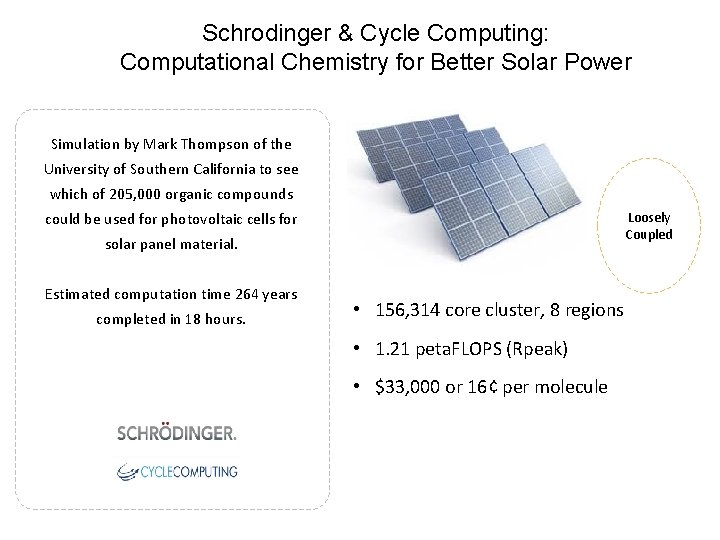
Schrodinger & Cycle Computing: Computational Chemistry for Better Solar Power Simulation by Mark Thompson of the University of Southern California to see which of 205, 000 organic compounds Loosely Coupled could be used for photovoltaic cells for solar panel material. Estimated computation time 264 years completed in 18 hours. • 156, 314 core cluster, 8 regions • 1. 21 peta. FLOPS (Rpeak) • $33, 000 or 16¢ per molecule
Schrodinger & Cycle Computing: Computational Chemistry for Better Solar Power Simulation by Mark Thompson of the University of Southern California to see which of 205, 000 organic compounds Loosely Coupled could be used for photovoltaic cells for solar panel material. Estimated computation time 264 years completed in 18 hours. • 156, 314 core cluster, 8 regions • 1. 21 peta. FLOPS (Rpeak) • $33, 000 or 16¢ per molecule
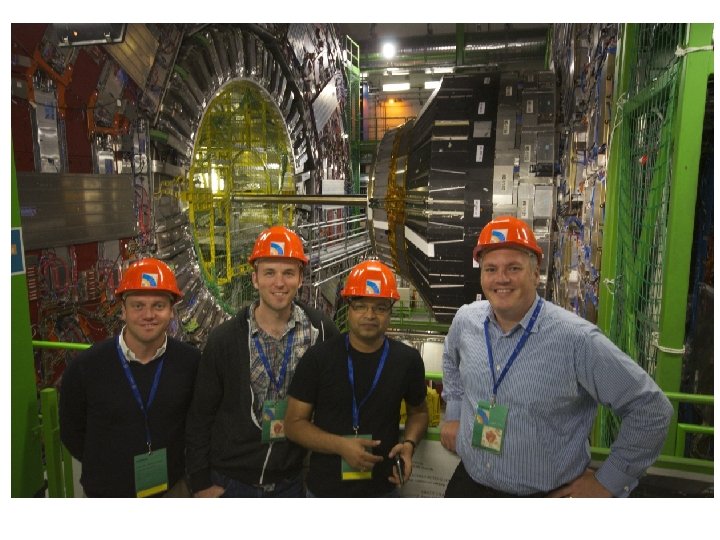
ATLAS Program Challenges helped by AWS
Challenge 1: Leverage the Network for Scale • Challenge: – Hybrid Architecture running On-premises and on AWS with minimal Latency absolutely necessary – Provide dedicated bandwidth to allow large scale data transfer from On-Prem Storage to Elastically Scaled Cloud Storage. • Answer: – Direct. Connect Service through AWS • AWS Direct. Connect (DX) lets you establish a dedicated network connection between your network and one of the AWS Direct Connect locations. Using industry standard 802. 1 q VLANs. DX can be provisioned for 1 G, 10 G or multiples there of via Equal Cost Multipath binding. (Hashing)
Direct. Connect Best Practices • Leverage your AWS Sci. Co Team Rep as much as possible (more on this later) • Although AWS provisions DX fairly automated, there are still some Manual steps which require human interaction… engaging AWS support sooner rather than later to help finalize connection. • DX Getting Started: http: //docs. aws. amazon. com/directconnect/latest/User. G uide/getstarted. html
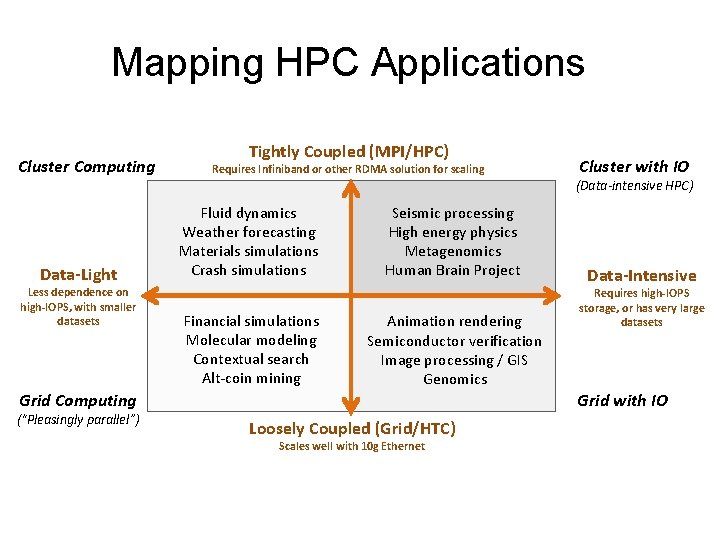
Mapping HPC Applications Cluster Computing Data-Light Less dependence on high-IOPS, with smaller datasets Tightly Coupled (MPI/HPC) Requires Infiniband or other RDMA solution for scaling (Data-intensive HPC) Fluid dynamics Weather forecasting Materials simulations Crash simulations Financial simulations Molecular modeling Contextual search Alt-coin mining Seismic processing High energy physics Metagenomics Human Brain Project Animation rendering Semiconductor verification Image processing / GIS Genomics Grid Computing (“Pleasingly parallel”) Cluster with IO Data-Intensive Requires high-IOPS storage, or has very large datasets Grid with IO Loosely Coupled (Grid/HTC) Scales well with 10 g Ethernet
Challenge 2: Provisioning Cheap Flexible Compute • Once connectivity is established with your Virtual Private Cloud (VPC) provisioning cheap compute offered at High Flexibility within AWS • Challenge 2: Contrary to popular perception, there is NO cloud that has unlimited compute. How can compute be provisioned elastically, securely, and cheaply for HIGH Data workloads
Answer 2: EC 2 Spot Market • EC 2 Spot Market - Spot Instances allow you to name your own price for Amazon EC 2 computing capacity. You simply bid on spare Amazon EC 2 instances and run them whenever your bid exceeds the current Spot Price, which varies in real-time based on supply and demand. • EC 2 SPOT Market actually is over 20 different markets (1 per AZ) • Bidding strategies can vary based on workload
Spot Market Best Practices • Capacity can vary depending on the competitiveness of the market (AZ) for the given instance type • Bid on the instance type based on how much the per hour use of that instance is worth to your budget • Use Termination notices when possible: https: //aws. amazon. com/blogs/aws/new-ec 2 spot-instance-termination-notices/
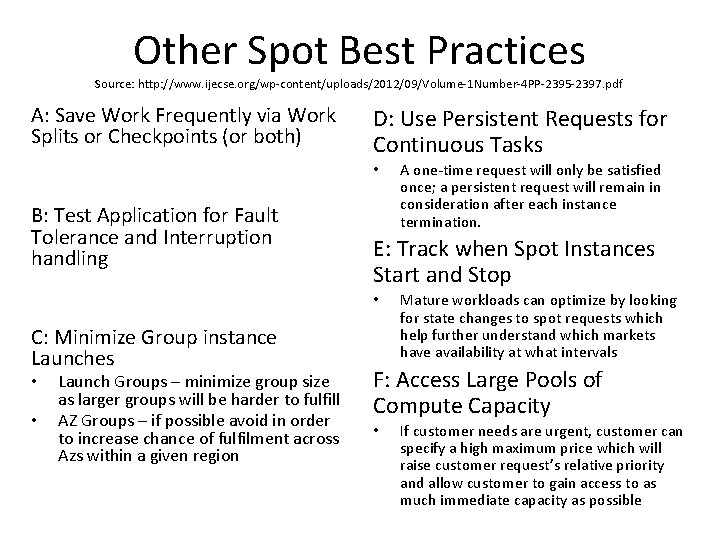
Other Spot Best Practices Source: http: //www. ijecse. org/wp-content/uploads/2012/09/Volume-1 Number-4 PP-2395 -2397. pdf A: Save Work Frequently via Work Splits or Checkpoints (or both) D: Use Persistent Requests for Continuous Tasks • B: Test Application for Fault Tolerance and Interruption handling E: Track when Spot Instances Start and Stop • C: Minimize Group instance Launches • • Launch Groups – minimize group size as larger groups will be harder to fulfill AZ Groups – if possible avoid in order to increase chance of fulfilment across Azs within a given region A one-time request will only be satisfied once; a persistent request will remain in consideration after each instance termination. Mature workloads can optimize by looking for state changes to spot requests which help further understand which markets have availability at what intervals F: Access Large Pools of Compute Capacity • If customer needs are urgent, customer can specify a high maximum price which will raise customer request’s relative priority and allow customer to gain access to as much immediate capacity as possible
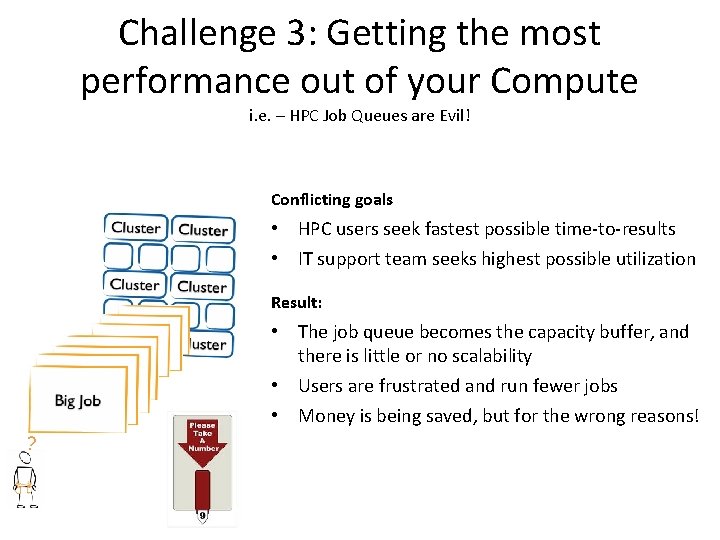
Challenge 3: Getting the most performance out of your Compute i. e. – HPC Job Queues are Evil! Conflicting goals • HPC users seek fastest possible time-to-results • IT support team seeks highest possible utilization Result: • The job queue becomes the capacity buffer, and there is little or no scalability • Users are frustrated and run fewer jobs • Money is being saved, but for the wrong reasons! ?
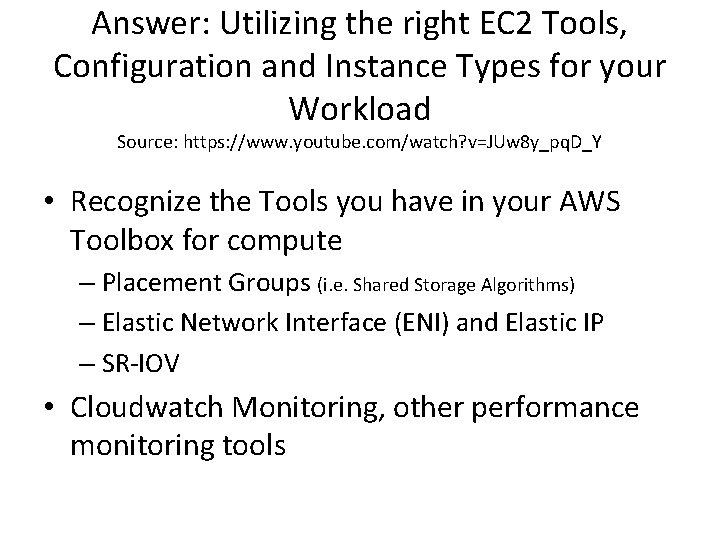
Answer: Utilizing the right EC 2 Tools, Configuration and Instance Types for your Workload Source: https: //www. youtube. com/watch? v=JUw 8 y_pq. D_Y • Recognize the Tools you have in your AWS Toolbox for compute – Placement Groups (i. e. Shared Storage Algorithms) – Elastic Network Interface (ENI) and Elastic IP – SR-IOV • Cloudwatch Monitoring, other performance monitoring tools
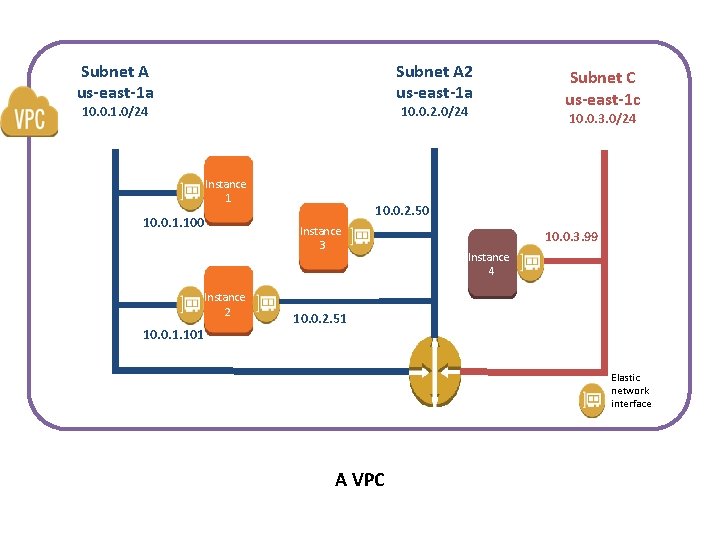
Subnet A us-east-1 a Subnet A 2 us-east-1 a 10. 0. 1. 0/24 10. 0. 2. 0/24 Instance 1 10. 0. 1. 100 10. 0. 1. 101 10. 0. 3. 0/24 10. 0. 2. 50 Instance 3 Instance 2 Subnet C us-east-1 c 10. 0. 3. 99 Instance 4 10. 0. 2. 51 Elastic network interface A VPC
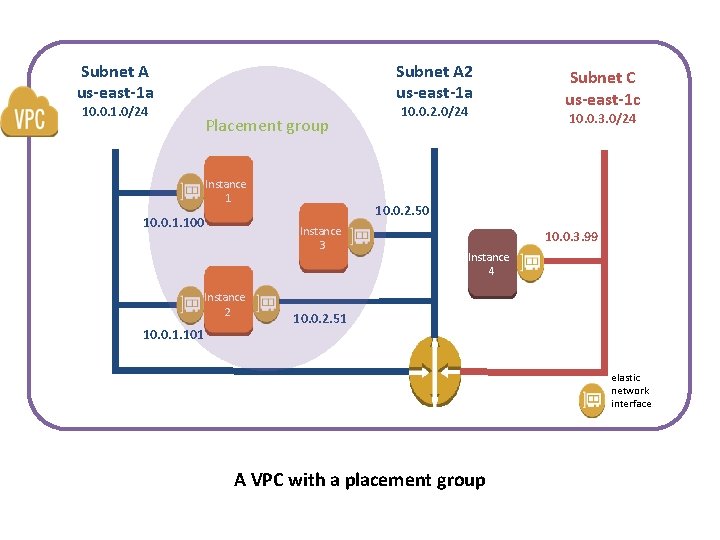
Subnet A us-east-1 a 10. 0. 1. 0/24 Subnet A 2 us-east-1 a Placement group Instance 1 10. 0. 1. 100 10. 0. 1. 101 10. 0. 3. 0/24 10. 0. 2. 50 Instance 3 Instance 2 10. 0. 2. 0/24 Subnet C us-east-1 c 10. 0. 3. 99 Instance 4 10. 0. 2. 51 elastic network interface A VPC with a placement group
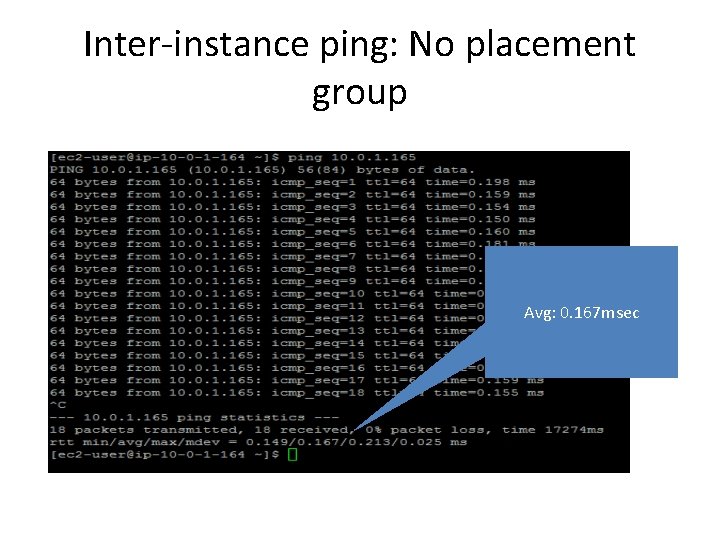
Inter-instance ping: No placement group Avg: 0. 167 msec
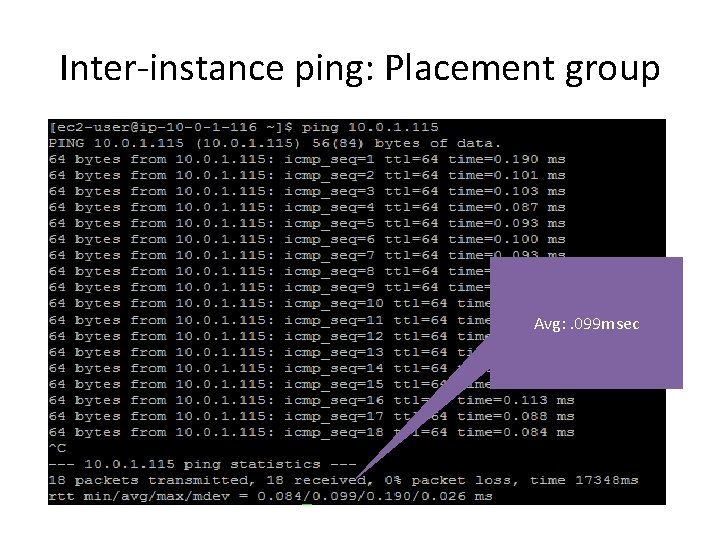
Inter-instance ping: Placement group Avg: . 099 msec
Enhanced Networking
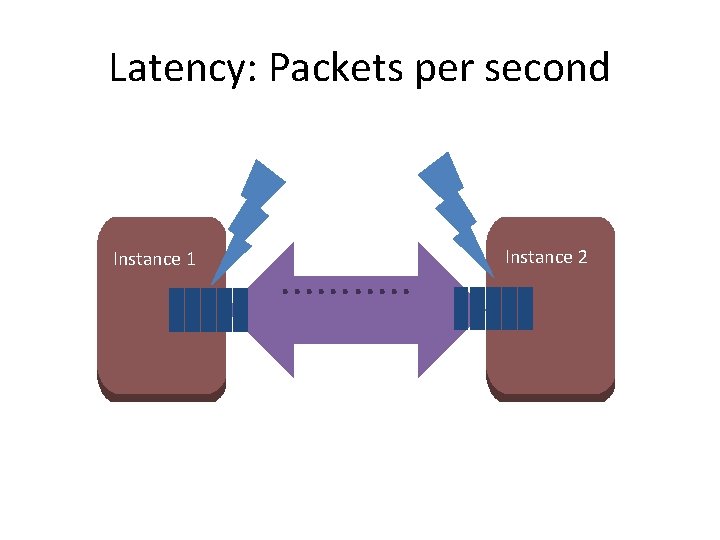
Latency: Packets per second Instance 1 . . . Instance 2
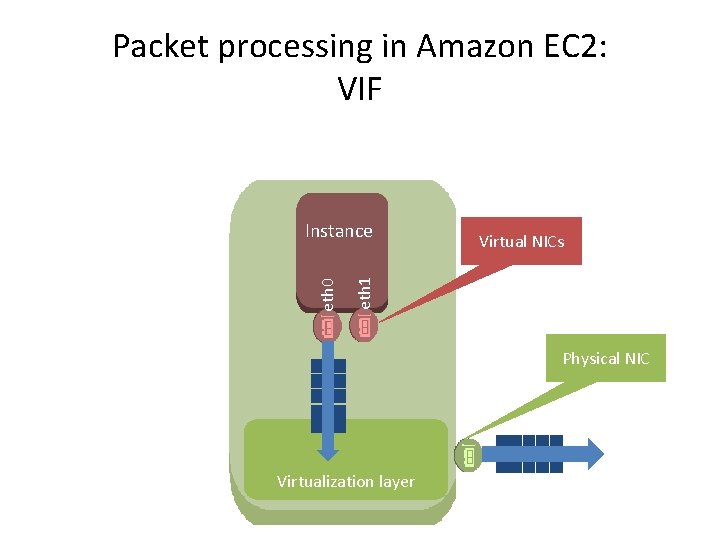
Packet processing in Amazon EC 2: VIF Virtual NICs eth 1 eth 0 Instance Physical NIC Virtualization layer
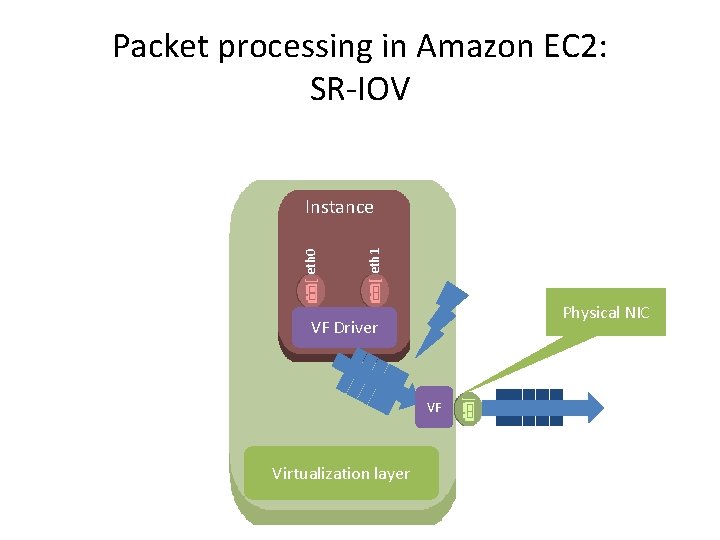
Packet processing in Amazon EC 2: SR-IOV eth 1 eth 0 Instance Physical NIC VF Driver VF Virtualization layer
SR-IOV: Is thing on? It may already be! For many newer AMIs, Enhanced Networking is already on: • Newest Amazon Linux AMIs • Windows Server 2012 R 2 AMI No need to configure
![SRIOV: Is thing on? (Linux) No Yes! [ec 2 -user@ip-10 -0 -3 -70 ~]$](http://slidetodoc.com/presentation_image_h/c2035dc9132cd5b362bdb9c48c63de57/image-26.jpg "SRIOV: Is thing on? (Linux) No Yes! [ec 2 -user@ip-10 -0 -3 -70 ~]$")
SRIOV: Is thing on? (Linux) No Yes! [ec 2 -user@ip-10 -0 -3 -70 ~]$ ethtool -i eth 0 driver: vif version: firmware-version: bus-info: vif-0 … driver: ixgbevf version: 2. 14. 2+amzn firmware-version: N/A bus-info: 0000: 03. 0 …
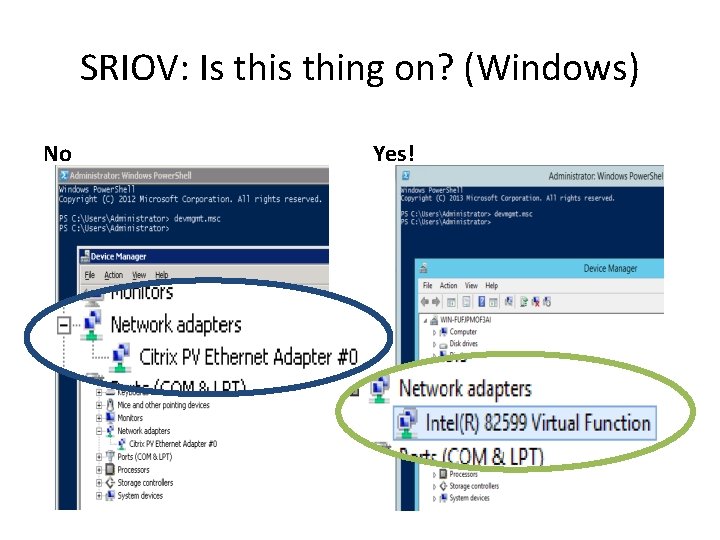
SRIOV: Is thing on? (Windows) No Yes!
AMI/instance support for SR-IOV • C 3, C 4, R 3, I 3 instance families: 18 instance types • HVM virtualization type • Required kernel version – Linux: 2. 6. 32+ – Windows: Server 2008 R 2+ • Appropriate VF driver – Linux: ixgbevf 2. 14. 2+ module – Windows: Intel® 82599 Virtual Function driver
Challenge 3: Finding Highest Storage Capacity for Best Performance at Cheapest Cost • Answer: Understand your options: – S 3 (~. 03/GB) – Unlimited Capacity, Webscale Accessibility, available via DX and Public Interface – EBS (~. 10/GB) – Make use of automation to have SPOT connect to EBS for persistent check pointing – Instance Storage (Free) – fastest performance disk, ephemeral – lost after instance stop, reboot or termination – Many others: Dynamo. DB, RDS, Aurora, Redshift, etc
Block-Based Storage Best Practice • Be Sure to Pre-Warm!! – Best for Short running Jobs – Long running job will take the affect of cold disk over the life of job – Analyze job times for sweet spot of prewarming over not • Source: http: //docs. aws. amazon. com/AWSEC 2/latest/ User. Guide/ebs-prewarm. html
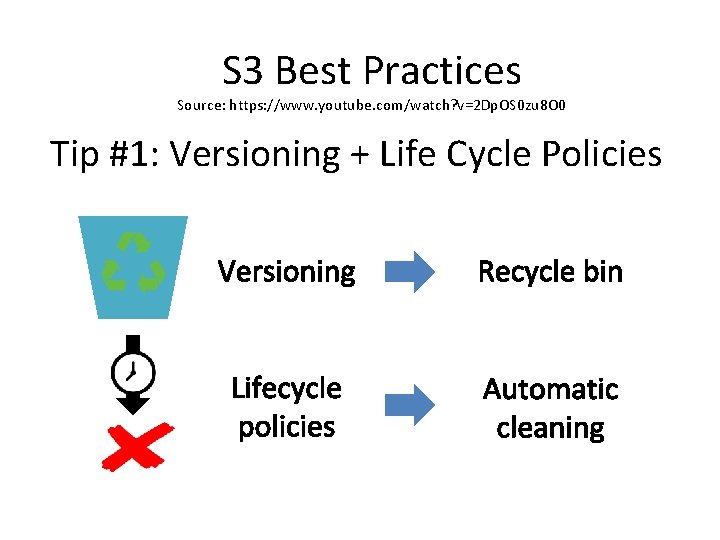
S 3 Best Practices Source: https: //www. youtube. com/watch? v=2 Dp. OS 0 zu 8 O 0 Tip #1: Versioning + Life Cycle Policies
S 3 Best Practices http: //docs. aws. amazon. com/Amazon. S 3/latest/dev/requestrate-perf-considerations. html
AWS Sci. Co Team Engagement I'm not psycho. . . I just like Sci. Co-tic things. – Gerard Way Why Did AWS Create Sci. Co? In order to make it easy to find, discover and use AWS for scientific computing at any scale. Specifically, Sci. Co helps AWS Users: • More effectively support global “Big Science” Collaborations • Develop a solution-centric focus for engaging with the global scientific and engineering communities • Accelerate the development of a scientific computing ecosystem on AWS • Educate and Evangelize AWS’ role in Scientific Computing
Introducing the Sci. Co Team Jamie Kinney (jkinney@) – Sr. Manager for Sci. Co (Seattle) Michael Kokorowski (mkoko@) –Technical Program Manager (Seattle) Traci Ruthkoski (ruthkosk@) - Technical BDM, Earth Sciences (D. C. ) Angel Pizarro (angel@) – Technical BDM, Genomics & HCLS (Philadelphia) Brendan “Boof” Bouffler (bouffler@) – Technical BDM, Hybrid Supercomputing Centers, Sci. Co in APAC, and the SKA (Sydney) Kevin Jorissen (jorissen@) - Technical BDM, Materials Science and Long Tail solutions (Seattle)
The AWS Research Grants Program AWS provides millions of dollars in free AWS usage annually to researchers. The program was initially designed to help AWS understand the needs of the academic and research communities. We now focus 90% of our grants on driving specific outcomes, including: • Creation of AMIs, white papers, financial/technical benchmarks, and other long-tail solutions • Accelerating the development of Science-as-a-Service applications • Training new AWS users by providing resources for hands-on labs and workshops • Accelerating the launch of new projects by strategic customers through support for pilot projects
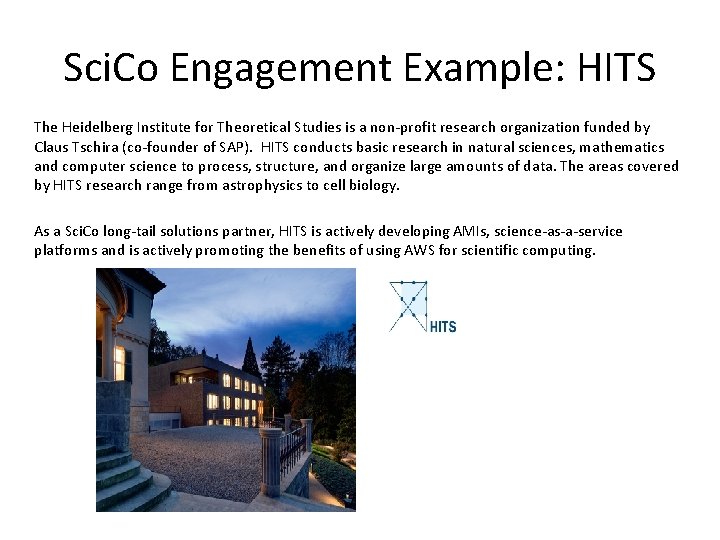
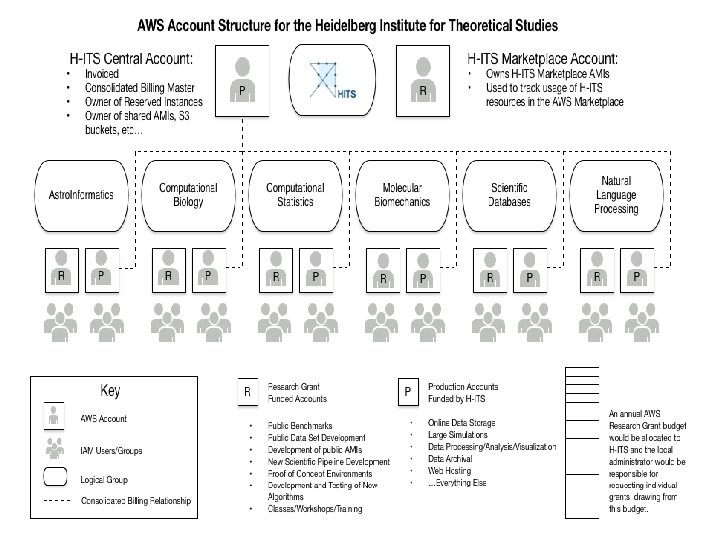
Sci. Co Engagement Example: HITS The Heidelberg Institute for Theoretical Studies is a non-profit research organization funded by Claus Tschira (co-founder of SAP). HITS conducts basic research in natural sciences, mathematics and computer science to process, structure, and organize large amounts of data. The areas covered by HITS research range from astrophysics to cell biology. As a Sci. Co long-tail solutions partner, HITS is actively developing AMIs, science-as-a-service platforms and is actively promoting the benefits of using AWS for scientific computing.
Thank you!
- Slides: 38