
AWR Studio Training Presented by Andrew Daryl Gungadoo
AWR Studio Training Presented by: Andrew Daryl Gungadoo AWR Program Distribution Director Stockholm - Feb 21 -22, 2004
Topics (Day One – 2 hrs) • Radio Ministry An Introduction (10 minutes) • Hardware Components in a Studio/FM Station: – Mic/Recorded media/Mixer/Transmitter) (20 minutes) • • • Mic Theory & Techniques (10 minutes) Analog Recording Media (5 Minutes) Digital Recording Media (15 Minutes) Audio Cables in a Studio (5 Minutes) An Introduction to Computer Recording Platform & file Compression (25 Minutes) • Basic Mixer Principles (10 Minutes) • An Introduction to local FM/AM Tx (10 Minutes) • An Introduction to distribution via Satellite for the European Market (5 Minutes)
Topics (Day Two - Morning) • Review of yesterdays points (Mic/Recorded media/Mixer/Transmitter) (10 Minutes) • Digital Editing Adobe Audition with practice (2 hours) – Adobe Audition (the basics: Computer Requirements) – Adobe Audition (the basics: Installation, Opening) – Adobe Audition (the basics: Preparation for recording Adjusting the levels) – Adobe Audition (the basics: Playing Audio) – Adobe Audition (the basics: Saving Audio no Compression) – Adobe Audition (editing: Editing Basics Cut/Paste) – Adobe Audition (editing: Editing Basics Fades & simple effects) – Adobe Audition (editing: Punch Edit) – Adobe Audition (Multitrack: an Introduction) – Adobe Audition (Multitrack: brief example of music recording)
Topics (Day Two) - Afternoon • Review of this morning's points (Adobe Audition) (10 Minutes) • practice on Adobe Audition (1 hour) – Concrete exercises • • File compression techniques (MPEG) (10 minutes) Audio over the Internet (FTP & Web Publication) (20 Minutes) Content creation (10 minutes) Wrapping it up. . .
Mat 28: 19 • Gån fördenskull ut och gören alla folk till lärjungar, (…) • Therefore go, and make disciples of all nations, (…) Types of Missionaries: • Noah (Gen 6) • Abraham (Gen 12) • Queen of Sheba (2 Chr 9) • Maid of Naaman (2 Ki 5) • Daniel, Joseph

Contextualizing
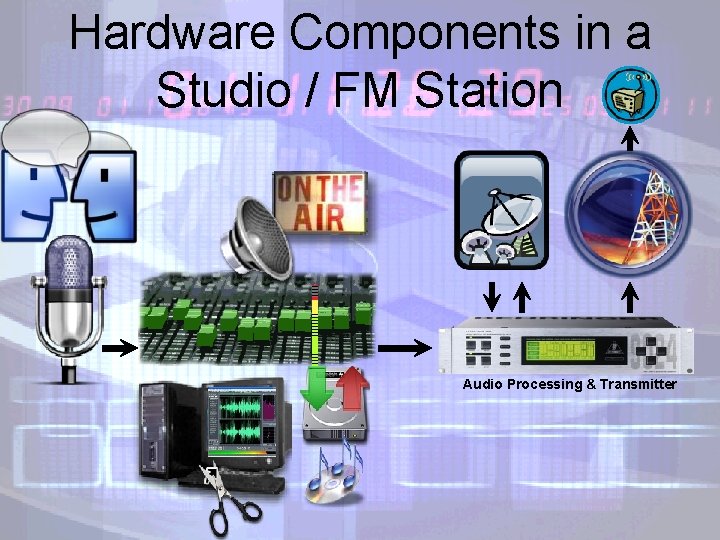
Hardware Components in a Studio / FM Station Audio Processing & Transmitter
• Acoustic Theory & Techniques Inverse Square Law (http: //www. mcsquared. com/dbframe. htm) – d. B Δ = 20 x Log (length old / length new) – or 6 d. B per doubling of the distance • • Atmospheric Attenuation (dependent on humidity, Tº, Air Pressure & Frequency) Critical Distance (Dc) & mic placement – Direct speech / reflected speech • Sensitivity (d. B SPL) – Sound Pressure Level • • • Reverb & Positioning (see http: //www. mcsquared. com/y reverb. htm) Meters (d. B, d. Bu, Vrms, etc…) Mic Pickup Patterns (also referred as Polar patterns) – Unidirectional (Cardioid, Supercardiod, Hypercardioid, Shotgun) (50% Dc) – Bidirectional (Figure of eight or cosine) – Omni Directional (& Half Omni or Hemispherical) (30% Dc) • Power Mics – Phantom Power: (9 52 v DC) powers the condenser pre amp of mic – Bias: DC Voltage (1. 5 9 v DC) powers JFET Transistor on electret condenser mic • Equalization (http: //www. shure. com/support/technotes/app eq. html) – Improve the naturalness / intelligibility of sound – Improve the overall output level (by reducing feedback frequency) – But it cannot eliminate distortion
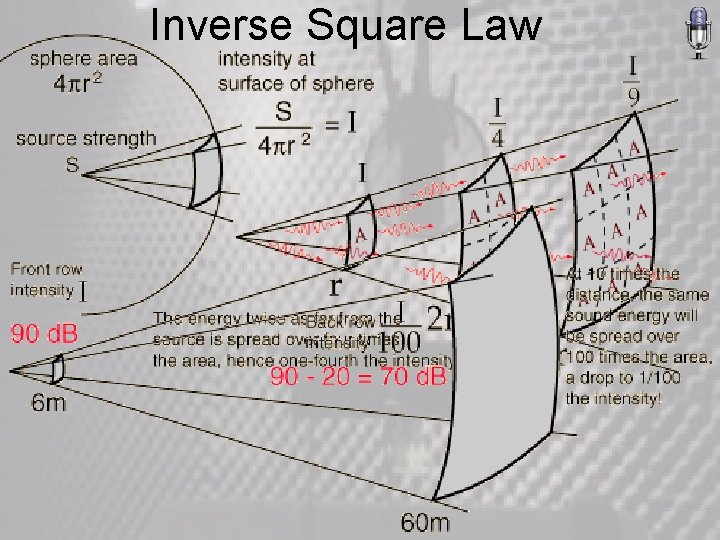
Inverse Square Law
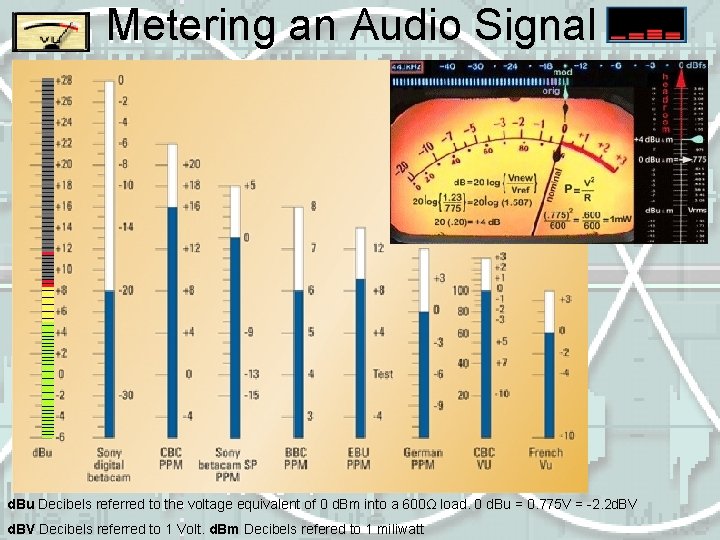
Metering an Audio Signal d. Bu Decibels referred to the voltage equivalent of 0 d. Bm into a 600Ω load. 0 d. Bu = 0. 775 V = 2. 2 d. BV Decibels referred to 1 Volt. d. Bm Decibels refered to 1 miliwatt
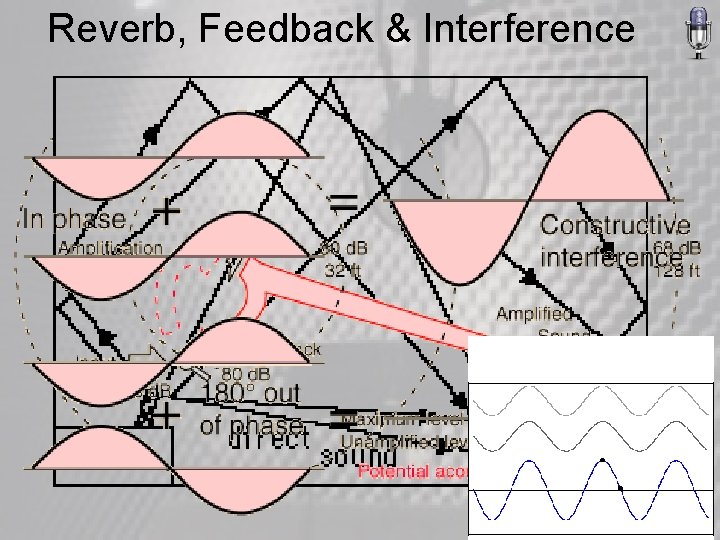
Reverb, Feedback & Interference
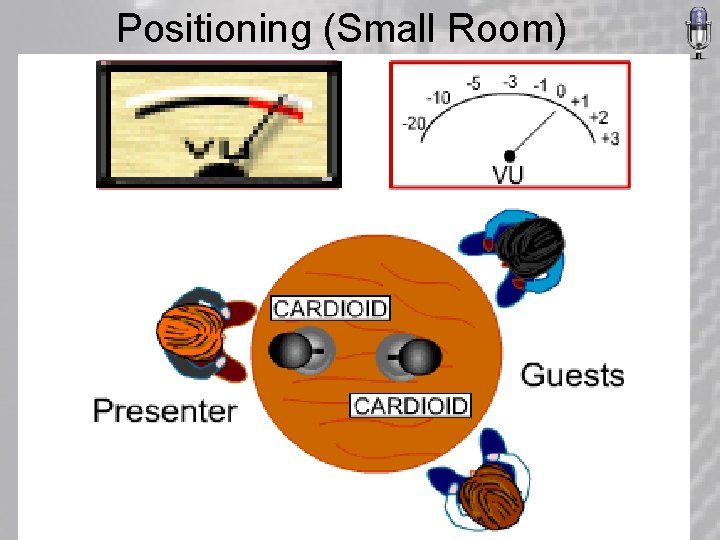
Positioning (Small Room)
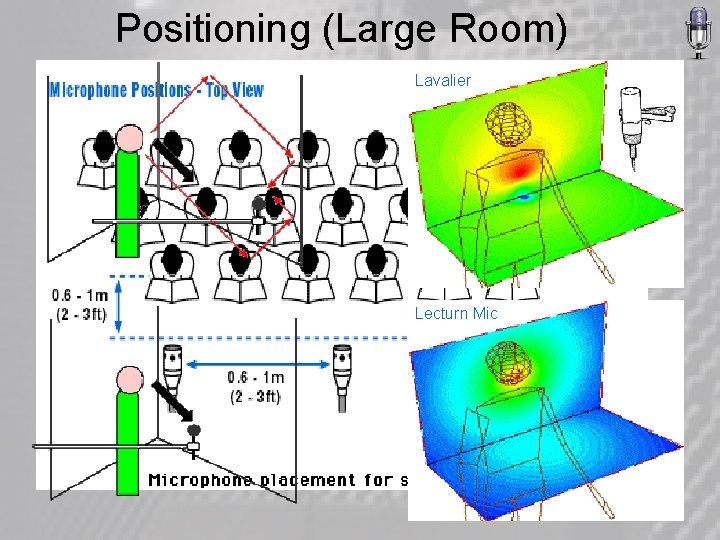
Positioning (Large Room) Lavalier Lecturn Mic
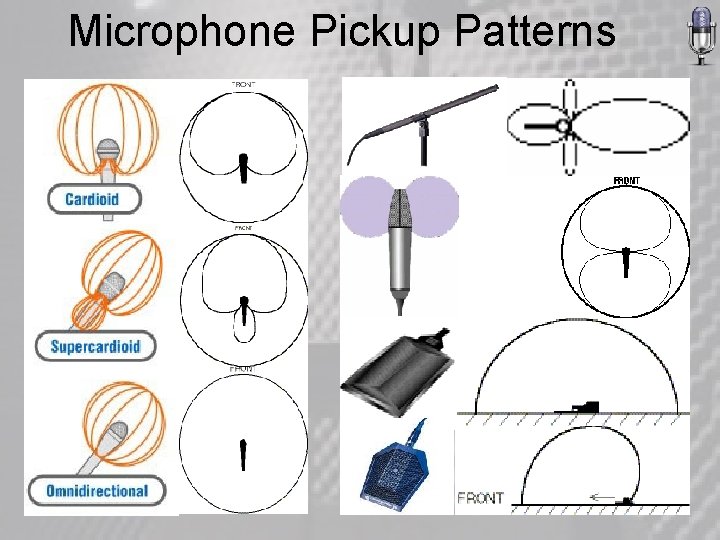
Microphone Pickup Patterns
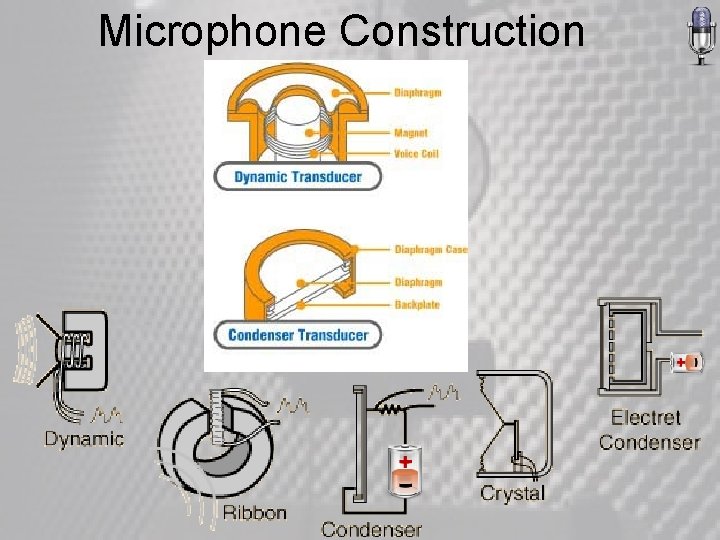
Microphone Construction
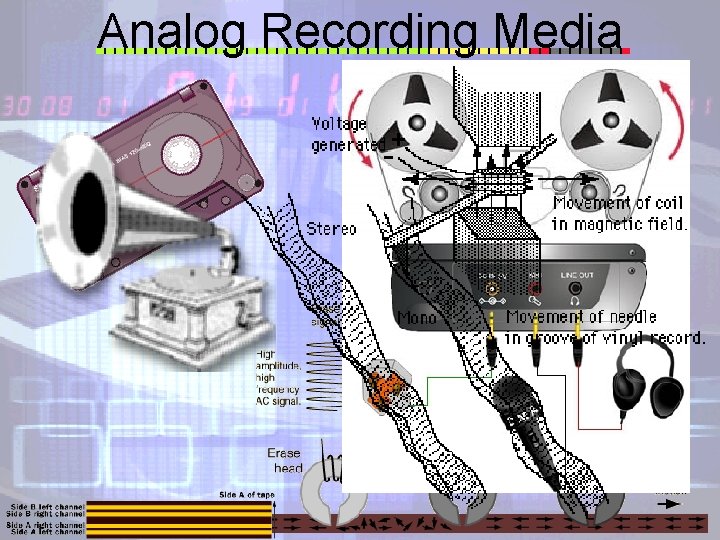
Analog Recording Media
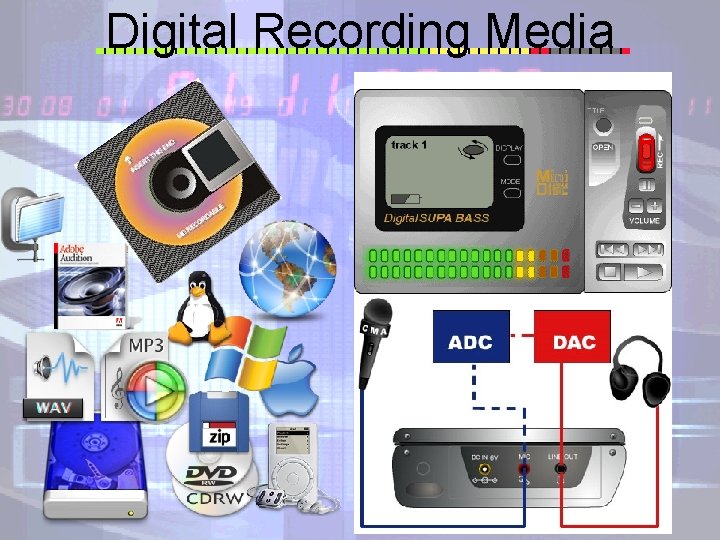
Digital Recording Media
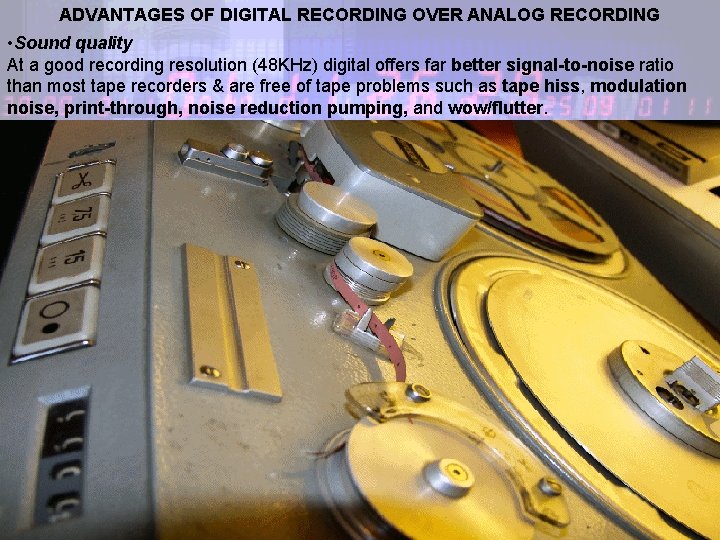
ADVANTAGES OF DIGITAL RECORDING OVER ANALOG RECORDING • Sound quality At a good recording resolution (48 KHz) digital offers far better signal-to-noise ratio than most tape recorders & are free of tape problems such as tape hiss, modulation noise, print-through, noise reduction pumping, and wow/flutter. • Edit/Copy Tape recorders make it necessary to rewind and to fast forward in order to find specific parts of a song. Most digital recorders use random access which allows you to cue to any location instantaneously. Digital recorders also allow you to edit with greater accuracy and ease than ever. Most digital recorders allow you to perform non-destructive editing. Time compression/expansion is another editing technique available on most digital recorders. A song’s tempo can be increased or decreased without affecting pitch. Copying the music many times doesn’t deteriorate the quality of the original source. Archives (on the proper media and in the right climatic conditions) can last over 100 years ! • Digital Signal Processing (DSP) Digital signal processors can add ambience effects (such as reverberation and echo), equalization (tone controls), and other special effects to enhance the original recorded sound.
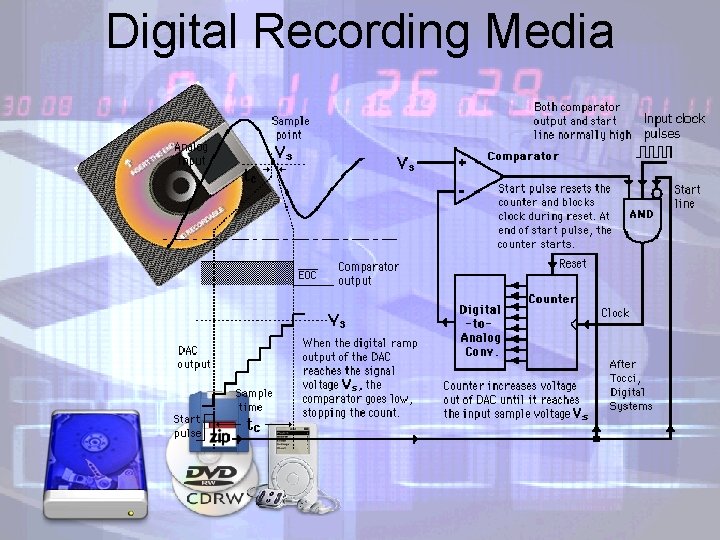
Digital Recording Media
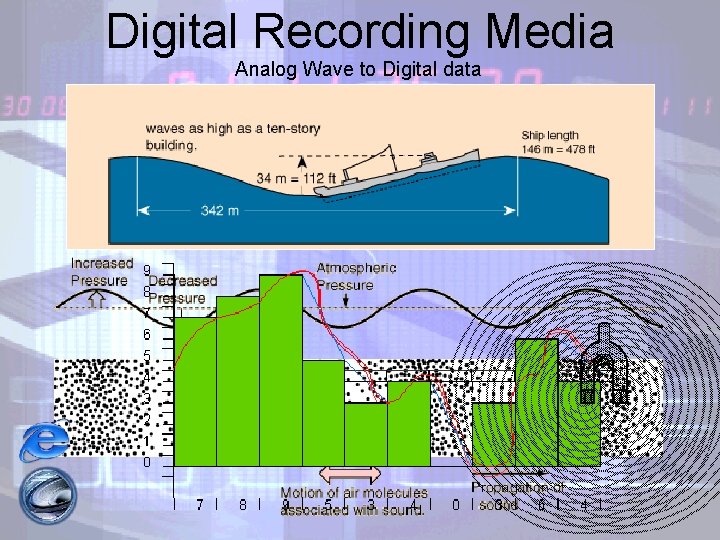
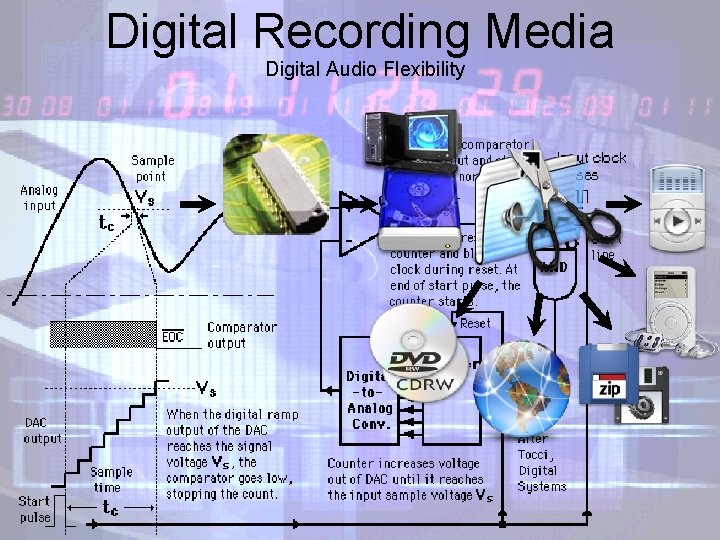
Digital Recording Media Analog Wave to Digital data
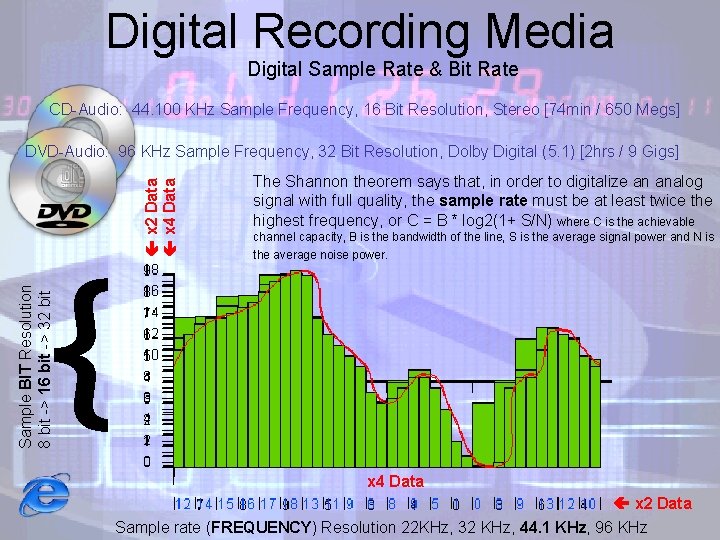
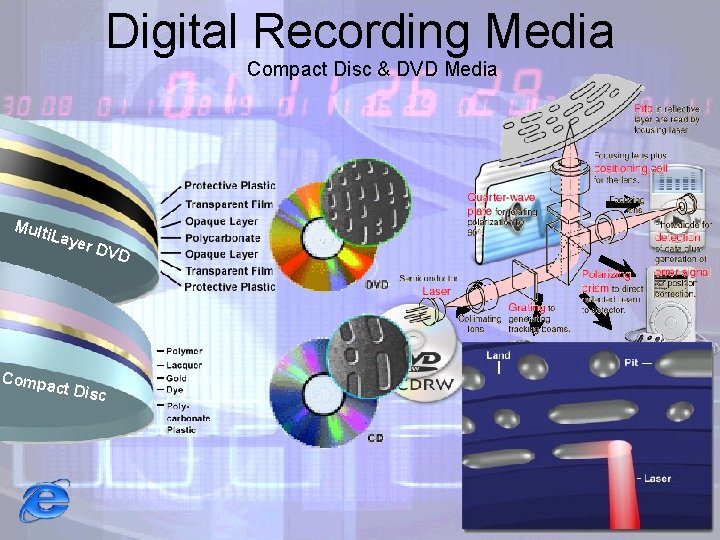
Digital Recording Media Digital Sample Rate & Bit Rate CD Audio: 44. 100 KHz Sample Frequency, 16 Bit Resolution, Stereo [74 min / 650 Megs] The Shannon theorem says that, in order to digitalize an analog signal with full quality, the sample rate must be at least twice the highest frequency, or C = B * log 2(1+ S/N) where C is the achievable channel capacity, B is the bandwidth of the line, S is the average signal power and N is the average noise power. Sample BIT Resolution 8 bit > 16 bit > 32 bit { x 2 Data x 4 Data DVD Audio: 96 KHz Sample Frequency, 32 Bit Resolution, Dolby Digital (5. 1) [2 hrs / 9 Gigs] x 4 Data x 2 Data Sample rate (FREQUENCY) Resolution 22 KHz, 32 KHz, 44. 1 KHz, 96 KHz
Digital Recording Media Digital Audio Flexibility
Digital Recording Media Compact Disc & DVD Media Mult i. Lay Compa c er D t Disc VD
Audio Cabling
Intro to Computer Recording System Hardware Requirements • 400 MHz processor (1. 5 GHz or faster, recommended) • Microsoft® Windows® 98 Second Edition, Windows Millennium, Windows 2000, or Windows XP Professional (Direct. X 8. 0) • 128 MB of RAM (512 MB or more recommended) • Large Hard Drive(s) 7200 rpm or higher speed (40+ Gig recommended) • 1024 x 768 color display (1280 x 1024 LCD recommended) • Stereo sound card (multitrack sound card recommended for music production) • CD-ROM drive (CD-RWor DVD-R recommended) • Speakers or Headphones recommended • Microphone • Mixer (Optional)
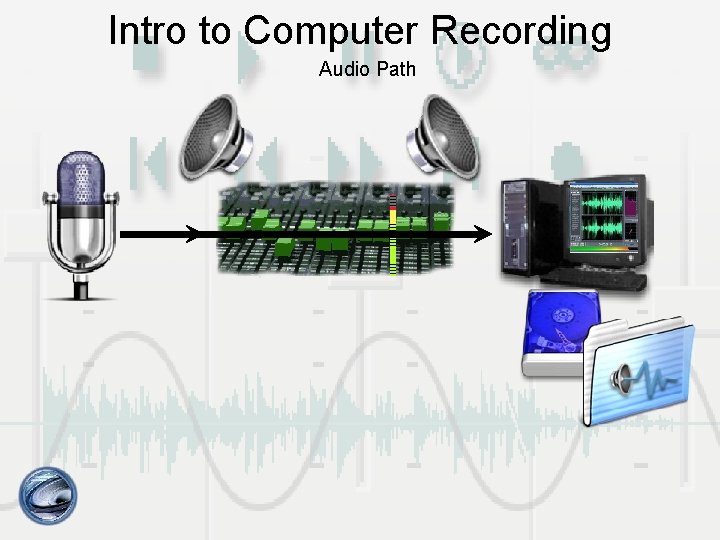
Intro to Computer Recording Audio Path
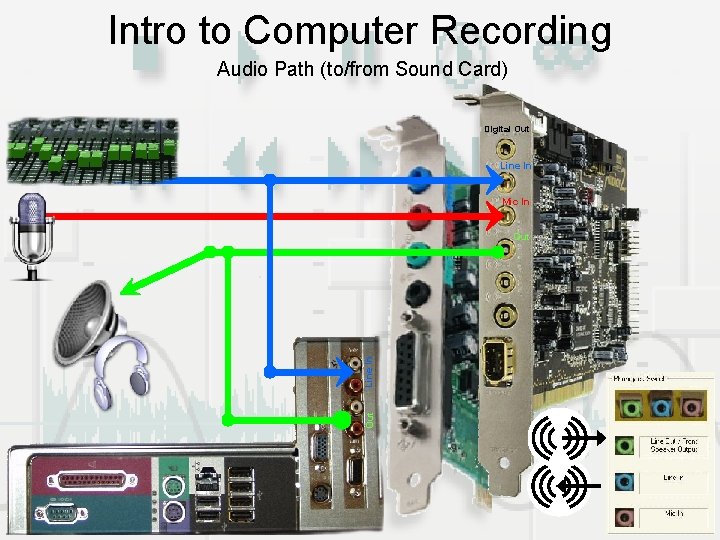
Intro to Computer Recording Audio Path (to/from Sound Card) Digital Out Line In Mic In Out Line In Out
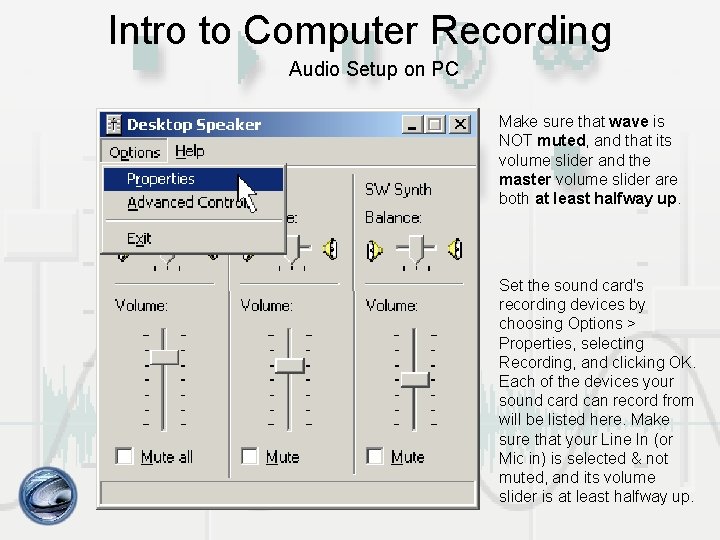
Intro to Computer Recording Audio Setup on PC Make sure that wave is NOT muted, and that its volume slider and the master volume slider are both at least halfway up. Set the sound card's recording devices by choosing Options > Properties, selecting Recording, and clicking OK. Each of the devices your sound card can record from will be listed here. Make sure that your Line In (or Mic in) is selected & not muted, and its volume slider is at least halfway up.
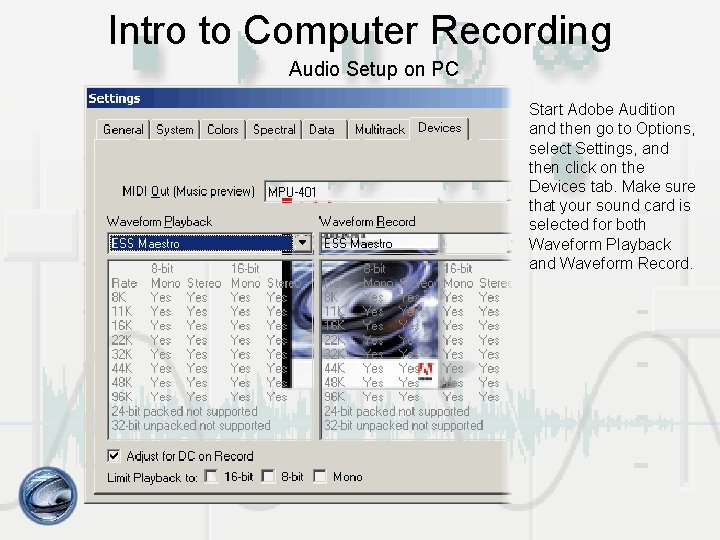
Intro to Computer Recording Audio Setup on PC Start Adobe Audition and then go to Options, select Settings, and then click on the Devices tab. Make sure that your sound card is selected for both Waveform Playback and Waveform Record.
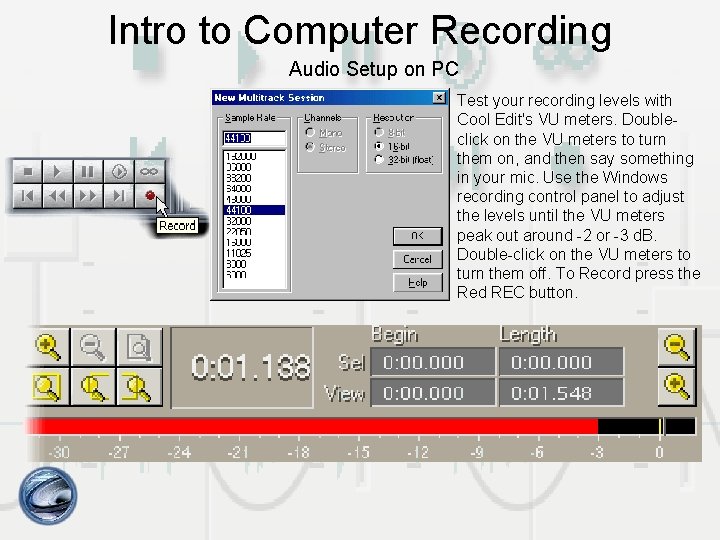
Intro to Computer Recording Audio Setup on PC Test your recording levels with Cool Edit's VU meters. Double click on the VU meters to turn them on, and then say something in your mic. Use the Windows recording control panel to adjust the levels until the VU meters peak out around 2 or 3 d. B. Double click on the VU meters to turn them off. To Record press the Red REC button.
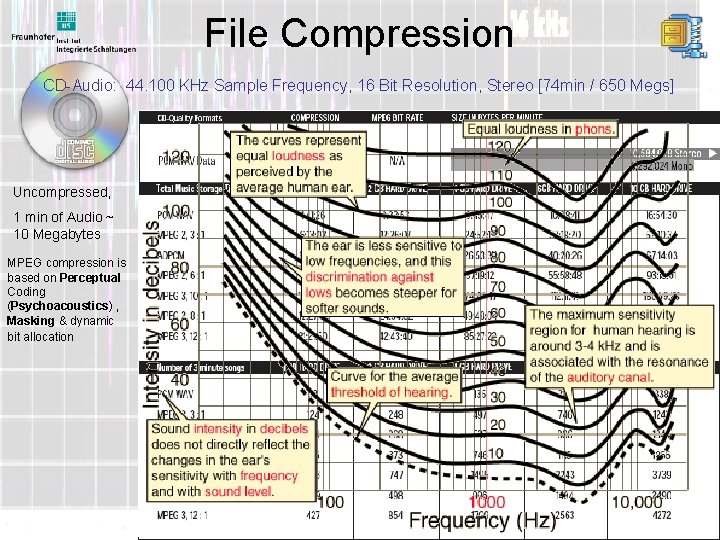
File Compression CD Audio: 44. 100 KHz Sample Frequency, 16 Bit Resolution, Stereo [74 min / 650 Megs] Uncompressed, 1 min of Audio ~ 10 Megabytes MPEG compression is based on Perceptual Coding (Psychoacoustics) , Masking & dynamic bit allocation
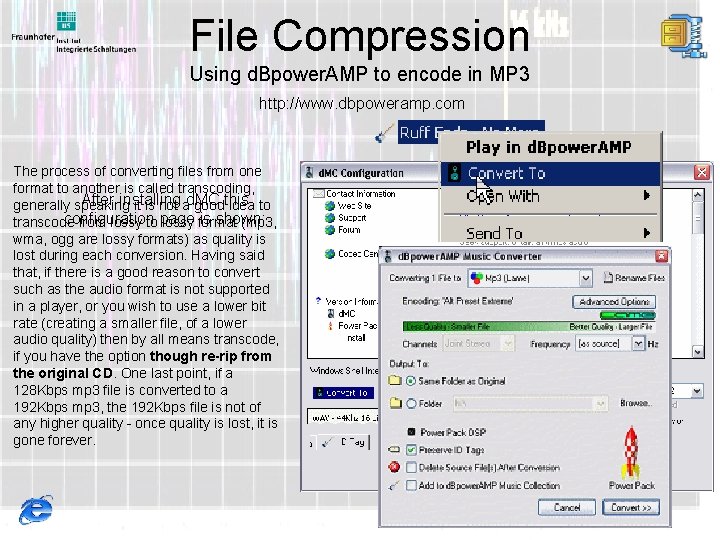
File Compression Using d. Bpower. AMP to encode in MP 3 http: //www. dbpoweramp. com The process of converting files from one format to another is called transcoding, After installing generally speaking it is not ad. MC goodthis idea to configuration is shown: transcode from lossy to page lossy format (mp 3, wma, ogg are lossy formats) as quality is lost during each conversion. Having said that, if there is a good reason to convert such as the audio format is not supported in a player, or you wish to use a lower bit rate (creating a smaller file, of a lower audio quality) then by all means transcode, if you have the option though re-rip from the original CD. One last point, if a 128 Kbps mp 3 file is converted to a 192 Kbps mp 3, the 192 Kbps file is not of any higher quality once quality is lost, it is gone forever.
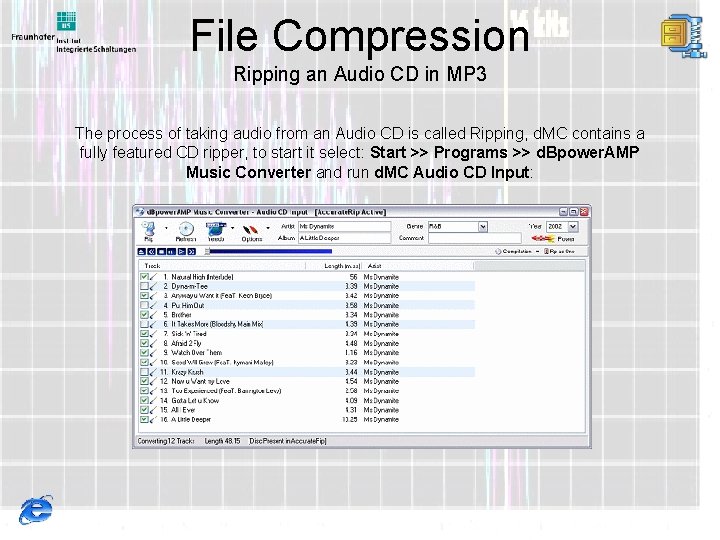
File Compression Ripping an Audio CD in MP 3 The process of taking audio from an Audio CD is called Ripping, d. MC contains a fully featured CD ripper, to start it select: Start >> Programs >> d. Bpower. AMP Music Converter and run d. MC Audio CD Input:
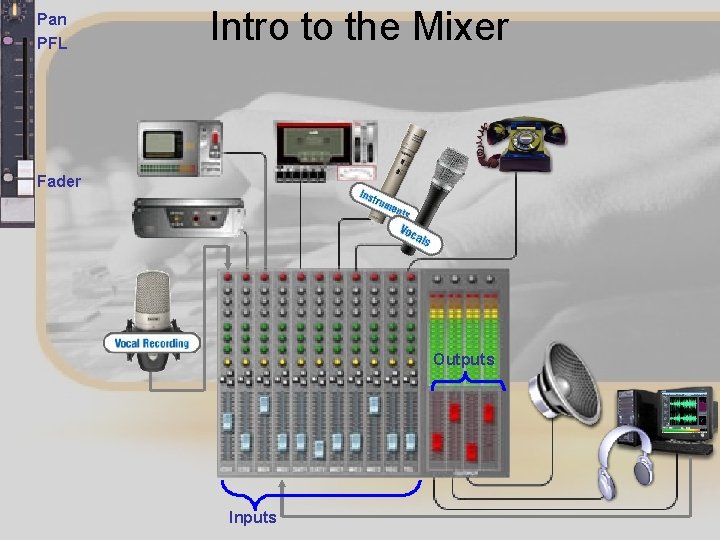
Pan PFL Intro to the Mixer Fader Outputs Inputs
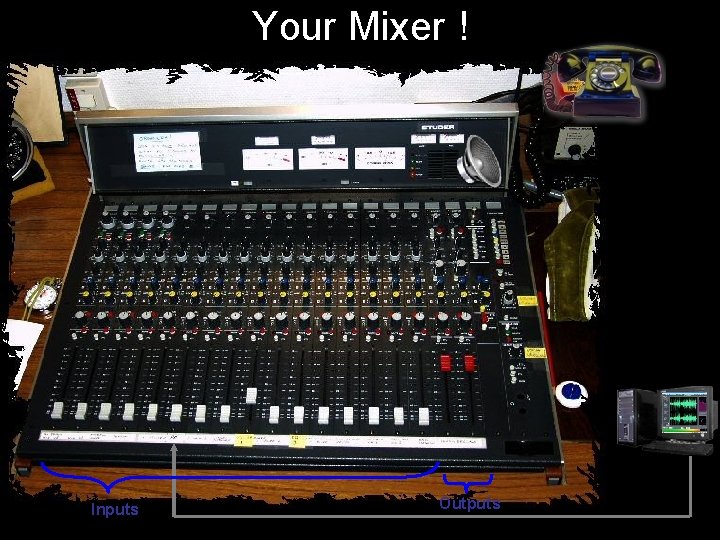
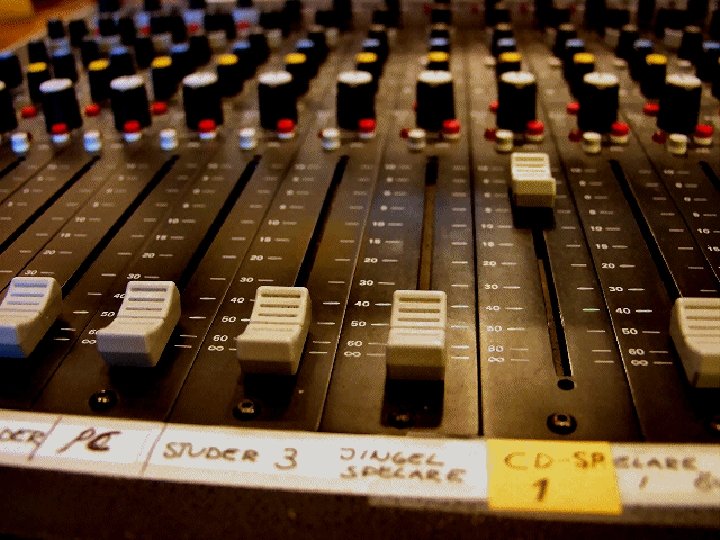
Your Mixer ! Inputs Outputs
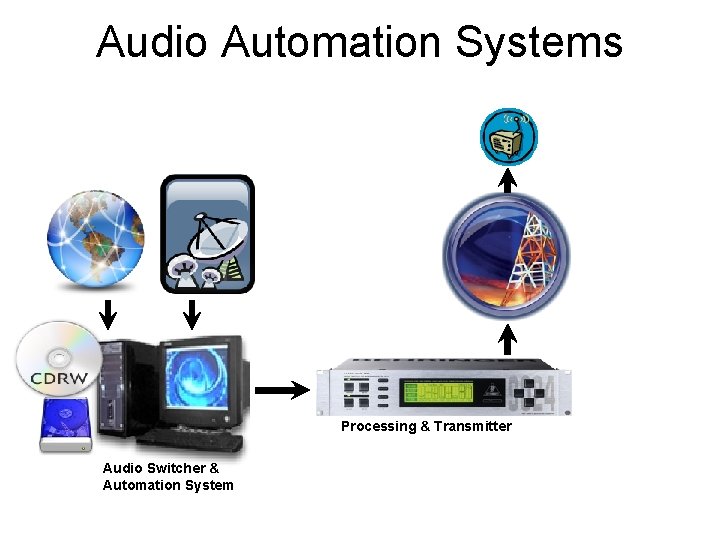
Audio Automation Systems Processing & Transmitter Audio Switcher & Automation System
AWR Licensed Software • • Training. awr. org (engineering. awr. org/training) Software. awr. org Login: software Password: awr 7 ware • Please send an e mail to admin@awr. org to inform of the usage of software – Full Name – E mail – Church
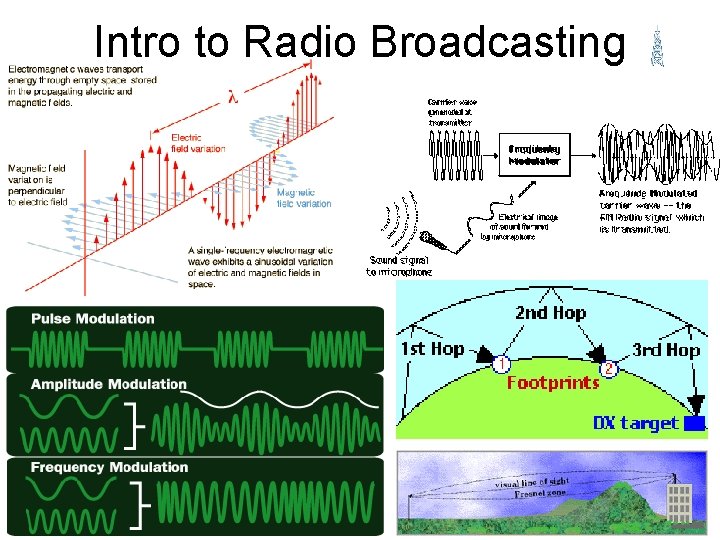
Intro to Radio Broadcasting
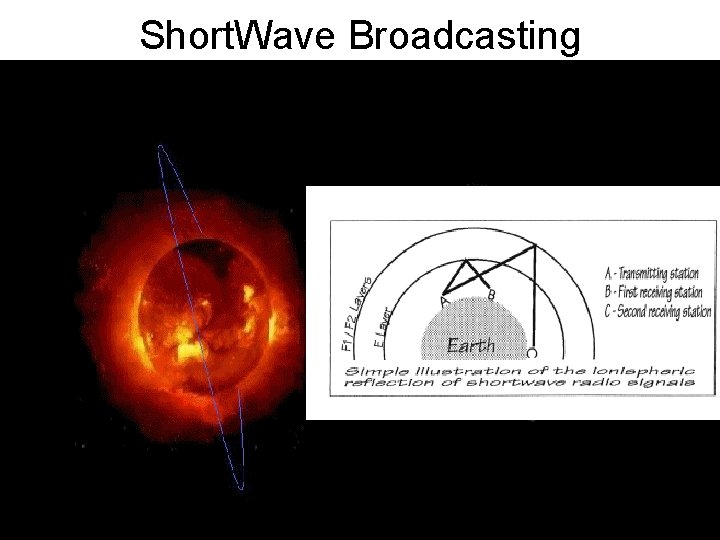
Short. Wave Broadcasting
- Slides: 42