
awk Programming Prepared by Mr Vishal Jaiswal PICT

awk Programming Prepared by: Mr. Vishal Jaiswal PICT PUNE

awk – An Advanced Filter n n n awk, until the advent of perl was the most powerful utility for text manipulation. It combines features of several filters, though its report writing capability is the most powerful. It operates at the field level and can easily access, transform, and format individual fields in a line. It also accepts ERE for pattern matching, has C-type programming constructs, variables and several built in functions. awk is not just a command, but a programming language too. It uses an unusual syntax that uses two components and requires single quotes and curly braces. awk options ‘selection_criteria {action}’ file(s) Vishal R. Jaiswal, PICT Pune. 2
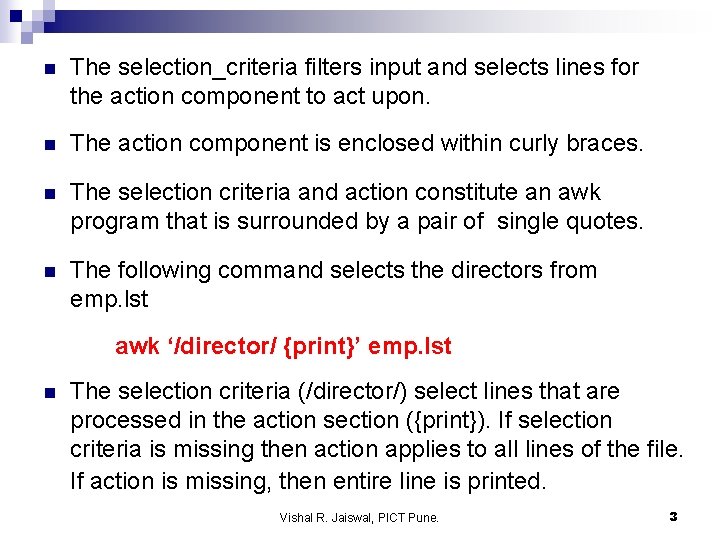
n The selection_criteria filters input and selects lines for the action component to act upon. n The action component is enclosed within curly braces. n The selection criteria and action constitute an awk program that is surrounded by a pair of single quotes. n The following command selects the directors from emp. lst awk ‘/director/ {print}’ emp. lst n The selection criteria (/director/) select lines that are processed in the action section ({print}). If selection criteria is missing then action applies to all lines of the file. If action is missing, then entire line is printed. Vishal R. Jaiswal, PICT Pune. 3
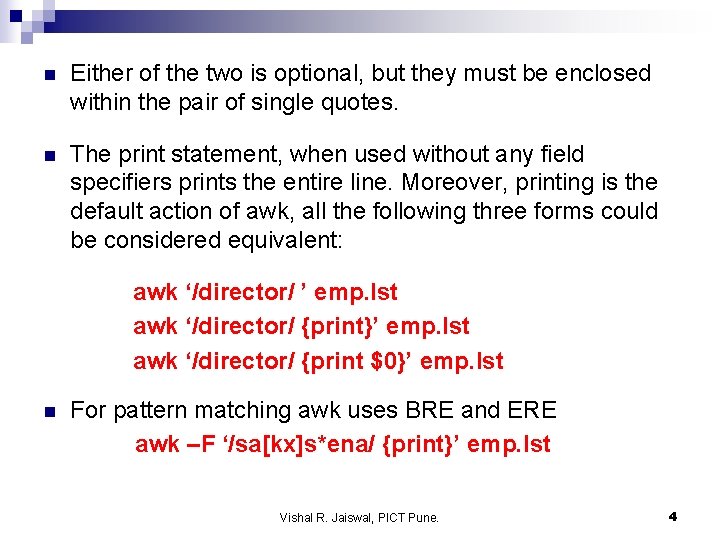
n Either of the two is optional, but they must be enclosed within the pair of single quotes. n The print statement, when used without any field specifiers prints the entire line. Moreover, printing is the default action of awk, all the following three forms could be considered equivalent: awk ‘/director/ ’ emp. lst awk ‘/director/ {print}’ emp. lst awk ‘/director/ {print $0}’ emp. lst n For pattern matching awk uses BRE and ERE awk –F ‘/sa[kx]s*ena/ {print}’ emp. lst Vishal R. Jaiswal, PICT Pune. 4
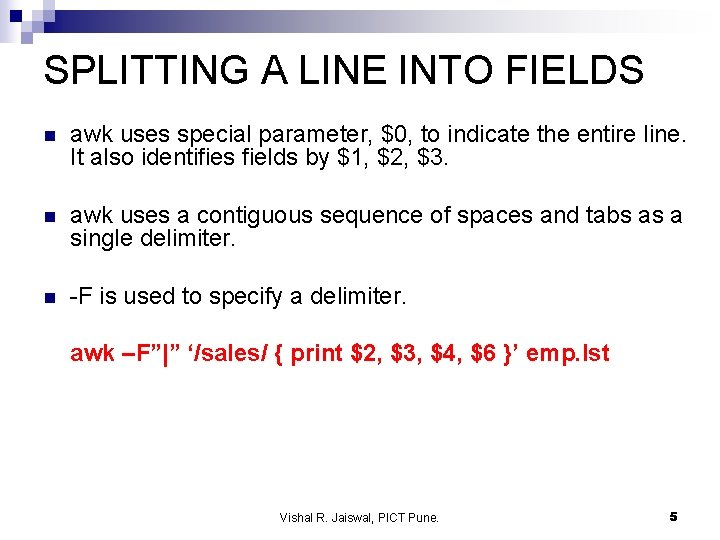
SPLITTING A LINE INTO FIELDS n awk uses special parameter, $0, to indicate the entire line. It also identifies fields by $1, $2, $3. n awk uses a contiguous sequence of spaces and tabs as a single delimiter. n -F is used to specify a delimiter. awk –F”|” ‘/sales/ { print $2, $3, $4, $6 }’ emp. lst Vishal R. Jaiswal, PICT Pune. 5
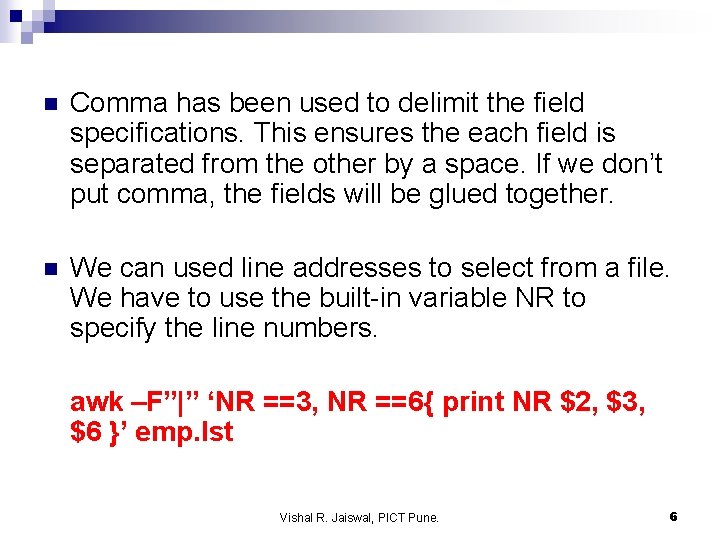
n Comma has been used to delimit the field specifications. This ensures the each field is separated from the other by a space. If we don’t put comma, the fields will be glued together. n We can used line addresses to select from a file. We have to use the built-in variable NR to specify the line numbers. awk –F”|” ‘NR ==3, NR ==6{ print NR $2, $3, $6 }’ emp. lst Vishal R. Jaiswal, PICT Pune. 6
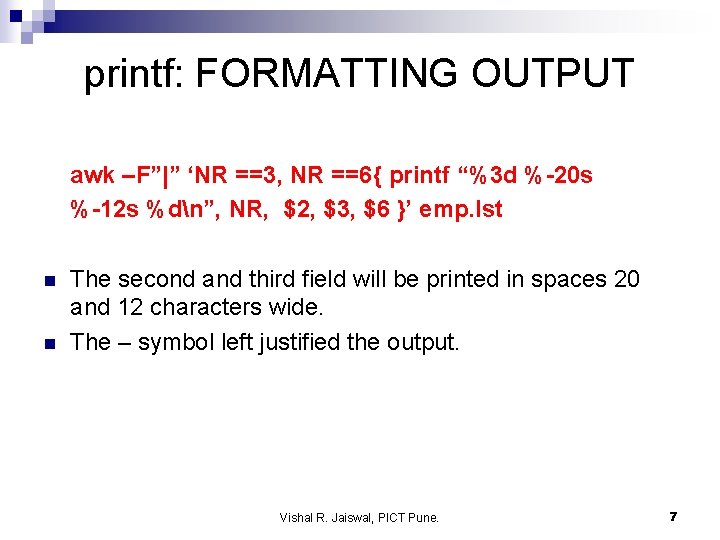
printf: FORMATTING OUTPUT awk –F”|” ‘NR ==3, NR ==6{ printf “%3 d %-20 s %-12 s %dn”, NR, $2, $3, $6 }’ emp. lst n n The second and third field will be printed in spaces 20 and 12 characters wide. The – symbol left justified the output. Vishal R. Jaiswal, PICT Pune. 7
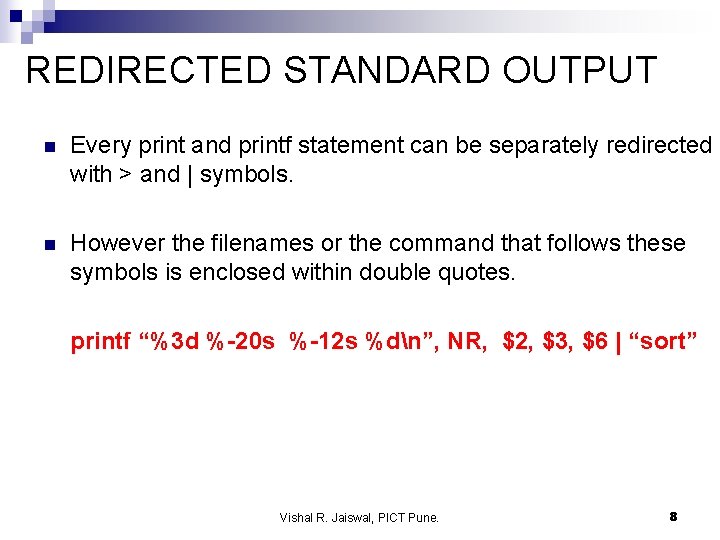
REDIRECTED STANDARD OUTPUT n Every print and printf statement can be separately redirected with > and | symbols. n However the filenames or the command that follows these symbols is enclosed within double quotes. printf “%3 d %-20 s %-12 s %dn”, NR, $2, $3, $6 | “sort” Vishal R. Jaiswal, PICT Pune. 8
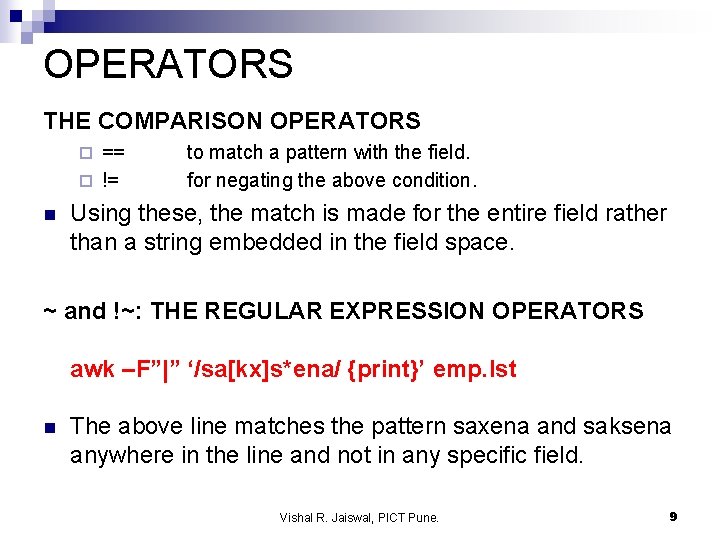
OPERATORS THE COMPARISON OPERATORS == ¨ != ¨ n to match a pattern with the field. for negating the above condition. Using these, the match is made for the entire field rather than a string embedded in the field space. ~ and !~: THE REGULAR EXPRESSION OPERATORS awk –F”|” ‘/sa[kx]s*ena/ {print}’ emp. lst n The above line matches the pattern saxena and saksena anywhere in the line and not in any specific field. Vishal R. Jaiswal, PICT Pune. 9
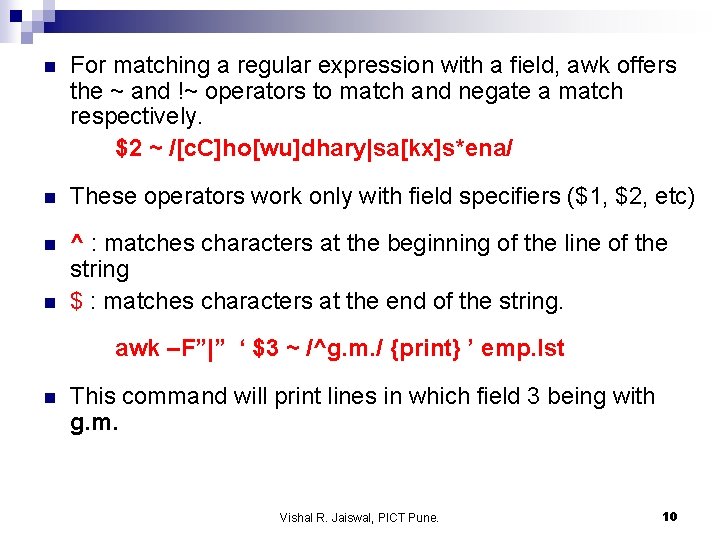
n For matching a regular expression with a field, awk offers the ~ and !~ operators to match and negate a match respectively. $2 ~ /[c. C]ho[wu]dhary|sa[kx]s*ena/ n These operators work only with field specifiers ($1, $2, etc) n ^ : matches characters at the beginning of the line of the string $ : matches characters at the end of the string. n awk –F”|” ‘ $3 ~ /^g. m. / {print} ’ emp. lst n This command will print lines in which field 3 being with g. m. Vishal R. Jaiswal, PICT Pune. 10
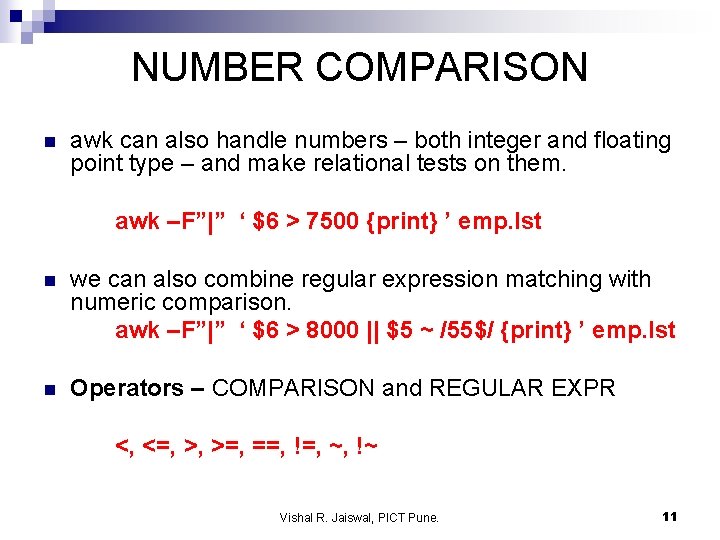
NUMBER COMPARISON n awk can also handle numbers – both integer and floating point type – and make relational tests on them. awk –F”|” ‘ $6 > 7500 {print} ’ emp. lst n we can also combine regular expression matching with numeric comparison. awk –F”|” ‘ $6 > 8000 || $5 ~ /55$/ {print} ’ emp. lst n Operators – COMPARISON and REGULAR EXPR <, <=, >, >=, ==, !=, ~, !~ Vishal R. Jaiswal, PICT Pune. 11
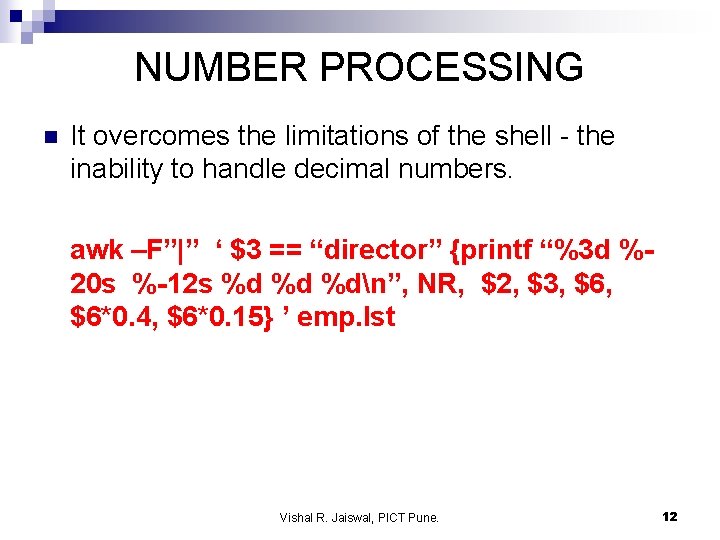
NUMBER PROCESSING n It overcomes the limitations of the shell - the inability to handle decimal numbers. awk –F”|” ‘ $3 == “director” {printf “%3 d %20 s %-12 s %d %d %dn”, NR, $2, $3, $6*0. 4, $6*0. 15} ’ emp. lst Vishal R. Jaiswal, PICT Pune. 12
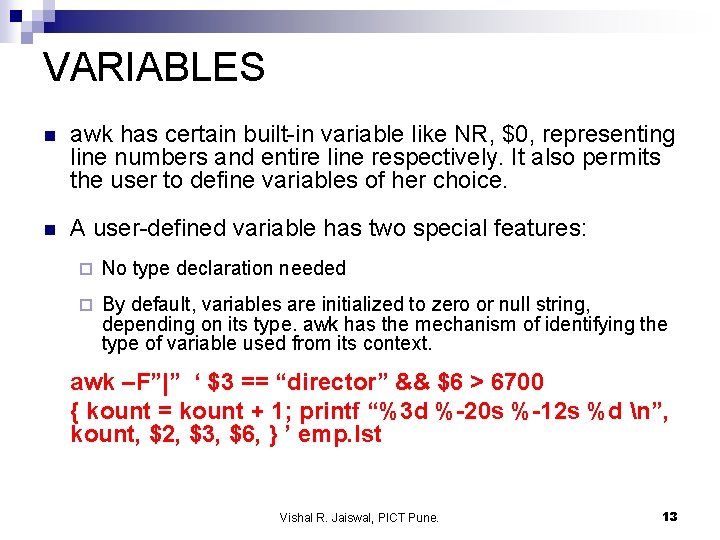
VARIABLES n awk has certain built-in variable like NR, $0, representing line numbers and entire line respectively. It also permits the user to define variables of her choice. n A user-defined variable has two special features: ¨ No type declaration needed ¨ By default, variables are initialized to zero or null string, depending on its type. awk has the mechanism of identifying the type of variable used from its context. awk –F”|” ‘ $3 == “director” && $6 > 6700 { kount = kount + 1; printf “%3 d %-20 s %-12 s %d n”, kount, $2, $3, $6, } ’ emp. lst Vishal R. Jaiswal, PICT Pune. 13
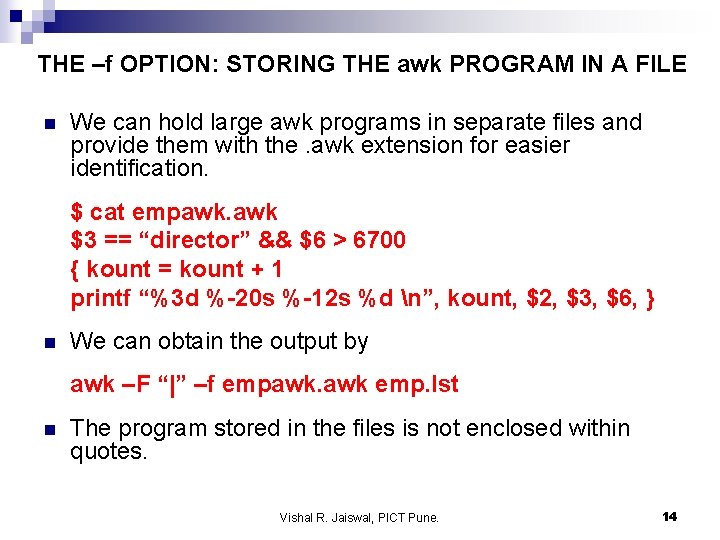
THE –f OPTION: STORING THE awk PROGRAM IN A FILE n We can hold large awk programs in separate files and provide them with the. awk extension for easier identification. $ cat empawk. awk $3 == “director” && $6 > 6700 { kount = kount + 1 printf “%3 d %-20 s %-12 s %d n”, kount, $2, $3, $6, } n We can obtain the output by awk –F “|” –f empawk. awk emp. lst n The program stored in the files is not enclosed within quotes. Vishal R. Jaiswal, PICT Pune. 14
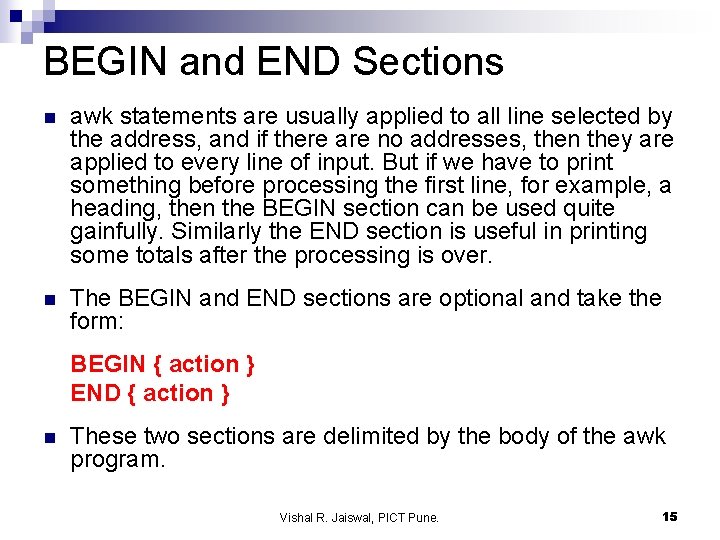
BEGIN and END Sections n awk statements are usually applied to all line selected by the address, and if there are no addresses, then they are applied to every line of input. But if we have to print something before processing the first line, for example, a heading, then the BEGIN section can be used quite gainfully. Similarly the END section is useful in printing some totals after the processing is over. n The BEGIN and END sections are optional and take the form: BEGIN { action } END { action } n These two sections are delimited by the body of the awk program. Vishal R. Jaiswal, PICT Pune. 15
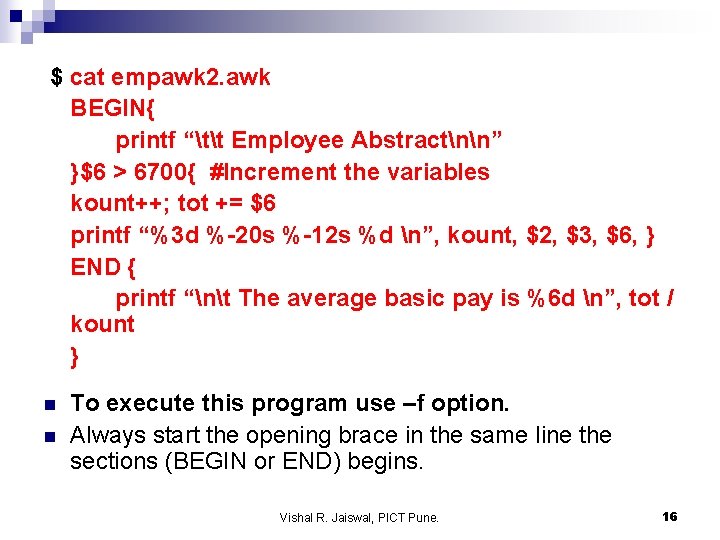
$ cat empawk 2. awk BEGIN{ printf “tt Employee Abstractnn” }$6 > 6700{ #Increment the variables kount++; tot += $6 printf “%3 d %-20 s %-12 s %d n”, kount, $2, $3, $6, } END { printf “nt The average basic pay is %6 d n”, tot / kount } n n To execute this program use –f option. Always start the opening brace in the same line the sections (BEGIN or END) begins. Vishal R. Jaiswal, PICT Pune. 16
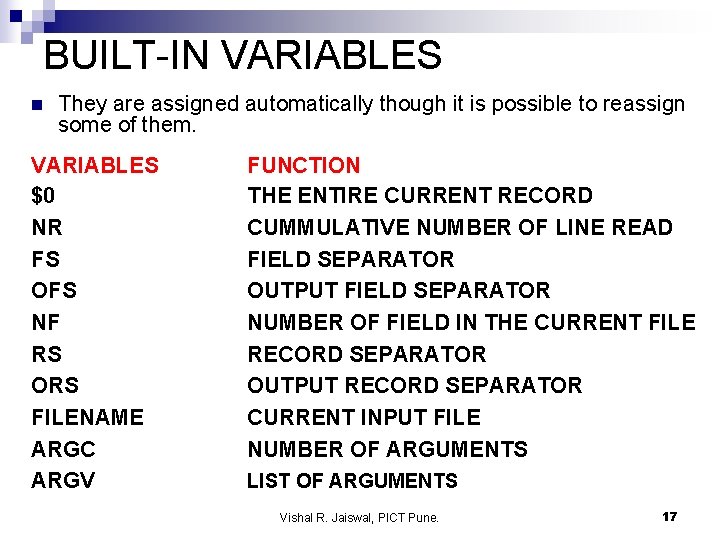
BUILT-IN VARIABLES n They are assigned automatically though it is possible to reassign some of them. VARIABLES $0 NR FS OFS NF RS ORS FILENAME ARGC ARGV FUNCTION THE ENTIRE CURRENT RECORD CUMMULATIVE NUMBER OF LINE READ FIELD SEPARATOR OUTPUT FIELD SEPARATOR NUMBER OF FIELD IN THE CURRENT FILE RECORD SEPARATOR OUTPUT RECORD SEPARATOR CURRENT INPUT FILE NUMBER OF ARGUMENTS LIST OF ARGUMENTS Vishal R. Jaiswal, PICT Pune. 17
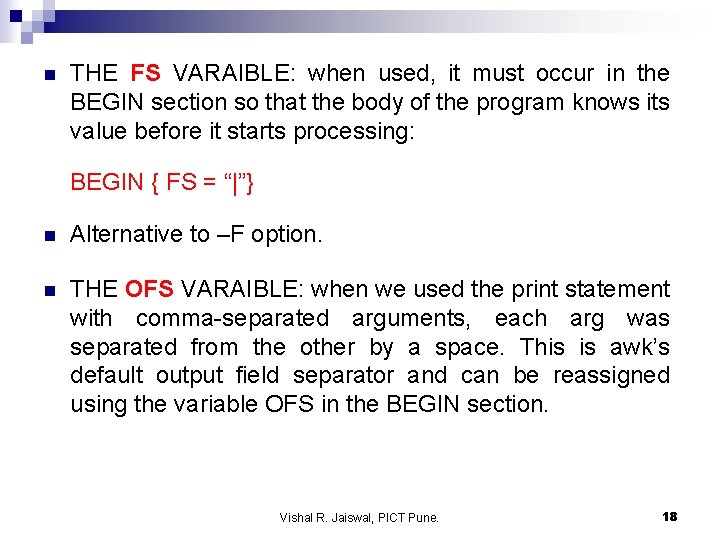
n THE FS VARAIBLE: when used, it must occur in the BEGIN section so that the body of the program knows its value before it starts processing: BEGIN { FS = “|”} n Alternative to –F option. n THE OFS VARAIBLE: when we used the print statement with comma-separated arguments, each arg was separated from the other by a space. This is awk’s default output field separator and can be reassigned using the variable OFS in the BEGIN section. Vishal R. Jaiswal, PICT Pune. 18
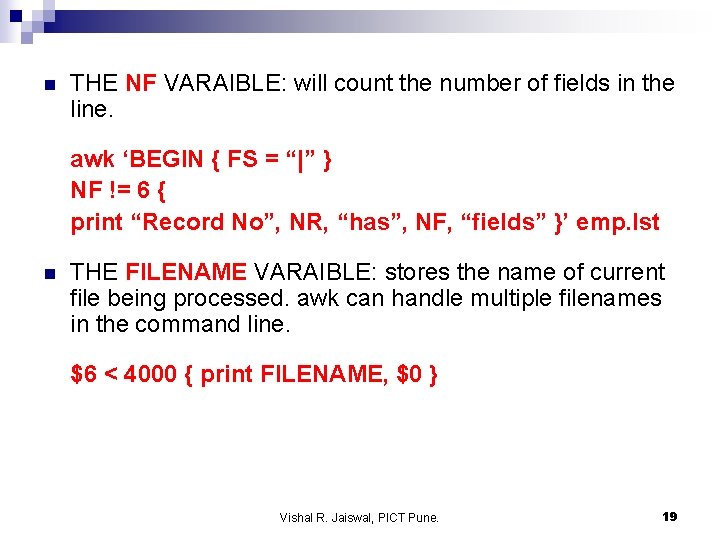
n THE NF VARAIBLE: will count the number of fields in the line. awk ‘BEGIN { FS = “|” } NF != 6 { print “Record No”, NR, “has”, NF, “fields” }’ emp. lst n THE FILENAME VARAIBLE: stores the name of current file being processed. awk can handle multiple filenames in the command line. $6 < 4000 { print FILENAME, $0 } Vishal R. Jaiswal, PICT Pune. 19
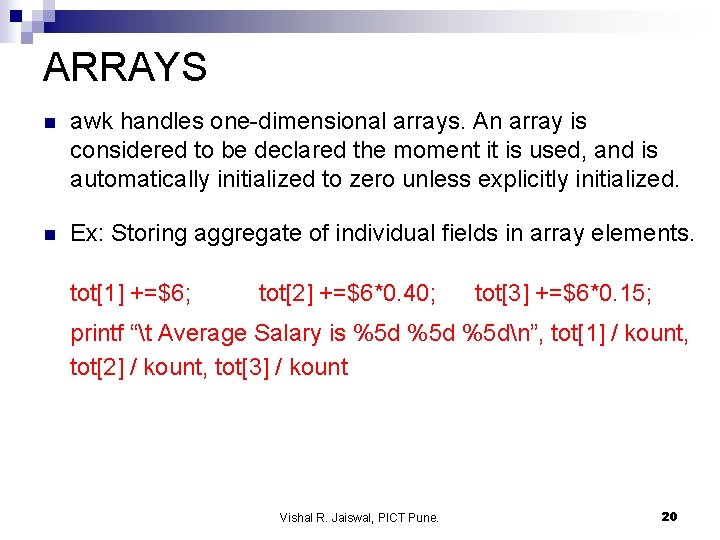
ARRAYS n awk handles one-dimensional arrays. An array is considered to be declared the moment it is used, and is automatically initialized to zero unless explicitly initialized. n Ex: Storing aggregate of individual fields in array elements. tot[1] +=$6; tot[2] +=$6*0. 40; tot[3] +=$6*0. 15; printf “t Average Salary is %5 d %5 dn”, tot[1] / kount, tot[2] / kount, tot[3] / kount Vishal R. Jaiswal, PICT Pune. 20
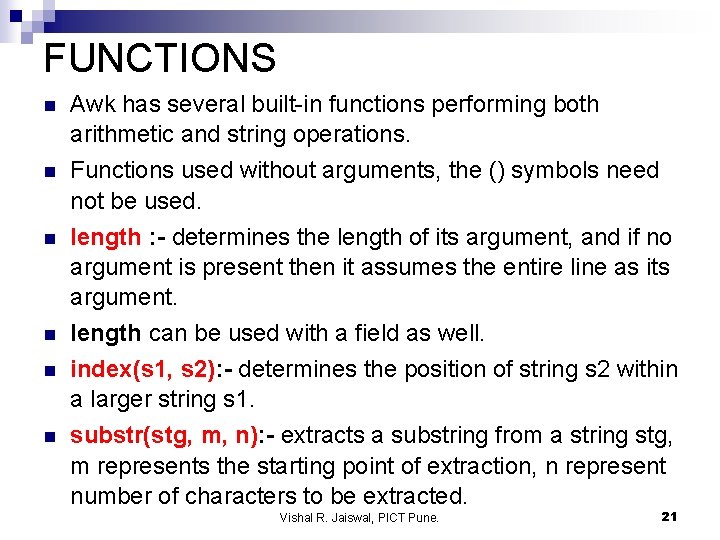
FUNCTIONS n Awk has several built-in functions performing both arithmetic and string operations. n Functions used without arguments, the () symbols need not be used. length : - determines the length of its argument, and if no argument is present then it assumes the entire line as its argument. length can be used with a field as well. index(s 1, s 2): - determines the position of string s 2 within a larger string s 1. substr(stg, m, n): - extracts a substring from a string stg, m represents the starting point of extraction, n represent number of characters to be extracted. n n Vishal R. Jaiswal, PICT Pune. 21
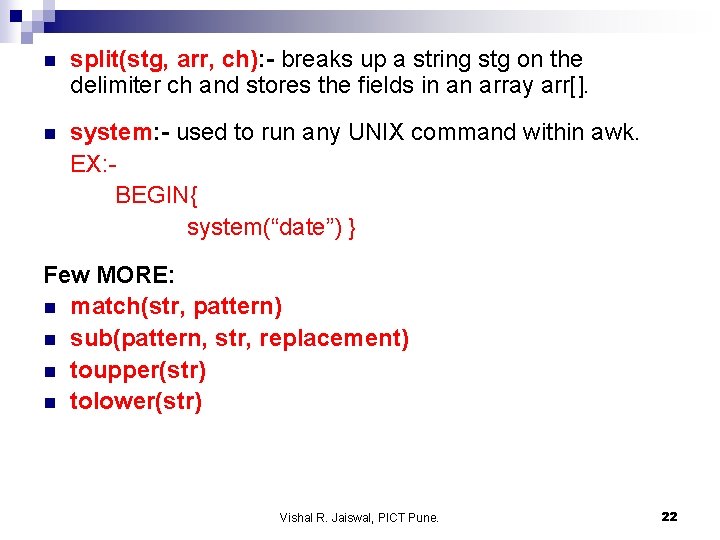
n split(stg, arr, ch): - breaks up a string stg on the delimiter ch and stores the fields in an array arr[]. n system: - used to run any UNIX command within awk. EX: BEGIN{ system(“date”) } Few MORE: n match(str, pattern) n sub(pattern, str, replacement) n toupper(str) n tolower(str) Vishal R. Jaiswal, PICT Pune. 22
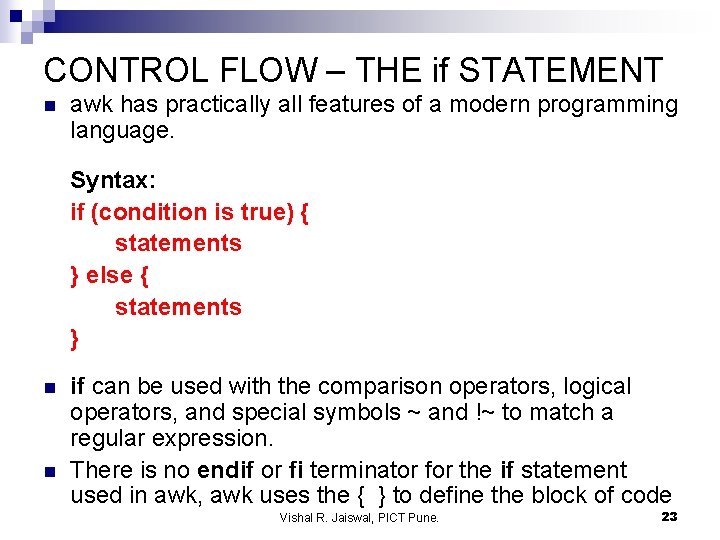
CONTROL FLOW – THE if STATEMENT n awk has practically all features of a modern programming language. Syntax: if (condition is true) { statements } else { statements } n n if can be used with the comparison operators, logical operators, and special symbols ~ and !~ to match a regular expression. There is no endif or fi terminator for the if statement used in awk, awk uses the { } to define the block of code Vishal R. Jaiswal, PICT Pune. 23
LOOPING WITH for AND while n awk supports two loops – for and while. They both execute the loop body as long as the control command returns true value. Vishal R. Jaiswal, PICT Pune. 24
THE getline STATEMENT n The getline statement allows to control the actual reading of input lines n awk will read one line of input and apply all commands and actions in a awk file to that line n getline also allows to read an input line within a awk program n The getline command reads the line of input and places it in the $0 variable. n getline returns 0 if end of file is reached Vishal R. Jaiswal, PICT Pune. 25
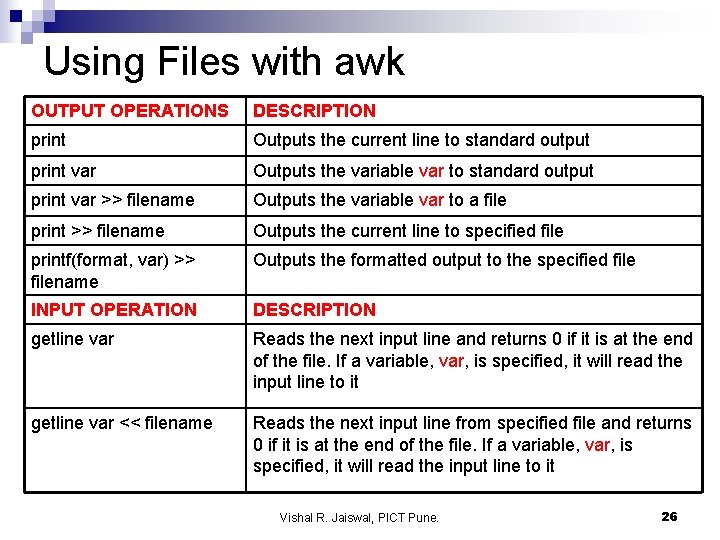
Using Files with awk OUTPUT OPERATIONS DESCRIPTION print Outputs the current line to standard output print var Outputs the variable var to standard output print var >> filename Outputs the variable var to a file print >> filename Outputs the current line to specified file printf(format, var) >> filename Outputs the formatted output to the specified file INPUT OPERATION DESCRIPTION getline var Reads the next input line and returns 0 if it is at the end of the file. If a variable, var, is specified, it will read the input line to it getline var << filename Reads the next input line from specified file and returns 0 if it is at the end of the file. If a variable, var, is specified, it will read the input line to it Vishal R. Jaiswal, PICT Pune. 26

End of Lecture Vishal R. Jaiswal, PICT Pune. 27
- Slides: 27