
Avedia Server Products V 9 3 1 Exterity
- Slides: 25
Avedia. Server Products V 9. 3. 1 Exterity Partner Webinar IP Video & Digital Signage Solutions
V 9. 3. 1 Headlines Overview • 31 Features linked to 27 different customers • 17 Specific Customer Feature Requests completed Headlines • High Availability for Artio. Guest and Artio. Sign • Artio. Sign Integration with Oracle Simphony POS • Artio. Sign Corporate workflow approvals support • Artio. Guest – Support for RF Channel Environments • Artio. Flow – Trigger Workflows
Avedia. Server V 9. 3. 1 High Availability Features IP Video & Digital Signage Solutions
Artio. Sign and Artio. Guest High Availability Ensuring Artio. Guest and Artio. Sign will keep working even if there is a server hardware problem. Two Avedia. Server c 1520/c 1565/c 1585 can be configured in a cluster to provide high availability of Artio. Guest portals, Artio. Sign playlists/campaigns and Video on Demand assets/playlists using a failover mechanism. This ensures that portals, signage and Vo. D continue to operate in the event of the active Avedia. Server becoming unavailable or failing Use Case: organisations for whom reliability is paramount How your customers benefit from High Availability • Enjoy an uninterrupted signage experience when creating, publishing and managing content • Benefit from peace of mind, knowing their system is reliable • Provide a seamless experience for viewers and ensure they’re satisfied
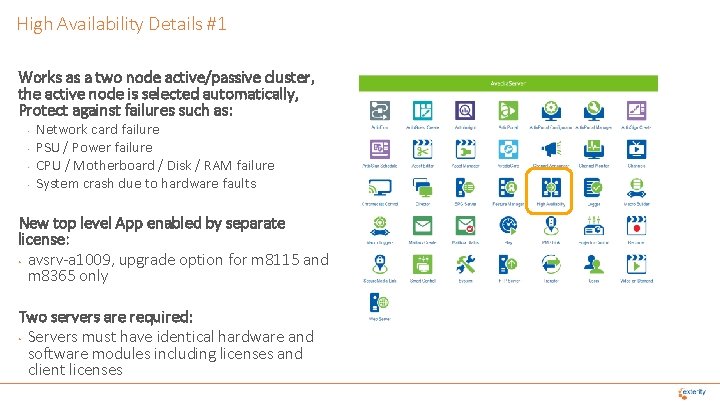
High Availability Details #1 Works as a two node active/passive cluster, the active node is selected automatically, Protect against failures such as: • • Network card failure PSU / Power failure CPU / Motherboard / Disk / RAM failure System crash due to hardware faults New top level App enabled by separate license: • avsrv-a 1009, upgrade option for m 8115 and m 8365 only Two servers are required: • Servers must have identical hardware and software modules including licenses and client licenses
High Availability Details #2 • Artio. Guest Create • • No Recording, PMS or Artio. Insight support in 9. 3. x Unsupported features are hidden in 9. 3 when HA enabled Can import Portals with these features This will be removed in 9. 4 so all features always shown Artio. Sign Smart Control Vo. D Users (user accounts & profiles) Future Additions: • Email then SNMP trap notification if a failover occurs (Q 3 20) • PMS support (Q 3 20) Unsupported features: • Recording • Artio. Insight Unsupported Artio. Guest elements: • Mailbox • Recordings • Recording Form
Avedia. Server V 9. 3. 1 Artio. Sign Features IP Video & Digital Signage Solutions
Artio. Sign POS Support Integration with Oracle Simphony POS The Point of Sale element enables organisations to display dynamic menu items as part of the digital signage system, which can be updated automatically when prices or availability change. Use Case: Po. S can be used in event venues, and integrates with other elements of Artio. Sign so people don’t miss out a moment of the action How your customers benefit from Simphony Integration • Save time with automatic updates, rather than having to change individual screens • Make sure the information displayed is always up to date and avoid customer disappointment • Reduce costs, including printing and shipping menu board inserts New Artio. Sign Element enabled by separate license: • artio-lic-pos, upgrade option for m 8115 or m 8365 only
Artio. Sign Approvals (Corporate Workflow support) Artio. Sign Approvals • Ensure consistency and accuracy of signage screens, you can designate certain Avedia. Server profiles as "(signage) Approvers". Any users with that profile will be able to approve or reject signage screens and schedules created by users with the Creator or Editor profile. → • • • How your customers benefit from Approvals Ensure content is up to date, on brand impactful Eliminate the risk of having something published publicly before having been approved Approve or edit the changes in seconds and save time
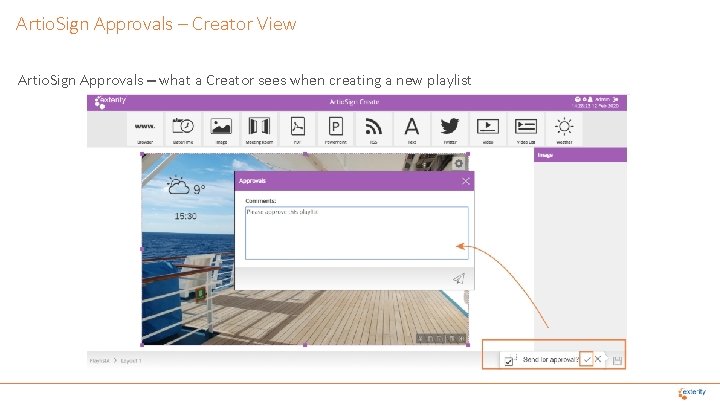
Artio. Sign Approvals – Creator View Artio. Sign Approvals – what a Creator sees when creating a new playlist
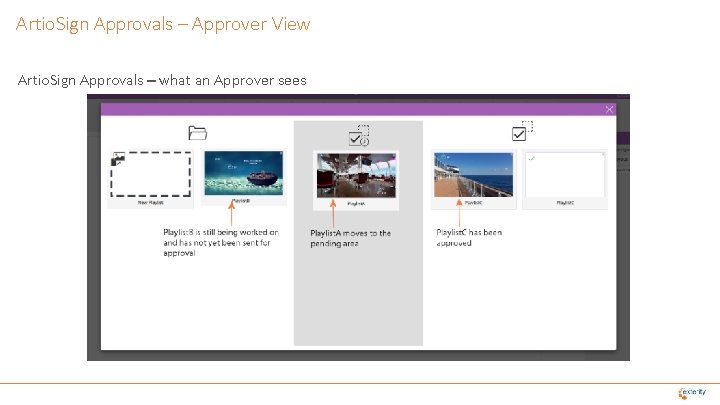
Artio. Sign Approvals – Approver View Artio. Sign Approvals – what an Approver sees
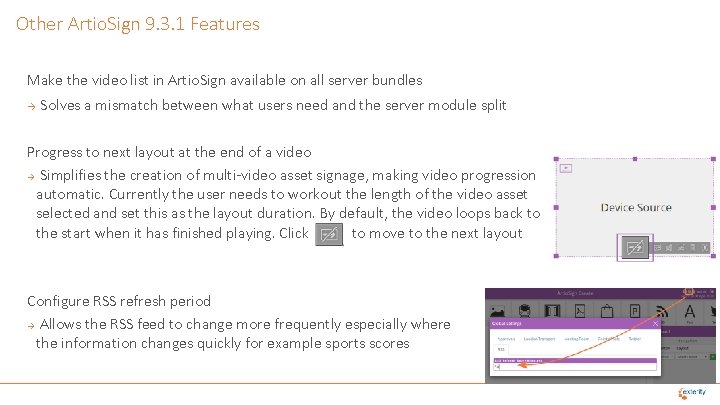
Other Artio. Sign 9. 3. 1 Features Make the video list in Artio. Sign available on all server bundles Solves a mismatch between what users need and the server module split Progress to next layout at the end of a video Simplifies the creation of multi-video asset signage, making video progression automatic. Currently the user needs to workout the length of the video asset selected and set this as the layout duration. By default, the video loops back to the start when it has finished playing. Click to move to the next layout Configure RSS refresh period Allows the RSS feed to change more frequently especially where the information changes quickly for example sports scores
Avedia. Server V 9. 3. 1 Artio. Guest Features IP Video & Digital Signage Solutions
Artio. Guest – Support for RF Channel Environments • • • Sony Hybrid RF/Wi. Fi Artio. Guest enables sales opportunities where a hotel has RF cabling not IP channel distribution The hybrid Wi-Fi / RF solution enables hotel guests to enjoy the same level of in-room entertainment service as those with a cutting-edge, IP-based network, saving hotels the cost and disruption of recabling rooms to a wired IP network. The RF-based solution is simple and cost effective to deploy, manage and support, as there is no need for a new IPTV Head End or IP switch network. Hotels can use their existing coax infrastructure to deliver channels, while the Artio. Guest portal can be deployed over Wi-Fi, providing a premium guest experience.
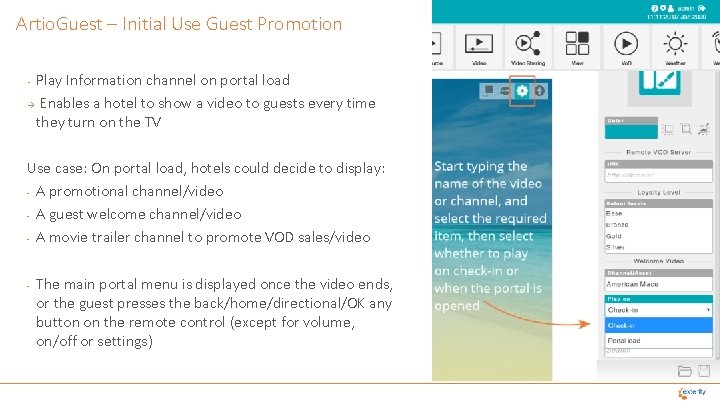
Artio. Guest – Initial Use Guest Promotion Play Information channel on portal load → Enables a hotel to show a video to guests every time they turn on the TV • Use case: On portal load, hotels could decide to display: - A promotional channel/video - A guest welcome channel/video - A movie trailer channel to promote VOD sales/video - The main portal menu is displayed once the video ends, or the guest presses the back/home/directional/OK any button on the remote control (except for volume, on/off or settings)
Artio. Guest – Movie Experience Improvements • • Vo. D resume Allows guests to come back to a movie and return to the exact place they paused viewing Use case: guest starts watching a film but doesn’t watch it until the end, will have the option to resume or start from the beginning Add option to play Vo. D trailer enables hotel to promote movies with simpler trailer viewing Use case: when hotels charge for Vo. D assets, guest would want to see the trailer first before committing to purchasing the movie. When selecting a Vo. D asset, a selection dialogue box appears and guests can choose to watch the trailer.
Other Artio. Guest 9. 3. 1 Features • • Artio. Guest LG Smart. TV: Use LG Player not HTML 5 Player More efficient playback Ability to rename View elements in Artio. Guest Create Simplifies creating and editing complex portals with multiple layers Set Vo. D asset expiration date Allows movie asset availability to better match cruise duration and disappear at a specific date Up and Down arrows on Channel List Improves usability especially where guests/users have more limited remote controls (e. g. healthcare simplified remotes) Maintain subtitles state in Artio. Guest across channel changes Better user experience Subtitle/CC enable/disable from VOD playback on MP 93 platform Improved user experience, mainly for cruise passengers Add new currencies to room service Better matching to countries with different currencies Enhanced upload options for XML EPG data more efficient refresh of EPG data where this cannot be obtained from Exterity Gateways
Avedia. Server V 9. 3. 1 Management and Control Features IP Video & Digital Signage Solutions
Artio. Flow – Trigger Workflows in Artio. Flow Workflow triggers are used to automatically trigger a sequence of events on a device or groups of devices when an event takes place on the network • Events can be triggered using SNMP Trap or the Avedia. Server API Interface Use Case: Screens can now be automatically and instantly updated when specific events occur. For instance, during emergency announcements, all screens could be muted and updated to display evacuation plans, tailored to each floor and room. • In a casino environment, signage screens could automatically be changed when a jackpot is won from instance, enabling Artio. Sign users to tailor their communication to specific events, making the most of their signage solution How your customers benefit from Workflow triggers • Display communications tailored to specific events • Save time with automatic triggers • Communicate the right message at the right time
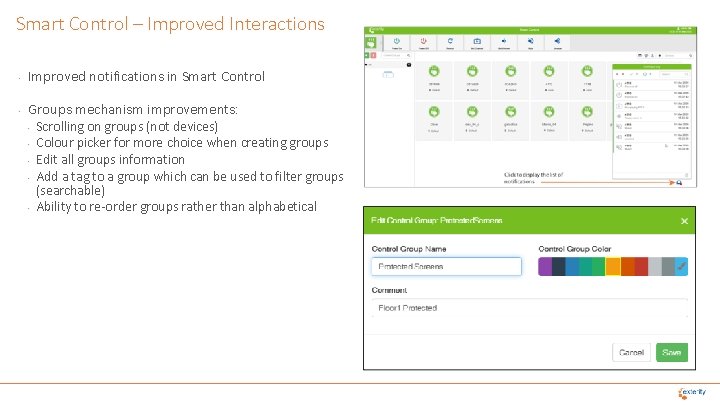
Smart Control – Improved Interactions • Improved notifications in Smart Control • Groups mechanism improvements: • • • Scrolling on groups (not devices) Colour picker for more choice when creating groups Edit all groups information Add a tag to a group which can be used to filter groups (searchable) Ability to re-order groups rather than alphabetical
Other Management and Control Features Improve notifications in Avedia. Care Provide more feedback to the user Add "Online / Offline" to estate download in Avedia. Care Let users know which devices are offline Import/export EN 38 encoder config files in Avedia. Care Import/export EN 37 encoder config files in Avedia. Care Add Exterity devices to Avedia. Care manually in Avedia. Care Ability to add m 9405 to Avedia. Server manually in Avedia. Care Use configured room number from Smart. TV's on Avedia. Server in Smart Control
Summary IP Video & Digital Signage Solutions
V 9. 3. 1 Headlines Overview • 31 Features linked to 27 different customers • 17 Specific Customer Feature Requests completed Headlines • High Availability for Artio. Guest and Artio. Sign • Artio. Sign Integration with Oracle Simphony POS • Artio. Sign Corporate workflow approvals support • Artio. Guest – Support for RF Channel Environments • Artio. Flow – Trigger Workflows
Ordering and Availability New Order Codes • Option license POS (artio-lic-pos) • Option license High Availability (avsrv-a 1009) • Available on all pricelists Availability • End April 20 web download facilitated by Support • May 20 Phase in to Manufacturing
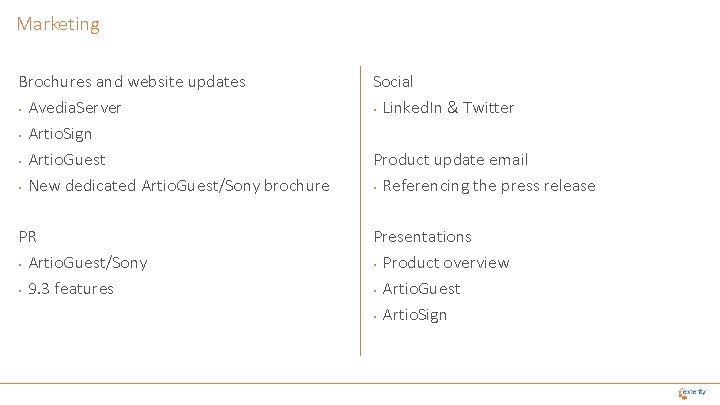
Marketing Brochures and website updates • Avedia. Server • Artio. Sign • Artio. Guest • New dedicated Artio. Guest/Sony brochure Social • Linked. In & Twitter PR • Artio. Guest/Sony • 9. 3 features Presentations • Product overview • Artio. Guest • Artio. Sign Product update email • Referencing the press release