
Avaya Aura Conferencing Customer Presentation Name Date The

- Slides: 26
Avaya Aura® Conferencing Customer Presentation Name: Date:
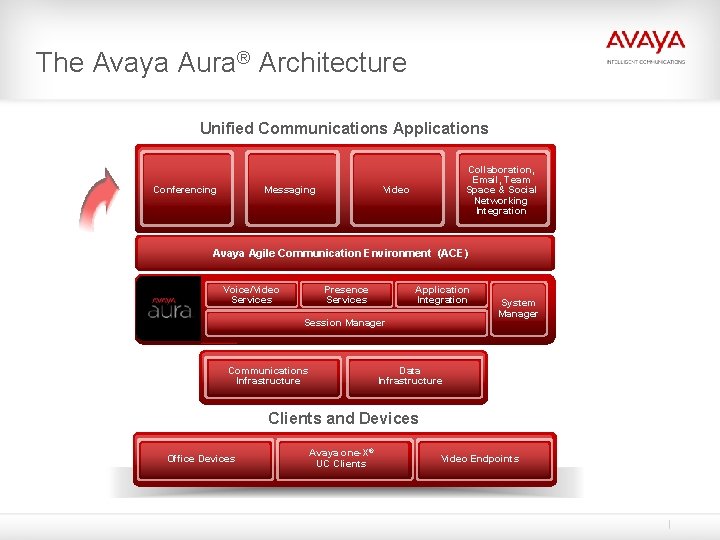
The Avaya Aura® Architecture Unified Communications Applications Conferencing Messaging Collaboration, Email, Team Space & Social Networking Integration Video Avaya Agile Communication Environment (ACE) Voice/Video Services Presence Services Application Integration Session Manager Communications Infrastructure System Manager Data Infrastructure Clients and Devices Office Devices Avaya one-X® UC Clients Video Endpoints
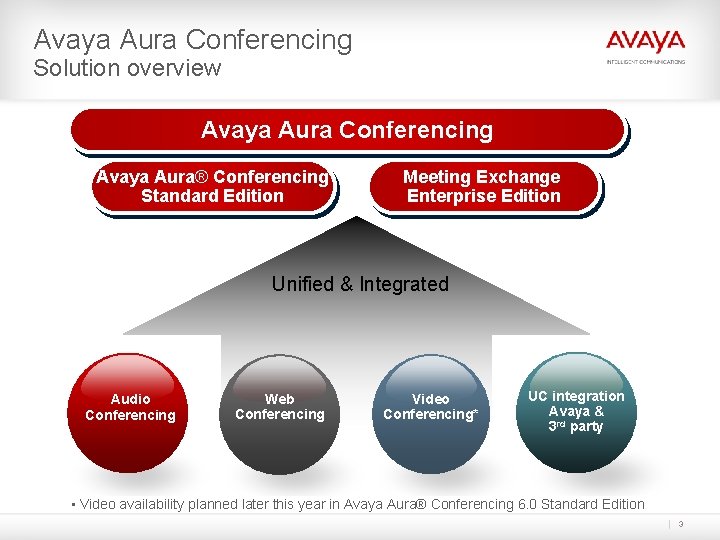
Avaya Aura Conferencing Solution overview Avaya Aura Conferencing Avaya Aura® Conferencing Standard Edition Meeting Exchange Enterprise Edition Unified & Integrated Audio Conferencing Web Conferencing Video Conferencing* UC integration Avaya & 3 rd party • Video availability planned later this year in Avaya Aura® Conferencing 6. 0 Standard Edition 3
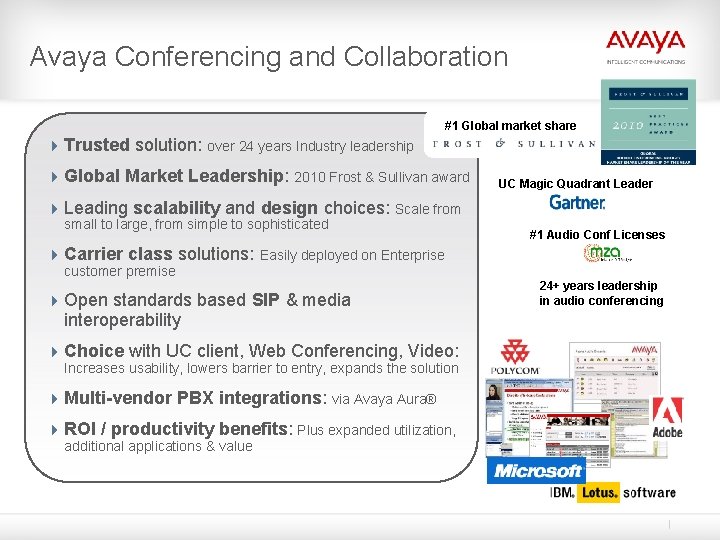
Avaya Conferencing and Collaboration #1 Global market share 4 Trusted solution: over 24 years Industry leadership 4 Global Market Leadership: 2010 Frost & Sullivan award UC Magic Quadrant Leader 4 Leading scalability and design choices: Scale from small to large, from simple to sophisticated #1 Audio Conf Licenses 4 Carrier class solutions: Easily deployed on Enterprise customer premise 4 Open standards based SIP & media interoperability 4 Choice with UC client, Web Conferencing, Video: Increases usability, lowers barrier to entry, expands the solution 4 Multi-vendor PBX integrations: via Avaya Aura® 4 ROI / productivity benefits: Plus expanded utilization, additional applications & value 24+ years leadership in audio conferencing
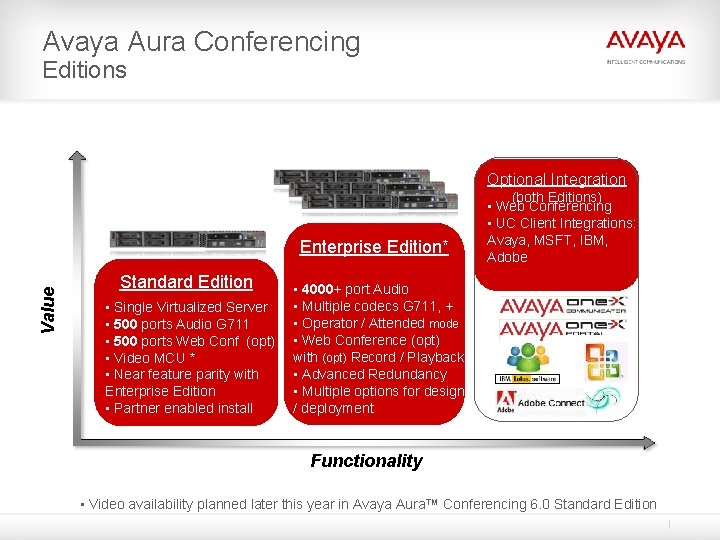
Avaya Aura Conferencing Editions Optional Integration Value Enterprise Edition* Standard Edition • Single Virtualized Server • 500 ports Audio G 711 • 500 ports Web Conf (opt) • Video MCU * • Near feature parity with Enterprise Edition • Partner enabled install (both Editions) • Web Conferencing • UC Client Integrations: Avaya, MSFT, IBM, Adobe • 4000+ port Audio • Multiple codecs G 711, + • Operator / Attended mode • Web Conference (opt) with (opt) Record / Playback • Advanced Redundancy • Multiple options for design / deployment Functionality • Video availability planned later this year in Avaya Aura™ Conferencing 6. 0 Standard Edition
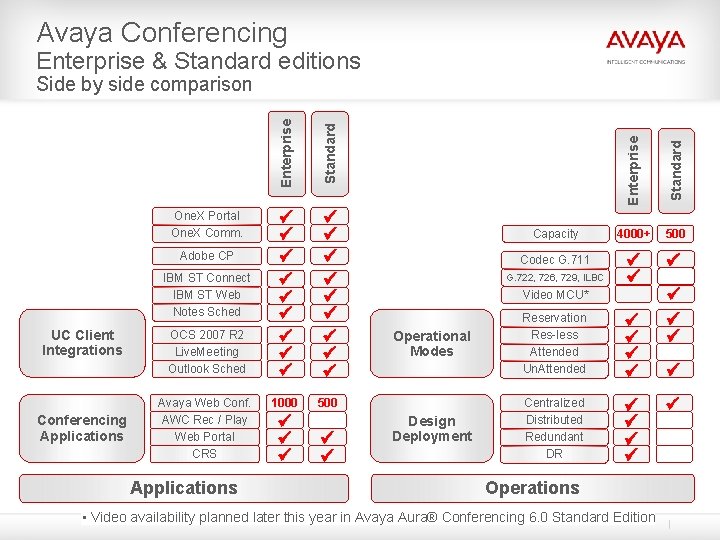
Avaya Conferencing Enterprise & Standard editions UC Client Integrations Conferencing Applications OCS 2007 R 2 Live. Meeting Outlook Sched Avaya Web Conf. AWC Rec / Play Web Portal CRS Applications ü ü ü ü ü 1000 500 ü ü ü Standard IBM ST Connect IBM ST Web Notes Sched ü ü ü ü ü Enterprise Adobe CP Standard One. X Portal One. X Comm. Enterprise Side by side comparison Capacity 4000+ 500 Codec G. 711 ü ü ü G. 722, 726, 729, ILBC Video MCU* Operational Modes Design Deployment Reservation Res-less Attended Un. Attended ü ü Centralized Distributed Redundant DR ü ü Operations • Video availability planned later this year in Avaya Aura® Conferencing 6. 0 Standard Edition ü ü ü
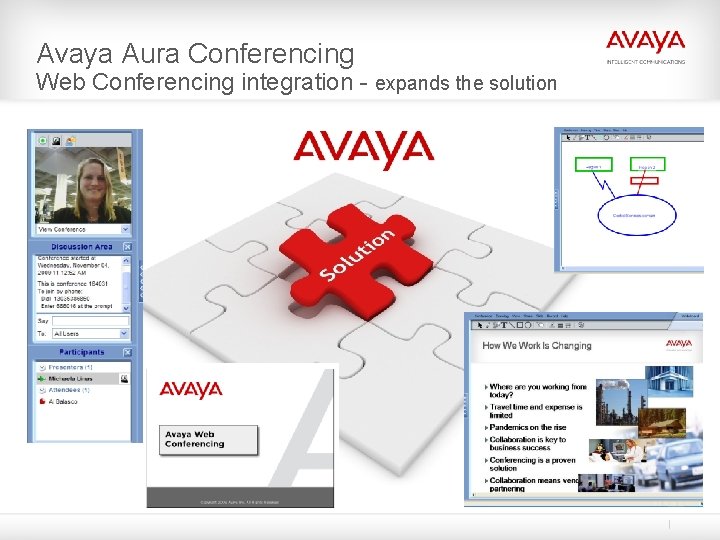
Avaya Aura Conferencing Web Conferencing integration - expands the solution
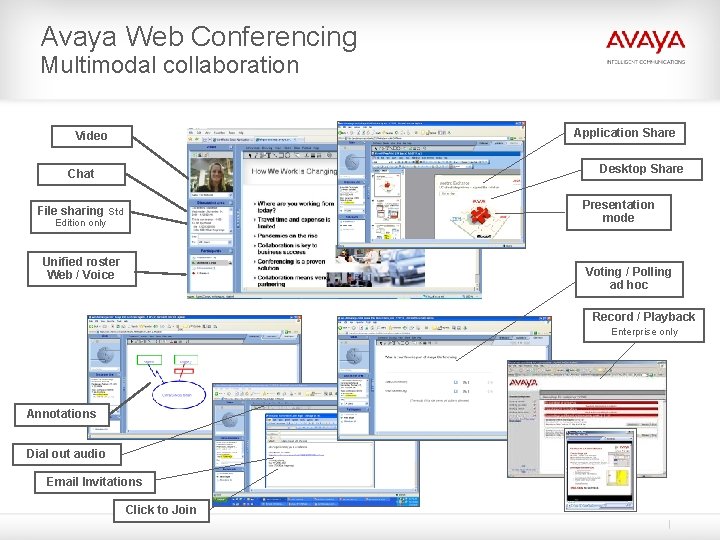
Avaya Web Conferencing Multimodal collaboration Application Share Video Desktop Share Chat Presentation mode File sharing Std Edition only Unified roster Web / Voice Voting / Polling ad hoc Record / Playback Enterprise only Annotations Dial out audio Email Invitations Click to Join
Avaya Aura Conferencing UC integrations Audio Console Avaya Web Conferencing Outlook Scheduling OCS 2007 R 2 Live Meeting 8 Lotus Notes Scheduling Sametime Connect Sametime Web Adobe Connect
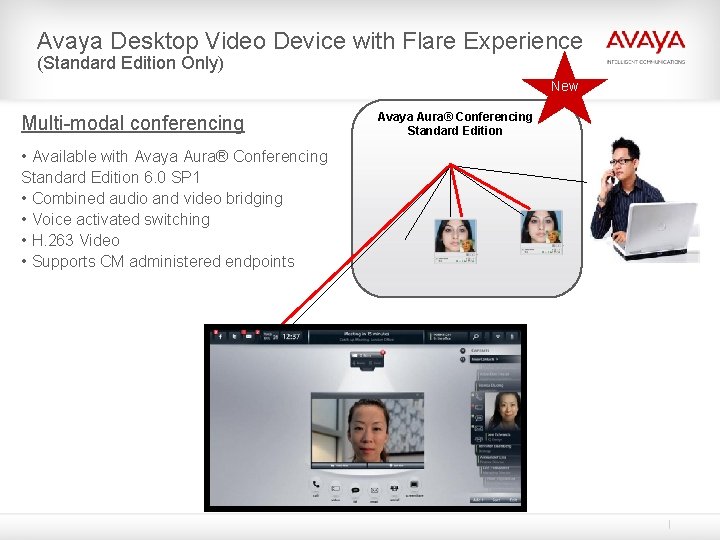
Avaya Desktop Video Device with Flare Experience (Standard Edition Only) New Multi-modal conferencing • Available with Avaya Aura® Conferencing Standard Edition 6. 0 SP 1 • Combined audio and video bridging • Voice activated switching • H. 263 Video • Supports CM administered endpoints Avaya Aura® Conferencing Standard Edition
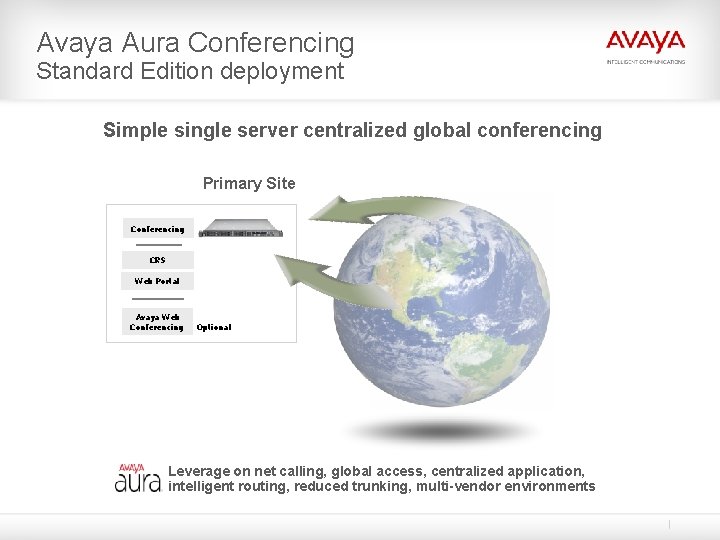
Avaya Aura Conferencing Standard Edition deployment Simple single server centralized global conferencing Primary Site Conferencing CRS Web Portal Avaya Web Conferencing Optional Leverage on net calling, global access, centralized application, intelligent routing, reduced trunking, multi-vendor environments
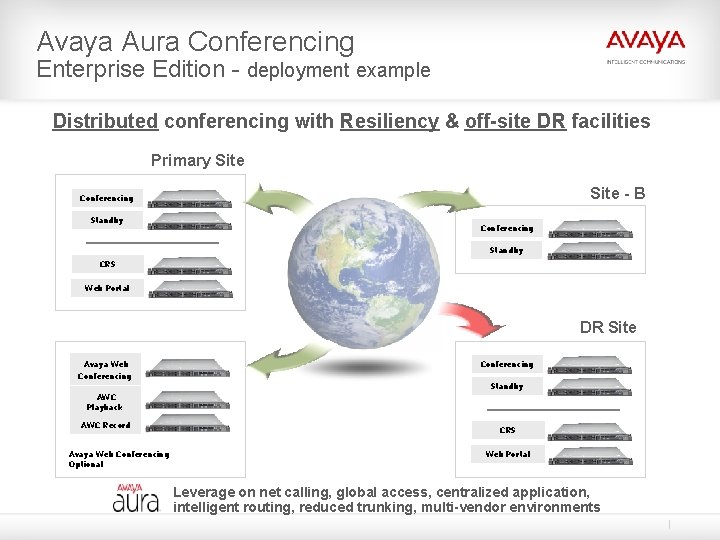
Avaya Aura Conferencing Enterprise Edition - deployment example Distributed conferencing with Resiliency & off-site DR facilities Primary Site - B Conferencing Standby CRS Web Portal DR Site Avaya Web Conferencing Standby AWC Playback AWC Record Avaya Web Conferencing Optional CRS Web Portal Leverage on net calling, global access, centralized application, intelligent routing, reduced trunking, multi-vendor environments
Avaya Aura® Conferencing Thank you…
Back up / additional materials
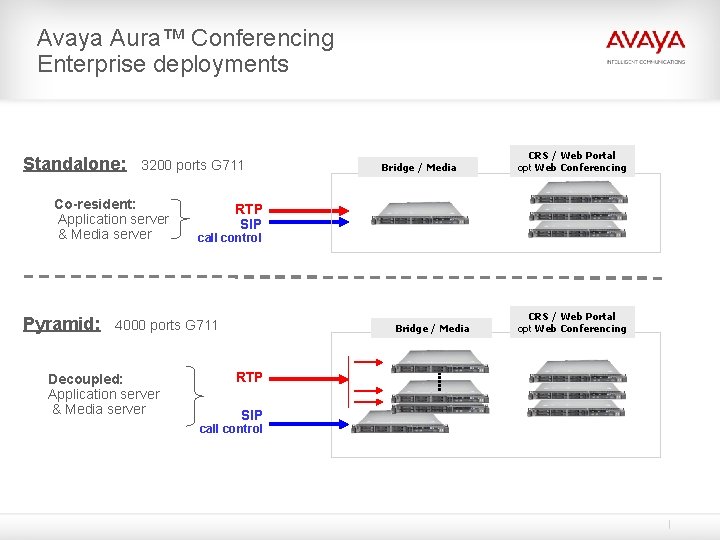
Avaya Aura™ Conferencing Enterprise deployments Standalone: 3200 ports G 711 Co-resident: Application server & Media server Pyramid: CRS / Web Portal opt Web Conferencing RTP SIP call control 4000 ports G 711 Decoupled: Application server & Media server Bridge / Media RTP SIP call control CRS / Web Portal opt Web Conferencing
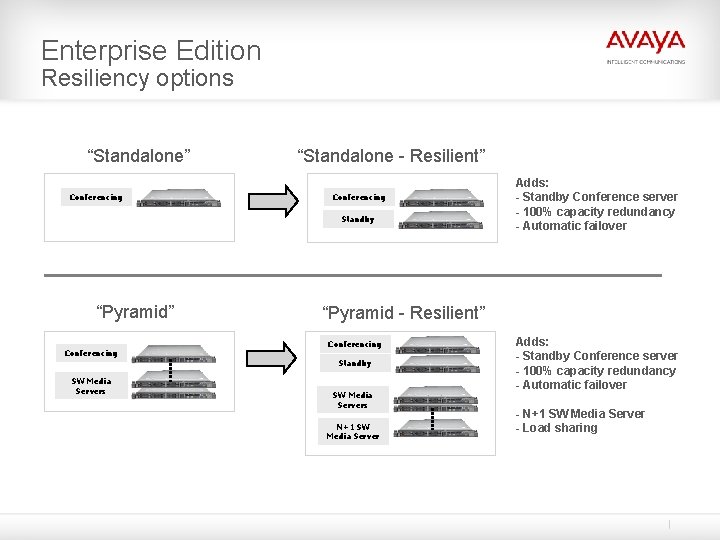
Enterprise Edition Resiliency options “Standalone” Conferencing “Standalone - Resilient” Conferencing Standby “Pyramid” Conferencing “Pyramid - Resilient” Conferencing Standby SW Media Servers Adds: - Standby Conference server - 100% capacity redundancy - Automatic failover SW Media Servers N+1 SW Media Server Adds: - Standby Conference server - 100% capacity redundancy - Automatic failover - N+1 SW Media Server - Load sharing
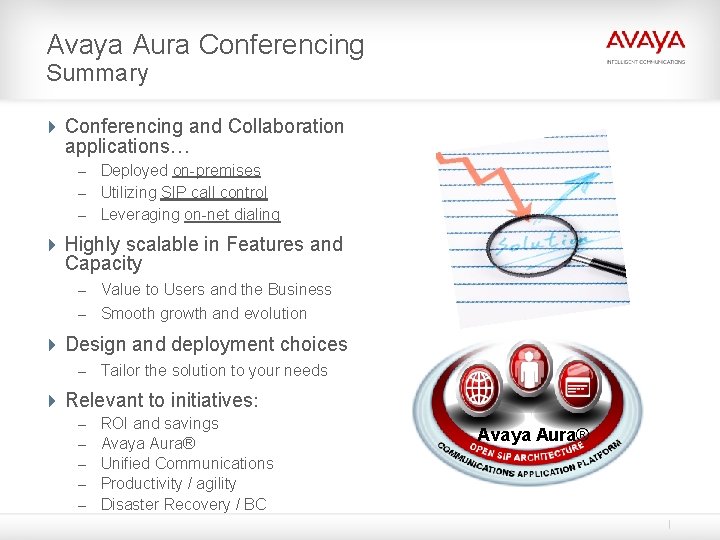
Avaya Aura Conferencing Summary 4 Conferencing and Collaboration applications… – Deployed on-premises – Utilizing SIP call control – Leveraging on-net dialing 4 Highly scalable in Features and Capacity – Value to Users and the Business – Smooth growth and evolution 4 Design and deployment choices – Tailor the solution to your needs 4 Relevant to initiatives: – – – ROI and savings Avaya Aura® Unified Communications Productivity / agility Disaster Recovery / BC Avaya Aura®
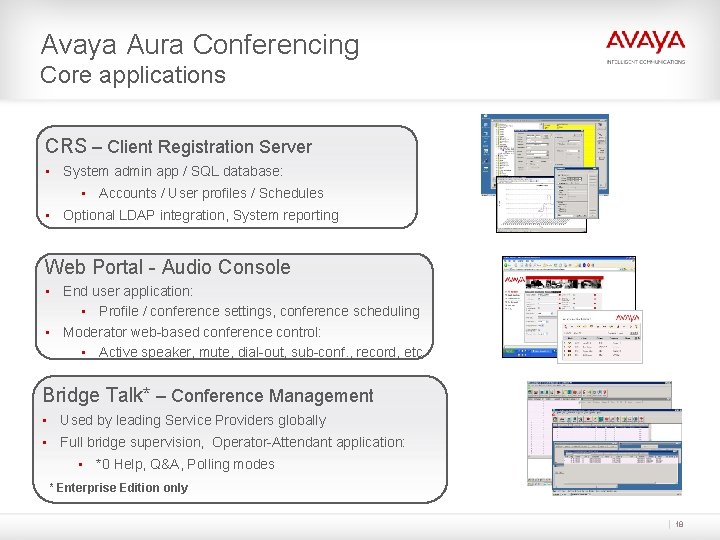
Avaya Aura Conferencing Core applications CRS – Client Registration Server • System admin app / SQL database: • Accounts / User profiles / Schedules • Optional LDAP integration, System reporting Web Portal - Audio Console • End user application: • Profile / conference settings, conference scheduling • Moderator web-based conference control: • Active speaker, mute, dial-out, sub-conf. , record, etc Bridge Talk* – Conference Management • Used by leading Service Providers globally • Full bridge supervision, Operator-Attendant application: • *0 Help, Q&A, Polling modes * Enterprise Edition only 18
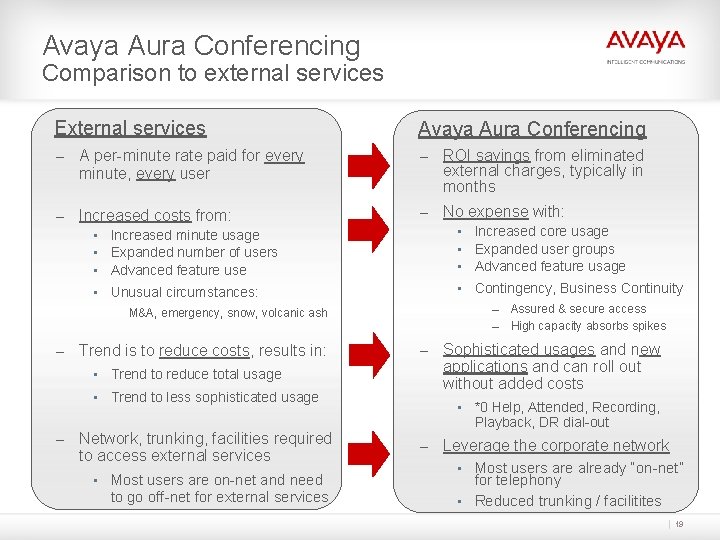
Avaya Aura Conferencing Comparison to external services External services Avaya Aura Conferencing – A per-minute rate paid for every – ROI savings from eliminated – Increased costs from: – No expense with: minute, every user external charges, typically in months • • • Increased minute usage Expanded number of users Advanced feature use • • • Increased core usage Expanded user groups Advanced feature usage • Unusual circumstances: • Contingency, Business Continuity Assured & secure access – High capacity absorbs spikes – M&A, emergency, snow, volcanic ash – Trend is to reduce costs, results in: • Trend to reduce total usage • Trend to less sophisticated usage – Network, trunking, facilities required to access external services • Most users are on-net and need to go off-net for external services – Sophisticated usages and new applications and can roll out without added costs • *0 Help, Attended, Recording, Playback, DR dial-out – Leverage the corporate network • Most users are already “on-net” for telephony • Reduced trunking / facilitites 19
Avaya Aura Conferencing Compound TCO/ROI Advantages beyond CSP avoided costs… 4 Platform for growth – Accommodate organic & in-organic sources 4 New usages & applications add value – Emergency response, Webinars, archived Trainings, proactive customer reach out – Foundational video MCU capability (Enterprise) augments existing video strategy 4 Increased security of voice & data – Leverages corporate network, on-network calling 4 Leverages Avaya Aura® architecture – Centralized application, global access, reduced trunking, multi-vendor 4 Leverages desktop UC clients from Avaya and 3 rd parties – Higher quality, enhanced experience – Increased agility and productivity
Avaya Aura Conferencing Design / deployment benefits Tailor the solution to fit your organization… 4 Centralized application - global access 4 SIP enables resiliency, redundancy and increased availability 4 High capacity - minimal footprint 4 Distributed deployment options Low TCO centralized admin. 4 Tie into Business Continuity and Risk Management initiatives – Provide superior communications when you need them most
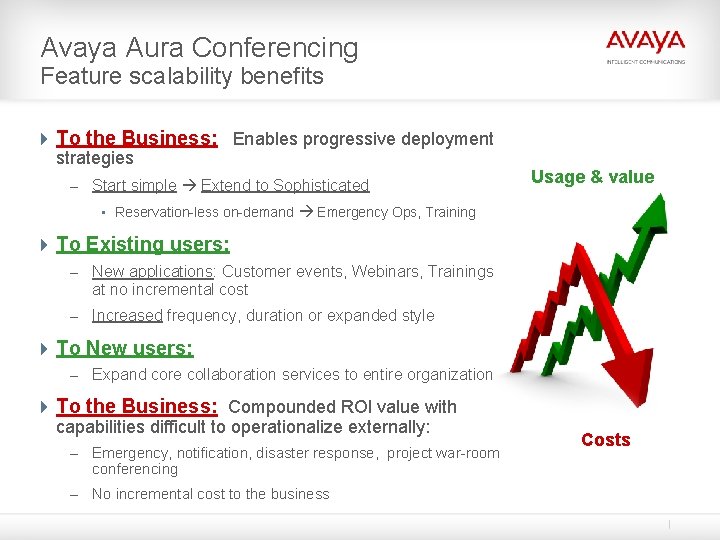
Avaya Aura Conferencing Feature scalability benefits 4 To the Business: Enables progressive deployment strategies – Start simple Extend to Sophisticated • Reservation-less on-demand Usage & value Emergency Ops, Training 4 To Existing users: – New applications: Customer events, Webinars, Trainings at no incremental cost – Increased frequency, duration or expanded style 4 To New users: – Expand core collaboration services to entire organization 4 To the Business: Compounded ROI value with capabilities difficult to operationalize externally: – Emergency, notification, disaster response, project war-room conferencing – No incremental cost to the business Costs
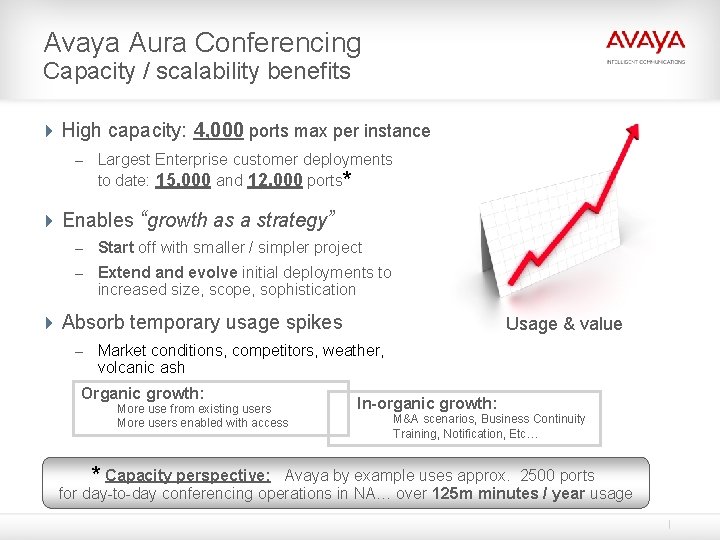
Avaya Aura Conferencing Capacity / scalability benefits 4 High capacity: 4, 000 ports max per instance – Largest Enterprise customer deployments to date: 15, 000 and 12, 000 ports* 4 Enables “growth as a strategy” – Start off with smaller / simpler project – Extend and evolve initial deployments to increased size, scope, sophistication 4 Absorb temporary usage spikes Usage & value – Market conditions, competitors, weather, volcanic ash Organic growth: More use from existing users More users enabled with access * Capacity perspective: In-organic growth: M&A scenarios, Business Continuity Training, Notification, Etc… Avaya by example uses approx. 2500 ports for day-to-day conferencing operations in NA… over 125 m minutes / year usage
Avaya Aura Conferencing Customer benefits 4 Addresses universal Conferencing and collaboration needs – Enables worker productivity, agility – Core communications 4 Provides ROI and compounded savings – New applications / new uses: Webinars, Trainings, DR, M&A 4 Robust features / robust capacity – Broad applicability – Design & deployment options 4 Web Conferencing option – Multi-modal collaboration – Standard Edition - single server footprint 4 Available UC integrations – Enhanced experience / higher quality collaboration
Avaya Aura Conferencing Customer benefits 4 Consolidated portfolio – 2 editions – Shared common code base – Benefit of over 25 -years conferencing heredity – Improves small / mid-market offer – Smooth upgrade path 4 Standard Edition - virtualized single server – System Platform, consistent, simple & green – Partner enabled installation 4 Enterprise Edition – Carrier class high capacity / design & resiliency options – Expanded feature / capability set 4 Aligned with Avaya Aura® - one of the largest users of the network – SIP, immediate savings, on-net calling, trunking, global access, routing – Multi-vendor environments
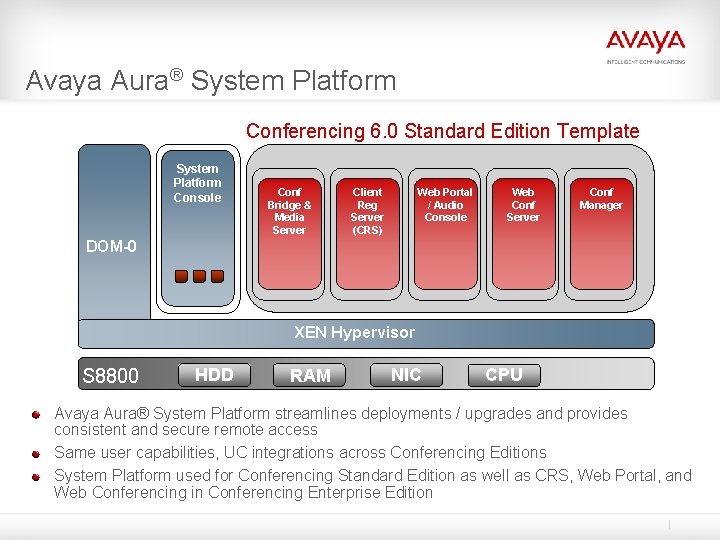
Avaya Aura® System Platform Conferencing 6. 0 Standard Edition Template System Platform Console Conf Bridge & Media Server Client Reg Server (CRS) Web Portal / Audio Console Web Conf Server Application Template Conf Manager DOM-0 XEN Hypervisor S 8800 HDD RAM NIC CPU Avaya Aura® System Platform streamlines deployments / upgrades and provides consistent and secure remote access Same user capabilities, UC integrations across Conferencing Editions System Platform used for Conferencing Standard Edition as well as CRS, Web Portal, and Web Conferencing in Conferencing Enterprise Edition