
Automating GraphBased Motion Synthesis Lucas Kovar Michael Gleicher
Automating Graph-Based Motion Synthesis Lucas Kovar Michael Gleicher University of Wisconsin-Madison
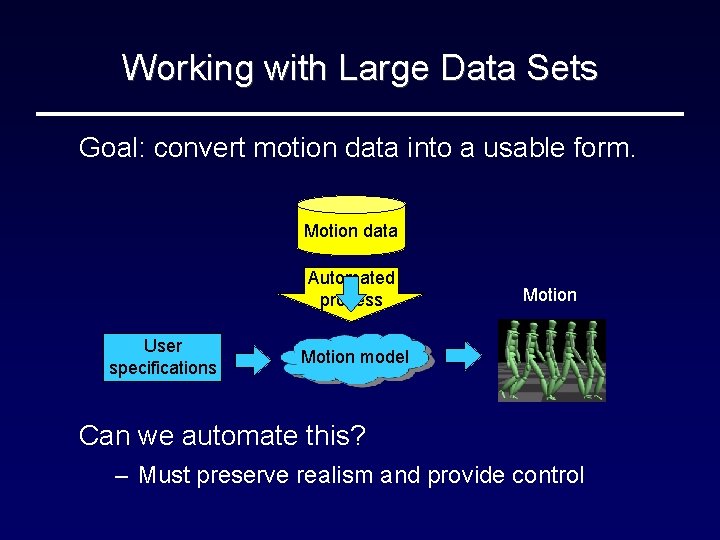
Working with Large Data Sets Goal: convert motion data into a usable form. Motion data Automated process User specifications Motion model Can we automate this? – Must preserve realism and provide control
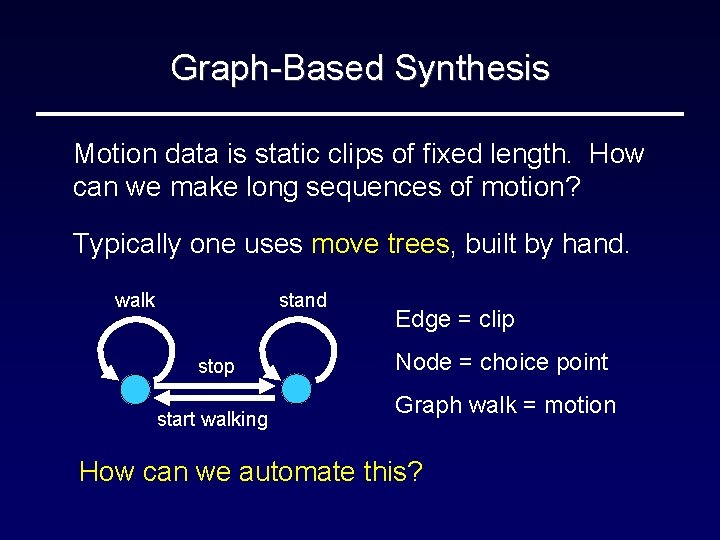
Graph-Based Synthesis Motion data is static clips of fixed length. How can we make long sequences of motion? Typically one uses move trees, built by hand. walk stand stop start walking Edge = clip Node = choice point Graph walk = motion How can we automate this?
Outline • Motion graphs • Snap-together motion
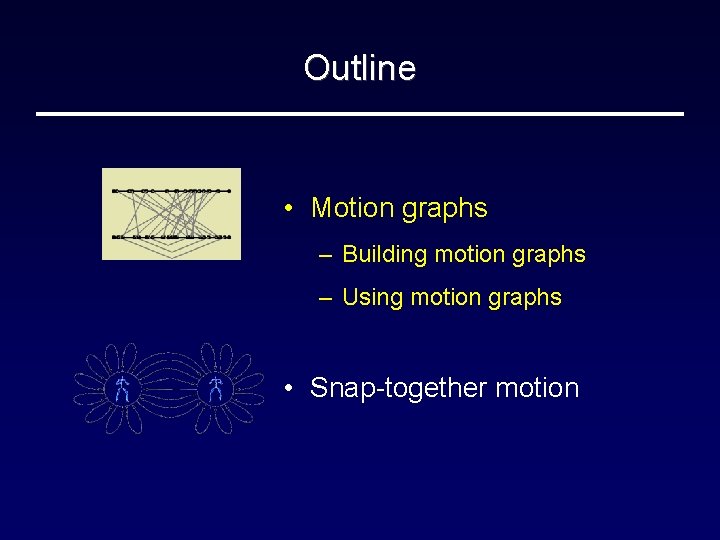
Outline • Motion graphs – Building motion graphs – Using motion graphs • Snap-together motion
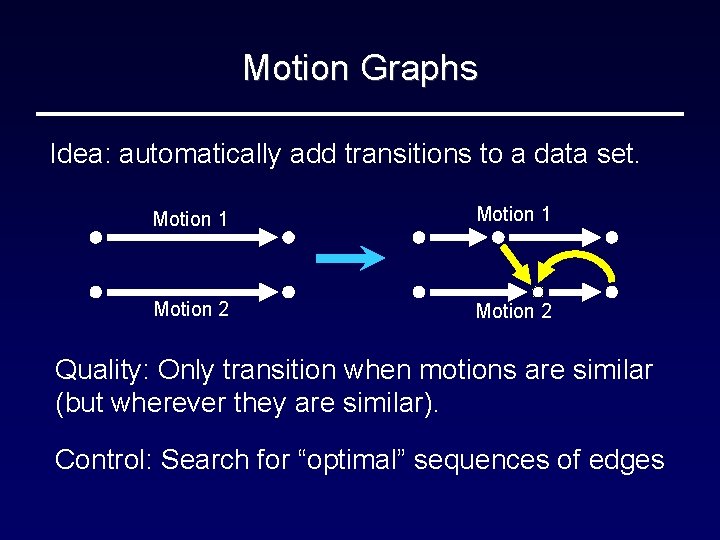
Motion Graphs Idea: automatically add transitions to a data set. Motion 1 Motion 2 Quality: Only transition when motions are similar (but wherever they are similar). Control: Search for “optimal” sequences of edges
Related Work • Statistical models – Brand Hertzmann ’ 01, Li et al. ’ 02 – Looser quality guarantees, less focus on control • Other motion representations – Simulation (Lamouret and van de Panne ’ 96) – Video (Shödl et al. ’ 01, ‘ 02) • Concurrent work – Arikan and Forsyth ’ 02, Lee et al. ‘ 02
Motion Graphs: An Example
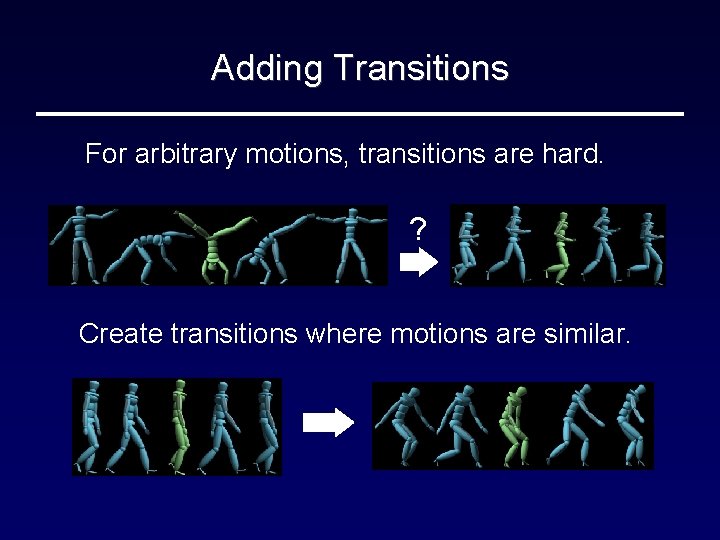
Adding Transitions For arbitrary motions, transitions are hard. ? Create transitions where motions are similar.
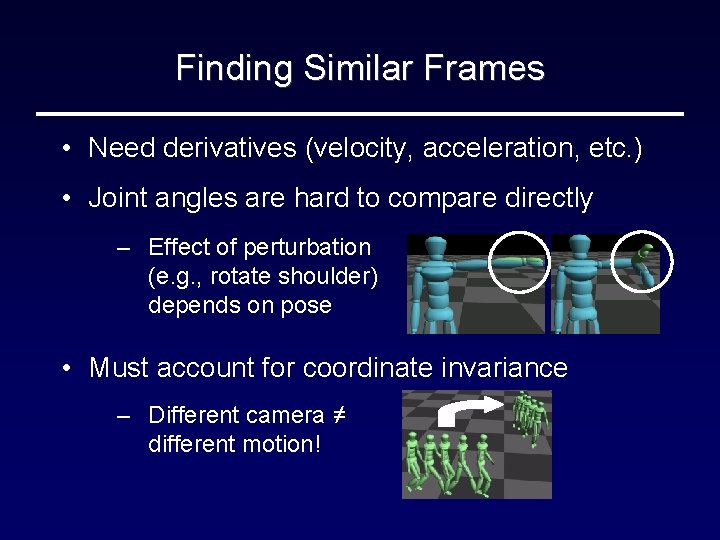
Finding Similar Frames • Need derivatives (velocity, acceleration, etc. ) • Joint angles are hard to compare directly – Effect of perturbation (e. g. , rotate shoulder) depends on pose • Must account for coordinate invariance – Different camera ≠ different motion!
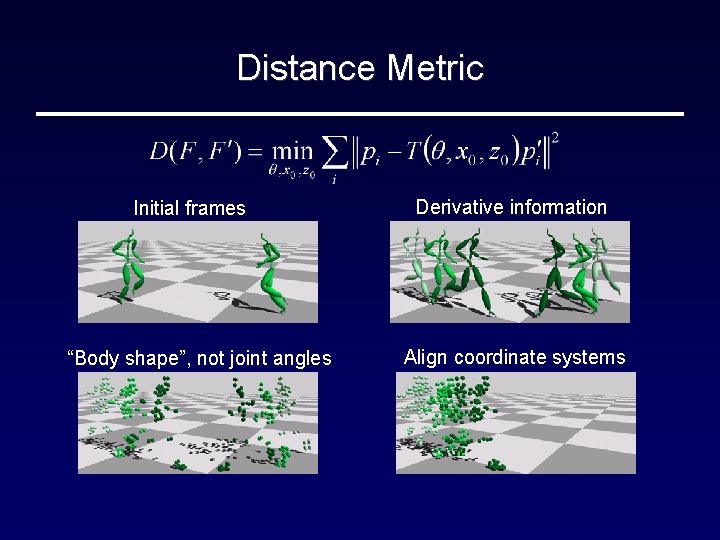
Distance Metric Initial frames “Body shape”, not joint angles Derivative information Align coordinate systems
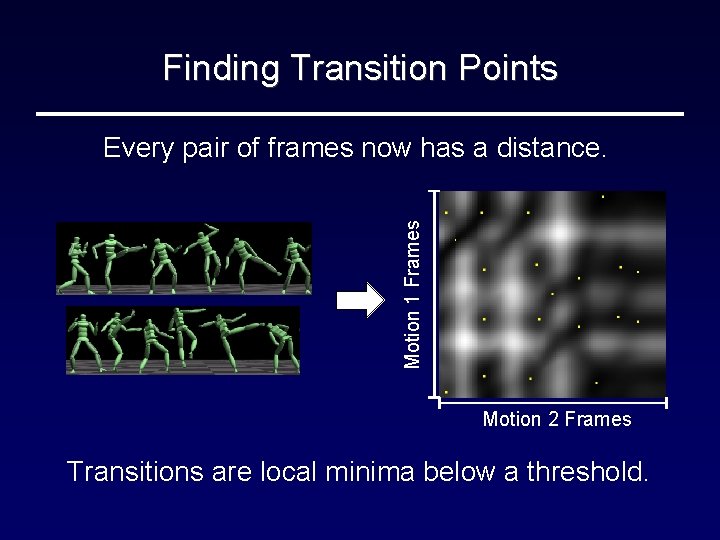
Finding Transition Points Motion 1 Frames Every pair of frames now has a distance. Motion 2 Frames Transitions are local minima below a threshold.
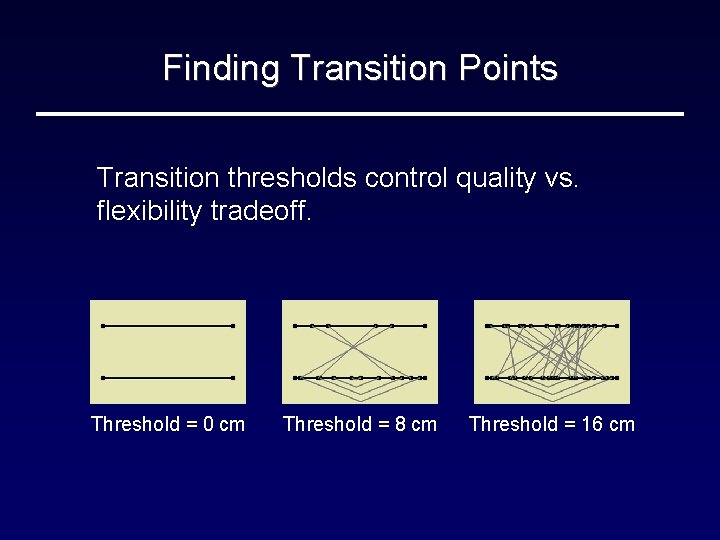
Finding Transition Points Transition thresholds control quality vs. flexibility tradeoff. Threshold = 0 cm Threshold = 8 cm Threshold = 16 cm
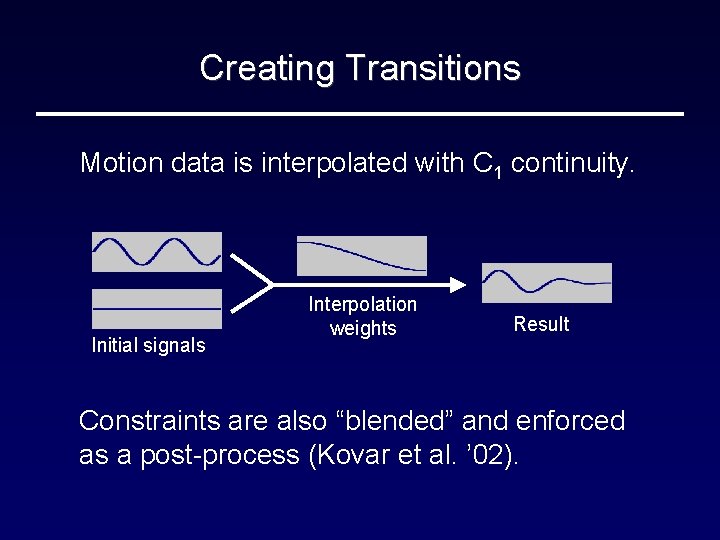
Creating Transitions Motion data is interpolated with C 1 continuity. Initial signals Interpolation weights Result Constraints are also “blended” and enforced as a post-process (Kovar et al. ’ 02).
Outline • Motion graphs ü Building motion graphs – Using motion graphs • Snap-together motion
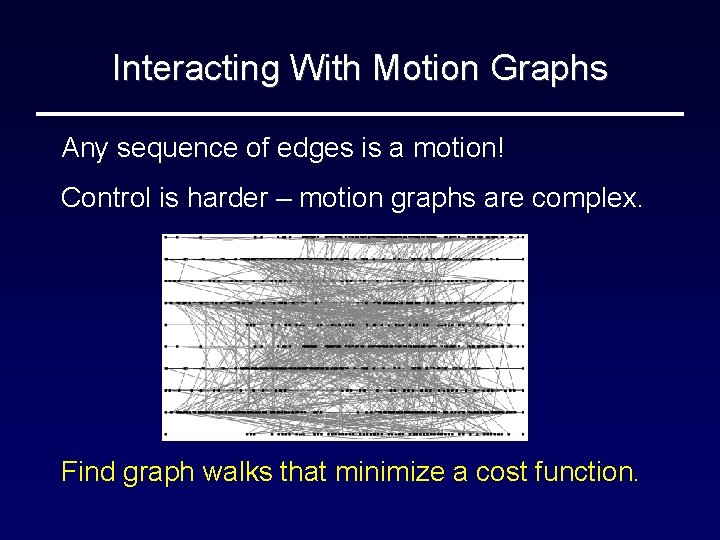
Interacting With Motion Graphs Any sequence of edges is a motion! Control is harder – motion graphs are complex. Find graph walks that minimize a cost function.
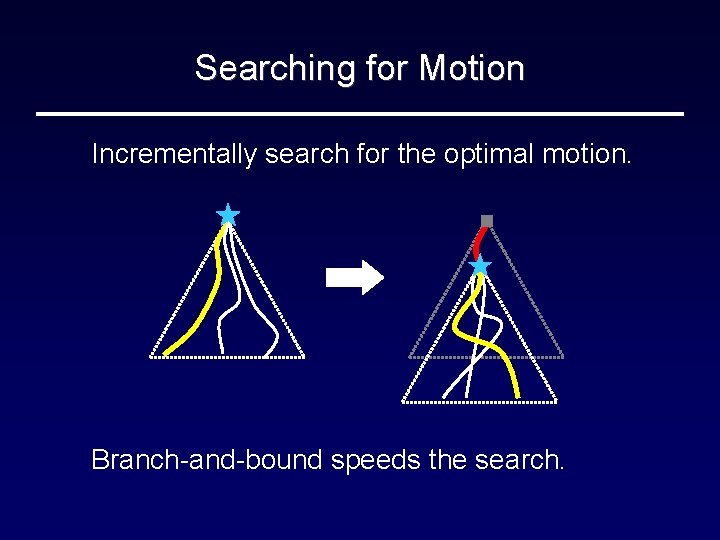
Searching for Motion Incrementally search for the optimal motion. Branch-and-bound speeds the search.
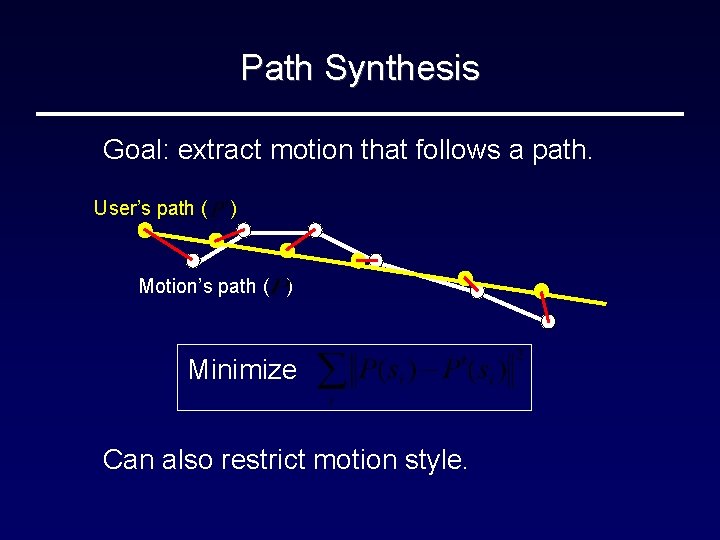
Path Synthesis Goal: extract motion that follows a path. User’s path ( ) Motion’s path ( ) Minimize Can also restrict motion style.

Results
Outline Motion graphs • Snap-together motion
Motion Graphs: Advantages/Drawbacks Motion graphs allow one to create lengthy, complicated motions with little effort. But, their complicated structure is problematic. – Must use costly search methods – Synthesized motion is only a “best fit” – Graph is hard to reason about
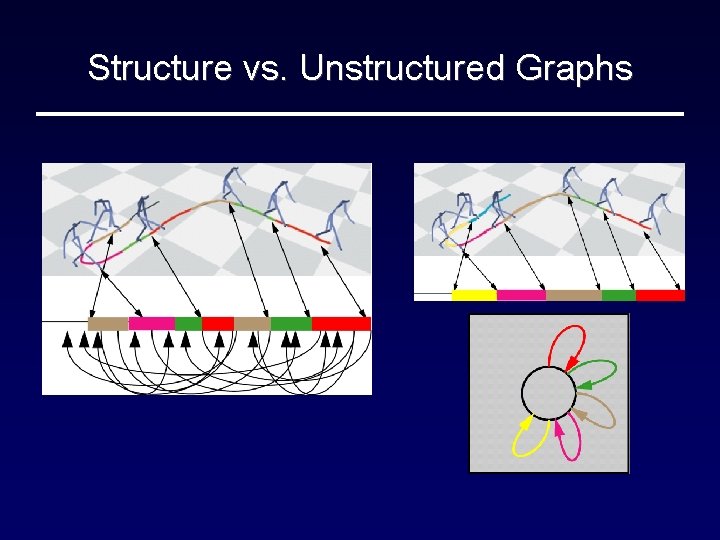
Structure vs. Unstructured Graphs
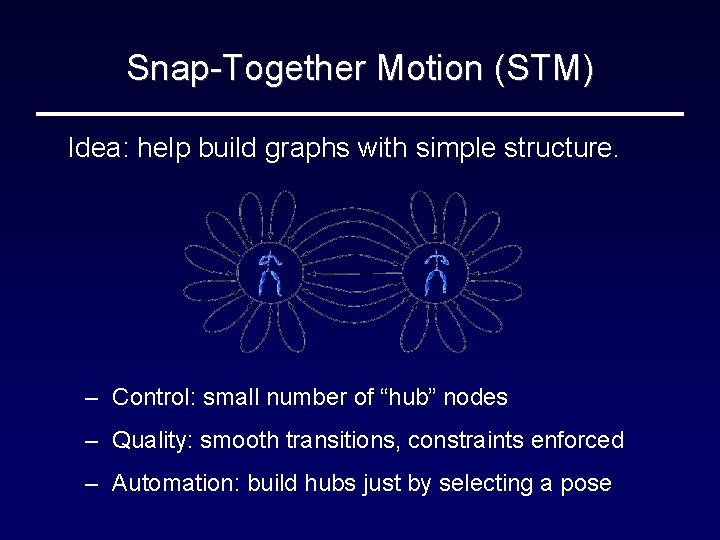
Snap-Together Motion (STM) Idea: help build graphs with simple structure. – Control: small number of “hub” nodes – Quality: smooth transitions, constraints enforced – Automation: build hubs just by selecting a pose

STM: Preview
STM: Overview Find groups of similar frames (match sets) and make multi-way transitions 1. Pick a “seed” frame or have the system suggest one 2. Find similar frames and add displacement maps so motions are identical 3. Ensure constraints remain enforced
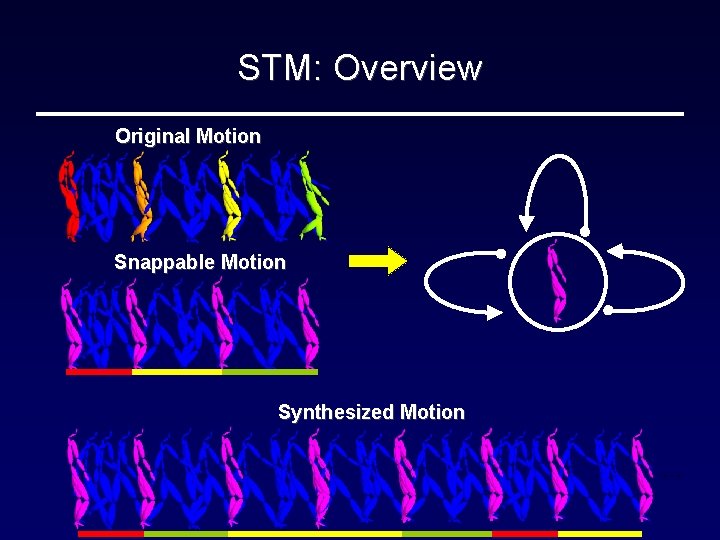
STM: Overview Original Motion Snappable Motion Synthesized Motion …
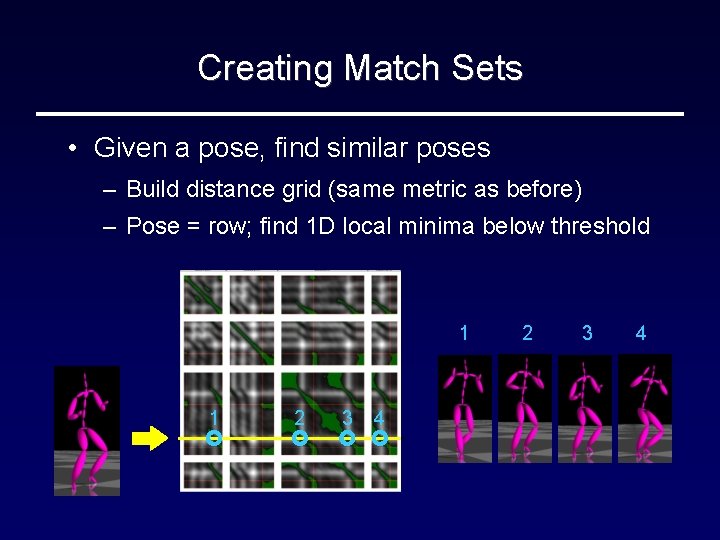
Creating Match Sets • Given a pose, find similar poses – Build distance grid (same metric as before) – Pose = row; find 1 D local minima below threshold 1 1 2 3 4
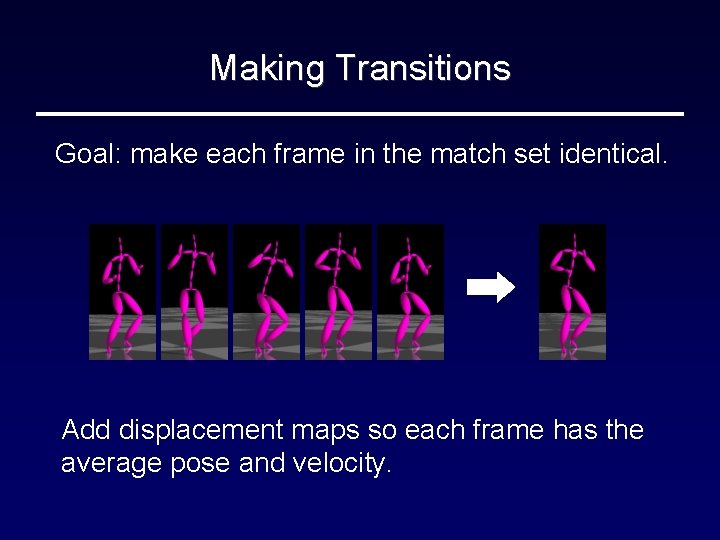
Making Transitions Goal: make each frame in the match set identical. Add displacement maps so each frame has the average pose and velocity.
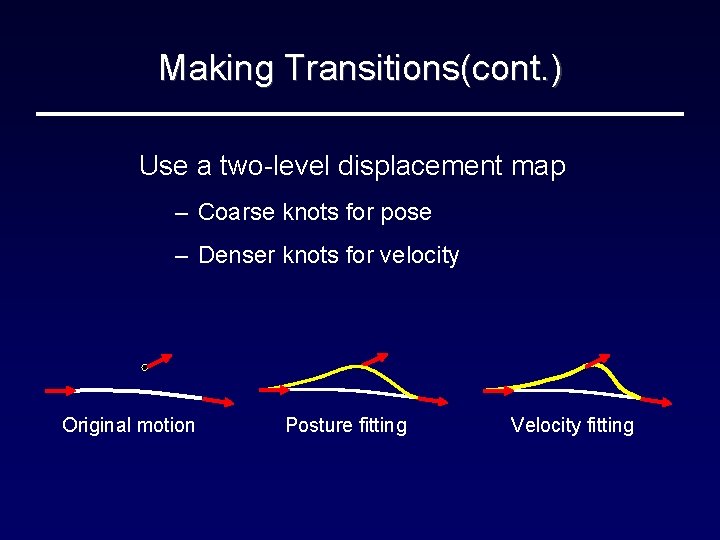
Making Transitions(cont. ) Use a two-level displacement map – Coarse knots for pose – Denser knots for velocity Original motion Posture fitting Velocity fitting
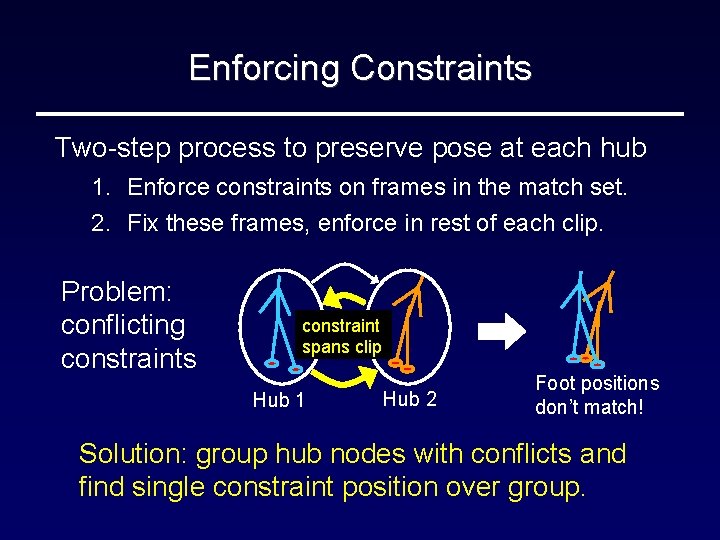
Enforcing Constraints Two-step process to preserve pose at each hub 1. Enforce constraints on frames in the match set. 2. Fix these frames, enforce in rest of each clip. Problem: conflicting constraints constraint spans clip Hub 1 Hub 2 Foot positions don’t match! Solution: group hub nodes with conflicts and find single constraint position over group.

Results
Conclusion Simplify graph-based synthesis by automating the identification and tuning of transitions. Different strategies different kinds of graphs – Motion graphs: “greedy” strategy is general and highly automated, but synthesis requires search – STM: clustering makes simpler graphs for improved control, but assumes hub poses exist.
- Slides: 32