
Automated XNAT Testing with Selenium and JIRA Charlie

- Slides: 13
Automated XNAT Testing with Selenium and JIRA Charlie Moore, June 7, 2016
Outline • Brief Introduction to Selenium • XNAT-themed tests based around Selenium and test. NG: – CNDA Pipeline Tests • Brief overview of test integration with JIRA and Zephyr
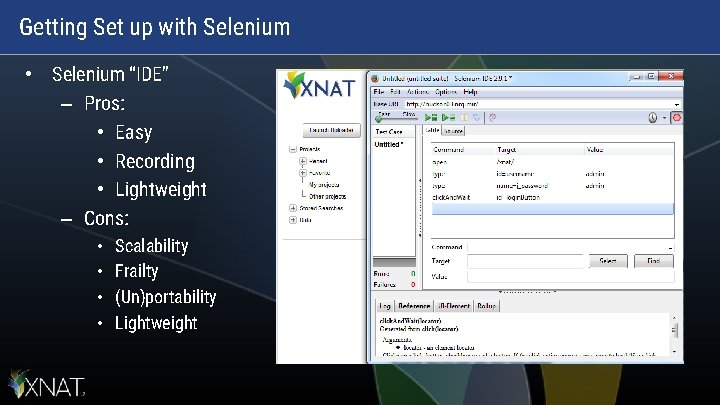
Getting Set up with Selenium • Selenium “IDE” – Pros: • Easy • Recording • Lightweight – Cons: • • Scalability Frailty (Un)portability Lightweight
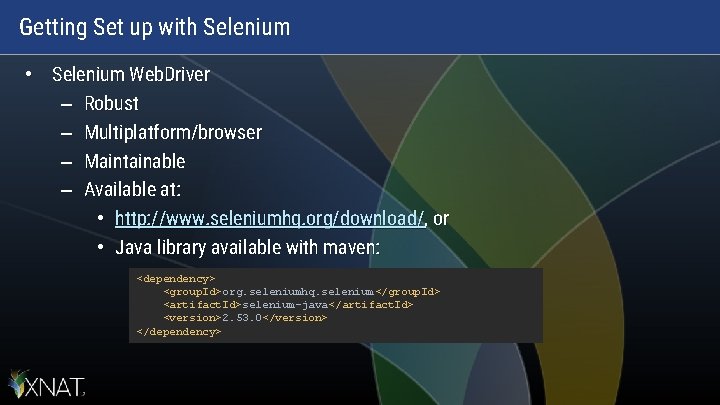
Getting Set up with Selenium • Selenium Web. Driver – Robust – Multiplatform/browser – Maintainable – Available at: • http: //www. seleniumhq. org/download/, or • Java library available with maven: <dependency> <group. Id>org. seleniumhq. selenium</group. Id> <artifact. Id>selenium-java</artifact. Id> <version>2. 53. 0</version> </dependency>
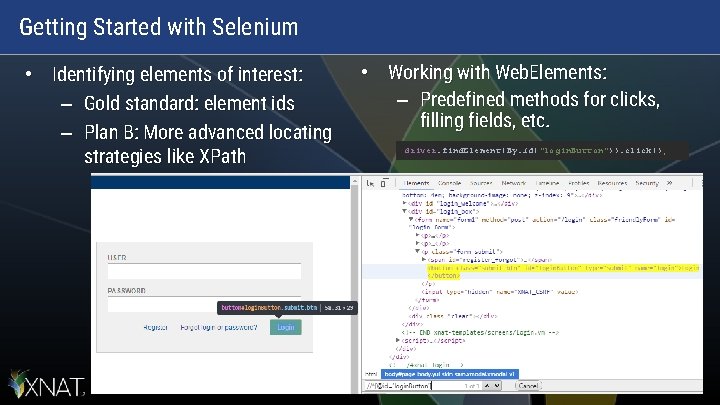
Getting Started with Selenium • Identifying elements of interest: – Gold standard: element ids – Plan B: More advanced locating strategies like XPath • Working with Web. Elements: – Predefined methods for clicks, filling fields, etc. driver. find. Element(By. id("login. Button")). click();
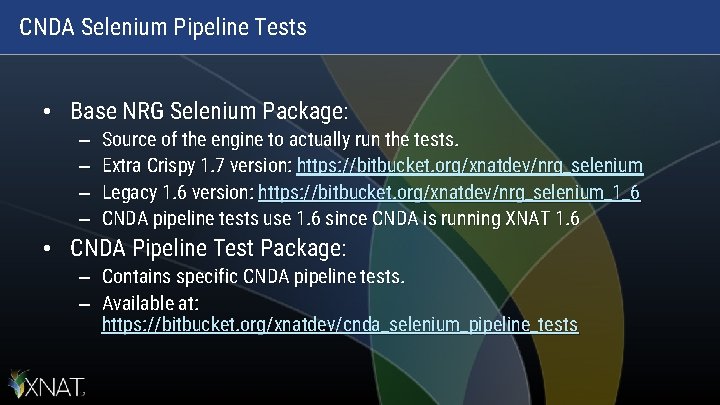
CNDA Selenium Pipeline Tests • Base NRG Selenium Package: – – Source of the engine to actually run the tests. Extra Crispy 1. 7 version: https: //bitbucket. org/xnatdev/nrg_selenium Legacy 1. 6 version: https: //bitbucket. org/xnatdev/nrg_selenium_1_6 CNDA pipeline tests use 1. 6 since CNDA is running XNAT 1. 6 • CNDA Pipeline Test Package: – Contains specific CNDA pipeline tests. – Available at: https: //bitbucket. org/xnatdev/cnda_selenium_pipeline_tests
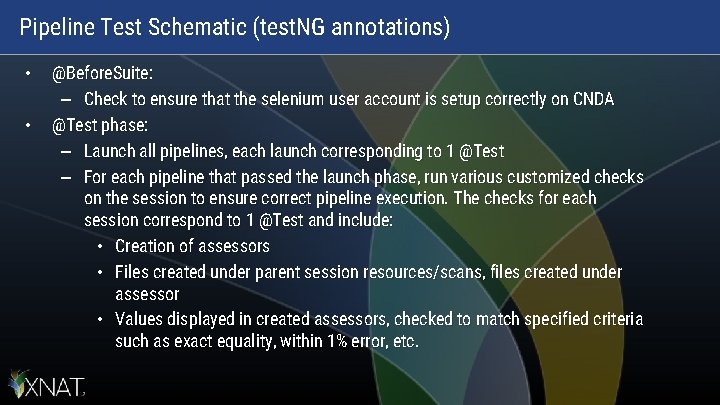
Pipeline Test Schematic (test. NG annotations) • • @Before. Suite: – Check to ensure that the selenium user account is setup correctly on CNDA @Test phase: – Launch all pipelines, each launch corresponding to 1 @Test – For each pipeline that passed the launch phase, run various customized checks on the session to ensure correct pipeline execution. The checks for each session correspond to 1 @Test and include: • Creation of assessors • Files created under parent session resources/scans, files created under assessor • Values displayed in created assessors, checked to match specified criteria such as exact equality, within 1% error, etc.
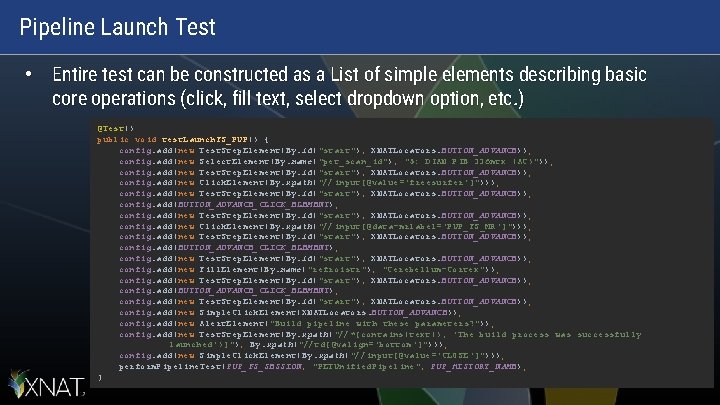
Pipeline Launch Test • Entire test can be constructed as a List of simple elements describing basic core operations (click, fill text, select dropdown option, etc. ) @Test() public void test. Launch. FS_PUP() { config. add(new Test. Step. Element(By. id("start"), XNATLocators. BUTTON_ADVANCE)); config. add(new Select. Element(By. name("pet_scan_id"), "5: DIAN PIB 336 mtx (AC)")); config. add(new Test. Step. Element(By. id("start"), XNATLocators. BUTTON_ADVANCE)); config. add(new Click. Element(By. xpath("//input[@value='freesurfer']"))); config. add(new Test. Step. Element(By. id("start"), XNATLocators. BUTTON_ADVANCE)); config. add(BUTTON_ADVANCE_CLICK_ELEMENT); config. add(new Test. Step. Element(By. id("start"), XNATLocators. BUTTON_ADVANCE)); config. add(new Click. Element(By. xpath("//input[@data-mrlabel='PUP_FS_MR']"))); config. add(new Test. Step. Element(By. id("start"), XNATLocators. BUTTON_ADVANCE)); config. add(BUTTON_ADVANCE_CLICK_ELEMENT); config. add(new Test. Step. Element(By. id("start"), XNATLocators. BUTTON_ADVANCE)); config. add(new Fill. Element(By. name("refroistr"), "Cerebellum-Cortex")); config. add(new Test. Step. Element(By. id("start"), XNATLocators. BUTTON_ADVANCE)); config. add(BUTTON_ADVANCE_CLICK_ELEMENT); config. add(new Test. Step. Element(By. id("start"), XNATLocators. BUTTON_ADVANCE)); config. add(new Simple. Click. Element(XNATLocators. BUTTON_ADVANCE)); config. add(new Alert. Element("Build pipeline with these parameters? ")); config. add(new Test. Step. Element(By. xpath("//*[contains(text(), 'The build process was successfully launched')]"), By. xpath("//td[@valign='bottom']"))); config. add(new Simple. Click. Element(By. xpath("//input[@value='CLOSE']"))); perform. Pipeline. Test(PUP_FS_SESSION, "PETUnified. Pipeline", PUP_HISTORY_NAME); }
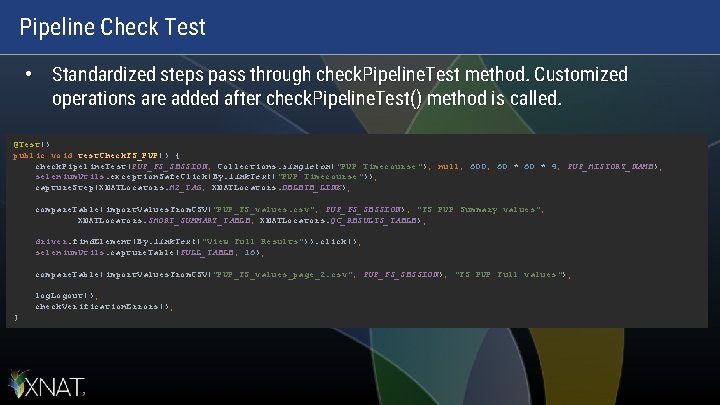
Pipeline Check Test • Standardized steps pass through check. Pipeline. Test method. Customized operations are added after check. Pipeline. Test() method is called. @Test() public void test. Check. FS_PUP() { check. Pipeline. Test(PUP_FS_SESSION, Collections. singleton("PUP Timecourse"), null, 600, 60 * 4, PUP_HISTORY_NAME); selenium. Utils. exception. Safe. Click(By. link. Text("PUP Timecourse")); capture. Step(XNATLocators. H 2_TAG, XNATLocators. DELETE_LINK); compare. Table(import. Values. From. CSV("PUP_FS_values. csv", PUP_FS_SESSION), "FS PUP Summary values", XNATLocators. SHORT_SUMMARY_TABLE, XNATLocators. QC_RESULTS_TABLE); driver. find. Element(By. link. Text("View Full Results")). click(); selenium. Utils. capture. Table(FULL_TABLE, 16); compare. Table(import. Values. From. CSV("PUP_FS_values_page_2. csv", PUP_FS_SESSION), "FS PUP Full values"); log. Logout(); check. Verification. Errors(); }
Now what? • • Great, I have these Selenium tests, but… What happens when something goes wrong? Alternatively, what if I want a record of my tests? Both concerns are alieviated by integrating Selenium tests with JIRA (more specifically, the Zephyr and ZAPI JIRA plugins). – Provided by nrg_selenium packages mentioned earlier
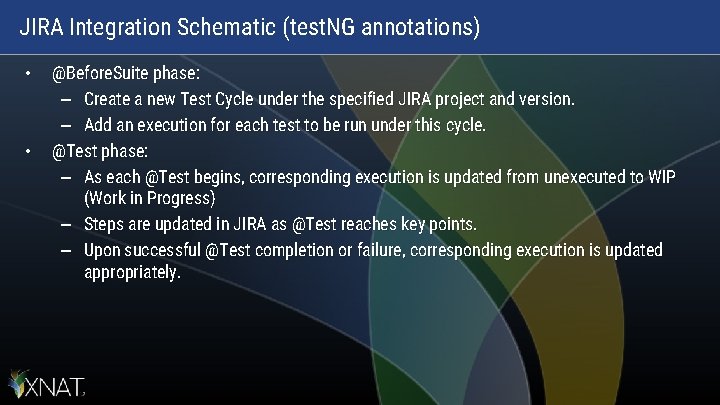
JIRA Integration Schematic (test. NG annotations) • • @Before. Suite phase: – Create a new Test Cycle under the specified JIRA project and version. – Add an execution for each test to be run under this cycle. @Test phase: – As each @Test begins, corresponding execution is updated from unexecuted to WIP (Work in Progress) – Steps are updated in JIRA as @Test reaches key points. – Upon successful @Test completion or failure, corresponding execution is updated appropriately.
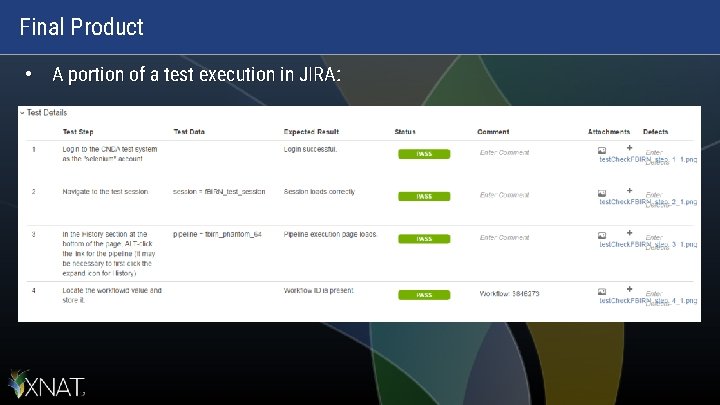
Final Product • A portion of a test execution in JIRA:
Wrapping Up • List of all links in presentation: – – http: //www. seleniumhq. org/download/ https: //bitbucket. org/xnatdev/nrg_selenium_1_6 https: //bitbucket. org/xnatdev/cnda_selenium_pipeline_tests • Questions? – You can also email me later: moore. c@wustl. edu