
Automated Testing Strategies and Dynamics 365 Performance Management
- Slides: 23
Automated Testing Strategies and Dynamics 365 Performance Management
Catherine Thole Principal Technical Architect Catherine Thole is a Technical Architect at Stoneridge Software. Prior to joining Stoneridge she spent 11. 5 years at Microsoft. With over a decade of experience, Catherine has held many different roles, including: Dynamics AX Support Engineer, Dynamics AX Support Escalation Engineer, Partner Technical Consultant, and Senior Technical Consultant, focusing on the technical aspects of Dynamics AX and Dynamics 365 F&O. Just before leaving the support organization she trained engineers from around the globe on Dynamics AX 2012 in the UK. In August of 2011 Catherine joined the Global Partner Services organization as a Partner Technical Consultant. In this role she assisted partners in pre-sales deals, implementations, hardware assessments, performance tuning, and training. catherine@stoneridgesoftware. com Catherine has expertise in multiple D 365 Finance and Operations implementations focusing on code builds and deployments, system administration including DRA configuration, security, performance, and LCS. In previous versions going back to Axapta 3. 0 she has experience with Dynamics AX Installations, Enterprise Portal, Reporting Services, Upgrades, Administration – including security, AOS, and performance tuning. She enjoys putting this knowledge to work to solve customer’s business problems and train users. Catherine has presented on a variety of topics at Fast. Trax, AXUG, and Convergence.
Today’s Agenda RSAT basics Process Flow Demo D 365 Performance
RSAT Basics
What is Regression Suite Automation Tool (RSAT) • Automated tool to run tests in Dynamics 365 F&O • Why we need this tool • Utilizes • • LCS (Business Process Modeler) Azure Dev Ops (Test cases) Dynamics 365 (Task Recorder) Excel (Parameter files)
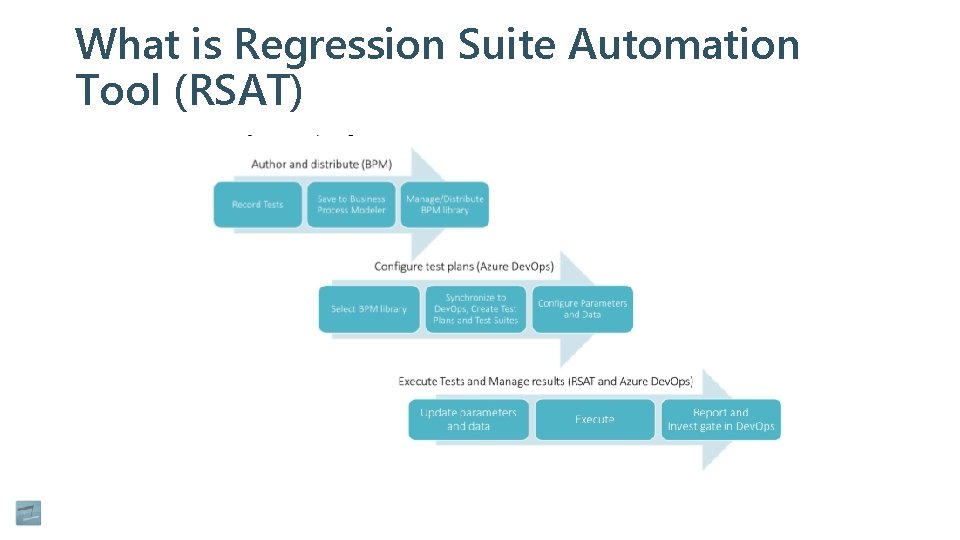
What is Regression Suite Automation Tool (RSAT)
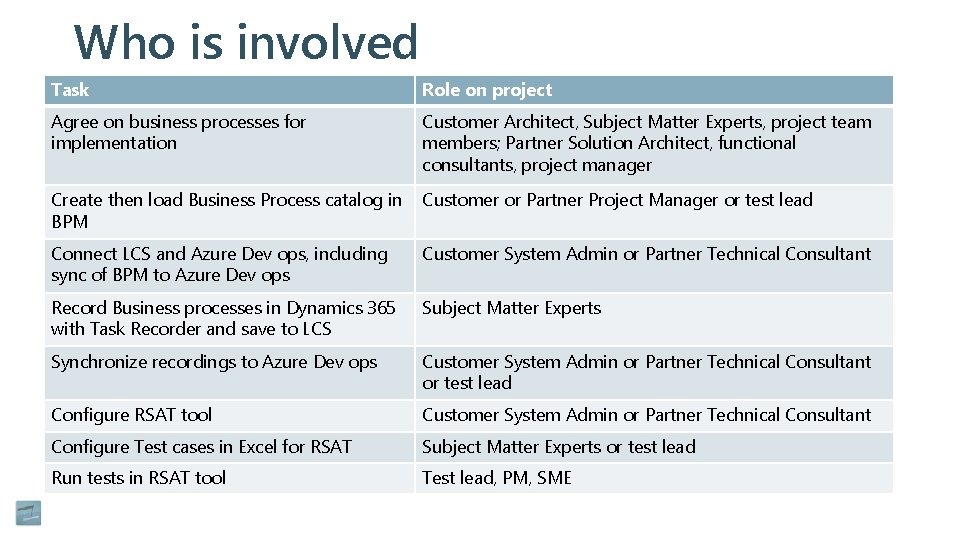
Who is involved Task Role on project Agree on business processes for implementation Customer Architect, Subject Matter Experts, project team members; Partner Solution Architect, functional consultants, project manager Create then load Business Process catalog in BPM Customer or Partner Project Manager or test lead Connect LCS and Azure Dev ops, including sync of BPM to Azure Dev ops Customer System Admin or Partner Technical Consultant Record Business processes in Dynamics 365 with Task Recorder and save to LCS Subject Matter Experts Synchronize recordings to Azure Dev ops Customer System Admin or Partner Technical Consultant or test lead Configure RSAT tool Customer System Admin or Partner Technical Consultant Configure Test cases in Excel for RSAT Subject Matter Experts or test lead Run tests in RSAT tool Test lead, PM, SME
Pre-req’s • Dynamics 365 for Finance and Operations test environment • Excel • Azure Dev ops including Test Manager license • Authentication Certificate • Windows SDK Signing Tools for Desktop Apps • Windows SDK for UWP Managed Apps
Before you start • Business Process Hierarchy loaded to BPM • Sync your BPM to Azure Dev ops • What processes need to be tested every code release • Think through how you validate a business process was successful • Does it matter what company is used – will different companies require different processes
Task Recorder Best Practices • Start at Main Menu • More recordings that are short • Tab header expanded • Chart controls are not supported • Refrain from steps that require the local machine
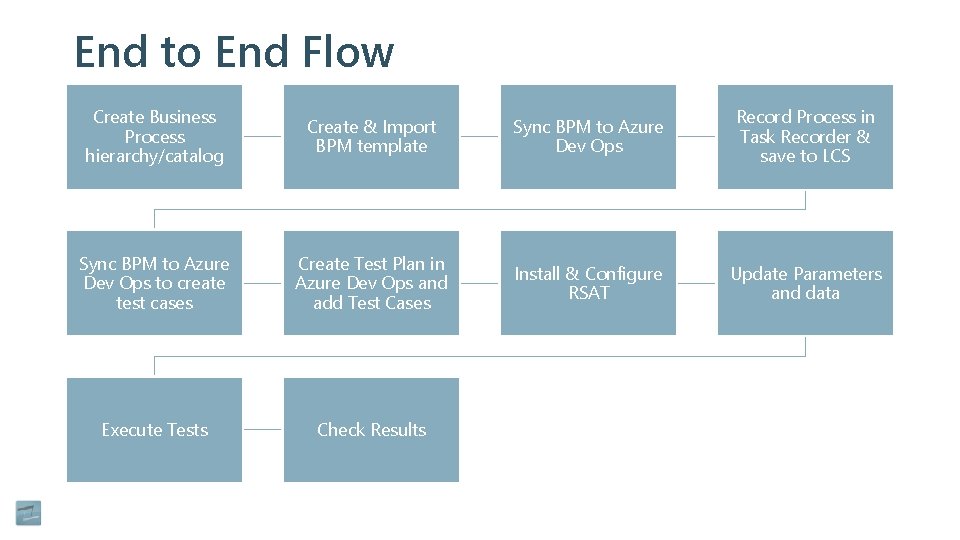
End to End Flow Create Business Process hierarchy/catalog Create & Import BPM template Sync BPM to Azure Dev Ops Record Process in Task Recorder & save to LCS Sync BPM to Azure Dev Ops to create test cases Create Test Plan in Azure Dev Ops and add Test Cases Install & Configure RSAT Update Parameters and data Execute Tests Check Results
Demo
Dynamics 365 Finance & Operations Performance
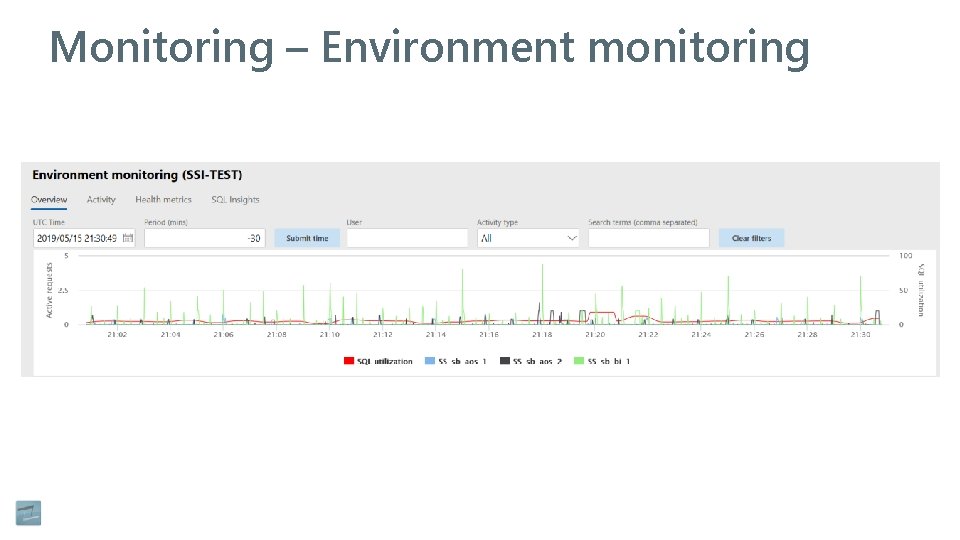
Monitoring – Environment monitoring
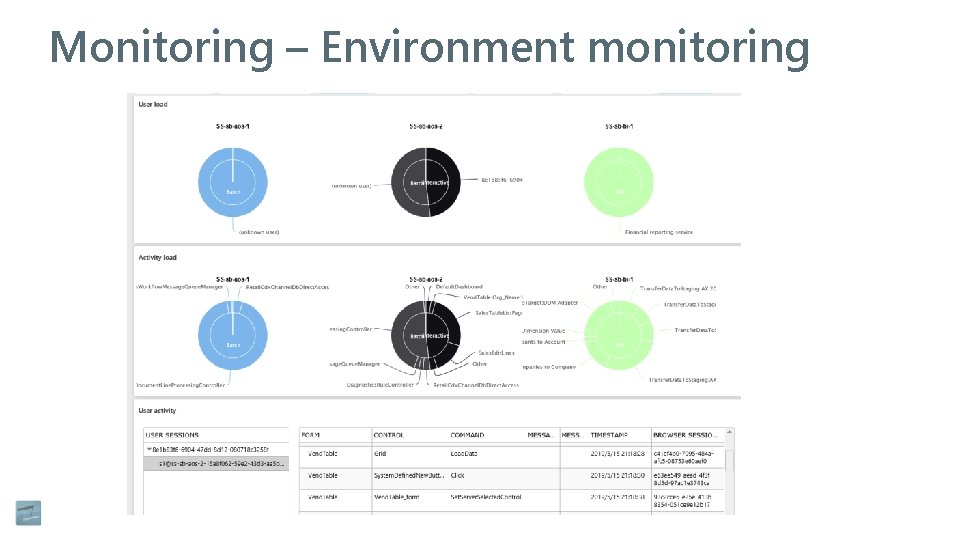
Monitoring – Environment monitoring
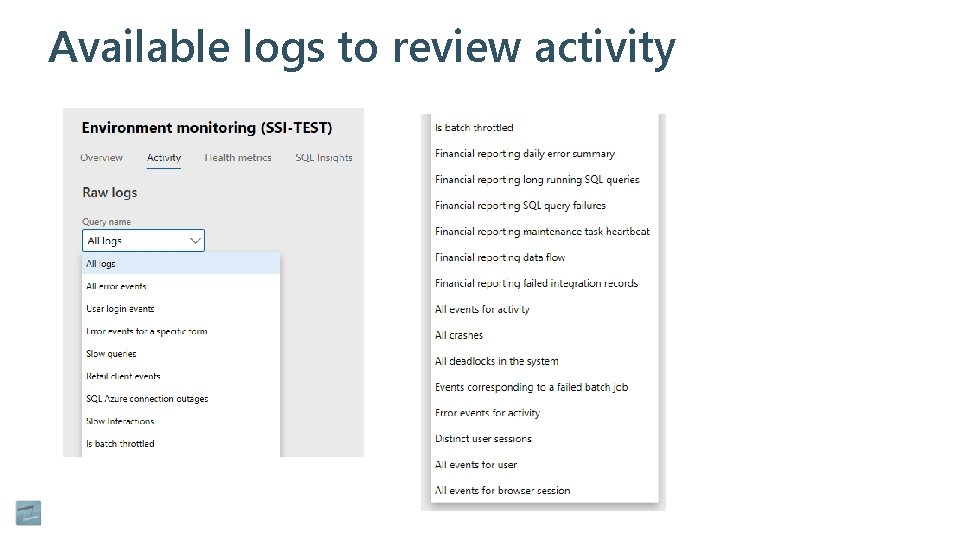
Available logs to review activity
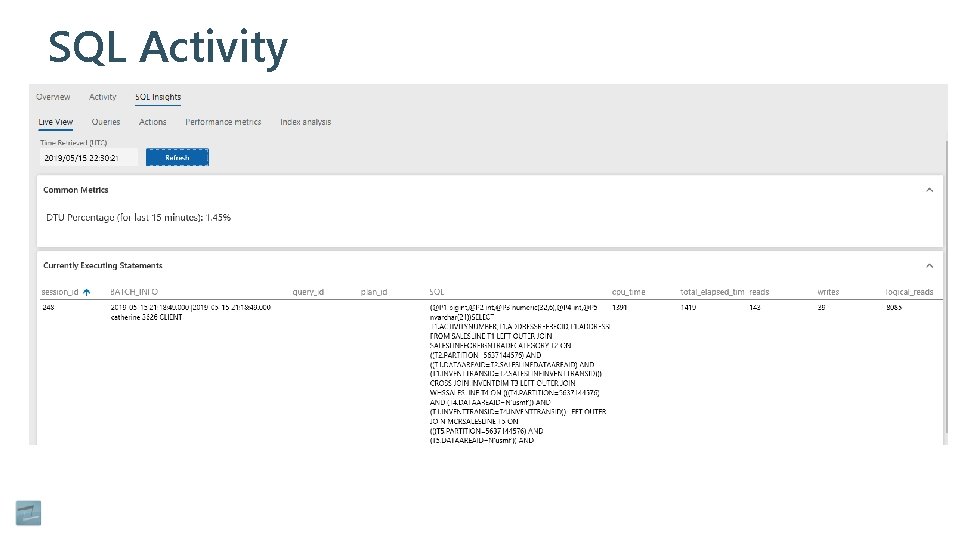
SQL Activity
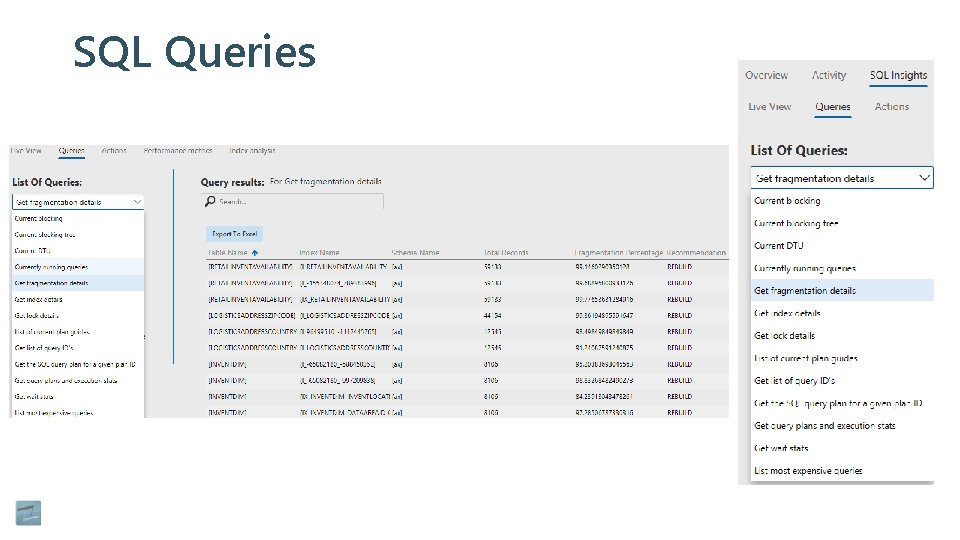
SQL Queries
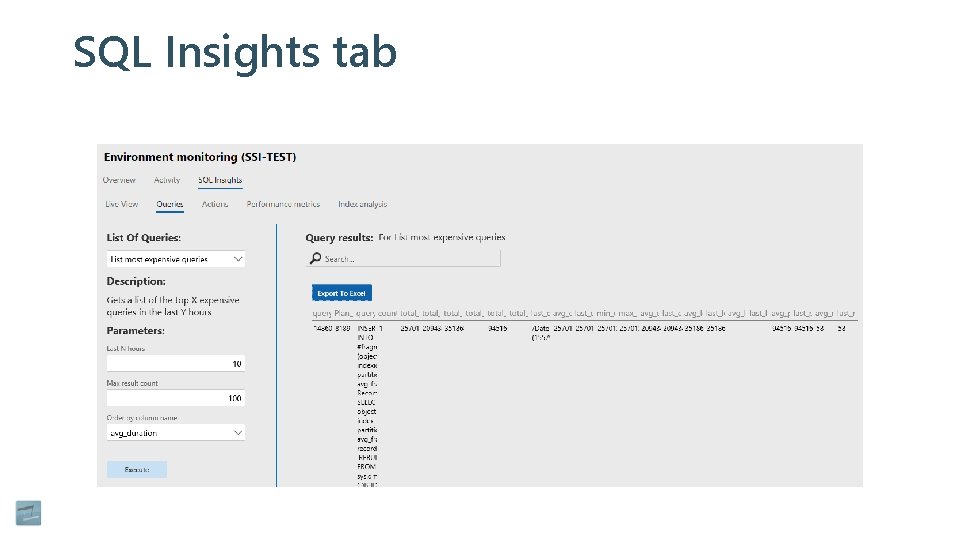
SQL Insights tab
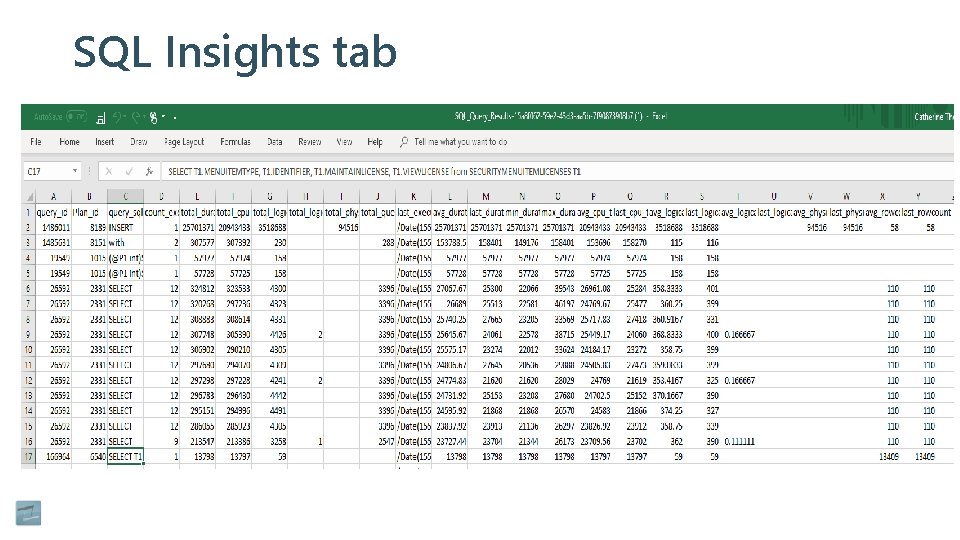
SQL Insights tab
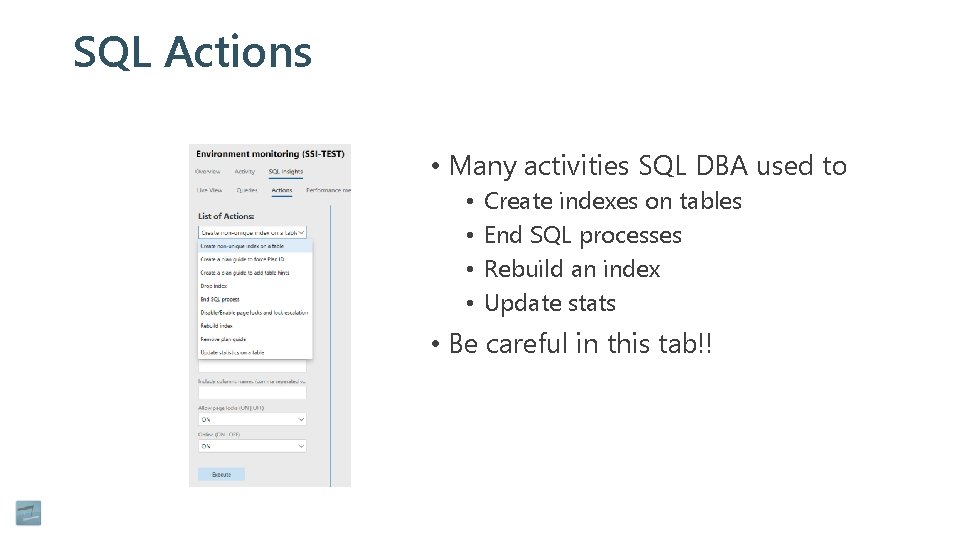
SQL Actions • Many activities SQL DBA used to • • Create indexes on tables End SQL processes Rebuild an index Update stats • Be careful in this tab!!
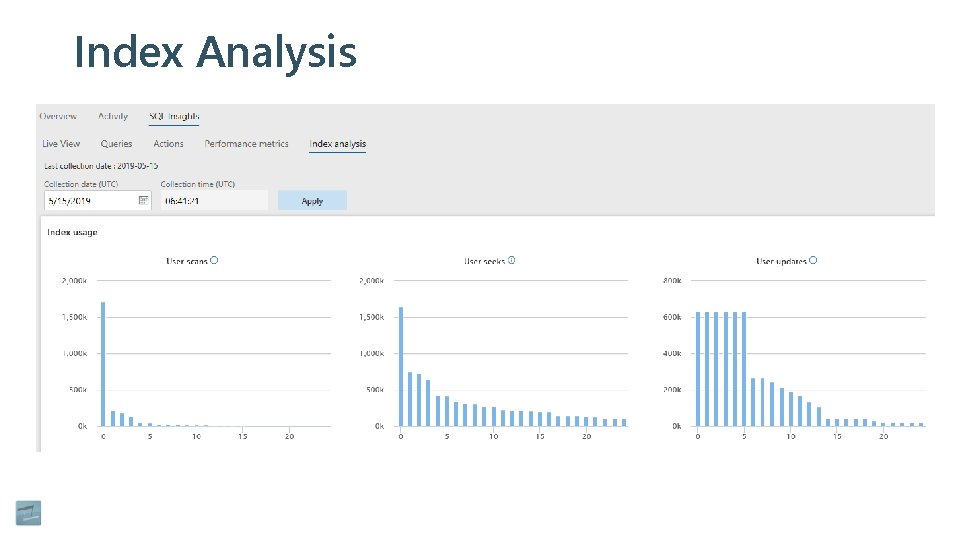
Index Analysis
Questions?