
Automated ModeMatching of Gaussian Beams MATTHEW ARGAO Introduction
Automated Mode-Matching of Gaussian Beams MATTHEW ARGAO
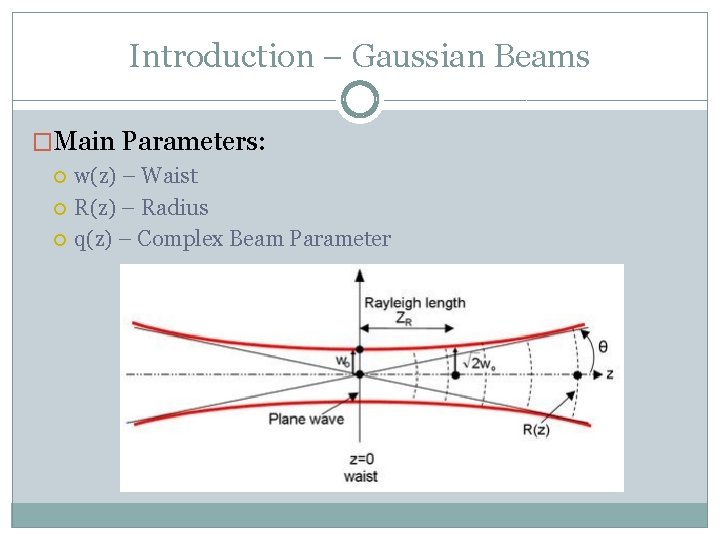
Introduction – Gaussian Beams �Main Parameters: w(z) – Waist R(z) – Radius q(z) – Complex Beam Parameter
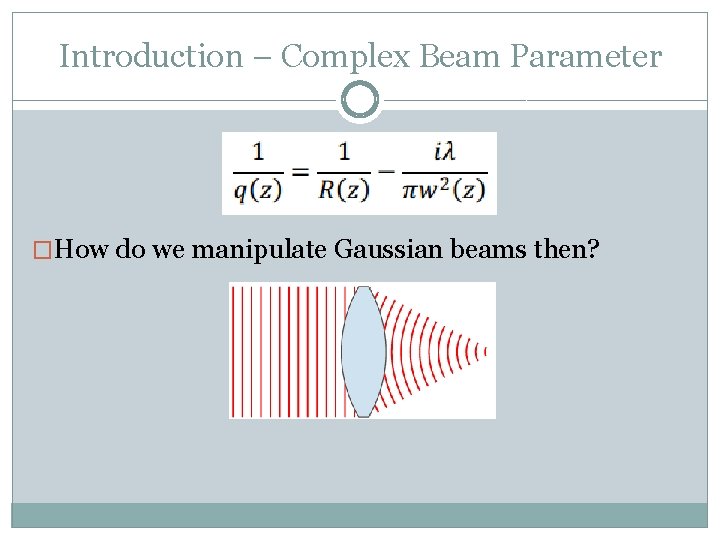
Introduction – Complex Beam Parameter �How do we manipulate Gaussian beams then?
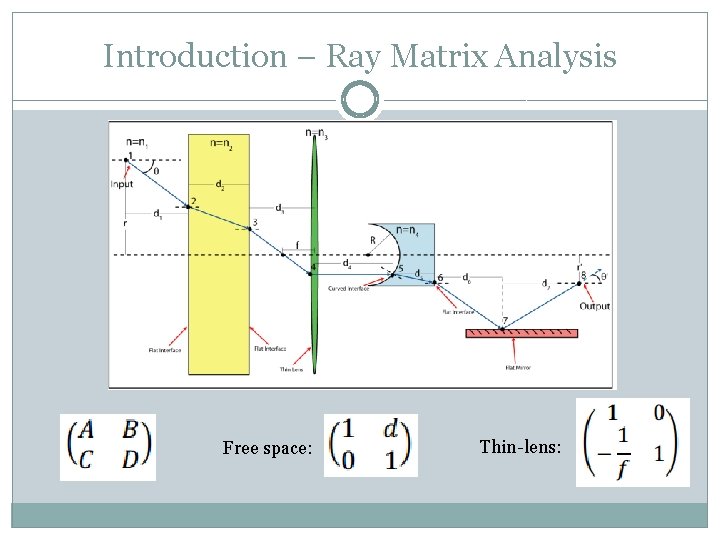
Introduction – Ray Matrix Analysis Free space: Thin-lens:
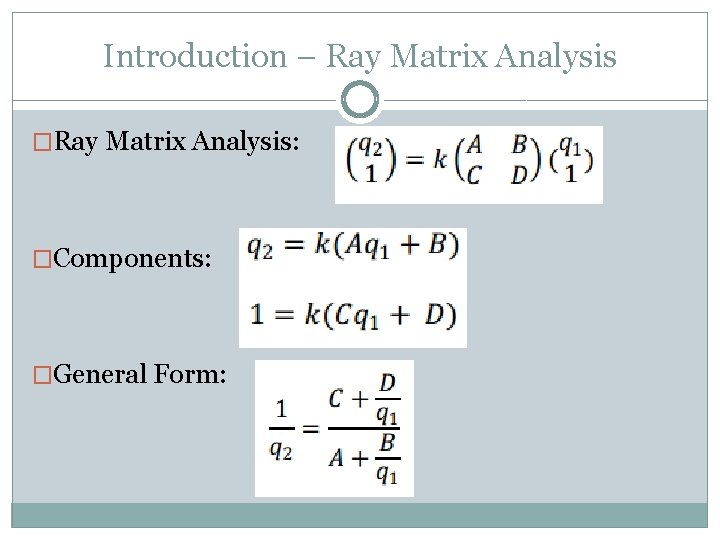
Introduction – Ray Matrix Analysis �Ray Matrix Analysis: �Components: �General Form:
Introduction – MATLAB �MATrix LABoratory
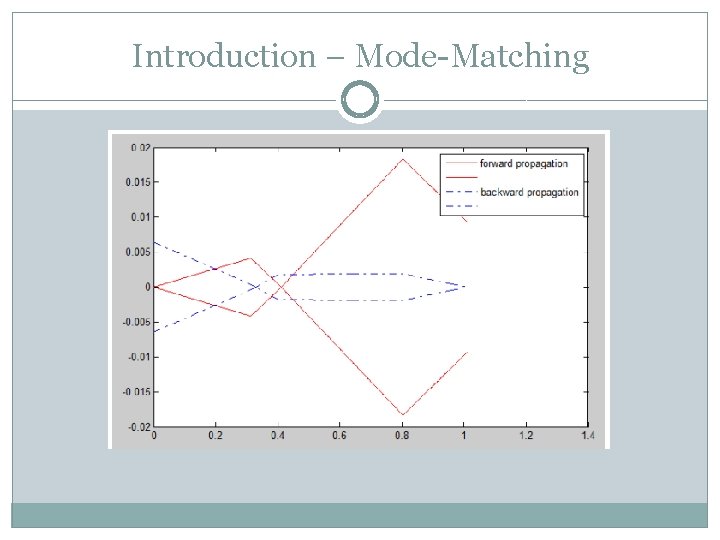
Introduction – Mode-Matching
Mode-Matching – The Process �Working off of Professor Mikhailov’s Gaussian Beam Propagation code �Old Code: Accepts input parameters for initial beam and defined positions of lens with certain focal lengths Plots and profiles the gaussian beam �New Code: Permutes positions of lenses Checks each permutation against a “fitness” Outputs 3 lens solutions
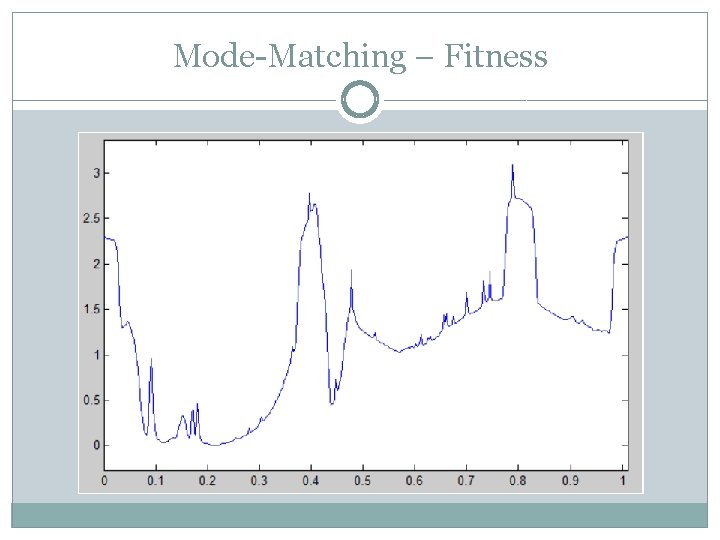
Mode-Matching – Fitness
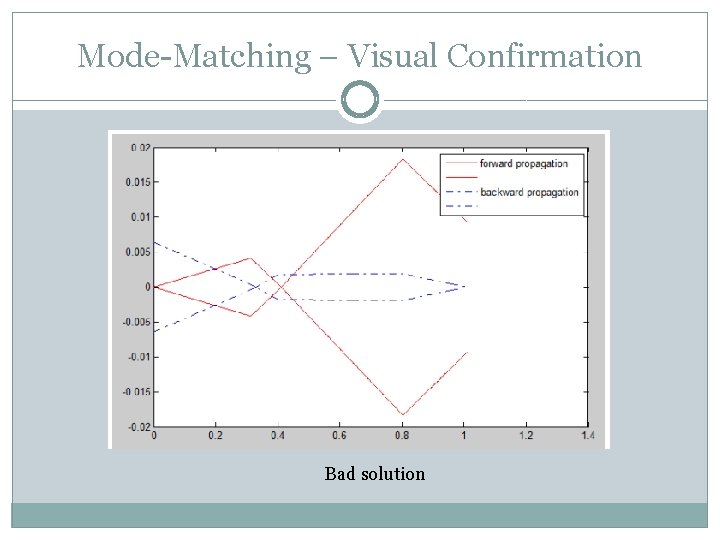
Mode-Matching – Visual Confirmation Bad solution
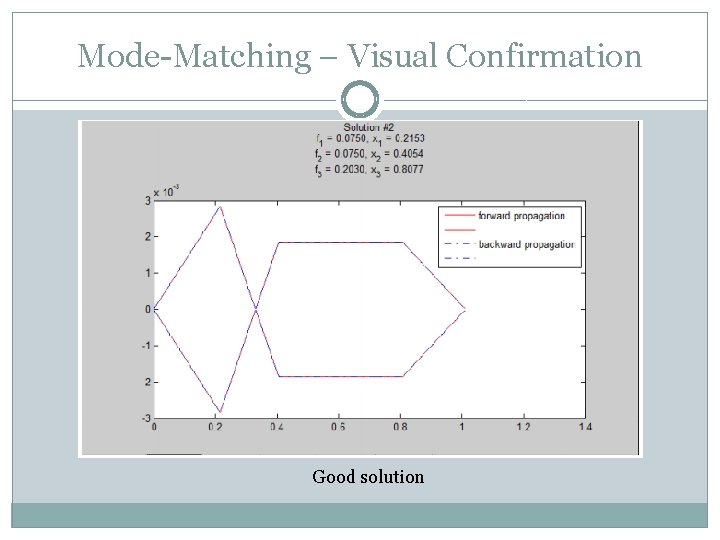
Mode-Matching – Visual Confirmation Good solution
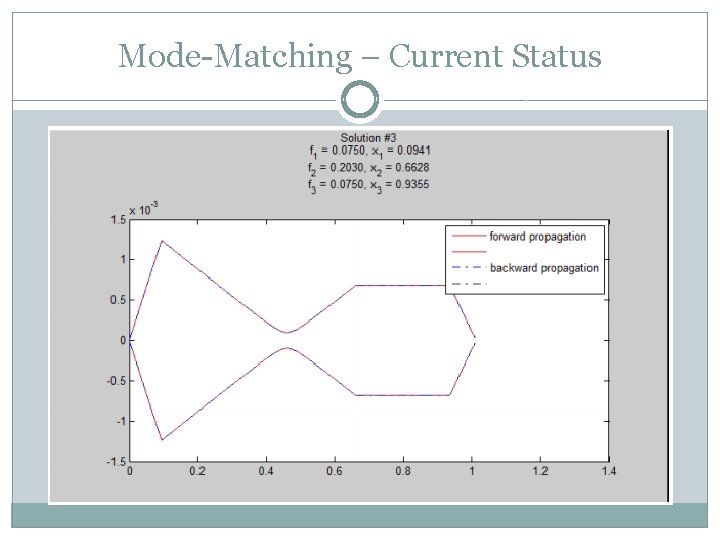
Mode-Matching – Current Status
Mode-Matching – Current Capabilities �Accepts any thin lens focal length inserted �Permutes all possible 3 lens solutions �Picks out unique solutions with ability to set threshold for “uniqueness” �Plots user inputted number of solutions and outputs specifics about lens focal length and position �Outputs final waist and radius to compare against desired output parameters �Current runtime ~9 seconds with a lens set containing 2 lenses of different focal lengths
Future Directions �Permutations increase at a rapid rate especially once the addition of checks for solutions of 2 lenses and 3+ is implemented Can become a concern if we don’t allow the user to specify what types of solutions are desired �Additional changes to code to increase efficiency & accuracy Changes to the original beam propagation code proved useful Fitness can be refined �In the end our major goals are to ensure that program remains intuitive, practical, efficient and accurate.
- Slides: 14