
Automated Malware Analysis A Look at Cuckoo Sandbox
Automated Malware Analysis A Look at Cuckoo Sandbox
2 Introduction • What is Malware? (mãl'wâr') - Malicious computer software that interferes with normal computer functions • What is Automated Malware Analysis? Taking what has been done by highly skilled professionals in extremely time consuming tasks and making it, quick, easy and repeatable. Automated Malware Analysis is being touted as the “Next Generation Anti-Virus” solution. • Why automate malware analysis? To free up the time from those highly skilled professionals to focus on other things.
3 Difficulties to Overcome • Malware can be generic or targeted, adding that it can be polymorphic, packed or self modifying code, the number of possibilities are infinite • Manual malware analysis is time consuming • Traditional static analysis takes a very strong and specific set of skills • Manually performing dynamic analysis is tedious at best

4 Sandboxing • Protected runtime environment • Containment • Monitoring • Automation • Complete command execution • Ease of Use

5 Predicaments of Sandboxing • Commercial solutions are not always cost effective (Fire. Eye, Dambala) • No guarantee the malware will work the same as in the real world • Sandbox can be detected • Results can be confusing or overwhelming • Automation of exploit analysis is not trivial
6 Sandboxing Questions • Why are you doing this? • What do you expect to achieve? • What information is most relevant to me or to my organization? • Who is the intended audience for the results to be presented to? • What kind of malware do you want to analyze (Adobe, Office, browser, etc…)? • Where are the malware samples coming from?
7 Cuckoo Sandbox • Open source automated malware analysis system • Uses virtualization (Virtual. Box, KVM, VMWare) • Python based, easy to customize • Multiple report types (JSON, HTML, MAEC) • NOT a drop in replacement for commercial solutions at this point. No automated malware identification or loading.
8 Cuckoo Sandbox Data Captured • Native functions and Windows API calls traces • Copies of files created and deleted from the filesystem • Dump of the memory of the selected process • Screenshots of the desktop during the execution of the malware analysis • Network dump generated by the machine used for the analysis
9 Cuckoo Components • Scheduler • Analyzer • Cmonitor • Chook • Virtual Machine
10 Scheduler • Main component • 100% Python, easily customizable • Dispatches the pending tasks to the pool of virtual machines available • Runs all the modules
11 Analyzer • Executes the malware • Chosen depending on the platform of the selected machine (Windows only at this time) • 100% Python • Monitors and records systems calls • Meat of the analysis
12 Cmonitor • DLL using chook to install hooks on predefined win 32 functions inside process memory • Gets injected into the target process (Queue. User. APC or Create. Remote. Thread) • Logs the functions calls to files
13 Chook • Custom inline hooking library • Allows definition of custom hook trampolines • Replaced Microsoft Detours
14 Virtual Machine Usage • Any VM product can be used • Works with Windows as the client (though 7 and 2008 server are still buggy) • Snapshots are used and returned to snapshot state when completed (no infected machine left after analysis) • Client VM can have any configuration or applications installed to test
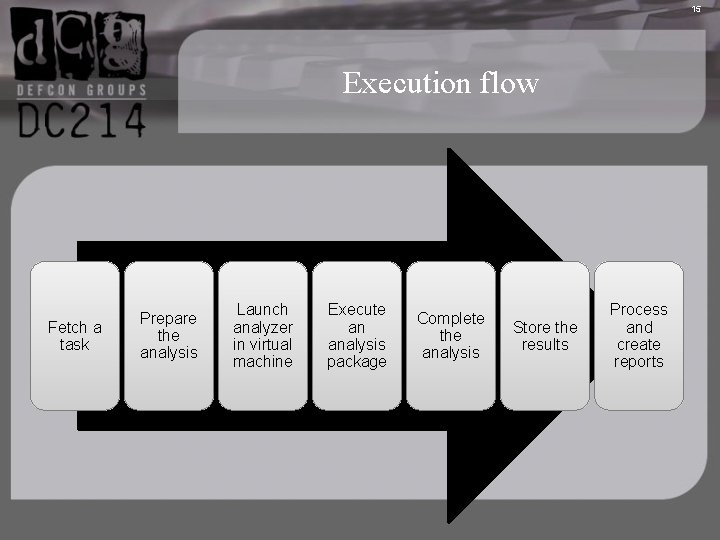
15 Execution flow Fetch a task Prepare the analysis Launch analyzer in virtual machine Execute an analysis package Complete the analysis Store the results Process and create reports
16 Submitting New Tasks • Web Interface • Command Line • Options: • VM to use • Platform (windows only as of v. 4) • Timeout • Package • Priority • Malware to be Analyzed
17 Modules and Customization • Analysis • Packages • Machine Managers • Processing • Reporting • Signatures
18 Analysis • Again 100% Python • Defines how the analyzer should start and interact with the malware • Specified at submission or selected upon file type • Can be written to perform any tasks deemed necessary
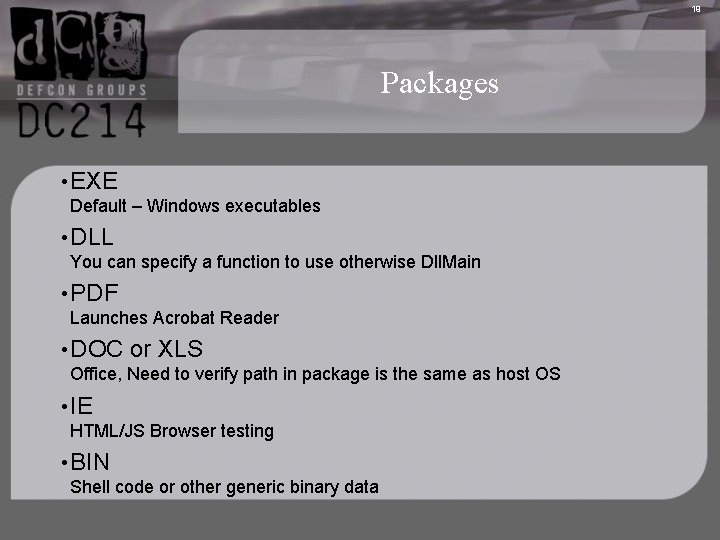
19 Packages • EXE Default – Windows executables • DLL You can specify a function to use otherwise Dll. Main • PDF Launches Acrobat Reader • DOC or XLS Office, Need to verify path in package is the same as host OS • IE HTML/JS Browser testing • BIN Shell code or other generic binary data
20 Machine Managers • Used to manage the Virtual Machines being used Processing • Modules used to generate a container of normalized information on the analysis that report generation will use
21 Reporting • Use the normalized results and do something with them • Can use Mongo. DB for customized reporting and tracking • Built in report types that include all relevant data • Can pull in data from Virus. Total based on MD 5
22 Signatures • Look for patterns or specific events • Assign them a description and severity level • Give context to the reports • Help non-malware experts understand
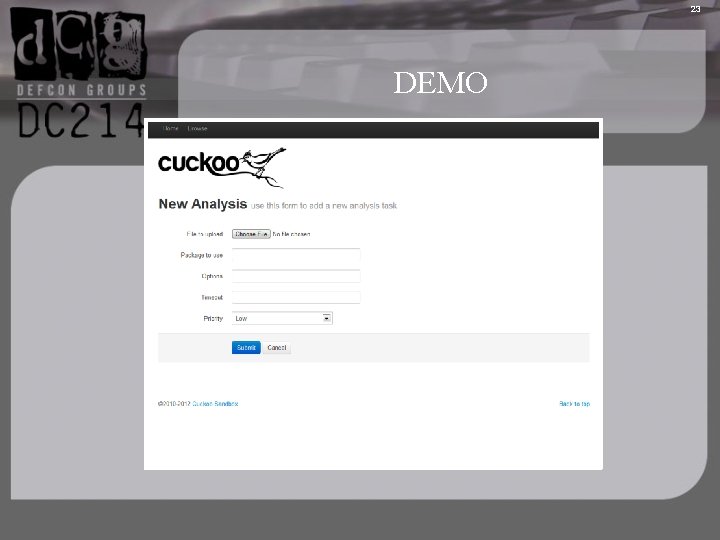
23 DEMO
24 References • Cuckoo Sandbox is a malware analysis system. http: //cuckoosandbox. org/ • Malwr. com is a free malware analysis service based on Cuckoo Sandbox http: //www. malwr. com/ • Virus. Total is a free service that analyzes suspicious files and URLs and facilitates the quick detection of viruses, worms, trojans, and all kinds of malware. https: //www. virustotal. com/ • Honeynet Project is a leading international 501 c 3 non-profit security research organization, dedicated to investigating the latest attacks and developing open source security tools to improve Internet security http: //www. honeynet. org/ • The Pros and Cons of Dynamic Malware Dissection https: //www. damballa. com/downloads/r_pubs/WP_Next_Generation_Anti. Virus. pdf
- Slides: 24