
Autodesk Inventor Professional 10 Whats New Advanced Micro


- Slides: 30
Autodesk Inventor Professional 10 – What’s New? Advanced Micro Systems, Inc. Autodesk Inventor Professional 10 – What’s New? 1
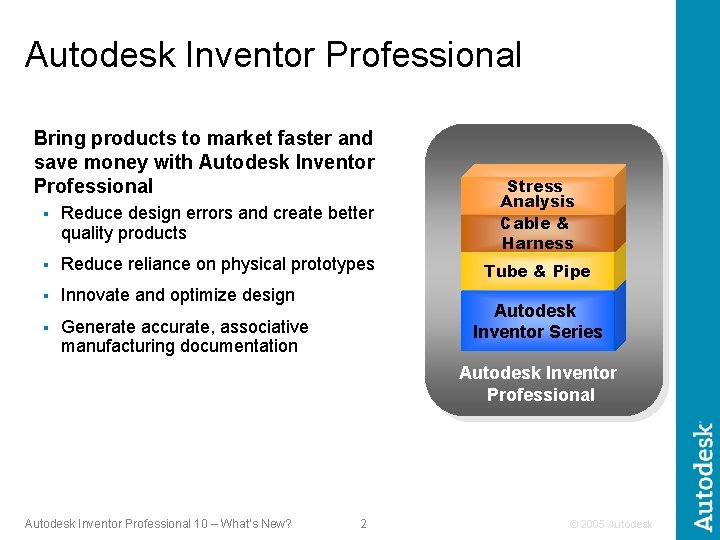
Autodesk Inventor Professional Bring products to market faster and save money with Autodesk Inventor Professional § Reduce design errors and create better quality products § Reduce reliance on physical prototypes § Innovate and optimize design § Generate accurate, associative manufacturing documentation Stress Analysis Cable & Harness Tube & Pipe Autodesk Inventor Series Autodesk Inventor Professional 10 – What’s New? 2 © 2005 Autodesk
Autodesk Inventor Professional 10 Focused on maturing existing modules and incorporating user feedback Autodesk Inventor Professional 10 – What’s New? 3 © 2005 Autodesk
Autodesk Inventor Professional The power to design your complete product Create quality products the first time around Deliver the design in less time Fastest way to production ready drawings Communicate and Manage Design Data Autodesk Inventor Professional 10 – What’s New? 4 © 2005 Autodesk
Autodesk Inventor Professional The power to design your complete product Create quality products the first time around Deliver the design in less time Fastest way to production ready drawings Communicate and Manage Design Data Autodesk Inventor Professional 10 – What’s New? 5 © 2005 Autodesk
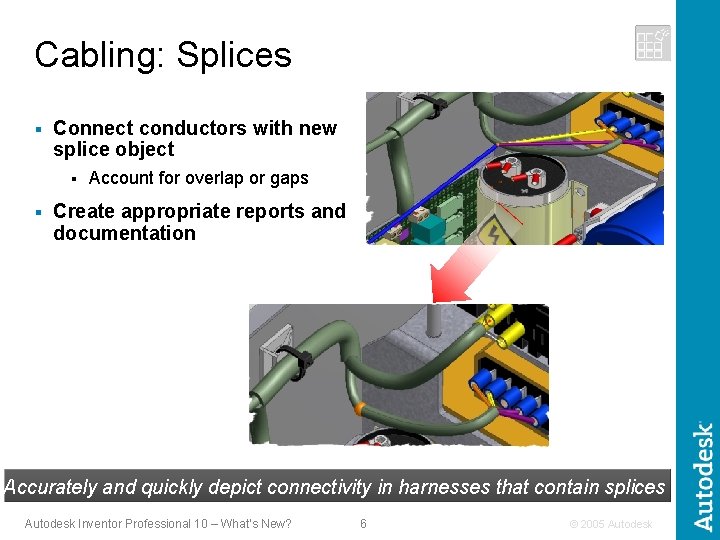
Cabling: Splices § Connect conductors with new splice object § § Account for overlap or gaps Create appropriate reports and documentation Accurately and quickly depict connectivity in harnesses that contain splices Autodesk Inventor Professional 10 – What’s New? 6 © 2005 Autodesk
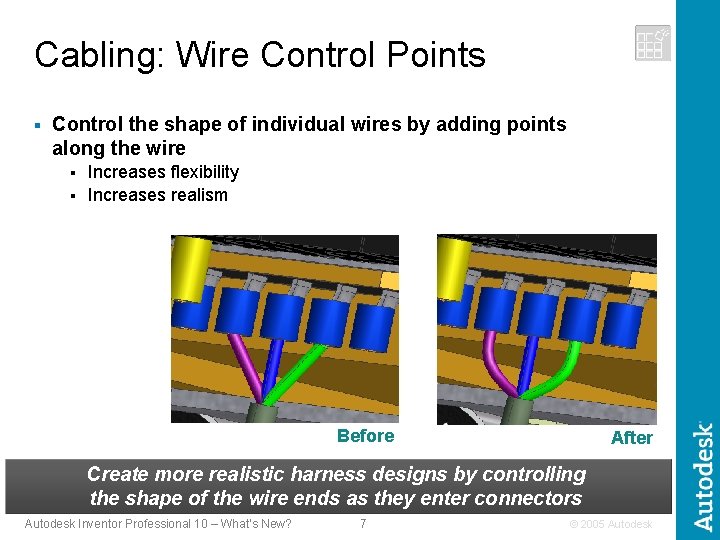
Cabling: Wire Control Points § Control the shape of individual wires by adding points along the wire Increases flexibility § Increases realism § Before After Create more realistic harness designs by controlling the shape of the wire ends as they enter connectors Autodesk Inventor Professional 10 – What’s New? 7 © 2005 Autodesk
Autodesk Inventor Professional The power to design your complete product Create quality products the first time around Deliver the design in less time Fastest way to production ready drawings Communicate and Manage Design Data Autodesk Inventor Professional 10 – What’s New? 8 © 2005 Autodesk
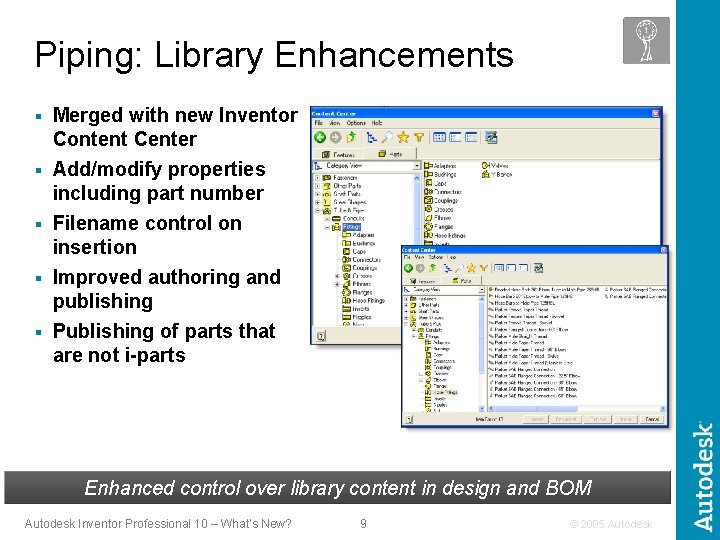
Piping: Library Enhancements § Merged with new Inventor Content Center Add/modify properties including part number § Filename control on insertion § Improved authoring and publishing § Publishing of parts that are not i-parts § Enhanced control over library content in design and BOM Autodesk Inventor Professional 10 – What’s New? 9 © 2005 Autodesk
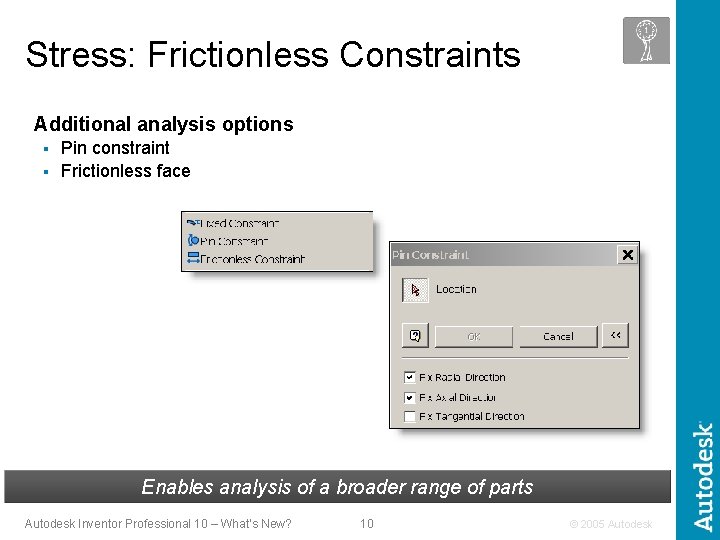
Stress: Frictionless Constraints Additional analysis options Pin constraint § Frictionless face § Enables analysis of a broader range of parts Autodesk Inventor Professional 10 – What’s New? 10 © 2005 Autodesk
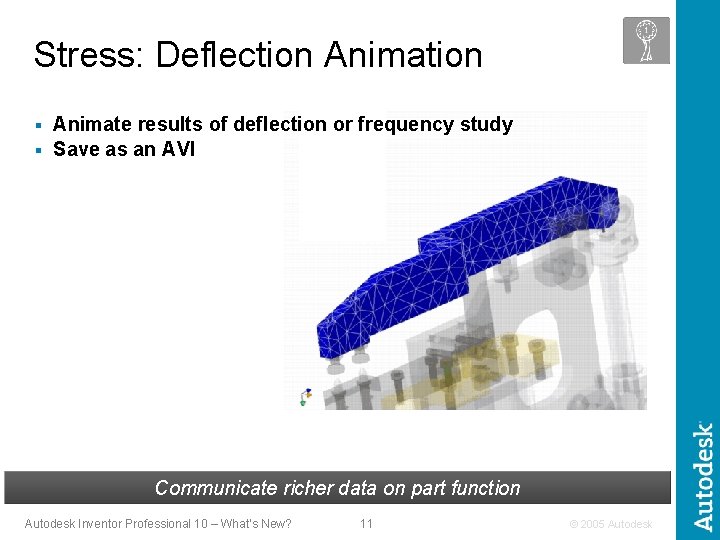
Stress: Deflection Animate results of deflection or frequency study § Save as an AVI § Communicate richer data on part function Autodesk Inventor Professional 10 – What’s New? 11 © 2005 Autodesk
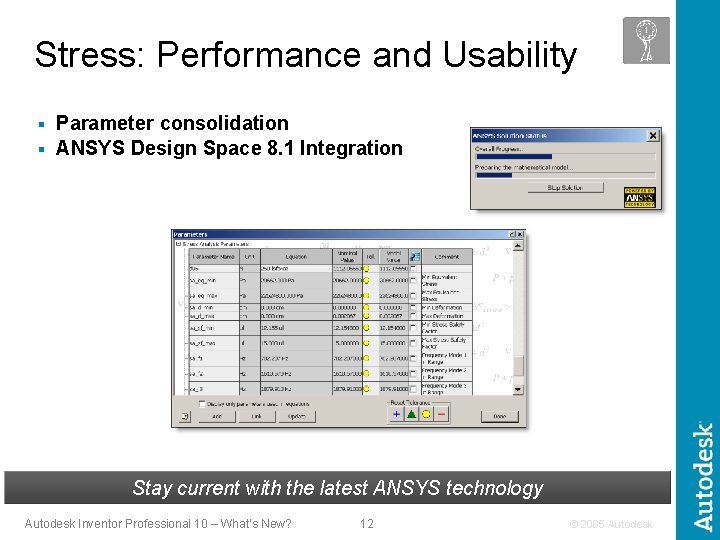
Stress: Performance and Usability Parameter consolidation § ANSYS Design Space 8. 1 Integration § Stay current with the latest ANSYS technology Autodesk Inventor Professional 10 – What’s New? 12 © 2005 Autodesk
Autodesk Inventor Professional The power to design your complete product Create quality products the first time around Deliver the design in less time Fastest way to production ready drawings Communicate and Manage Design Data Autodesk Inventor Professional 10 – What’s New? 13 © 2005 Autodesk
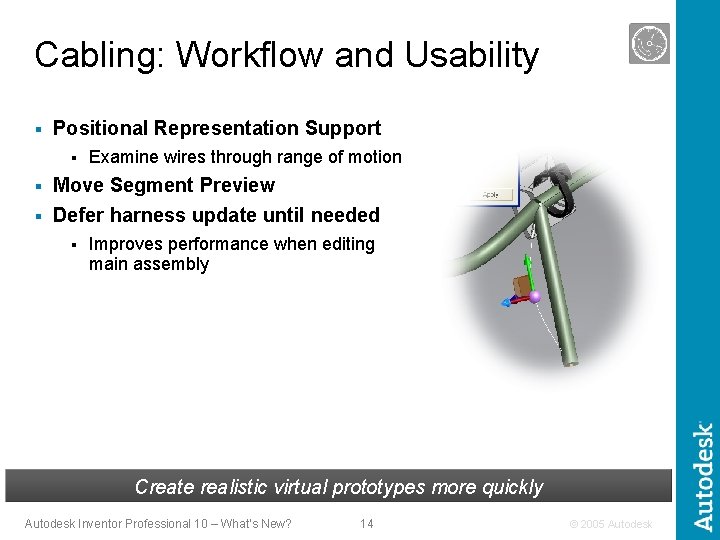
Cabling: Workflow and Usability § Positional Representation Support § Examine wires through range of motion Move Segment Preview § Defer harness update until needed § § Improves performance when editing main assembly Create realistic virtual prototypes more quickly Autodesk Inventor Professional 10 – What’s New? 14 © 2005 Autodesk
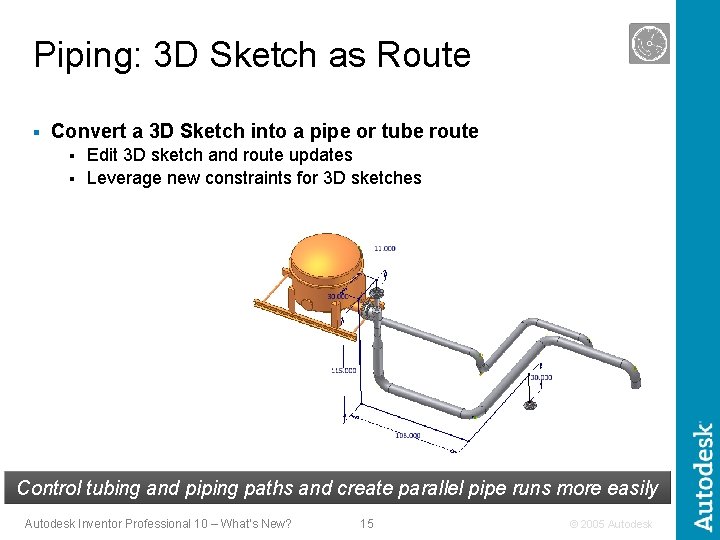
Piping: 3 D Sketch as Route § Convert a 3 D Sketch into a pipe or tube route Edit 3 D sketch and route updates § Leverage new constraints for 3 D sketches § Control tubing and piping paths and create parallel pipe runs more easily Autodesk Inventor Professional 10 – What’s New? 15 © 2005 Autodesk
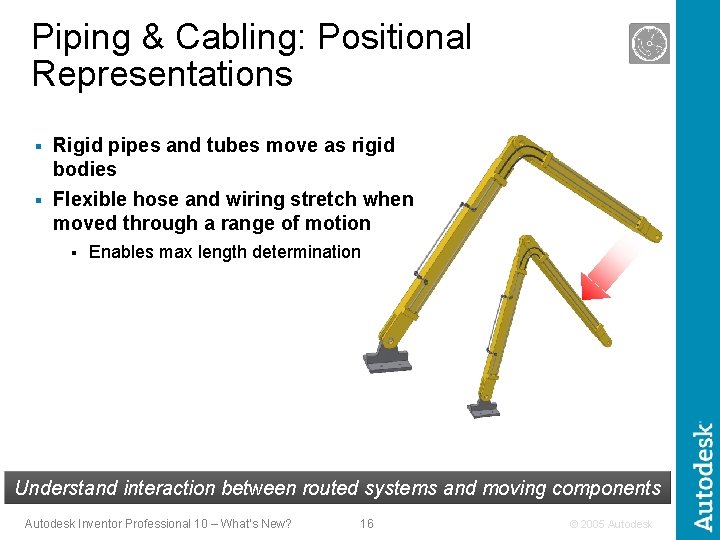
Piping & Cabling: Positional Representations § Rigid pipes and tubes move as rigid bodies § Flexible hose and wiring stretch when moved through a range of motion § Enables max length determination Understand interaction between routed systems and moving components Autodesk Inventor Professional 10 – What’s New? 16 © 2005 Autodesk
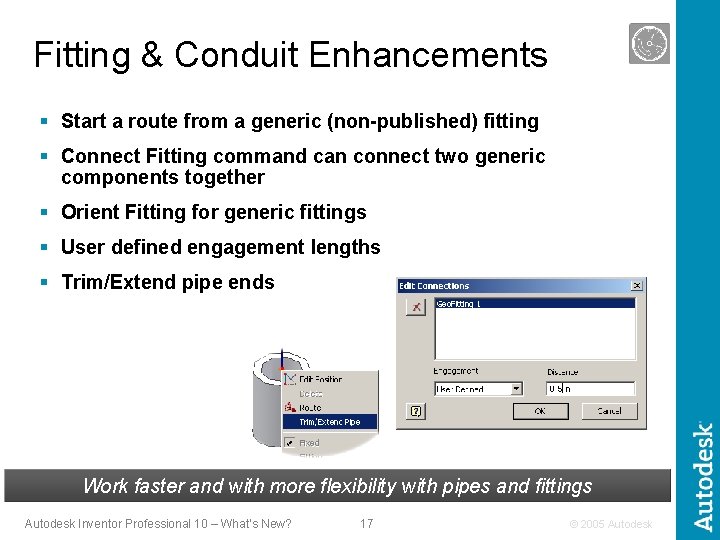
Fitting & Conduit Enhancements § Start a route from a generic (non-published) fitting § Connect Fitting command can connect two generic components together § Orient Fitting for generic fittings § User defined engagement lengths § Trim/Extend pipe ends Work faster and with more flexibility with pipes and fittings Autodesk Inventor Professional 10 – What’s New? 17 © 2005 Autodesk
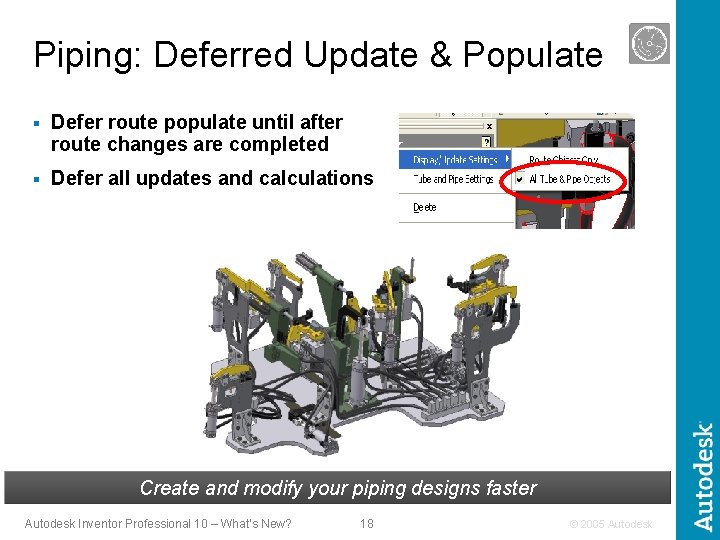
Piping: Deferred Update & Populate § Defer route populate until after route changes are completed § Defer all updates and calculations Create and modify your piping designs faster Autodesk Inventor Professional 10 – What’s New? 18 © 2005 Autodesk
Autodesk Inventor Professional The power to design your complete product Create quality products the first time around Deliver the design in less time Fastest way to production ready drawings Communicate and Manage Design Data Autodesk Inventor Professional 10 – What’s New? 19 © 2005 Autodesk
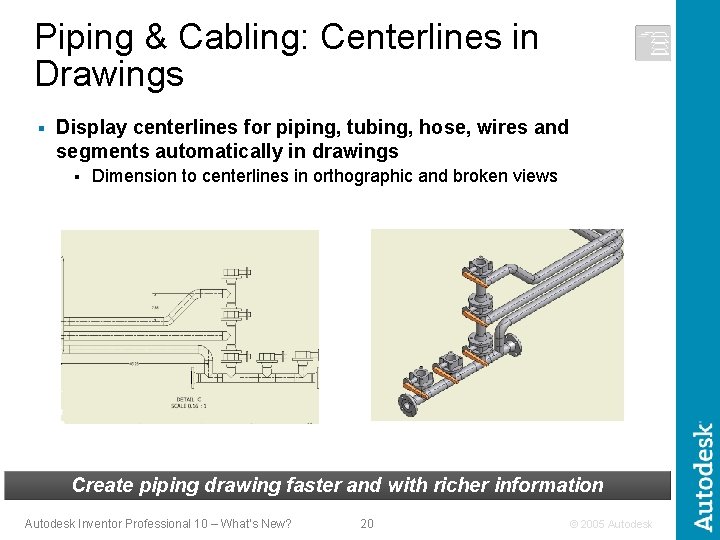
Piping & Cabling: Centerlines in Drawings § Display centerlines for piping, tubing, hose, wires and segments automatically in drawings § Dimension to centerlines in orthographic and broken views Create piping drawing faster and with richer information Autodesk Inventor Professional 10 – What’s New? 20 © 2005 Autodesk
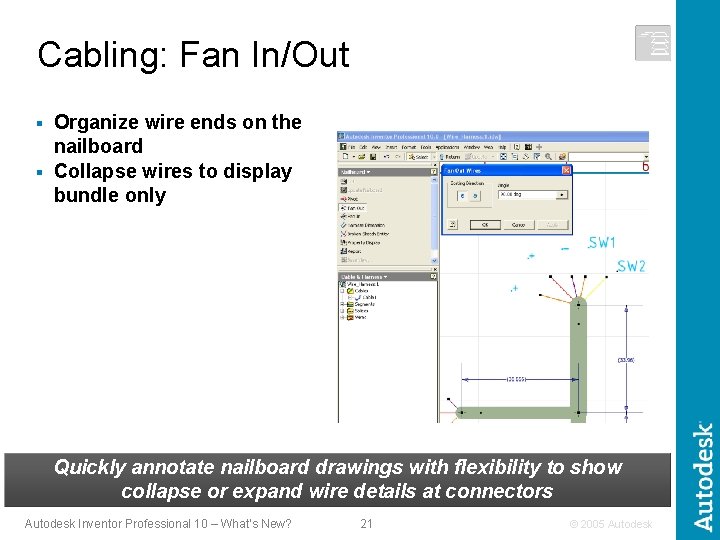
Cabling: Fan In/Out Organize wire ends on the nailboard § Collapse wires to display bundle only § Quickly annotate nailboard drawings with flexibility to show collapse or expand wire details at connectors Autodesk Inventor Professional 10 – What’s New? 21 © 2005 Autodesk
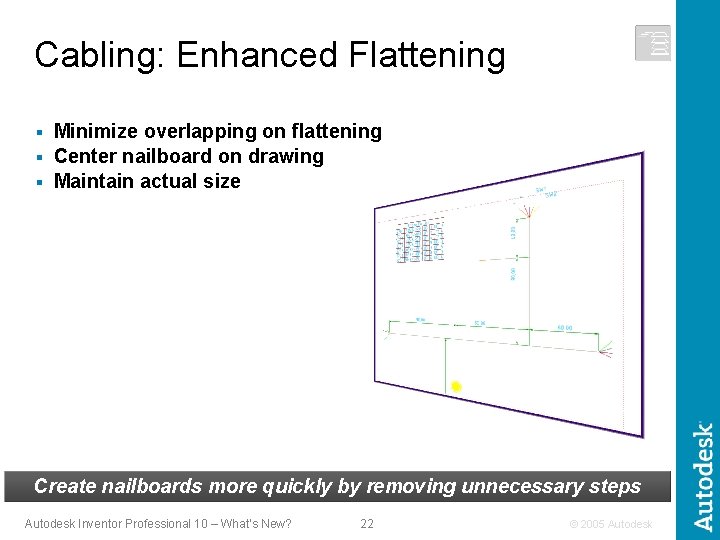
Cabling: Enhanced Flattening Minimize overlapping on flattening § Center nailboard on drawing § Maintain actual size § Create nailboards more quickly by removing unnecessary steps Autodesk Inventor Professional 10 – What’s New? 22 © 2005 Autodesk
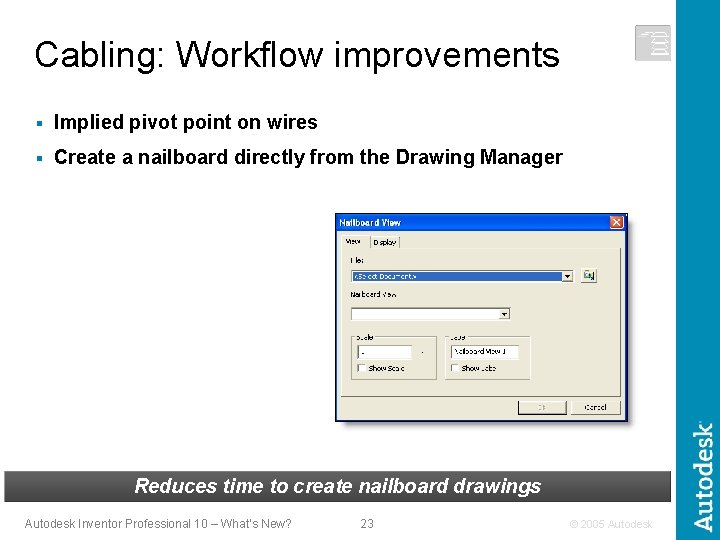
Cabling: Workflow improvements § Implied pivot point on wires § Create a nailboard directly from the Drawing Manager Reduces time to create nailboard drawings Autodesk Inventor Professional 10 – What’s New? 23 © 2005 Autodesk
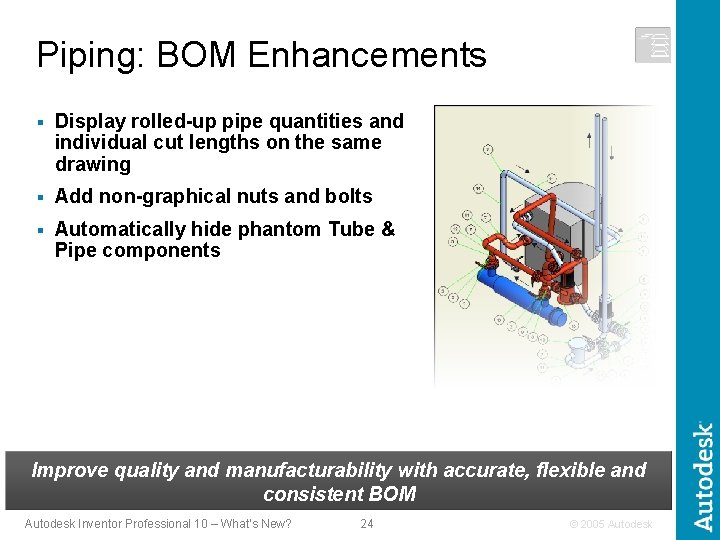
Piping: BOM Enhancements § Display rolled-up pipe quantities and individual cut lengths on the same drawing § Add non-graphical nuts and bolts § Automatically hide phantom Tube & Pipe components Improve quality and manufacturability with accurate, flexible and consistent BOM Autodesk Inventor Professional 10 – What’s New? 24 © 2005 Autodesk
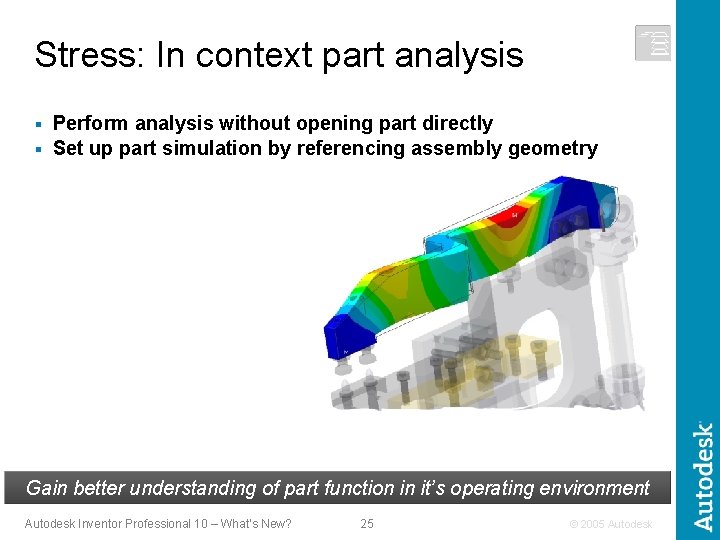
Stress: In context part analysis Perform analysis without opening part directly § Set up part simulation by referencing assembly geometry § Gain better understanding of part function in it’s operating environment Autodesk Inventor Professional 10 – What’s New? 25 © 2005 Autodesk
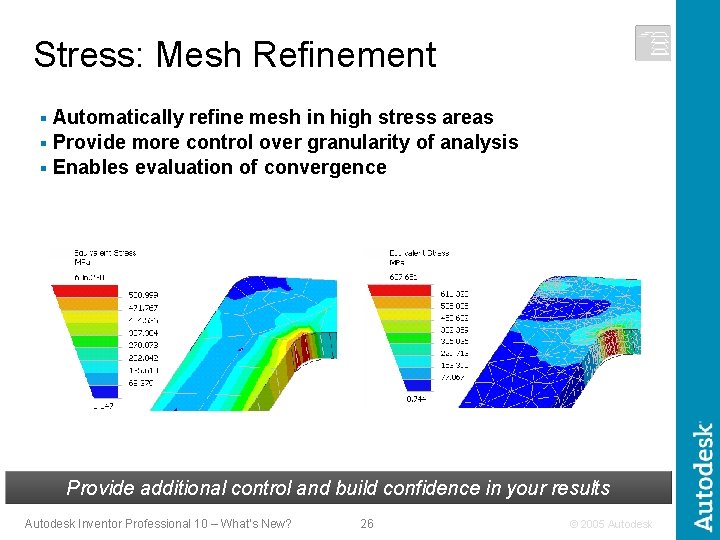
Stress: Mesh Refinement Automatically refine mesh in high stress areas § Provide more control over granularity of analysis § Enables evaluation of convergence § Provide additional control and build confidence in your results Autodesk Inventor Professional 10 – What’s New? 26 © 2005 Autodesk
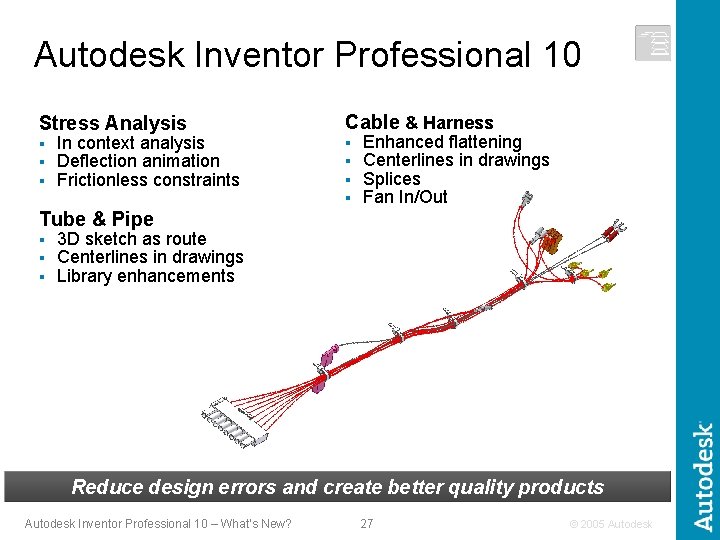
Autodesk Inventor Professional 10 Stress Analysis Cable & Harness § § § § In context analysis Deflection animation Frictionless constraints Enhanced flattening Centerlines in drawings Splices Fan In/Out Tube & Pipe § § § 3 D sketch as route Centerlines in drawings Library enhancements Reduce design errors and create better quality products Autodesk Inventor Professional 10 – What’s New? 27 © 2005 Autodesk
Autodesk Inventor Professional The power to design your complete product Create quality products the first time around Deliver the design in less time Fastest way to production ready drawings Communicate and Manage Design Data Autodesk Inventor Professional 10 – What’s New? 28 © 2005 Autodesk
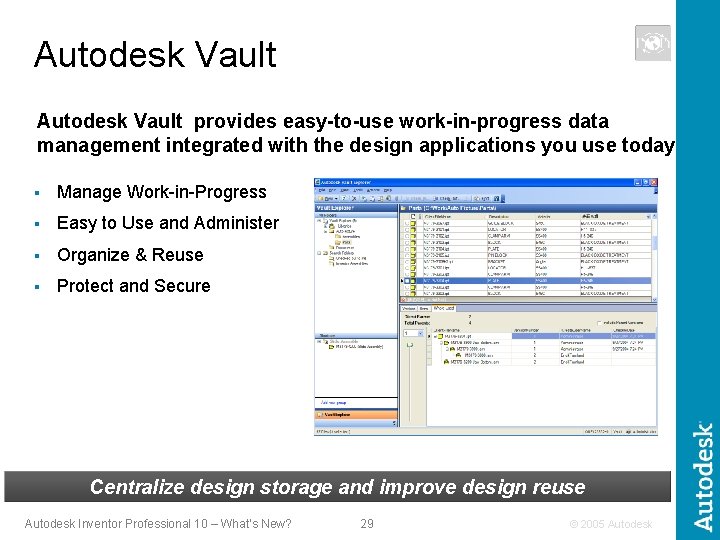
Autodesk Vault provides easy-to-use work-in-progress data management integrated with the design applications you use today § Manage Work-in-Progress § Easy to Use and Administer § Organize & Reuse § Protect and Secure Centralize design storage and improve design reuse Autodesk Inventor Professional 10 – What’s New? 29 © 2005 Autodesk
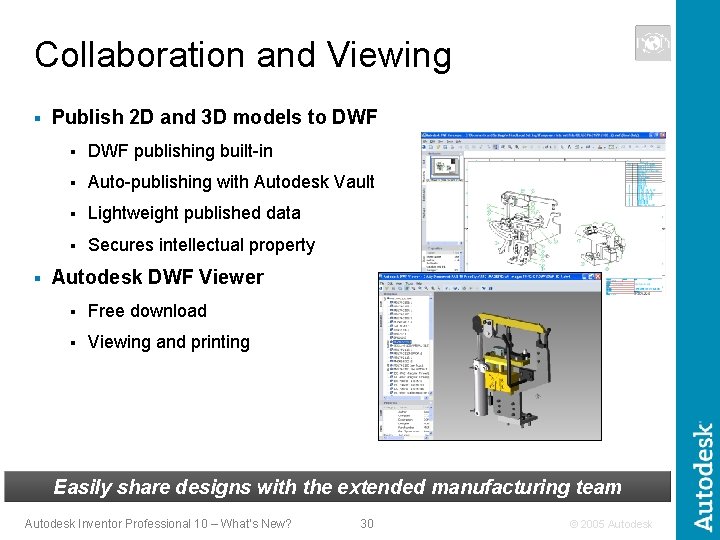
Collaboration and Viewing § § Publish 2 D and 3 D models to DWF § DWF publishing built-in § Auto-publishing with Autodesk Vault § Lightweight published data § Secures intellectual property Autodesk DWF Viewer § Free download § Viewing and printing Easily share designs with the extended manufacturing team Autodesk Inventor Professional 10 – What’s New? 30 © 2005 Autodesk