
Autodesk Inventor 10 Whats New Advanced Micro Systems
- Slides: 49
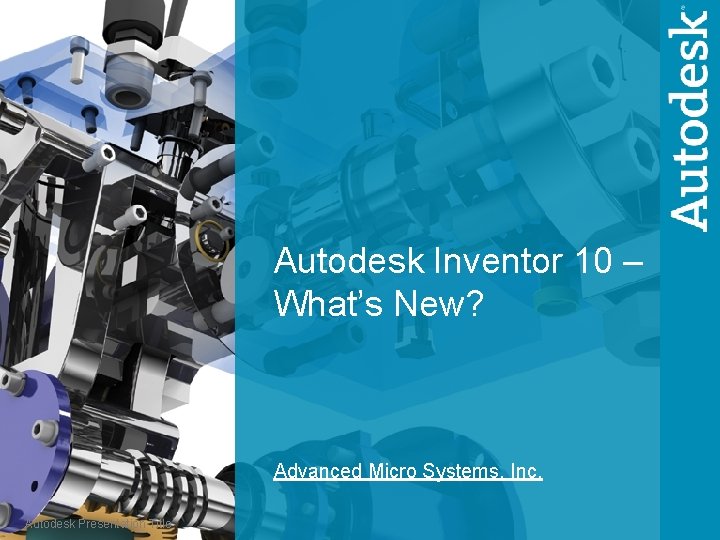
Autodesk Inventor 10 – What’s New? Advanced Micro Systems, Inc. Autodesk Presentation Title
Autodesk Inventor Series Themes § Powerful and Complete § Create Quality § Design Faster Production Ready § Share § Easier to learn § Autodesk Inventor 10 What’s New Seminar 2 © 2005 Autodesk
Autodesk Inventor 10 The power to design the complete product line Deliver the design in less time Fastest way to production ready drawings Communicate and Manage Design Data Fastest to learn and deploy Autodesk Inventor 10 What’s New Seminar 3 © 2005 Autodesk
Autodesk Inventor 10 The power to design the complete product line Deliver the design in less time Fastest way to production ready drawings Communicate and Manage Design Data Fastest to learn and deploy Autodesk Inventor 10 What’s New Seminar 4 © 2005 Autodesk
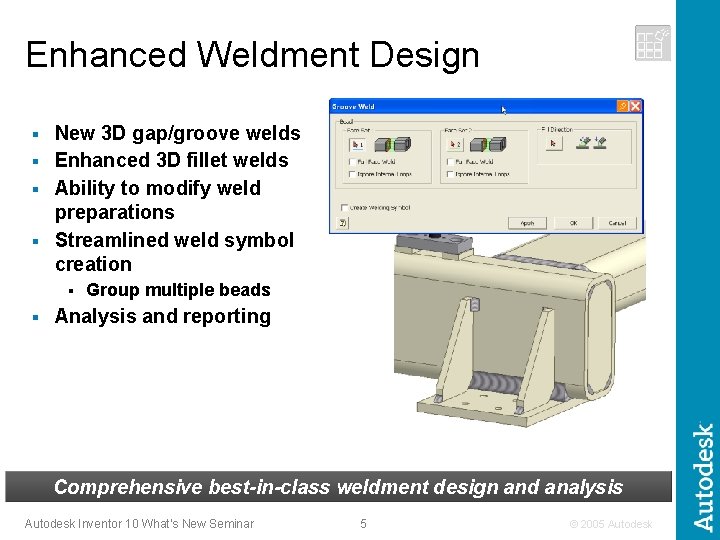
Enhanced Weldment Design New 3 D gap/groove welds § Enhanced 3 D fillet welds § Ability to modify weld preparations § Streamlined weld symbol creation § § § Group multiple beads Analysis and reporting Comprehensive best-in-class weldment design and analysis Autodesk Inventor 10 What’s New Seminar 5 © 2005 Autodesk
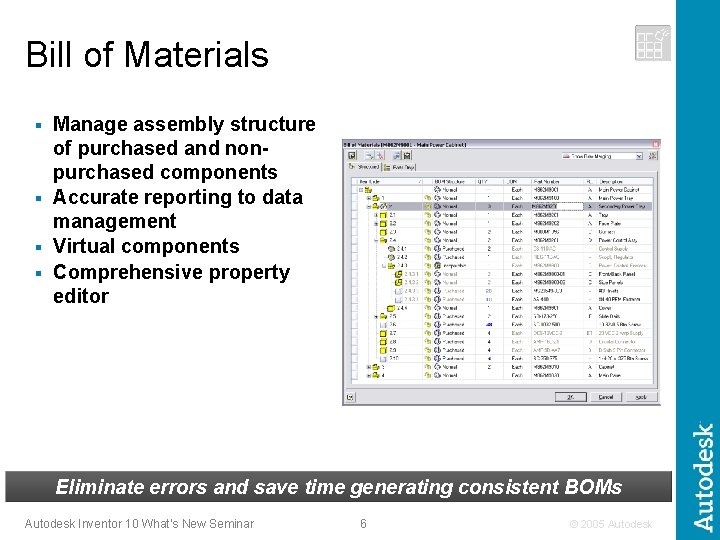
Bill of Materials Manage assembly structure of purchased and nonpurchased components § Accurate reporting to data management § Virtual components § Comprehensive property editor § Eliminate errors and save time generating consistent BOMs Autodesk Inventor 10 What’s New Seminar 6 © 2005 Autodesk
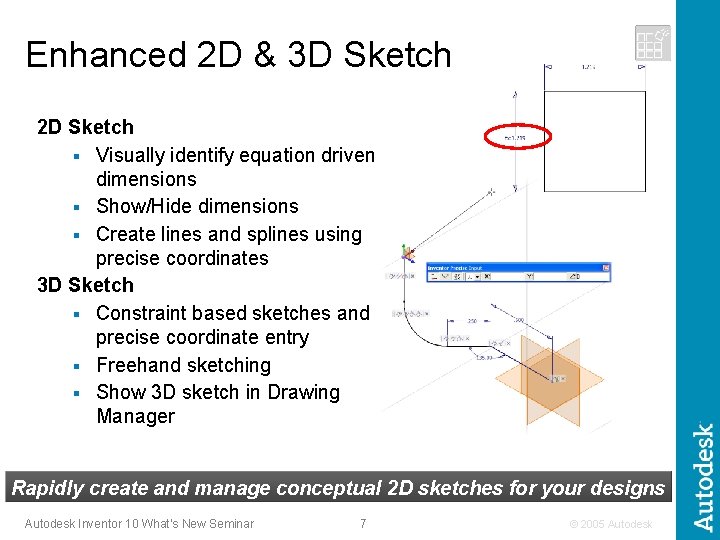
Enhanced 2 D & 3 D Sketch 2 D Sketch § Visually identify equation driven dimensions § Show/Hide dimensions § Create lines and splines using precise coordinates 3 D Sketch § Constraint based sketches and precise coordinate entry § Freehand sketching § Show 3 D sketch in Drawing Manager Rapidly create and manage conceptual 2 D sketches for your designs Autodesk Inventor 10 What’s New Seminar 7 © 2005 Autodesk
Autodesk Inventor 10 The power to design the complete product line Deliver the design in less time Fastest way to production ready drawings Communicate and Manage Design Data Fastest to learn and deploy Autodesk Inventor 10 What’s New Seminar 8 © 2005 Autodesk
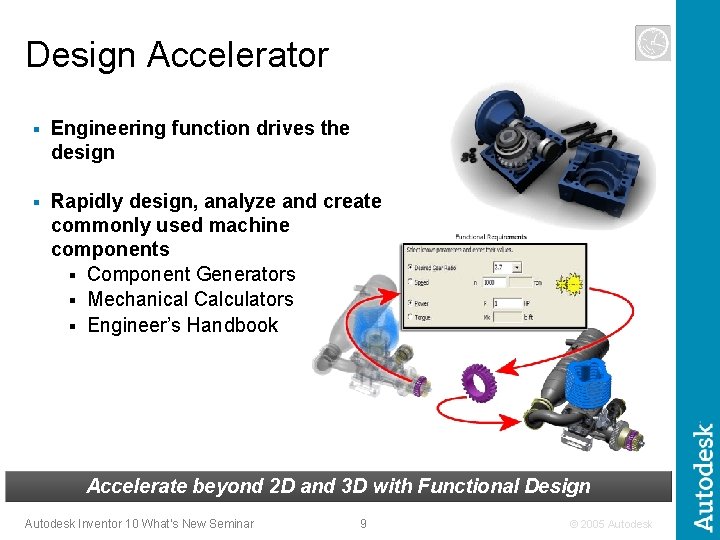
Design Accelerator § Engineering function drives the design § Rapidly design, analyze and create commonly used machine components § Component Generators § Mechanical Calculators § Engineer’s Handbook Accelerate beyond 2 D and 3 D with Functional Design Autodesk Inventor 10 What’s New Seminar 9 © 2005 Autodesk
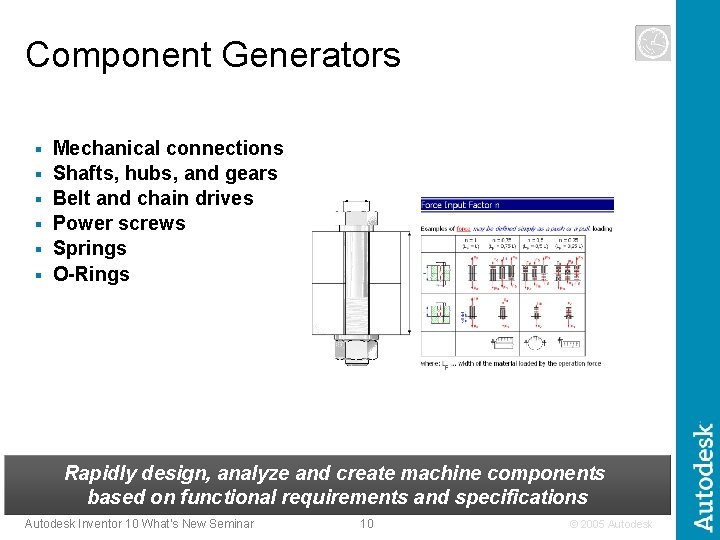
Component Generators § § § Mechanical connections Shafts, hubs, and gears Belt and chain drives Power screws Springs O-Rings Rapidly design, analyze and create machine components based on functional requirements and specifications Autodesk Inventor 10 What’s New Seminar 10 © 2005 Autodesk
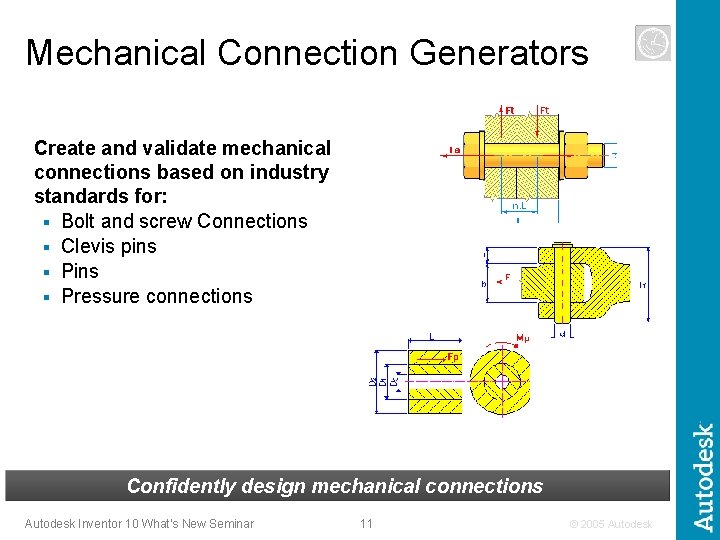
Mechanical Connection Generators Create and validate mechanical connections based on industry standards for: § Bolt and screw Connections § Clevis pins § Pressure connections Confidently design mechanical connections Autodesk Inventor 10 What’s New Seminar 11 © 2005 Autodesk
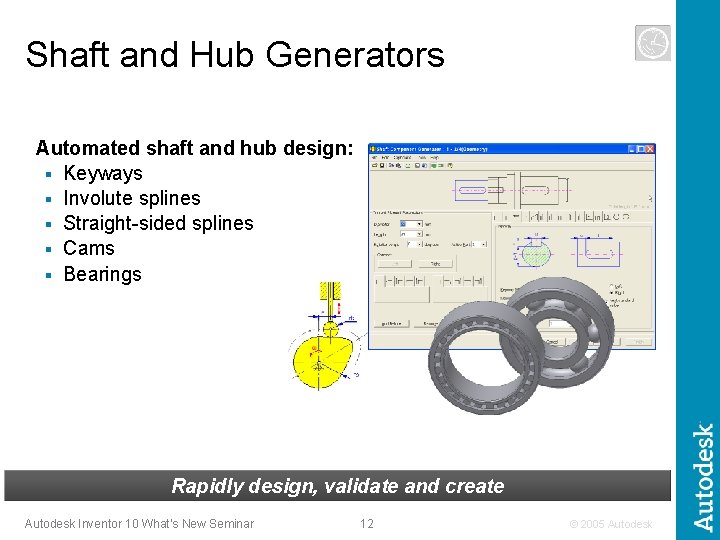
Shaft and Hub Generators Automated shaft and hub design: § Keyways § Involute splines § Straight-sided splines § Cams § Bearings Rapidly design, validate and create Autodesk Inventor 10 What’s New Seminar 12 © 2005 Autodesk
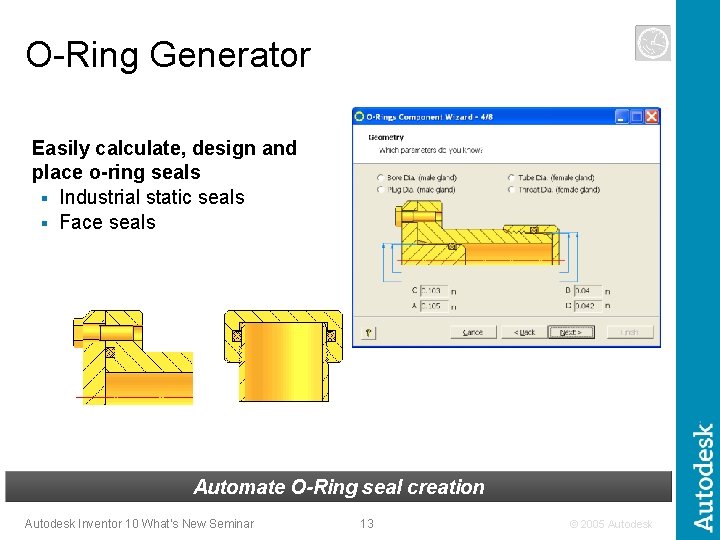
O-Ring Generator Easily calculate, design and place o-ring seals § Industrial static seals § Face seals Automate O-Ring seal creation Autodesk Inventor 10 What’s New Seminar 13 © 2005 Autodesk
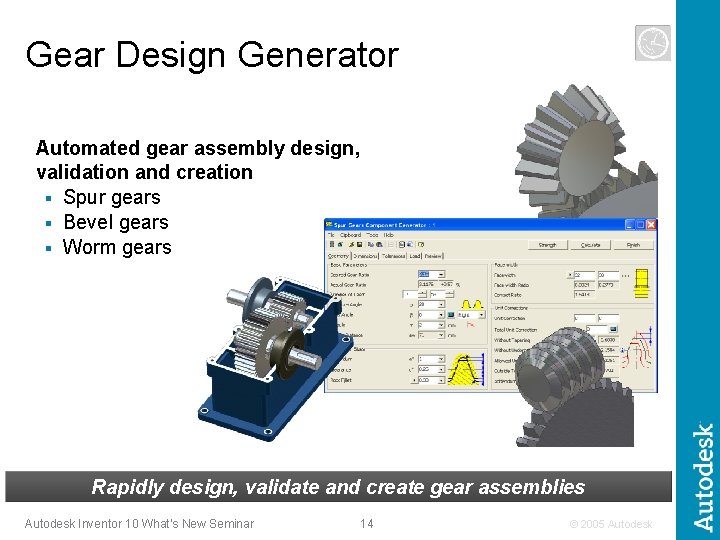
Gear Design Generator Automated gear assembly design, validation and creation § Spur gears § Bevel gears § Worm gears Rapidly design, validate and create gear assemblies Autodesk Inventor 10 What’s New Seminar 14 © 2005 Autodesk
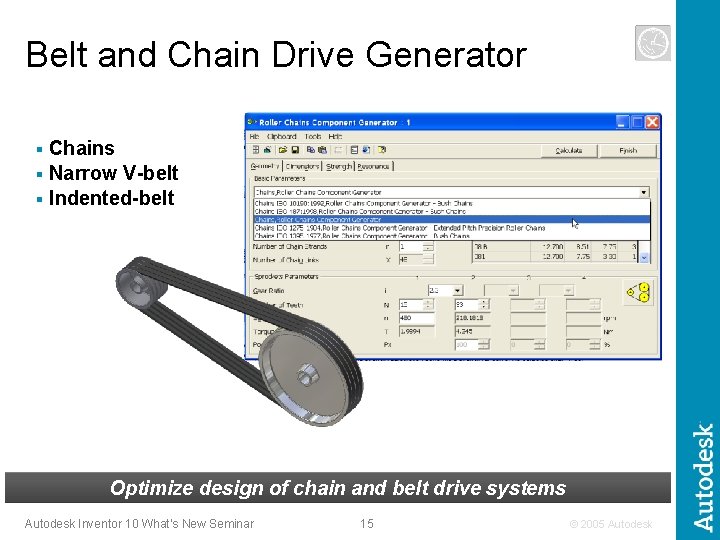
Belt and Chain Drive Generator Chains § Narrow V-belt § Indented-belt § Optimize design of chain and belt drive systems Autodesk Inventor 10 What’s New Seminar 15 © 2005 Autodesk
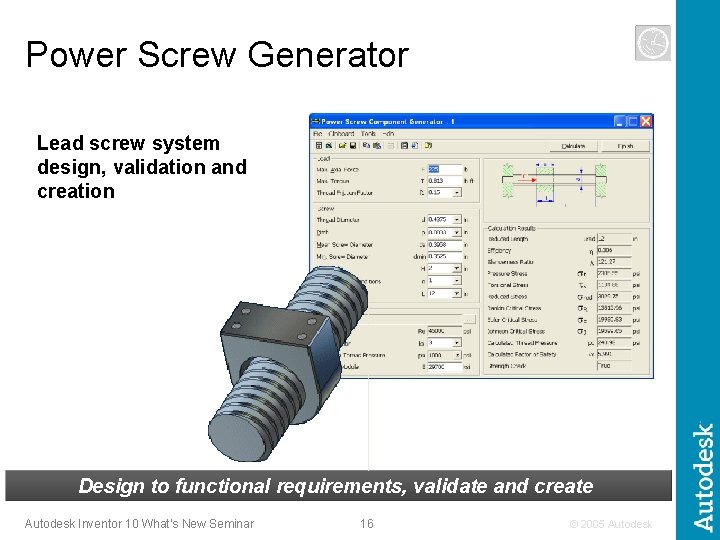
Power Screw Generator Lead screw system design, validation and creation Design to functional requirements, validate and create Autodesk Inventor 10 What’s New Seminar 16 © 2005 Autodesk
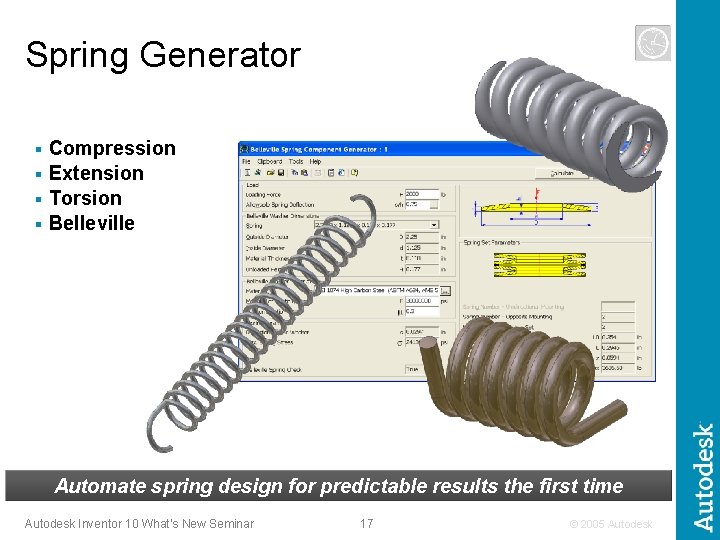
Spring Generator Compression § Extension § Torsion § Belleville § Automate spring design for predictable results the first time Autodesk Inventor 10 What’s New Seminar 17 © 2005 Autodesk
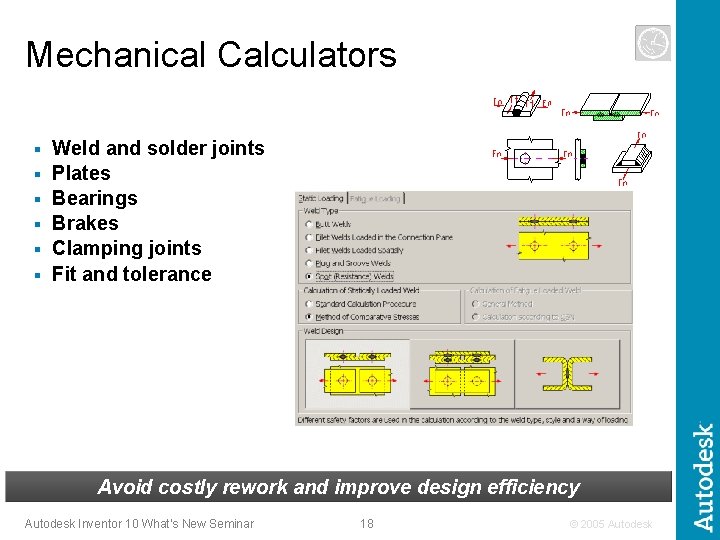
Mechanical Calculators § § § Weld and solder joints Plates Bearings Brakes Clamping joints Fit and tolerance Avoid costly rework and improve design efficiency Autodesk Inventor 10 What’s New Seminar 18 © 2005 Autodesk
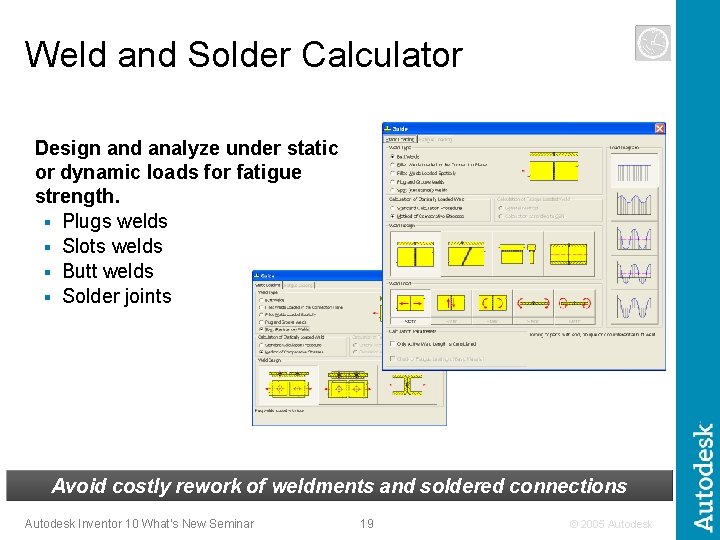
Weld and Solder Calculator Design and analyze under static or dynamic loads for fatigue strength. § Plugs welds § Slots welds § Butt welds § Solder joints Avoid costly rework of weldments and soldered connections Autodesk Inventor 10 What’s New Seminar 19 © 2005 Autodesk
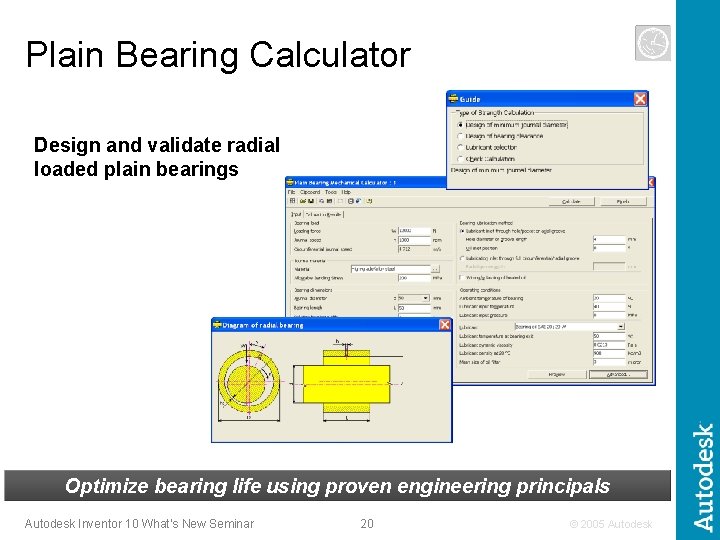
Plain Bearing Calculator Design and validate radial loaded plain bearings Optimize bearing life using proven engineering principals Autodesk Inventor 10 What’s New Seminar 20 © 2005 Autodesk
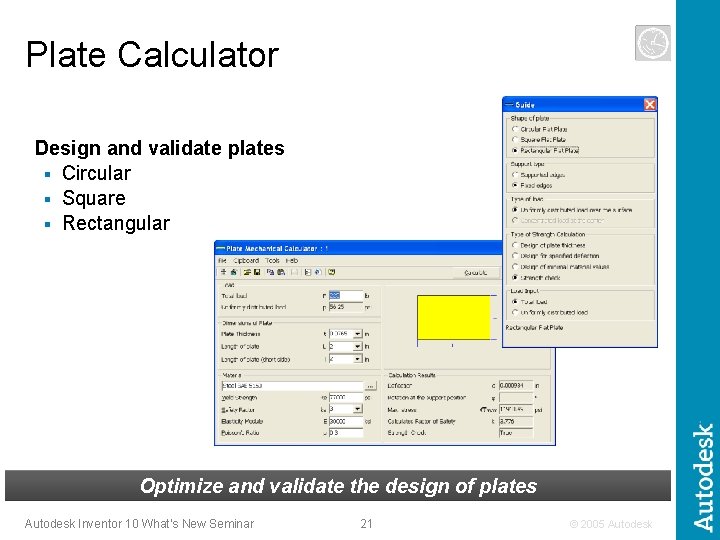
Plate Calculator Design and validate plates § Circular § Square § Rectangular Optimize and validate the design of plates Autodesk Inventor 10 What’s New Seminar 21 © 2005 Autodesk
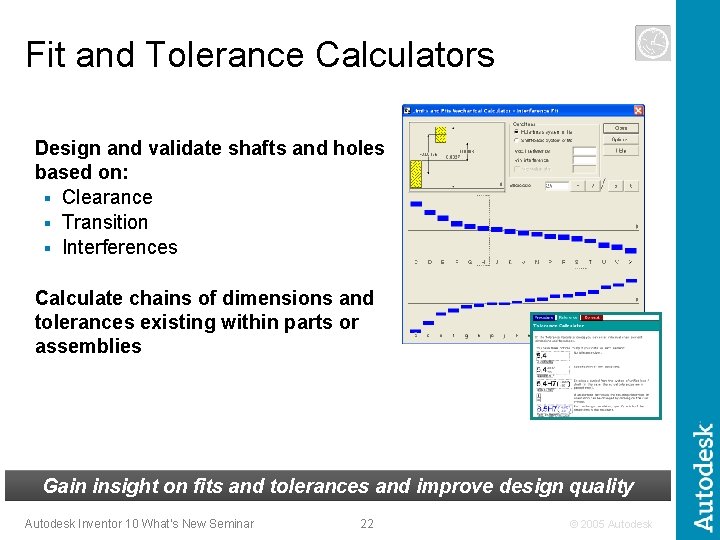
Fit and Tolerance Calculators Design and validate shafts and holes based on: § Clearance § Transition § Interferences Calculate chains of dimensions and tolerances existing within parts or assemblies Gain insight on fits and tolerances and improve design quality Autodesk Inventor 10 What’s New Seminar 22 © 2005 Autodesk
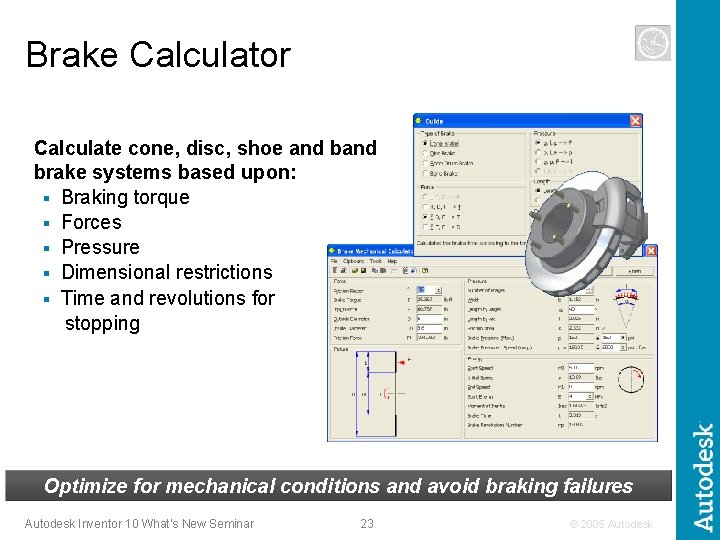
Brake Calculator Calculate cone, disc, shoe and brake systems based upon: § Braking torque § Forces § Pressure § Dimensional restrictions § Time and revolutions for stopping Optimize for mechanical conditions and avoid braking failures Autodesk Inventor 10 What’s New Seminar 23 © 2005 Autodesk
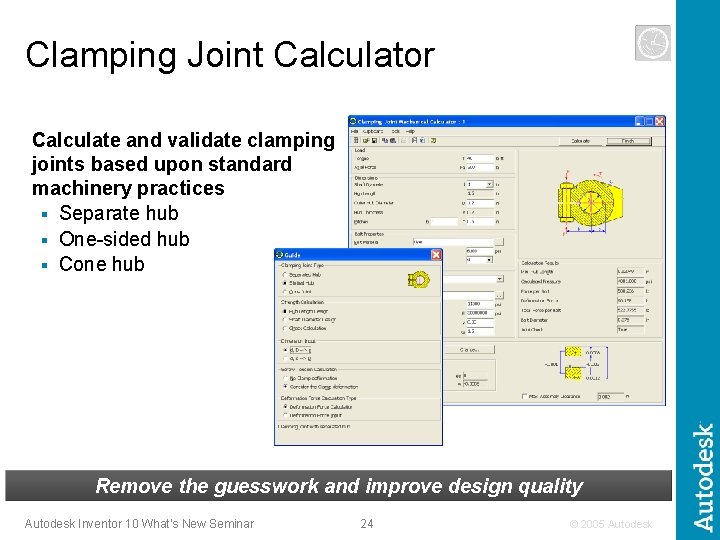
Clamping Joint Calculator Calculate and validate clamping joints based upon standard machinery practices § Separate hub § One-sided hub § Cone hub Remove the guesswork and improve design quality Autodesk Inventor 10 What’s New Seminar 24 © 2005 Autodesk
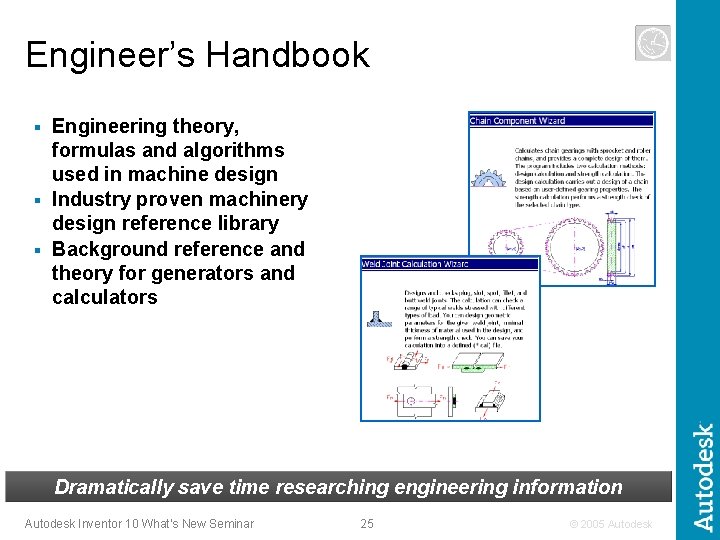
Engineer’s Handbook Engineering theory, formulas and algorithms used in machine design § Industry proven machinery design reference library § Background reference and theory for generators and calculators § Dramatically save time researching engineering information Autodesk Inventor 10 What’s New Seminar 25 © 2005 Autodesk
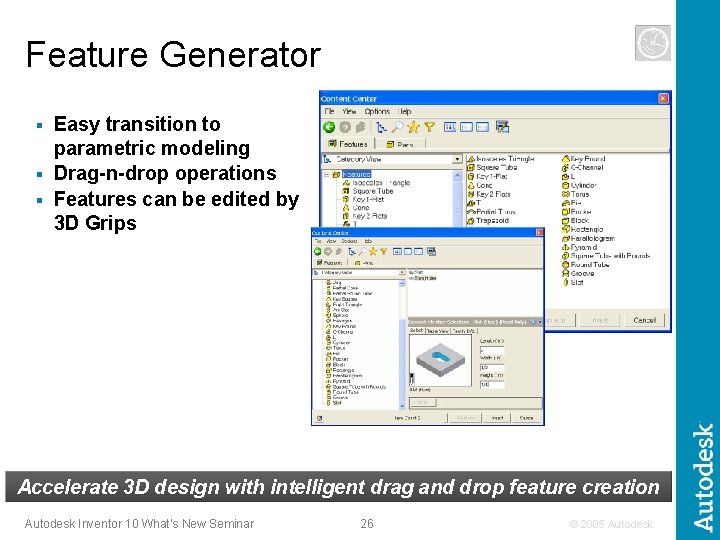
Feature Generator Easy transition to parametric modeling § Drag-n-drop operations § Features can be edited by 3 D Grips § Accelerate 3 D design with intelligent drag and drop feature creation Autodesk Inventor 10 What’s New Seminar 26 © 2005 Autodesk
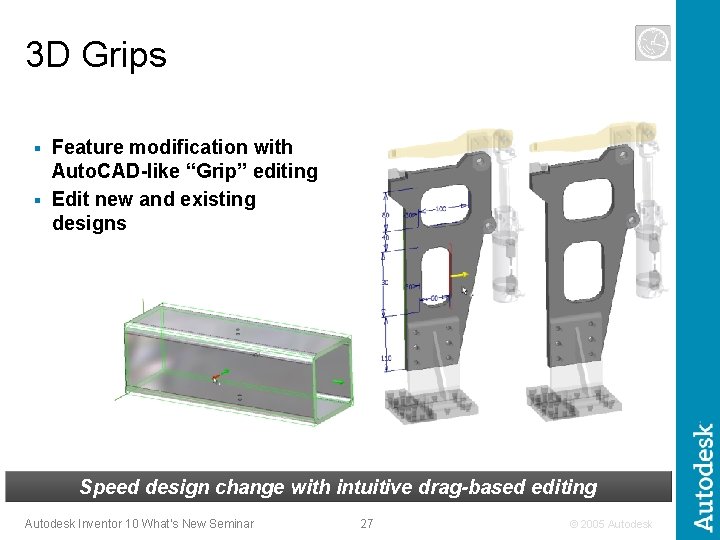
3 D Grips Feature modification with Auto. CAD-like “Grip” editing § Edit new and existing designs § Speed design change with intuitive drag-based editing Autodesk Inventor 10 What’s New Seminar 27 © 2005 Autodesk
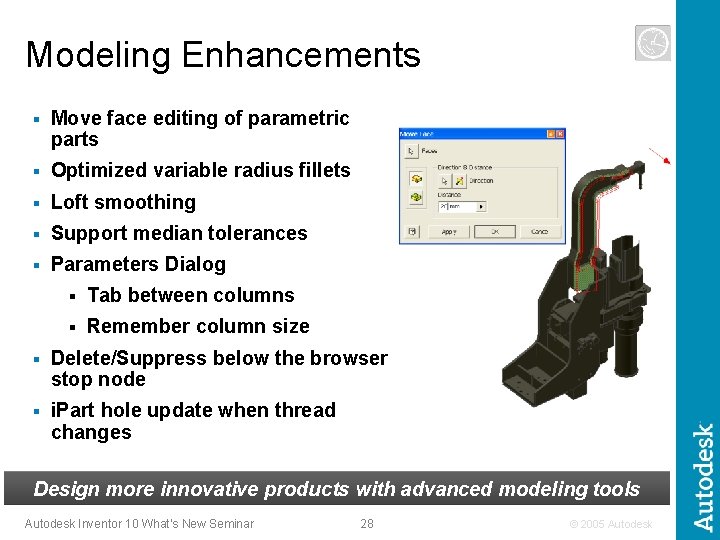
Modeling Enhancements § Move face editing of parametric parts § Optimized variable radius fillets § Loft smoothing § Support median tolerances § Parameters Dialog § Tab between columns § Remember column size § Delete/Suppress below the browser stop node § i. Part hole update when thread changes Design more innovative products with advanced modeling tools Autodesk Inventor 10 What’s New Seminar 28 © 2005 Autodesk
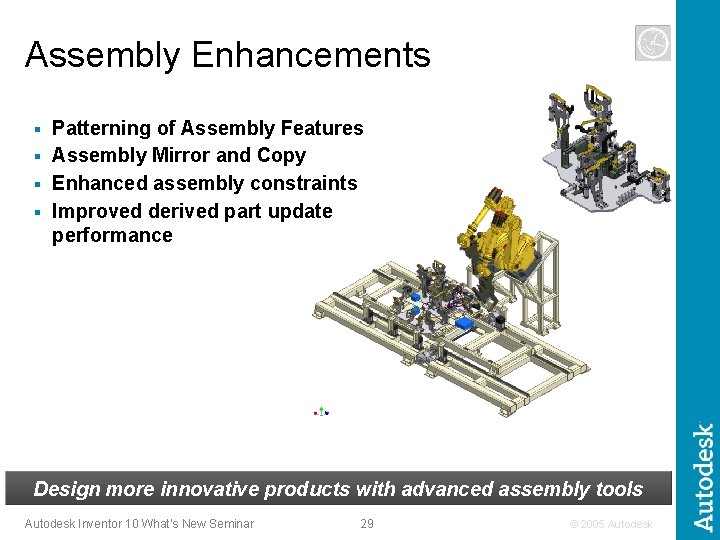
Assembly Enhancements Patterning of Assembly Features § Assembly Mirror and Copy § Enhanced assembly constraints § Improved derived part update performance § Design more innovative products with advanced assembly tools Autodesk Inventor 10 What’s New Seminar 29 © 2005 Autodesk
Autodesk Inventor 10 The power to design the complete product line Deliver the design in less time Fastest way to production ready drawings Communicate and Manage Design Data Fastest to learn and deploy Autodesk Inventor 10 What’s New Seminar 30 © 2005 Autodesk
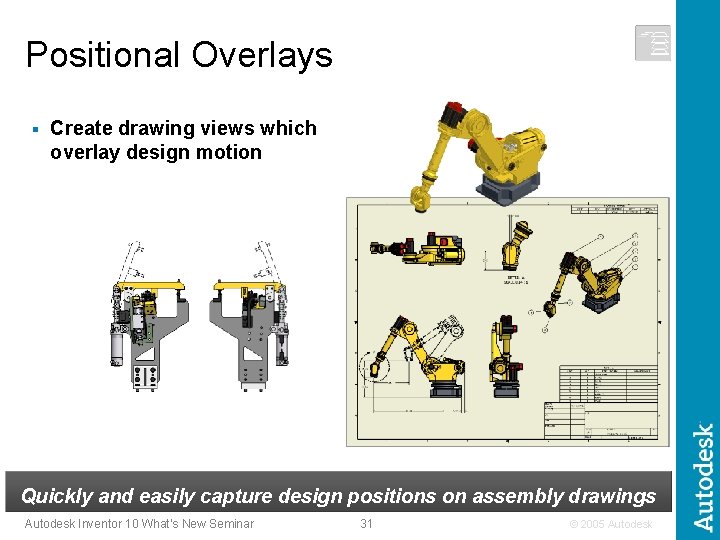
Positional Overlays § Create drawing views which overlay design motion Quickly and easily capture design positions on assembly drawings Autodesk Inventor 10 What’s New Seminar 31 © 2005 Autodesk
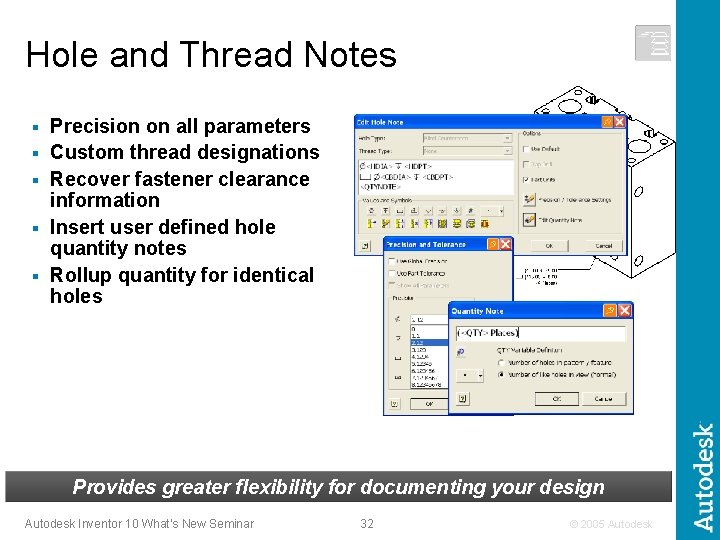
Hole and Thread Notes § § § Precision on all parameters Custom thread designations Recover fastener clearance information Insert user defined hole quantity notes Rollup quantity for identical holes Provides greater flexibility for documenting your design Autodesk Inventor 10 What’s New Seminar 32 © 2005 Autodesk
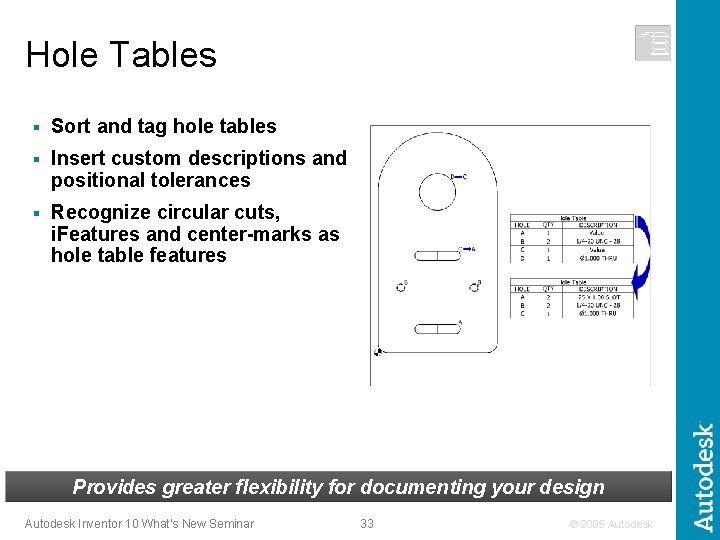
Hole Tables § Sort and tag hole tables § Insert custom descriptions and positional tolerances § Recognize circular cuts, i. Features and center-marks as hole table features Provides greater flexibility for documenting your design Autodesk Inventor 10 What’s New Seminar 33 © 2005 Autodesk
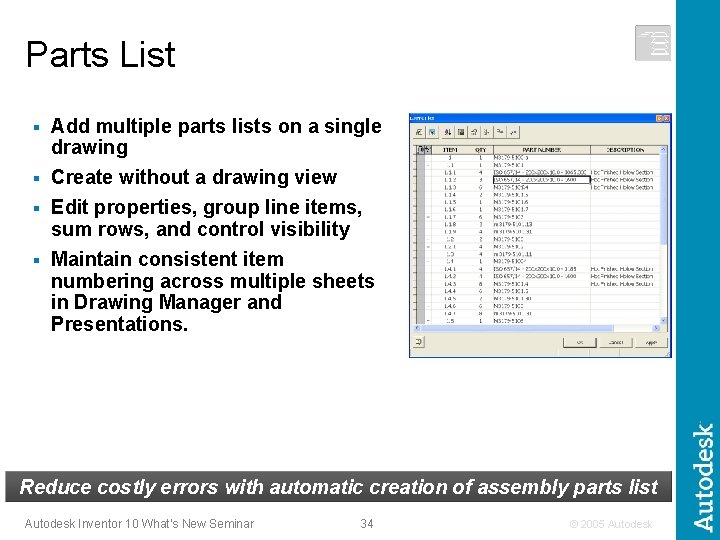
Parts List Add multiple parts lists on a single drawing § Create without a drawing view § Edit properties, group line items, sum rows, and control visibility § Maintain consistent item numbering across multiple sheets in Drawing Manager and Presentations. § Reduce costly errors with automatic creation of assembly parts list Autodesk Inventor 10 What’s New Seminar 34 © 2005 Autodesk
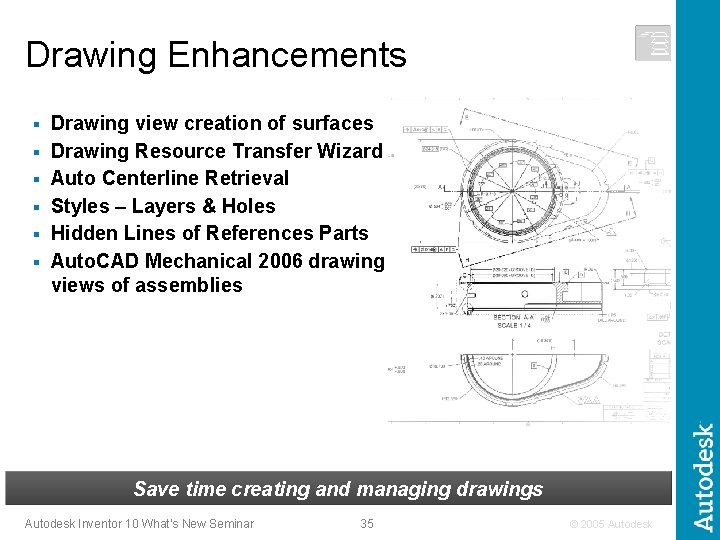
Drawing Enhancements § § § Drawing view creation of surfaces Drawing Resource Transfer Wizard Auto Centerline Retrieval Styles – Layers & Holes Hidden Lines of References Parts Auto. CAD Mechanical 2006 drawing views of assemblies Save time creating and managing drawings Autodesk Inventor 10 What’s New Seminar 35 © 2005 Autodesk
Autodesk Inventor 10 The power to design the complete product line Deliver the design in less time Fastest way to production ready drawings Communicate and Manage Design Data Fastest to learn and deploy Autodesk Inventor 10 What’s New Seminar 36 © 2005 Autodesk
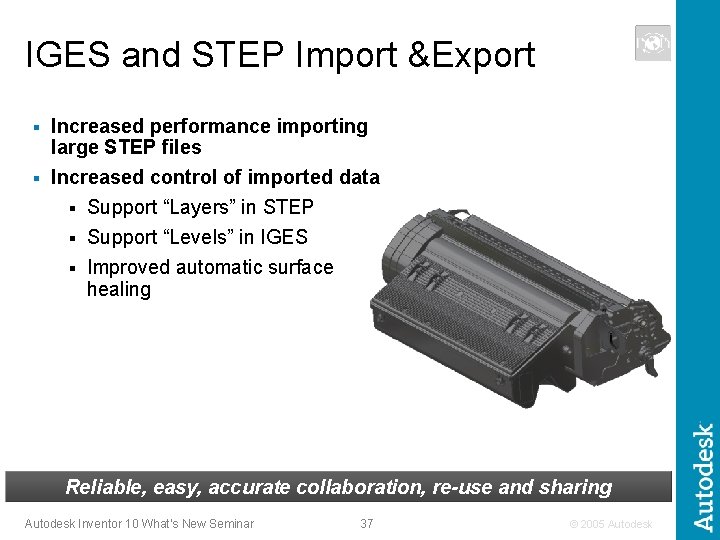
IGES and STEP Import &Export Increased performance importing large STEP files § Increased control of imported data § Support “Layers” in STEP § Support “Levels” in IGES § Improved automatic surface healing § Reliable, easy, accurate collaboration, re-use and sharing Autodesk Inventor 10 What’s New Seminar 37 © 2005 Autodesk
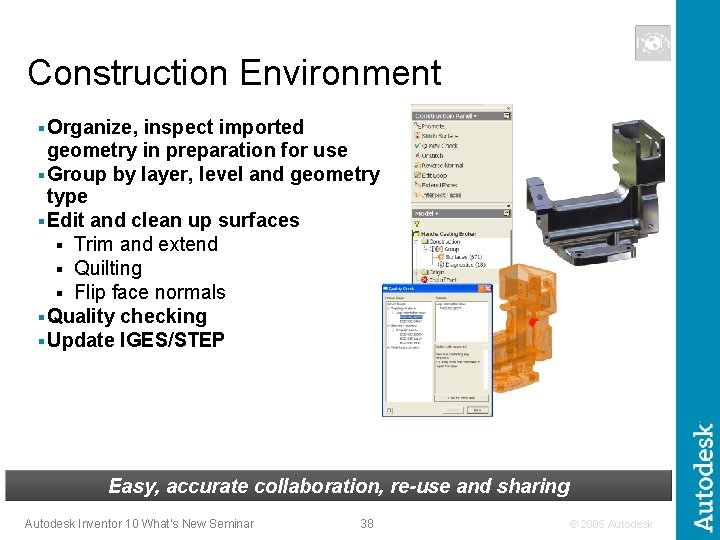
Construction Environment § Organize, inspect imported geometry in preparation for use § Group by layer, level and geometry type § Edit and clean up surfaces § Trim and extend § Quilting § Flip face normals § Quality checking § Update IGES/STEP Easy, accurate collaboration, re-use and sharing Autodesk Inventor 10 What’s New Seminar 38 © 2005 Autodesk
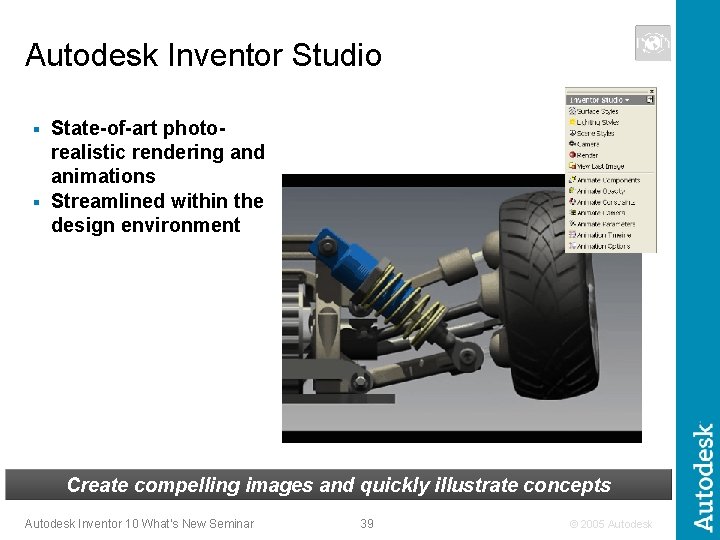
Autodesk Inventor Studio State-of-art photorealistic rendering and animations § Streamlined within the design environment § Create compelling images and quickly illustrate concepts Autodesk Inventor 10 What’s New Seminar 39 © 2005 Autodesk
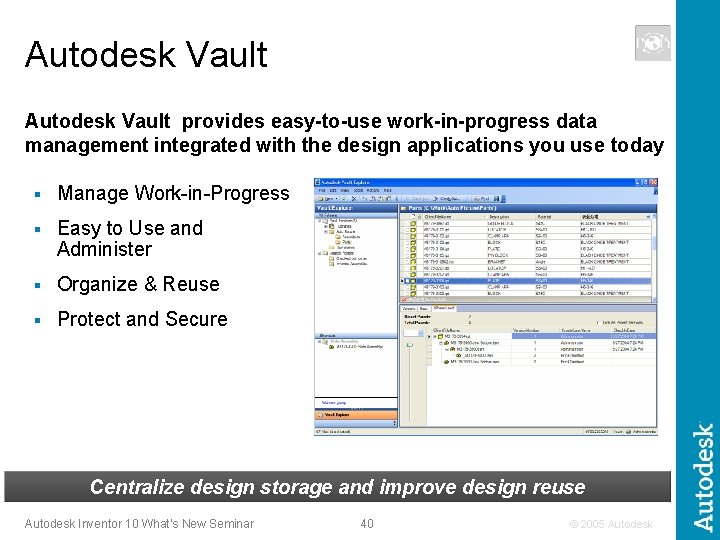
Autodesk Vault provides easy-to-use work-in-progress data management integrated with the design applications you use today § Manage Work-in-Progress § Easy to Use and Administer § Organize & Reuse § Protect and Secure Centralize design storage and improve design reuse Autodesk Inventor 10 What’s New Seminar 40 © 2005 Autodesk
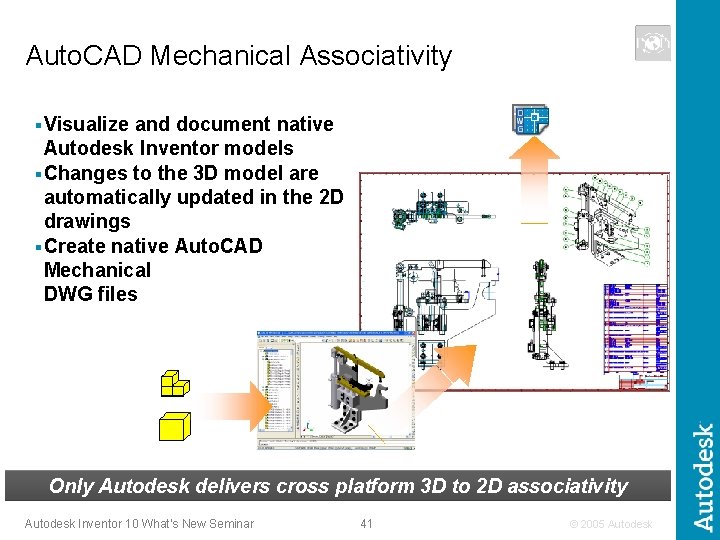
Auto. CAD Mechanical Associativity § Visualize and document native Autodesk Inventor models § Changes to the 3 D model are automatically updated in the 2 D drawings § Create native Auto. CAD Mechanical DWG files Only Autodesk delivers cross platform 3 D to 2 D associativity Autodesk Inventor 10 What’s New Seminar 41 © 2005 Autodesk
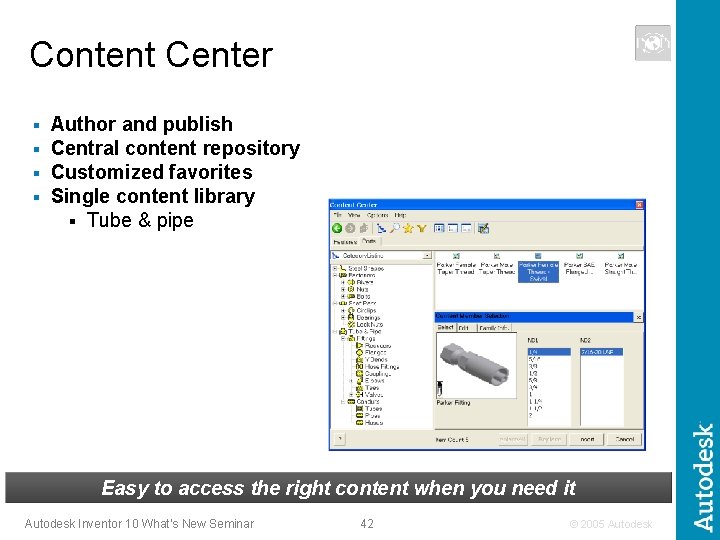
Content Center § § Author and publish Central content repository Customized favorites Single content library § Tube & pipe Easy to access the right content when you need it Autodesk Inventor 10 What’s New Seminar 42 © 2005 Autodesk
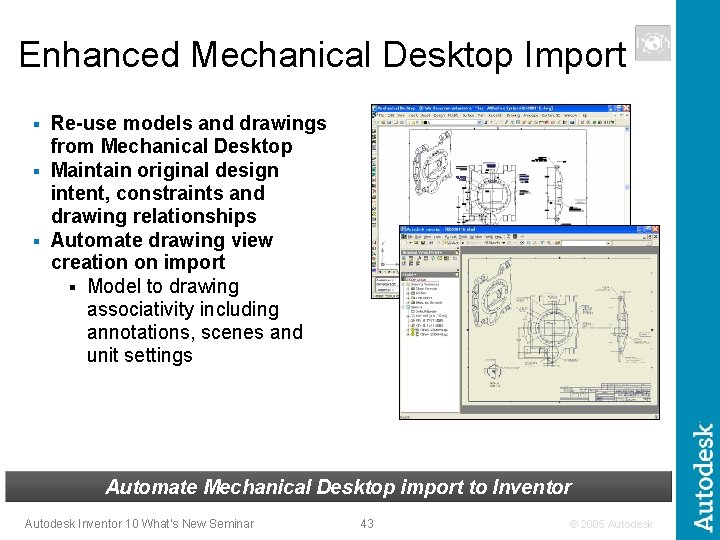
Enhanced Mechanical Desktop Import Re-use models and drawings from Mechanical Desktop § Maintain original design intent, constraints and drawing relationships § Automate drawing view creation on import § Model to drawing associativity including annotations, scenes and unit settings § Automate Mechanical Desktop import to Inventor Autodesk Inventor 10 What’s New Seminar 43 © 2005 Autodesk
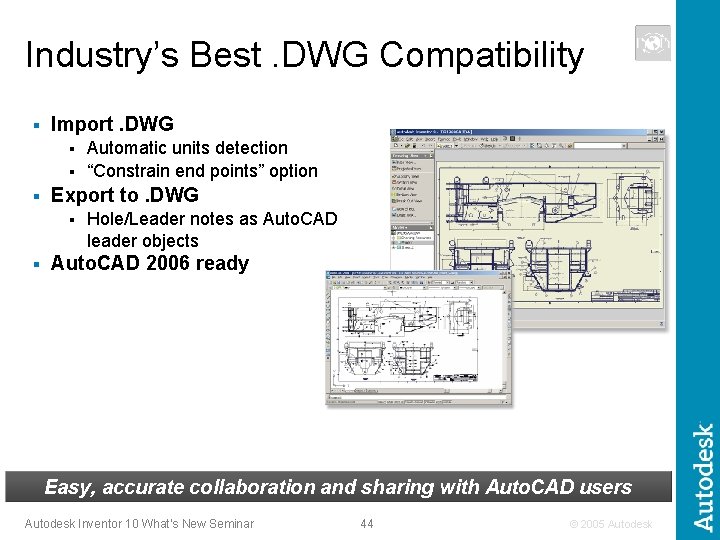
Industry’s Best. DWG Compatibility § Import. DWG Automatic units detection § “Constrain end points” option § § Export to. DWG § § Hole/Leader notes as Auto. CAD leader objects Auto. CAD 2006 ready Easy, accurate collaboration and sharing with Auto. CAD users Autodesk Inventor 10 What’s New Seminar 44 © 2005 Autodesk
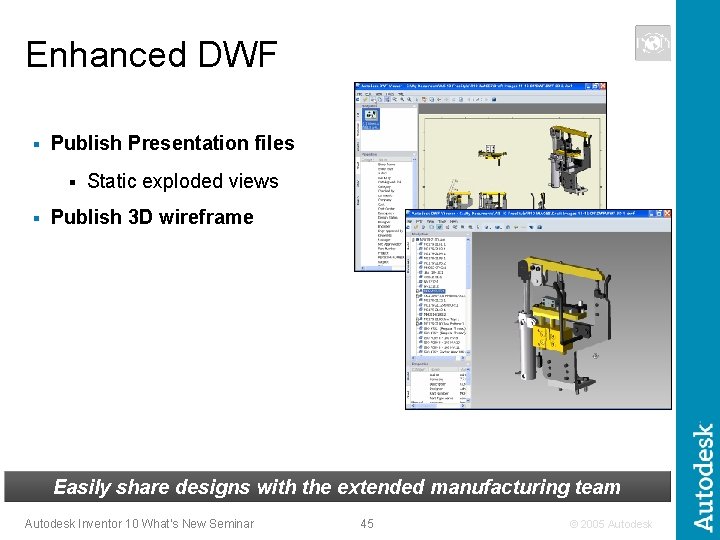
Enhanced DWF § Publish Presentation files § § Static exploded views Publish 3 D wireframe Easily share designs with the extended manufacturing team Autodesk Inventor 10 What’s New Seminar 45 © 2005 Autodesk
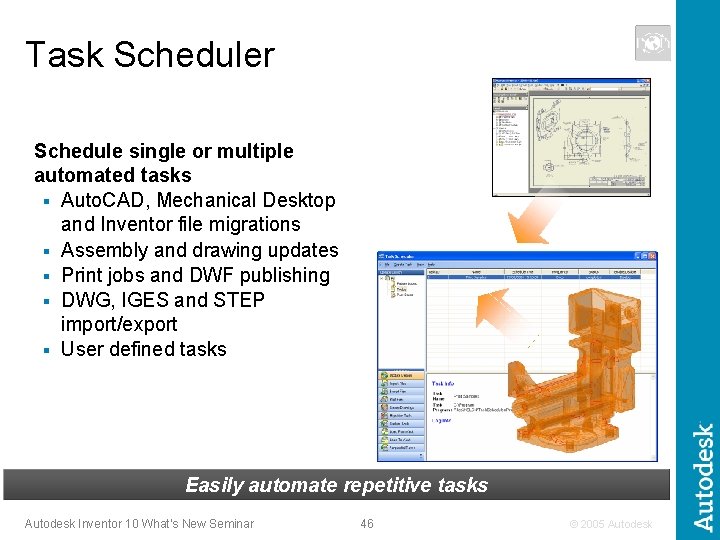
Task Scheduler Schedule single or multiple automated tasks § Auto. CAD, Mechanical Desktop and Inventor file migrations § Assembly and drawing updates § Print jobs and DWF publishing § DWG, IGES and STEP import/export § User defined tasks Easily automate repetitive tasks Autodesk Inventor 10 What’s New Seminar 46 © 2005 Autodesk
Autodesk Inventor 10 The power to design the complete product line Deliver the design in less time Fastest way to production ready drawings Communicate and Manage Design Data Fastest to learn and deploy Autodesk Inventor 10 What’s New Seminar 47 © 2005 Autodesk
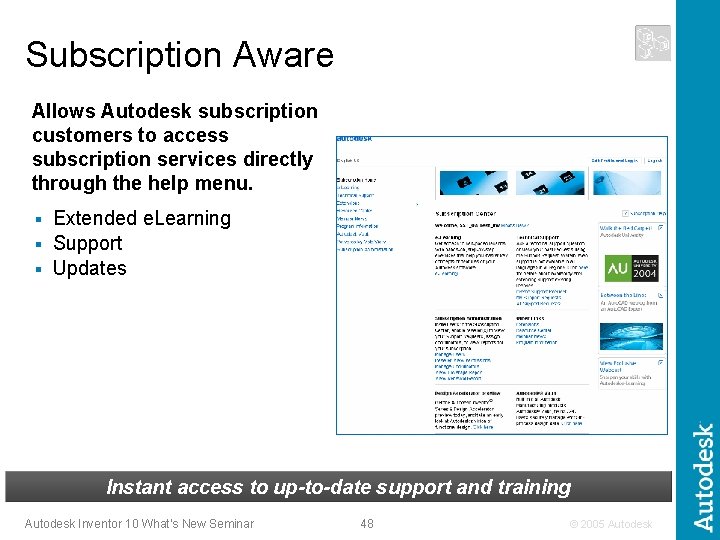
Subscription Aware Allows Autodesk subscription customers to access subscription services directly through the help menu. Extended e. Learning § Support § Updates § Instant access to up-to-date support and training Autodesk Inventor 10 What’s New Seminar 48 © 2005 Autodesk
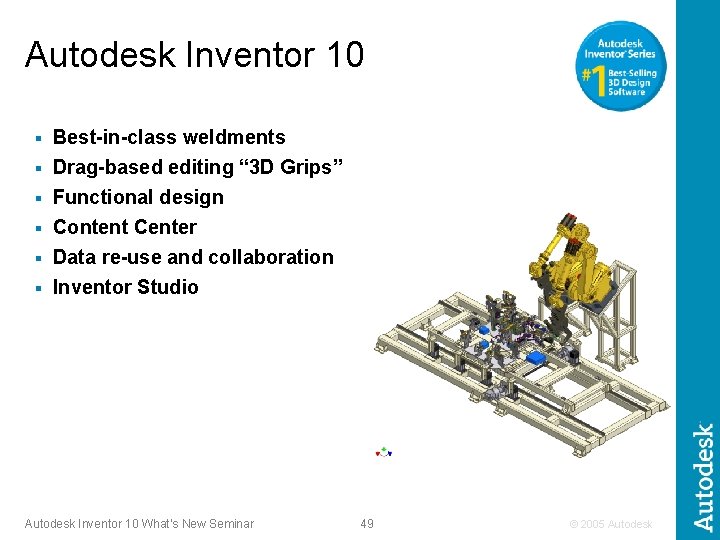
Autodesk Inventor 10 Best-in-class weldments § Drag-based editing “ 3 D Grips” § Functional design § Content Center § Data re-use and collaboration § Inventor Studio § Autodesk Inventor 10 What’s New Seminar 49 © 2005 Autodesk