
Auto Soft Capping ASC v WLC Manage your
- Slides: 29
Auto. Soft. Capping (ASC) v. WLC Manage your software Bill without the Performance Problems ! © 2010 Software. On. Z
AGENDA • Soft. Capping Strategies • Auto. Soft. Capping(ASC) • General Principles • How it works • OOCo. D • Putting ASC into Action © 2010 Software. On. Z
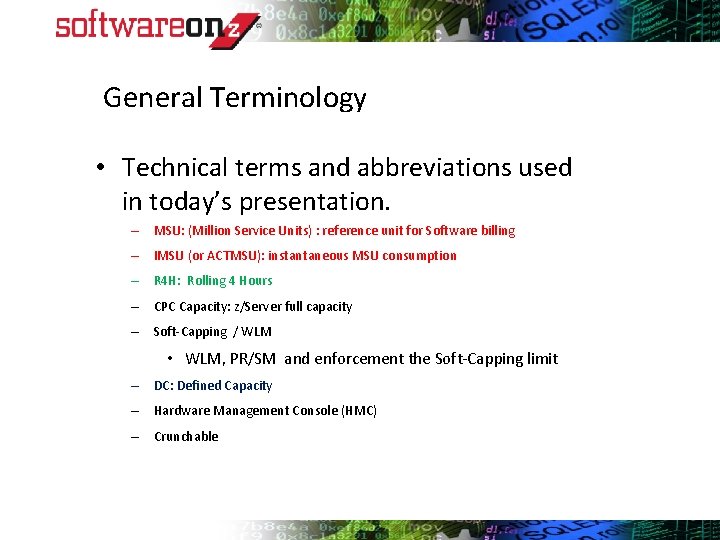
General Terminology • Technical terms and abbreviations used in today’s presentation. – MSU: (Million Service Units) : reference unit for Software billing – IMSU (or ACTMSU): instantaneous MSU consumption – R 4 H: Rolling 4 Hours – CPC Capacity: z/Server full capacity – Soft-Capping / WLM • WLM, PR/SM and enforcement the Soft-Capping limit – DC: Defined Capacity – Hardware Management Console (HMC) – Crunchable
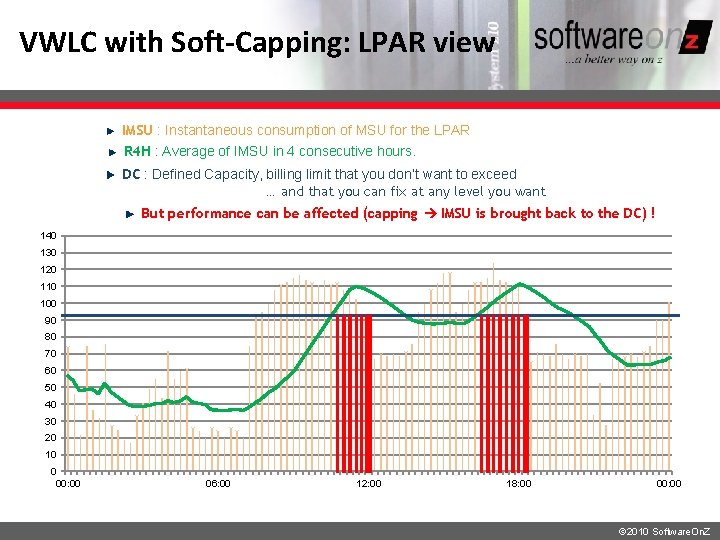
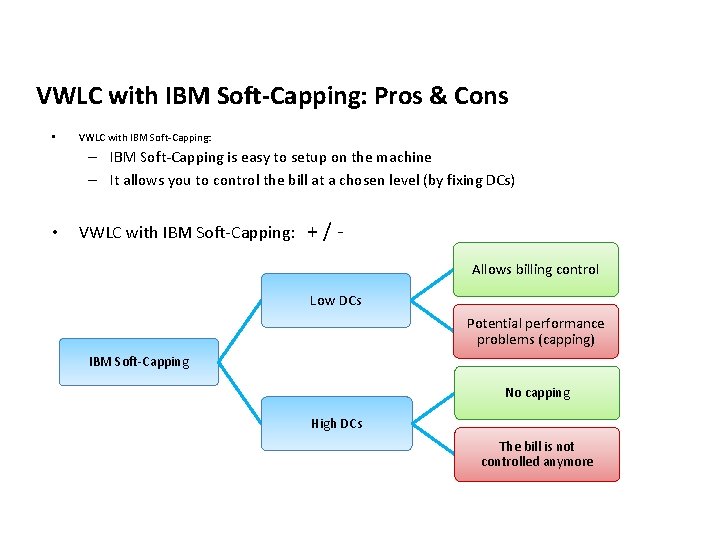
VWLC with Soft-Capping: LPAR view IMSU : Instantaneous consumption of MSU for the LPAR R 4 H : Average of IMSU in 4 consecutive hours. DC : Defined Capacity, billing limit that you don’t want to exceed … and that you can fix at any level you want But performance can be affected (capping IMSU is brought back to the DC) ! 140 130 120 110 100 90 80 70 60 50 40 30 20 10 0 00: 00 06: 00 12: 00 18: 00 00: 00 © 2010 Software. On. Z
VWLC with IBM Soft-Capping: Pros & Cons • VWLC with IBM Soft-Capping: – IBM Soft-Capping is easy to setup on the machine – It allows you to control the bill at a chosen level (by fixing DCs) • VWLC with IBM Soft-Capping: +/Allows billing control Low DCs Potential performance problems (capping) IBM Soft-Capping No capping High DCs The bill is not controlled anymore
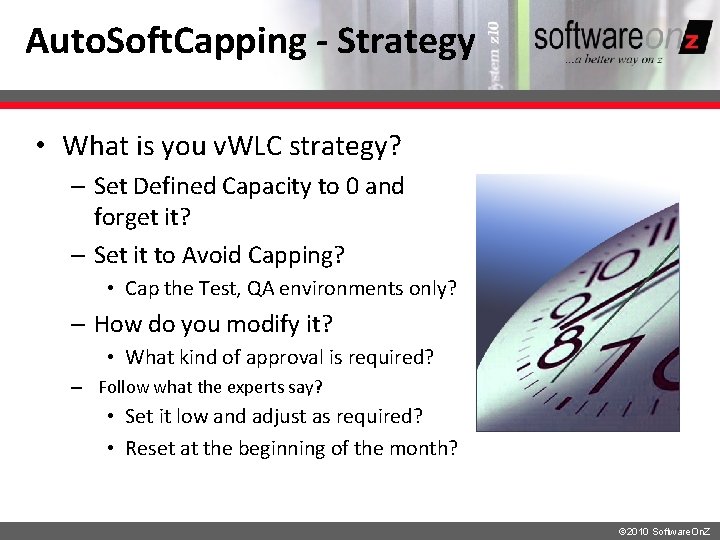
Auto. Soft. Capping - Strategy • What is you v. WLC strategy? – Set Defined Capacity to 0 and forget it? – Set it to Avoid Capping? • Cap the Test, QA environments only? – How do you modify it? • What kind of approval is required? – Follow what the experts say? • Set it low and adjust as required? • Reset at the beginning of the month? © 2010 Software. On. Z
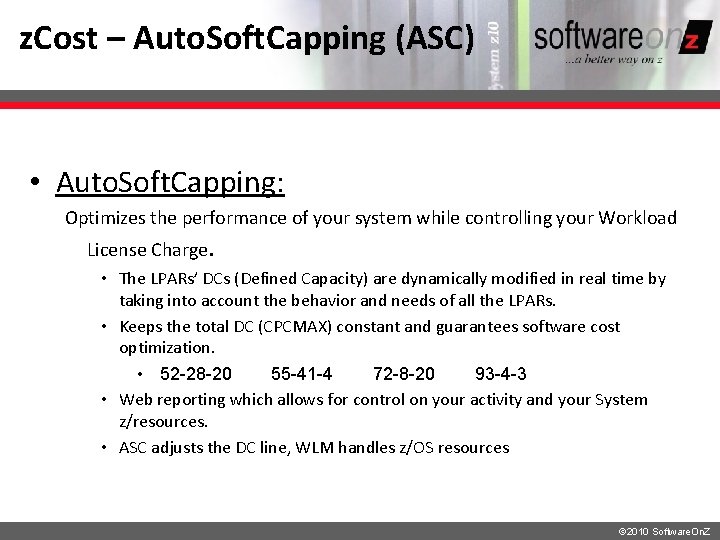
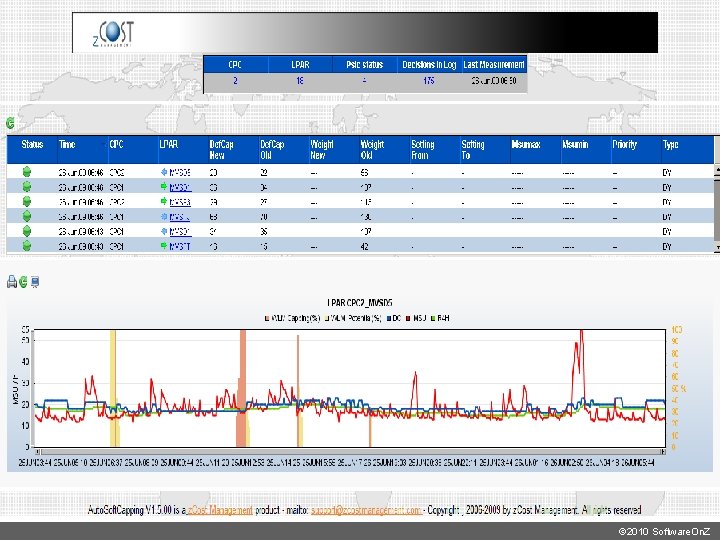
z. Cost – Auto. Soft. Capping (ASC) • Auto. Soft. Capping: Optimizes the performance of your system while controlling your Workload License Charge. • The LPARs’ DCs (Defined Capacity) are dynamically modified in real time by taking into account the behavior and needs of all the LPARs. • Keeps the total DC (CPCMAX) constant and guarantees software cost optimization. • 52 -28 -20 55 -41 -4 72 -8 -20 93 -4 -3 • Web reporting which allows for control on your activity and your System z/resources. • ASC adjusts the DC line, WLM handles z/OS resources © 2010 Software. On. Z
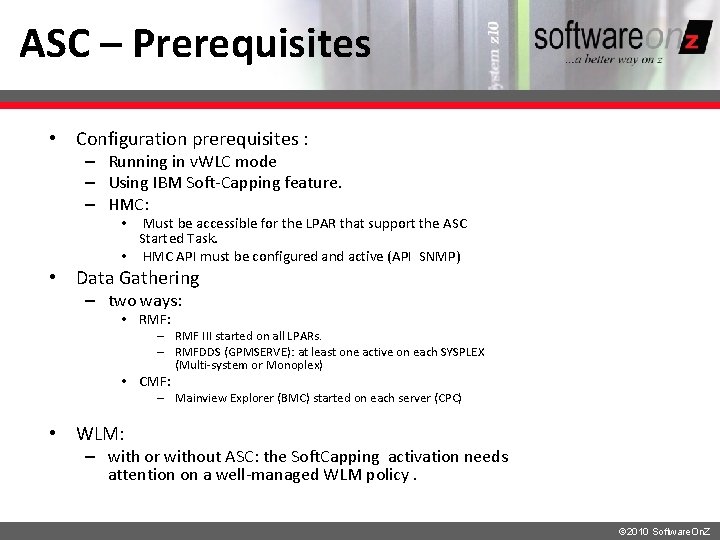
ASC – Prerequisites • Configuration prerequisites : – Running in v. WLC mode – Using IBM Soft-Capping feature. – HMC: Must be accessible for the LPAR that support the ASC Started Task. • HMC API must be configured and active (API SNMP) • • Data Gathering – two ways: • RMF: – RMF III started on all LPARs. – RMFDDS (GPMSERVE): at least one active on each SYSPLEX (Multi-system or Monoplex) • CMF: – Mainview Explorer (BMC) started on each server (CPC) • WLM: – with or without ASC: the Soft. Capping activation needs attention on a well-managed WLM policy. © 2010 Software. On. Z
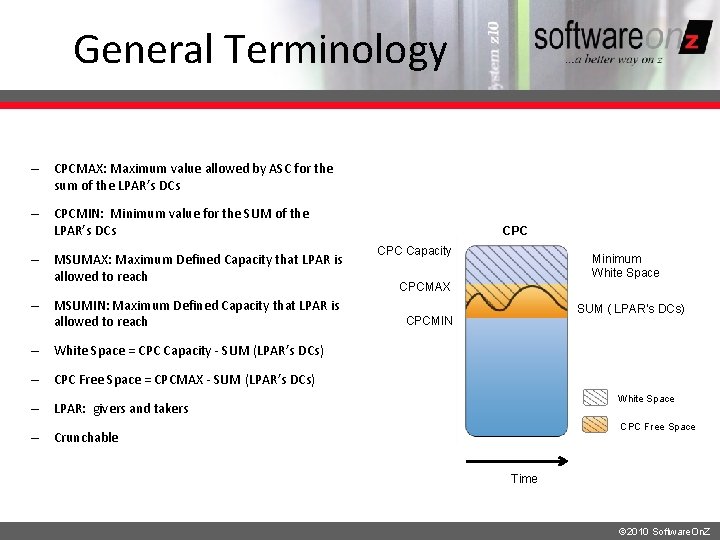
General Terminology – CPCMAX: Maximum value allowed by ASC for the sum of the LPAR’s DCs – CPCMIN: Minimum value for the SUM of the LPAR’s DCs – MSUMAX: Maximum Defined Capacity that LPAR is allowed to reach – MSUMIN: Maximum Defined Capacity that LPAR is allowed to reach CPC Capacity Minimum White Space CPCMAX SUM ( LPAR’s DCs) CPCMIN – White Space = CPC Capacity - SUM (LPAR’s DCs) – CPC Free Space = CPCMAX - SUM (LPAR’s DCs) White Space – LPAR: givers and takers CPC Free Space – Crunchable Time © 2010 Software. On. Z
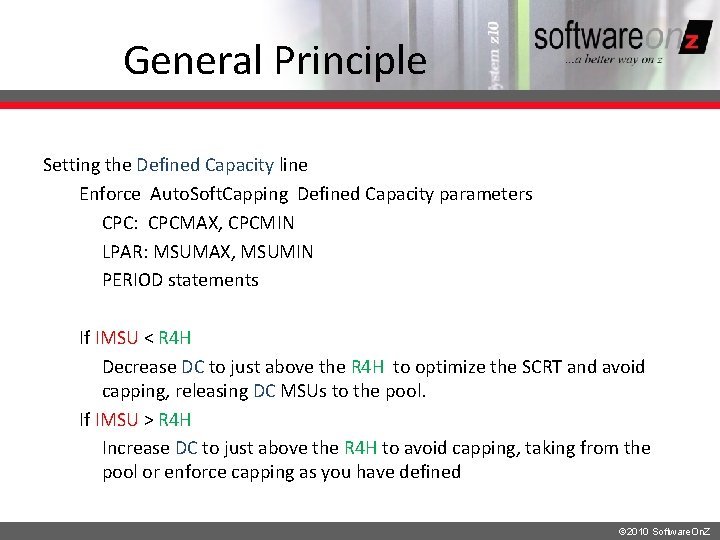
General Principle Setting the Defined Capacity line Enforce Auto. Soft. Capping Defined Capacity parameters CPC: CPCMAX, CPCMIN LPAR: MSUMAX, MSUMIN PERIOD statements If IMSU < R 4 H Decrease DC to just above the R 4 H to optimize the SCRT and avoid capping, releasing DC MSUs to the pool. If IMSU > R 4 H Increase DC to just above the R 4 H to avoid capping, taking from the pool or enforce capping as you have defined © 2010 Software. On. Z
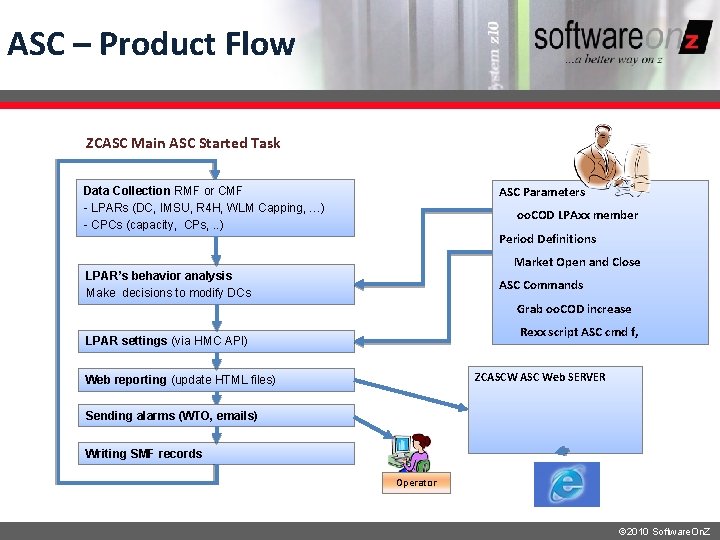
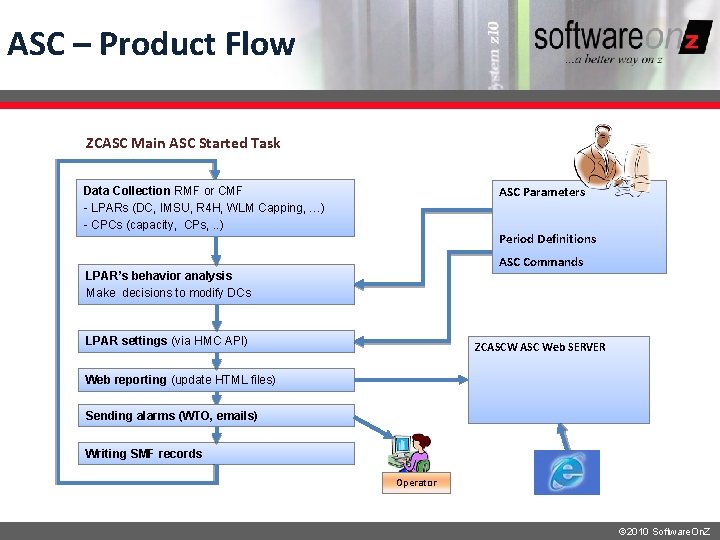
ASC – Product Flow ZCASC Main ASC Started Task ASC Parameters Data Collection RMF or CMF - LPARs (DC, IMSU, R 4 H, WLM Capping, …) - CPCs (capacity, CPs, . . ) oo. COD LPAxx member Period Definitions Market Open and Close LPAR’s behavior analysis Make decisions to modify DCs ASC Commands Grab oo. COD increase Rexx script ASC cmd f, LPAR settings (via HMC API) ZCASCW ASC Web SERVER Web reporting (update HTML files) Sending alarms (WTO, emails) Writing SMF records Operator © 2010 Software. On. Z
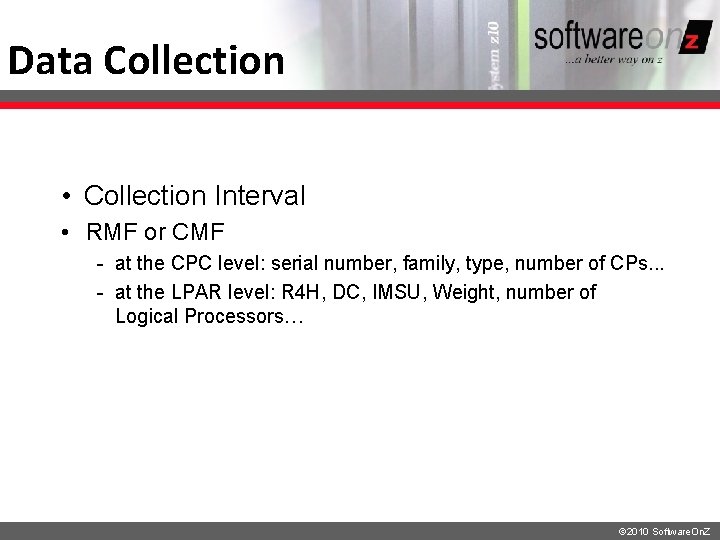
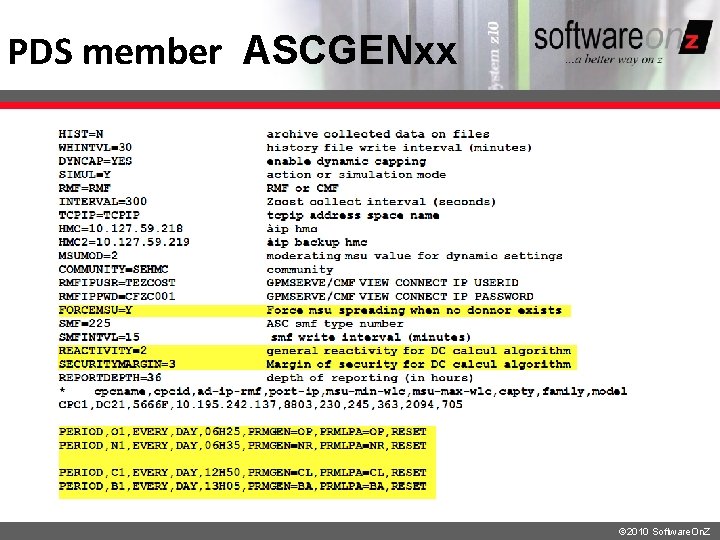
Data Collection • Collection Interval • RMF or CMF - at the CPC level: serial number, family, type, number of CPs. . . - at the LPAR level: R 4 H, DC, IMSU, Weight, number of Logical Processors… © 2010 Software. On. Z
PDS member ASCGENxx © 2010 Software. On. Z
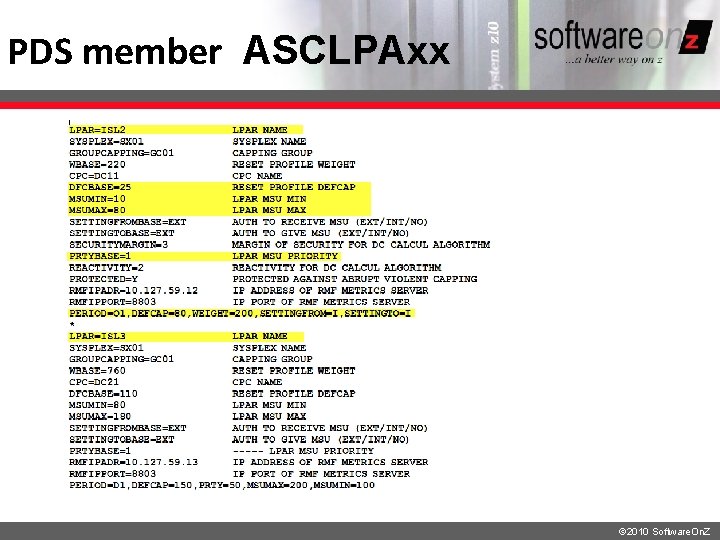
PDS member ASCLPAxx © 2010 Software. On. Z
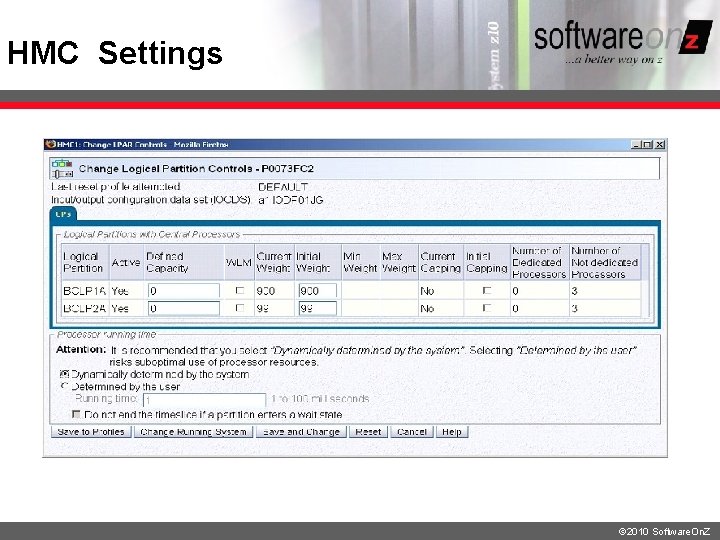
HMC Settings © 2010 Software. On. Z
© 2010 Software. On. Z
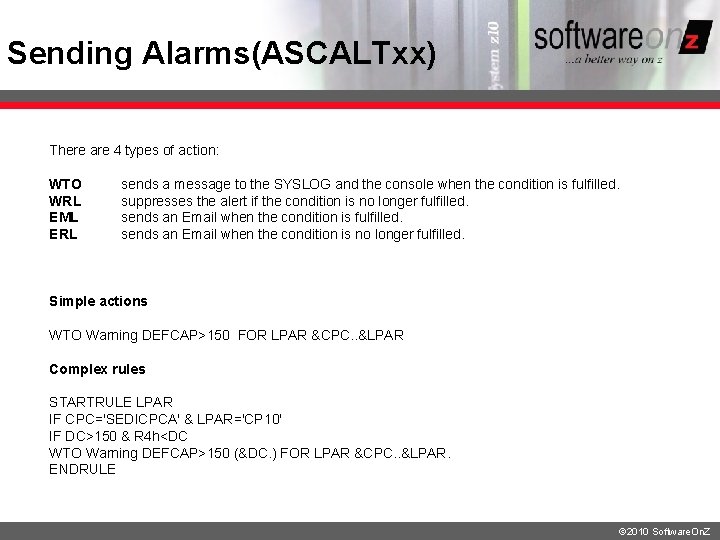
Sending Alarms(ASCALTxx) There are 4 types of action: WTO sends a message to the SYSLOG and the console when the condition is fulfilled. WRL suppresses the alert if the condition is no longer fulfilled. EML sends an Email when the condition is fulfilled. ERL sends an Email when the condition is no longer fulfilled. Simple actions WTO Warning DEFCAP>150 FOR LPAR &CPC. . &LPAR Complex rules STARTRULE LPAR IF CPC='SEDICPCA' & LPAR='CP 10' IF DC>150 & R 4 h<DC WTO Warning DEFCAP>150 (&DC. ) FOR LPAR &CPC. . &LPAR. ENDRULE © 2010 Software. On. Z
ASC – Product Flow ZCASC Main ASC Started Task ASC Parameters Data Collection RMF or CMF - LPARs (DC, IMSU, R 4 H, WLM Capping, …) - CPCs (capacity, CPs, . . ) Period Definitions ASC Commands LPAR’s behavior analysis Make decisions to modify DCs LPAR settings (via HMC API) ZCASCW ASC Web SERVER Web reporting (update HTML files) Sending alarms (WTO, emails) Writing SMF records Operator © 2010 Software. On. Z
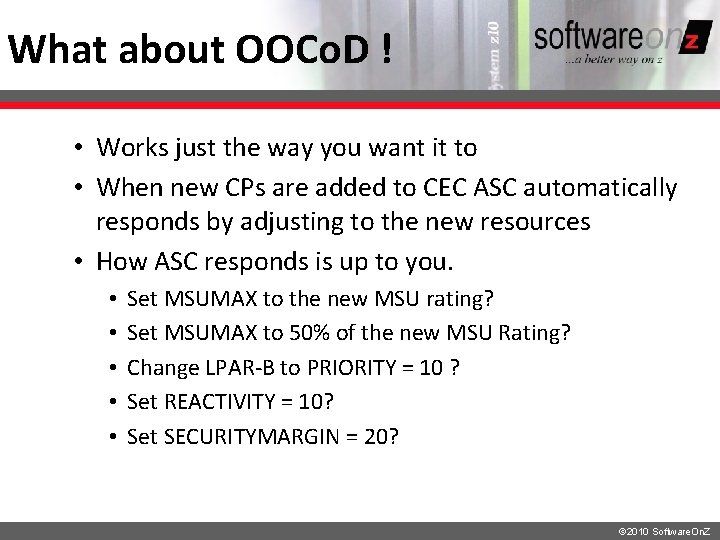
What about OOCo. D ! • Works just the way you want it to • When new CPs are added to CEC ASC automatically responds by adjusting to the new resources • How ASC responds is up to you. • • • Set MSUMAX to the new MSU rating? Set MSUMAX to 50% of the new MSU Rating? Change LPAR-B to PRIORITY = 10 ? Set REACTIVITY = 10? Set SECURITYMARGIN = 20? © 2010 Software. On. Z
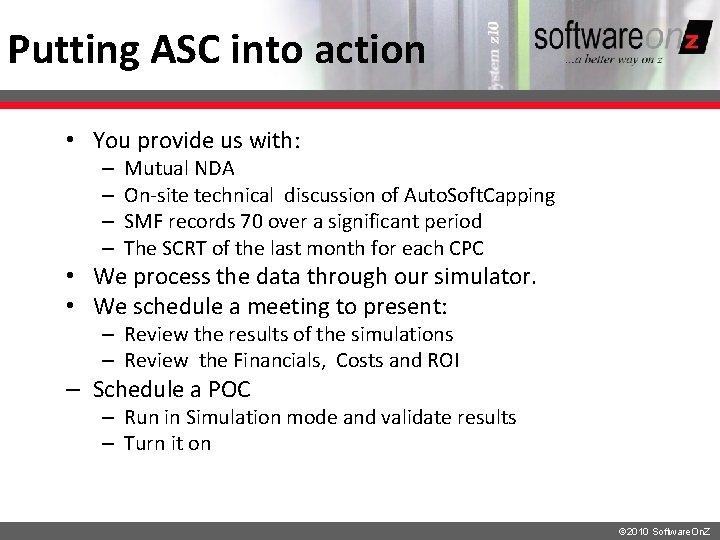
Putting ASC into action • You provide us with: – – Mutual NDA On-site technical discussion of Auto. Soft. Capping SMF records 70 over a significant period The SCRT of the last month for each CPC • We process the data through our simulator. • We schedule a meeting to present: – Review the results of the simulations – Review the Financials, Costs and ROI – Schedule a POC – Run in Simulation mode and validate results – Turn it on © 2010 Software. On. Z
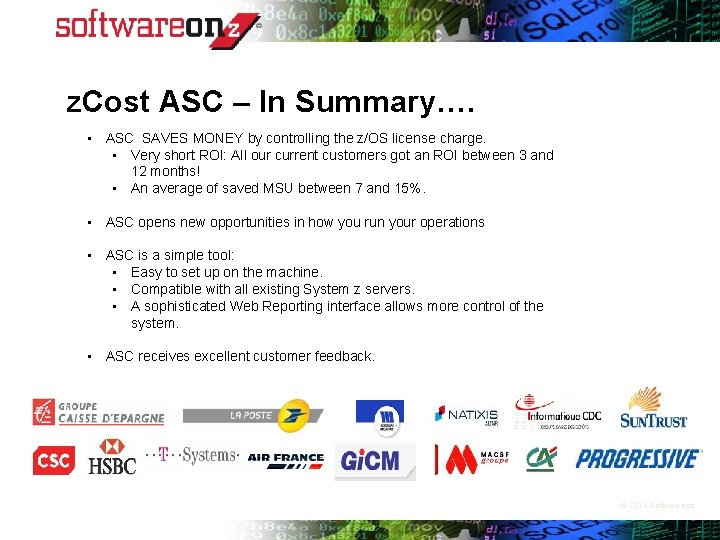
z. Cost ASC – In Summary…. • ASC SAVES MONEY by controlling the z/OS license charge. • Very short ROI: All our current customers got an ROI between 3 and 12 months! • An average of saved MSU between 7 and 15%. • ASC opens new opportunities in how you run your operations • ASC is a simple tool: • Easy to set up on the machine. • Compatible with all existing System z servers. • A sophisticated Web Reporting interface allows more control of the system. • ASC receives excellent customer feedback. • © 2013 Softwareonz
Q&A © 2010 Software. On. Z
Contact Info • Softwareonz • www. softwareonz. com • Today’s Presenter: Brian Hoare • Your US Sales Contact • Brian Hoare • Brian. Hoare@softwareonz. com • © 2013 Softwareonz
ASC Setting • ASC performs dynamic Settings: – Sends DC modification orders to the HMC, and the DCs are set according to the algorithm decisions. • ASC performs period Settings: – Period Settings allow ASC to modify some settings at predefined date/time. It can: • Modify the DC by setting a predefined value to the parameter DEFCAP • ASC Reset Profile: set the DEFCAP and WEIGHT parameters of all LPARs to the initial value (contained in DFCBASE and WBASE) • Modify parameters by taking into account predefined parameters values or by reloading predefined parameters members. © 2010 Software. On. Z
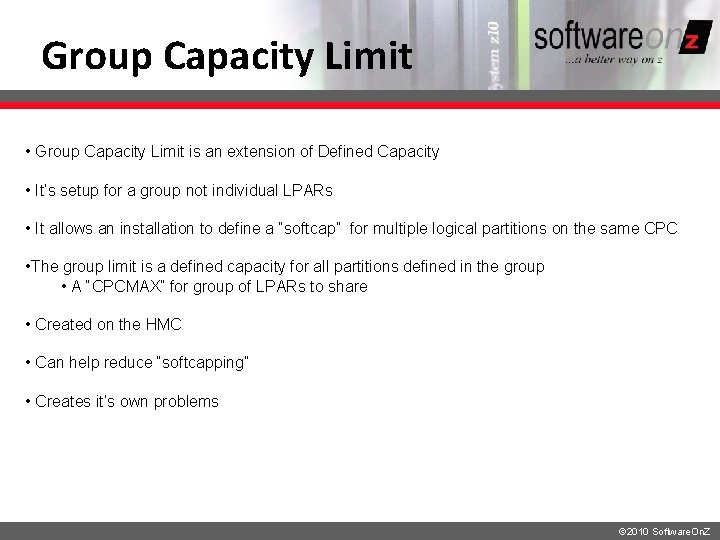
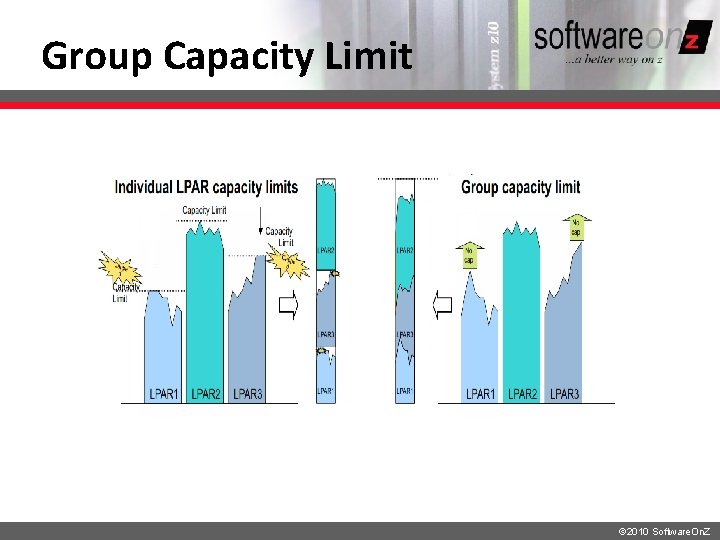
Group Capacity Limit • Group Capacity Limit is an extension of Defined Capacity • It’s setup for a group not individual LPARs • It allows an installation to define a “softcap” for multiple logical partitions on the same CPC • The group limit is a defined capacity for all partitions defined in the group • A “CPCMAX” for group of LPARs to share • Created on the HMC • Can help reduce “softcapping” • Creates it’s own problems © 2010 Software. On. Z
Group Capacity Limit © 2010 Software. On. Z
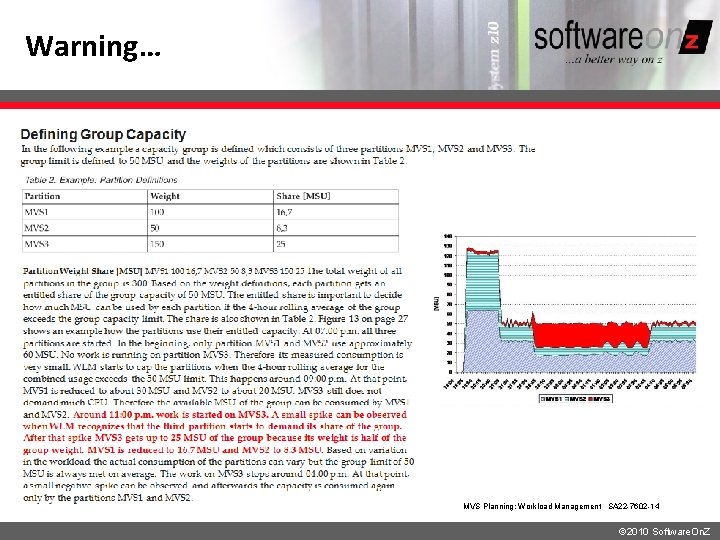
Warning… MVS Planning: Workload Management SA 22 -7602 -14 © 2010 Software. On. Z
Conclusion © 2010 Software. On. Z
Group Capacity Limit • Group Capacity Limit (GCL) introduced in 2008 • Share. W% This is the %SHARE calculated from the WEIGHT of the LPAR • Share. W_GCL% This is the %SHARE calculated from the WEIGHT in the GCL of the LPAR • Share. D% %HARE calculated from the DEFINDED CAPACITY of the LPAR • Target MSU from Weight: Share. W% translated in MSU • Target MSU from GCL Weight: Share. WGCL% translated in MSU © 2010 Software. On. Z