
Auto Doc A Search and Navigation Tool for
- Slides: 1
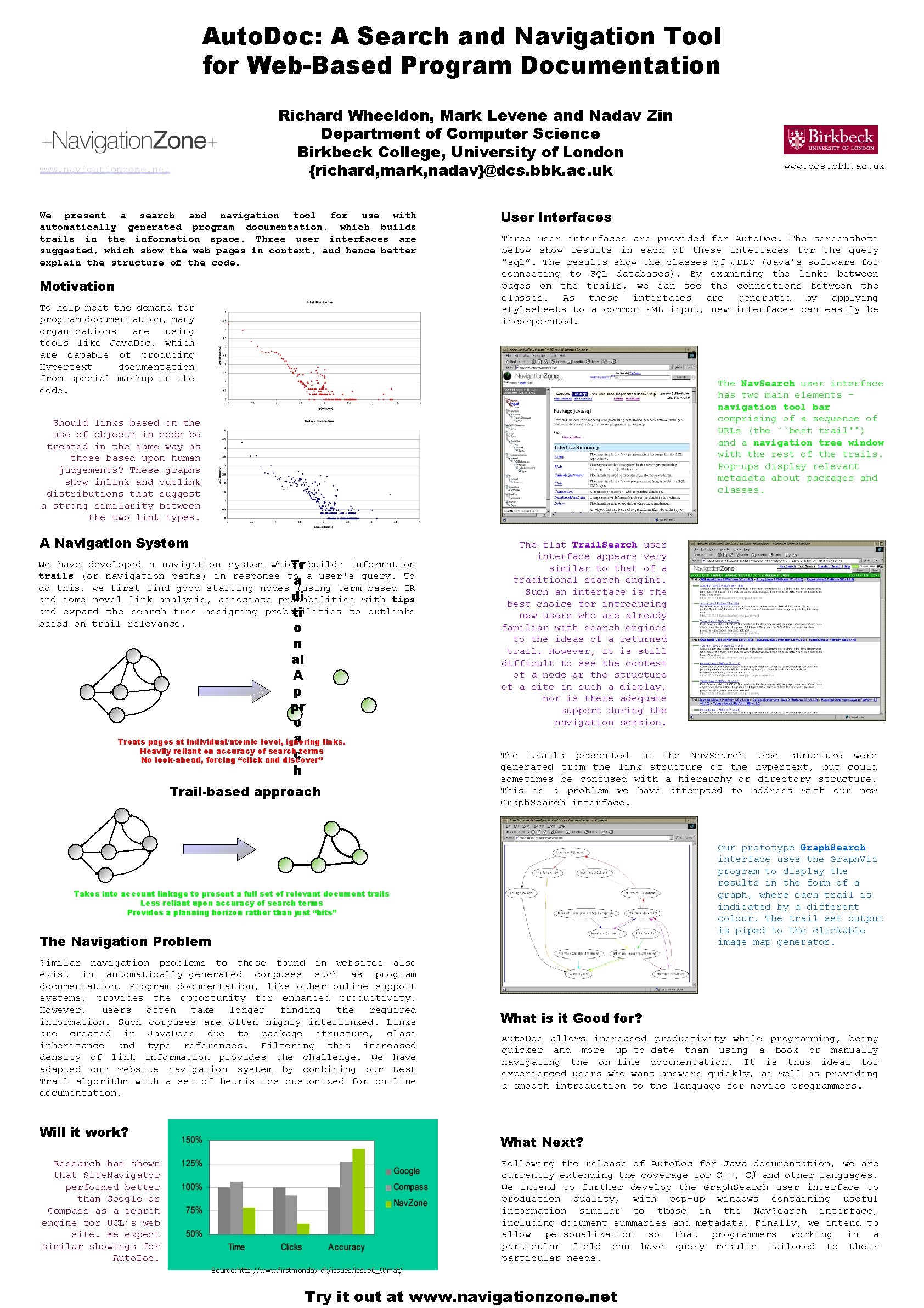
Auto. Doc: A Search and Navigation Tool for Web-Based Program Documentation Richard Wheeldon, Mark Levene and Nadav Zin Department of Computer Science Birkbeck College, University of London {richard, mark, nadav}@dcs. bbk. ac. uk www. navigationzone. net We present a search and navigation tool for use with automatically generated program documentation, which builds trails in the information space. Three user interfaces are suggested, which show the web pages in context, and hence better explain the structure of the code. Motivation To help meet the demand for program documentation, many organizations are using tools like Java. Doc, which are capable of producing Hypertext documentation from special markup in the code. Should links based on the use of objects in code be treated in the same way as those based upon human judgements? These graphs show inlink and outlink distributions that suggest a strong similarity between the two link types. www. dcs. bbk. ac. uk User Interfaces Three user interfaces are provided for Auto. Doc. The screenshots below show results in each of these interfaces for the query “sql”. The results show the classes of JDBC (Java’s software for connecting to SQL databases). By examining the links between pages on the trails, we can see the connections between the classes. As these interfaces are generated by applying stylesheets to a common XML input, new interfaces can easily be incorporated. The Nav. Search user interface has two main elements – navigation tool bar comprising of a sequence of URLs (the ``best trail'') and a navigation tree window with the rest of the trails. Pop-ups display relevant metadata about packages and classes. A Navigation System We have developed a navigation system which Tr builds information trails (or navigation paths) in response to a user's query. To a do this, we first find good starting nodes (using term based IR di and some novel link analysis, associate probabilities with tips and expand the search tree assigning probabilities to outlinks ti based on trail relevance. o n al A p pr o a Treats pages at individual/atomic level, ignoring links. Heavily reliant on accuracy of search terms c No look-ahead, forcing “click and discover” h Trail-based approach The flat Trail. Search user interface appears very similar to that of a traditional search engine. Such an interface is the best choice for introducing new users who are already familiar with search engines to the ideas of a returned trail. However, it is still difficult to see the context of a node or the structure of a site in such a display, nor is there adequate support during the navigation session. The trails presented in the Nav. Search tree structure were generated from the link structure of the hypertext, but could sometimes be confused with a hierarchy or directory structure. This is a problem we have attempted to address with our new Graph. Search interface. Our prototype Graph. Search interface uses the Graph. Viz program to display the results in the form of a graph, where each trail is indicated by a different colour. The trail set output is piped to the clickable image map generator. Takes into account linkage to present a full set of relevant document trails Less reliant upon accuracy of search terms Provides a planning horizon rather than just “hits” The Navigation Problem Similar navigation problems to those found in websites also exist in automatically-generated corpuses such as program documentation. Program documentation, like other online support systems, provides the opportunity for enhanced productivity. However, users often take longer finding the required information. Such corpuses are often highly interlinked. Links are created in Java. Docs due to package structure, class inheritance and type references. Filtering this increased density of link information provides the challenge. We have adapted our website navigation system by combining our Best Trail algorithm with a set of heuristics customized for on-line documentation. Will it work? What is it Good for? Auto. Doc allows increased productivity while programming, being quicker and more up-to-date than using a book or manually navigating the on-line documentation. It is thus ideal for experienced users who want answers quickly, as well as providing a smooth introduction to the language for novice programmers. What Next? Research has shown that Site. Navigator performed better than Google or Compass as a search engine for UCL’s web site. We expect similar showings for Auto. Doc. Following the release of Auto. Doc for Java documentation, we are currently extending the coverage for C++, C# and other languages. We intend to further develop the Graph. Search user interface to production quality, with pop-up windows containing useful information similar to those in the Nav. Search interface, including document summaries and metadata. Finally, we intend to allow personalization so that programmers working in a particular field can have query results tailored to their particular needs. Source: http: //www. firstmonday. dk/issues/issue 6_9/mat/ Try it out at www. navigationzone. net