
Authorized Requestors User Group April 5 2016 Financial
- Slides: 44
Authorized Requestors User Group April 5, 2016 Financial Systems Solutions Client Services
Agenda § Concur § ROPPA (Responsibility of Purchasers, Preparers and Approvers) § New Client Services Website – demo § CADM IT Integration § MFR Update § PWC Audit Update § HERCULES (Eureka Replacement) § Chart of Accounts Disable Process changes
Concur (Travel & Expense Project)
Project Overview Implementation of a scalable end-to-end electronic expense management solution (Concur T&E) for the University beginning with Harvard Business School and the Graduate School of Education Key business drivers • Deliver school/department requested solution to replace current manual intensive and inefficient processes • Deliver tool that provides utility for stakeholders and end users including mobile device capabilities; imaging and workflow • Deliver a replacement for the Web Reimbursement functionality that will be obsolete and need replacement in an estimated 2 -3 years with the Oracle EBS 12. 2 upgrade • Enhance reporting capabilities supporting the identification of optimization opportunities, sponsored program requirements and sustainability reporting efforts • Support HUIT objective of Saa. S for applications
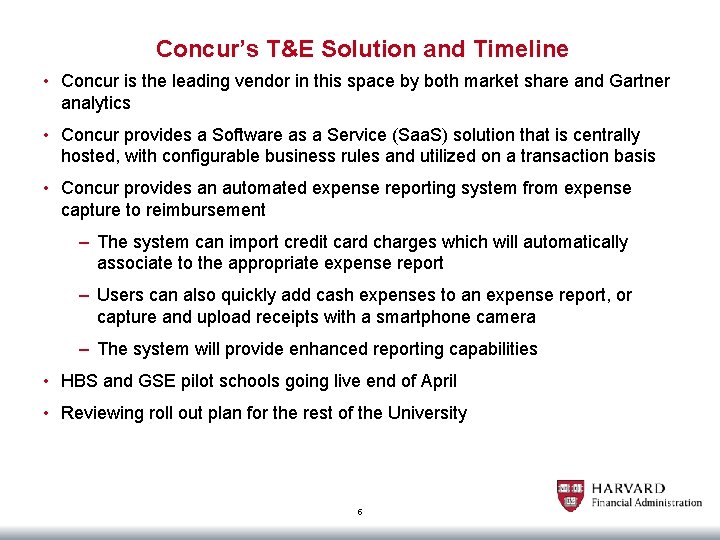
Concur’s T&E Solution and Timeline • Concur is the leading vendor in this space by both market share and Gartner analytics • Concur provides a Software as a Service (Saa. S) solution that is centrally hosted, with configurable business rules and utilized on a transaction basis • Concur provides an automated expense reporting system from expense capture to reimbursement – The system can import credit card charges which will automatically associate to the appropriate expense report – Users can also quickly add cash expenses to an expense report, or capture and upload receipts with a smartphone camera – The system will provide enhanced reporting capabilities • HBS and GSE pilot schools going live end of April • Reviewing roll out plan for the rest of the University 5
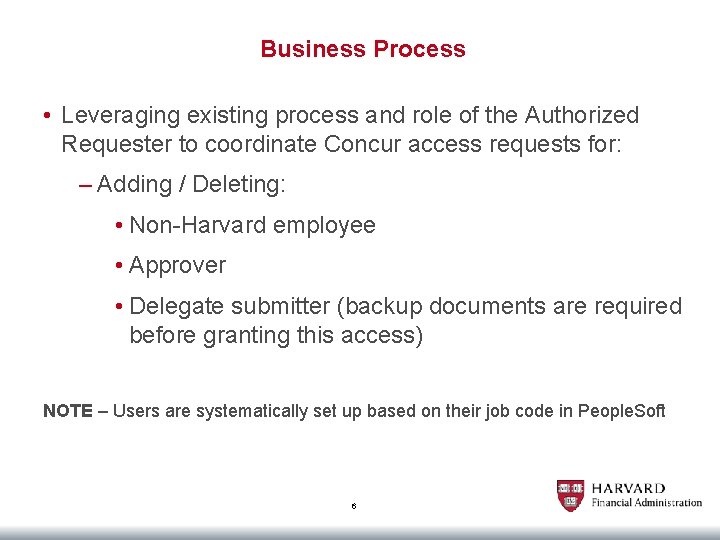
Business Process • Leveraging existing process and role of the Authorized Requester to coordinate Concur access requests for: – Adding / Deleting: • Non-Harvard employee • Approver • Delegate submitter (backup documents are required before granting this access) NOTE – Users are systematically set up based on their job code in People. Soft 6
ROPPA (Responsibility of Purchasers, Preparers and Approvers)
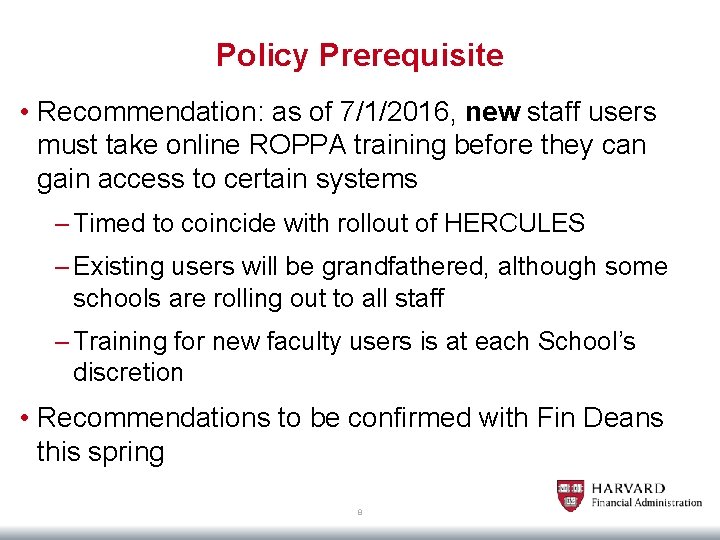
Policy Prerequisite • Recommendation: as of 7/1/2016, new staff users must take online ROPPA training before they can gain access to certain systems – Timed to coincide with rollout of HERCULES – Existing users will be grandfathered, although some schools are rolling out to all staff – Training for new faculty users is at each School’s discretion • Recommendations to be confirmed with Fin Deans this spring 8
Business Process for Prerequisite • Users get a certificate when they pass the online ROPPA assessment • They must attach the certificate to their request for access • Alternately, ARs can run a Course Completion Report in HERCULES to determine if the user has taken training 9
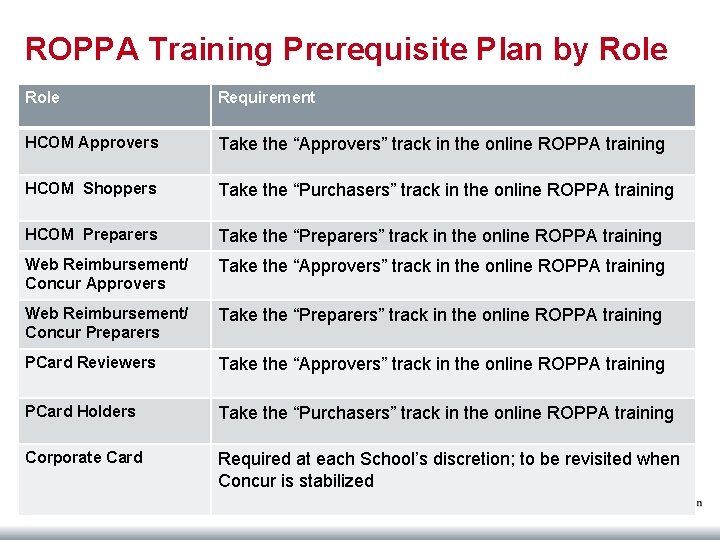
ROPPA Training Prerequisite Plan by Role Requirement HCOM Approvers Take the “Approvers” track in the online ROPPA training HCOM Shoppers Take the “Purchasers” track in the online ROPPA training HCOM Preparers Take the “Preparers” track in the online ROPPA training Web Reimbursement/ Concur Approvers Take the “Approvers” track in the online ROPPA training Web Reimbursement/ Concur Preparers Take the “Preparers” track in the online ROPPA training PCard Reviewers Take the “Approvers” track in the online ROPPA training PCard Holders Take the “Purchasers” track in the online ROPPA training Corporate Card Required at each School’s discretion; to be revisited when Concur is stabilized 10
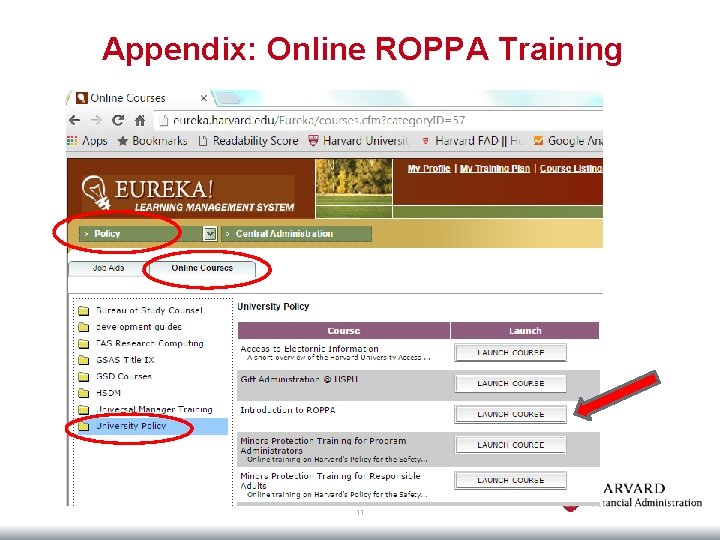
Appendix: Online ROPPA Training 11
Client Services Website (demo)
CADM IT Integration
Goals Deliver more nimble and effective IT services: • More integrated and seamless IT experience for our stakeholders • Faster delivery of services by breaking down barriers and leveraging the collective skills and knowledge of other IT colleagues Provide greater support for CADM IT staff : • Develop critical common IT skills (ITIL, Agile, project management) in the rapidly evolving IT professional landscape • Increase opportunities for professional growth and career mobility while ensuring talent retention • Preserve and build on critical relationships with current work groups 14
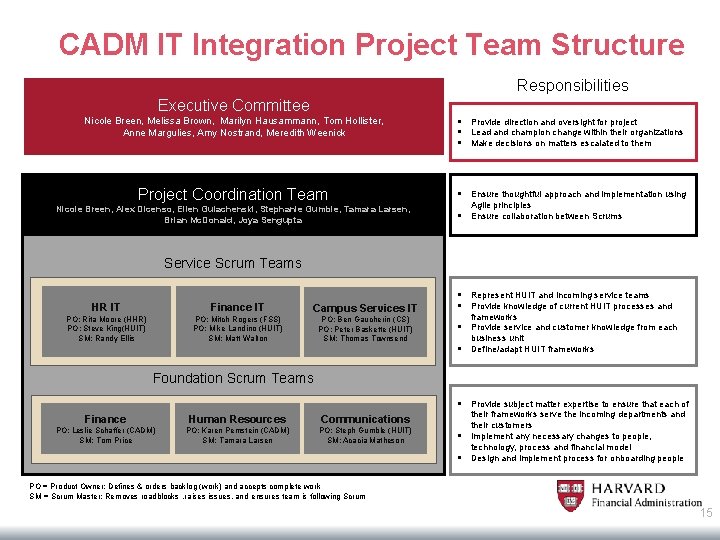
CADM IT Integration Project Team Structure Responsibilities Executive Committee Nicole Breen, Melissa Brown, Marilyn Hausammann, Tom Hollister, Anne Margulies, Amy Nostrand, Meredith Weenick § Provide direction and oversight for project § Lead and champion change within their organizations § Make decisions on matters escalated to them Project Coordination Team § Ensure thoughtful approach and implementation using Nicole Breen, Alex Dicenso, Ellen Gulachenski, Stephanie Gumble, Tamara Larsen, Brian Mc. Donald, Joya Sengupta Agile principles § Ensure collaboration between Scrums Service Scrum Teams HR IT Finance IT Campus Services IT PO: Rita Moore (HHR) PO: Steve King(HUIT) SM: Randy Ellis PO: Mitch Rogers (FSS) PO: Mike Landino (HUIT) SM: Matt Walton PO: Ben Gaucherin (CS) PO: Peter Baskette (HUIT) SM: Thomas Townsend § Represent HUIT and incoming service teams § Provide knowledge of current HUIT processes and frameworks § Provide service and customer knowledge from each business unit § Define/adapt HUIT frameworks Foundation Scrum Teams § Provide subject matter expertise to ensure that each of Finance Human Resources Communications PO: Leslie Schaffer (CADM) SM: Tom Price PO: Karen Pemstein (CADM) SM: Tamara Larsen PO: Steph Gumble (HUIT) SM: Acacia Matheson § § their frameworks serve the incoming departments and their customers Implement any necessary changes to people, technology, process and financial model Design and implement process for onboarding people PO = Product Owner: Defines & orders backlog (work) and accepts complete work SM = Scrum Master: Removes roadblocks , raises issues, and ensures team is following Scrum 15
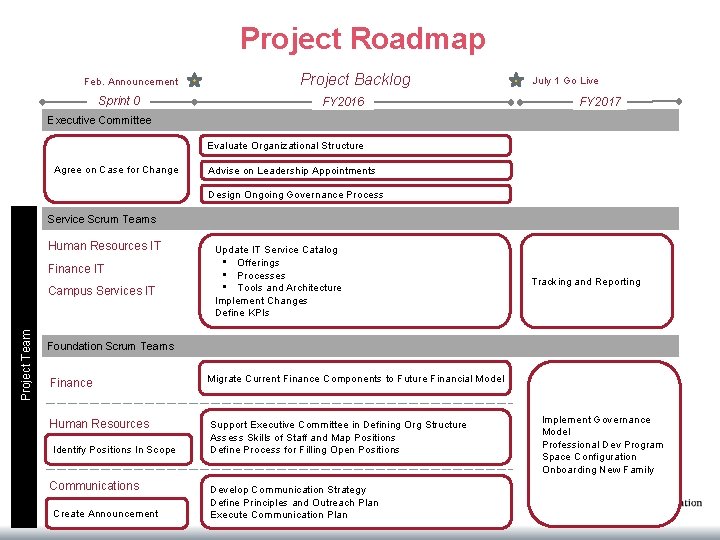
Project Roadmap Feb. Announcement Sprint 0 Project Backlog FY 2016 July 1 Go Live FY 2017 Executive Committee Evaluate Organizational Structure Agree on Case for Change Advise on Leadership Appointments Design Ongoing Governance Process Service Scrum Teams Human Resources IT Finance IT Project Team Campus Services IT Update IT Service Catalog • Offerings • Processes • Tools and Architecture Implement Changes Define KPIs Tracking and Reporting Foundation Scrum Teams Finance Migrate Current Finance Components to Future Financial Model Human Resources Support Executive Committee in Defining Org Structure Assess Skills of Staff and Map Positions Define Process for Filling Open Positions Identify Positions In Scope Communications Create Announcement Develop Communication Strategy Define Principles and Outreach Plan Execute Communication Plan Implement Governance Model Professional Dev Program Space Configuration Onboarding New Family
Project Communications For more information on the project, visit: http: //huit. harvard. edu/cadm-it-integration Email your thoughts and questions to: cadm_it_integration@harvard. edu 17
MFR Update
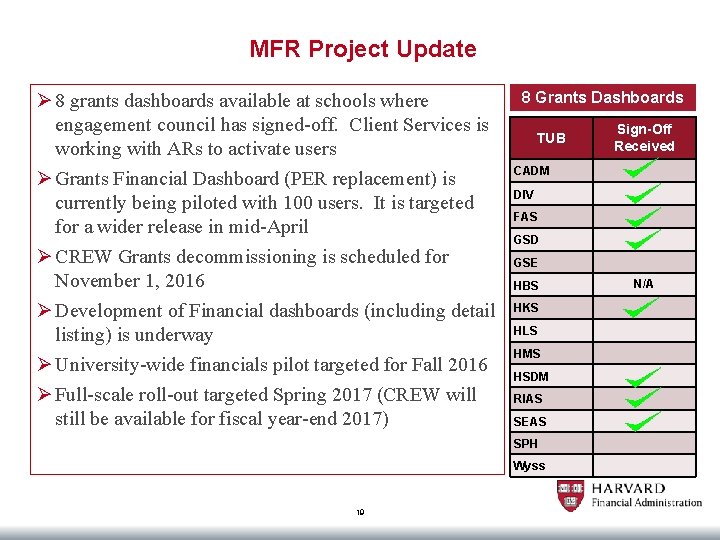
MFR Project Update Ø 8 grants dashboards available at schools where engagement council has signed-off. Client Services is working with ARs to activate users Ø Grants Financial Dashboard (PER replacement) is currently being piloted with 100 users. It is targeted for a wider release in mid-April Ø CREW Grants decommissioning is scheduled for November 1, 2016 Ø Development of Financial dashboards (including detail listing) is underway Ø University-wide financials pilot targeted for Fall 2016 Ø Full-scale roll-out targeted Spring 2017 (CREW will still be available for fiscal year-end 2017) 8 Grants Dashboards TUB CADM DIV FAS GSD GSE HBS HKS HLS HMS HSDM RIAS SEAS SPH Wyss 19 Sign-Off Received N/A
PWC Audit Updates • Reminder that PWC will be performing the annual audit in the June • They will be taking a sample of YAR returns – If you are called upon, you will need to provide requested backup from the 2015 YAR
Hercules presentation April 5, 2016 Authorized Requestor Meeting
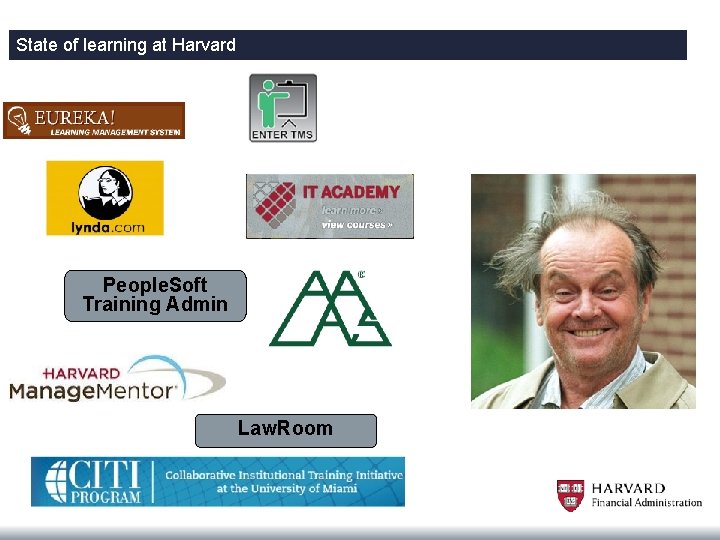
State of learning at Harvard People. Soft Training Admin Law. Room
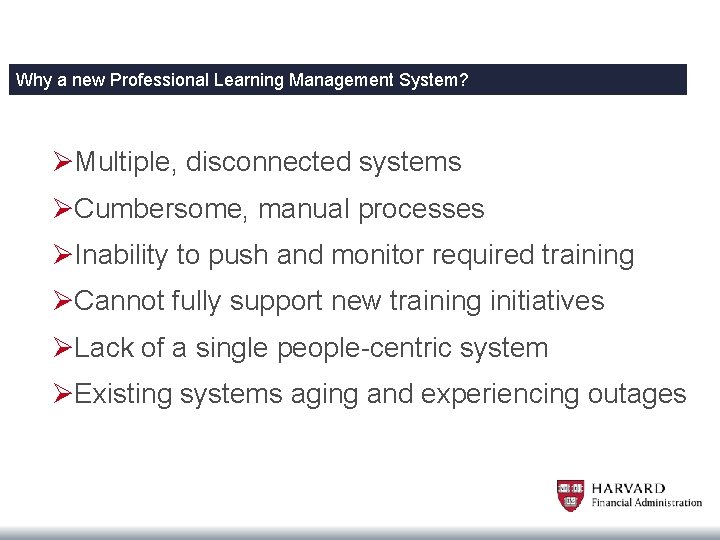
Why a new Professional Learning Management System? ØMultiple, disconnected systems ØCumbersome, manual processes ØInability to push and monitor required training ØCannot fully support new training initiatives ØLack of a single people-centric system ØExisting systems aging and experiencing outages
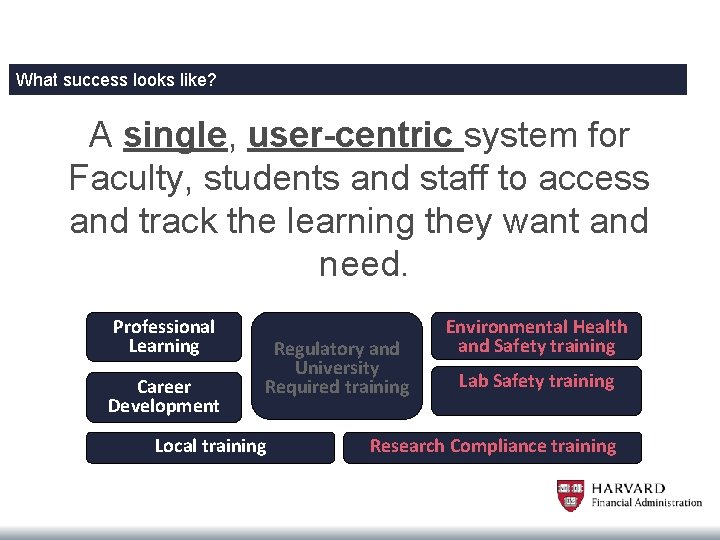
What success looks like? A single, user-centric system for Faculty, students and staff to access and track the learning they want and need. Professional Learning Career Development Regulatory and University Required training Local training Environmental Health and Safety training Lab Safety training Research Compliance training
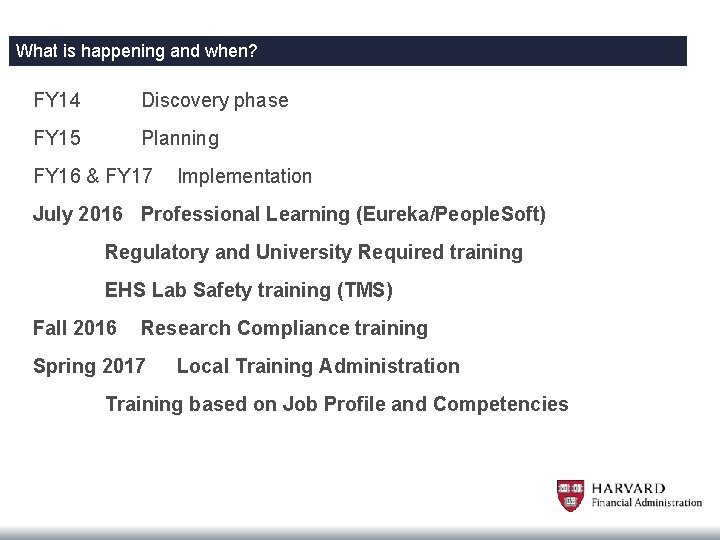
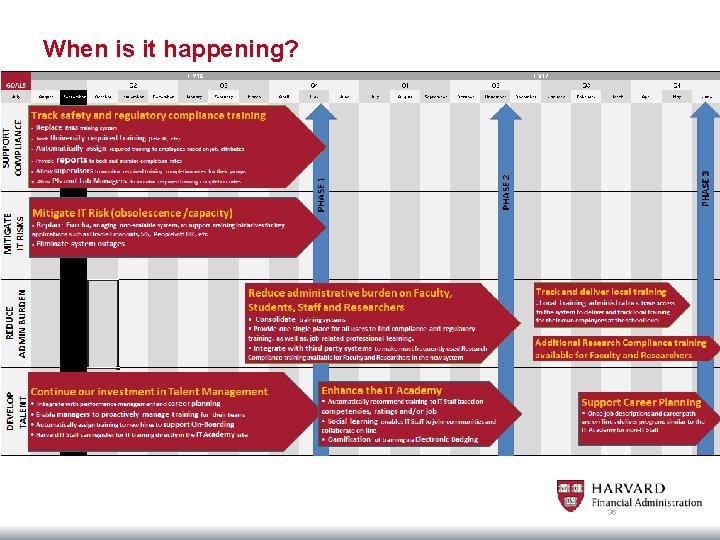
What is happening and when? FY 14 Discovery phase FY 15 Planning FY 16 & FY 17 Implementation July 2016 Professional Learning (Eureka/People. Soft) Regulatory and University Required training EHS Lab Safety training (TMS) Fall 2016 Research Compliance training Spring 2017 Local Training Administration Training based on Job Profile and Competencies
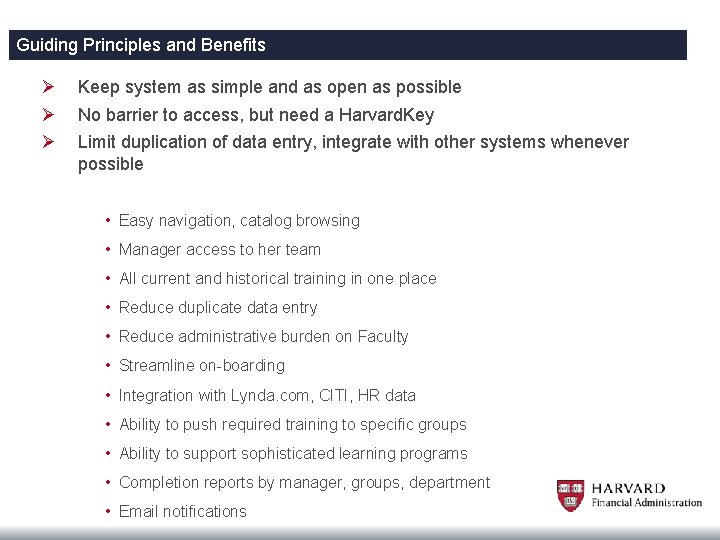
Guiding Principles and Benefits Ø Ø Ø Keep system as simple and as open as possible No barrier to access, but need a Harvard. Key Limit duplication of data entry, integrate with other systems whenever possible • Easy navigation, catalog browsing • Manager access to her team • All current and historical training in one place • Reduce duplicate data entry • Reduce administrative burden on Faculty • Streamline on-boarding • Integration with Lynda. com, CITI, HR data • Ability to push required training to specific groups • Ability to support sophisticated learning programs • Completion reports by manager, groups, department • Email notifications
Benefits Ø Keep system as simple and as open as possible Ø No barrier to access, but need a Harvard. Key Ø Limit duplication of data entry, integrate with other systems whenever possible 27
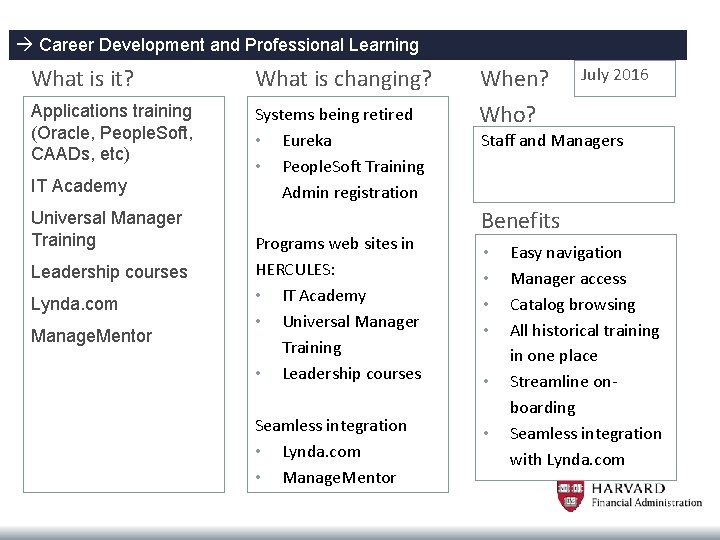
Career Development and Professional Learning What is it? What is changing? Applications training (Oracle, People. Soft, CAADs, etc) Systems being retired • Eureka • People. Soft Training Admin registration IT Academy Universal Manager Training Leadership courses Lynda. com Manage. Mentor Programs web sites in HERCULES: • IT Academy • Universal Manager Training • Leadership courses Seamless integration • Lynda. com • Manage. Mentor When? Who? July 2016 Staff and Managers Benefits • • • Easy navigation Manager access Catalog browsing All historical training in one place Streamline onboarding Seamless integration with Lynda. com
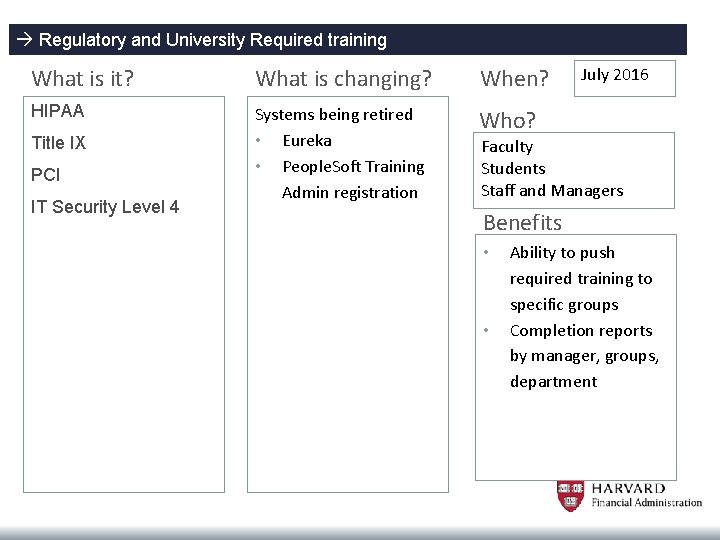
Regulatory and University Required training What is it? What is changing? When? HIPAA Systems being retired • Eureka • People. Soft Training Admin registration Who? Title IX PCI IT Security Level 4 July 2016 Faculty Students Staff and Managers Benefits • • Ability to push required training to specific groups Completion reports by manager, groups, department
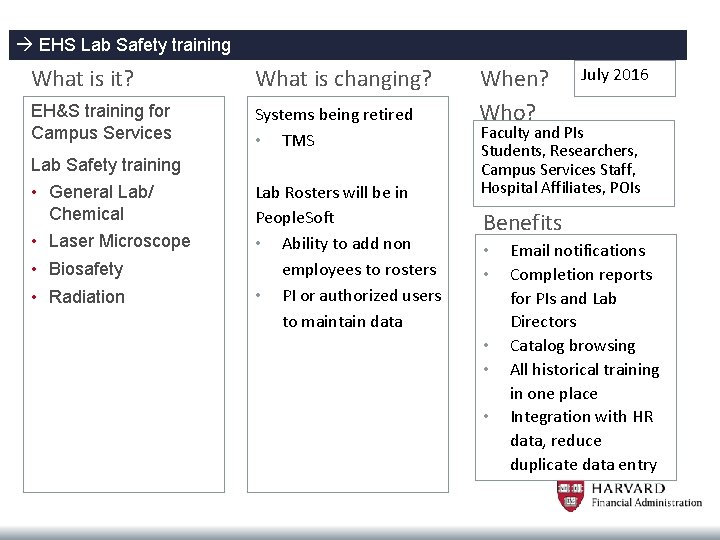
EHS Lab Safety training What is it? What is changing? EH&S training for Campus Services Systems being retired • TMS Lab Safety training • General Lab/ Chemical • Laser Microscope • Biosafety • Radiation Lab Rosters will be in People. Soft • Ability to add non employees to rosters • PI or authorized users to maintain data When? Who? July 2016 Faculty and PIs Students, Researchers, Campus Services Staff, Hospital Affiliates, POIs Benefits • • • Email notifications Completion reports for PIs and Lab Directors Catalog browsing All historical training in one place Integration with HR data, reduce duplicate data entry
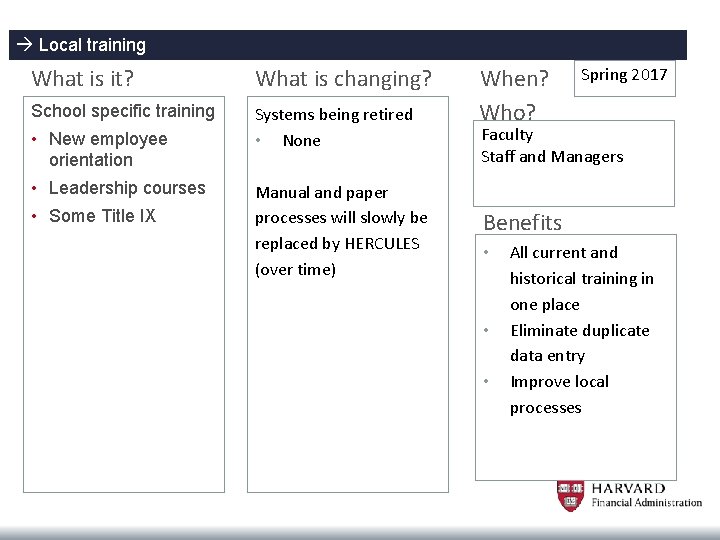
Local training What is it? What is changing? School specific training Systems being retired • None • New employee orientation • Leadership courses • Some Title IX Manual and paper processes will slowly be replaced by HERCULES (over time) When? Who? Spring 2017 Faculty Staff and Managers Benefits • • • All current and historical training in one place Eliminate duplicate data entry Improve local processes
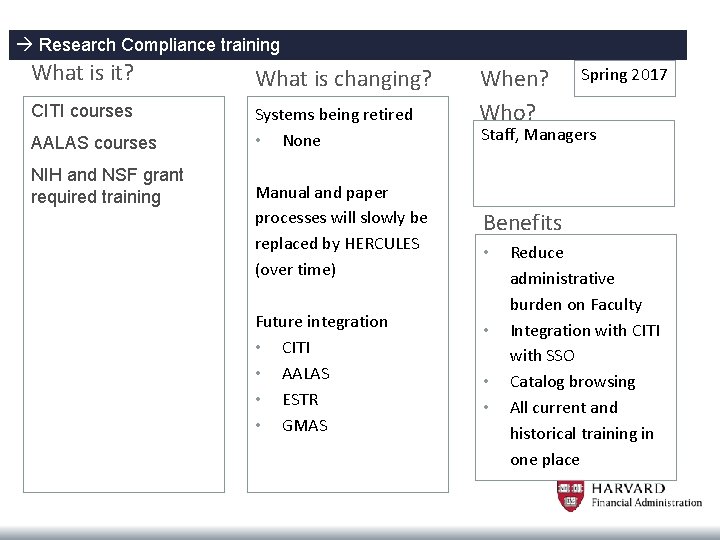
Research Compliance training What is it? What is changing? CITI courses Systems being retired • None AALAS courses NIH and NSF grant required training Manual and paper processes will slowly be replaced by HERCULES (over time) Future integration • CITI • AALAS • ESTR • GMAS When? Who? Spring 2017 Staff, Managers Benefits • • Reduce administrative burden on Faculty Integration with CITI with SSO Catalog browsing All current and historical training in one place
Who is involved? Sponsors ØMarilyn Hausammann, VP HR ØAra Tahmassian, University Chief Research Compliance Officer ØPam Caudill, Chief Research Operations Officer, HMS
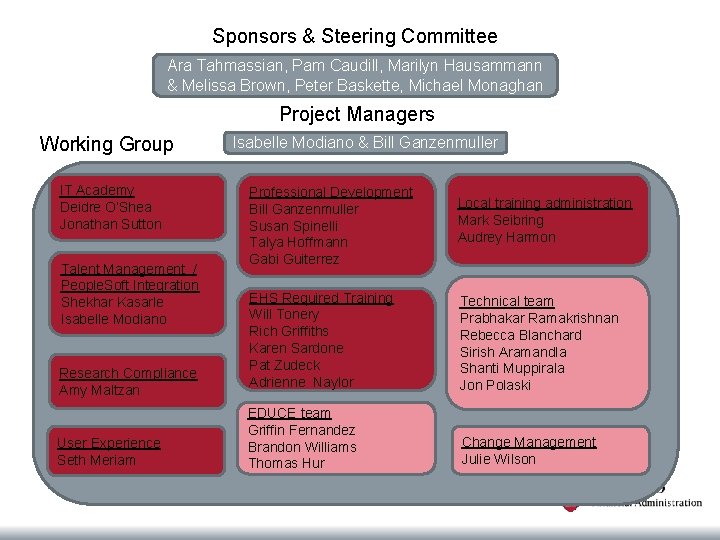
Sponsors & Steering Committee Ara Tahmassian, Pam Caudill, Marilyn Hausammann & Melissa Brown, Peter Baskette, Michael Monaghan Project Managers Working Group IT Academy Deidre O’Shea Jonathan Sutton Talent Management / People. Soft Integration Shekhar Kasarle Isabelle Modiano Research Compliance Amy Maltzan User Experience Seth Meriam Isabelle Modiano & Bill Ganzenmuller Professional Development Bill Ganzenmuller Susan Spinelli Talya Hoffmann Gabi Guiterrez Local training administration Mark Seibring Audrey Harmon EHS Required Training Will Tonery Rich Griffiths Karen Sardone Pat Zudeck Adrienne Naylor Technical team Prabhakar Ramakrishnan Rebecca Blanchard Sirish Aramandla Shanti Muppirala Jon Polaski EDUCE team Griffin Fernandez Brandon Williams Thomas Hur Change Management Julie Wilson
Who to contact? Questions? hercules@harvard. edu You can send us a request to be added to our mailing list for updates.
When is it happening? 36
Chart of Accounts Disable Process Changes
Changes to the Fund Disabling Process • Presentation is a follow up to the 2/26/16 email sent to all ARs that provided an update on changes/improvements that have been made to the disable process as it relates to fund disable requests and the new review now being done of the Balance Forward attributes of those funds. • Changes made in an attempt to clean up the General Ledger by reducing the number of journal lines incorrectly carried year to year because of improper fund disables. • Areas where this issue has shown up are: v Petty cash entries for a closed petty cash fund v Balance forward entries v Payroll coding stored in People. Soft
Changes to the Fund Disabling Process (con’t) • Historically when Financial Accounting and Reporting (FAR) received a Fund Disable request a Disable Impact report would be run to make sure the fund’s GL balance net result was $0. • More recently it was discovered that one had to take the fund’s balance forward (BF) attribute into consideration to make sure that the fund is zeroed out at the level that it carries to in the next fiscal year. • Otherwise we end up with multiple valueless balance forward lines in the General Ledger (GL) the next fiscal year and for years to follow.
Changes to the Fund Disabling Process (con’t) • The new process FAR is now following when a Fund Disable request is received: Ø FAR determines the Balance Forward attribute. This will tell how the fund’s balance is being carried forward to the next fiscal year: if it is at the org level only (BO), at the org and activity level (BOA), at the org, activity and subactivity level (BOAS), at the org, activity, subactivity and root levels (BOAR) or basically at any other combination of chart values (i. e. org and root values (BOR)). Ø FAR runs a Summary Actual report using as parameters the Balance Forward DFF. As an example, if the Balance Forward DFF on Fund X was BOAR you would sort your data as follows: v. Primary Sort Criteria: Org v. Secondary Sort Criteria: Activity v. Third Sort Criteria: Root You would subtotal at each criteria to ensure everything zeroes out as needed at each change in the org, activity, root accounting string.
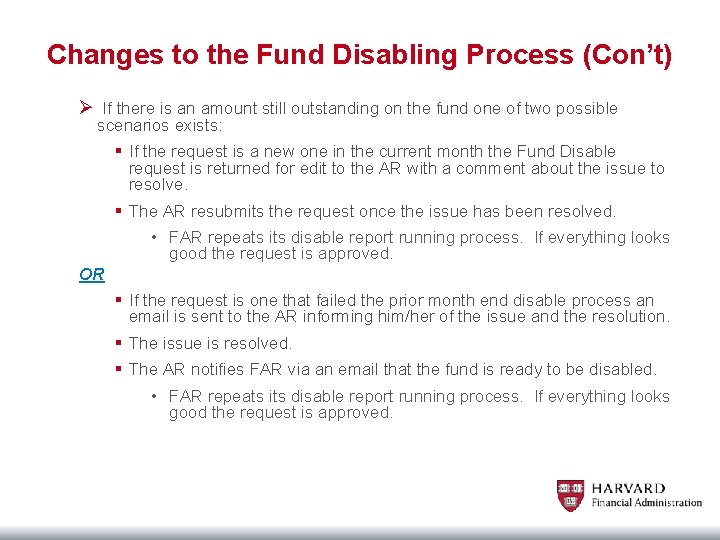
Changes to the Fund Disabling Process (Con’t) Ø If there is an amount still outstanding on the fund one of two possible scenarios exists: § If the request is a new one in the current month the Fund Disable request is returned for edit to the AR with a comment about the issue to resolve. § The AR resubmits the request once the issue has been resolved. • FAR repeats its disable report running process. If everything looks good the request is approved. OR § If the request is one that failed the prior month end disable process an email is sent to the AR informing him/her of the issue and the resolution. § The issue is resolved. § The AR notifies FAR via an email that the fund is ready to be disabled. • FAR repeats its disable report running process. If everything looks good the request is approved.
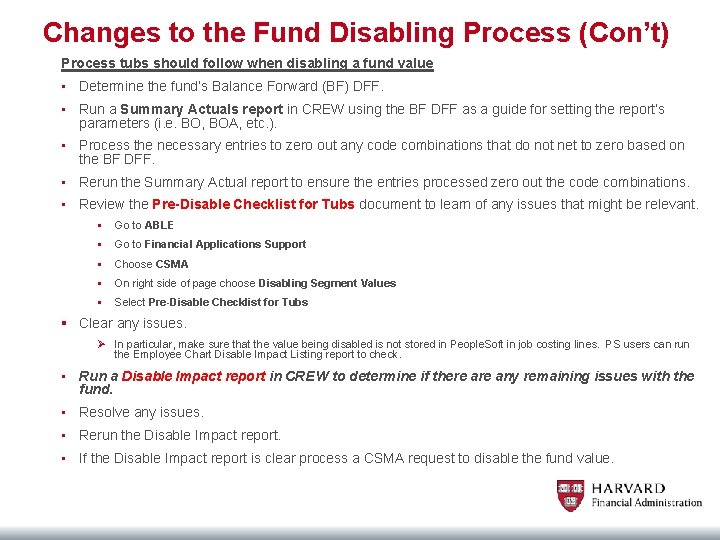
Changes to the Fund Disabling Process (Con’t) Process tubs should follow when disabling a fund value • Determine the fund’s Balance Forward (BF) DFF. • Run a Summary Actuals report in CREW using the BF DFF as a guide for setting the report’s parameters (i. e. BO, BOA, etc. ). • Process the necessary entries to zero out any code combinations that do not net to zero based on the BF DFF. • Rerun the Summary Actual report to ensure the entries processed zero out the code combinations. • Review the Pre-Disable Checklist for Tubs document to learn of any issues that might be relevant. § Go to ABLE § Go to Financial Applications Support § Choose CSMA § On right side of page choose Disabling Segment Values § Select Pre-Disable Checklist for Tubs § Clear any issues. Ø In particular, make sure that the value being disabled is not stored in People. Soft in job costing lines. PS users can run the Employee Chart Disable Impact Listing report to check. • Run a Disable Impact report in CREW to determine if there any remaining issues with the fund. • Resolve any issues. • Rerun the Disable Impact report. • If the Disable Impact report is clear process a CSMA request to disable the fund value.
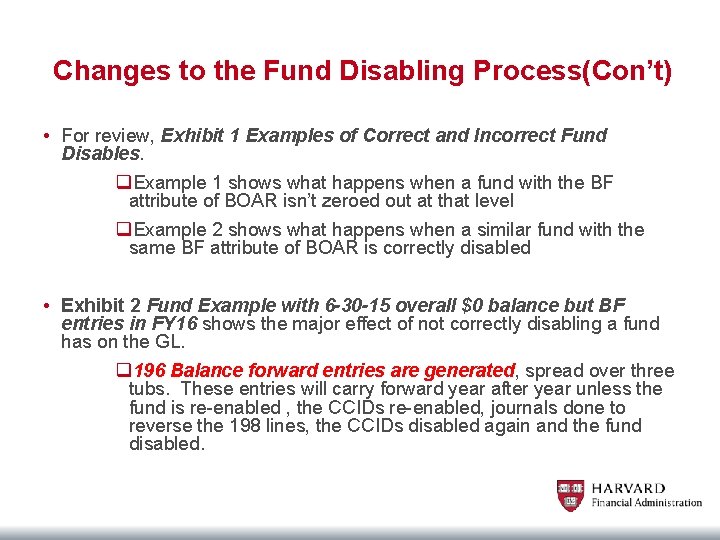
Changes to the Fund Disabling Process(Con’t) • For review, Exhibit 1 Examples of Correct and Incorrect Fund Disables. q. Example 1 shows what happens when a fund with the BF attribute of BOAR isn’t zeroed out at that level q. Example 2 shows what happens when a similar fund with the same BF attribute of BOAR is correctly disabled • Exhibit 2 Fund Example with 6 -30 -15 overall $0 balance but BF entries in FY 16 shows the major effect of not correctly disabling a fund has on the GL. q 196 Balance forward entries are generated, spread over three tubs. These entries will carry forward year after year unless the fund is re-enabled , the CCIDs re-enabled, journals done to reverse the 198 lines, the CCIDs disabled again and the fund disabled.
QUESTIONS THANK YOU!