
Augmented Reality in the Classroom Leonardo Tamayo Torres
- Slides: 13
Augmented Reality in the Classroom Leonardo Tamayo Torres
Learning Objectives By the end of this lesson, you will be able to: ● Define augmented reality and be familiar with its classroom applications. ● Make and use augmented reality experiences that can be used in your classroom. ● Navigate the augmented reality software Metaverse and its app to display content to your students.
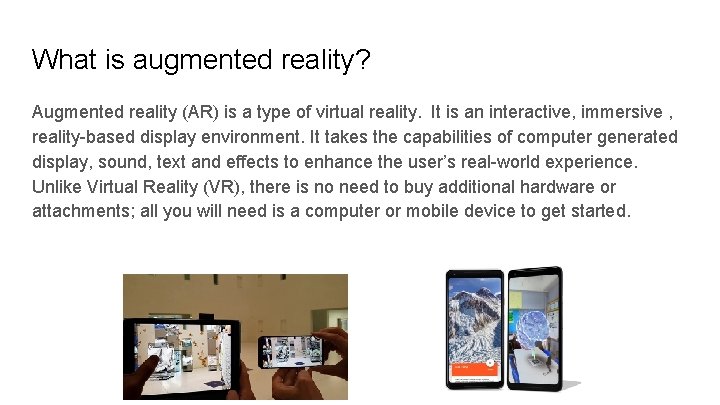
What is augmented reality? Augmented reality (AR) is a type of virtual reality. It is an interactive, immersive , reality-based display environment. It takes the capabilities of computer generated display, sound, text and effects to enhance the user’s real-world experience. Unlike Virtual Reality (VR), there is no need to buy additional hardware or attachments; all you will need is a computer or mobile device to get started.
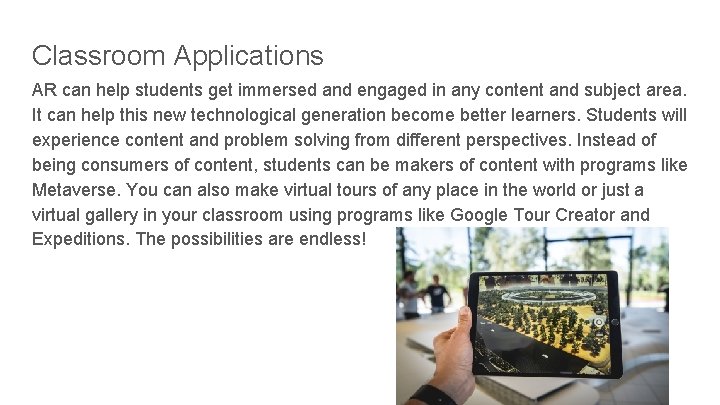
Classroom Applications AR can help students get immersed and engaged in any content and subject area. It can help this new technological generation become better learners. Students will experience content and problem solving from different perspectives. Instead of being consumers of content, students can be makers of content with programs like Metaverse. You can also make virtual tours of any place in the world or just a virtual gallery in your classroom using programs like Google Tour Creator and Expeditions. The possibilities are endless!
What are you waiting for? Be a part of this growing field in education. Make content come alive in your classroom! There are tools ready for you to get started in augmented reality. I will show you how to get started with Metaverse which will help facilitate the process. You don’t have to be an expert; all you need is the right tools and your imagination. Let's get started!
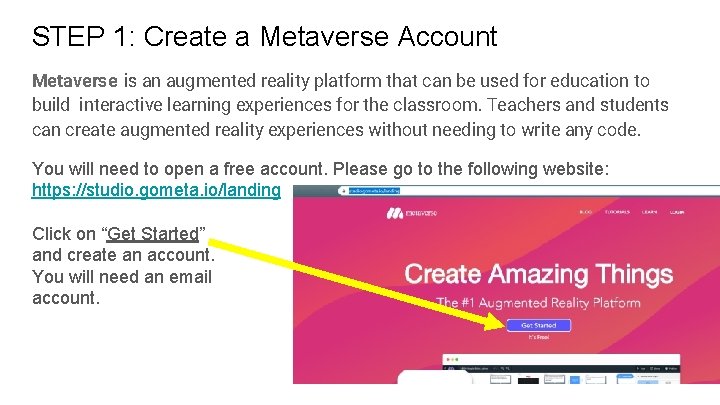
STEP 1: Create a Metaverse Account Metaverse is an augmented reality platform that can be used for education to build interactive learning experiences for the classroom. Teachers and students can create augmented reality experiences without needing to write any code. You will need to open a free account. Please go to the following website: https: //studio. gometa. io/landing Click on “Get Started” and create an account. You will need an email account.
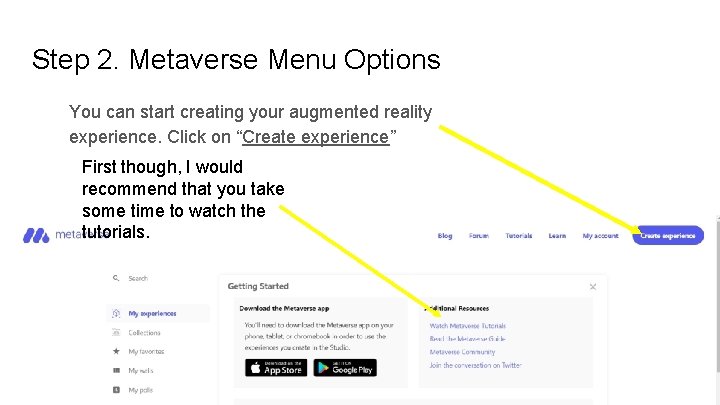
Step 2. Metaverse Menu Options You can start creating your augmented reality experience. Click on “Create experience” First though, I would recommend that you take some time to watch the tutorials.
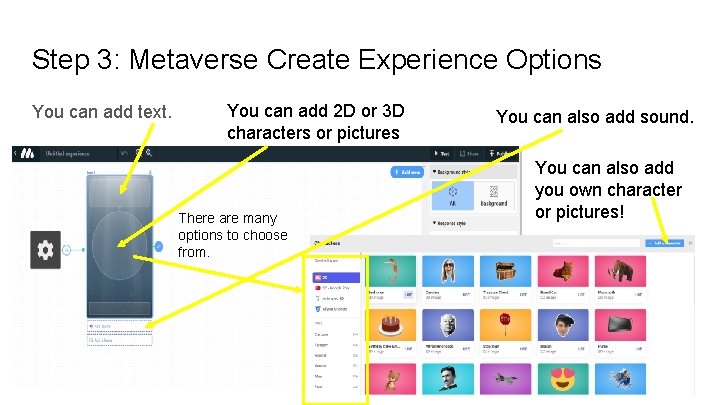
Step 3: Metaverse Create Experience Options You can add text. You can add 2 D or 3 D characters or pictures There are many options to choose from. You can also add sound. You can also add you own character or pictures!
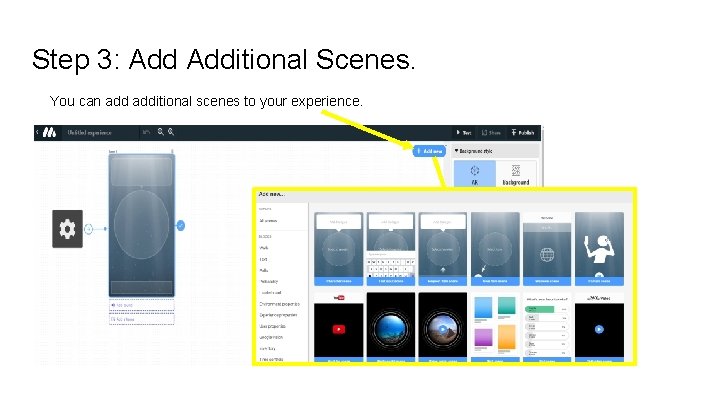
Step 3: Additional Scenes. You can additional scenes to your experience.
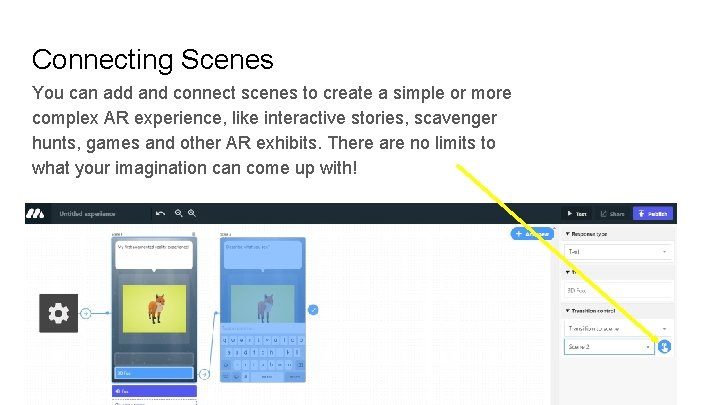
Connecting Scenes You can add and connect scenes to create a simple or more complex AR experience, like interactive stories, scavenger hunts, games and other AR exhibits. There are no limits to what your imagination can come up with!
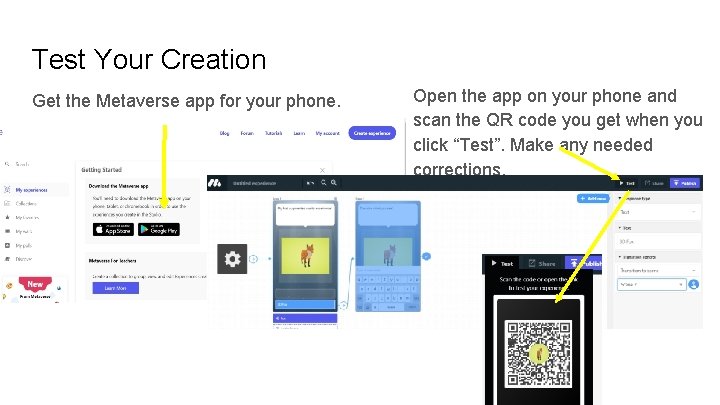
Test Your Creation Get the Metaverse app for your phone. Open the app on your phone and scan the QR code you get when you click “Test”. Make any needed corrections.
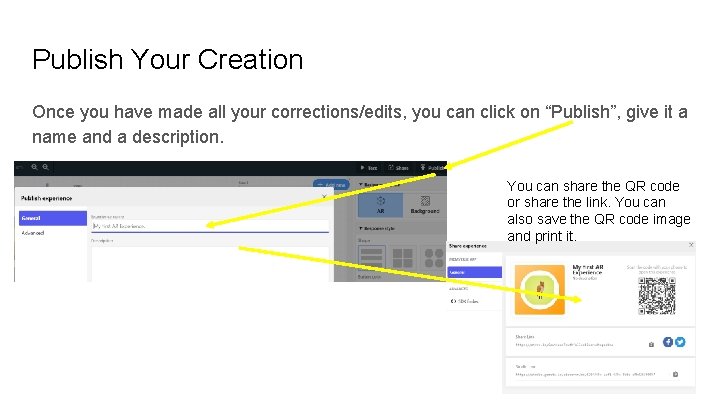
Publish Your Creation Once you have made all your corrections/edits, you can click on “Publish”, give it a name and a description. You can share the QR code or share the link. You can also save the QR code image and print it.
Thank You. Empower Your Students. Let their imaginations loose and augment their reality!