
Audio Multimedia Broadcast UNDERSTANDING AUDIO Audio Terms Analog
Audio Multimedia Broadcast
UNDERSTANDING AUDIO
Audio Terms • Analog Audio – Sound Waves that are recorded directly onto a medium such as a tape. • Digital Audio – Sound Waves are sampled and stored a computer or other device. • Channels – Audio is usually separated into separate channels. For Multimedia and Broadcast, usually audio is restricted to a left and right channel if the device is in Stereo. If the device is in mono, then you will only have one channel – Mono • Audio singles are mixed together to create one source – Stereo • Signals are separated into left and right channels
Audio Terms • Audio Pickup Patterns – Omnidirectional • Omni or all, sound is picked up from all directions – Unidirectional • Uni or one, sound comes from the one direction it is pointed at – Bidirectional • Bi or two, sound comes from two different or opposite directions – Cardioid • Or heart shaped, sound is very close to unidirectional with some pickup to the sides. Usually most hand-held microphones have this pattern
Pickup Pattern Practice • Create a sketch of what you think a pickup pattern would look like on a paper for each of the following microphones – Omnidirectional – Unidirectional – Bidirectional – Cardioid • Compare your sketch with a partner.
Audio Terms • Ambient Audio – The sound that exists in the room without creating any additional sounds. • Sound Effects – Artificial sounds that did not exist in the original recording • Music – Used to create dramatic moods or fill voids in sound
MICROPHONE TYPES &PLACEMENT
Lavaliere Microphone • Typically used in situations that allow for the talent to sit down and be interviewed • These microphones can be both wired and wireless. – If they are wireless, they normally have to have programmed to specific frequencies – Wireless systems have a transmitter pack with a wired microphone and a receiver with 1 or 2 antennas
Lavaliere Microphone Placement • Place the corded part of the transmitter on the outside of your talent’s shirt by using a microphone clip • Try to avoid placing the clip so that is causes the microphone to rub against the talent’s shirt. – Also, ask your talent to run the corded portion under his/her shirt so it looks more professionally done
Boom Microphone • Also called a Shotgun Microphone • A directional microphone that typically is used in situations where your subject will be moving or if there are more subjects than you have microphones.
Boom Microphone Placement • On top of a small camera or a DSLR photography camera – Typically these use a ¼” jack. – Some will still use a XLR cord • Mount a shotgun microphone onto a boom pole that needs to be pointed at the person speaking.
Hand-Held Microphone • • Sometimes called a stick or hand mic Many have an off/on switch Can be wired or wireless If wireless, the microphone will be attached to a transmitter that sends a signal to a receiver attached to your camera
Hand-Held Microphone Placement • The best way to measure where you place a hand-held microphone is to use your fist. • Place your fist against the bottom of your chin, then place the microphone against the bottom of your fist. • Try to estimate the same distance if you are interviewing someone while using it – Don’t forget to point it at their mouth when they are talking
AUDIO ACCESSORIES
Common Audio Accessories • • • XLR Cables RCA Cables 1/4” cable 1/4” to XLR Adapter Sound Mixer
Microphone Practice • In small groups, do a field test for each of the microphones that you have in your class. • Try testing each of the microphones in different settings – Inside a small room with and without other people – Inside a large room with and without other people – Outside near people and away from people
AUDIO SOFTWARE
What to look for • There a variety of audio editing software packages available for free and for a cost. • When choosing, consider these features: – The ability to record audio through a port on your computer – The ability to trim the beginning, middle and end of your recording – The ability to change the volume of tracks – The ability to mix multiple sources into a master track – The ability to apply filters or effects to alter original tracks – The ability to save the finished edit in various formats
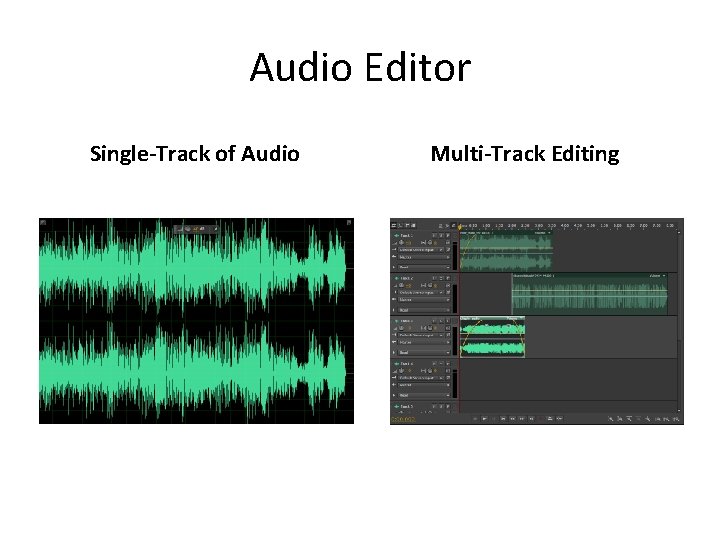
Audio Editor Single-Track of Audio Multi-Track Editing
Audio in Journalism Projects • Conduct an audio interview • Create an audio feature completely of others words • Create an audio talk show or podcast • Create an complete audio story
Advanced Audio Moving beyond basic knowledge
Advanced Audio • How do we hear sounds and why do they sound different? –Frequency –Amplitude
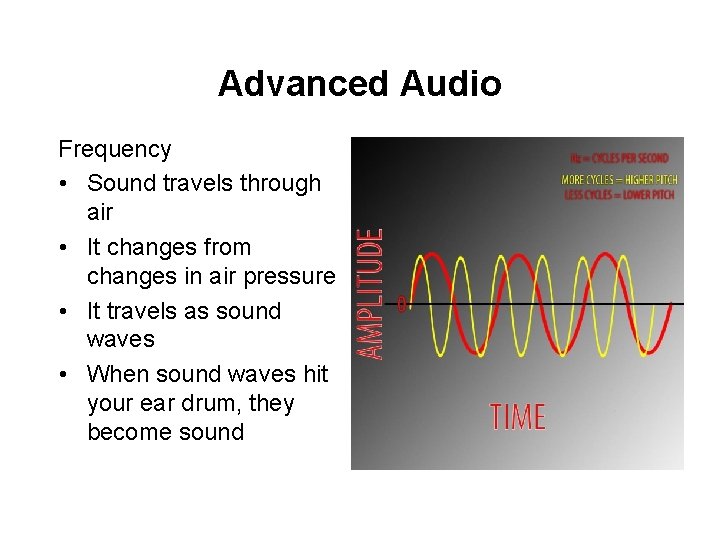
Advanced Audio Frequency • Sound travels through air • It changes from changes in air pressure • It travels as sound waves • When sound waves hit your ear drum, they become sound
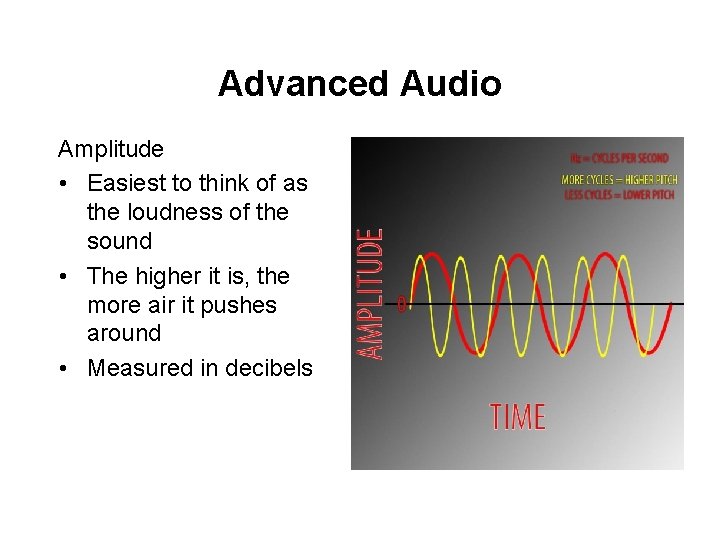
Advanced Audio Amplitude • Easiest to think of as the loudness of the sound • The higher it is, the more air it pushes around • Measured in decibels
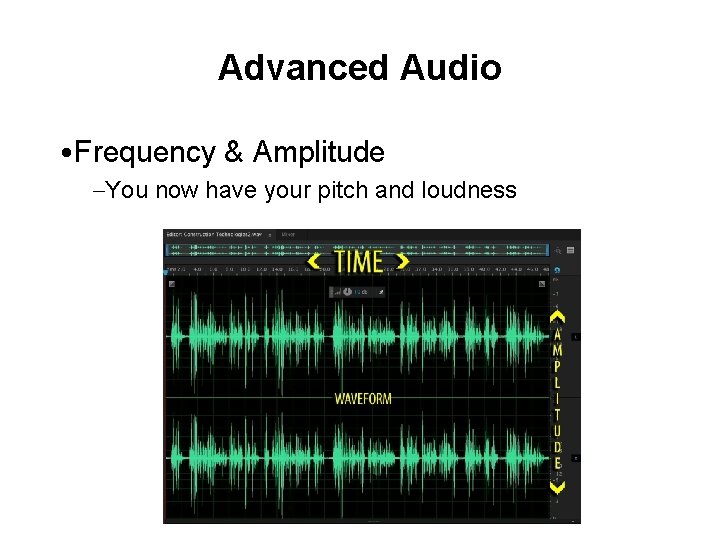
Advanced Audio • Frequency & Amplitude –You now have your pitch and loudness
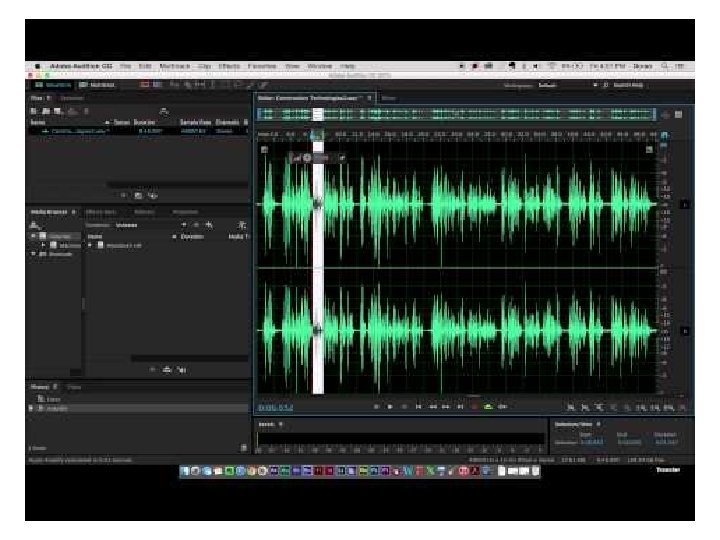
Advanced Audio • Human Hearing –Low 20 Hz –High 20 k. Hz • Advanced Audio Hands On –Using your audio editor, record a simple voice over and experiment with raising or lowering the volume at different levels of amplitude or db (decibels) • Watch the Audio Hands on Example for short tips
- Slides: 27