
Audience Response Systems A brief look at Turning
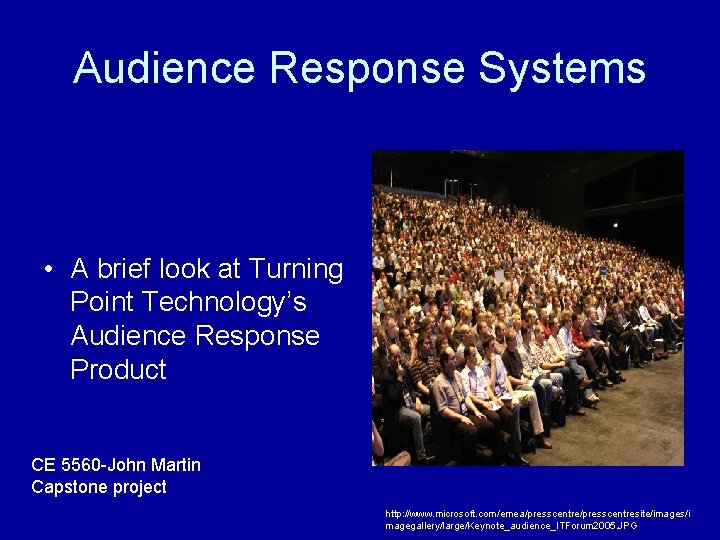
Audience Response Systems • A brief look at Turning Point Technology’s Audience Response Product CE 5560 -John Martin Capstone project http: //www. microsoft. com/emea/presscentresite/images/i magegallery/large/Keynote_audience_ITForum 2005. JPG
What’s all the Buzz? • Teachers can conduct: – Electronic testing – Assessments – Anonymous surveys and opinion polls – Games that allow every student in the class to participate
Why is it important? . . . • Presentations are more meaningful when the audience participates • Enlivens a presentation – Keeps learners engaged – Immediate audience feedback – Authentic assessment tool
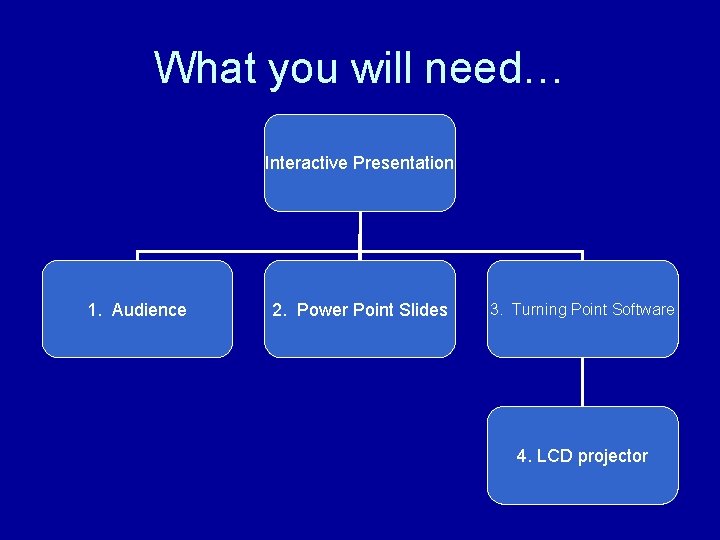
What you will need… Interactive Presentation 1. Audience 2. Power Point Slides 3. Turning Point Software 4. LCD projector
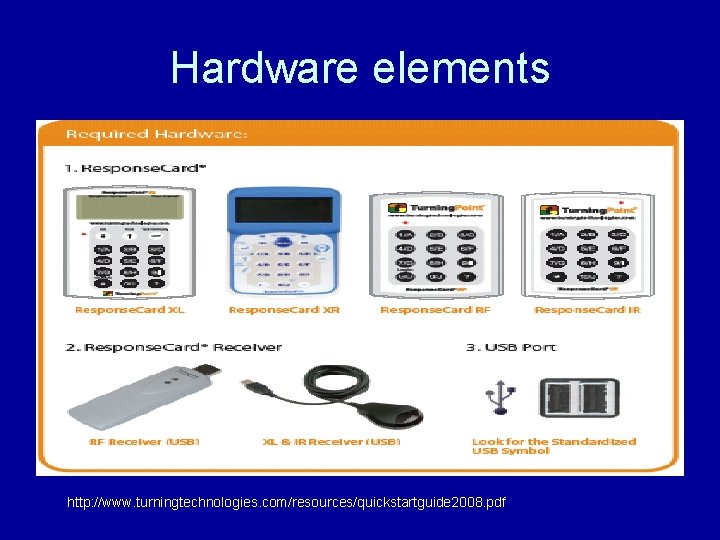
Hardware elements http: //www. turningtechnologies. com/resources/quickstartguide 2008. pdf
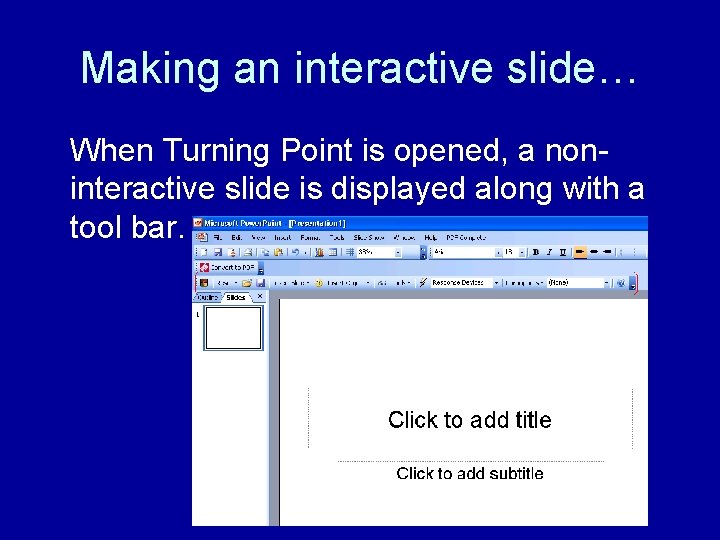
Making an interactive slide… When Turning Point is opened, a noninteractive slide is displayed along with a tool bar.
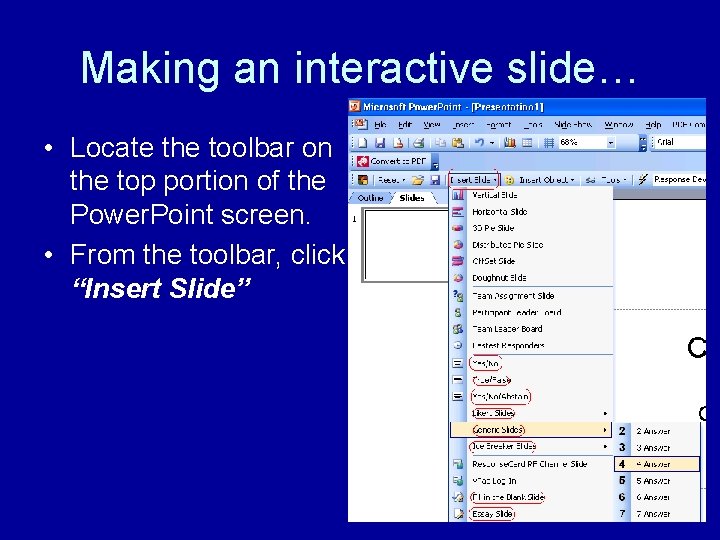
Making an interactive slide… • Locate the toolbar on the top portion of the Power. Point screen. • From the toolbar, click “Insert Slide”
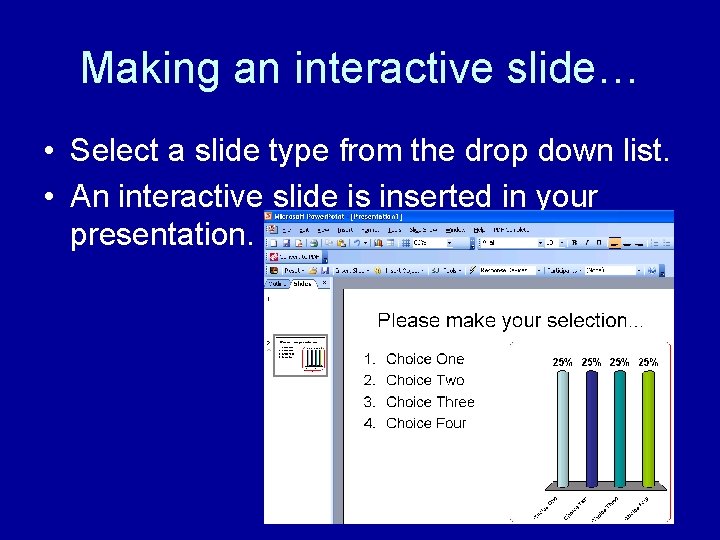
Making an interactive slide… • Select a slide type from the drop down list. • An interactive slide is inserted in your presentation.
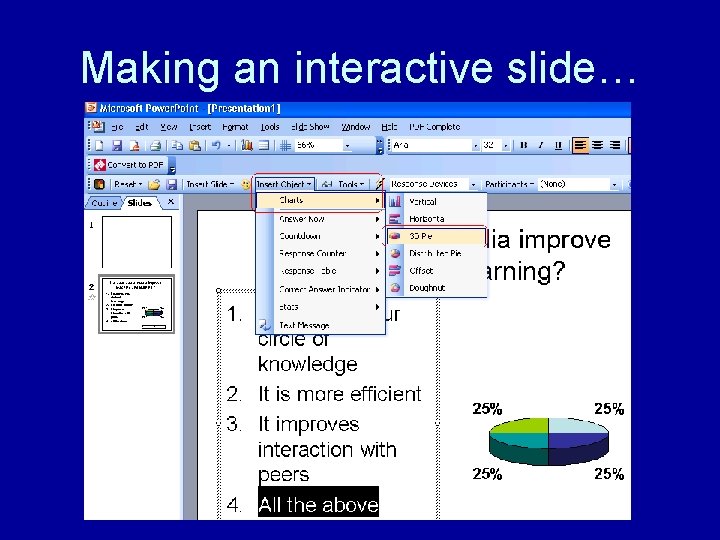
Making an interactive slide…
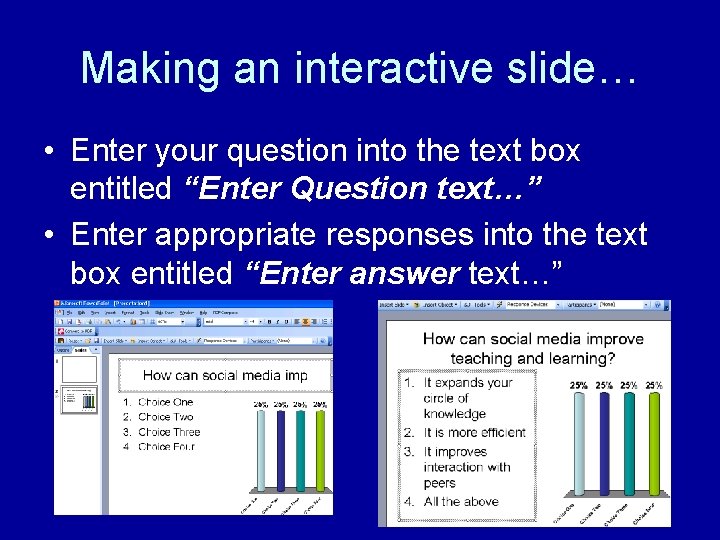
Making an interactive slide… • Enter your question into the text box entitled “Enter Question text…” • Enter appropriate responses into the text box entitled “Enter answer text…”
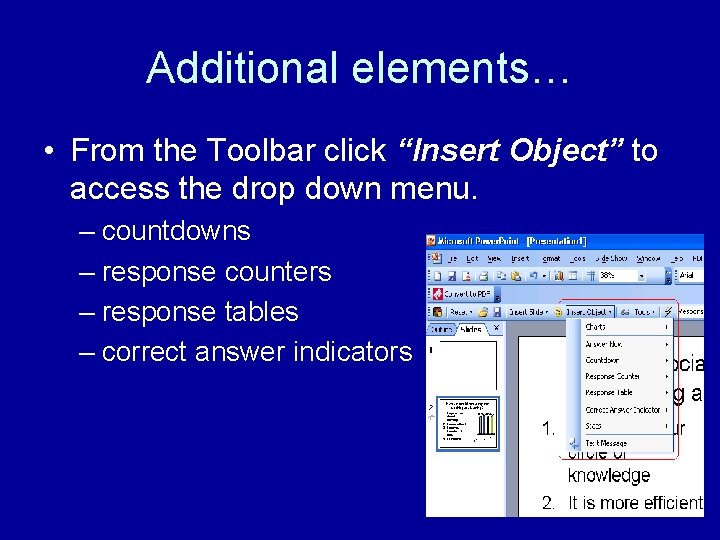
Additional elements… • From the Toolbar click “Insert Object” to access the drop down menu. – countdowns – response counters – response tables – correct answer indicators
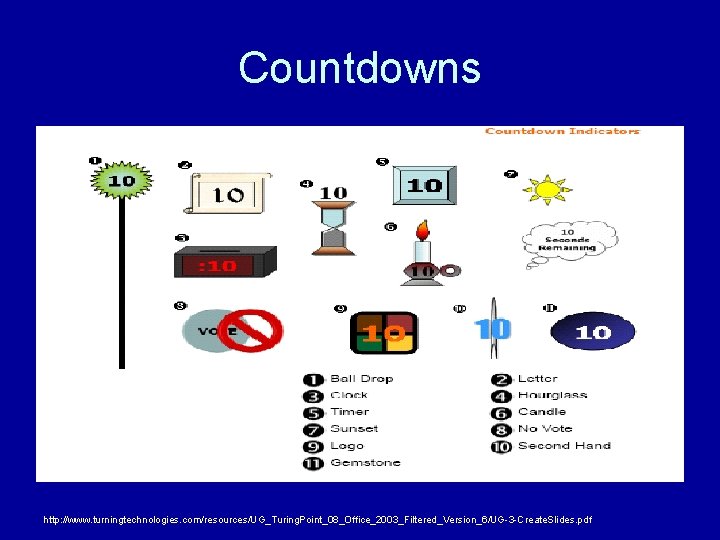
Countdowns http: //www. turningtechnologies. com/resources/UG_Turing. Point_08_Office_2003_Filtered_Version_6/UG-3 -Create. Slides. pdf
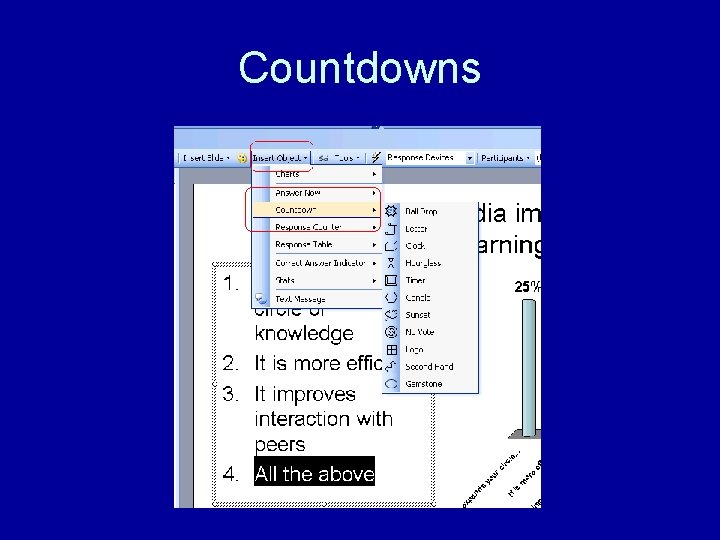
Countdowns
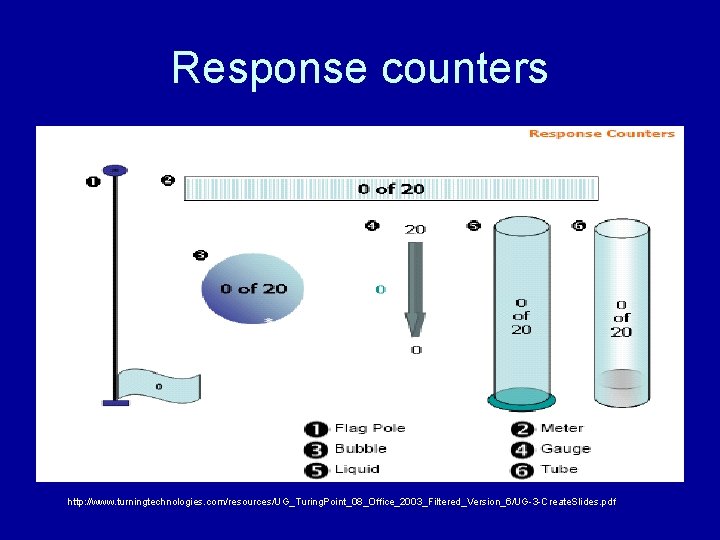
Response counters http: //www. turningtechnologies. com/resources/UG_Turing. Point_08_Office_2003_Filtered_Version_6/UG-3 -Create. Slides. pdf
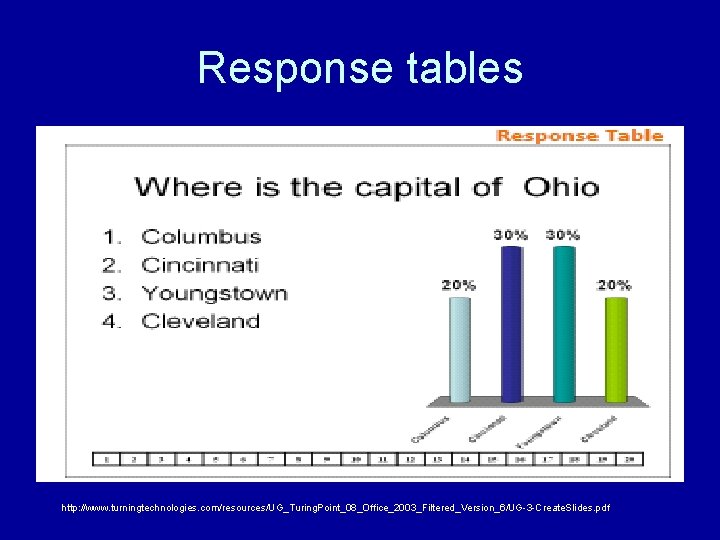
Response tables http: //www. turningtechnologies. com/resources/UG_Turing. Point_08_Office_2003_Filtered_Version_6/UG-3 -Create. Slides. pdf
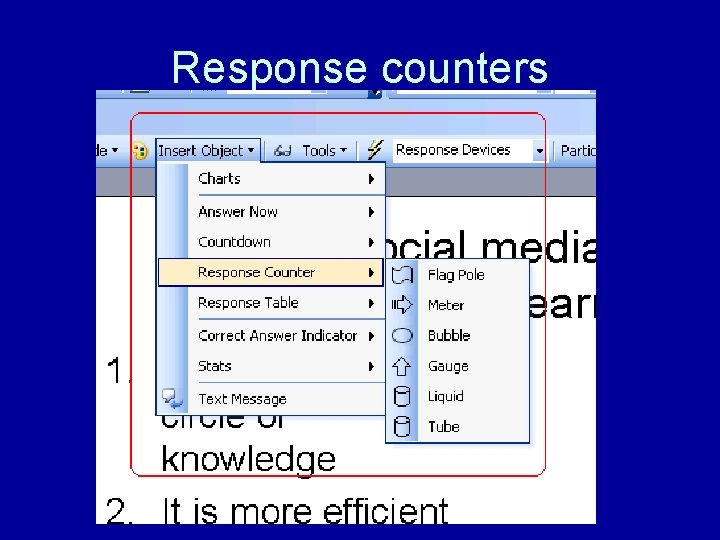
Response counters
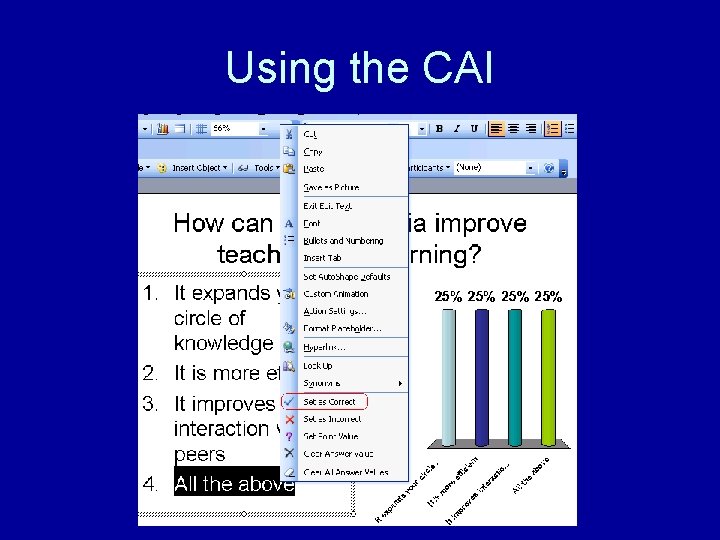
Using the CAI
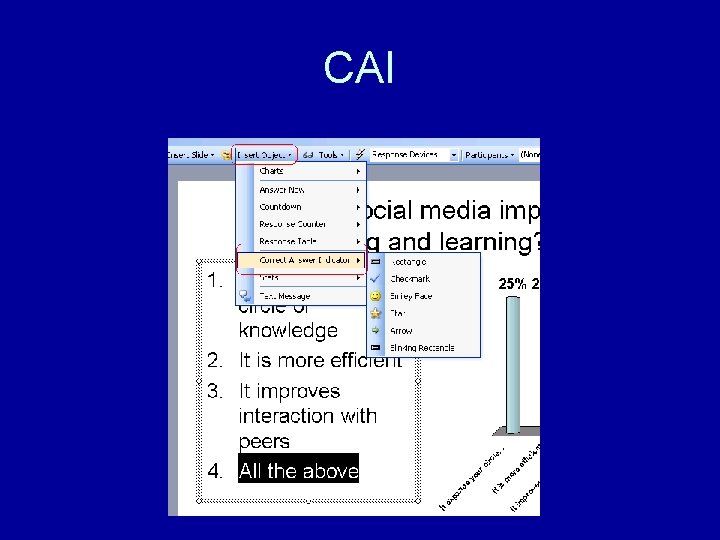
CAI
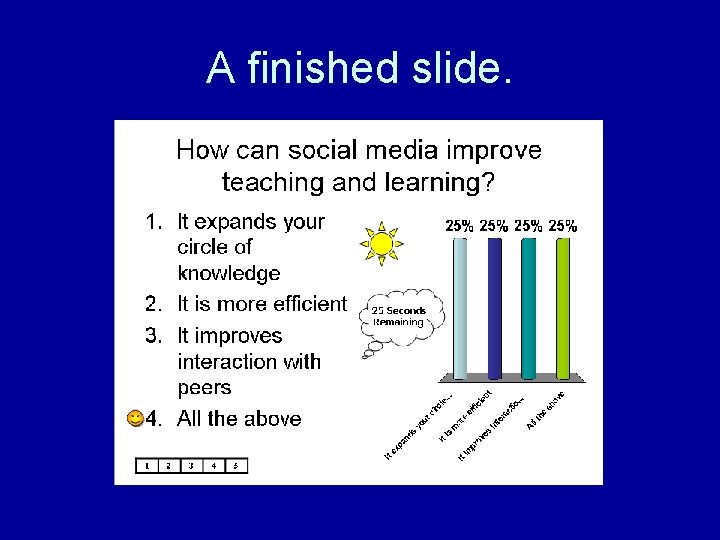
A finished slide.
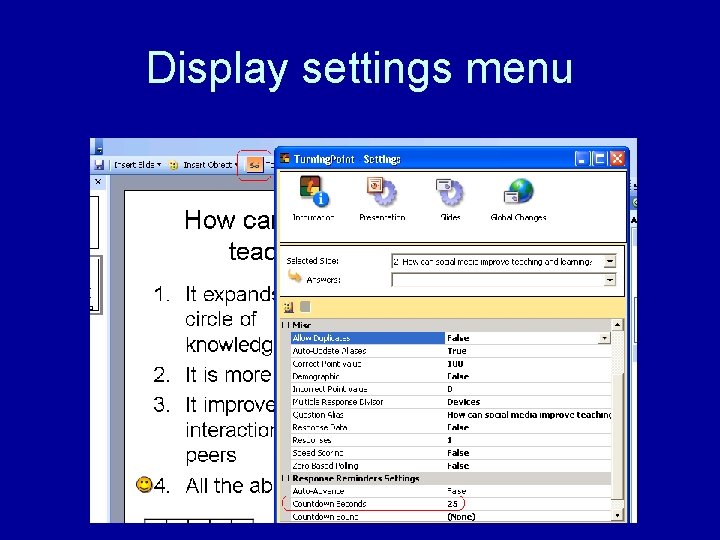
Display settings menu
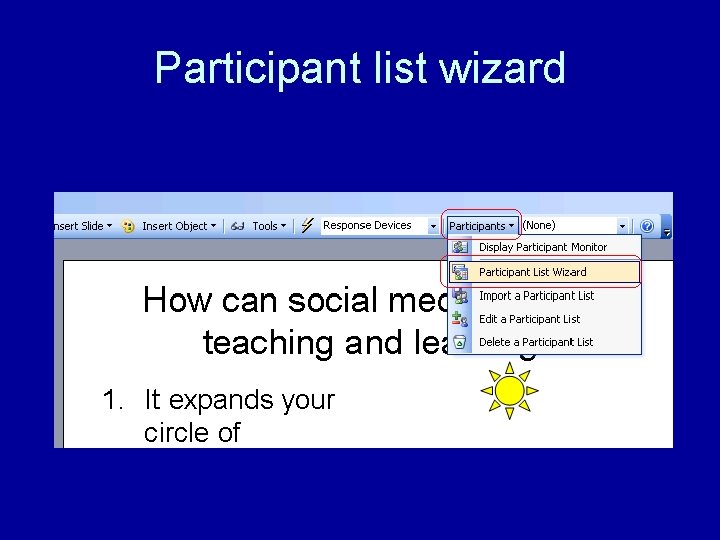
Participant list wizard
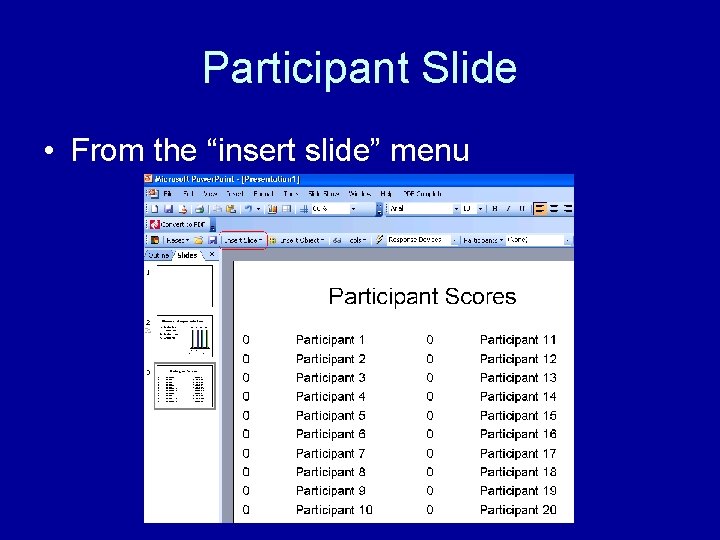
Participant Slide • From the “insert slide” menu
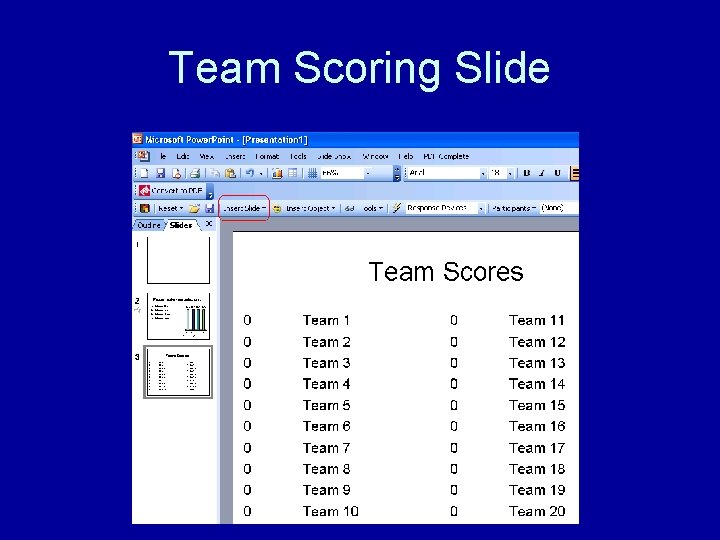
Team Scoring Slide
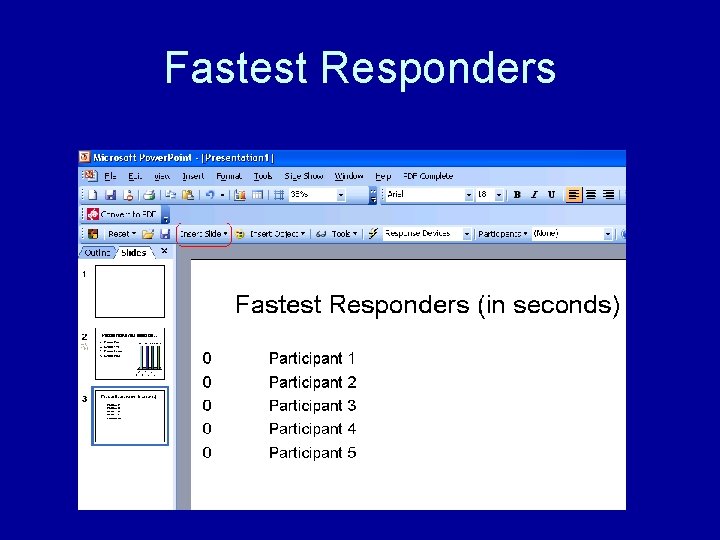
Fastest Responders
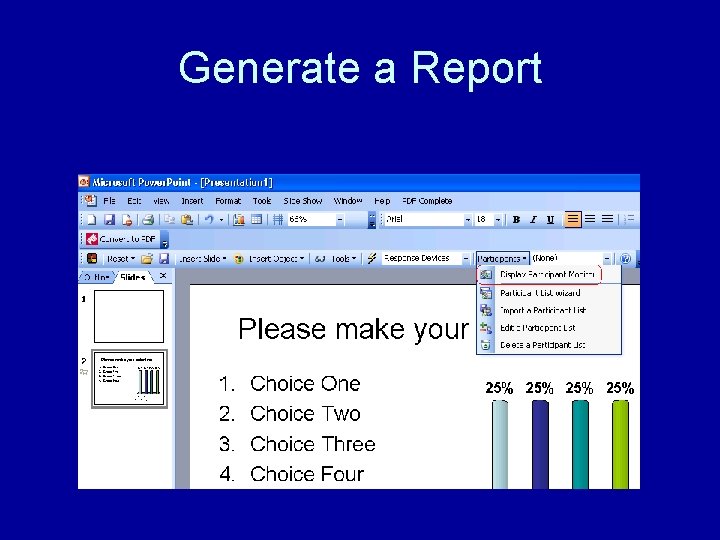
Generate a Report
For more information… • • • http: //www. turningtechnologies. com http: //www. comtec-ars. com/ http: //www. meridiaars. com/ http: //www. optiontechnologies. com/ http: //www. qwizdom. com/ • Rental units: – http: //www. audience-response-rentals. com/

Questions?
- Slides: 27