
Attribute Agreement Analysis When to use this tool
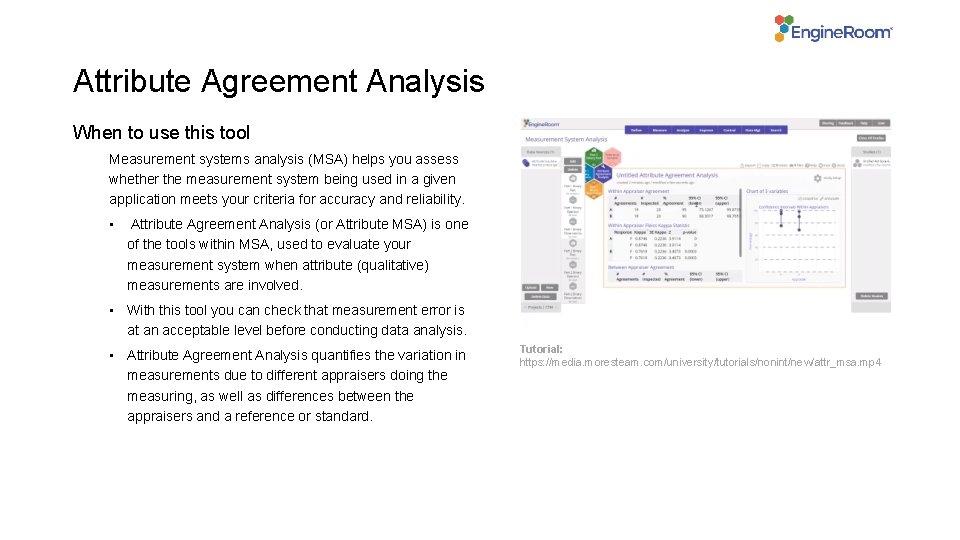
Attribute Agreement Analysis When to use this tool Measurement systems analysis (MSA) helps you assess whether the measurement system being used in a given application meets your criteria for accuracy and reliability. • Attribute Agreement Analysis (or Attribute MSA) is one of the tools within MSA, used to evaluate your measurement system when attribute (qualitative) measurements are involved. • With this tool you can check that measurement error is at an acceptable level before conducting data analysis. • Attribute Agreement Analysis quantifies the variation in measurements due to different appraisers doing the measuring, as well as differences between the appraisers and a reference or standard. Tutorial: https: //media. moresteam. com/university/tutorials/nonint/new/attr_msa. mp 4
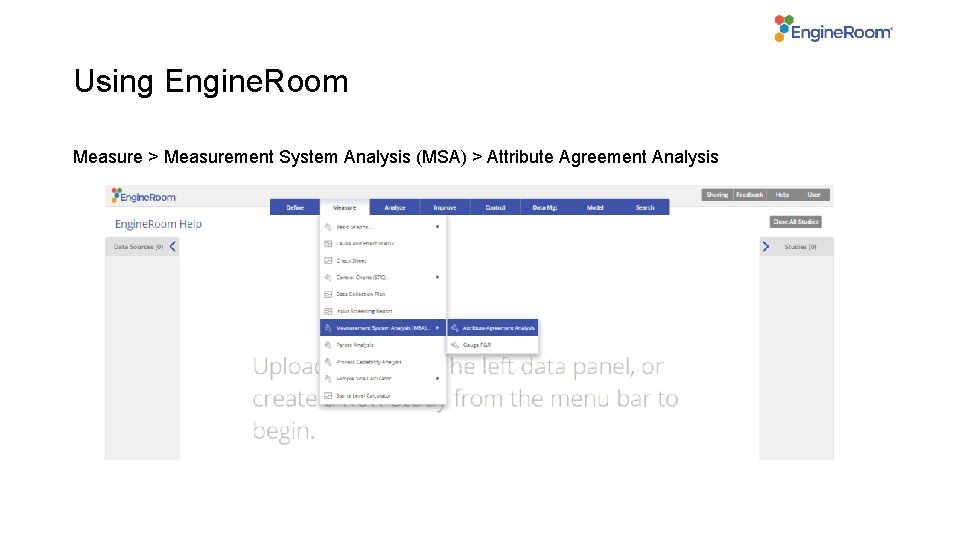
Using Engine. Room Measure > Measurement System Analysis (MSA) > Attribute Agreement Analysis
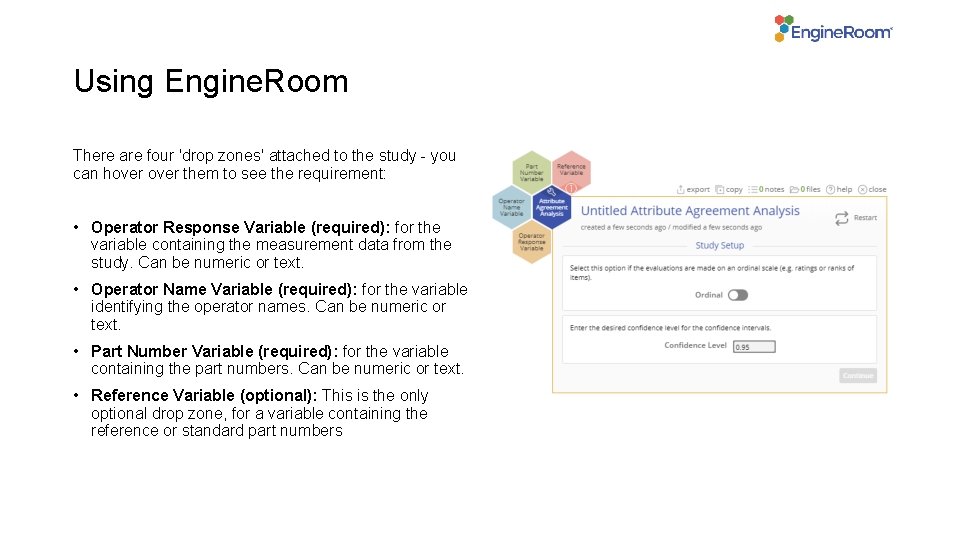
Using Engine. Room There are four 'drop zones' attached to the study - you can hover them to see the requirement: • Operator Response Variable (required): for the variable containing the measurement data from the study. Can be numeric or text. • Operator Name Variable (required): for the variable identifying the operator names. Can be numeric or text. • Part Number Variable (required): for the variable containing the part numbers. Can be numeric or text. • Reference Variable (optional): This is the only optional drop zone, for a variable containing the reference or standard part numbers
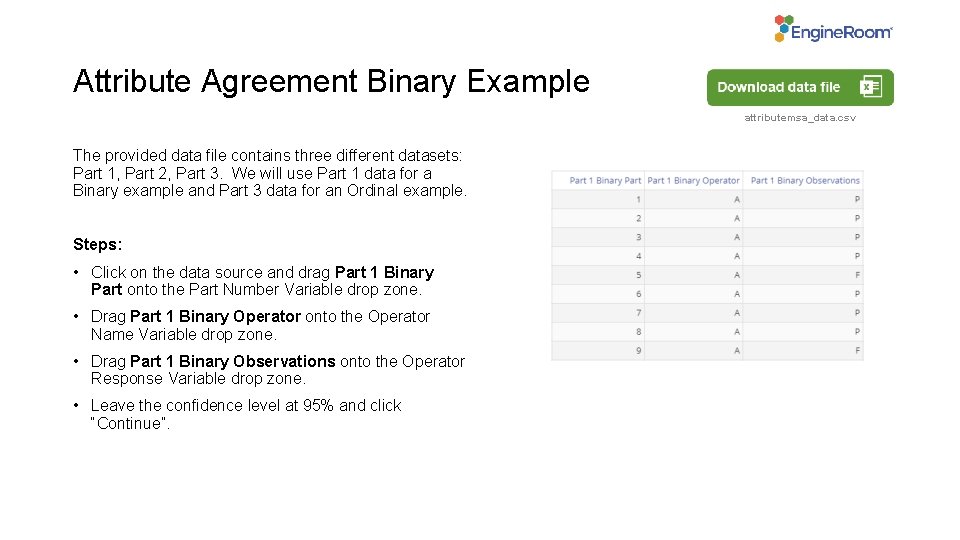
Attribute Agreement Binary Example attributemsa_data. csv The provided data file contains three different datasets: Part 1, Part 2, Part 3. We will use Part 1 data for a Binary example and Part 3 data for an Ordinal example. Steps: • Click on the data source and drag Part 1 Binary Part onto the Part Number Variable drop zone. • Drag Part 1 Binary Operator onto the Operator Name Variable drop zone. • Drag Part 1 Binary Observations onto the Operator Response Variable drop zone. • Leave the confidence level at 95% and click “Continue”.
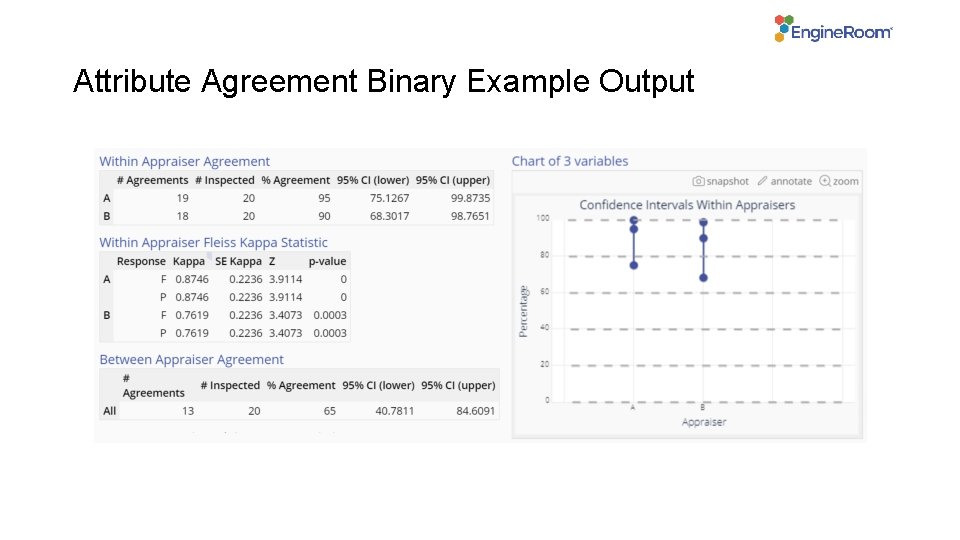
Attribute Agreement Binary Example Output
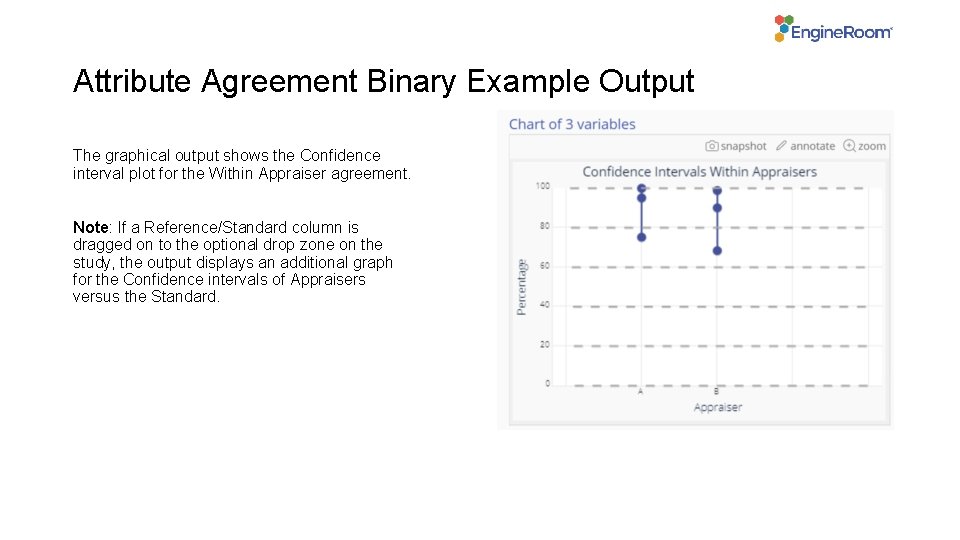
Attribute Agreement Binary Example Output The graphical output shows the Confidence interval plot for the Within Appraiser agreement. Note: If a Reference/Standard column is dragged on to the optional drop zone on the study, the output displays an additional graph for the Confidence intervals of Appraisers versus the Standard.
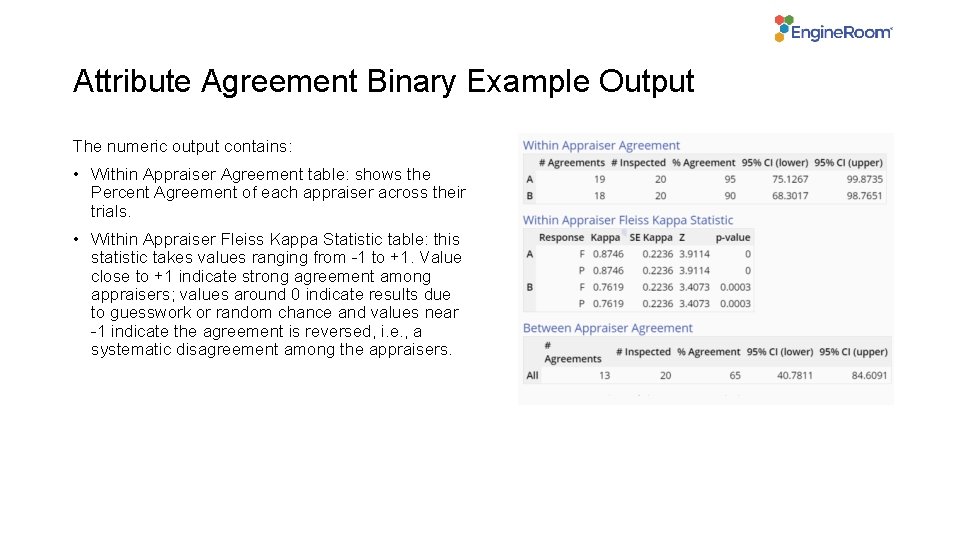
Attribute Agreement Binary Example Output The numeric output contains: • Within Appraiser Agreement table: shows the Percent Agreement of each appraiser across their trials. • Within Appraiser Fleiss Kappa Statistic table: this statistic takes values ranging from -1 to +1. Value close to +1 indicate strong agreement among appraisers; values around 0 indicate results due to guesswork or random chance and values near -1 indicate the agreement is reversed, i. e. , a systematic disagreement among the appraisers.
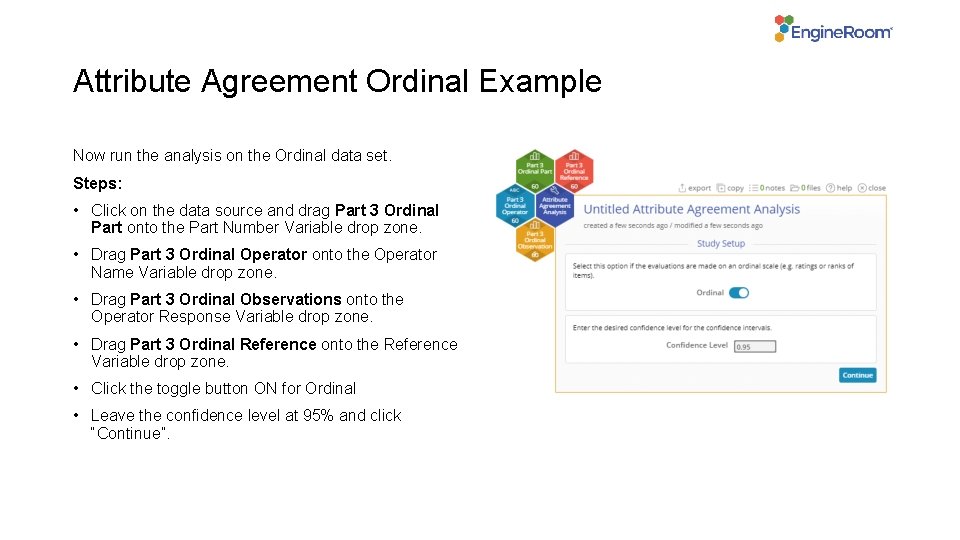
Attribute Agreement Ordinal Example Now run the analysis on the Ordinal data set. Steps: • Click on the data source and drag Part 3 Ordinal Part onto the Part Number Variable drop zone. • Drag Part 3 Ordinal Operator onto the Operator Name Variable drop zone. • Drag Part 3 Ordinal Observations onto the Operator Response Variable drop zone. • Drag Part 3 Ordinal Reference onto the Reference Variable drop zone. • Click the toggle button ON for Ordinal • Leave the confidence level at 95% and click “Continue”.
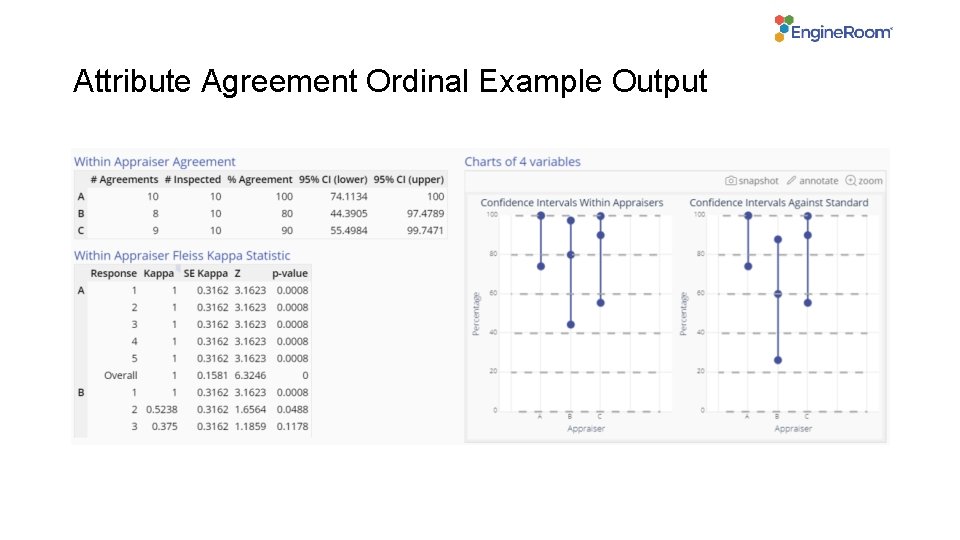
Attribute Agreement Ordinal Example Output
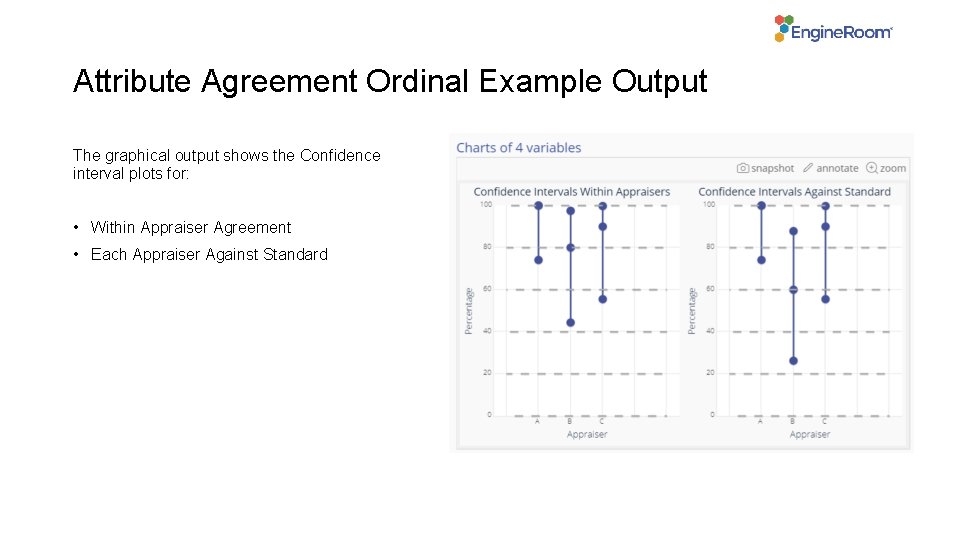
Attribute Agreement Ordinal Example Output The graphical output shows the Confidence interval plots for: • Within Appraiser Agreement • Each Appraiser Against Standard
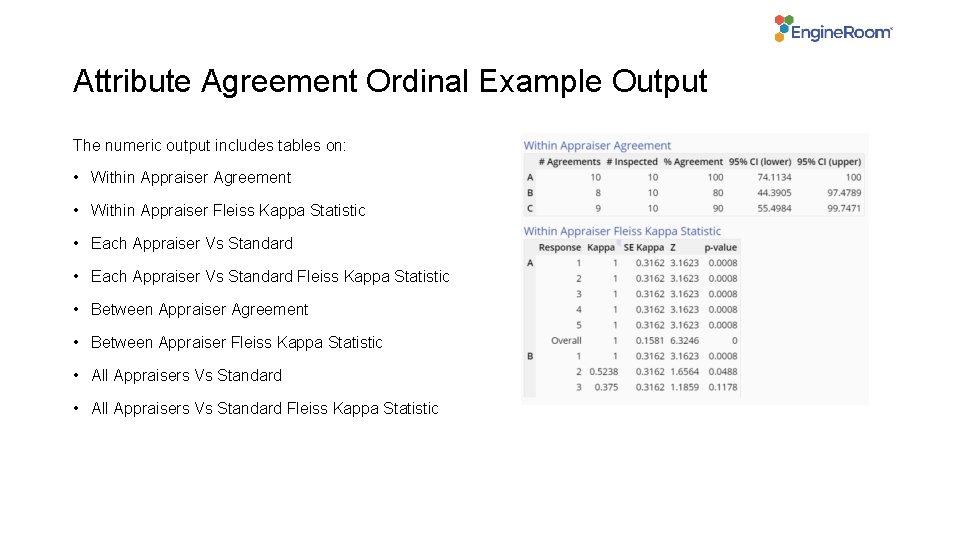
Attribute Agreement Ordinal Example Output The numeric output includes tables on: • Within Appraiser Agreement • Within Appraiser Fleiss Kappa Statistic • Each Appraiser Vs Standard Fleiss Kappa Statistic • Between Appraiser Agreement • Between Appraiser Fleiss Kappa Statistic • All Appraisers Vs Standard Fleiss Kappa Statistic
- Slides: 11