
ATTORNEYS GUIDE TO OPENING A CIVIL CASE COMPLETING
- Slides: 5
ATTORNEY’S GUIDE TO OPENING A CIVIL CASE COMPLETING THE PROCESS
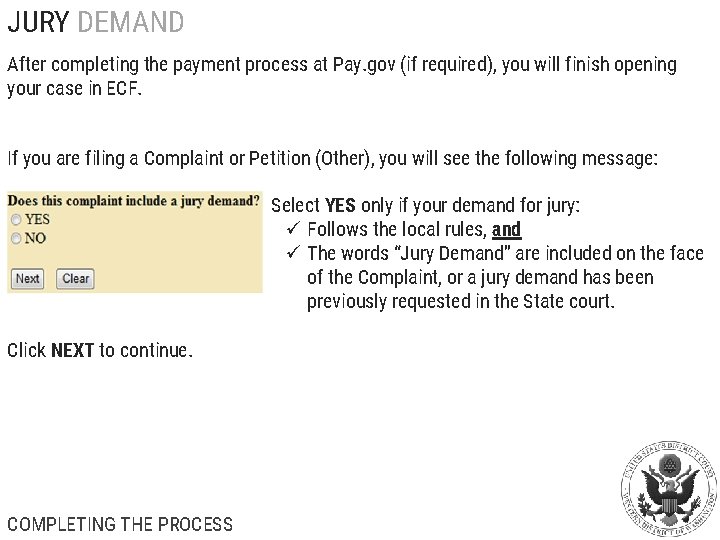
JURY DEMAND After completing the payment process at Pay. gov (if required), you will finish opening your case in ECF. If you are filing a Complaint or Petition (Other), you will see the following message: Select YES only if your demand for jury: ü Follows the local rules, and ü The words “Jury Demand” are included on the face of the Complaint, or a jury demand has been previously requested in the State court. Click NEXT to continue. COMPLETING THE PROCESS
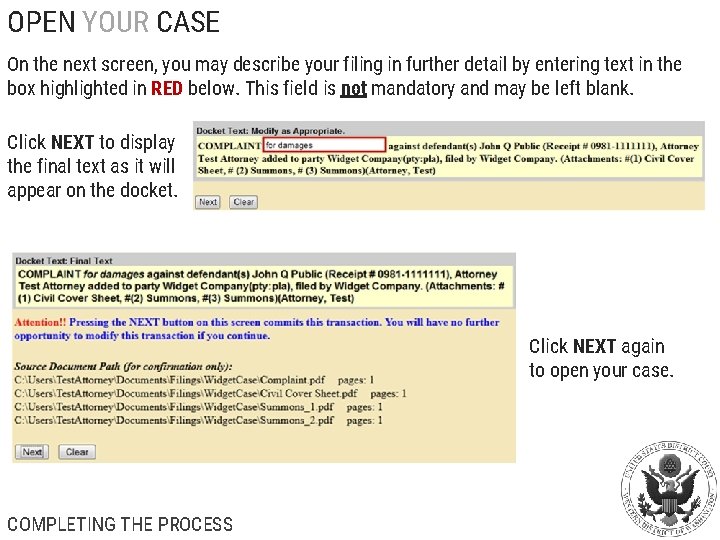
OPEN YOUR CASE On the next screen, you may describe your filing in further detail by entering text in the box highlighted in RED below. This field is not mandatory and may be left blank. Click NEXT to display the final text as it will appear on the docket. Click NEXT again to open your case. COMPLETING THE PROCESS
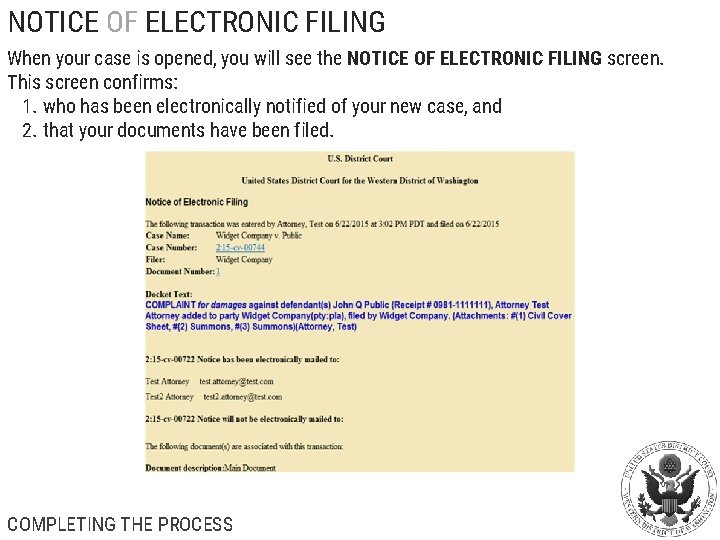
NOTICE OF ELECTRONIC FILING When your case is opened, you will see the NOTICE OF ELECTRONIC FILING screen. This screen confirms: 1. who has been electronically notified of your new case, and 2. that your documents have been filed. COMPLETING THE PROCESS
EMERGENCY MATTERS During the case opening process, the ECF system will ask if your initial filing includes a Temporary Restraining Order, Motion for Vessel Arrest, or any other emergency motion requiring immediate action by the court. IF THIS IS AN EMERGENCY MATTER, follow these steps: 1. Open the case 2. File your emergency documents 3. Have your case number ready 4. Immediately call the appropriate Clerk’s Office: Seattle: (206) 370 -8400 option 0 Tacoma: (253) 882 -3800 • The Clerk’s Office will assign a judge to your case and notify him/her of the emergency 5. To ensure that your case receives the immediate attention it needs, please file prior to 4: 30 PM (or as early in the day as possible) COMPLETING THE PROCESS