
ATS PRINTFREEDOM ATS WEBSITE HOW TO GET THE

ATS PRINTFREEDOM ATS WEBSITE HOW TO GET THE MOST FROM THIS SITE
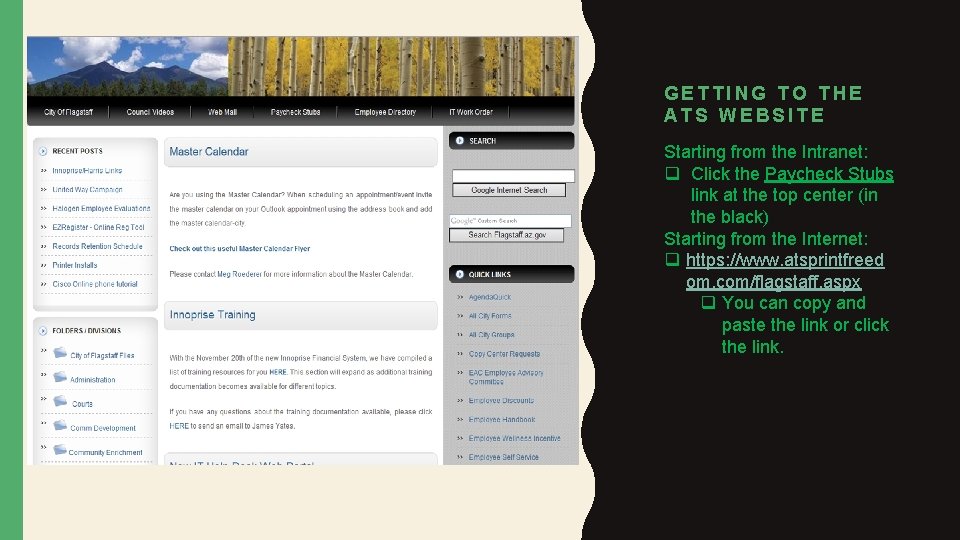
GETTING TO THE ATS WEBSITE Starting from the Intranet: q Click the Paycheck Stubs link at the top center (in the black) Starting from the Internet: q https: //www. atsprintfreed om. com/flagstaff. aspx q You can copy and paste the link or click the link.
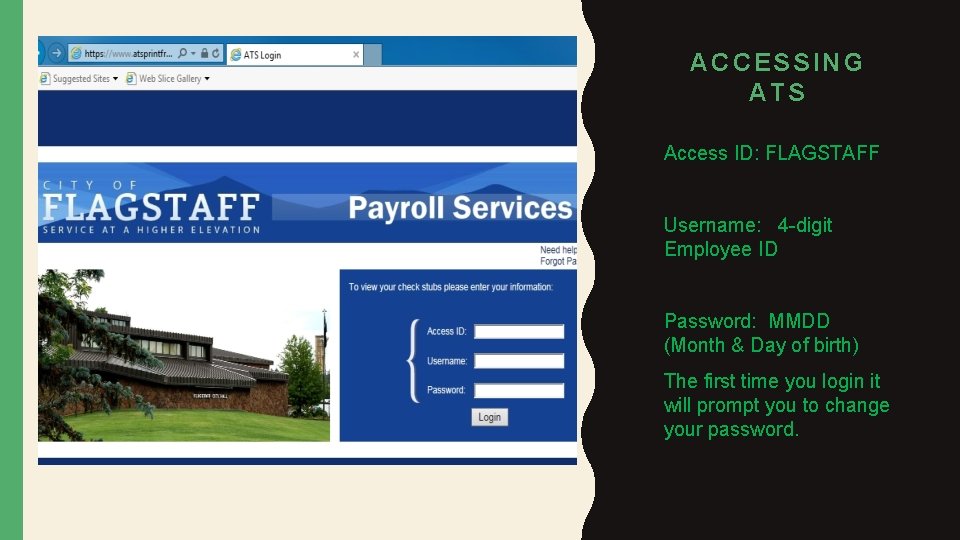
ACCESSING ATS Access ID: FLAGSTAFF Username: 4 -digit Employee ID Password: MMDD (Month & Day of birth) The first time you login it will prompt you to change your password.
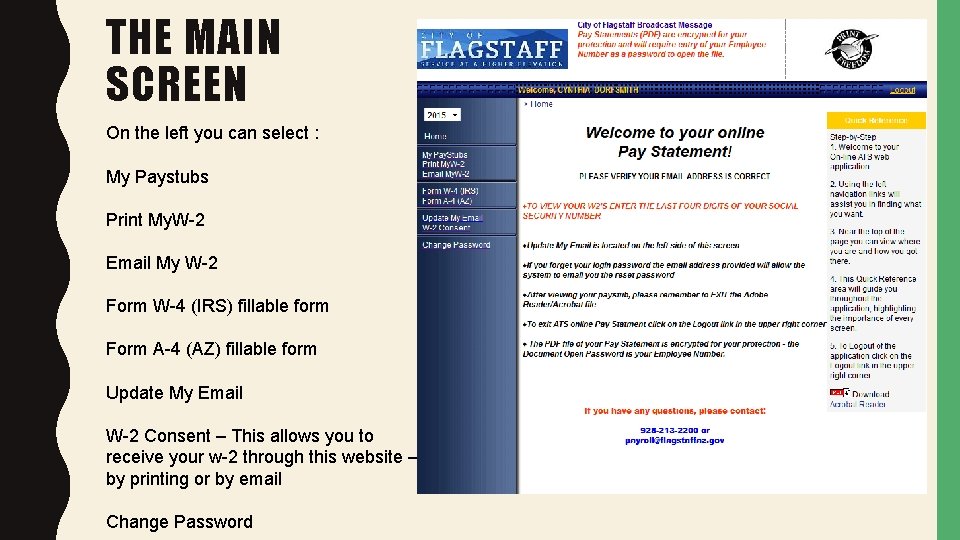
THE MAIN SCREEN On the left you can select : My Paystubs Print My. W-2 Email My W-2 Form W-4 (IRS) fillable form Form A-4 (AZ) fillable form Update My Email W-2 Consent – This allows you to receive your w-2 through this website – by printing or by email Change Password
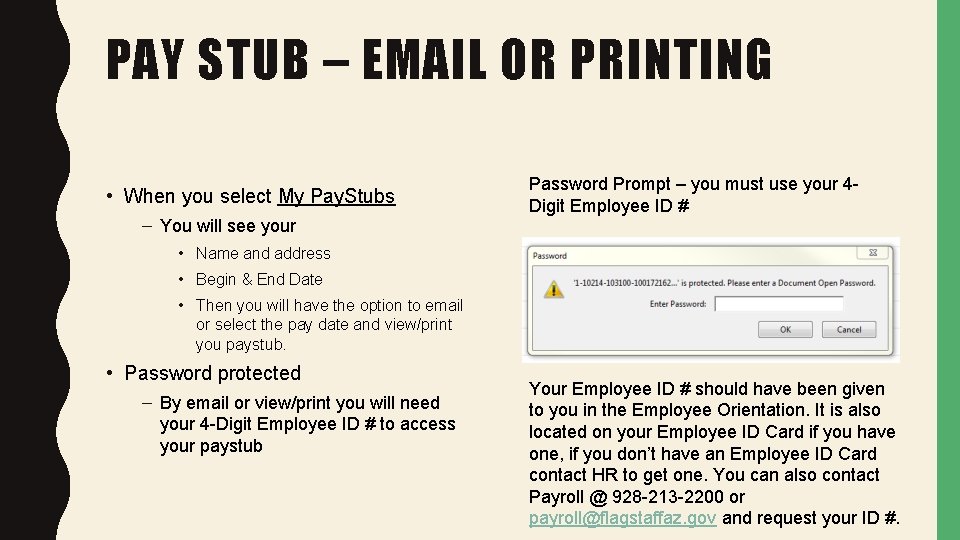
PAY STUB – EMAIL OR PRINTING • When you select My Pay. Stubs – You will see your Password Prompt – you must use your 4 Digit Employee ID # • Name and address • Begin & End Date • Then you will have the option to email or select the pay date and view/print you paystub. • Password protected – By email or view/print you will need your 4 -Digit Employee ID # to access your paystub Your Employee ID # should have been given to you in the Employee Orientation. It is also located on your Employee ID Card if you have one, if you don’t have an Employee ID Card contact HR to get one. You can also contact Payroll @ 928 -213 -2200 or payroll@flagstaffaz. gov and request your ID #.

PLEASE FEEL FREE TO CONTACT PAYROLL @ 928 -213 -2200 OR PAYROLL@FLAGSTAFFAZ. GOV
- Slides: 6