
ATLAS ITk Pixel endcap demonstrator construction and testing



- Slides: 25
ATLAS ITk Pixel endcap demonstrator construction and testing John Matheson, STFC Rutherford Appleton Laboratory On behalf of the ATLAS ITk Pixel Endcap community • • Pixel endcap and half-ring layout Ring-0 detector module reception testing Module loading to Ring-0, including gluing trials Ring-0 serially powered (SP) tests at Liverpool Tuning results with SP Testing with SP and Sr-90 Conclusions and future work 1
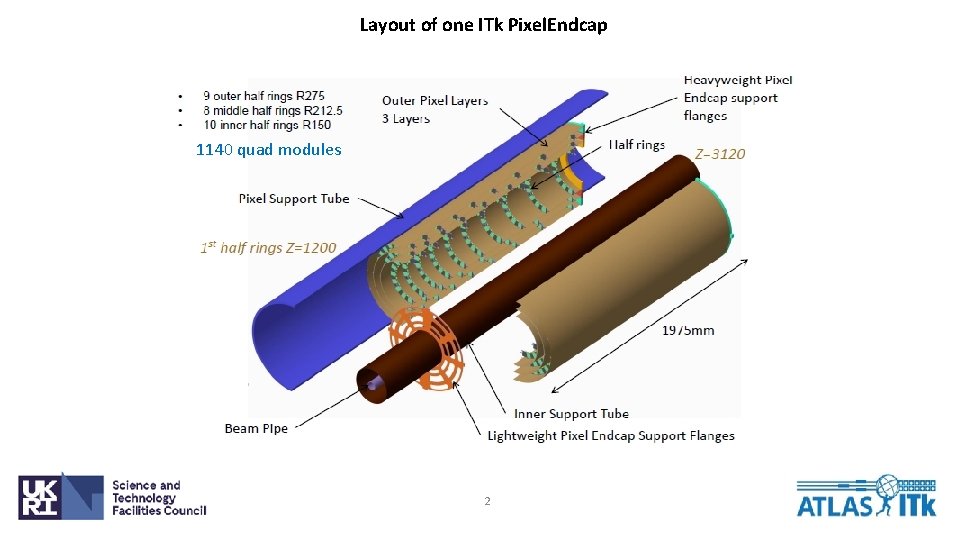
Layout of one ITk Pixel. Endcap 1140 quad modules 2
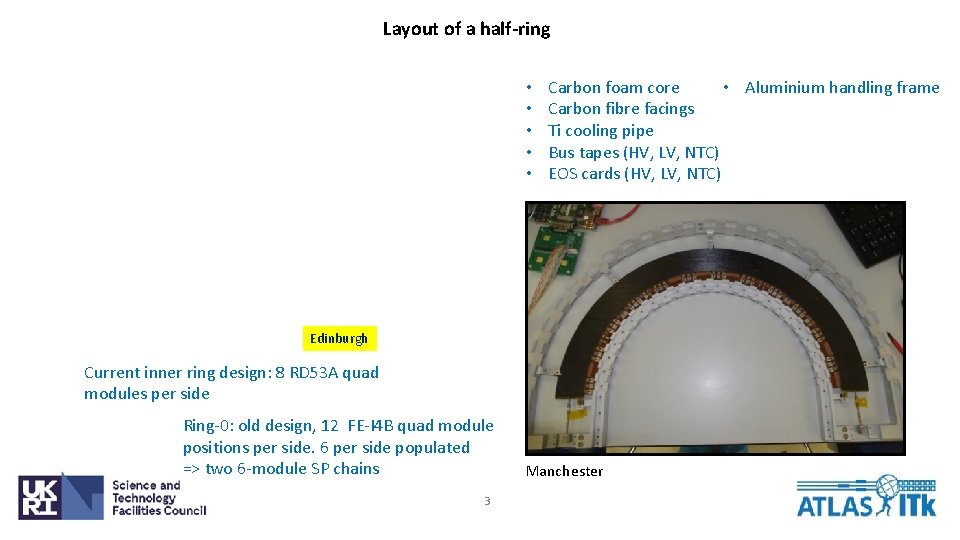
Layout of a half-ring • • • Carbon foam core • Aluminium handling frame Carbon fibre facings Ti cooling pipe Bus tapes (HV, LV, NTC) EOS cards (HV, LV, NTC) Edinburgh Current inner ring design: 8 RD 53 A quad modules per side Ring-0: old design, 12 FE-I 4 B quad module positions per side. 6 per side populated => two 6 -module SP chains 3 Manchester
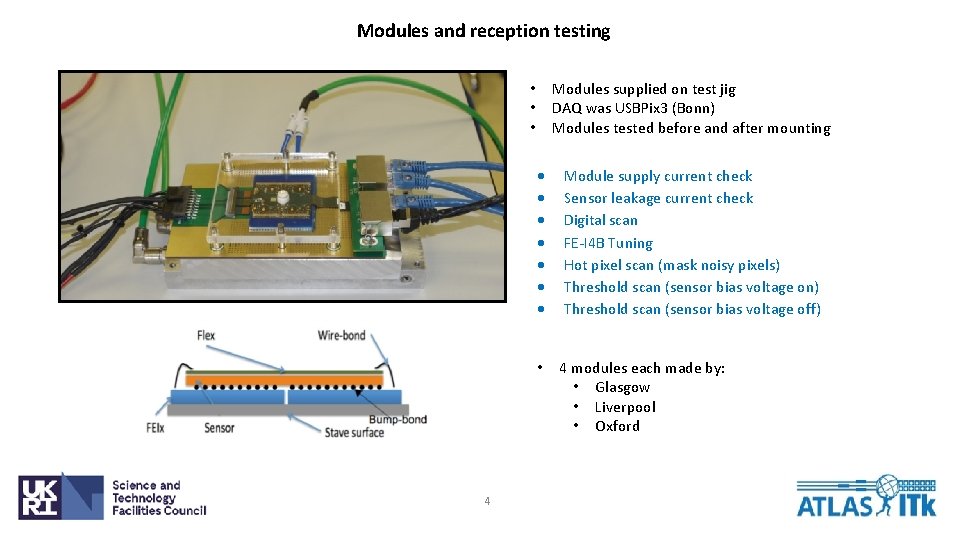
Modules and reception testing Modules supplied on test jig DAQ was USBPix 3 (Bonn) Modules tested before and after mounting • • • 4 Module supply current check Sensor leakage current check Digital scan FE-I 4 B Tuning Hot pixel scan (mask noisy pixels) Threshold scan (sensor bias voltage on) Threshold scan (sensor bias voltage off) • 4 modules each made by: • Glasgow • Liverpool • Oxford
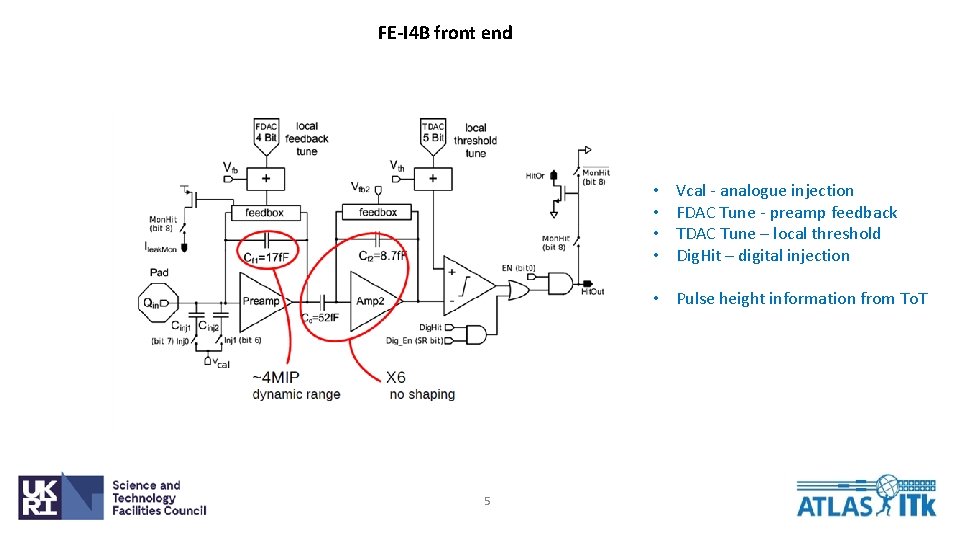
FE-I 4 B front end • • Vcal - analogue injection FDAC Tune - preamp feedback TDAC Tune – local threshold Dig. Hit – digital injection • Pulse height information from To. T 5
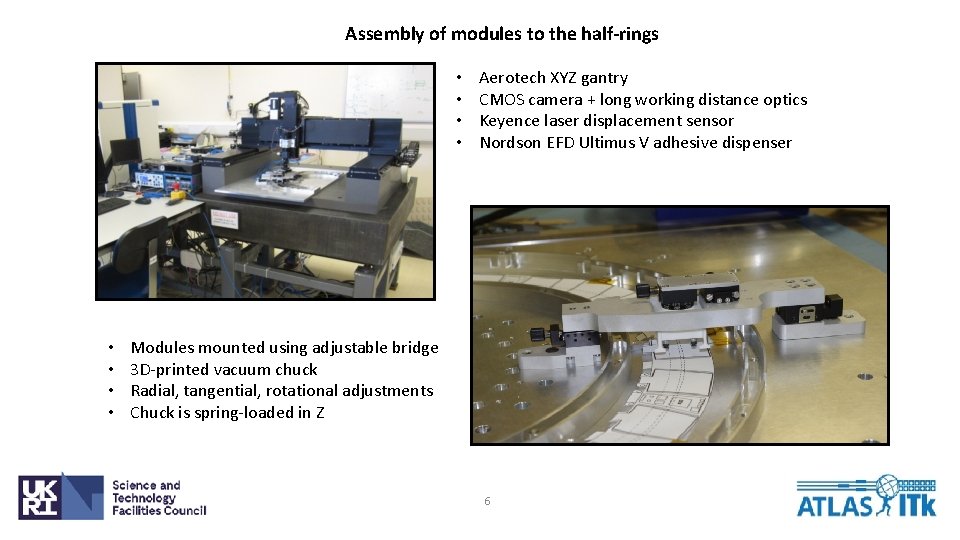
Assembly of modules to the half-rings • • Aerotech XYZ gantry CMOS camera + long working distance optics Keyence laser displacement sensor Nordson EFD Ultimus V adhesive dispenser Modules mounted using adjustable bridge 3 D-printed vacuum chuck Radial, tangential, rotational adjustments Chuck is spring-loaded in Z 6
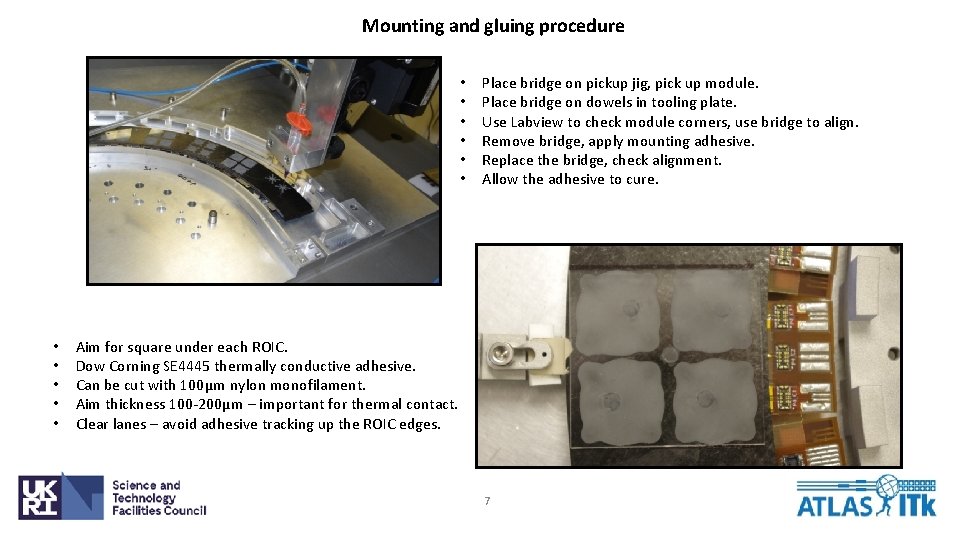
Mounting and gluing procedure • • • Place bridge on pickup jig, pick up module. Place bridge on dowels in tooling plate. Use Labview to check module corners, use bridge to align. Remove bridge, apply mounting adhesive. Replace the bridge, check alignment. Allow the adhesive to cure. Aim for square under each ROIC. Dow Corning SE 4445 thermally conductive adhesive. Can be cut with 100μm nylon monofilament. Aim thickness 100 -200μm – important for thermal contact. Clear lanes – avoid adhesive tracking up the ROIC edges. 7
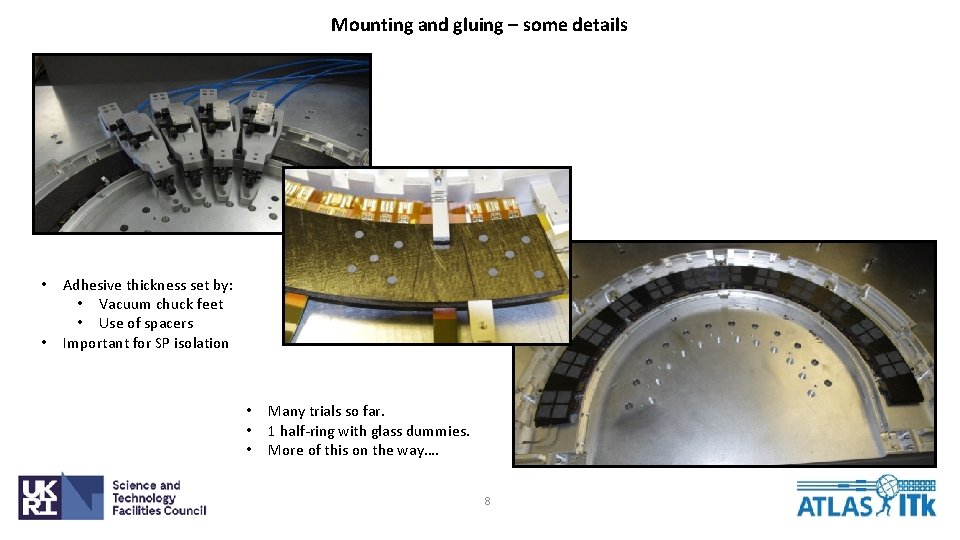
Mounting and gluing – some details • • Adhesive thickness set by: • Vacuum chuck feet • Use of spacers Important for SP isolation • • • Many trials so far. 1 half-ring with glass dummies. More of this on the way…. 8
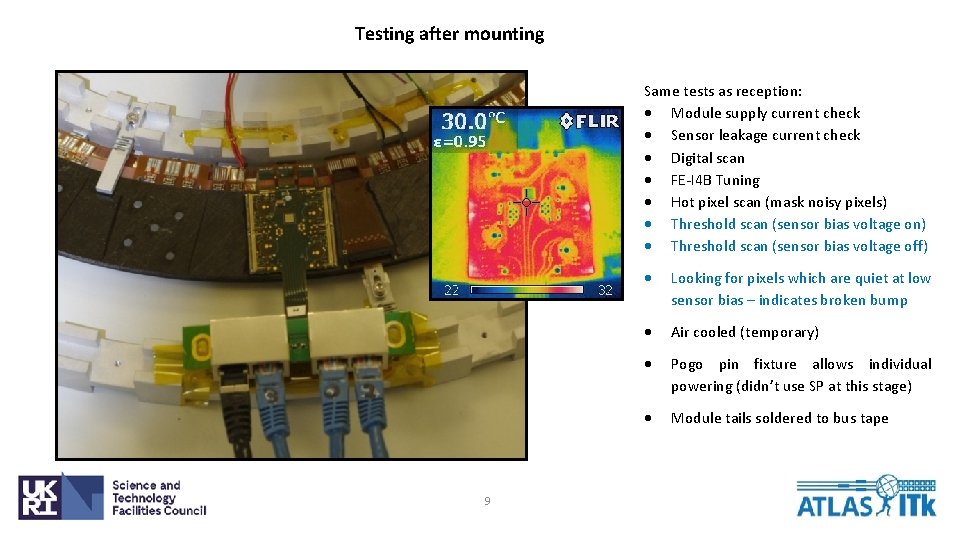
Testing after mounting Same tests as reception: Module supply current check Sensor leakage current check Digital scan FE-I 4 B Tuning Hot pixel scan (mask noisy pixels) Threshold scan (sensor bias voltage on) Threshold scan (sensor bias voltage off) 9 Looking for pixels which are quiet at low sensor bias – indicates broken bump Air cooled (temporary) Pogo pin fixture allows individual powering (didn’t use SP at this stage) Module tails soldered to bus tape
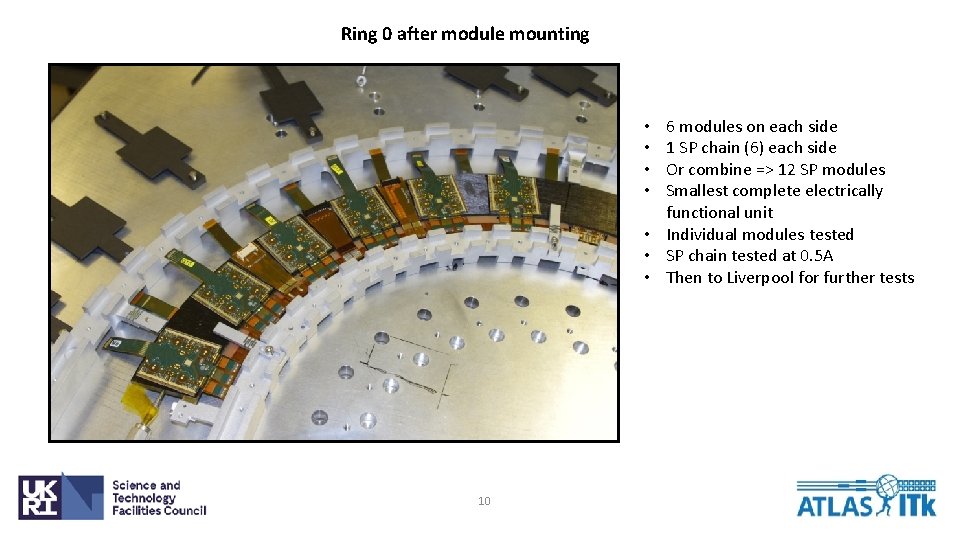
Ring 0 after module mounting 6 modules on each side 1 SP chain (6) each side Or combine => 12 SP modules Smallest complete electrically functional unit • Individual modules tested • SP chain tested at 0. 5 A • Then to Liverpool for further tests • • 10
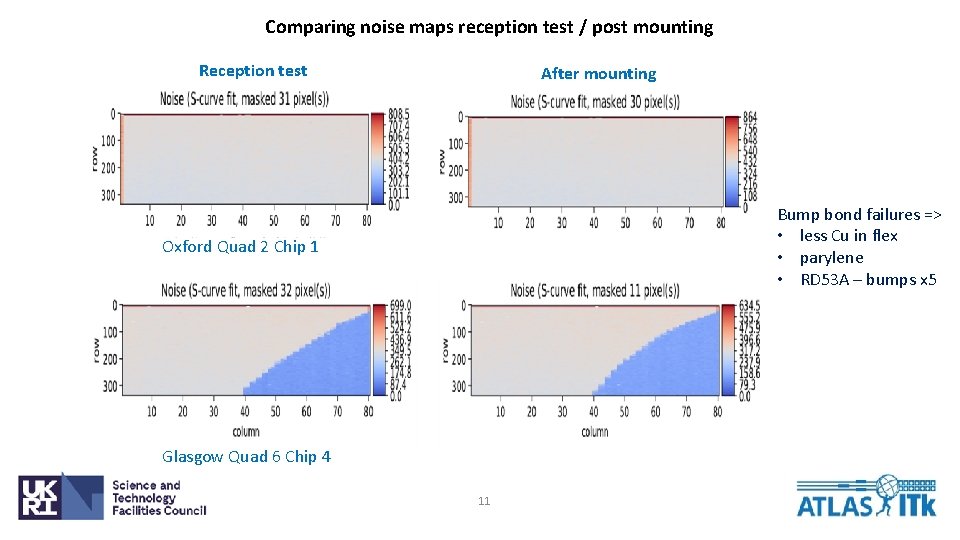
Comparing noise maps reception test / post mounting Reception test After mounting Bump bond failures => • less Cu in flex • parylene • RD 53 A – bumps x 5 Oxford Quad 2 Chip 1 Glasgow Quad 6 Chip 4 11
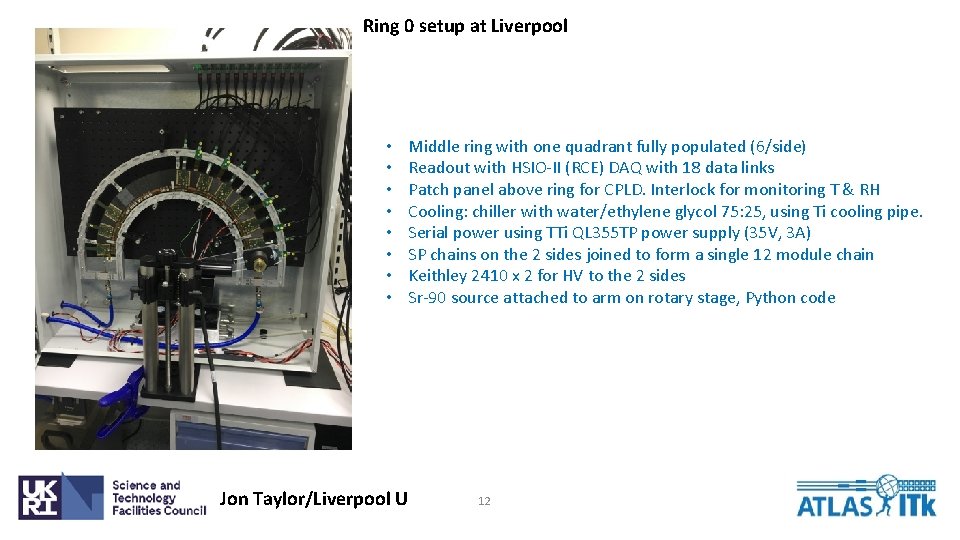
Ring 0 setup at Liverpool • • Jon Taylor/Liverpool U Middle ring with one quadrant fully populated (6/side) Readout with HSIO-II (RCE) DAQ with 18 data links Patch panel above ring for CPLD. Interlock for monitoring T & RH Cooling: chiller with water/ethylene glycol 75: 25, using Ti cooling pipe. Serial power using TTi QL 355 TP power supply (35 V, 3 A) SP chains on the 2 sides joined to form a single 12 module chain Keithley 2410 x 2 for HV to the 2 sides Sr-90 source attached to arm on rotary stage, Python code 12
Serial Power and High Voltage • • 13 HV and SP soldered directly to the bus tape Strain relief mounted on the handling frame
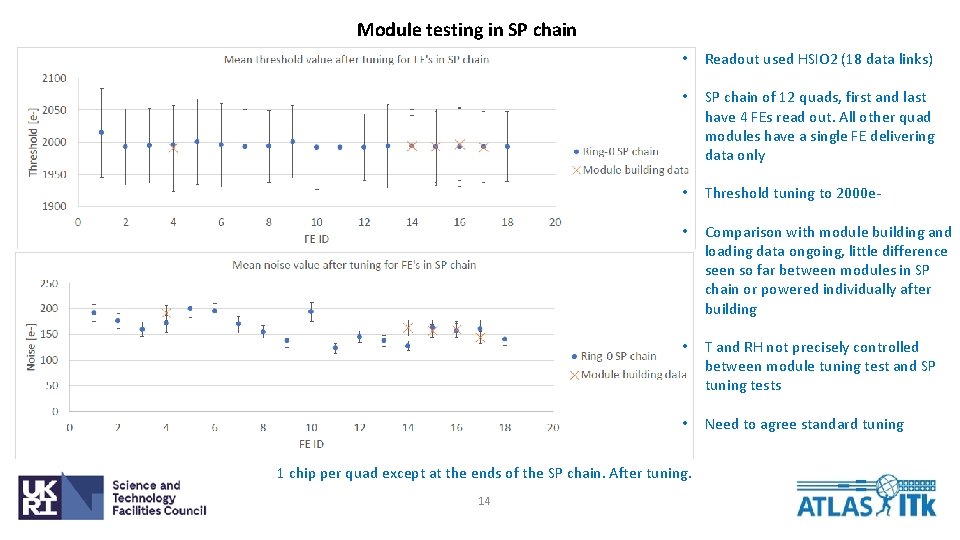
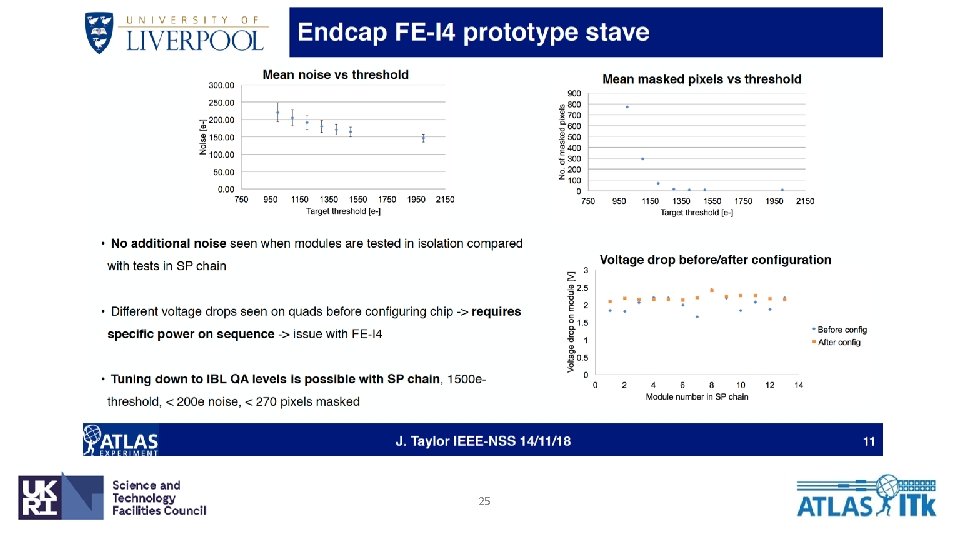
Module testing in SP chain • Readout used HSIO 2 (18 data links) • SP chain of 12 quads, first and last have 4 FEs read out. All other quad modules have a single FE delivering data only • Threshold tuning to 2000 e- • Comparison with module building and loading data ongoing, little difference seen so far between modules in SP chain or powered individually after building • T and RH not precisely controlled between module tuning test and SP tuning tests • Need to agree standard tuning 1 chip per quad except at the ends of the SP chain. After tuning. 14
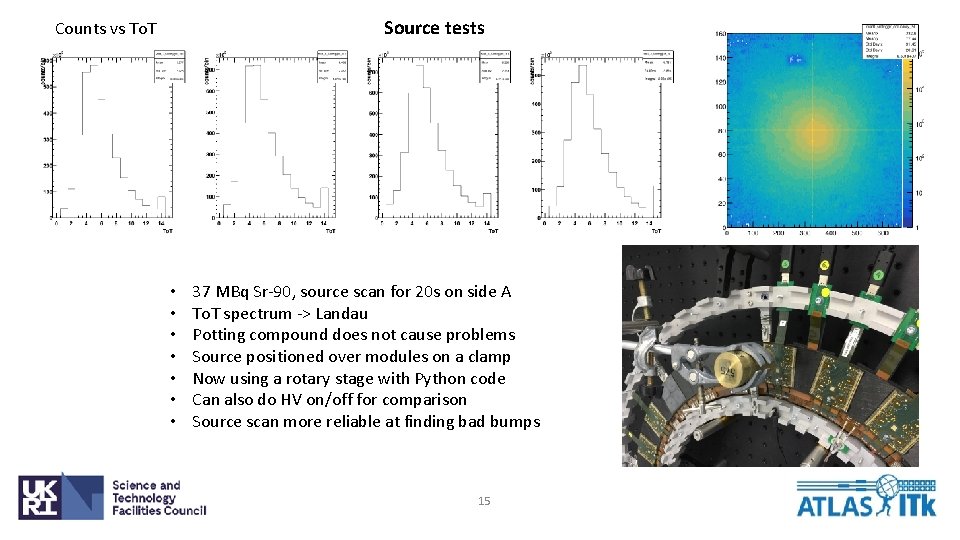
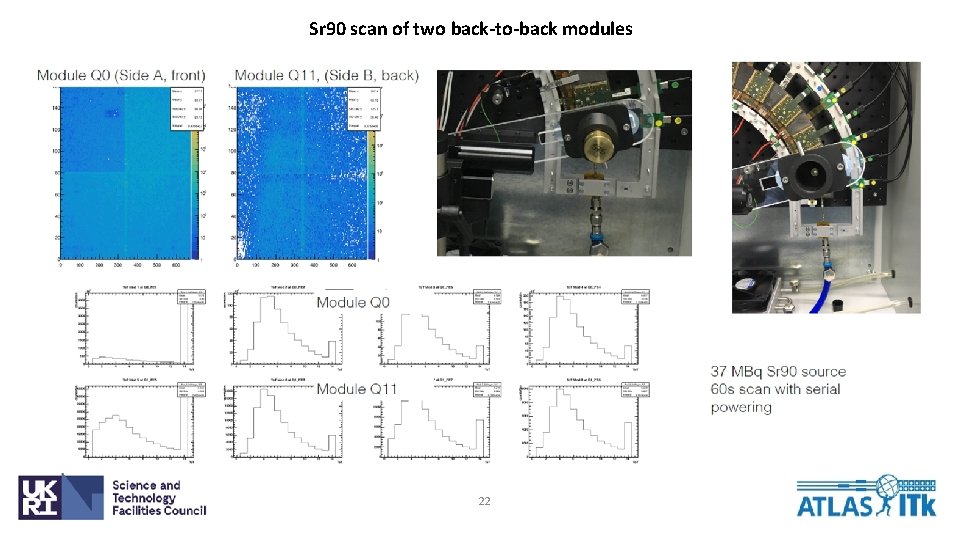
Source tests Counts vs To. T • • 37 MBq Sr-90, source scan for 20 s on side A To. T spectrum -> Landau Potting compound does not cause problems Source positioned over modules on a clamp Now using a rotary stage with Python code Can also do HV on/off for comparison Source scan more reliable at finding bad bumps 15
Summary and Next Steps Ring-0 • • Ring-0 is operational with 12 modules in a SP Chain Experience for 3 module building sites (flex attach, wire bonding, potting) Experience for module loading sites (loading, interconnect) Electrical and thermal behaviour of a realistic prototype Module hybrid design issues – bump bond disconnection => less Cu, parylene, RD 53 A has more bumps Embedded tape with connectors proved impractical Need to share data between module building and loading better => standard tuning, production DB • One FE failed – add burn-in to procedures (IBL used 10 hr burn-in) • • • Next measurements Grounding and shielding measurements (signal on pipe, look for pickup) Tests with external trigger (e. g. cosmics) Check orbital TIG welding of pipes doesn’t damage half-ring electronics Vthin scans (Make some FE very noisy, measure propagation along SP) Disabling of FEs (pull wires, check for correct shunt behaviour) • Ring-1 with RD 53 A quads – planning and acquiring parts 16
Spare Slides 17
18
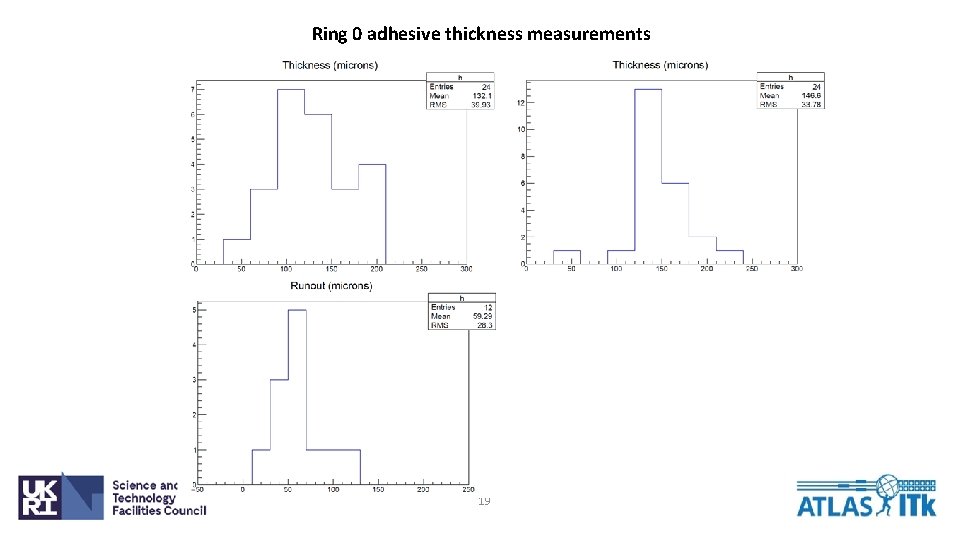
Ring 0 adhesive thickness measurements 19
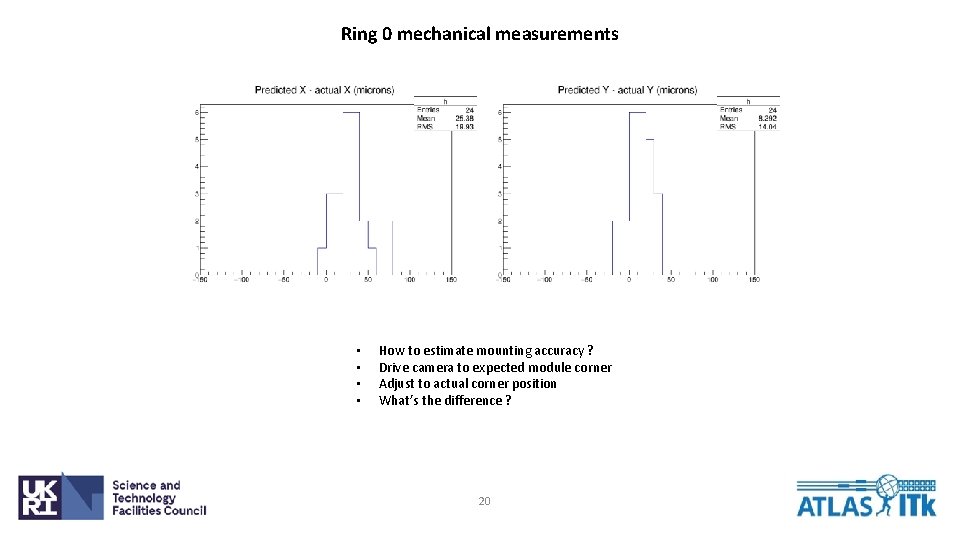
Ring 0 mechanical measurements • • How to estimate mounting accuracy ? Drive camera to expected module corner Adjust to actual corner position What’s the difference ? 20
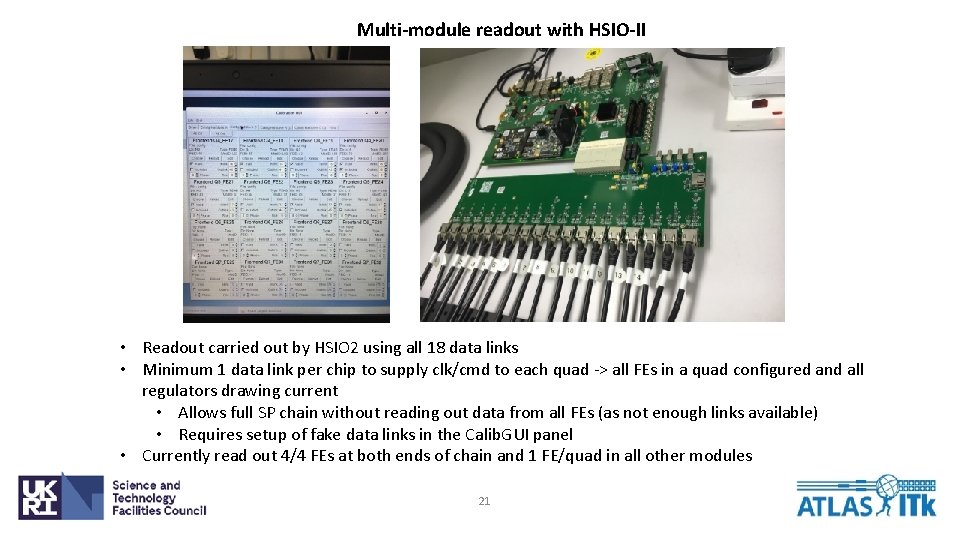
Multi-module readout with HSIO-II • Readout carried out by HSIO 2 using all 18 data links • Minimum 1 data link per chip to supply clk/cmd to each quad -> all FEs in a quad configured and all regulators drawing current • Allows full SP chain without reading out data from all FEs (as not enough links available) • Requires setup of fake data links in the Calib. GUI panel • Currently read out 4/4 FEs at both ends of chain and 1 FE/quad in all other modules 21
Sr 90 scan of two back-to-back modules 22
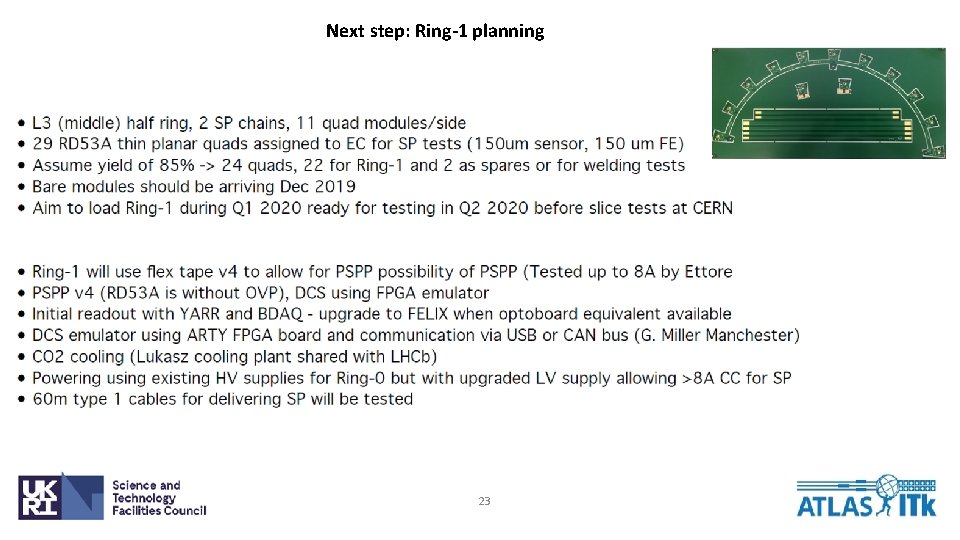
Next step: Ring-1 planning 23
24
25