
Astronomy Seminar Series 11122005 An Introduction to IDL
![II. Basics of IDL> PRINT, 3 * 5, [30, 5, 50] 15 30 5](https://slidetodoc.com/presentation_image_h/d48d4dd6fe8f1765d81e72c005cff0a9/image-9.jpg "II. Basics of IDL> PRINT, 3 * 5, [30, 5, 50] 15 30 5")
![Working with Arrays! (Essential for IDL) A[i 1, j: *] A(n, m): Array with](https://slidetodoc.com/presentation_image_h/d48d4dd6fe8f1765d81e72c005cff0a9/image-16.jpg "Working with Arrays! (Essential for IDL) A[i 1, j: *] A(n, m): Array with")
![Where(): where are they? file= FILEPATH('galaxy. dat', subdir = ['examples', 'data']) imagesize = [256,](https://slidetodoc.com/presentation_image_h/d48d4dd6fe8f1765d81e72c005cff0a9/image-19.jpg "Where(): where are they? file= FILEPATH('galaxy. dat', subdir = ['examples', 'data']) imagesize = [256,")
![Mask using Where() file = FILEPATH('worldelv. dat', $ subdir = ['examples', 'data']) file =](https://slidetodoc.com/presentation_image_h/d48d4dd6fe8f1765d81e72c005cff0a9/image-20.jpg "Mask using Where() file = FILEPATH('worldelv. dat', $ subdir = ['examples', 'data']) file =")
![Color Decomposition Data=loaddata(1) Plot, data, Color=255, posi=[0, 0, 1, 1] Help, /Device, Decomposed=1 ;](https://slidetodoc.com/presentation_image_h/d48d4dd6fe8f1765d81e72c005cff0a9/image-27.jpg "Color Decomposition Data=loaddata(1) Plot, data, Color=255, posi=[0, 0, 1, 1] Help, /Device, Decomposed=1 ;")
![device, decom=1 RGB Image: Ant Nebula window, 0, xsize=2*info[2], ysize=2*info[3] tv, ant, true=1, 0](https://slidetodoc.com/presentation_image_h/d48d4dd6fe8f1765d81e72c005cff0a9/image-28.jpg "device, decom=1 RGB Image: Ant Nebula window, 0, xsize=2*info[2], ysize=2*info[3] tv, ant, true=1, 0")
![User PSYM device, decomposed=0 !p. multi=[0, 1, 2] data=loaddata(1) Plot, data, PSym=-2 ; filled](https://slidetodoc.com/presentation_image_h/d48d4dd6fe8f1765d81e72c005cff0a9/image-31.jpg "User PSYM device, decomposed=0 !p. multi=[0, 1, 2] data=loaddata(1) Plot, data, PSym=-2 ; filled")
![TV and TVSCL file = FILEPATH('hurric. dat', subdir = ['examples', 'data']) hurric = READ_BINARY(file,](https://slidetodoc.com/presentation_image_h/d48d4dd6fe8f1765d81e72c005cff0a9/image-33.jpg "TV and TVSCL file = FILEPATH('hurric. dat', subdir = ['examples', 'data']) hurric = READ_BINARY(file,")
![Pseudo-Color Images in PS file = FILEPATH('worldelv. dat', subdir = ['examples', 'data']) image =](https://slidetodoc.com/presentation_image_h/d48d4dd6fe8f1765d81e72c005cff0a9/image-34.jpg "Pseudo-Color Images in PS file = FILEPATH('worldelv. dat', subdir = ['examples', 'data']) image =")
![BYTSCL (Byte Scale) mr_brain BYTSCL READ_DICOM(FILEPATH('mr_brain. dcm', subdir = ['examples', 'data'])) 41](https://slidetodoc.com/presentation_image_h/d48d4dd6fe8f1765d81e72c005cff0a9/image-41.jpg "BYTSCL (Byte Scale) mr_brain BYTSCL READ_DICOM(FILEPATH('mr_brain. dcm', subdir = ['examples', 'data'])) 41")
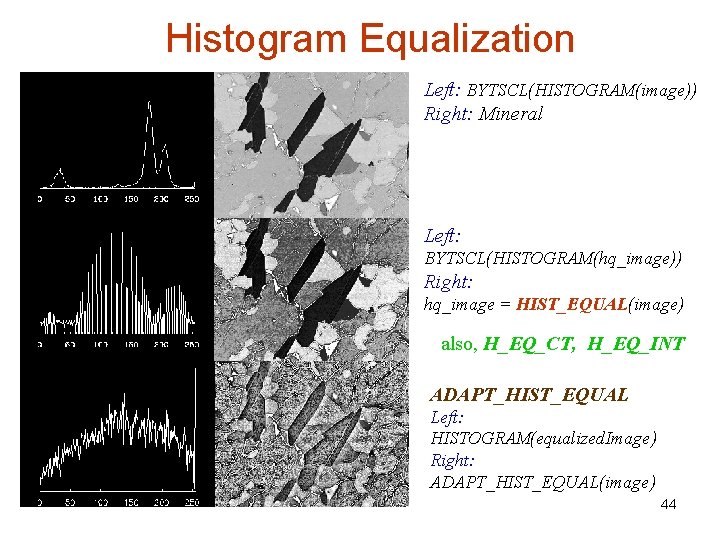
![Color Table Highlights, Contrast file = FILEPATH('mineral. png', subdir = ['examples', 'data']) image =](https://slidetodoc.com/presentation_image_h/d48d4dd6fe8f1765d81e72c005cff0a9/image-43.jpg "Color Table Highlights, Contrast file = FILEPATH('mineral. png', subdir = ['examples', 'data']) image =")
![Fast Fourier Transform de-noise file= FILEPATH('abnorm. dat', subdir = ['examples', 'data']) power. Spec =](https://slidetodoc.com/presentation_image_h/d48d4dd6fe8f1765d81e72c005cff0a9/image-46.jpg "Fast Fourier Transform de-noise file= FILEPATH('abnorm. dat', subdir = ['examples', 'data']) power. Spec =")
![Inverse Laplace Trans inverse. Trans masked. Spec mask = HANNING(imagesize[0], imagesize[1]) masked. Spec =](https://slidetodoc.com/presentation_image_h/d48d4dd6fe8f1765d81e72c005cff0a9/image-48.jpg "Inverse Laplace Trans inverse. Trans masked. Spec mask = HANNING(imagesize[0], imagesize[1]) masked. Spec =")
![Median Smoothing rbcells MEDIAN(rbcells, 5) file= FILEPATH('rbcells. jpg', subdir = ['examples', 'data']) 49](https://slidetodoc.com/presentation_image_h/d48d4dd6fe8f1765d81e72c005cff0a9/image-49.jpg "Median Smoothing rbcells MEDIAN(rbcells, 5) file= FILEPATH('rbcells. jpg', subdir = ['examples', 'data']) 49")
![Rim Enhancing cropped. Image ROBERTS SOBEL cropped. Size = [96, 96] file= FILEPATH('nyny. dat',](https://slidetodoc.com/presentation_image_h/d48d4dd6fe8f1765d81e72c005cff0a9/image-50.jpg "Rim Enhancing cropped. Image ROBERTS SOBEL cropped. Size = [96, 96] file= FILEPATH('nyny. dat',")
- Slides: 50
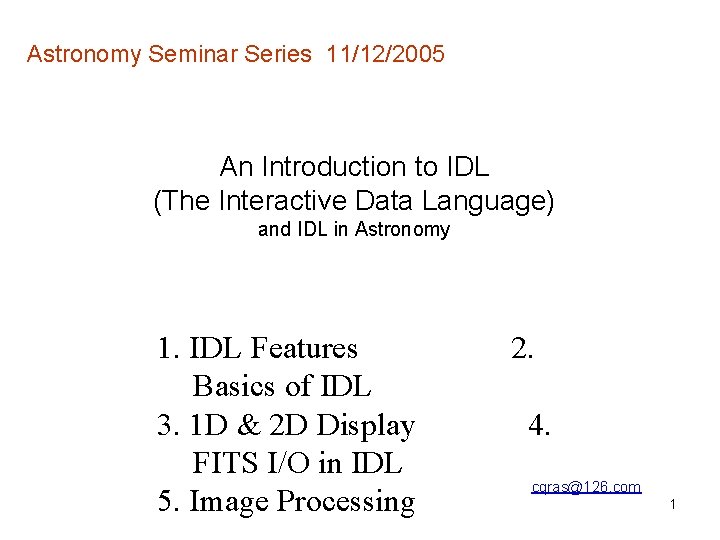
Astronomy Seminar Series 11/12/2005 An Introduction to IDL (The Interactive Data Language) and IDL in Astronomy 1. IDL Features Basics of IDL 3. 1 D & 2 D Display FITS I/O in IDL 5. Image Processing 2. 4. cqras@126. com 1
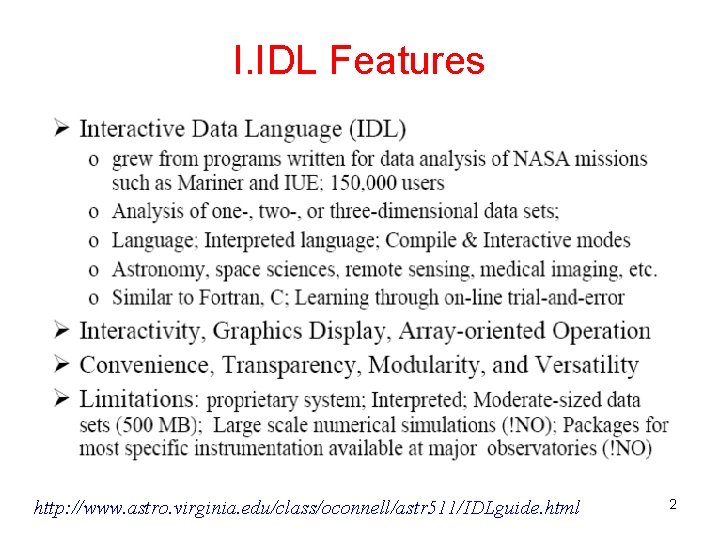
I. IDL Features http: //www. astro. virginia. edu/class/oconnell/astr 511/IDLguide. html 2
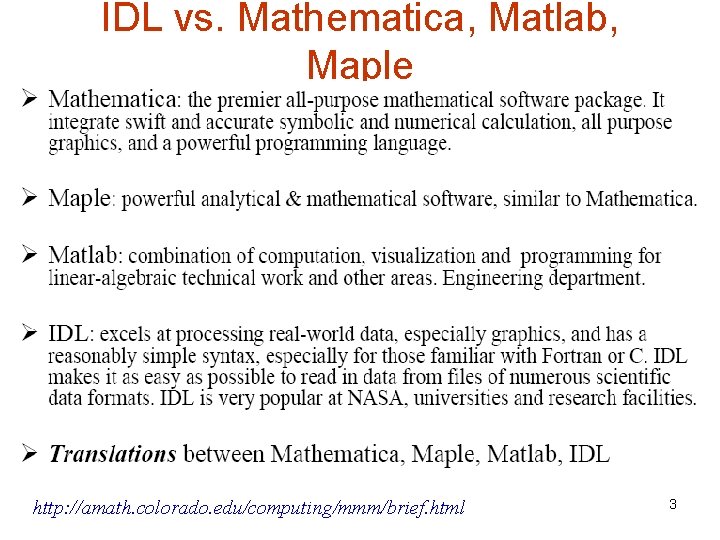
IDL vs. Mathematica, Matlab, Maple http: //amath. colorado. edu/computing/mmm/brief. html 3
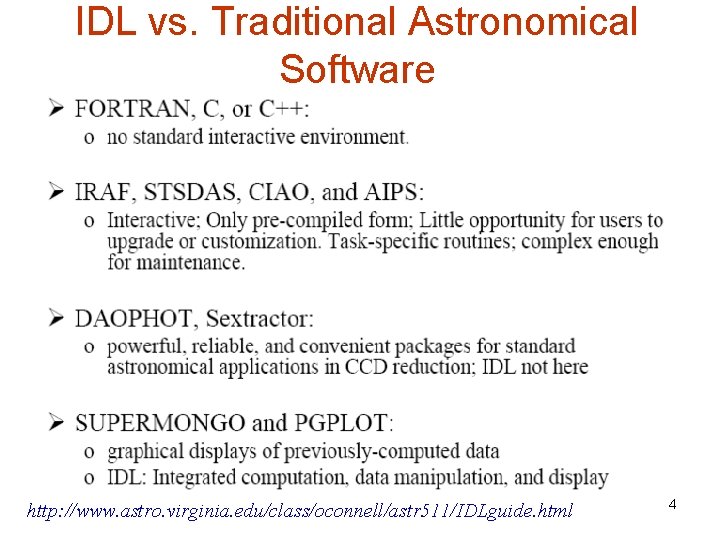
IDL vs. Traditional Astronomical Software http: //www. astro. virginia. edu/class/oconnell/astr 511/IDLguide. html 4
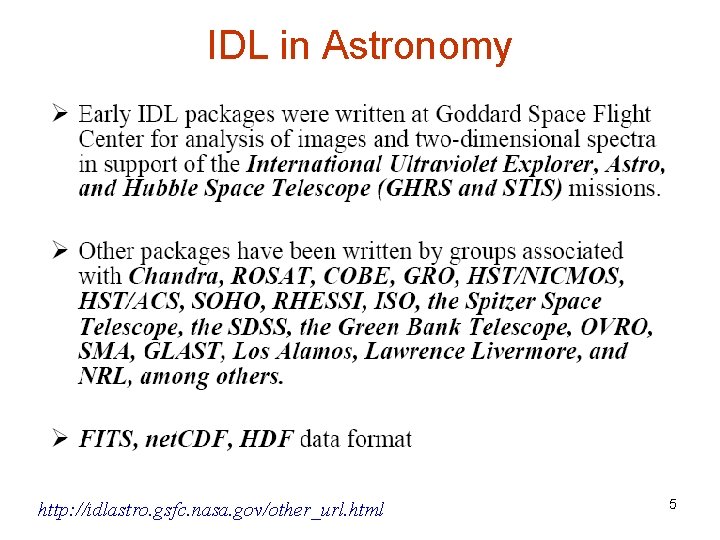
IDL in Astronomy http: //idlastro. gsfc. nasa. gov/other_url. html 5
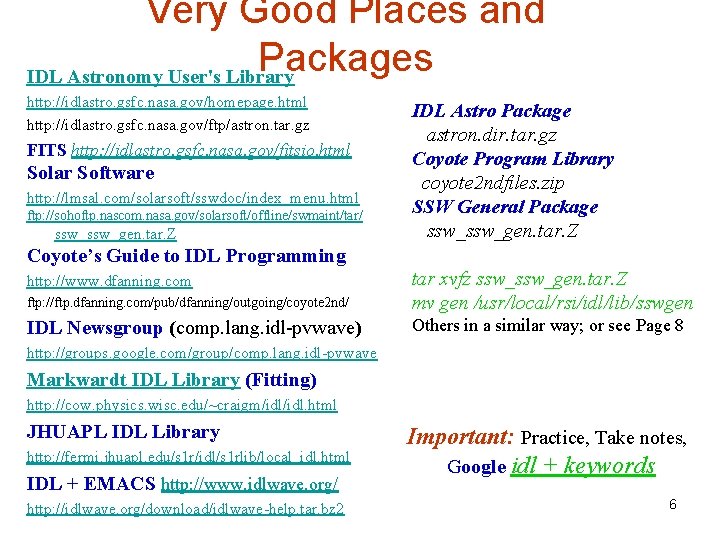
Very Good Places and Packages IDL Astronomy User's Library http: //idlastro. gsfc. nasa. gov/homepage. html http: //idlastro. gsfc. nasa. gov/ftp/astron. tar. gz FITS http: //idlastro. gsfc. nasa. gov/fitsio. html Solar Software http: //lmsal. com/solarsoft/sswdoc/index_menu. html ftp: //sohoftp. nascom. nasa. gov/solarsoft/offline/swmaint/tar/ ssw_gen. tar. Z IDL Astro Package astron. dir. tar. gz Coyote Program Library coyote 2 ndfiles. zip SSW General Package ssw_gen. tar. Z Coyote’s Guide to IDL Programming ftp: //ftp. dfanning. com/pub/dfanning/outgoing/coyote 2 nd/ tar xvfz ssw_gen. tar. Z mv gen /usr/local/rsi/idl/lib/sswgen IDL Newsgroup (comp. lang. idl-pvwave) Others in a similar way; or see Page 8 http: //www. dfanning. com http: //groups. google. com/group/comp. lang. idl-pvwave Markwardt IDL Library (Fitting) http: //cow. physics. wisc. edu/~craigm/idl. html JHUAPL IDL Library http: //fermi. jhuapl. edu/s 1 r/idl/s 1 rlib/local_idl. html IDL + EMACS http: //www. idlwave. org/ http: //idlwave. org/download/idlwave-help. tar. bz 2 Important: Practice, Take notes, Google idl + keywords 6
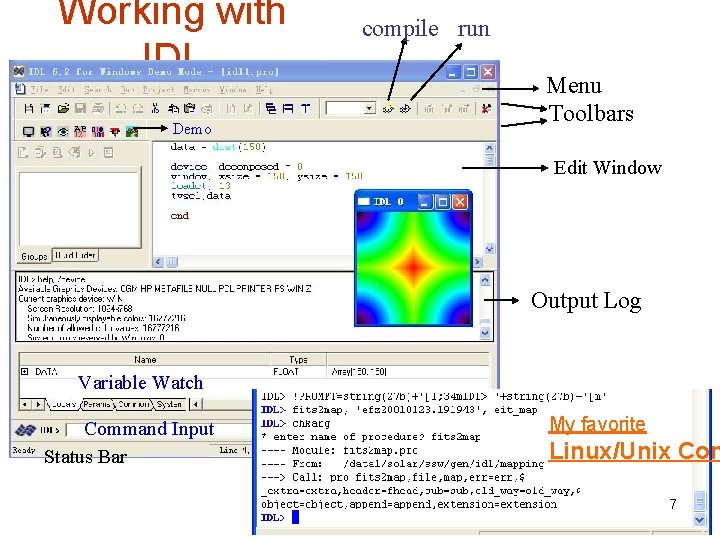
Working with IDL Demo compile run Menu Toolbars Edit Window Output Log Variable Watch Command Input Status Bar My favorite Linux/Unix Con 7
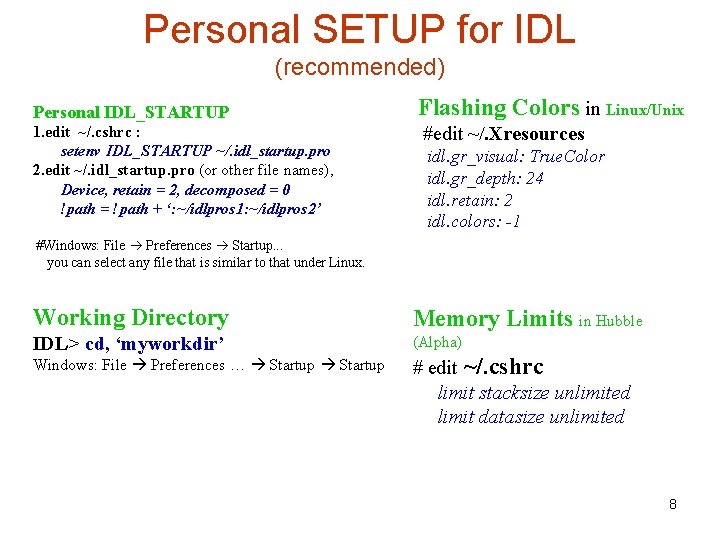
Personal SETUP for IDL (recommended) Personal IDL_STARTUP 1. edit ~/. cshrc : setenv IDL_STARTUP ~/. idl_startup. pro 2. edit ~/. idl_startup. pro (or other file names), Device, retain = 2, decomposed = 0 !path = !path + ‘: ~/idlpros 1: ~/idlpros 2’ Flashing Colors in Linux/Unix #edit ~/. Xresources idl. gr_visual: True. Color idl. gr_depth: 24 idl. retain: 2 idl. colors: -1 #Windows: File Preferences Startup. . . you can select any file that is similar to that under Linux. Working Directory Memory Limits in Hubble IDL> cd, ‘myworkdir’ (Alpha) Windows: File Preferences … Startup # edit ~/. cshrc limit stacksize unlimited limit datasize unlimited 8
II. Basics of IDL> PRINT, 3 * 5, [30, 5, 50] 15 30 5 50 Dynamic Datatype IDL> x = 'Hello! IDL World' & HELP, x X STRING = 'Hello! IDL World' IDL> x = indgen(15) & y = sin(2*!dpi*x/15) X INT = Array[10] Array Operation Y DOUBLE = Array[10] Array Zero-Ordered IDL> FOR i = 0, 15 -1 DO PRINT, i, x[i], y[i] IDL> DEVICE, decomposed = 0 IDL> plot, loaddata(1), psym=-4, $ title='plot', xtitle='Month', ytit='Sth‘ ; , $ ; /ylog, yrange=[5 e-1, 40], ystyle=1 Parameters Direct Graphics 9
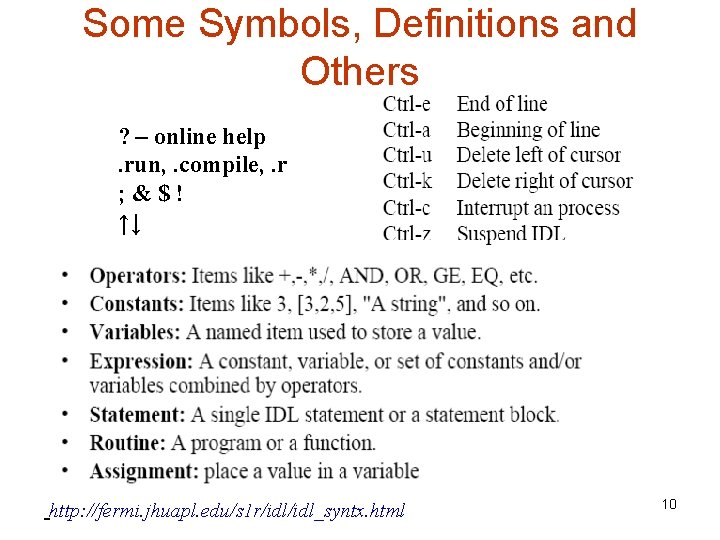
Some Symbols, Definitions and Others ? – online help. run, . compile, . r ; &$! ↑↓ http: //fermi. jhuapl. edu/s 1 r/idl_syntx. html 10
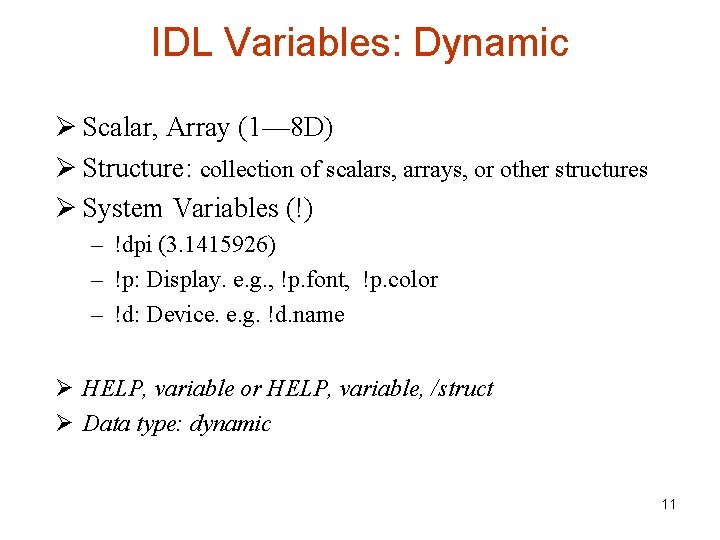
IDL Variables: Dynamic Ø Scalar, Array (1— 8 D) Ø Structure: collection of scalars, arrays, or other structures Ø System Variables (!) – !dpi (3. 1415926) – !p: Display. e. g. , !p. font, !p. color – !d: Device. e. g. !d. name Ø HELP, variable or HELP, variable, /struct Ø Data type: dynamic 11
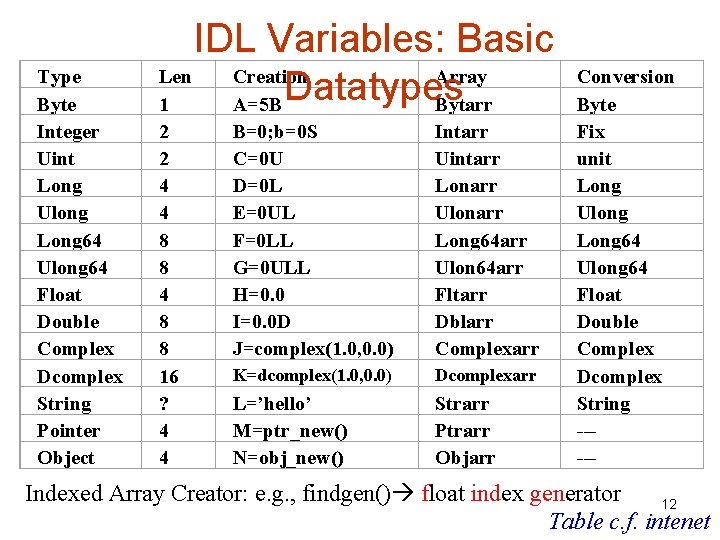
Type Byte Integer Uint Long Ulong Long 64 Ulong 64 Float Double Complex Dcomplex String Pointer Object IDL Variables: Basic Len Creation Array Datatypes 1 A=5 B Bytarr 2 2 4 4 8 8 16 ? 4 4 B=0; b=0 S C=0 U D=0 L E=0 UL F=0 LL G=0 ULL H=0. 0 I=0. 0 D J=complex(1. 0, 0. 0) Intarr Uintarr Lonarr Ulonarr Long 64 arr Ulon 64 arr Fltarr Dblarr Complexarr K=dcomplex(1. 0, 0. 0) Dcomplexarr L=’hello’ M=ptr_new() N=obj_new() Strarr Ptrarr Objarr Conversion Byte Fix unit Long Ulong Long 64 Ulong 64 Float Double Complex Dcomplex String ----- Indexed Array Creator: e. g. , findgen() float index generator 12 Table c. f. intenet
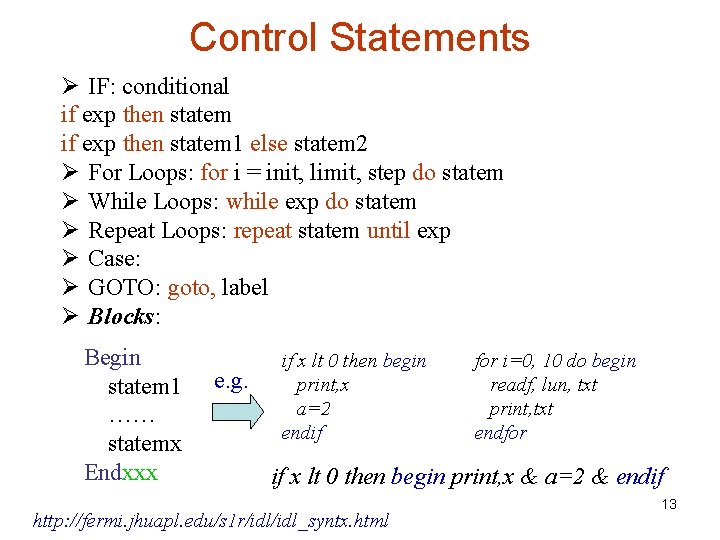
Control Statements Ø IF: conditional if exp then statem 1 else statem 2 Ø For Loops: for i = init, limit, step do statem Ø While Loops: while exp do statem Ø Repeat Loops: repeat statem until exp Ø Case: Ø GOTO: goto, label Ø Blocks: Begin statem 1 …… statemx Endxxx e. g. if x lt 0 then begin print, x a=2 endif for i=0, 10 do begin readf, lun, txt print, txt endfor if x lt 0 then begin print, x & a=2 & endif http: //fermi. jhuapl. edu/s 1 r/idl_syntx. html 13
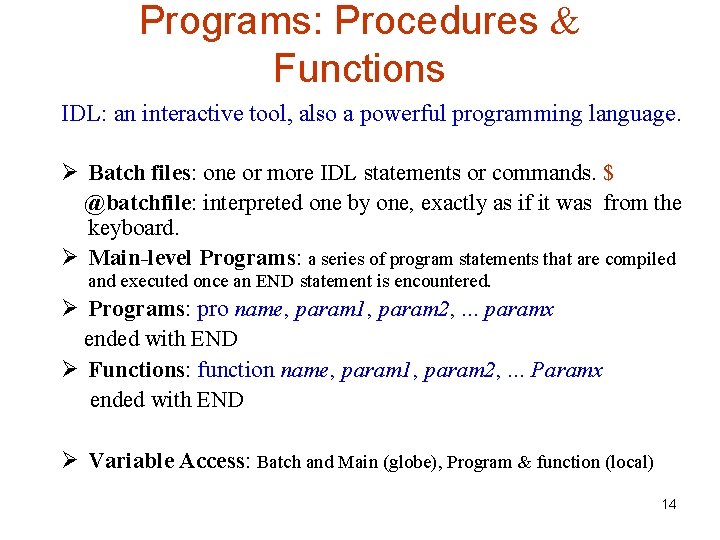
Programs: Procedures & Functions IDL: an interactive tool, also a powerful programming language. Ø Batch files: one or more IDL statements or commands. $ @batchfile: interpreted one by one, exactly as if it was from the keyboard. Ø Main-level Programs: a series of program statements that are compiled and executed once an END statement is encountered. Ø Programs: pro name, param 1, param 2, . . . paramx ended with END Ø Functions: function name, param 1, param 2, . . . Paramx ended with END Ø Variable Access: Batch and Main (globe), Program & function (local) 14
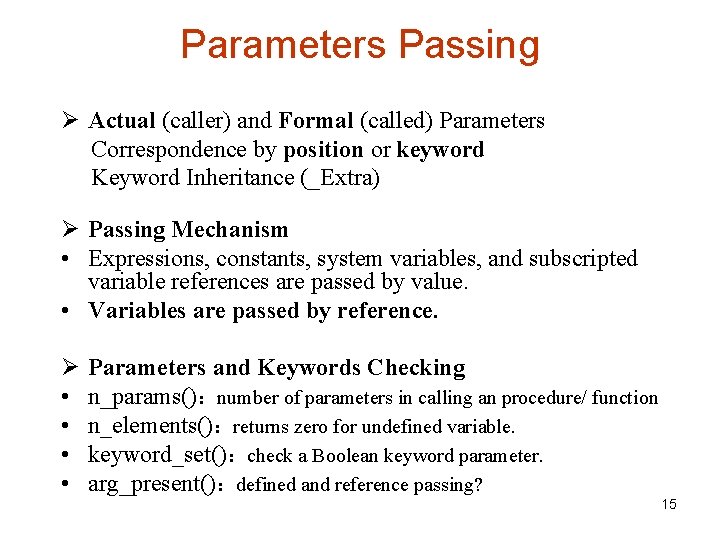
Parameters Passing Ø Actual (caller) and Formal (called) Parameters Correspondence by position or keyword Keyword Inheritance (_Extra) Ø Passing Mechanism • Expressions, constants, system variables, and subscripted variable references are passed by value. • Variables are passed by reference. Ø • • Parameters and Keywords Checking n_params():number of parameters in calling an procedure/ function n_elements():returns zero for undefined variable. keyword_set():check a Boolean keyword parameter. arg_present():defined and reference passing? 15
Working with Arrays! (Essential for IDL) A[i 1, j: *] A(n, m): Array with n columns and m rows A[n, m]: Element pos = n*i+j j = pos MOD n i = (pos - j)/n 16
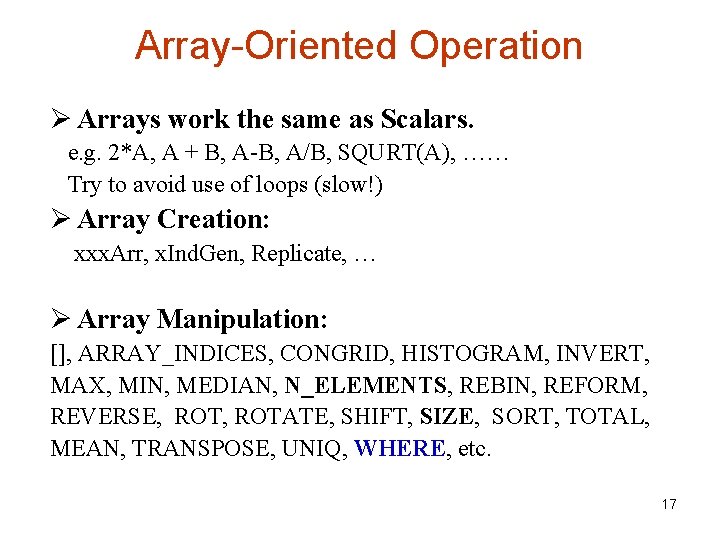
Array-Oriented Operation Ø Arrays work the same as Scalars. e. g. 2*A, A + B, A-B, A/B, SQURT(A), …… Try to avoid use of loops (slow!) Ø Array Creation: xxx. Arr, x. Ind. Gen, Replicate, … Ø Array Manipulation: [], ARRAY_INDICES, CONGRID, HISTOGRAM, INVERT, MAX, MIN, MEDIAN, N_ELEMENTS, REBIN, REFORM, REVERSE, ROTATE, SHIFT, SIZE, SORT, TOTAL, MEAN, TRANSPOSE, UNIQ, WHERE, etc. 17
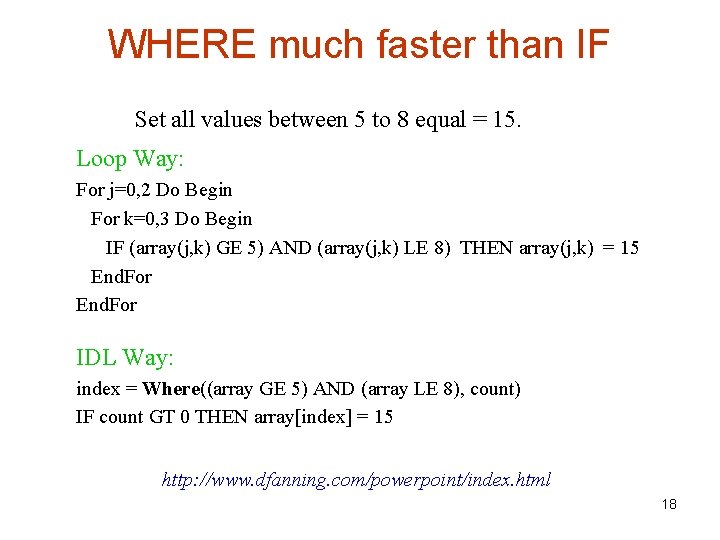
WHERE much faster than IF Set all values between 5 to 8 equal = 15. Loop Way: For j=0, 2 Do Begin For k=0, 3 Do Begin IF (array(j, k) GE 5) AND (array(j, k) LE 8) THEN array(j, k) = 15 End. For IDL Way: index = Where((array GE 5) AND (array LE 8), count) IF count GT 0 THEN array[index] = 15 http: //www. dfanning. com/powerpoint/index. html 18
Where(): where are they? file= FILEPATH('galaxy. dat', subdir = ['examples', 'data']) imagesize = [256, 256] image = READ_BINARY(file, data_dims =imagesize) DEVICE, decomposed = 0 & LOADCT, 4 WINDOW, 0, xsize = imagesize[0], ys= 2 * imagesize[1] indices = Where((image GE 200) AND $ (image LE 230), count) IF count GT 0 THEN BEGIN result = Array_Indices(image, indices) col = Reform(result [0, *]) row = Reform(result [1, *]) TV, image, 0 & TV, image, 1 Plot. S, col, row, /Device, $ Color=FSC_Color(‘white'), psym=1 ENDIF 19
Mask using Where() file = FILEPATH('worldelv. dat', $ subdir = ['examples', 'data']) file = FILEPATH('worldtmp. png', $ subdir = ['examples', 'demodata']) TV, elv. Image, 0 & TV, tmp. Image, 1 ocean = WHERE(elv. Image LT 125) image = tmp. Image image[ocean] = elv. Image[ocean] TV, image, 2 land = WHERE(elv. Image GE 125) image = tmp. Image image[land] = elv. Image[land] TV, image, 3 Temperature Distribution in Land Ocean 20
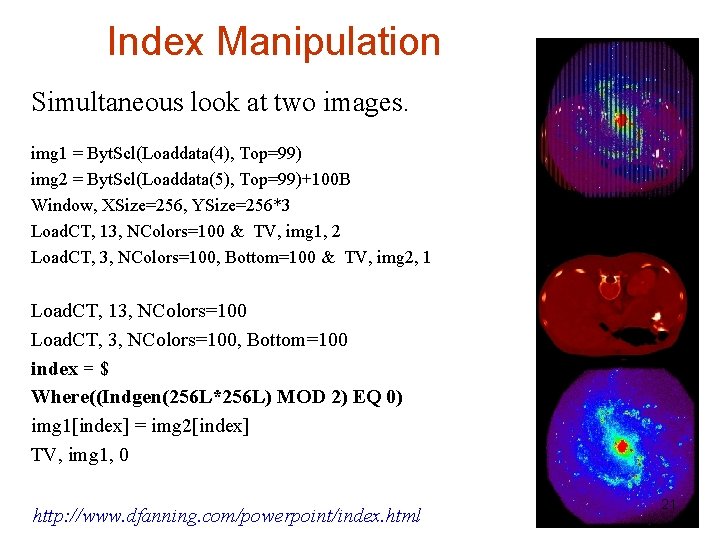
Index Manipulation Simultaneous look at two images. img 1 = Byt. Scl(Loaddata(4), Top=99) img 2 = Byt. Scl(Loaddata(5), Top=99)+100 B Window, XSize=256, YSize=256*3 Load. CT, 13, NColors=100 & TV, img 1, 2 Load. CT, 3, NColors=100, Bottom=100 & TV, img 2, 1 Load. CT, 13, NColors=100 Load. CT, 3, NColors=100, Bottom=100 index = $ Where((Indgen(256 L*256 L) MOD 2) EQ 0) img 1[index] = img 2[index] TV, img 1, 0 http: //www. dfanning. com/powerpoint/index. html 21
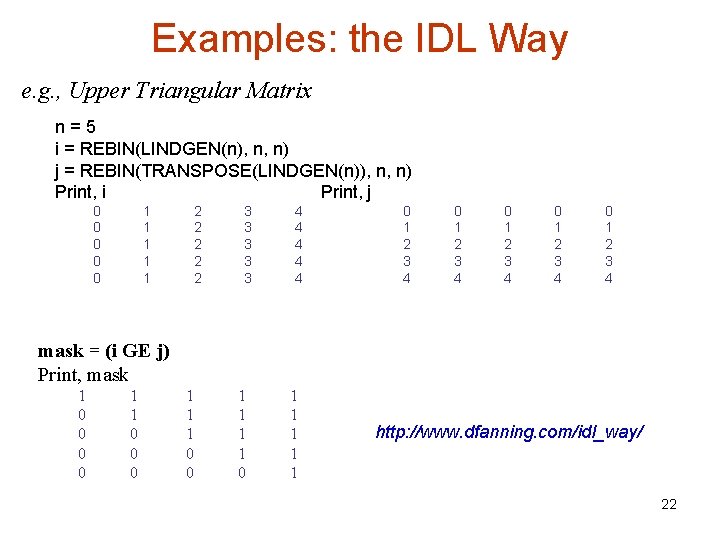
Examples: the IDL Way e. g. , Upper Triangular Matrix n=5 i = REBIN(LINDGEN(n), n, n) j = REBIN(TRANSPOSE(LINDGEN(n)), n, n) Print, i Print, j 0 0 0 1 1 1 2 2 2 3 3 3 4 4 4 0 1 2 3 4 0 1 2 3 4 mask = (i GE j) Print, mask 1 0 0 1 1 0 0 0 1 1 1 1 0 1 1 1 http: //www. dfanning. com/idl_way/ 22
Direct Graphics • Device oriented; display in a specific device • Set_plot: X/WIN/MAC, PS, PRINTER, METAFILE, Z, CGM, PCL, NULL • Device: retain, decomposed, set_character_size, pseudo_color, index_color, true_color • Window Coordinates: Data, Device, Nomal 23
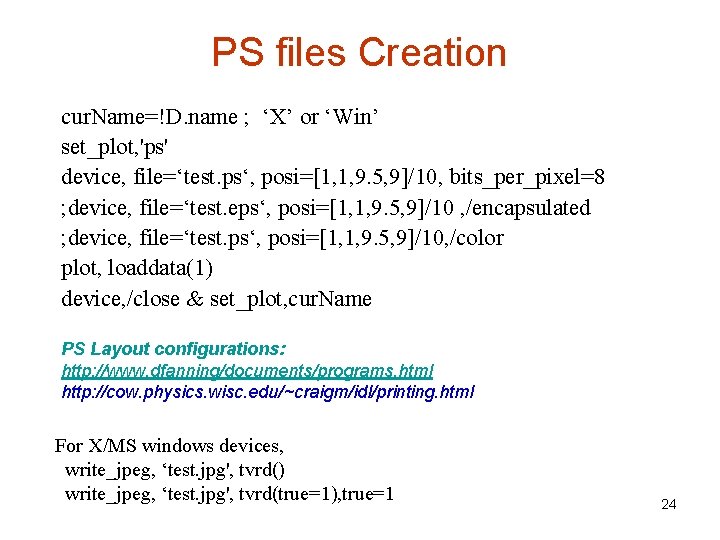
PS files Creation cur. Name=!D. name ; ‘X’ or ‘Win’ set_plot, 'ps' device, file=‘test. ps‘, posi=[1, 1, 9. 5, 9]/10, bits_per_pixel=8 ; device, file=‘test. eps‘, posi=[1, 1, 9. 5, 9]/10 , /encapsulated ; device, file=‘test. ps‘, posi=[1, 1, 9. 5, 9]/10, /color plot, loaddata(1) device, /close & set_plot, cur. Name PS Layout configurations: http: //www. dfanning/documents/programs. html http: //cow. physics. wisc. edu/~craigm/idl/printing. html For X/MS windows devices, write_jpeg, ‘test. jpg', tvrd() write_jpeg, ‘test. jpg', tvrd(true=1), true=1 24
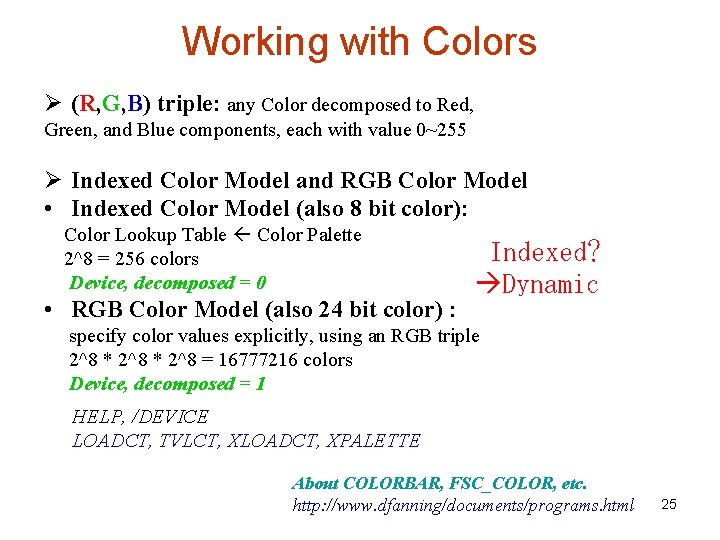
Working with Colors Ø (R, G, B) triple: any Color decomposed to Red, Green, and Blue components, each with value 0~255 Ø Indexed Color Model and RGB Color Model • Indexed Color Model (also 8 bit color): Color Lookup Table Color Palette 2^8 = 256 colors Device, decomposed = 0 • RGB Color Model (also 24 bit color) : Indexed? Dynamic specify color values explicitly, using an RGB triple 2^8 * 2^8 = 16777216 colors Device, decomposed = 1 HELP, /DEVICE LOADCT, TVLCT, XLOADCT, XPALETTE About COLORBAR, FSC_COLOR, etc. http: //www. dfanning/documents/programs. html 25
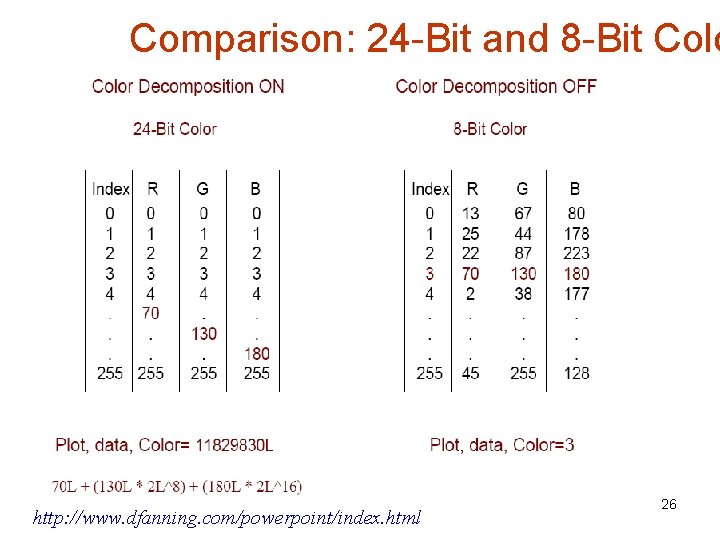
Comparison: 24 -Bit and 8 -Bit Colo http: //www. dfanning. com/powerpoint/index. html 26
Color Decomposition Data=loaddata(1) Plot, data, Color=255, posi=[0, 0, 1, 1] Help, /Device, Decomposed=1 ; ON Plot, data, Color=11829830 L, $ Background='00 ff 00'x. L, posi=[0, 0, 1, 1] TVLCT, 70, 130, 180, 240 Device, Decomposed=0; OFF Plot, data, Color=240, $ Background=255, posi=[0, 0, 1, 1] 27
device, decom=1 RGB Image: Ant Nebula window, 0, xsize=2*info[2], ysize=2*info[3] tv, ant, true=1, 0 tvscl, r, channel=1 & tvscl, g, channel=2 & tvscl, b, channel=3 tvscl, r, channel=1, 1 & tvscl, g, channel=2, 2 & tvscl, b, channel=3, 3 read_jpeg, 'Ant. jpg', ant r=reform(ant[0, *, *]) g=reform(ant[1, *, *]) b=reform(ant[2, *, *]) Help, ant Google Images: Ant Nebula 28
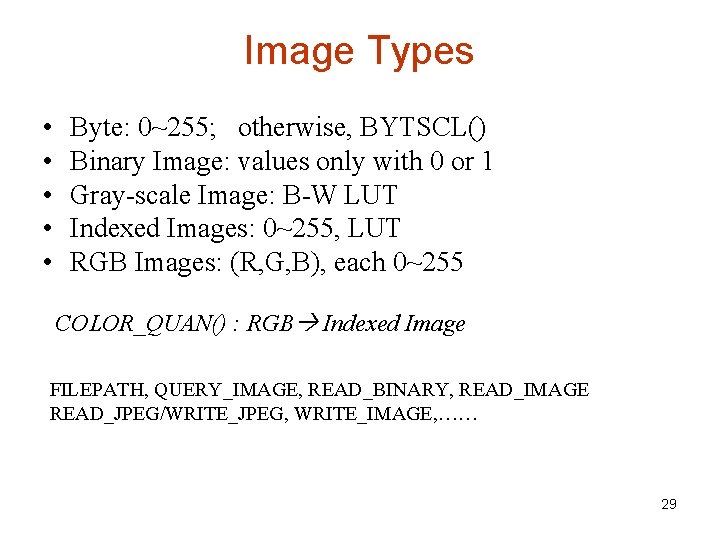
Image Types • • • Byte: 0~255; otherwise, BYTSCL() Binary Image: values only with 0 or 1 Gray-scale Image: B-W LUT Indexed Images: 0~255, LUT RGB Images: (R, G, B), each 0~255 COLOR_QUAN() : RGB Indexed Image FILEPATH, QUERY_IMAGE, READ_BINARY, READ_IMAGE READ_JPEG/WRITE_JPEG, WRITE_IMAGE, …… 29
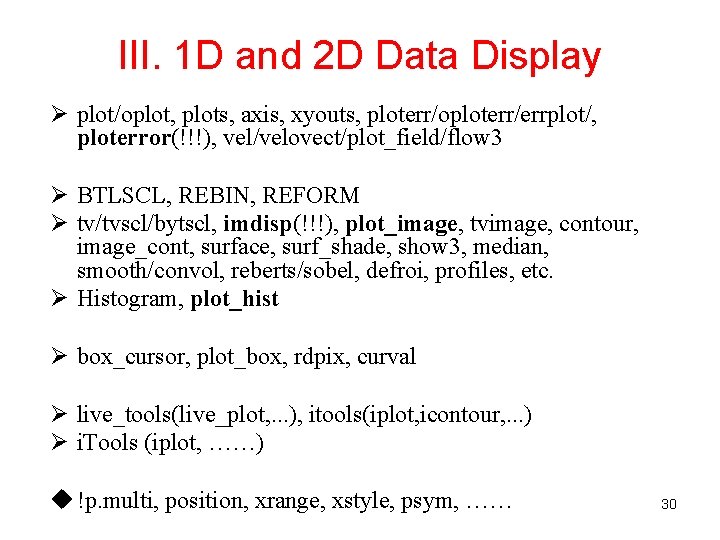
III. 1 D and 2 D Data Display Ø plot/oplot, plots, axis, xyouts, ploterr/oploterr/errplot/, ploterror(!!!), vel/velovect/plot_field/flow 3 Ø BTLSCL, REBIN, REFORM Ø tv/tvscl/bytscl, imdisp(!!!), plot_image, tvimage, contour, image_cont, surface, surf_shade, show 3, median, smooth/convol, reberts/sobel, defroi, profiles, etc. Ø Histogram, plot_hist Ø box_cursor, plot_box, rdpix, curval Ø live_tools(live_plot, . . . ), itools(iplot, icontour, . . . ) Ø i. Tools (iplot, ……) u !p. multi, position, xrange, xstyle, psym, …… 30
User PSYM device, decomposed=0 !p. multi=[0, 1, 2] data=loaddata(1) Plot, data, PSym=-2 ; filled circle phi = Findgen(32) * (!PI * 2 / 32. ) phi = [ phi, phi[0] ] User. Sym, Cos(phi), Sin(phi), /Fill Plot, data, /No. Data ; tvlct, 178, 34, 10 & OPlot, data, Color=10 OPlot, data, Color=FSC_Color('firebrick') Oplot, data, color=FSC_Color('forest green'), $ PSym=8, Symsize=1. 5 31
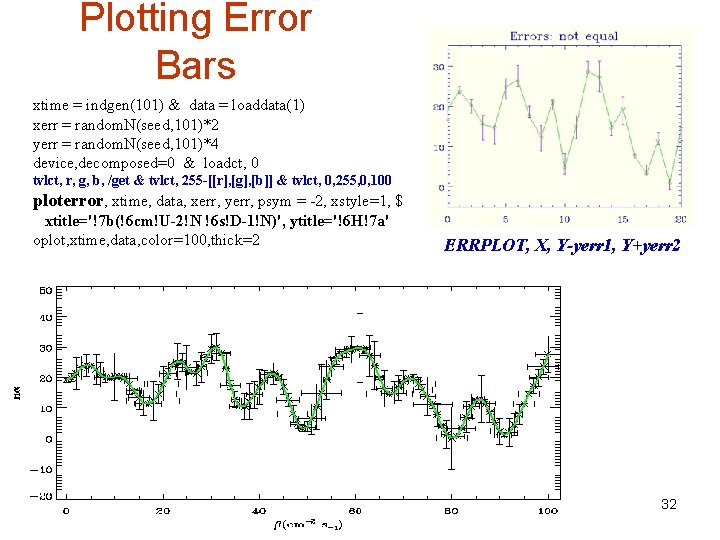
Plotting Error Bars xtime = indgen(101) & data = loaddata(1) xerr = random. N(seed, 101)*2 yerr = random. N(seed, 101)*4 device, decomposed=0 & loadct, 0 tvlct, r, g, b, /get & tvlct, 255 -[[r], [g], [b]] & tvlct, 0, 255, 0, 100 ploterror, xtime, data, xerr, yerr, psym = -2, xstyle=1, $ xtitle='!7 b(!6 cm!U-2!N !6 s!D-1!N)', ytitle='!6 H!7 a' oplot, xtime, data, color=100, thick=2 ERRPLOT, X, Y-yerr 1, Y+yerr 2 32
TV and TVSCL file = FILEPATH('hurric. dat', subdir = ['examples', 'data']) hurric = READ_BINARY(file, DATA_DIMS = [440, 340]) 33
Pseudo-Color Images in PS file = FILEPATH('worldelv. dat', subdir = ['examples', 'data']) image = READ_BINARY(file, DATA_DIMS = [360, 360]) cur. Name=!d. name & set_plot, 'PS' device, /color, file='elev. eps', bits_per_pixel=8, /encap loadct, 13 & imdisp, image ; plot_image, image device, /close & set_plot, cur. Name IMDISP better than TV/TVSCL Also try PLOT_IMAGE 34
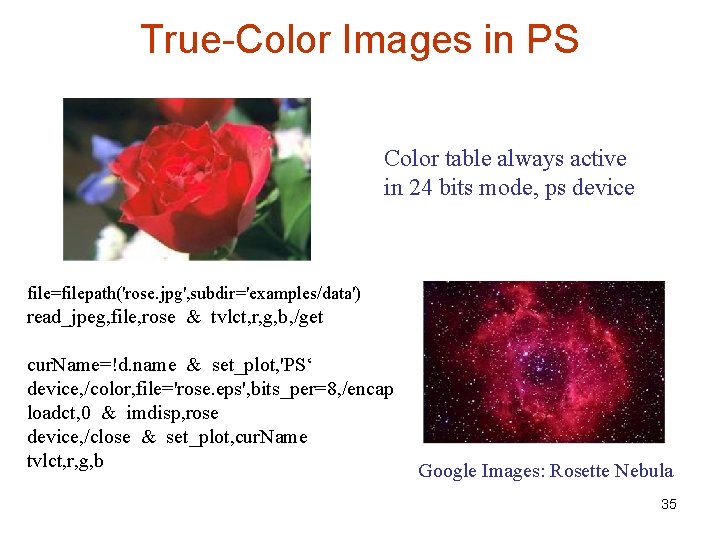
True-Color Images in PS Color table always active in 24 bits mode, ps device file=filepath('rose. jpg', subdir='examples/data') read_jpeg, file, rose & tvlct, r, g, b, /get cur. Name=!d. name & set_plot, 'PS‘ device, /color, file='rose. eps', bits_per=8, /encap loadct, 0 & imdisp, rose device, /close & set_plot, cur. Name tvlct, r, g, b Google Images: Rosette Nebula 35
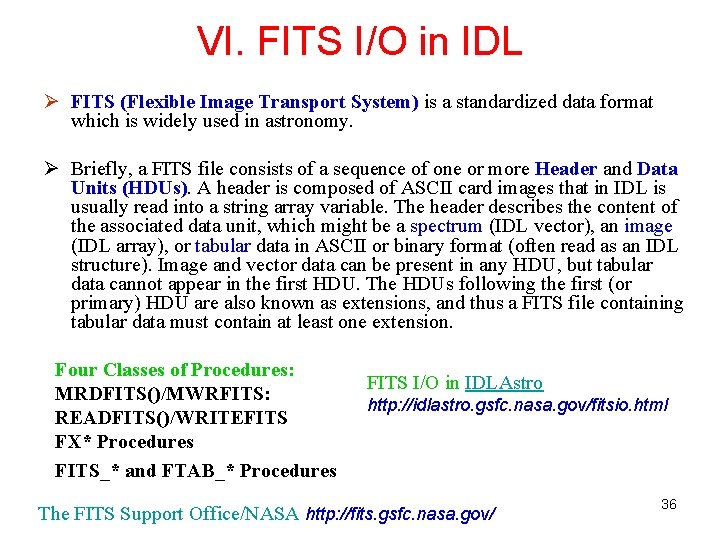
VI. FITS I/O in IDL Ø FITS (Flexible Image Transport System) is a standardized data format which is widely used in astronomy. Ø Briefly, a FITS file consists of a sequence of one or more Header and Data Units (HDUs). A header is composed of ASCII card images that in IDL is usually read into a string array variable. The header describes the content of the associated data unit, which might be a spectrum (IDL vector), an image (IDL array), or tabular data in ASCII or binary format (often read as an IDL structure). Image and vector data can be present in any HDU, but tabular data cannot appear in the first HDU. The HDUs following the first (or primary) HDU are also known as extensions, and thus a FITS file containing tabular data must contain at least one extension. Four Classes of Procedures: MRDFITS()/MWRFITS: READFITS()/WRITEFITS FX* Procedures FITS_* and FTAB_* Procedures FITS I/O in IDLAstro http: //idlastro. gsfc. nasa. gov/fitsio. html The FITS Support Office/NASA http: //fits. gsfc. nasa. gov/ 36
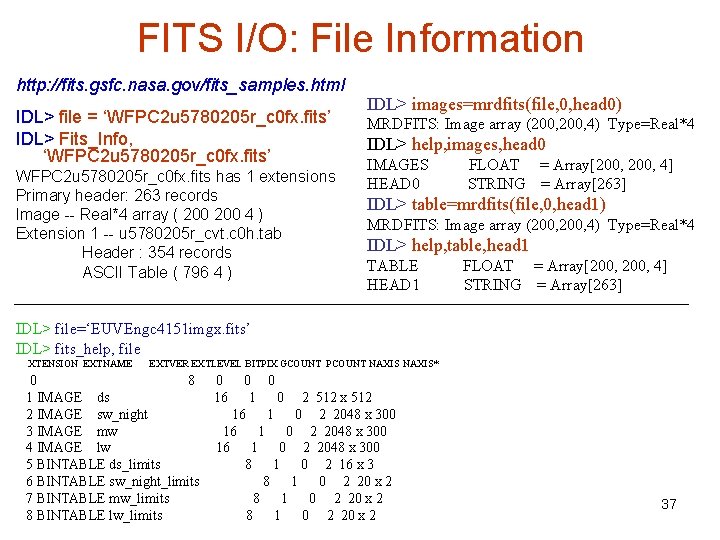
FITS I/O: File Information http: //fits. gsfc. nasa. gov/fits_samples. html IDL> file = ‘WFPC 2 u 5780205 r_c 0 fx. fits’ IDL> Fits_Info, ‘WFPC 2 u 5780205 r_c 0 fx. fits’ WFPC 2 u 5780205 r_c 0 fx. fits has 1 extensions Primary header: 263 records Image -- Real*4 array ( 200 4 ) Extension 1 -- u 5780205 r_cvt. c 0 h. tab Header : 354 records ASCII Table ( 796 4 ) IDL> images=mrdfits(file, 0, head 0) MRDFITS: Image array (200, 4) Type=Real*4 IDL> help, images, head 0 IMAGES HEAD 0 FLOAT = Array[200, 4] STRING = Array[263] IDL> table=mrdfits(file, 0, head 1) MRDFITS: Image array (200, 4) Type=Real*4 IDL> help, table, head 1 TABLE HEAD 1 FLOAT = Array[200, 4] STRING = Array[263] IDL> file=‘EUVEngc 4151 imgx. fits’ IDL> fits_help, file XTENSION EXTNAME EXTVER EXTLEVEL BITPIX GCOUNT PCOUNT NAXIS* 0 8 1 IMAGE ds 2 IMAGE sw_night 3 IMAGE mw 4 IMAGE lw 5 BINTABLE ds_limits 6 BINTABLE sw_night_limits 7 BINTABLE mw_limits 8 BINTABLE lw_limits 0 16 0 0 1 0 2 512 x 512 16 1 0 2 2048 x 300 8 1 0 2 16 x 3 8 1 0 2 20 x 2 37
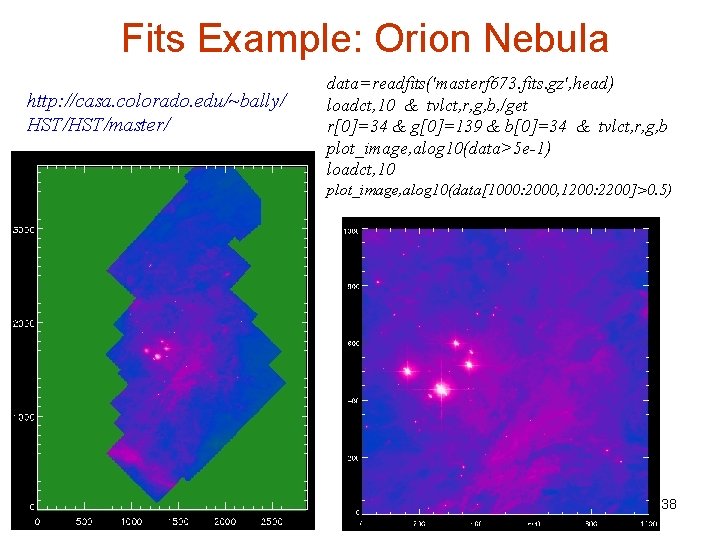
Fits Example: Orion Nebula http: //casa. colorado. edu/~bally/ HST/master/ data=readfits('masterf 673. fits. gz', head) loadct, 10 & tvlct, r, g, b, /get r[0]=34 & g[0]=139 & b[0]=34 & tvlct, r, g, b plot_image, alog 10(data>5 e-1) loadct, 10 plot_image, alog 10(data[1000: 2000, 1200: 2200]>0. 5) 38
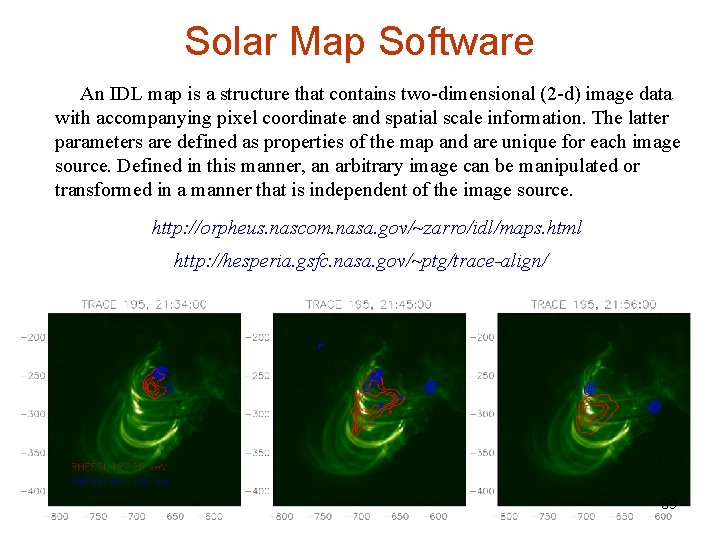
Solar Map Software An IDL map is a structure that contains two-dimensional (2 -d) image data with accompanying pixel coordinate and spatial scale information. The latter parameters are defined as properties of the map and are unique for each image source. Defined in this manner, an arbitrary image can be manipulated or transformed in a manner that is independent of the image source. http: //orpheus. nascom. nasa. gov/~zarro/idl/maps. html http: //hesperia. gsfc. nasa. gov/~ptg/trace-align/ 39
V. Image Processing A Short Introduction to Digital Image Processing http: //web. uct. ac. za/depts/physics/laser/hanbury/intro_ip. html 40
BYTSCL (Byte Scale) mr_brain BYTSCL READ_DICOM(FILEPATH('mr_brain. dcm', subdir = ['examples', 'data'])) 41
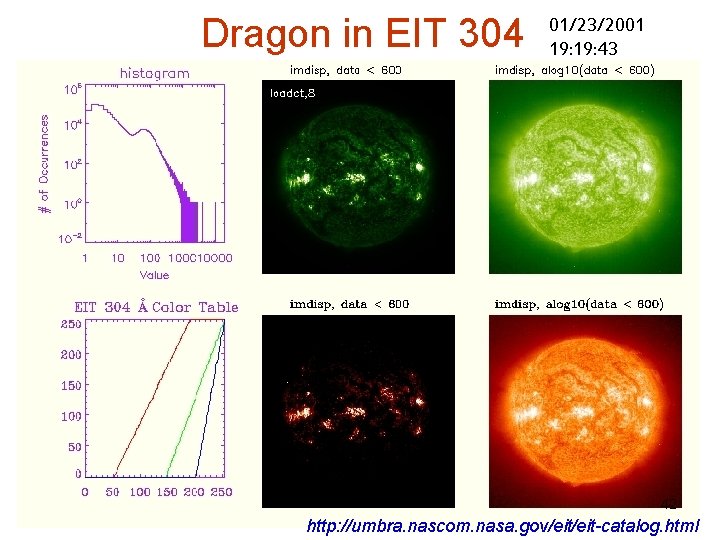
Dragon in EIT 304 01/23/2001 19: 43 42 http: //umbra. nascom. nasa. gov/eit-catalog. html
Color Table Highlights, Contrast file = FILEPATH('mineral. png', subdir = ['examples', 'data']) image = READ_PNG(file, r, g, b) color. Level = [[0, 0, 0], [255, 0], [0, 255, 0], $ [0, 255], [0, 0, 255], [255, 255]] number. Level = CEIL(!D. TABLE_SIZE/8. ) level = INDGEN(!D. TABLE_SIZE)/number. Level new. R = color. Level(0, level) & new. R[!D. TABLE_SIZE - 1] = 255 new. G = color. Level(1, level) & new. G[!D. TABLE_SIZE - 1] = 255 new. B = color. Level(2, level) & new. B[!D. TABLE_SIZE - 1] = 255 TVLCT, r, g, b TVLCT, 13 TVLCT, new. R, new. G, new. B 43
Histogram Equalization Left: BYTSCL(HISTOGRAM(image)) Right: Mineral Left: BYTSCL(HISTOGRAM(hq_image)) Right: hq_image = HIST_EQUAL(image) also, H_EQ_CT, H_EQ_INT ADAPT_HIST_EQUAL Left: HISTOGRAM(equalized. Image) Right: ADAPT_HIST_EQUAL(image) 44
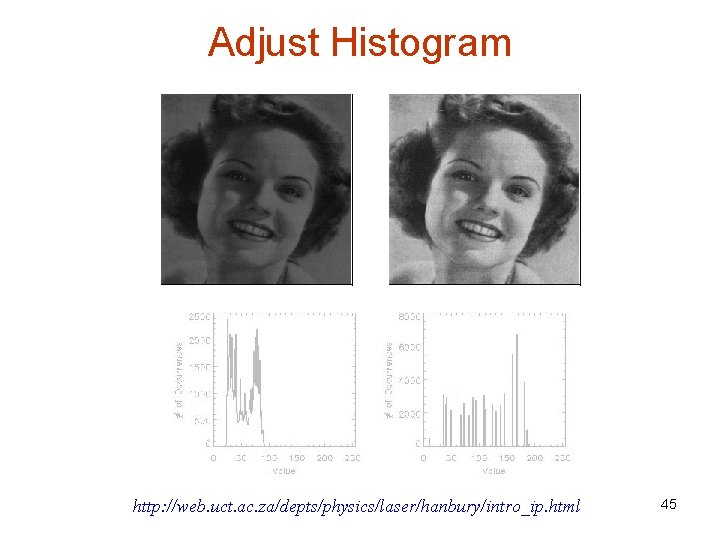
Adjust Histogram http: //web. uct. ac. za/depts/physics/laser/hanbury/intro_ip. html 45
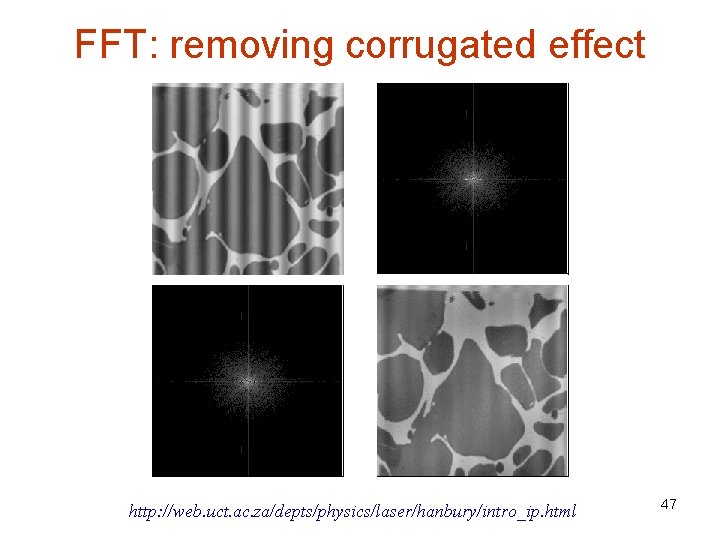
Fast Fourier Transform de-noise file= FILEPATH('abnorm. dat', subdir = ['examples', 'data']) power. Spec = ALOG 10(SHIFT(FFT(image), zz[0]/2)) CONGRID(power. Spec, zz 2[0], zz 2[1]) mask = FLOAT(scaled. Spec) GT 2. 6 masked. Spec = scaled. Spec * mask + MIN(power. Spec) inverse. Tran = ABS(FFT(SHIFT(10. ^(masked. Spec), $ zz[0]/2, zz[1]/2), /inverse)) scaled. Spec = power. Spec - Min(power. Spec) 46
FFT: removing corrugated effect http: //web. uct. ac. za/depts/physics/laser/hanbury/intro_ip. html 47
Inverse Laplace Trans inverse. Trans masked. Spec mask = HANNING(imagesize[0], imagesize[1]) masked. Spec = (scaled. Spec * mask) + MIN(power. Spec) inverse. Trans = ABS(FFT(SHIFT(10. ^(masked. Spec), $ imagesize[0]/2, imagesize[1]/2), /inverse)) 48
Median Smoothing rbcells MEDIAN(rbcells, 5) file= FILEPATH('rbcells. jpg', subdir = ['examples', 'data']) 49
Rim Enhancing cropped. Image ROBERTS SOBEL cropped. Size = [96, 96] file= FILEPATH('nyny. dat', subdir = ['examples', 'data']) cropped. Image = image[200 : cropped. Size[0] - 1 + 200, 180 : cropped. Size[0] - 1 + 180] 50