
Assessment Reporting Management System ARMS Spring 2017 18
- Slides: 17
Assessment Reporting Management System (ARMS) Spring 2017 -18 DC and DA Review Required Published December 19, 2017: Revised April 24, 2018 OFFICE OF SUPERINTENDENT OF PUBLIC INSTRUCTION 1 If you are using a screen reader to view this presentation, please also read the script included in the Notes section.
Users and Assigned Permissions § Online system for report processing § DCs determine user access within district and schools § DC, DA, and SC users are required to review this training prior to being granted access to ARMS § Roles assigned by your DDSM: ARMS_District Test Coordinator (DC) ARMS_District Administrator (DA) ARMS_School Test Coordinator (SC) ARMS_School Principal ARMS_District Superintendent 2
Advantages of ARMS § Reduces paper trail § Securely transfer student information § Reports submitted by school to district and district to state § Import student files § Review reports together or individually § Electronic data retention § Compile reports and export into file 3
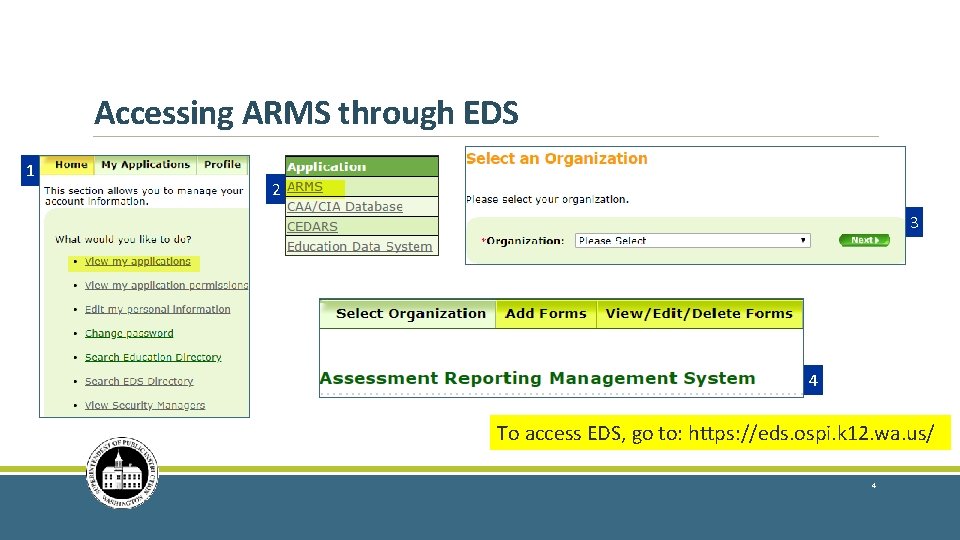
Accessing ARMS through EDS 1 2 3 4 To access EDS, go to: https: //eds. ospi. k 12. wa. us/ 4
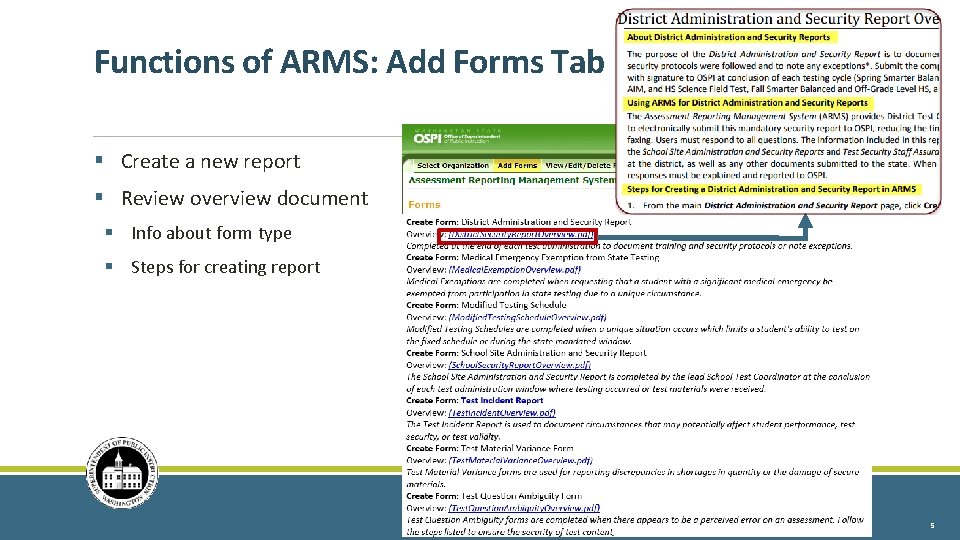
Functions of ARMS: Add Forms Tab § Create a new report § Review overview document § Info about form type § Steps for creating report 5
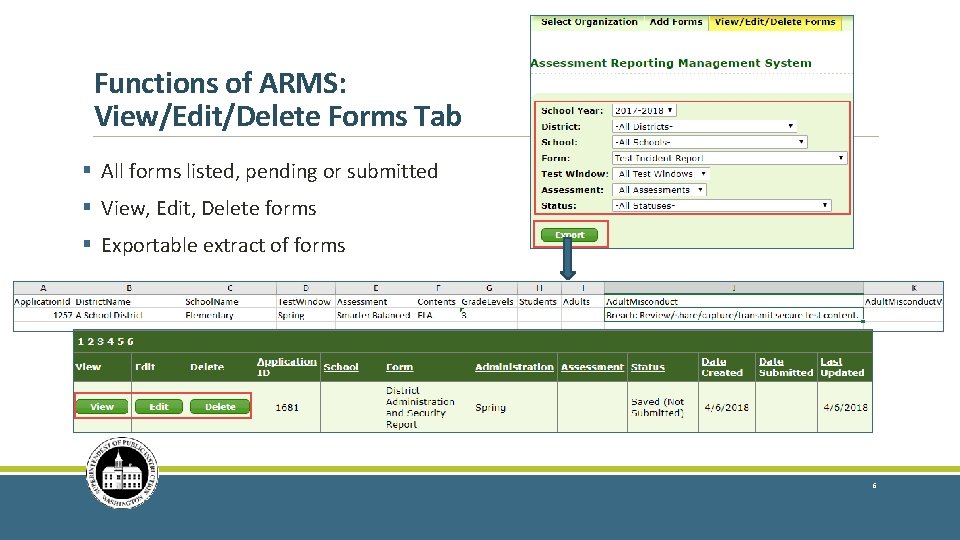
Functions of ARMS: View/Edit/Delete Forms Tab § All forms listed, pending or submitted § View, Edit, Delete forms § Exportable extract of forms 6
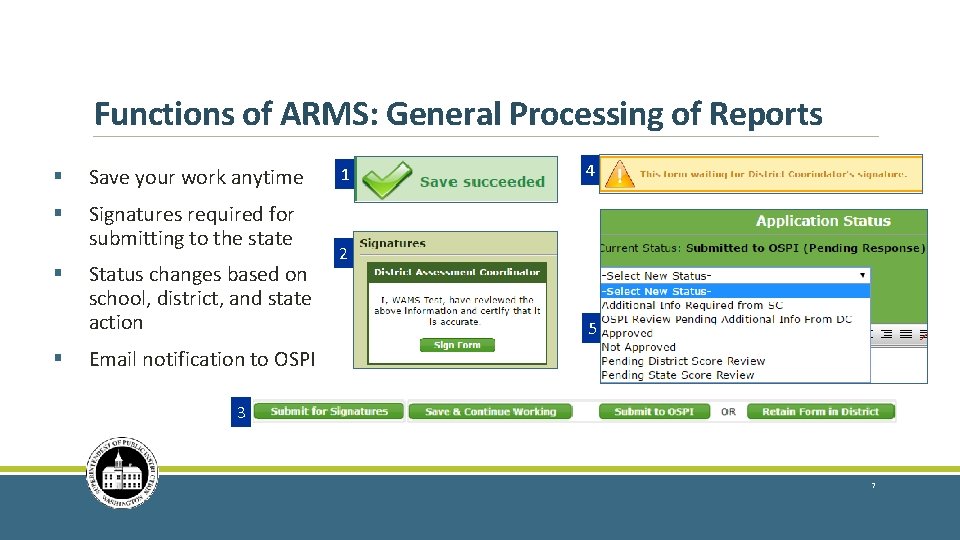
Functions of ARMS: General Processing of Reports § Save your work anytime § Signatures required for submitting to the state § § Status changes based on school, district, and state action 1 4 2 5 Email notification to OSPI 3 7
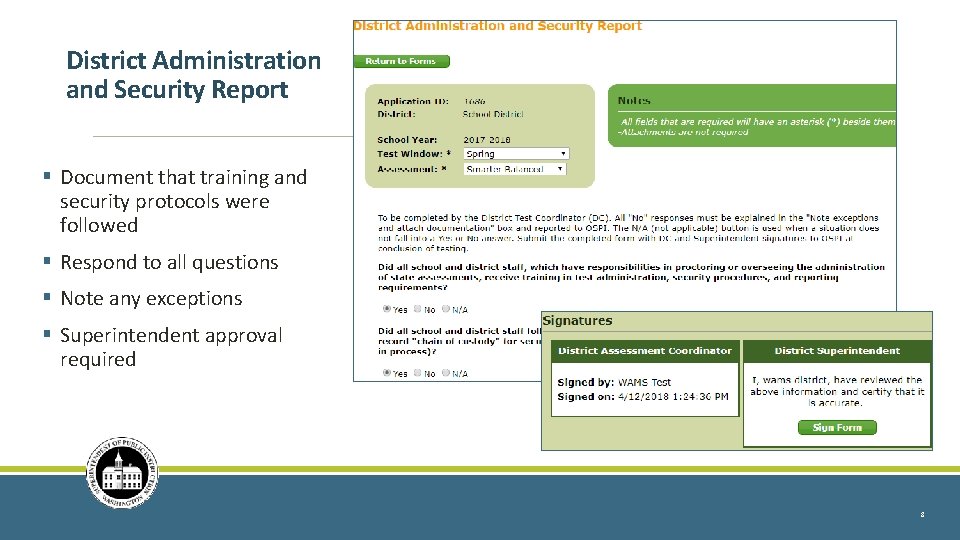
District Administration and Security Report § Document that training and security protocols were followed § Respond to all questions § Note any exceptions § Superintendent approval required 8
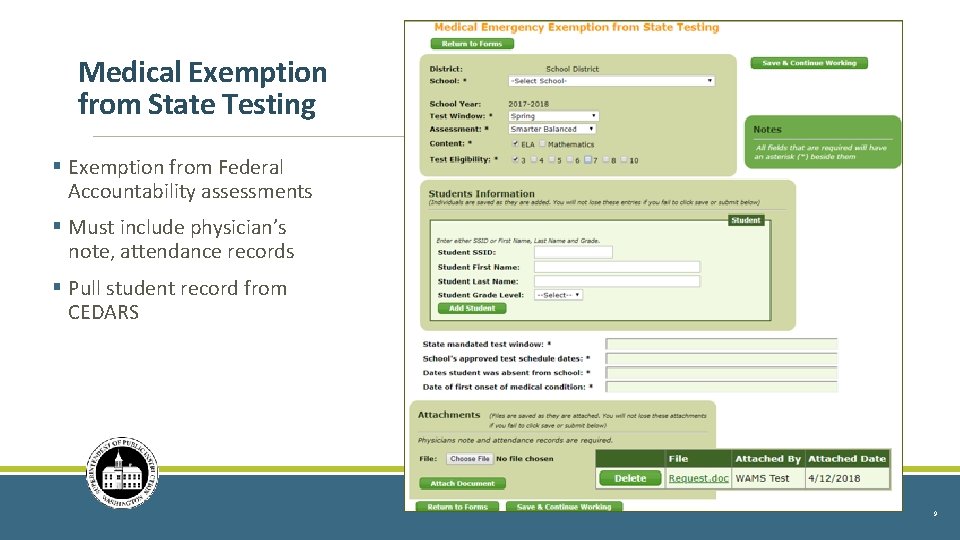
Medical Exemption from State Testing § Exemption from Federal Accountability assessments § Must include physician’s note, attendance records § Pull student record from CEDARS 9
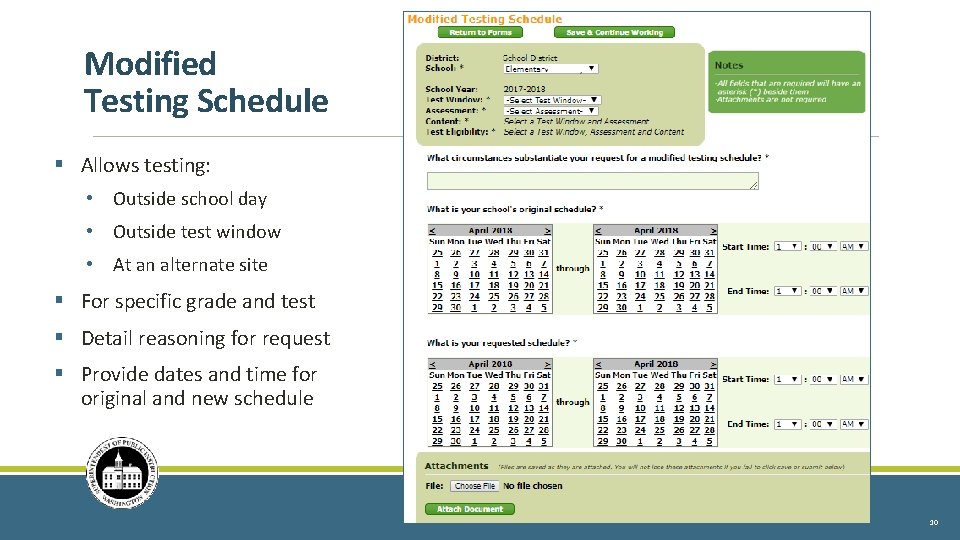
Modified Testing Schedule § Allows testing: • Outside school day • Outside test window • At an alternate site § For specific grade and test § Detail reasoning for request § Provide dates and time for original and new schedule 10
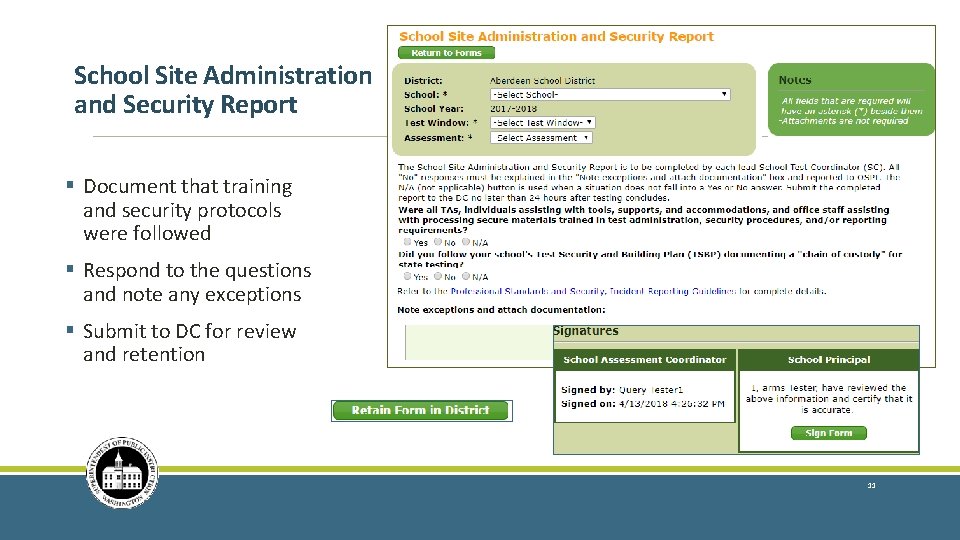
School Site Administration and Security Report § Document that training and security protocols were followed § Respond to the questions and note any exceptions § Submit to DC for review and retention 11
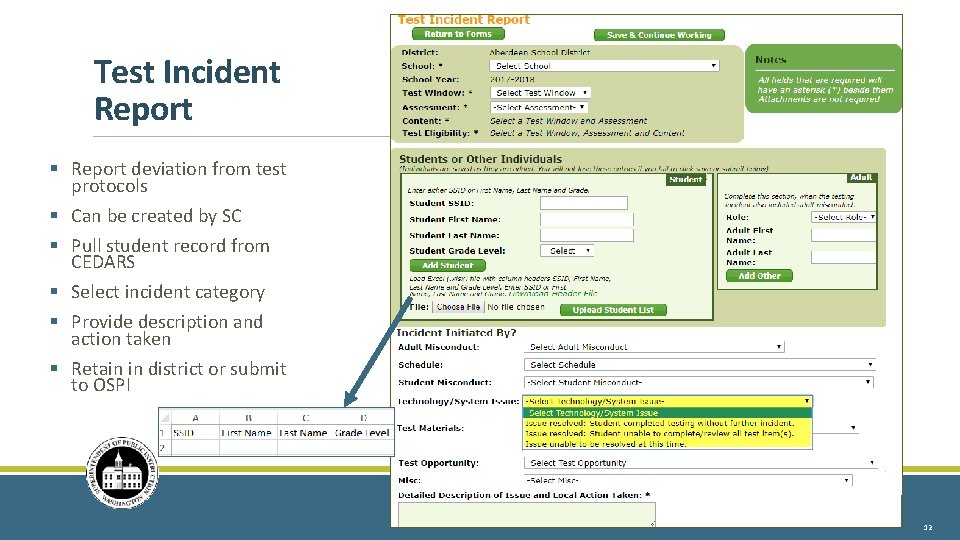
Test Incident Report § Report deviation from test protocols § Can be created by SC § Pull student record from CEDARS § Select incident category § Provide description and action taken § Retain in district or submit to OSPI 12
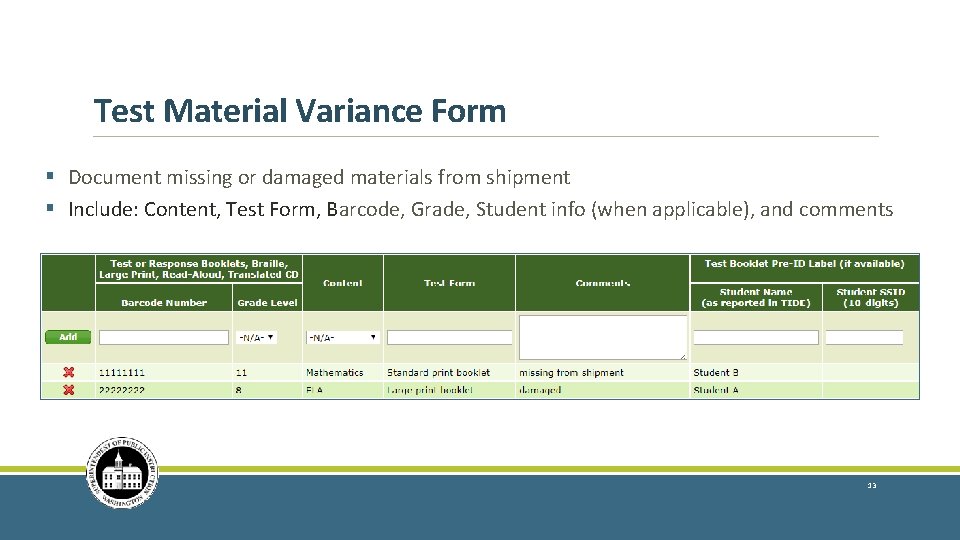
Test Material Variance Form § Document missing or damaged materials from shipment § Include: Content, Test Form, Barcode, Grade, Student info (when applicable), and comments 13
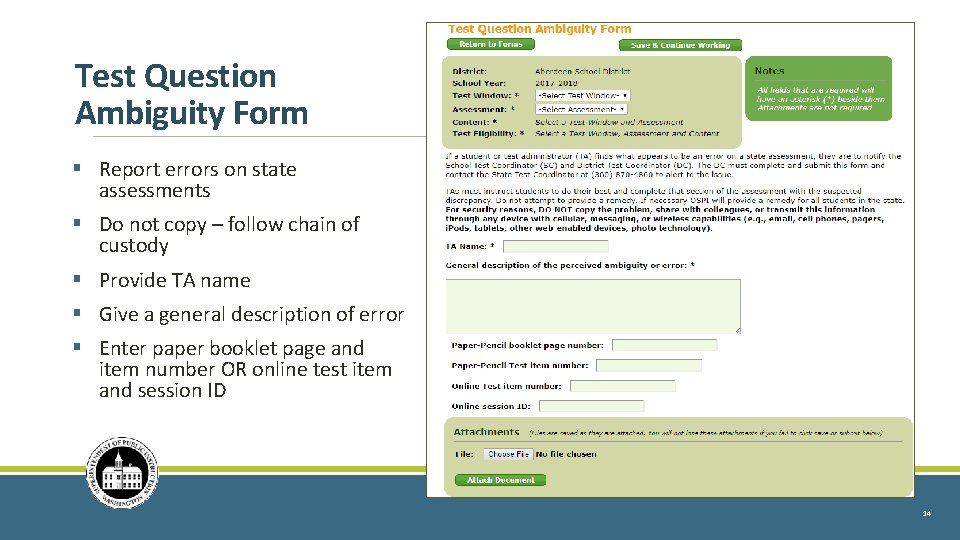
Test Question Ambiguity Form § Report errors on state assessments § Do not copy – follow chain of custody § Provide TA name § Give a general description of error § Enter paper booklet page and item number OR online test item and session ID 14
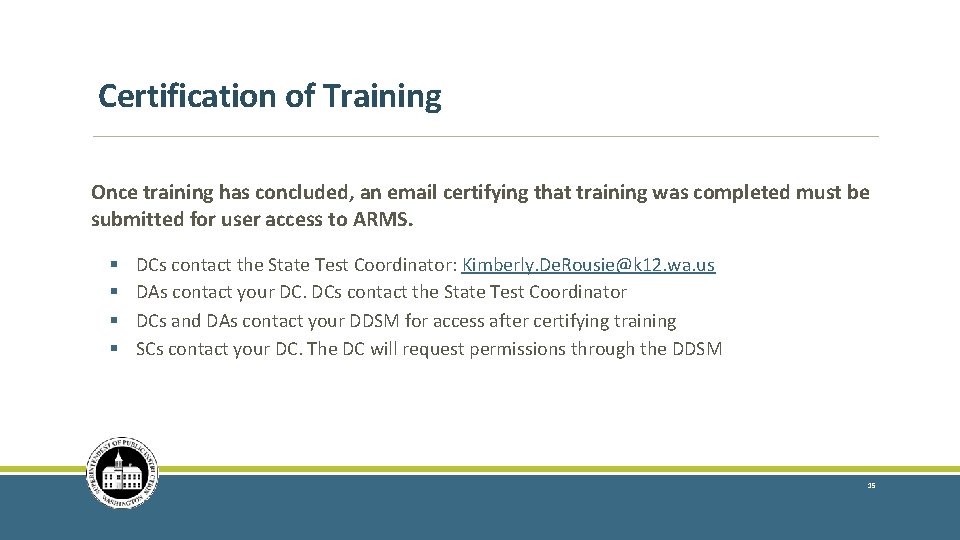
Certification of Training Once training has concluded, an email certifying that training was completed must be submitted for user access to ARMS. § § DCs contact the State Test Coordinator: Kimberly. De. Rousie@k 12. wa. us DAs contact your DC. DCs contact the State Test Coordinator DCs and DAs contact your DDSM for access after certifying training SCs contact your DC. The DC will request permissions through the DDSM 15
Contact Information OSPI Assessment Operations for assessment policy and test materials § Assessment Operations Assessment@k 12. wa. us 360 -725 -6348 or 800 -725 -4311, press option 3 OSPI Assessment Analysts for student data issues § OSPI Assessment Analysts: assessmentanalysts@k 12. wa. us 360 -725 -6109 OSPI Customer Support for technical and password issues within EDS § OSPI Customer Support: customersupport@k 12. wa. us 1 -800 -725 -4311, press option 1 AIR Help Desk for Technical, Network, and password issues within AIR systems § AIR Help Desk: wahelpdesk@air. org 1 -844 -560 -7366 District Security Manager for accessing the ARMS application § https: //eds. ospi. k 12. wa. us/Security. Manager. List. aspx 16
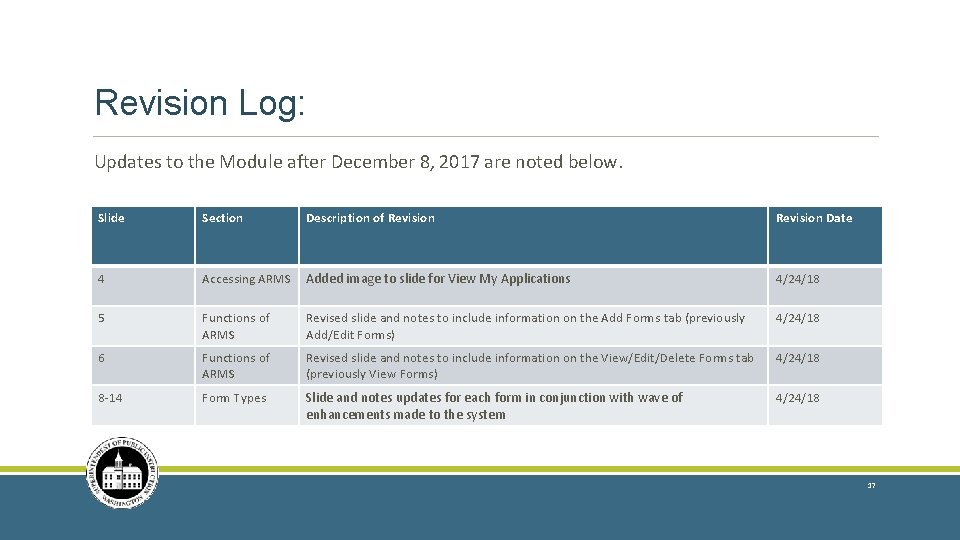
Revision Log: Updates to the Module after December 8, 2017 are noted below. Slide Section Description of Revision Date 4 Accessing ARMS Added image to slide for View My Applications 4/24/18 5 Functions of ARMS Revised slide and notes to include information on the Add Forms tab (previously Add/Edit Forms) 4/24/18 6 Functions of ARMS Revised slide and notes to include information on the View/Edit/Delete Forms tab (previously View Forms) 4/24/18 8 -14 Form Types Slide and notes updates for each form in conjunction with wave of enhancements made to the system 4/24/18 17