
Assessment Coordinator 101 Assessment and Accountability Conference 2007

Assessment Coordinator 101 Assessment and Accountability Conference 2007 Fall 2007
MEAP Coordinators Presenters Jim Griffiths Coordinator, Administration & Reporting Sue Peterman Department Analyst, MEAP Dave Judd Senior Business Manager Educational Assessment & Accountability Fall 2007 2
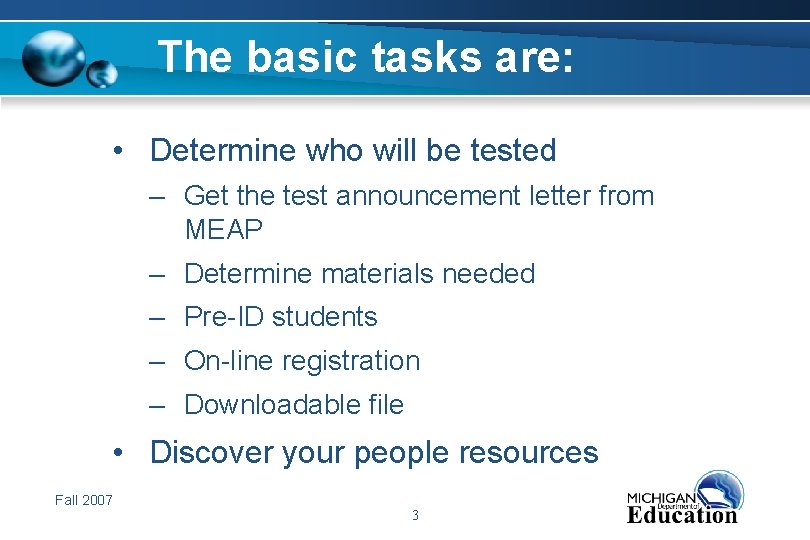
The basic tasks are: • Determine who will be tested – Get the test announcement letter from MEAP – Determine materials needed – Pre-ID students – On-line registration – Downloadable file • Discover your people resources Fall 2007 3
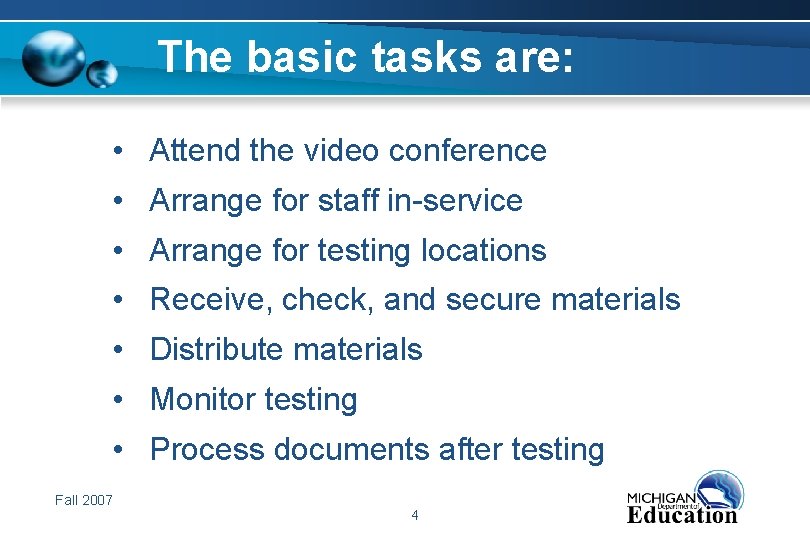
The basic tasks are: • Attend the video conference • Arrange for staff in-service • Arrange for testing locations • Receive, check, and secure materials • Distribute materials • Monitor testing • Process documents after testing Fall 2007 4
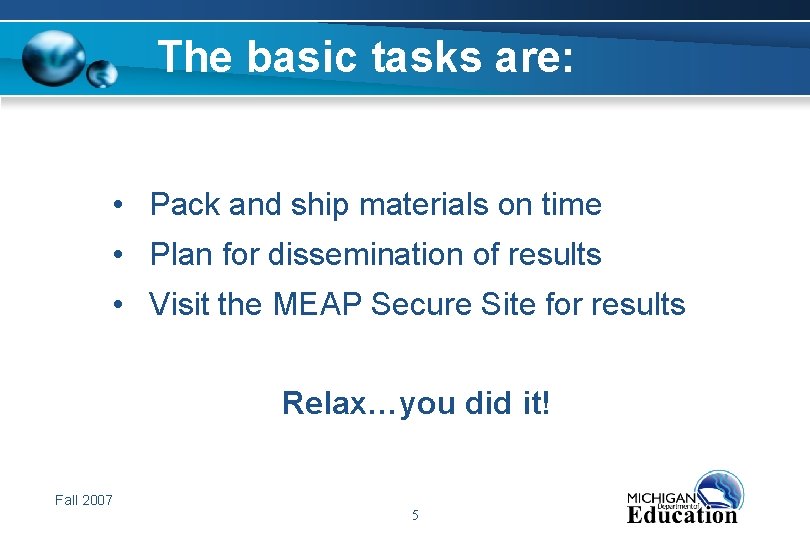
The basic tasks are: • Pack and ship materials on time • Plan for dissemination of results • Visit the MEAP Secure Site for results Relax…you did it! Fall 2007 5

MEAP Coordinators • Prior to Testing • During Testing • After Testing • Returning Materials Fall 2007 6
MEAP Coordinators • Prior to Testing – Are you receiving email updates? • District Coordinator vs Listserv – Accessing the OEAA Secure Site • OEAA Secure Site User Manual • How to obtain a user ID and password Fall 2007 7
MEAP Coordinators • Prior to Testing – No more New Student Registration Forms (NSRF) also known as “Slip Sheets” – Barcode labels required Fall 2007 8
MEAP Coordinators • Prior to Testing – Enrollment Numbers • Purpose • Consequences if not done Fall 2007 9
MEAP Coordinators • Prior to Testing – Pre-identification of Students to be Tested • Letter sent to superintendents in the spring identifying options available to the district for pre-identification of students for Fall grades 3 - 9 assessments Fall 2007 10
MEAP Coordinators • Prior to Testing • Purpose of pre-identification of students • Fall pre-identification process • Detailed instructions for preidentification of students in the OEAA Secure Site User Manual Fall 2007 11
Student Record Search • New screen enables you to claim a student and assign to a test cycle in one step instead of multiple. • Always search for a student prior to adding a new student record. • New student button now on Student Search Page. Fall 2007 12
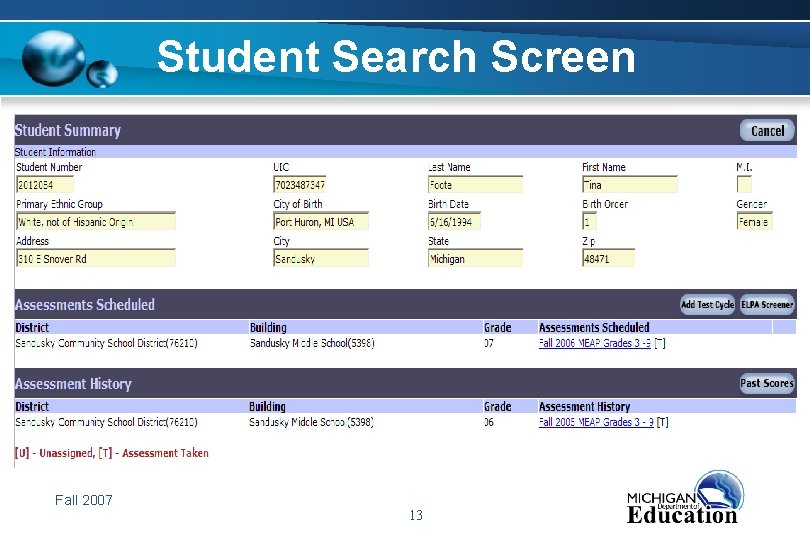
Student Search Screen Fall 2007 13

Past Scores Screen Fall 2007 14
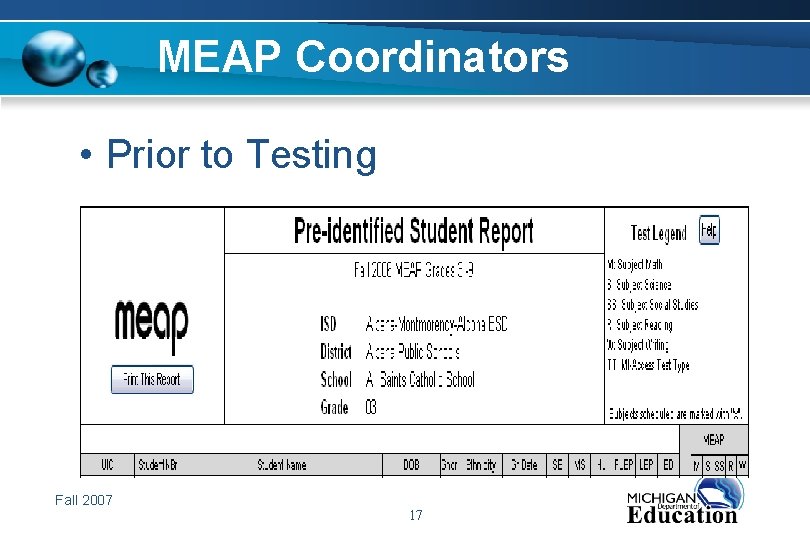
Pre-Identified Student Report • Students are listed immediately after they are identified. • Report can be used for check off when returning answer documents. • Very important to run prior to pre-ID deadlines to ensure student’s are identified. Fall 2007 15
Pre-Identified Student Report • Click on Pre-Identified Students from the menu at the left. • Leave Report Type as Pre-ID. • Select ISD, district, school and test period, click the Submit button. Fall 2007 16
MEAP Coordinators • Prior to Testing Fall 2007 17
Pre-ID Mass Updates • The Pre-ID Mass Update screen is an efficient way to change the following information for a group of students: – Unassigning a group of students from the test cycle. – Moving a group of students from one building to another within the district. Fall 2007 18
Pre-ID Mass Updates – Changing the grade level field for a group of students. – Assigning test subjects to a group of students. Fall 2007 19
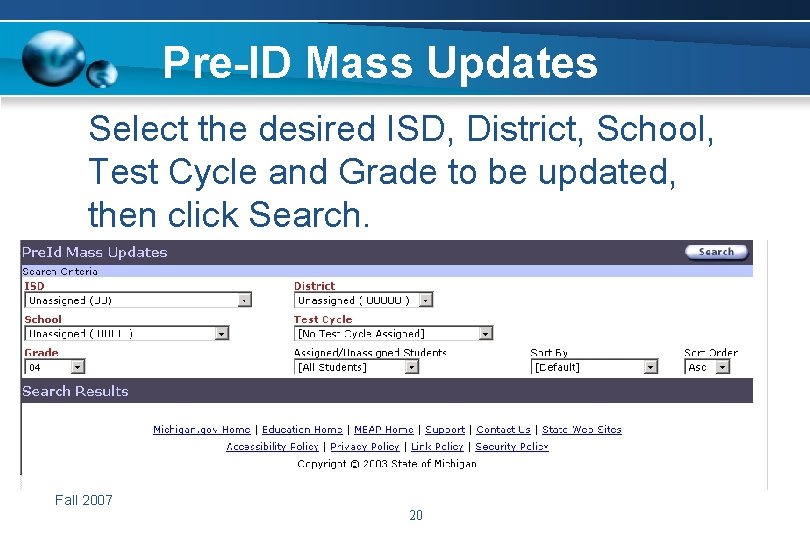
Pre-ID Mass Updates Select the desired ISD, District, School, Test Cycle and Grade to be updated, then click Search. Fall 2007 20
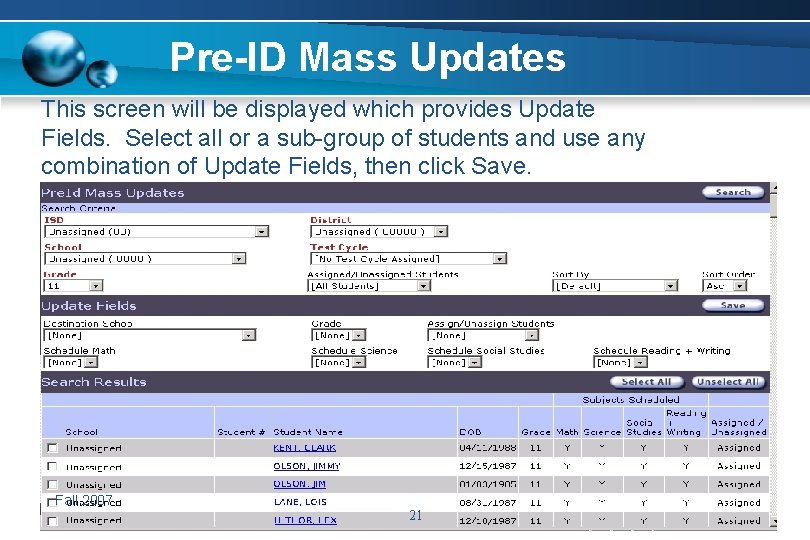
Pre-ID Mass Updates This screen will be displayed which provides Update Fields. Select all or a sub-group of students and use any combination of Update Fields, then click Save. Fall 2007 21
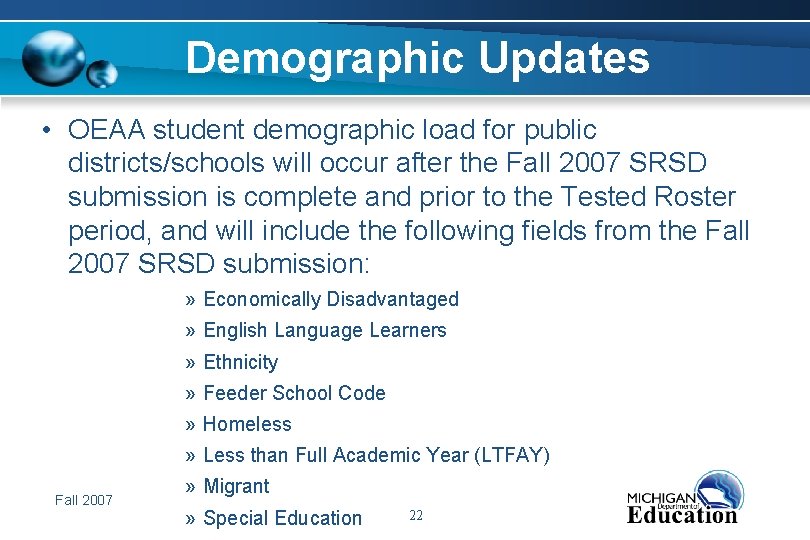
Demographic Updates • OEAA student demographic load for public districts/schools will occur after the Fall 2007 SRSD submission is complete and prior to the Tested Roster period, and will include the following fields from the Fall 2007 SRSD submission: » Economically Disadvantaged » English Language Learners » Ethnicity » Feeder School Code » Homeless » Less than Full Academic Year (LTFAY) Fall 2007 » Migrant » Special Education 22
Demographic Updates • The demographic load of these fields will take place after the Fall 2007 assessments have been completed and before the Tested Roster period. Fall 2007 23
Demographic Updates • Public districts/schools should not enter the above demographic information for the Fall 2007 MEAP or MIAccess Assessments in the OEAA Secure Site prior to the Tested Roster period. • Any data that is entered into the above student demographic fields will be replaced with fall SRSD data at the time of the OEAA demographic load. Fall 2007 24
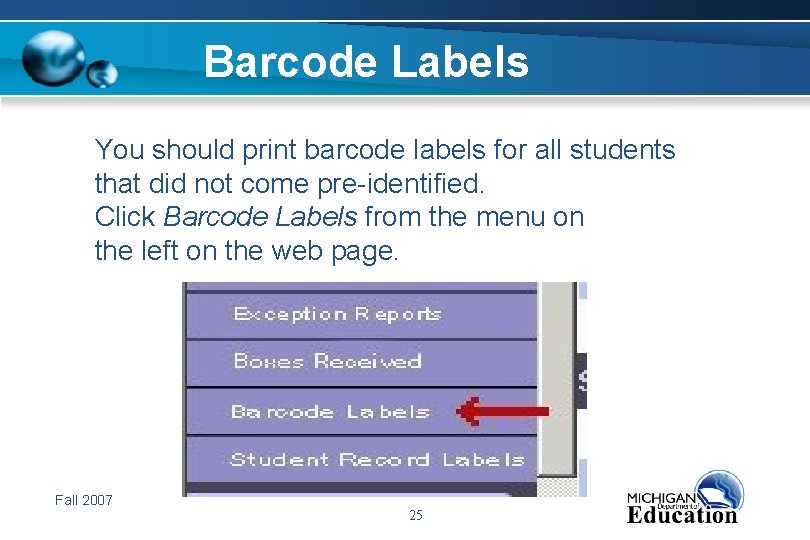
Barcode Labels You should print barcode labels for all students that did not come pre-identified. Click Barcode Labels from the menu on the left on the web page. Fall 2007 25
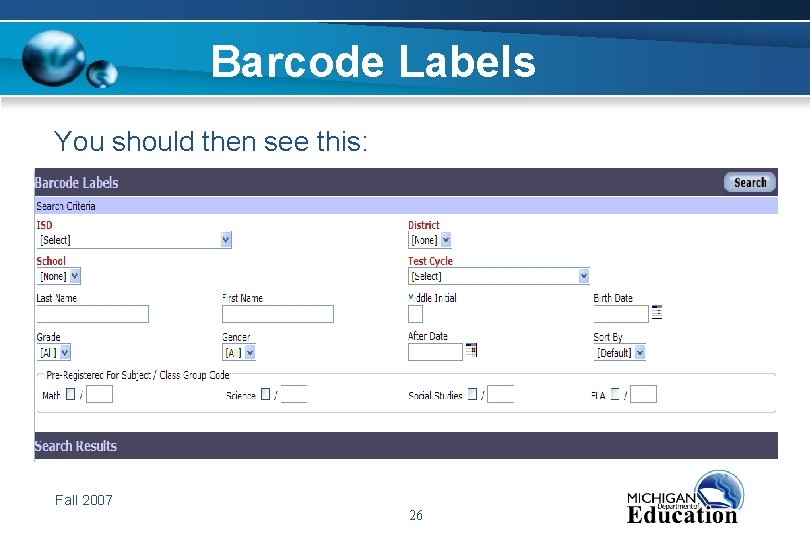
Barcode Labels You should then see this: Fall 2007 26
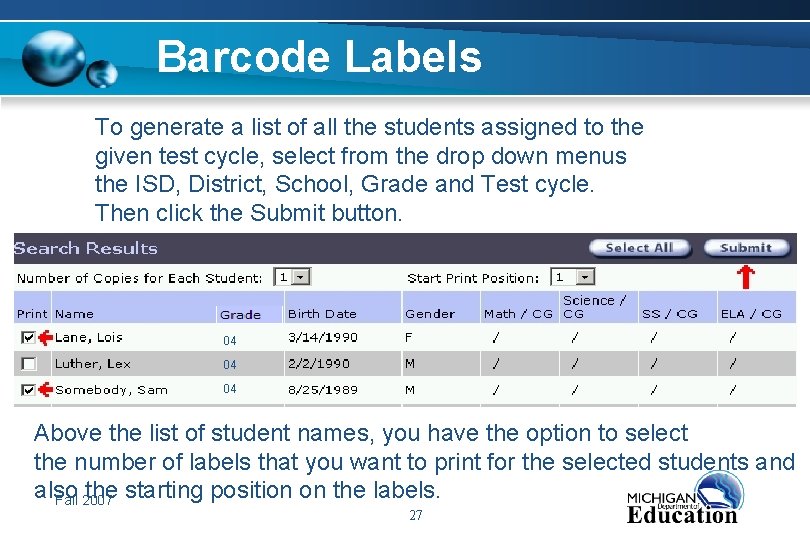
Barcode Labels To generate a list of all the students assigned to the given test cycle, select from the drop down menus the ISD, District, School, Grade and Test cycle. Then click the Submit button. 04 04 04 Above the list of student names, you have the option to select the number of labels that you want to print for the selected students and also the starting position on the labels. Fall 2007 27
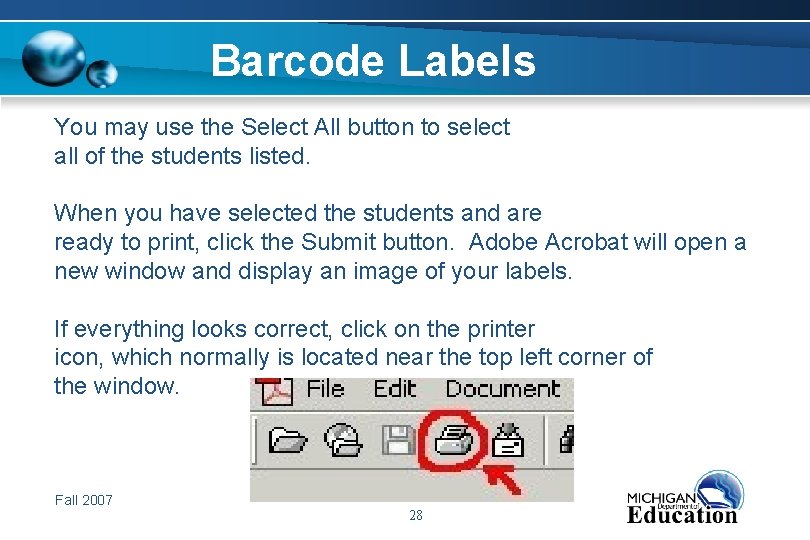
Barcode Labels You may use the Select All button to select all of the students listed. When you have selected the students and are ready to print, click the Submit button. Adobe Acrobat will open a new window and display an image of your labels. If everything looks correct, click on the printer icon, which normally is located near the top left corner of the window. Fall 2007 28
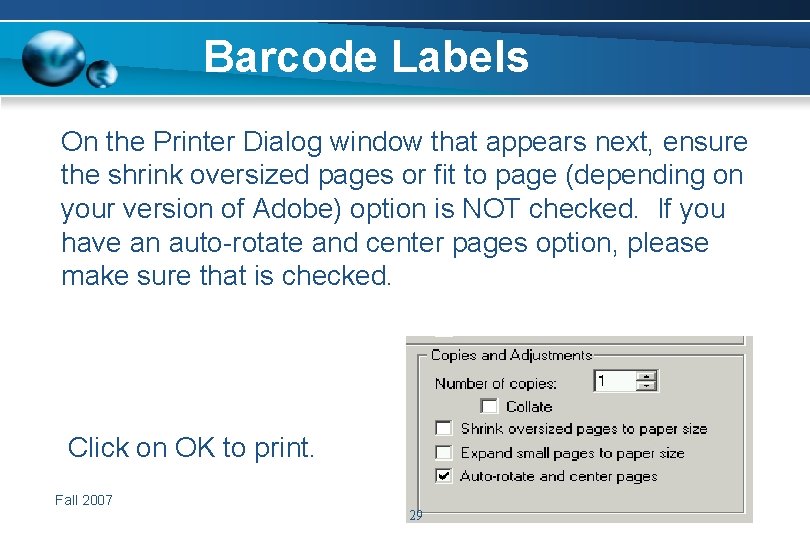
Barcode Labels On the Printer Dialog window that appears next, ensure the shrink oversized pages or fit to page (depending on your version of Adobe) option is NOT checked. If you have an auto-rotate and center pages option, please make sure that is checked. Click on OK to print. Fall 2007 29
MEAP Coordinators • Prior to Testing – Review “Professional Assessment & Accountability Practices for Educators” – Put together a list of important dates – Build a testing schedule – Make a checklist Fall 2007 30
MEAP Coordinators • Prior to Testing (continued) – Receive and inventory answer documents and assessment booklets – Check return materials upon receipt • Return labels • Header sheets – Additional Orders Fall 2007 31
MEAP Coordinators • Prior To Testing – Staff Preparation • Class/Group ID Sheet - Assign and define unique numbers within school for each teacher to use • Review instructions from manual and handbook • Emphasize security and prohibited practices Fall 2007 32
MEAP Coordinators • During Testing – Test Security • Locked storage before & after testing – Proper Test Administration • Review “Assessment Practices” document – Watch for Prohibited Behavior Issues-Testing Irregularities Fall 2007 33
MEAP Coordinators • During Testing – Strict use of No. 2 pencil • Multiple choice AND constructed response items completed in ink or other media cannot be scored Fall 2007 34
MEAP Coordinators • During Testing – Spiraling of test forms within classrooms – Embedded field test in each assessment form – Grid correct form on answer document Fall 2007 35
MEAP Coordinators • After Testing – Preparing materials for return • Separate scorable materials (used answer documents) from nonscorable materials (secure test booklets) Fall 2007 36
MEAP Coordinators • After Testing – Follow the instructions in the Handbook/ Manual for correct assembly order of documents – Do not split grade/subject if possible • Return all used answer documents • Return all Grade 3 booklets, even the unused ones (which are also secure) • Return all assessment booklets (which are secure) Fall 2007 37
MEAP Coordinators • After Testing – Place word processed responses (INSERTED INTO associated answer document) in orange envelope on top of materials in first box being returned Fall 2007 38
MEAP Coordinators • After Testing – Under orange envelope – all signed MEAP Security Compliance Forms – Followed by all Class/Group ID Sheet – Followed by School/Grader Headers with appropriate answer documents Fall 2007 39
MEAP Coordinators • Shipping Materials – Place return labels on boxes – Number boxes of scorable material consecutively (1 of 3, 2 of 3…) – Number boxes of nonscorable material consecutively (1 of 3, 2 of 3, …) – Do not return blank answer documents (EXCEPT Grade 3) Fall 2007 40
MEAP Coordinators • Shipping Materials (con’t) – Return scorable test materials as soon as possible - deadline is firm – Late returns risk not having full tested roster window to review data – Nonscorable on or before deadline Fall 2007 41
MEAP Coordinators • After Testing – Demographic update policy for Fall assessments – Using the Pre-Identified Student Report when returning answer documents – Watch for email notification of tested roster period Fall 2007 42
Why is Tested Roster important? It gives you a complete listing of: • Students for whom answer folders were received by the contractor. • Student demographic information pulled together from the answer document and the secure website. • Non-standard accommodation & prohibitive behavior (unethical practice) flags to verify. Fall 2007 43
Tested Roster This is your last opportunity to: – Verify that all answer folders were received and accounted for by the contractor. – Request the OEAA office to research any missing students and or missing assessments. – Update student demographic information before reports are printed and the AYP file is created. Fall 2007 44
Tested Roster • Verify that students who are marked with an unethical practice/prohibitive behavior or nonstandard accommodation are correct. • Print Tested Roster report and keep on file to use during AYP School Report Cards. Fall 2007 45

Tested Roster Fall 2007 46
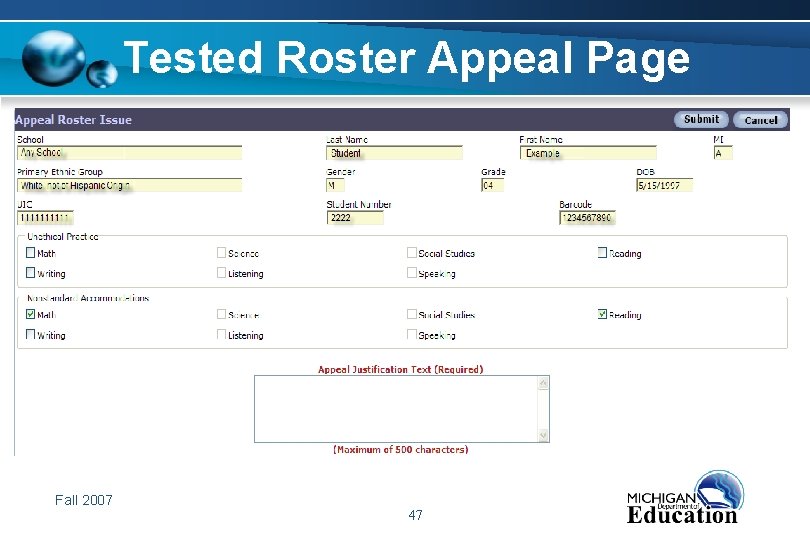
Tested Roster Appeal Page Fall 2007 47
Welcome Screen • Coming soon…. Welcome Screen when you log on to the OEAA Secure Site. • Posted announcements. • Posted deadlines. • Each assessment, MEAP, MI-Access, ELPA, MME and Secondary Credit Assessments will be represented. Fall 2007 48
Resource Information • Instructions for website can be found on the login page, www. michigan. gov/OEAA-secure by clicking on the pink link titled OEAA Secure Site User Manual. • MI-Access help can be found at www. michigan. gov/mi-access. Fall 2007 49
MEAP Coordinators And now…. Your questions Fall 2007 50

Presenter contact information Jim Griffiths Dave Judd Coordinator, Assessment Administration & Reporting Senior Business Manager 517 -373 -4332 877 -560 -8378 (toll free) Griffiths. J@michigan. gov juddd@michigan. gov Educational Assessment & Accountability Sue Peterman Department Analyst, MEAP 517 -335 -1394 Peterman. S@michigan. gov Fall 2007 51

Program contact information Office of Educational Assessment and Accountability Michigan Educational Assessment Program 877 -560 -8378 (toll free) 517 -335 -1186 (fax) OEAA@michigan. gov Fall 2007 52
- Slides: 52