
ASPEN HYSYS TUTORIAL ADVANCED THERMODYNAMICS 8 TH SEMESTER

- Slides: 16
ASPEN HYSYS TUTORIAL ADVANCED THERMODYNAMICS 8 TH SEMESTER
BEFORE THE SIMULATION • Create a list of components • Select an appropriate thermodynamic model
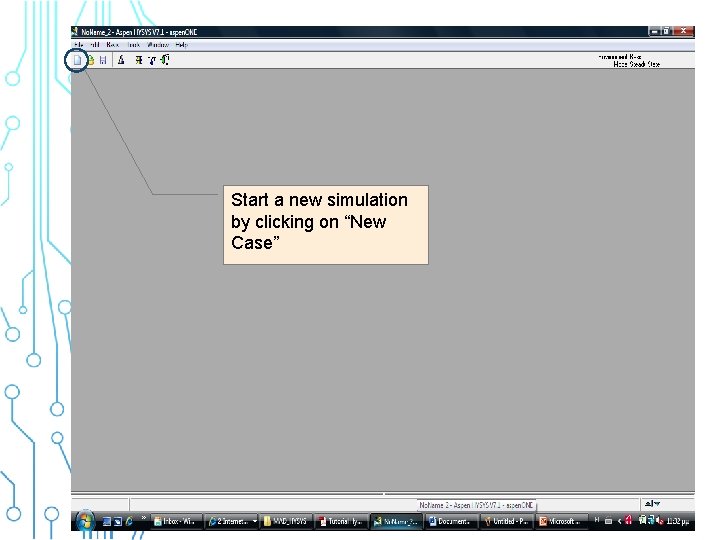
Start a new simulation by clicking on “New Case”
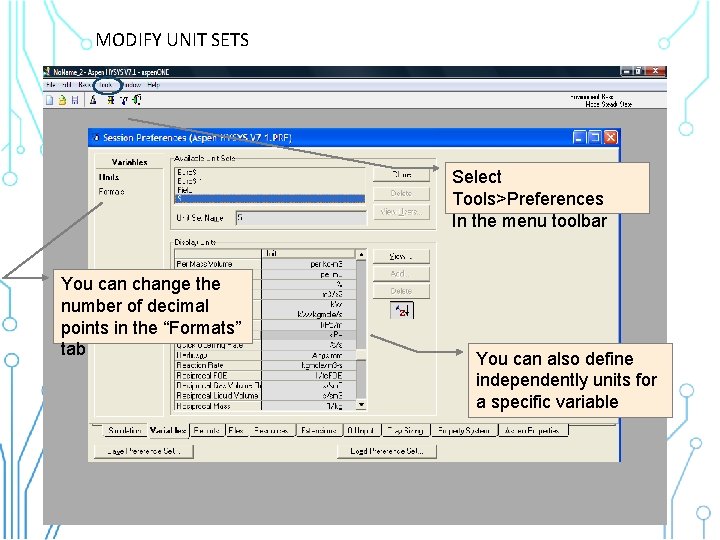
MODIFY UNIT SETS Select Tools>Preferences In the menu toolbar You can change the number of decimal points in the “Formats” tab You can also define independently units for a specific variable
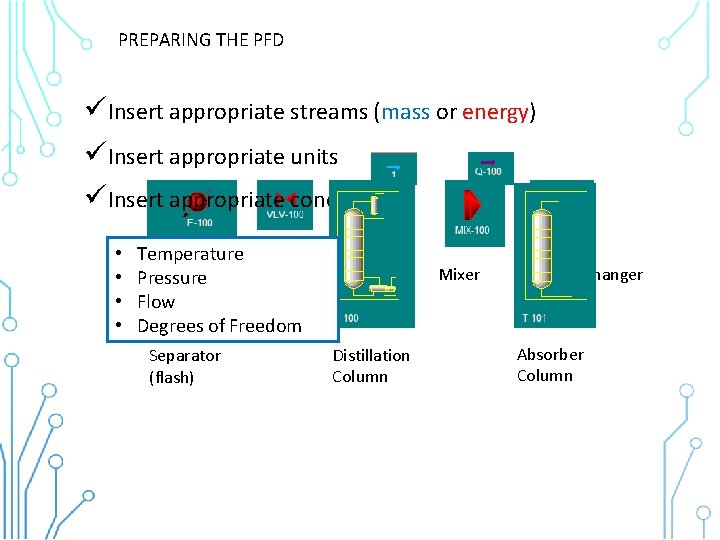
PREPARING THE PFD üInsert appropriate streams (mass or energy) üInsert appropriate units üInsert appropriate conditions • • Temperature Heater Valve Pressure Flow Degrees of Freedom Separator (flash) Pump Distillation Column Mixer Heat Exchanger Absorber Column
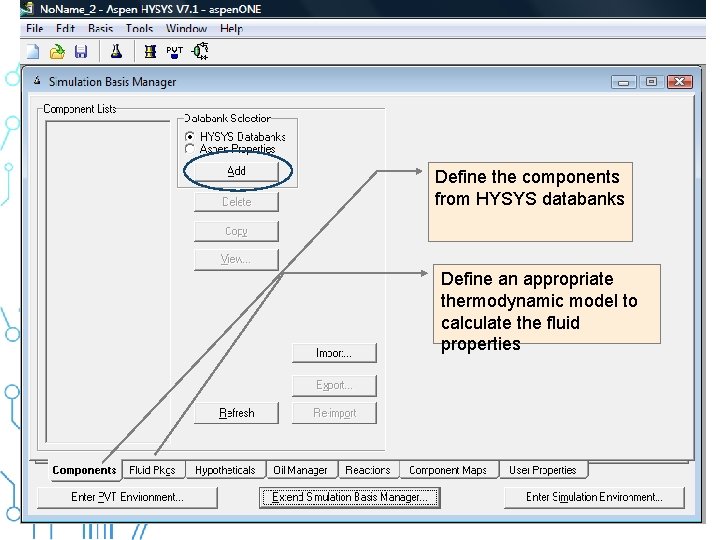
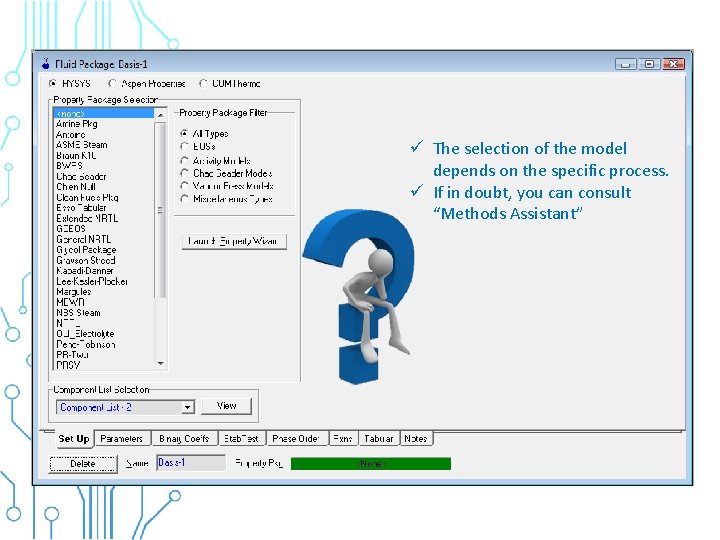
Define the components from HYSYS databanks Define an appropriate thermodynamic model to calculate the fluid properties
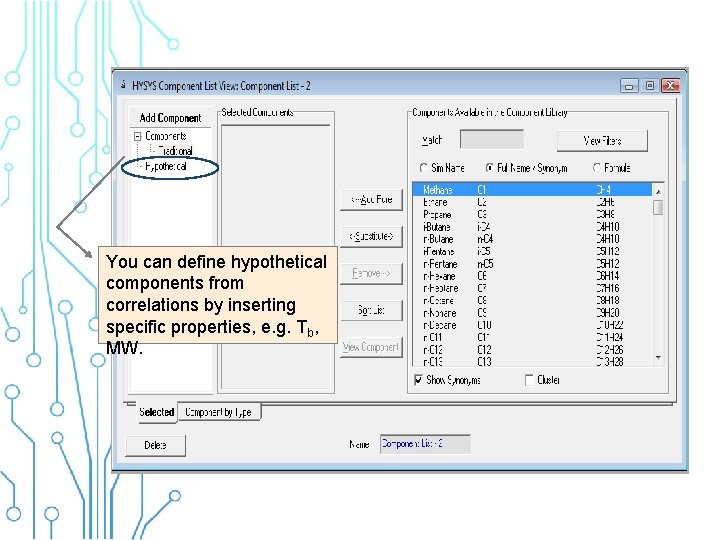
You can define hypothetical components from correlations by inserting specific properties, e. g. Tb, MW.
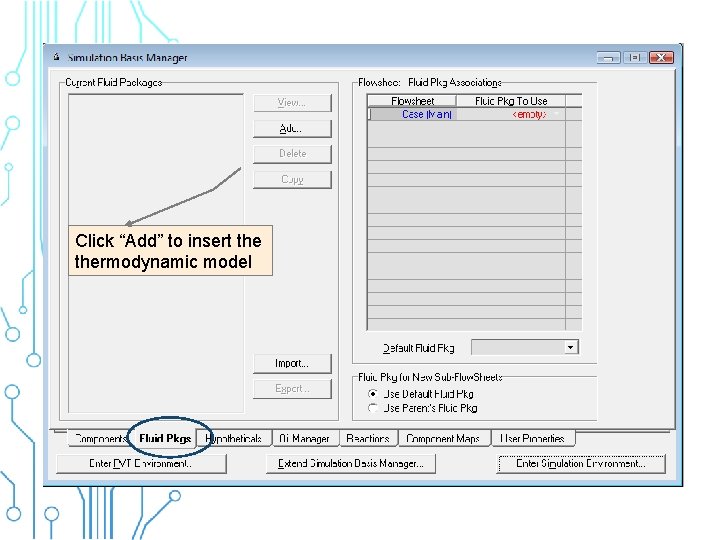
Click “Add” to insert thermodynamic model
ü The selection of the model depends on the specific process. ü If in doubt, you can consult “Methods Assistant”
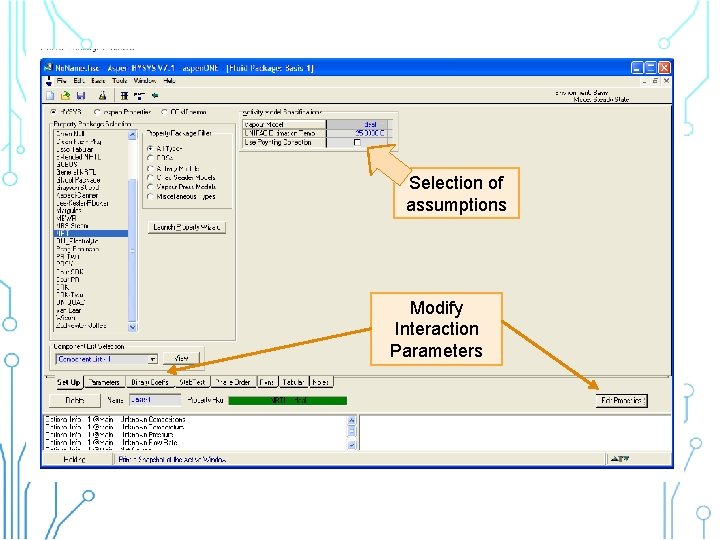
Selection of assumptions Modify Interaction Parameters
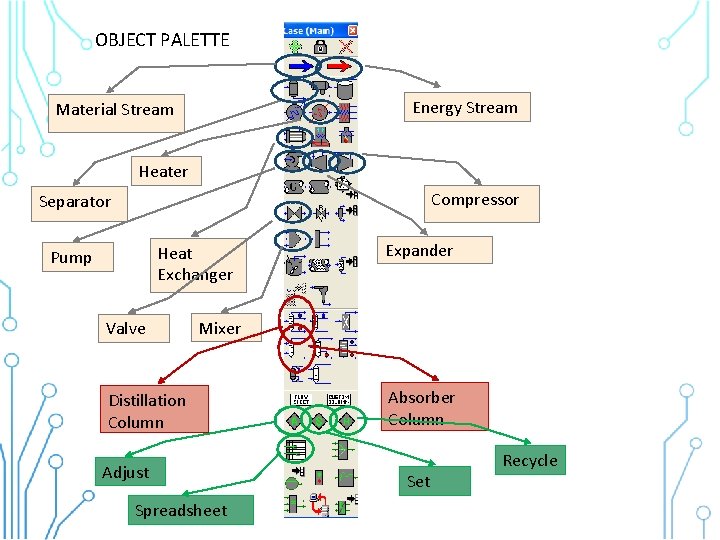
OBJECT PALETTE Energy Stream Material Stream Heater Compressor Separator Heat Exchanger Pump Valve Expander Mixer Distillation Column Adjust Spreadsheet Absorber Column Set Recycle
MATERIAL STREAMS
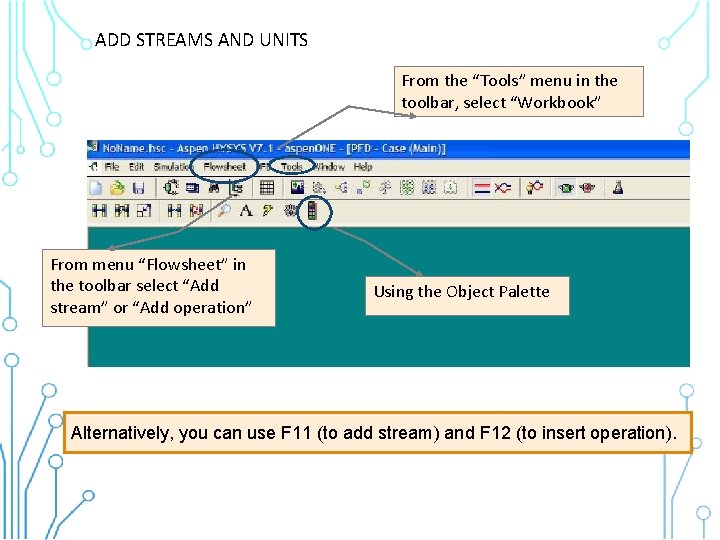
ADD STREAMS AND UNITS From the “Tools” menu in the toolbar, select “Workbook” From menu “Flowsheet” in the toolbar select “Add stream” or “Add operation” Using the Object Palette Alternatively, you can use F 11 (to add stream) and F 12 (to insert operation).
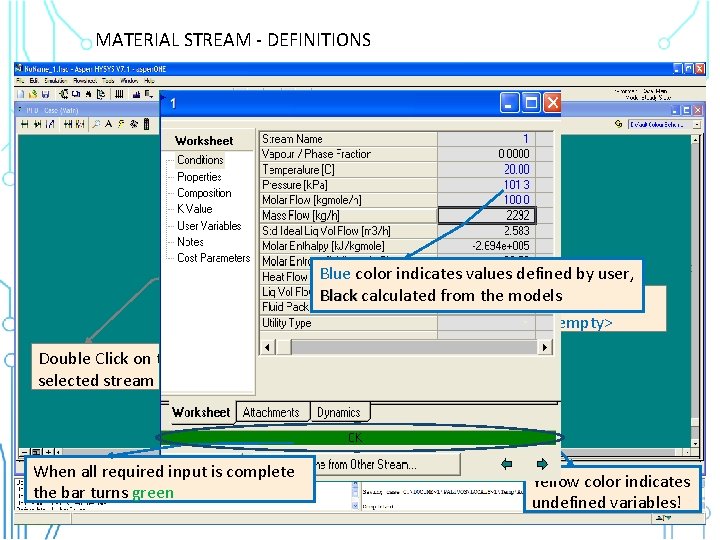
MATERIAL STREAM - DEFINITIONS Double Click on the selected stream Blue color indicates values defined byby user, Define compositions Black calculated typing from the models Define conditions by in <empty> Click on “Composition” tab typing in <empty> to define composition You can select the input and output type of composition by selecting the tab “Basis” When all required input is complete the bar turns green Yellow color indicates undefined variables!
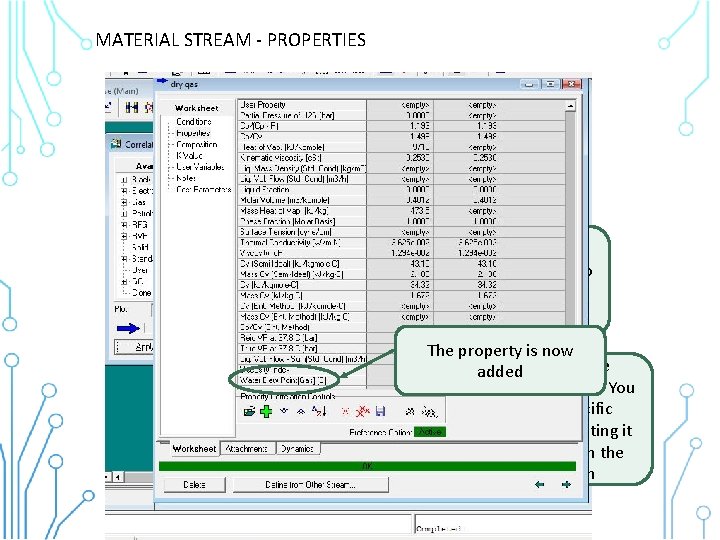
MATERIAL STREAM - PROPERTIES You can select the kind of property you want to add depending on the use of interest, eg. Gas The property is now A list of available added You can properties add more appears. You properties bycan clicking add a specific on the +property button by selecting it and then click on the Apply button
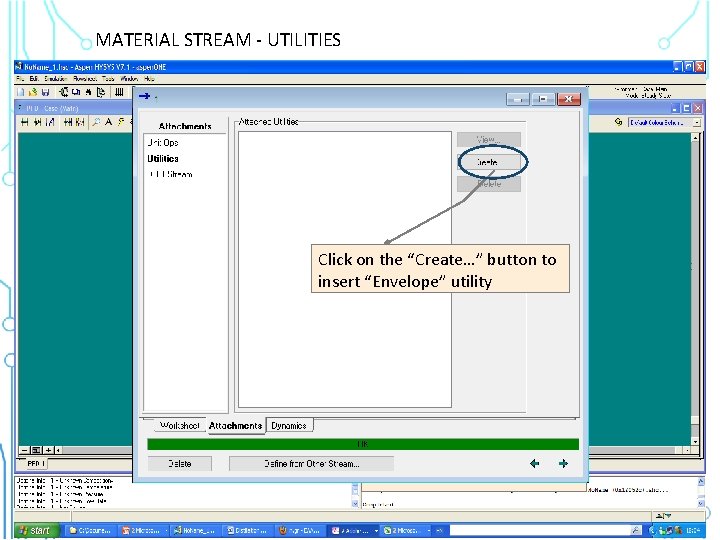
MATERIAL STREAM - UTILITIES Click on the “Utilities” tab Click on the “Create…” button to insert “Envelope” utility Click on the attachments tab