
ASH Active Session History Kyle Hailey Embarcadero Technologies
ASH – Active Session History Kyle Hailey Embarcadero Technologies Kyle. hailey@embarcadero. com http: //Oraperf. sourceforge. net
ASH new Paradigm in Technology The Power of ASH lies in Simplifying Performance Tuning • Totally new and exciting method Performance Monitoring • Cheaper, Quicker, Richer and better tasting
Why should you care? Because ASH can Change your life … • 10 g immediately Accessible – For Geeks: Via scripts in SQL – For non-geeks on your team: Graphical EM • If you are not hip enough for 10 g then 7, 8, 9 data is there, need scripts – via PL/SQL scripts – Then the power of ASH is accessible via SQL

Imagine with me folks …

You finally escaped dull Tech Support, promoted to head DBA …
It’s 3 am – Do you know what your database is doing? Because lives (and your job) depend on it
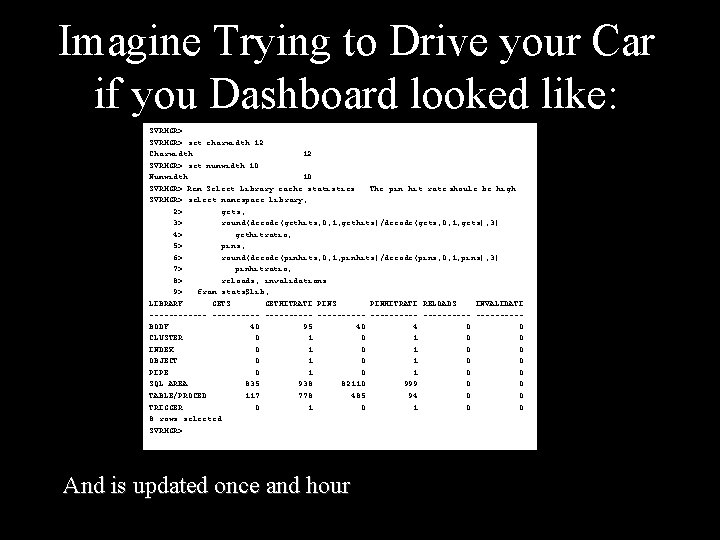
Cleary a job for Stats Pack Because stats pack shows you every hour • all the Stats! • All the top Bottlenecks • Almost all the top SQL Feeling better ?
Feeling Better? Hmmm … but … wait • What if your database hits a bottleneck 15 minutes after the last stats pack? • What about that coder who writes bad SQL … can you find his rogue module? • Ok you found the top SQL but … now what?
If lives (and your job) depend on your database • Is once an hour really enough ? • Can it find a rogue user? • Can it tell you why an SQL bottlenecked? • PS … are you sure you can even decipher stats pack ?
Oh no … it’s 3 am your manager calls “why is the database hanging? !” But do you have an answer? • Who did it? • Where did the SQL get block? • What if the bottlenecked started 5 minutes ago?

Statspack Can’t Tell You … but ASH Can
Introducing ASH A technology capable of saving lives … (And your job)
ASH A Revolution in Monitoring Active Session History • New 10 g • Every Second it collect data • 1 hour of history in Memory for immediate access at your fingertips This hour of data could change your life
It’s a Revolution and it’s an Evolution • Oracle 6 … ie the dark ages … there was Cache Buffer Hit Ratio • Oracle 7 … turned the lights on … Wait Events … hallelujah I can see the light • Oracle 10 g … ASH has landed
ASH – Intelligence for the new Millennium • Selectively Collects Data – More active, more data collected – Less active, less data collected – It self adjusts for your needs • Old methods collect everything – Costly – Limits fine Granularity
ASH – In Memory • • Active sessions only History v$session_wait + v$session + extras Circular Buffer - 1 M to 128 M (~2 MB per CPU) Flushed every hour to disk or when buffer 2/3 full
ASH Sizing … bigger isn’t always better • • Avg row around 150 bytes 3600 secs in an hour ~ ½ Meg per Active Session per hour That’s generally over an hour of ASH

ASH Samples • What is Sampling?
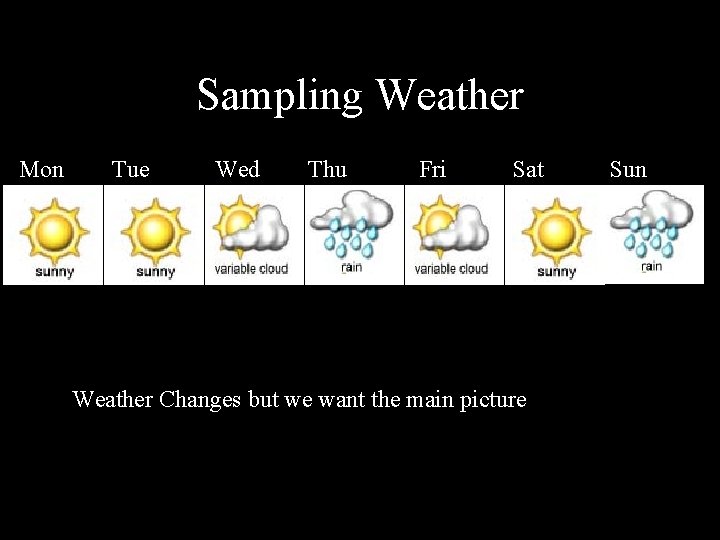
Sampling Weather Mon Tue Wed Thu Fri Sat Weather Changes but we want the main picture Sun
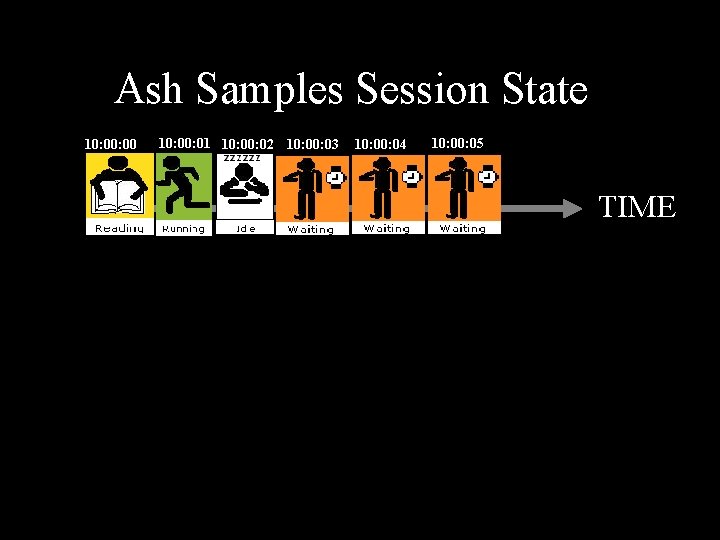
Ash Samples Session State. Session 1 10: 00 10: 01 10: 02 10: 03 10: 04 10: 05 TIME
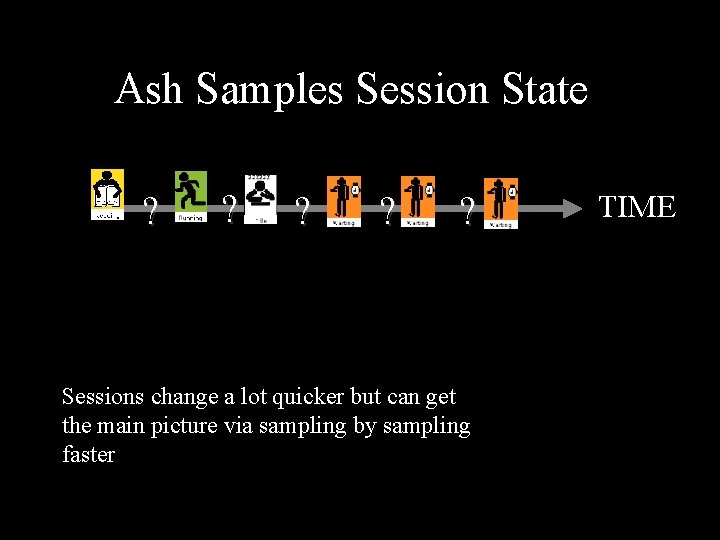
Ash Samples Session State. Session 1 ? ? ? Sessions change a lot quicker but can get the main picture via sampling by sampling faster TIME
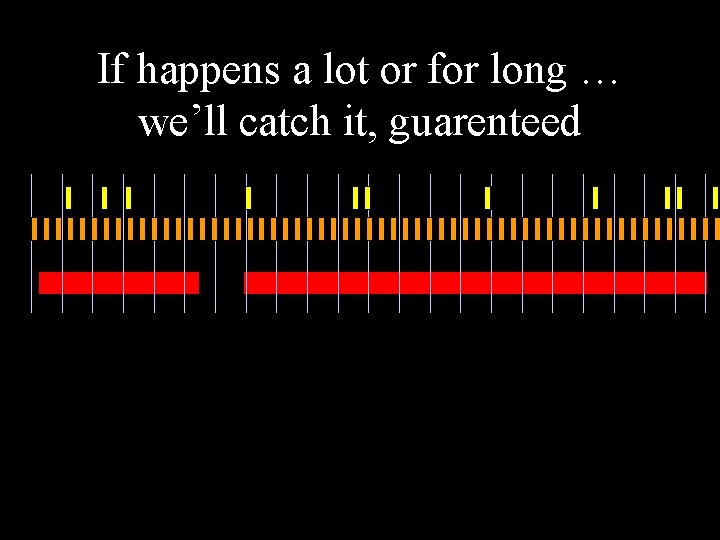
If happens a lot or for long … we’ll catch it, guarenteed
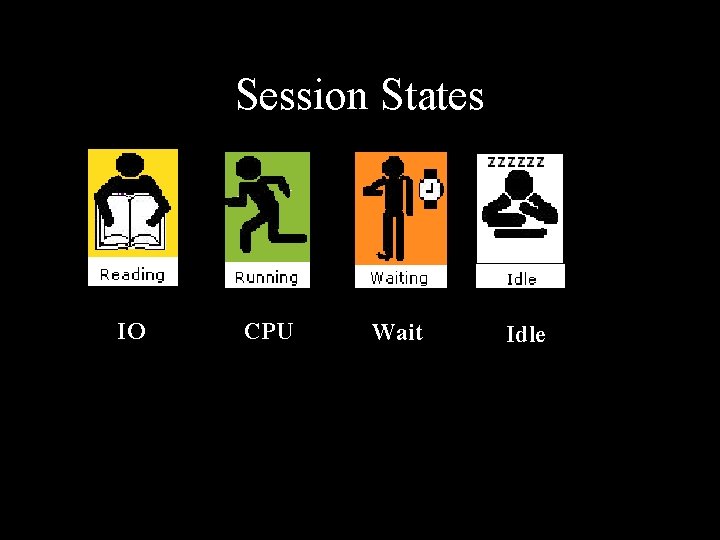
Session States IO CPU Wait Idle
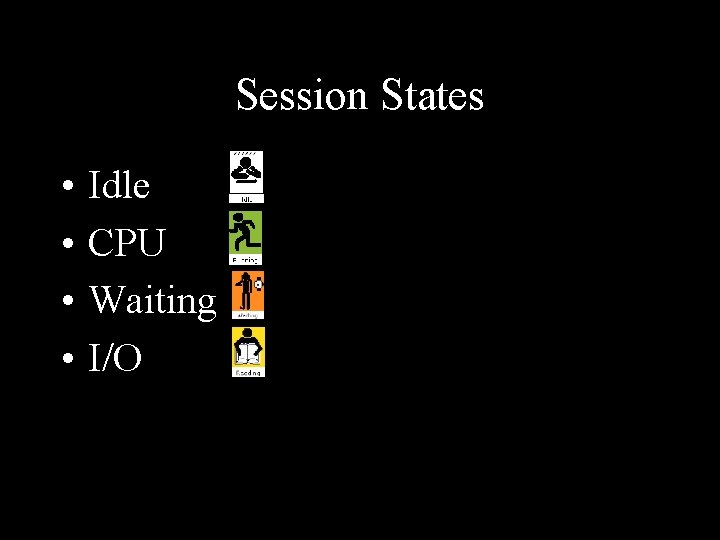
Session States • • Idle CPU Waiting I/O
IDLE • Ex : SQL*Net Message from Client • All Idle Events: select name from v$event_name where wait_class='Idle‘; 58 Rows
CPU • ASH: SESSION_STATE = “ON CPU” • ASH: wait_time > 0
WAITING • ASH: SESSION_STATE=‘WAITING’ • ASH: WAIT_TIME=0 • WAIT_CLASS – – – – – Administrative Application Cluster Commit Concurrency Configuration Network Other Scheduler System I/O • 800+ WAIT
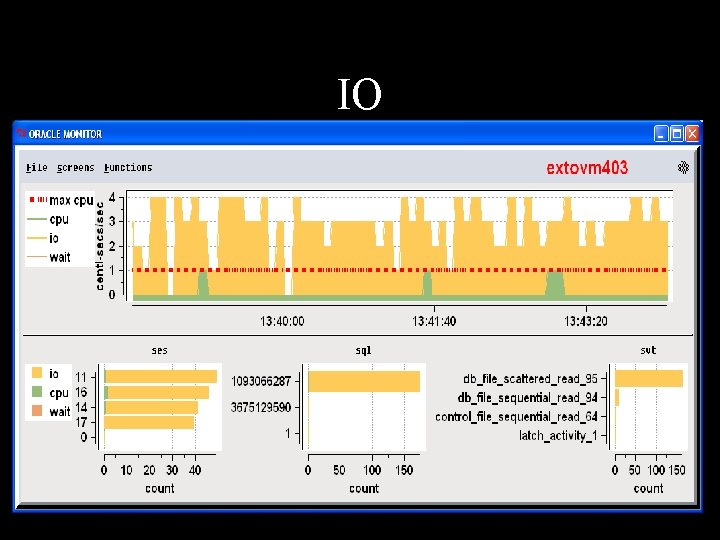
IO • ASH: SESSION_STATE=‘WAITING’ and WAIT_CLASS=‘User I/O’
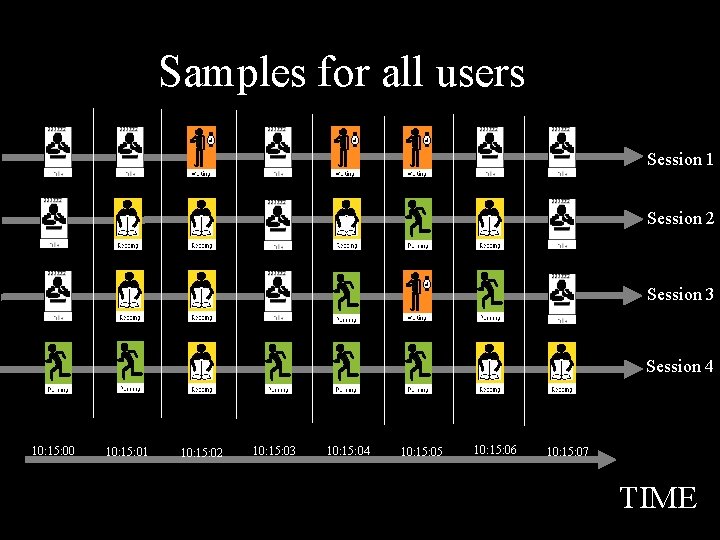
Samples for all users Session 1 Session 2 Session 3 Session 4 10: 15: 00 10: 15: 01 10: 15: 02 10: 15: 03 10: 15: 04 10: 15: 05 10: 15: 06 10: 15: 07 TIME
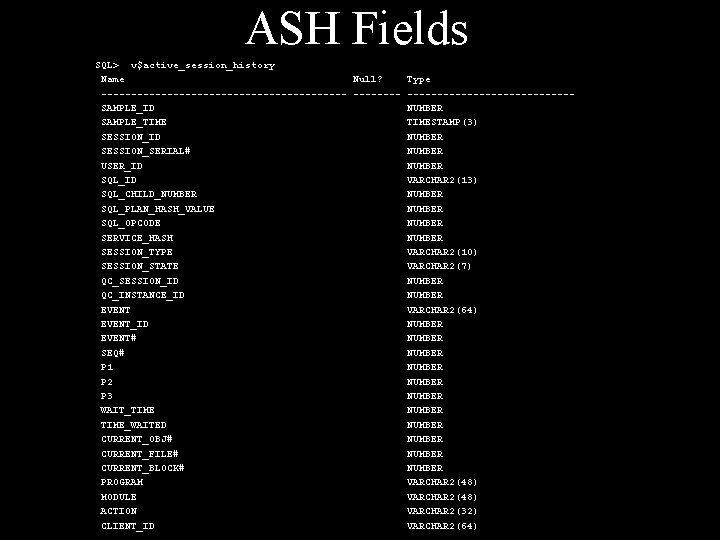
ASH Fields SQL> v$active_session_history Name Null? ---------------------SAMPLE_ID SAMPLE_TIME SESSION_ID SESSION_SERIAL# USER_ID SQL_CHILD_NUMBER SQL_PLAN_HASH_VALUE SQL_OPCODE SERVICE_HASH SESSION_TYPE SESSION_STATE QC_SESSION_ID QC_INSTANCE_ID EVENT_ID EVENT# SEQ# P 1 P 2 P 3 WAIT_TIME_WAITED CURRENT_OBJ# CURRENT_FILE# CURRENT_BLOCK# PROGRAM MODULE ACTION CLIENT_ID Type --------------NUMBER TIMESTAMP(3) NUMBER VARCHAR 2(13) NUMBER VARCHAR 2(10) VARCHAR 2(7) NUMBER VARCHAR 2(64) NUMBER NUMBER NUMBER VARCHAR 2(48) VARCHAR 2(32) VARCHAR 2(64)
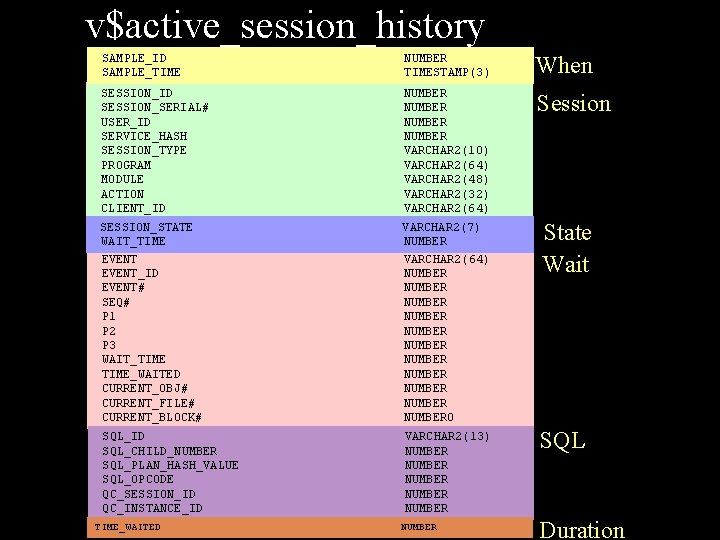
v$active_session_history SAMPLE_ID SAMPLE_TIME NUMBER TIMESTAMP(3) When SESSION_ID SESSION_SERIAL# USER_ID SERVICE_HASH SESSION_TYPE PROGRAM MODULE ACTION CLIENT_ID NUMBER VARCHAR 2(10) VARCHAR 2(64) VARCHAR 2(48) VARCHAR 2(32) VARCHAR 2(64) Session SESSION_STATE WAIT_TIME EVENT_ID EVENT# SEQ# P 1 P 2 P 3 WAIT_TIME_WAITED CURRENT_OBJ# CURRENT_FILE# CURRENT_BLOCK# VARCHAR 2(7) NUMBER VARCHAR 2(64) NUMBER NUMBER NUMBER 0 State Wait SQL_ID SQL_CHILD_NUMBER SQL_PLAN_HASH_VALUE SQL_OPCODE QC_SESSION_ID QC_INSTANCE_ID VARCHAR 2(13) NUMBER NUMBER SQL TIME_WAITED NUMBER Duration
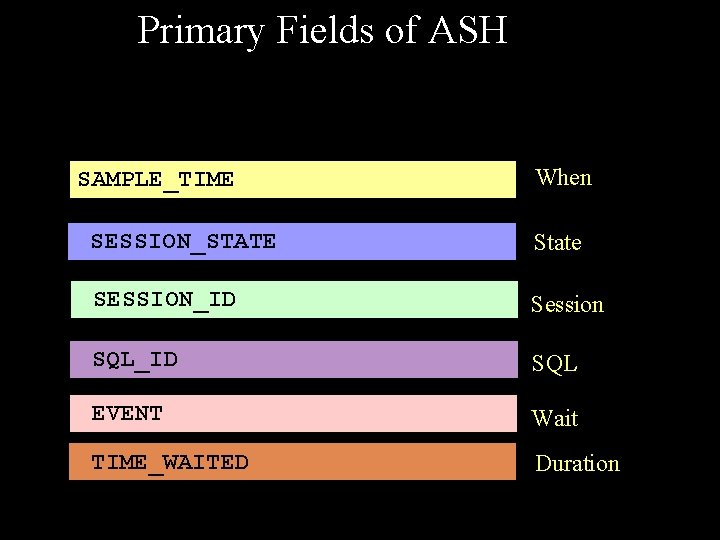
Primary Fields of ASH SAMPLE_TIME When SESSION_STATE State SESSION_ID Session SQL_ID SQL EVENT Wait TIME_WAITED Duration

Amazing things you can do with ASH
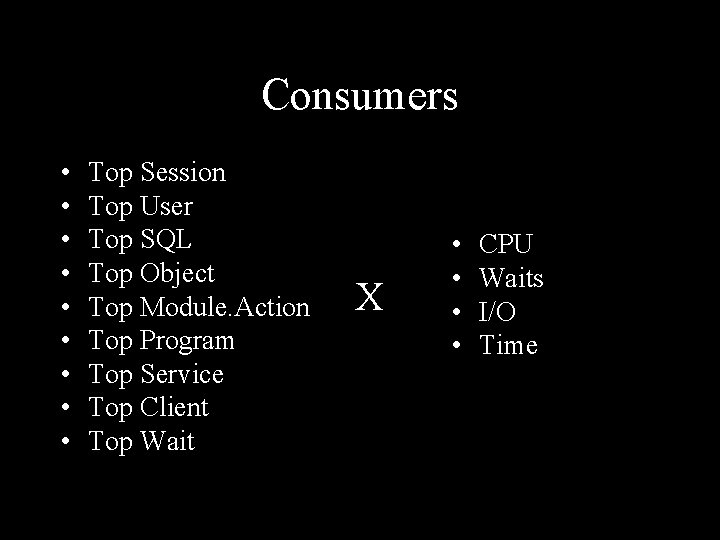
Consumers • • • Top Session Top User Top SQL Top Object Top Module. Action Top Program Top Service Top Client Top Wait X • • CPU Waits I/O Time
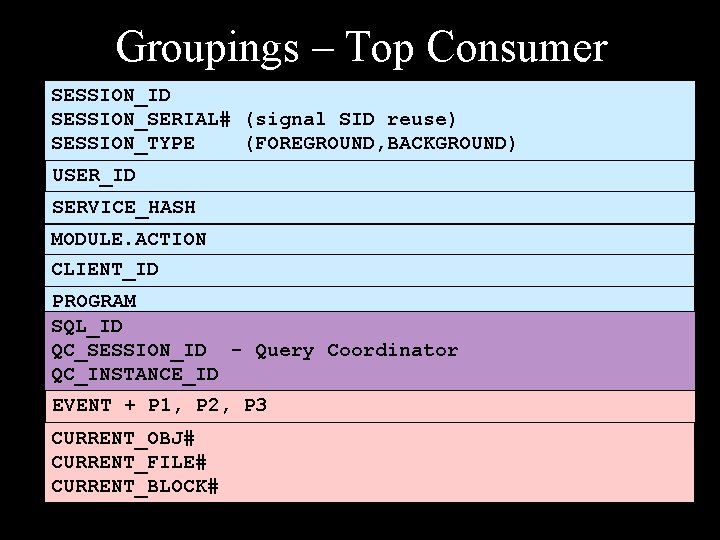
Groupings – Top Consumer SESSION_ID SESSION_SERIAL# (signal SID reuse) SESSION_TYPE (FOREGROUND, BACKGROUND) USER_ID SERVICE_HASH MODULE. ACTION CLIENT_ID PROGRAM SQL_ID QC_SESSION_ID - Query Coordinator QC_INSTANCE_ID EVENT + P 1, P 2, P 3 CURRENT_OBJ# CURRENT_FILE# CURRENT_BLOCK#
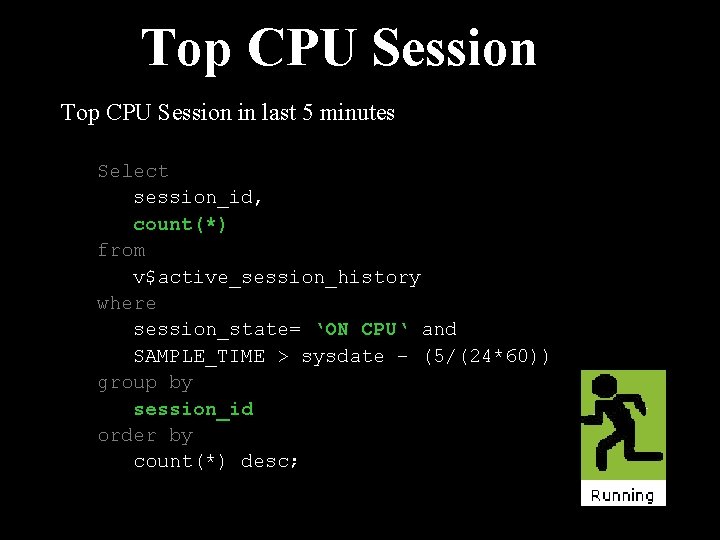
Top CPU Session in last 5 minutes Select session_id, count(*) from v$active_session_history where session_state= ‘ON CPU‘ and SAMPLE_TIME > sysdate – (5/(24*60)) group by session_id order by count(*) desc;
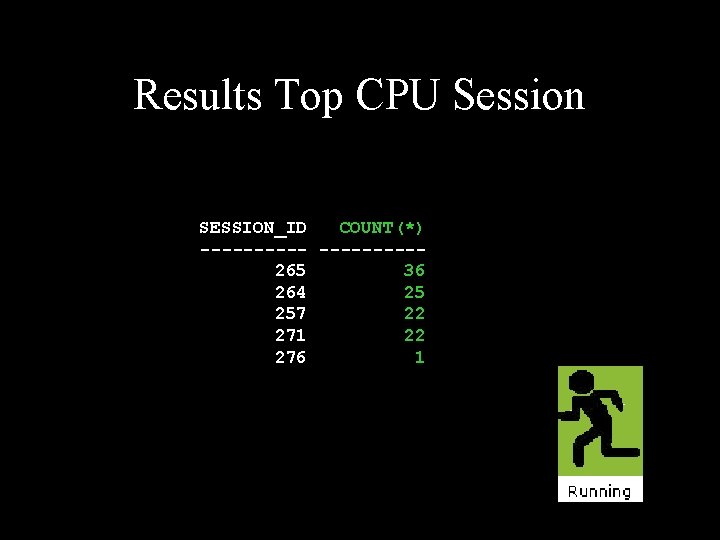
Results Top CPU Session SESSION_ID COUNT(*) -----265 36 264 25 257 22 271 22 276 1
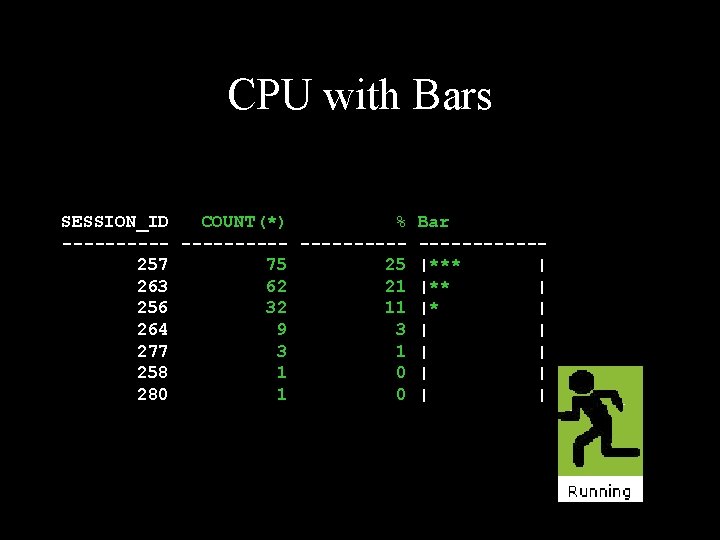
CPU with Bars SESSION_ID COUNT(*) % Bar -----------257 75 25 |*** | 263 62 21 |** | 256 32 11 |* | 264 9 3 | | 277 3 1 | | 258 1 0 | | 280 1 0 | |
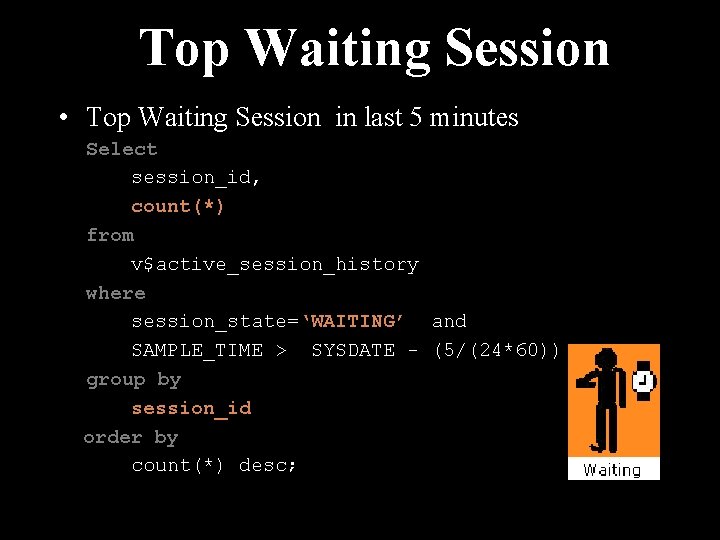
Top Waiting Session • Top Waiting Session in last 5 minutes Select session_id, count(*) from v$active_session_history where session_state=‘WAITING’ and SAMPLE_TIME > SYSDATE - (5/(24*60)) group by session_id order by count(*) desc;
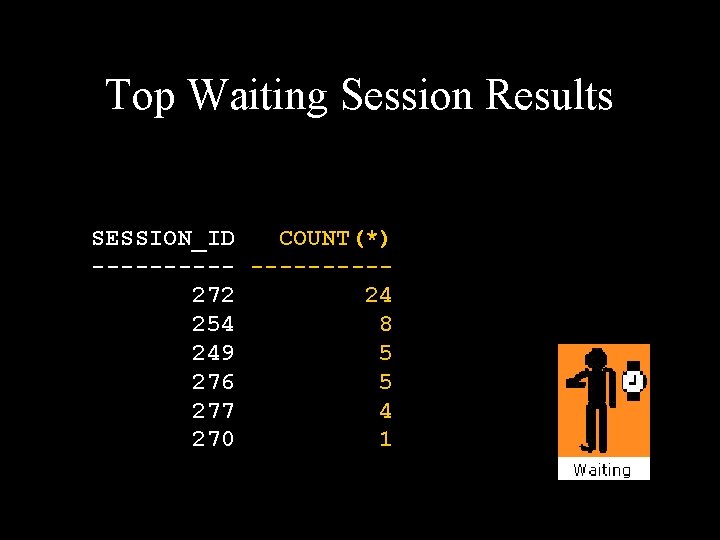
Top Waiting Session Results SESSION_ID COUNT(*) -----272 24 254 8 249 5 276 5 277 4 270 1
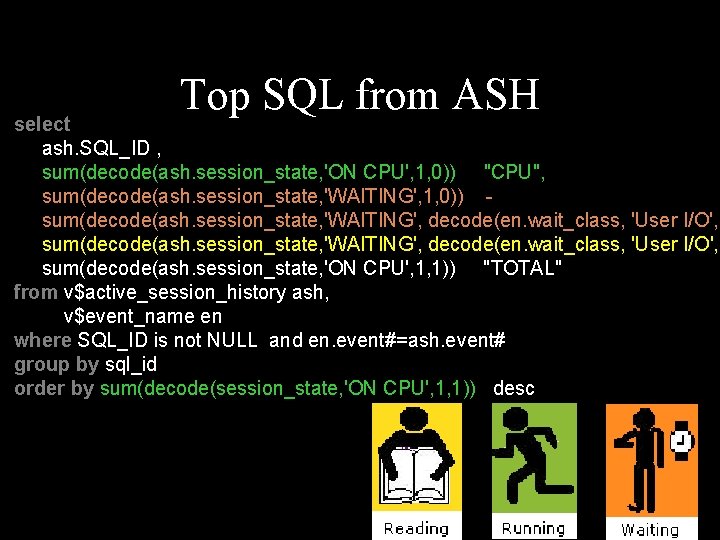
Top SQL from ASH select ash. SQL_ID , sum(decode(ash. session_state, 'ON CPU', 1, 0)) "CPU", sum(decode(ash. session_state, 'WAITING', 1, 0)) sum(decode(ash. session_state, 'WAITING', decode(en. wait_class, 'User I/O', 1 sum(decode(ash. session_state, 'ON CPU', 1, 1)) "TOTAL" from v$active_session_history ash, v$event_name en where SQL_ID is not NULL and en. event#=ash. event# group by sql_id order by sum(decode(session_state, 'ON CPU', 1, 1)) desc
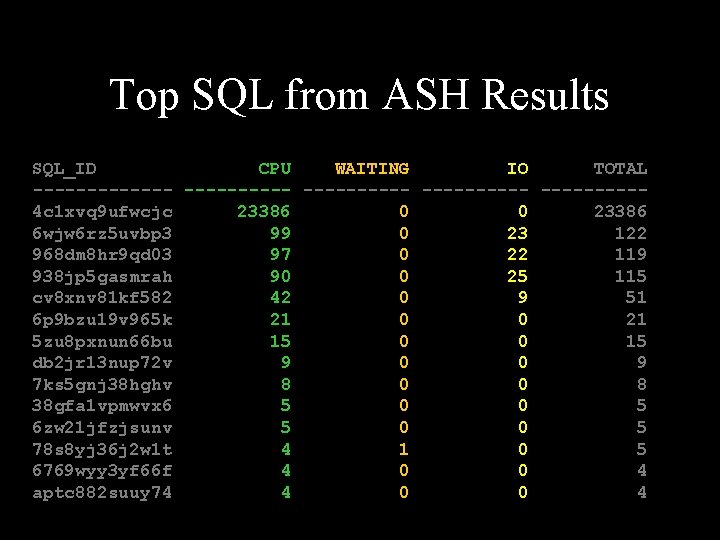
Top SQL from ASH Results SQL_ID CPU WAITING IO TOTAL ---------- ---------4 c 1 xvq 9 ufwcjc 23386 0 0 23386 6 wjw 6 rz 5 uvbp 3 99 0 23 122 968 dm 8 hr 9 qd 03 97 0 22 119 938 jp 5 gasmrah 90 0 25 115 cv 8 xnv 81 kf 582 42 0 9 51 6 p 9 bzu 19 v 965 k 21 0 0 21 5 zu 8 pxnun 66 bu 15 0 0 15 db 2 jr 13 nup 72 v 9 0 0 9 7 ks 5 gnj 38 hghv 8 0 0 8 38 gfa 1 vpmwvx 6 5 0 0 5 6 zw 21 jfzjsunv 5 0 0 5 78 s 8 yj 36 j 2 w 1 t 4 1 0 5 6769 wyy 3 yf 66 f 4 0 0 4 aptc 882 suuy 74 4 0 0 4
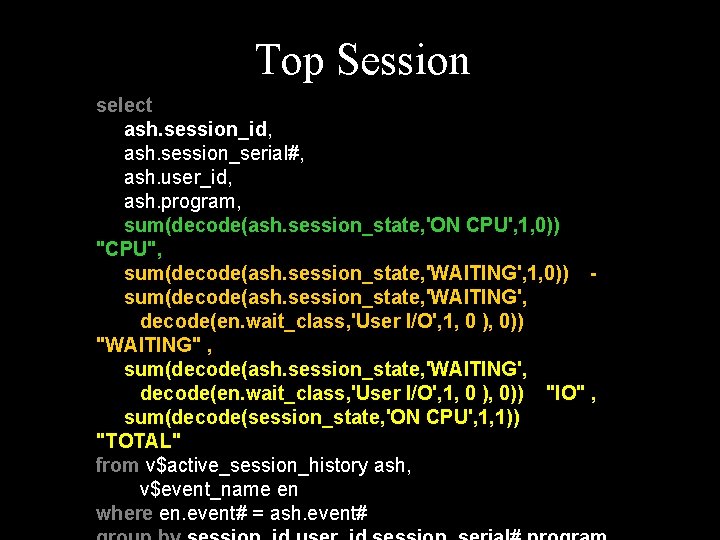
Top Session select ash. session_id, ash. session_serial#, ash. user_id, ash. program, sum(decode(ash. session_state, 'ON CPU', 1, 0)) "CPU", sum(decode(ash. session_state, 'WAITING', 1, 0)) sum(decode(ash. session_state, 'WAITING', decode(en. wait_class, 'User I/O', 1, 0 ), 0)) "WAITING" , sum(decode(ash. session_state, 'WAITING', decode(en. wait_class, 'User I/O', 1, 0 ), 0)) "IO" , sum(decode(session_state, 'ON CPU', 1, 1)) "TOTAL" from v$active_session_history ash, v$event_name en where en. event# = ash. event#
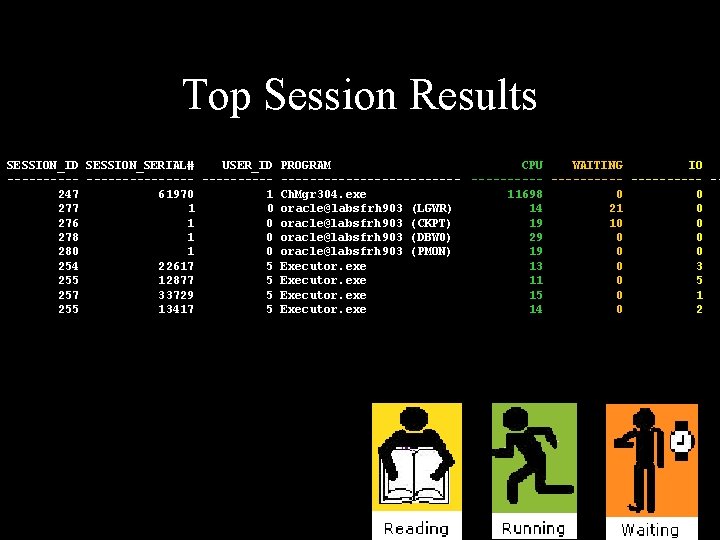
Top Session Results SESSION_ID SESSION_SERIAL# USER_ID PROGRAM CPU WAITING IO ------------------------- -247 61970 1 Ch. Mgr 304. exe 11698 0 0 277 1 0 oracle@labsfrh 903 (LGWR) 14 21 0 276 1 0 oracle@labsfrh 903 (CKPT) 19 10 0 278 1 0 oracle@labsfrh 903 (DBW 0) 29 0 0 280 1 0 oracle@labsfrh 903 (PMON) 19 0 0 254 22617 5 Executor. exe 13 0 3 255 12877 5 Executor. exe 11 0 5 257 33729 5 Executor. exe 15 0 1 255 13417 5 Executor. exe 14 0 2
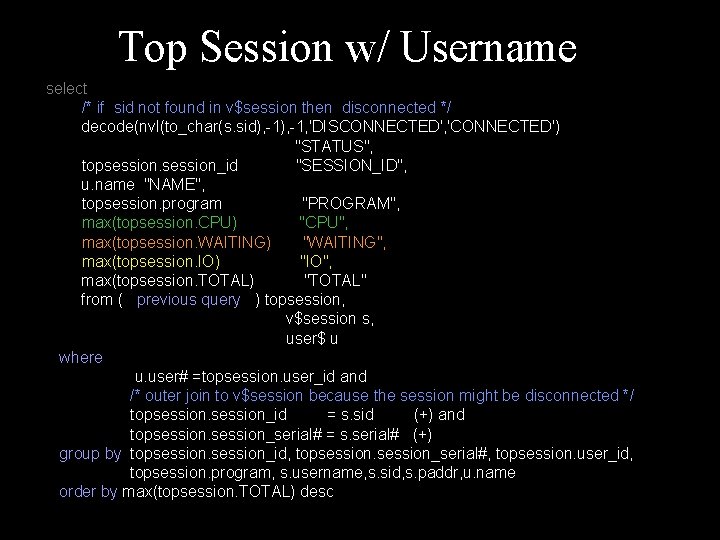
Top Session w/ Username select /* if sid not found in v$session then disconnected */ decode(nvl(to_char(s. sid), -1, 'DISCONNECTED', 'CONNECTED') "STATUS", topsession_id "SESSION_ID", u. name "NAME", topsession. program "PROGRAM", max(topsession. CPU) "CPU", max(topsession. WAITING) "WAITING", max(topsession. IO) "IO", max(topsession. TOTAL) "TOTAL" from ( previous query ) topsession, v$session s, user$ u where u. user# =topsession. user_id and /* outer join to v$session because the session might be disconnected */ topsession_id = s. sid (+) and topsession_serial# = s. serial# (+) group by topsession_id, topsession_serial#, topsession. user_id, topsession. program, s. username, s. sid, s. paddr, u. name order by max(topsession. TOTAL) desc
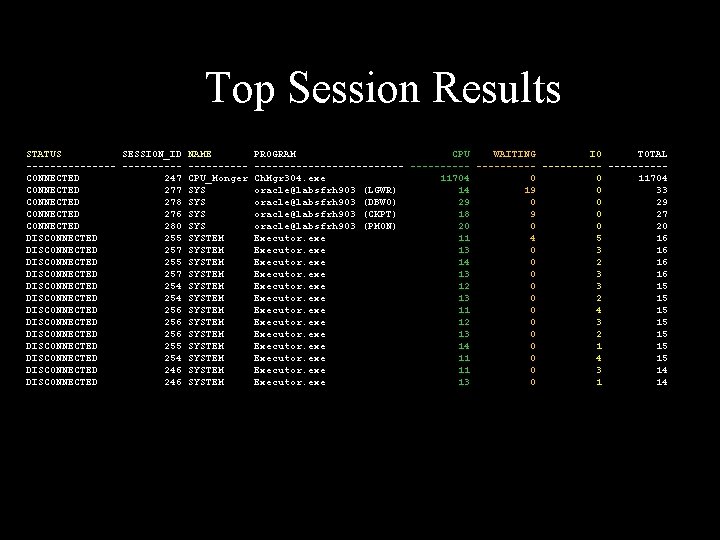
Top Session Results STATUS SESSION_ID NAME PROGRAM CPU WAITING IO TOTAL --------------- ---------- -----CONNECTED 247 CPU_Monger Ch. Mgr 304. exe 11704 0 0 11704 CONNECTED 277 SYS oracle@labsfrh 903 (LGWR) 14 19 0 33 CONNECTED 278 SYS oracle@labsfrh 903 (DBW 0) 29 0 0 29 CONNECTED 276 SYS oracle@labsfrh 903 (CKPT) 18 9 0 27 CONNECTED 280 SYS oracle@labsfrh 903 (PMON) 20 0 0 20 DISCONNECTED 255 SYSTEM Executor. exe 11 4 5 16 DISCONNECTED 257 SYSTEM Executor. exe 13 0 3 16 DISCONNECTED 255 SYSTEM Executor. exe 14 0 2 16 DISCONNECTED 257 SYSTEM Executor. exe 13 0 3 16 DISCONNECTED 254 SYSTEM Executor. exe 12 0 3 15 DISCONNECTED 254 SYSTEM Executor. exe 13 0 2 15 DISCONNECTED 256 SYSTEM Executor. exe 11 0 4 15 DISCONNECTED 256 SYSTEM Executor. exe 12 0 3 15 DISCONNECTED 256 SYSTEM Executor. exe 13 0 2 15 DISCONNECTED 255 SYSTEM Executor. exe 14 0 1 15 DISCONNECTED 254 SYSTEM Executor. exe 11 0 4 15 DISCONNECTED 246 SYSTEM Executor. exe 11 0 3 14 DISCONNECTED 246 SYSTEM Executor. exe 13 0 1 14
Top Wait • How to Attack the problem? • Top SQL? – Top wait for that SQL? • Top Waiting Session ? – Top Waits for that Session • Top Waits for Database? – Top Session waiting for that wait – Top SQL for that wait With Ash you can attack the problem all these ways
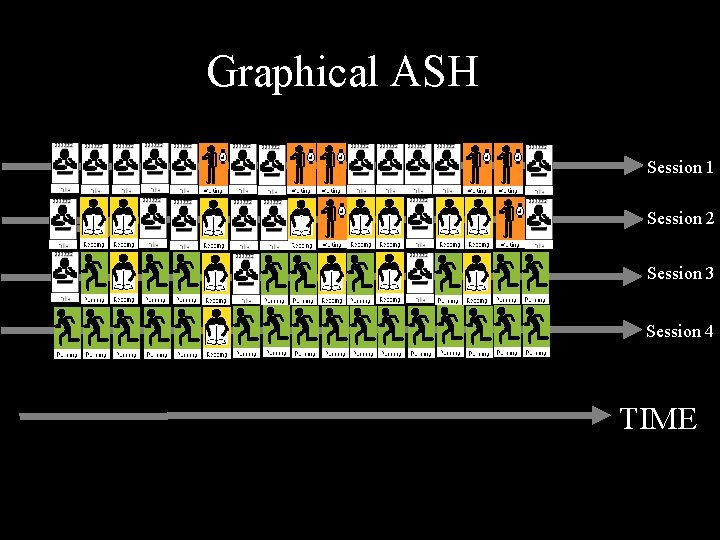
Graphical ASH Session 1 Session 2 Session 3 Session 4 TIME
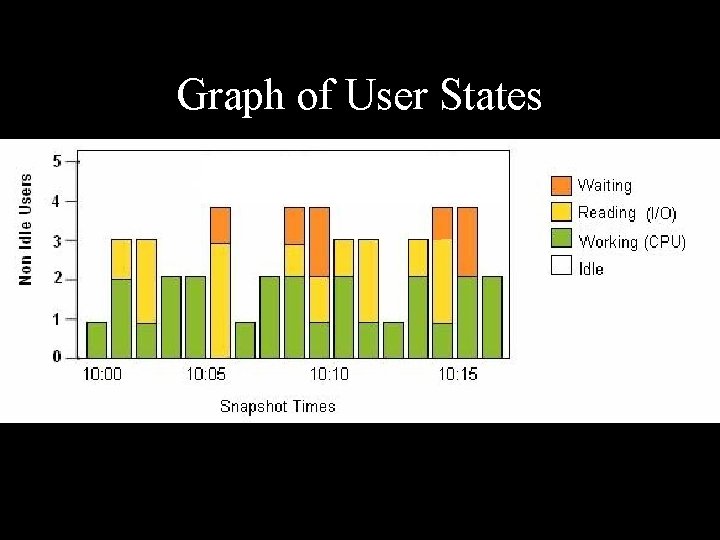
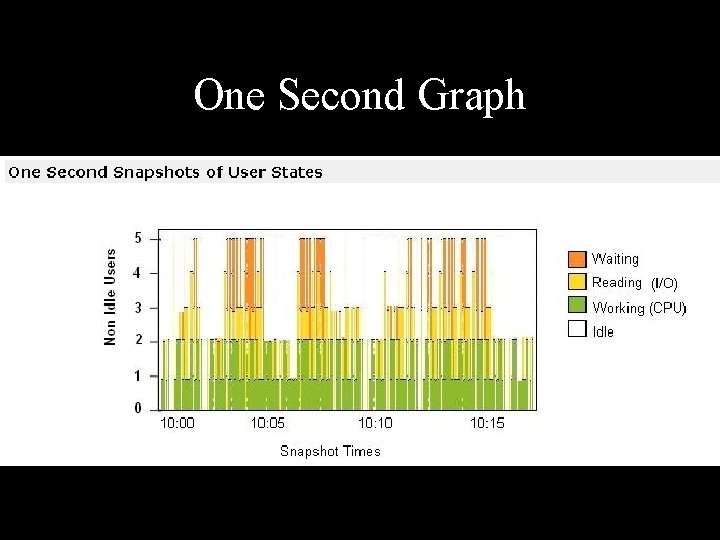
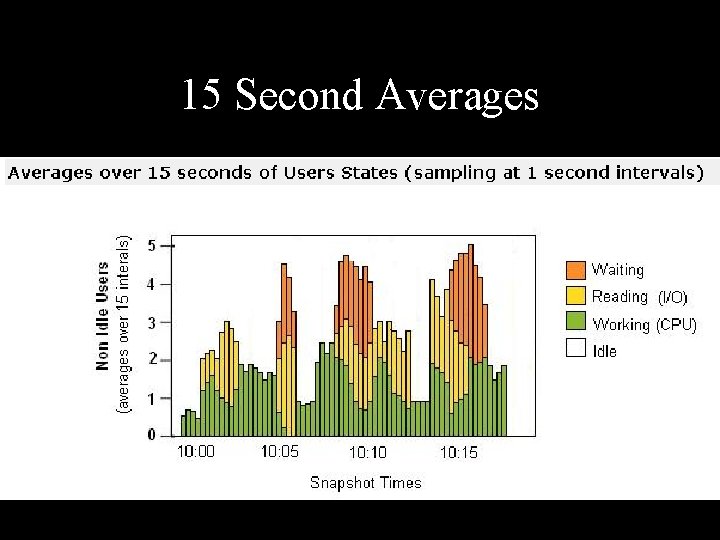
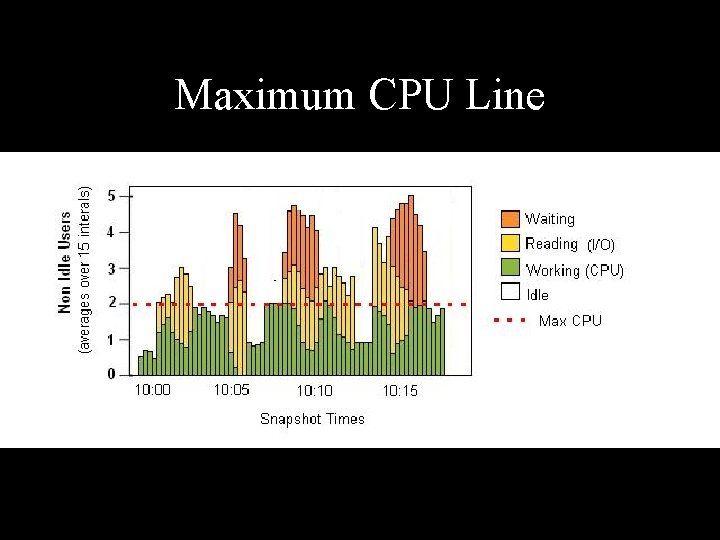
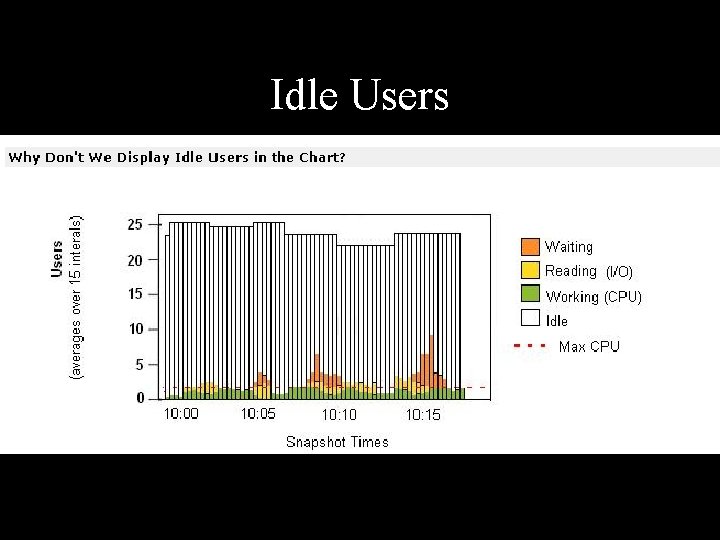
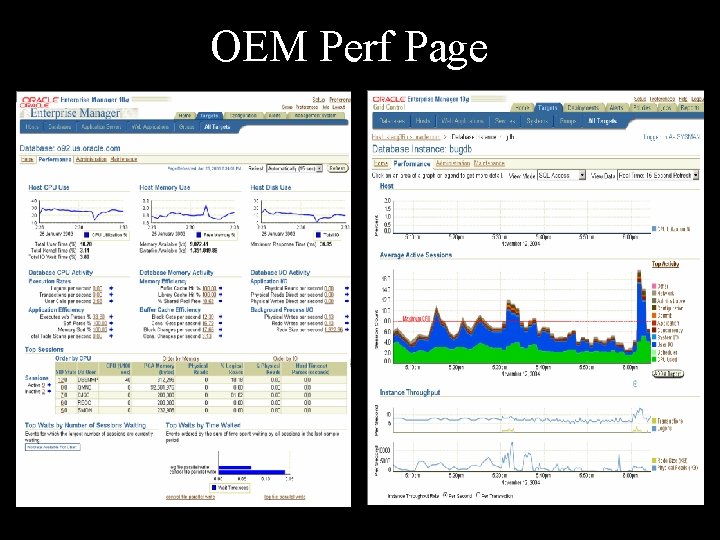
Graph of User States
One Second Graph
15 Second Averages
Maximum CPU Line
Idle Users
OEM Perf Page
Symantec I 3
Quest
OEM Perf Page
EMBT CPU
TCL Blocked Users (lock)
IO
Statistics vs Waits • Cache Buffer Hit vs IO Waits Why group around in the dark – just turn the lights on
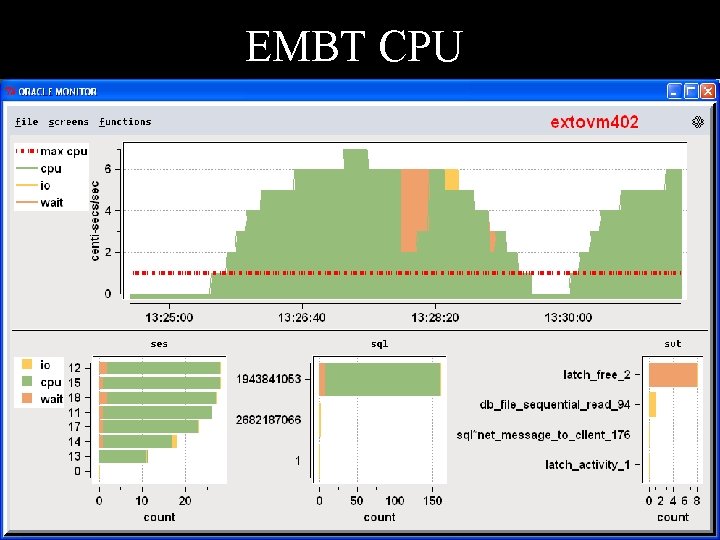
CPU problem • CPU is only updated at the end of the call. • Long calls look deceiving like no CPU is being used
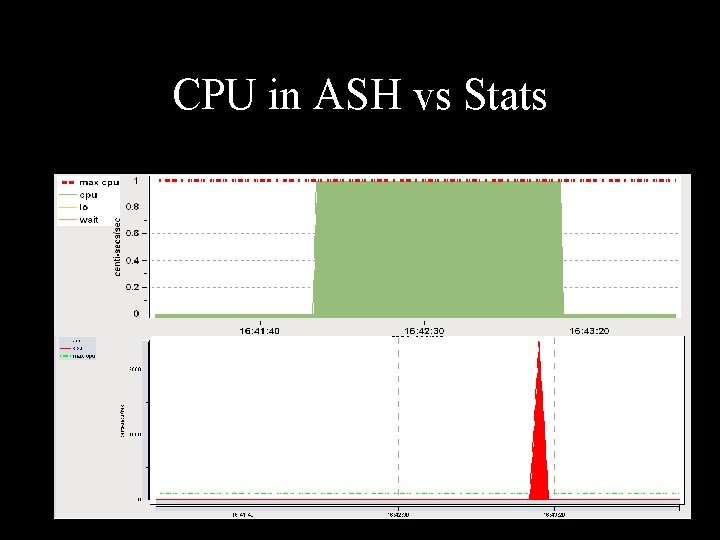
CPU in ASH vs Stats
Monitoring Waits can be Expensive • Rows queried = # of sessions x # of waits In 10 g there are over 800 waits. For example 100 user x 800 waits = 80, 000 rows
Sampling Cheap • With PL/SQL it’s less that 1 % CPU with 10 average active sessions • ASH in 10 g even cheaper • ASH via Memory Scraping , 200 x cheaper
ASH is Rich Data • On top of being Cheap the data is multi-dimensional – you can cut it up in many different ways – – – – Top Session Top SQL Top Module Top Action Top Program Top Client Top Service • All ranked by CPU, IO, or any of 800 waits or time spent in wait, or by file accessed, or object accessed
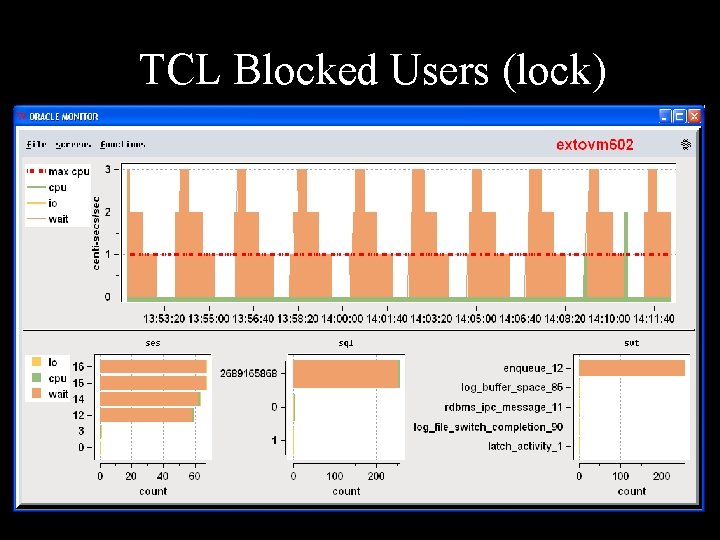
Alert on Blocked Sessions • Any session that is on a wait 15/15 samples can be called blocked whether or not they are on a row lock
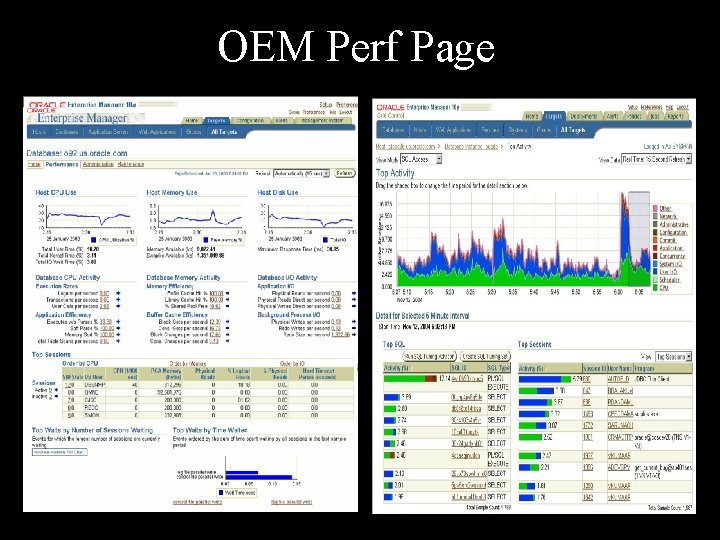
ASH easily enables Drilldown Investigation • See a spike in System Load (avg active sessions) • Find out which SQL • Find out what waits that SQL had
Simulating ASH • ASH is new in 10 g • Need Diagnostic Pack License • ASH data exist since V 7 • Simulate it yourself - Join v$session_wait & v$session - Save in a table Consumes < 1% CPU for 10 active sessions (a lot)
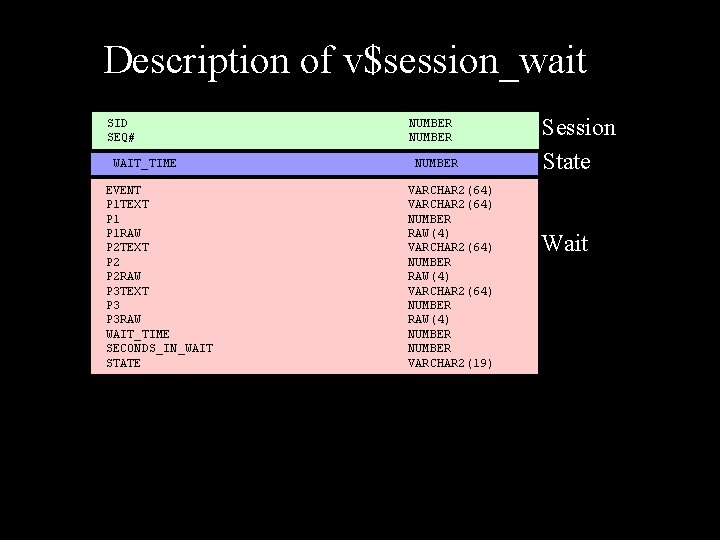
Description of v$session_wait SID SEQ# WAIT_TIME EVENT P 1 TEXT P 1 RAW P 2 TEXT P 2 RAW P 3 TEXT P 3 RAW WAIT_TIME SECONDS_IN_WAIT STATE NUMBER VARCHAR 2(64) NUMBER RAW(4) NUMBER VARCHAR 2(19) Session State Wait
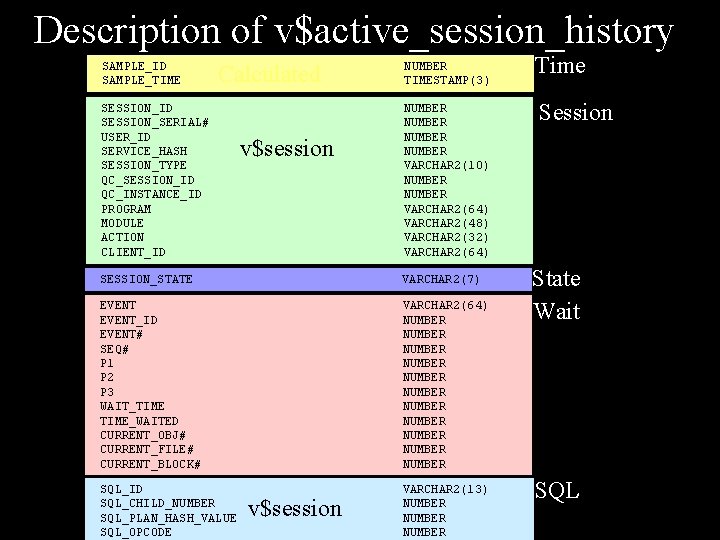
Description of v$active_session_history SAMPLE_ID SAMPLE_TIME Calculated SESSION_ID SESSION_SERIAL# USER_ID SERVICE_HASH SESSION_TYPE QC_SESSION_ID QC_INSTANCE_ID PROGRAM MODULE ACTION CLIENT_ID v$session NUMBER TIMESTAMP(3) NUMBER VARCHAR 2(10) NUMBER VARCHAR 2(64) VARCHAR 2(48) VARCHAR 2(32) VARCHAR 2(64) SESSION_STATE VARCHAR 2(7) EVENT_ID EVENT# SEQ# P 1 P 2 P 3 WAIT_TIME_WAITED CURRENT_OBJ# CURRENT_FILE# CURRENT_BLOCK# VARCHAR 2(64) NUMBER NUMBER NUMBER SQL_ID SQL_CHILD_NUMBER SQL_PLAN_HASH_VALUE SQL_OPCODE VARCHAR 2(13) NUMBER v$session Time Session State Wait SQL
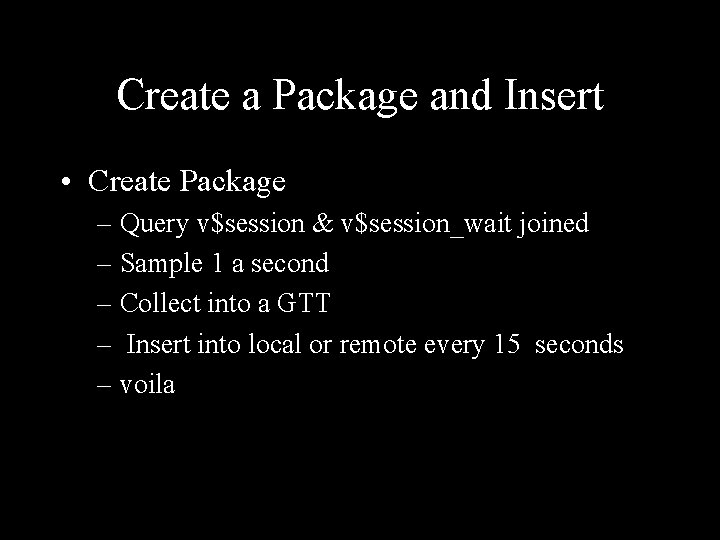
Create a Package and Insert • Create Package – Query v$session & v$session_wait joined – Sample 1 a second – Collect into a GTT – Insert into local or remote every 15 seconds – voila
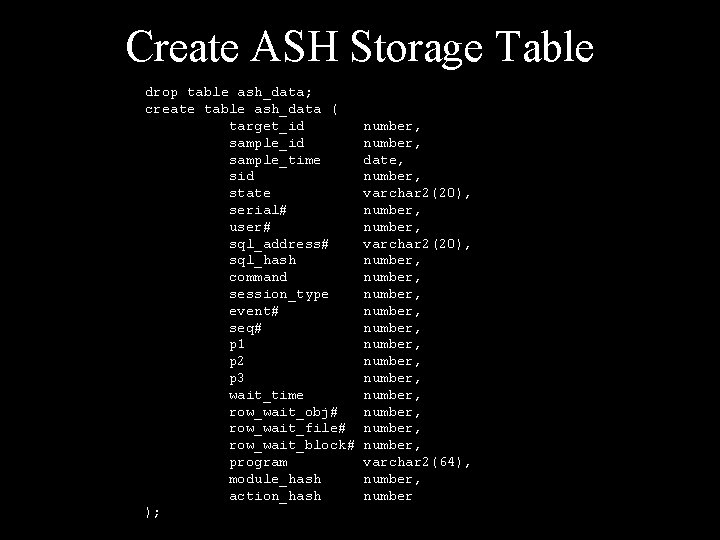
Create ASH Storage Table drop table ash_data; create table ash_data ( target_id sample_time sid state serial# user# sql_address# sql_hash command session_type event# seq# p 1 p 2 p 3 wait_time row_wait_obj# row_wait_file# row_wait_block# program module_hash action_hash ); number, date, number, varchar 2(20), number, number, number, number, varchar 2(64), number
Simulation Optimizations • Partition ASH_DATA for efficient deletion of old data • Run compaction routines to save history – Load – Top Session – Top sql – Top waits
*** How ASH Works ***
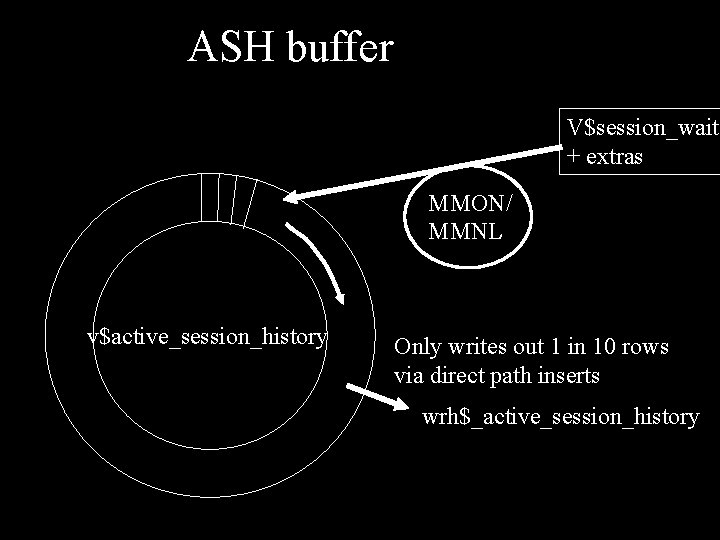
ASH buffer V$session_wait + extras MMON/ MMNL v$active_session_history Only writes out 1 in 10 rows via direct path inserts wrh$_active_session_history
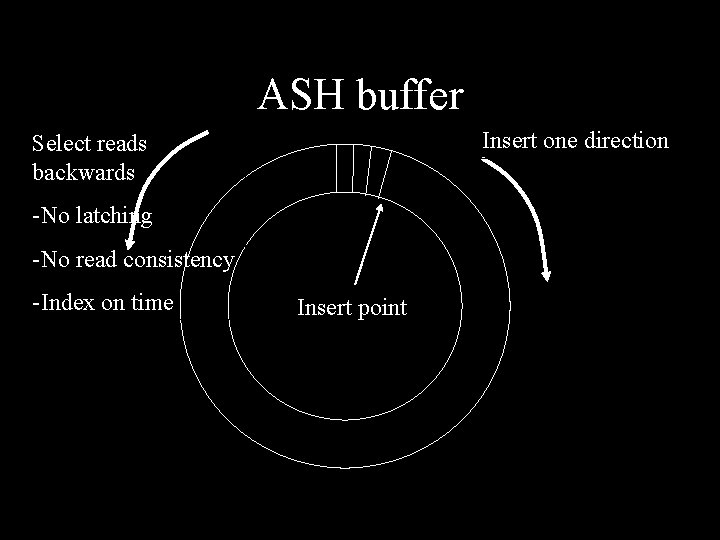
ASH buffer Insert one direction Select reads backwards -No latching -No read consistency -Index on time Insert point
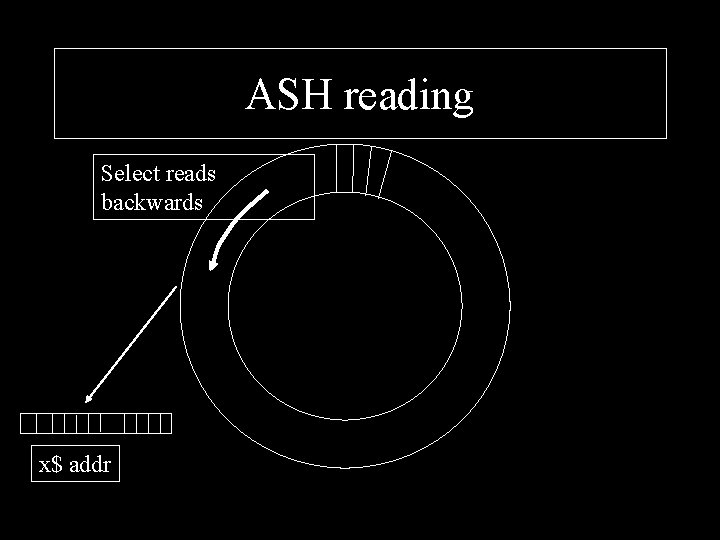
Insert point ASH reading Select reads backwards x$ addr
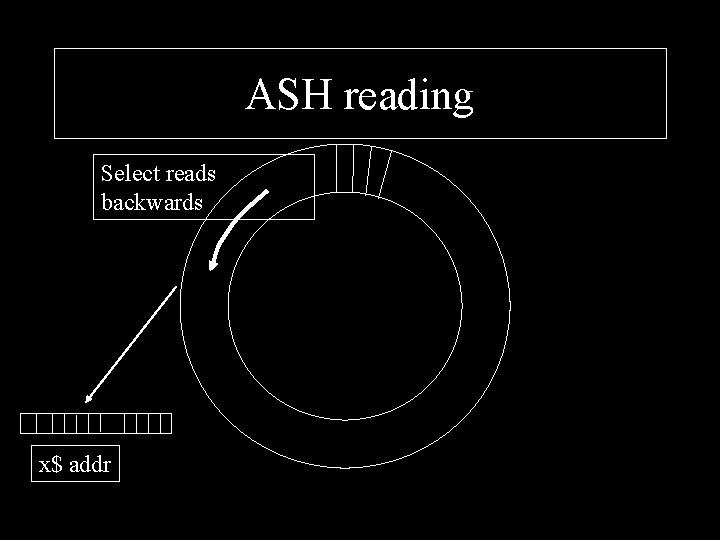
Insert point ASH reading Select reads backwards x$ addr
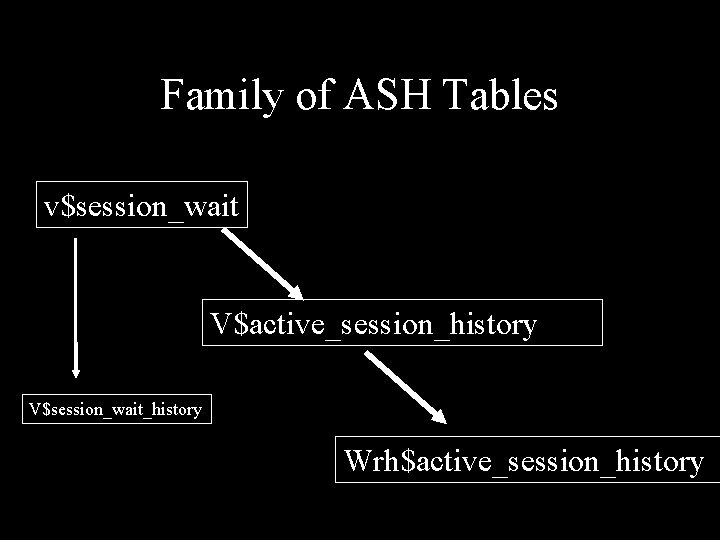
Family of ASH Tables v$session_wait V$active_session_history V$session_wait_history Wrh$active_session_history
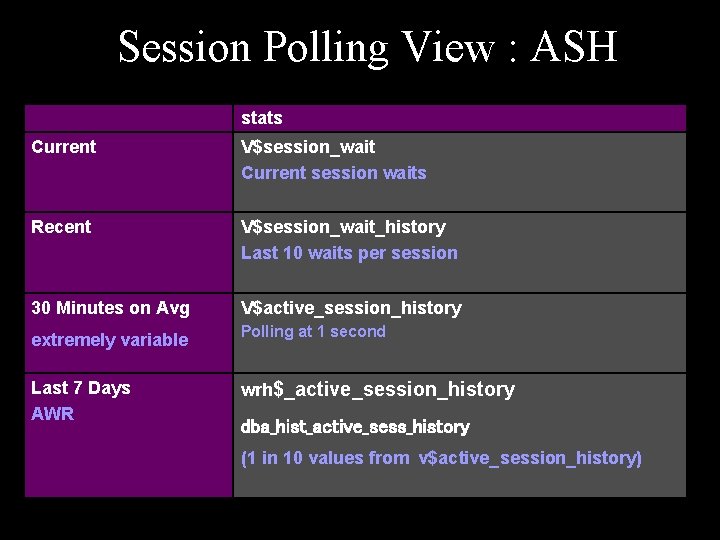
Session Polling View : ASH stats Current V$session_wait Current session waits Recent V$session_wait_history Last 10 waits per session 30 Minutes on Avg V$active_session_history extremely variable Polling at 1 second Last 7 Days AWR wrh$_active_session_history dba_hist_active_sess_history (1 in 10 values from v$active_session_history)
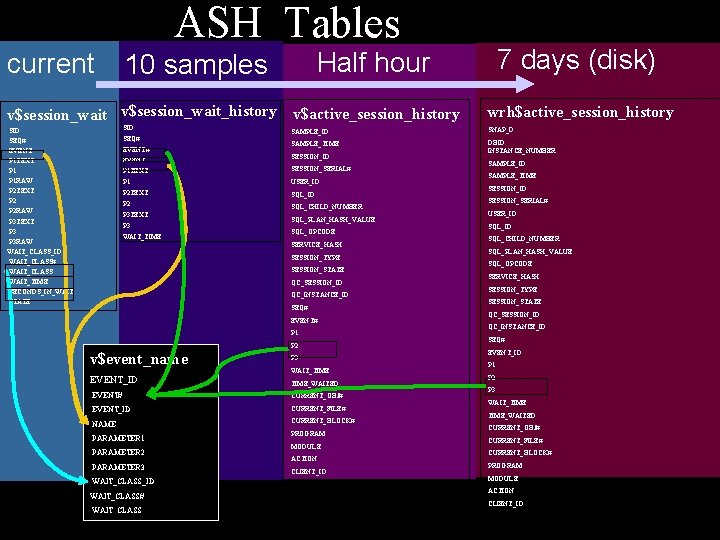
ASH Tables current 7 days (disk) Half hour 10 samples v$session_wait_history v$active_session_history wrh$active_session_history SID SEQ# EVENT P 1 TEXT P 1 RAW P 2 TEXT P 2 RAW P 3 TEXT P 3 RAW WAIT_CLASS_ID WAIT_CLASS# WAIT_CLASS WAIT_TIME SECONDS_IN_WAIT STATE SAMPLE_ID SNAP_D SAMPLE_TIME DBID INSTANCE_NUMBER SID SEQ# EVENT SESSION_ID P 1 TEXT SESSION_SERIAL# P 1 USER_ID P 2 TEXT SQL_ID P 2 SQL_CHILD_NUMBER P 3 TEXT P 3 WAIT_TIME SQL_PLAN_HASH_VALUE SQL_OPCODE SERVICE_HASH SESSION_TYPE SESSION_STATE QC_SESSION_ID QC_INSTANCE_ID SEQ# EVENT# P 1 v$event_name EVENT_ID P 2 P 3 WAIT_TIME_WAITED EVENT# CURRENT_OBJ# EVENT_ID CURRENT_FILE# NAME CURRENT_BLOCK# PARAMETER 1 PARAMETER 2 PARAMETER 3 WAIT_CLASS_ID WAIT_CLASS# WAIT_CLASS PROGRAM MODULE ACTION CLIENT_ID SAMPLE_TIME SESSION_ID SESSION_SERIAL# USER_ID SQL_CHILD_NUMBER SQL_PLAN_HASH_VALUE SQL_OPCODE SERVICE_HASH SESSION_TYPE SESSION_STATE QC_SESSION_ID QC_INSTANCE_ID SEQ# EVENT_ID P 1 P 2 P 3 WAIT_TIME_WAITED CURRENT_OBJ# CURRENT_FILE# CURRENT_BLOCK# PROGRAM MODULE ACTION CLIENT_ID
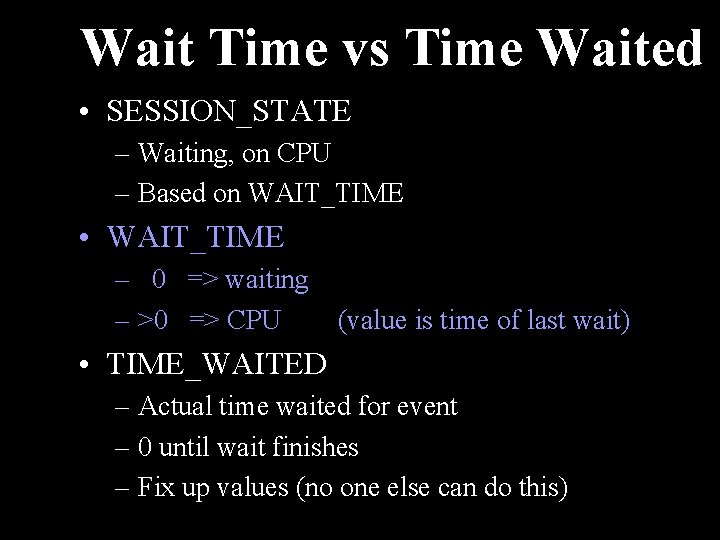
Wait Time vs Time Waited • SESSION_STATE – Waiting, on CPU – Based on WAIT_TIME • WAIT_TIME – 0 => waiting – >0 => CPU (value is time of last wait) • TIME_WAITED – Actual time waited for event – 0 until wait finishes – Fix up values (no one else can do this)
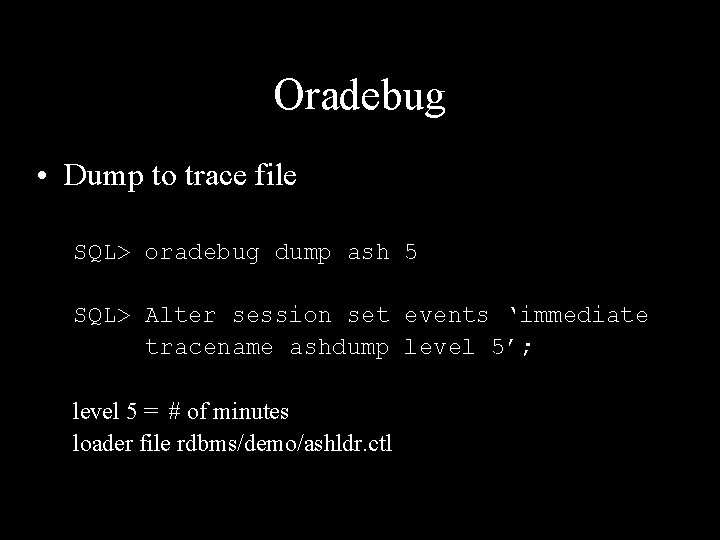
Oradebug • Dump to trace file SQL> oradebug dump ash 5 SQL> Alter session set events ‘immediate tracename ashdump level 5’; level 5 = # of minutes loader file rdbms/demo/ashldr. ctl
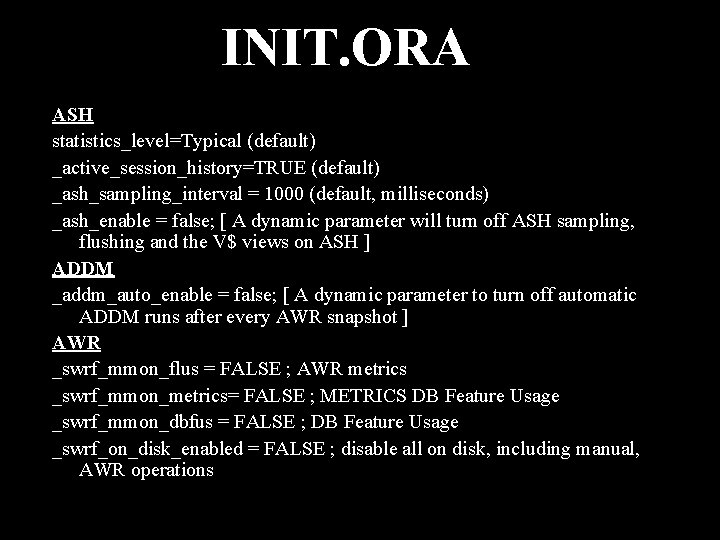
INIT. ORA ASH statistics_level=Typical (default) _active_session_history=TRUE (default) _ash_sampling_interval = 1000 (default, milliseconds) _ash_enable = false; [ A dynamic parameter will turn off ASH sampling, flushing and the V$ views on ASH ] ADDM _addm_auto_enable = false; [ A dynamic parameter to turn off automatic ADDM runs after every AWR snapshot ] AWR _swrf_mmon_flus = FALSE ; AWR metrics _swrf_mmon_metrics= FALSE ; METRICS DB Feature Usage _swrf_mmon_dbfus = FALSE ; DB Feature Usage _swrf_on_disk_enabled = FALSE ; disable all on disk, including manual, AWR operations
Enabling Module and Action
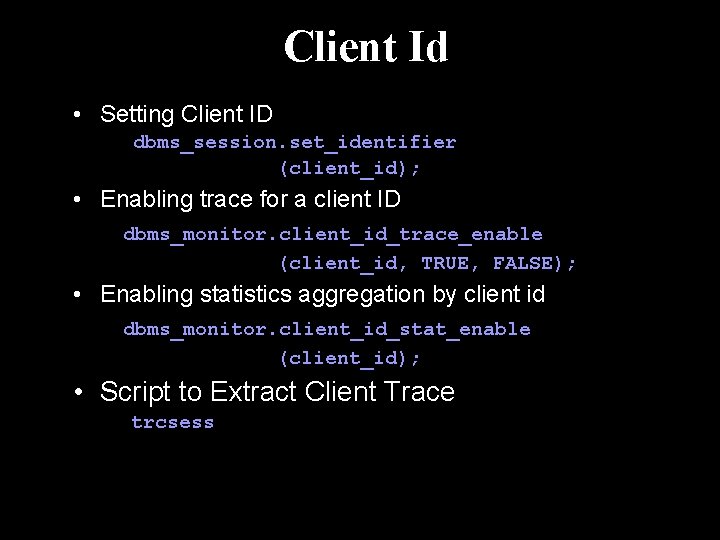
Client Id • Setting Client ID dbms_session. set_identifier (client_id); • Enabling trace for a client ID dbms_monitor. client_id_trace_enable (client_id, TRUE, FALSE); • Enabling statistics aggregation by client id dbms_monitor. client_id_stat_enable (client_id); • Script to Extract Client Trace trcsess
Session Dedicated Scott Oracle Sessions S 1 John S 2 Sue S 3 Randy Mike S 4 Oracle Database Host S 5 Mary Tim S 6
Session Dedicated trace Scott John Sue Randy Mike Mary Tim SQL_TRACE=TRUE Oracle Sessions S 1 S 2 S 3 S 4 Oracle Database Host S 5 S 6
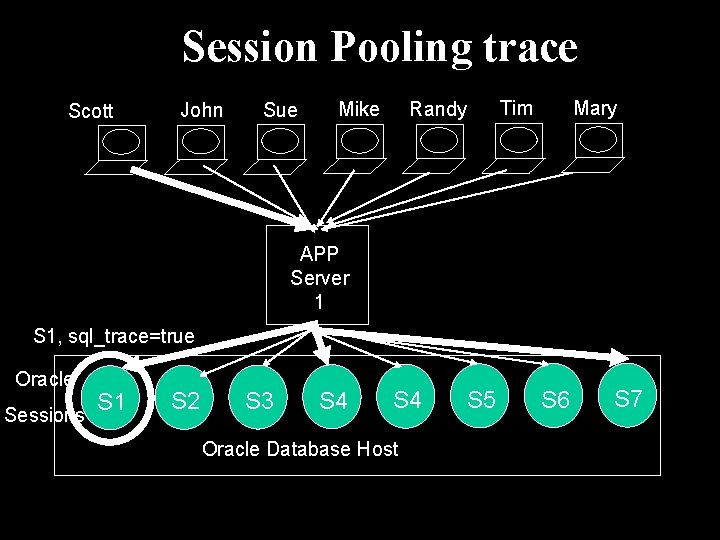
Session Pooling trace Scott John Sue Randy Mike Mary Tim APP Server 1 S 1, sql_trace=true Oracle Sessions S 1 S 2 S 3 S 4 Oracle Database Host S 5 S 6 S 7
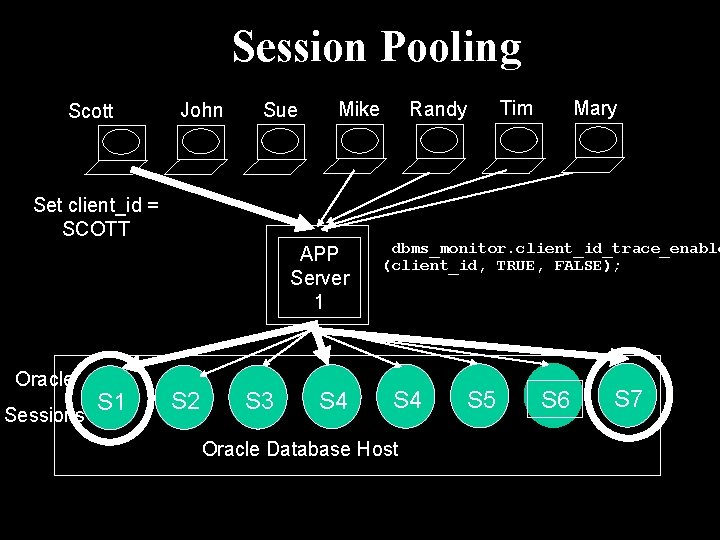
Session Pooling Scott John Sue Set client_id = SCOTT APP Server 1 Oracle Sessions S 1 S 2 S 3 Randy Mike S 4 Mary Tim dbms_monitor. client_id_trace_enable (client_id, TRUE, FALSE); S 4 Oracle Database Host S 5 S 6 S 7
ASH – OS and other DBs • • SQL Server Linux DB 2 Sybase
GRID – 10. 2 only ! depend on session pooling via JDBC and ODP. NET

The Challenger Incident
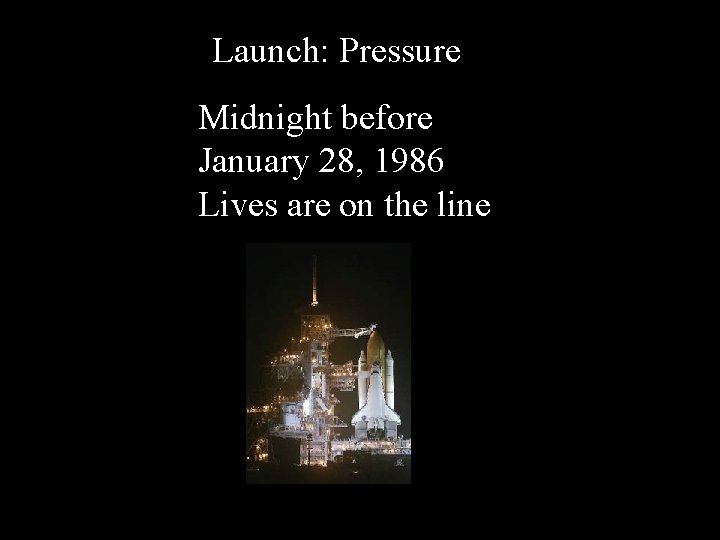
Launch: Pressure Midnight before January 28, 1986 Lives are on the line
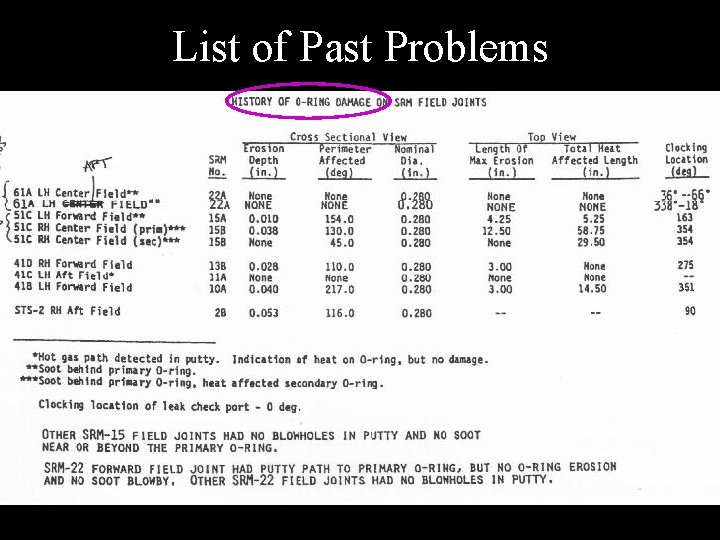
List of Past Problems
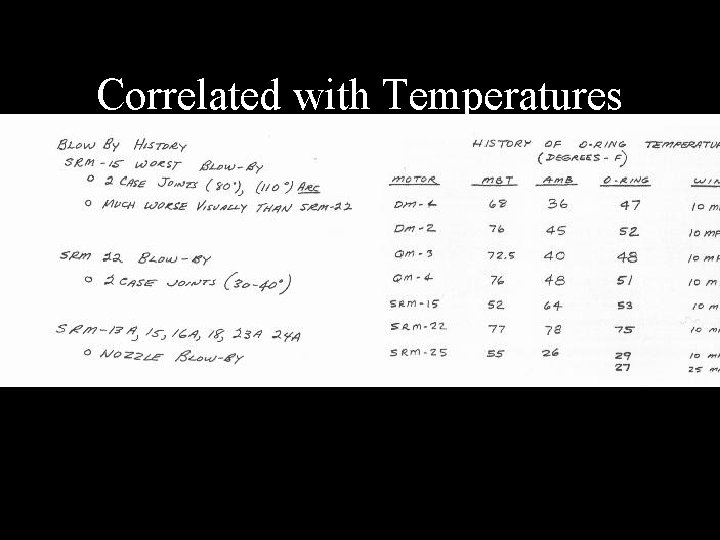
Correlated with Temperatures
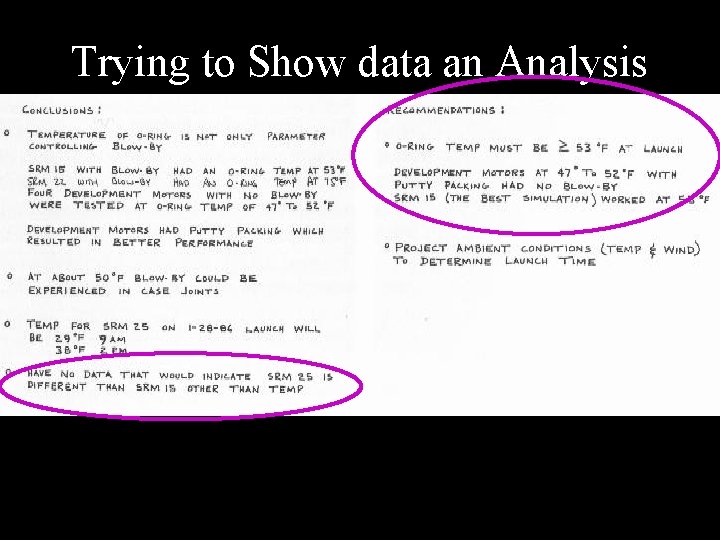
Trying to Show data an Analysis
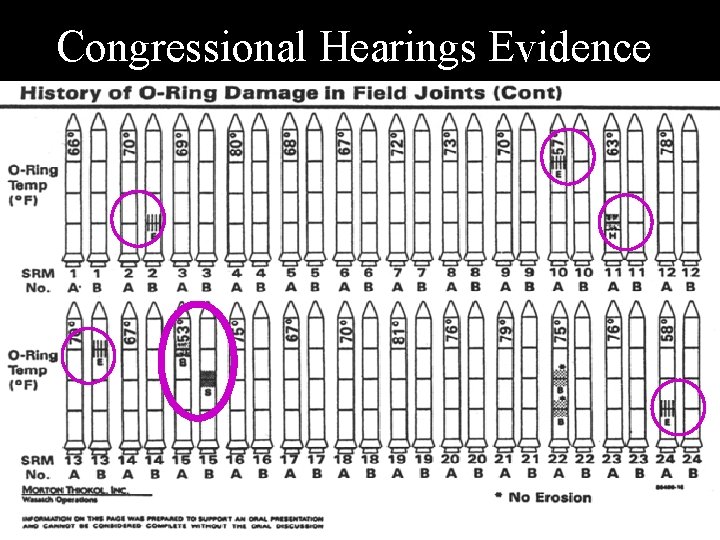
Congressional Hearings Evidence
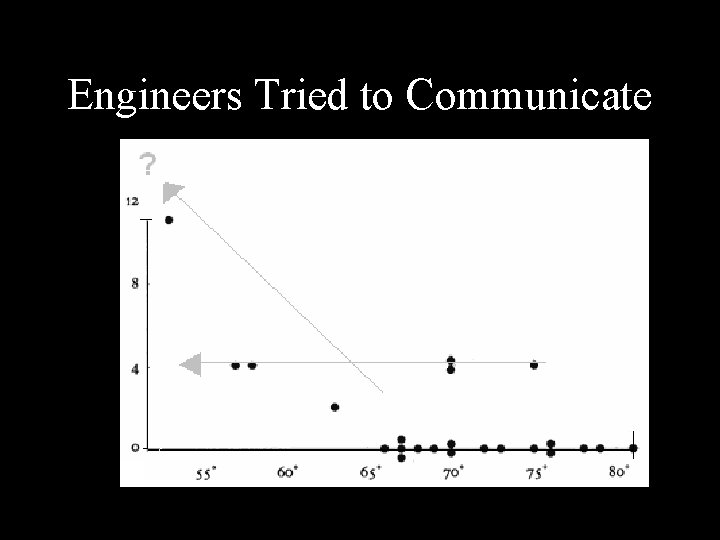
Engineers Tried to Communicate
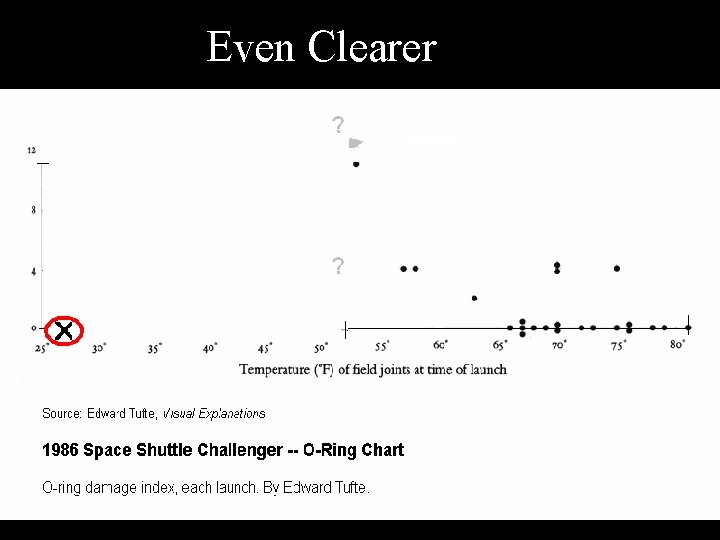
Even Clearer
Difficult • NASA Engineers Fail • Congressional Investigators Fail • Data is Difficult But … Lack of Clarity can be devastating
High Stakes Companies Depend on Databases • • • Telecoms Banks Websites Hospitals Factories Nuclear Facilities
Anxiety Manager ask … WHY ? ! • Response is slow • Database is hung • Batch job behind schedule Need answers fast !
Conclusion SVRMGR> set charwidth 12 Charwidth 12 SVRMGR> set numwidth 10 Numwidth 10 SVRMGR> Rem Select Library cache statistics. The pin hit rate shoule be high. SVRMGR> select namespace library, 2> gets, 3> round(decode(gethits, 0, 1, gethits)/decode(gets, 0, 1, gets), 3) 4> gethitratio, 5> pins, 6> round(decode(pinhits, 0, 1, pinhits)/decode(pins, 0, 1, pins), 3) 7> pinhitratio, 8> reloads, invalidations 9> from stats$lib; LIBRARY GETS GETHITRATI PINS PINHITRATI RELOADS INVALIDATI ---------------- -----BODY 40. 95 40. 4 0 0 CLUSTER 0 1 0 0 INDEX 0 1 0 0 OBJECT 0 1 0 0 PIPE 0 1 0 0 SQL AREA 835. 938 82110. 999 0 0 TABLE/PROCED 117. 778 485. 94 0 0 TRIGGER 0 1 0 0 8 rows selected. SVRMGR> set charwidth 27; Charwidth 27 SVRMGR> set numwidth 12; Numwidth 12 SVRMGR> Rem The total is the total value of the statistic between the time SVRMGR> Rem bstat was run and the time estat was run. Note that the estat
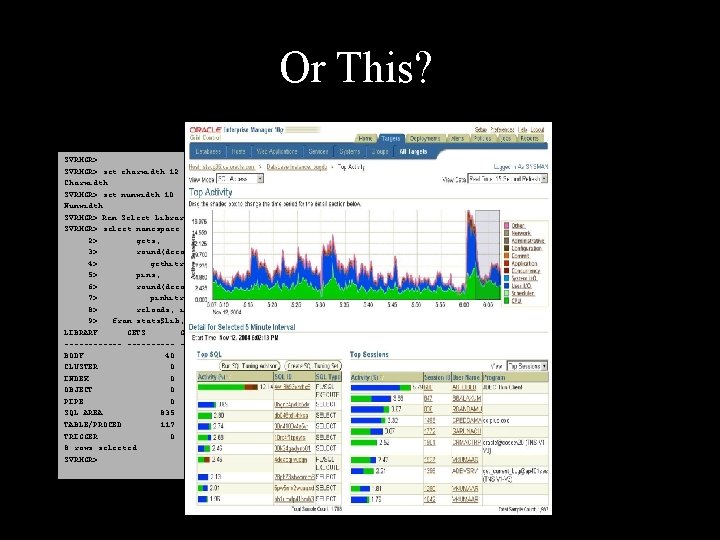
Imagine Trying to Drive your Car if you Dashboard looked like: SVRMGR> set charwidth 12 Charwidth 12 SVRMGR> set numwidth 10 Numwidth 10 SVRMGR> Rem Select Library cache statistics. The pin hit rate shoule be high. SVRMGR> select namespace library, 2> gets, 3> round(decode(gethits, 0, 1, gethits)/decode(gets, 0, 1, gets), 3) 4> gethitratio, 5> pins, 6> round(decode(pinhits, 0, 1, pinhits)/decode(pins, 0, 1, pins), 3) 7> pinhitratio, 8> reloads, invalidations 9> from stats$lib; LIBRARY GETS GETHITRATI PINS PINHITRATI RELOADS INVALIDATI ---------------- -----BODY 40. 95 40. 4 0 0 CLUSTER 0 1 0 0 INDEX 0 1 0 0 OBJECT 0 1 0 0 PIPE 0 1 0 0 SQL AREA 835. 938 82110. 999 0 0 TABLE/PROCED 117. 778 485. 94 0 0 TRIGGER 0 1 0 0 8 rows selected. SVRMGR> And is updated once and hour
Or This? SVRMGR> set charwidth 12 Charwidth 12 SVRMGR> set numwidth 10 Numwidth 10 SVRMGR> Rem Select Library cache statistics. The pin hit rate shoule be high. SVRMGR> select namespace library, 2> gets, 3> round(decode(gethits, 0, 1, gethits)/decode(gets, 0, 1, gets), 3) 4> gethitratio, 5> pins, 6> round(decode(pinhits, 0, 1, pinhits)/decode(pins, 0, 1, pins), 3) 7> pinhitratio, 8> reloads, invalidations 9> from stats$lib; LIBRARY GETS GETHITRATI PINS PINHITRATI RELOADS INVALIDATI ---------------- -----BODY 40. 95 40. 4 0 0 CLUSTER 0 1 0 0 INDEX 0 1 0 0 OBJECT 0 1 0 0 PIPE 0 1 0 0 SQL AREA 835. 938 82110. 999 0 0 TABLE/PROCED 117. 778 485. 94 0 0 TRIGGER 0 1 0 0 8 rows selected. SVRMGR>

3 Types of Collecting • Cumulative • Current • Sampling Current
Cumulative • Cumulative Counters – v$sysstat – v$system_event – Electric meter
Cumulative Need Deltas Delta Time Delta = value_time_B – value_time_A Rate = Delta/time
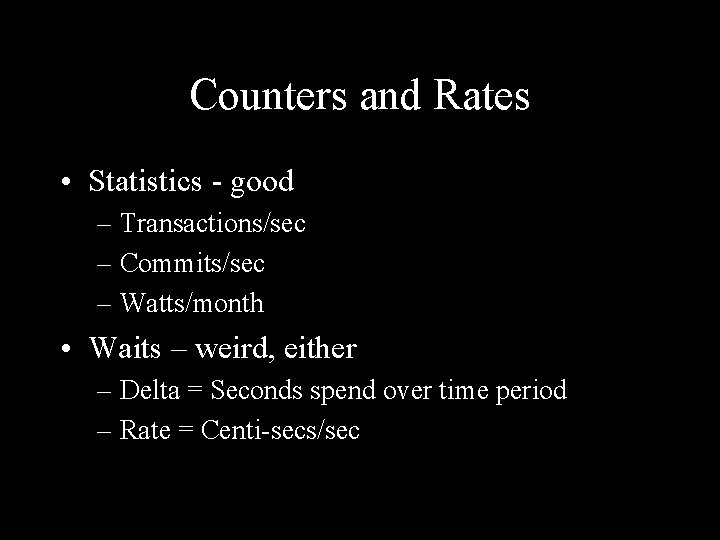
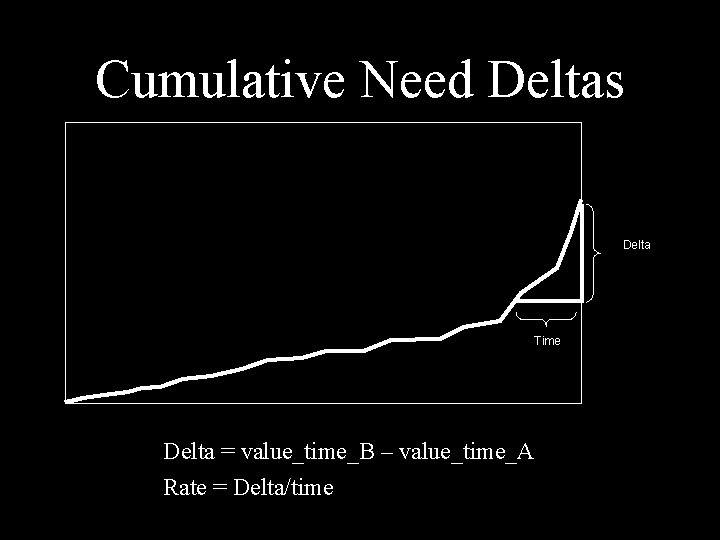
Counters and Rates • Statistics - good – Transactions/sec – Commits/sec – Watts/month • Waits – weird, either – Delta = Seconds spend over time period – Rate = Centi-secs/sec
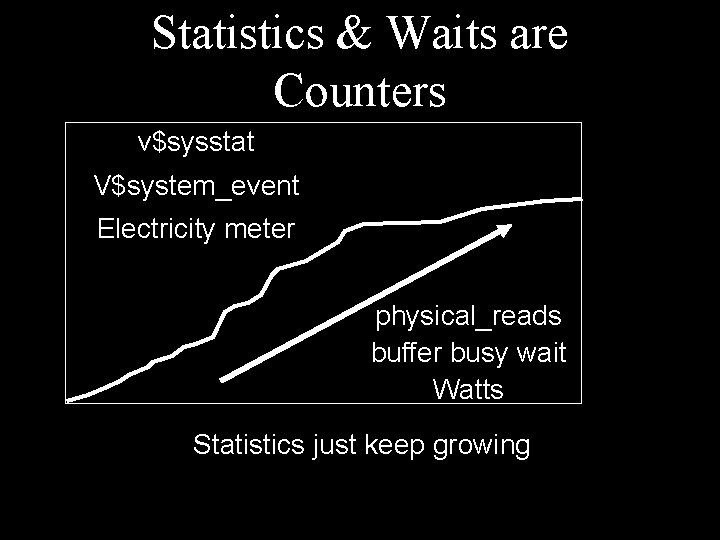
Statistics & Waits are Counters v$sysstat V$system_event Electricity meter physical_reads buffer busy wait Watts Statistics just keep growing
Current • Current – v$session_wait – Current Stats (logons current, opened cursors current) – temperature
Sampling • Sampling – ASH – Sunny days a year per city
- Slides: 115