
AS Introduction and OLAP Security Agenda Analysis Services
- Slides: 33
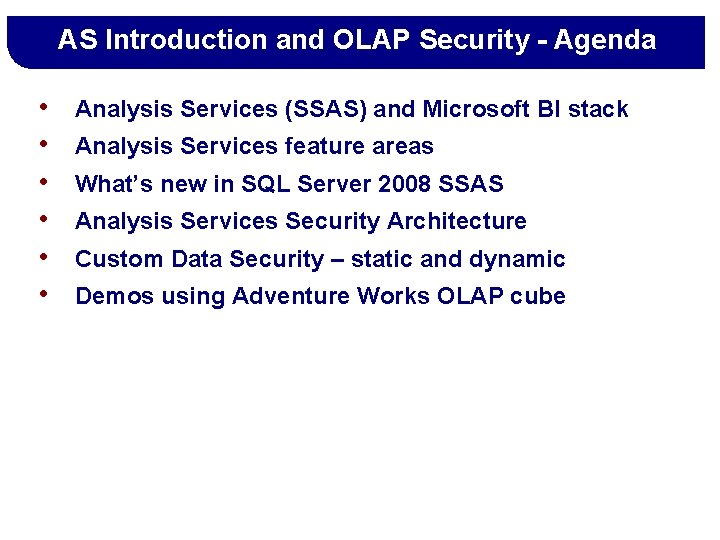
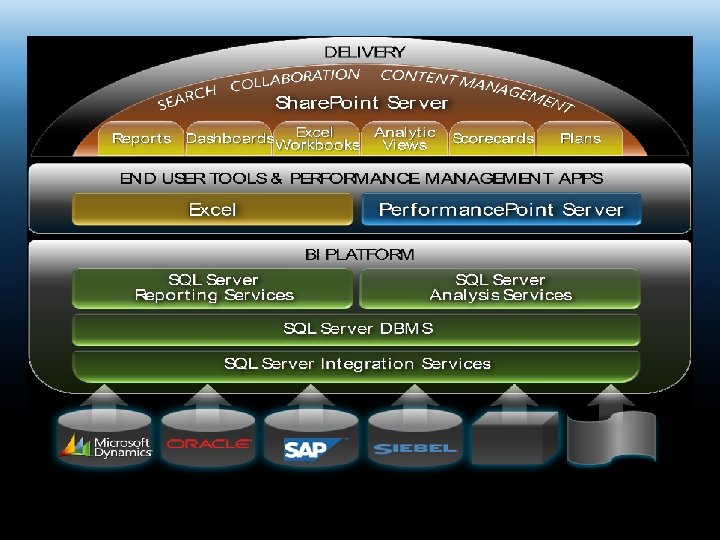
AS Introduction and OLAP Security - Agenda • • • Analysis Services (SSAS) and Microsoft BI stack Analysis Services feature areas What’s new in SQL Server 2008 SSAS Analysis Services Security Architecture Custom Data Security – static and dynamic Demos using Adventure Works OLAP cube
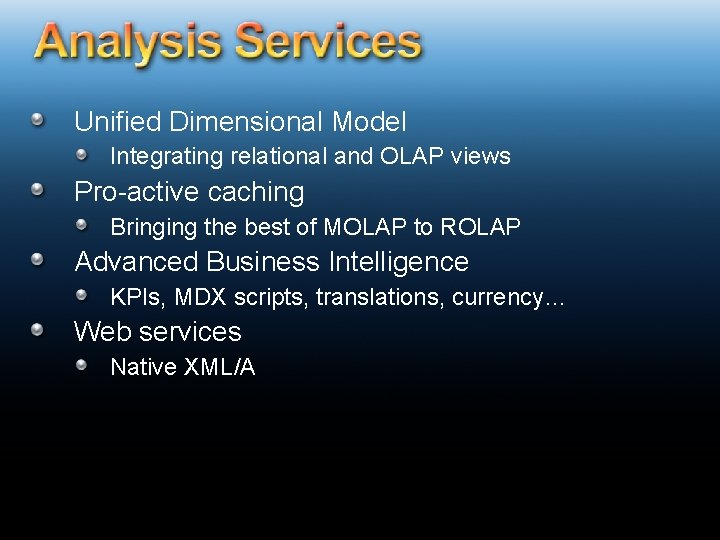
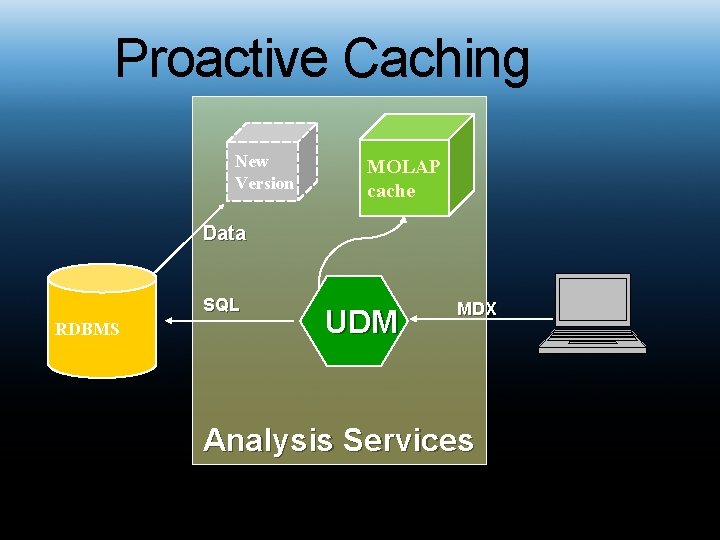
Unified Dimensional Model Integrating relational and OLAP views Pro-active caching Bringing the best of MOLAP to ROLAP Advanced Business Intelligence KPIs, MDX scripts, translations, currency… Web services Native XML/A
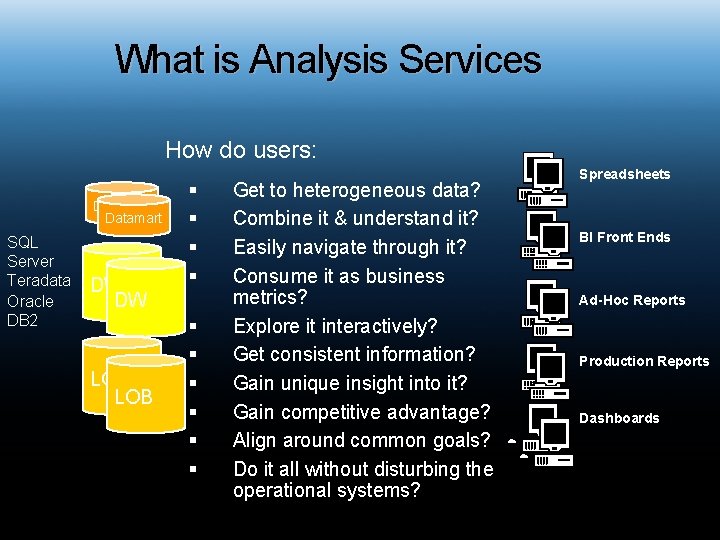
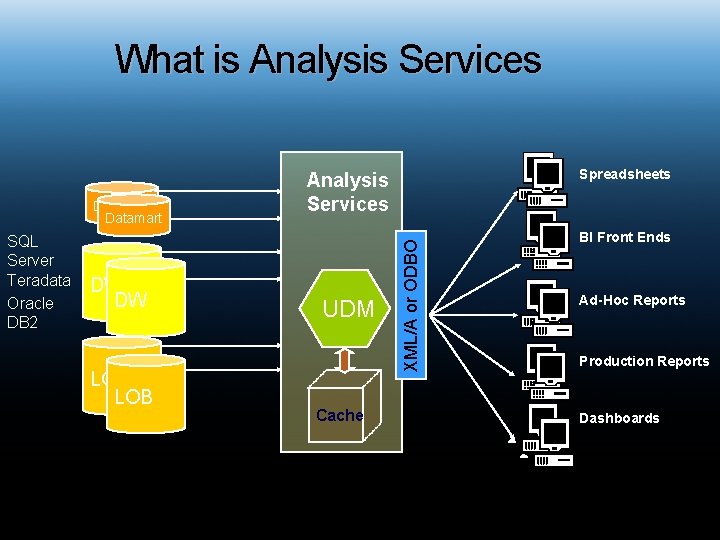
What is Analysis Services How do users: Datamart SQL Server Teradata Oracle DB 2 DW DW LOB § § § § § Get to heterogeneous data? Combine it & understand it? Easily navigate through it? Consume it as business metrics? Explore it interactively? Get consistent information? Gain unique insight into it? Gain competitive advantage? Align around common goals? Do it all without disturbing the operational systems? Spreadsheets BI Front Ends Ad-Hoc Reports Production Reports Dashboards
What is Analysis Services SQL Server Teradata Oracle DB 2 DW DW LOB UDM Cache XML/A or ODBO Datamart Spreadsheets Analysis Services BI Front Ends Ad-Hoc Reports Production Reports Dashboards
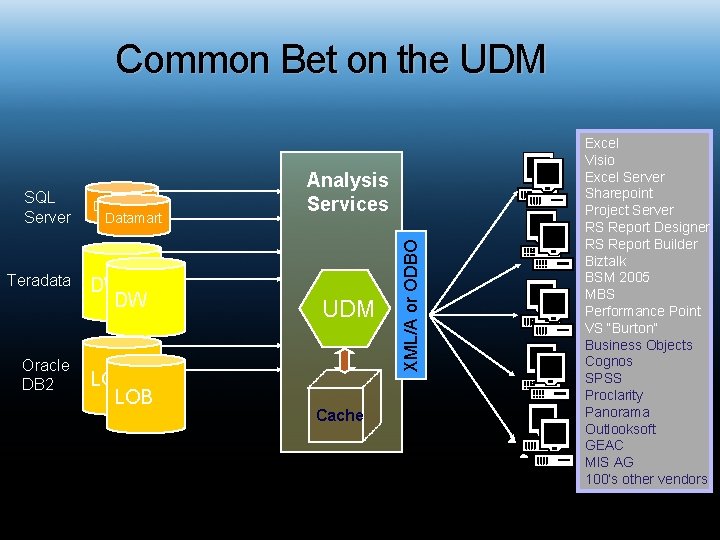
Common Bet on the UDM Teradata Oracle DB 2 Datamart DW DW LOB UDM Cache XML/A or ODBO SQL Server Analysis Services Excel Visio Spreadsheets Excel Server Sharepoint Project Server RS Report Designer BI Front Ends RS Report Builder Biztalk BSM 2005 MBS Reports Ad-Hoc Performance Point VS “Burton” Business Objects Production Reports Cognos SPSS Proclarity Panorama Dashboards Outlooksoft GEAC MIS AG 100’s other vendors
Analysis Services – Key Benefits § One Version of the Truth § Performance § Advanced analytics
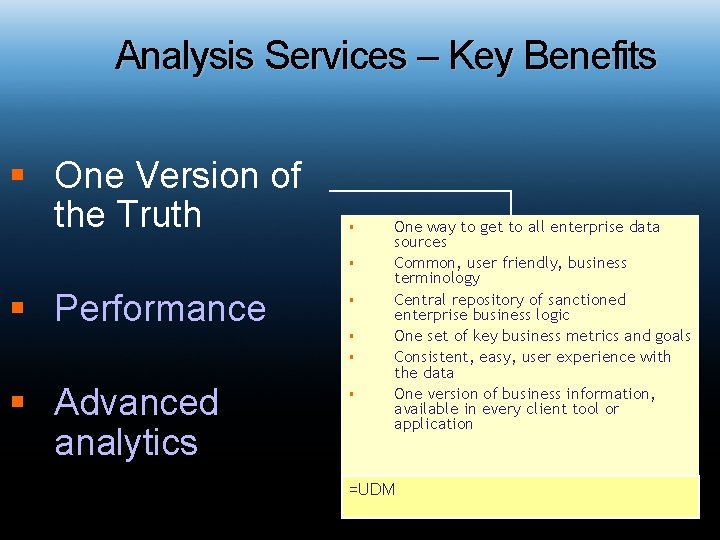
Analysis Services – Key Benefits § One Version of the Truth § § § Performance § § Advanced analytics § One way to get to all enterprise data sources Common, user friendly, business terminology Central repository of sanctioned enterprise business logic One set of key business metrics and goals Consistent, easy, user experience with the data One version of business information, available in every client tool or application =UDM
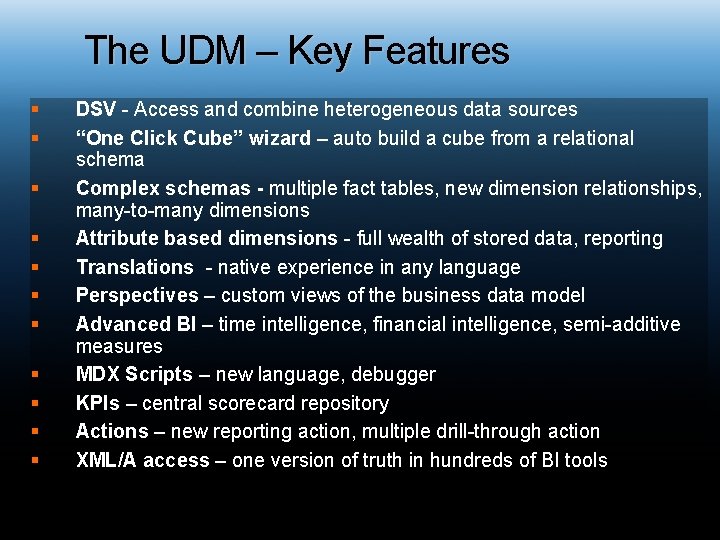
The UDM – Key Features § § § DSV - Access and combine heterogeneous data sources “One Click Cube” wizard – auto build a cube from a relational schema Complex schemas - multiple fact tables, new dimension relationships, many-to-many dimensions Attribute based dimensions - full wealth of stored data, reporting Translations - native experience in any language Perspectives – custom views of the business data model Advanced BI – time intelligence, financial intelligence, semi-additive measures MDX Scripts – new language, debugger KPIs – central scorecard repository Actions – new reporting action, multiple drill-through action XML/A access – one version of truth in hundreds of BI tools
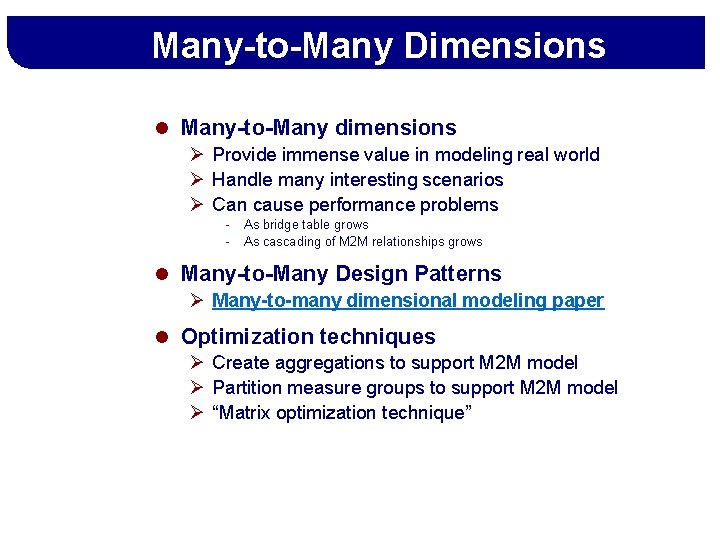
Many-to-Many Dimensions l Many-to-Many dimensions Ø Provide immense value in modeling real world Ø Handle many interesting scenarios Ø Can cause performance problems - As bridge table grows As cascading of M 2 M relationships grows l Many-to-Many Design Patterns Ø Many-to-many dimensional modeling paper l Optimization techniques Ø Create aggregations to support M 2 M model Ø Partition measure groups to support M 2 M model Ø “Matrix optimization technique”
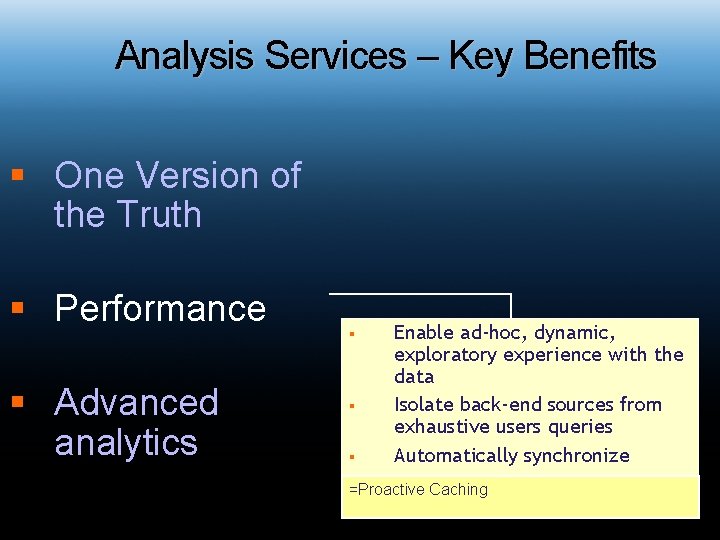
Analysis Services – Key Benefits § One Version of the Truth § Performance § Advanced analytics § § § Enable ad-hoc, dynamic, exploratory experience with the data Isolate back-end sources from exhaustive users queries Automatically synchronize =Proactive Caching
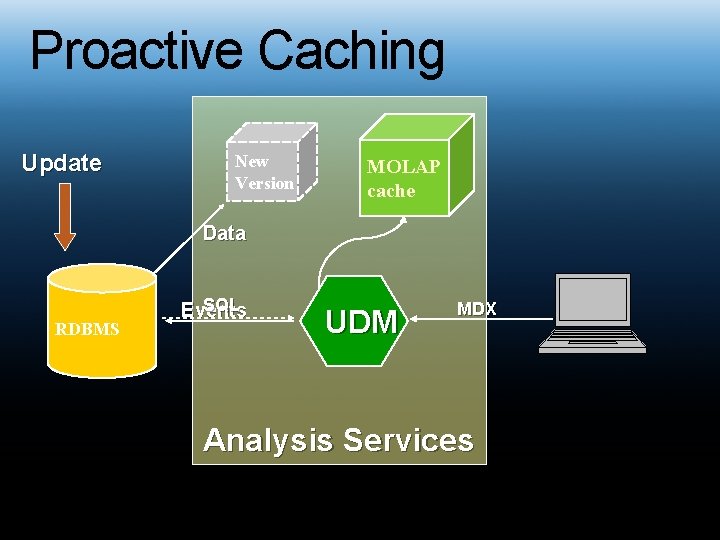
Proactive Caching Update New Version MOLAP cache Data RDBMS SQL Events UDM MDX Analysis Services
Proactive Caching New Version MOLAP cache Data SQL RDBMS UDM MDX Analysis Services
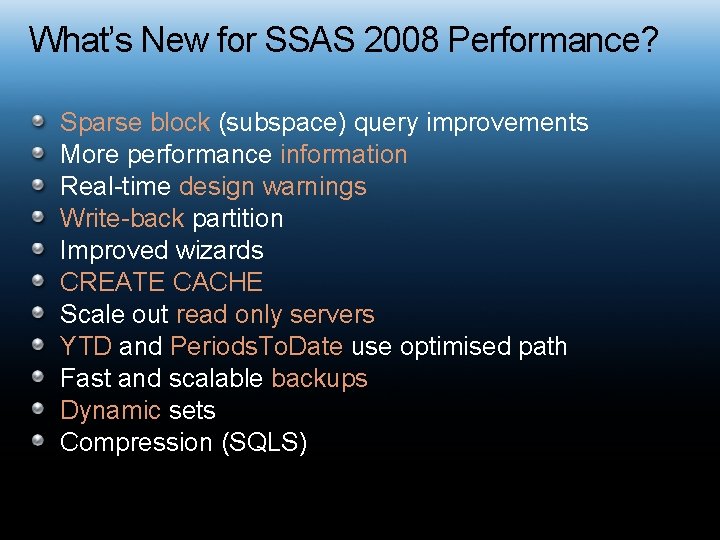
What’s New for SSAS 2008 Performance? Sparse block (subspace) query improvements More performance information Real-time design warnings Write-back partition Improved wizards CREATE CACHE Scale out read only servers YTD and Periods. To. Date use optimised path Fast and scalable backups Dynamic sets Compression (SQLS)
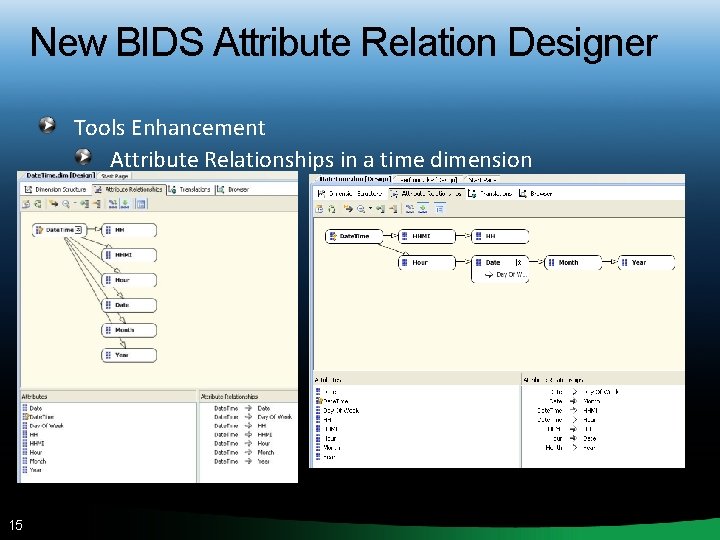
New BIDS Attribute Relation Designer Tools Enhancement Attribute Relationships in a time dimension 15
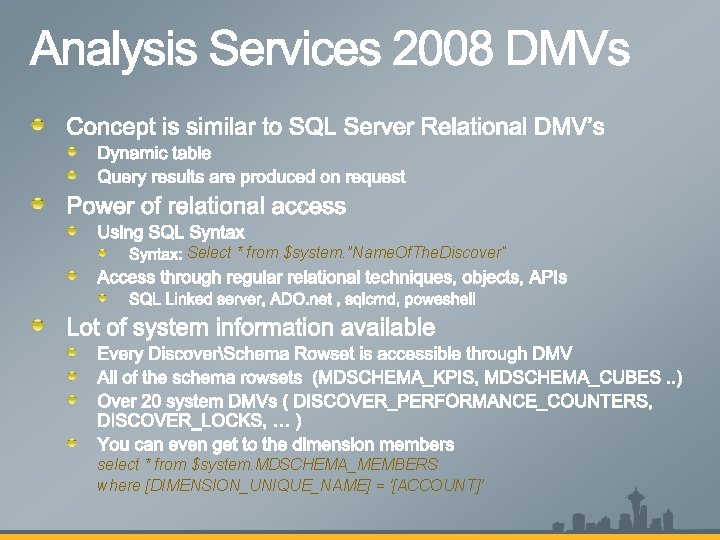
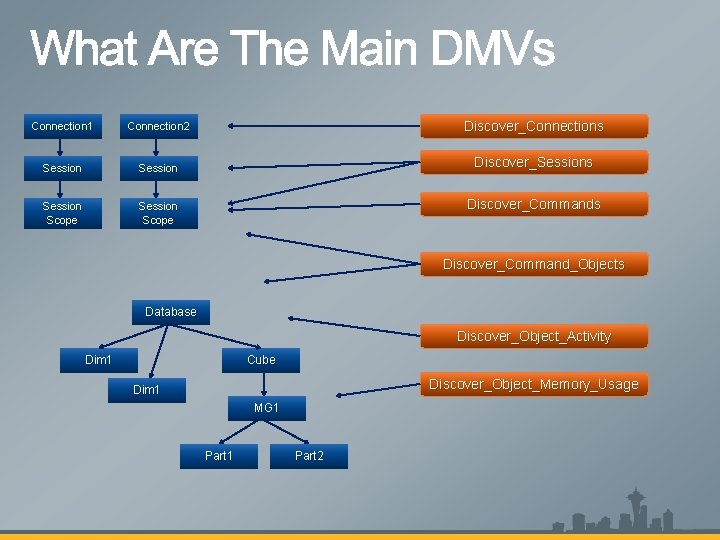
Select * from $system. ”Name. Of. The. Discover” select * from $system. MDSCHEMA_MEMBERS where [DIMENSION_UNIQUE_NAME] = '[ACCOUNT]'
Connection 1 Connection 2 Discover_Connections Session Discover_Sessions Session Scope Discover_Commands Discover_Command_Objects Database Discover_Object_Activity Dim 1 Cube Discover_Object_Memory_Usage Dim 1 MG 1 Part 2
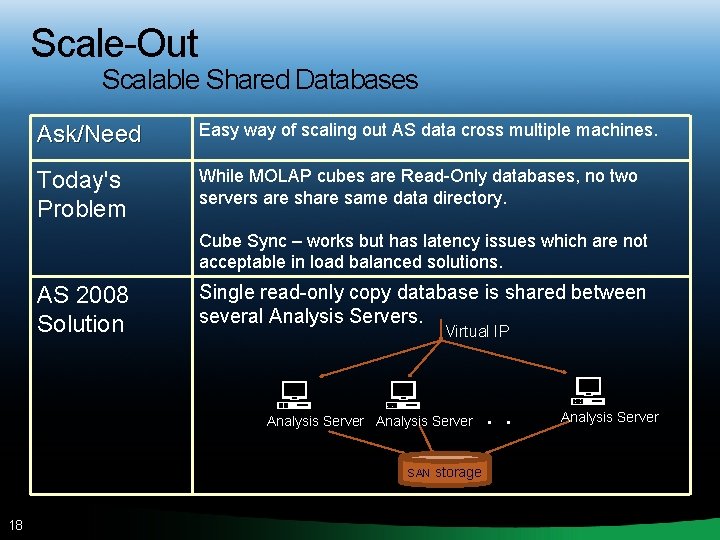
Scale-Out Scalable Shared Databases Ask/Need Easy way of scaling out AS data cross multiple machines. Today's Problem While MOLAP cubes are Read-Only databases, no two servers are share same data directory. Cube Sync – works but has latency issues which are not acceptable in load balanced solutions. AS 2008 Solution Single read-only copy database is shared between several Analysis Servers. Virtual IP Analysis Server SAN 18 storage . . . Analysis Server
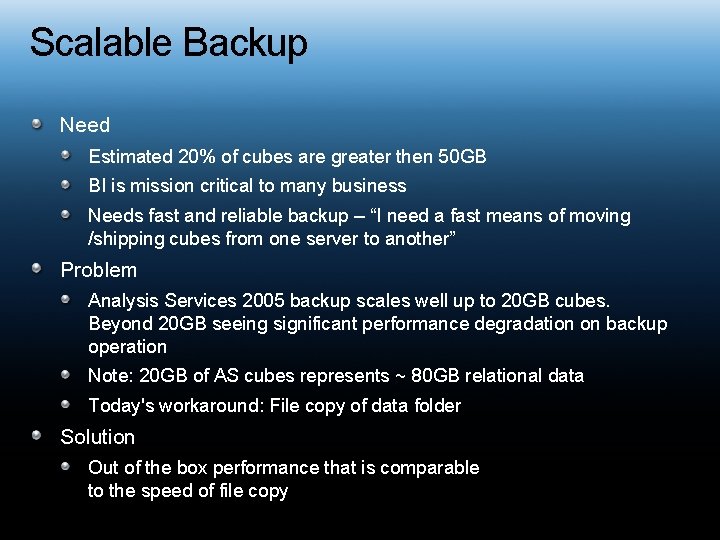
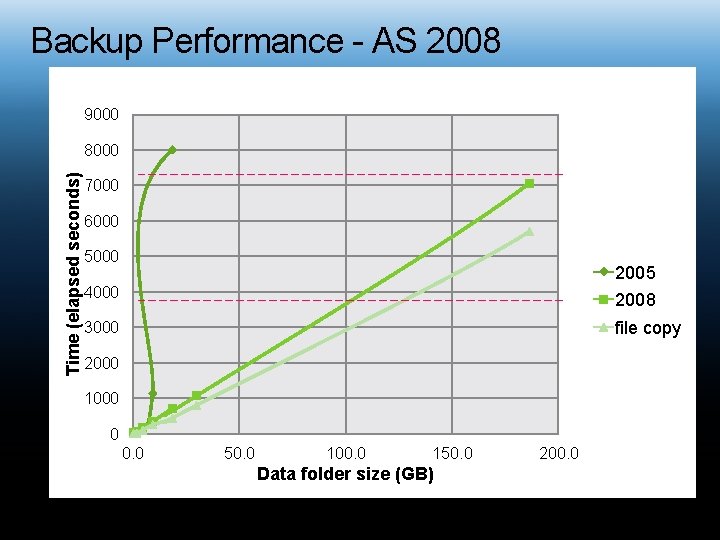
Scalable Backup Need Estimated 20% of cubes are greater then 50 GB BI is mission critical to many business Needs fast and reliable backup – “I need a fast means of moving /shipping cubes from one server to another” Problem Analysis Services 2005 backup scales well up to 20 GB cubes. Beyond 20 GB seeing significant performance degradation on backup operation Note: 20 GB of AS cubes represents ~ 80 GB relational data Today's workaround: File copy of data folder Solution Out of the box performance that is comparable to the speed of file copy
Backup Performance - AS 2008 9000 Time (elapsed seconds) 8000 7000 6000 5000 2005 4000 2008 3000 file copy 2000 1000 0 0. 0 50. 0 100. 0 150. 0 Data folder size (GB) 200. 0
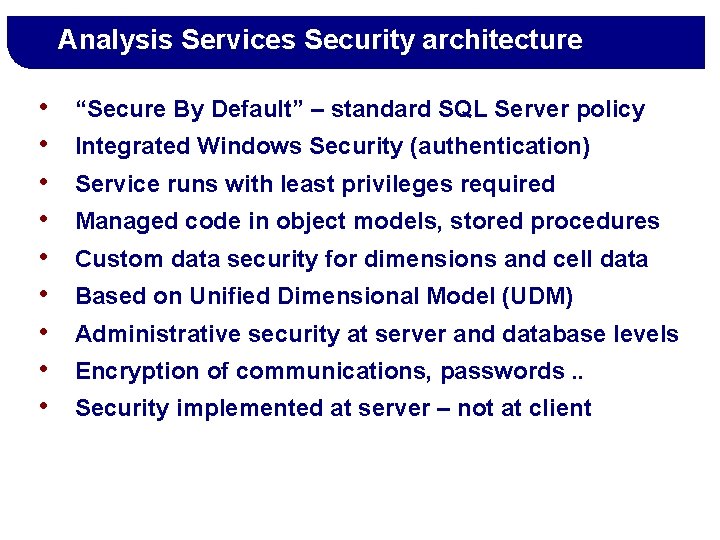
Analysis Services Security architecture • • • “Secure By Default” – standard SQL Server policy Integrated Windows Security (authentication) Service runs with least privileges required Managed code in object models, stored procedures Custom data security for dimensions and cell data Based on Unified Dimensional Model (UDM) Administrative security at server and database levels Encryption of communications, passwords. . Security implemented at server – not at client
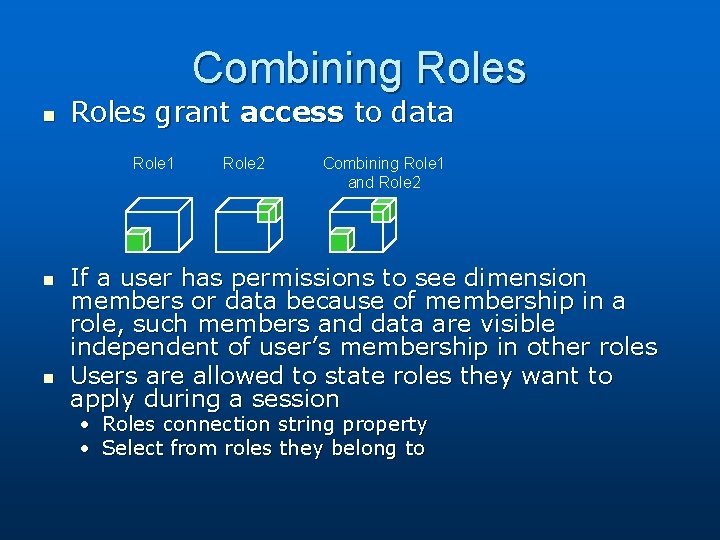
Combining Roles n Roles grant access to data Role 1 n n Role 2 Combining Role 1 and Role 2 If a user has permissions to see dimension members or data because of membership in a role, such members and data are visible independent of user’s membership in other roles Users are allowed to state roles they want to apply during a session • • Roles connection string property Select from roles they belong to
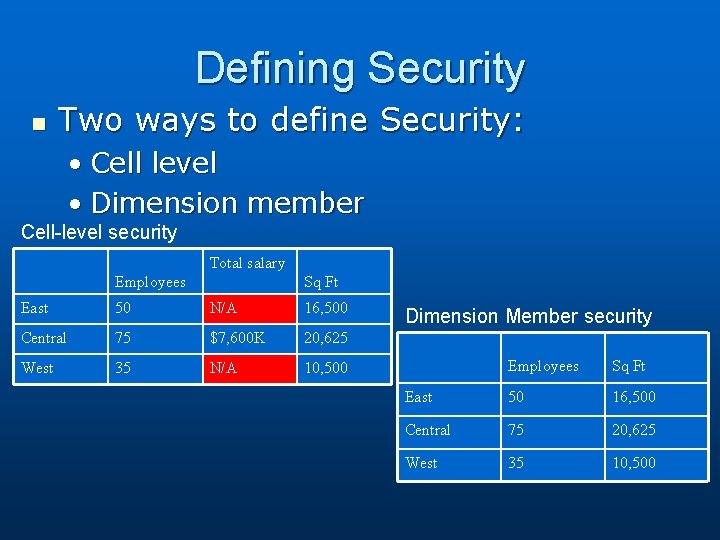
Defining Security n Two ways to define Security: • Cell level • Dimension member Cell-level security Total salary Employees Sq Ft East 50 N/A 16, 500 Central 75 $7, 600 K 20, 625 West 35 N/A 10, 500 Dimension Member security Employees Sq Ft East 50 16, 500 Central 75 20, 625 West 35 10, 500
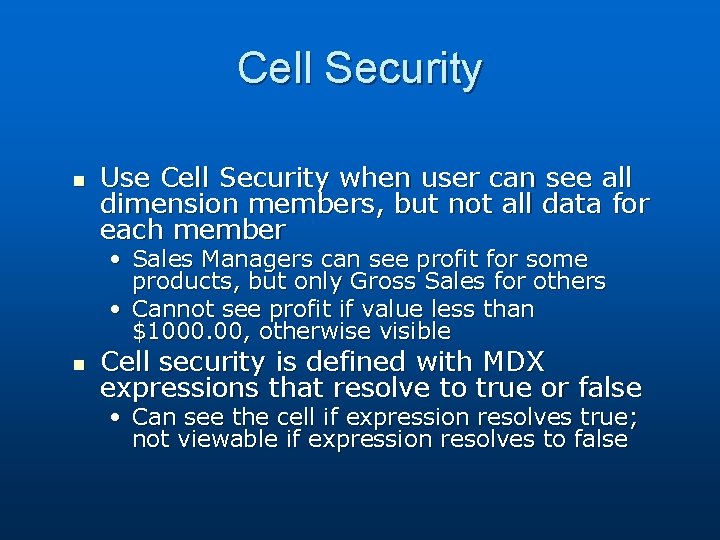
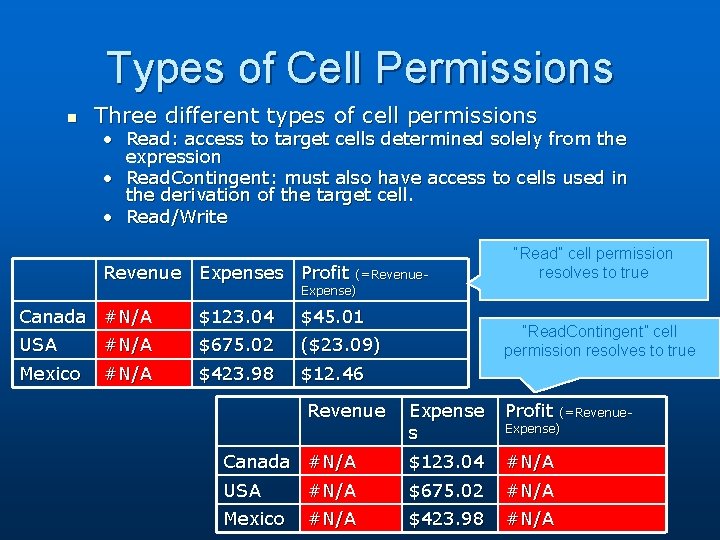
Cell Security n Use Cell Security when user can see all dimension members, but not all data for each member • Sales Managers can see profit for some products, but only Gross Sales for others • Cannot see profit if value less than $1000. 00, otherwise visible n Cell security is defined with MDX expressions that resolve to true or false • Can see the cell if expression resolves true; not viewable if expression resolves to false
Types of Cell Permissions n Three different types of cell permissions • Read: access to target cells determined solely from the expression • Read. Contingent: must also have access to cells used in the derivation of the target cell. • Read/Write Revenue Expenses Profit (=Revenue. Expense) Canada #N/A $123. 04 $45. 01 USA #N/A $675. 02 ($23. 09) Mexico #N/A $423. 98 $12. 46 Revenue “Read” cell permission resolves to true “Read. Contingent” cell permission resolves to true Expense s Profit Canada #N/A $123. 04 #N/A USA #N/A $675. 02 #N/A Mexico #N/A $423. 98 #N/A (=Revenue. Expense)
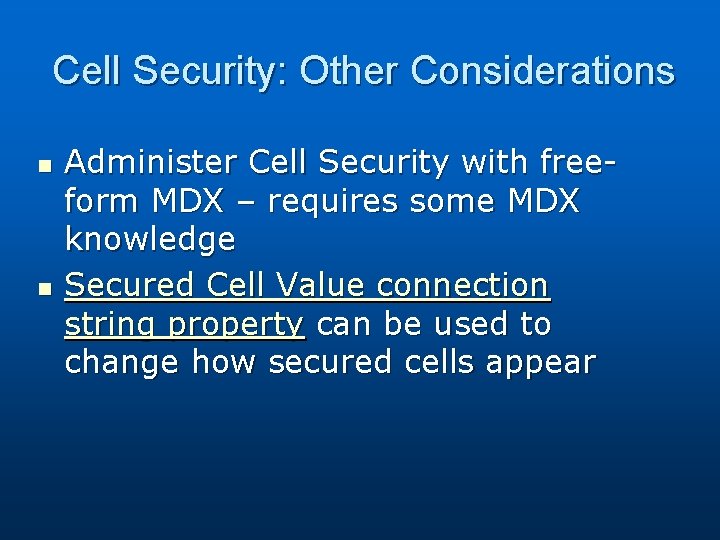
Cell Security: Other Considerations n n Administer Cell Security with freeform MDX – requires some MDX knowledge Secured Cell Value connection string property can be used to change how secured cells appear
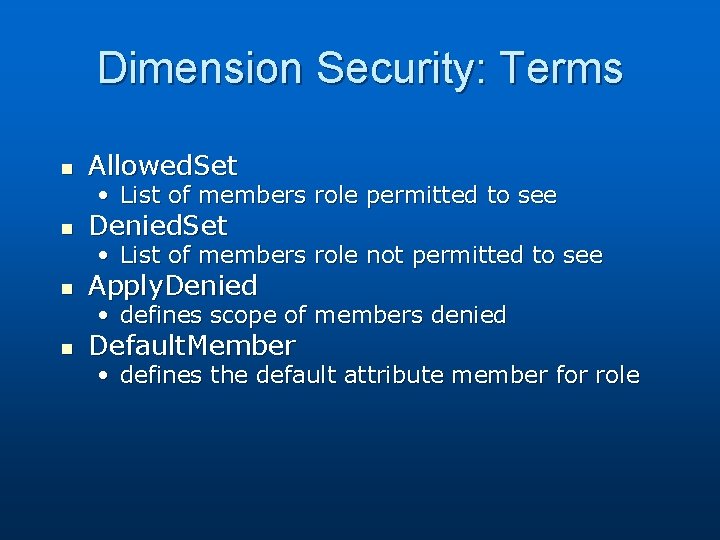
Dimension Security: Terms n Allowed. Set • List of members role permitted to see n Denied. Set • List of members role not permitted to see n Apply. Denied • defines scope of members denied n Default. Member • defines the default attribute member for role
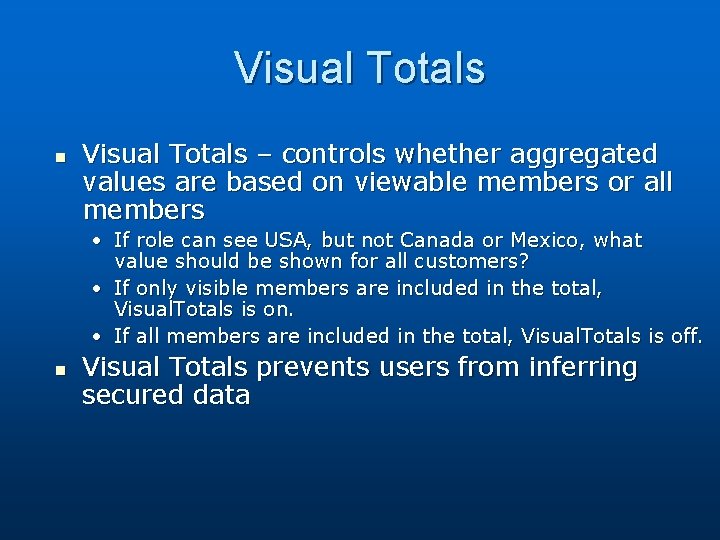
Visual Totals n Visual Totals – controls whether aggregated values are based on viewable members or all members • If role can see USA, but not Canada or Mexico, what value should be shown for all customers? • If only visible members are included in the total, Visual. Totals is on. • If all members are included in the total, Visual. Totals is off. n Visual Totals prevents users from inferring secured data
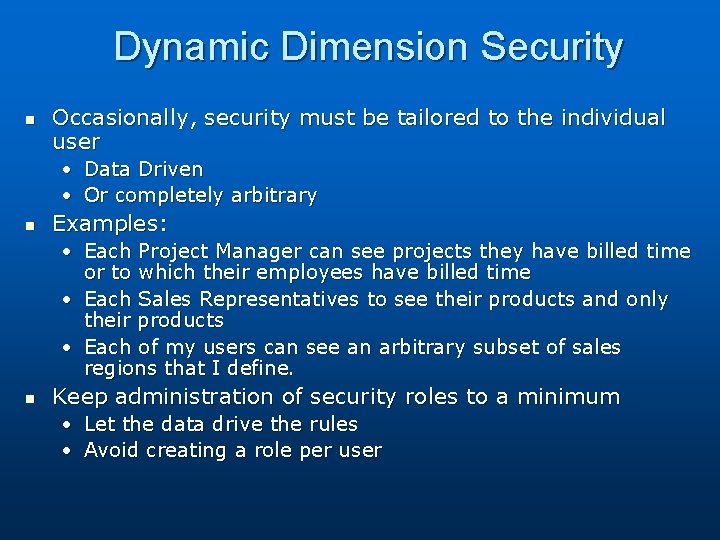
Dynamic Dimension Security n Occasionally, security must be tailored to the individual user • Data Driven • Or completely arbitrary n Examples: • Each Project Manager can see projects they have billed time or to which their employees have billed time • Each Sales Representatives to see their products and only their products • Each of my users can see an arbitrary subset of sales regions that I define. n Keep administration of security roles to a minimum • Let the data drive the rules • Avoid creating a role per user
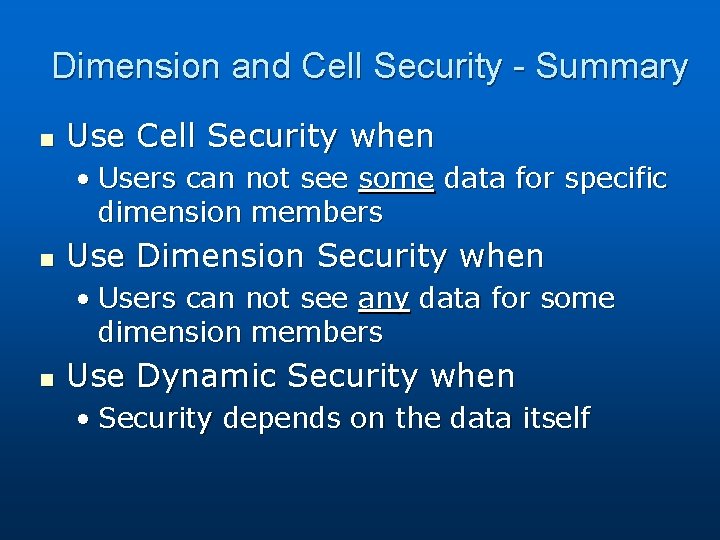
Dimension and Cell Security - Summary n Use Cell Security when • Users can not see some data for specific dimension members n Use Dimension Security when • Users can not see any data for some dimension members n Use Dynamic Security when • Security depends on the data itself
Demos of Dimension and Cell Security • • • Regular dimension Parent-child dimension Visual Totals Read Cell Security Read Contingent Cell Security
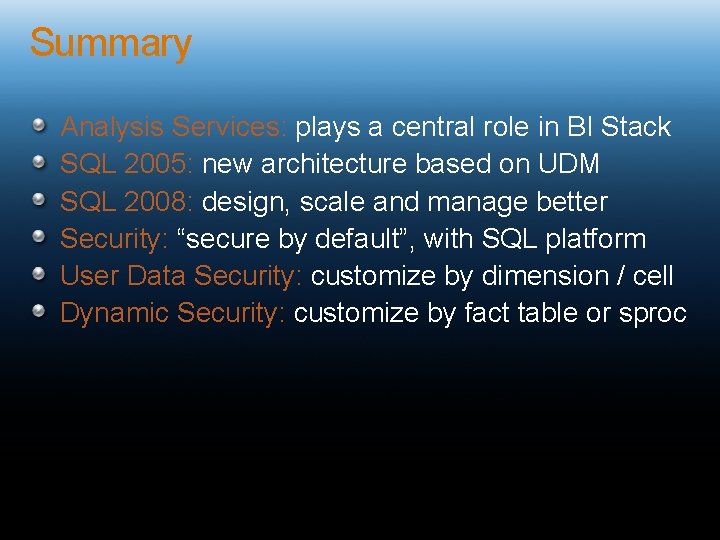
Summary Analysis Services: plays a central role in BI Stack SQL 2005: new architecture based on UDM SQL 2008: design, scale and manage better Security: “secure by default”, with SQL platform User Data Security: customize by dimension / cell Dynamic Security: customize by fact table or sproc
Analysis Services Security Resources Microsoft Books Online (BOL), videos, webcasts Configuring Security (Analysis Services) Dimension Security in SQL Server Analysis Services Deploying, Managing and Securing Analysis Services Books: Microsoft SQL Server 2008 AS Unleashed (Part 8) Expert Cube Development with Microsoft SQL Server 2008 Analysis Services (to be released) Other blog entries and articles: Default members, MDX Scripts, Security, KPIs and Perspectives (Mosha's blog on cube initialization) Protect UDM with Dimension Data Security (SQL Mag)