
Artificial Intelligence for the impatient developer Photo by

Artificial Intelligence for the impatient developer Photo by François-Dominique / CC BY-SA 4. 0
Solliance Founder, CEO • Author of a dozen books on Azure • Dual Microsoft MVP– Microsoft Azure & Data Platform • Microsoft Regional Director • Zoiner Tejada zoinertejada@solliance. net @zoinertejada
Machine learning gives "computers the ability to learn without being explicitly programmed. " What is machine learning? en. wikipedia. org - Text under CC-BY-SA license
1 AI refers to scenarios where a machine mimics the cognitive functions associated with human minds, such as learning and problem solving. 2 Because AI leverages machine learning algorithms, it is an umbrella term under which Machine Learning sits. What is Artificial Intelligence?
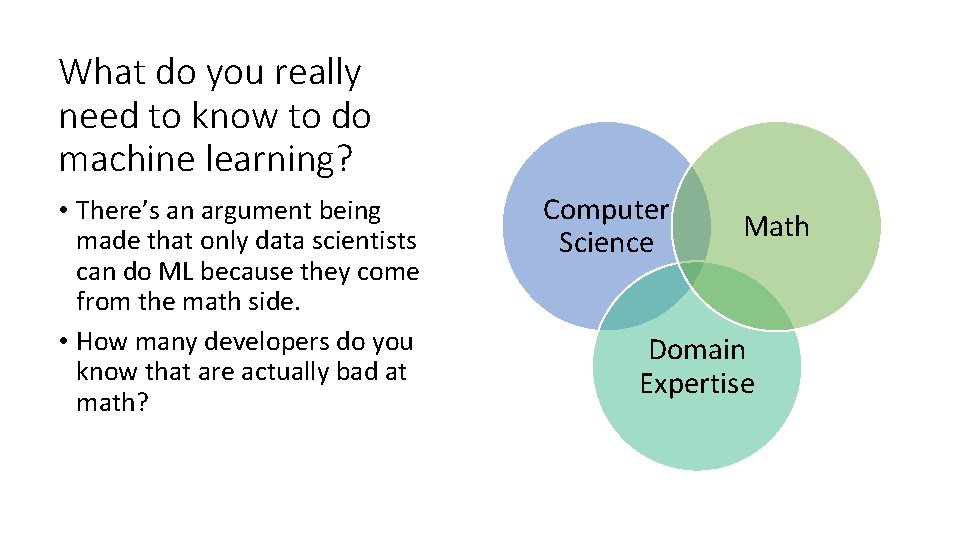
What do you really need to know to do machine learning? • There’s an argument being made that only data scientists can do ML because they come from the math side. • How many developers do you know that are actually bad at math? Computer Science Math Domain Expertise
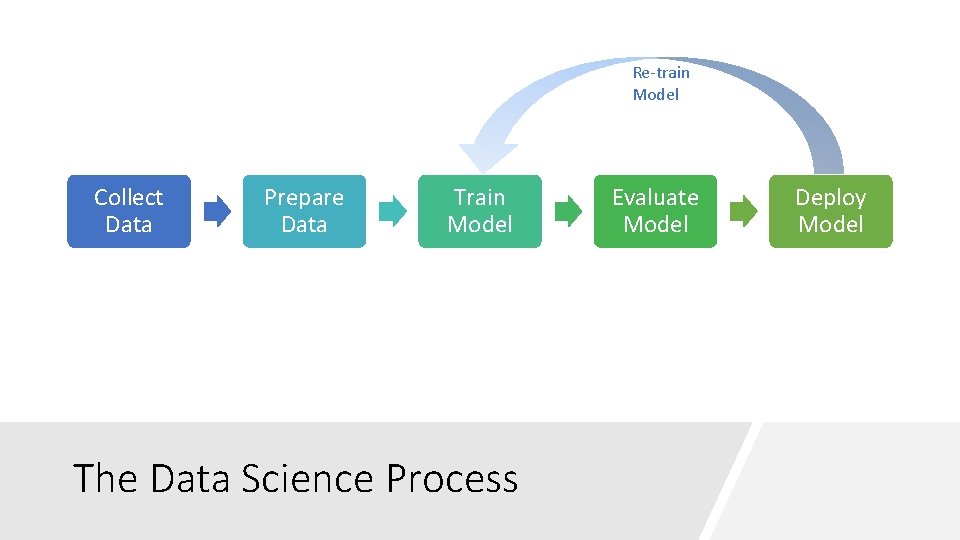
Re-train Model Collect Data Prepare Data Train Model The Data Science Process Evaluate Model Deploy Model
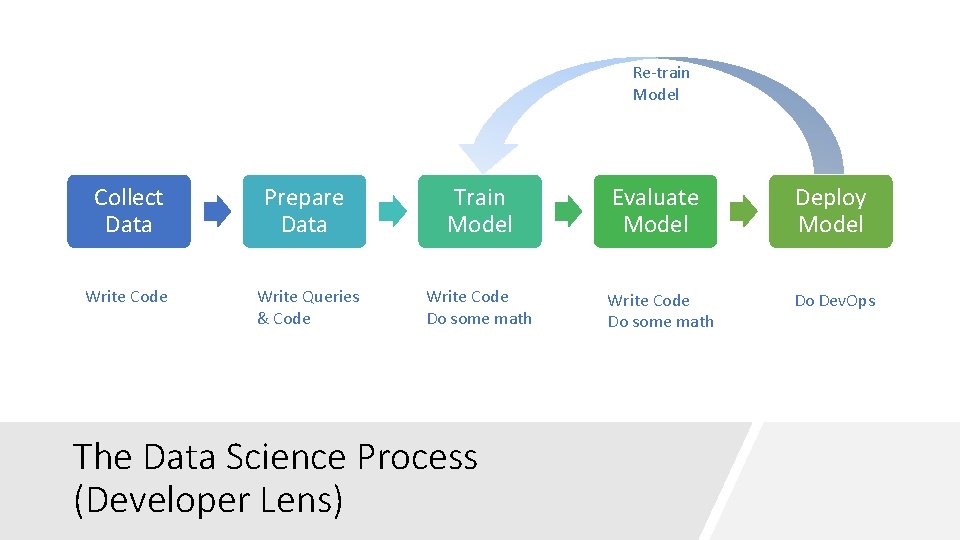
Re-train Model Collect Data Write Code Prepare Data Train Model Evaluate Model Deploy Model Write Queries & Code Write Code Do some math Do Dev. Ops The Data Science Process (Developer Lens)
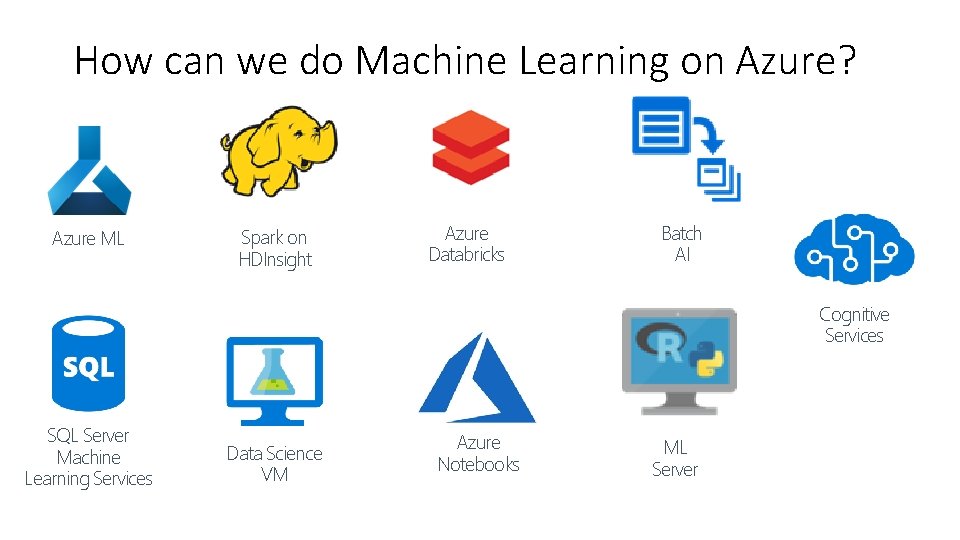
How can we do Machine Learning on Azure? Azure ML Spark on HDInsight Azure Databricks Batch AI Cognitive Services SQL Server Machine Learning Services Data Science VM Azure Notebooks ML Server
Not every machine learning model needs to be trained… at least by you.
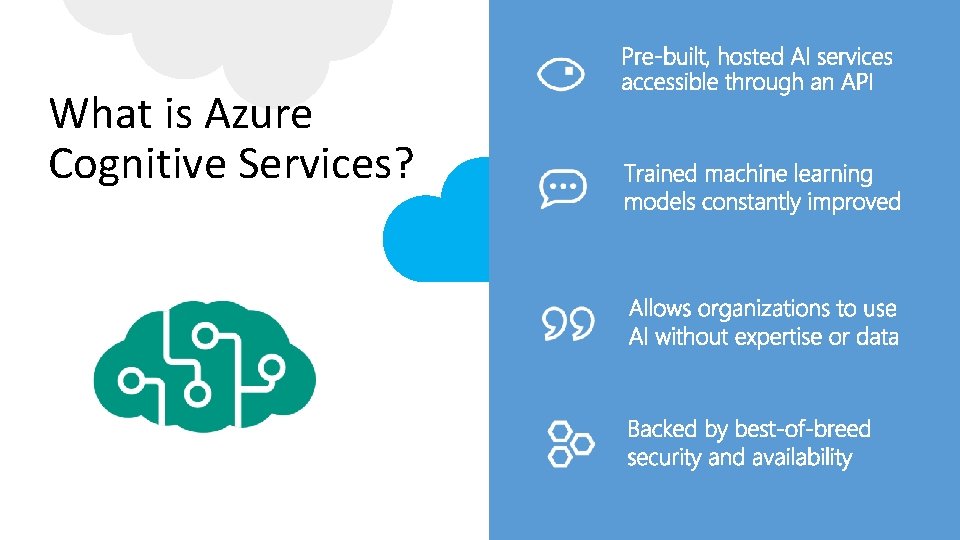
What is Azure Cognitive Services?
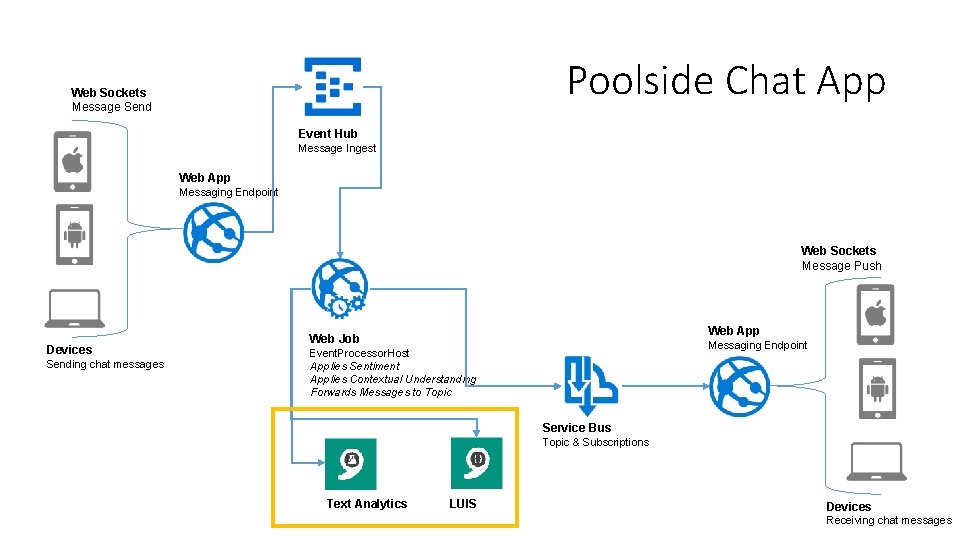
Poolside Chat App Web Sockets Message Send Event Hub Message Ingest Web App Messaging Endpoint Web Sockets Message Push Devices Sending chat messages Web App Web Job Messaging Endpoint Event. Processor. Host Applies Sentiment Applies Contextual Understanding Forwards Messages to Topic Service Bus Topic & Subscriptions Text Analytics LUIS Devices Receiving chat messages

Intelligent Chat Demo
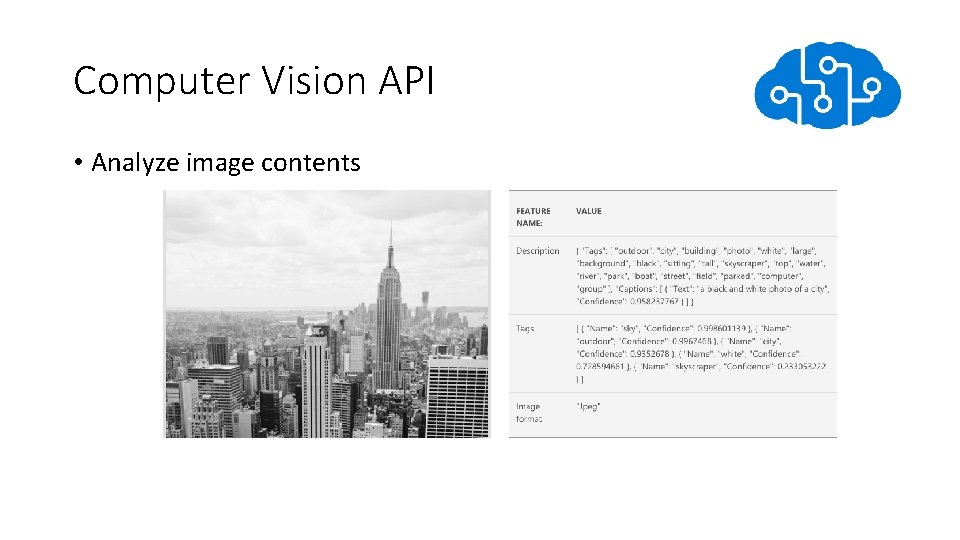
Computer Vision API • Analyze image contents
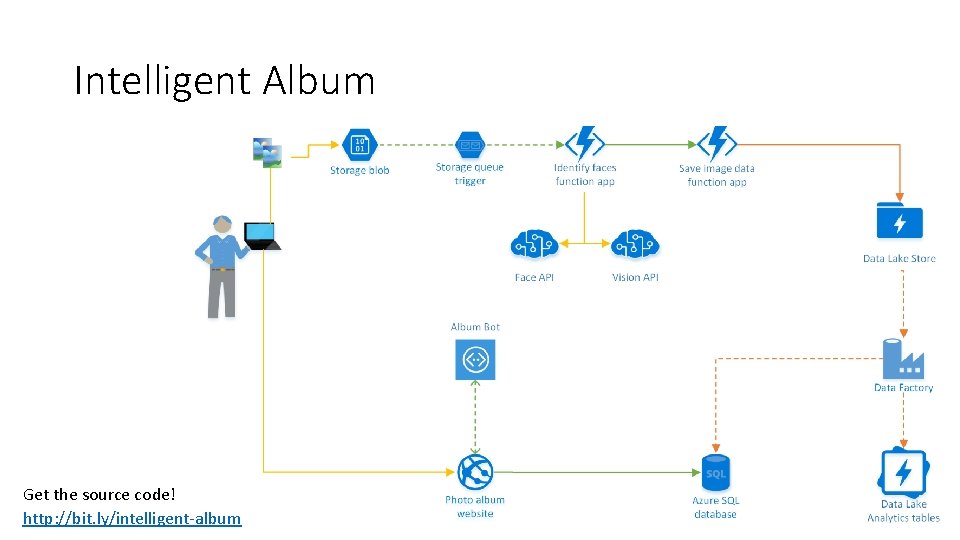
Intelligent Album Get the source code! http: //bit. ly/intelligent-album

Intelligent Album Demo
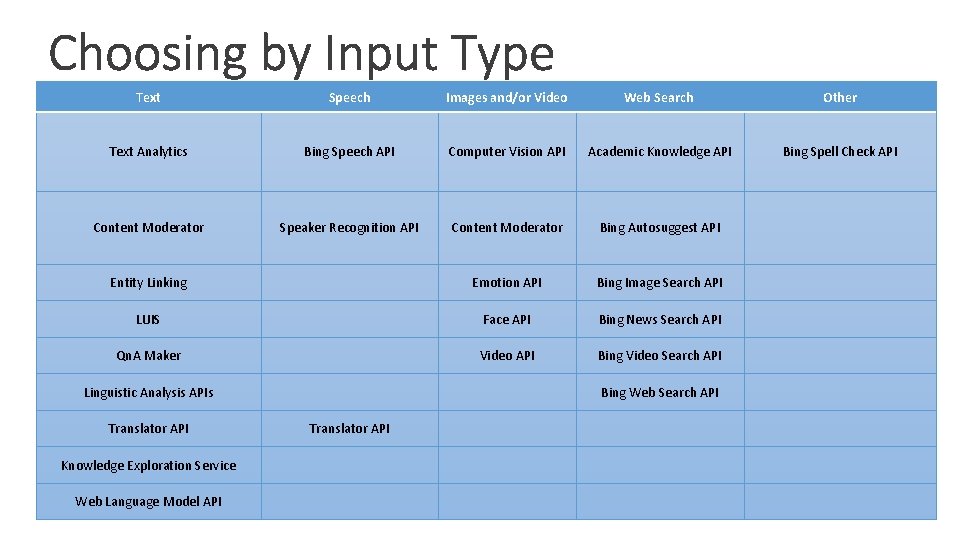
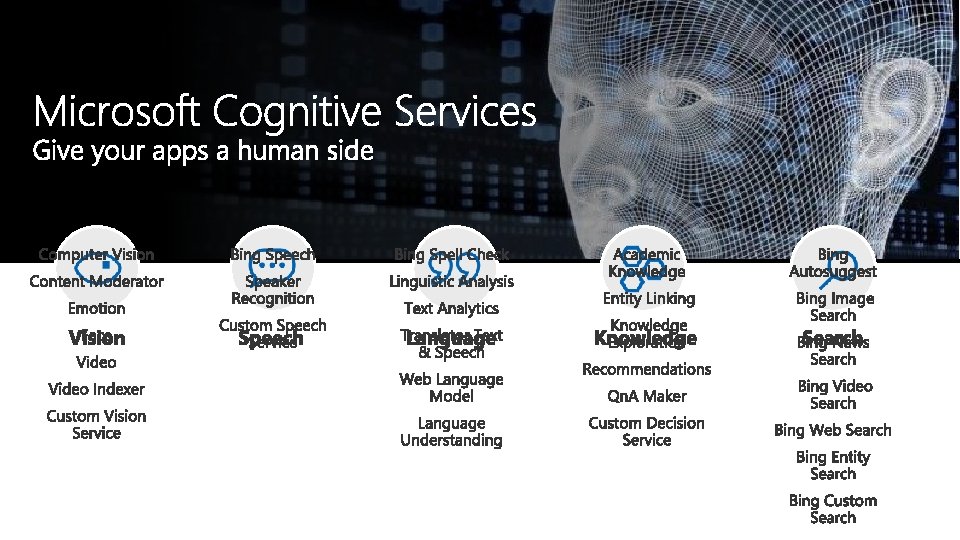
Text Speech Images and/or Video Web Search Other Text Analytics Bing Speech API Computer Vision API Academic Knowledge API Bing Spell Check API Content Moderator Speaker Recognition API Content Moderator Bing Autosuggest API Entity Linking Emotion API Bing Image Search API LUIS Face API Bing News Search API Qn. A Maker Video API Bing Video Search API Linguistic Analysis APIs Translator API Knowledge Exploration Service Web Language Model API Bing Web Search API Translator API
OK, but what if you really need to work with your own data to create a model?
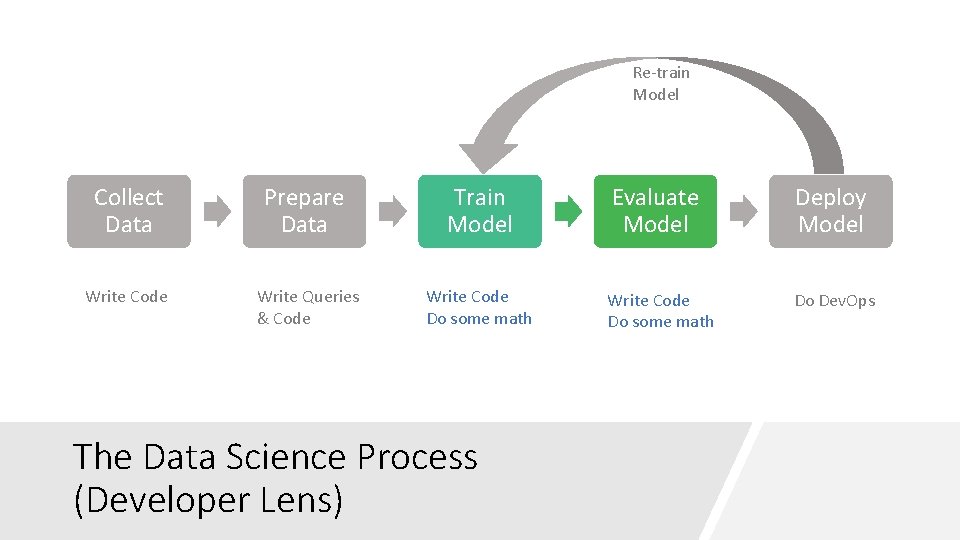
Re-train Model Collect Data Write Code Prepare Data Train Model Evaluate Model Deploy Model Write Queries & Code Write Code Do some math Do Dev. Ops The Data Science Process (Developer Lens)
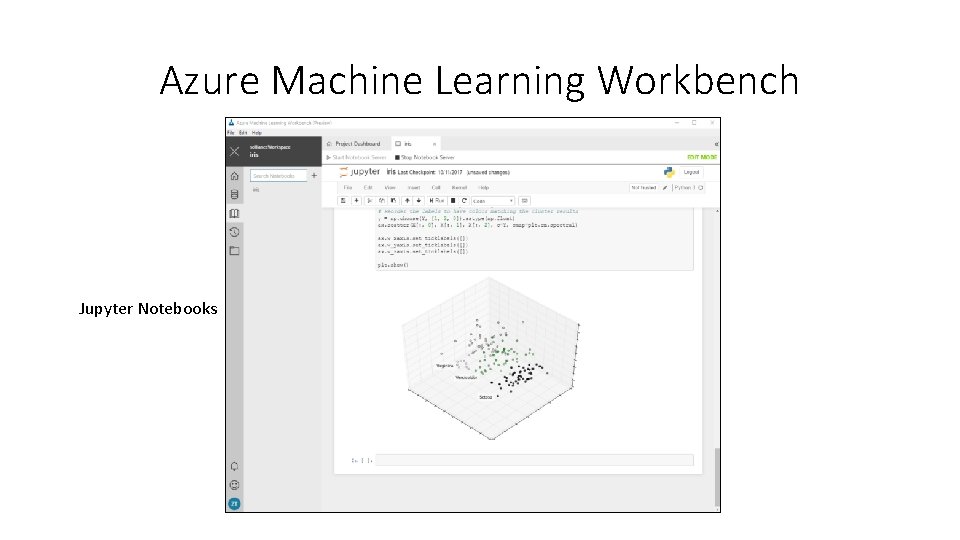
Azure Machine Learning Workbench Jupyter Notebooks
Model Training • Load the prepared data set • Choose your algorithm • Train the model with some of the data
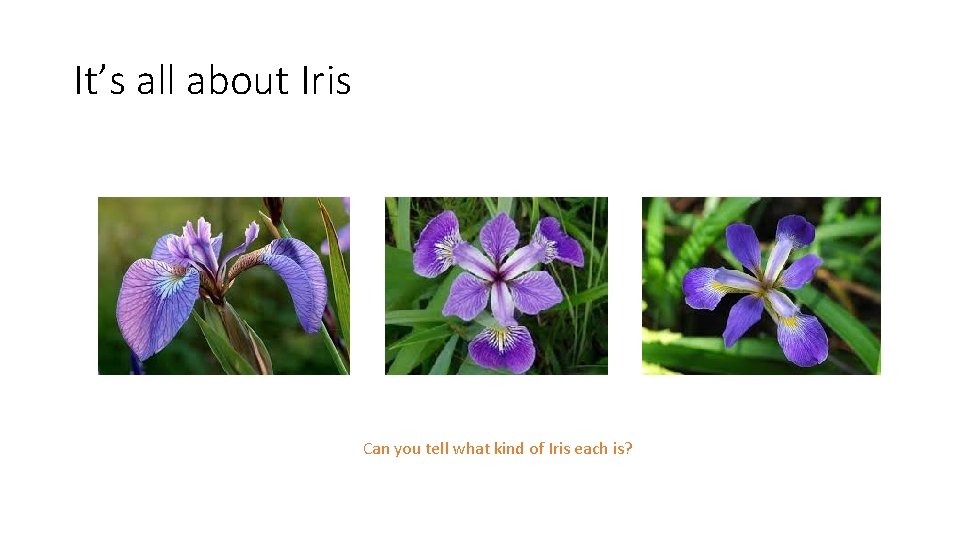
It’s all about Iris Can you tell what kind of Iris each is?
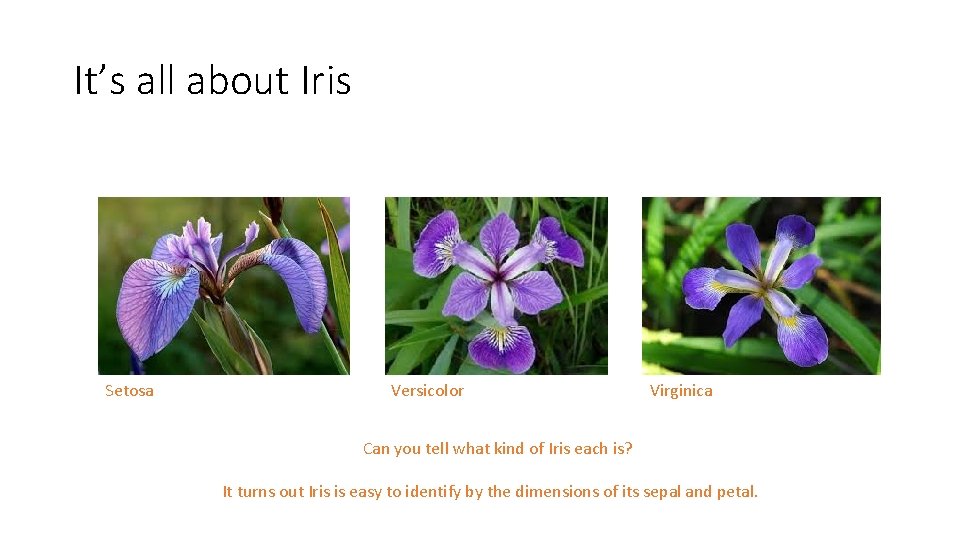
It’s all about Iris Setosa Versicolor Virginica Can you tell what kind of Iris each is? It turns out Iris is easy to identify by the dimensions of its sepal and petal.
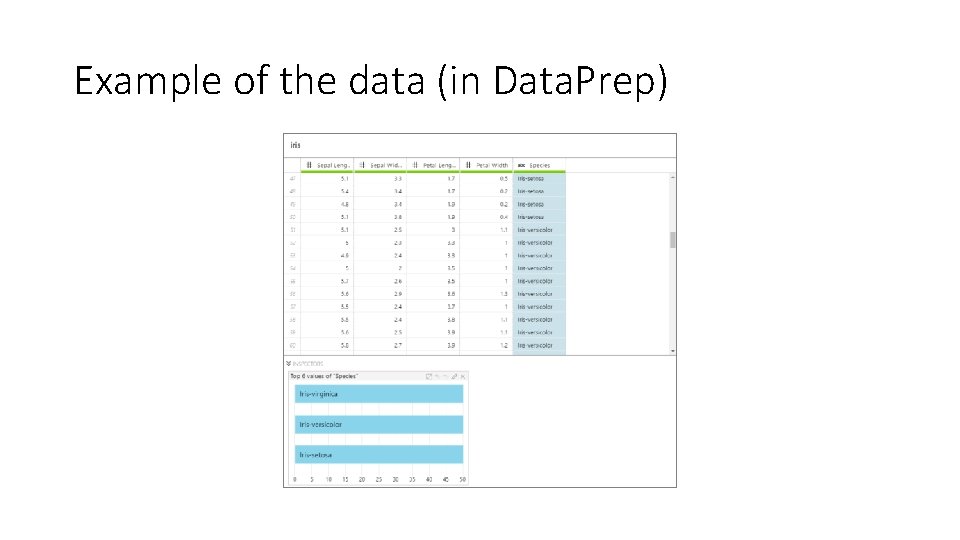
Example of the data (in Data. Prep)
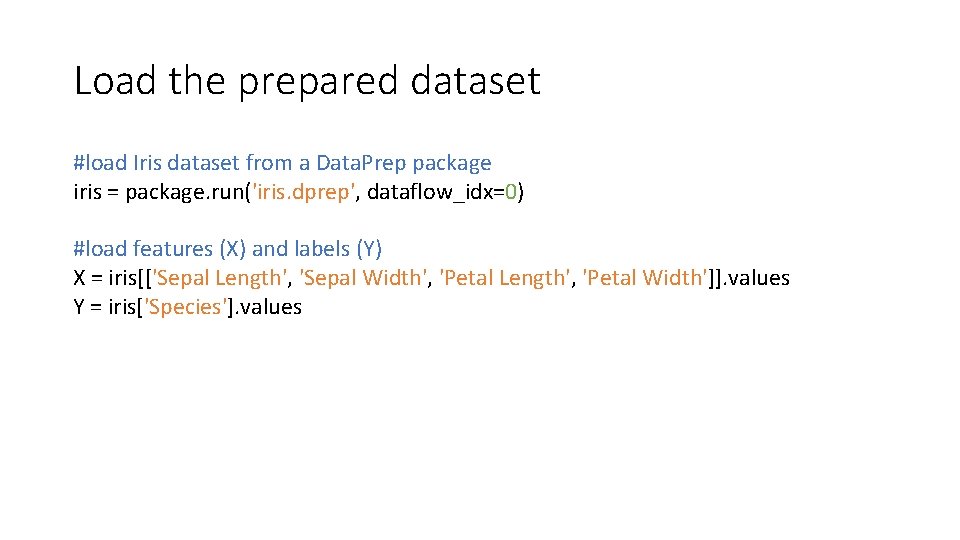
Load the prepared dataset #load Iris dataset from a Data. Prep package iris = package. run('iris. dprep', dataflow_idx=0) #load features (X) and labels (Y) X = iris[['Sepal Length', 'Sepal Width', 'Petal Length', 'Petal Width']]. values Y = iris['Species']. values
Model Training üLoad the prepared data set q. Choose your algorithm q. Train the model with some of the data
Choose your algorithm • We want to classify observations and assign the labels Iris-setosa, Iris-versicolor and Iris-virginica. • We can the classification algorithm called logistic regression for this
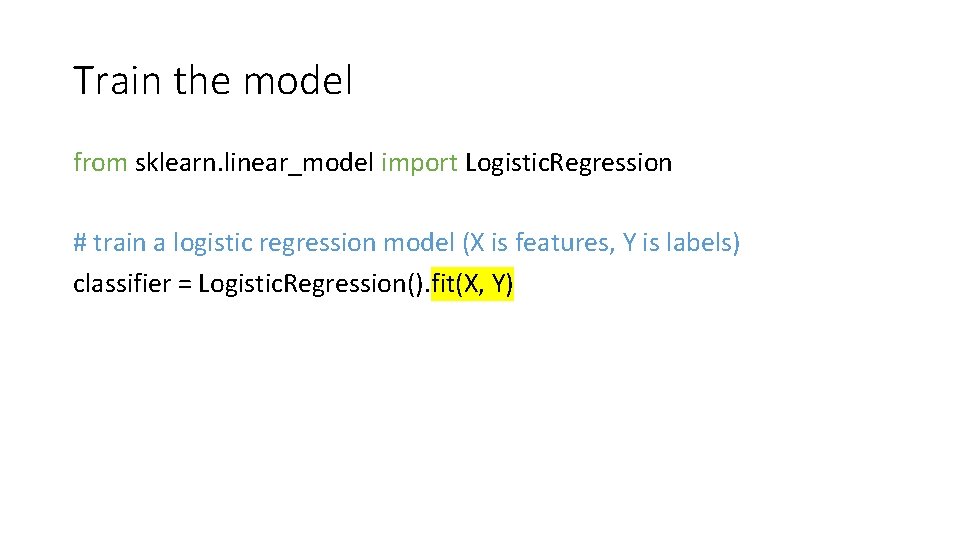
Train the model from sklearn. linear_model import Logistic. Regression # train a logistic regression model (X is features, Y is labels) classifier = Logistic. Regression(). fit(X, Y)
Model Training üLoad the prepared data set üChoose your algorithm üTrain the model with some of the data
Model Evaluation q. Measure model performance • Measure according to algorithm used q. Chart the performance
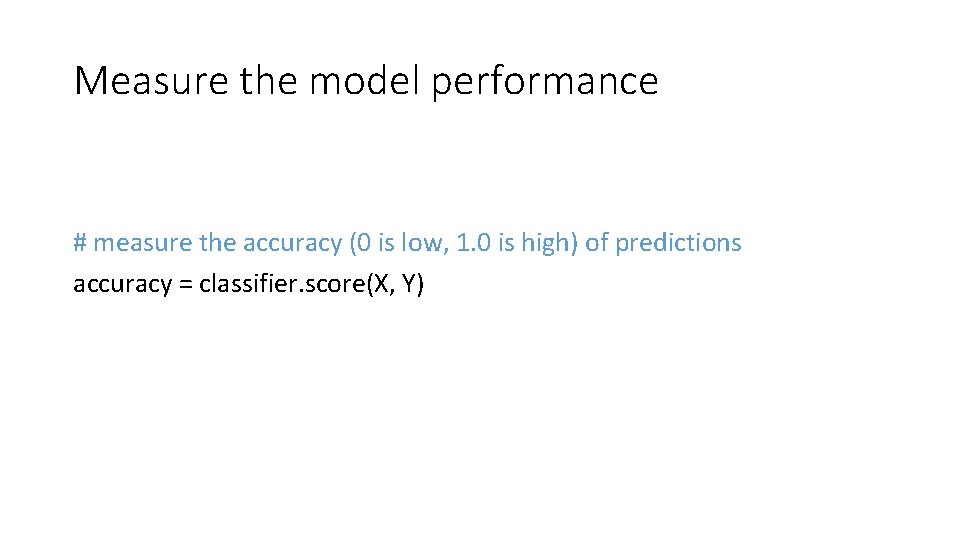
Measure the model performance # measure the accuracy (0 is low, 1. 0 is high) of predictions accuracy = classifier. score(X, Y)
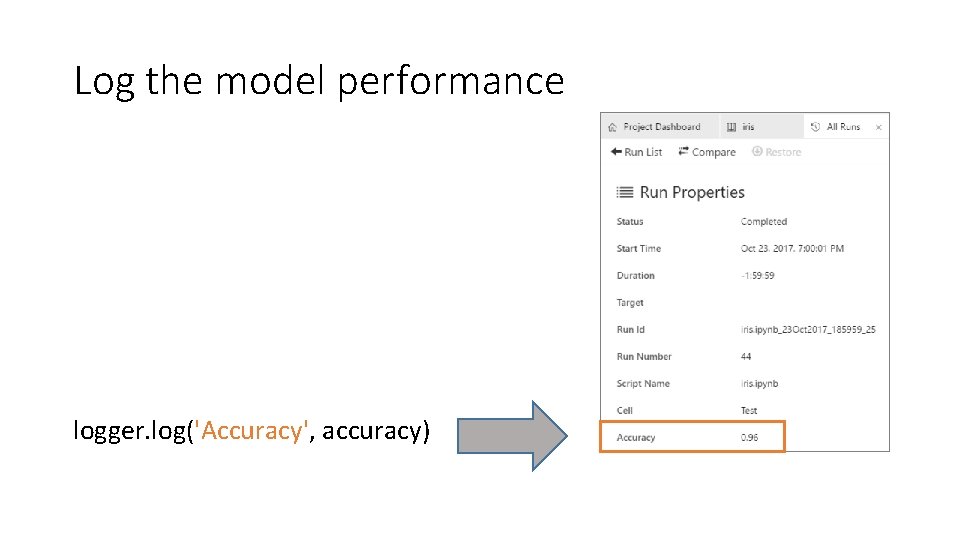
Log the model performance logger. log('Accuracy', accuracy)
Chart the model performance from sklearn. metrics import precision_recall_curve # y_scores = [confidence_setosa, conf_versicolor, conf_virginica] y_scores = classifier. predict_proba(X) # calculate the arrays for each curve precision, recall, thresholds = precision_recall_curve(Y, y_scores[: , 1], pos_label='Iris-versicolor')
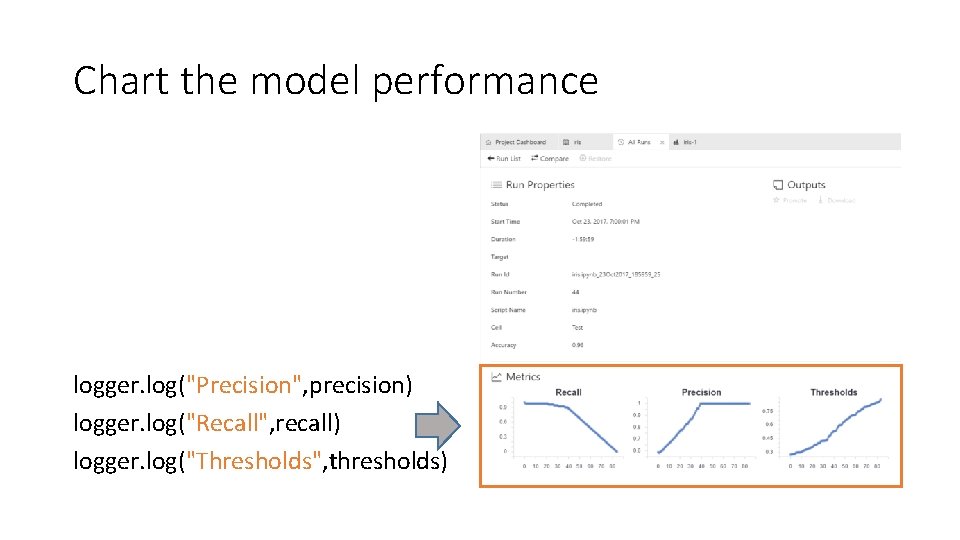
Chart the model performance logger. log("Precision", precision) logger. log("Recall", recall) logger. log("Thresholds", thresholds)
Model Evaluation üMeasure model performance üChart the performance
Model Prediction q. Use the trained model against new data and observe the predicted result
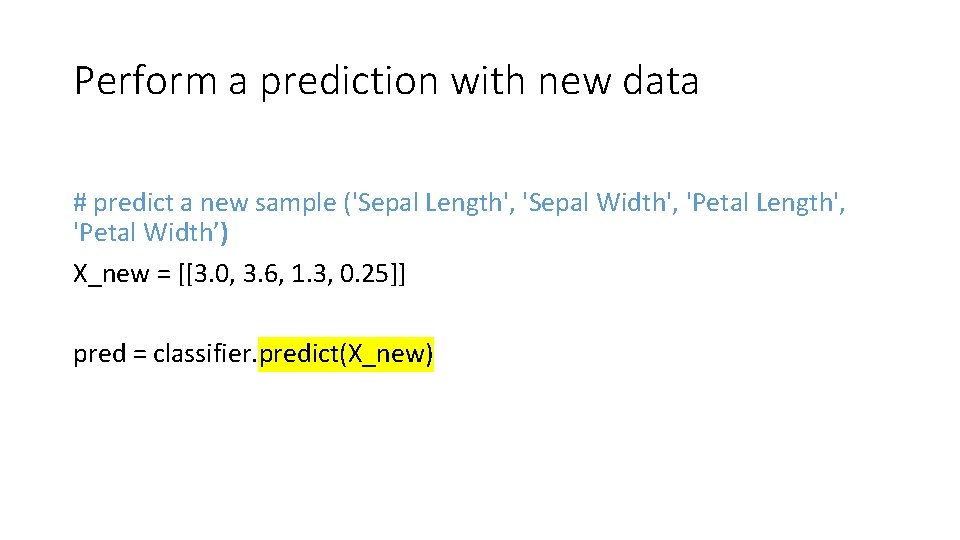
Perform a prediction with new data # predict a new sample ('Sepal Length', 'Sepal Width', 'Petal Length', 'Petal Width’) X_new = [[3. 0, 3. 6, 1. 3, 0. 25]] pred = classifier. predict(X_new)
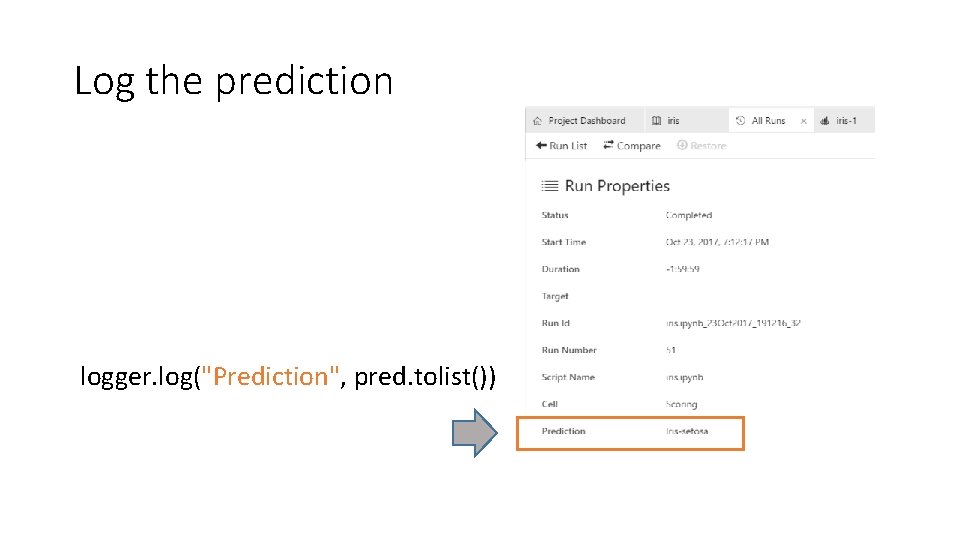
Log the prediction logger. log("Prediction", pred. tolist())
Model Prediction üUse the trained model against new data and observe the predicted result
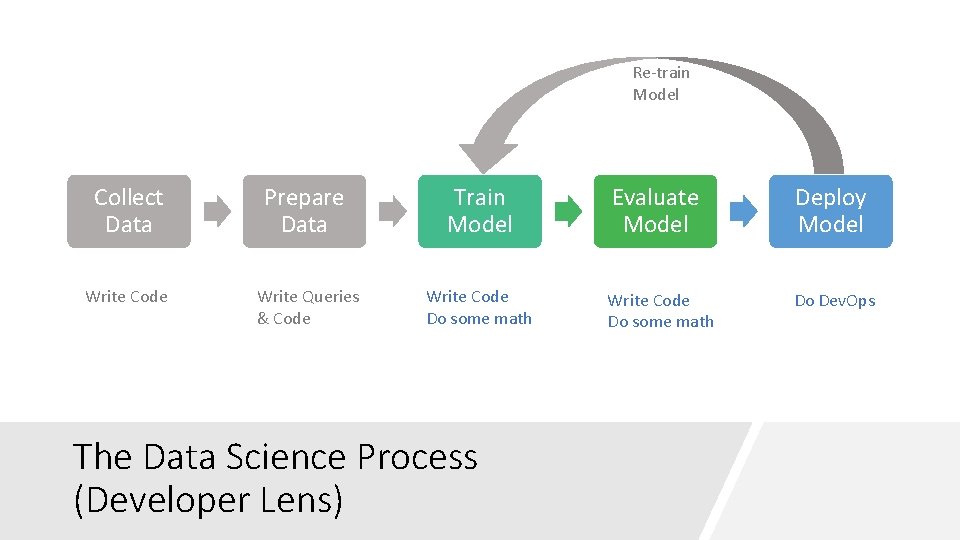
Re-train Model Collect Data Write Code Prepare Data Train Model Evaluate Model Deploy Model Write Queries & Code Write Code Do some math Do Dev. Ops The Data Science Process (Developer Lens)
Let’s assume a data scientist hands you a trained model, you can make scoring scale, right?
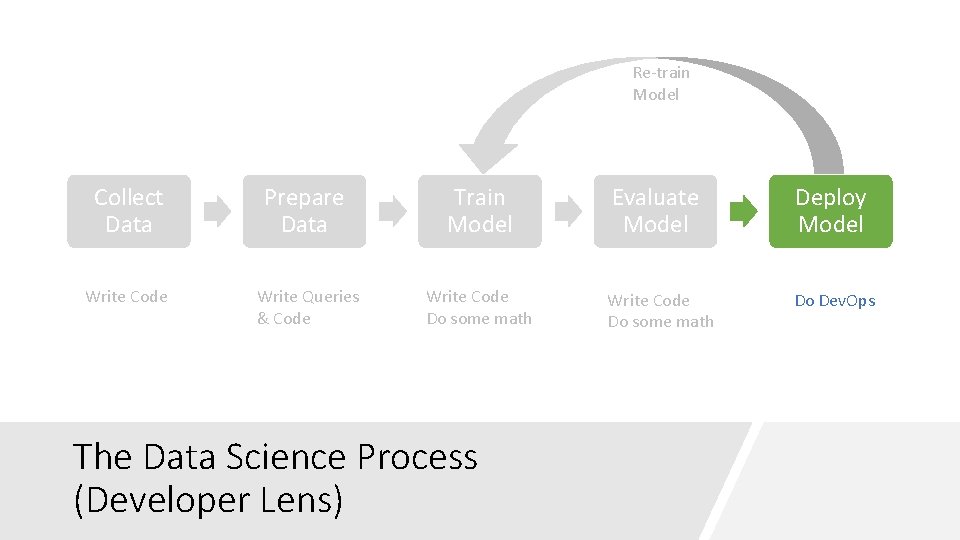
Re-train Model Collect Data Write Code Prepare Data Train Model Evaluate Model Deploy Model Write Queries & Code Write Code Do some math Do Dev. Ops The Data Science Process (Developer Lens)
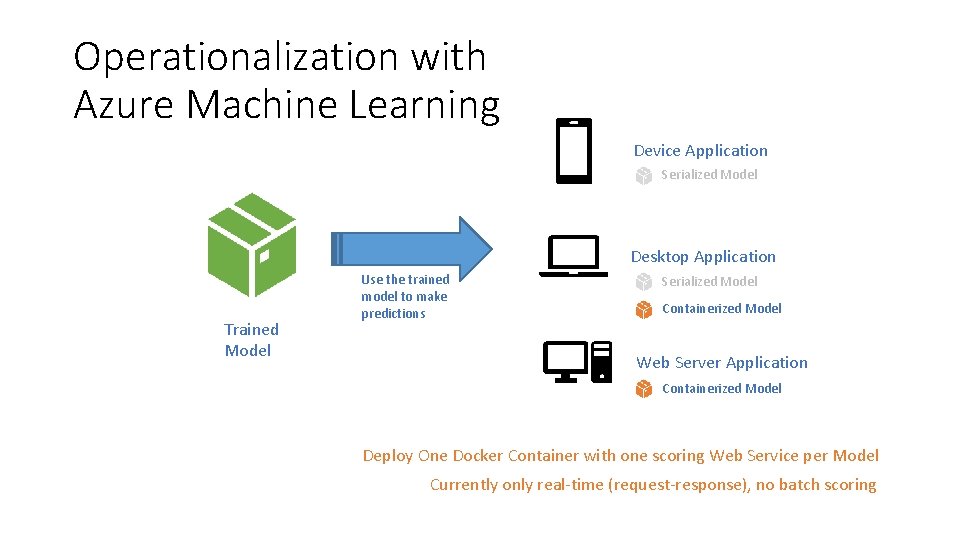
Operationalization with Azure Machine Learning Device Application Serialized Model Desktop Application Trained Model Use the trained model to make predictions Serialized Model Containerized Model Web Server Application Containerized Model Deploy One Docker Container with one scoring Web Service per Model Currently only real-time (request-response), no batch scoring
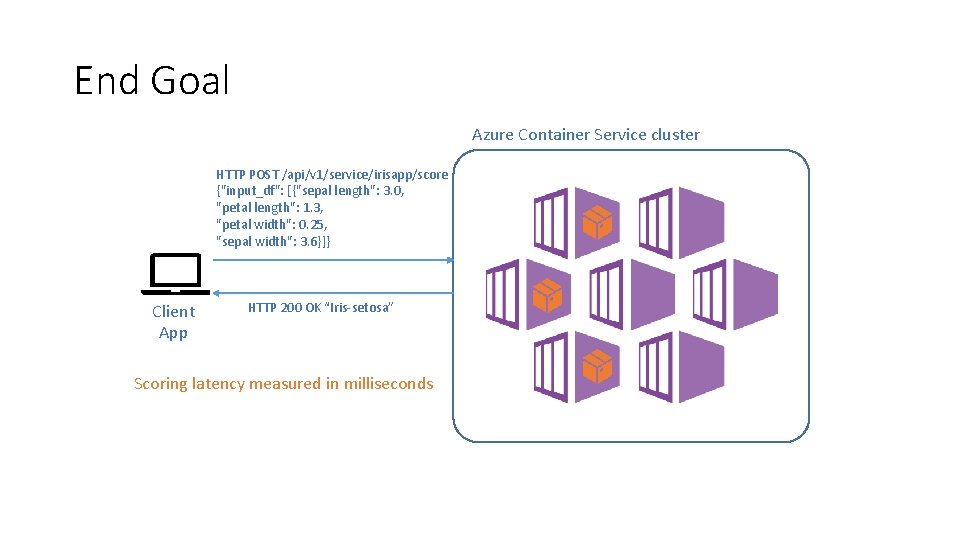
End Goal Azure Container Service cluster HTTP POST /api/v 1/service/irisapp/score {"input_df": [{"sepal length": 3. 0, "petal length": 1. 3, "petal width": 0. 25, "sepal width": 3. 6}]} Client App HTTP 200 OK “Iris-setosa” Scoring latency measured in milliseconds
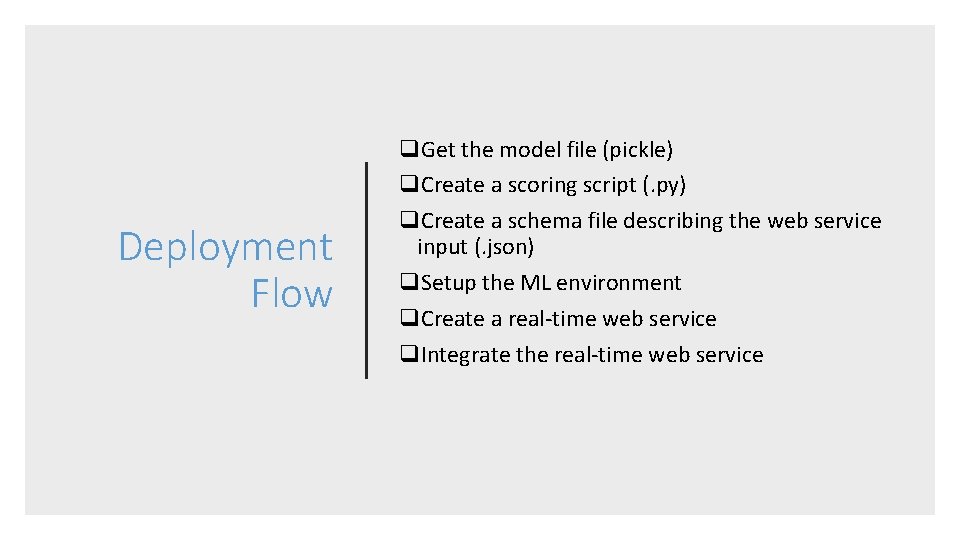
Deployment Flow q. Get the model file (pickle) q. Create a scoring script (. py) q. Create a schema file describing the web service input (. json) q. Setup the ML environment q. Create a real-time web service q. Integrate the real-time web service
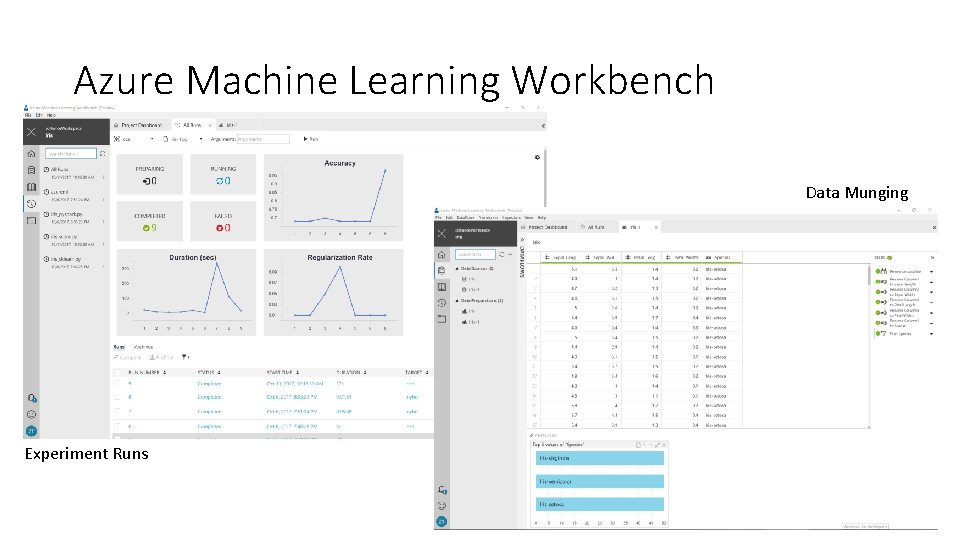
Azure Machine Learning Workbench Data Munging Experiment Runs
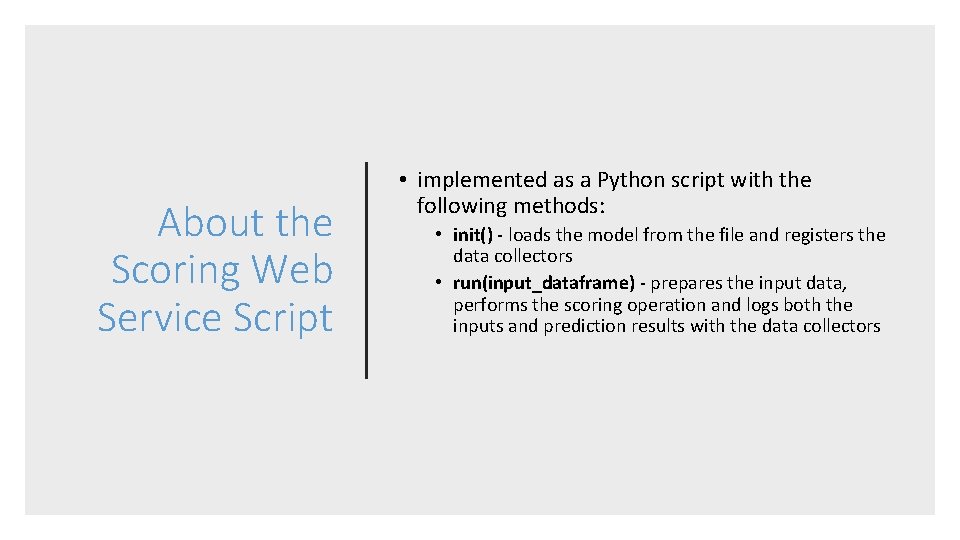
About the Scoring Web Service Script • implemented as a Python script with the following methods: • init() - loads the model from the file and registers the data collectors • run(input_dataframe) - prepares the input data, performs the scoring operation and logs both the inputs and prediction results with the data collectors
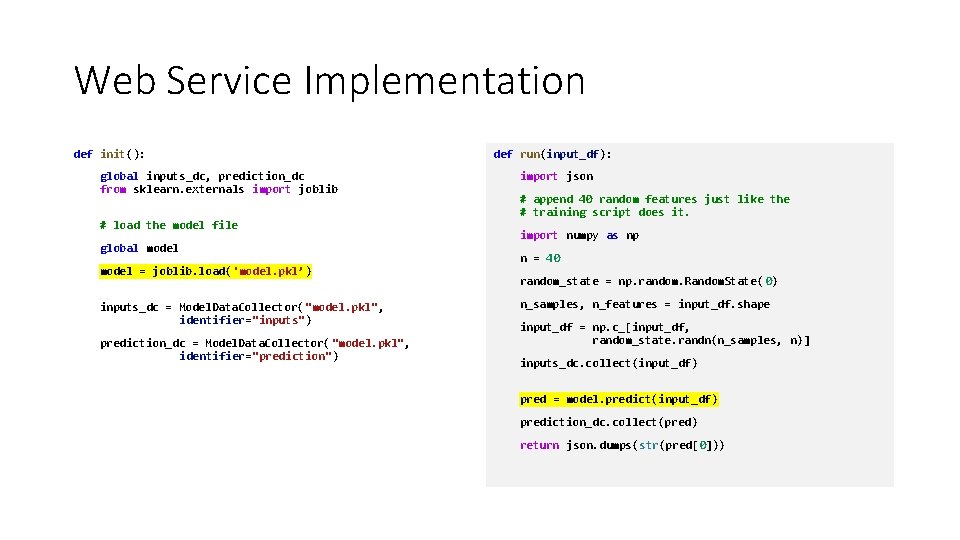
Web Service Implementation def init(): global inputs_dc, prediction_dc from sklearn. externals import joblib # load the model file global model = joblib. load('model. pkl’) inputs_dc = Model. Data. Collector( "model. pkl", identifier="inputs") prediction_dc = Model. Data. Collector( "model. pkl", identifier="prediction") def run(input_df): import json # append 40 random features just like the # training script does it. import numpy as np n = 40 random_state = np. random. Random. State( 0) n_samples, n_features = input_df. shape input_df = np. c_[input_df, random_state. randn(n_samples, n)] inputs_dc. collect(input_df) pred = model. predict(input_df) prediction_dc. collect(pred) return json. dumps(str(pred[0]))
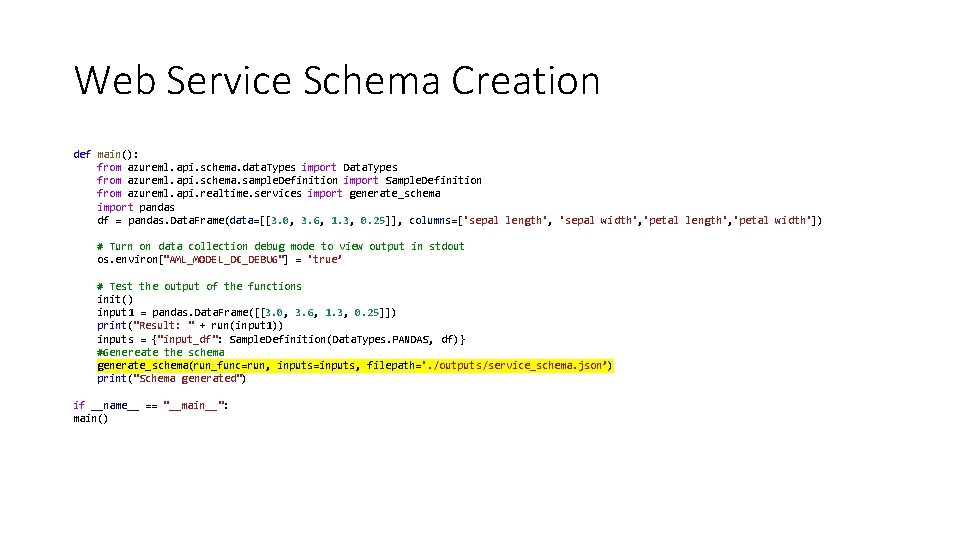
Web Service Schema Creation def main(): from azureml. api. schema. data. Types import Data. Types from azureml. api. schema. sample. Definition import Sample. Definition from azureml. api. realtime. services import generate_schema import pandas df = pandas. Data. Frame(data=[[3. 0, 3. 6, 1. 3, 0. 25]], columns=['sepal length', 'sepal width', 'petal length', 'petal width']) # Turn on data collection debug mode to view output in stdout os. environ["AML_MODEL_DC_DEBUG"] = 'true’ # Test the output of the functions init() input 1 = pandas. Data. Frame([[3. 0, 3. 6, 1. 3, 0. 25]]) print("Result: " + run(input 1)) inputs = {"input_df": Sample. Definition(Data. Types. PANDAS, df)} #Genereate the schema generate_schema(run_func=run, inputs=inputs, filepath='. /outputs/service_schema. json’) print("Schema generated") if __name__ == "__main__": main()
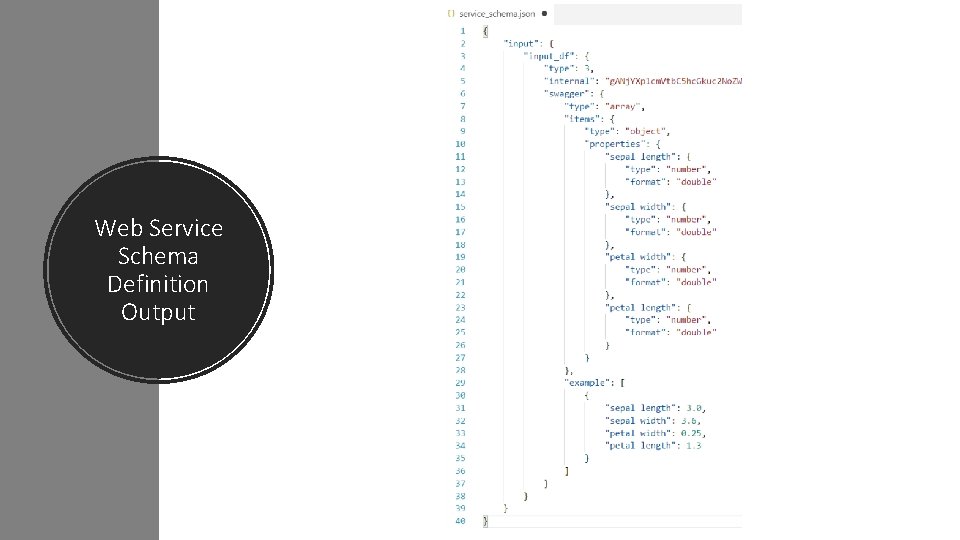
Web Service Schema Definition Output
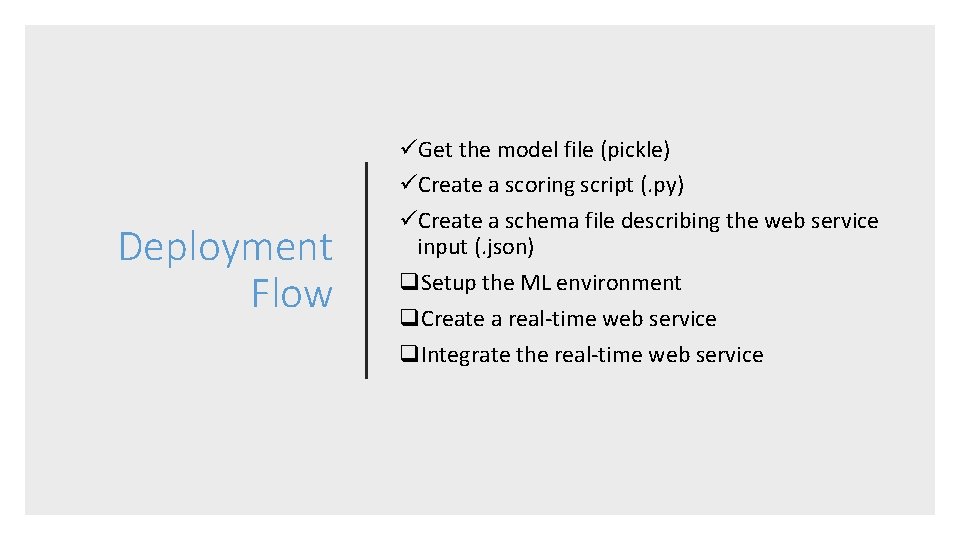
Deployment Flow üGet the model file (pickle) üCreate a scoring script (. py) üCreate a schema file describing the web service input (. json) q. Setup the ML environment q. Create a real-time web service q. Integrate the real-time web service
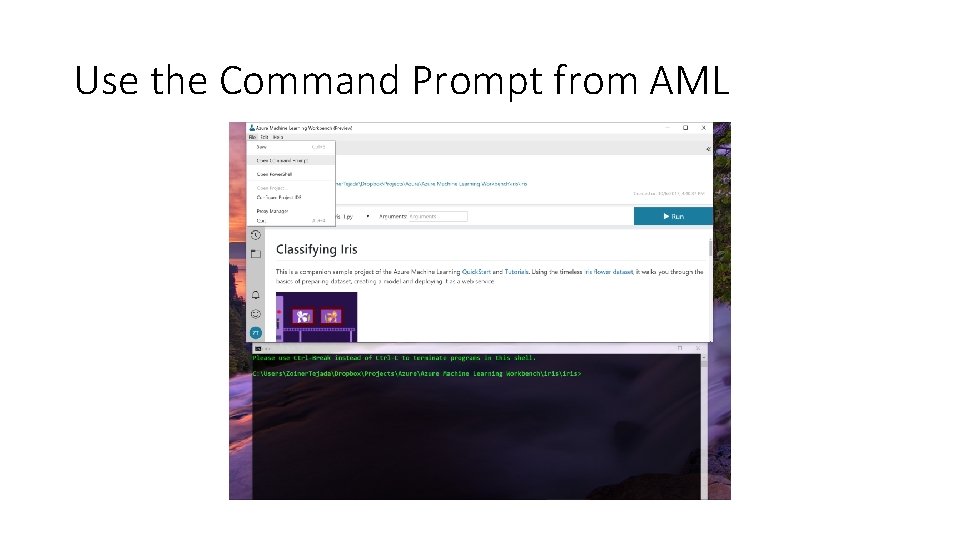
Use the Command Prompt from AML
Q. What’s an environment? A. It’s the compute environment where your container is hosted. • Docker container on your local machine • Docker container on a linux VM on Azure • Docker container running in a Kubernetes cluster in an Azure Container Service instance Setup the ML Environment
• Create the ML environment • One time per environment Environment Setup Flow • Create Model Management account • One time only • Set the ML environment • Set the Model Management account
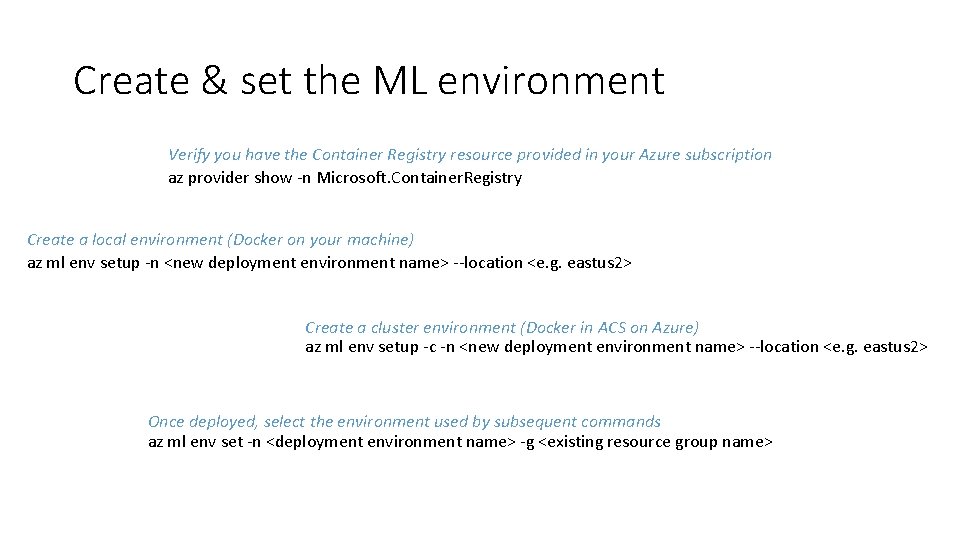
Create & set the ML environment Verify you have the Container Registry resource provided in your Azure subscription az provider show -n Microsoft. Container. Registry Create a local environment (Docker on your machine) az ml env setup -n <new deployment environment name> --location <e. g. eastus 2> Create a cluster environment (Docker in ACS on Azure) az ml env setup -c -n <new deployment environment name> --location <e. g. eastus 2> Once deployed, select the environment used by subsequent commands az ml env set -n <deployment environment name> -g <existing resource group name>
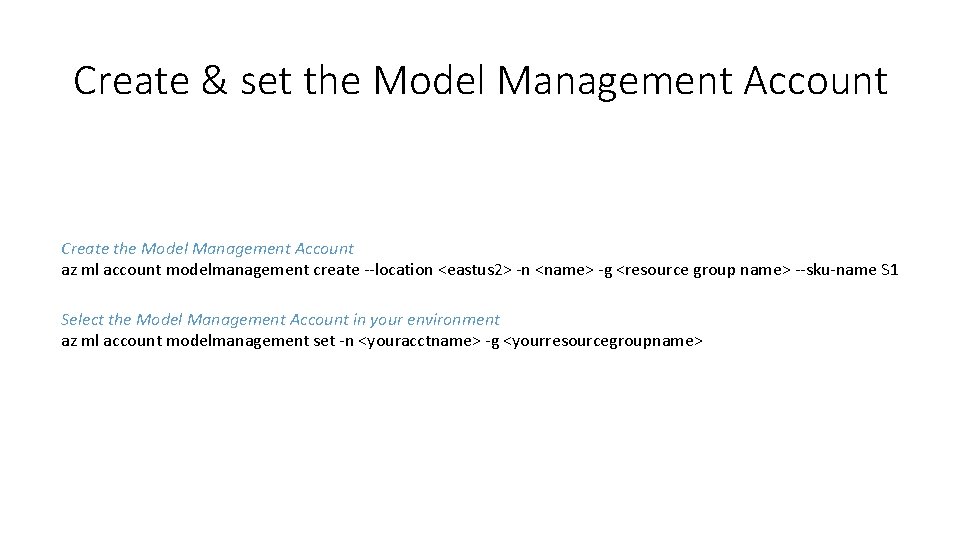
Create & set the Model Management Account Create the Model Management Account az ml account modelmanagement create --location <eastus 2> -n <name> -g <resource group name> --sku-name S 1 Select the Model Management Account in your environment az ml account modelmanagement set -n <youracctname> -g <yourresourcegroupname>
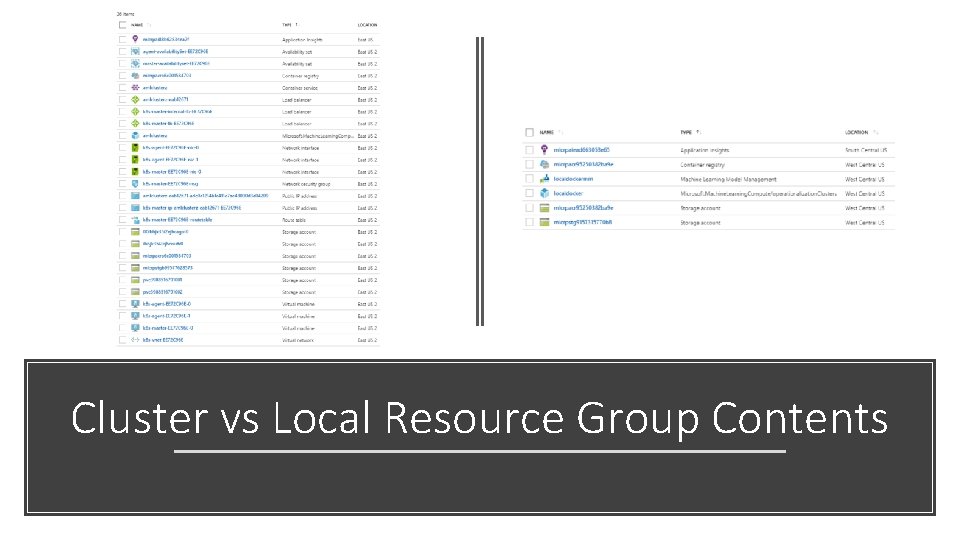
Cluster vs Local Resource Group Contents
Real-time Web Service Setup Flow • All at once
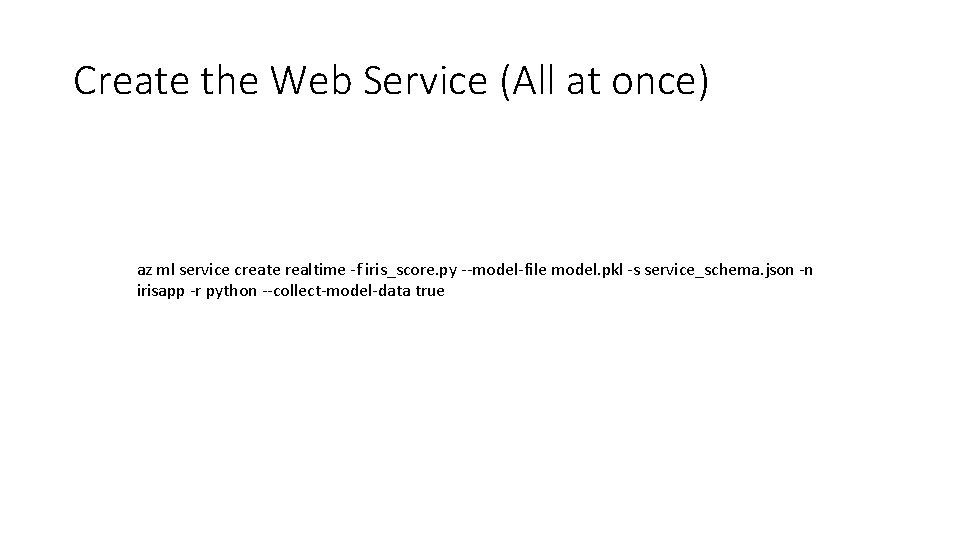
Create the Web Service (All at once) az ml service create realtime -f iris_score. py --model-file model. pkl -s service_schema. json -n irisapp -r python --collect-model-data true
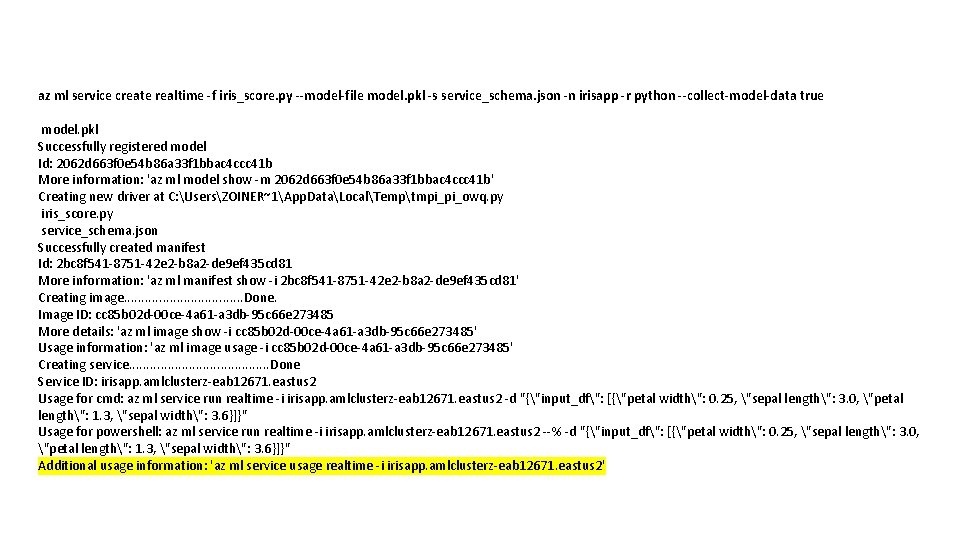
az ml service create realtime -f iris_score. py --model-file model. pkl -s service_schema. json -n irisapp -r python --collect-model-data true model. pkl Successfully registered model Id: 2062 d 663 f 0 e 54 b 86 a 33 f 1 bbac 4 ccc 41 b More information: 'az ml model show -m 2062 d 663 f 0 e 54 b 86 a 33 f 1 bbac 4 ccc 41 b' Creating new driver at C: UsersZOINER~1App. DataLocalTemptmpi_pi_owq. py iris_score. py service_schema. json Successfully created manifest Id: 2 bc 8 f 541 -8751 -42 e 2 -b 8 a 2 -de 9 ef 435 cd 81 More information: 'az ml manifest show -i 2 bc 8 f 541 -8751 -42 e 2 -b 8 a 2 -de 9 ef 435 cd 81' Creating image. . . . Done. Image ID: cc 85 b 02 d-00 ce-4 a 61 -a 3 db-95 c 66 e 273485 More details: 'az ml image show -i cc 85 b 02 d-00 ce-4 a 61 -a 3 db-95 c 66 e 273485' Usage information: 'az ml image usage -i cc 85 b 02 d-00 ce-4 a 61 -a 3 db-95 c 66 e 273485' Creating service. . . . . Done Service ID: irisapp. amlclusterz-eab 12671. eastus 2 Usage for cmd: az ml service run realtime -i irisapp. amlclusterz-eab 12671. eastus 2 -d "{"input_df": [{"petal width": 0. 25, "sepal length": 3. 0, "petal length": 1. 3, "sepal width": 3. 6}]}" Usage for powershell: az ml service run realtime -i irisapp. amlclusterz-eab 12671. eastus 2 --% -d "{"input_df": [{"petal width": 0. 25, "sepal length": 3. 0, "petal length": 1. 3, "sepal width": 3. 6}]}" Additional usage information: 'az ml service usage realtime -i irisapp. amlclusterz-eab 12671. eastus 2'
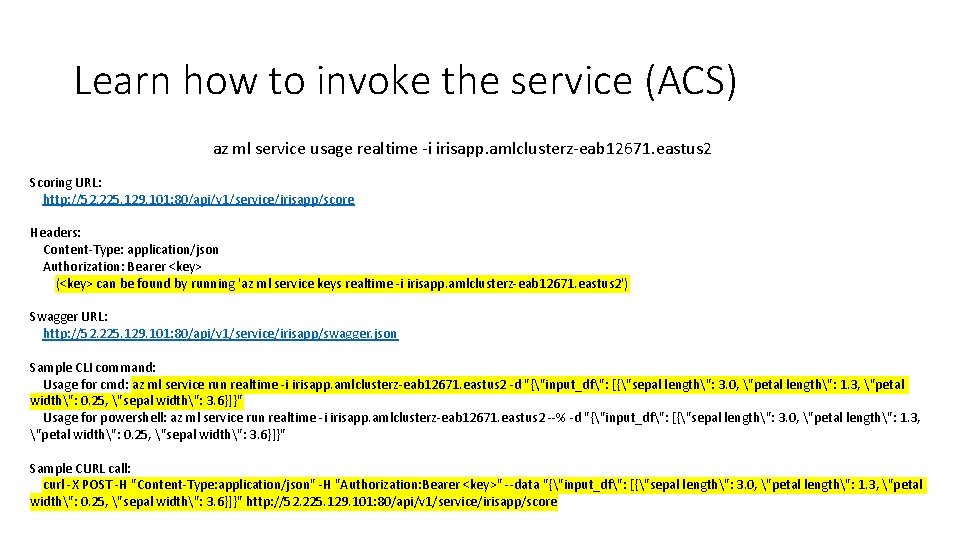
Learn how to invoke the service (ACS) az ml service usage realtime -i irisapp. amlclusterz-eab 12671. eastus 2 Scoring URL: http: //52. 225. 129. 101: 80/api/v 1/service/irisapp/score Headers: Content-Type: application/json Authorization: Bearer <key> (<key> can be found by running 'az ml service keys realtime -i irisapp. amlclusterz-eab 12671. eastus 2') Swagger URL: http: //52. 225. 129. 101: 80/api/v 1/service/irisapp/swagger. json Sample CLI command: Usage for cmd: az ml service run realtime -i irisapp. amlclusterz-eab 12671. eastus 2 -d "{"input_df": [{"sepal length": 3. 0, "petal length": 1. 3, "petal width": 0. 25, "sepal width": 3. 6}]}" Usage for powershell: az ml service run realtime -i irisapp. amlclusterz-eab 12671. eastus 2 --% -d "{"input_df": [{"sepal length": 3. 0, "petal length": 1. 3, "petal width": 0. 25, "sepal width": 3. 6}]}" Sample CURL call: curl -X POST -H "Content-Type: application/json" -H "Authorization: Bearer <key>" --data "{"input_df": [{"sepal length": 3. 0, "petal length": 1. 3, "petal width": 0. 25, "sepal width": 3. 6}]}" http: //52. 225. 129. 101: 80/api/v 1/service/irisapp/score
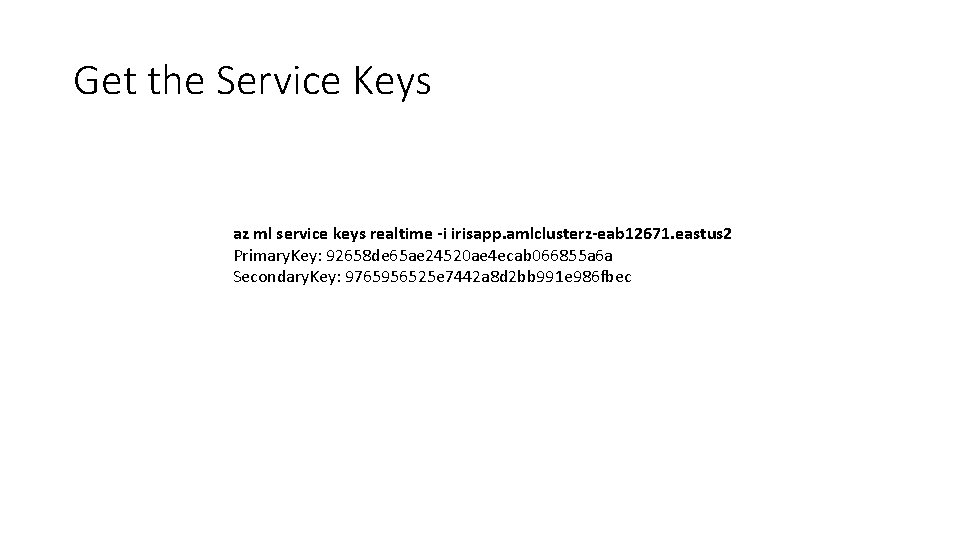
Get the Service Keys az ml service keys realtime -i irisapp. amlclusterz-eab 12671. eastus 2 Primary. Key: 92658 de 65 ae 24520 ae 4 ecab 066855 a 6 a Secondary. Key: 9765956525 e 7442 a 8 d 2 bb 991 e 986 fbec
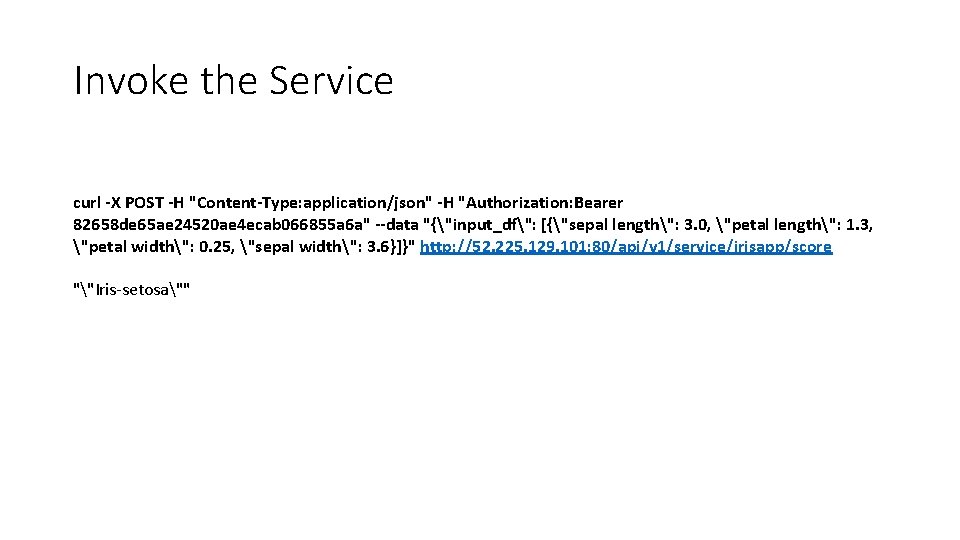
Invoke the Service curl -X POST -H "Content-Type: application/json" -H "Authorization: Bearer 82658 de 65 ae 24520 ae 4 ecab 066855 a 6 a" --data "{"input_df": [{"sepal length": 3. 0, "petal length": 1. 3, "petal width": 0. 25, "sepal width": 3. 6}]}" http: //52. 225. 129. 101: 80/api/v 1/service/irisapp/score ""Iris-setosa""
Invoke the Scoring Service Demo
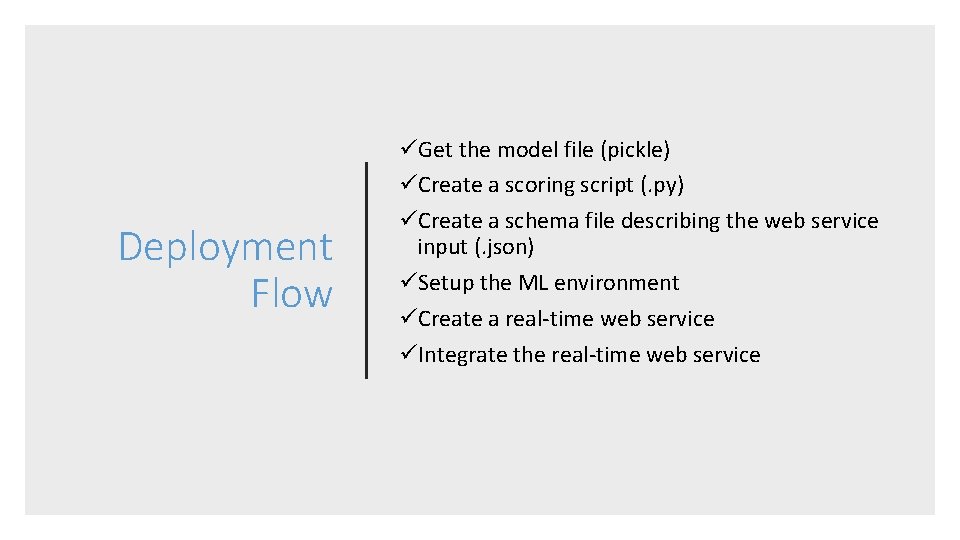
Deployment Flow üGet the model file (pickle) üCreate a scoring script (. py) üCreate a schema file describing the web service input (. json) üSetup the ML environment üCreate a real-time web service üIntegrate the real-time web service
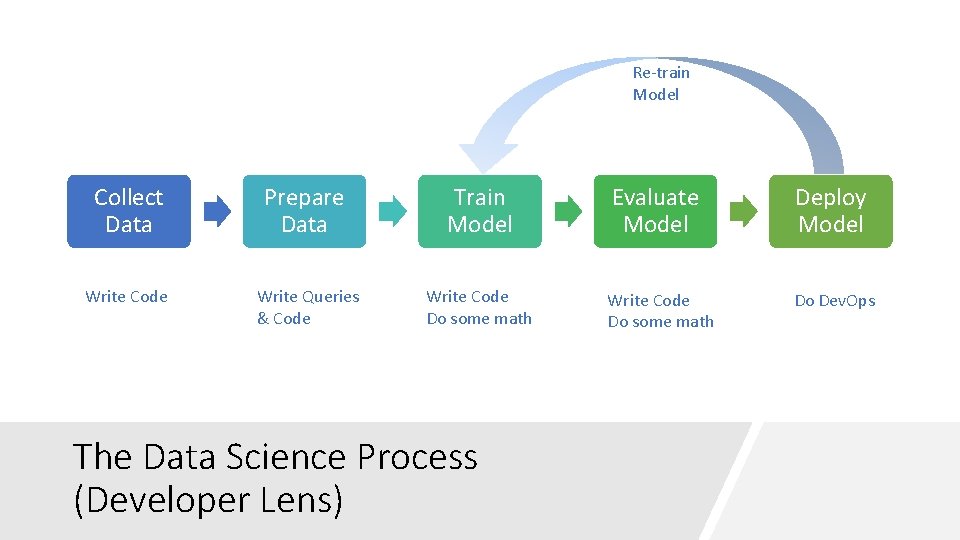
Re-train Model Collect Data Write Code Prepare Data Train Model Evaluate Model Deploy Model Write Queries & Code Write Code Do some math Do Dev. Ops The Data Science Process (Developer Lens)
Thank you! Solliance Founder, CEO • Author of a dozen books on Azure • Dual Microsoft MVP– Microsoft Azure & Data Platform • Microsoft Regional Director • Zoiner Tejada zoinertejada@solliance. net @zoinertejada
- Slides: 67