
Arrays Mohammad Asad Abbasi Lecture 2 1 Arrays

Arrays Mohammad Asad Abbasi Lecture 2 1

Arrays § An array is a collection of homogeneous data elements described by a single name. § Each element of an array is referenced by a subscripted variable or value, called subscript or index enclosed in parenthesis. § If an element of an array is referenced by single subscript, then the array is known as one dimensional array or linear array and if two subscripts are required to reference an element, the array is known as two dimensional array and so on. 2
ONE DIMENSIONAL ARRAY Ø One-dimensional array (or linear array) is a set of ‘n’ finite numbers of homogenous data elements such as : § The elements of the array are referenced respectively by an index set consisting of ‘n’ consecutive numbers. § The elements of the array are stored respectively in successive memory locations. 3
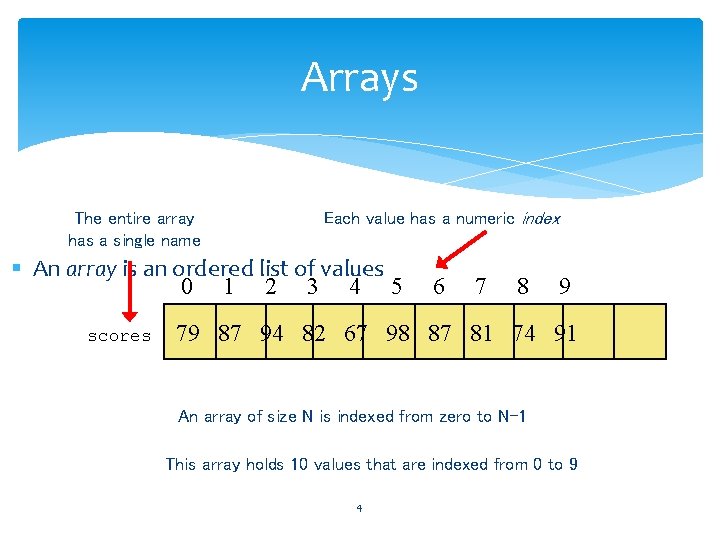
Arrays The entire array has a single name Each value has a numeric index § An array is an ordered list of values 0 1 2 3 4 5 scores 6 7 8 9 79 87 94 82 67 98 87 81 74 91 An array of size N is indexed from zero to N-1 This array holds 10 values that are indexed from 0 to 9 4
Properties of an array (list) § § § Heterogeneous (any data type!) Contiguous Have random access to any element Ordered (numbered from 0 to n-1) Number of elements can change very easily (use method. append) 5
Linear (or Ordered) Lists Instances are of the form (e 0, e 1, e 2, …, en-1) where ei denotes a list element n >= 0 is finite list size is n 6
![Linear List Array Representation use a one-dimensional array element[] a b c 0 1](http://slidetodoc.com/presentation_image_h2/4b027cbe6bdd0e8b1d64588464141fd2/image-7.jpg "Linear List Array Representation use a one-dimensional array element[] a b c 0 1")
Linear List Array Representation use a one-dimensional array element[] a b c 0 1 2 d e 3 4 5 6 L = (a, b, c, d, e) Store element i of list in element[i]. 7
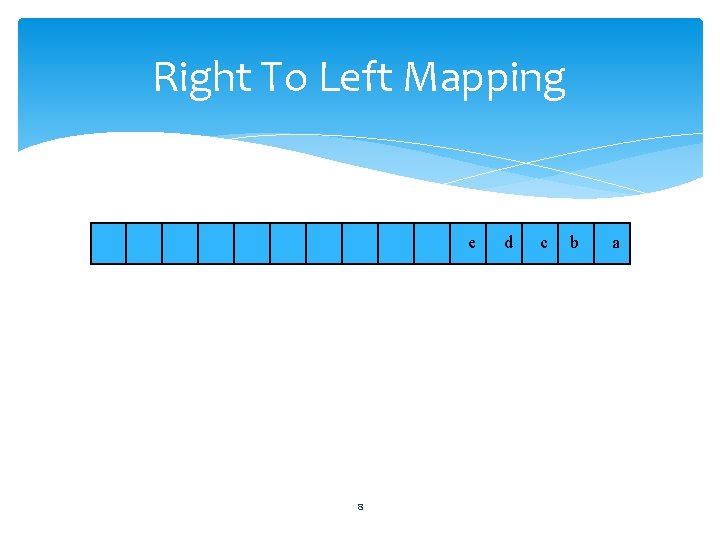
Right To Left Mapping e 8 d c b a
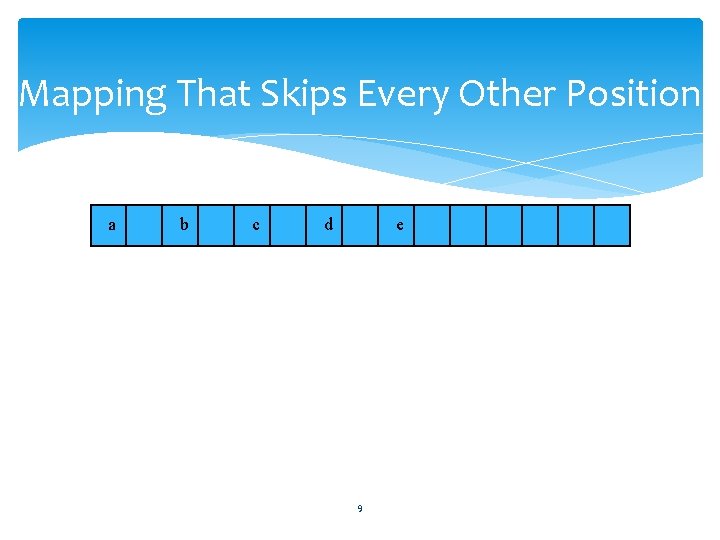
Mapping That Skips Every Other Position a b c d e 9
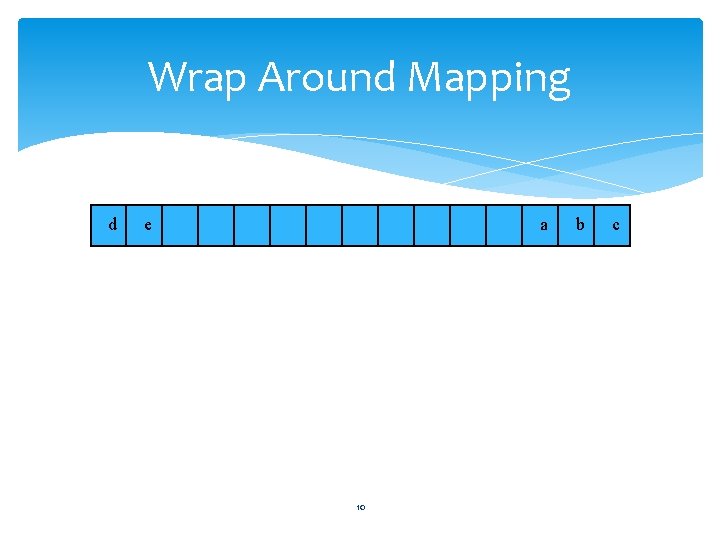
Wrap Around Mapping d e a 10 b c
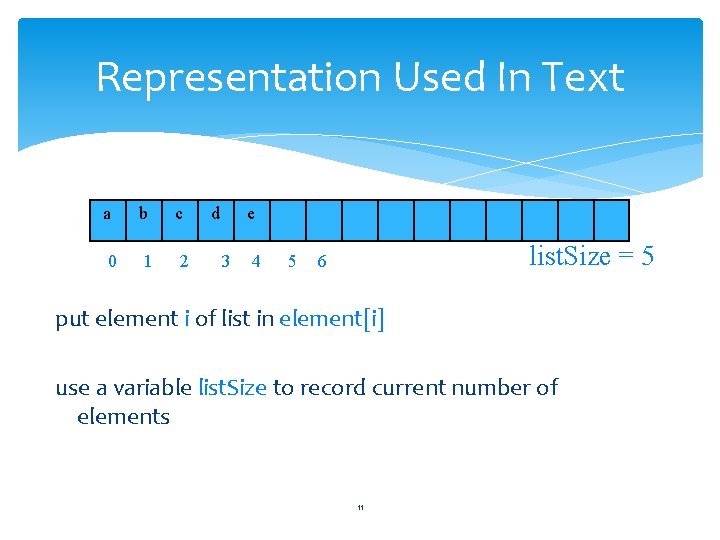
Representation Used In Text a b c 0 1 2 d e 3 4 5 list. Size = 5 6 put element i of list in element[i] use a variable list. Size to record current number of elements 11
Array Applications § Given a list of test scores, determine the maximum and minimum scores. § Read in a list of student names and rearrange them in alphabetical order (sorting). § Given the height measurements of students in a class, output the names of those students who are taller than average. 12
Linear List Examples/Instances Students in COP 3530 = (Jack, Jill, Abe, Henry, Mary, …, Judy) Exams in COP 3530 = (exam 1, exam 2, exam 3) Days of Week = (S, M, T, W, Th, F, Sa) Months = (Jan, Feb, Mar, Apr, …, Nov, Dec) 13
One-Dimensional Arrays (continued) 14
Linear List Operations—size() determine list size L = (a, b, c, d, e) size = 5 15
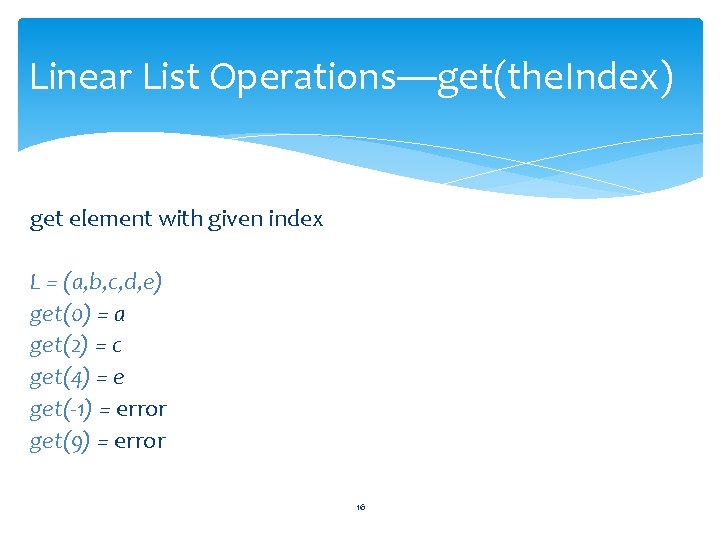
Linear List Operations—get(the. Index) get element with given index L = (a, b, c, d, e) get(0) = a get(2) = c get(4) = e get(-1) = error get(9) = error 16
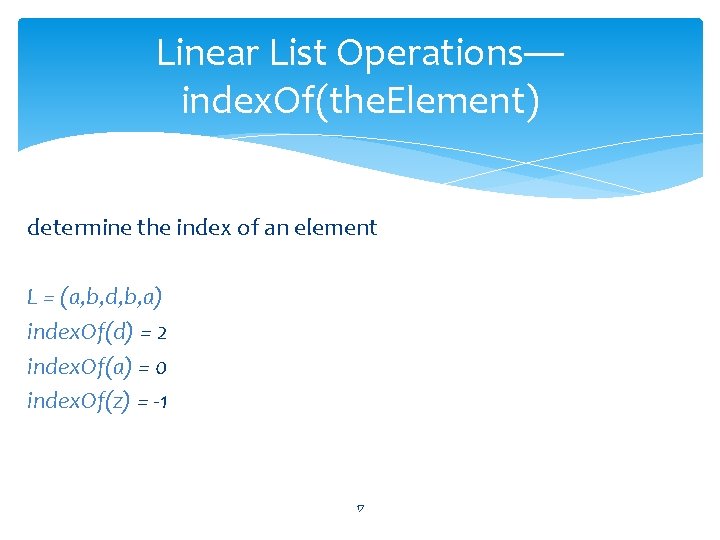
Linear List Operations— index. Of(the. Element) determine the index of an element L = (a, b, d, b, a) index. Of(d) = 2 index. Of(a) = 0 index. Of(z) = -1 17
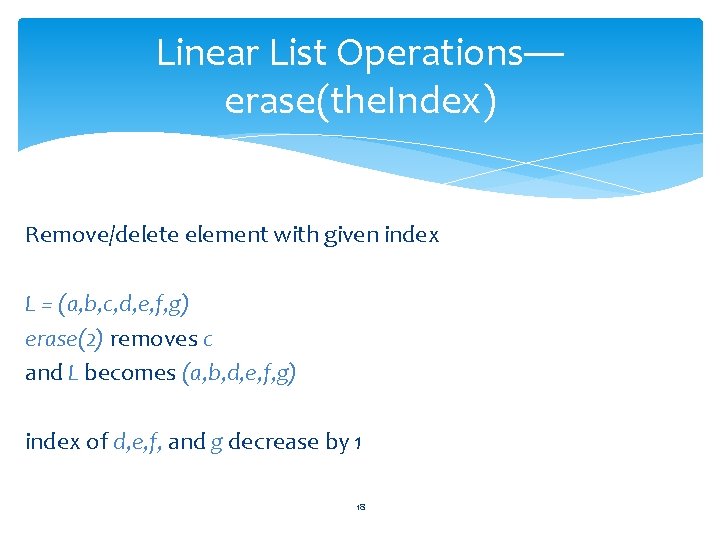
Linear List Operations— erase(the. Index) Remove/delete element with given index L = (a, b, c, d, e, f, g) erase(2) removes c and L becomes (a, b, d, e, f, g) index of d, e, f, and g decrease by 1 18
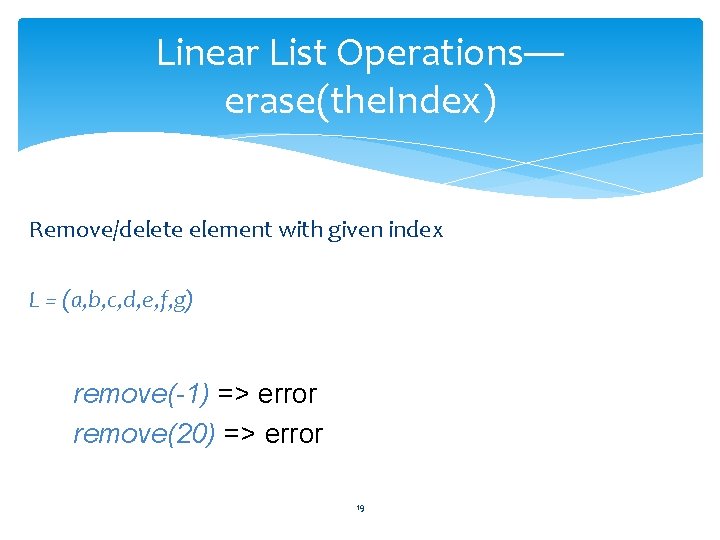
Linear List Operations— erase(the. Index) Remove/delete element with given index L = (a, b, c, d, e, f, g) remove(-1) => error remove(20) => error 19
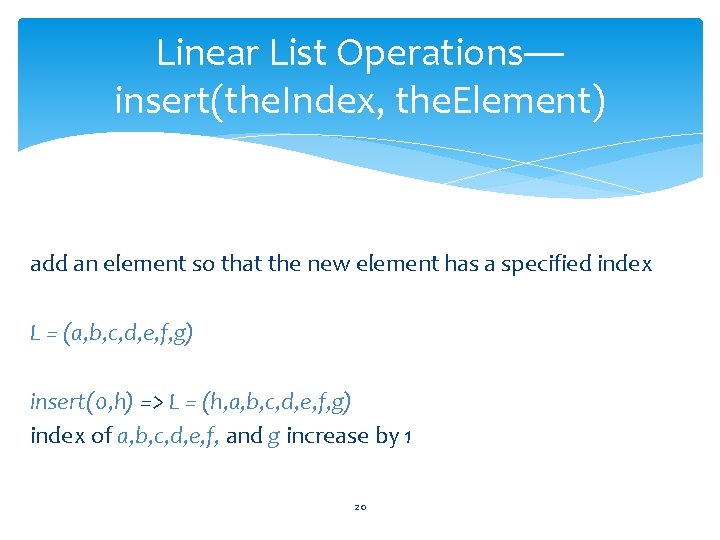
Linear List Operations— insert(the. Index, the. Element) add an element so that the new element has a specified index L = (a, b, c, d, e, f, g) insert(0, h) => L = (h, a, b, c, d, e, f, g) index of a, b, c, d, e, f, and g increase by 1 20
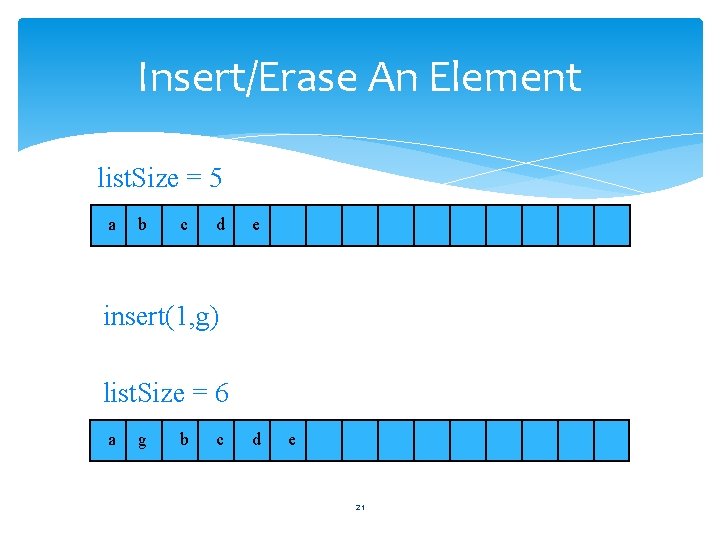
Insert/Erase An Element list. Size = 5 a b c d e insert(1, g) list. Size = 6 a g b c d e 21
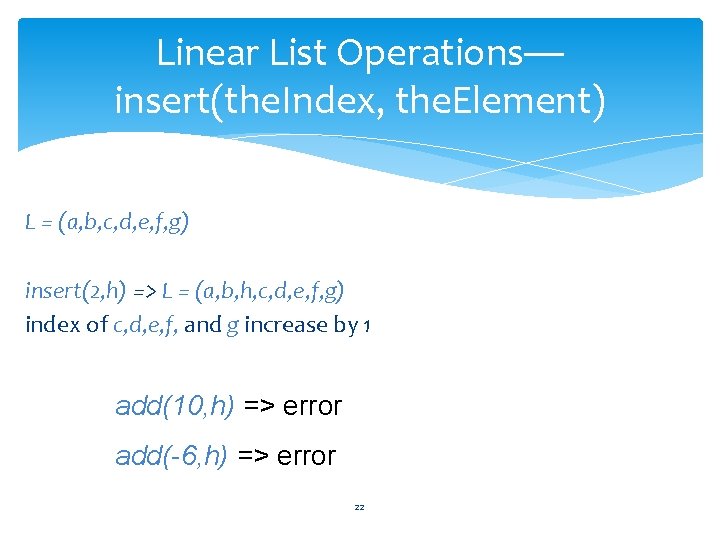
Linear List Operations— insert(the. Index, the. Element) L = (a, b, c, d, e, f, g) insert(2, h) => L = (a, b, h, c, d, e, f, g) index of c, d, e, f, and g increase by 1 add(10, h) => error add(-6, h) => error 22
![Length of Array element[] § Don’t know how many elements will be in list.](http://slidetodoc.com/presentation_image_h2/4b027cbe6bdd0e8b1d64588464141fd2/image-23.jpg "Length of Array element[] § Don’t know how many elements will be in list.")
Length of Array element[] § Don’t know how many elements will be in list. § Must pick an initial length and dynamically increase as needed. § Use variable array. Length to store current length of array element[].
![Increasing Array Length of array element[] is 6. a b c d e f](http://slidetodoc.com/presentation_image_h2/4b027cbe6bdd0e8b1d64588464141fd2/image-24.jpg "Increasing Array Length of array element[] is 6. a b c d e f")
Increasing Array Length of array element[] is 6. a b c d e f First create a new and larger array T* new. Array = new T[15];
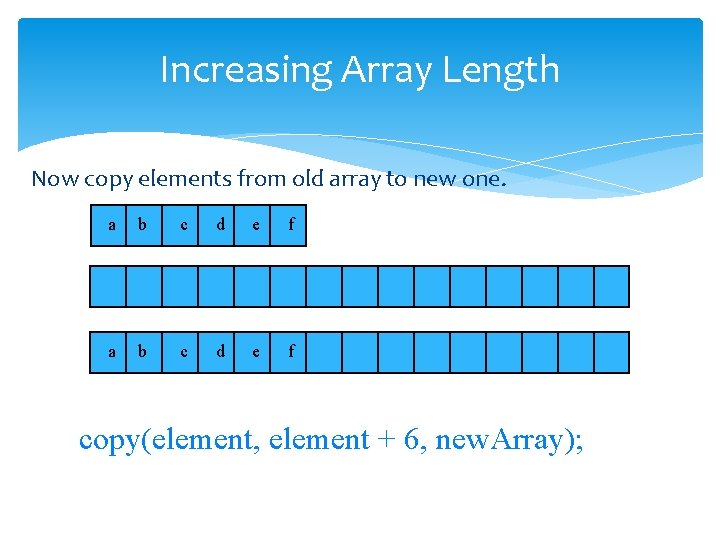
Increasing Array Length Now copy elements from old array to new one. a b c d e f copy(element, element + 6, new. Array);
![Increasing Array Length Finally, delete old array and rename new array. delete [] element;](http://slidetodoc.com/presentation_image_h2/4b027cbe6bdd0e8b1d64588464141fd2/image-26.jpg "Increasing Array Length Finally, delete old array and rename new array. delete [] element;")
Increasing Array Length Finally, delete old array and rename new array. delete [] element; element = new. Array; array. Length = 15; element[0] a b c d e f
How Big Should The New Array Be? § At least 1 more than current array length. § Cost of increasing array length when array is full is Q(old length). § Cost of n insert operations done on an initially empty linear list increases by Q(n 2).
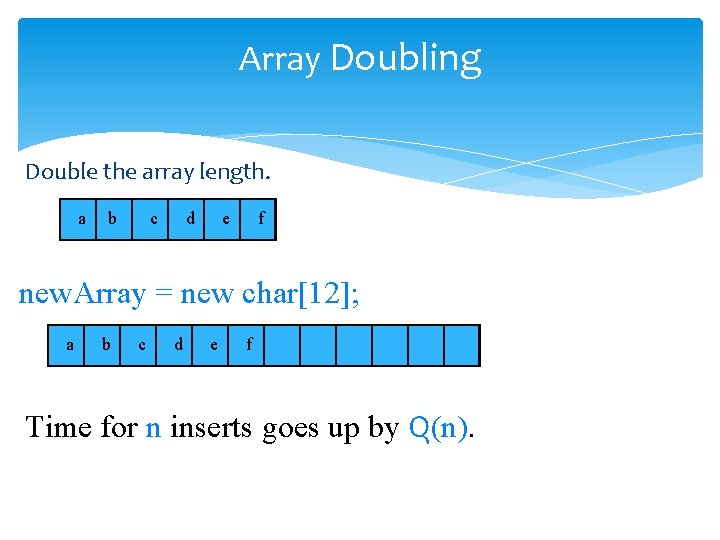
Array Doubling Double the array length. a b c d e f new. Array = new char[12]; a b c d e f Time for n inserts goes up by Q(n).
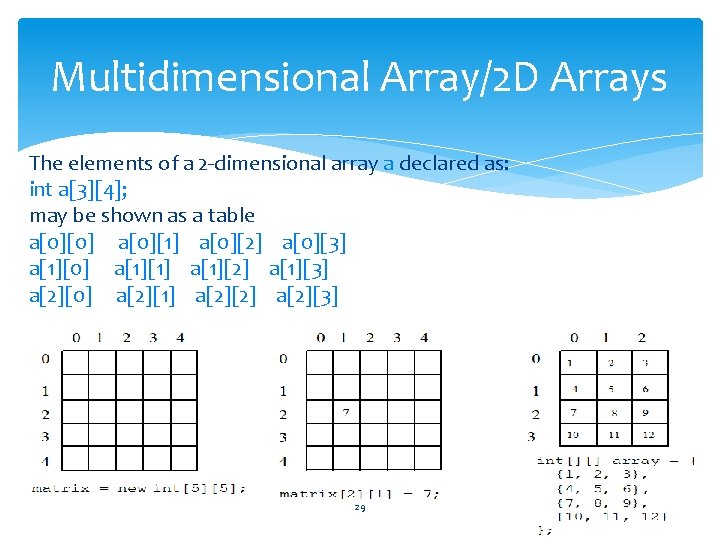
Multidimensional Array/2 D Arrays The elements of a 2 -dimensional array a declared as: int a[3][4]; may be shown as a table a[0][0] a[0][1] a[0][2] a[0][3] a[1][0] a[1][1] a[1][2] a[1][3] a[2][0] a[2][1] a[2][2] a[2][3] 29
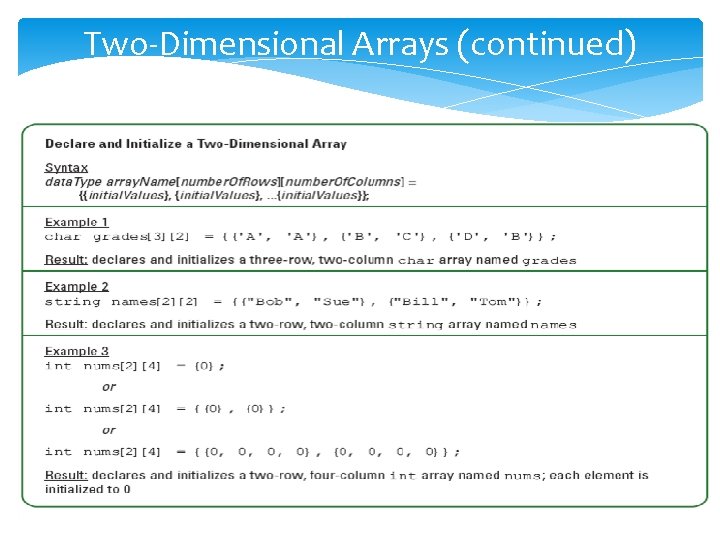
Two-Dimensional Arrays (continued) 30
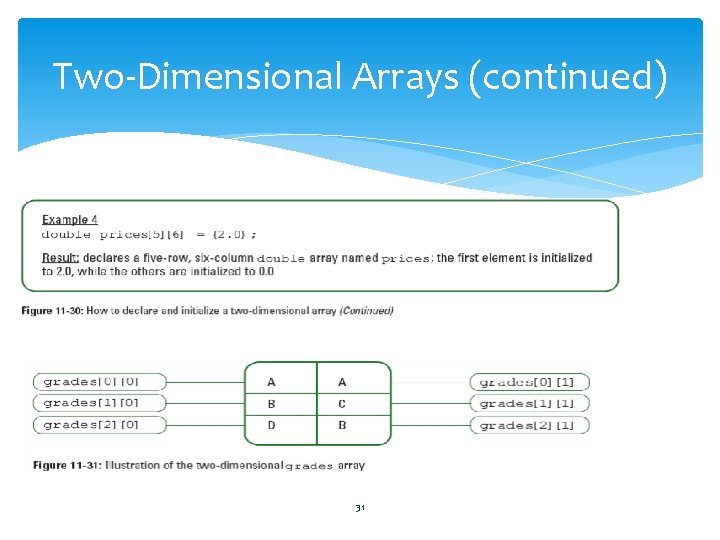
Two-Dimensional Arrays (continued) 31
![Rows Of A 2 D Array a[0][0] a[0][1] a[0][2] a[0][3] row 0 a[1][0] a[1][1]](http://slidetodoc.com/presentation_image_h2/4b027cbe6bdd0e8b1d64588464141fd2/image-32.jpg "Rows Of A 2 D Array a[0][0] a[0][1] a[0][2] a[0][3] row 0 a[1][0] a[1][1]")
Rows Of A 2 D Array a[0][0] a[0][1] a[0][2] a[0][3] row 0 a[1][0] a[1][1] a[1][2] a[1][3] row 1 a[2][0] a[2][1] a[2][2] a[2][3] row 2 32
![Columns Of A 2 D Array a[0][0] a[0][1] a[0][2] a[0][3] a[1][0] a[1][1] a[1][2] a[1][3]](http://slidetodoc.com/presentation_image_h2/4b027cbe6bdd0e8b1d64588464141fd2/image-33.jpg "Columns Of A 2 D Array a[0][0] a[0][1] a[0][2] a[0][3] a[1][0] a[1][1] a[1][2] a[1][3]")
Columns Of A 2 D Array a[0][0] a[0][1] a[0][2] a[0][3] a[1][0] a[1][1] a[1][2] a[1][3] a[2][0] a[2][1] a[2][2] a[2][3] column 0 column 1 column 2 column 3 33
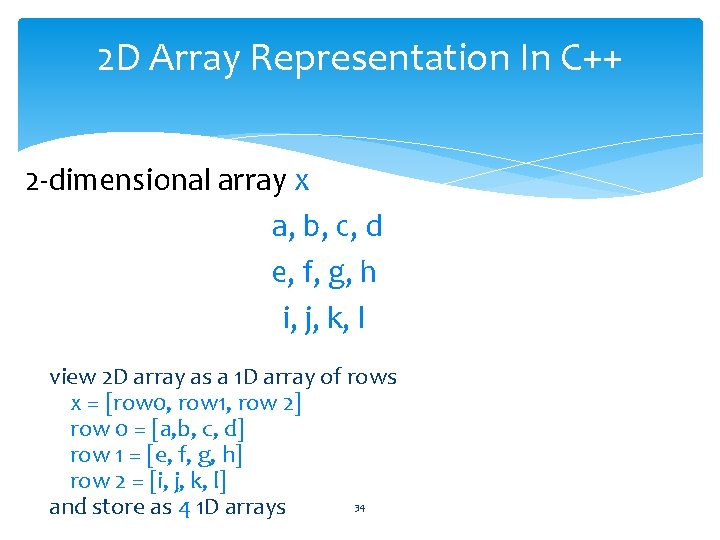
2 D Array Representation In C++ 2 -dimensional array x a, b, c, d e, f, g, h i, j, k, l view 2 D array as a 1 D array of rows x = [row 0, row 1, row 2] row 0 = [a, b, c, d] row 1 = [e, f, g, h] row 2 = [i, j, k, l] 34 and store as 4 1 D arrays
![2 D Array Representation In C++ x[] a b c d e f g](http://slidetodoc.com/presentation_image_h2/4b027cbe6bdd0e8b1d64588464141fd2/image-35.jpg "2 D Array Representation In C++ x[] a b c d e f g")
2 D Array Representation In C++ x[] a b c d e f g h i j k l 4 separate 1 -dimensional arrays x. length = 3 x[0]. length = x[1]. length = x[2]. length = 4 35
![Space Overhead x[] a b c d e f g h i j k](http://slidetodoc.com/presentation_image_h2/4b027cbe6bdd0e8b1d64588464141fd2/image-36.jpg "Space Overhead x[] a b c d e f g h i j k")
Space Overhead x[] a b c d e f g h i j k l space overhead = overhead for 4 1 D arrays = 4 * 8 bytes = 32 bytes = (number of rows +361) x 8 bytes
![Array Representation In C++ x[] a b c d e f g h i](http://slidetodoc.com/presentation_image_h2/4b027cbe6bdd0e8b1d64588464141fd2/image-37.jpg "Array Representation In C++ x[] a b c d e f g h i")
Array Representation In C++ x[] a b c d e f g h i j k l § This representation is called the array-of-arrays representation. § Requires contiguous memory of size 3, 4, 4, and 4 for the 4 1 D arrays. § 1 memory block of size number of rows and number of rows blocks of size number of columns 37
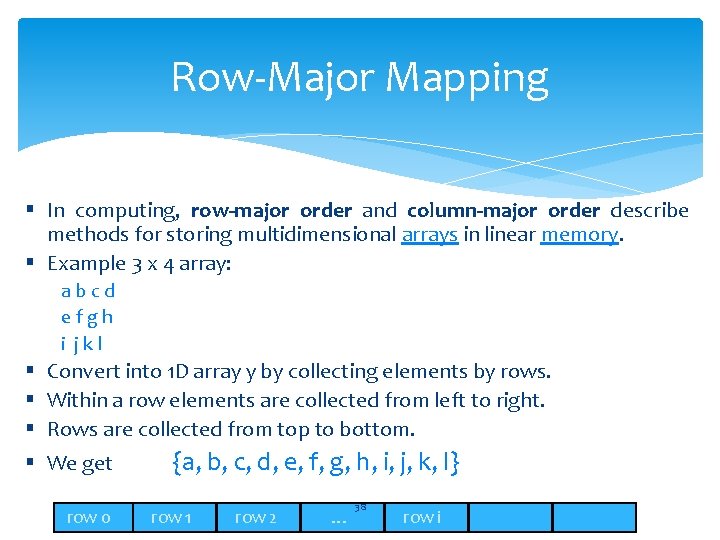
Row-Major Mapping § In computing, row-major order and column-major order describe methods for storing multidimensional arrays in linear memory. § Example 3 x 4 array: abcd efgh i jkl § § Convert into 1 D array y by collecting elements by rows. Within a row elements are collected from left to right. Rows are collected from top to bottom. We get y[] = {a, b, c, d, e, f, g, h, i, j, k, l} row 0 row 1 row 2 … 38 row i
![Locating Element x[i][j] 0 c row 0 § § § 2 c row 1](http://slidetodoc.com/presentation_image_h2/4b027cbe6bdd0e8b1d64588464141fd2/image-39.jpg "Locating Element x[i][j] 0 c row 0 § § § 2 c row 1")
Locating Element x[i][j] 0 c row 0 § § § 2 c row 1 3 c row 2 ic … row i assume x has r rows and c columns each row has c elements i rows to the left of row i so ic elements to the left of x[i][0] so x[i][j] is mapped to position ic + j of the 1 D array 39
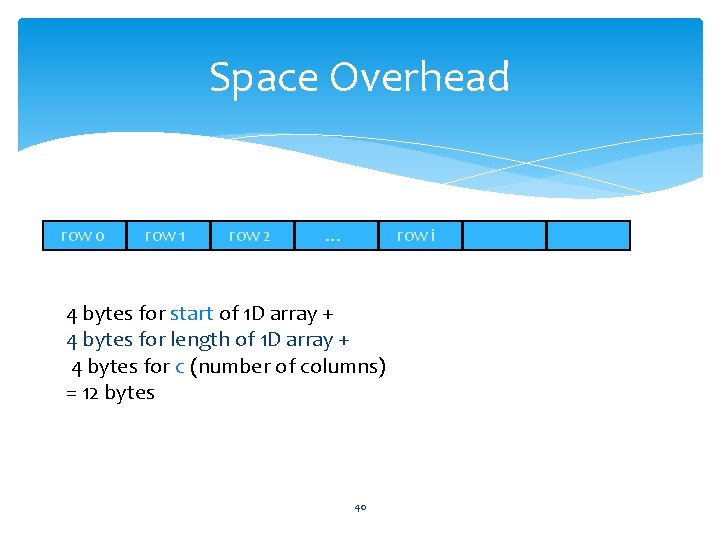
Space Overhead row 0 row 1 row 2 … row i 4 bytes for start of 1 D array + 4 bytes for length of 1 D array + 4 bytes for c (number of columns) = 12 bytes 40
Disadvantage § Need contiguous memory of size rc. 41
Column-Major Mapping abcd efgh i jkl § § Convert into 1 D array y by collecting elements by columns. Within a column elements are collected from top to bottom. Columns are collected from left to right. We get y = {a, e, i, b, f, j, c, g, k, d, h, l} 42
Searching Arrays, Linear/binary search Ø Searching is the process of looking for a specific element in an array; for example, discovering whether a certain score is included in a list of scores. Searching, like sorting, is a common task in computer programming. Ø There are many algorithms and data structures devoted to searching. In this section, two commonly used approaches are 43 discussed, linear search and binary search.
- Slides: 43