
Arrays in c Homogeneous Collection of Data For
![Array Initialisation �int num[6] = { 2, 4, 12, 5, 45, 5 } ;](https://slidetodoc.com/presentation_image_h2/d0f4aa23523d7f44715fe20084755582/image-8.jpg "Array Initialisation �int num[6] = { 2, 4, 12, 5, 45, 5 } ;")
![Array Elements in Memory � Consider the following array declaration: int arr[8] ; �](https://slidetodoc.com/presentation_image_h2/d0f4aa23523d7f44715fe20084755582/image-9.jpg "Array Elements in Memory � Consider the following array declaration: int arr[8] ; �")
![arr[0]=12, arr[1]=34, arr[2]=66……….](https://slidetodoc.com/presentation_image_h2/d0f4aa23523d7f44715fe20084755582/image-10.jpg "arr[0]=12, arr[1]=34, arr[2]=66……….")
![�char name[ ] = "HAESLER" ; �Note that, in this declaration ‘’ is not](https://slidetodoc.com/presentation_image_h2/d0f4aa23523d7f44715fe20084755582/image-18.jpg "�char name[ ] = \"HAESLER\" ; �Note that, in this declaration ‘’ is not")
![main( ) { char name[ ] = "Klinsman" ; int i = 0 ;](https://slidetodoc.com/presentation_image_h2/d0f4aa23523d7f44715fe20084755582/image-19.jpg "main( ) { char name[ ] = \"Klinsman\" ; int i = 0 ;")
![main( ) { char name[ ] = "Klinsman" ; int i = 0 ;](https://slidetodoc.com/presentation_image_h2/d0f4aa23523d7f44715fe20084755582/image-20.jpg "main( ) { char name[ ] = \"Klinsman\" ; int i = 0 ;")
![�main( ) { char name[ ] = "Klinsman" ; printf ( "%s", name )](https://slidetodoc.com/presentation_image_h2/d0f4aa23523d7f44715fe20084755582/image-21.jpg "�main( ) { char name[ ] = \"Klinsman\" ; printf ( \"%s\", name )")
![main( ) { char name[25] ; printf ( "Enter your name " ) ;](https://slidetodoc.com/presentation_image_h2/d0f4aa23523d7f44715fe20084755582/image-22.jpg "main( ) { char name[25] ; printf ( \"Enter your name \" ) ;")
![�Note that the declaration char name[25] sets aside 25 bytes under the array name[](https://slidetodoc.com/presentation_image_h2/d0f4aa23523d7f44715fe20084755582/image-23.jpg "�Note that the declaration char name[25] sets aside 25 bytes under the array name[")
![�main( ) { char name[25] ; printf ( "Enter your full name " )](https://slidetodoc.com/presentation_image_h2/d0f4aa23523d7f44715fe20084755582/image-26.jpg "�main( ) { char name[25] ; printf ( \"Enter your full name \" )")
![Array of Pointers main( ) { int *arr[4] ; /* array of integer pointers](https://slidetodoc.com/presentation_image_h2/d0f4aa23523d7f44715fe20084755582/image-27.jpg "Array of Pointers main( ) { int *arr[4] ; /* array of integer pointers")
![main( ) { char source[ ] = “hai" ; char target[20] ; strcpy (](https://slidetodoc.com/presentation_image_h2/d0f4aa23523d7f44715fe20084755582/image-39.jpg "main( ) { char source[ ] = “hai\" ; char target[20] ; strcpy (")
![main( ) { char string 1[ ] = "Jerry" ; char string 2[ ]](https://slidetodoc.com/presentation_image_h2/d0f4aa23523d7f44715fe20084755582/image-43.jpg "main( ) { char string 1[ ] = \"Jerry\" ; char string 2[ ]")
- Slides: 44
Arrays in c Homogeneous Collection of Data
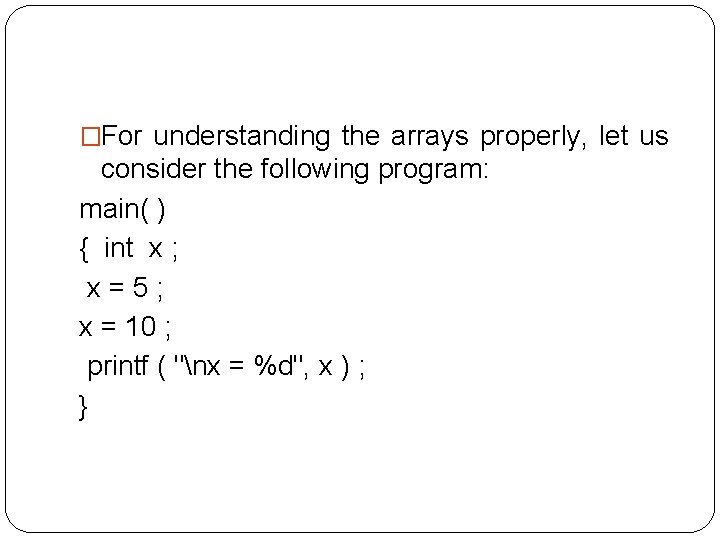
�For understanding the arrays properly, let us consider the following program: main( ) { int x ; x=5; x = 10 ; printf ( "nx = %d", x ) ; }
�No doubt, this program will print the value of x as 10. Why so? Because when a value 10 is assigned to x, the earlier value of x, i. e. 5, is lost. �Thus, ordinary variables (the ones which we have used so far) are capable of holding only one value at a time (as in the above example). �However, there are situations in which we would want to store more than one value at a time in a single variable.
�For example, suppose we wish to arrange the percentage marks obtained by 100 students in ascending order. In such a case we have two options to store these marks in memory: �Construct 100 variables to store percentage marks obtained by 100 different students, i. e. each variable containing one student’s marks. �Construct one variable (called array or subscripted variable) capable of storing or holding all the hundred values.
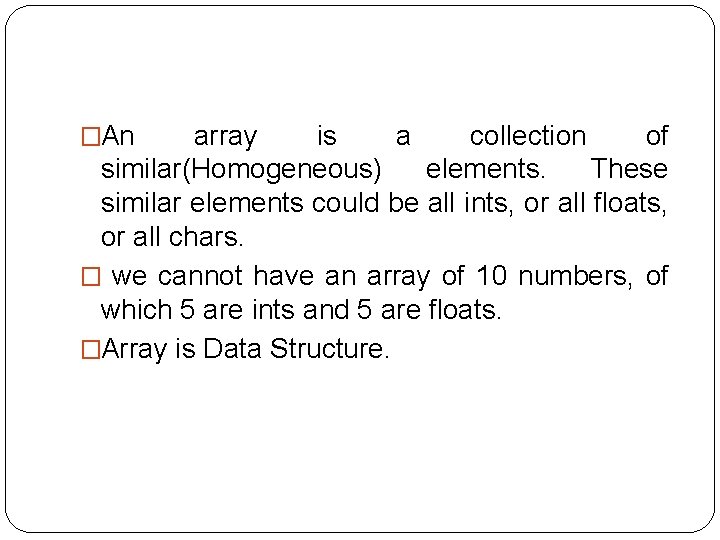
�An array is a collection of similar(Homogeneous) elements. These similar elements could be all ints, or all floats, or all chars. � we cannot have an array of 10 numbers, of which 5 are ints and 5 are floats. �Array is Data Structure.
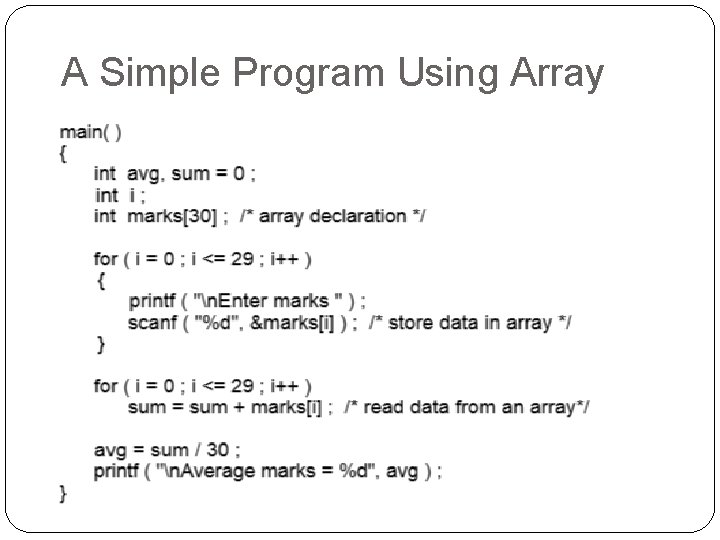
A Simple Program Using Array
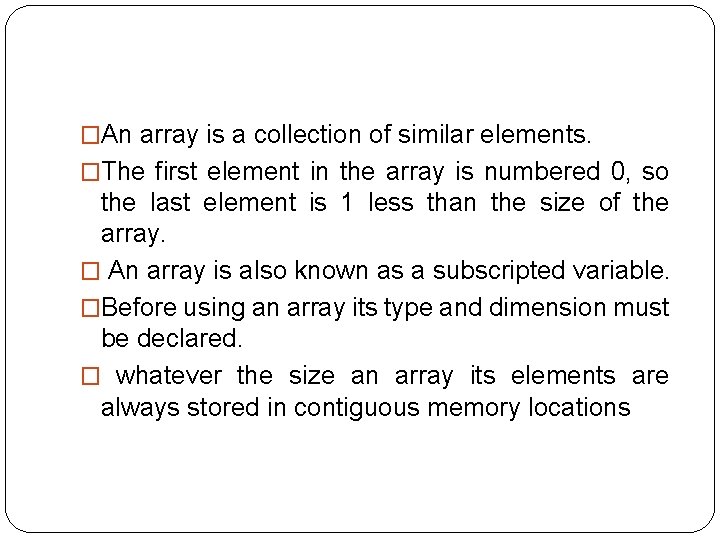
�An array is a collection of similar elements. �The first element in the array is numbered 0, so the last element is 1 less than the size of the array. � An array is also known as a subscripted variable. �Before using an array its type and dimension must be declared. � whatever the size an array its elements are always stored in contiguous memory locations
Array Initialisation �int num[6] = { 2, 4, 12, 5, 45, 5 } ; � int n[ ] = { 2, 4, 12, 5, 45, 5 } ; �float press[ ] = { 12. 3, 34. 2 -23. 4, -11. 3 } ;
Array Elements in Memory � Consider the following array declaration: int arr[8] ; � What happens in memory when we make this declaration? � 16 bytes get immediately reserved in memory, 2 bytes each for the 8 integers. � And since the array is not being initialized, all eight values present in it would be garbage values. � This so happens because the storage class of this array is assumed to be auto. � If the storage class is declared to be static then all the array elements would have a default initial value as zero. � Whatever be the initial values, all the array elements would always be present in contiguous memory locations
arr[0]=12, arr[1]=34, arr[2]=66……….
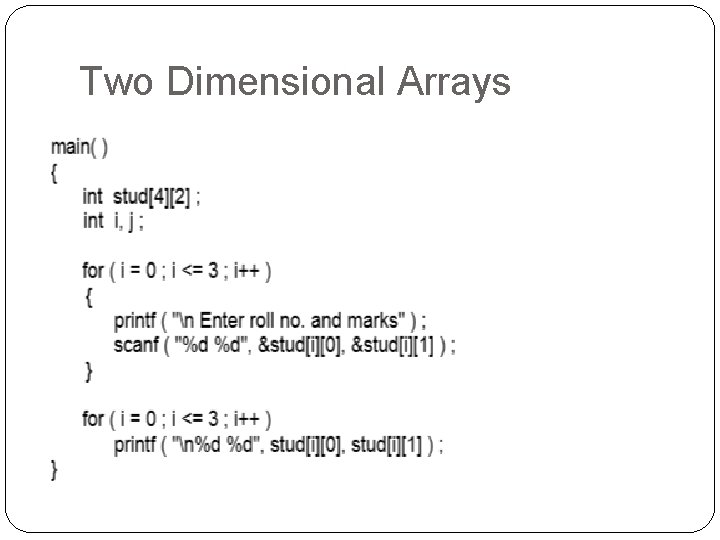
Two Dimensional Arrays
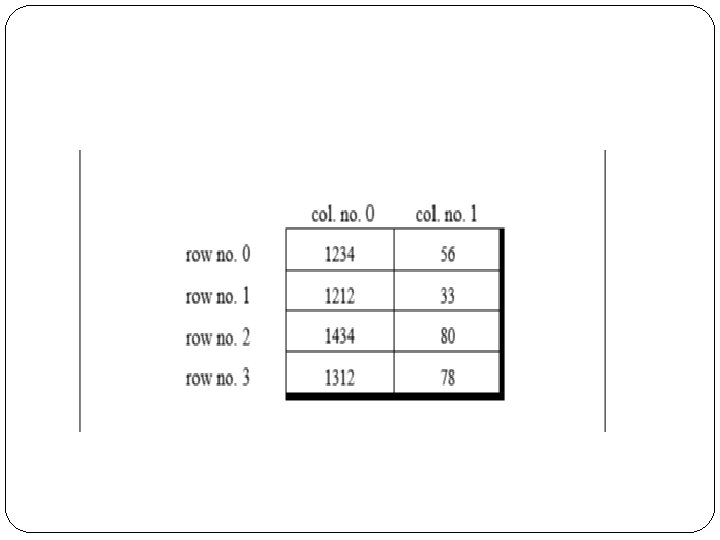
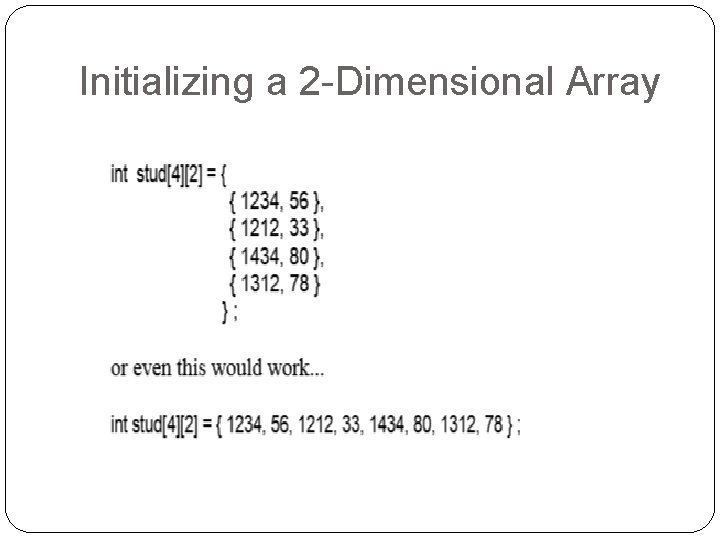
Initializing a 2 -Dimensional Array
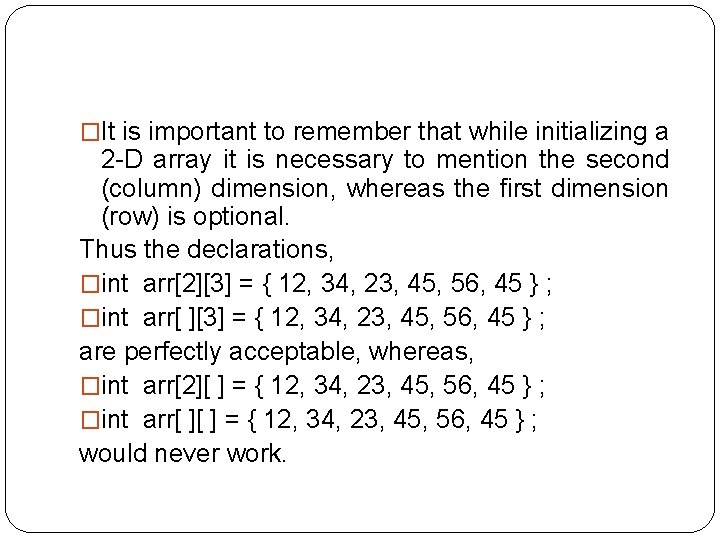
�It is important to remember that while initializing a 2 -D array it is necessary to mention the second (column) dimension, whereas the first dimension (row) is optional. Thus the declarations, �int arr[2][3] = { 12, 34, 23, 45, 56, 45 } ; �int arr[ ][3] = { 12, 34, 23, 45, 56, 45 } ; are perfectly acceptable, whereas, �int arr[2][ ] = { 12, 34, 23, 45, 56, 45 } ; �int arr[ ][ ] = { 12, 34, 23, 45, 56, 45 } ; would never work.
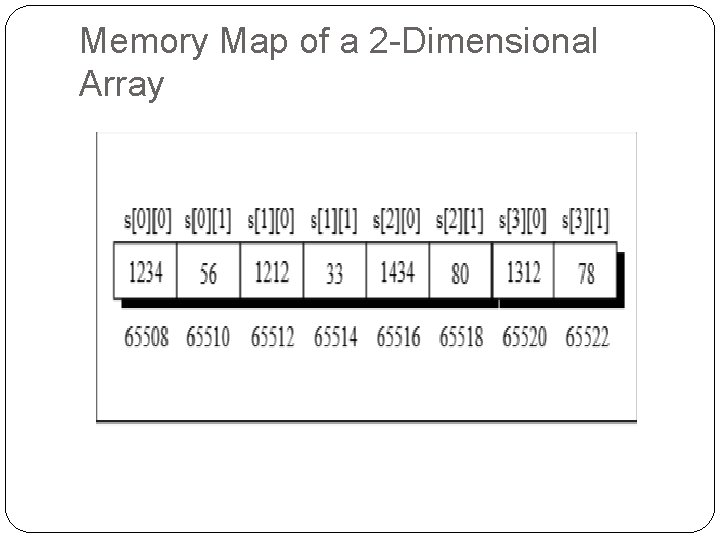
Memory Map of a 2 -Dimensional Array
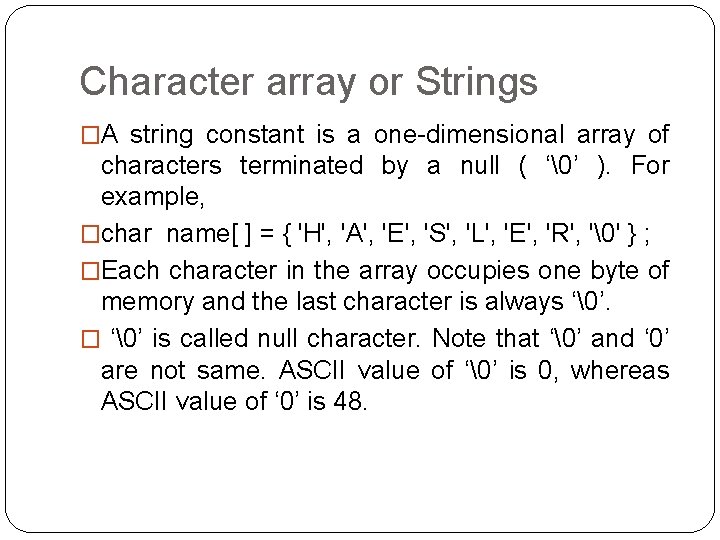
Character array or Strings �A string constant is a one-dimensional array of characters terminated by a null ( ‘’ ). For example, �char name[ ] = { 'H', 'A', 'E', 'S', 'L', 'E', 'R', '' } ; �Each character in the array occupies one byte of memory and the last character is always ‘’. � ‘’ is called null character. Note that ‘’ and ‘ 0’ are not same. ASCII value of ‘’ is 0, whereas ASCII value of ‘ 0’ is 48.
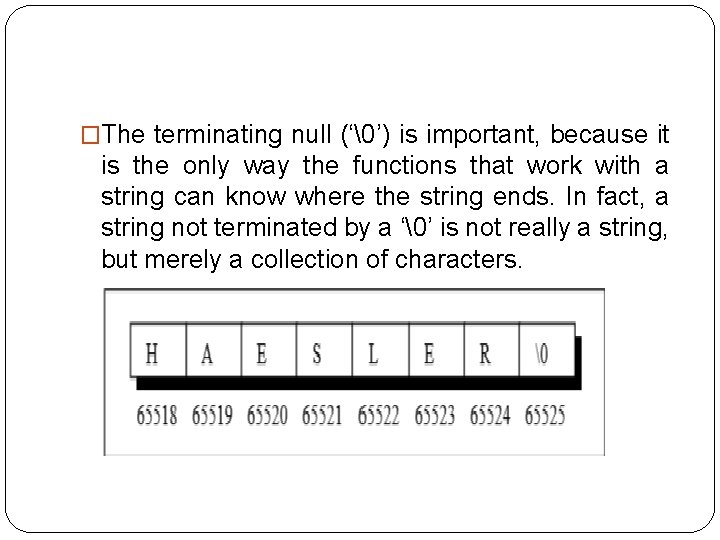
�The terminating null (‘’) is important, because it is the only way the functions that work with a string can know where the string ends. In fact, a string not terminated by a ‘’ is not really a string, but merely a collection of characters.
�char name[ ] = "HAESLER" ; �Note that, in this declaration ‘’ is not necessary. C inserts the null character automatically.
main( ) { char name[ ] = "Klinsman" ; int i = 0 ; while ( i <= 7 ) { printf ( "%c", name[i] ) ; i++ ; } }
main( ) { char name[ ] = "Klinsman" ; int i = 0 ; while ( name[i] != `' ) { printf ( "%c", name[i] ) ; i++ ; } }
�main( ) { char name[ ] = "Klinsman" ; printf ( "%s", name ) ; } The %s used in printf( ) is a format specification for printing out a string.
main( ) { char name[25] ; printf ( "Enter your name " ) ; scanf ( "%s", name ) ; printf ( "Hello %s!", name ) ; }
�Note that the declaration char name[25] sets aside 25 bytes under the array name[ ], whereas the scanf( ) function fills in the characters typed at keyboard into this array until the enter key is hit. Once enter is hit, scanf( ) places a ‘’ in the array. Naturally, we should pass the base address of the array to the scanf( ) function
�The length of the string should not exceed the dimension of the character array. This is because the C compiler doesn’t perform bounds checking on character arrays. Hence, if you carelessly exceed the bounds there is always a danger of overwriting something important, and in that event, you would have nobody to blame but yourselves.
�scanf( ) is not capable of receiving multi-word strings. Therefore names such as ‘Debashish Roy’ would be unacceptable. The way to get around this limitation is by using the function gets( ). The usage of functions gets( ) and its counterpart puts( ) is shown below
�main( ) { char name[25] ; printf ( "Enter your full name " ) ; gets ( name ) ; puts ( "Hello!" ) ; puts ( name ) ; }
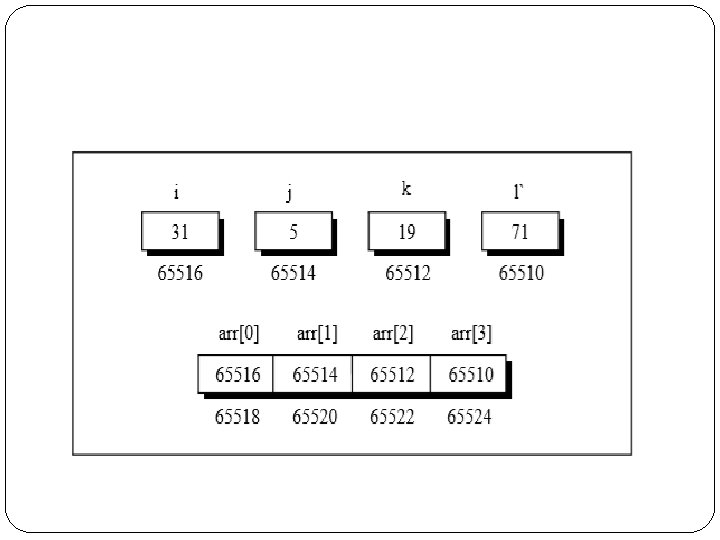
Array of Pointers main( ) { int *arr[4] ; /* array of integer pointers */ int i = 31, j = 5, k = 19, l = 71, m ; arr[0] = &i ; arr[1] = &j ; arr[2] = &k ; arr[3] = &l ; for ( m = 0 ; m <= 3 ; m++ ) printf ( "%d ", * ( arr[m] ) ) ; }
Programs �Write a C Program to calculate 1) Minimum and Maximum of an 1 - array 2) Sorting an array 3) Searching an array
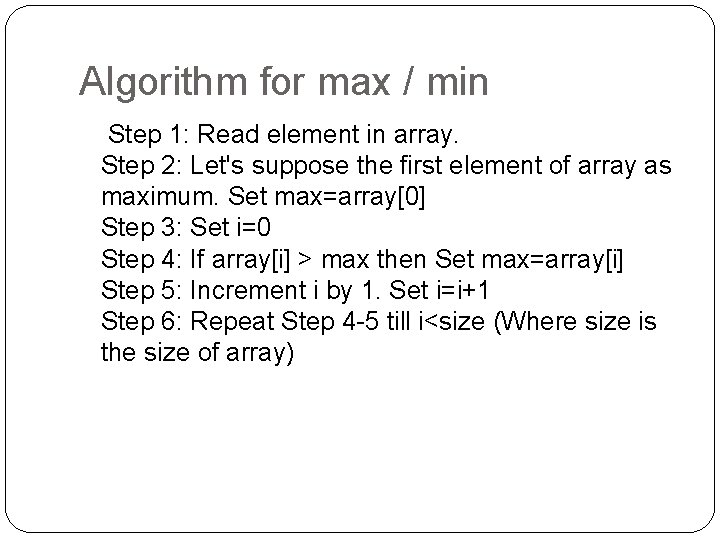
Algorithm for max / min Step 1: Read element in array. Step 2: Let's suppose the first element of array as maximum. Set max=array[0] Step 3: Set i=0 Step 4: If array[i] > max then Set max=array[i] Step 5: Increment i by 1. Set i=i+1 Step 6: Repeat Step 4 -5 till i<size (Where size is the size of array)
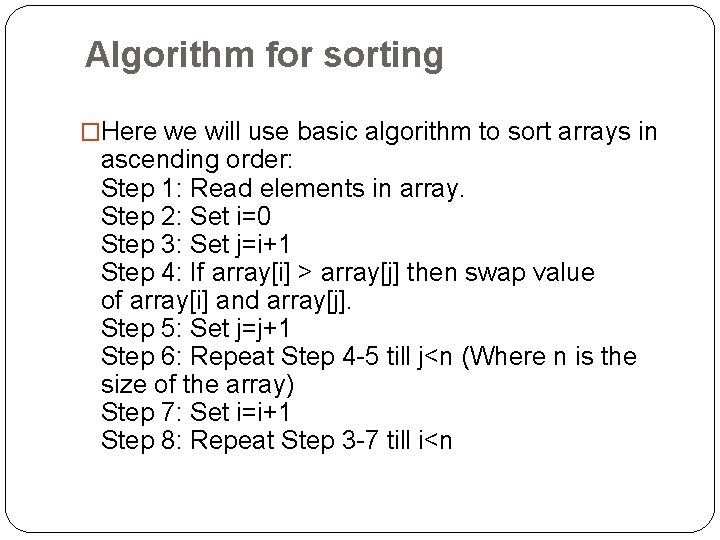
Algorithm for sorting �Here we will use basic algorithm to sort arrays in ascending order: Step 1: Read elements in array. Step 2: Set i=0 Step 3: Set j=i+1 Step 4: If array[i] > array[j] then swap value of array[i] and array[j]. Step 5: Set j=j+1 Step 6: Repeat Step 4 -5 till j<n (Where n is the size of the array) Step 7: Set i=i+1 Step 8: Repeat Step 3 -7 till i<n
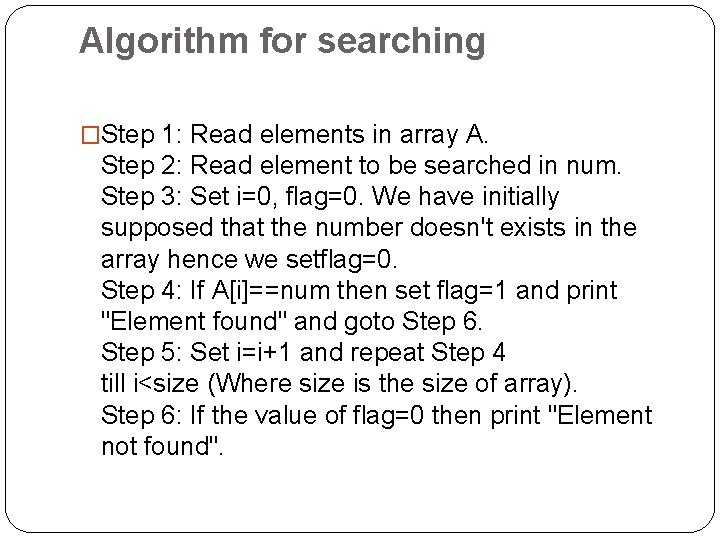
Algorithm for searching �Step 1: Read elements in array A. Step 2: Read element to be searched in num. Step 3: Set i=0, flag=0. We have initially supposed that the number doesn't exists in the array hence we setflag=0. Step 4: If A[i]==num then set flag=1 and print "Element found" and goto Step 6. Step 5: Set i=i+1 and repeat Step 4 till i<size (Where size is the size of array). Step 6: If the value of flag=0 then print "Element not found".
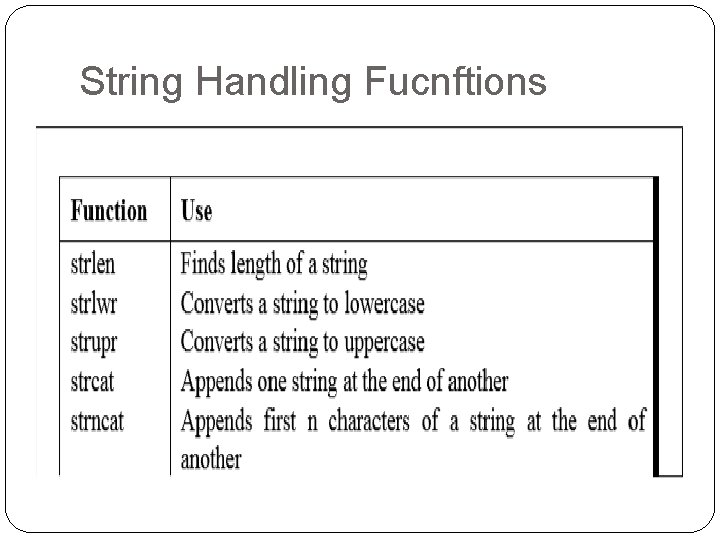
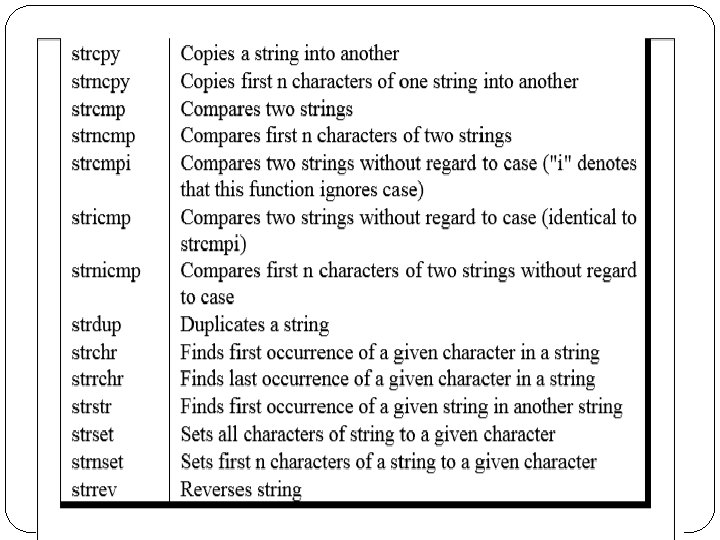
String Handling Fucnftions
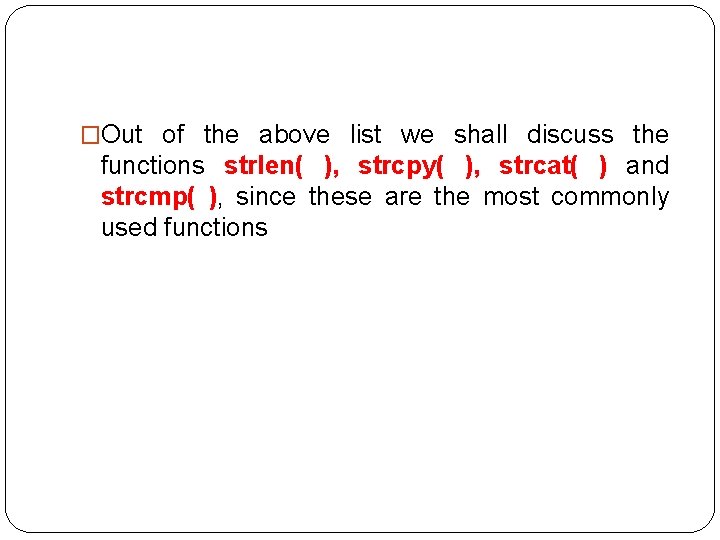
�Out of the above list we shall discuss the functions strlen( ), strcpy( ), strcat( ) and strcmp( ), since these are the most commonly used functions
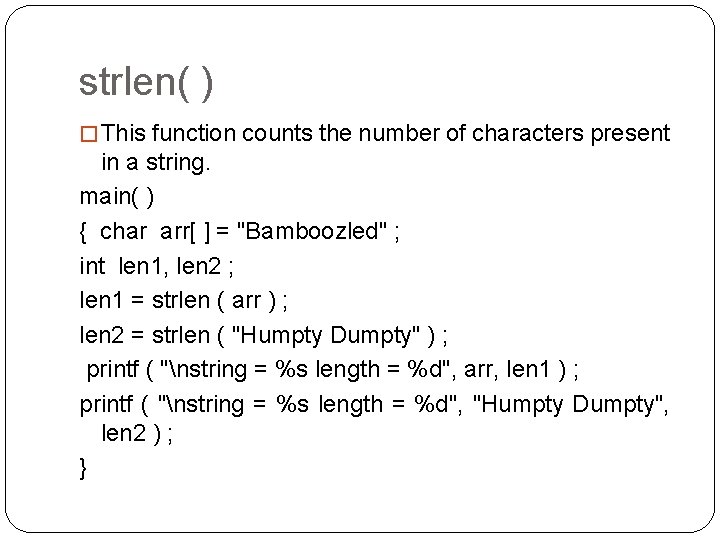
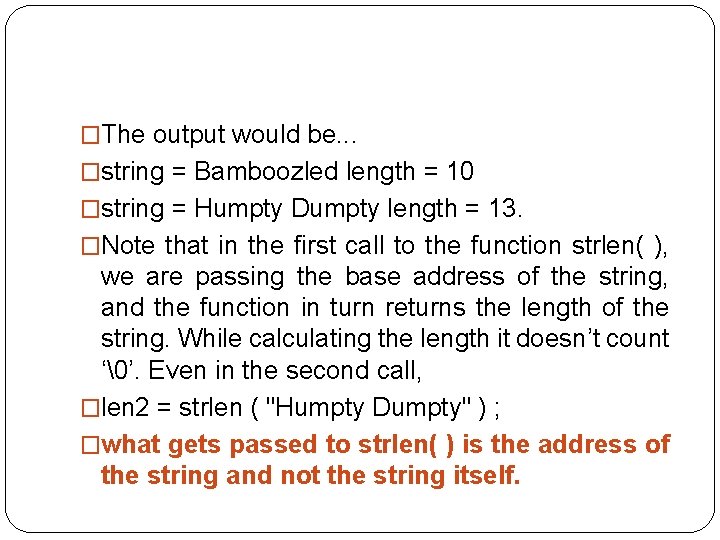
strlen( ) � This function counts the number of characters present in a string. main( ) { char arr[ ] = "Bamboozled" ; int len 1, len 2 ; len 1 = strlen ( arr ) ; len 2 = strlen ( "Humpty Dumpty" ) ; printf ( "nstring = %s length = %d", arr, len 1 ) ; printf ( "nstring = %s length = %d", "Humpty Dumpty", len 2 ) ; }
�The output would be. . . �string = Bamboozled length = 10 �string = Humpty Dumpty length = 13. �Note that in the first call to the function strlen( ), we are passing the base address of the string, and the function in turn returns the length of the string. While calculating the length it doesn’t count ‘’. Even in the second call, �len 2 = strlen ( "Humpty Dumpty" ) ; �what gets passed to strlen( ) is the address of the string and not the string itself.
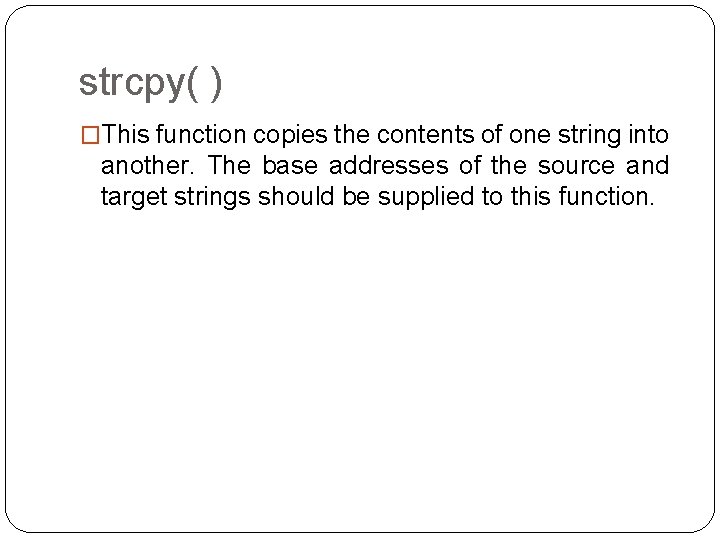
strcpy( ) �This function copies the contents of one string into another. The base addresses of the source and target strings should be supplied to this function.
main( ) { char source[ ] = “hai" ; char target[20] ; strcpy ( target, source ) ; printf ( "nsource string = %s", source ) ; printf ( "ntarget string = %s", target ) ; }
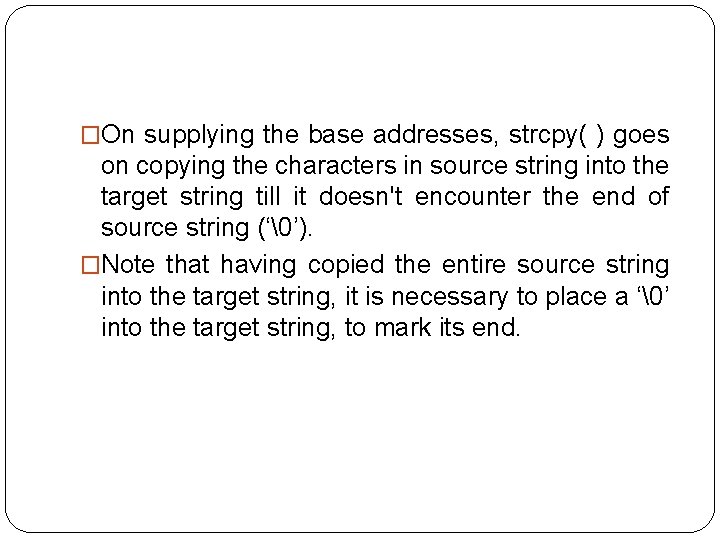
�On supplying the base addresses, strcpy( ) goes on copying the characters in source string into the target string till it doesn't encounter the end of source string (‘’). �Note that having copied the entire source string into the target string, it is necessary to place a ‘’ into the target string, to mark its end.
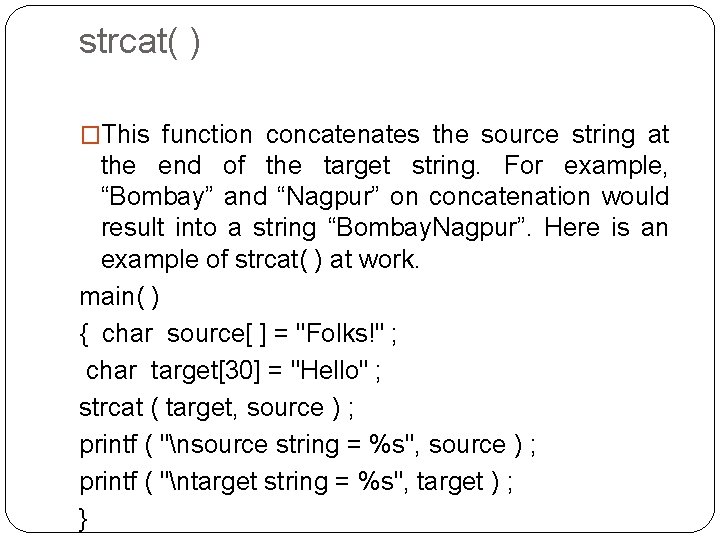
strcat( ) �This function concatenates the source string at the end of the target string. For example, “Bombay” and “Nagpur” on concatenation would result into a string “Bombay. Nagpur”. Here is an example of strcat( ) at work. main( ) { char source[ ] = "Folks!" ; char target[30] = "Hello" ; strcat ( target, source ) ; printf ( "nsource string = %s", source ) ; printf ( "ntarget string = %s", target ) ; }
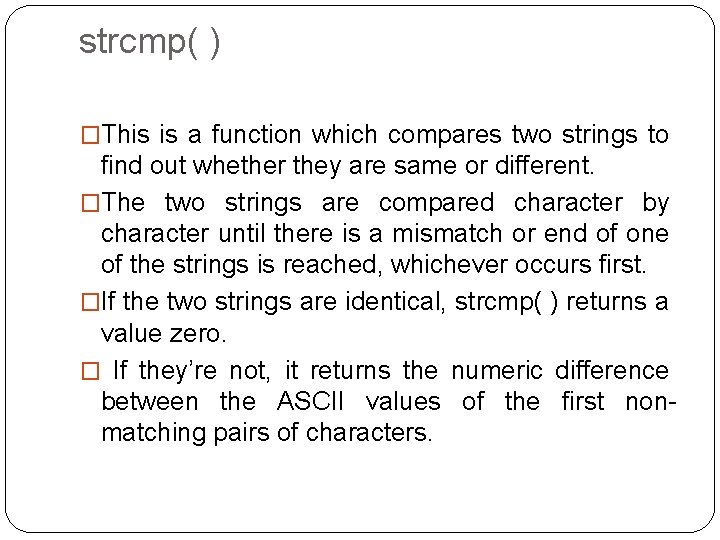
strcmp( ) �This is a function which compares two strings to find out whether they are same or different. �The two strings are compared character by character until there is a mismatch or end of one of the strings is reached, whichever occurs first. �If the two strings are identical, strcmp( ) returns a value zero. � If they’re not, it returns the numeric difference between the ASCII values of the first nonmatching pairs of characters.
main( ) { char string 1[ ] = "Jerry" ; char string 2[ ] = "Ferry" ; int i, j, k ; i = strcmp ( string 1, "Jerry" ) ; j = strcmp ( string 1, string 2 ) ; k = strcmp ( string 1, "Jerry boy" ) ; printf ( "n%d %d %d", i, j, k ) ; } � And here is the output. . . � 0 4 -32
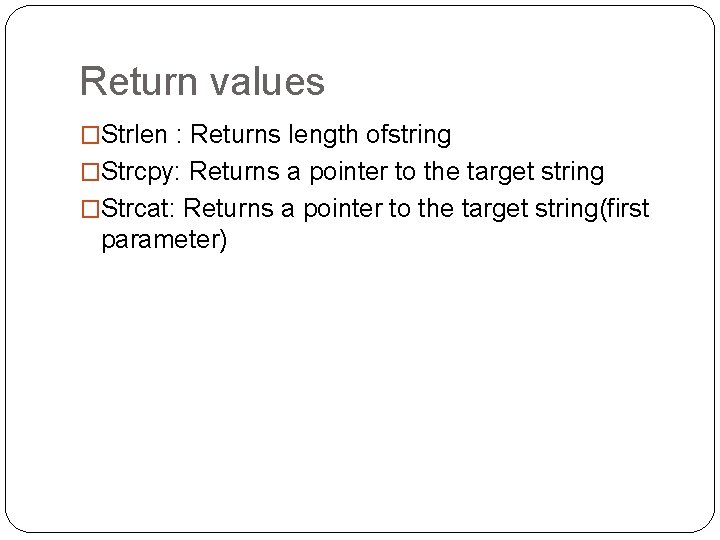
Return values �Strlen : Returns length ofstring �Strcpy: Returns a pointer to the target string �Strcat: Returns a pointer to the target string(first parameter)