
Arrays Can we solve this problem Consider the
Arrays
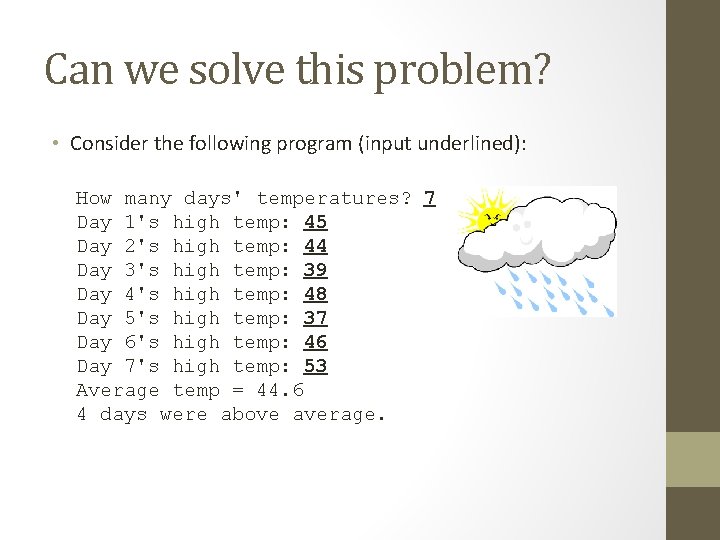
Can we solve this problem? • Consider the following program (input underlined): How many days' temperatures? 7 Day 1's high temp: 45 Day 2's high temp: 44 Day 3's high temp: 39 Day 4's high temp: 48 Day 5's high temp: 37 Day 6's high temp: 46 Day 7's high temp: 53 Average temp = 44. 6 4 days were above average.
Why the problem is hard • We need each input value twice: • to compute the average (a cumulative sum) • to count how many were above average • We could read each value into a variable. . . but we: • don't know how many days are needed until the program runs • don't know how many variables to declare • We need a way to declare many variables in one step.
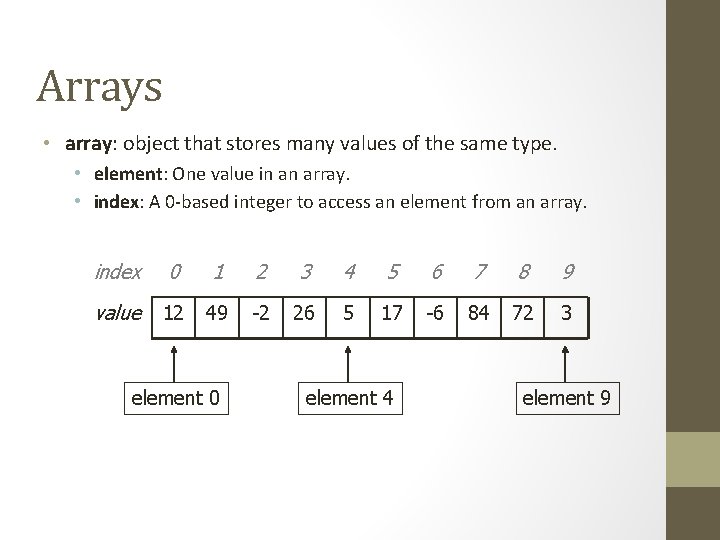
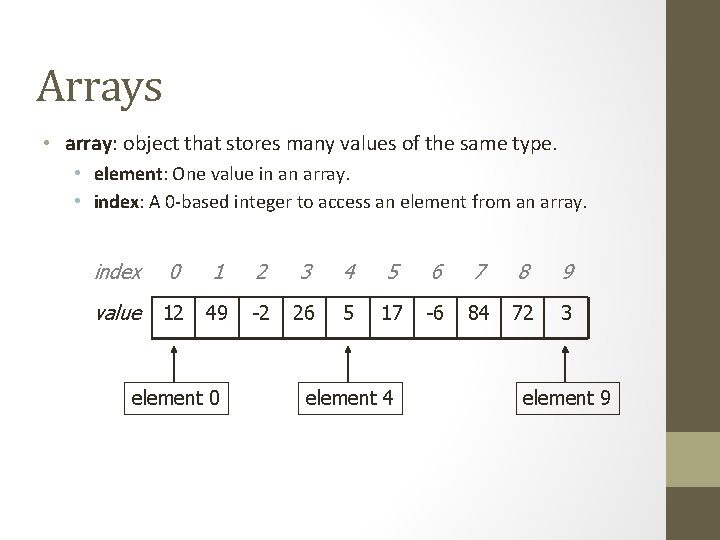
Arrays • array: object that stores many values of the same type. • element: One value in an array. • index: A 0 -based integer to access an element from an array. index 0 1 2 3 4 5 6 7 8 9 value 12 49 -2 26 5 17 -6 84 72 3 element 0 element 4 element 9
![Array declaration type[] name = new type[length]; • Example: int[] numbers = new int[10];](http://slidetodoc.com/presentation_image_h2/7d0a0fe8a6da6c6163c1bd531a393dd9/image-5.jpg "Array declaration type[] name = new type[length]; • Example: int[] numbers = new int[10];")
Array declaration type[] name = new type[length]; • Example: int[] numbers = new int[10]; index 0 1 2 3 4 5 6 7 8 9 value 0 0 0 0 0
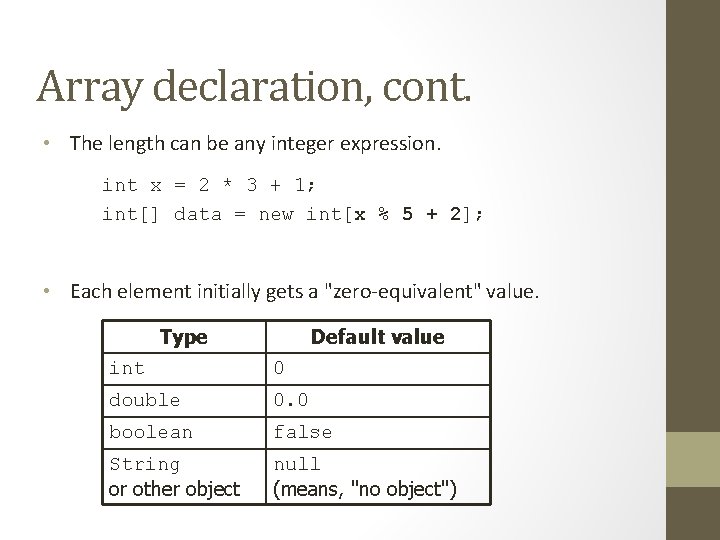
Array declaration, cont. • The length can be any integer expression. int x = 2 * 3 + 1; int[] data = new int[x % 5 + 2]; • Each element initially gets a "zero-equivalent" value. Type Default value int 0 double 0. 0 boolean false String or other object null (means, "no object")
![Accessing elements name[index] = value; // access // modify • Example: numbers[0] = 27;](http://slidetodoc.com/presentation_image_h2/7d0a0fe8a6da6c6163c1bd531a393dd9/image-7.jpg "Accessing elements name[index] = value; // access // modify • Example: numbers[0] = 27;")
Accessing elements name[index] = value; // access // modify • Example: numbers[0] = 27; numbers[3] = -6; System. out. println(numbers[0]); if (numbers[3] < 0) { System. out. println("Element 3 is negative. "); } index 0 value 27 0 1 2 3 4 5 6 7 8 9 0 0 -6 0 0 0 0
![Arrays of other types double[] results = new double[5]; results[2] = 3. 4; results[4]](http://slidetodoc.com/presentation_image_h2/7d0a0fe8a6da6c6163c1bd531a393dd9/image-8.jpg "Arrays of other types double[] results = new double[5]; results[2] = 3. 4; results[4]")
Arrays of other types double[] results = new double[5]; results[2] = 3. 4; results[4] = -0. 5; index 0 1 2 3 4 value 0. 0 3. 4 0. 0 -0. 5 boolean[] tests = new boolean[6]; tests[3] = true; index 0 1 2 3 4 5 value false true false
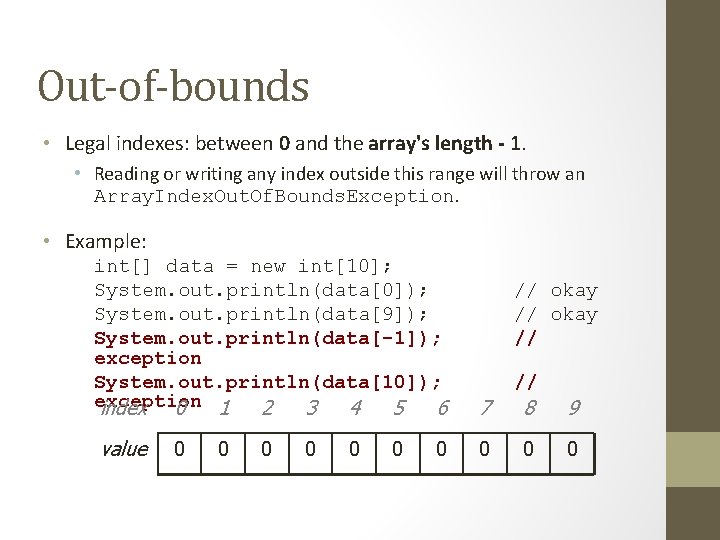
Out-of-bounds • Legal indexes: between 0 and the array's length - 1. • Reading or writing any index outside this range will throw an Array. Index. Out. Of. Bounds. Exception. • Example: int[] data = new int[10]; System. out. println(data[0]); System. out. println(data[9]); System. out. println(data[-1]); exception System. out. println(data[10]); exception index 0 1 2 3 4 5 6 value 0 0 0 0 // okay // // 7 8 9 0 0 0
![Accessing array elements int[] numbers = new int[8]; numbers[1] = 3; numbers[4] = 99;](http://slidetodoc.com/presentation_image_h2/7d0a0fe8a6da6c6163c1bd531a393dd9/image-10.jpg "Accessing array elements int[] numbers = new int[8]; numbers[1] = 3; numbers[4] = 99;")
Accessing array elements int[] numbers = new int[8]; numbers[1] = 3; numbers[4] = 99; numbers[6] = 2; int x = numbers[1]; numbers[x] = 42; numbers[6]] = 11; // use numbers[6] as index x 3 numbers index 0 1 2 3 4 5 6 7 value 0 4 11 42 99 0 2 0
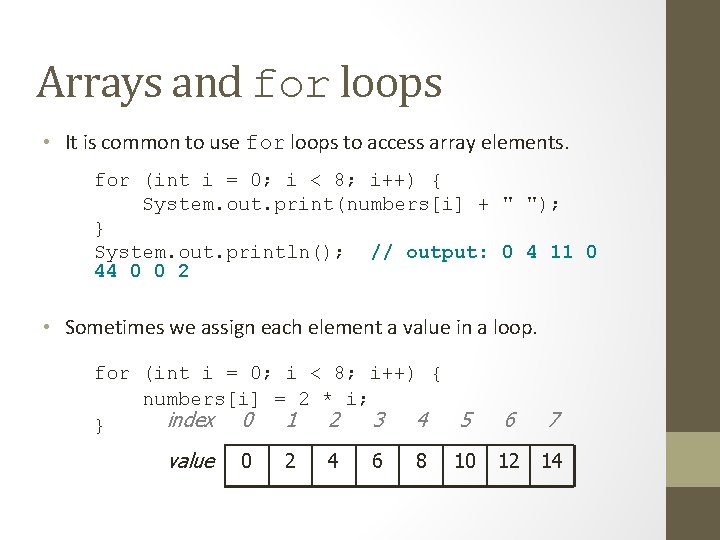
Arrays and for loops • It is common to use for loops to access array elements. for (int i = 0; i < 8; i++) { System. out. print(numbers[i] + " "); } System. out. println(); // output: 0 4 11 0 44 0 0 2 • Sometimes we assign each element a value in a loop. for (int i = 0; i < 8; i++) { numbers[i] = 2 * i; index 0 1 2 3 4 5 } value 0 2 4 6 8 10 6 7 12 14
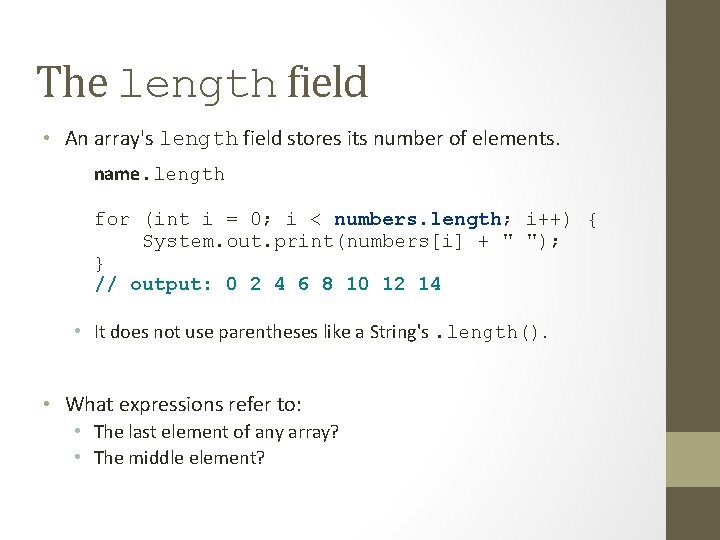
The length field • An array's length field stores its number of elements. name. length for (int i = 0; i < numbers. length; i++) { System. out. print(numbers[i] + " "); } // output: 0 2 4 6 8 10 12 14 • It does not use parentheses like a String's. length(). • What expressions refer to: • The last element of any array? • The middle element?
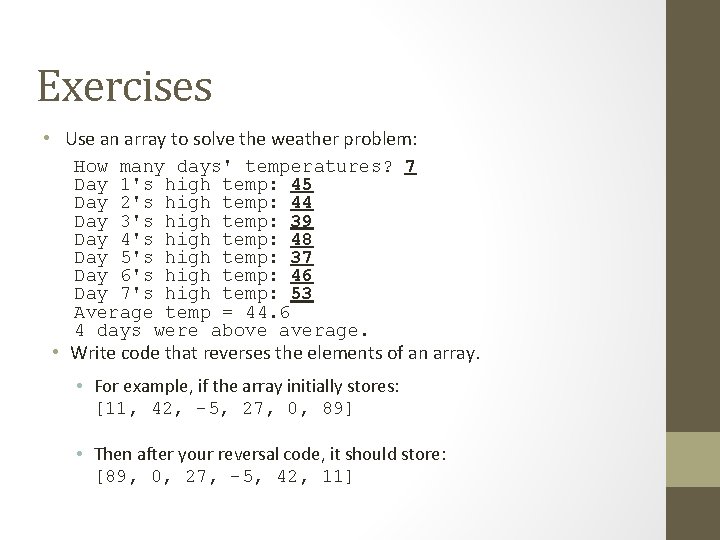
Exercises • Use an array to solve the weather problem: How many days' temperatures? 7 Day 1's high temp: 45 Day 2's high temp: 44 Day 3's high temp: 39 Day 4's high temp: 48 Day 5's high temp: 37 Day 6's high temp: 46 Day 7's high temp: 53 Average temp = 44. 6 4 days were above average. • Write code that reverses the elements of an array. • For example, if the array initially stores: [11, 42, -5, 27, 0, 89] • Then after your reversal code, it should store: [89, 0, 27, -5, 42, 11]
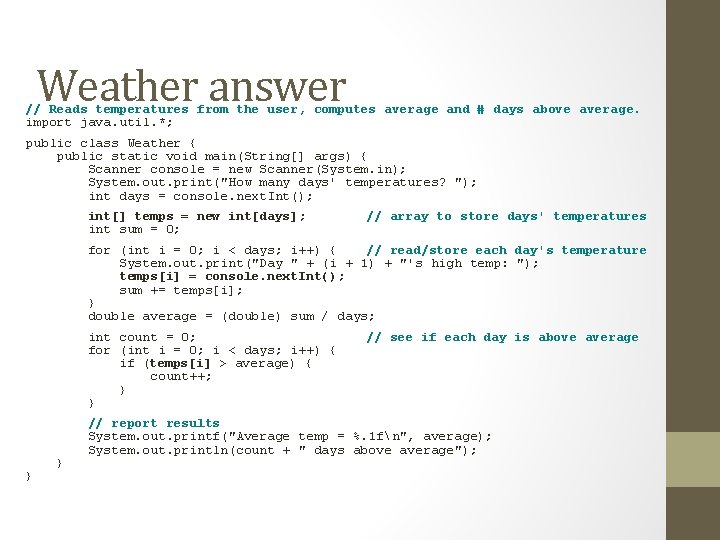
Weather answer // Reads temperatures from the user, computes average and # days above average. import java. util. *; public class Weather { public static void main(String[] args) { Scanner console = new Scanner(System. in); System. out. print("How many days' temperatures? "); int days = console. next. Int(); int[] temps = new int[days]; int sum = 0; // array to store days' temperatures for (int i = 0; i < days; i++) { // read/store each day's temperature System. out. print("Day " + (i + 1) + "'s high temp: "); temps[i] = console. next. Int(); sum += temps[i]; } double average = (double) sum / days; int count = 0; for (int i = 0; i < days; i++) { if (temps[i] > average) { count++; } } // see if each day is above average // report results System. out. printf("Average temp = %. 1 fn", average); System. out. println(count + " days above average");
![Quick array initialization type[] name = {value, … value}; • Example: int[] numbers =](http://slidetodoc.com/presentation_image_h2/7d0a0fe8a6da6c6163c1bd531a393dd9/image-15.jpg "Quick array initialization type[] name = {value, … value}; • Example: int[] numbers =")
Quick array initialization type[] name = {value, … value}; • Example: int[] numbers = {12, 49, -2, 26, 5, 17, 6}; index 0 1 2 3 4 5 6 value 12 49 -2 26 5 17 -6 • Useful when you know what the array's elements will be • The compiler figures out the size by counting the values
![Limitations of arrays • You cannot resize an existing array: int[] a = new](http://slidetodoc.com/presentation_image_h2/7d0a0fe8a6da6c6163c1bd531a393dd9/image-16.jpg "Limitations of arrays • You cannot resize an existing array: int[] a = new")
Limitations of arrays • You cannot resize an existing array: int[] a = new int[4]; a. length = 10; // error • You cannot compare arrays with == or equals: int[] a 1 = {42, -7, 1, 15}; int[] a 2 = {42, -7, 1, 15}; if (a 1 == a 2) {. . . } if (a 1. equals(a 2)) {. . . } // false! • An array does not know how to print itself: int[] a 1 = {42, -7, 1, 15}; System. out. println(a 1); // [I@98 f 8 c 4]
Arrays as parameters
![Swapping values public static void main(String[] args) { int a = 7; int b](http://slidetodoc.com/presentation_image_h2/7d0a0fe8a6da6c6163c1bd531a393dd9/image-18.jpg "Swapping values public static void main(String[] args) { int a = 7; int b")
Swapping values public static void main(String[] args) { int a = 7; int b = 35; // swap a with b? a = b; b = a; System. out. println(a + " " + b); } • What is wrong with this code? What is its output? • The red code should be replaced with: int temp = a; a = b; b = temp;
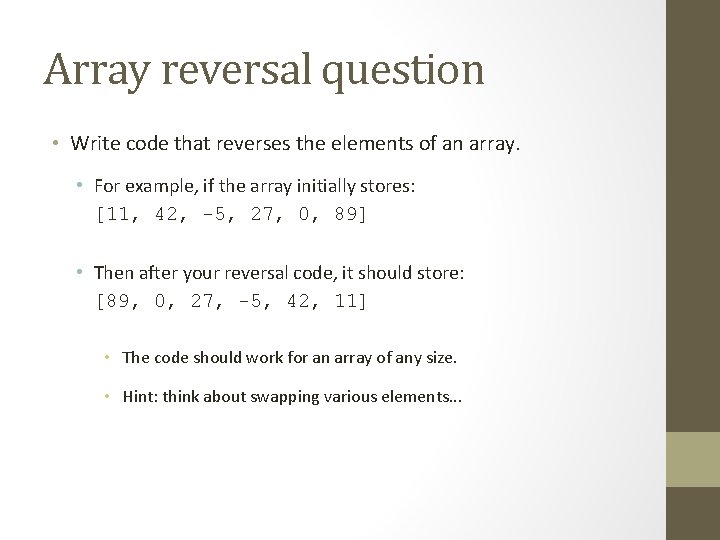
Array reversal question • Write code that reverses the elements of an array. • For example, if the array initially stores: [11, 42, -5, 27, 0, 89] • Then after your reversal code, it should store: [89, 0, 27, -5, 42, 11] • The code should work for an array of any size. • Hint: think about swapping various elements. . .
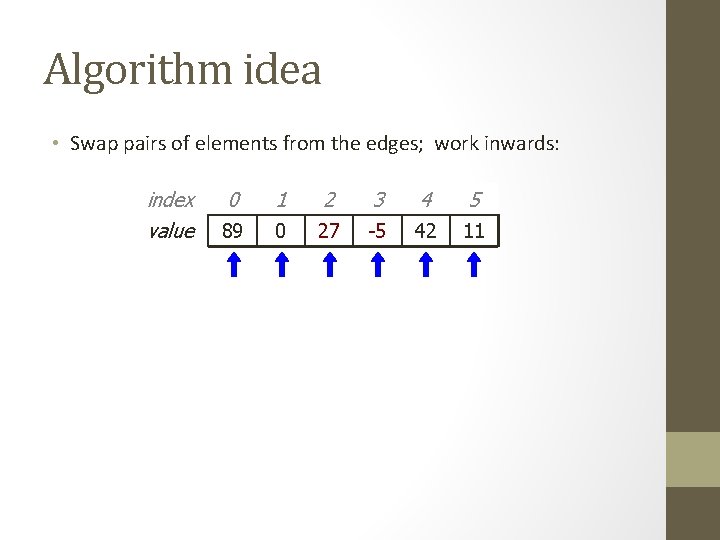
Algorithm idea • Swap pairs of elements from the edges; work inwards: index value 0 1 2 3 4 5 11 89 42 0 27 -5 42 0 89 11
![Flawed algorithm • What's wrong with this code? int[] numbers = [11, 42, -5,](http://slidetodoc.com/presentation_image_h2/7d0a0fe8a6da6c6163c1bd531a393dd9/image-21.jpg "Flawed algorithm • What's wrong with this code? int[] numbers = [11, 42, -5,")
Flawed algorithm • What's wrong with this code? int[] numbers = [11, 42, -5, 27, 0, 89]; // reverse the array for (int i = 0; i < numbers. length; i++) { int temp = numbers[i]; numbers[i] = numbers[numbers. length - 1 - i]; numbers[numbers. length - 1 - i] = temp; } • The loop goes too far and un-reverses the array! Fixed version: for (int i = 0; i < numbers. length / 2; i++) { int temp = numbers[i]; numbers[i] = numbers[numbers. length - 1 - i]; numbers[numbers. length - 1 - i] = temp; }
Array reverse question 2 • Turn your array reversal code into a reverse method. • Accept the array of integers to reverse as a parameter. int[] numbers = {11, 42, -5, 27, 0, 89}; reverse(numbers); • How do we write methods that accept arrays as parameters? • Will we need to return the new array contents after reversal? . . .
![Array parameter (declare) public static type method. Name(type[] name) { • Example: // Returns](http://slidetodoc.com/presentation_image_h2/7d0a0fe8a6da6c6163c1bd531a393dd9/image-23.jpg "Array parameter (declare) public static type method. Name(type[] name) { • Example: // Returns")
Array parameter (declare) public static type method. Name(type[] name) { • Example: // Returns the average of the given array of numbers. public static double average(int[] numbers) { int sum = 0; for (int i = 0; i < numbers. length; i++) { sum += numbers[i]; } return (double) sum / numbers. length; } • You don't specify the array's length (but you can examine it).
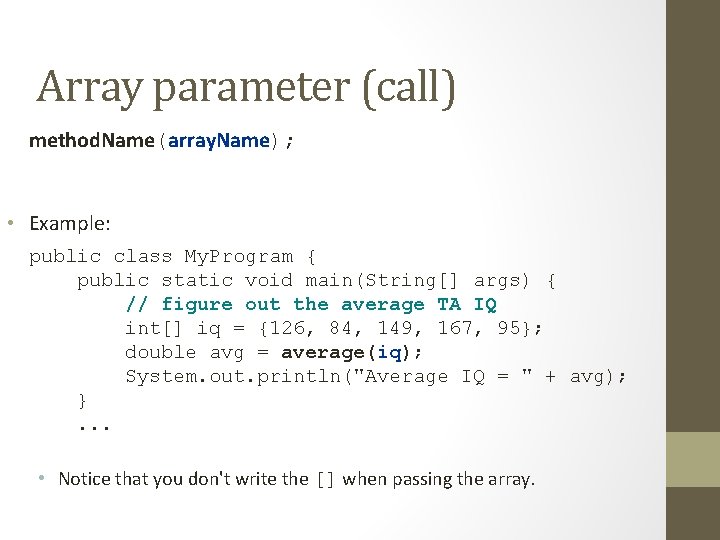
Array parameter (call) method. Name(array. Name); • Example: public class My. Program { public static void main(String[] args) { // figure out the average TA IQ int[] iq = {126, 84, 149, 167, 95}; double avg = average(iq); System. out. println("Average IQ = " + avg); }. . . • Notice that you don't write the [] when passing the array.
![Array return (declare) public static type[] method. Name(parameters) { • Example: // Returns a](http://slidetodoc.com/presentation_image_h2/7d0a0fe8a6da6c6163c1bd531a393dd9/image-25.jpg "Array return (declare) public static type[] method. Name(parameters) { • Example: // Returns a")
Array return (declare) public static type[] method. Name(parameters) { • Example: // Returns a new array with two copies of each value. // Example: [1, 4, 0, 7] -> [1, 1, 4, 4, 0, 0, 7, 7] public static int[] stutter(int[] numbers) { int[] result = new int[2 * numbers. length]; for (int i = 0; i < numbers. length; i++) { result[2 * i] = numbers[i]; result[2 * i + 1] = numbers[i]; } return result; }
![Array return (call) type[] name = method. Name(parameters); • Example: public class My. Program](http://slidetodoc.com/presentation_image_h2/7d0a0fe8a6da6c6163c1bd531a393dd9/image-26.jpg "Array return (call) type[] name = method. Name(parameters); • Example: public class My. Program")
Array return (call) type[] name = method. Name(parameters); • Example: public class My. Program { public static void main(String[] args) { int[] iq = {126, 84, 149, 167, 95}; int[] stuttered = stutter(iq); System. out. println(Arrays. to. String(stuttered)); }. . . • Output: [126, 84, 149, 167, 95, 95]
Object References A Critical Java Fundamental
References – Why do we care? • • • Java uses lots of references Strings Arrays Object declaration creates references Parameter passing uses references Return values are references
References – Why do we care? • • • Java uses lots of references Strings Arrays Object declaration creates references Parameter passing uses references Return values are references
Java uses lots of references • All Java objects use references. • If it’s not a primitive, it’s an object. • Strings are objects. • Arrays are objects. • Java variables never contain objects!
References – Why do we care? • • • Java uses lots of references Strings Arrays Object declaration creates references Parameter passing uses references Return values are references
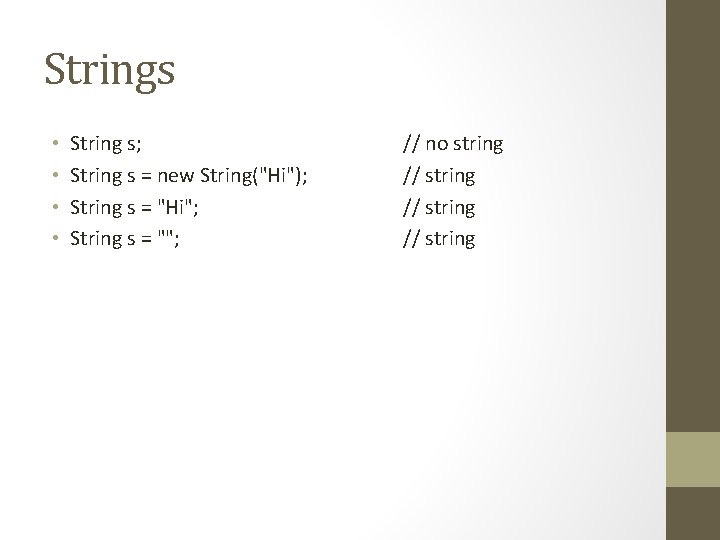
Strings • • String s; String s = new String("Hi"); String s = "Hi"; String s = ""; // no string // string
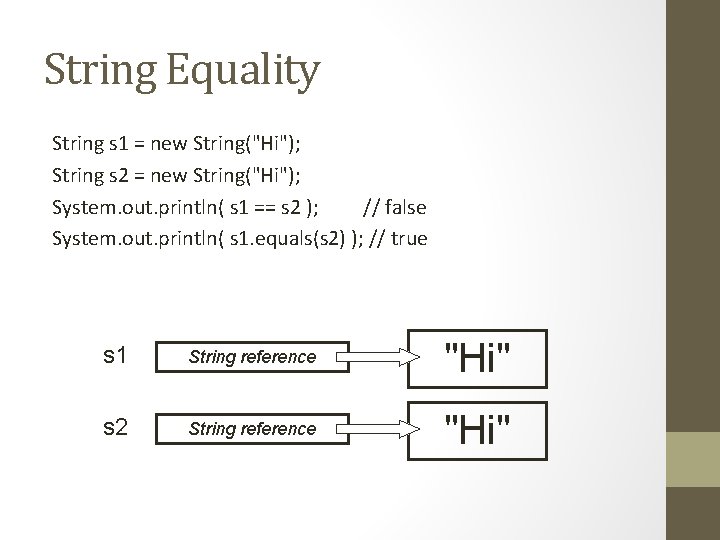
String Equality String s 1 = new String("Hi"); String s 2 = new String("Hi"); System. out. println( s 1 == s 2 ); // false System. out. println( s 1. equals(s 2) ); // true s 1 String reference "Hi" s 2 String reference "Hi"
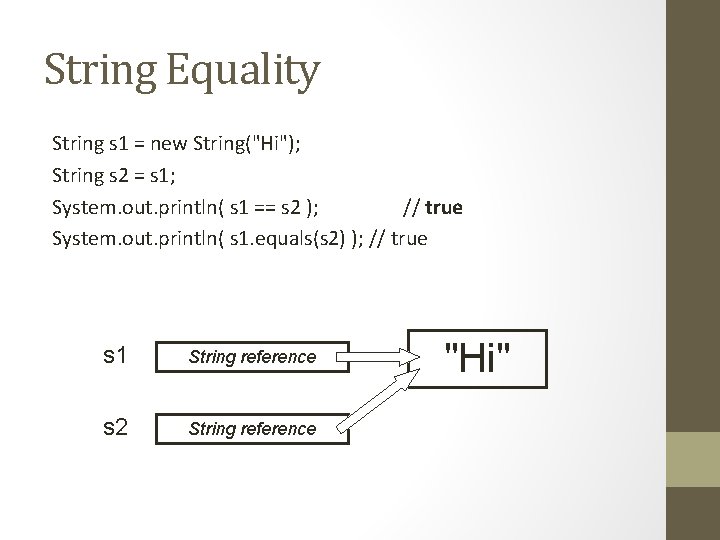
String Equality String s 1 = new String("Hi"); String s 2 = s 1; System. out. println( s 1 == s 2 ); // true System. out. println( s 1. equals(s 2) ); // true s 1 String reference s 2 String reference "Hi"
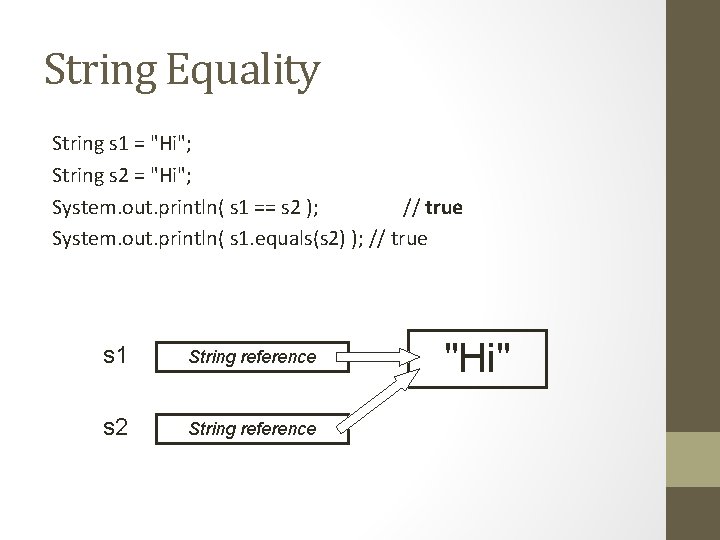
String Equality String s 1 = "Hi"; String s 2 = "Hi"; System. out. println( s 1 == s 2 ); // true System. out. println( s 1. equals(s 2) ); // true s 1 String reference s 2 String reference "Hi"
References – Why do we care? • • • Java uses lots of references Strings Arrays Object declaration creates references Parameter passing uses references Return values are references
![Arrays • int[ ] a; • int[ ] a = new int[3]; • int[](http://slidetodoc.com/presentation_image_h2/7d0a0fe8a6da6c6163c1bd531a393dd9/image-37.jpg "Arrays • int[ ] a; • int[ ] a = new int[3]; • int[")
Arrays • int[ ] a; • int[ ] a = new int[3]; • int[ ] a = {1, 3, 5}; // no array // array • Color[ ] c; • Color[ ] c = new Color[3]; // no array // array • int a[ ]; // C++ style is // allowed
![Arrays a int[ ] a = new int[3]; int[ ] reference 0 0 0](http://slidetodoc.com/presentation_image_h2/7d0a0fe8a6da6c6163c1bd531a393dd9/image-38.jpg "Arrays a int[ ] a = new int[3]; int[ ] reference 0 0 0")
Arrays a int[ ] a = new int[3]; int[ ] reference 0 0 0
![Arrays a int[ ] a = {1, 3, 5}; int[ ] reference 1 3](http://slidetodoc.com/presentation_image_h2/7d0a0fe8a6da6c6163c1bd531a393dd9/image-39.jpg "Arrays a int[ ] a = {1, 3, 5}; int[ ] reference 1 3")
Arrays a int[ ] a = {1, 3, 5}; int[ ] reference 1 3 5
![Arrays c Color[ ] c = new Color[3]; Color[ ] null reference null NOTE:](http://slidetodoc.com/presentation_image_h2/7d0a0fe8a6da6c6163c1bd531a393dd9/image-40.jpg "Arrays c Color[ ] c = new Color[3]; Color[ ] null reference null NOTE:")
Arrays c Color[ ] c = new Color[3]; Color[ ] null reference null NOTE: Array. Lists work similarly. Objects are not stored in the Array. Lists, only object references!
![Arrays c Color[ ] c = {Color. RED, Color. GREEN, Color. BLUE}; Color[ ]](http://slidetodoc.com/presentation_image_h2/7d0a0fe8a6da6c6163c1bd531a393dd9/image-41.jpg "Arrays c Color[ ] c = {Color. RED, Color. GREEN, Color. BLUE}; Color[ ]")
Arrays c Color[ ] c = {Color. RED, Color. GREEN, Color. BLUE}; Color[ ] ref RED ref GREEN ref BLUE reference NOTE: Array. Lists work similarly. Objects are not stored in the Array. Lists, only object references!
References – Why do we care? • • • Java uses lots of references Strings Arrays Object declaration creates references Parameter passing uses references Return values are references
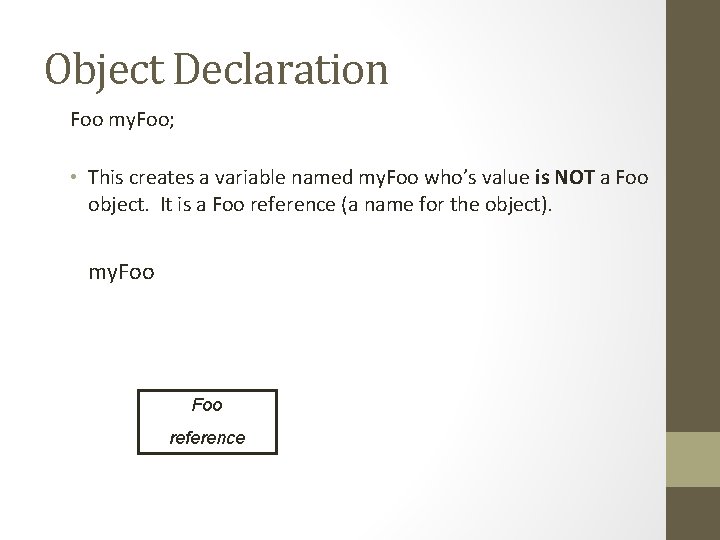
Object Declaration Foo my. Foo; • This creates a variable named my. Foo who’s value is NOT a Foo object. It is a Foo reference (a name for the object). my. Foo reference
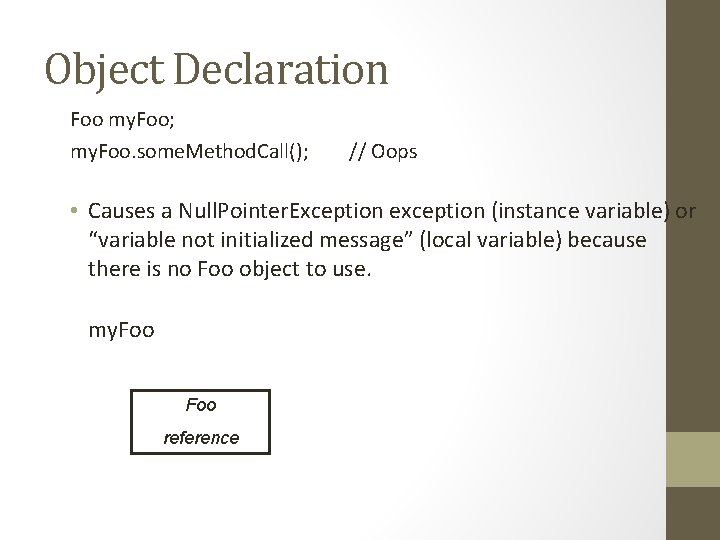
Object Declaration Foo my. Foo; my. Foo. some. Method. Call(); // Oops • Causes a Null. Pointer. Exception exception (instance variable) or “variable not initialized message” (local variable) because there is no Foo object to use. my. Foo reference
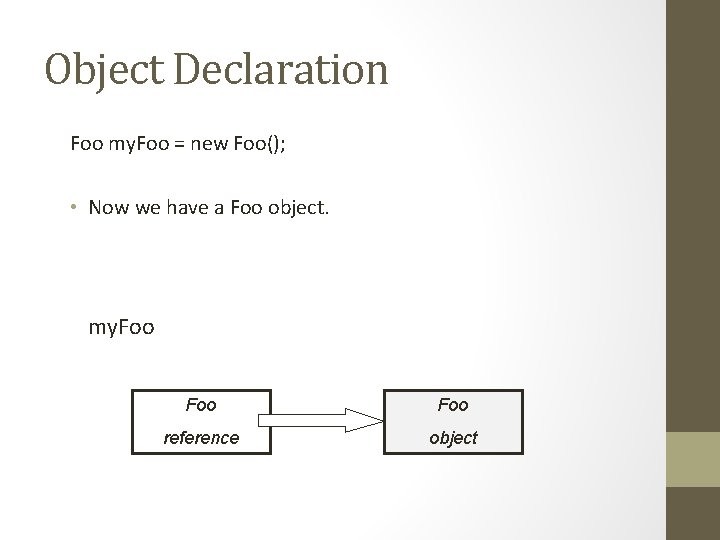
Object Declaration Foo my. Foo = new Foo(); • Now we have a Foo object. my. Foo Foo reference object
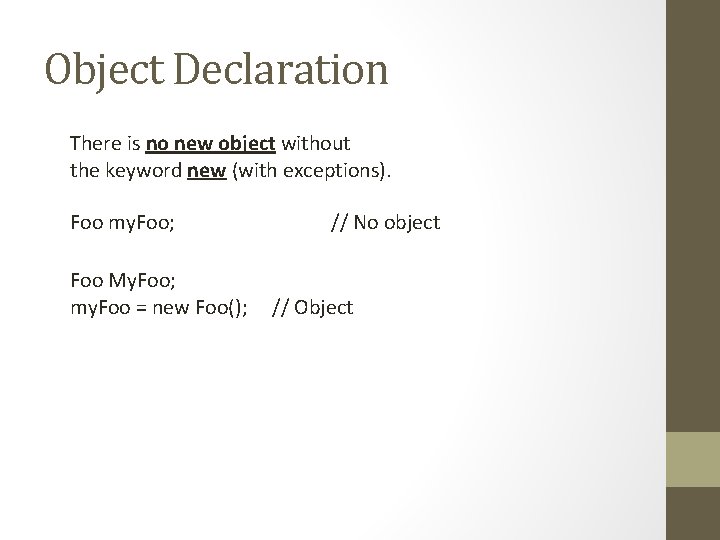
Object Declaration There is no new object without the keyword new (with exceptions). Foo my. Foo; Foo My. Foo; my. Foo = new Foo(); // No object // Object
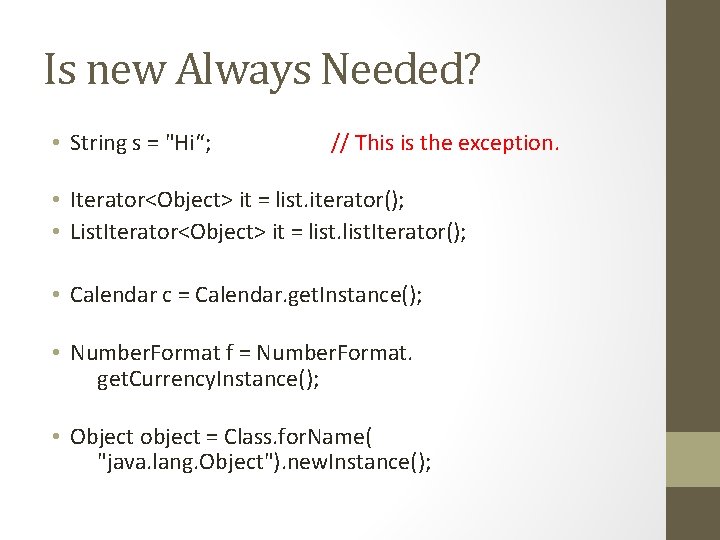
Is new Always Needed? • String s = "Hi“; // This is the exception. • Iterator<Object> it = list. iterator(); • List. Iterator<Object> it = list. Iterator(); • Calendar c = Calendar. get. Instance(); • Number. Format f = Number. Format. get. Currency. Instance(); • Object object = Class. for. Name( "java. lang. Object"). new. Instance();
References – Why do we care? • • • Java uses lots of references Strings Arrays Object declaration creates references Parameter passing uses references Return values are references
Parameter Passing • All Java parameter passing is by value. • This is straight-forward for primitives. • It is not quite so straight-forward for objects (references).
![Parameter Passing #0 public static void main(String[] args) { int x = 0; method(x);](http://slidetodoc.com/presentation_image_h2/7d0a0fe8a6da6c6163c1bd531a393dd9/image-50.jpg "Parameter Passing #0 public static void main(String[] args) { int x = 0; method(x);")
Parameter Passing #0 public static void main(String[] args) { int x = 0; method(x); } public static void method(int x) { x++; }
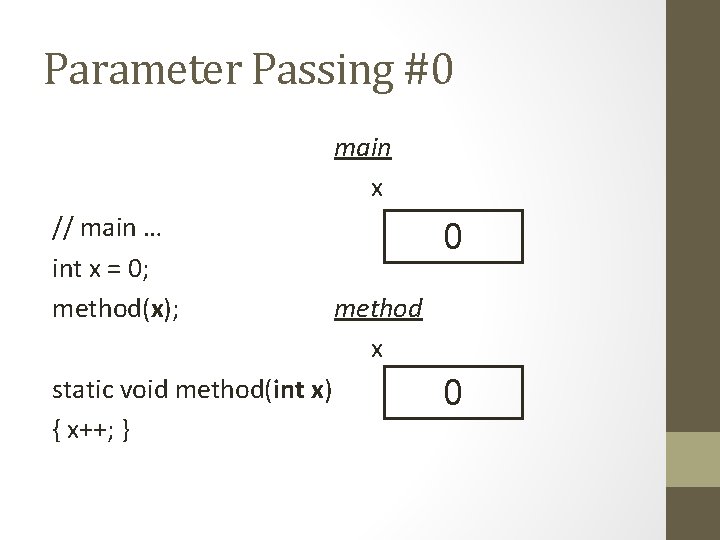
Parameter Passing #0 main x // main … int x = 0; method(x); static void method(int x) { x++; } 0 method x 0
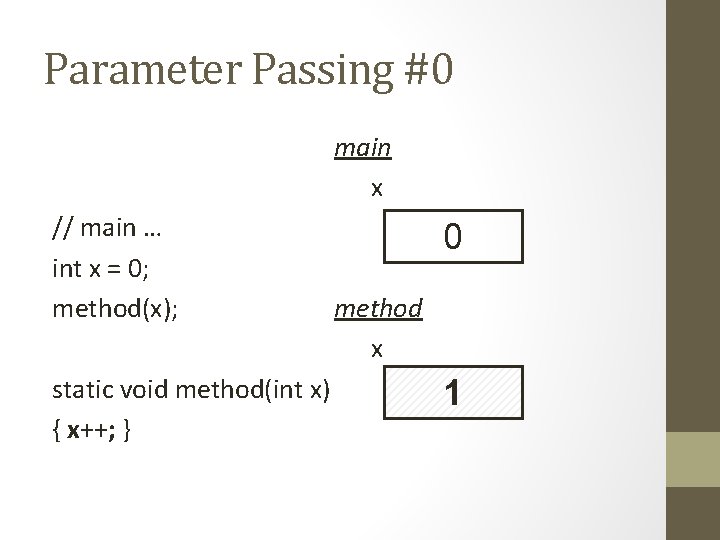
Parameter Passing #0 main x // main … int x = 0; method(x); static void method(int x) { x++; } 0 method x 1
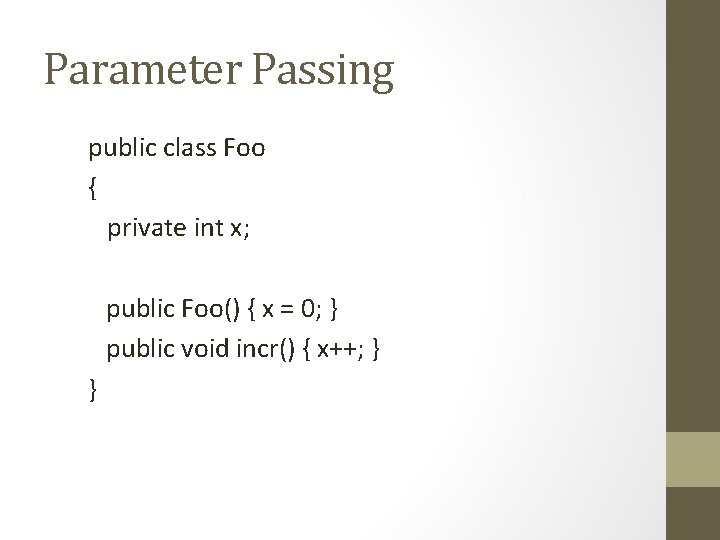
Parameter Passing public class Foo { private int x; public Foo() { x = 0; } public void incr() { x++; } }
![Parameter Passing #1 public static void main(String[] args) { Foo my. Foo = new](http://slidetodoc.com/presentation_image_h2/7d0a0fe8a6da6c6163c1bd531a393dd9/image-54.jpg "Parameter Passing #1 public static void main(String[] args) { Foo my. Foo = new")
Parameter Passing #1 public static void main(String[] args) { Foo my. Foo = new Foo(); method(my. Foo); } public static void method(Foo f) { f. incr(); }
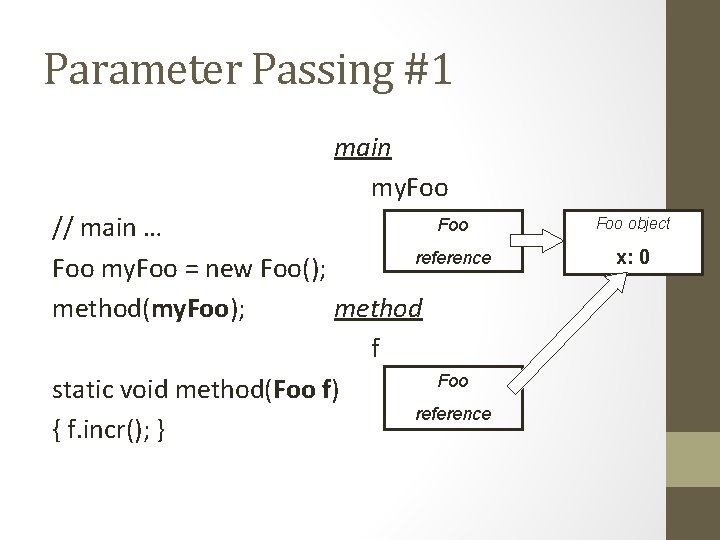
Parameter Passing #1 main my. Foo // main … reference Foo my. Foo = new Foo(); method(my. Foo); method f Foo static void method(Foo f) reference { f. incr(); } Foo object x: 0
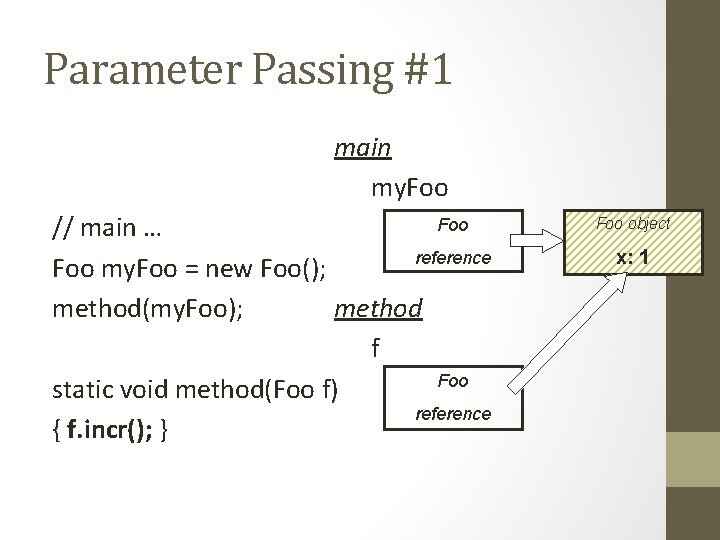
Parameter Passing #1 main my. Foo // main … reference Foo my. Foo = new Foo(); method(my. Foo); method f Foo static void method(Foo f) reference { f. incr(); } Foo object x: 1
![Parameter Passing #2 public static void main(String[] args) { Foo my. Foo = new](http://slidetodoc.com/presentation_image_h2/7d0a0fe8a6da6c6163c1bd531a393dd9/image-57.jpg "Parameter Passing #2 public static void main(String[] args) { Foo my. Foo = new")
Parameter Passing #2 public static void main(String[] args) { Foo my. Foo = new Foo(); method(my. Foo); } public static void method(Foo f) { Foo g = new Foo(); f = g; f. incr(); }
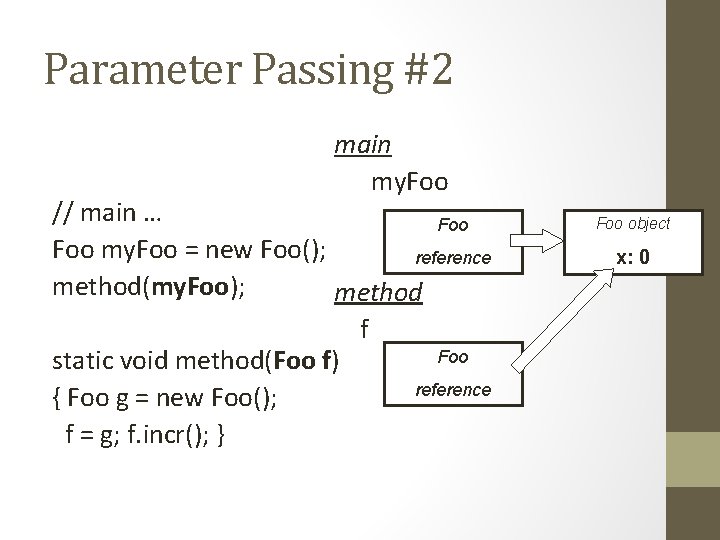
Parameter Passing #2 main my. Foo // main … Foo my. Foo = new Foo(); reference method(my. Foo); method static void method(Foo f) { Foo g = new Foo(); f = g; f. incr(); } f Foo reference Foo object x: 0
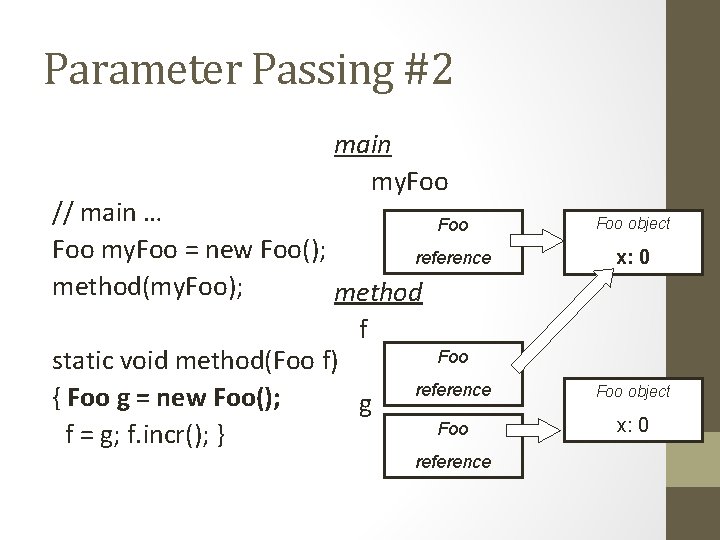
Parameter Passing #2 main my. Foo // main … Foo my. Foo = new Foo(); reference method(my. Foo); method Foo object x: 0 f static void method(Foo f) { Foo g = new Foo(); g f = g; f. incr(); } Foo reference Foo object Foo x: 0 reference
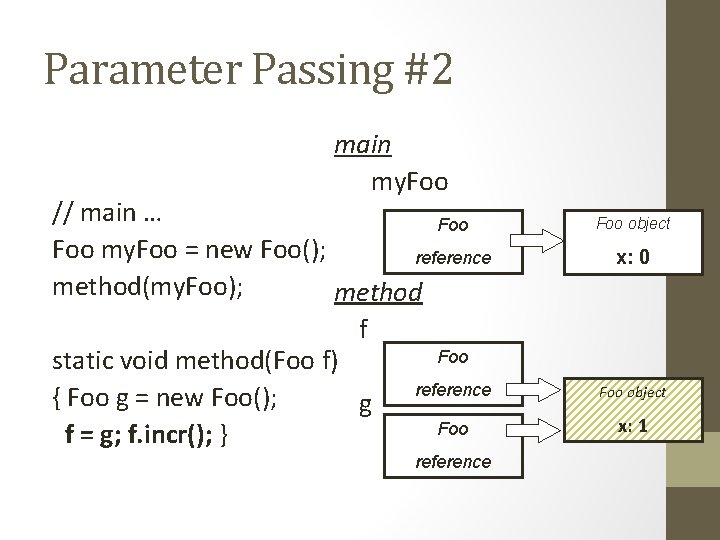
Parameter Passing #2 main my. Foo // main … Foo my. Foo = new Foo(); reference method(my. Foo); method Foo object x: 0 f static void method(Foo f) { Foo g = new Foo(); g f = g; f. incr(); } Foo reference Foo object Foo x: 1 reference
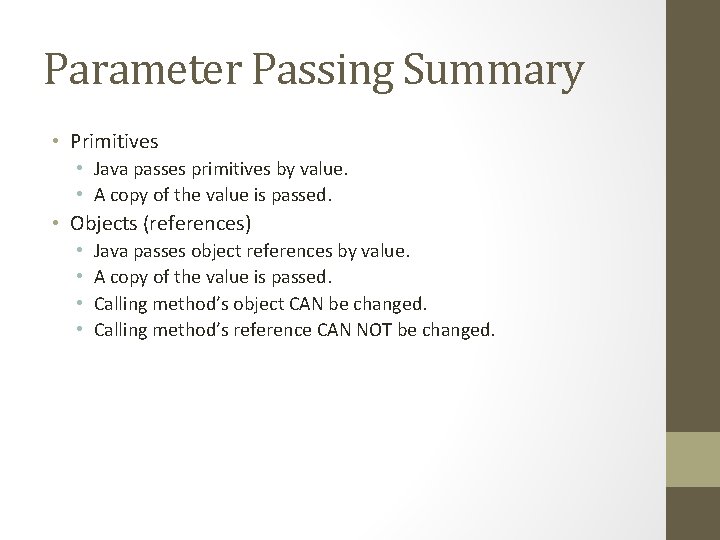
Parameter Passing Summary • Primitives • Java passes primitives by value. • A copy of the value is passed. • Objects (references) • • Java passes object references by value. A copy of the value is passed. Calling method’s object CAN be changed. Calling method’s reference CAN NOT be changed.
References – Why do we care? • • • Java uses lots of references Strings Arrays Object declaration creates references Parameter passing uses references Return values are references
Returning Objects • Java methods never return objects. • Java methods return copies (by value) of object references
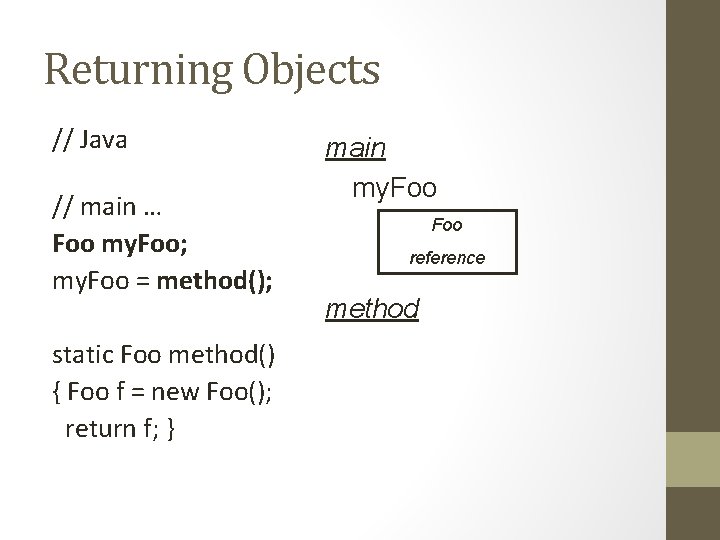
Returning Objects // Java // main … Foo my. Foo; my. Foo = method(); static Foo method() { Foo f = new Foo(); return f; } main my. Foo reference method
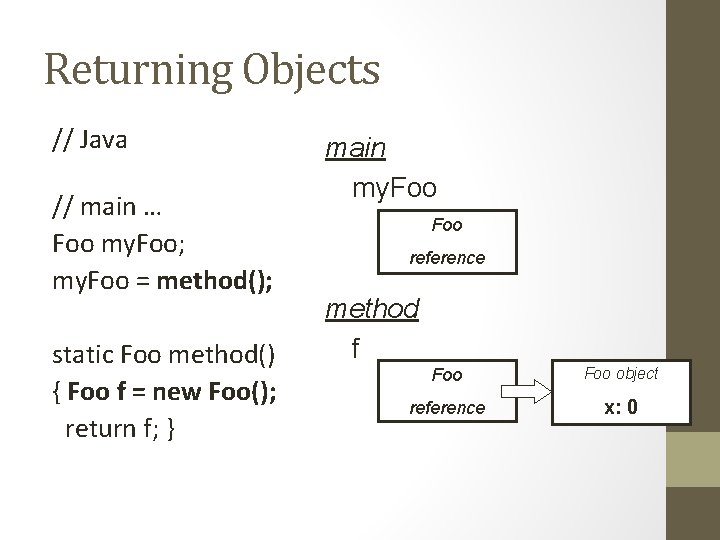
Returning Objects // Java // main … Foo my. Foo; my. Foo = method(); static Foo method() { Foo f = new Foo(); return f; } main my. Foo reference method f Foo object reference x: 0
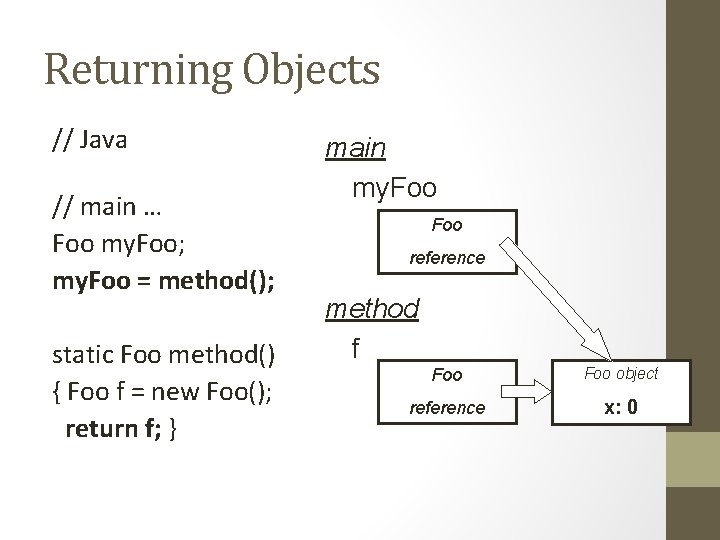
Returning Objects // Java // main … Foo my. Foo; my. Foo = method(); static Foo method() { Foo f = new Foo(); return f; } main my. Foo reference method f Foo object reference x: 0
References Talk to your students about references: • Early (Ur. Robot, String) • Often • Foo (newly written or introduced objects) • Parameter passing / returning • Arrays and Array. Lists • Use a metaphor (like name) • Draw diagrams (with arrows)
Reference semantics 69
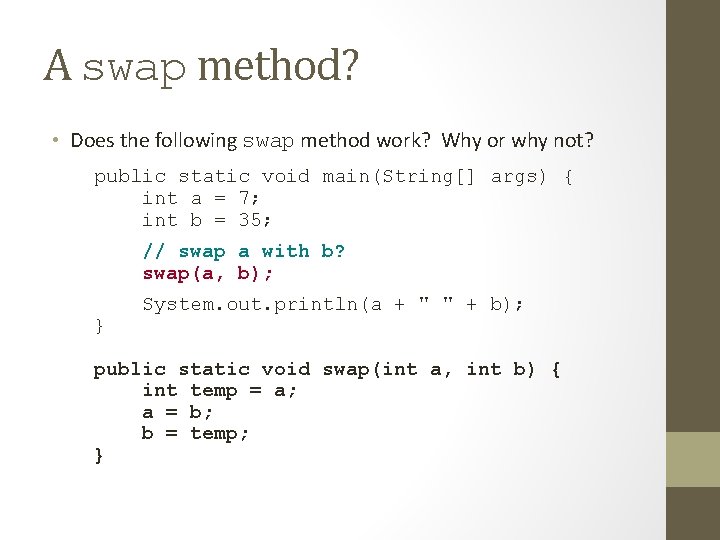
A swap method? • Does the following swap method work? Why or why not? public static void main(String[] args) { int a = 7; int b = 35; // swap a with b? swap(a, b); } System. out. println(a + " " + b); public static void swap(int a, int b) { int temp = a; a = b; b = temp; }
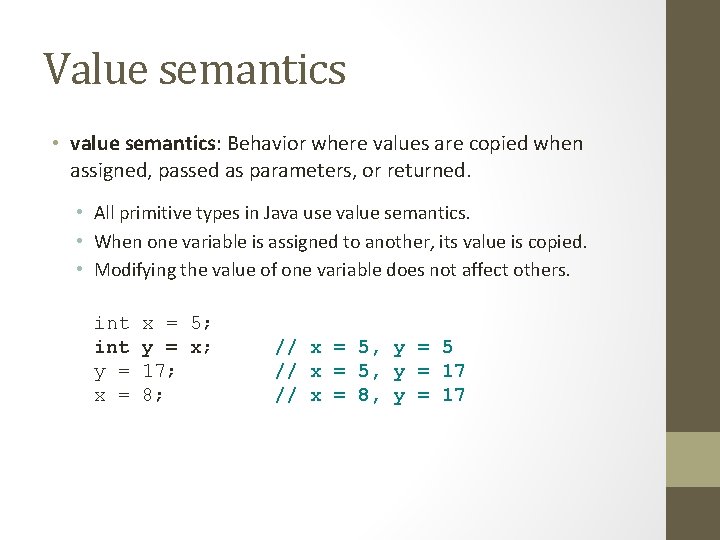
Value semantics • value semantics: Behavior where values are copied when assigned, passed as parameters, or returned. • All primitive types in Java use value semantics. • When one variable is assigned to another, its value is copied. • Modifying the value of one variable does not affect others. int y = x = 5; y = x; 17; 8; // x = 5, y = 5 // x = 5, y = 17 // x = 8, y = 17
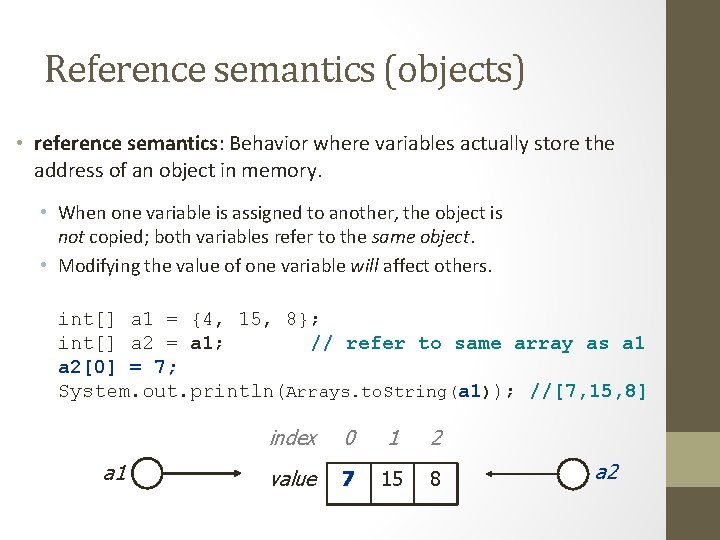
Reference semantics (objects) • reference semantics: Behavior where variables actually store the address of an object in memory. • When one variable is assigned to another, the object is not copied; both variables refer to the same object. • Modifying the value of one variable will affect others. int[] a 1 = {4, 15, 8}; int[] a 2 = a 1; // refer to same array as a 1 a 2[0] = 7; System. out. println(Arrays. to. String(a 1)); //[7, 15, 8] a 1 index 0 1 2 value 7 4 15 8 a 2
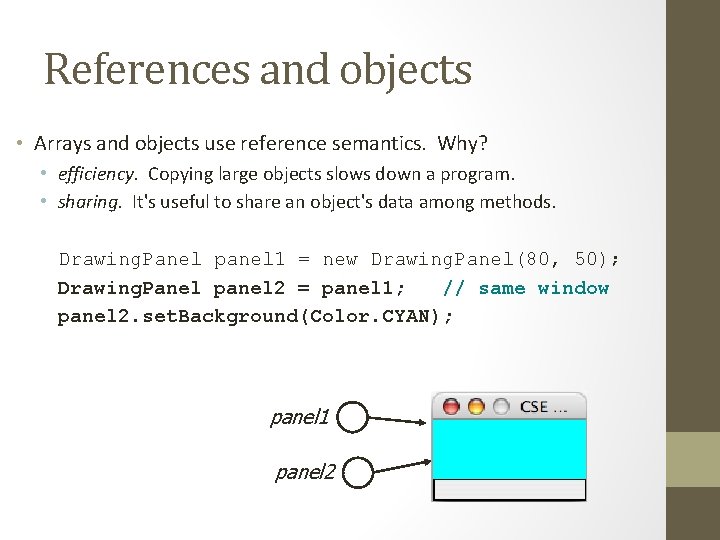
References and objects • Arrays and objects use reference semantics. Why? • efficiency. Copying large objects slows down a program. • sharing. It's useful to share an object's data among methods. Drawing. Panel panel 1 = new Drawing. Panel(80, 50); Drawing. Panel panel 2 = panel 1; // same window panel 2. set. Background(Color. CYAN); panel 1 panel 2
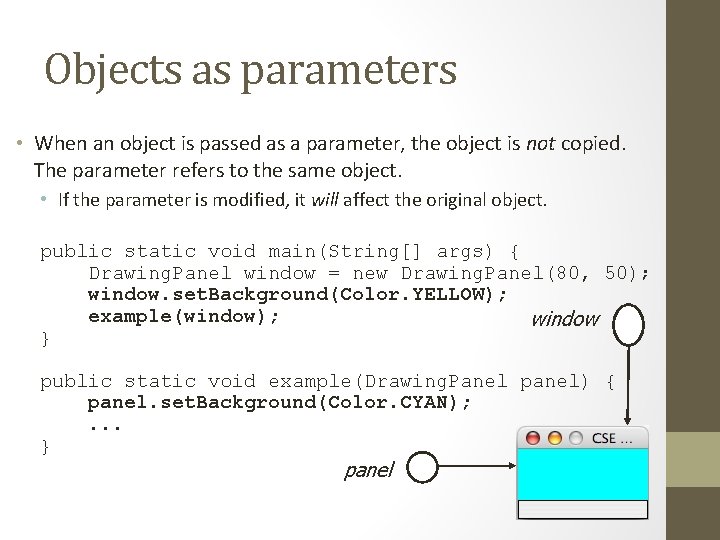
Objects as parameters • When an object is passed as a parameter, the object is not copied. The parameter refers to the same object. • If the parameter is modified, it will affect the original object. public static void main(String[] args) { Drawing. Panel window = new Drawing. Panel(80, 50); window. set. Background(Color. YELLOW); example(window); window } public static void example(Drawing. Panel panel) { panel. set. Background(Color. CYAN); . . . } panel
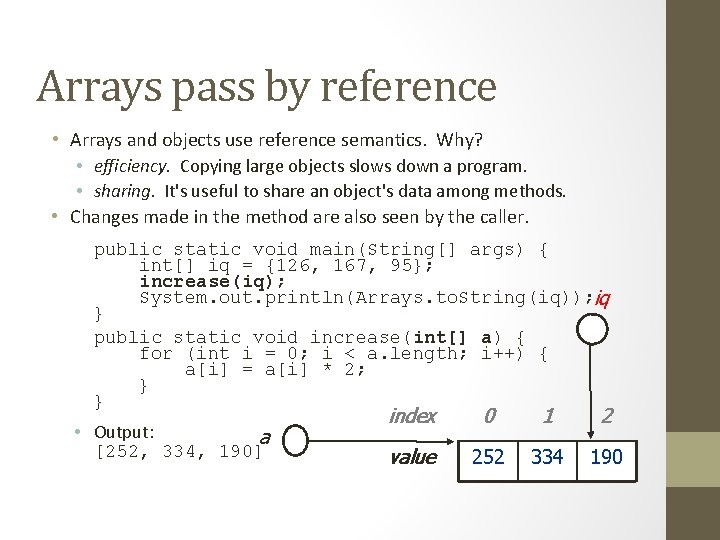
Arrays pass by reference • Arrays and objects use reference semantics. Why? • efficiency. Copying large objects slows down a program. • sharing. It's useful to share an object's data among methods. • Changes made in the method are also seen by the caller. public static void main(String[] args) { int[] iq = {126, 167, 95}; increase(iq); System. out. println(Arrays. to. String(iq)); iq } public static void increase(int[] a) { for (int i = 0; i < a. length; i++) { a[i] = a[i] * 2; } } • Output: a [252, 334, 190] index 0 1 2 value 126 252 167 334 190 95
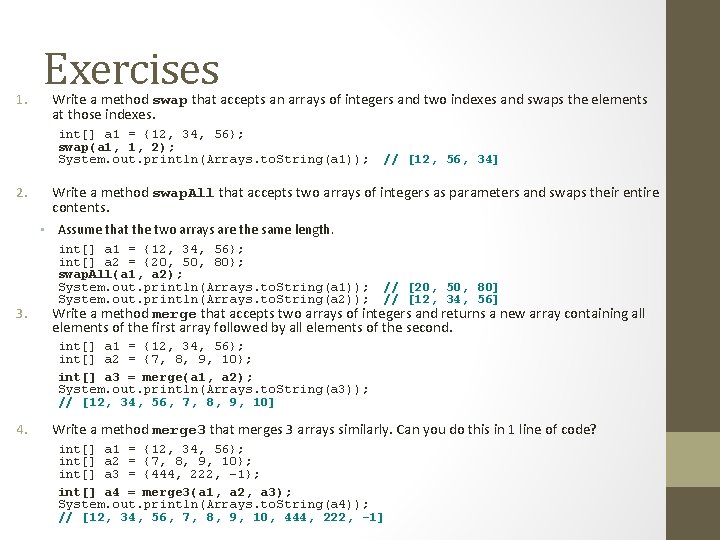
1. Exercises Write a method swap that accepts an arrays of integers and two indexes and swaps the elements at those indexes. int[] a 1 = {12, 34, 56}; swap(a 1, 1, 2); System. out. println(Arrays. to. String(a 1)); 2. // [12, 56, 34] Write a method swap. All that accepts two arrays of integers as parameters and swaps their entire contents. • Assume that the two arrays are the same length. 3. int[] a 1 = {12, 34, 56}; int[] a 2 = {20, 50, 80}; swap. All(a 1, a 2); System. out. println(Arrays. to. String(a 1)); System. out. println(Arrays. to. String(a 2)); // [20, 50, 80] // [12, 34, 56] Write a method merge that accepts two arrays of integers and returns a new array containing all elements of the first array followed by all elements of the second. int[] a 1 = {12, 34, 56}; int[] a 2 = {7, 8, 9, 10}; int[] a 3 = merge(a 1, a 2); System. out. println(Arrays. to. String(a 3)); // [12, 34, 56, 7, 8, 9, 10] 4. Write a method merge 3 that merges 3 arrays similarly. Can you do this in 1 line of code? int[] a 1 = {12, 34, 56}; int[] a 2 = {7, 8, 9, 10}; int[] a 3 = {444, 222, -1}; int[] a 4 = merge 3(a 1, a 2, a 3); System. out. println(Arrays. to. String(a 4)); // [12, 34, 56, 7, 8, 9, 10, 444, 222, -1]
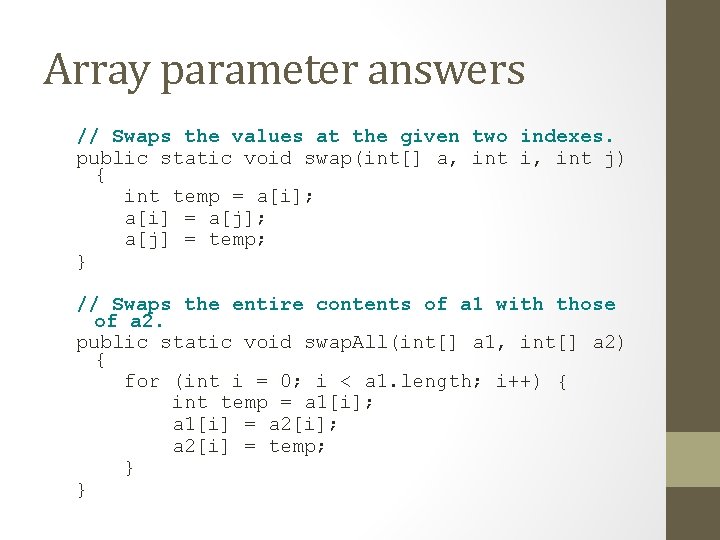
Array parameter answers // Swaps the values at the given two indexes. public static void swap(int[] a, int i, int j) { int temp = a[i]; a[i] = a[j]; a[j] = temp; } // Swaps the entire contents of a 1 with those of a 2. public static void swap. All(int[] a 1, int[] a 2) { for (int i = 0; i < a 1. length; i++) { int temp = a 1[i]; a 1[i] = a 2[i]; a 2[i] = temp; } }
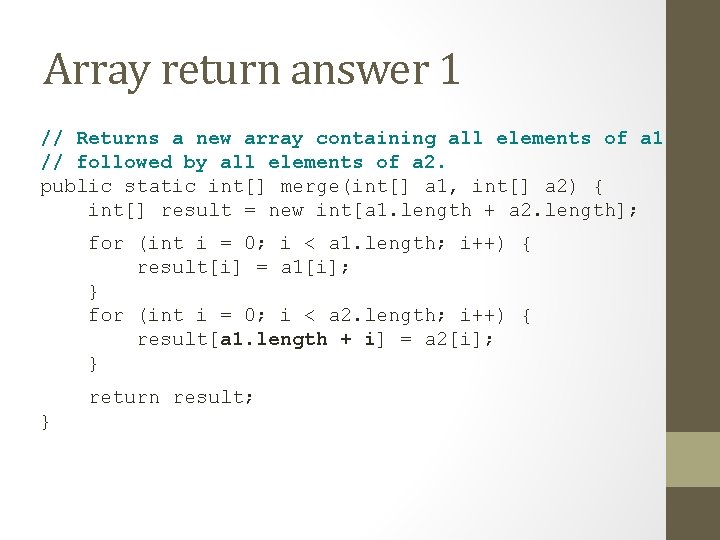
Array return answer 1 // Returns a new array containing all elements of a 1 // followed by all elements of a 2. public static int[] merge(int[] a 1, int[] a 2) { int[] result = new int[a 1. length + a 2. length]; for (int i = 0; i < a 1. length; i++) { result[i] = a 1[i]; } for (int i = 0; i < a 2. length; i++) { result[a 1. length + i] = a 2[i]; } return result; }
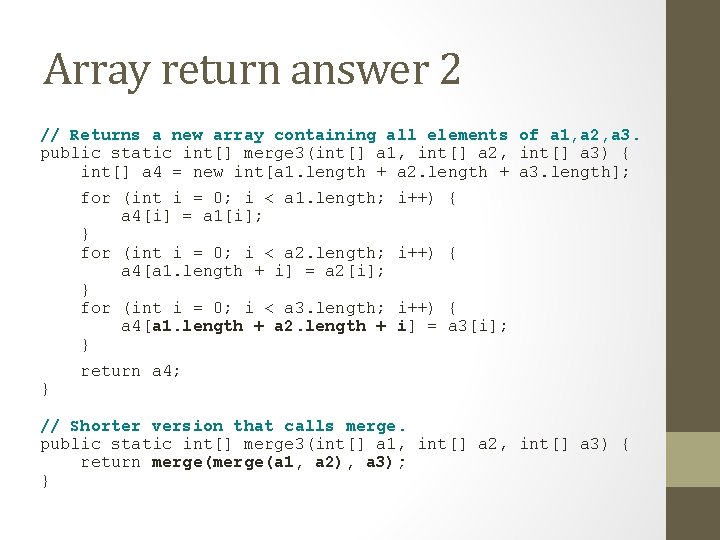
Array return answer 2 // Returns a new array containing all elements of a 1, a 2, a 3. public static int[] merge 3(int[] a 1, int[] a 2, int[] a 3) { int[] a 4 = new int[a 1. length + a 2. length + a 3. length]; for (int i = 0; i < a 1. length; a 4[i] = a 1[i]; } for (int i = 0; i < a 2. length; a 4[a 1. length + i] = a 2[i]; } for (int i = 0; i < a 3. length; a 4[a 1. length + a 2. length + } } i++) { i] = a 3[i]; return a 4; // Shorter version that calls merge. public static int[] merge 3(int[] a 1, int[] a 2, int[] a 3) { return merge(a 1, a 2), a 3); }

FOR-EACH
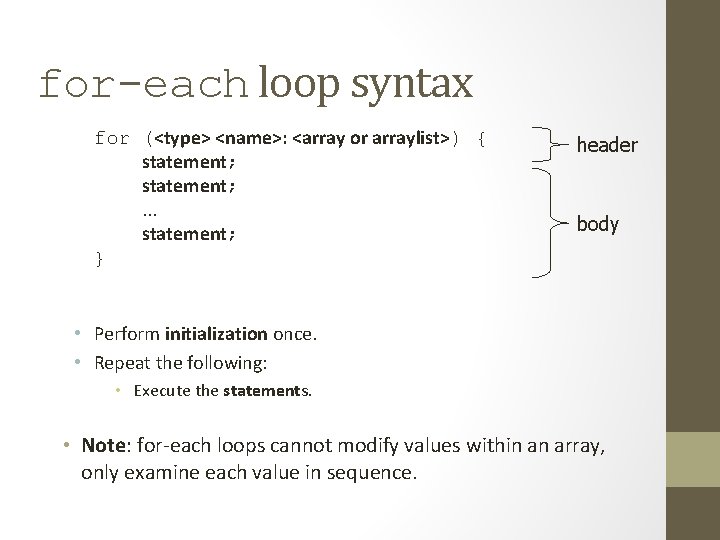
for-each loop syntax for (<type> <name>: <array or arraylist>) { statement; . . . statement; } header body • Perform initialization once. • Repeat the following: • Execute the statements. • Note: for-each loops cannot modify values within an array, only examine each value in sequence.
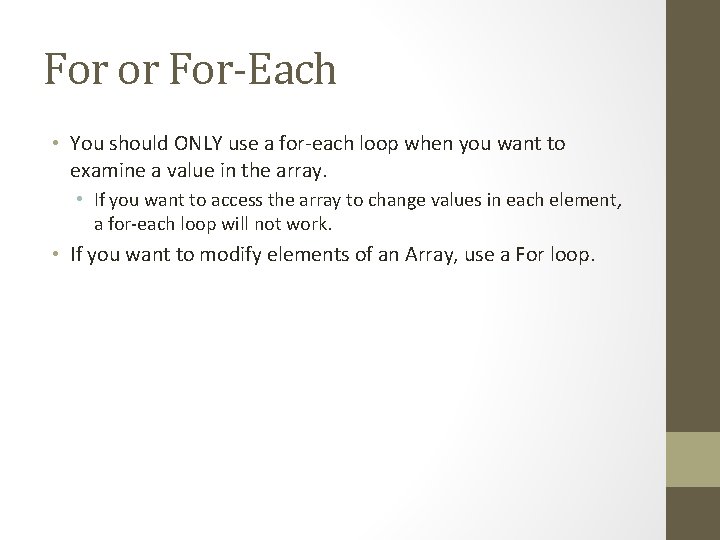
For or For-Each • You should ONLY use a for-each loop when you want to examine a value in the array. • If you want to access the array to change values in each element, a for-each loop will not work. • If you want to modify elements of an Array, use a For loop.
![Enhanced For Loop (For-Each) private static int compute. Days. Above. Average(double average, double[] temps)](http://slidetodoc.com/presentation_image_h2/7d0a0fe8a6da6c6163c1bd531a393dd9/image-82.jpg "Enhanced For Loop (For-Each) private static int compute. Days. Above. Average(double average, double[] temps)")
Enhanced For Loop (For-Each) private static int compute. Days. Above. Average(double average, double[] temps) { int num. Days. Above. Average = 0; for (int elements = 0; elements < temps. length; elements++){ if (temps[elements] > average){ num. Days. Above. Average++; } } return num. Days. Above. Average; } private static int compute. Days. Above. Average. For. Each(double average, double[] temps) { int num. Days. Above. Average = 0; for (double element : temps){ if (element > average){ num. Days. Above. Average++; } } return num. Days. Above. Average; }
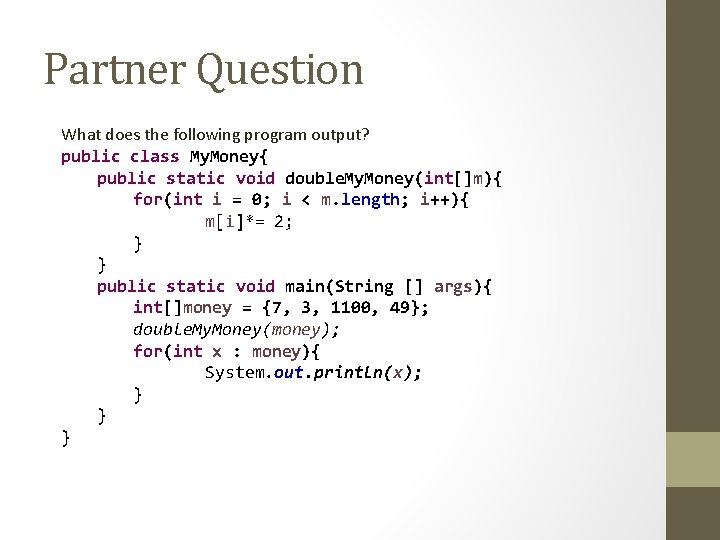
Partner Question What does the following program output? public class My. Money{ public static void double. My. Money(int[]m){ for(int i = 0; i < m. length; i++){ m[i]*= 2; } } public static void main(String [] args){ int[]money = {7, 3, 1100, 49}; double. My. Money(money); for(int x : money){ System. out. println(x); } } }
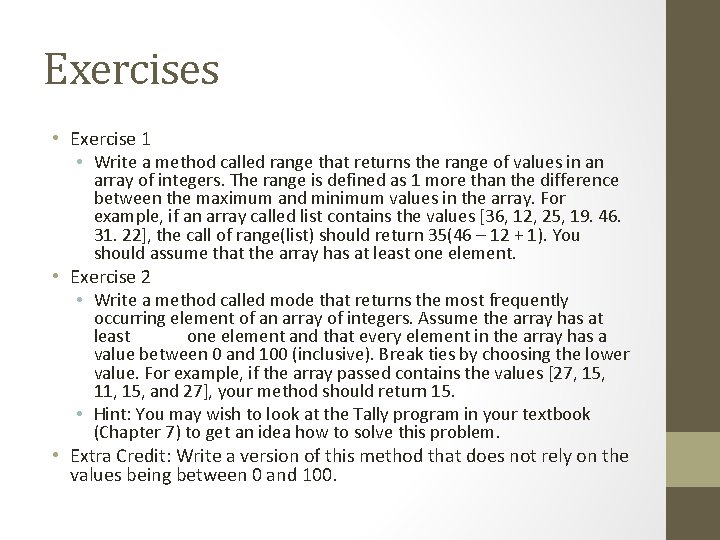
Exercises • Exercise 1 • Write a method called range that returns the range of values in an array of integers. The range is defined as 1 more than the difference between the maximum and minimum values in the array. For example, if an array called list contains the values [36, 12, 25, 19. 46. 31. 22], the call of range(list) should return 35(46 – 12 + 1). You should assume that the array has at least one element. • Exercise 2 • Write a method called mode that returns the most frequently occurring element of an array of integers. Assume the array has at least one element and that every element in the array has a value between 0 and 100 (inclusive). Break ties by choosing the lower value. For example, if the array passed contains the values [27, 15, 11, 15, and 27], your method should return 15. • Hint: You may wish to look at the Tally program in your textbook (Chapter 7) to get an idea how to solve this problem. • Extra Credit: Write a version of this method that does not rely on the values being between 0 and 100.

ARRAYLIST. .
![What ? • Resizable Array [Automatic] • Allows Duplication. • Order - Maintains Insertion](http://slidetodoc.com/presentation_image_h2/7d0a0fe8a6da6c6163c1bd531a393dd9/image-86.jpg "What ? • Resizable Array [Automatic] • Allows Duplication. • Order - Maintains Insertion")
What ? • Resizable Array [Automatic] • Allows Duplication. • Order - Maintains Insertion order. • Type Safety • Capacity and Size
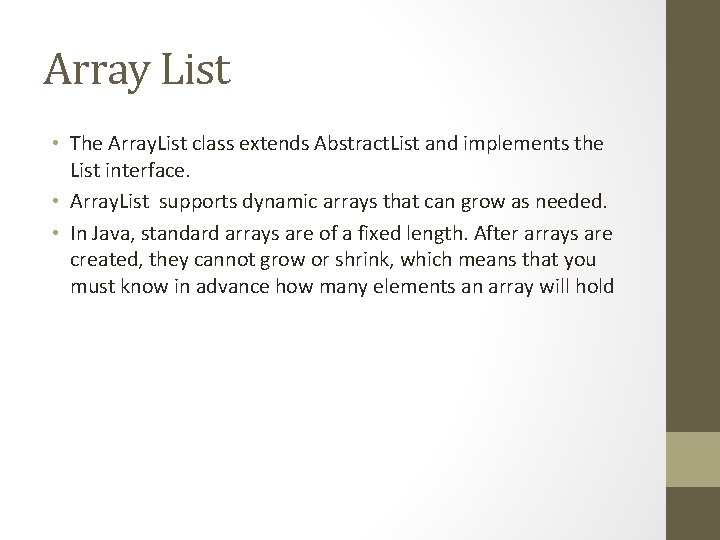
Array List • The Array. List class extends Abstract. List and implements the List interface. • Array. List supports dynamic arrays that can grow as needed. • In Java, standard arrays are of a fixed length. After arrays are created, they cannot grow or shrink, which means that you must know in advance how many elements an array will hold
Array Lists • an Array. List can dynamically increase or decrease in size. • Array lists are created with an initial size. • When this size is exceeded, the collection is automatically enlarged. • When objects are removed, the array may be shrunk
Methods and Fields • Array. List list = new Array. List() • Assignment / Insertion • list. Add(“Item 1”); // Syntax : list. add(<Object>) • Size : • int array. List. Length = list. Size(); • Retrieval : • String first. String = list. get(0); // Syntax : list. get(<Index>) • Removal : • list. Remove(0) // Syntax : list. Remove(<Index>) • Others • Is. Empty(), Clear(), To. Array(), Set(Index, Object) • See full reference list at end of the slide deck.
Generics - Type Parameters Array. List<Type> name = new Array. List<Type>(); • � When constructing an Array. List, you must specify the type of elements it will contain between < and >. • � This is called a type parameter or a generic class. • � Allows the same Array. List class to store lists of different types. • Array. List<String> names = new Array. List<String>(); • names. add(“Mr. Bradley”); names. add(“Mr. Yadev”);
Generics • Using different classes in Collection. • Why ? • Better programmability • Better Object Orientation • Example • Array. List my. List = new Array. List(); • Array. List<Integer> a = new Array. List<Integer>() • Array. List<Vehicle> list = new Array. List<Vehicle >()
Array Vs Array. List • Grows automatically • Work well with Generics • Array. List<String> string. Array. List = new Array. List<String>(); • Array. List<My. Class> string. Array. List = new Array. List<My. Class>();
Array. List of primitives? • The type you specify when creating an Array. List must be an object type; it cannot be a primitive type. // illegal -- int cannot be a type parameter Array. List<int> list = new Array. List<int>(); • But we can still use Array. List with primitive types by using special classes called wrapper classes in their place. // creates a list of ints Array. List<Integer> list = new Array. List<Integer>();
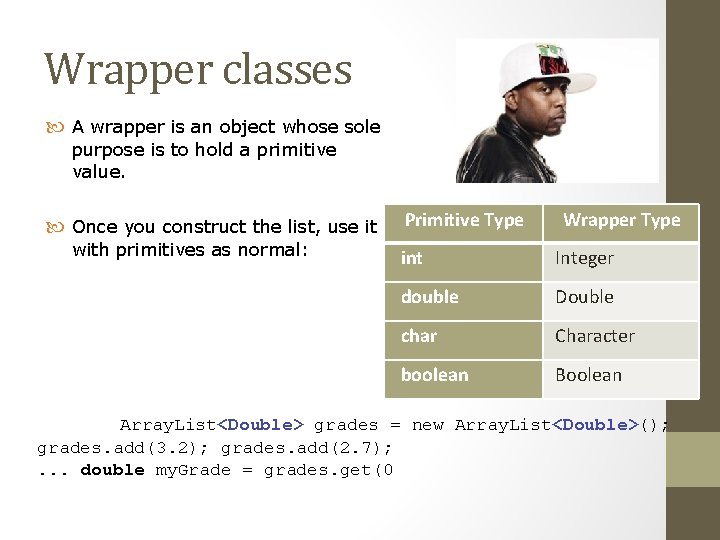
Wrapper classes A wrapper is an object whose sole purpose is to hold a primitive value. Once you construct the list, use it with primitives as normal: Primitive Type Wrapper Type int Integer double Double char Character boolean Boolean Array. List<Double> grades = new Array. List<Double>(); grades. add(3. 2); grades. add(2. 7); . . . double my. Grade = grades. get(0
![Array. List versus Array – Code Examples • Construction String[] names = new String[5];](http://slidetodoc.com/presentation_image_h2/7d0a0fe8a6da6c6163c1bd531a393dd9/image-95.jpg "Array. List versus Array – Code Examples • Construction String[] names = new String[5];")
Array. List versus Array – Code Examples • Construction String[] names = new String[5]; Array. List<String> list = new Array. List<String>(); • Storing a value names[0] = "Michael"; list. add("Michael"); • Retrieving a value String s = names[0]; String s = list. get(0);
Array. List vs Array – Code Examples Continued • Doing something to each value that starts with "B" for (int i = 0; i < names. length; i++) { if (names[i]. starts. With("B")) {. . . }} for (int i = 0; i < list. size(); i++) { if (list. get(i). starts. With("B")) {. . . } } • Seeing whether the value "Nathaniel" is found for (int i = 0; i < names. length; i++) { if (names[i]. equals("Nathaniel")) {. . . }} if (list. contains("Nathaniel")) {. . . }
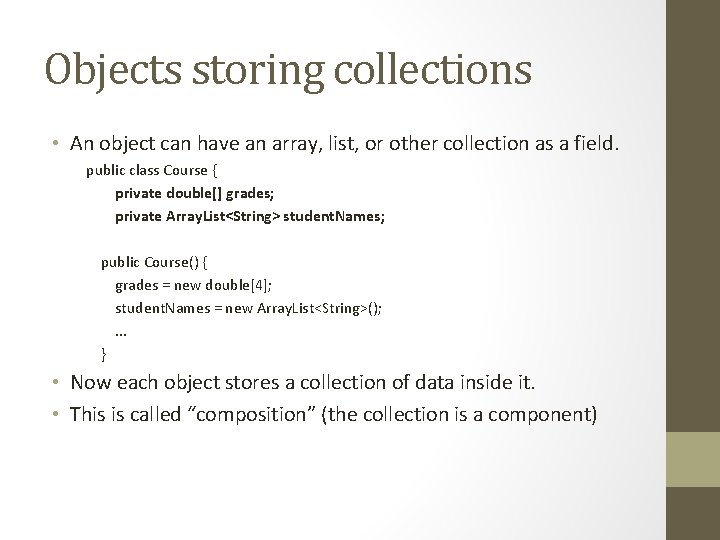
Objects storing collections • An object can have an array, list, or other collection as a field. public class Course { private double[] grades; private Array. List<String> student. Names; public Course() { grades = new double[4]; student. Names = new Array. List<String>(); . . . } • Now each object stores a collection of data inside it. • This is called “composition” (the collection is a component)
Questions Array. List<String> list = new Array. List<String>() list. Add(“Item 1”); list. Add(“Item 2”); Will this compile ? Yes, assuming declaration of import java. util. Array. List;
Questions. . Cntd. . • Array. List list = new Array. List() • list. Add(“ 1”); • list. Add(“ 2”); • list. Add(3); Yes, all are added as objects Will this compile ?
Questions. . Cntd. . • Array. List<String> list = new Array. List<String>(3) • list. Add(“ 1”); • list. Add(“ 2”); • list. Add(“ 3”); Yes. Array. List grows dynamically • list. Add(“ 4”); Will this compile ?
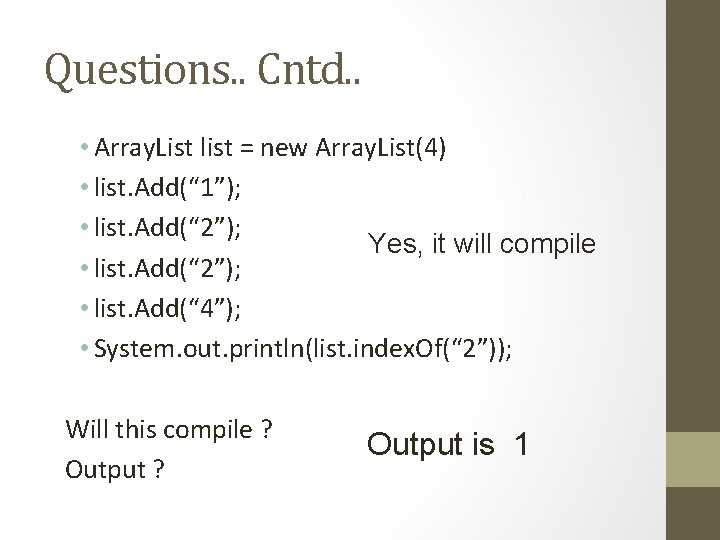
Questions. . Cntd. . • Array. List list = new Array. List(4) • list. Add(“ 1”); • list. Add(“ 2”); Yes, it will compile • list. Add(“ 2”); • list. Add(“ 4”); • System. out. println(list. index. Of(“ 2”)); Will this compile ? Output ? Output is 1
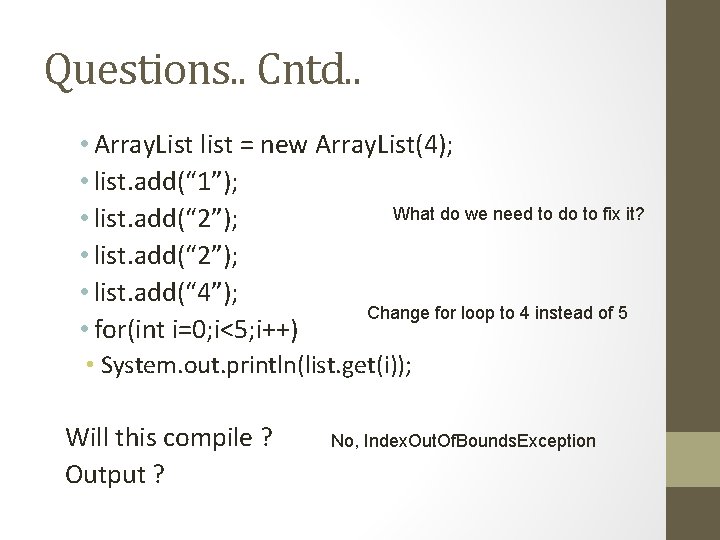
Questions. . Cntd. . • Array. List list = new Array. List(4); • list. add(“ 1”); What do we need to do to fix it? • list. add(“ 2”); • list. add(“ 4”); Change for loop to 4 instead of 5 • for(int i=0; i<5; i++) • System. out. println(list. get(i)); Will this compile ? Output ? No, Index. Out. Of. Bounds. Exception
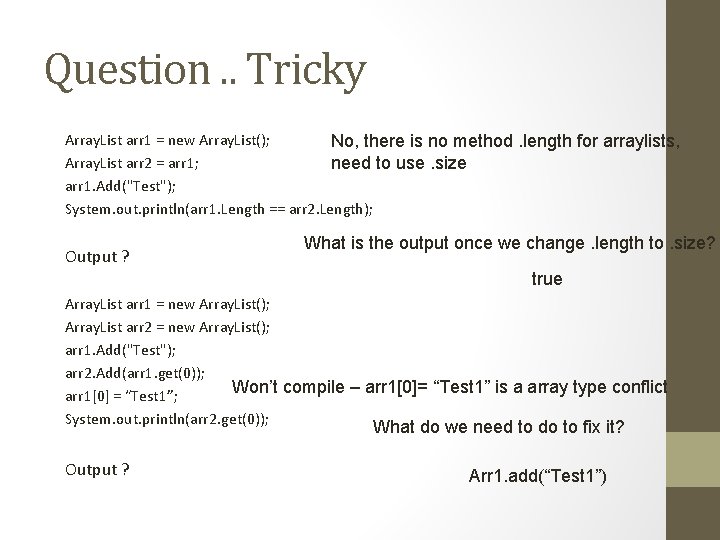
Question. . Tricky Array. List arr 1 = new Array. List(); No, there is no method. length for arraylists, Array. List arr 2 = arr 1; need to use. size arr 1. Add("Test"); System. out. println(arr 1. Length == arr 2. Length); Output ? What is the output once we change. length to. size? true Array. List arr 1 = new Array. List(); Array. List arr 2 = new Array. List(); arr 1. Add("Test"); arr 2. Add(arr 1. get(0)); Won’t compile – arr 1[0]= “Test 1” is a array type conflict arr 1[0] = “Test 1”; System. out. println(arr 2. get(0)); What do we need to do to fix it? Output ? Arr 1. add(“Test 1”)
![import java. util. *; class Array. List. Demo { public static void main(String args[])](http://slidetodoc.com/presentation_image_h2/7d0a0fe8a6da6c6163c1bd531a393dd9/image-104.jpg "import java. util. *; class Array. List. Demo { public static void main(String args[])")
import java. util. *; class Array. List. Demo { public static void main(String args[]) { Array. List al = new Array. List(); // create an array list System. out. println("Initial size of al: " + al. size()); // add elements to the array list Initial size of al: 0 al. add("C"); al. add("A"); al. add("E"); al. add("B"); al. add("D"); al. add("F"); al. add(1, "A 2"); Contents of al: [C, A 2, Size E, B, of. Dal after additions: 7 System. out. println("Size of al after additions: " +al. size()); // display the array list System. out. println("Contents of al: " + al); // Remove elements from the array list al. remove("F"); Contents of al: [C, A 2, A, E, B, D, al. remove(2); System. out. println("Size of al after deletions: " + al. size()); System. out. println("Contents of al: " + al); } } Size of al after deletions: 5 Contents of al: [C, A 2, E, B, D F]
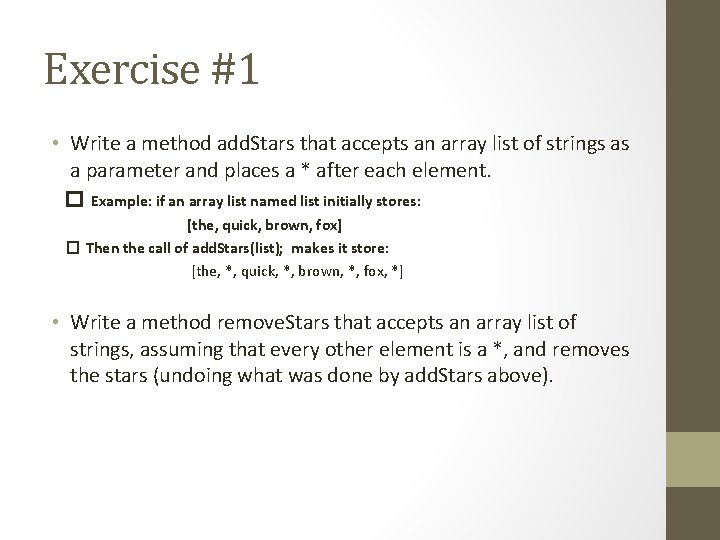
Exercise #1 • Write a method add. Stars that accepts an array list of strings as a parameter and places a * after each element. � Example: if an array list named list initially stores: [the, quick, brown, fox] � Then the call of add. Stars(list); makes it store: [the, *, quick, *, brown, *, fox, *] • Write a method remove. Stars that accepts an array list of strings, assuming that every other element is a *, and removes the stars (undoing what was done by add. Stars above).
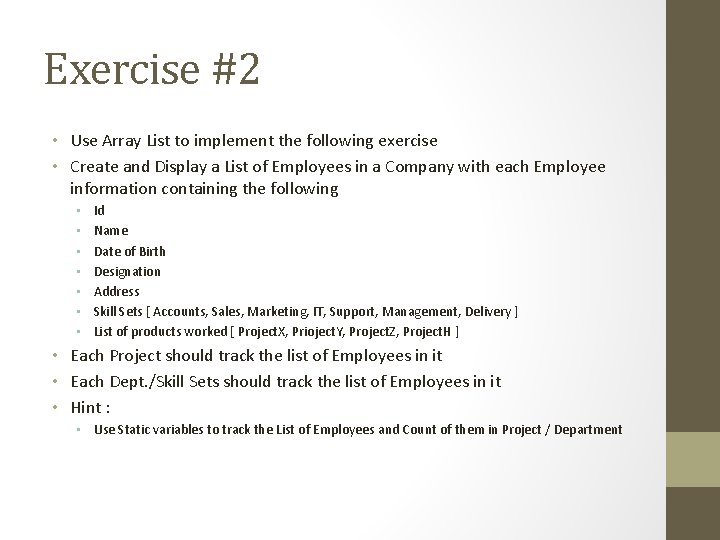
Exercise #2 • Use Array List to implement the following exercise • Create and Display a List of Employees in a Company with each Employee information containing the following • • Id Name Date of Birth Designation Address Skill Sets [ Accounts, Sales, Marketing, IT, Support, Management, Delivery ] List of products worked [ Project. X, Prioject. Y, Project. Z, Project. H ] • Each Project should track the list of Employees in it • Each Dept. /Skill Sets should track the list of Employees in it • Hint : • Use Static variables to track the List of Employees and Count of them in Project / Department
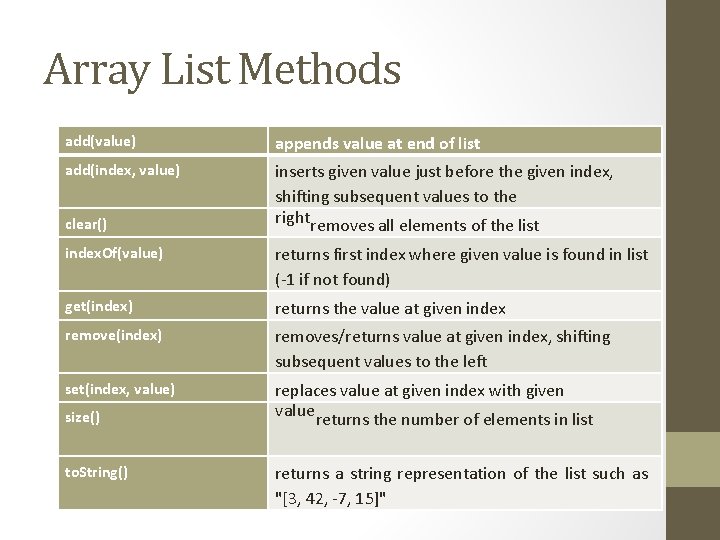
Array List Methods add(value) appends value at end of list add(index, value) inserts given value just before the given index, shifting subsequent values to the rightremoves all elements of the list clear() index. Of(value) returns first index where given value is found in list (-1 if not found) get(index) returns the value at given index remove(index) removes/returns value at given index, shifting subsequent values to the left set(index, value) replaces value at given index with given valuereturns the number of elements in list size() to. String() returns a string representation of the list such as "[3, 42, -7, 15]"
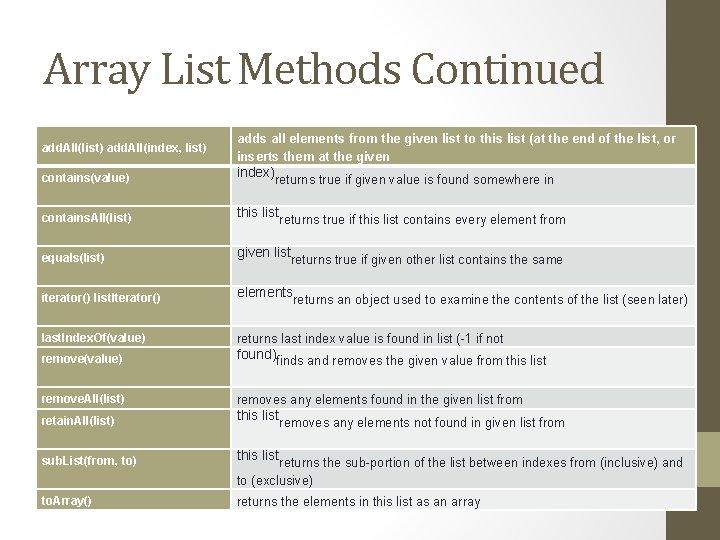
Array List Methods Continued add. All(list) add. All(index, list) adds all elements from the given list to this list (at the end of the list, or inserts them at the given contains(value) index)returns true if given value is found somewhere in contains. All(list) this listreturns true if this list contains every element from equals(list) given listreturns true if given other list contains the same iterator() list. Iterator() elementsreturns an object used to examine the contents of the list (seen later) last. Index. Of(value) returns last index value is found in list (-1 if not remove(value) found)finds and removes the given value from this list remove. All(list) removes any elements found in the given list from retain. All(list) this listremoves any elements not found in given list from sub. List(from, to) this listreturns the sub-portion of the list between indexes from (inclusive) and to (exclusive) to. Array() returns the elements in this list as an array
Practice. It • http: //www. garfieldcs. com/2011/02/arraylists-practice/ • http: //practiceit. cs. washington. edu/problem. jsp? category=Un iversity+of+Washington+CSE+143%2 FCS 2+Exams%2 FCS 2+Mid term+Exams%2 F 143+Practice+Midterm+5&problem=143 pract icemidterm 5 -Array. List. Mystery • http: //www. garfieldcs. com/2011/03/classes-quiz-practice/
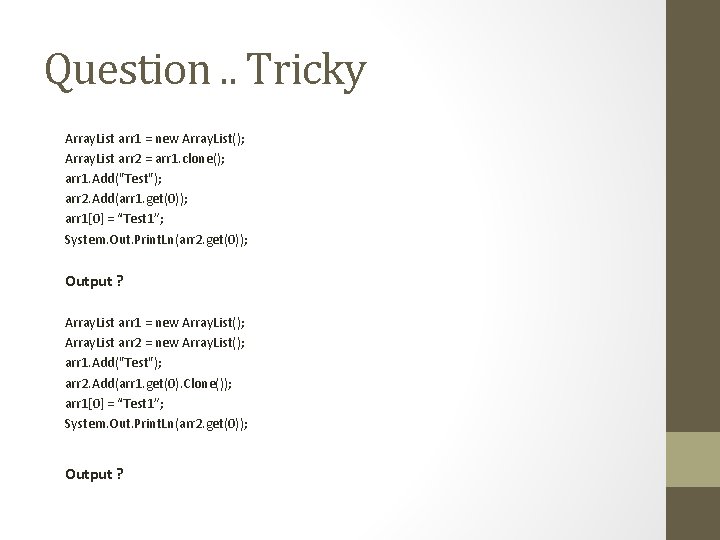
Question. . Tricky Array. List arr 1 = new Array. List(); Array. List arr 2 = arr 1. clone(); arr 1. Add("Test"); arr 2. Add(arr 1. get(0)); arr 1[0] = “Test 1”; System. Out. Print. Ln(arr 2. get(0)); Output ? Array. List arr 1 = new Array. List(); Array. List arr 2 = new Array. List(); arr 1. Add("Test"); arr 2. Add(arr 1. get(0). Clone()); arr 1[0] = “Test 1”; System. Out. Print. Ln(arr 2. get(0)); Output ?
Arrays for tallying
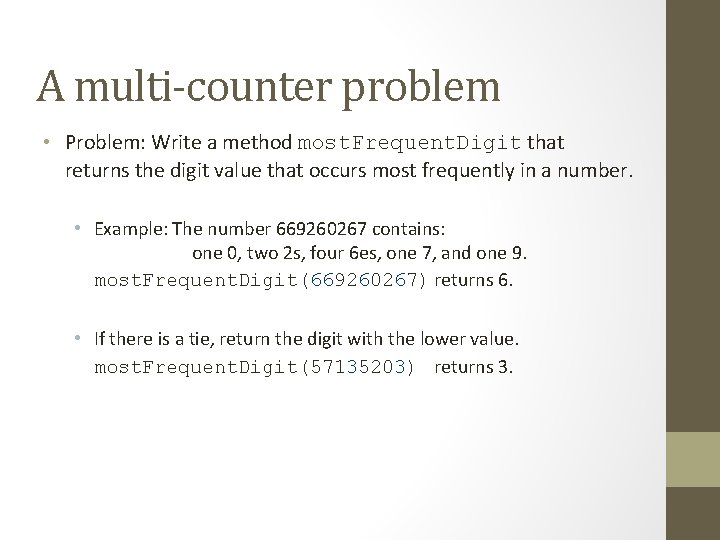
A multi-counter problem • Problem: Write a method most. Frequent. Digit that returns the digit value that occurs most frequently in a number. • Example: The number 669260267 contains: one 0, two 2 s, four 6 es, one 7, and one 9. most. Frequent. Digit(669260267) returns 6. • If there is a tie, return the digit with the lower value. most. Frequent. Digit(57135203) returns 3.
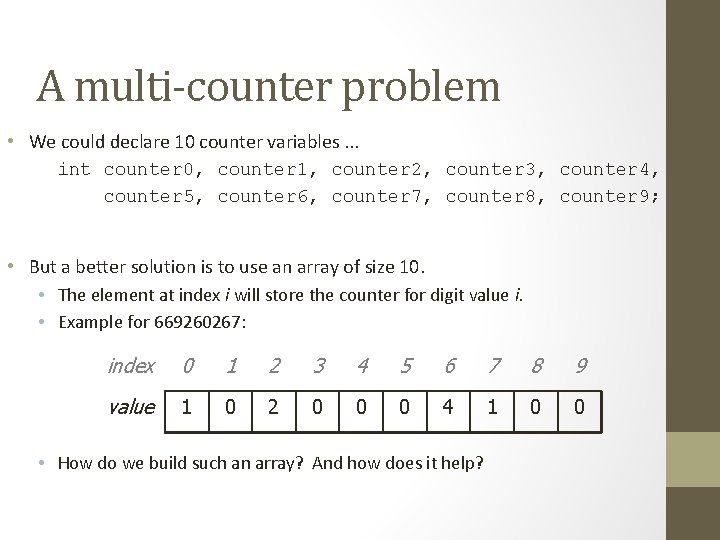
A multi-counter problem • We could declare 10 counter variables. . . int counter 0, counter 1, counter 2, counter 3, counter 4, counter 5, counter 6, counter 7, counter 8, counter 9; • But a better solution is to use an array of size 10. • The element at index i will store the counter for digit value i. • Example for 669260267: index 0 1 2 3 4 5 6 7 8 9 value 1 0 2 0 0 0 4 1 0 0 • How do we build such an array? And how does it help?
![Creating an array of tallies // assume n = 669260267 int[] counts = new](http://slidetodoc.com/presentation_image_h2/7d0a0fe8a6da6c6163c1bd531a393dd9/image-114.jpg "Creating an array of tallies // assume n = 669260267 int[] counts = new")
Creating an array of tallies // assume n = 669260267 int[] counts = new int[10]; while (n > 0) { // pluck off a digit and add to proper counter int digit = n % 10; counts[digit]++; n = n / 10; } index 0 1 2 3 4 5 6 7 8 9 value 1 0 2 0 0 0 4 1 0 0
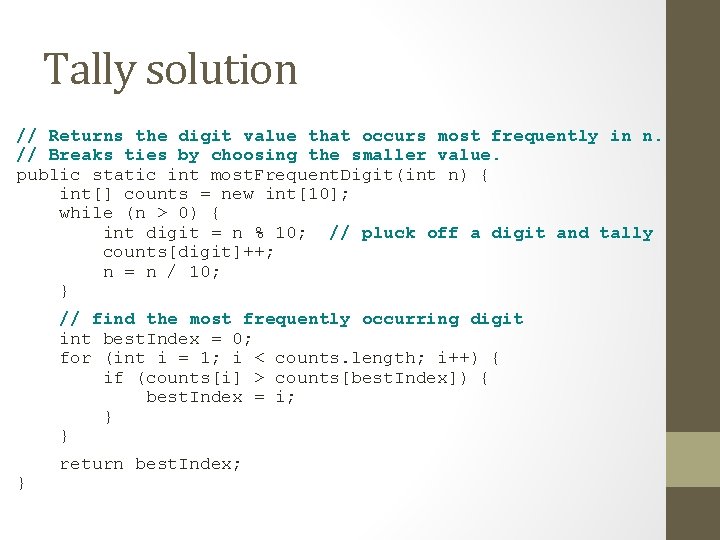
Tally solution // Returns the digit value that occurs most frequently in n. // Breaks ties by choosing the smaller value. public static int most. Frequent. Digit(int n) { int[] counts = new int[10]; while (n > 0) { int digit = n % 10; // pluck off a digit and tally counts[digit]++; n = n / 10; } // find the most frequently occurring digit int best. Index = 0; for (int i = 1; i < counts. length; i++) { if (counts[i] > counts[best. Index]) { best. Index = i; } } } return best. Index;
MULTIDIMENSIONAL ARRAYS
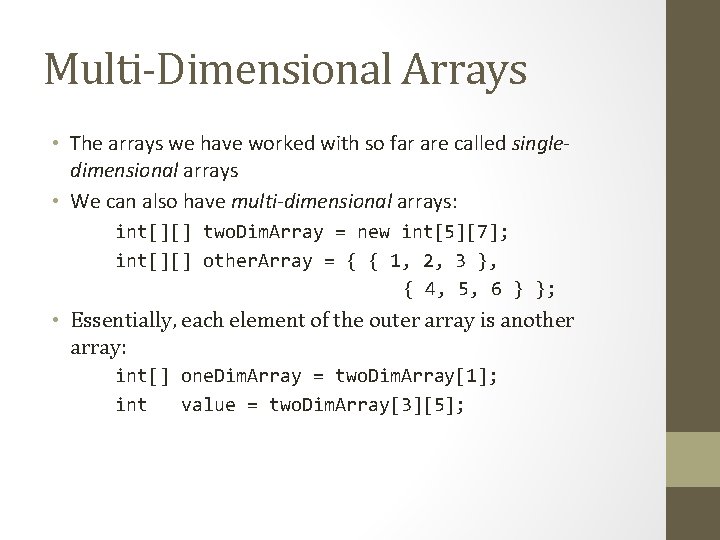
Multi-Dimensional Arrays • The arrays we have worked with so far are called singledimensional arrays • We can also have multi-dimensional arrays: int[][] two. Dim. Array = new int[5][7]; int[][] other. Array = { { 1, 2, 3 }, { 4, 5, 6 } }; • Essentially, each element of the outer array is another array: int[] one. Dim. Array = two. Dim. Array[1]; int value = two. Dim. Array[3][5];
![Multi-Dimensional Example • int two. D[][] = new int[4][5];](http://slidetodoc.com/presentation_image_h2/7d0a0fe8a6da6c6163c1bd531a393dd9/image-118.jpg "Multi-Dimensional Example • int two. D[][] = new int[4][5];")
Multi-Dimensional Example • int two. D[][] = new int[4][5];
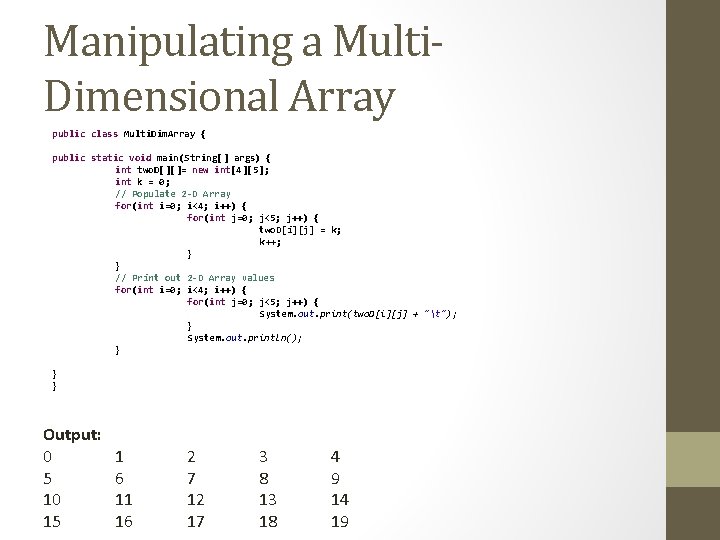
Manipulating a Multi. Dimensional Array public class Multi. Dim. Array { public static void main(String[] args) { int two. D[][]= new int[4][5]; int k = 0; // Populate 2 -D Array for(int i=0; i<4; i++) { for(int j=0; j<5; j++) { two. D[i][j] = k; k++; } } // Print out 2 -D Array values for(int i=0; i<4; i++) { for(int j=0; j<5; j++) { System. out. print(two. D[i][j] + "t"); } System. out. println(); } } } Output: 0 5 10 15 1 6 11 16 2 7 12 17 3 8 13 18 4 9 14 19
Exercises • Write code to construct an array called student. Seating that will be used as a seating chart for the classroom. You do not need to fill in any of the elements of the array, and you can assume that the final array will have empty seats (you do not need to construct a jagged array). • Write code that fills in the elements of the array from student. Seating with the names of students seated in each spot. • Write code to print the names of the students?
Tally Array Exercises • Exercise 1: Write a Java program to ask the user for a number, then simulate rolling a die that number of times, and output how many times each number (1 through 6) was rolled. To simulate a dice roll, you can use the Random class. i. e. Random random. Generator = new Random(); random. Generator. next. Int(6); • Exercise 2: Repeat Exercise 2 rolling a pair of dice and tracking the total of the pair. • Exercise 3: Repeat Exercise 3 (rolling a pair of dice), but track the different combinations of numbers on each die, not just the total.
Review • Arrays 1. 2. 3. 4. 5. How to declare and initialize arrays How to access and modify array (for loop example) How to pass and return arrays to methods Reference semantics for arrays Multidimensional arrays • Array. Lists 6. Arrray. List vs Array • dynamically grow, using primitive types 7. Methods or fields that differ between Array and Array. List • get, size, add
Arrays • array: object that stores many values of the same type. • element: One value in an array. • index: A 0 -based integer to access an element from an array. index 0 1 2 3 4 5 6 7 8 9 value 12 49 -2 26 5 17 -6 84 72 3 element 0 element 4 element 9
![Array declaration type[] name = new type[length]; • Example: int[] numbers = new int[10];](http://slidetodoc.com/presentation_image_h2/7d0a0fe8a6da6c6163c1bd531a393dd9/image-124.jpg "Array declaration type[] name = new type[length]; • Example: int[] numbers = new int[10];")
Array declaration type[] name = new type[length]; • Example: int[] numbers = new int[10]; index 0 1 2 3 4 5 6 7 8 9 value 0 0 0 0 0
![Quick array initialization type[] name = {value, … value}; • Example: int[] numbers =](http://slidetodoc.com/presentation_image_h2/7d0a0fe8a6da6c6163c1bd531a393dd9/image-125.jpg "Quick array initialization type[] name = {value, … value}; • Example: int[] numbers =")
Quick array initialization type[] name = {value, … value}; • Example: int[] numbers = {12, 49, -2, 26, 5, 17, 6}; index 0 1 2 3 4 5 6 value 12 49 -2 26 5 17 -6 • Useful when you know what the array's elements will be • The compiler figures out the size by counting the values
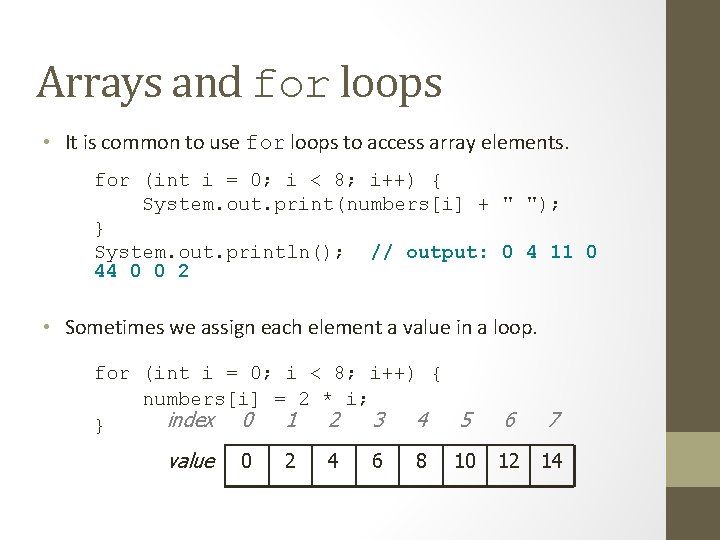
Arrays and for loops • It is common to use for loops to access array elements. for (int i = 0; i < 8; i++) { System. out. print(numbers[i] + " "); } System. out. println(); // output: 0 4 11 0 44 0 0 2 • Sometimes we assign each element a value in a loop. for (int i = 0; i < 8; i++) { numbers[i] = 2 * i; index 0 1 2 3 4 5 } value 0 2 4 6 8 10 6 7 12 14
![Array parameter (declare) public static type method. Name(type[] name) { • Example: // Returns](http://slidetodoc.com/presentation_image_h2/7d0a0fe8a6da6c6163c1bd531a393dd9/image-127.jpg "Array parameter (declare) public static type method. Name(type[] name) { • Example: // Returns")
Array parameter (declare) public static type method. Name(type[] name) { • Example: // Returns the average of the given array of numbers. public static double average(int[] numbers) { int sum = 0; for (int i = 0; i < numbers. length; i++) { sum += numbers[i]; } return (double) sum / numbers. length; } • You don't specify the array's length (but you can examine it).
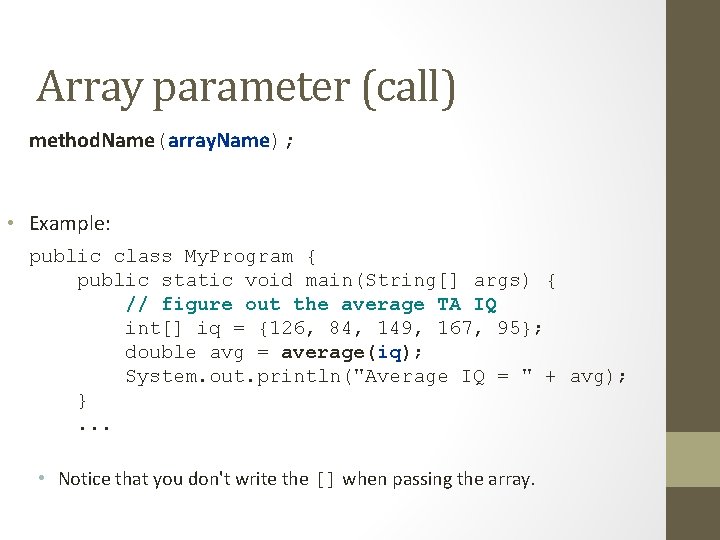
Array parameter (call) method. Name(array. Name); • Example: public class My. Program { public static void main(String[] args) { // figure out the average TA IQ int[] iq = {126, 84, 149, 167, 95}; double avg = average(iq); System. out. println("Average IQ = " + avg); }. . . • Notice that you don't write the [] when passing the array.
![Array return (declare) public static type[] method. Name(parameters) { • Example: // Returns a](http://slidetodoc.com/presentation_image_h2/7d0a0fe8a6da6c6163c1bd531a393dd9/image-129.jpg "Array return (declare) public static type[] method. Name(parameters) { • Example: // Returns a")
Array return (declare) public static type[] method. Name(parameters) { • Example: // Returns a new array with two copies of each value. // Example: [1, 4, 0, 7] -> [1, 1, 4, 4, 0, 0, 7, 7] public static int[] stutter(int[] numbers) { int[] result = new int[2 * numbers. length]; for (int i = 0; i < numbers. length; i++) { result[2 * i] = numbers[i]; result[2 * i + 1] = numbers[i]; } return result; }
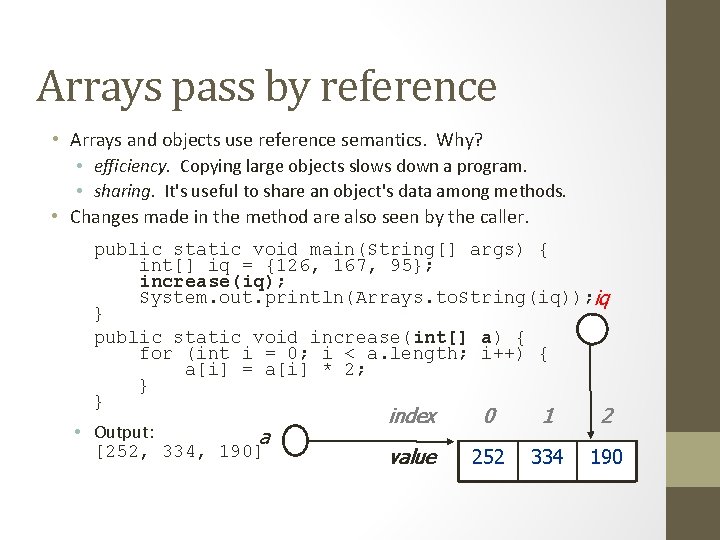
Arrays pass by reference • Arrays and objects use reference semantics. Why? • efficiency. Copying large objects slows down a program. • sharing. It's useful to share an object's data among methods. • Changes made in the method are also seen by the caller. public static void main(String[] args) { int[] iq = {126, 167, 95}; increase(iq); System. out. println(Arrays. to. String(iq)); iq } public static void increase(int[] a) { for (int i = 0; i < a. length; i++) { a[i] = a[i] * 2; } } • Output: a [252, 334, 190] index 0 1 2 value 126 252 167 334 190 95
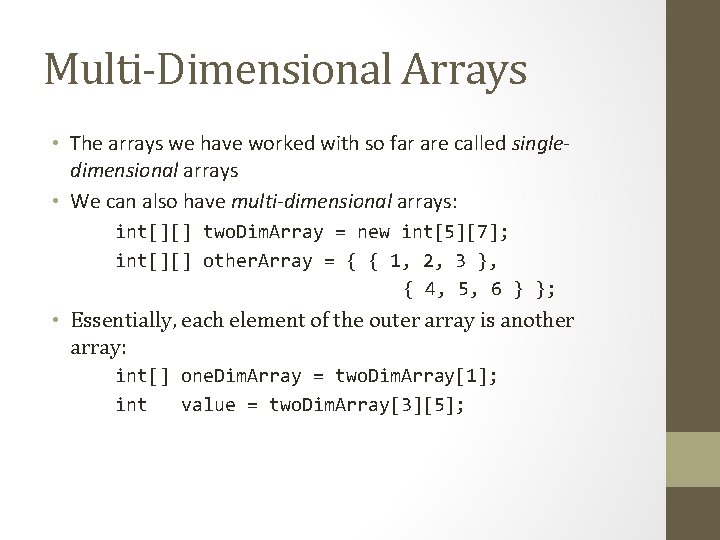
Multi-Dimensional Arrays • The arrays we have worked with so far are called singledimensional arrays • We can also have multi-dimensional arrays: int[][] two. Dim. Array = new int[5][7]; int[][] other. Array = { { 1, 2, 3 }, { 4, 5, 6 } }; • Essentially, each element of the outer array is another array: int[] one. Dim. Array = two. Dim. Array[1]; int value = two. Dim. Array[3][5];
- Slides: 131