
Arrays An array is a collection of data
![Array creation double[] an. Array ; an. Array: Here, the array is not defined.](https://slidetodoc.com/presentation_image/b111306886f76450429373653c8aa36f/image-5.jpg "Array creation double[] an. Array ; an. Array: Here, the array is not defined.")
![Partial initialization of an Array • An array may be partially initialized. int []](https://slidetodoc.com/presentation_image/b111306886f76450429373653c8aa36f/image-8.jpg "Partial initialization of an Array • An array may be partially initialized. int []")
![Overall class structure class Statistics { public static void main (String[] args) { }](https://slidetodoc.com/presentation_image/b111306886f76450429373653c8aa36f/image-33.jpg "Overall class structure class Statistics { public static void main (String[] args) { }")
![Method to read array values public static double[] read. Double. Array( ) { double[]](https://slidetodoc.com/presentation_image/b111306886f76450429373653c8aa36f/image-34.jpg "Method to read array values public static double[] read. Double. Array( ) { double[]")
![Main method public static void main (String[] args) { // Declare variables double[] x;](https://slidetodoc.com/presentation_image/b111306886f76450429373653c8aa36f/image-38.jpg "Main method public static void main (String[] args) { // Declare variables double[] x;")
- Slides: 39
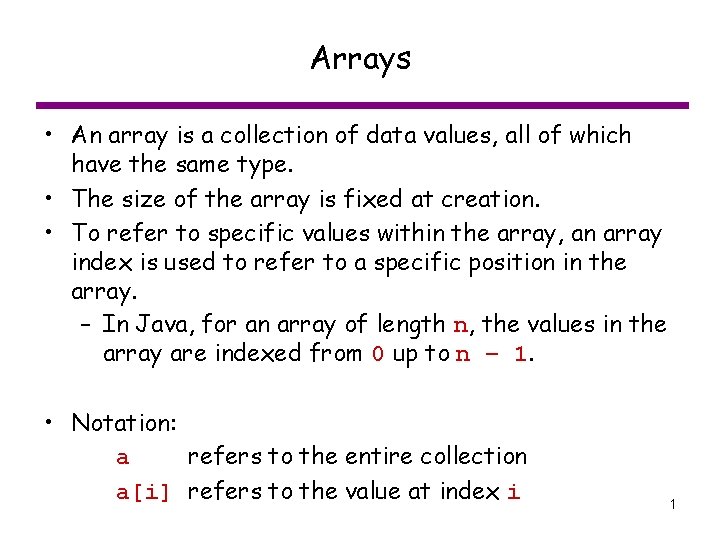
Arrays • An array is a collection of data values, all of which have the same type. • The size of the array is fixed at creation. • To refer to specific values within the array, an array index is used to refer to a specific position in the array. – In Java, for an array of length n, the values in the array are indexed from 0 up to n – 1. • Notation: a refers to the entire collection a[i] refers to the value at index i 1
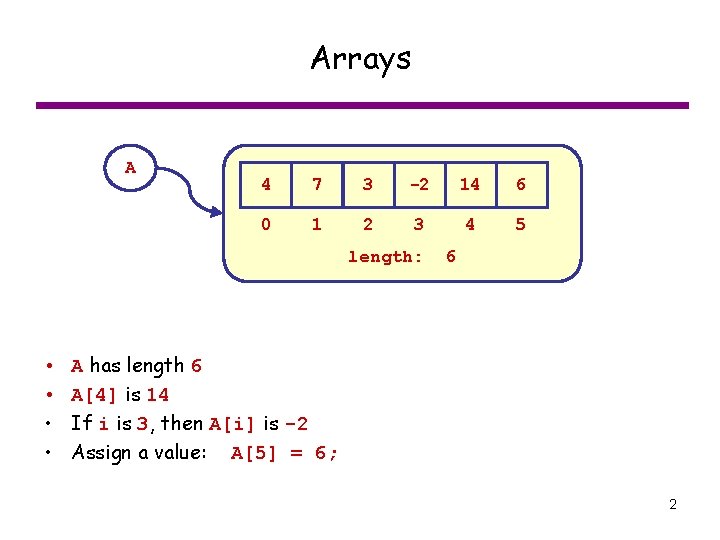
Arrays A 4 7 3 -2 14 6 0 1 2 3 4 5 length: • • 6 A has length 6 A[4] is 14 If i is 3, then A[i] is -2 Assign a value: A[5] = 6; 2
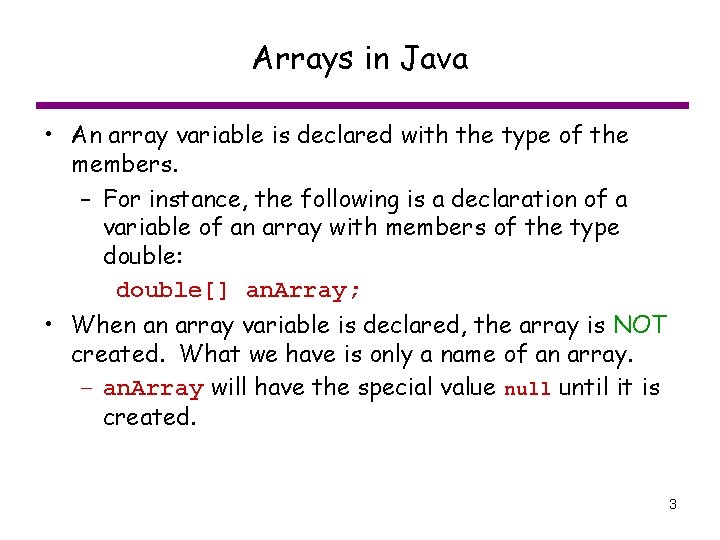
Arrays in Java • An array variable is declared with the type of the members. – For instance, the following is a declaration of a variable of an array with members of the type double: double[] an. Array; • When an array variable is declared, the array is NOT created. What we have is only a name of an array. – an. Array will have the special value null until it is created. 3
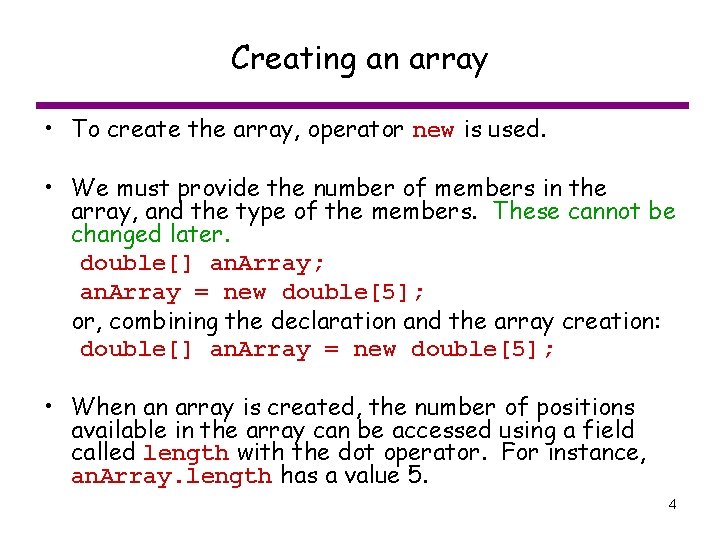
Creating an array • To create the array, operator new is used. • We must provide the number of members in the array, and the type of the members. These cannot be changed later. double[] an. Array; an. Array = new double[5]; or, combining the declaration and the array creation: double[] an. Array = new double[5]; • When an array is created, the number of positions available in the array can be accessed using a field called length with the dot operator. For instance, an. Array. length has a value 5. 4
Array creation double[] an. Array ; an. Array: Here, the array is not defined. null an. Array = new double[3] an. Array: 0 1 2 ? ? ? length 3 Here, the array is defined, but the elements in the array are NOT defined. 5
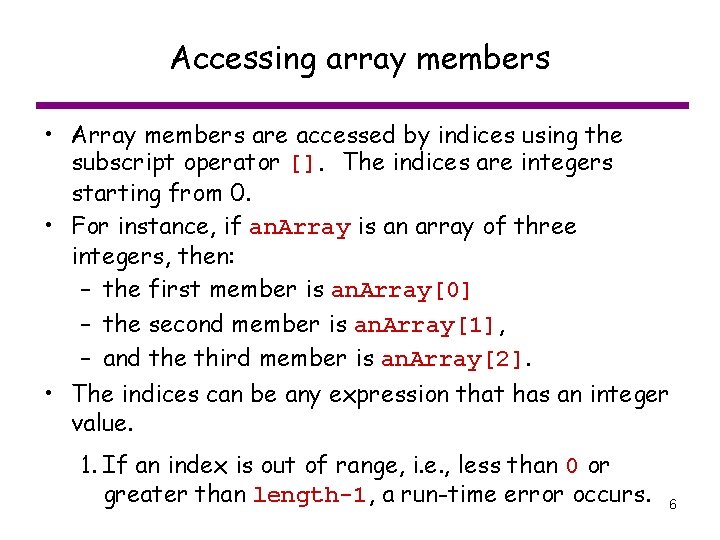
Accessing array members • Array members are accessed by indices using the subscript operator []. The indices are integers starting from 0. • For instance, if an. Array is an array of three integers, then: – the first member is an. Array[0] – the second member is an. Array[1], – and the third member is an. Array[2]. • The indices can be any expression that has an integer value. 1. If an index is out of range, i. e. , less than 0 or greater than length-1, a run-time error occurs. 6
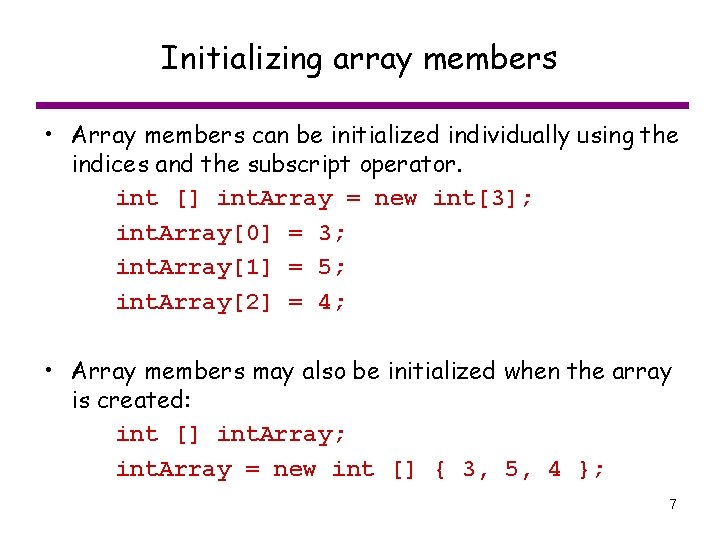
Initializing array members • Array members can be initialized individually using the indices and the subscript operator. int [] int. Array = new int[3]; int. Array[0] = 3; int. Array[1] = 5; int. Array[2] = 4; • Array members may also be initialized when the array is created: int [] int. Array; int. Array = new int [] { 3, 5, 4 }; 7
Partial initialization of an Array • An array may be partially initialized. int [] int. Array = new int [5]; int. Array[0] = 3; int. Array[1] = 5; int. Array[2] = 4; – In this case, int. Array[3] and int. Array[4] are undefined. • When an array is processed, we may need another variable (or variables) to keep track of the indices for which we have assigned values. 8
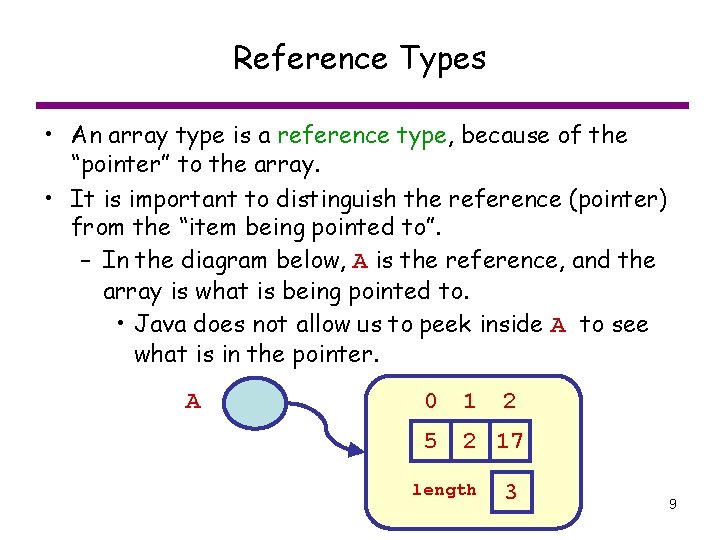
Reference Types • An array type is a reference type, because of the “pointer” to the array. • It is important to distinguish the reference (pointer) from the “item being pointed to”. – In the diagram below, A is the reference, and the array is what is being pointed to. • Java does not allow us to peek inside A to see what is in the pointer. 0 1 2 A A 5 2 17 length 3 9
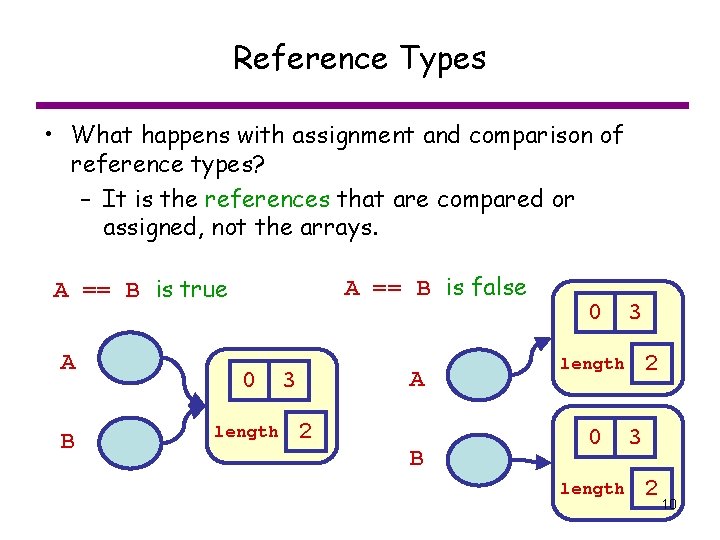
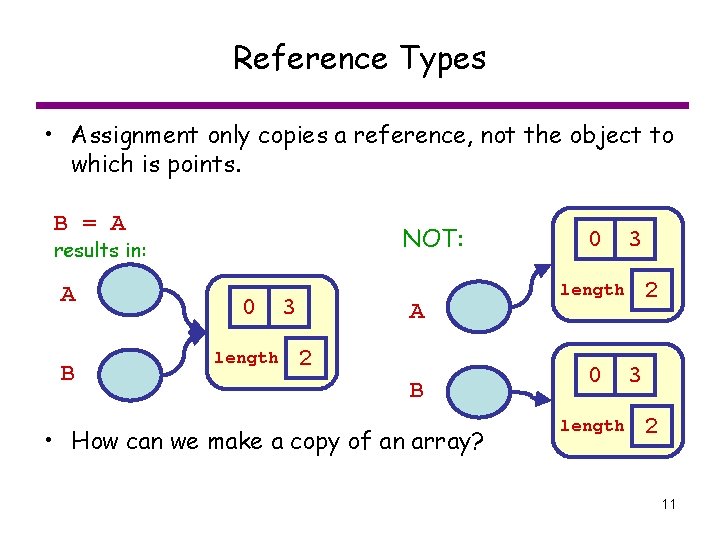
Reference Types • What happens with assignment and comparison of reference types? – It is the references that are compared or assigned, not the arrays. A == B is false A == B is true A B 0 length A 3 2 B 0 3 2 length 0 length 3 2 10
Reference Types • Assignment only copies a reference, not the object to which is points. B = A NOT: results in: A B 0 length 3 A 2 B • How can we make a copy of an array? 0 3 2 length 0 length 3 2 11
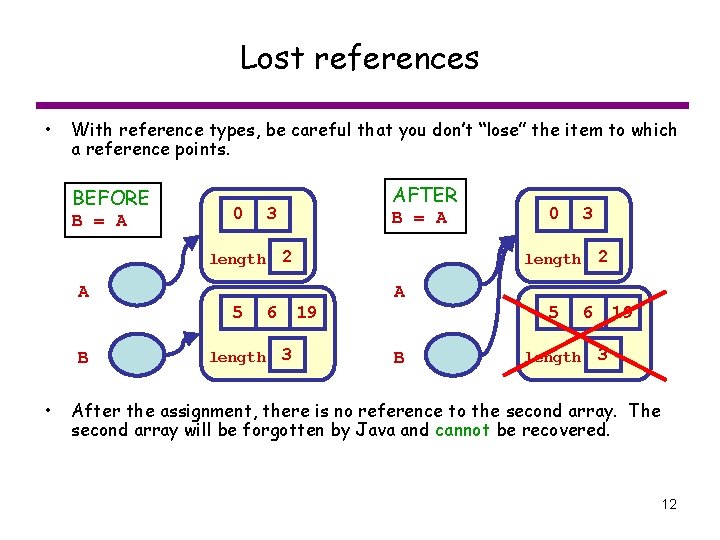
Lost references • With reference types, be careful that you don’t “lose” the item to which a reference points. BEFORE B = A 0 AFTER 3 B = A 2 length A 5 B • length 3 3 2 length 19 6 0 A 5 B length 19 6 3 After the assignment, there is no reference to the second array. The second array will be forgotten by Java and cannot be recovered. 12
Example: Find maximum, minimum array values 13
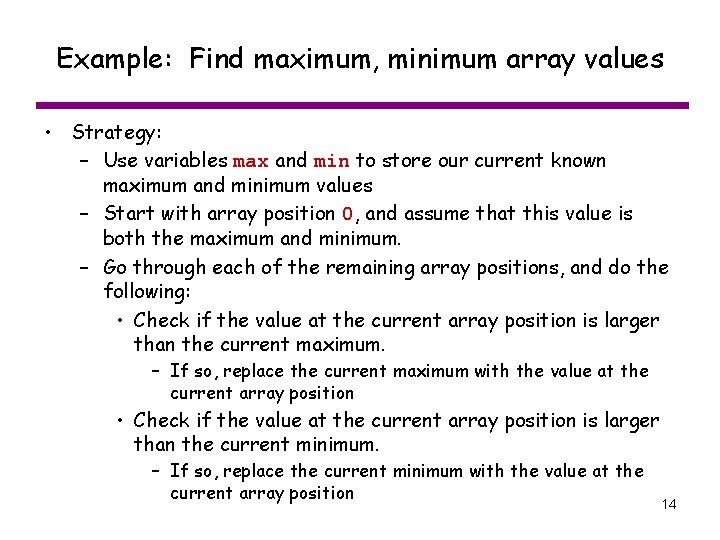
Example: Find maximum, minimum array values • Strategy: – Use variables max and min to store our current known maximum and minimum values – Start with array position 0, and assume that this value is both the maximum and minimum. – Go through each of the remaining array positions, and do the following: • Check if the value at the current array position is larger than the current maximum. – If so, replace the current maximum with the value at the current array position • Check if the value at the current array position is larger than the current minimum. – If so, replace the current minimum with the value at the current array position 14
Example: Find position of maximum and minimum in an array • A modification of the previous problem is to find the location of the maximum and minimum values • As we loop through the array, we need to save both the maximum (and minimum) values AND their positions 15
Methods • A method is a separate piece of code that can be called independently and/or repeatedly. • Used to partition programs into smaller portions, each of which performs a well-defined function. • We’ve already been using methods from the Math, Keyboard. – Now, we will create our own methods 16
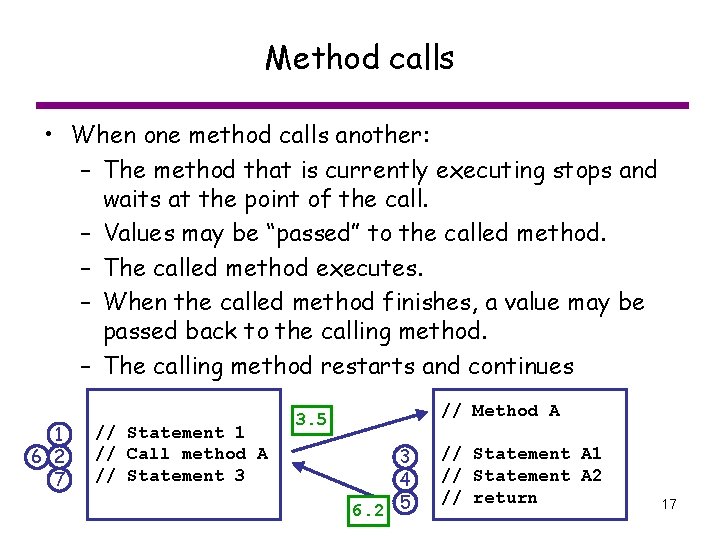
Method calls • When one method calls another: – The method that is currently executing stops and waits at the point of the call. – Values may be “passed” to the called method. – The called method executes. – When the called method finishes, a value may be passed back to the calling method. – The calling method restarts and continues 1 6 2 7 // Statement 1 // Call method A // Statement 3 // Method A 3. 5 3 4 6. 2 5 // Statement A 1 // Statement A 2 // return 17
Components of Methods • Each method will have (optional except where noted): – name (required): used to identify method – parameters: values that must be supplied to method by caller – return value: one value returned by the method – local variables: variables used inside the method, and not accessible outside the method – body (required): code that performs the desired function 18
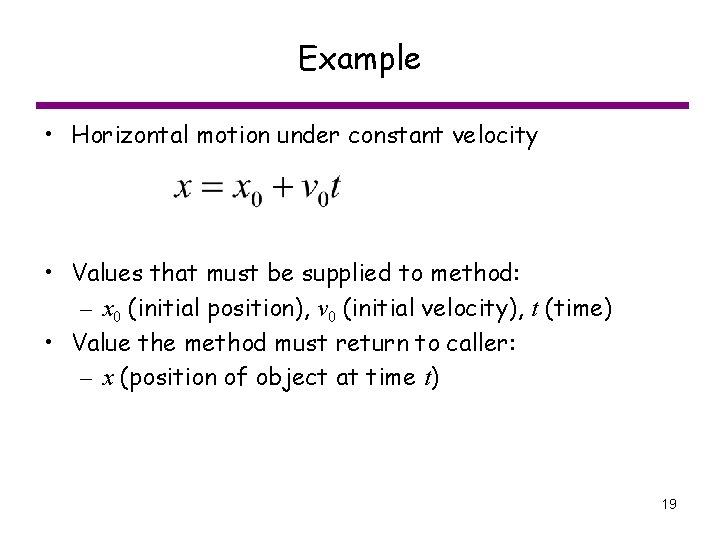
Example • Horizontal motion under constant velocity • Values that must be supplied to method: – x 0 (initial position), v 0 (initial velocity), t (time) • Value the method must return to caller: – x (position of object at time t) 19
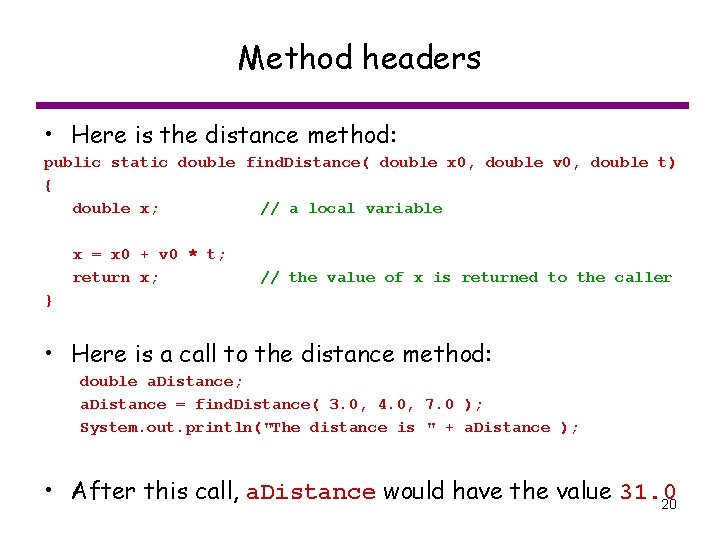
Method headers • Here is the distance method: public static double find. Distance( double x 0, double v 0, double t) { double x; // a local variable x = x 0 + v 0 * t; return x; // the value of x is returned to the caller } • Here is a call to the distance method: double a. Distance; a. Distance = find. Distance( 3. 0, 4. 0, 7. 0 ); System. out. println("The distance is " + a. Distance ); • After this call, a. Distance would have the value 31. 0 20
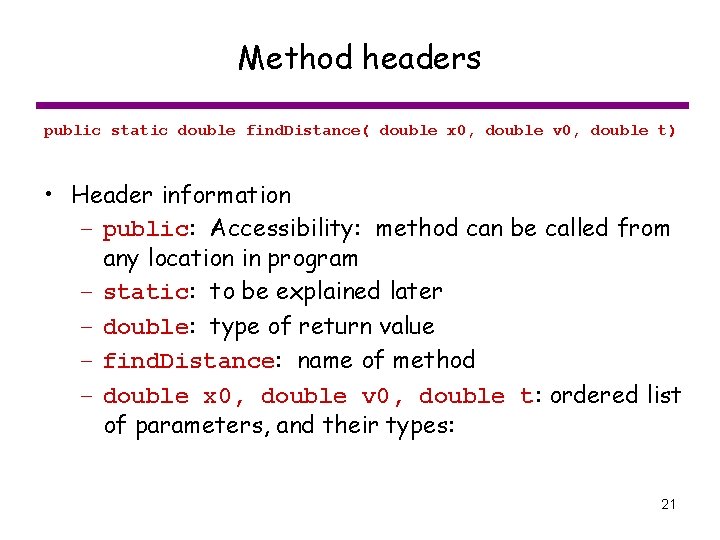
Method headers public static double find. Distance( double x 0, double v 0, double t) • Header information – public: Accessibility: method can be called from any location in program – static: to be explained later – double: type of return value – find. Distance: name of method – double x 0, double v 0, double t: ordered list of parameters, and their types: 21
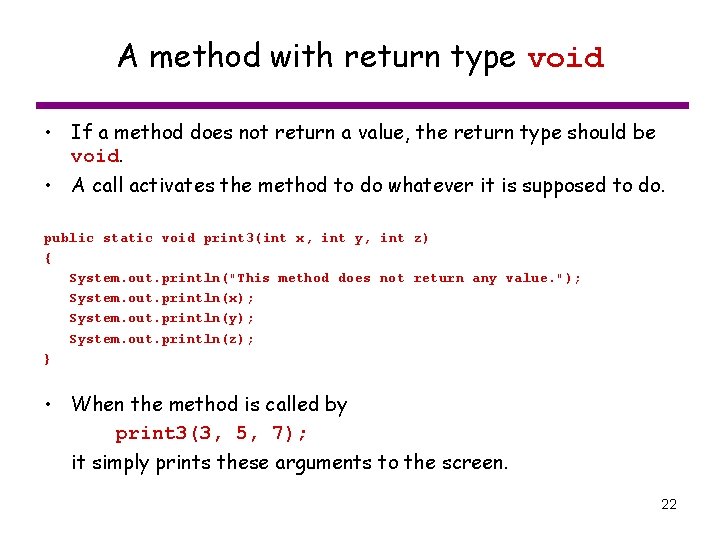
A method with return type void • If a method does not return a value, the return type should be void. • A call activates the method to do whatever it is supposed to do. public static void print 3(int x, int y, int z) { System. out. println("This method does not return any value. "); System. out. println(x); System. out. println(y); System. out. println(z); } • When the method is called by print 3(3, 5, 7); it simply prints these arguments to the screen. 22
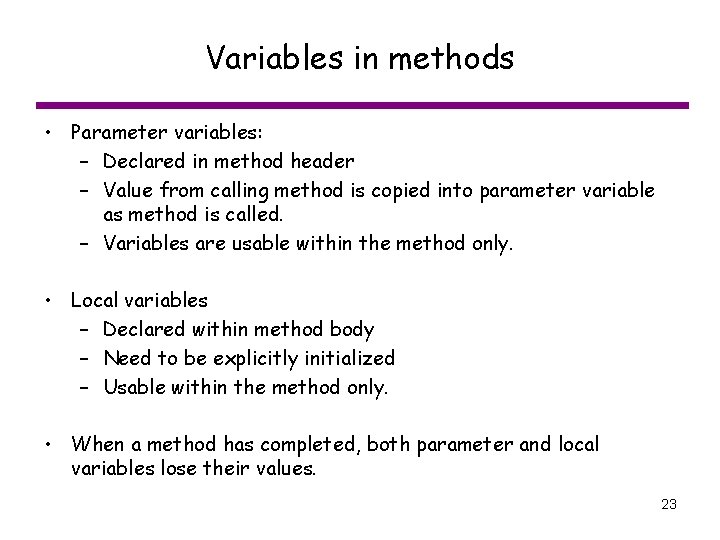
Variables in methods • Parameter variables: – Declared in method header – Value from calling method is copied into parameter variable as method is called. – Variables are usable within the method only. • Local variables – Declared within method body – Need to be explicitly initialized – Usable within the method only. • When a method has completed, both parameter and local variables lose their values. 23
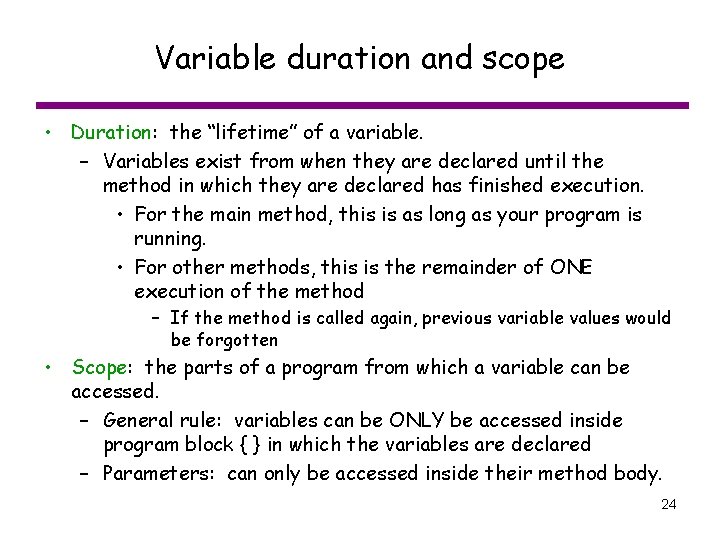
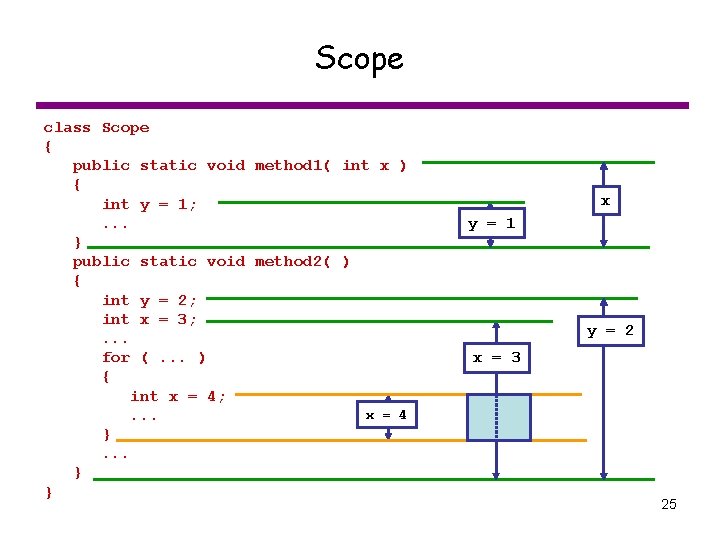
Variable duration and scope • Duration: the “lifetime” of a variable. – Variables exist from when they are declared until the method in which they are declared has finished execution. • For the main method, this is as long as your program is running. • For other methods, this is the remainder of ONE execution of the method – If the method is called again, previous variable values would be forgotten • Scope: the parts of a program from which a variable can be accessed. – General rule: variables can be ONLY be accessed inside program block { } in which the variables are declared – Parameters: can only be accessed inside their method body. 24
Scope class Scope { public static void method 1( int x ) { int y = 1; . . . } public static void method 2( ) { int y = 2; int x = 3; . . . for (. . . ) { int x = 4; x = 4. . . } } x y = 1 y = 2 x = 3 25
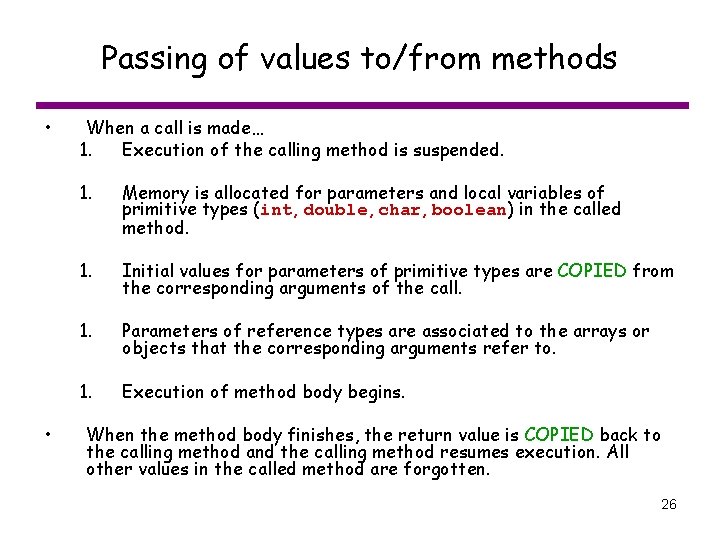
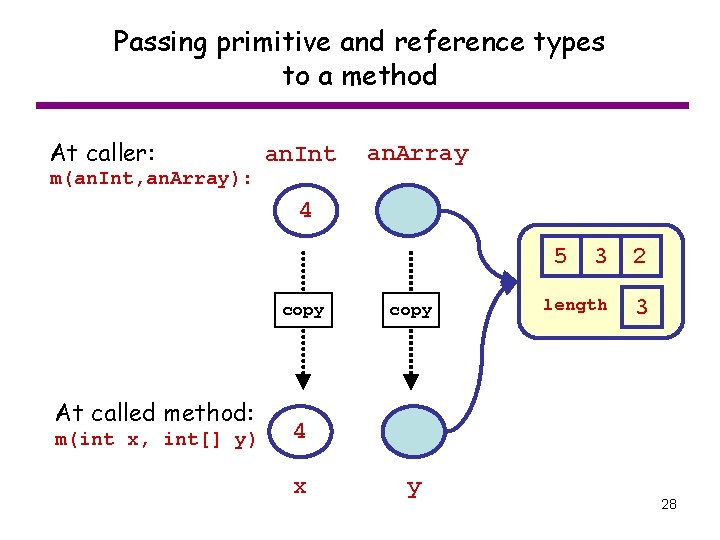
Passing of values to/from methods • • When a call is made… 1. Execution of the calling method is suspended. 1. Memory is allocated for parameters and local variables of primitive types (int, double, char, boolean) in the called method. 1. Initial values for parameters of primitive types are COPIED from the corresponding arguments of the call. 1. Parameters of reference types are associated to the arrays or objects that the corresponding arguments refer to. 1. Execution of method body begins. When the method body finishes, the return value is COPIED back to the calling method and the calling method resumes execution. All other values in the called method are forgotten. 26
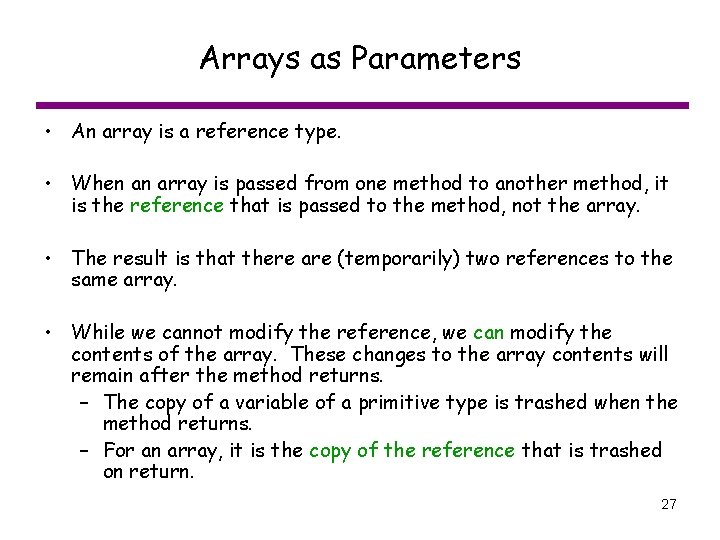
Arrays as Parameters • An array is a reference type. • When an array is passed from one method to another method, it is the reference that is passed to the method, not the array. • The result is that there are (temporarily) two references to the same array. • While we cannot modify the reference, we can modify the contents of the array. These changes to the array contents will remain after the method returns. – The copy of a variable of a primitive type is trashed when the method returns. – For an array, it is the copy of the reference that is trashed on return. 27
Passing primitive and reference types to a method At caller: m(an. Int, an. Array): an. Int an. Array 4 5 copy At called method: m(int x, int[] y) copy 3 2 length 3 4 x y 28
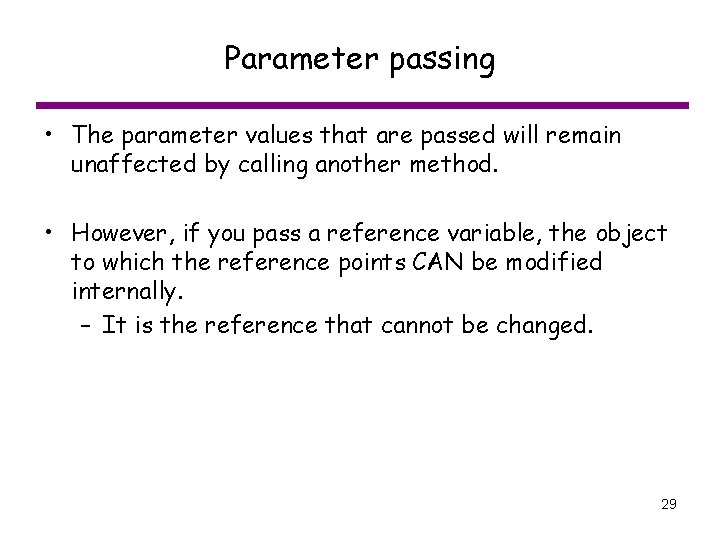
Parameter passing • The parameter values that are passed will remain unaffected by calling another method. • However, if you pass a reference variable, the object to which the reference points CAN be modified internally. – It is the reference that cannot be changed. 29
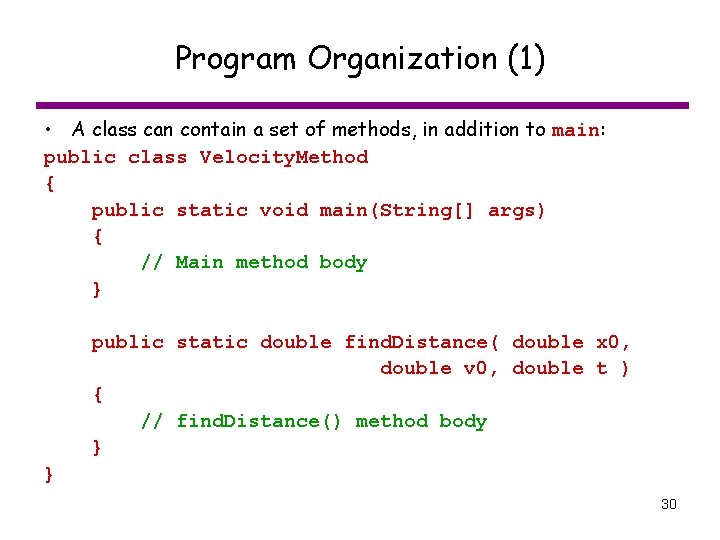
Program Organization (1) • A class can contain a set of methods, in addition to main: public class Velocity. Method { public static void main(String[] args) { // Main method body } public static double find. Distance( double x 0, double v 0, double t ) { // find. Distance() method body } } 30
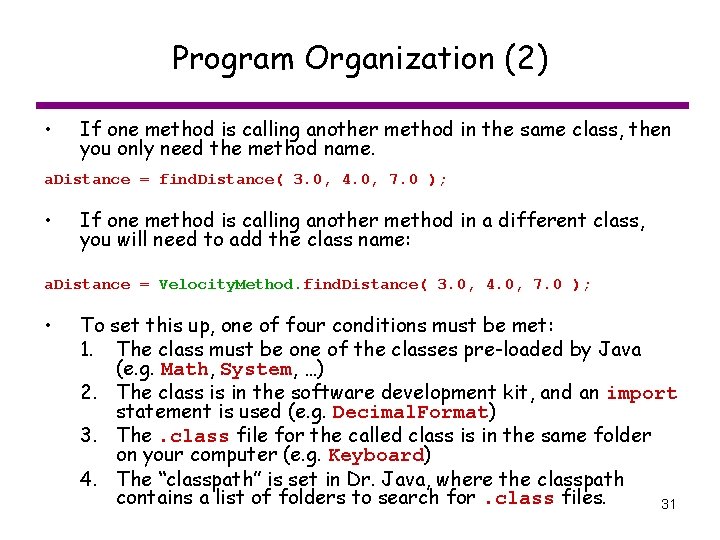
Program Organization (2) • If one method is calling another method in the same class, then you only need the method name. a. Distance = find. Distance( 3. 0, 4. 0, 7. 0 ); • If one method is calling another method in a different class, you will need to add the class name: a. Distance = Velocity. Method. find. Distance( 3. 0, 4. 0, 7. 0 ); • To set this up, one of four conditions must be met: 1. The class must be one of the classes pre-loaded by Java (e. g. Math, System, …) 2. The class is in the software development kit, and an import statement is used (e. g. Decimal. Format) 3. The. class file for the called class is in the same folder on your computer (e. g. Keyboard) 4. The “classpath” is set in Dr. Java, where the classpath contains a list of folders to search for. class files. 31
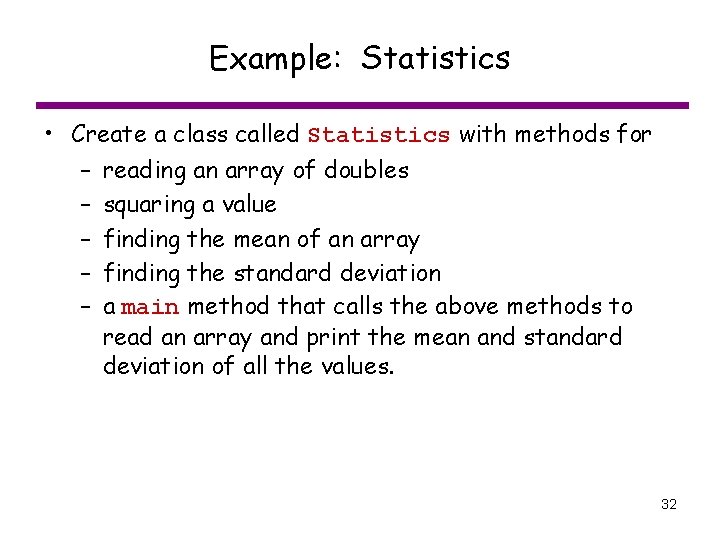
Example: Statistics • Create a class called Statistics with methods for – reading an array of doubles – squaring a value – finding the mean of an array – finding the standard deviation – a main method that calls the above methods to read an array and print the mean and standard deviation of all the values. 32
Overall class structure class Statistics { public static void main (String[] args) { } public static double[] read. Double. Array( ) { } public static double standard. Deviation( double[] x ) { } public static double mean( double[] x ) { } public static double x. Squared( double x ) { } } 33
Method to read array values public static double[] read. Double. Array( ) { double[] the. Array; // Array of values entered by user int array. Size; // Size of 'the. Array' int index; // Current array position System. out. println( "Enter an array of values. "); System. out. println( "How many values in the array? " ); array. Size = Keyboard. read. Int(); the. Array = new double[array. Size]; for ( index = 0; index < array. Size; index++ ) { System. out. println( "Enter value at position " + index + ": " ); the. Array[index] = Keyboard. read. Double(); } // Return result return the. Array; } 34
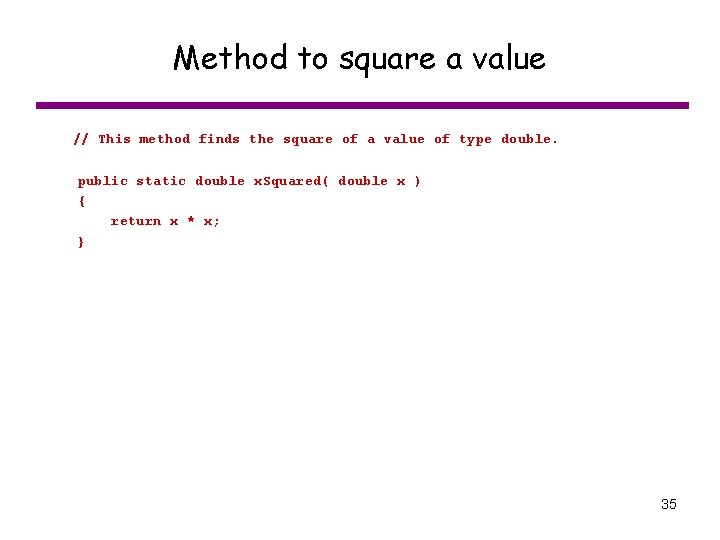
Method to square a value // This method finds the square of a value of type double. public static double x. Squared( double x ) { return x * x; } 35
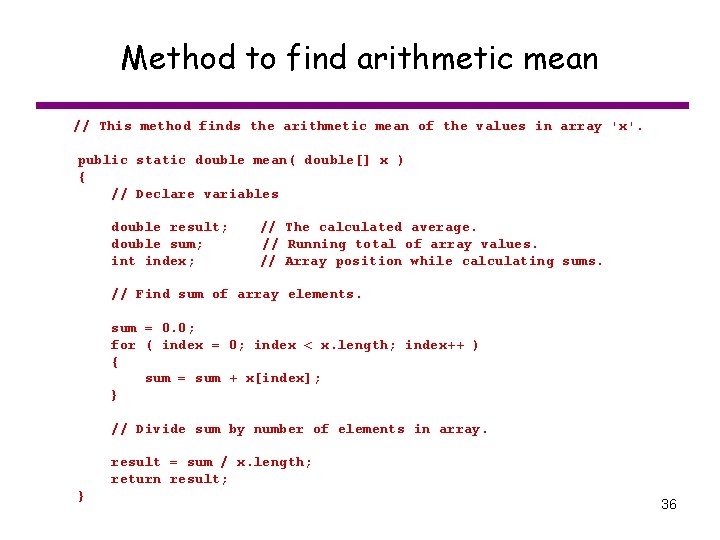
Method to find arithmetic mean // This method finds the arithmetic mean of the values in array 'x'. public static double mean( double[] x ) { // Declare variables double result; double sum; int index; // The calculated average. // Running total of array values. // Array position while calculating sums. // Find sum of array elements. sum = 0. 0; for ( index = 0; index < x. length; index++ ) { sum = sum + x[index]; } // Divide sum by number of elements in array. result = sum / x. length; return result; } 36
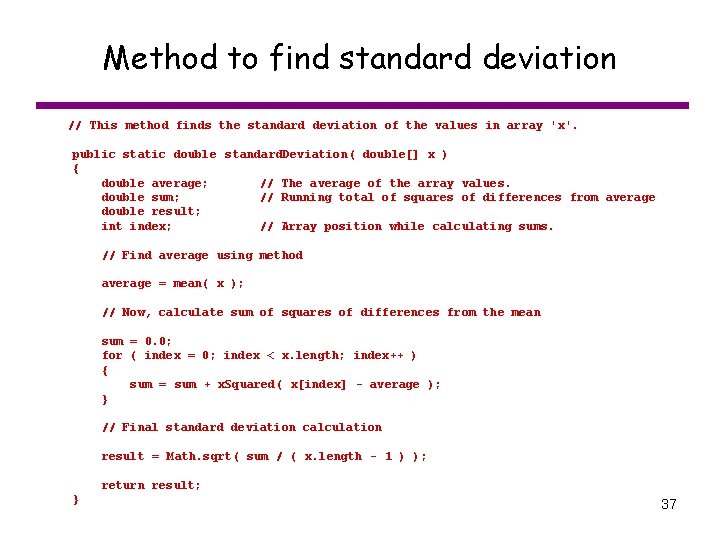
Method to find standard deviation // This method finds the standard deviation of the values in array 'x'. public static double standard. Deviation( double[] x ) { double average; // The average of the array values. double sum; // Running total of squares of differences from average double result; int index; // Array position while calculating sums. // Find average using method average = mean( x ); // Now, calculate sum of squares of differences from the mean sum = 0. 0; for ( index = 0; index < x. length; index++ ) { sum = sum + x. Squared( x[index] - average ); } // Final standard deviation calculation result = Math. sqrt( sum / ( x. length - 1 ) ); return result; } 37
Main method public static void main (String[] args) { // Declare variables double[] x; double average; double st. Dev; Decimal. Format df; // // Array of values for which to find statistics Average of all values in x. Standard deviation of all values in x Used to format output // Set up decimal formatter df = new Decimal. Format("#0. 00"); // Read array x = read. Double. Array( ); // Find and print mean average = mean( x ); System. out. println( "The arithmetic mean is " + df. format( average ) ); // Find and print standard deviation st. Dev = standard. Deviation( x ); System. out. println( "The standard deviation is " + df. format( st. Dev ) ); } 38
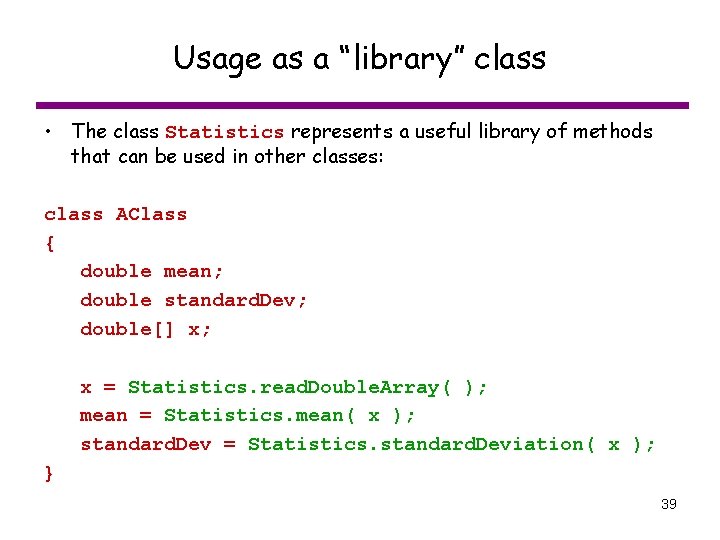
Usage as a “library” class • The class Statistics represents a useful library of methods that can be used in other classes: class AClass { double mean; double standard. Dev; double[] x; x = Statistics. read. Double. Array( ); mean = Statistics. mean( x ); standard. Dev = Statistics. standard. Deviation( x ); } 39