
Array Operations ENGR 1181 MATLAB 4 Todays Learning
Array Operations ENGR 1181 MATLAB 4
Today's Learning Objectives § After today’s class, students will be able to: • Explain the meaning of element-by-element operations. • Identify situations where the standard operators in MATLAB (when used with arrays) are reserved for linear algebra, which is not always element-by-element. • Apply dot operators for the six cases where linear algebra is not element-by-element and therefore dot operators are needed to produce element-by-element calculations.
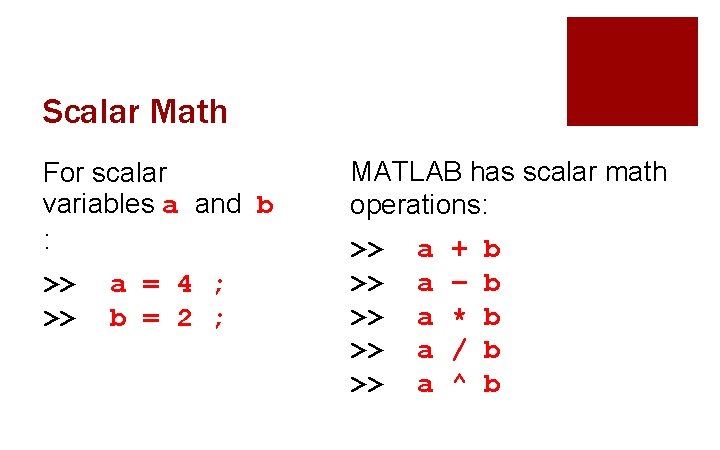
Scalar Math For scalar variables a and b : >> >> a = 4 ; b = 2 ; MATLAB has scalar math operations: >> >> >> a a a + – * / ^ b b b
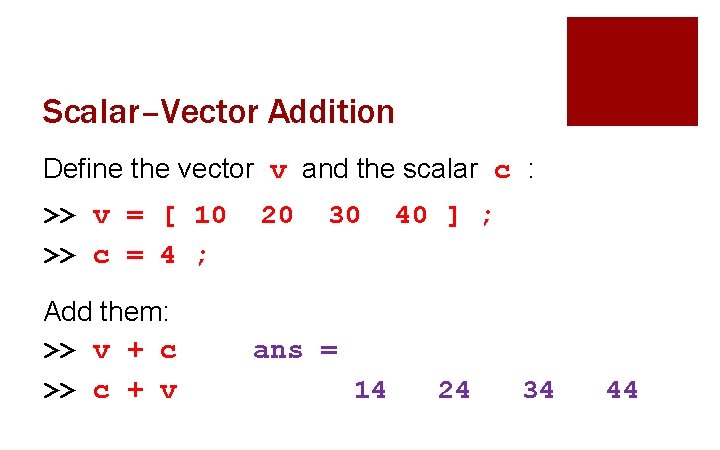
Scalar–Vector Addition Define the vector v and the scalar c : >> v = [ 10 >> c = 4 ; Add them: >> v + c >> c + v 20 30 40 ] ; ans = 14 24 34 44
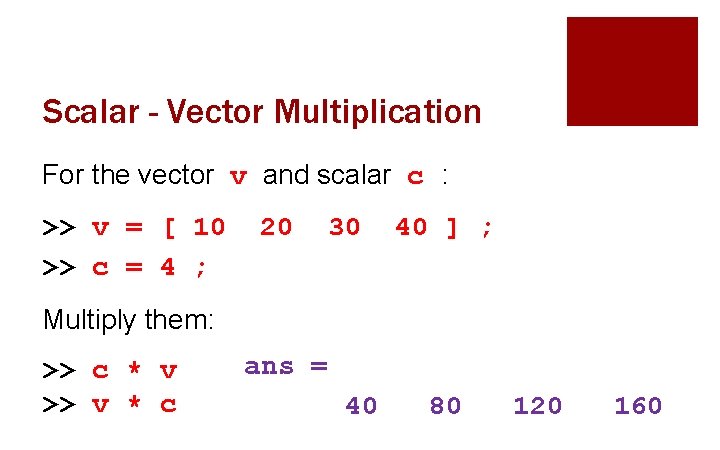
Scalar - Vector Multiplication For the vector v and scalar c : >> v = [ 10 >> c = 4 ; 20 30 40 ] ; Multiply them: >> c * v >> v * c ans = 40 80 120 160
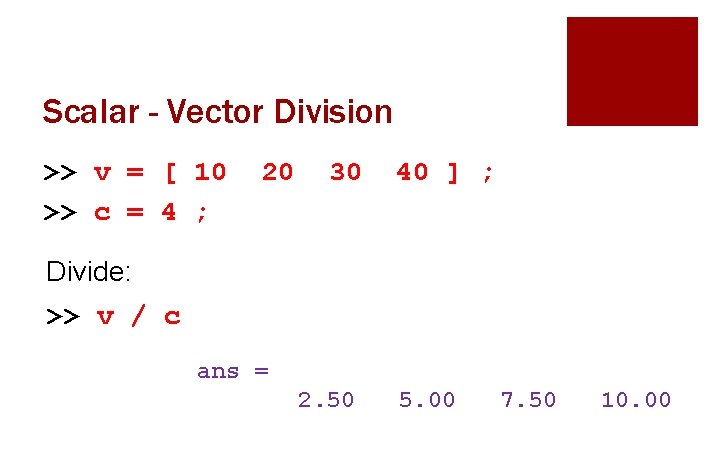
Scalar - Vector Division >> v = [ 10 >> c = 4 ; 20 30 40 ] ; Divide: >> v / c ans = 2. 50 5. 00 7. 50 10. 00
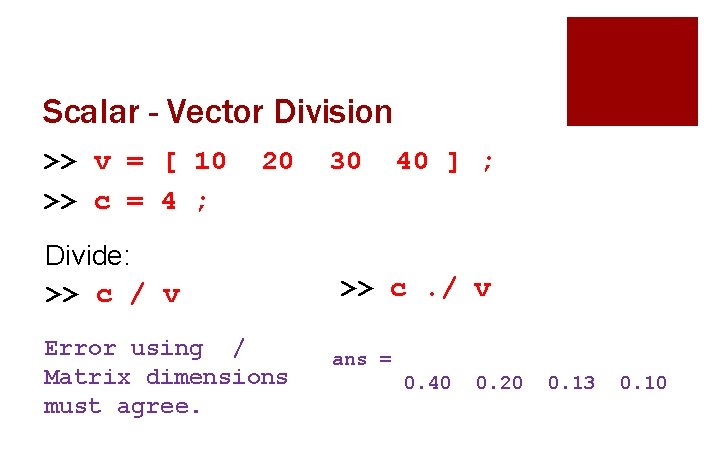
Scalar - Vector Division >> v = [ 10 >> c = 4 ; 20 Divide: >> c / v Error using / Matrix dimensions must agree. 30 40 ] ; >> c. / v ans = 0. 40 0. 20 0. 13 0. 10
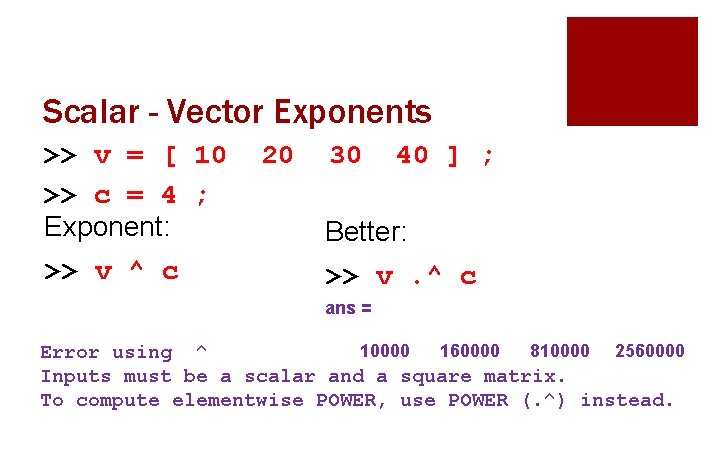
Scalar - Vector Exponents >> v = [ 10 >> c = 4 ; Exponent: >> v ^ c 20 30 40 ] ; Better: >> v. ^ c ans = 10000 160000 810000 2560000 Error using ^ Inputs must be a scalar and a square matrix. To compute elementwise POWER, use POWER (. ^) instead.
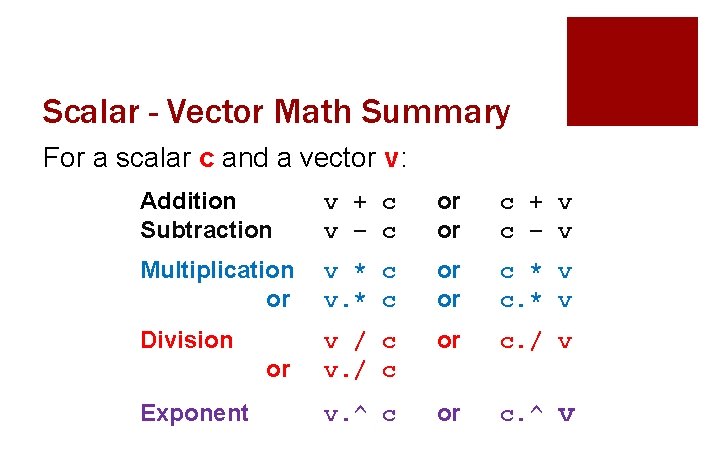
Scalar - Vector Math Summary For a scalar c and a vector v: Addition Subtraction v + c v – c or or c + v c – v Multiplication or v * c v. * c or or c * v c. * v Division v / c v. / c or c. / v v. ^ c or c. ^ v or Exponent
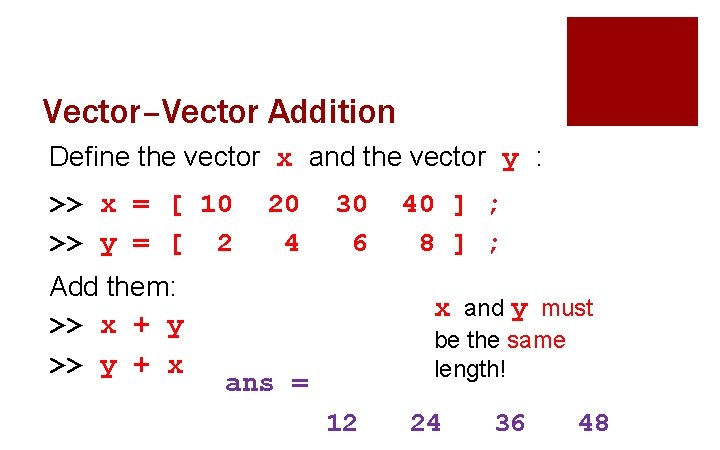
Vector–Vector Addition Define the vector x and the vector y : >> x = [ 10 >> y = [ 2 Add them: >> x + y >> y + x 20 4 30 6 40 ] ; 8 ] ; x and y must be the same length! ans = 12 24 36 48
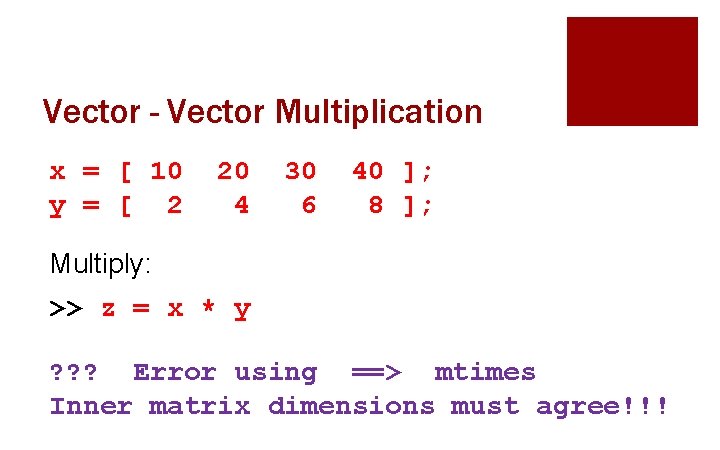
Vector - Vector Multiplication x = [ 10 y = [ 2 20 4 30 6 40 ]; 8 ]; Multiply: >> z = x * y ? ? ? Error using ==> mtimes Inner matrix dimensions must agree!!!
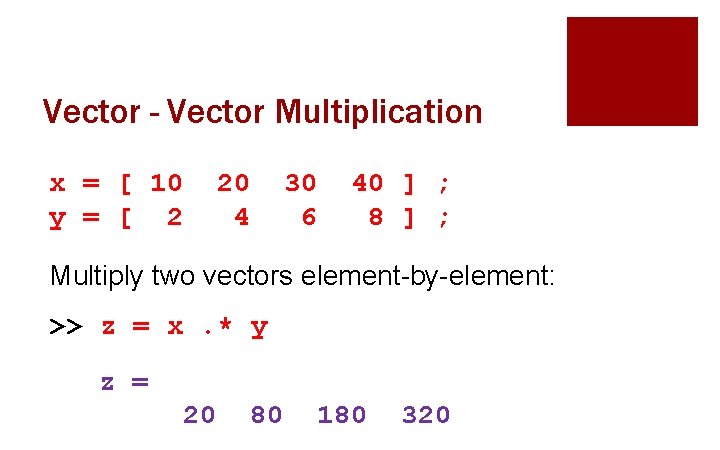
Vector - Vector Multiplication x = [ 10 y = [ 2 20 4 30 6 40 ] ; 8 ] ; Multiply two vectors element-by-element: >> z = x. * y z = 20 80 180 320
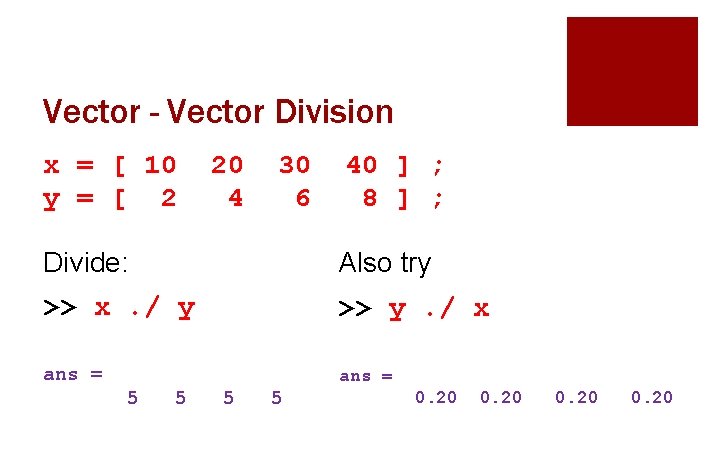
Vector - Vector Division x = [ 10 y = [ 2 20 4 30 6 40 ] ; 8 ] ; Divide: Also try >> x. / y >> y. / x ans = 5 5 0. 20
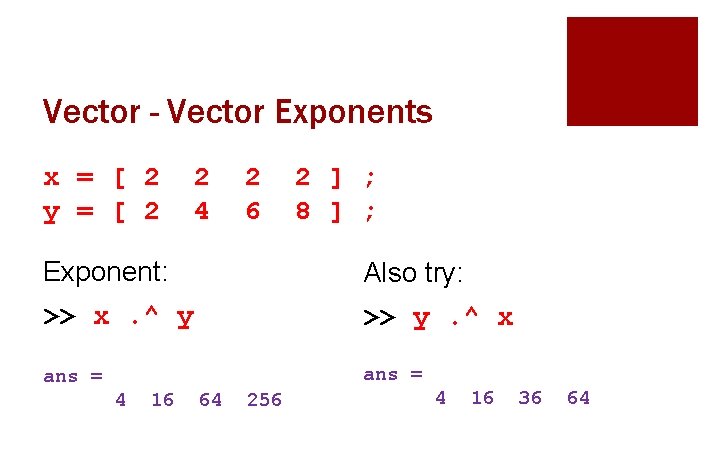
Vector - Vector Exponents x = [ 2 y = [ 2 2 4 2 6 2 ] ; 8 ] ; Exponent: Also try: >> x. ^ y >> y. ^ x ans = 4 16 64 256 4 16 36 64
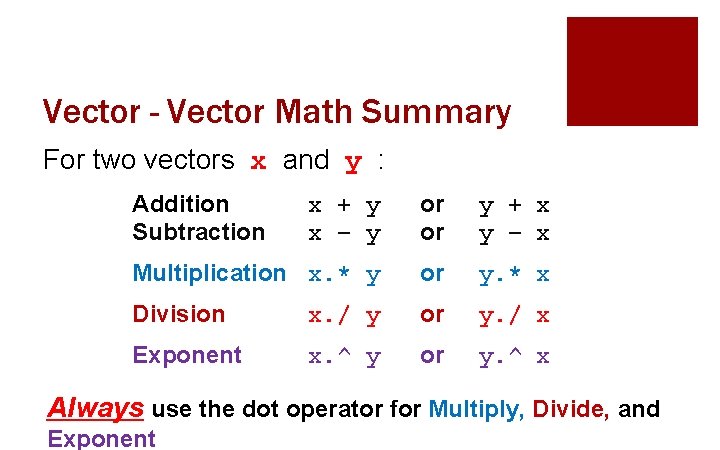
Vector - Vector Math Summary For two vectors x and y : Addition Subtraction x + y x – y or or y + x y – x Multiplication x. * y or y. * x Division x. / y or y. / x Exponent x. ^ y or y. ^ x Always use the dot operator for Multiply, Divide, and Exponent
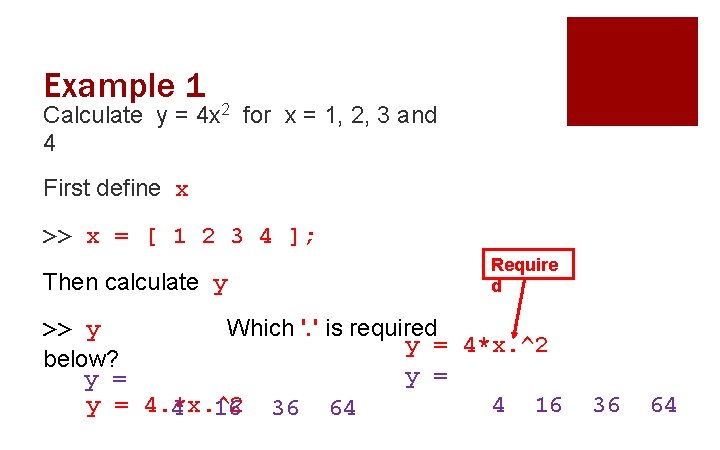
Example 1 Calculate y = 4 x 2 for x = 1, 2, 3 and 4 First define x >> x = [ 1 2 3 4 ]; Then calculate y Require d >> y Which '. ' is required y = 4*x. ^2 below? y = y = 4. *x. ^2 4 16 36 64
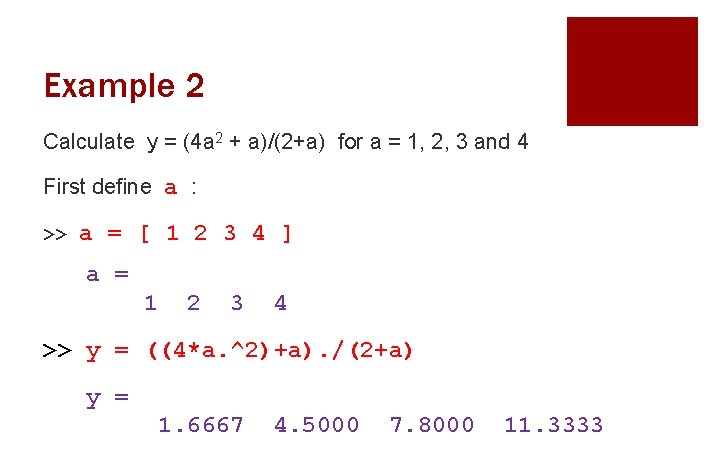
Example 2 Calculate y = (4 a 2 + a)/(2+a) for a = 1, 2, 3 and 4 First define a : >> a = [ 1 2 3 4 ] a = 1 2 3 4 >> y = ((4*a. ^2)+a). /(2+a) y = 1. 6667 4. 5000 7. 8000 11. 3333
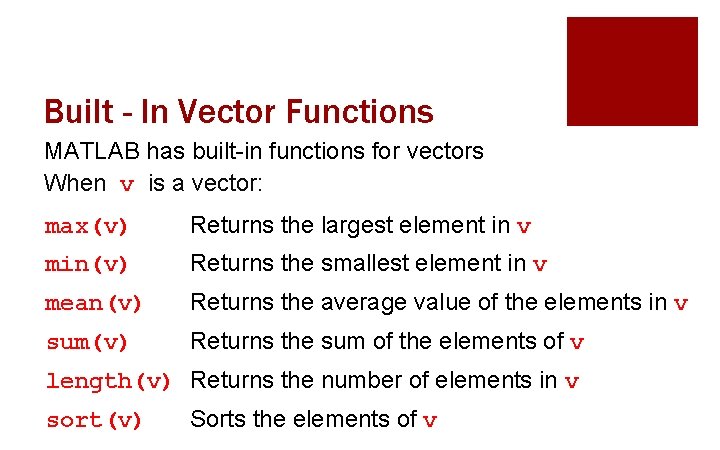
Built - In Vector Functions MATLAB has built-in functions for vectors When v is a vector: max(v) Returns the largest element in v min(v) Returns the smallest element in v mean(v) Returns the average value of the elements in v sum(v) Returns the sum of the elements of v length(v) Returns the number of elements in v sort(v) Sorts the elements of v
Important Takeaways § Know when to use the dot operator for Multiply, Divide, and Exponent. § Always use a dot operator when appropriate and understand what you are trying to accomplish when you use it. § Vector functions operate on all of the numbers in a vector or matrix.
Preview of Next Class § Input and Output • Inputting data into and out of programs • GPA calculator example ¡ With and without use of vectors • Inputting to a script file • Output to command window
What’s Next? § Review today’s Quiz #04 § Open the in-class activity from the EEIC website and we will go through it together. § Then, start working on MAT-04 homework. § Before next class, you will read more detail about script files including global variables. There is also information on input and output (I/O) commands in MATLAB.
- Slides: 21