
Array Data Structure and Processing Arrays 1 CHAPTER
![Indexing, Size and Loops 24 int[] n = new int[1000]; for (int i=0; i](https://slidetodoc.com/presentation_image_h2/d241550095a24c703c561220d20706d5/image-24.jpg "Indexing, Size and Loops 24 int[] n = new int[1000]; for (int i=0; i")
![Example: A Simple Bar Graph 26 String[] energy. Source = {"Petroleum", "Coal", "Natural Gas",](https://slidetodoc.com/presentation_image_h2/d241550095a24c703c561220d20706d5/image-26.jpg "Example: A Simple Bar Graph 26 String[] energy. Source = {\"Petroleum\", \"Coal\", \"Natural Gas\",")
![Array Operations 27 �String[] energy. Source = {"Petroleum", "Coal", "Natural Gas", "Nuclear", "Renewable", "Hydropower"};](https://slidetodoc.com/presentation_image_h2/d241550095a24c703c561220d20706d5/image-27.jpg "Array Operations 27 �String[] energy. Source = {\"Petroleum\", \"Coal\", \"Natural Gas\", \"Nuclear\", \"Renewable\", \"Hydropower\"};")
![Printing 28 println(consumption. lengt h); println(consumption); println(energy. Source); 6 [0 40. 0 ] [1]](https://slidetodoc.com/presentation_image_h2/d241550095a24c703c561220d20706d5/image-28.jpg "Printing 28 println(consumption. lengt h); println(consumption); println(energy. Source); 6 [0 40. 0 ] [1]")
![Try it 29 Given the following arrays, � String[] energy. Source = {"Petroleum", "Coal",](https://slidetodoc.com/presentation_image_h2/d241550095a24c703c561220d20706d5/image-29.jpg "Try it 29 Given the following arrays, � String[] energy. Source = {\"Petroleum\", \"Coal\",")
- Slides: 31
Array Data Structure and Processing Arrays 1 CHAPTER 5 B. RAMAMURTHY 10/19/2021
Arrays 2 �We have seen int and float �String color. Name = “Olive green”; �Pimage animal; �Now lets say we want a collection of items of the same type. You use an array. �Lets review some basic concepts that will help us in solving more complex problems than Lab 1 and Lab 2. 10/19/2021
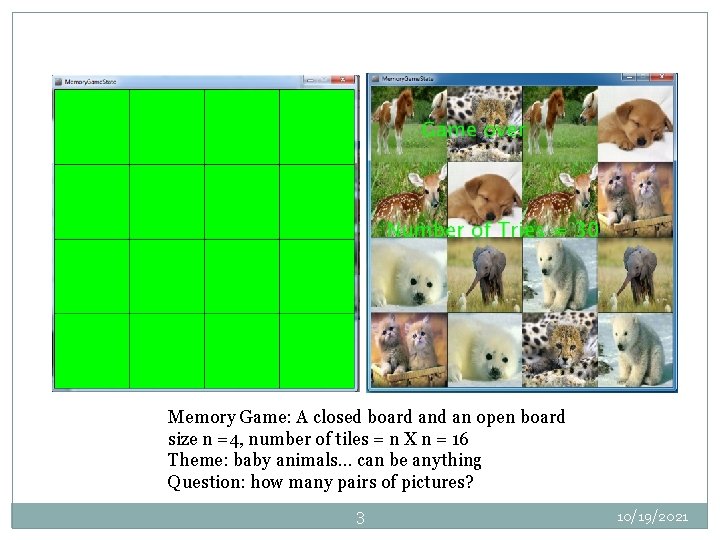
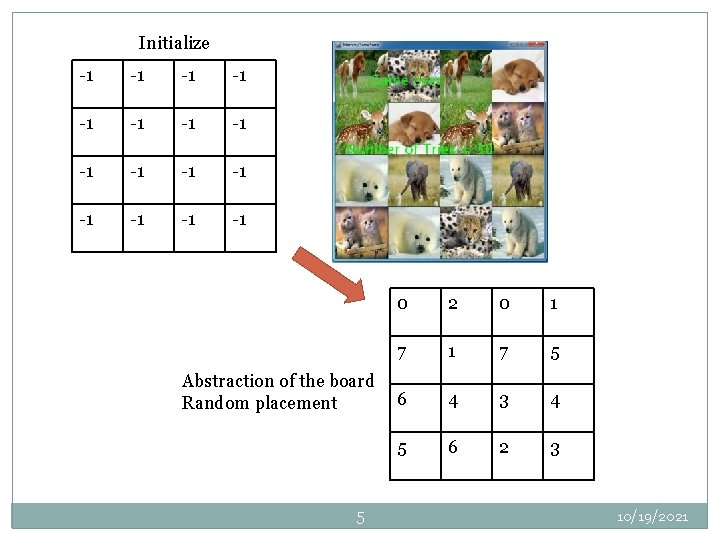
Memory Game: A closed board an open board size n =4, number of tiles = n X n = 16 Theme: baby animals… can be anything Question: how many pairs of pictures? 3 10/19/2021
Analysis and Design 4 �Lets analyze the problem �Need to display blank board �Initialize board to some representation of the pictures: lets use number pairs (0, 0), (1, 1), (2, 2)…(7, 7) in the case where n = 4, number of tiles = 16, there are 8 pairs of pictures Let the pictures be pic 0, pic 1, pci 2, . . pic 7 �Lets identify the data structures and design the algorithm before development of the code. 10/19/2021
Initialize -1 -1 -1 -1 Abstraction of the board Random placement 5 0 2 0 1 7 5 6 4 3 4 5 6 2 3 10/19/2021
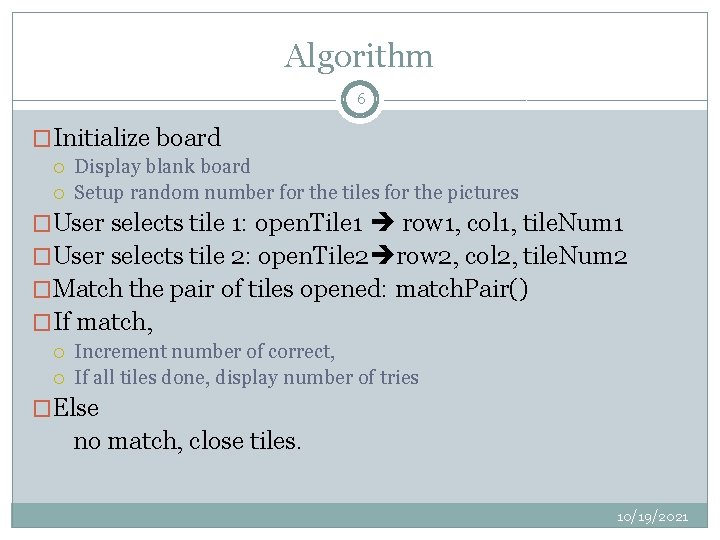
Algorithm 6 �Initialize board Display blank board Setup random number for the tiles for the pictures �User selects tile 1: open. Tile 1 row 1, col 1, tile. Num 1 �User selects tile 2: open. Tile 2 row 2, col 2, tile. Num 2 �Match the pair of tiles opened: match. Pair() �If match, Increment number of correct, If all tiles done, display number of tries �Else no match, close tiles. 10/19/2021
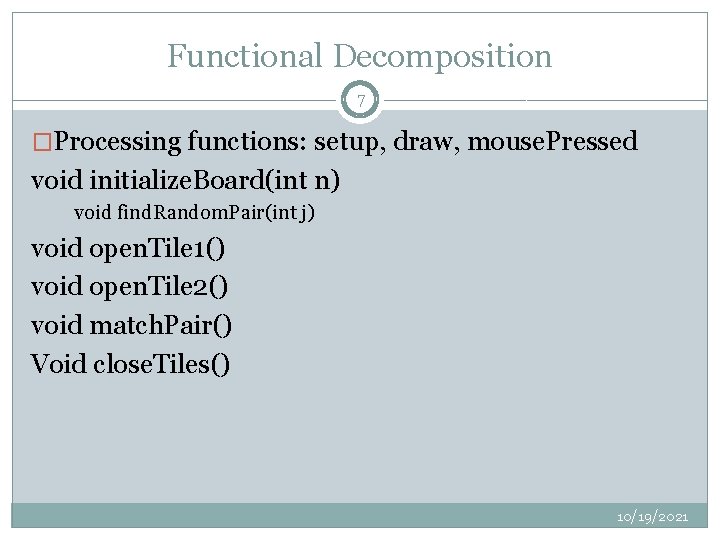
Functional Decomposition 7 �Processing functions: setup, draw, mouse. Pressed void initialize. Board(int n) void find. Random. Pair(int j) void open. Tile 1() void open. Tile 2() void match. Pair() Void close. Tiles() 10/19/2021
Arrays 8 CREATIVE CODING & GENERATIVE ART IN PROCESSING 2 IRA GREENBERG, DIANNA XU, DEEPAK KUMAR 10/19/2021
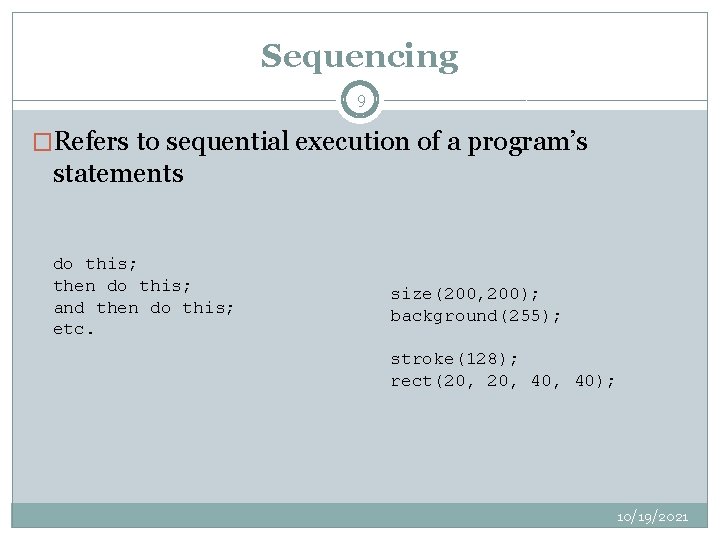
Sequencing 9 �Refers to sequential execution of a program’s statements do this; then do this; and then do this; etc. size(200, 200); background(255); stroke(128); rect(20, 40, 40); 10/19/2021
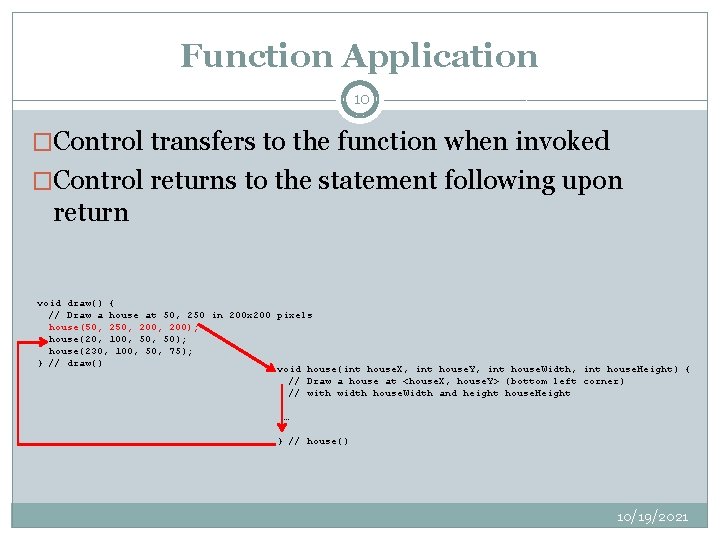
Function Application 10 �Control transfers to the function when invoked �Control returns to the statement following upon return void draw() { // Draw a house at 50, 250 in 200 x 200 pixels house(50, 200, 200); house(20, 100, 50); house(230, 100, 50, 75); } // draw() void house(int house. X, int house. Y, int house. Width, int house. Height) { // Draw a house at <house. X, house. Y> (bottom left corner) // with width house. Width and height house. Height … } // house() 10/19/2021
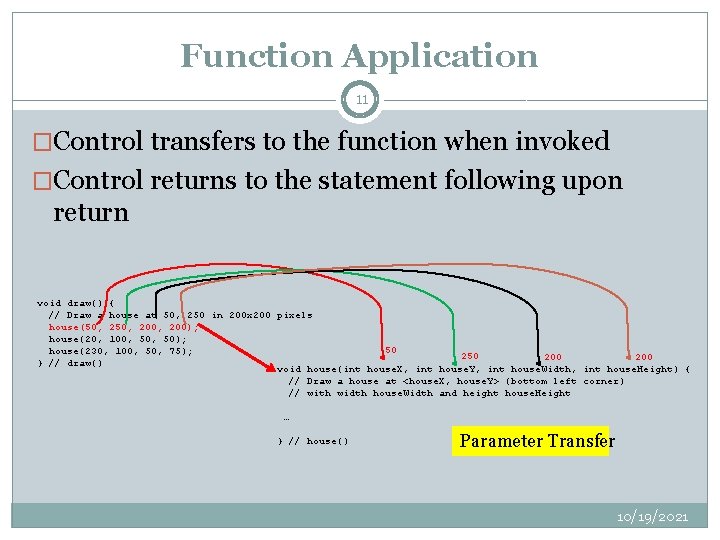
Function Application 11 �Control transfers to the function when invoked �Control returns to the statement following upon return void draw() { // Draw a house at 50, 250 in 200 x 200 pixels house(50, 200, 200); house(20, 100, 50); 50 house(230, 100, 50, 75); 250 200 } // draw() void house(int house. X, int house. Y, int house. Width, int house. Height) { // Draw a house at <house. X, house. Y> (bottom left corner) // with width house. Width and height house. Height … } // house() Parameter Transfer 10/19/2021
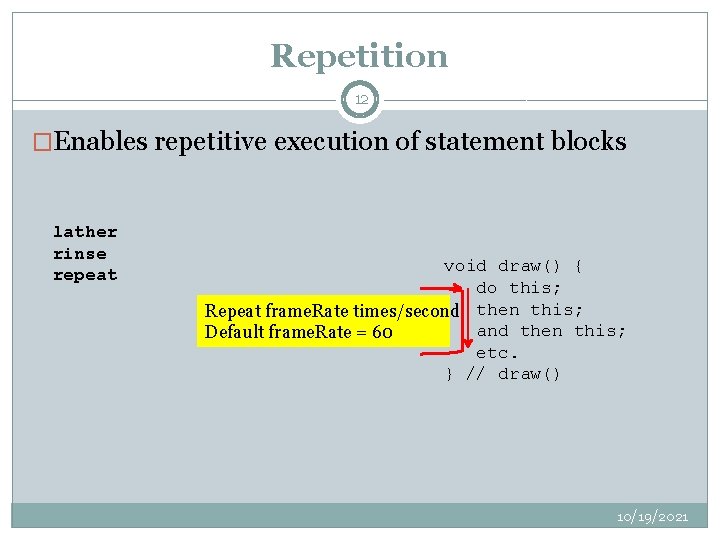
Repetition 12 �Enables repetitive execution of statement blocks lather rinse repeat void draw() { do this; Repeat frame. Rate times/second then this; and then this; Default frame. Rate = 60 etc. } // draw() 10/19/2021
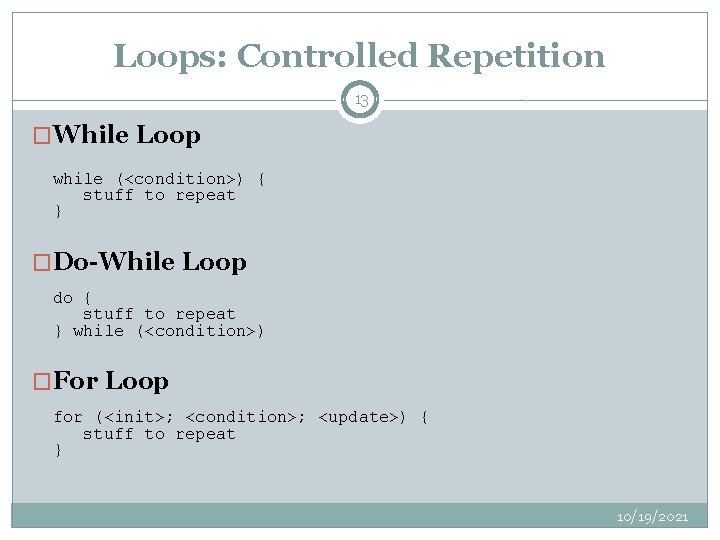
Loops: Controlled Repetition 13 �While Loop while (<condition>) { stuff to repeat } �Do-While Loop do { stuff to repeat } while (<condition>) �For Loop for (<init>; <condition>; <update>) { stuff to repeat } 10/19/2021
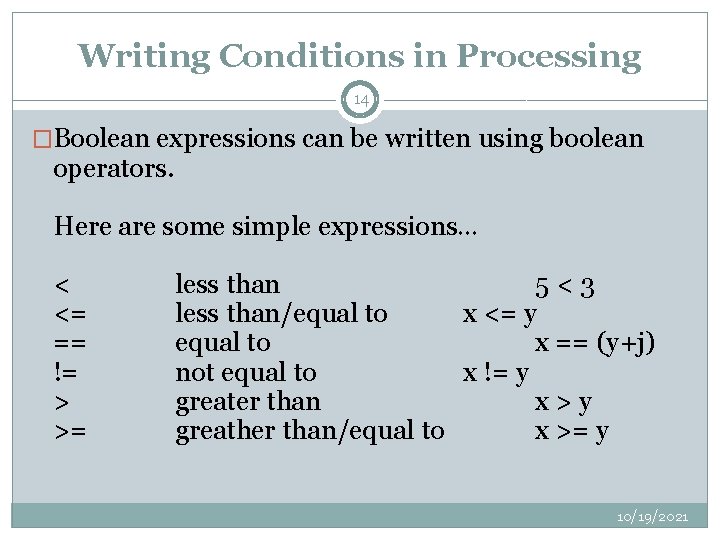
Writing Conditions in Processing 14 �Boolean expressions can be written using boolean operators. Here are some simple expressions… < <= == != > >= less than 5<3 less than/equal to x <= y equal to x == (y+j) not equal to x != y greater than x>y greather than/equal to x >= y 10/19/2021
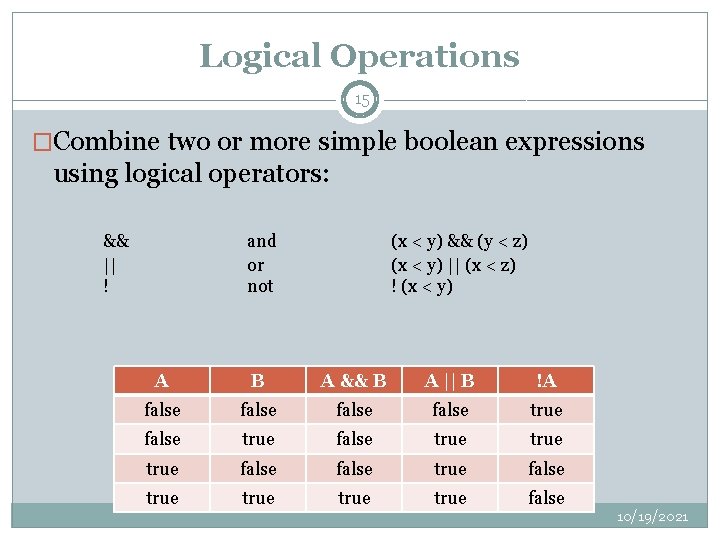
Logical Operations 15 �Combine two or more simple boolean expressions using logical operators: && || ! and or not (x < y) && (y < z) (x < y) || (x < z) ! (x < y) A B A && B A || B !A false true false true true false 10/19/2021
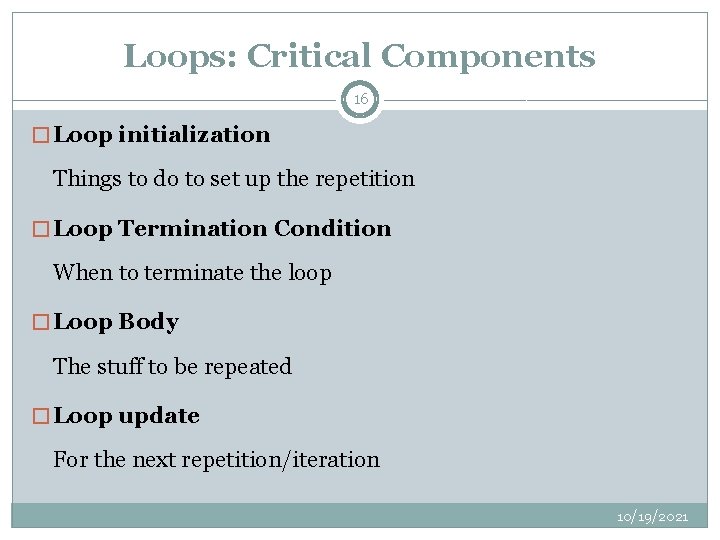
Loops: Critical Components 16 � Loop initialization Things to do to set up the repetition � Loop Termination Condition When to terminate the loop � Loop Body The stuff to be repeated � Loop update For the next repetition/iteration 10/19/2021
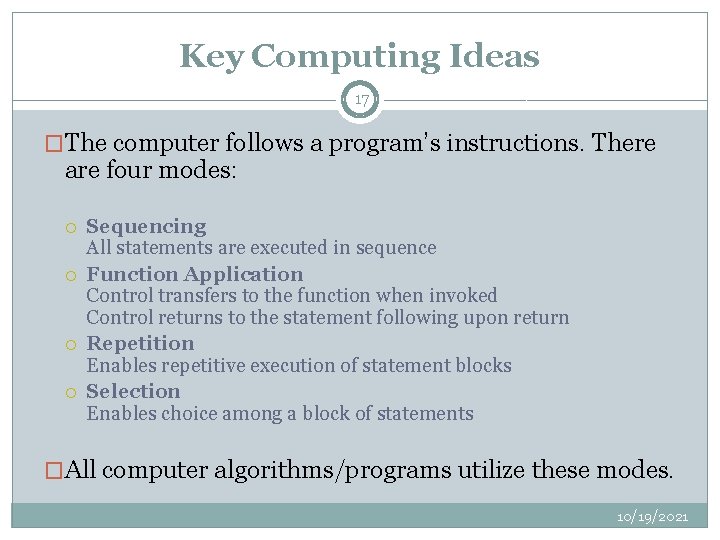
Key Computing Ideas 17 �The computer follows a program’s instructions. There are four modes: Sequencing All statements are executed in sequence Function Application Control transfers to the function when invoked Control returns to the statement following upon return Repetition Enables repetitive execution of statement blocks Selection Enables choice among a block of statements �All computer algorithms/programs utilize these modes. 10/19/2021
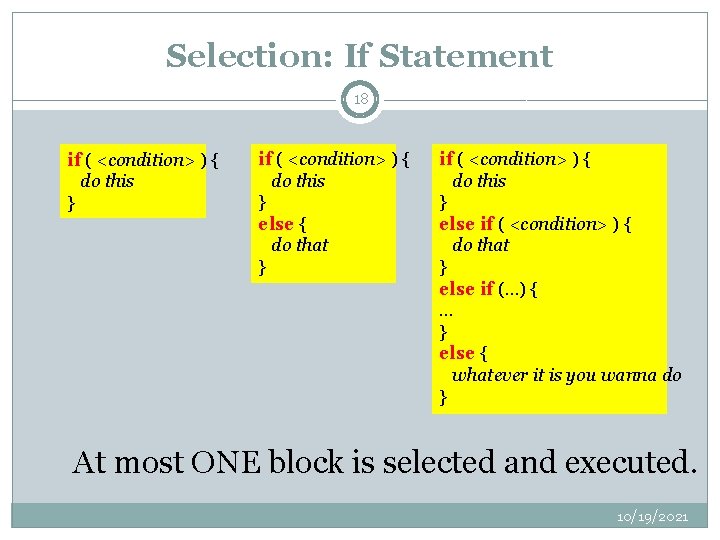
Selection: If Statement 18 if ( <condition> ) { do this } else { do that } if ( <condition> ) { do this } else if ( <condition> ) { do that } else if (…) { … } else { whatever it is you wanna do } At most ONE block is selected and executed. 10/19/2021
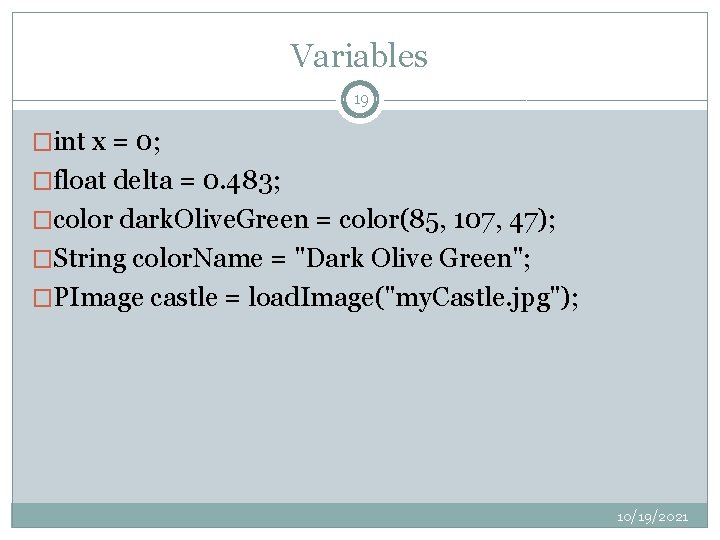
Variables 19 �int x = 0; �float delta = 0. 483; �color dark. Olive. Green = color(85, 107, 47); �String color. Name = "Dark Olive Green"; �PImage castle = load. Image("my. Castle. jpg"); 10/19/2021
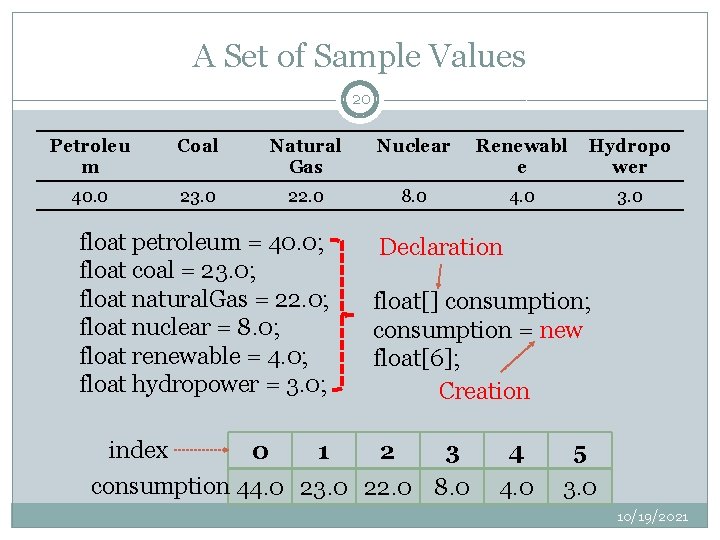
A Set of Sample Values 20 Petroleu m Coal Natural Gas Nuclear Renewabl e Hydropo wer 40. 0 23. 0 22. 0 8. 0 4. 0 3. 0 float petroleum = 40. 0; float coal = 23. 0; float natural. Gas = 22. 0; float nuclear = 8. 0; float renewable = 4. 0; float hydropower = 3. 0; Declaration float[] consumption; consumption = new float[6]; Creation index 0 1 2 3 consumption 44. 0 23. 0 22. 0 8. 0 4 4. 0 5 3. 0 10/19/2021
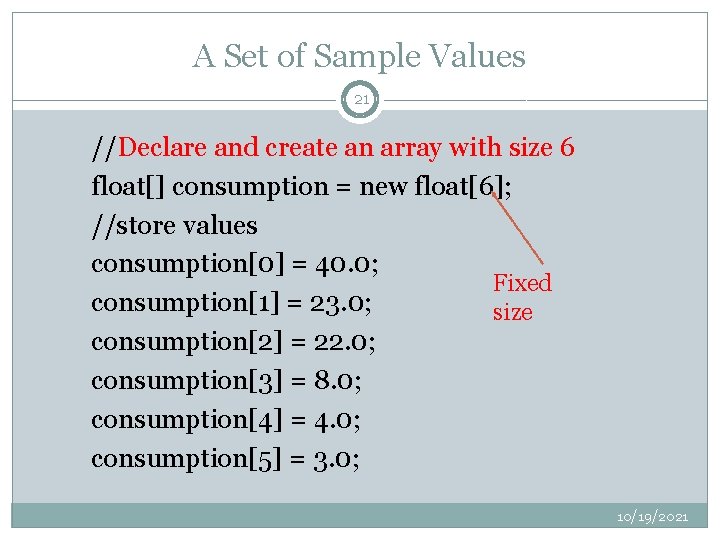
A Set of Sample Values 21 //Declare and create an array with size 6 float[] consumption = new float[6]; //store values consumption[0] = 40. 0; Fixed consumption[1] = 23. 0; size consumption[2] = 22. 0; consumption[3] = 8. 0; consumption[4] = 4. 0; consumption[5] = 3. 0; 10/19/2021
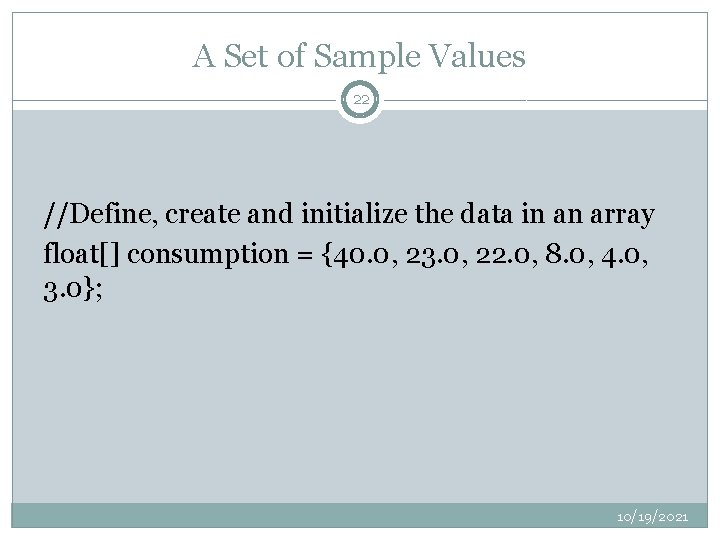
A Set of Sample Values 22 //Define, create and initialize the data in an array float[] consumption = {40. 0, 23. 0, 22. 0, 8. 0, 4. 0, 3. 0}; 10/19/2021
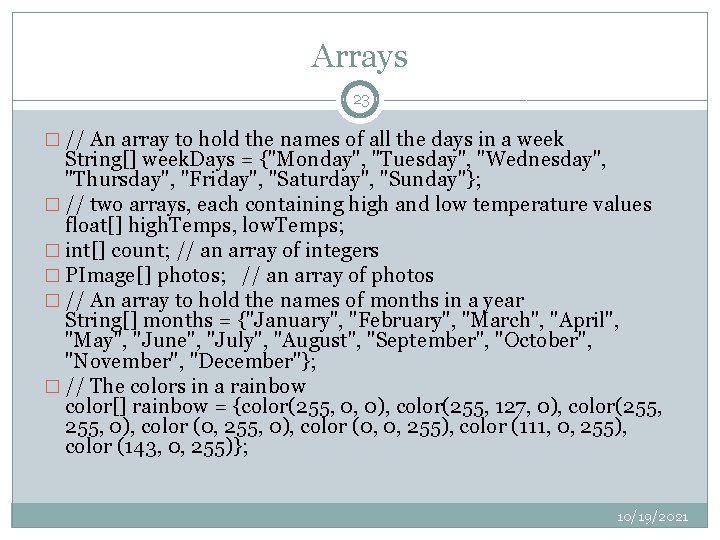
Arrays 23 � // An array to hold the names of all the days in a week String[] week. Days = {"Monday", "Tuesday", "Wednesday", "Thursday", "Friday", "Saturday", "Sunday"}; � // two arrays, each containing high and low temperature values float[] high. Temps, low. Temps; � int[] count; // an array of integers � PImage[] photos; // an array of photos � // An array to hold the names of months in a year String[] months = {"January", "February", "March", "April", "May", "June", "July", "August", "September", "October", "November", "December"}; � // The colors in a rainbow color[] rainbow = {color(255, 0, 0), color(255, 127, 0), color(255, 0), color (0, 0, 255), color (111, 0, 255), color (143, 0, 255)}; 10/19/2021
Indexing, Size and Loops 24 int[] n = new int[1000]; for (int i=0; i < n. length; i++) { n[i] = i; } int[] n = new int[1000]; for (int i= n. length-1; i>=0; i--) { n[i] = i; } 10/19/2021
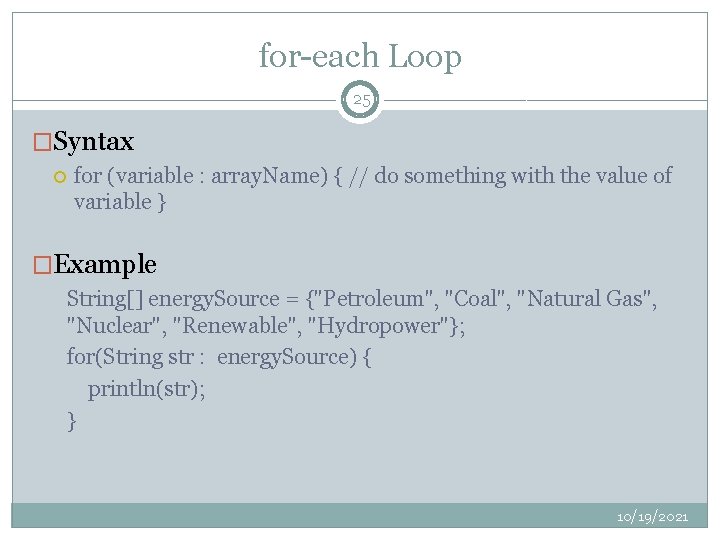
for-each Loop 25 �Syntax for (variable : array. Name) { // do something with the value of variable } �Example String[] energy. Source = {"Petroleum", "Coal", "Natural Gas", "Nuclear", "Renewable", "Hydropower"}; for(String str : energy. Source) { println(str); } 10/19/2021
Example: A Simple Bar Graph 26 String[] energy. Source = {"Petroleum", "Coal", "Natural Gas", "Nuclear", "Renewable", "Hydropower"}; float[] consumption = {40. 0, 23. 0, 22. 0, 8. 0, 4. 0, 3. 0}; void setup() { size(400, 400); smooth(); } // setup() void draw() { // set up plot dimensions relative to screen size float x = width*0. 1; float y = height*0. 9; float delta = width*0. 8/consumption. length; float w = delta*0. 8; background(255); for (float value : consumption) { // draw the bar for value // first compute the height of the bar relative to sketch window float h = map(value, 0, 100, 0, height); fill(0); rect(x, y-h, w, h); x = x + delta; } } // draw() 10/19/2021
Array Operations 27 �String[] energy. Source = {"Petroleum", "Coal", "Natural Gas", "Nuclear", "Renewable", "Hydropower"}; �float[] consumption = {40. 0, 23. 0, 22. 0, 8. 0, 4. 0, 3. 0}; 10/19/2021
Printing 28 println(consumption. lengt h); println(consumption); println(energy. Source); 6 [0 40. 0 ] [1] 23. 0 [2 22. 0 ] [3 8. 0 ] [4 4. 0 ] [5 3. 0 [0 Petroleum ] [1] Coal [2 Natural Gas ] [3 Nuclear ] [4 Renewable ] [5 Hydropower ] 10/19/2021
Try it 29 Given the following arrays, � String[] energy. Source = {"Petroleum", "Coal", "Natural Gas", "Nuclear", "Renewable", "Hydropower"}; � float[] consumption = {40. 0, 23. 0, 22. 0, 8. 0, 4. 0, 3. 0}; write commands to print the values from energy. Source and consumption in the format shown here: Petroleum, 40. 0 Coal, 23. 0 Natural Gas, 22. 0 Nuclear, 8. 0 Renewable, 4. 0 Hydropower, 3. 0 10/19/2021
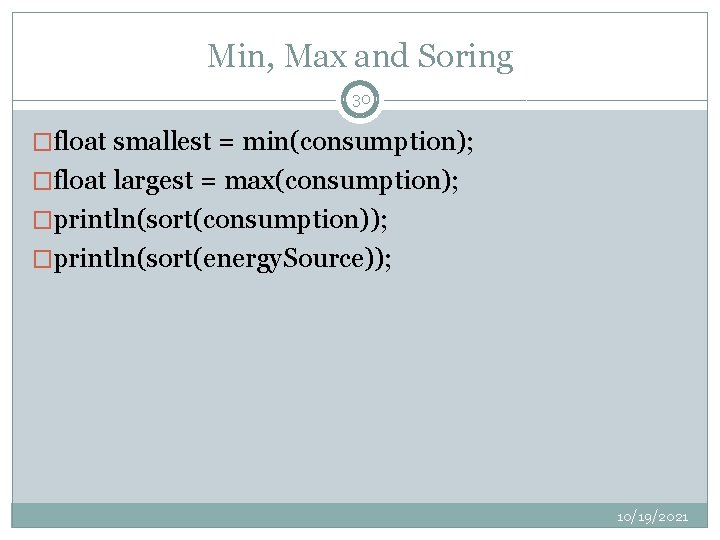
Min, Max and Soring 30 �float smallest = min(consumption); �float largest = max(consumption); �println(sort(consumption)); �println(sort(energy. Source)); 10/19/2021
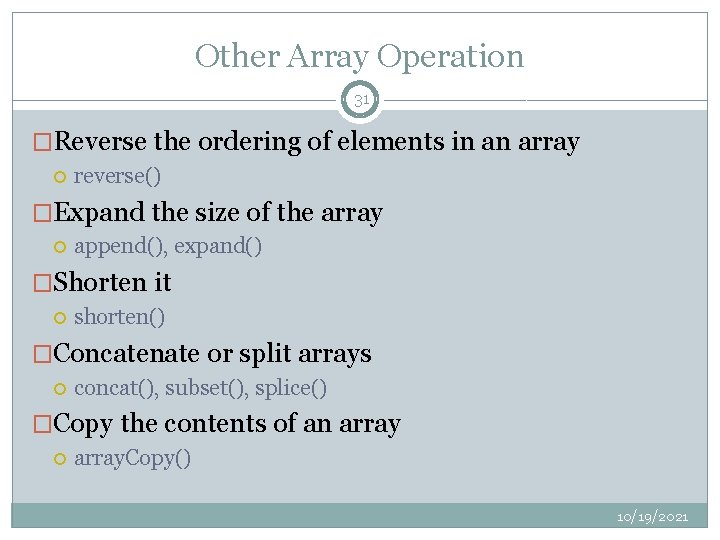
Other Array Operation 31 �Reverse the ordering of elements in an array reverse() �Expand the size of the array append(), expand() �Shorten it shorten() �Concatenate or split arrays concat(), subset(), splice() �Copy the contents of an array. Copy() 10/19/2021