
Ariba Contracts Amend a Contract Workspace 1 Amend
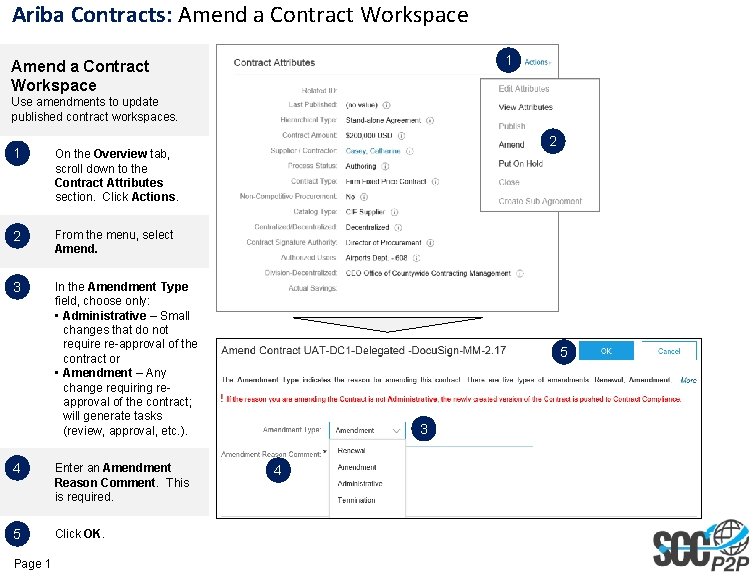
Ariba Contracts: Amend a Contract Workspace 1 Amend a Contract Workspace Use amendments to update published contract workspaces. 1 On the Overview tab, scroll down to the Contract Attributes section. Click Actions. 2 From the menu, select Amend. 3 In the Amendment Type field, choose only: • Administrative – Small changes that do not require re-approval of the contract or • Amendment – Any change requiring reapproval of the contract; will generate tasks (review, approval, etc. ). 4 Enter an Amendment Reason Comment. This is required. 5 Click OK. Page 1 2 5 3 4
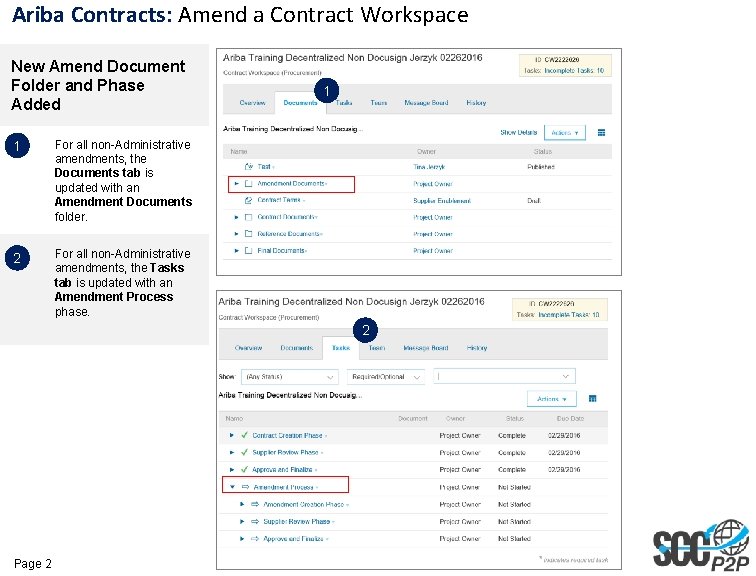
Ariba Contracts: Amend a Contract Workspace New Amend Document Folder and Phase Added 1 For all non-Administrative amendments, the Documents tab is updated with an Amendment Documents folder. 2 For all non-Administrative amendments, the Tasks tab is updated with an Amendment Process phase. 1 2 Page 2
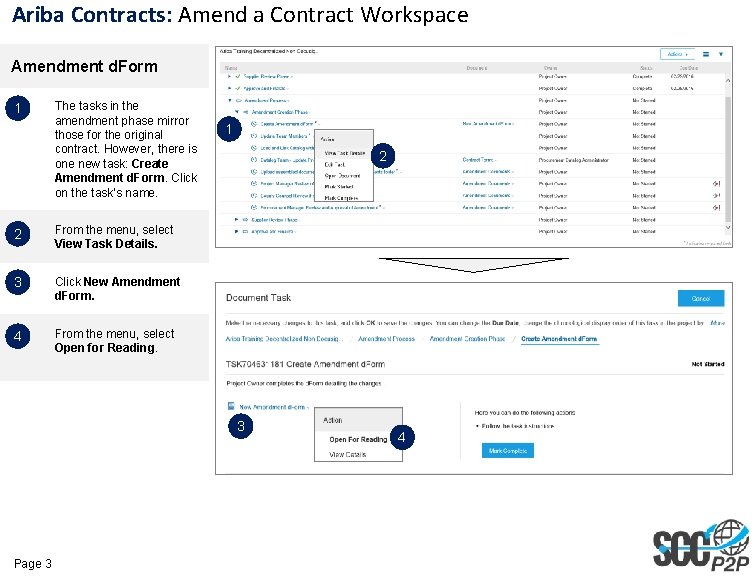
Ariba Contracts: Amend a Contract Workspace Amendment d. Form 1 The tasks in the amendment phase mirror those for the original contract. However, there is one new task: Create Amendment d. Form. Click on the task’s name. 2 From the menu, select View Task Details. 3 Click New Amendment d. Form. 4 From the menu, select Open for Reading. 1 2 3 Page 3 4
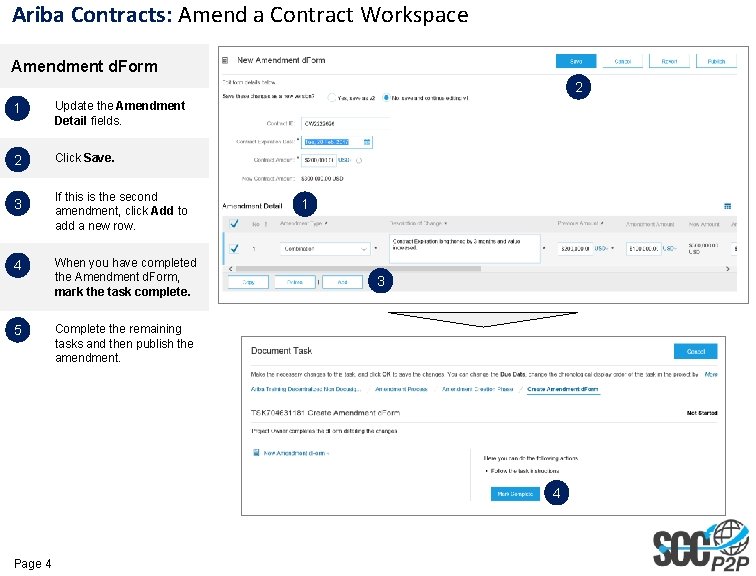
Ariba Contracts: Amend a Contract Workspace Amendment d. Form 2 1 Update the Amendment Detail fields. 2 Click Save. 3 If this is the second amendment, click Add to add a new row. 4 When you have completed the Amendment d. Form, mark the task complete. 5 Complete the remaining tasks and then publish the amendment. 1 3 4 Page 4
- Slides: 4