
ARENA Getting Started Cont The Basic Process Panel
ARENA. . Getting Started. Cont The Basic Process Panel Networking and Communication Systems
Modules �Basic building blocks of a simulation model �Two basic types: flowchart and data �Different types of modules for different actions, specifications �“Blank” modules are on the Project Bar ◦ To add a flowchart module to your model, drag it from the Project Bar into the flowchart view of the model window �Can have many instances of the same kind of flowchart module in your model ◦ To use a data module, select it (single-click) in the Project Bar and edit in the spreadsheet view of the model window �Only one instance of each kind of data module in your model, but it can have many entries (rows) in the spreadsheet view Simulation with Arena Sli Chapter 3 – A Guided Tour Through de 2 Arena

Flowchart Modules �Describe dynamic processes ◦ Nodes/places through which entities flow ◦ Typically connected to each other in some way �Basic Process panel flowchart module types: ◦ Create, Dispose, Process, Decide, Batch, Separate, Assign, Record �Other panels – many other kinds �Shape like flowcharting (also use hints) �Two ways to edit colors for ◦ Double-click to open up, then fill out dialogs ◦ Select (single-click) a module type in model or Project Bar, get all modules of that type in the spreadsheet view Chapter 3 – A Guided Tour Through Simulation with Arena Sli de 3 Arena
Data modules �Data modules are the set of objects in the spreadsheet view of the model that define the �characteristics of various process elements, such as resources and queues.
Data modules �Data modules are the set of objects in the spreadsheet view of the model that define the �characteristics of various process elements, such as resources and queues.
Tutorial : �Animate the mortgage review clerk resource �Adding (clock, date, variable, …. ) �Simulate the process - Check Model F 4 - Run Simulation F 5 - Controlling Simulation Run �View simulation reports
The Basic Process Panel 1. 2. 3. 4. Flowchart modules Create module Dispose module Process module Decide module
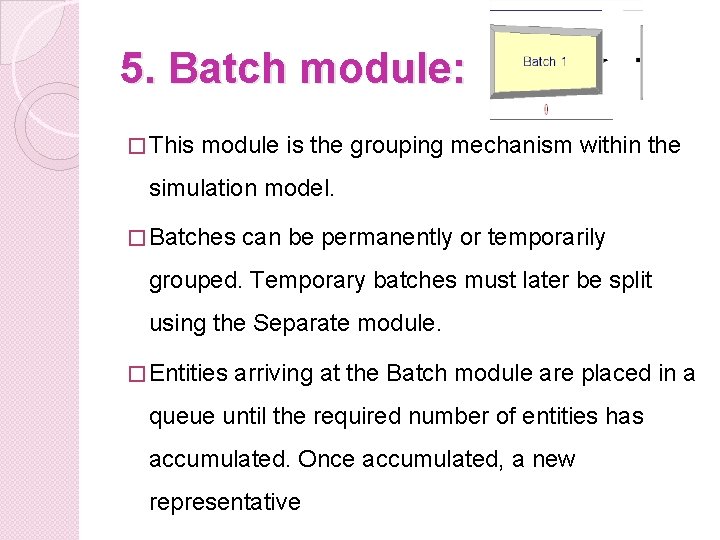
5. Batch module: � This module is the grouping mechanism within the simulation model. � Batches can be permanently or temporarily grouped. Temporary batches must later be split using the Separate module. � Entities arriving at the Batch module are placed in a queue until the required number of entities has accumulated. Once accumulated, a new representative

Batch module cont. Typical uses: � Collect a number of parts before starting processing � Reassemble previously separated copies of a form � Bring together a patient and his record before commencing an appointment
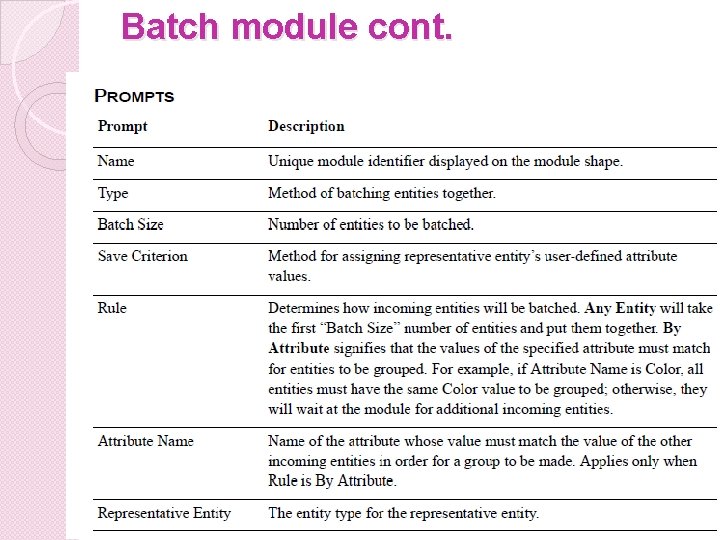
Batch module cont.
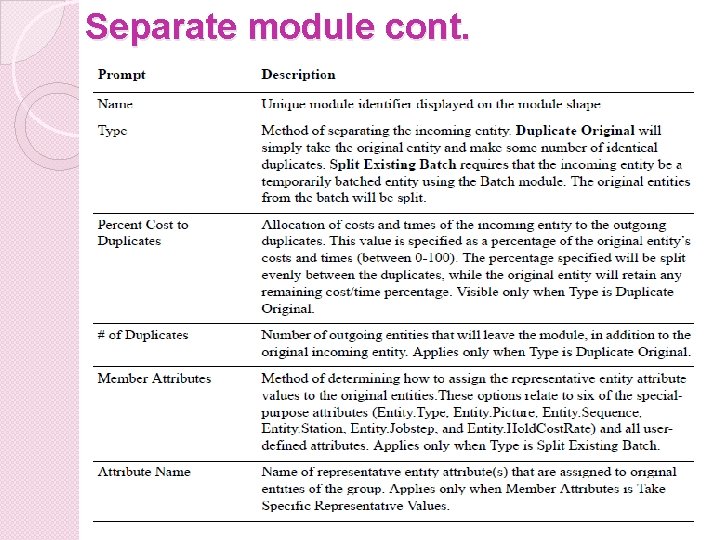
6. Separate module: � This module can be used to either copy an incoming entity into multiple entities or to split a previously batched entity. � When splitting existing batches, the temporary representative entity that was formed is disposed and the original entities that formed the group are recovered. � The entities proceed sequentially from the module in the same order in which they originally were added to
Separate module cont. � When duplicating entities, the specified number of copies is made and sent from the module. The original incoming entity also leaves the module Typical uses: � Send an order both to fulfillment and billing for parallel processing � Separate a previously batched set of documents
Separate module cont.
7. Assign module: Used for assigning new values to variables, entity attributes, entity types, entity pictures, or other system variables. Typical uses: � Accumulate the number of subassemblies added to a part � Change an entity’s type to represent the customer copy of a multi-page form
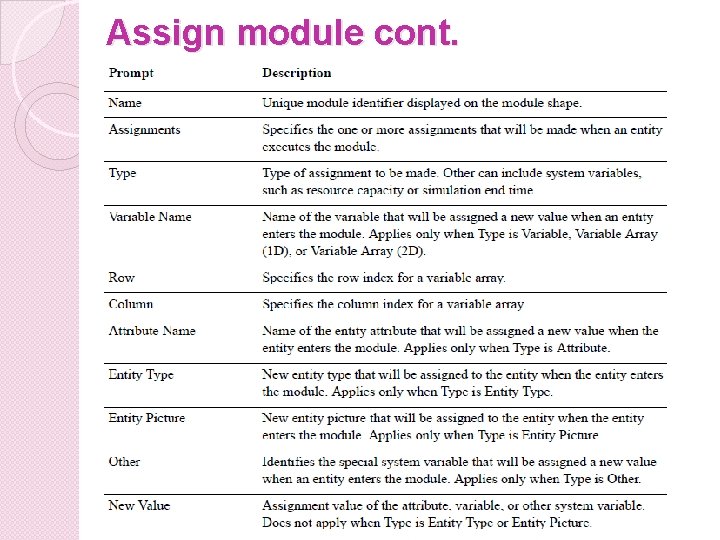
Assign module cont.
8. Record module: � This module is used to collect statistics in the simulation model Typical uses: � Collect � Count the number of jobs completed each hour how many orders have been late being fulfilled � Record the time spent by priority customers in the main check-out line
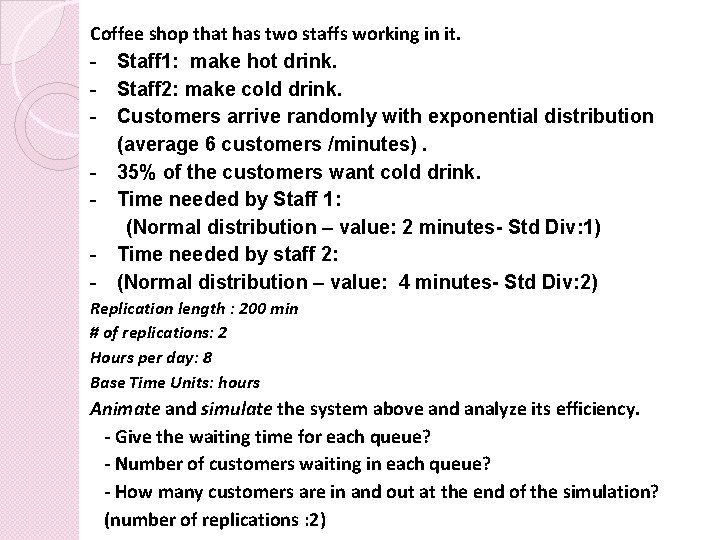
Coffee shop that has two staffs working in it. - Staff 1: make hot drink. - Staff 2: make cold drink. - Customers arrive randomly with exponential distribution (average 6 customers /minutes). - 35% of the customers want cold drink. - Time needed by Staff 1: (Normal distribution – value: 2 minutes- Std Div: 1) - Time needed by staff 2: - (Normal distribution – value: 4 minutes- Std Div: 2) Replication length : 200 min # of replications: 2 Hours per day: 8 Base Time Units: hours Animate and simulate the system above and analyze its efficiency. - Give the waiting time for each queue? - Number of customers waiting in each queue? - How many customers are in and out at the end of the simulation? (number of replications : 2)
- Slides: 17