
Arduino Skill Session II SENSORS 1 About the

Arduino Skill Session II SENSORS 1
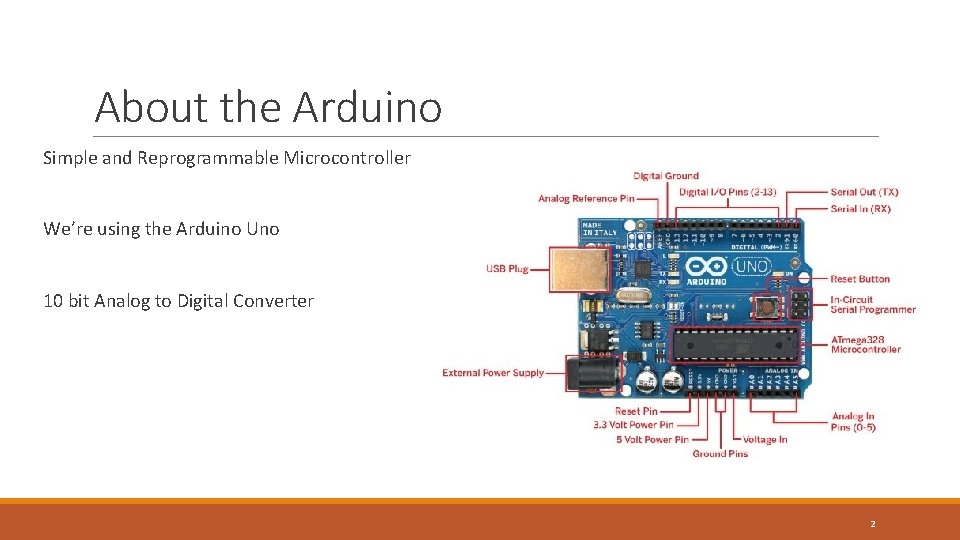
About the Arduino Simple and Reprogrammable Microcontroller We’re using the Arduino Uno 10 bit Analog to Digital Converter 2
What is a sensor? A sensor is a transducer whose purpose is to sense (that is, detect) some characteristic of its environment. It detects events or changes in quantities and provides a corresponding output, generally as an electrical or optical signal? Wikipedia 3
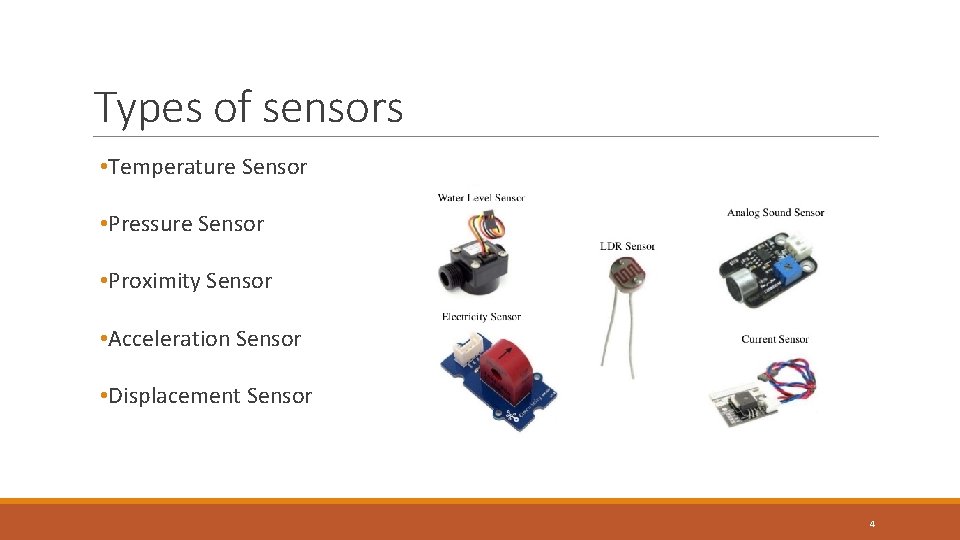
Types of sensors • Temperature Sensor • Pressure Sensor • Proximity Sensor • Acceleration Sensor • Displacement Sensor 4
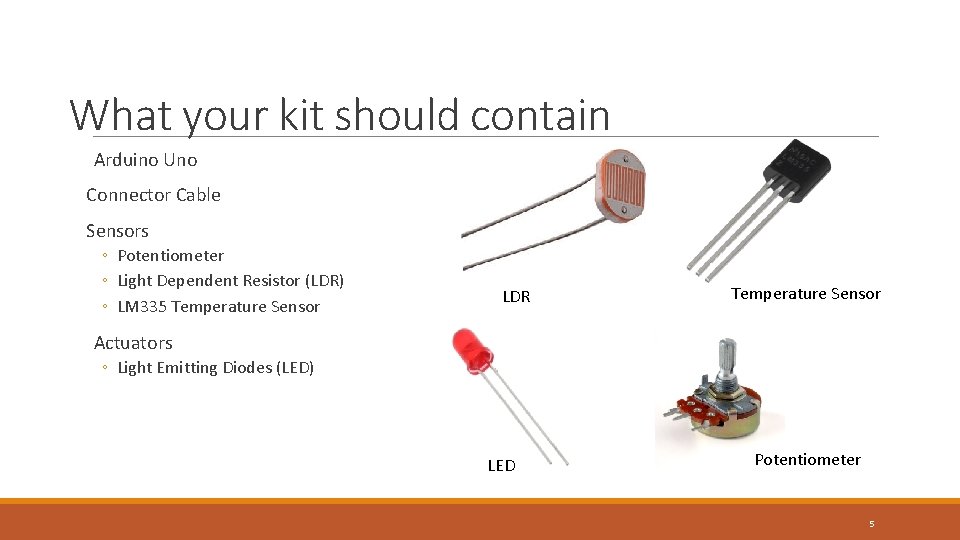
What your kit should contain Arduino Uno Connector Cable Sensors ◦ Potentiometer ◦ Light Dependent Resistor (LDR) ◦ LM 335 Temperature Sensor LDR Temperature Sensor Actuators ◦ Light Emitting Diodes (LED) LED Potentiometer 5
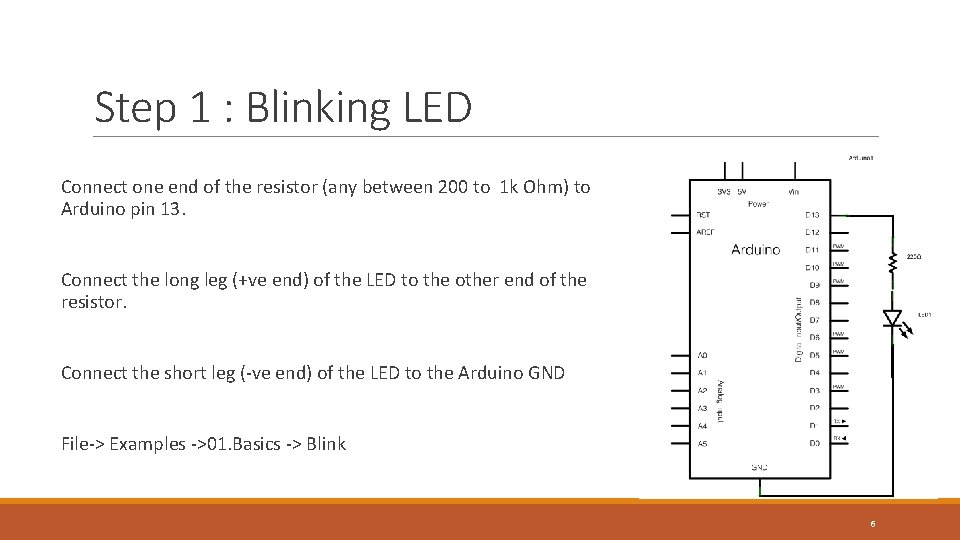
Step 1 : Blinking LED Connect one end of the resistor (any between 200 to 1 k Ohm) to Arduino pin 13. Connect the long leg (+ve end) of the LED to the other end of the resistor. Connect the short leg (-ve end) of the LED to the Arduino GND File-> Examples ->01. Basics -> Blink 6
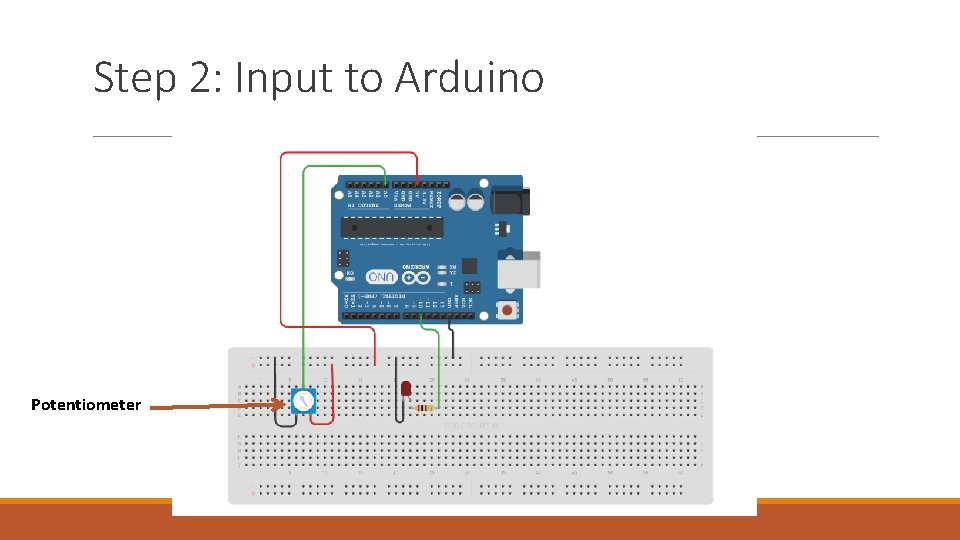
Step 2: Input to Arduino Potentiometer
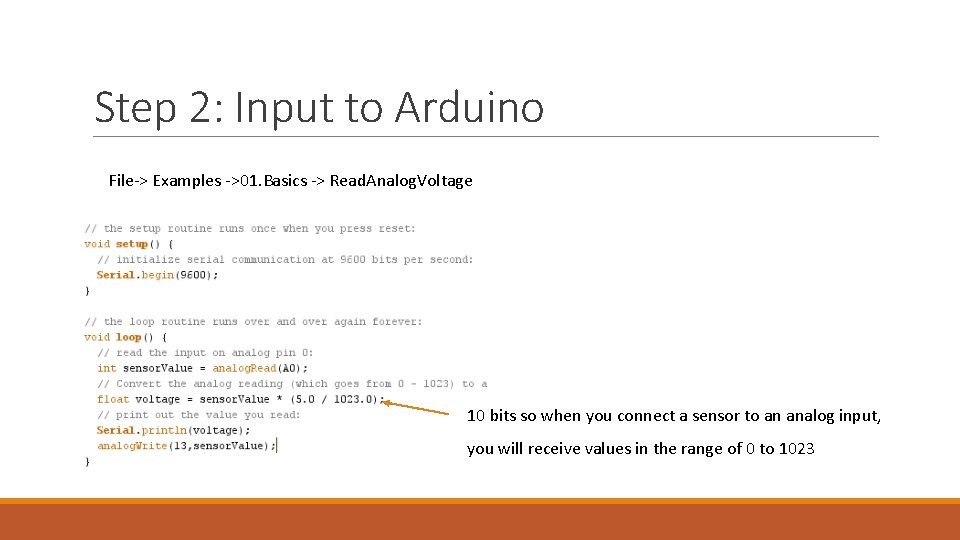
Step 2: Input to Arduino File-> Examples ->01. Basics -> Read. Analog. Voltage 10 bits so when you connect a sensor to an analog input, you will receive values in the range of 0 to 1023
Step 2: Input to Arduino Declare a new pin A 0 Use analog. Read(A 0) to read the analog value from the pin ◦ Convert the value so that the LED can read it (Basically multiply by 255/1023) Use analog. Write(pin number, value) to “write” the value calculated above to the LED pin. Turn the potentiometer screw and watch the LED dim/brighten!
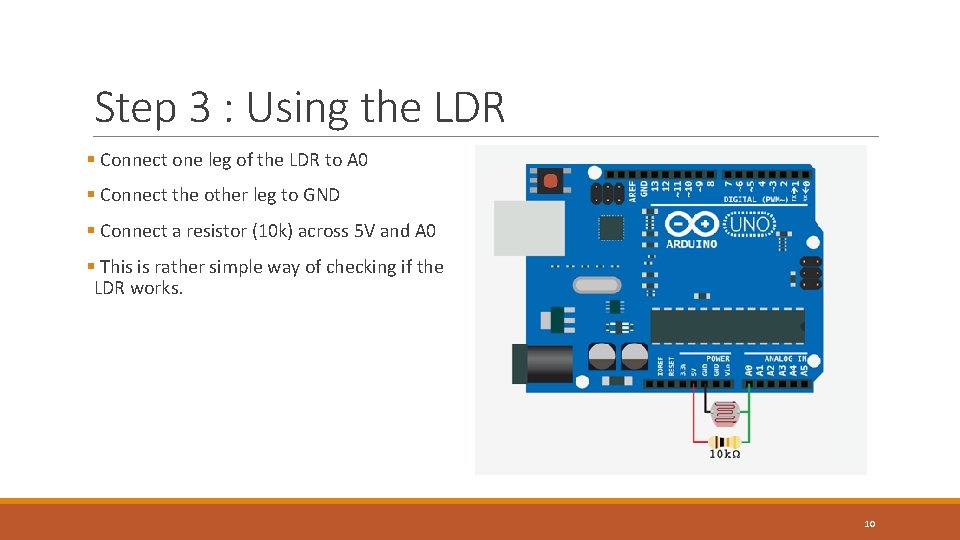
Step 3 : Using the LDR § Connect one leg of the LDR to A 0 § Connect the other leg to GND § Connect a resistor (10 k) across 5 V and A 0 § This is rather simple way of checking if the LDR works. 10
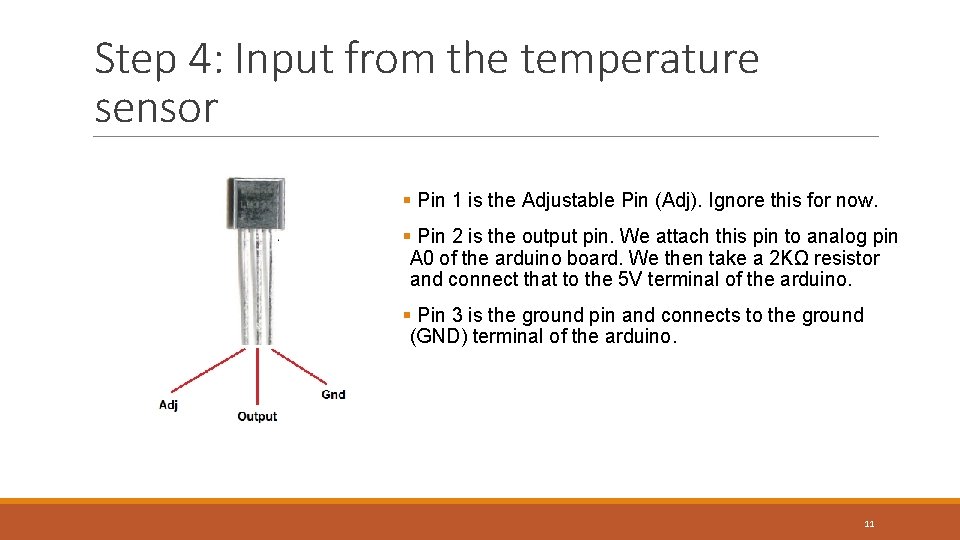
Step 4: Input from the temperature sensor § Pin 1 is the Adjustable Pin (Adj). Ignore this for now. § Pin 2 is the output pin. We attach this pin to analog pin A 0 of the arduino board. We then take a 2 KΩ resistor and connect that to the 5 V terminal of the arduino. § Pin 3 is the ground pin and connects to the ground (GND) terminal of the arduino. 11
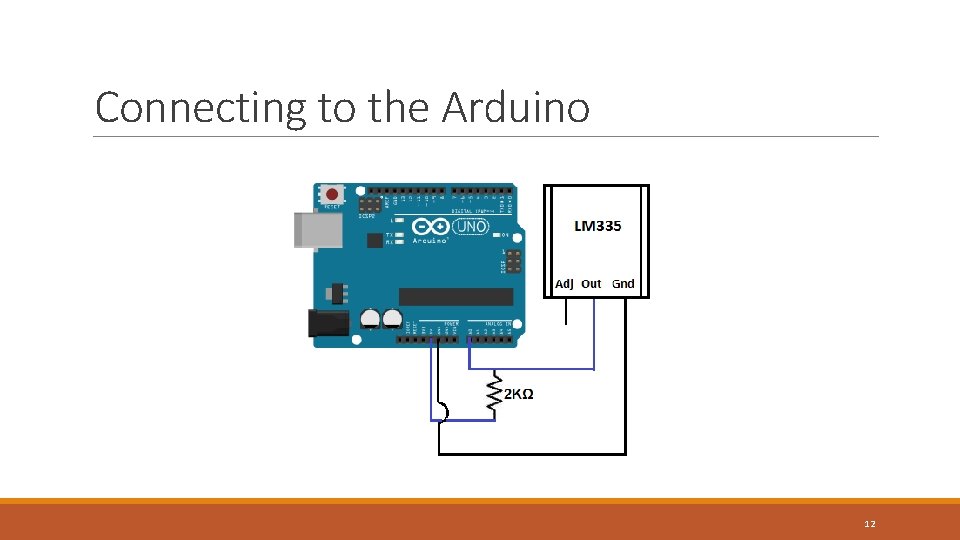
Connecting to the Arduino 12
Your task If time allows… Integrate these sensors and actuators and create your own human detector Think of possible ways in which you would be able to use the sensors and actuators 13
- Slides: 13