
Arduino Programming Part 6 LCD Panel Output ME
- Slides: 14
Arduino Programming Part 6: LCD Panel Output ME 121 Portland State University
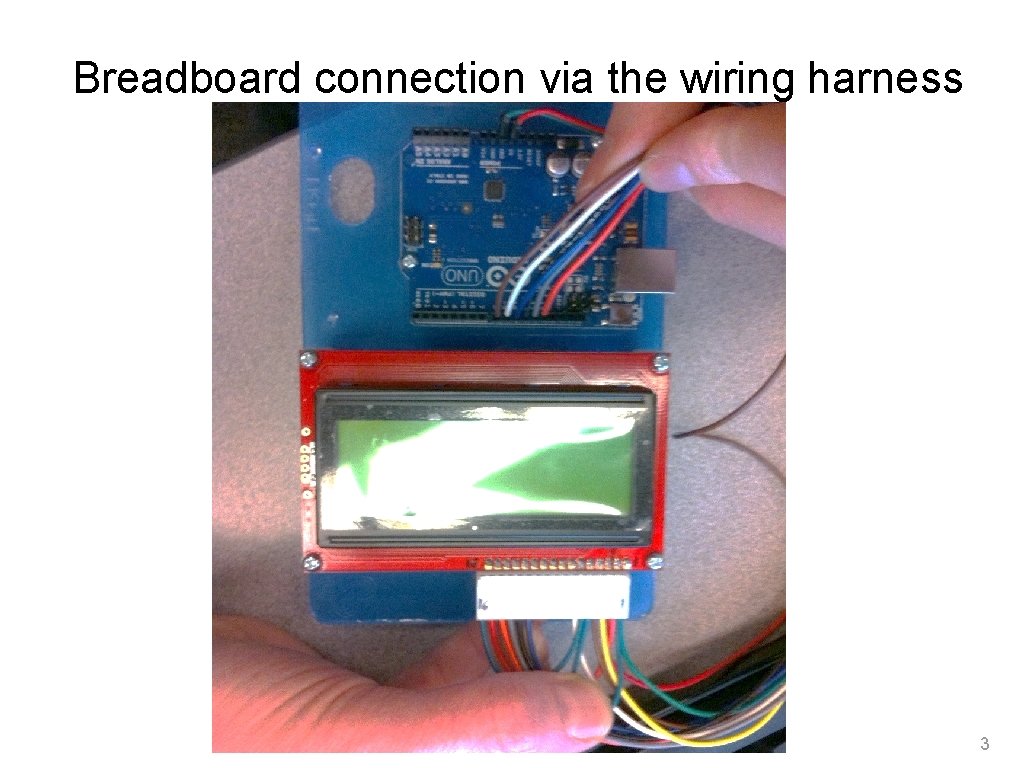
Goals Use the 20 x 4 character LCD display for output ❖ Overview of assembly — detailed instructions on the web ‣ http: //web. cecs. pdx. edu/~me 121/doku. php? id=lecture: wiring_harness ‣ http: //www. ladyada. net/learn/lcd/charlcd. html ❖ Introduction to the LCD library ‣ http: //www. arduino. cc/en/Tutorial/Liquid. Crystal ❖ ❖ Simple demonstration Map the 20 x 4 character display for fish tank data 2
Breadboard connection via the wiring harness 3
Programming Arduino for LCD Display Refer to Adafruit tutorial ❖ http: //www. ladyada. net/learn/lcd/charlcd. html and Arduino documentation ❖ http: //www. arduino. cc/en/Tutorial/Liquid. Crystal 4
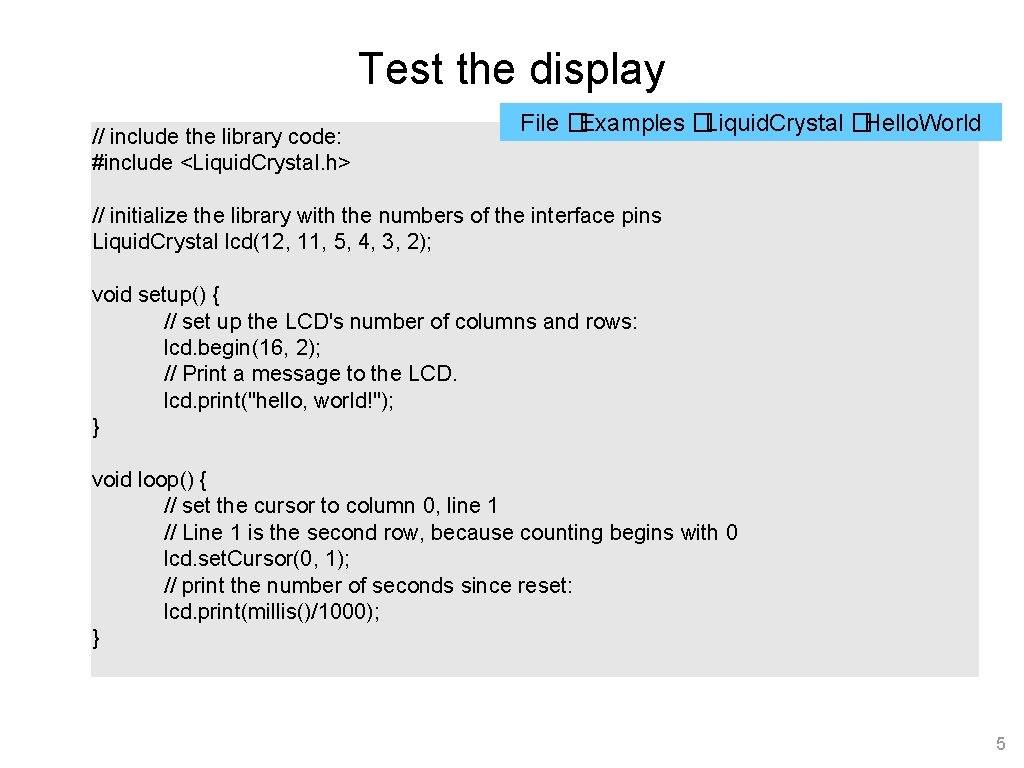
Test the display // include the library code: #include <Liquid. Crystal. h> File �Examples �Liquid. Crystal �Hello. World // initialize the library with the numbers of the interface pins Liquid. Crystal lcd(12, 11, 5, 4, 3, 2); void setup() { // set up the LCD's number of columns and rows: lcd. begin(16, 2); // Print a message to the LCD. lcd. print("hello, world!"); } void loop() { // set the cursor to column 0, line 1 // Line 1 is the second row, because counting begins with 0 lcd. set. Cursor(0, 1); // print the number of seconds since reset: lcd. print(millis()/1000); } 5
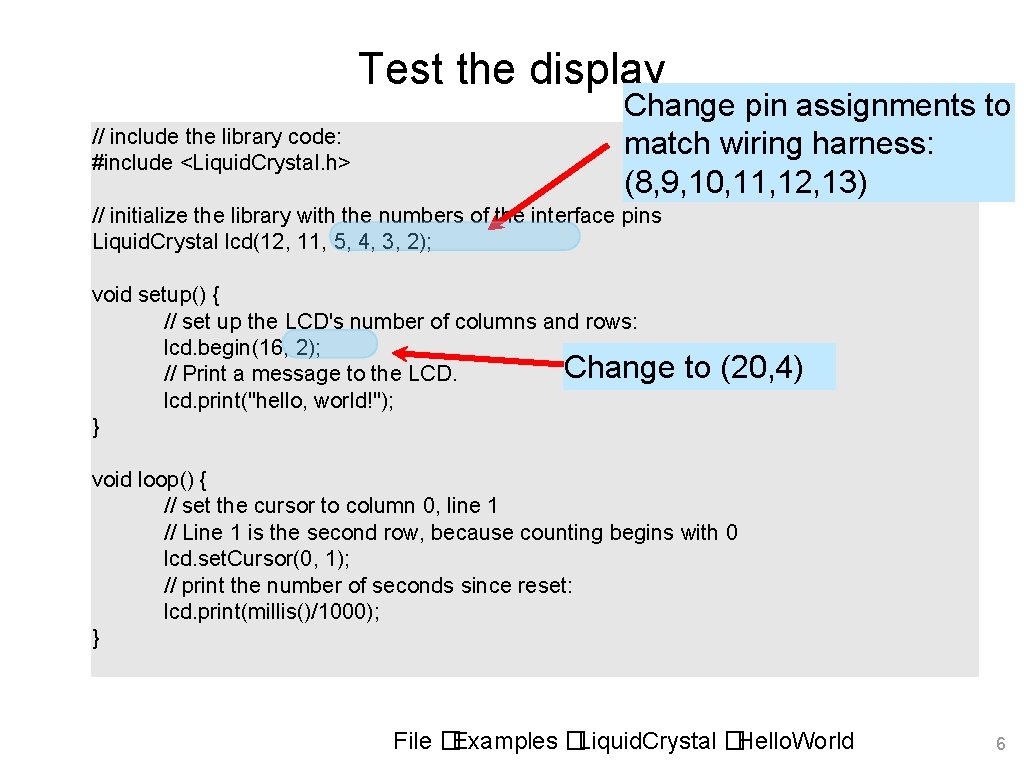
Test the display // include the library code: #include <Liquid. Crystal. h> Change pin assignments to match wiring harness: (8, 9, 10, 11, 12, 13) // initialize the library with the numbers of the interface pins Liquid. Crystal lcd(12, 11, 5, 4, 3, 2); void setup() { // set up the LCD's number of columns and rows: lcd. begin(16, 2); Change // Print a message to the LCD. lcd. print("hello, world!"); } to (20, 4) void loop() { // set the cursor to column 0, line 1 // Line 1 is the second row, because counting begins with 0 lcd. set. Cursor(0, 1); // print the number of seconds since reset: lcd. print(millis()/1000); } File �Examples �Liquid. Crystal �Hello. World 6
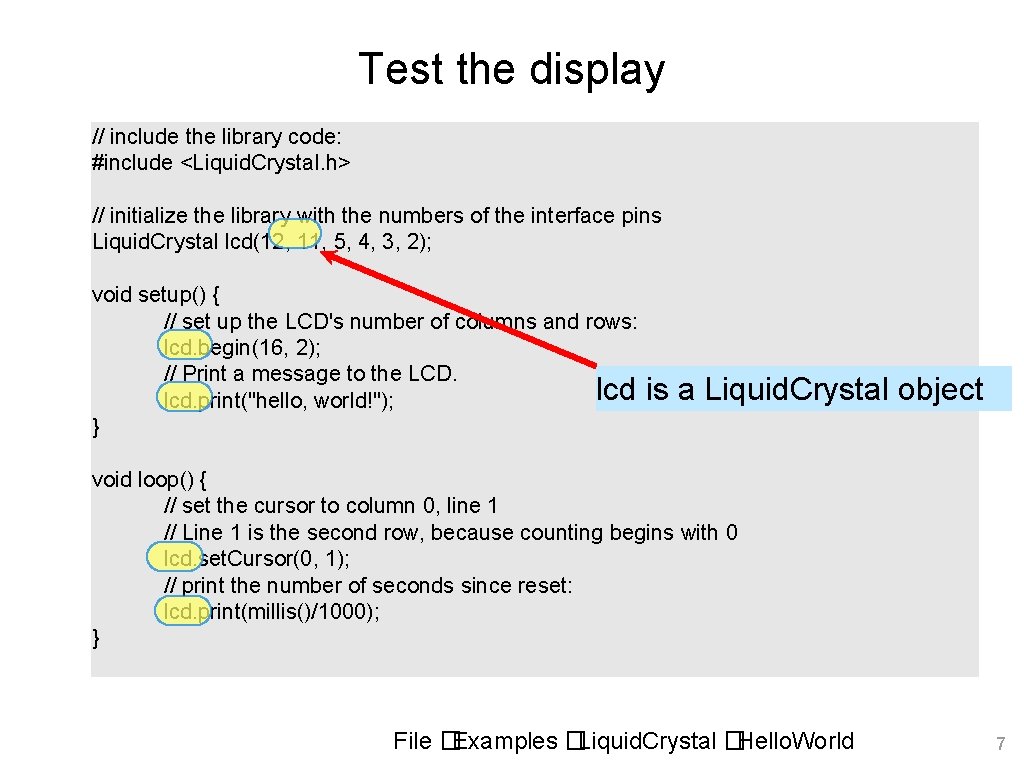
Test the display // include the library code: #include <Liquid. Crystal. h> // initialize the library with the numbers of the interface pins Liquid. Crystal lcd(12, 11, 5, 4, 3, 2); void setup() { // set up the LCD's number of columns and rows: lcd. begin(16, 2); // Print a message to the LCD. lcd. print("hello, world!"); } is a Liquid. Crystal object void loop() { // set the cursor to column 0, line 1 // Line 1 is the second row, because counting begins with 0 lcd. set. Cursor(0, 1); // print the number of seconds since reset: lcd. print(millis()/1000); } File �Examples �Liquid. Crystal �Hello. World 7
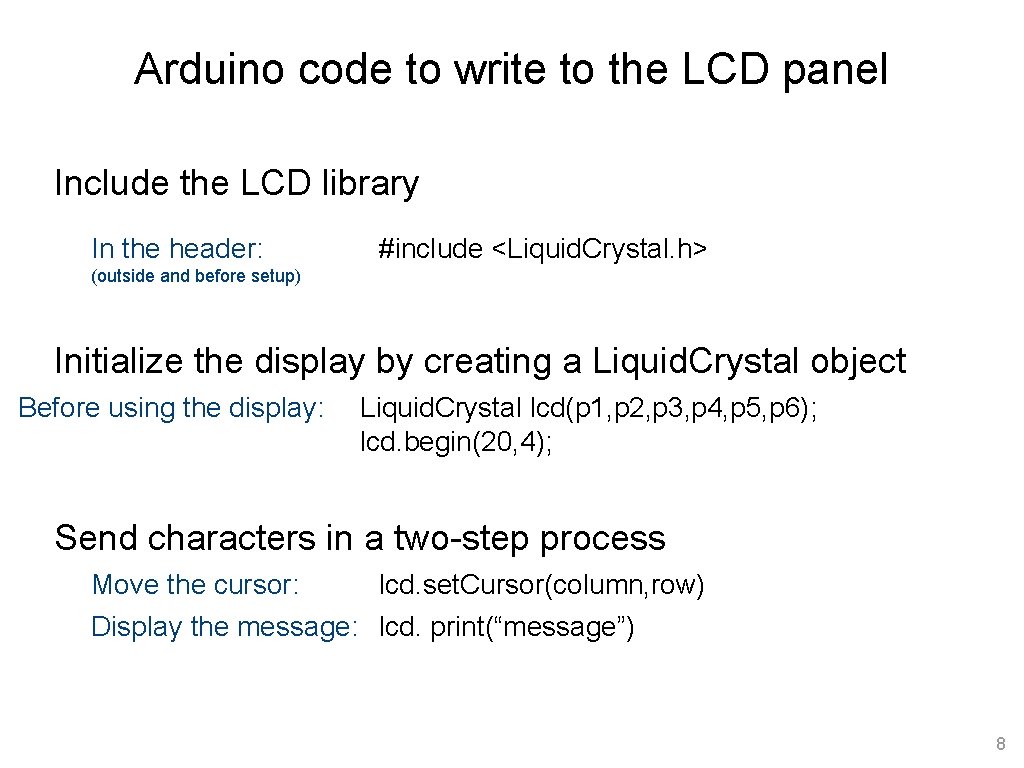
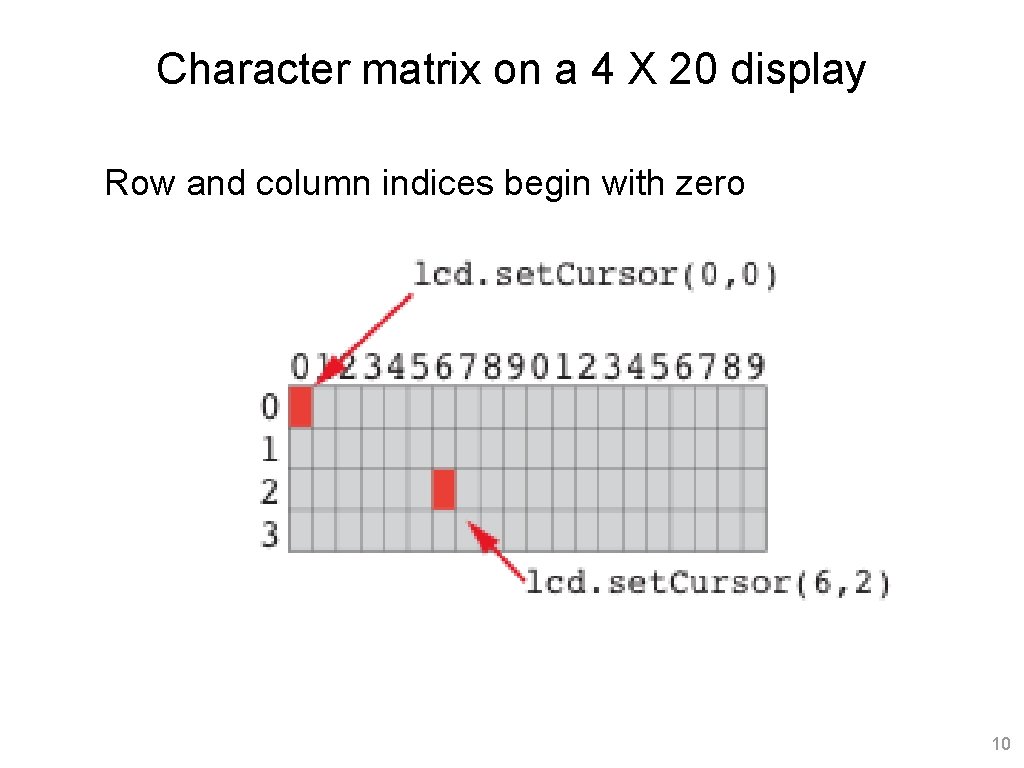
Arduino code to write to the LCD panel Include the LCD library In the header: #include <Liquid. Crystal. h> (outside and before setup) Initialize the display by creating a Liquid. Crystal object Before using the display: Liquid. Crystal lcd(p 1, p 2, p 3, p 4, p 5, p 6); lcd. begin(20, 4); Send characters in a two-step process Move the cursor: lcd. set. Cursor(column, row) Display the message: lcd. print(“message”) 8
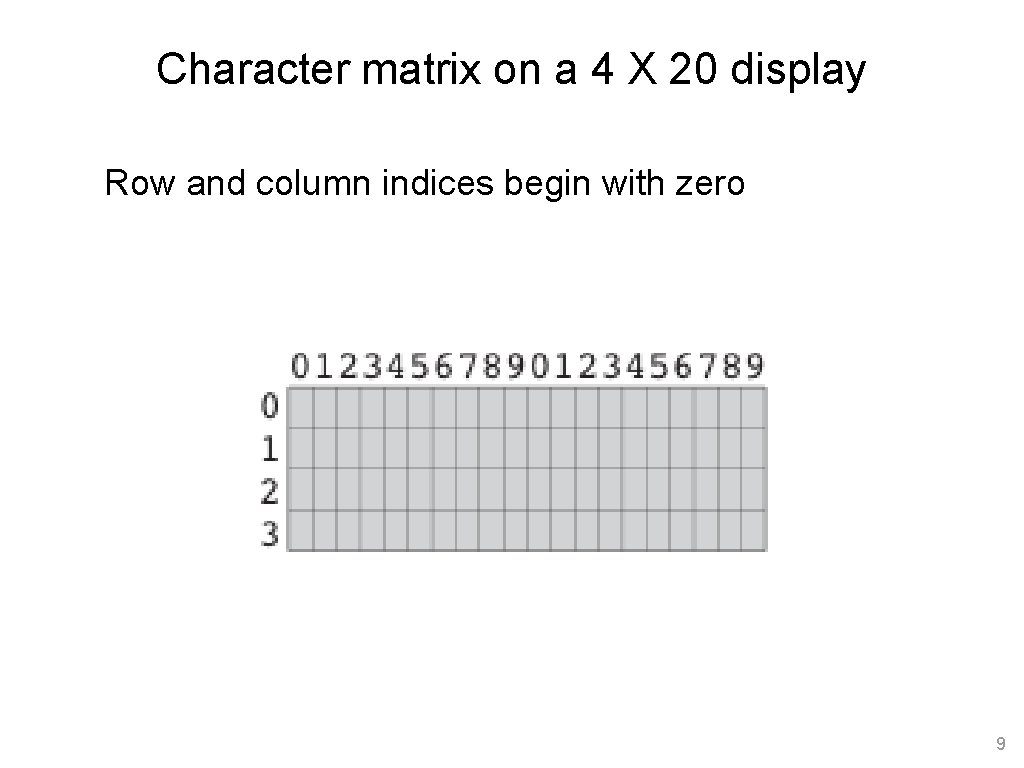
Character matrix on a 4 X 20 display Row and column indices begin with zero 9
Character matrix on a 4 X 20 display Row and column indices begin with zero 10
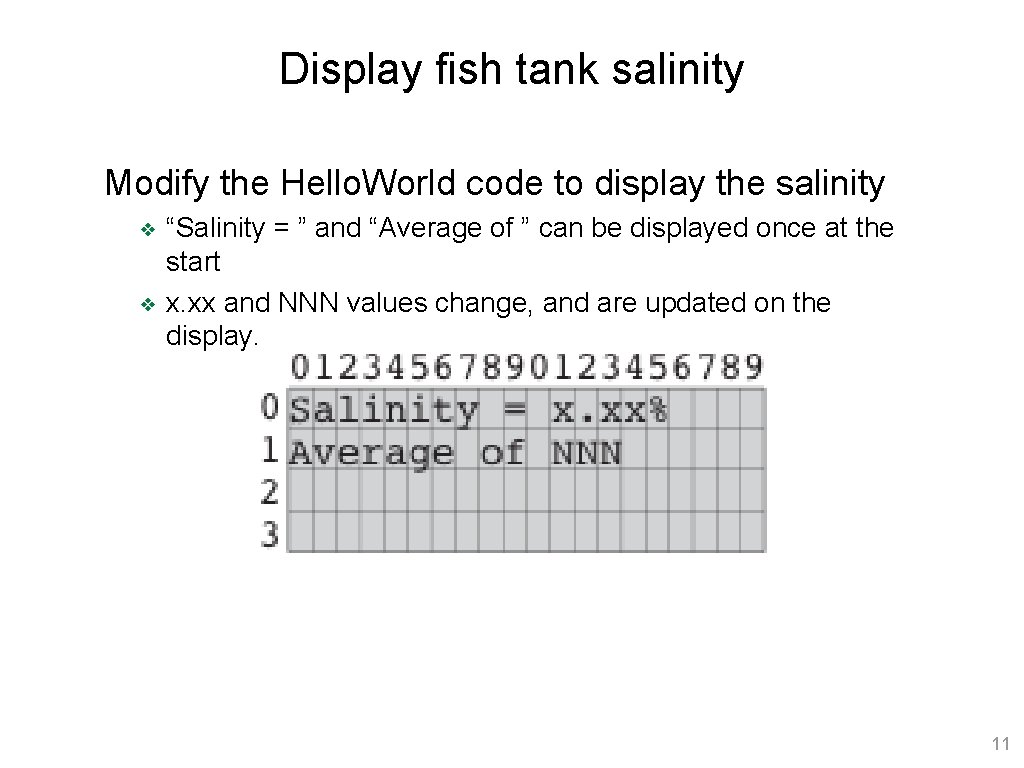
Display fish tank salinity Modify the Hello. World code to display the salinity ❖ ❖ “Salinity = ” and “Average of ” can be displayed once at the start x. xx and NNN values change, and are updated on the display. 11
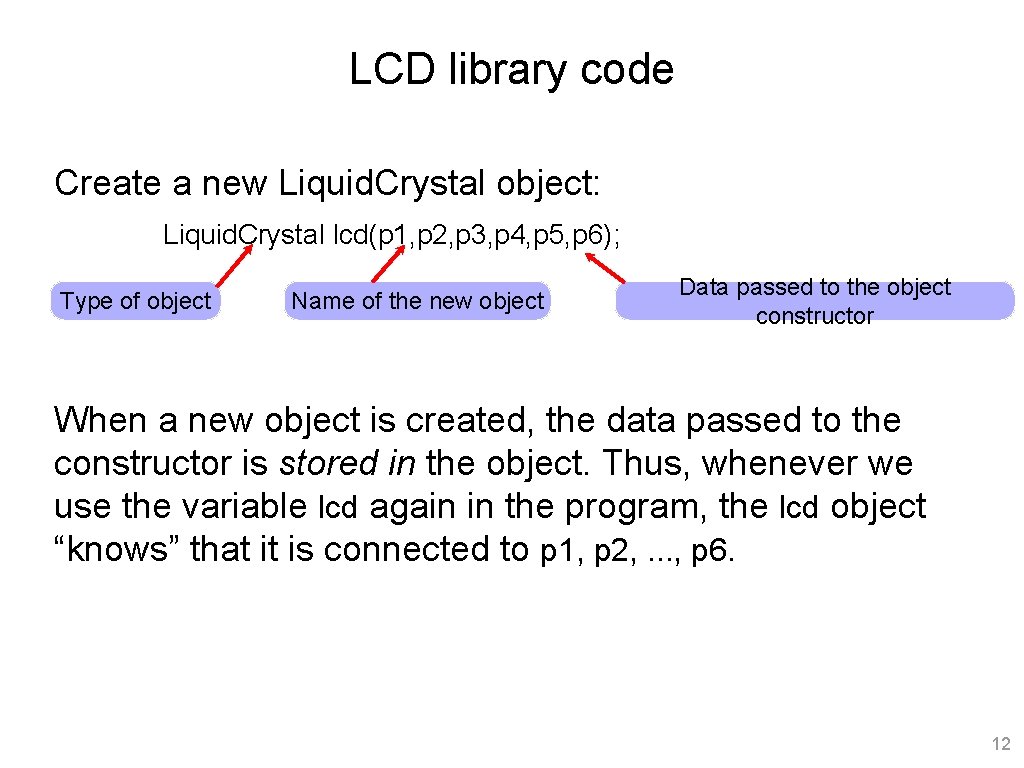
LCD library code Create a new Liquid. Crystal object: Liquid. Crystal lcd(p 1, p 2, p 3, p 4, p 5, p 6); Type of object Name of the new object Data passed to the object constructor When a new object is created, the data passed to the constructor is stored in the object. Thus, whenever we use the variable lcd again in the program, the lcd object “knows” that it is connected to p 1, p 2, . . . , p 6. 12
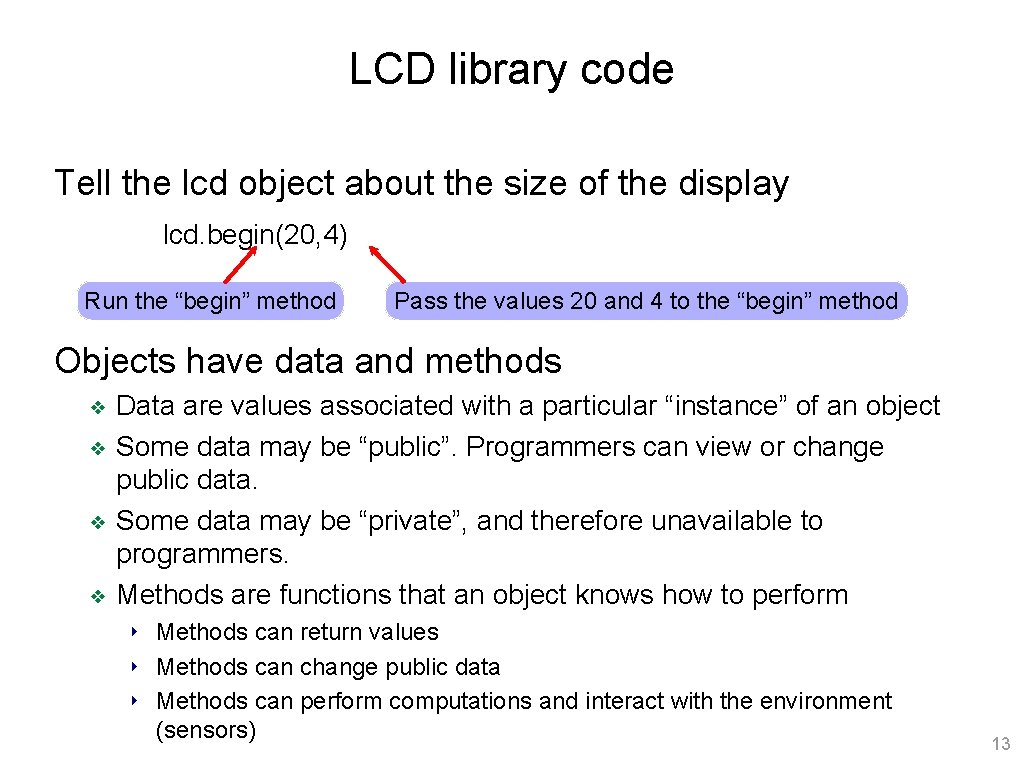
LCD library code Tell the lcd object about the size of the display lcd. begin(20, 4) Run the “begin” method Pass the values 20 and 4 to the “begin” method Objects have data and methods ❖ ❖ Data are values associated with a particular “instance” of an object Some data may be “public”. Programmers can view or change public data. Some data may be “private”, and therefore unavailable to programmers. Methods are functions that an object knows how to perform ‣ Methods can return values ‣ Methods can change public data ‣ Methods can perform computations and interact with the environment (sensors) 13
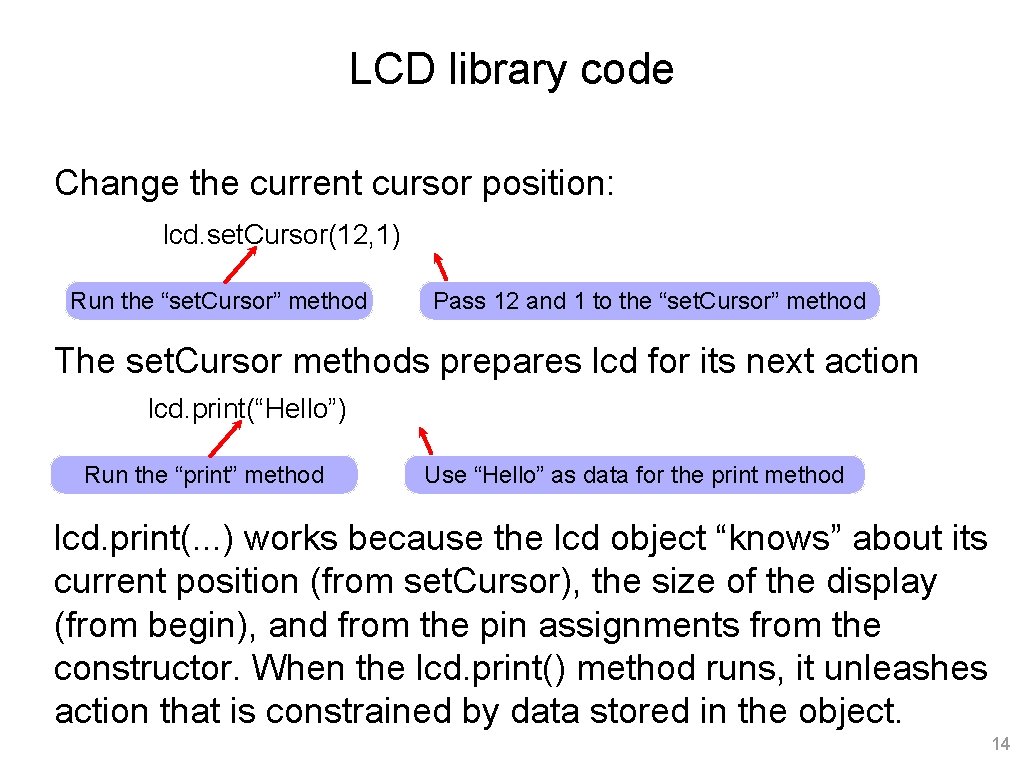
LCD library code Change the current cursor position: lcd. set. Cursor(12, 1) Run the “set. Cursor” method Pass 12 and 1 to the “set. Cursor” method The set. Cursor methods prepares lcd for its next action lcd. print(“Hello”) Run the “print” method Use “Hello” as data for the print method lcd. print(. . . ) works because the lcd object “knows” about its current position (from set. Cursor), the size of the display (from begin), and from the pin assignments from the constructor. When the lcd. print() method runs, it unleashes action that is constrained by data stored in the object. 14