
Architect to Architect Training Practice Building for Solution
Architect to Architect Training & Practice Building for Solution Architects Azure Enterprise Governance & Security Designs Mohamed Sharaf
Architect to Architect
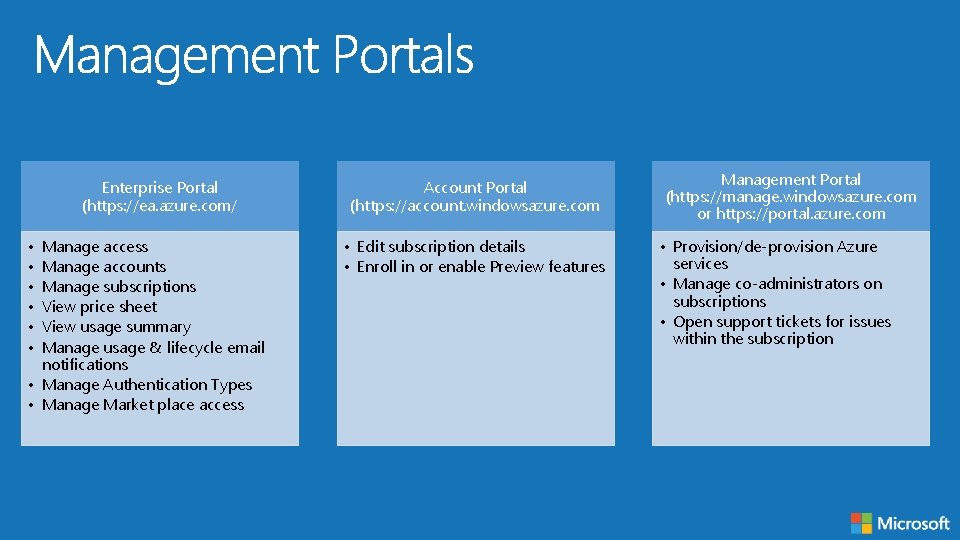
Enterprise Portal (https: //ea. azure. com/ • • • Manage access Manage accounts Manage subscriptions View price sheet View usage summary Manage usage & lifecycle email notifications • Manage Authentication Types • Manage Market place access Account Portal (https: //account. windowsazure. com • Edit subscription details • Enroll in or enable Preview features Management Portal (https: //manage. windowsazure. com or https: //portal. azure. com • Provision/de-provision Azure services • Manage co-administrators on subscriptions • Open support tickets for issues within the subscription
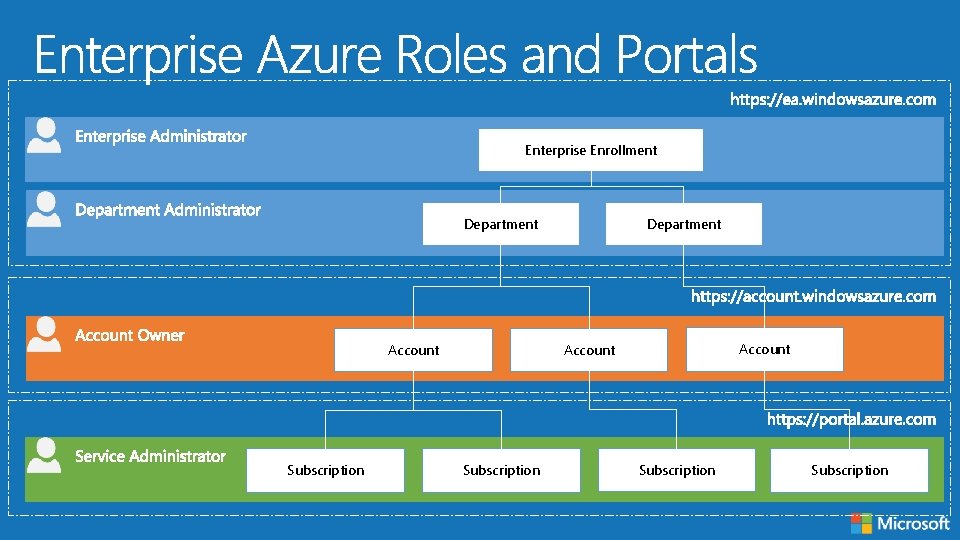
Enterprise Enrollment Department Account Subscription Subscription
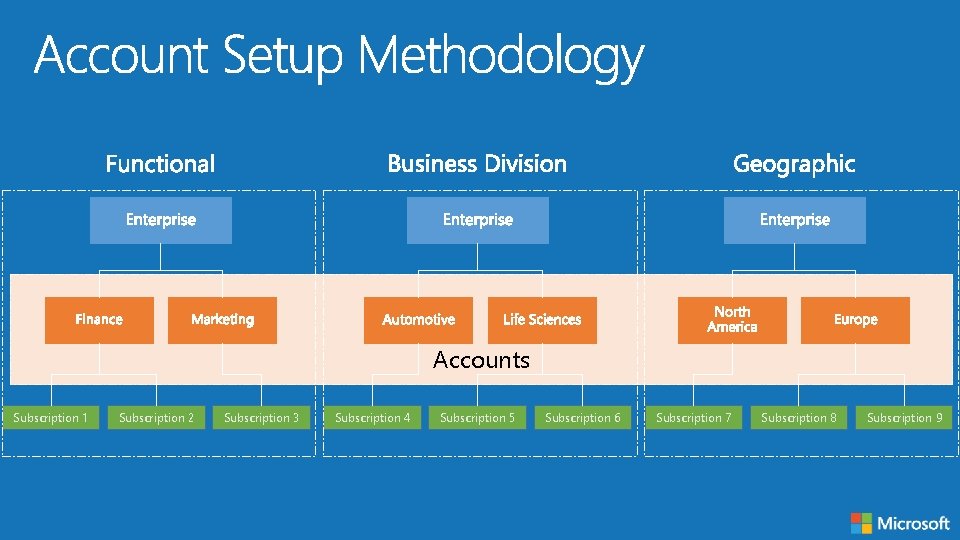
Accounts Subscription 1 Subscription 2 Subscription 3 Subscription 4 Subscription 5 Subscription 6 Subscription 7 Subscription 8 Subscription 9
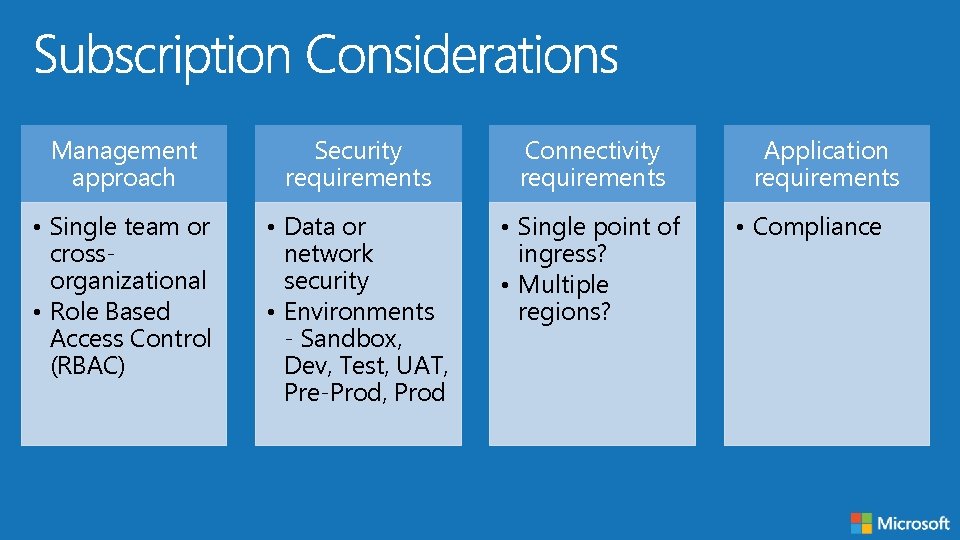
Management approach Security requirements Connectivity requirements • Single team or crossorganizational • Role Based Access Control (RBAC) • Data or network security • Environments - Sandbox, Dev, Test, UAT, Pre-Prod, Prod • Single point of ingress? • Multiple regions? Application requirements • Compliance
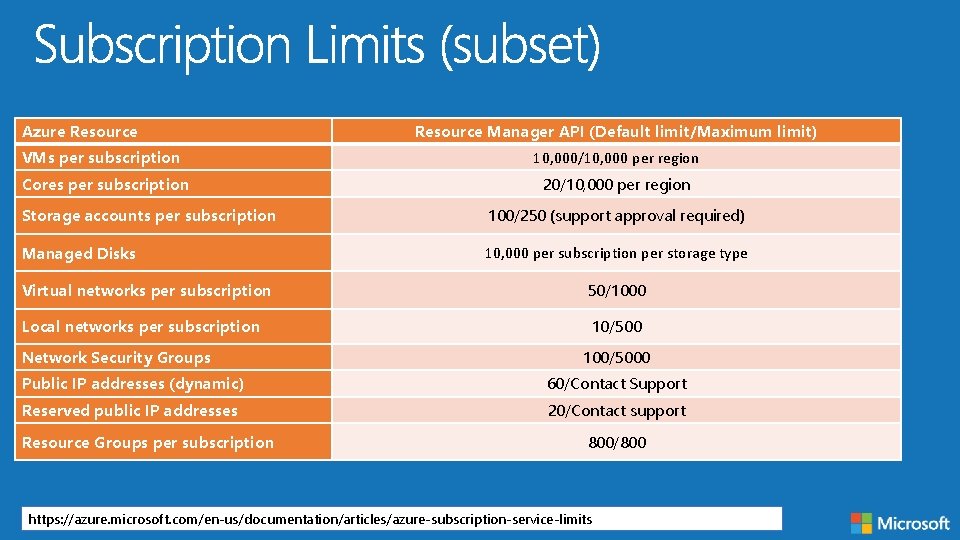
Azure Resource Manager API (Default limit/Maximum limit) VMs per subscription 10, 000/10, 000 per region Cores per subscription 20/10, 000 per region Storage accounts per subscription 100/250 (support approval required) Managed Disks 10, 000 per subscription per storage type Virtual networks per subscription 50/1000 Local networks per subscription 10/500 Network Security Groups 100/5000 Public IP addresses (dynamic) 60/Contact Support Reserved public IP addresses 20/Contact support Resource Groups per subscription 800/800 https: //azure. microsoft. com/en-us/documentation/articles/azure-subscription-service-limits
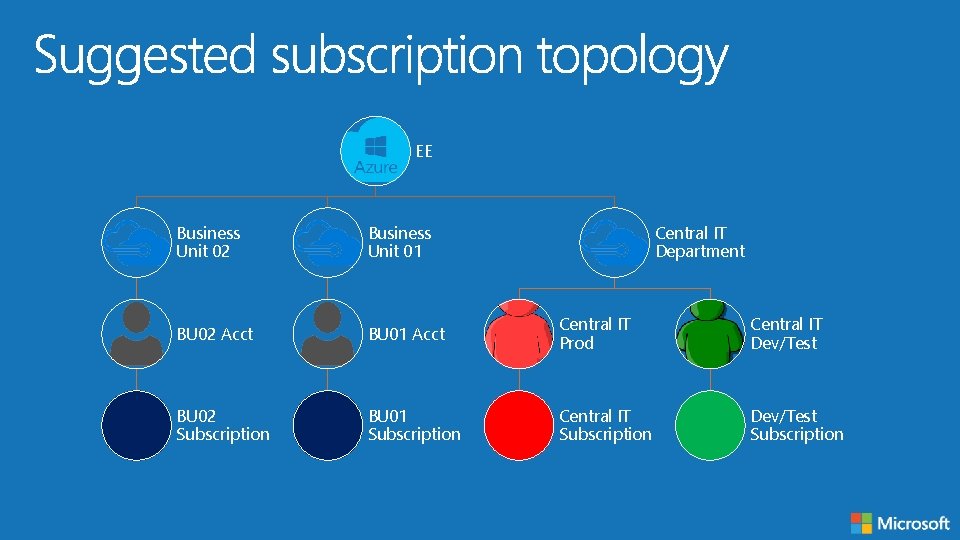
EE Business Unit 02 Business Unit 01 Central IT Department BU 02 Acct BU 01 Acct Central IT Prod Central IT Dev/Test BU 02 Subscription BU 01 Subscription Central IT Subscription Dev/Test Subscription
Architect to Architect
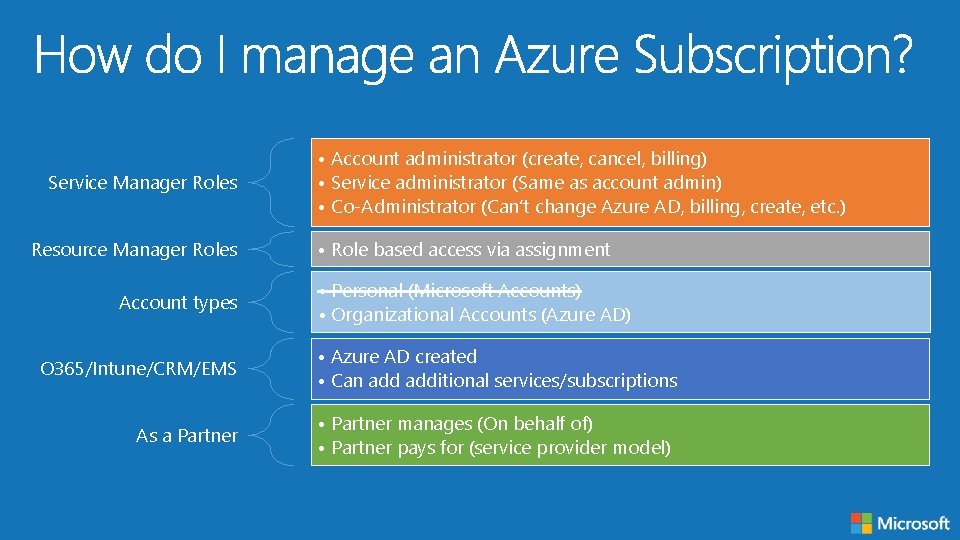
Service Manager Roles Resource Manager Roles Account types O 365/Intune/CRM/EMS As a Partner • Account administrator (create, cancel, billing) • Service administrator (Same as account admin) • Co-Administrator (Can’t change Azure AD, billing, create, etc. ) • Role based access via assignment • Personal (Microsoft Accounts) • Organizational Accounts (Azure AD) • Azure AD created • Can additional services/subscriptions • Partner manages (On behalf of) • Partner pays for (service provider model)
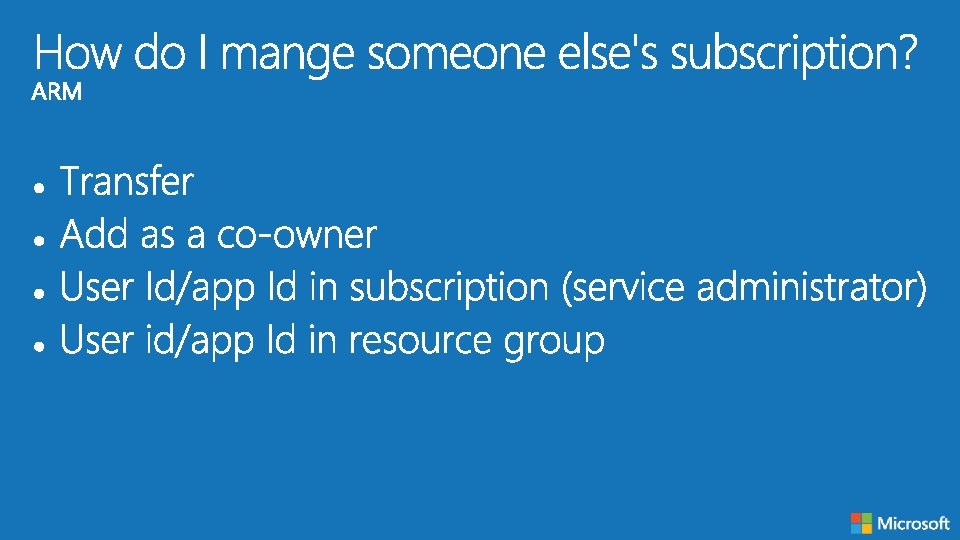
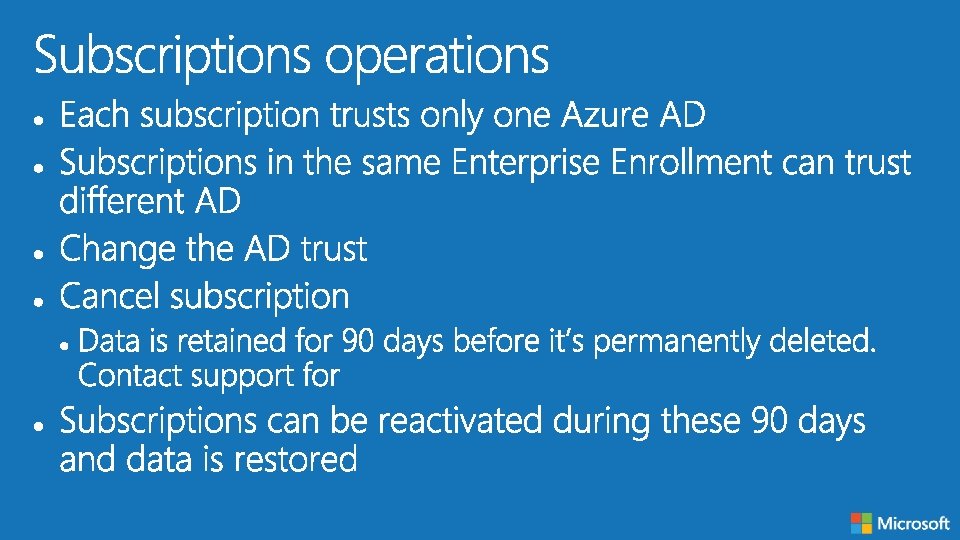
Architect to Architect
Architect to Architect
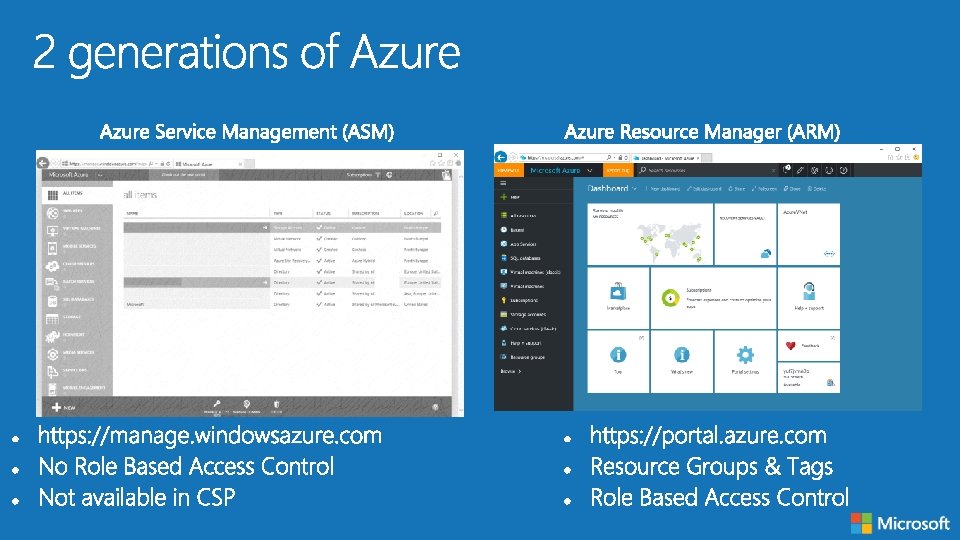
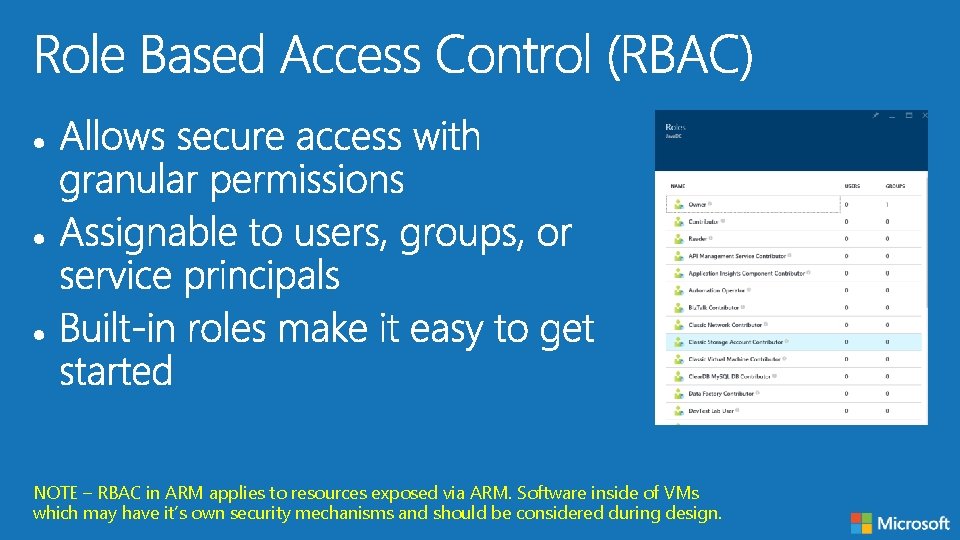
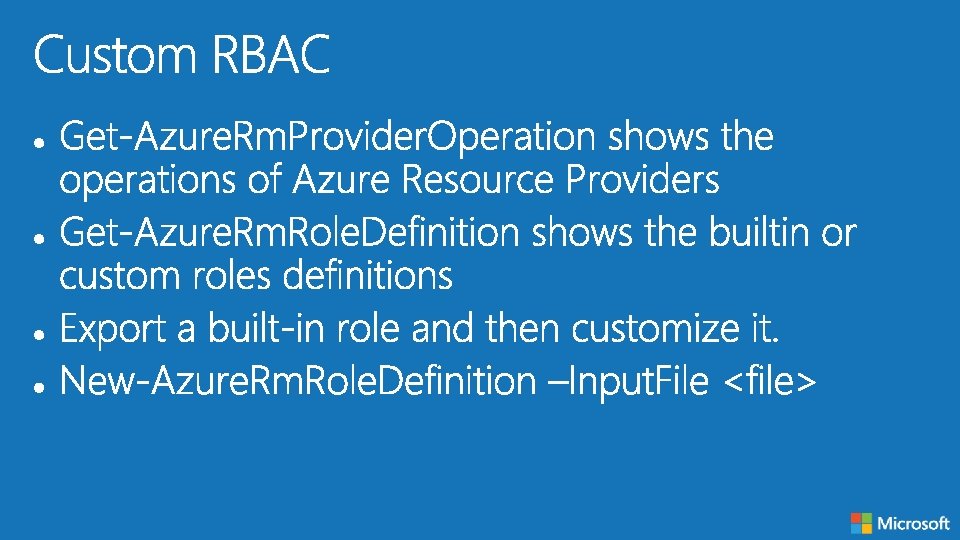
NOTE – RBAC in ARM applies to resources exposed via ARM. Software inside of VMs which may have it’s own security mechanisms and should be considered during design.
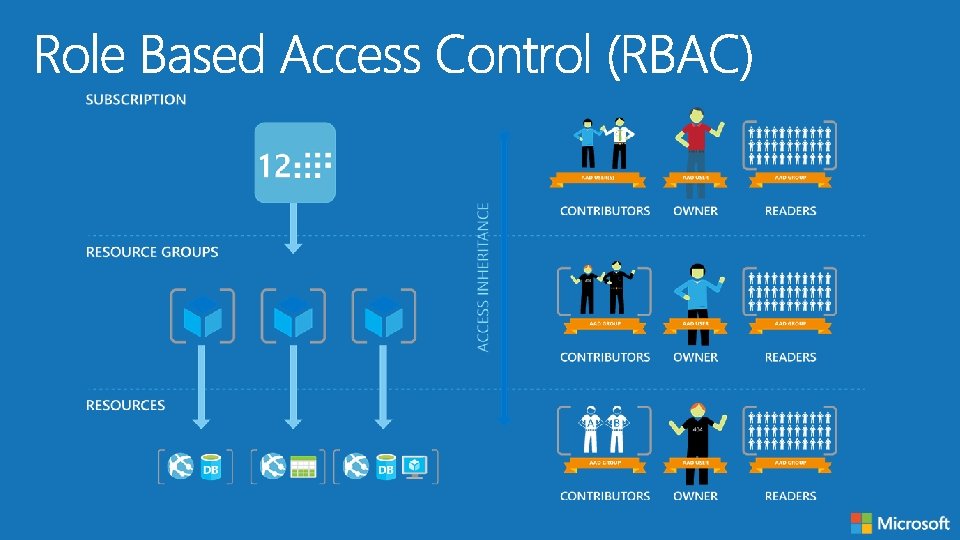
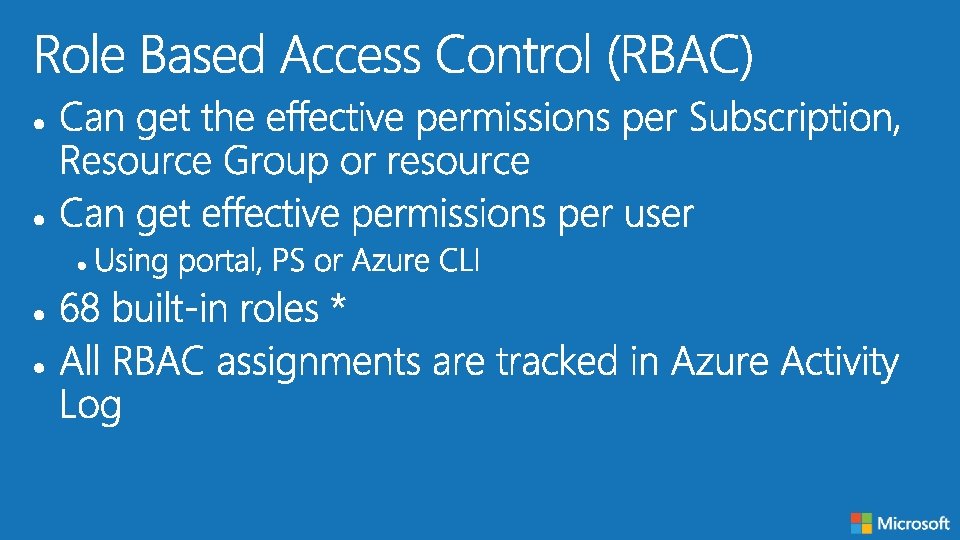
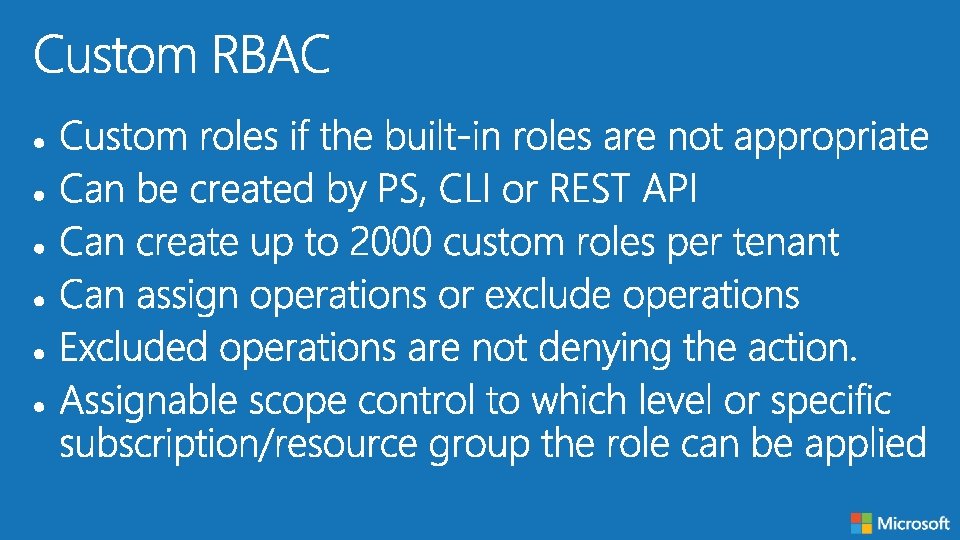
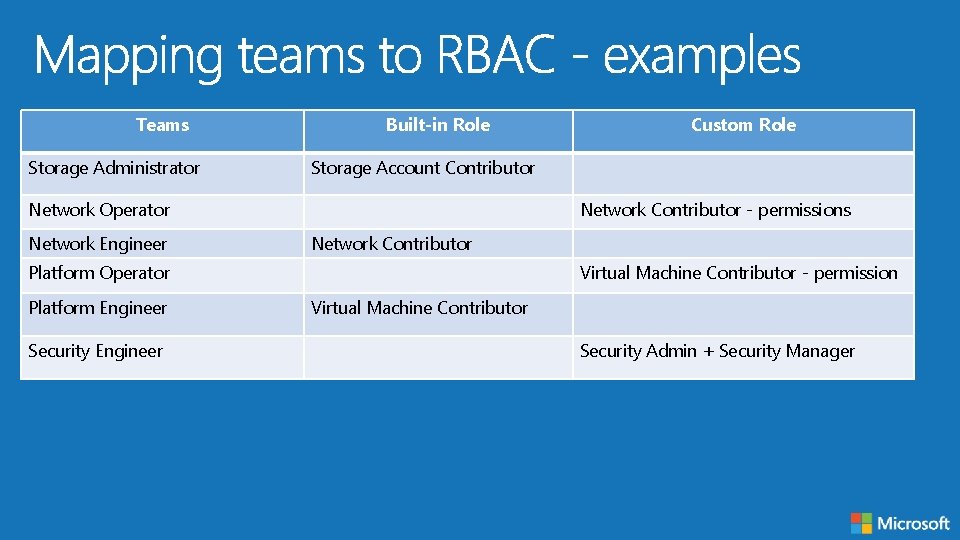
Teams Storage Administrator Built-in Role Storage Account Contributor Network Operator Network Engineer Network Contributor - permissions Network Contributor Platform Operator Platform Engineer Security Engineer Custom Role Virtual Machine Contributor - permission Virtual Machine Contributor Security Admin + Security Manager
Architect to Architect
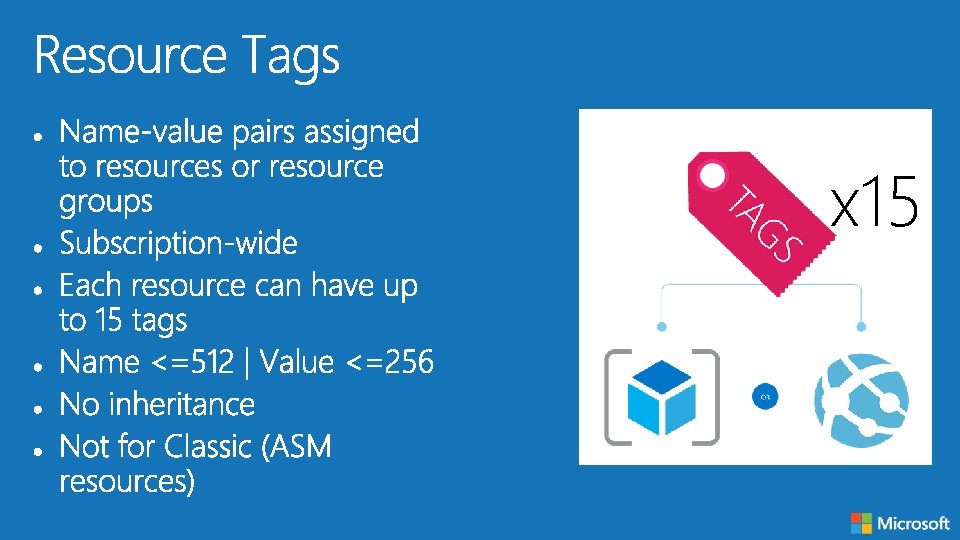
x 15
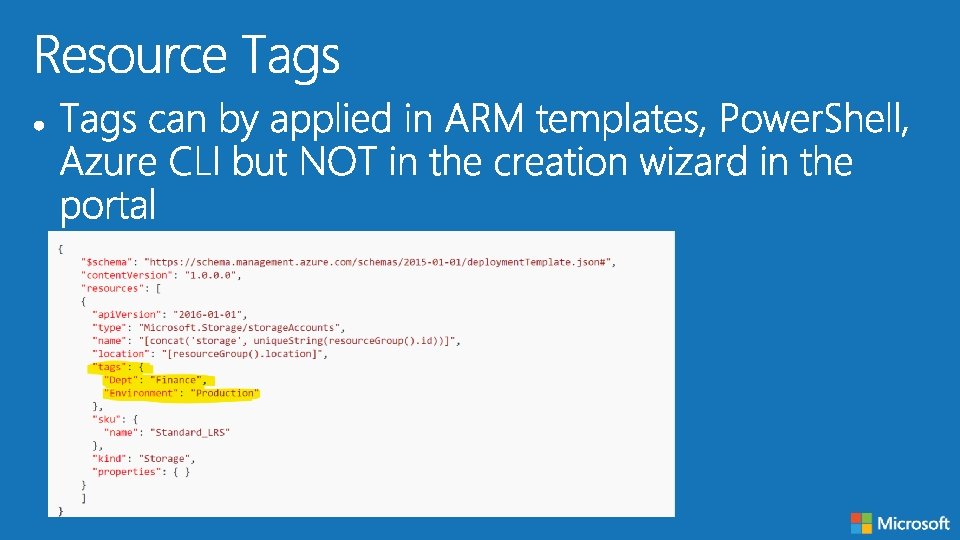
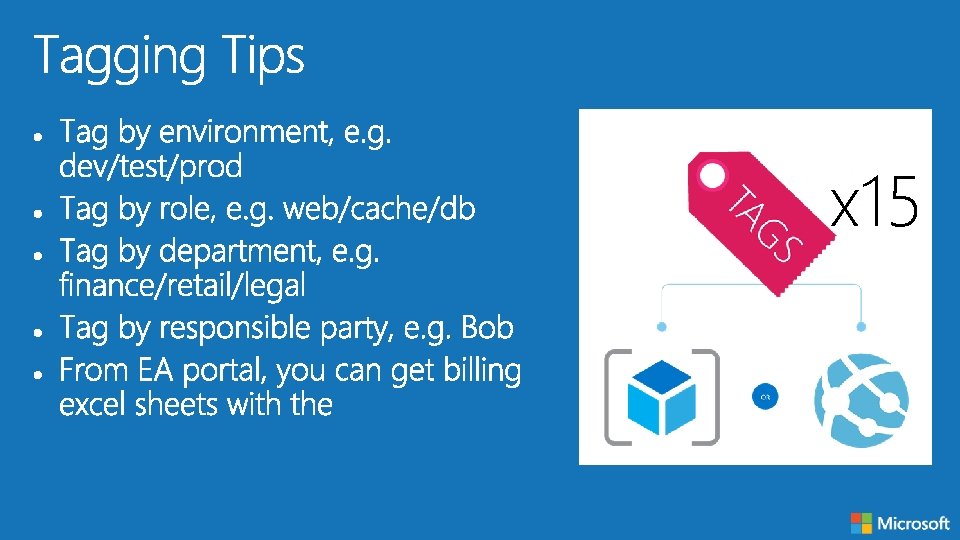
x 15
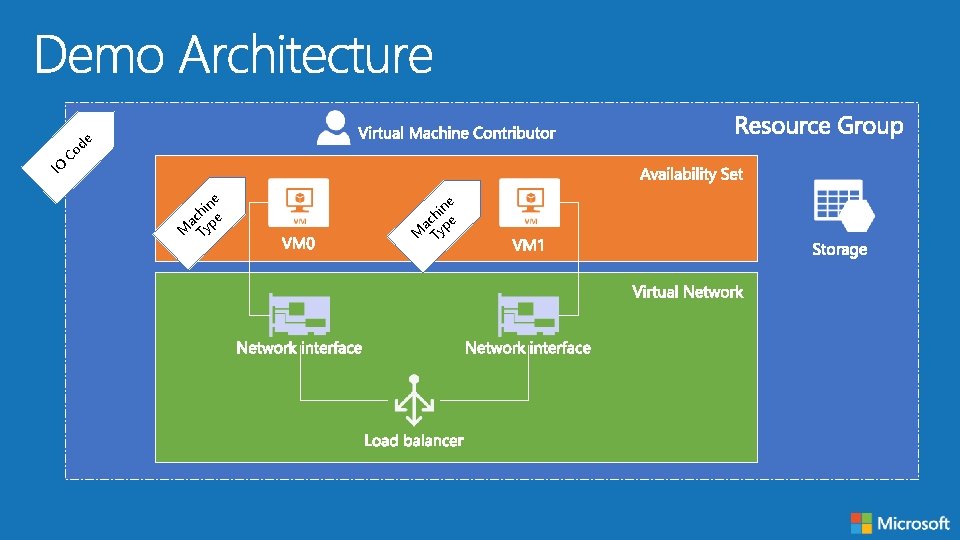
IO de o C ne i h ac ype M T
Architect to Architect
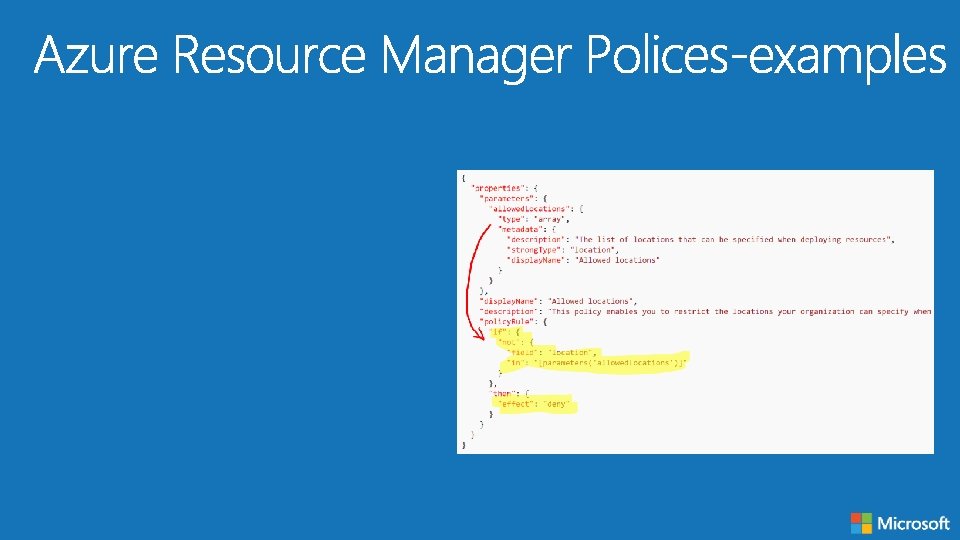
Azure Resource Manager Policies: Scenarios
Architect to Architect
Architect to Architect
Architect to Architect
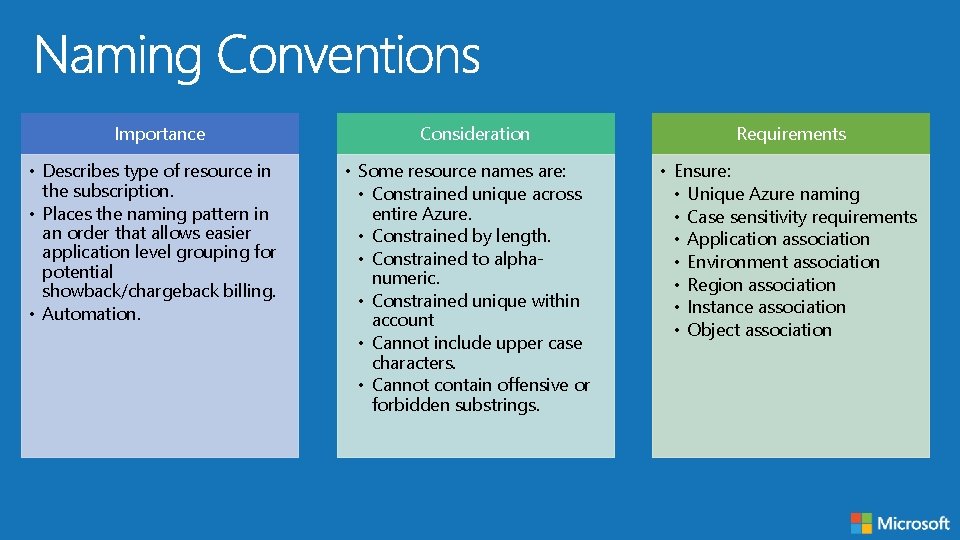
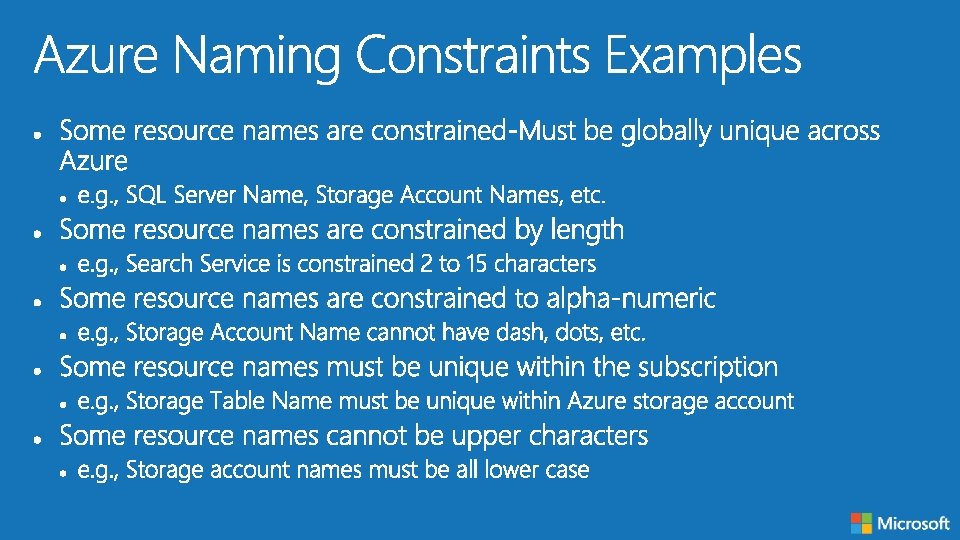
Importance • Describes type of resource in the subscription. • Places the naming pattern in an order that allows easier application level grouping for potential showback/chargeback billing. • Automation. Consideration • Some resource names are: • Constrained unique across entire Azure. • Constrained by length. • Constrained to alphanumeric. • Constrained unique within account • Cannot include upper case characters. • Cannot contain offensive or forbidden substrings. Requirements • Ensure: • Unique Azure naming • Case sensitivity requirements • Application association • Environment association • Region association • Instance association • Object association
Architect to Architect
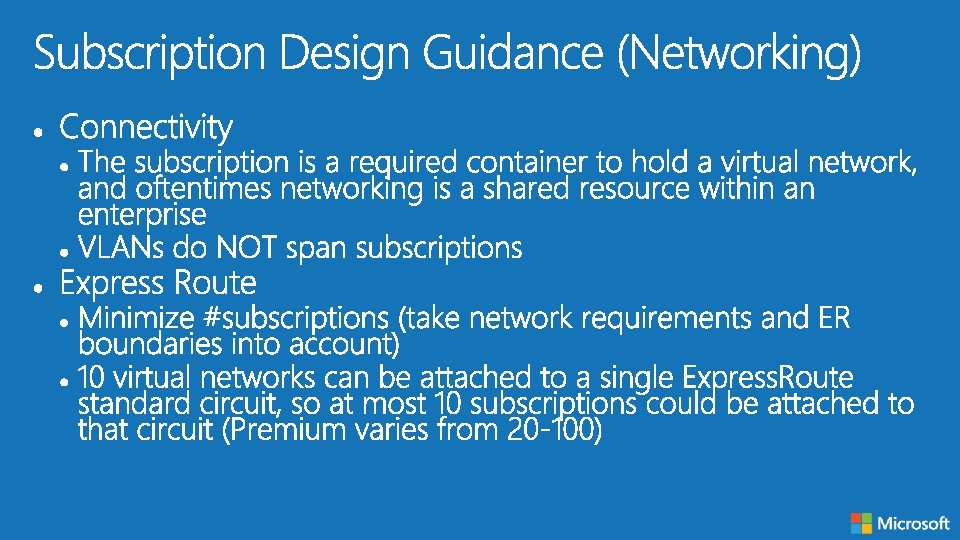
Architect to Architect
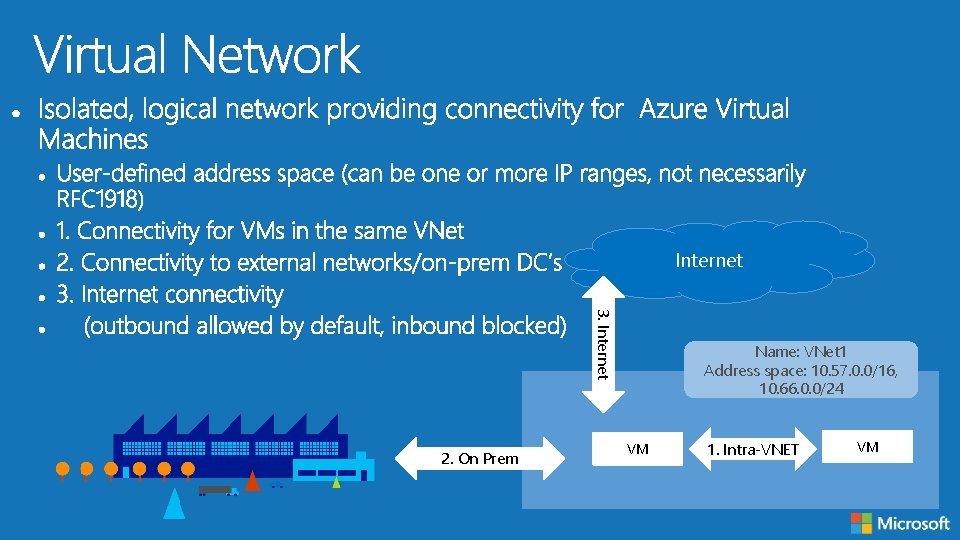
Internet 3. Internet 2. On Prem Name: VNet 1 Address space: 10. 57. 0. 0/16, 10. 66. 0. 0/24 VM 1. Intra-VNET VM
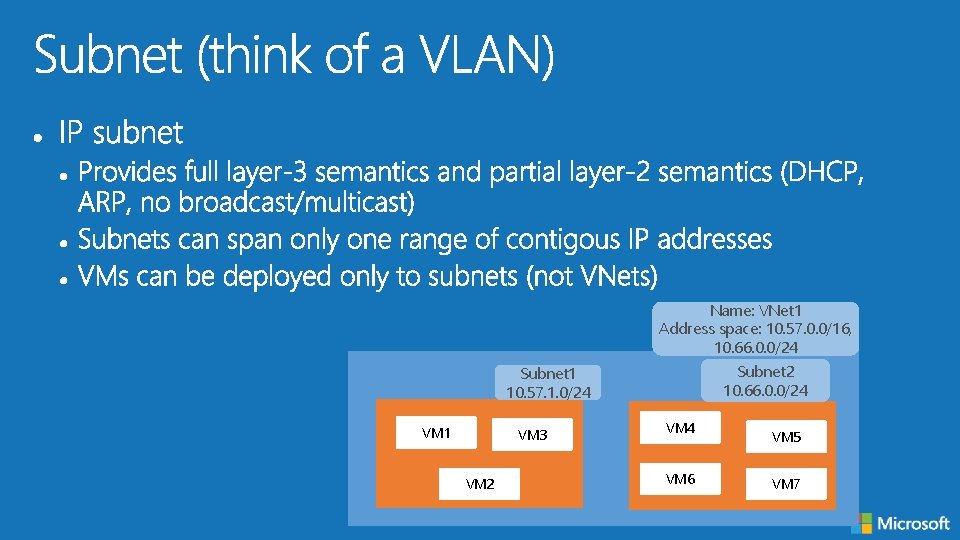
Name: VNet 1 Address space: 10. 57. 0. 0/16, 10. 66. 0. 0/24 Subnet 2 10. 66. 0. 0/24 Subnet 1 10. 57. 1. 0/24 VM 1 VM 3 VM 2 VM 4 VM 6 VM 5 VM 7
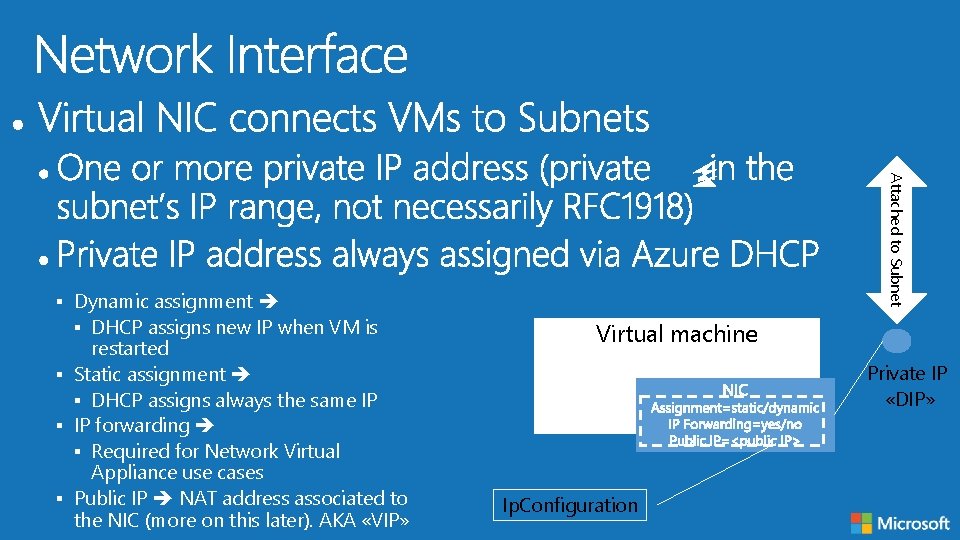
restarted § Static assignment § DHCP assigns always the same IP § IP forwarding § Required for Network Virtual Appliance use cases § Public IP NAT address associated to the NIC (more on this later). AKA «VIP» Attached to Subnet § Dynamic assignment § DHCP assigns new IP when VM is Virtual machine Private IP «DIP» Ip. Configuration
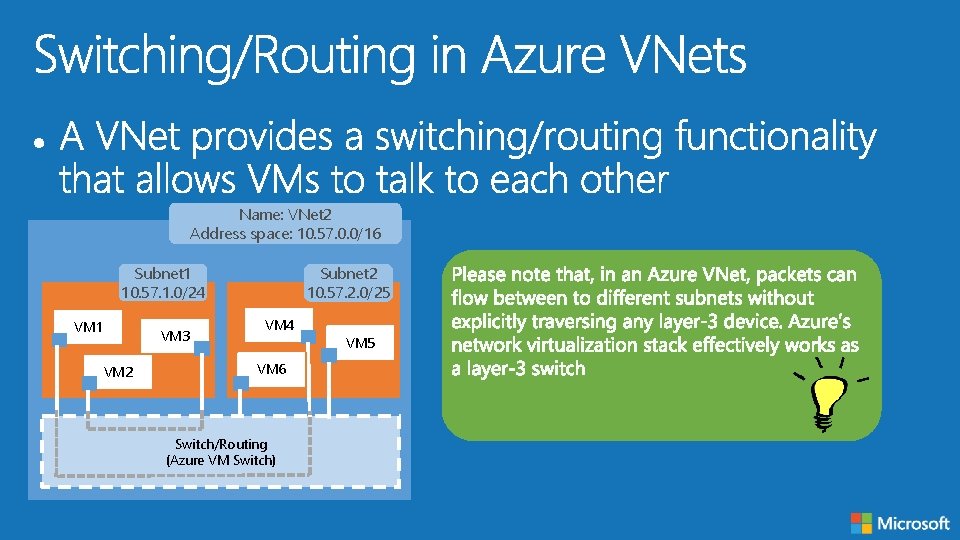
Name: VNet 2 Address space: 10. 57. 0. 0/16 Subnet 1 10. 57. 1. 0/24 VM 1 VM 3 VM 2 Subnet 2 10. 57. 2. 0/25 VM 4 VM 6 Switch/Routing (Azure VM Switch) VM 5
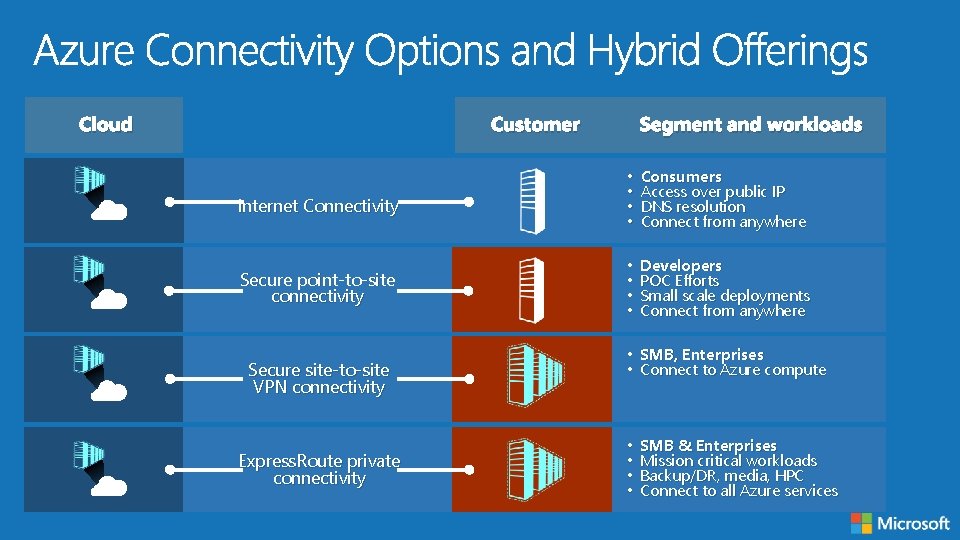
Cloud Customer Segment and workloads Internet Connectivity • • Consumers Access over public IP DNS resolution Connect from anywhere Secure point-to-site connectivity • • Developers POC Efforts Small scale deployments Connect from anywhere Secure site-to-site VPN connectivity Express. Route private connectivity • SMB, Enterprises • Connect to Azure compute • • SMB & Enterprises Mission critical workloads Backup/DR, media, HPC Connect to all Azure services
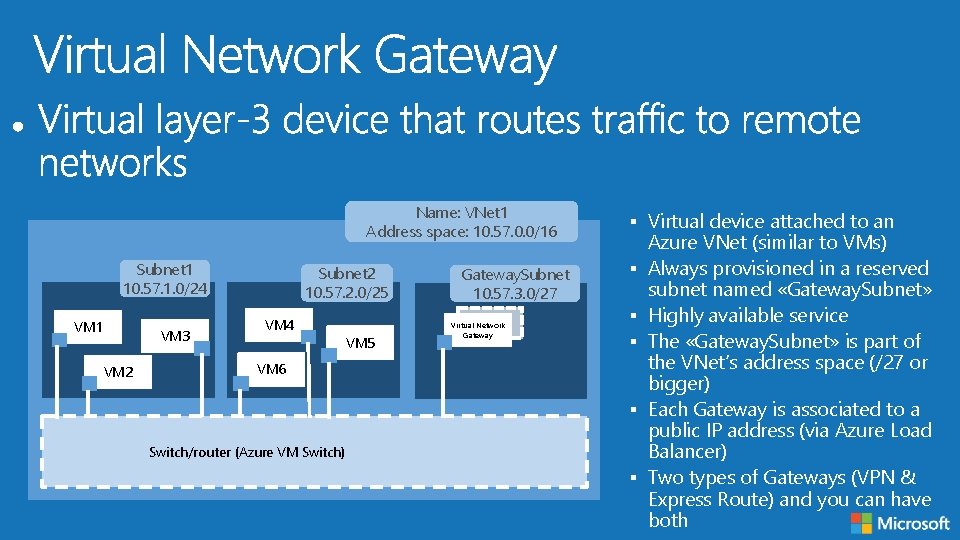
Name: VNet 1 Address space: 10. 57. 0. 0/16 Subnet 1 10. 57. 1. 0/24 VM 1 VM 3 VM 2 Subnet 2 10. 57. 2. 0/25 VM 4 VM 5 Gateway. Subnet 10. 57. 3. 0/27 Virtual Network Gateway § Virtual device attached to an § § § VM 6 § Switch/router (Azure VM Switch) § Azure VNet (similar to VMs) Always provisioned in a reserved subnet named «Gateway. Subnet» Highly available service The «Gateway. Subnet» is part of the VNet‘s address space (/27 or bigger) Each Gateway is associated to a public IP address (via Azure Load Balancer) Two types of Gateways (VPN & Express Route) and you can have both
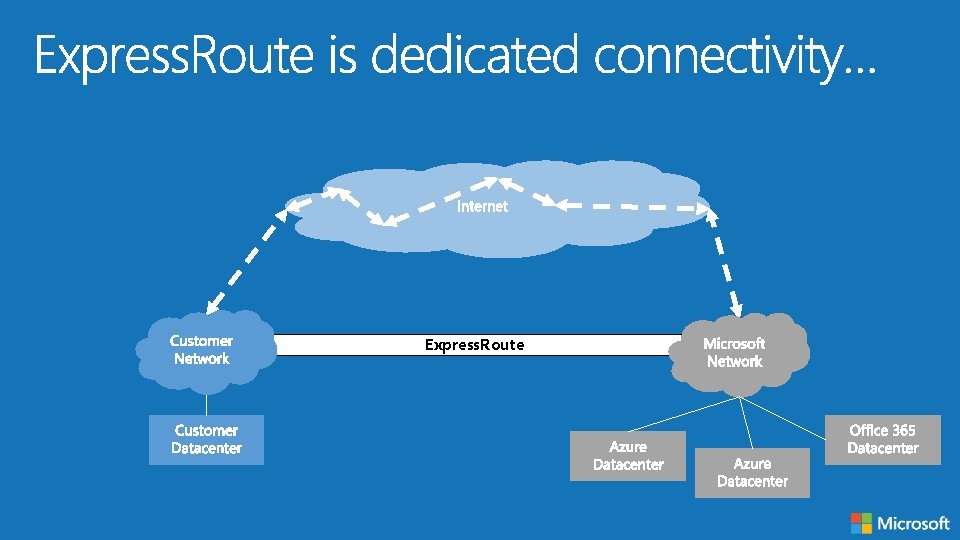
Express. Route
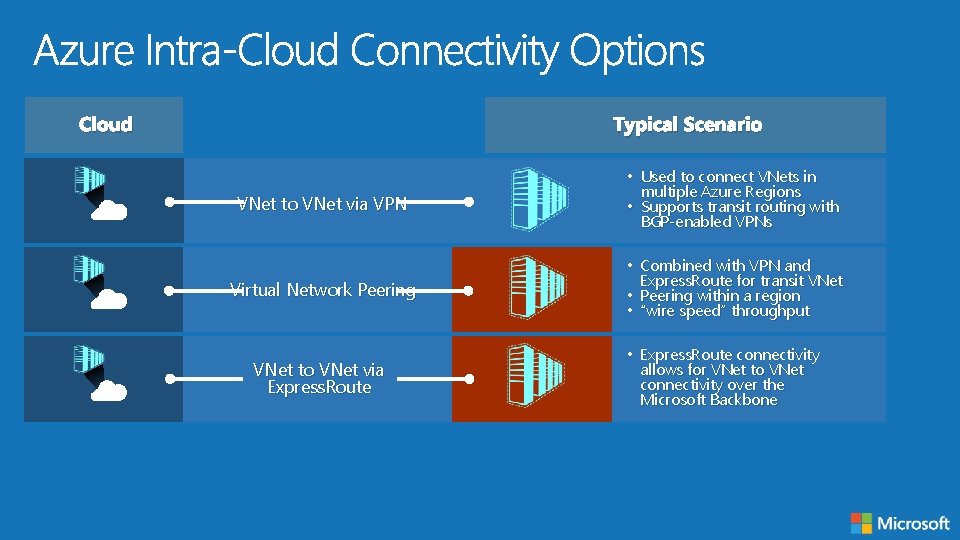
Cloud Typical Scenario VNet to VNet via VPN • Used to connect VNets in multiple Azure Regions • Supports transit routing with BGP-enabled VPNs Virtual Network Peering • Combined with VPN and Express. Route for transit VNet • Peering within a region • “wire speed” throughput VNet to VNet via Express. Route • Express. Route connectivity allows for VNet to VNet connectivity over the Microsoft Backbone
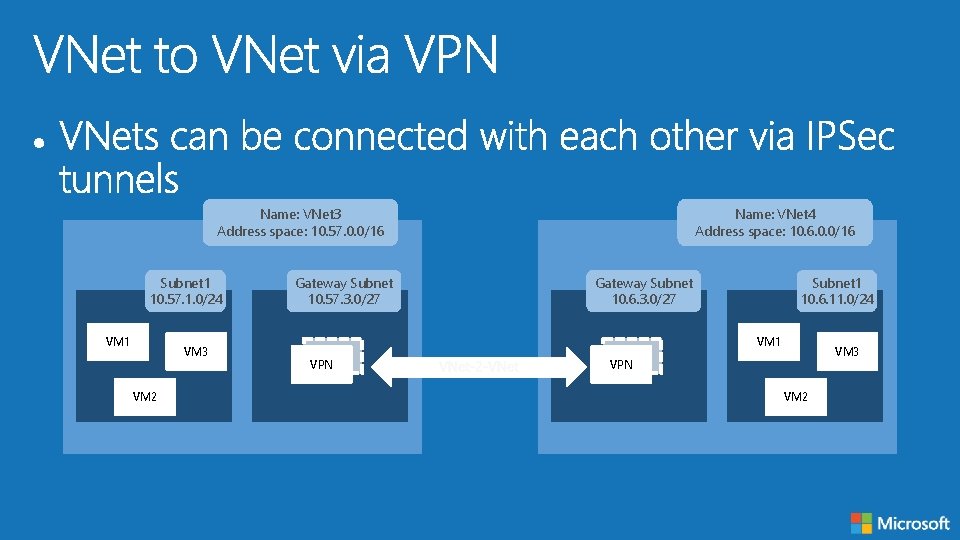
Name: VNet 3 Address space: 10. 57. 0. 0/16 Subnet 1 10. 57. 1. 0/24 VM 1 VM 3 VM 2 Gateway Subnet 10. 57. 3. 0/27 Name: VNet 4 Address space: 10. 6. 0. 0/16 Gateway Subnet 10. 6. 3. 0/27 Subnet 1 10. 6. 11. 0/24 VM 1 VPN VM 3 VPN VM 2
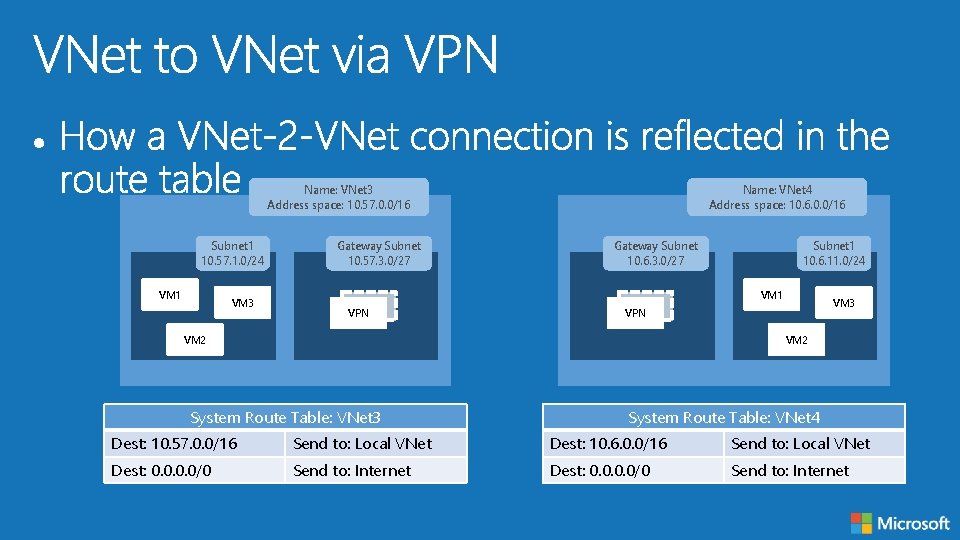
Name: VNet 3 Address space: 10. 57. 0. 0/16 Subnet 1 10. 57. 1. 0/24 VM 1 VM 3 Gateway Subnet 10. 57. 3. 0/27 Name: VNet 4 Address space: 10. 6. 0. 0/16 Gateway Subnet 10. 6. 3. 0/27 Subnet 1 10. 6. 11. 0/24 VM 1 VPN VM 3 VPN VM 2 System Route Table: VNet 3 System Route Table: VNet 4 Dest: 10. 57. 0. 0/16 Send to: Local VNet Dest: 10. 6. 0. 0/16 Send to: Local VNet Dest: 0. 0/0 Send to: Internet
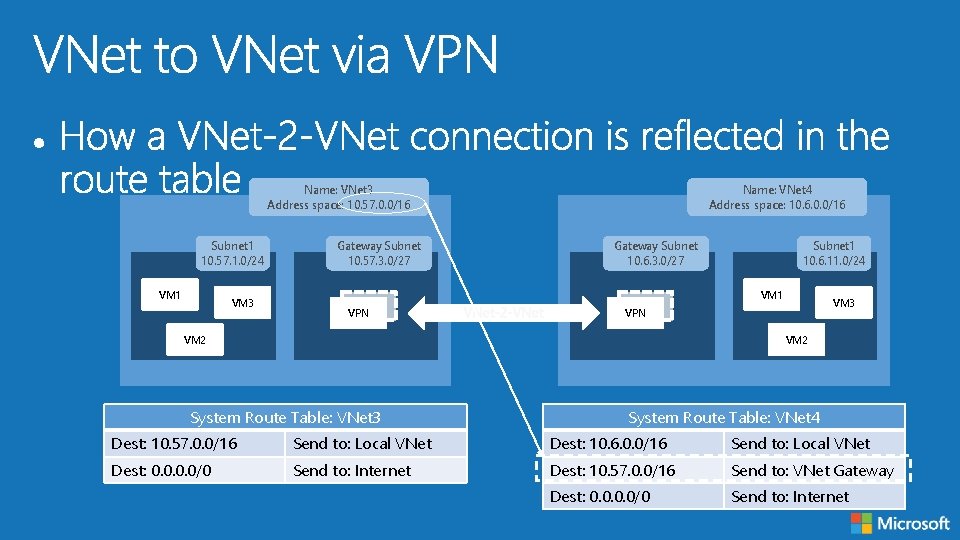
Name: VNet 3 Address space: 10. 57. 0. 0/16 Subnet 1 10. 57. 1. 0/24 VM 1 VM 3 Gateway Subnet 10. 57. 3. 0/27 Name: VNet 4 Address space: 10. 6. 0. 0/16 Gateway Subnet 10. 6. 3. 0/27 Subnet 1 10. 6. 11. 0/24 VM 1 VPN VM 3 VPN VM 2 System Route Table: VNet 3 System Route Table: VNet 4 Dest: 10. 57. 0. 0/16 Send to: Local VNet Dest: 10. 6. 0. 0/16 Send to: Local VNet Dest: 0. 0/0 Send to: Internet Dest: 10. 57. 0. 0/16 Send to: VNet Gateway Dest: 0. 0/0 Send to: Internet
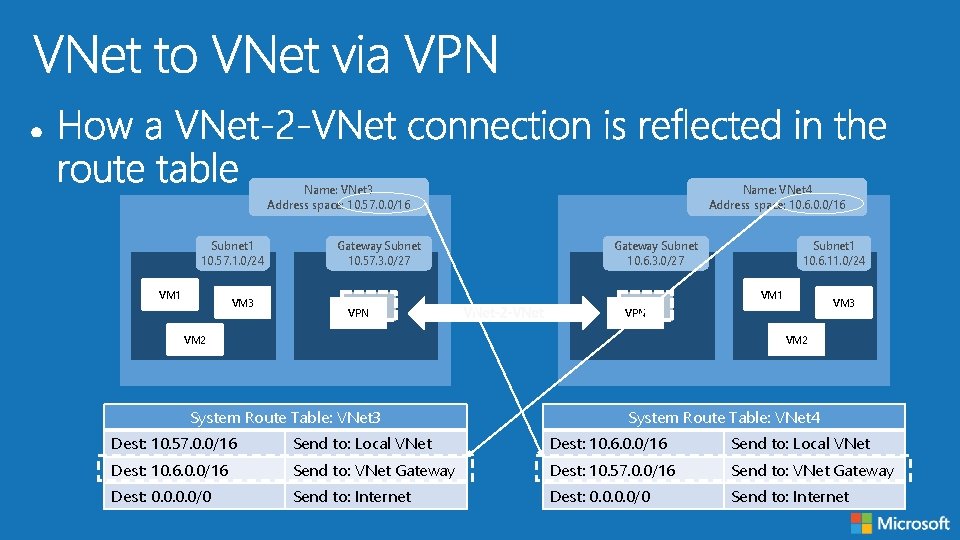
Name: VNet 3 Address space: 10. 57. 0. 0/16 Subnet 1 10. 57. 1. 0/24 VM 1 VM 3 Gateway Subnet 10. 57. 3. 0/27 Name: VNet 4 Address space: 10. 6. 0. 0/16 Gateway Subnet 10. 6. 3. 0/27 Subnet 1 10. 6. 11. 0/24 VM 1 VPN VM 3 VPN VM 2 System Route Table: VNet 3 System Route Table: VNet 4 Dest: 10. 57. 0. 0/16 Send to: Local VNet Dest: 10. 6. 0. 0/16 Send to: VNet Gateway Dest: 10. 57. 0. 0/16 Send to: VNet Gateway Dest: 0. 0/0 Send to: Internet
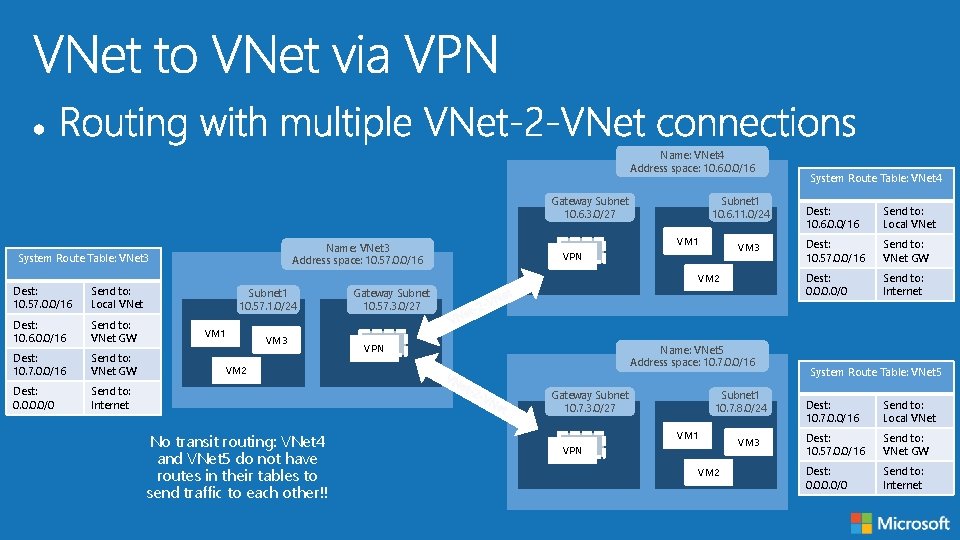
Name: VNet 4 Address space: 10. 6. 0. 0/16 Gateway Subnet 10. 6. 3. 0/27 Name: VNet 3 Address space: 10. 57. 0. 0/16 System Route Table: VNet 3 Dest: 10. 57. 0. 0/16 Send to: Local VNet Dest: 10. 6. 0. 0/16 Send to: VNet GW Dest: 10. 7. 0. 0/16 Send to: VNet GW Dest: 0. 0/0 Send to: Internet Subnet 1 10. 6. 11. 0/24 VM 1 VM 3 VPN VM 2 Subnet 1 10. 57. 1. 0/24 VM 1 VM 3 Gateway Subnet 10. 57. 3. 0/27 VPN Name: VNet 5 Address space: 10. 7. 0. 0/16 VM 2 Gateway Subnet 10. 7. 3. 0/27 No transit routing: VNet 4 and VNet 5 do not have routes in their tables to send traffic to each other!! Subnet 1 10. 7. 8. 0/24 VM 1 VPN VM 2 VM 3 System Route Table: VNet 4 Dest: 10. 6. 0. 0/16 Send to: Local VNet Dest: 10. 57. 0. 0/16 Send to: VNet GW Dest: 0. 0/0 Send to: Internet System Route Table: VNet 5 Dest: 10. 7. 0. 0/16 Send to: Local VNet Dest: 10. 57. 0. 0/16 Send to: VNet GW Dest: 0. 0/0 Send to: Internet
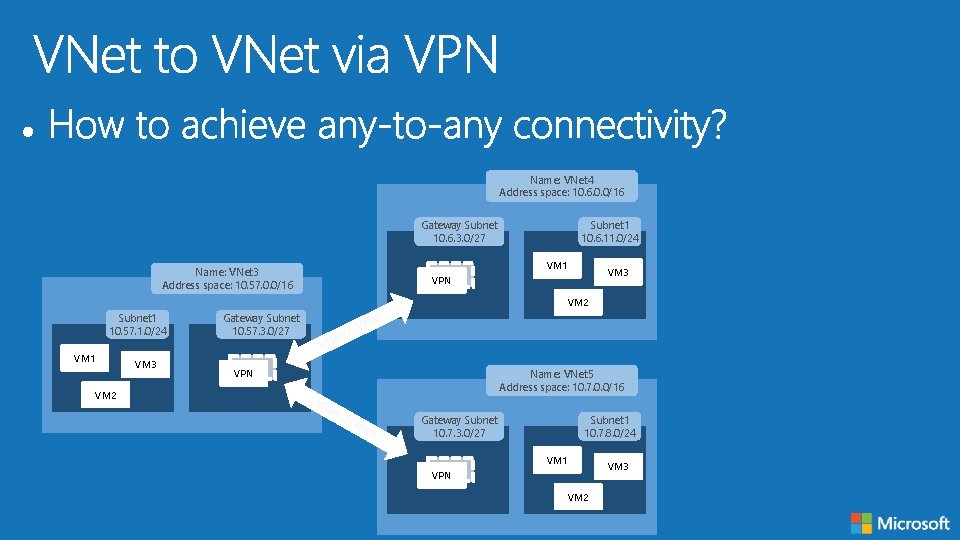
Name: VNet 4 Address space: 10. 6. 0. 0/16 Gateway Subnet 10. 6. 3. 0/27 Name: VNet 3 Address space: 10. 57. 0. 0/16 Subnet 1 10. 6. 11. 0/24 VM 1 VM 3 VPN VM 2 Subnet 1 10. 57. 1. 0/24 VM 1 VM 3 Gateway Subnet 10. 57. 3. 0/27 VPN Name: VNet 5 Address space: 10. 7. 0. 0/16 VM 2 Gateway Subnet 10. 7. 3. 0/27 Subnet 1 10. 7. 8. 0/24 VM 1 VPN VM 2 VM 3
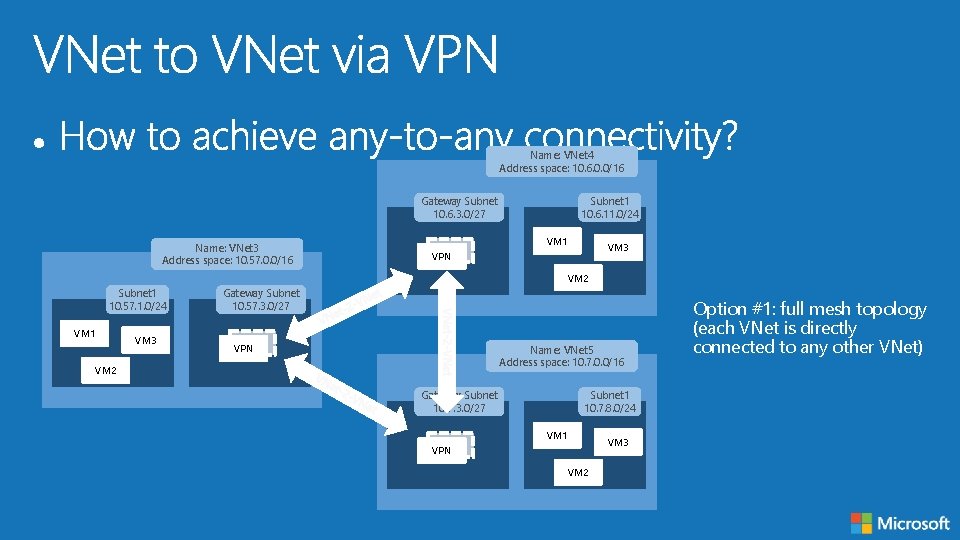
Name: VNet 4 Address space: 10. 6. 0. 0/16 Gateway Subnet 10. 6. 3. 0/27 Name: VNet 3 Address space: 10. 57. 0. 0/16 Subnet 1 10. 6. 11. 0/24 VM 1 VM 3 VPN VM 2 Subnet 1 10. 57. 1. 0/24 VM 1 VM 3 Gateway Subnet 10. 57. 3. 0/27 VPN Name: VNet 5 Address space: 10. 7. 0. 0/16 VM 2 Gateway Subnet 10. 7. 3. 0/27 Subnet 1 10. 7. 8. 0/24 VM 1 VPN VM 2 VM 3 Option #1: full mesh topology (each VNet is directly connected to any other VNet)
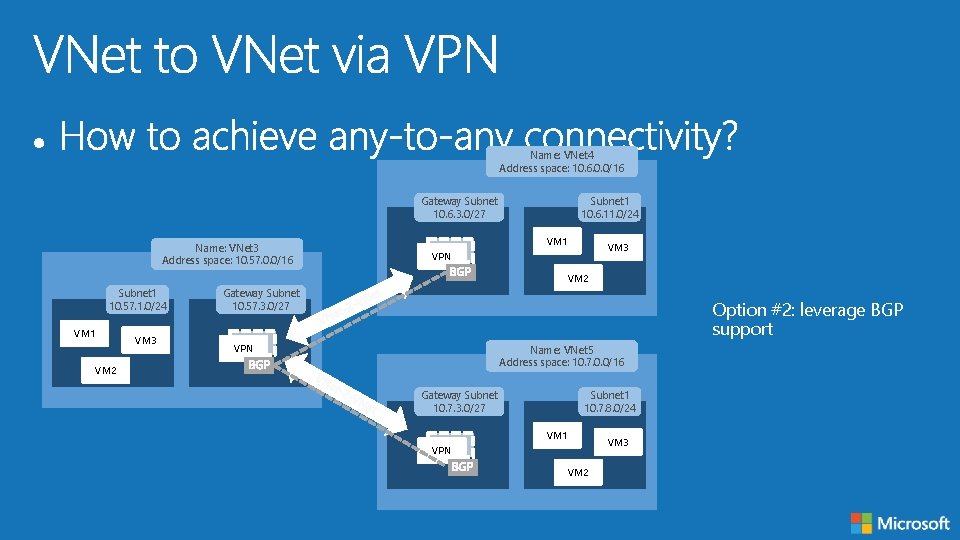
Name: VNet 4 Address space: 10. 6. 0. 0/16 Gateway Subnet 10. 6. 3. 0/27 Name: VNet 3 Address space: 10. 57. 0. 0/16 Subnet 1 10. 6. 11. 0/24 VM 1 VM 3 VPN VM 2 Subnet 1 10. 57. 1. 0/24 VM 1 VM 3 Gateway Subnet 10. 57. 3. 0/27 Option #2: leverage BGP support VPN Name: VNet 5 Address space: 10. 7. 0. 0/16 VM 2 Gateway Subnet 10. 7. 3. 0/27 Subnet 1 10. 7. 8. 0/24 VM 1 VPN VM 2 VM 3
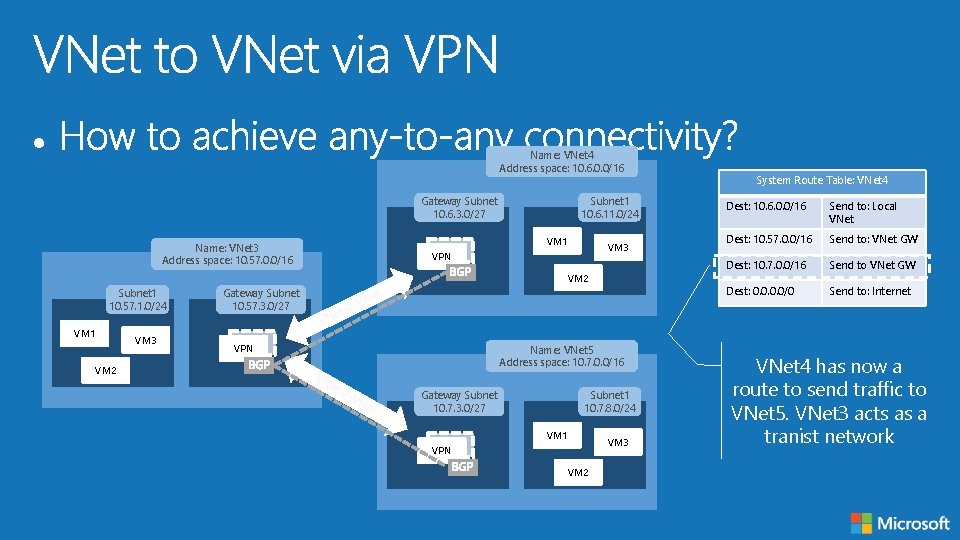
Name: VNet 4 Address space: 10. 6. 0. 0/16 Gateway Subnet 10. 6. 3. 0/27 Name: VNet 3 Address space: 10. 57. 0. 0/16 Subnet 1 10. 6. 11. 0/24 VM 1 VM 3 VPN VM 2 Subnet 1 10. 57. 1. 0/24 VM 1 VM 3 Gateway Subnet 10. 57. 3. 0/27 VPN Name: VNet 5 Address space: 10. 7. 0. 0/16 VM 2 Gateway Subnet 10. 7. 3. 0/27 Subnet 1 10. 7. 8. 0/24 VM 1 VPN VM 2 VM 3 System Route Table: VNet 4 Dest: 10. 6. 0. 0/16 Send to: Local VNet Dest: 10. 57. 0. 0/16 Send to: VNet GW Dest: 10. 7. 0. 0/16 Send to VNet GW Dest: 0. 0/0 Send to: Internet VNet 4 has now a route to send traffic to VNet 5. VNet 3 acts as a tranist network
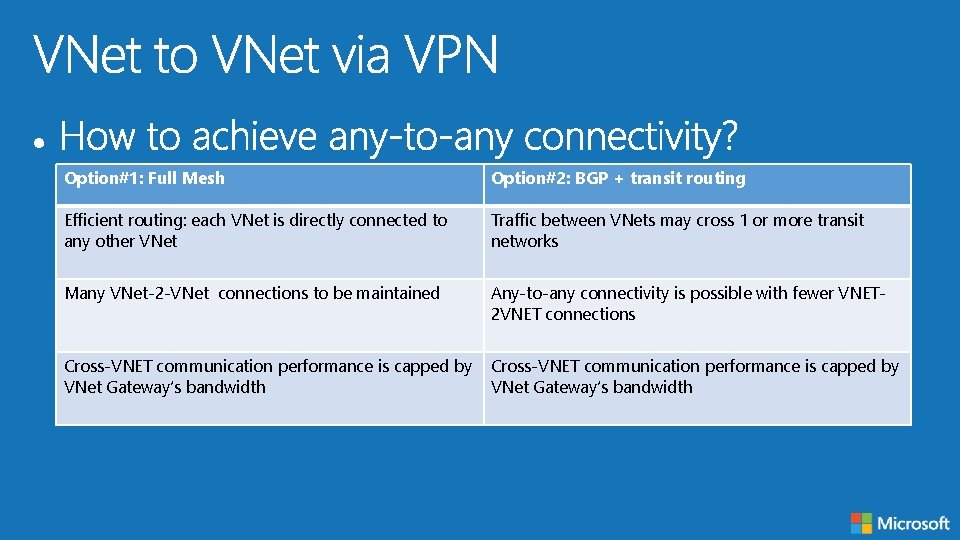
Option#1: Full Mesh Option#2: BGP + transit routing Efficient routing: each VNet is directly connected to any other VNet Traffic between VNets may cross 1 or more transit networks Many VNet-2 -VNet connections to be maintained Any-to-any connectivity is possible with fewer VNET 2 VNET connections Cross-VNET communication performance is capped by VNet Gateway’s bandwidth
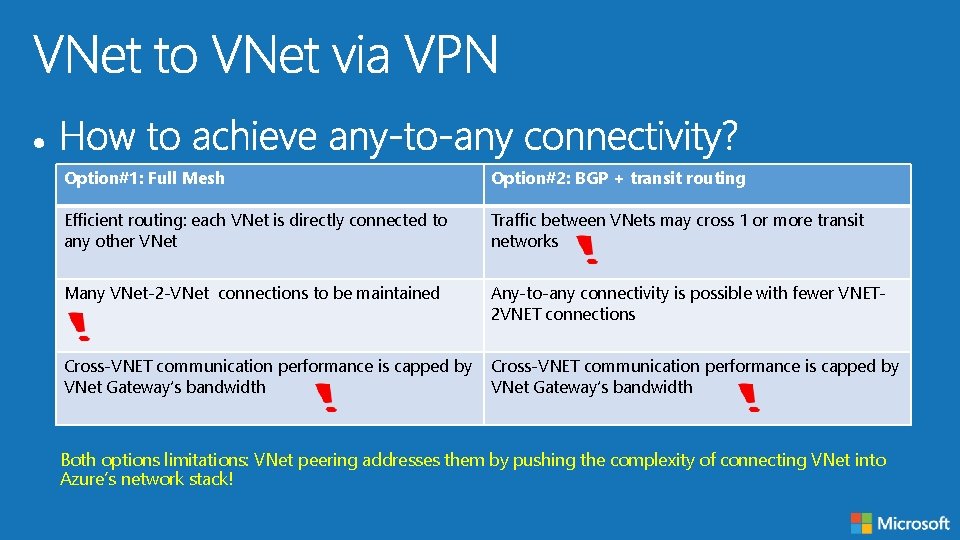
Option#1: Full Mesh Option#2: BGP + transit routing Efficient routing: each VNet is directly connected to any other VNet Traffic between VNets may cross 1 or more transit networks Many VNet-2 -VNet connections to be maintained Any-to-any connectivity is possible with fewer VNET 2 VNET connections Cross-VNET communication performance is capped by VNet Gateway’s bandwidth Both options limitations: VNet peering addresses them by pushing the complexity of connecting VNet into Azure’s network stack!
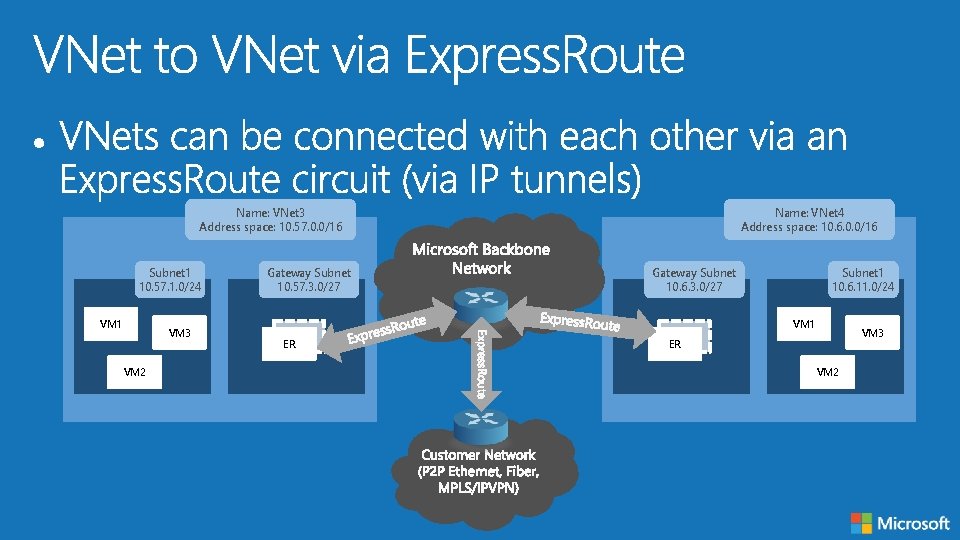
Name: VNet 3 Address space: 10. 57. 0. 0/16 Subnet 1 10. 57. 1. 0/24 VM 1 VM 3 VM 2 Gateway Subnet 10. 57. 3. 0/27 Name: VNet 4 Address space: 10. 6. 0. 0/16 Gateway Subnet 10. 6. 3. 0/27 Subnet 1 10. 6. 11. 0/24 VM 1 ER VM 3 ER VM 2
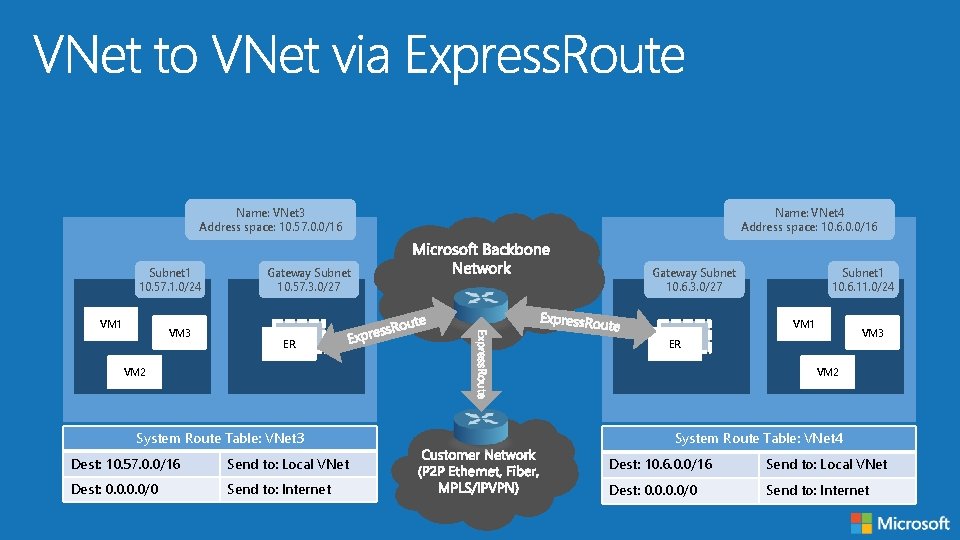
Name: VNet 3 Address space: 10. 57. 0. 0/16 Subnet 1 10. 57. 1. 0/24 VM 1 VM 3 Gateway Subnet 10. 57. 3. 0/27 Name: VNet 4 Address space: 10. 6. 0. 0/16 Gateway Subnet 10. 6. 3. 0/27 Subnet 1 10. 6. 11. 0/24 VM 1 ER VM 3 ER VM 2 System Route Table: VNet 3 System Route Table: VNet 4 Dest: 10. 57. 0. 0/16 Send to: Local VNet Dest: 10. 6. 0. 0/16 Send to: Local VNet Dest: 0. 0/0 Send to: Internet
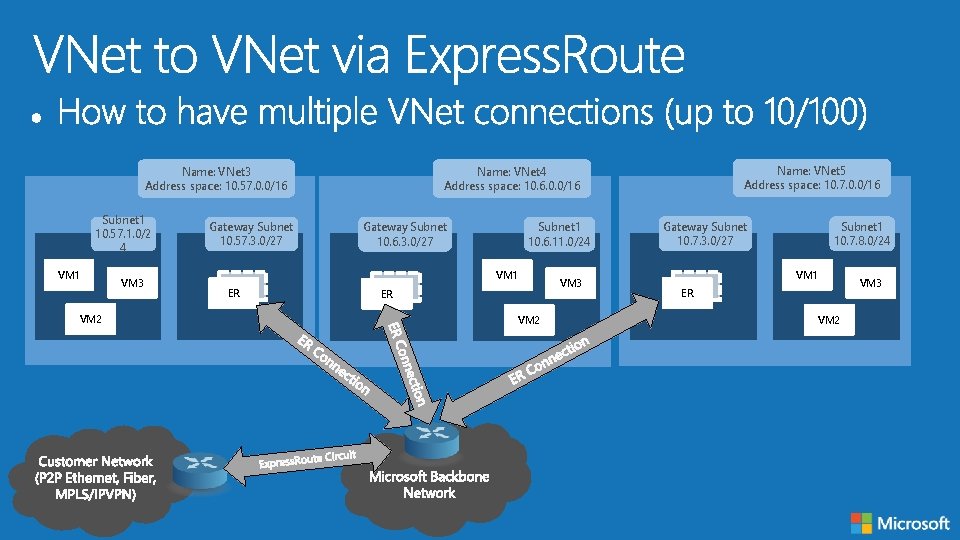
Subnet 1 10. 57. 1. 0/2 4 VM 1 VM 2 VM 3 Gateway Subnet 10. 57. 3. 0/27 Gateway Subnet 10. 6. 3. 0/27 Subnet 1 10. 6. 11. 0/24 VM 1 ER Name: VNet 5 Address space: 10. 7. 0. 0/16 Name: VNet 4 Address space: 10. 6. 0. 0/16 Name: VNet 3 Address space: 10. 57. 0. 0/16 ER VM 2 VM 3 Gateway Subnet 10. 7. 3. 0/27 Subnet 1 10. 7. 8. 0/24 VM 1 ER VM 2 VM 3
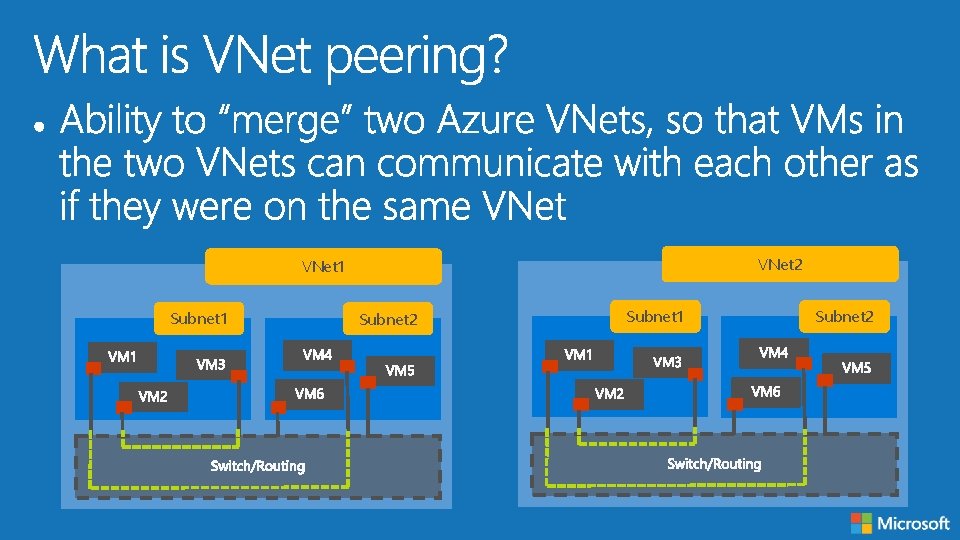
VNet 2 VNet 1 Subnet 2 Subnet 1 Subnet 2
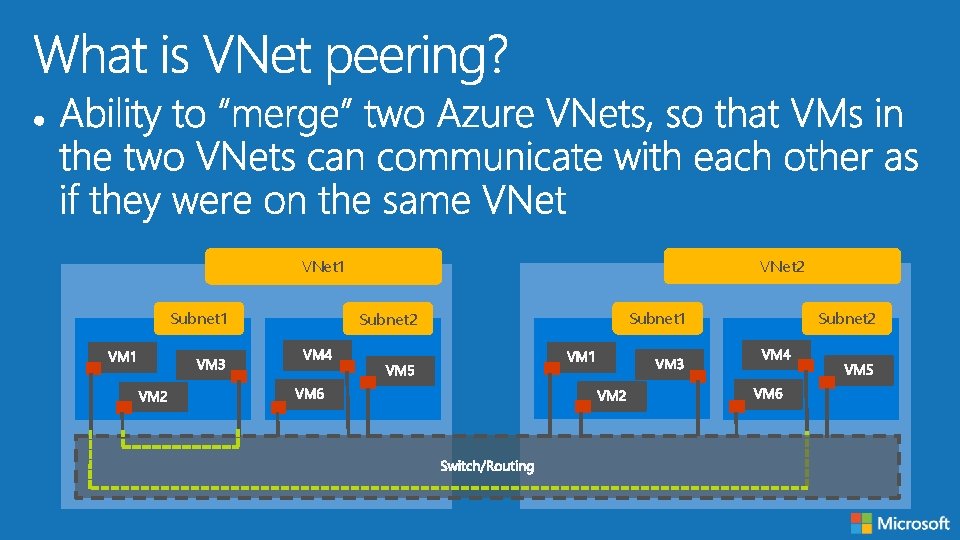
VNet 2 VNet 1 Subnet 2 Subnet 1 Subnet 2
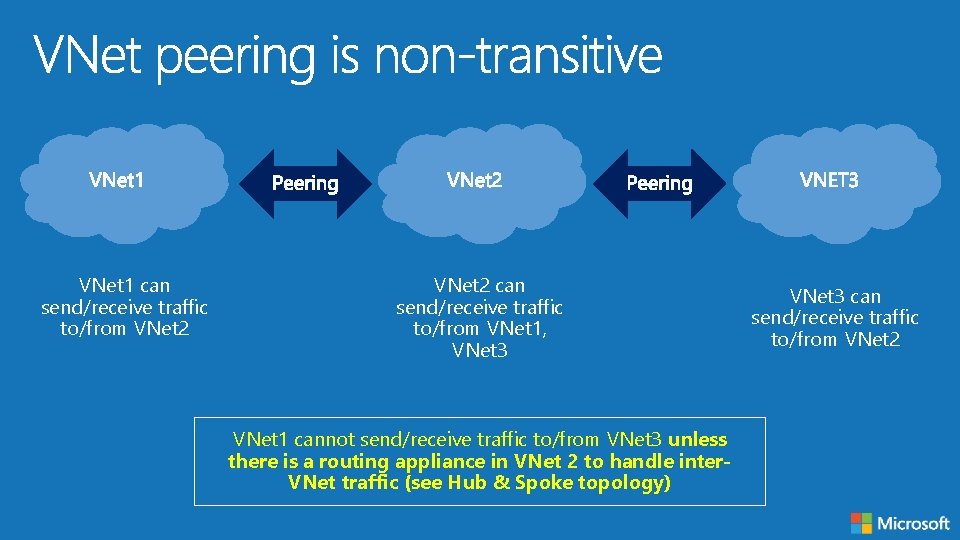
VNet 1 can send/receive traffic to/from VNet 2 can send/receive traffic to/from VNet 1, VNet 3 VNet 1 cannot send/receive traffic to/from VNet 3 unless there is a routing appliance in VNet 2 to handle inter. VNet traffic (see Hub & Spoke topology) VNet 3 can send/receive traffic to/from VNet 2
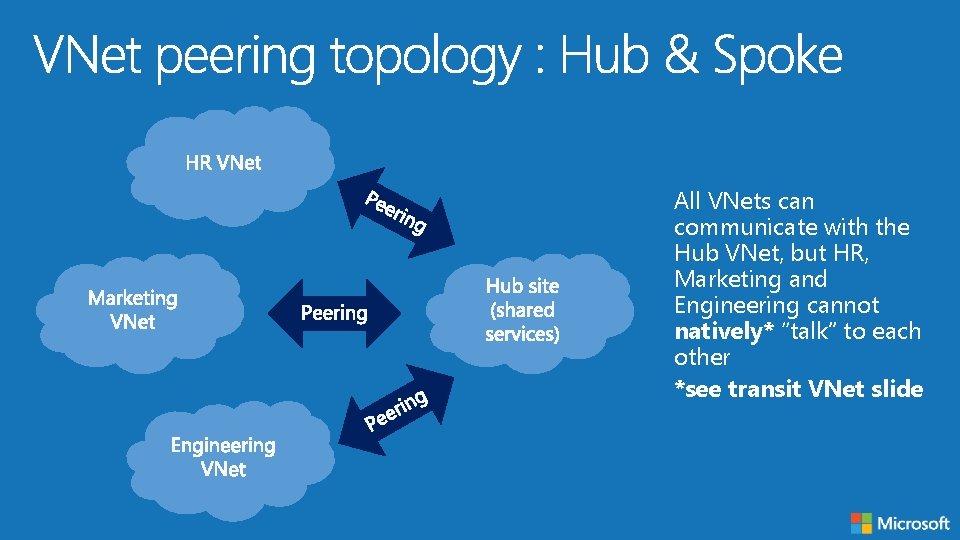
All VNets can communicate with the Hub VNet, but HR, Marketing and Engineering cannot natively* “talk” to each other *see transit VNet slide
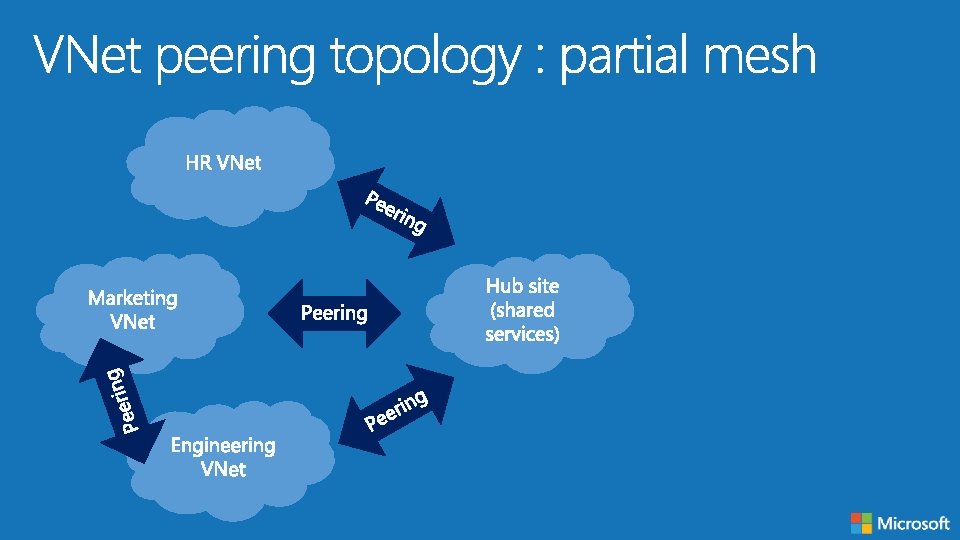
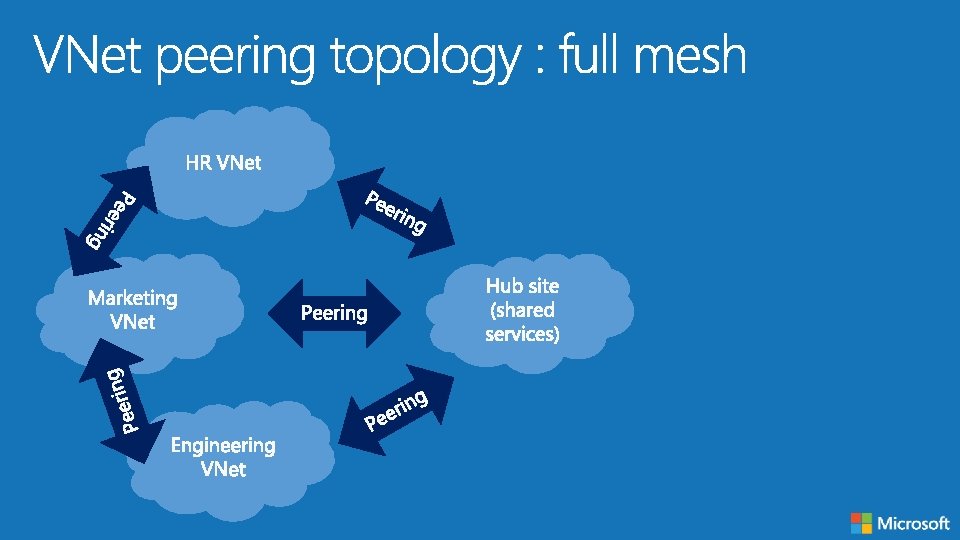
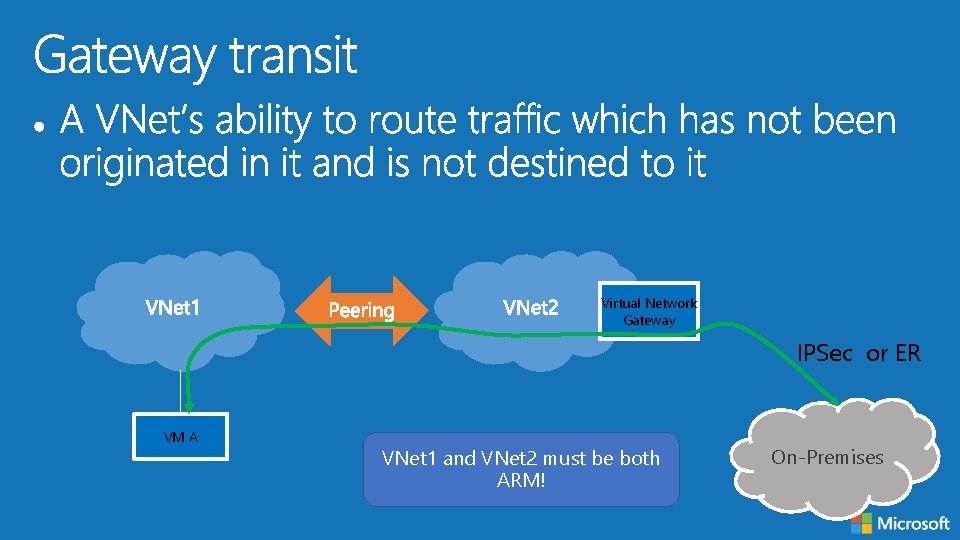
Virtual Network Gateway IPSec or ER VM A VNet 1 and VNet 2 must be both ARM! On-Premises
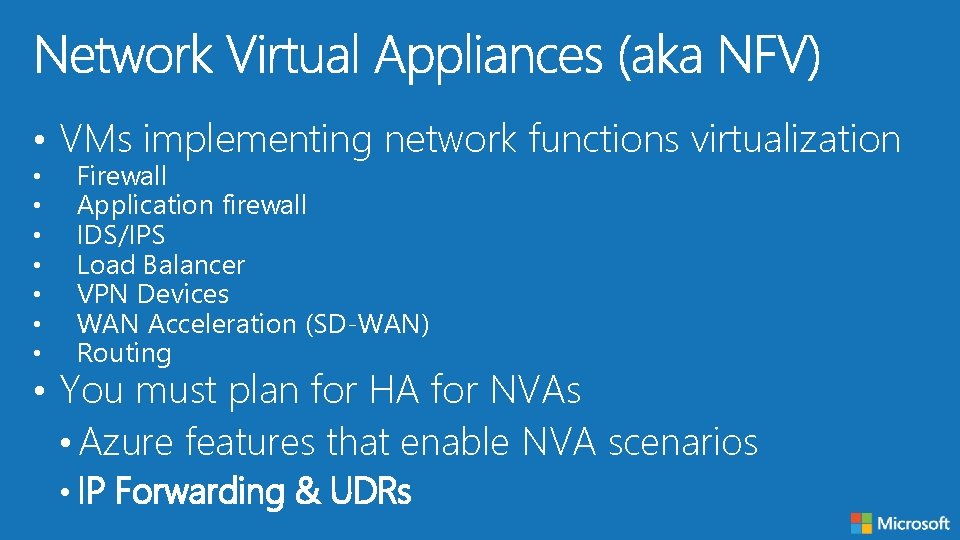
• VMs implementing network functions virtualization • • Firewall Application firewall IDS/IPS Load Balancer VPN Devices WAN Acceleration (SD-WAN) Routing • You must plan for HA for NVAs • Azure features that enable NVA scenarios • IP Forwarding & UDRs
templates https: //github. com/Azure/azure-quickstart- http: //azure. microsoft. com/enus/documentation/articles/resource-group-overview/
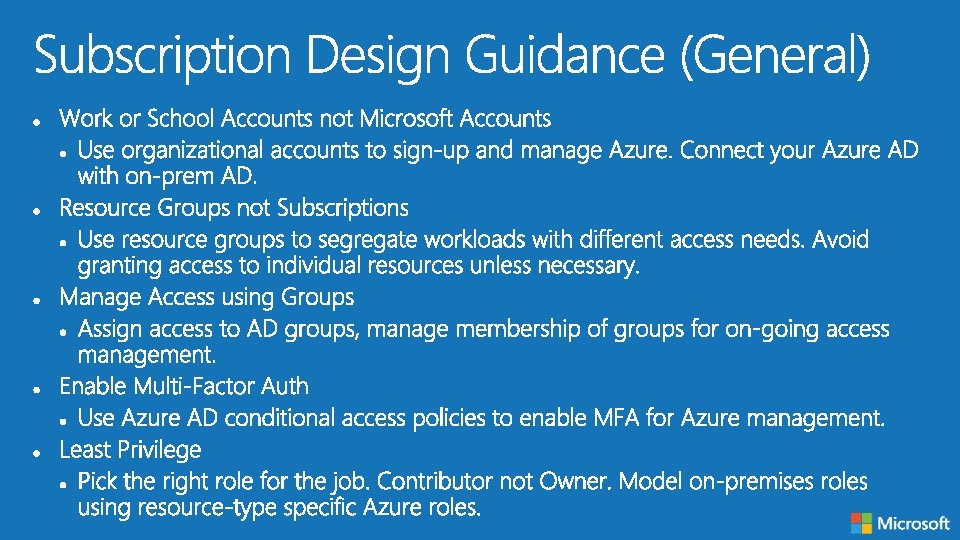
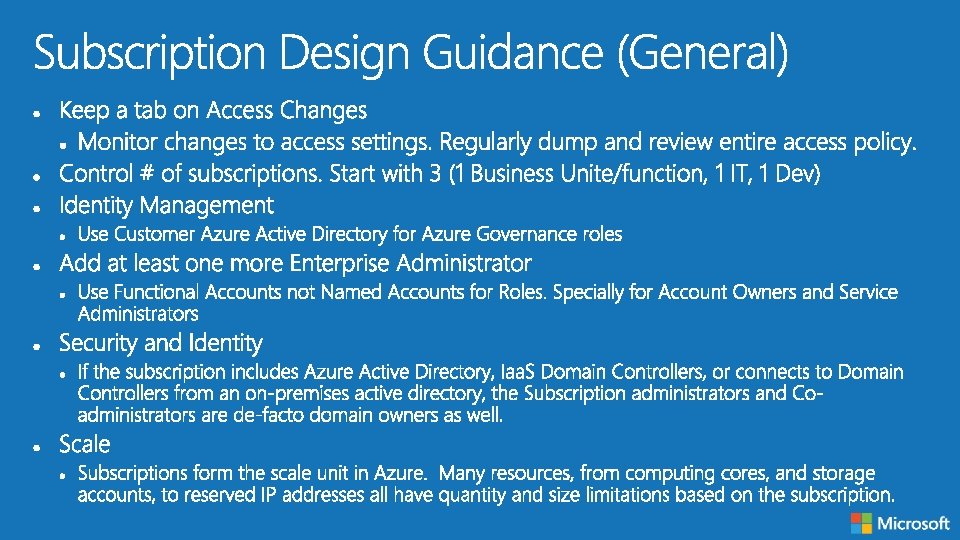
https: //docs. microsoft. com/en-us/azureresource-manager/resource-manager-subscription -governance

- Slides: 85