
APSC 162 Final Exam Worked Solutions Booklet by
APSC 162 Final Exam Worked Solutions Booklet by: Alexandre Le Blanc a. leblanc@queensu. ca
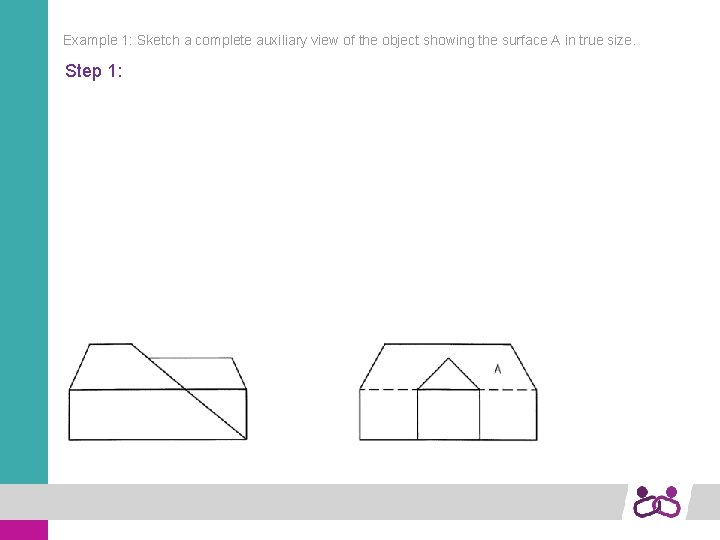
Example 1: Sketch a complete auxiliary view of the object showing the surface A in true size. Step 1:
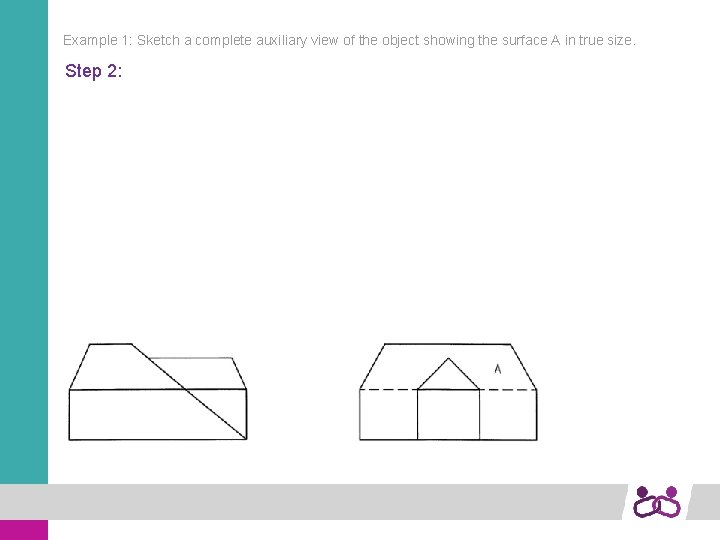
Example 1: Sketch a complete auxiliary view of the object showing the surface A in true size. Step 2:
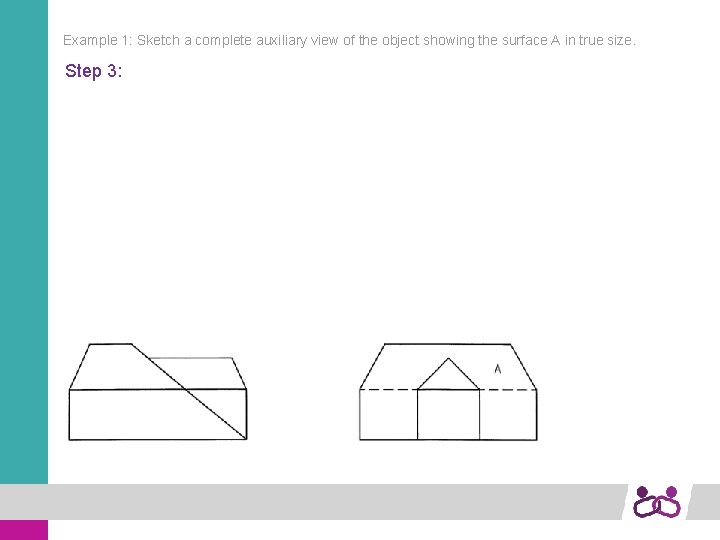
Example 1: Sketch a complete auxiliary view of the object showing the surface A in true size. Step 3:
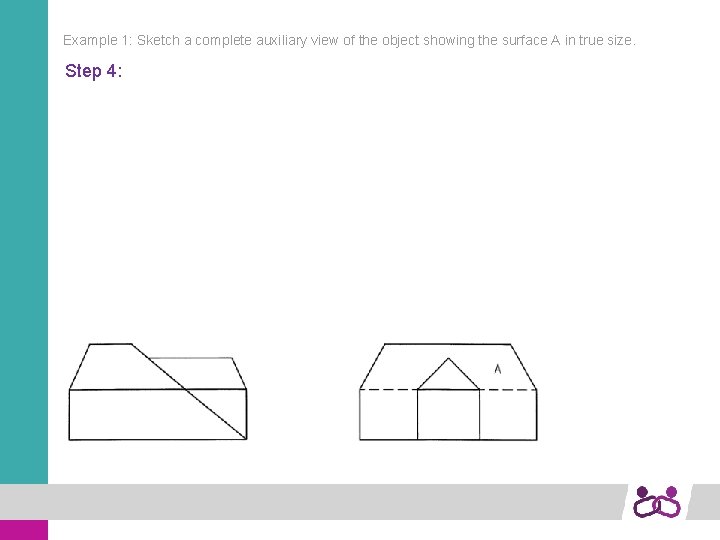
Example 1: Sketch a complete auxiliary view of the object showing the surface A in true size. Step 4:
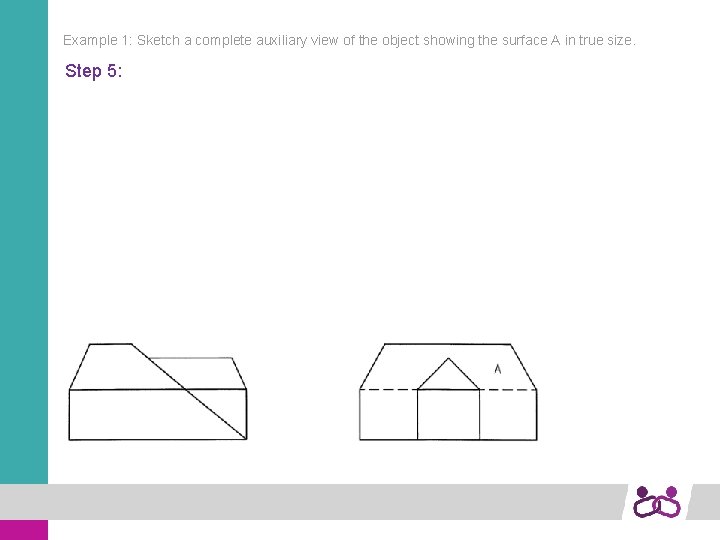
Example 1: Sketch a complete auxiliary view of the object showing the surface A in true size. Step 5:
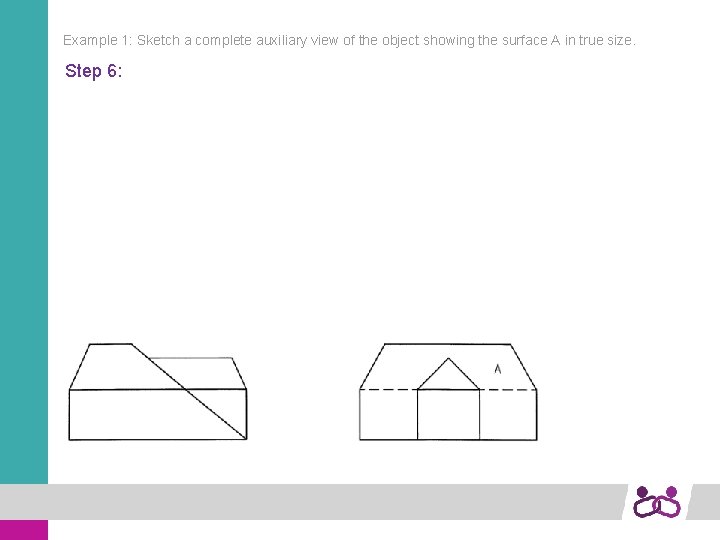
Example 1: Sketch a complete auxiliary view of the object showing the surface A in true size. Step 6:
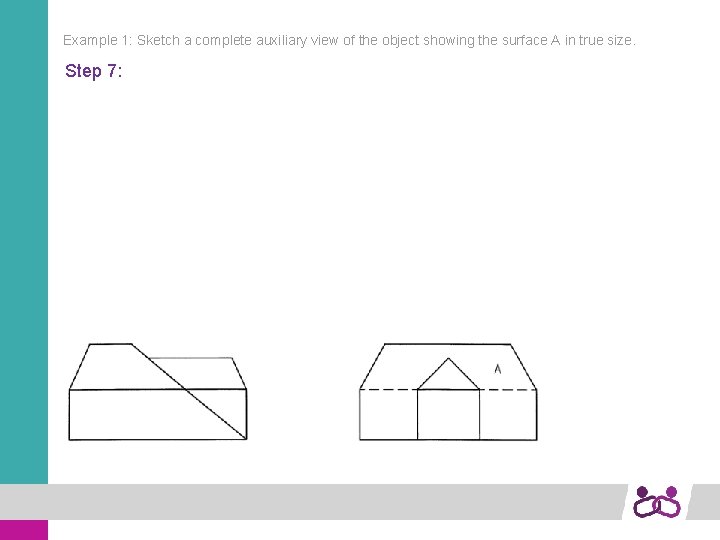
Example 1: Sketch a complete auxiliary view of the object showing the surface A in true size. Step 7:
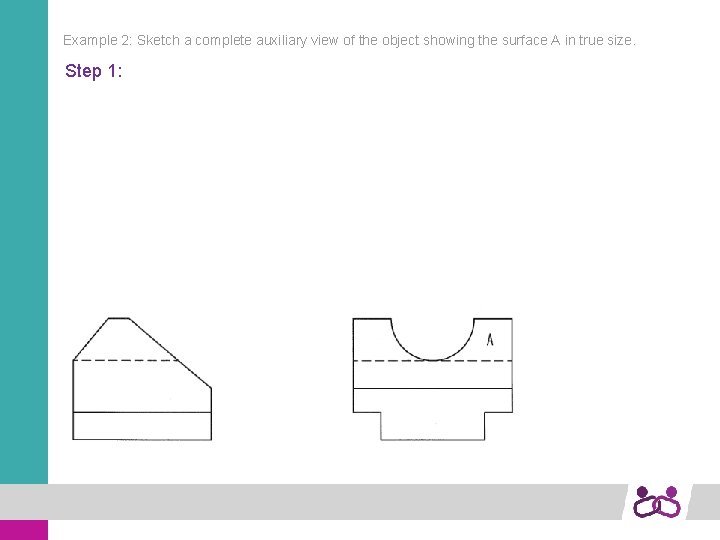
Example 2: Sketch a complete auxiliary view of the object showing the surface A in true size. Step 1:
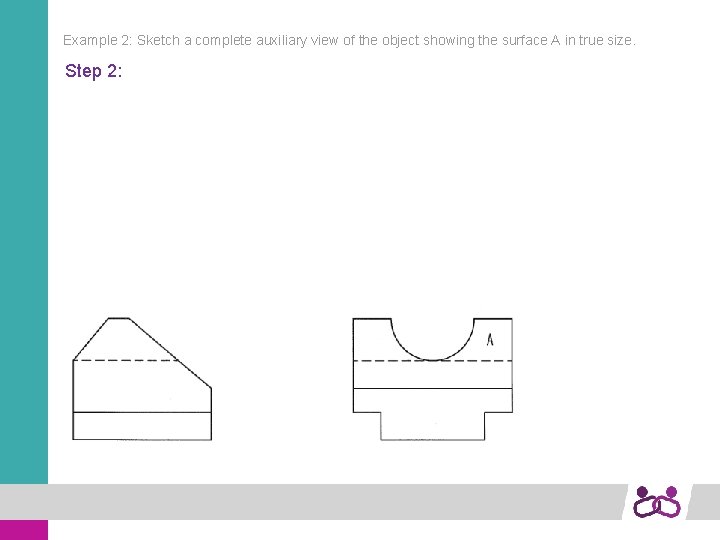
Example 2: Sketch a complete auxiliary view of the object showing the surface A in true size. Step 2:
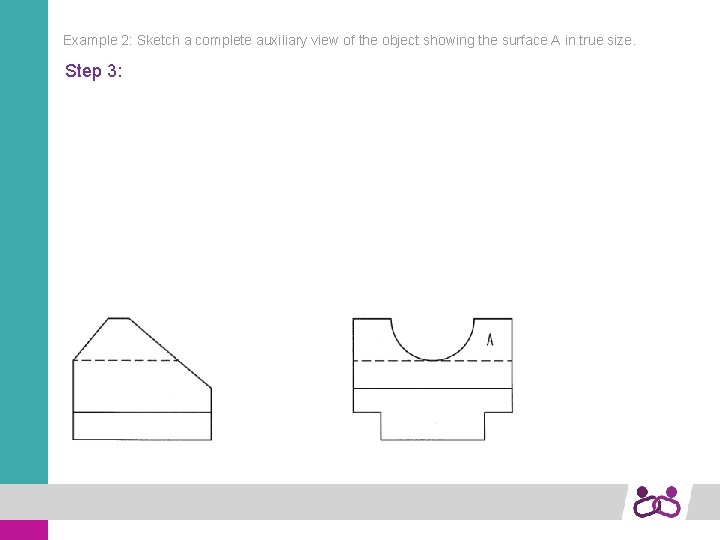
Example 2: Sketch a complete auxiliary view of the object showing the surface A in true size. Step 3:
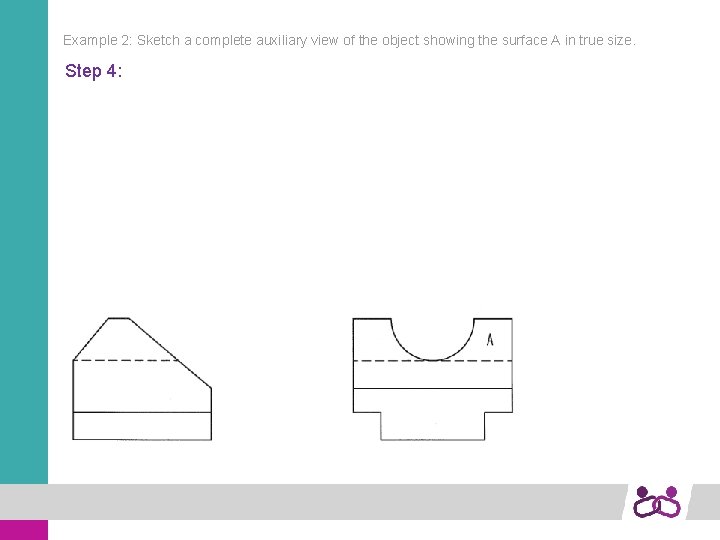
Example 2: Sketch a complete auxiliary view of the object showing the surface A in true size. Step 4:
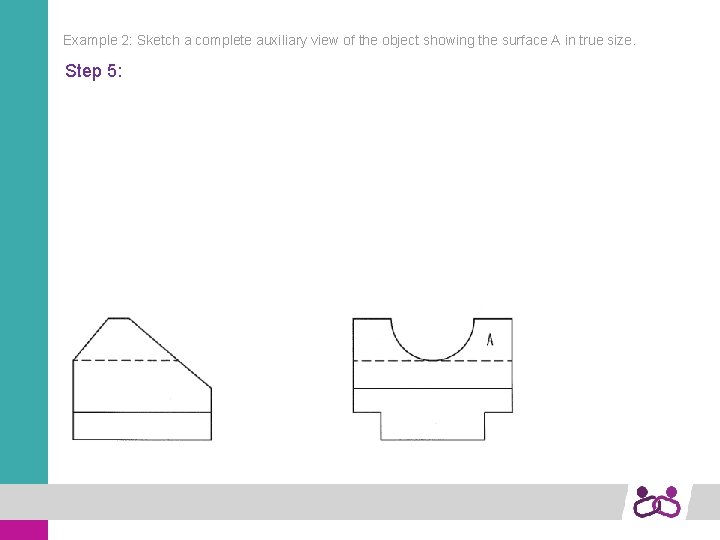
Example 2: Sketch a complete auxiliary view of the object showing the surface A in true size. Step 5:
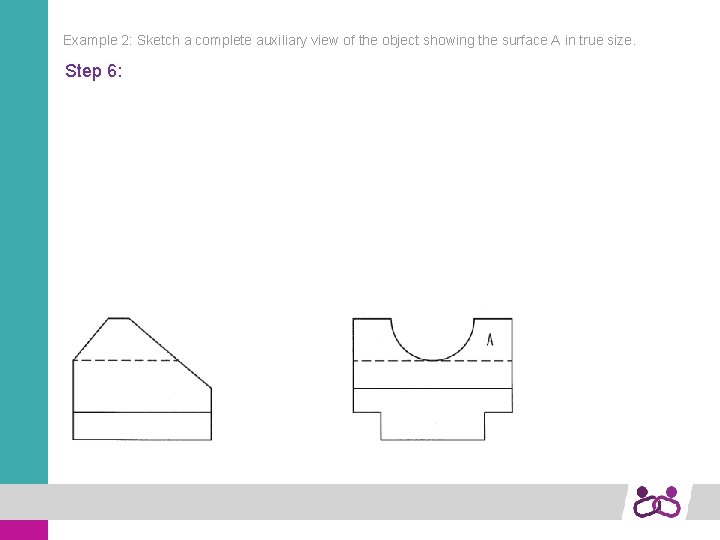
Example 2: Sketch a complete auxiliary view of the object showing the surface A in true size. Step 6:
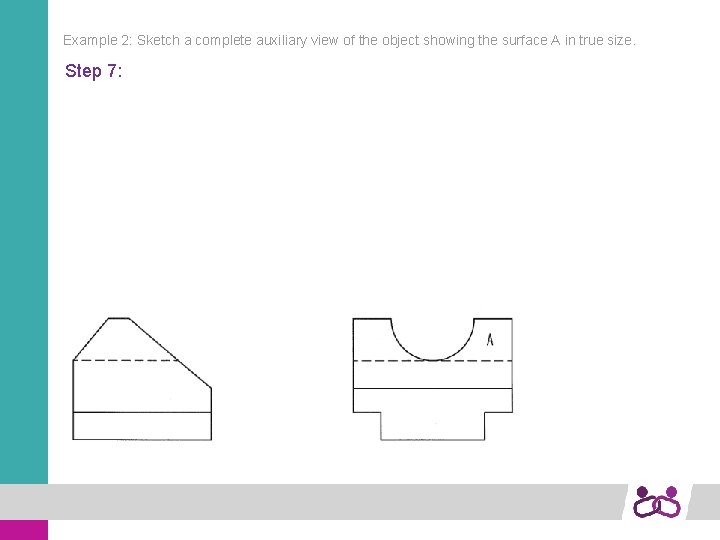
Example 2: Sketch a complete auxiliary view of the object showing the surface A in true size. Step 7:
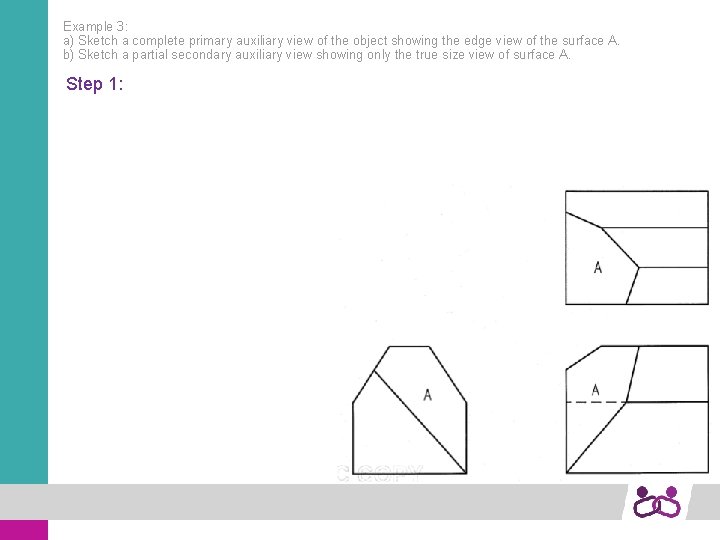
Example 3: a) Sketch a complete primary auxiliary view of the object showing the edge view of the surface A. b) Sketch a partial secondary auxiliary view showing only the true size view of surface A. Step 1:
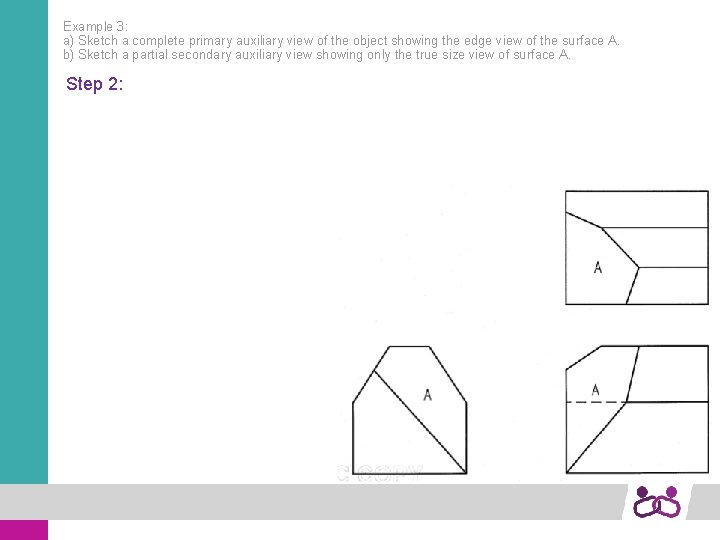
Example 3: a) Sketch a complete primary auxiliary view of the object showing the edge view of the surface A. b) Sketch a partial secondary auxiliary view showing only the true size view of surface A. Step 2:
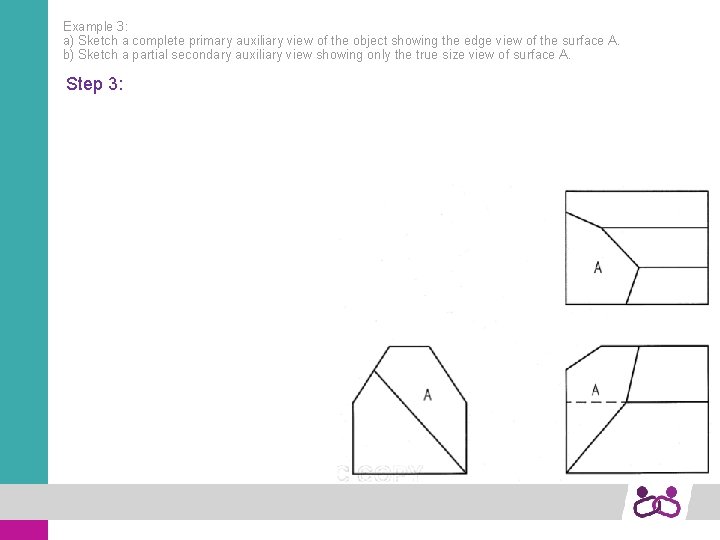
Example 3: a) Sketch a complete primary auxiliary view of the object showing the edge view of the surface A. b) Sketch a partial secondary auxiliary view showing only the true size view of surface A. Step 3:
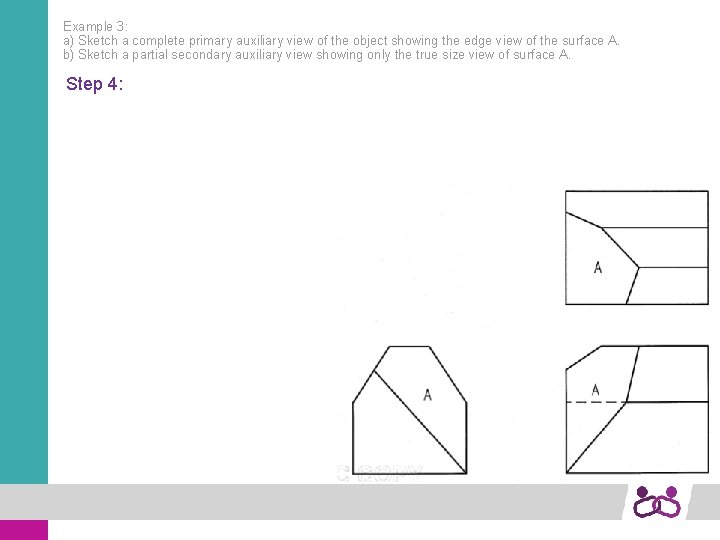
Example 3: a) Sketch a complete primary auxiliary view of the object showing the edge view of the surface A. b) Sketch a partial secondary auxiliary view showing only the true size view of surface A. Step 4:
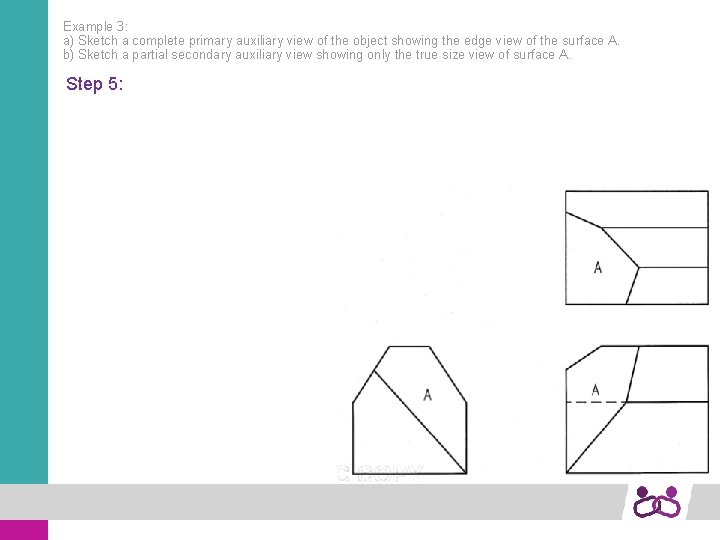
Example 3: a) Sketch a complete primary auxiliary view of the object showing the edge view of the surface A. b) Sketch a partial secondary auxiliary view showing only the true size view of surface A. Step 5:
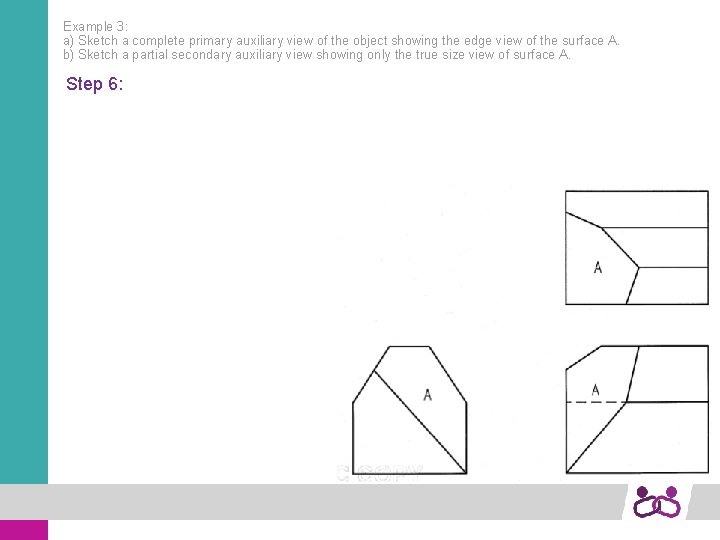
Example 3: a) Sketch a complete primary auxiliary view of the object showing the edge view of the surface A. b) Sketch a partial secondary auxiliary view showing only the true size view of surface A. Step 6:
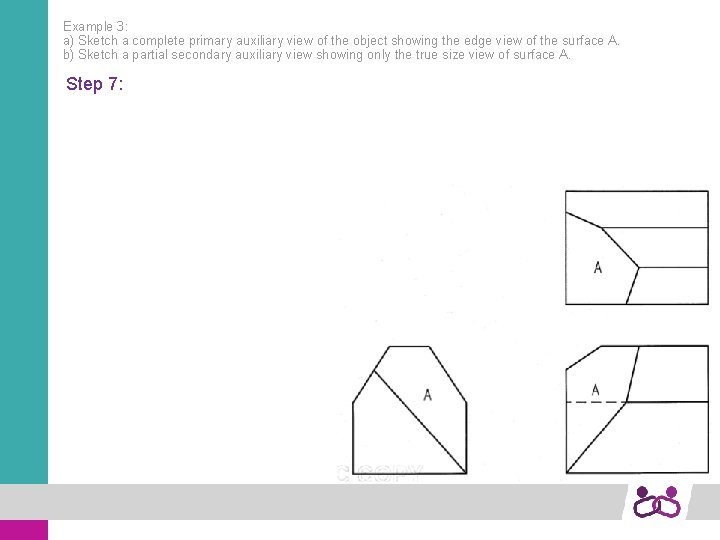
Example 3: a) Sketch a complete primary auxiliary view of the object showing the edge view of the surface A. b) Sketch a partial secondary auxiliary view showing only the true size view of surface A. Step 7:
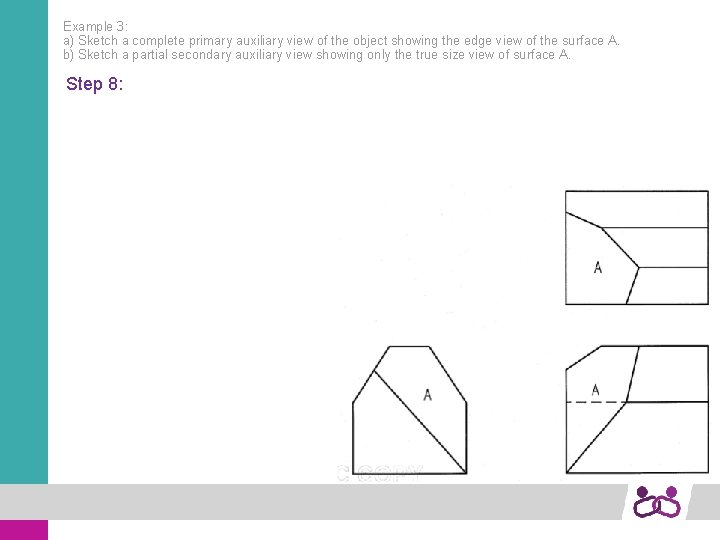
Example 3: a) Sketch a complete primary auxiliary view of the object showing the edge view of the surface A. b) Sketch a partial secondary auxiliary view showing only the true size view of surface A. Step 8:
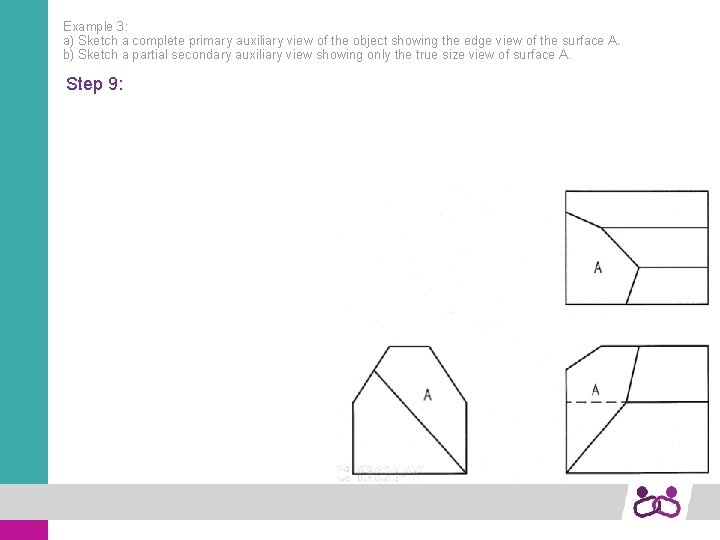
Example 3: a) Sketch a complete primary auxiliary view of the object showing the edge view of the surface A. b) Sketch a partial secondary auxiliary view showing only the true size view of surface A. Step 9:
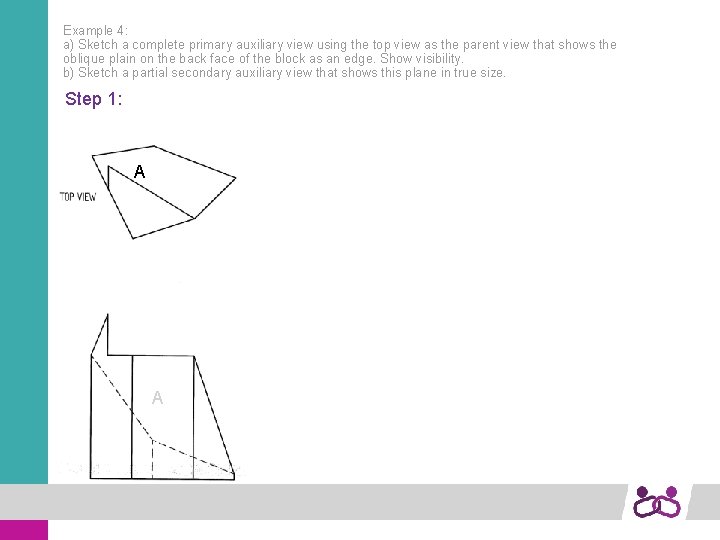
Example 4: a) Sketch a complete primary auxiliary view using the top view as the parent view that shows the oblique plain on the back face of the block as an edge. Show visibility. b) Sketch a partial secondary auxiliary view that shows this plane in true size. Step 1: A A
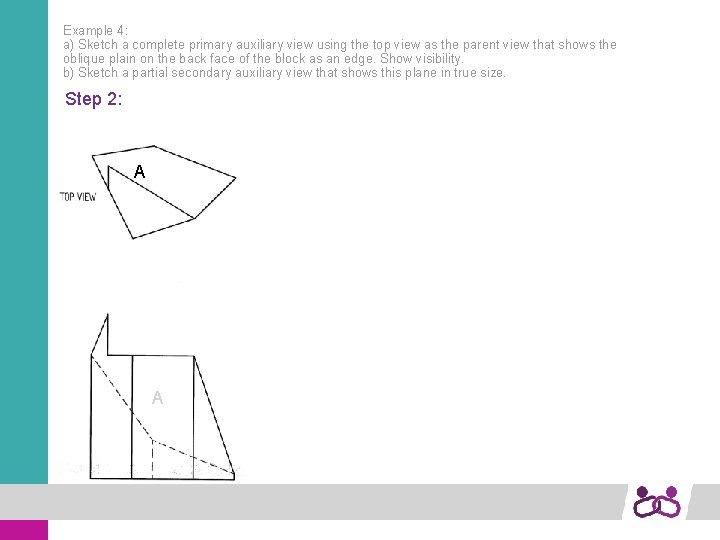
Example 4: a) Sketch a complete primary auxiliary view using the top view as the parent view that shows the oblique plain on the back face of the block as an edge. Show visibility. b) Sketch a partial secondary auxiliary view that shows this plane in true size. Step 2: A A
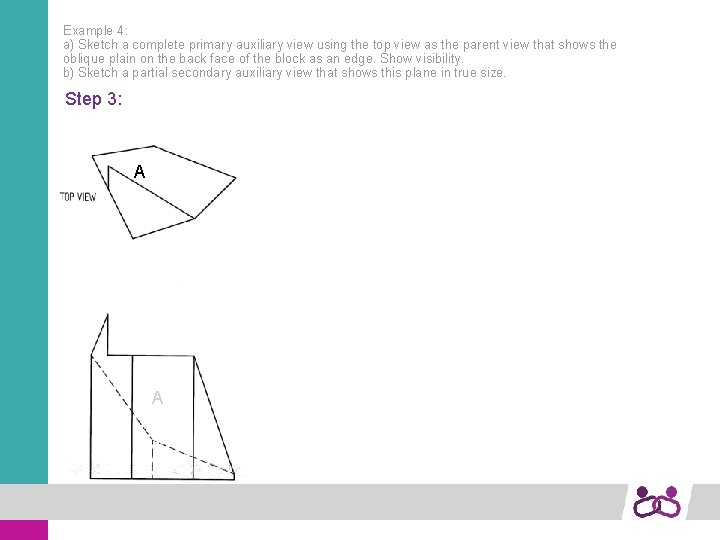
Example 4: a) Sketch a complete primary auxiliary view using the top view as the parent view that shows the oblique plain on the back face of the block as an edge. Show visibility. b) Sketch a partial secondary auxiliary view that shows this plane in true size. Step 3: A A
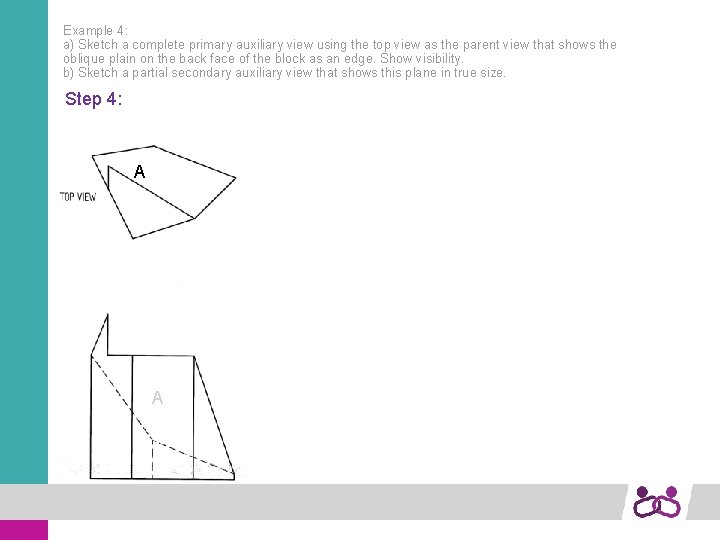
Example 4: a) Sketch a complete primary auxiliary view using the top view as the parent view that shows the oblique plain on the back face of the block as an edge. Show visibility. b) Sketch a partial secondary auxiliary view that shows this plane in true size. Step 4: A A
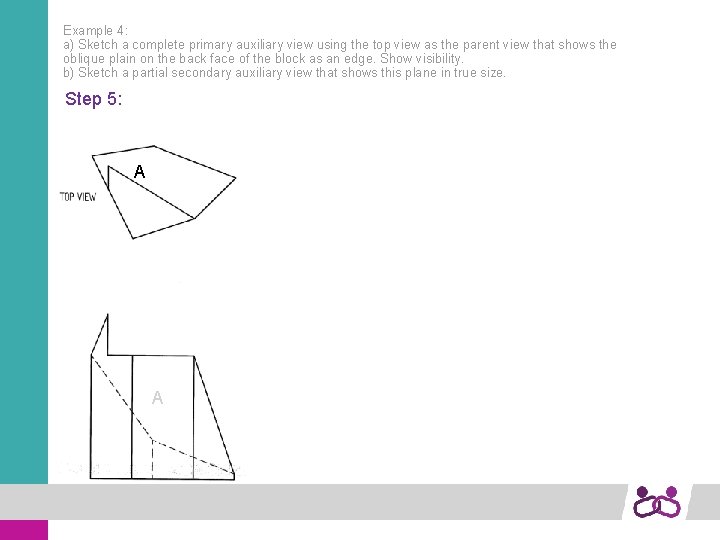
Example 4: a) Sketch a complete primary auxiliary view using the top view as the parent view that shows the oblique plain on the back face of the block as an edge. Show visibility. b) Sketch a partial secondary auxiliary view that shows this plane in true size. Step 5: A A
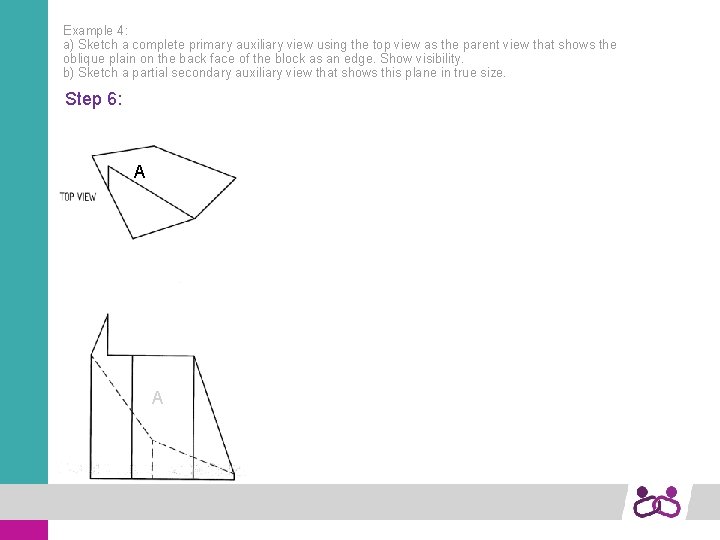
Example 4: a) Sketch a complete primary auxiliary view using the top view as the parent view that shows the oblique plain on the back face of the block as an edge. Show visibility. b) Sketch a partial secondary auxiliary view that shows this plane in true size. Step 6: A A
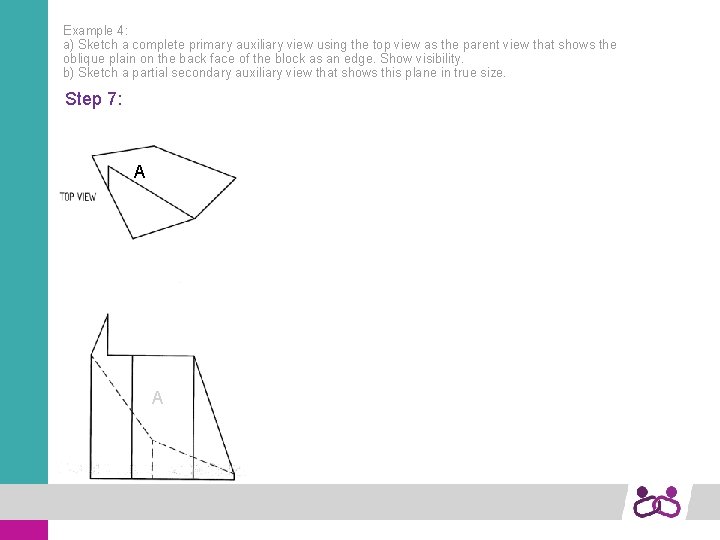
Example 4: a) Sketch a complete primary auxiliary view using the top view as the parent view that shows the oblique plain on the back face of the block as an edge. Show visibility. b) Sketch a partial secondary auxiliary view that shows this plane in true size. Step 7: A A
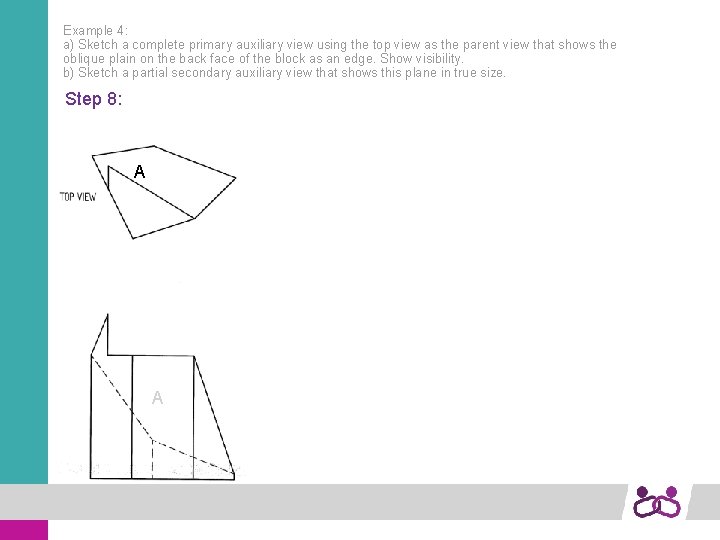
Example 4: a) Sketch a complete primary auxiliary view using the top view as the parent view that shows the oblique plain on the back face of the block as an edge. Show visibility. b) Sketch a partial secondary auxiliary view that shows this plane in true size. Step 8: A A
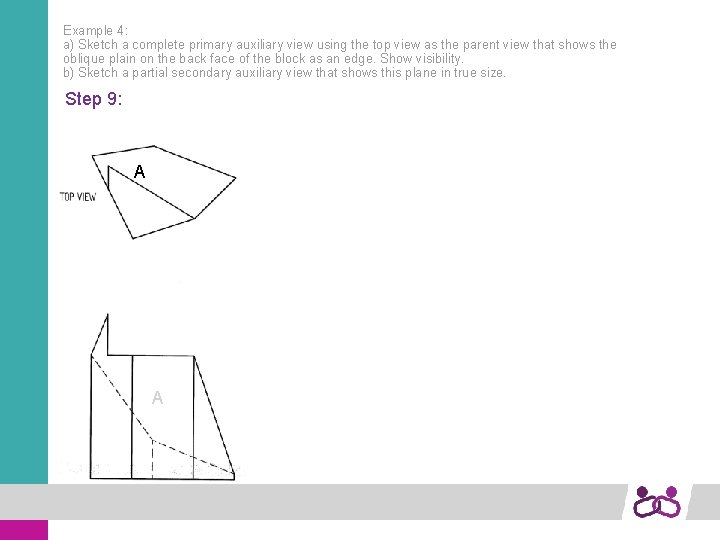
Example 4: a) Sketch a complete primary auxiliary view using the top view as the parent view that shows the oblique plain on the back face of the block as an edge. Show visibility. b) Sketch a partial secondary auxiliary view that shows this plane in true size. Step 9: A A
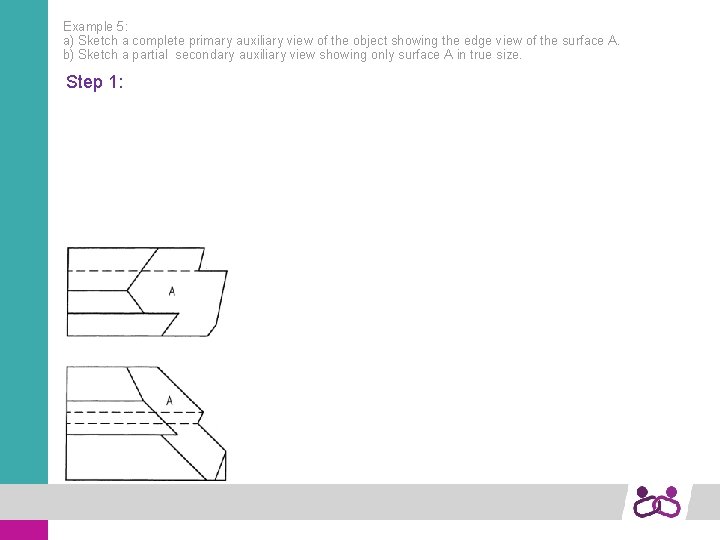
Example 5: a) Sketch a complete primary auxiliary view of the object showing the edge view of the surface A. b) Sketch a partial secondary auxiliary view showing only surface A in true size. Step 1:
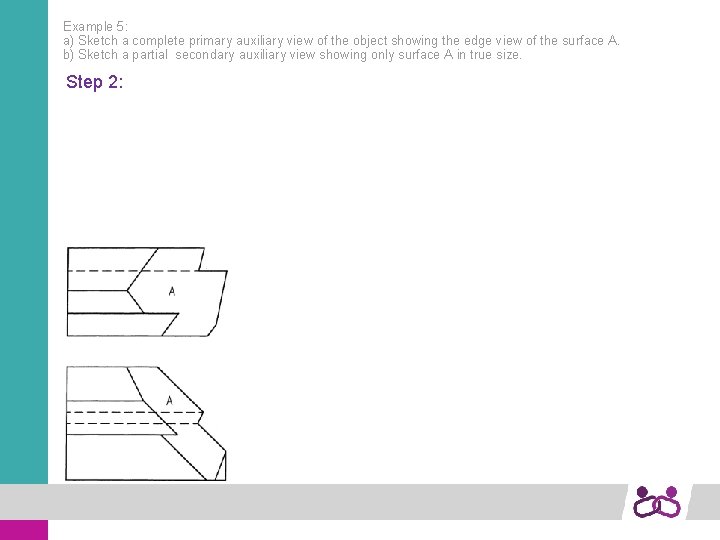
Example 5: a) Sketch a complete primary auxiliary view of the object showing the edge view of the surface A. b) Sketch a partial secondary auxiliary view showing only surface A in true size. Step 2:
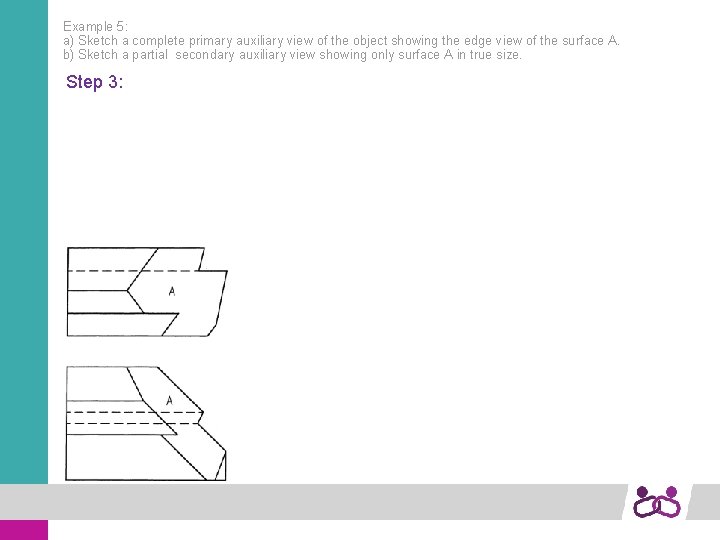
Example 5: a) Sketch a complete primary auxiliary view of the object showing the edge view of the surface A. b) Sketch a partial secondary auxiliary view showing only surface A in true size. Step 3:
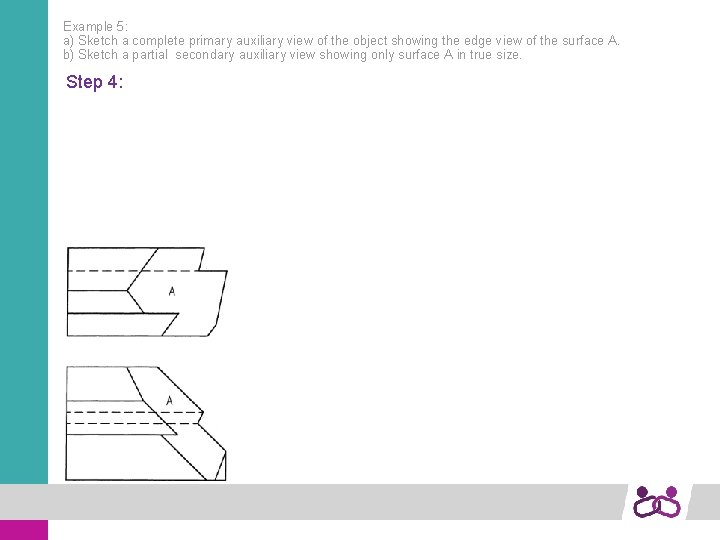
Example 5: a) Sketch a complete primary auxiliary view of the object showing the edge view of the surface A. b) Sketch a partial secondary auxiliary view showing only surface A in true size. Step 4:
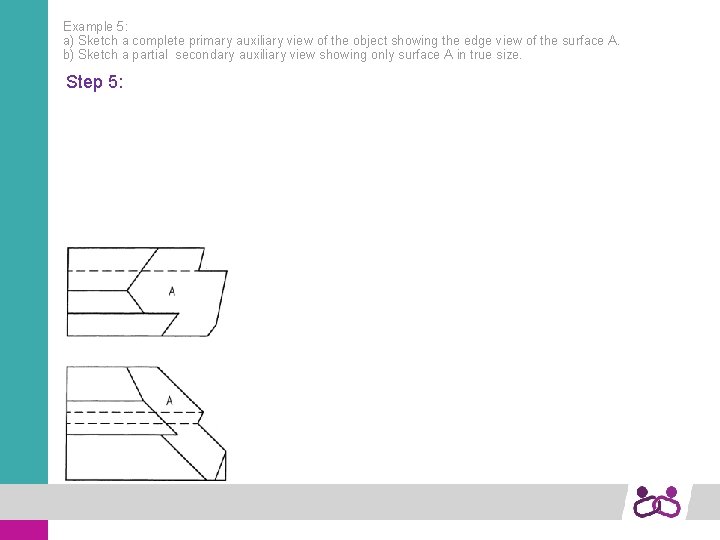
Example 5: a) Sketch a complete primary auxiliary view of the object showing the edge view of the surface A. b) Sketch a partial secondary auxiliary view showing only surface A in true size. Step 5:
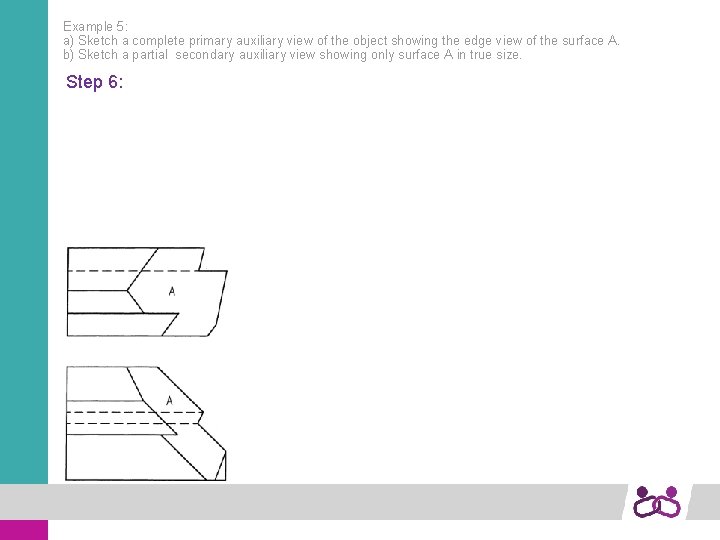
Example 5: a) Sketch a complete primary auxiliary view of the object showing the edge view of the surface A. b) Sketch a partial secondary auxiliary view showing only surface A in true size. Step 6:
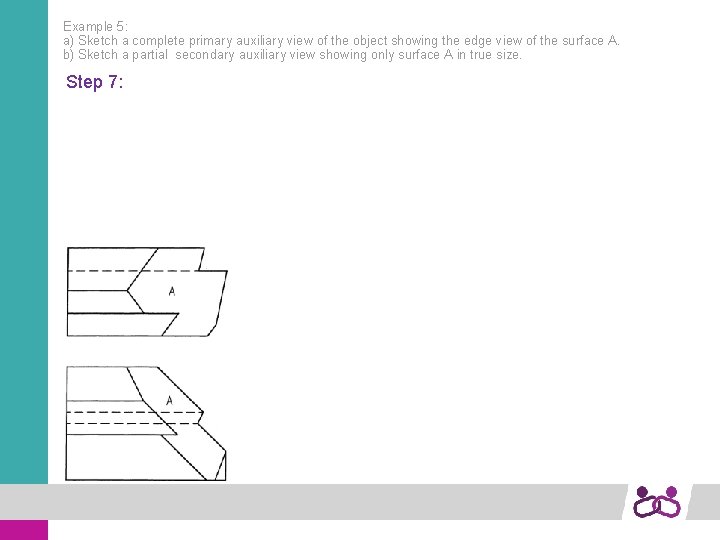
Example 5: a) Sketch a complete primary auxiliary view of the object showing the edge view of the surface A. b) Sketch a partial secondary auxiliary view showing only surface A in true size. Step 7:
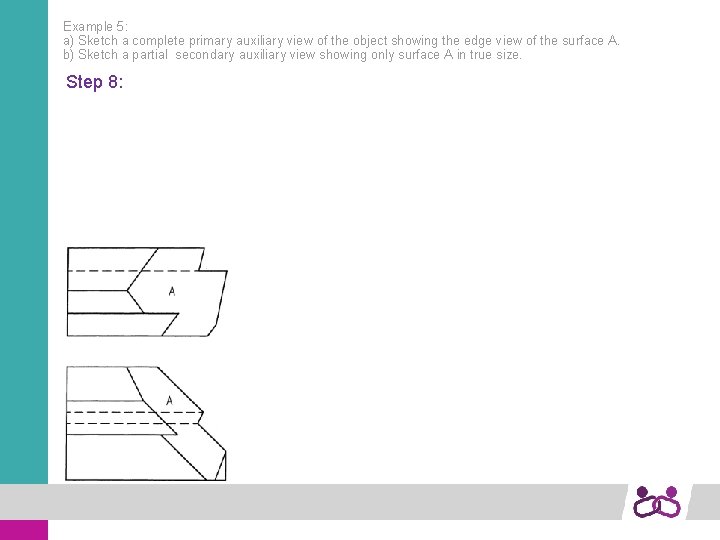
Example 5: a) Sketch a complete primary auxiliary view of the object showing the edge view of the surface A. b) Sketch a partial secondary auxiliary view showing only surface A in true size. Step 8:
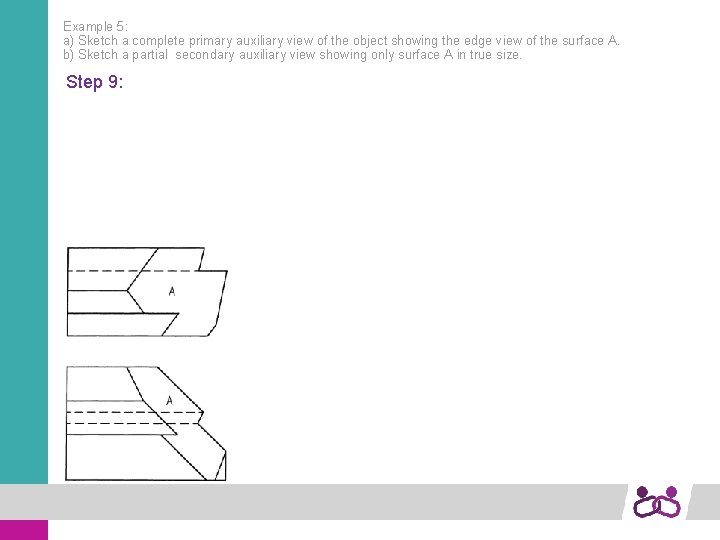
Example 5: a) Sketch a complete primary auxiliary view of the object showing the edge view of the surface A. b) Sketch a partial secondary auxiliary view showing only surface A in true size. Step 9:
- Slides: 42