
Applying for the OKFriends Homecoming Camp Guide to
- Slides: 1
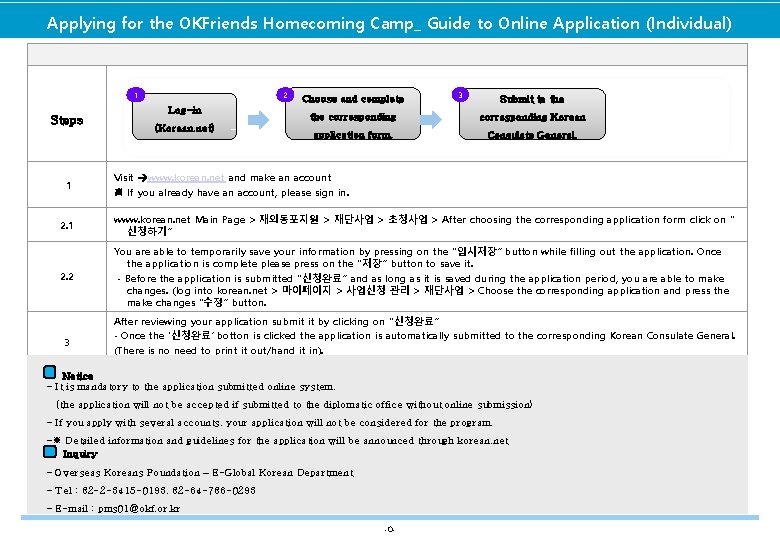
Applying for the OKFriends Homecoming Camp_ Guide to Online Application (Individual) 1 Steps 1 2 Log-in (Korean. net) Choose and complete 3 Submit to the corresponding Korean application form. Consulate General. Visit www. korean. net and make an account ※ If you already have an account, please sign in. 2. 1 www. korean. net Main Page > 재외동포지원 > 재단사업 > 초청사업 > After choosing the corresponding application form click on “ 신청하기” 2. 2 You are able to temporarily save your information by pressing on the “임시저장” button while filling out the application. Once the application is complete please press on the “저장” button to save it. - Before the application is submitted “신청완료” and as long as it is saved during the application period, you are able to make changes. (log into korean. net > 마이페이지 > 사업신청 관리 > 재단사업 > Choose the corresponding application and press the make changes “수정” button. 3 After reviewing your application submit it by clicking on “신청완료” - Once the ‘신청완료’ botton is clicked the application is automatically submitted to the corresponding Korean Consulate General. (There is no need to print it out/hand it in). - You can see your application process by following these steps 로그인 > 마이페이지 > 사업신청 관리 Notice - It is mandatory to the application submitted online system. (the application will not be accepted if submitted to the diplomatic office without online submission) - If you apply with several accounts, your application will not be considered for the program. -※ Detailed information and guidelines for the application will be announced through korean. net Inquiry - Overseas Koreans Foundation – E-Global Korean Department - Tel : 82 -2 -3415 -0193, 82 -64 -786 -0293 - E-mail : pms 01@okf. or. kr -0 -