
APPLICATIONS OF METEOSAT SECOND GENERATION MSG RGB IMAGES
APPLICATIONS OF METEOSAT SECOND GENERATION (MSG) RGB IMAGES: PART 03 CHANNEL SELECTION AND ENHANCEMENTS Author: Jochen Kerkmann (EUMETSAT) kerkmann@eumetsat. de Contributors: D. Rosenfeld (HUJ), HP. Roesli (Meteo. Swiss) M. König (EUM) Version 0. 6, 30 June 2004
PART 3: CHANNEL SELECTION AND ENHANCEMENTS Version 0. 6, 30 June 2004
Channel Selection & Enhancements Optimum colouring of RGB image composites depends on: • • I. Selection of the channels – Physical properties represented by the channels (e. g. IR 10. 8 provides cloud top temperature, VIS 0. 6 provides cloud optical thickness, VIS 0. 8 provides "greeness" of vegetation etc…) II. Attribution of images to individual colour beams depends on: a Reproduction of RGB schemes inherited from other imagers; b Contrast and colours of the resulting RGB composite, which can be more or less pleasant (depending on personal view); III. Proper enhancement of individual colour channels requires: a Conversion from radiances to brightness temperatures/reflectances; b Selection of display mode (inverted or not inverted); c Stretching of the intensity ranges (linear stretching of active dynamic range); d Gamma corection; e Gamma 2 correction; IV. Final enhancement – e. g. Gamma correction of final RGB image, Version 0. 6, 30 June 2004
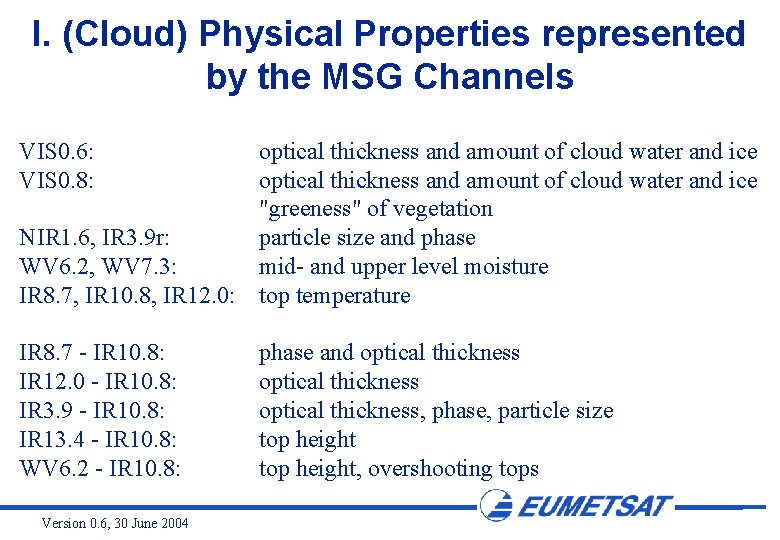
I. (Cloud) Physical Properties represented by the MSG Channels VIS 0. 6: VIS 0. 8: optical thickness and amount of cloud water and ice "greeness" of vegetation NIR 1. 6, IR 3. 9 r: particle size and phase WV 6. 2, WV 7. 3: mid- and upper level moisture IR 8. 7, IR 10. 8, IR 12. 0: top temperature IR 8. 7 - IR 10. 8: IR 12. 0 - IR 10. 8: IR 3. 9 - IR 10. 8: IR 13. 4 - IR 10. 8: WV 6. 2 - IR 10. 8: Version 0. 6, 30 June 2004 phase and optical thickness, phase, particle size top height, overshooting tops
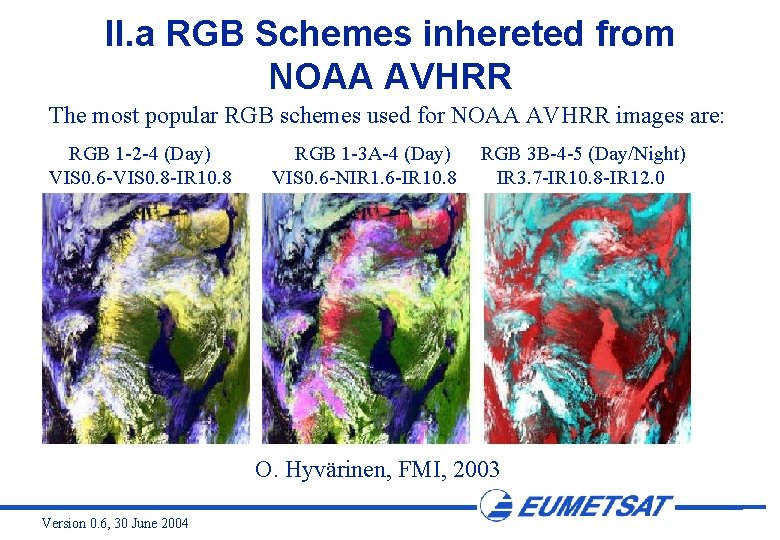
II. a RGB Schemes inhereted from NOAA AVHRR The most popular RGB schemes used for NOAA AVHRR images are: RGB 1 -2 -4 (Day) VIS 0. 6 -VIS 0. 8 -IR 10. 8 RGB 1 -3 A-4 (Day) VIS 0. 6 -NIR 1. 6 -IR 10. 8 RGB 3 B-4 -5 (Day/Night) IR 3. 7 -IR 10. 8 -IR 12. 0 O. Hyvärinen, FMI, 2003 Version 0. 6, 30 June 2004

II. a RGB Schemes inhereted from MODIS For MODIS (27 channels, not considering channels 8 -16) there are 17550 different ways (this is 27!/(27 -3)!) to choose 3 channels from 27 channels. Some popular RGB schemes used for MODIS images are: 01 -04 -03 01 -02 -03 01 -06 -31 26 -06 -31 (VIS 0. 6 -VIS 0. 5 -VIS 0. 4) (VIS 0. 6 -VIS 0. 8 -VIS 0. 4) (VIS 0. 6 -NIR 1. 6 -IR 11. 0) (NIR 1. 3 -NIR 1. 6 -IR 11. 0) MODIS 5 March 2000 ? ? UTC RGB Composite 01 -04 -03 Version 0. 6, 30 June 2004
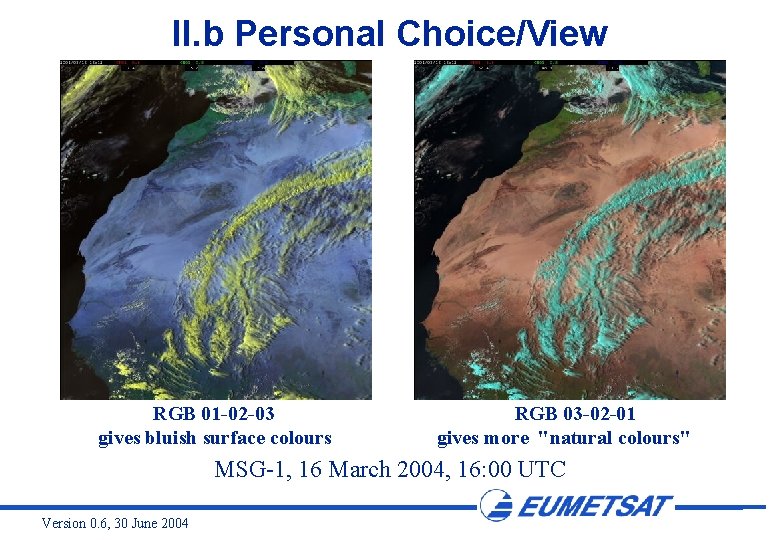
II. b Personal Choice/View RGB 01 -02 -03 gives bluish surface colours RGB 03 -02 -01 gives more "natural colours" MSG-1, 16 March 2004, 16: 00 UTC Version 0. 6, 30 June 2004
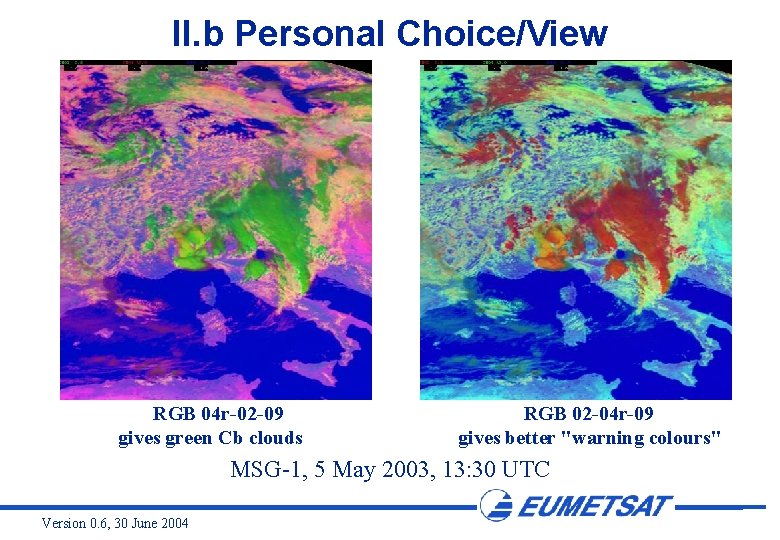
II. b Personal Choice/View RGB 04 r-02 -09 gives green Cb clouds RGB 02 -04 r-09 gives better "warning colours" MSG-1, 5 May 2003, 13: 30 UTC Version 0. 6, 30 June 2004
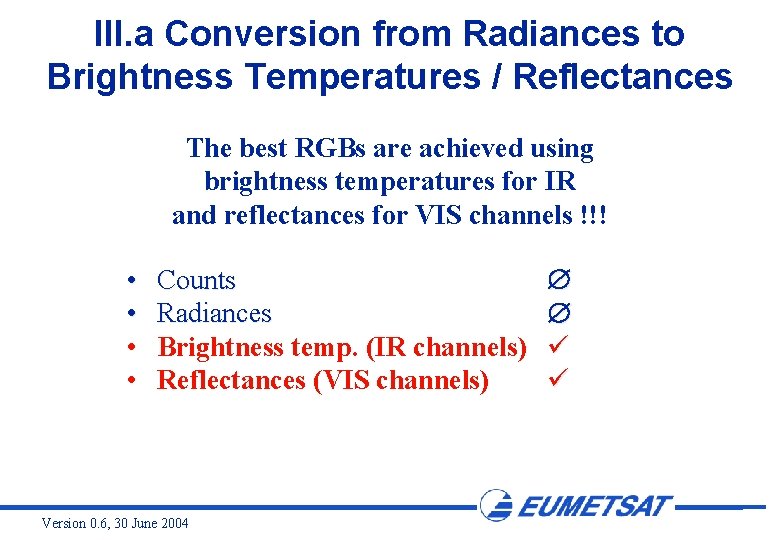
III. a Conversion from Radiances to Brightness Temperatures / Reflectances The best RGBs are achieved using brightness temperatures for IR and reflectances for VIS channels !!! • • Counts Radiances Brightness temp. (IR channels) Reflectances (VIS channels) Version 0. 6, 30 June 2004
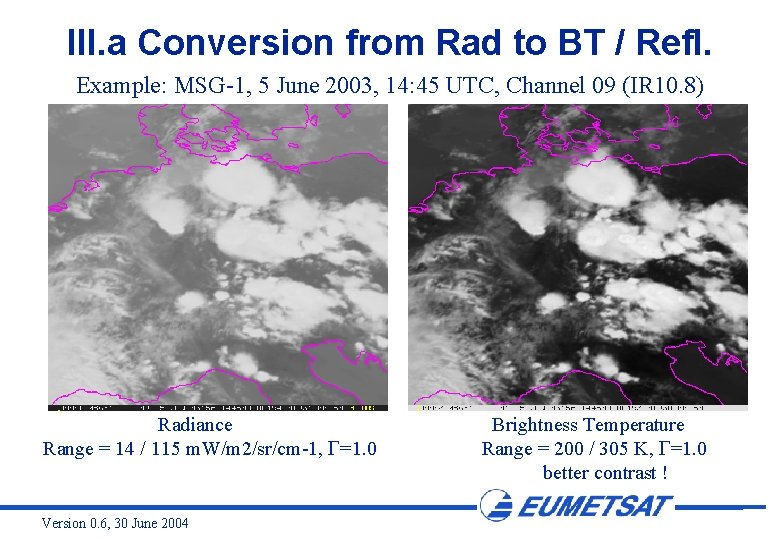
III. a Conversion from Rad to BT / Refl. Example: MSG-1, 5 June 2003, 14: 45 UTC, Channel 09 (IR 10. 8) Radiance Range = 14 / 115 m. W/m 2/sr/cm-1, =1. 0 Version 0. 6, 30 June 2004 Brightness Temperature Range = 200 / 305 K, =1. 0 better contrast !
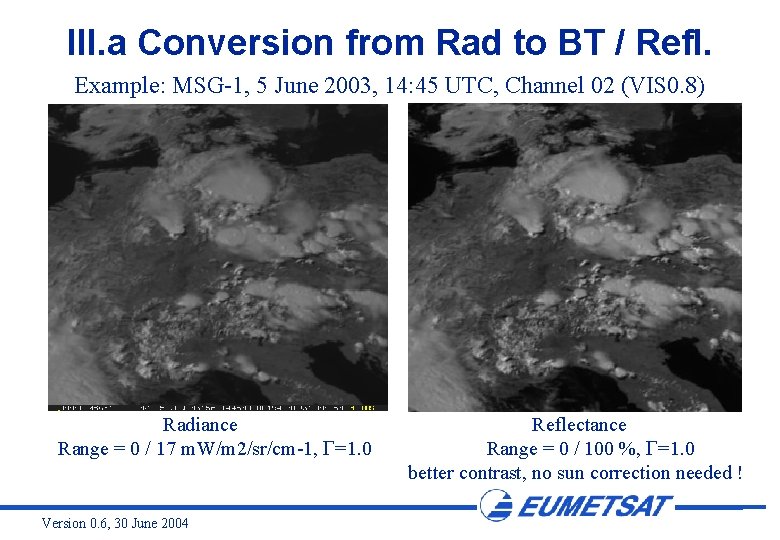
III. a Conversion from Rad to BT / Refl. Example: MSG-1, 5 June 2003, 14: 45 UTC, Channel 02 (VIS 0. 8) Radiance Range = 0 / 17 m. W/m 2/sr/cm-1, =1. 0 Version 0. 6, 30 June 2004 Reflectance Range = 0 / 100 %, =1. 0 better contrast, no sun correction needed !
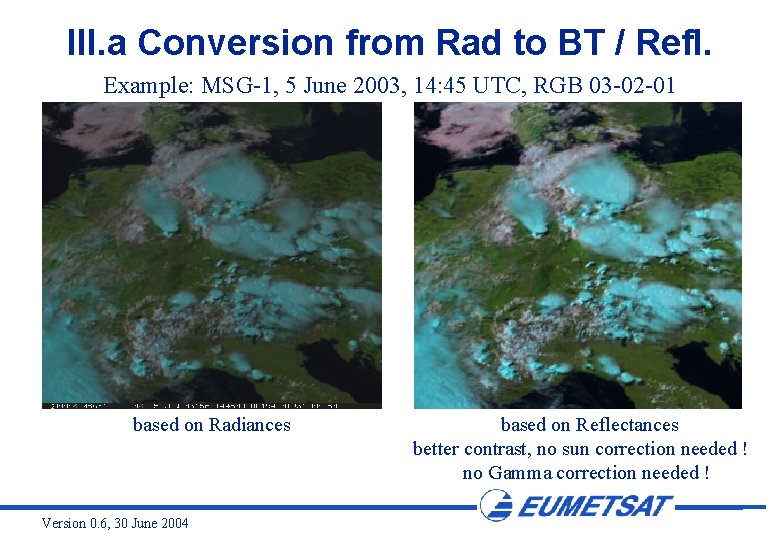
III. a Conversion from Rad to BT / Refl. Example: MSG-1, 5 June 2003, 14: 45 UTC, RGB 03 -02 -01 based on Radiances Version 0. 6, 30 June 2004 based on Reflectances better contrast, no sun correction needed ! no Gamma correction needed !
III. a Conversion from Rad to BT / Refl. The relation between the SEVIRI radiances and the equivalent brightness temperatures / reflectances is described in a separate Powerpoint file (see conversion. ppt) ! Version 0. 6, 30 June 2004
III. b Selection of Display Mode (Inverted or not Inverted) There are no general rules as regards the display mode (in particular for the IR channels). As described under II. a and II. b, it is a matter of traditions and personal view to select the display mode. Traditionally, for AVHRR RGB composites the IR channels are inverted. In this MSG Interpretation Guide, if not stated differently, all RGB composites are created from non-inverted (black = low energy, white = high energy) images. Version 0. 6, 30 June 2004
III. c Stretching of Intensity Ranges The range of interest for the MSG SEVIRI channels varies, depending on: • the phenomenon of interest (high clouds, low clouds, surface features, dust, smoke … ) • the season (winter, summer) • the time of the day (day / night / twilight) Version 0. 6, 30 June 2004
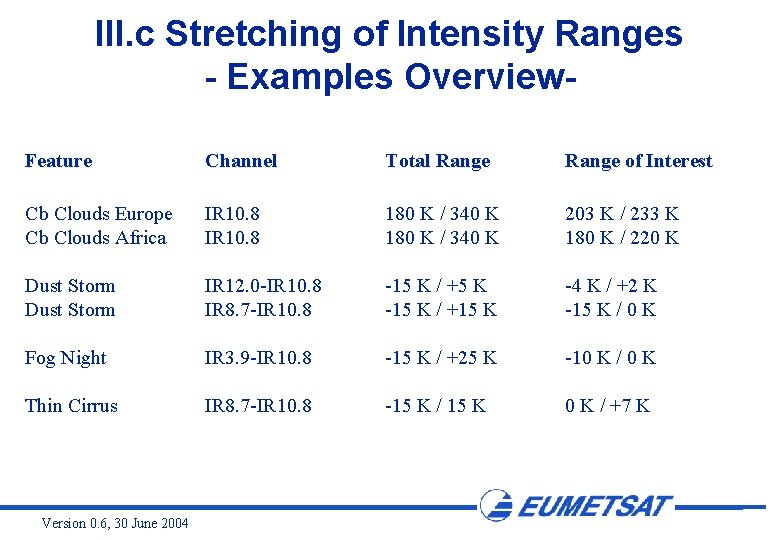
III. c Stretching of Intensity Ranges - Examples Overview. Feature Channel Total Range of Interest Cb Clouds Europe Cb Clouds Africa IR 10. 8 180 K / 340 K 203 K / 233 K 180 K / 220 K Dust Storm IR 12. 0 -IR 10. 8 IR 8. 7 -IR 10. 8 -15 K / +5 K -15 K / +15 K -4 K / +2 K -15 K / 0 K Fog Night IR 3. 9 -IR 10. 8 -15 K / +25 K -10 K / 0 K Thin Cirrus IR 8. 7 -IR 10. 8 -15 K / 15 K 0 K / +7 K Version 0. 6, 30 June 2004
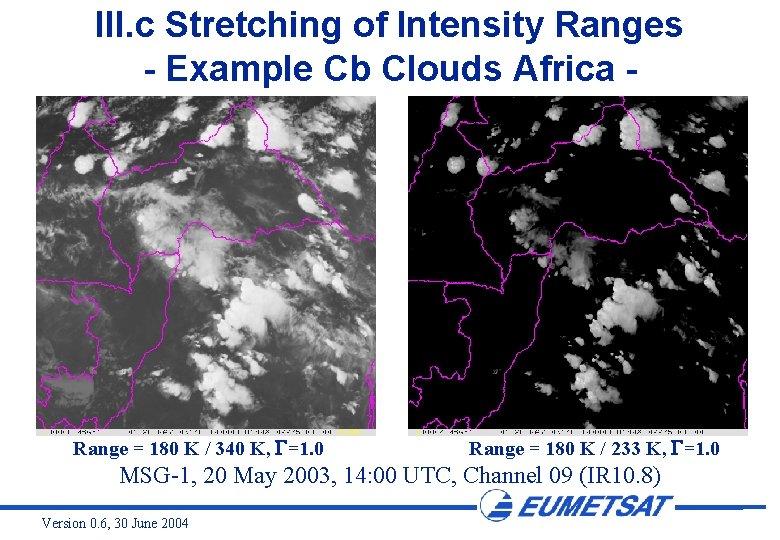
III. c Stretching of Intensity Ranges - Example Cb Clouds Africa - Range = 180 K / 340 K, =1. 0 Range = 180 K / 233 K, =1. 0 MSG-1, 20 May 2003, 14: 00 UTC, Channel 09 (IR 10. 8) Version 0. 6, 30 June 2004
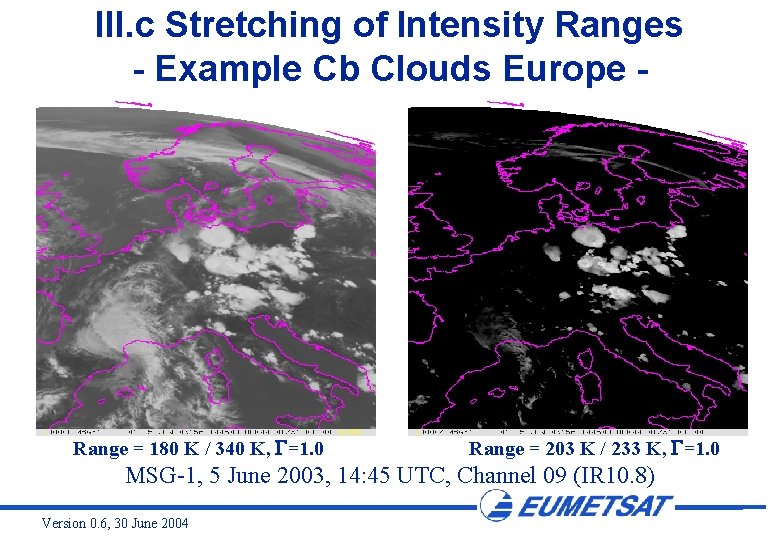
III. c Stretching of Intensity Ranges - Example Cb Clouds Europe - Range = 180 K / 340 K, =1. 0 Range = 203 K / 233 K, =1. 0 MSG-1, 5 June 2003, 14: 45 UTC, Channel 09 (IR 10. 8) Version 0. 6, 30 June 2004
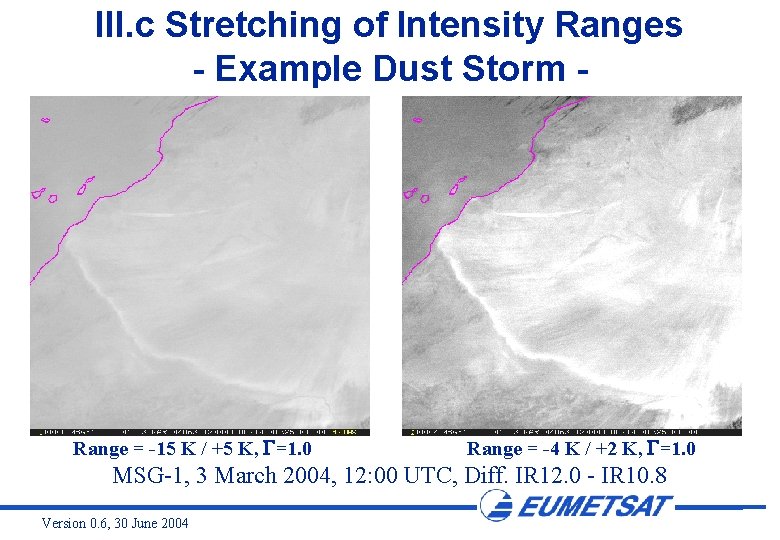
III. c Stretching of Intensity Ranges - Example Dust Storm - Range = -15 K / +5 K, =1. 0 Range = -4 K / +2 K, =1. 0 MSG-1, 3 March 2004, 12: 00 UTC, Diff. IR 12. 0 - IR 10. 8 Version 0. 6, 30 June 2004
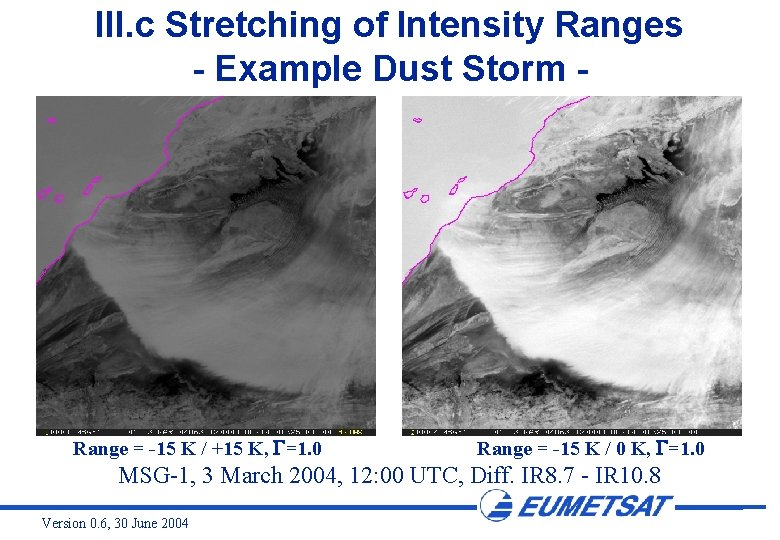
III. c Stretching of Intensity Ranges - Example Dust Storm - Range = -15 K / +15 K, =1. 0 Range = -15 K / 0 K, =1. 0 MSG-1, 3 March 2004, 12: 00 UTC, Diff. IR 8. 7 - IR 10. 8 Version 0. 6, 30 June 2004
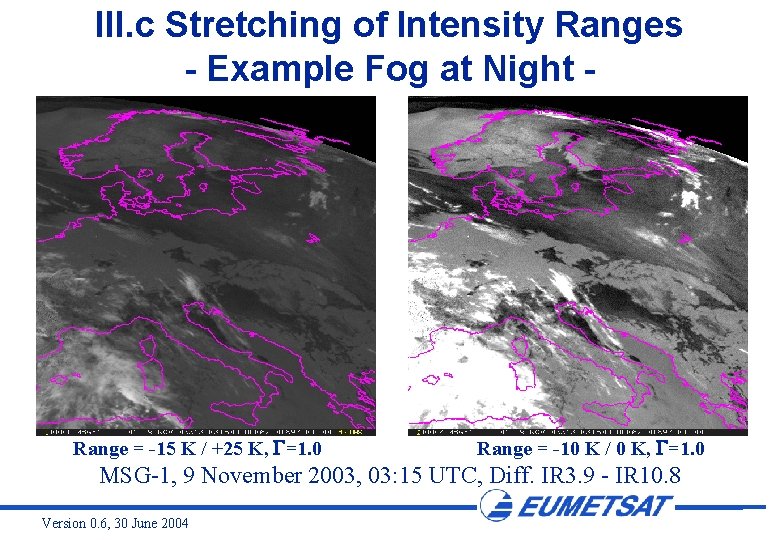
III. c Stretching of Intensity Ranges - Example Fog at Night - Range = -15 K / +25 K, =1. 0 Range = -10 K / 0 K, =1. 0 MSG-1, 9 November 2003, 03: 15 UTC, Diff. IR 3. 9 - IR 10. 8 Version 0. 6, 30 June 2004
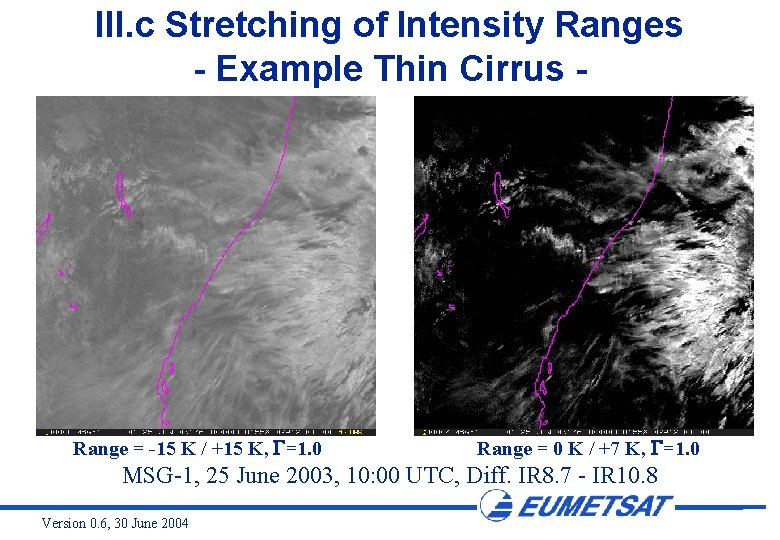
III. c Stretching of Intensity Ranges - Example Thin Cirrus - Range = -15 K / +15 K, =1. 0 Range = 0 K / +7 K, =1. 0 MSG-1, 25 June 2003, 10: 00 UTC, Diff. IR 8. 7 - IR 10. 8 Version 0. 6, 30 June 2004
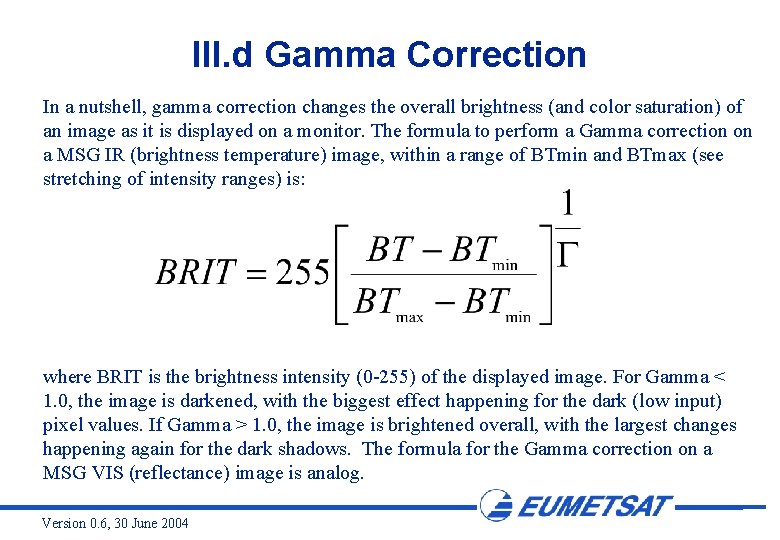
III. d Gamma Correction In a nutshell, gamma correction changes the overall brightness (and color saturation) of an image as it is displayed on a monitor. The formula to perform a Gamma correction on a MSG IR (brightness temperature) image, within a range of BTmin and BTmax (see stretching of intensity ranges) is: where BRIT is the brightness intensity (0 -255) of the displayed image. For Gamma < 1. 0, the image is darkened, with the biggest effect happening for the dark (low input) pixel values. If Gamma > 1. 0, the image is brightened overall, with the largest changes happening again for the dark shadows. The formula for the Gamma correction on a MSG VIS (reflectance) image is analog. Version 0. 6, 30 June 2004
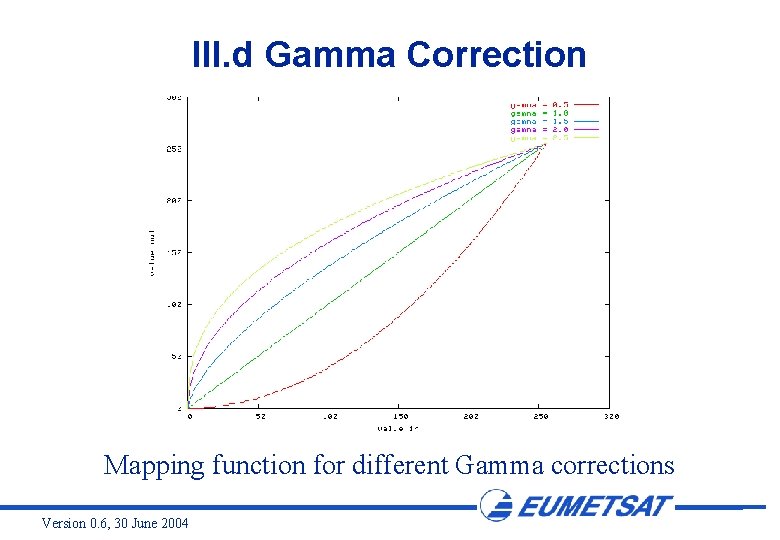
III. d Gamma Correction Mapping function for different Gamma corrections Version 0. 6, 30 June 2004
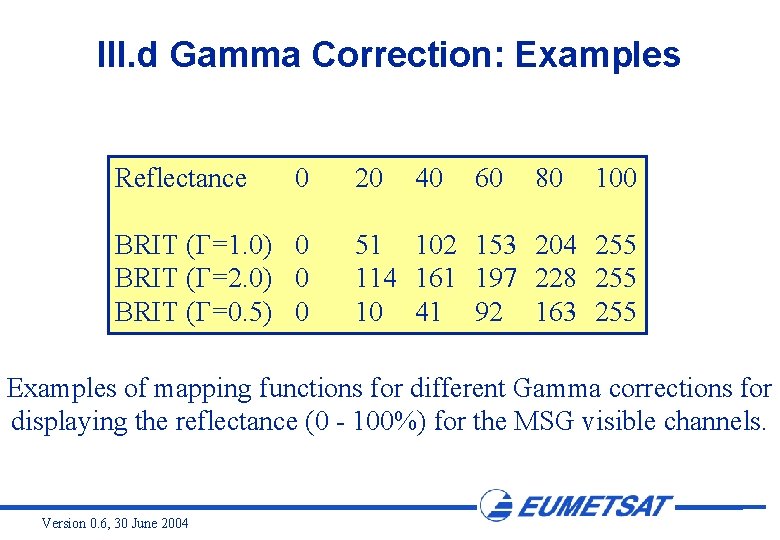
III. d Gamma Correction: Examples Reflectance 0 BRIT ( =1. 0) 0 BRIT ( =2. 0) 0 BRIT ( =0. 5) 0 20 40 60 80 100 51 102 153 204 255 114 161 197 228 255 10 41 92 163 255 Examples of mapping functions for different Gamma corrections for displaying the reflectance (0 - 100%) for the MSG visible channels. Version 0. 6, 30 June 2004
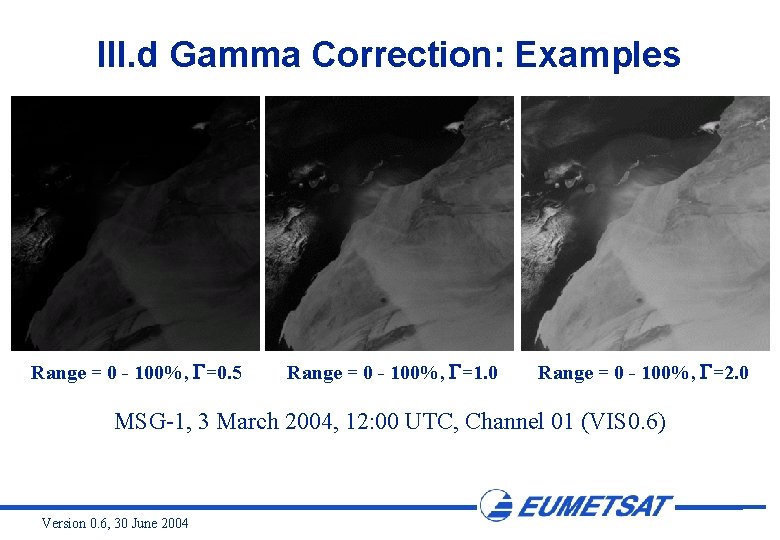
III. d Gamma Correction: Examples Range = 0 - 100%, =0. 5 Range = 0 - 100%, =1. 0 Range = 0 - 100%, =2. 0 MSG-1, 3 March 2004, 12: 00 UTC, Channel 01 (VIS 0. 6) Version 0. 6, 30 June 2004
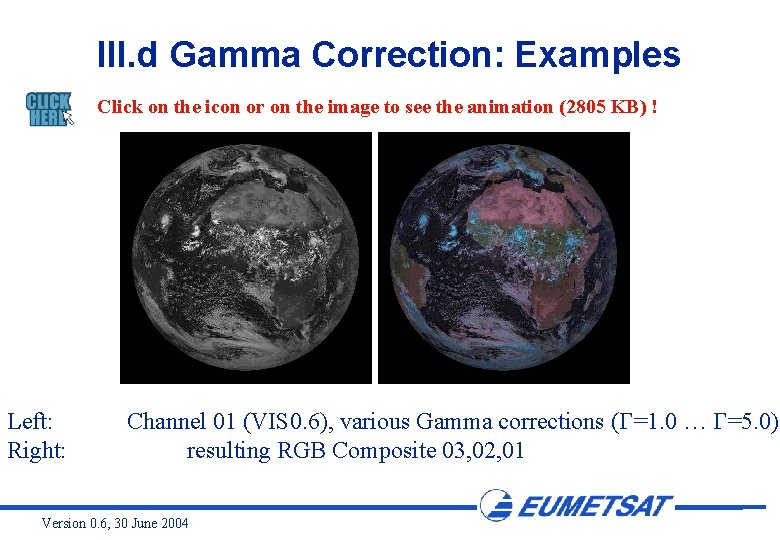
III. d Gamma Correction: Examples Click on the icon or on the image to see the animation (2805 KB) ! Left: Right: Channel 01 (VIS 0. 6), various Gamma corrections ( =1. 0 … =5. 0) resulting RGB Composite 03, 02, 01 Version 0. 6, 30 June 2004
III. e Gamma 2 Correction The Gamma 2 correction helps to enhance the middle part of the selected intensity range. This can be done e. g. with a tanh function. To be written Version 0. 6, 30 June 2004
IV. Final Enhancement To be written Version 0. 6, 30 June 2004
- Slides: 29