
Application Workload Performance Validation for EPM Cloud Copyright
- Slides: 29
Application Workload Performance Validation for EPM Cloud Copyright © 2014, Oracle and/or its affiliates. All rights reserved. | Oracle Confidential – Internal/Restricted/Highly Restricted
Safe Harbor Statement The following is intended to outline our general product direction. It is intended for information purposes only, and may not be incorporated into any contract. It is not a commitment to deliver any material, code, or functionality, and should not be relied upon in making purchasing decisions. The development, release, and timing of any features or functionality described for Oracle’s products remains at the sole discretion of Oracle. Copyright © 2014, Oracle and/or its affiliates. All rights reserved. | Confidential – Oracle Internal/Restricted/Highly Restricted 2
Objective • Simulate customer environment, using customer-provided snapshot, and customer-provided use cases, to measure performance against the customer-provided concurrency and performance requirement • Provide an application workload performance validation suite to the customer so that they can perform the same validations themselves on an ongoing basis Copyright © 2014, Oracle and/or its affiliates. All rights reserved. | Oracle Confidential – Internal/Restricted/Highly Restricted 3
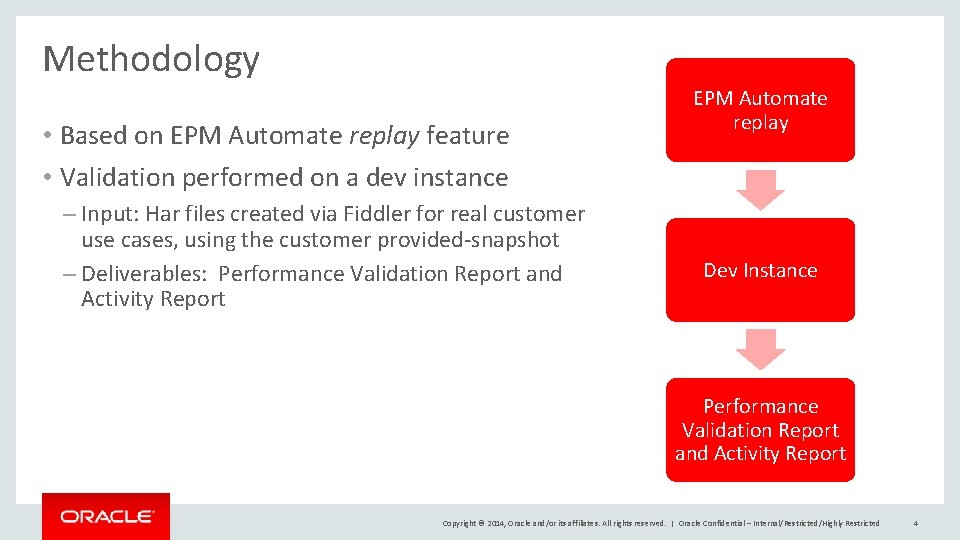
Methodology • Based on EPM Automate replay feature • Validation performed on a dev instance – Input: Har files created via Fiddler for real customer use cases, using the customer provided-snapshot – Deliverables: Performance Validation Report and Activity Report EPM Automate replay Dev Instance Performance Validation Report and Activity Report Copyright © 2014, Oracle and/or its affiliates. All rights reserved. | Oracle Confidential – Internal/Restricted/Highly Restricted 4
Input for Performance Validation • Use cases in the attached template – For every use case, provide: • Exact steps to perform (e. g. , open a particular form, set the POV/UDV, update the data, submit the form) • Concurrency requirement (i. e. , how many users need to perform this use case at the same time (with different POVs) • Expected UI response time; i. e. , within how much time, the user should have the response back • Access to the prod/test instance, or permission to export the snapshot so that the validation can be performed in a dev instance in the same data center • Service Administrator and ID Administrator credentials, or provision the tester E-mail with those roles Copyright © 2014, Oracle and/or its affiliates. All rights reserved. | Oracle Confidential – Internal/Restricted/Highly Restricted 5
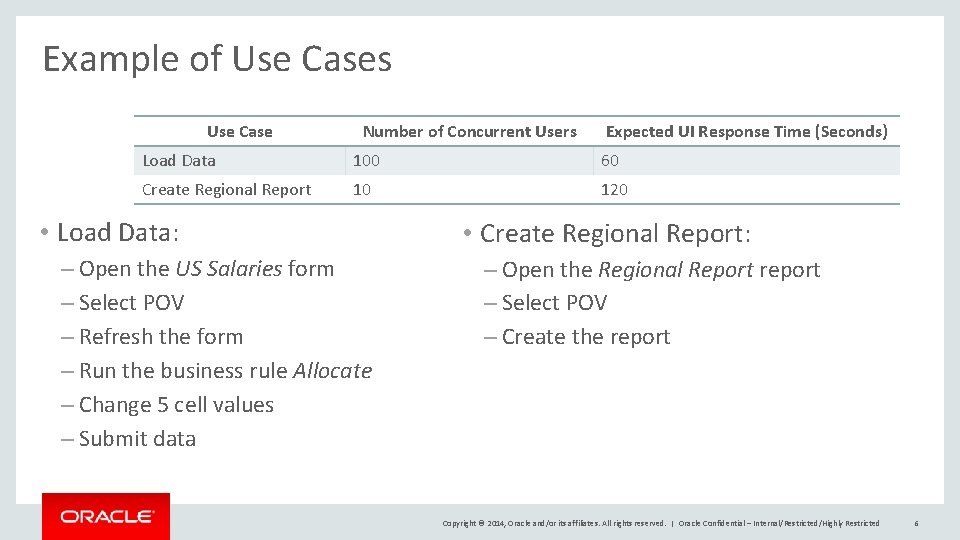
Example of Use Cases Use Case Number of Concurrent Users Expected UI Response Time (Seconds) Load Data 100 60 Create Regional Report 10 120 • Load Data: – Open the US Salaries form – Select POV – Refresh the form – Run the business rule Allocate – Change 5 cell values – Submit data • Create Regional Report: – Open the Regional Report report – Select POV – Create the report Copyright © 2014, Oracle and/or its affiliates. All rights reserved. | Oracle Confidential – Internal/Restricted/Highly Restricted 6
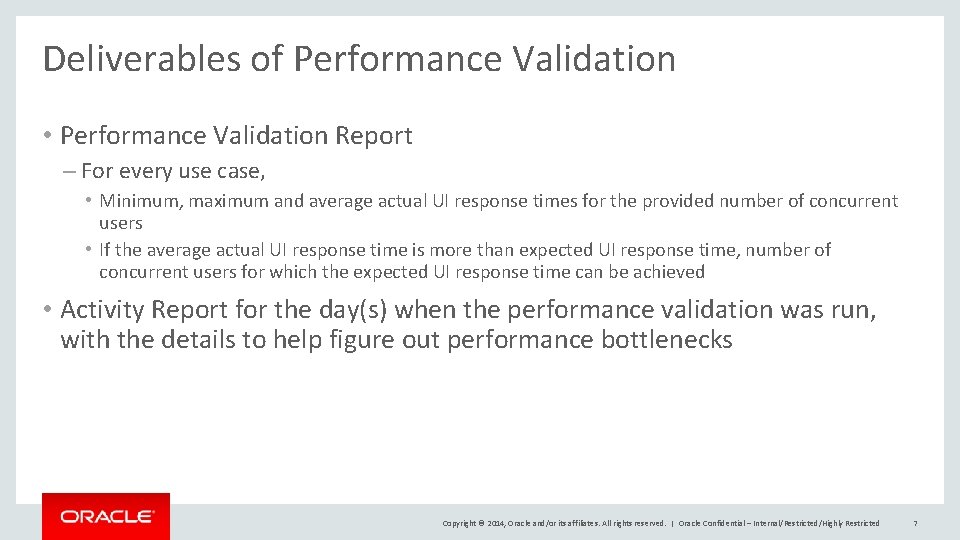
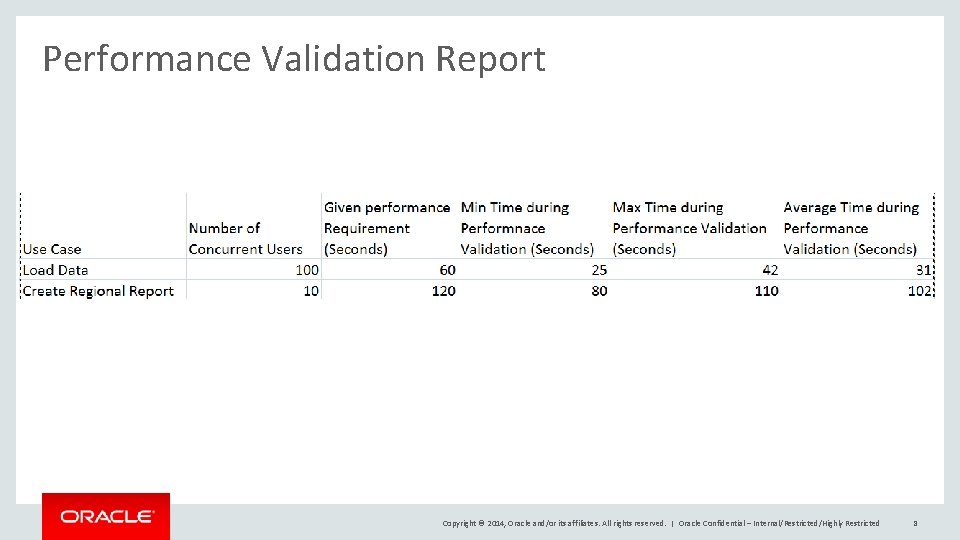
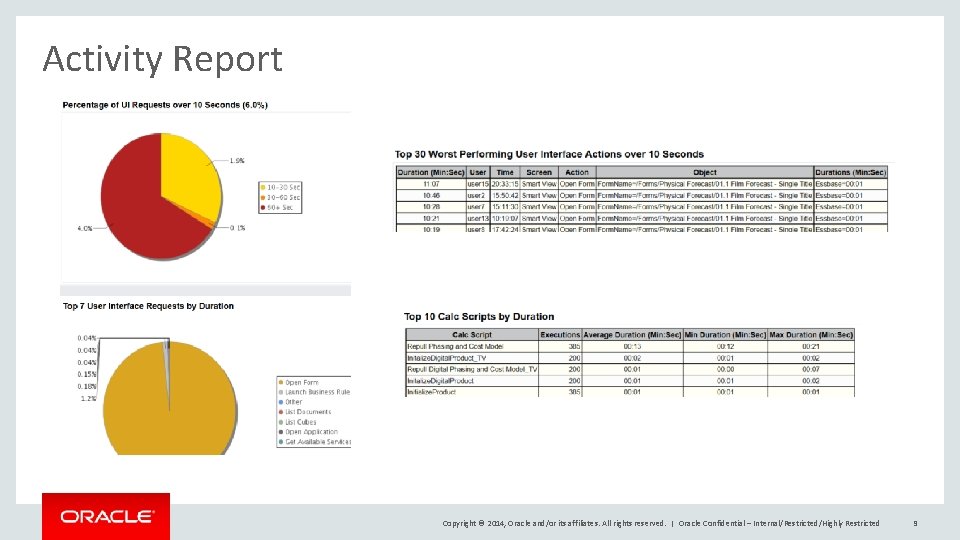
Deliverables of Performance Validation • Performance Validation Report – For every use case, • Minimum, maximum and average actual UI response times for the provided number of concurrent users • If the average actual UI response time is more than expected UI response time, number of concurrent users for which the expected UI response time can be achieved • Activity Report for the day(s) when the performance validation was run, with the details to help figure out performance bottlenecks Copyright © 2014, Oracle and/or its affiliates. All rights reserved. | Oracle Confidential – Internal/Restricted/Highly Restricted 7
Performance Validation Report Copyright © 2014, Oracle and/or its affiliates. All rights reserved. | Oracle Confidential – Internal/Restricted/Highly Restricted 8
Activity Report Copyright © 2014, Oracle and/or its affiliates. All rights reserved. | Oracle Confidential – Internal/Restricted/Highly Restricted 9
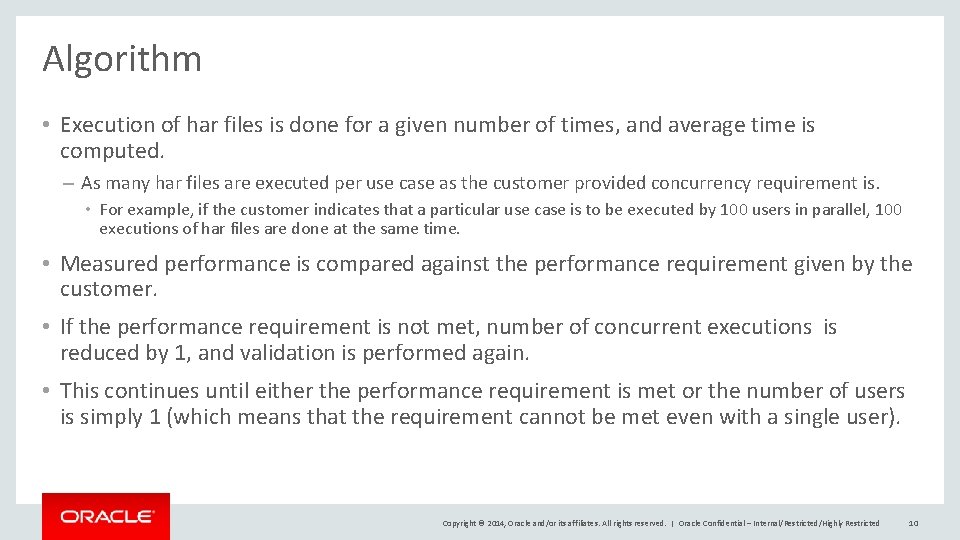
Algorithm • Execution of har files is done for a given number of times, and average time is computed. – As many har files are executed per use case as the customer provided concurrency requirement is. • For example, if the customer indicates that a particular use case is to be executed by 100 users in parallel, 100 executions of har files are done at the same time. • Measured performance is compared against the performance requirement given by the customer. • If the performance requirement is not met, number of concurrent executions is reduced by 1, and validation is performed again. • This continues until either the performance requirement is met or the number of users is simply 1 (which means that the requirement cannot be met even with a single user). Copyright © 2014, Oracle and/or its affiliates. All rights reserved. | Oracle Confidential – Internal/Restricted/Highly Restricted 10
Steps to run Performance Validation • Populate users • Create har files • Run performance validation Copyright © 2014, Oracle and/or its affiliates. All rights reserved. | Oracle Confidential – Internal/Restricted/Highly Restricted 11
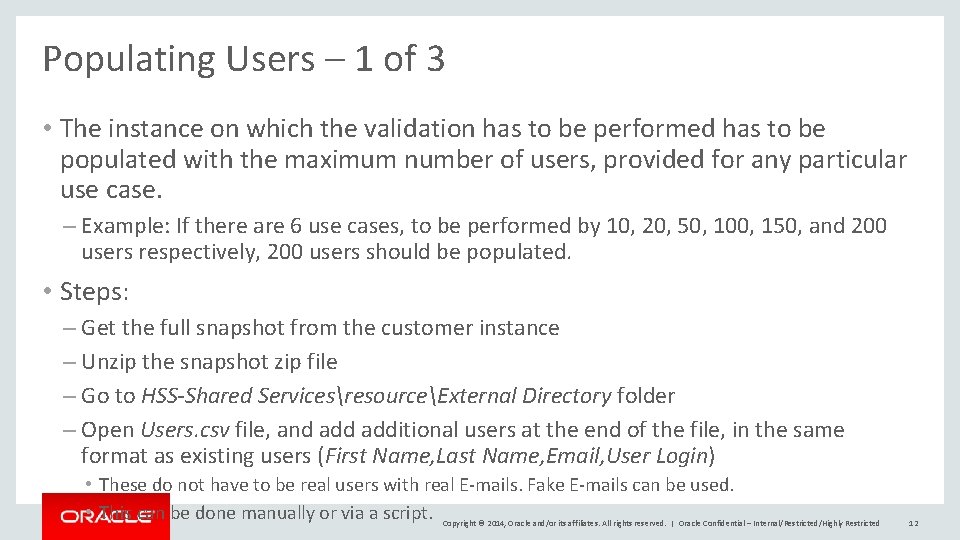
Populating Users – 1 of 3 • The instance on which the validation has to be performed has to be populated with the maximum number of users, provided for any particular use case. – Example: If there are 6 use cases, to be performed by 10, 20, 50, 100, 150, and 200 users respectively, 200 users should be populated. • Steps: – Get the full snapshot from the customer instance – Unzip the snapshot zip file – Go to HSS-Shared ServicesresourceExternal Directory folder – Open Users. csv file, and additional users at the end of the file, in the same format as existing users (First Name, Last Name, Email, User Login) • These do not have to be real users with real E-mails. Fake E-mails can be used. • This can be done manually or via a script. Copyright © 2014, Oracle and/or its affiliates. All rights reserved. | Oracle Confidential – Internal/Restricted/Highly Restricted 12
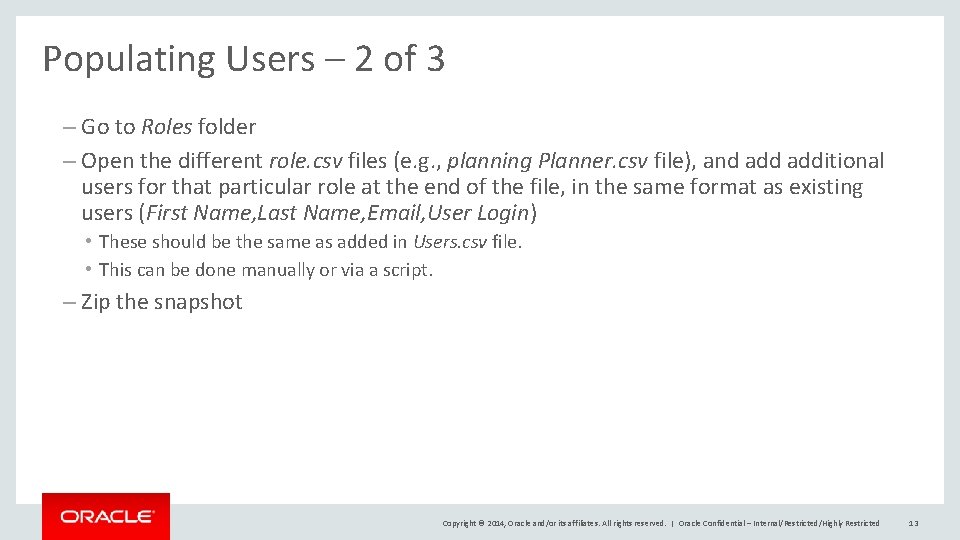
Populating Users – 2 of 3 – Go to Roles folder – Open the different role. csv files (e. g. , planning Planner. csv file), and additional users for that particular role at the end of the file, in the same format as existing users (First Name, Last Name, Email, User Login) • These should be the same as added in Users. csv file. • This can be done manually or via a script. – Zip the snapshot Copyright © 2014, Oracle and/or its affiliates. All rights reserved. | Oracle Confidential – Internal/Restricted/Highly Restricted 13
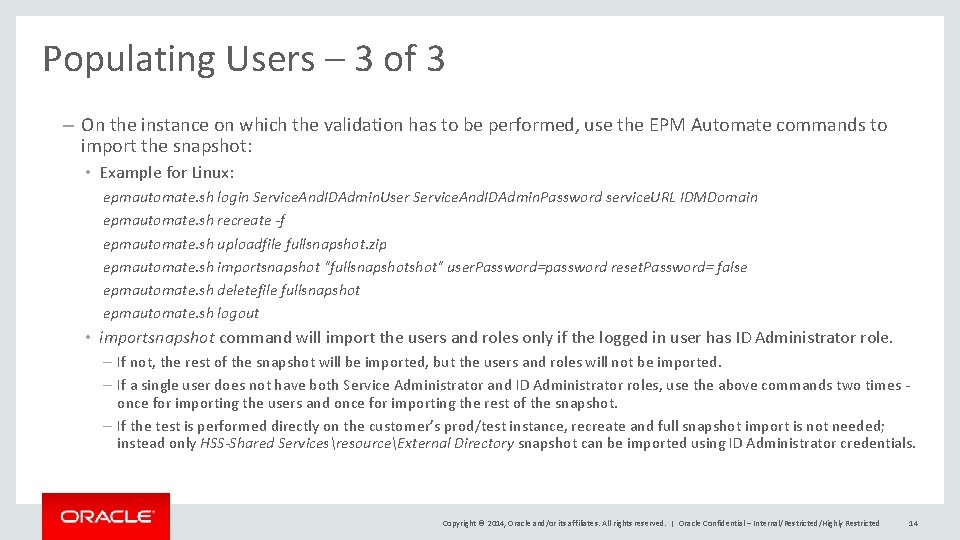
Populating Users – 3 of 3 – On the instance on which the validation has to be performed, use the EPM Automate commands to import the snapshot: • Example for Linux: epmautomate. sh login Service. And. IDAdmin. User Service. And. IDAdmin. Password service. URL IDMDomain epmautomate. sh recreate -f epmautomate. sh uploadfile fullsnapshot. zip epmautomate. sh importsnapshot "fullsnapshot" user. Password=password reset. Password= false epmautomate. sh deletefile fullsnapshot epmautomate. sh logout • importsnapshot command will import the users and roles only if the logged in user has ID Administrator role. – If not, the rest of the snapshot will be imported, but the users and roles will not be imported. – If a single user does not have both Service Administrator and ID Administrator roles, use the above commands two times once for importing the users and once for importing the rest of the snapshot. – If the test is performed directly on the customer’s prod/test instance, recreate and full snapshot import is not needed; instead only HSS-Shared ServicesresourceExternal Directory snapshot can be imported using ID Administrator credentials. Copyright © 2014, Oracle and/or its affiliates. All rights reserved. | Oracle Confidential – Internal/Restricted/Highly Restricted 14
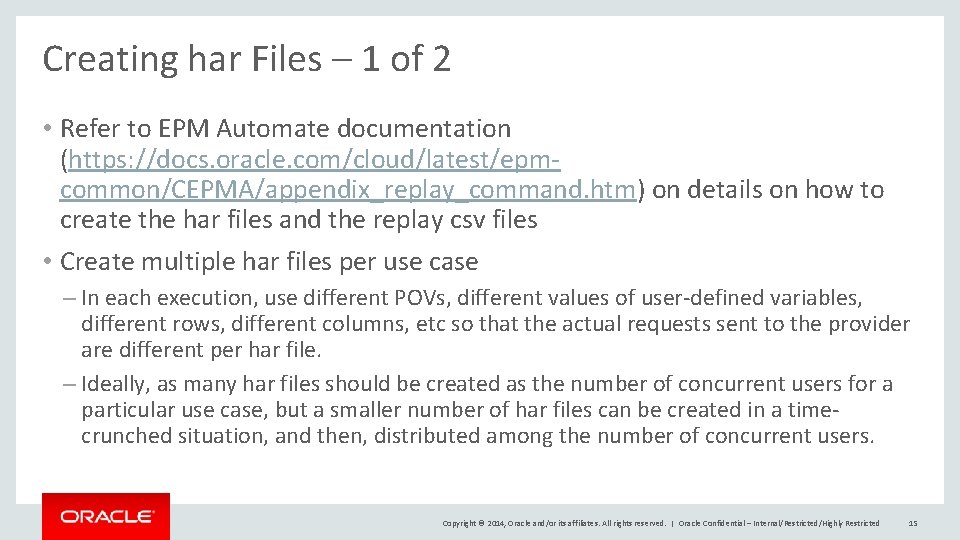
Creating har Files – 1 of 2 • Refer to EPM Automate documentation (https: //docs. oracle. com/cloud/latest/epmcommon/CEPMA/appendix_replay_command. htm) on details on how to create the har files and the replay csv files • Create multiple har files per use case – In each execution, use different POVs, different values of user-defined variables, different rows, different columns, etc so that the actual requests sent to the provider are different per har file. – Ideally, as many har files should be created as the number of concurrent users for a particular use case, but a smaller number of har files can be created in a timecrunched situation, and then, distributed among the number of concurrent users. Copyright © 2014, Oracle and/or its affiliates. All rights reserved. | Oracle Confidential – Internal/Restricted/Highly Restricted 15
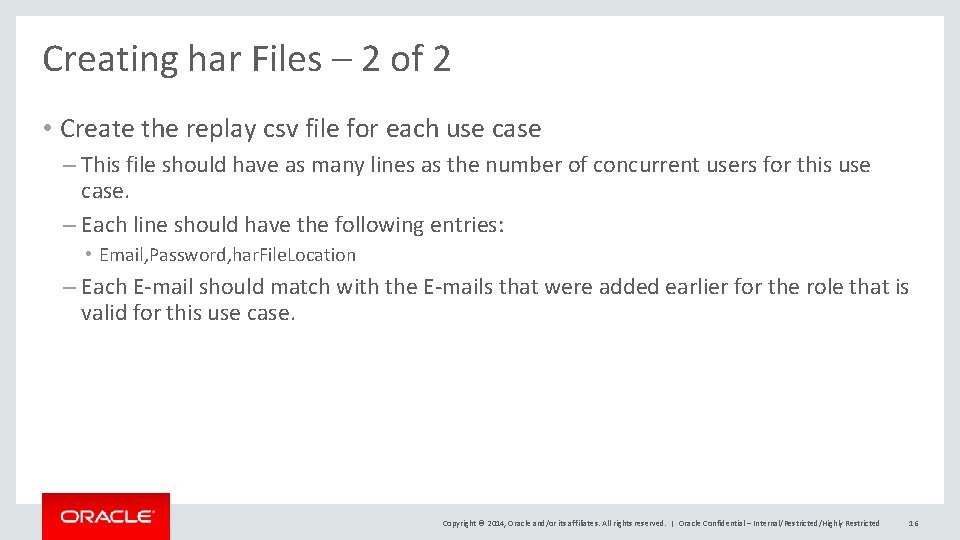
Creating har Files – 2 of 2 • Create the replay csv file for each use case – This file should have as many lines as the number of concurrent users for this use case. – Each line should have the following entries: • Email, Password, har. File. Location – Each E-mail should match with the E-mails that were added earlier for the role that is valid for this use case. Copyright © 2014, Oracle and/or its affiliates. All rights reserved. | Oracle Confidential – Internal/Restricted/Highly Restricted 16
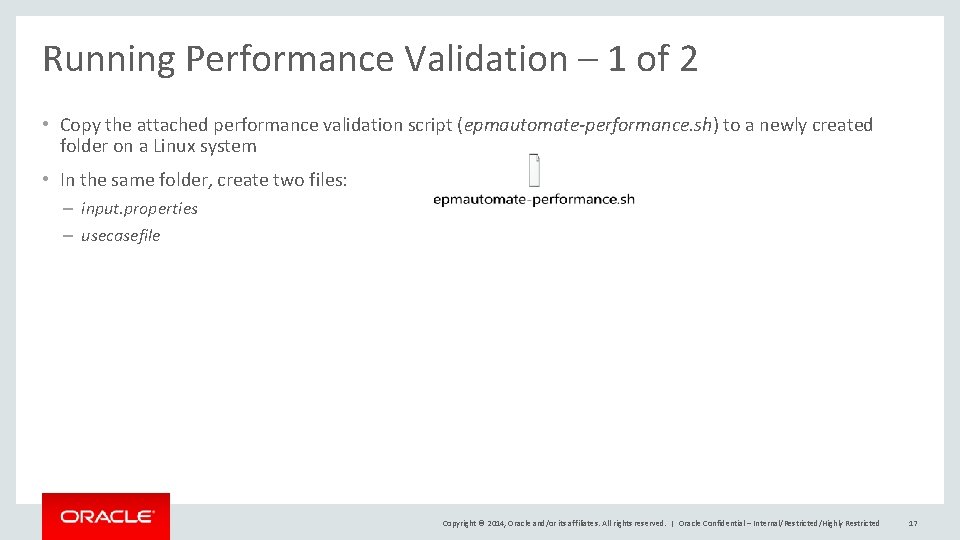
Running Performance Validation – 1 of 2 • Copy the attached performance validation script (epmautomate-performance. sh) to a newly created folder on a Linux system • In the same folder, create two files: – input. properties – usecasefile Copyright © 2014, Oracle and/or its affiliates. All rights reserved. | Oracle Confidential – Internal/Restricted/Highly Restricted 17
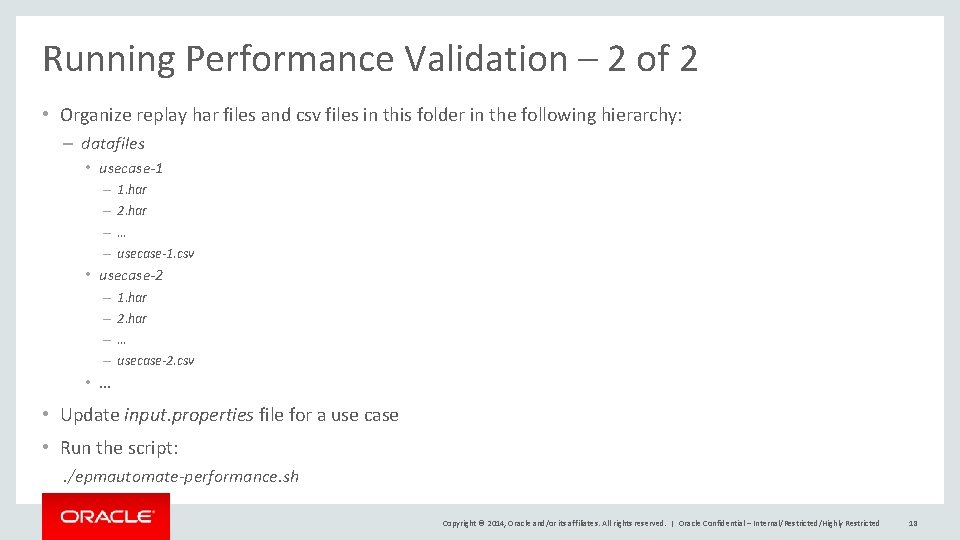
Running Performance Validation – 2 of 2 • Organize replay har files and csv files in this folder in the following hierarchy: – datafiles • usecase-1 – – 1. har 2. har … usecase-1. csv • usecase-2 – – 1. har 2. har … usecase-2. csv • … • Update input. properties file for a use case • Run the script: . /epmautomate-performance. sh Copyright © 2014, Oracle and/or its affiliates. All rights reserved. | Oracle Confidential – Internal/Restricted/Highly Restricted 18
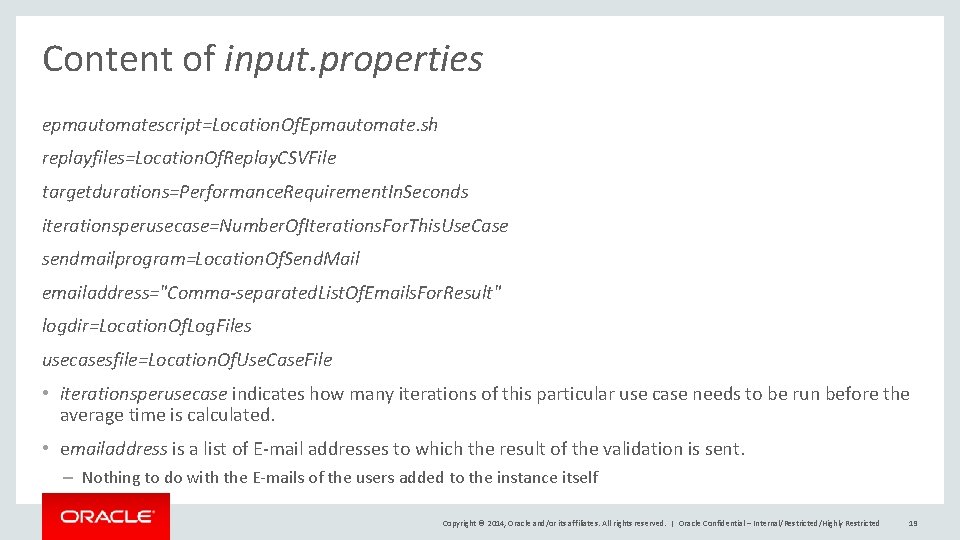
Content of input. properties epmautomatescript=Location. Of. Epmautomate. sh replayfiles=Location. Of. Replay. CSVFile targetdurations=Performance. Requirement. In. Seconds iterationsperusecase=Number. Of. Iterations. For. This. Use. Case sendmailprogram=Location. Of. Send. Mail emailaddress="Comma-separated. List. Of. Emails. For. Result" logdir=Location. Of. Log. Files usecasesfile=Location. Of. Use. Case. File • iterationsperusecase indicates how many iterations of this particular use case needs to be run before the average time is calculated. • emailaddress is a list of E-mail addresses to which the result of the validation is sent. – Nothing to do with the E-mails of the users added to the instance itself Copyright © 2014, Oracle and/or its affiliates. All rights reserved. | Oracle Confidential – Internal/Restricted/Highly Restricted 19
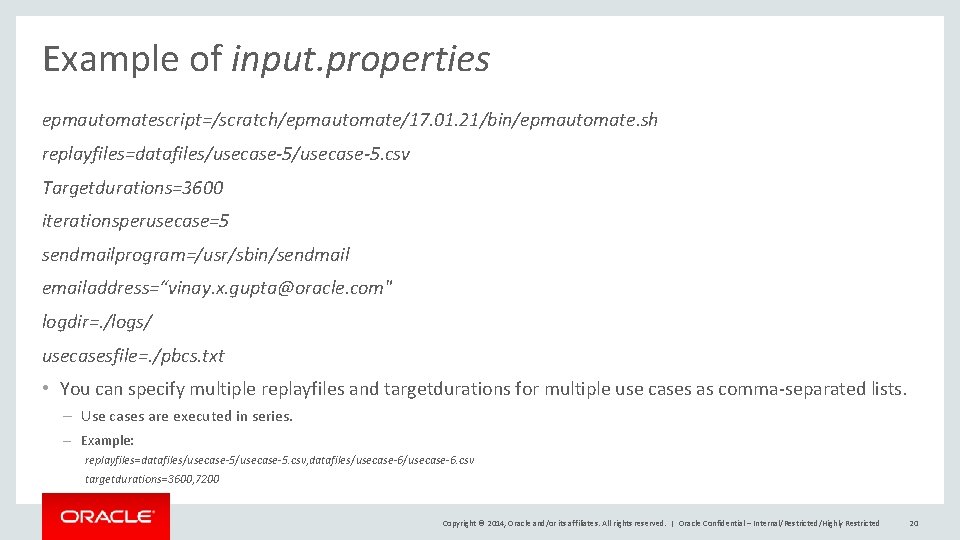
Example of input. properties epmautomatescript=/scratch/epmautomate/17. 01. 21/bin/epmautomate. sh replayfiles=datafiles/usecase-5. csv Targetdurations=3600 iterationsperusecase=5 sendmailprogram=/usr/sbin/sendmail emailaddress=“vinay. x. gupta@oracle. com" logdir=. /logs/ usecasesfile=. /pbcs. txt • You can specify multiple replayfiles and targetdurations for multiple use cases as comma-separated lists. – Use cases are executed in series. – Example: replayfiles=datafiles/usecase-5. csv, datafiles/usecase-6. csv targetdurations=3600, 7200 Copyright © 2014, Oracle and/or its affiliates. All rights reserved. | Oracle Confidential – Internal/Restricted/Highly Restricted 20
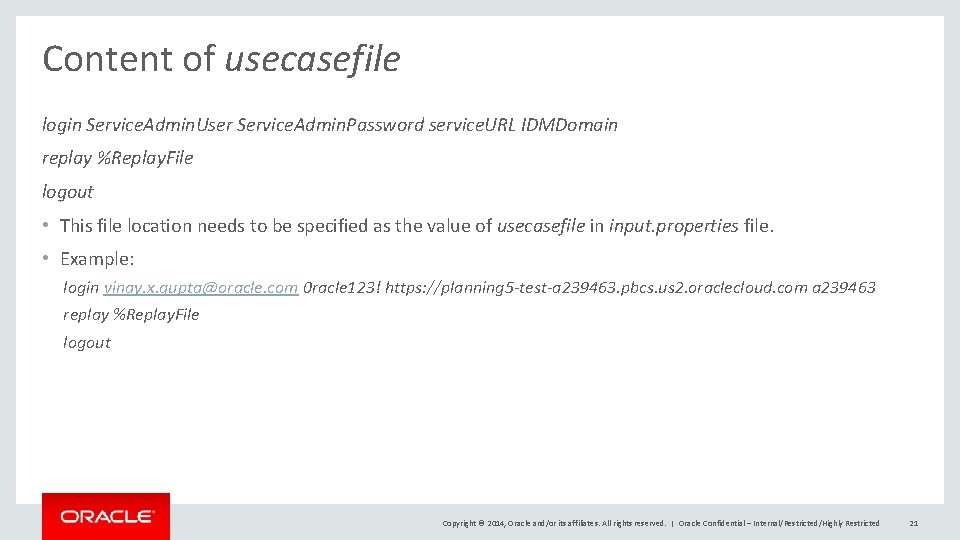
Content of usecasefile login Service. Admin. User Service. Admin. Password service. URL IDMDomain replay %Replay. File logout • This file location needs to be specified as the value of usecasefile in input. properties file. • Example: login vinay. x. gupta@oracle. com 0 racle 123! https: //planning 5 -test-a 239463. pbcs. us 2. oraclecloud. com a 239463 replay %Replay. File logout Copyright © 2014, Oracle and/or its affiliates. All rights reserved. | Oracle Confidential – Internal/Restricted/Highly Restricted 21
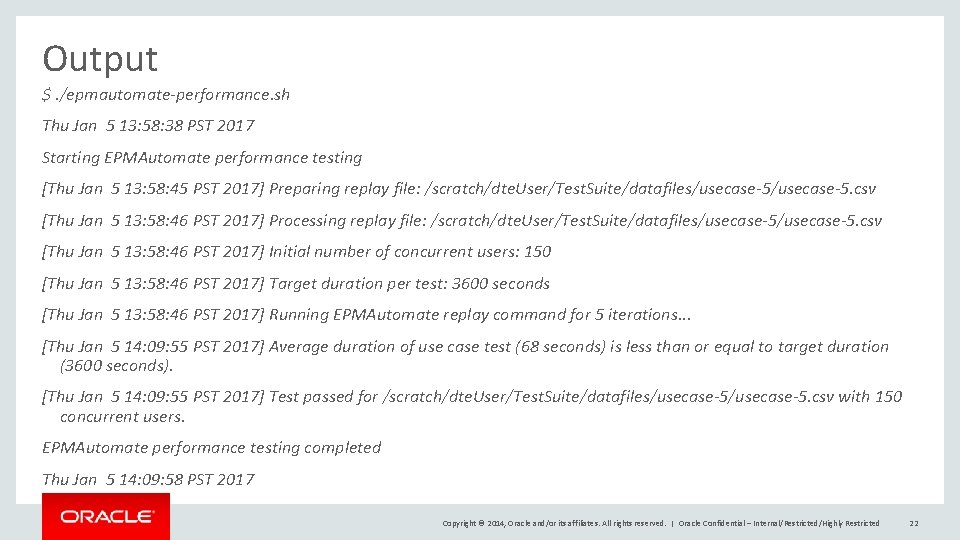
Output $. /epmautomate-performance. sh Thu Jan 5 13: 58: 38 PST 2017 Starting EPMAutomate performance testing [Thu Jan 5 13: 58: 45 PST 2017] Preparing replay file: /scratch/dte. User/Test. Suite/datafiles/usecase-5. csv [Thu Jan 5 13: 58: 46 PST 2017] Processing replay file: /scratch/dte. User/Test. Suite/datafiles/usecase-5. csv [Thu Jan 5 13: 58: 46 PST 2017] Initial number of concurrent users: 150 [Thu Jan 5 13: 58: 46 PST 2017] Target duration per test: 3600 seconds [Thu Jan 5 13: 58: 46 PST 2017] Running EPMAutomate replay command for 5 iterations. . . [Thu Jan 5 14: 09: 55 PST 2017] Average duration of use case test (68 seconds) is less than or equal to target duration (3600 seconds). [Thu Jan 5 14: 09: 55 PST 2017] Test passed for /scratch/dte. User/Test. Suite/datafiles/usecase-5. csv with 150 concurrent users. EPMAutomate performance testing completed Thu Jan 5 14: 09: 58 PST 2017 Copyright © 2014, Oracle and/or its affiliates. All rights reserved. | Oracle Confidential – Internal/Restricted/Highly Restricted 22
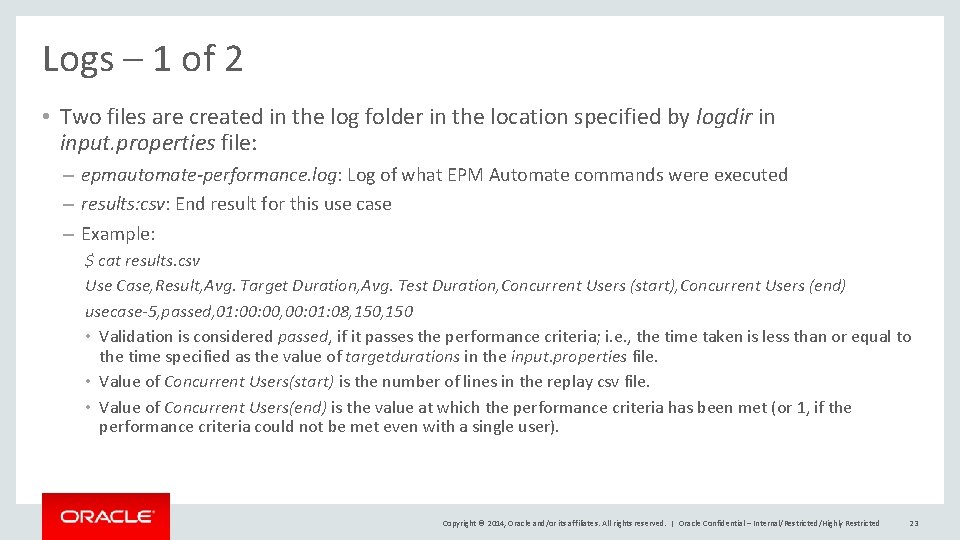
Logs – 1 of 2 • Two files are created in the log folder in the location specified by logdir in input. properties file: – epmautomate-performance. log: Log of what EPM Automate commands were executed – results: csv: End result for this use case – Example: $ cat results. csv Use Case, Result, Avg. Target Duration, Avg. Test Duration, Concurrent Users (start), Concurrent Users (end) usecase-5, passed, 01: 00, 00: 01: 08, 150 • Validation is considered passed, if it passes the performance criteria; i. e. , the time taken is less than or equal to the time specified as the value of targetdurations in the input. properties file. • Value of Concurrent Users(start) is the number of lines in the replay csv file. • Value of Concurrent Users(end) is the value at which the performance criteria has been met (or 1, if the performance criteria could not be met even with a single user). Copyright © 2014, Oracle and/or its affiliates. All rights reserved. | Oracle Confidential – Internal/Restricted/Highly Restricted 23
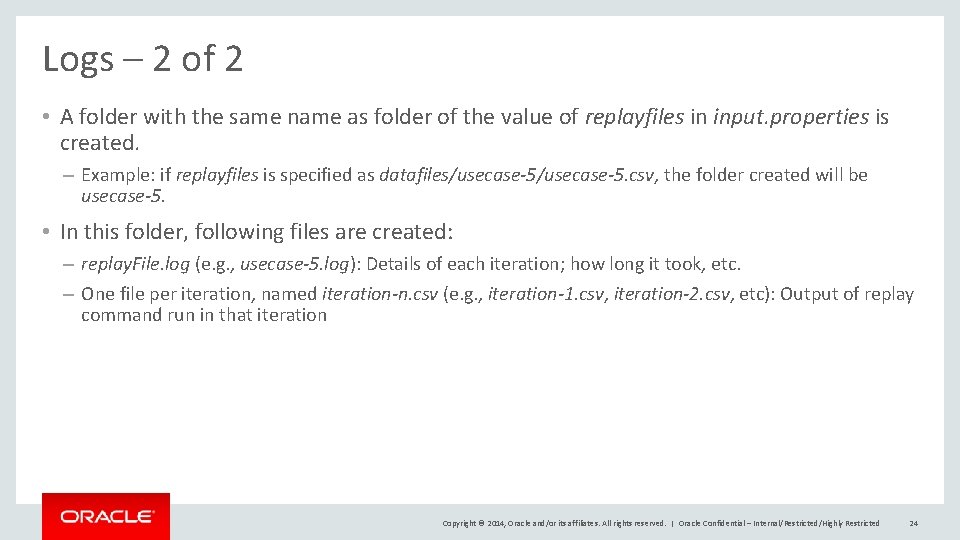
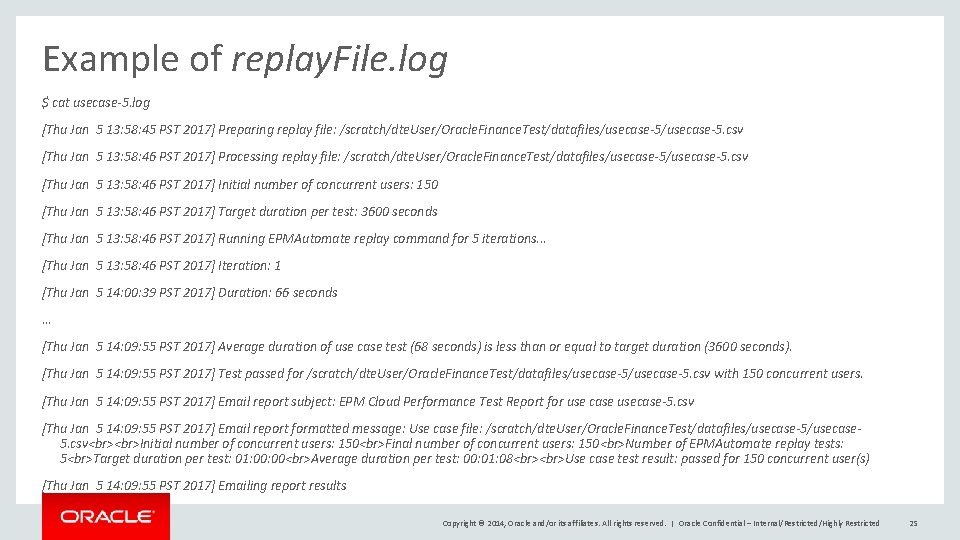
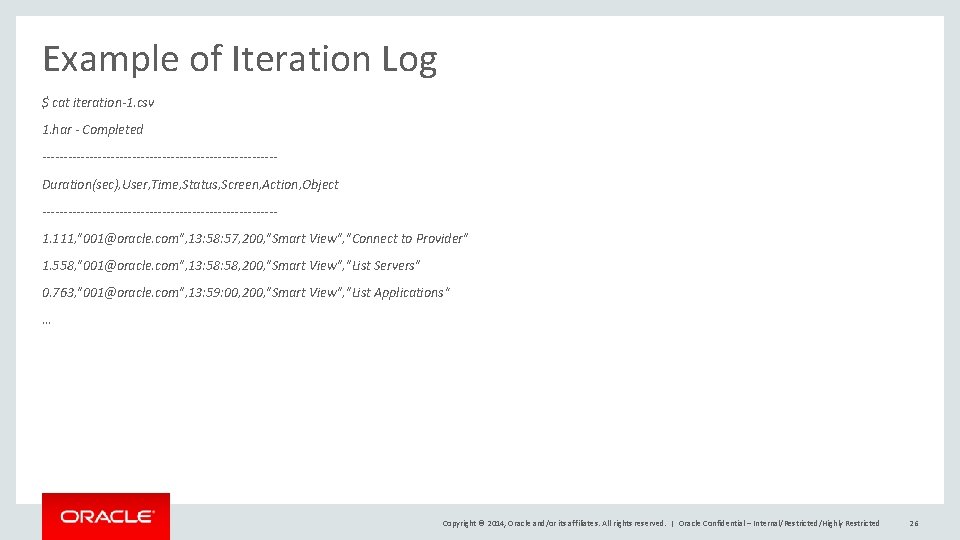
Logs – 2 of 2 • A folder with the same name as folder of the value of replayfiles in input. properties is created. – Example: if replayfiles is specified as datafiles/usecase-5. csv, the folder created will be usecase-5. • In this folder, following files are created: – replay. File. log (e. g. , usecase-5. log): Details of each iteration; how long it took, etc. – One file per iteration, named iteration-n. csv (e. g. , iteration-1. csv, iteration-2. csv, etc): Output of replay command run in that iteration Copyright © 2014, Oracle and/or its affiliates. All rights reserved. | Oracle Confidential – Internal/Restricted/Highly Restricted 24
Example of replay. File. log $ cat usecase-5. log [Thu Jan 5 13: 58: 45 PST 2017] Preparing replay file: /scratch/dte. User/Oracle. Finance. Test/datafiles/usecase-5. csv [Thu Jan 5 13: 58: 46 PST 2017] Processing replay file: /scratch/dte. User/Oracle. Finance. Test/datafiles/usecase-5. csv [Thu Jan 5 13: 58: 46 PST 2017] Initial number of concurrent users: 150 [Thu Jan 5 13: 58: 46 PST 2017] Target duration per test: 3600 seconds [Thu Jan 5 13: 58: 46 PST 2017] Running EPMAutomate replay command for 5 iterations. . . [Thu Jan 5 13: 58: 46 PST 2017] Iteration: 1 [Thu Jan 5 14: 00: 39 PST 2017] Duration: 66 seconds … [Thu Jan 5 14: 09: 55 PST 2017] Average duration of use case test (68 seconds) is less than or equal to target duration (3600 seconds). [Thu Jan 5 14: 09: 55 PST 2017] Test passed for /scratch/dte. User/Oracle. Finance. Test/datafiles/usecase-5. csv with 150 concurrent users. [Thu Jan 5 14: 09: 55 PST 2017] Email report subject: EPM Cloud Performance Test Report for use case usecase-5. csv [Thu Jan 5 14: 09: 55 PST 2017] Email report formatted message: Use case file: /scratch/dte. User/Oracle. Finance. Test/datafiles/usecase-5/usecase 5. csv Initial number of concurrent users: 150 Final number of concurrent users: 150 Number of EPMAutomate replay tests: 5 Target duration per test: 01: 00 Average duration per test: 00: 01: 08 Use case test result: passed for 150 concurrent user(s) [Thu Jan 5 14: 09: 55 PST 2017] Emailing report results Copyright © 2014, Oracle and/or its affiliates. All rights reserved. | Oracle Confidential – Internal/Restricted/Highly Restricted 25
Example of Iteration Log $ cat iteration-1. csv 1. har - Completed ---------------------------Duration(sec), User, Time, Status, Screen, Action, Object ---------------------------1. 111, "001@oracle. com", 13: 58: 57, 200, "Smart View", "Connect to Provider" 1. 558, "001@oracle. com", 13: 58, 200, "Smart View", "List Servers" 0. 763, "001@oracle. com", 13: 59: 00, 200, "Smart View", "List Applications“ … Copyright © 2014, Oracle and/or its affiliates. All rights reserved. | Oracle Confidential – Internal/Restricted/Highly Restricted 26
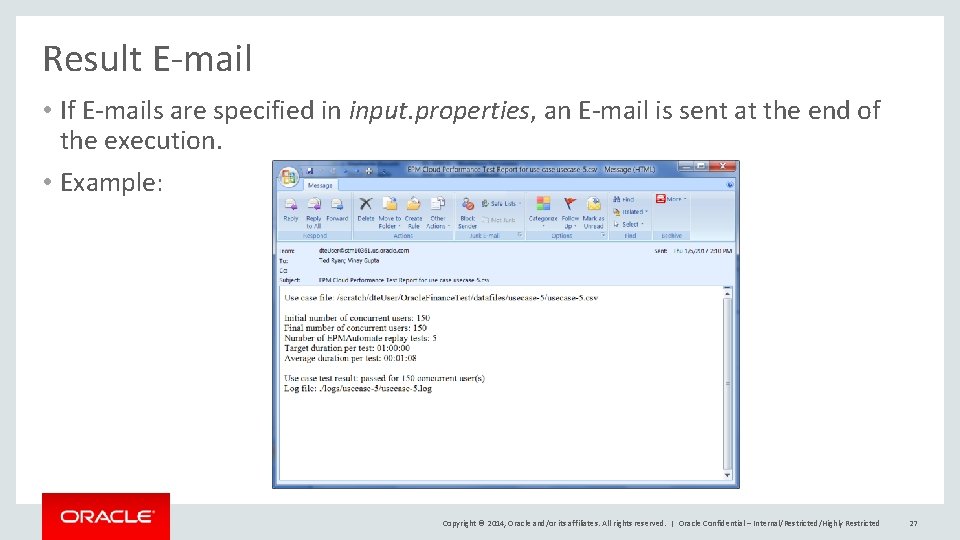
Result E-mail • If E-mails are specified in input. properties, an E-mail is sent at the end of the execution. • Example: Copyright © 2014, Oracle and/or its affiliates. All rights reserved. | Oracle Confidential – Internal/Restricted/Highly Restricted 27
Location of Presentation http: //www. oracle. com/technetwork/middleware/bi-foundation/epm-cloud -app-workload-performance-3673355. pptx Copyright © 2014, Oracle and/or its affiliates. All rights reserved. | Oracle Confidential – Internal/Restricted/Highly Restricted 28
Copyright © 2014, Oracle and/or its affiliates. All rights reserved. | Oracle Confidential – Internal/Restricted/Highly Restricted 29