
Application Delivery and User State Management What you
- Slides: 42
Application Delivery and User State Management
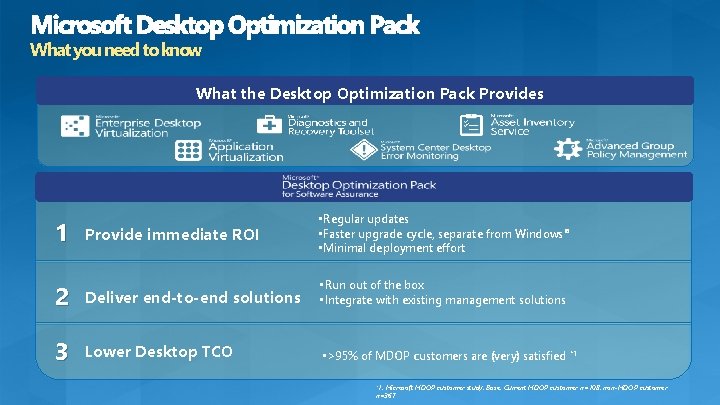
What you need to know What the Desktop Optimization Pack Provides 1 Provide immediate ROI • Regular updates • Faster upgrade cycle, separate from Windows® • Minimal deployment effort 2 Deliver end-to-end solutions • Run out of the box • Integrate with existing management solutions 3 Lower Desktop TCO • >95% of MDOP customers are (very) satisfied *1 *1, Microsoft MDOP customer study. Base: Current MDOP customer n=108, non-MDOP customer n=367
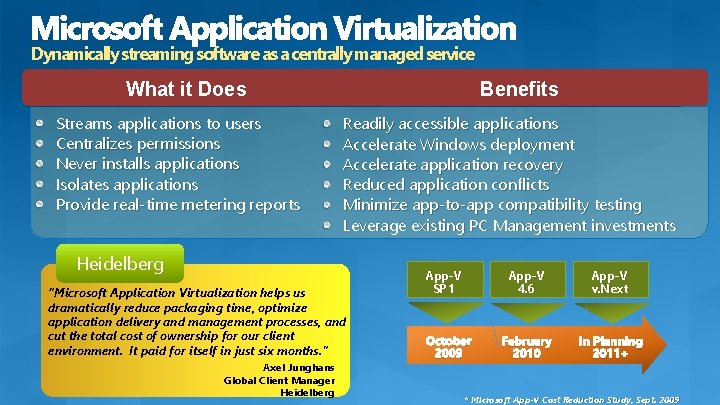
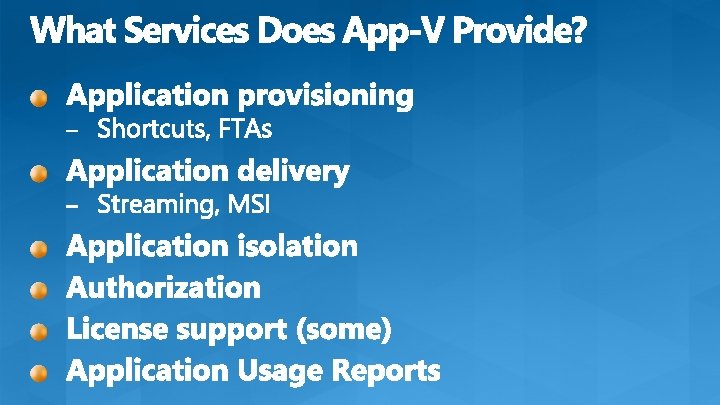
Dynamically streaming software as a centrally managed service Benefits What it Does Streams applications to users Centralizes permissions Never installs applications Isolates applications Provide real-time metering reports Readily accessible applications Accelerate Windows deployment Accelerate application recovery Reduced application conflicts Minimize app-to-app compatibility testing Leverage existing PC Management investments Heidelberg “Microsoft Application Virtualization helps us dramatically reduce packaging time, optimize application delivery and management processes, and cut the total cost of ownership for our client environment. It paid for itself in just six months. ” Axel Junghans Global Client Manager Heidelberg App-V SP 1 October 2009 App-V 4. 6 App-V v. Next February 2010 In Planning 2011+ * Microsoft App-V Cost Reduction Study, Sept. 2009
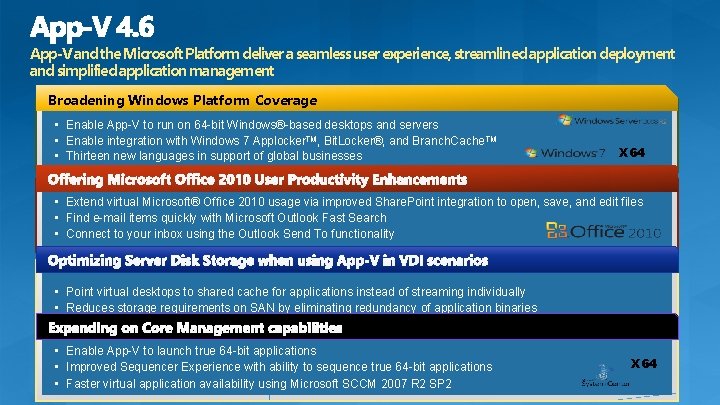
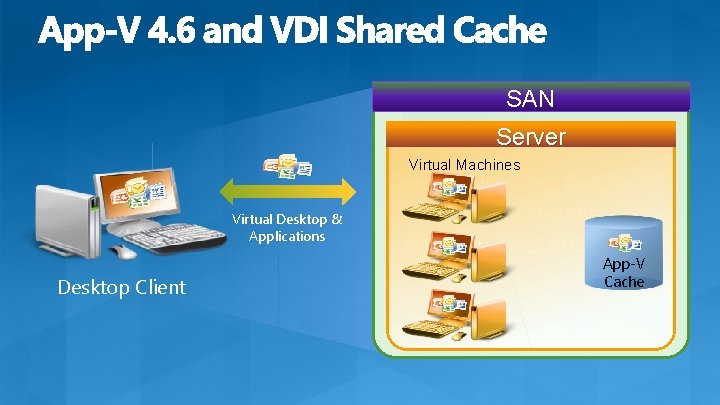
App-V and the Microsoft Platform deliver a seamless user experience, streamlined application deployment and simplified application management Broadening Windows Platform Coverage • Enable App-V to run on 64 -bit Windows®-based desktops and servers • Enable integration with Windows 7 Applocker. TM, Bit. Locker®, and Branch. Cache. TM • Thirteen new languages in support of global businesses X 64 • Extend virtual Microsoft® Office 2010 usage via improved Share. Point integration to open, save, and edit files • Find e-mail items quickly with Microsoft Outlook Fast Search • Connect to your inbox using the Outlook Send To functionality • Point virtual desktops to shared cache for applications instead of streaming individually • Reduces storage requirements on SAN by eliminating redundancy of application binaries • Enable App-V to launch true 64 -bit applications • Improved Sequencer Experience with ability to sequence true 64 -bit applications • Faster virtual application availability using Microsoft SCCM 2007 R 2 SP 2 X 64
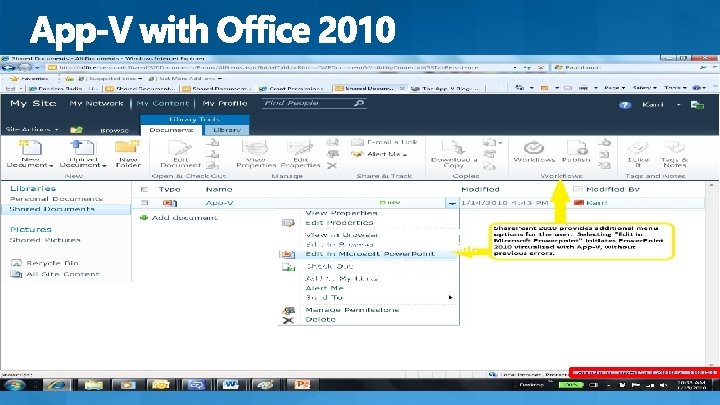
Office 2007 is virtualized but can not successfully interact with Share. Point. Office 2010 is virtualized and seamlessly integrates with Share. Point.
SAN Server Virtual Machines Virtual Desktop & Applications Desktop Client Copy explaining the situation and details of the architecture App-V Cache
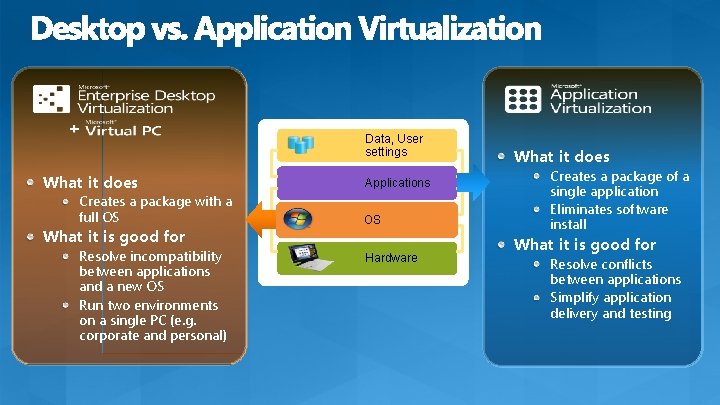
Data, User settings What it does Creates a package with a full OS What it is good for Resolve incompatibility between applications and a new OS Run two environments on a single PC (e. g. corporate and personal) Applications OS Hardware What it does Creates a package of a single application Eliminates software install What it is good for Resolve conflicts between applications Simplify application delivery and testing
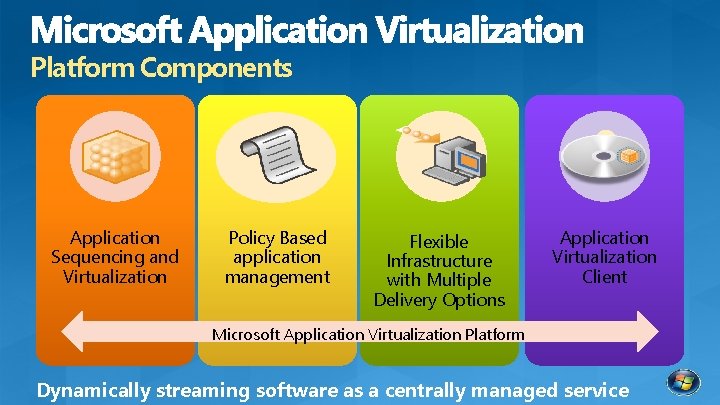
Platform Components Application Sequencing and Virtualization Policy Based application management Flexible Infrastructure with Multiple Delivery Options Application Virtualization Client Microsoft Application Virtualization Platform Dynamically streaming software as a centrally managed service
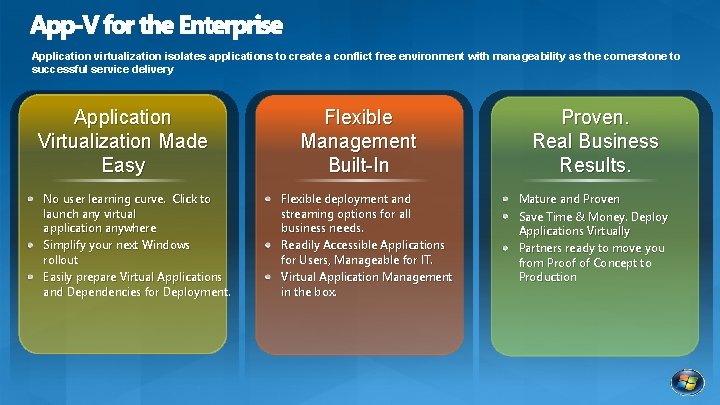
Application virtualization isolates applications to create a conflict free environment with manageability as the cornerstone to successful service delivery Application Virtualization Made Easy No user learning curve. Click to launch any virtual application anywhere Simplify your next Windows rollout Easily prepare Virtual Applications and Dependencies for Deployment. Flexible Management Built-In Flexible deployment and streaming options for all business needs. Readily Accessible Applications for Users, Manageable for IT. Virtual Application Management in the box. Proven. Real Business Results. Mature and Proven Save Time & Money. Deploy Applications Virtually Partners ready to move you from Proof of Concept to Production
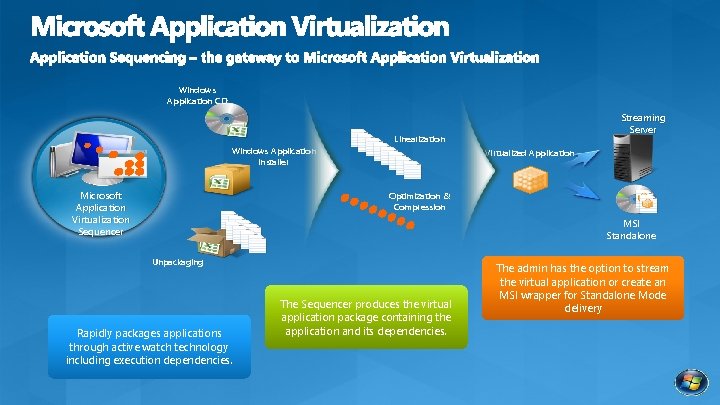
Windows Application CD Streaming Server Linearization Windows Application Installer Microsoft Application Virtualization Sequencer Virtualized Application Optimization & Compression MSI Standalone Unpackaging Rapidly packages applications through active watch technology including execution dependencies. The Sequencer produces the virtual application package containing the application and its dependencies. The admin has the option to stream the virtual application or create an MSI wrapper for Standalone Mode delivery
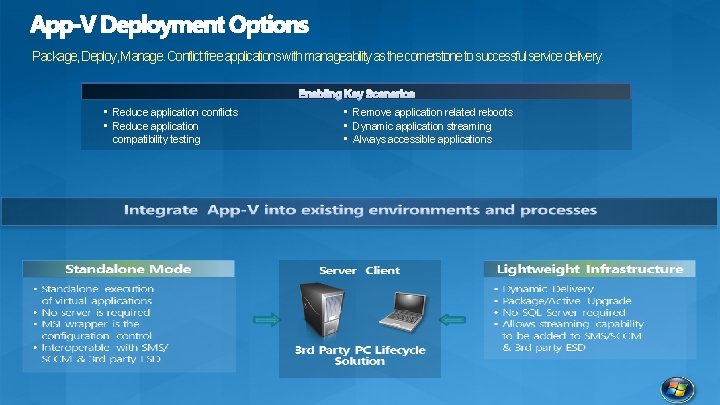
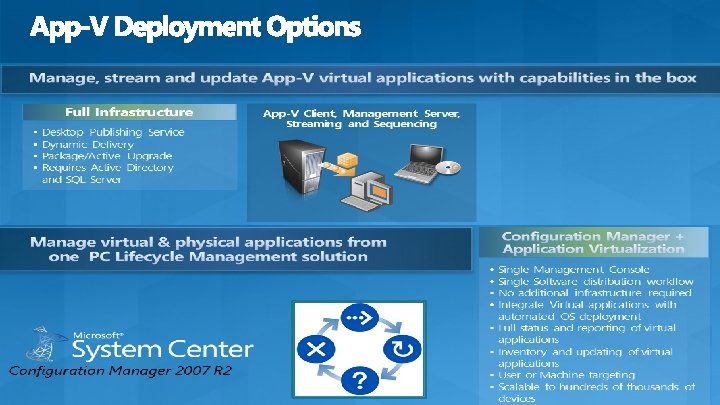
Package, Deploy, Manage. Conflict free applications with manageability as the cornerstone to successful service delivery. • Reduce application conflicts • Reduce application compatibility testing • Remove application related reboots • Dynamic application streaming • Always accessible applications
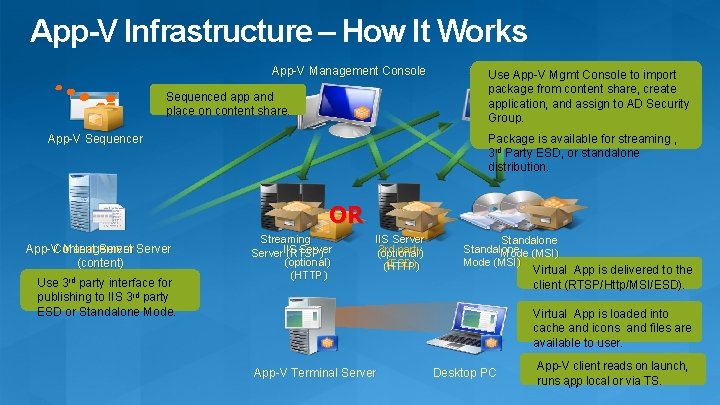
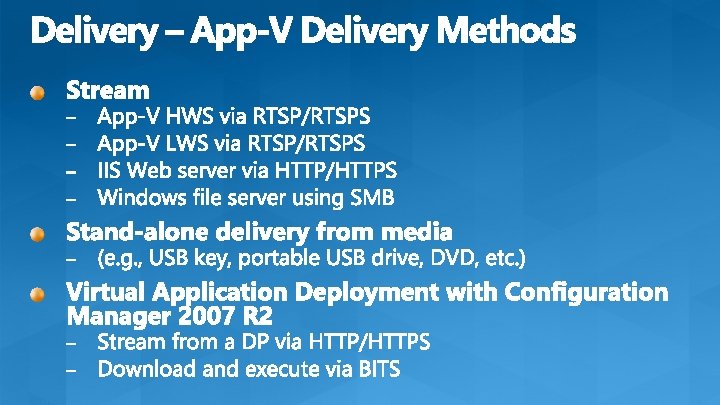
App-V Infrastructure – How It Works App-V Management Console Sequenced app and place on content share. 3 rd Party Solution Use App-V Mgmt Console to import package from content share, create application, and assign to AD Security Group. Package is available for streaming , 3 rd Party ESD, or standalone distribution. App-V Sequencer OR Content Server App-V Management Server (content) Use 3 rd party interface for publishing to IIS 3 rd party ESD or Standalone Mode. Streaming IIS Server (RTSP) (optional) (HTTP) IIS Server 3 rd party (optional) (ESD) (HTTP) Standalone Mode (MSI) Virtual App is delivered to the client (RTSP/Http/MSI/ESD). Virtual App is loaded into cache and icons and files are available to user. App-V Terminal Server Desktop PC App-V client reads on launch, runs app local or via TS.
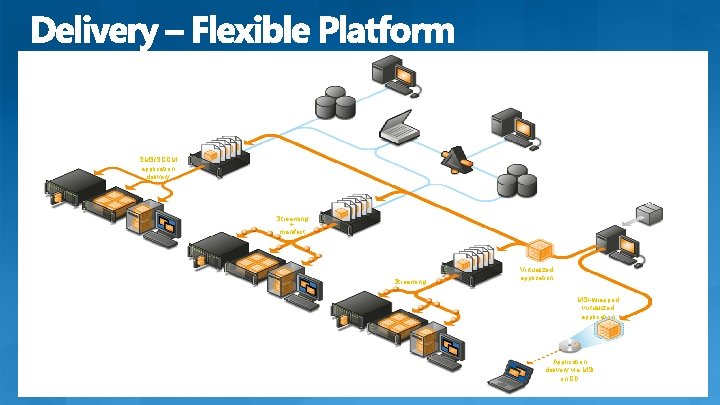
SMS/SCCM Management Console SMS/SCCM Database SMS/SCCM Distribution Point SMS/SCCM application delivery Management Web Service System Center Application Virtualization Management Server VECD Microsoft Application Virtualization Database Streaming + manifest Terminal server Microsoft Application Virtualization Clients Microsoft Application Virtualization Management Console Active Directory System Center Application Virtualization Streaming Server Desktop VECD Streaming Terminal server Microsoft Application Virtualization Clients Desktop VECD Terminal server Microsoft Application Virtualization Clients Desktop Microsoft Application Virtualization Sequencer Virtualized application Standalone Microsoft Application Virtualization Client Windows application MSI-wrapped virtualized application Application delivery via MSI on CD
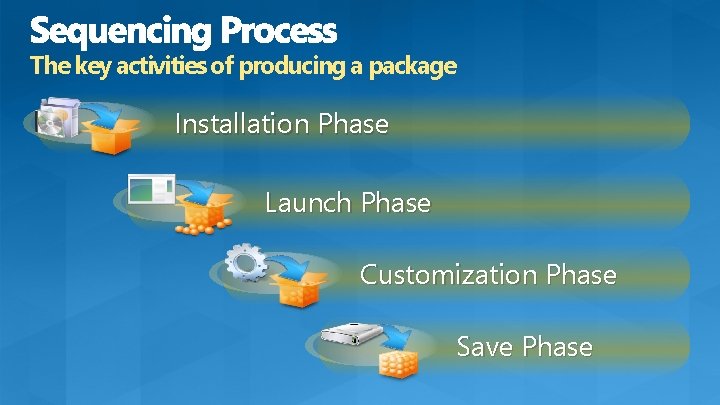
The key activities of producing a package Installation Phase Launch Phase Customization Phase Save Phase
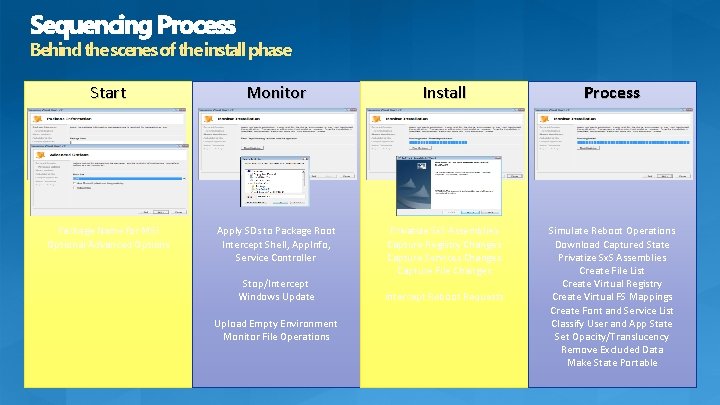
Behind the scenes of the install phase Start Monitor Install Process Package Name for MSI Optional Advanced Options Apply SDs to Package Root Intercept Shell, App. Info, Service Controller Privatize Sx. S Assemblies Capture Registry Changes Capture Services Changes Capture File Changes Simulate Reboot Operations Download Captured State Privatize Sx. S Assemblies Create File List Create Virtual Registry Create Virtual FS Mappings Create Font and Service List Classify User and App State Set Opacity/Translucency Remove Excluded Data Make State Portable Stop/Intercept Windows Update Upload Empty Environment Monitor File Operations Intercept Reboot Requests
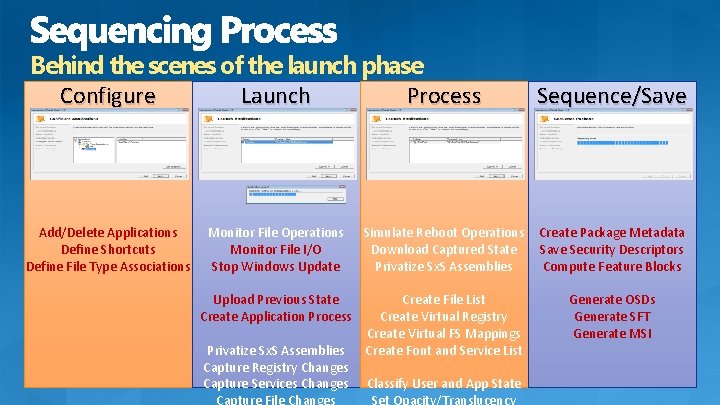
Behind the scenes of the launch phase Configure Launch Process Add/Delete Applications Define Shortcuts Define File Type Associations Sequence/Save Monitor File Operations Monitor File I/O Stop Windows Update Simulate Reboot Operations Download Captured State Privatize Sx. S Assemblies Create Package Metadata Save Security Descriptors Compute Feature Blocks Upload Previous State Create Application Process Create File List Create Virtual Registry Create Virtual FS Mappings Create Font and Service List Generate OSDs Generate SFT Generate MSI Privatize Sx. S Assemblies Capture Registry Changes Capture Services Changes Classify User and App State
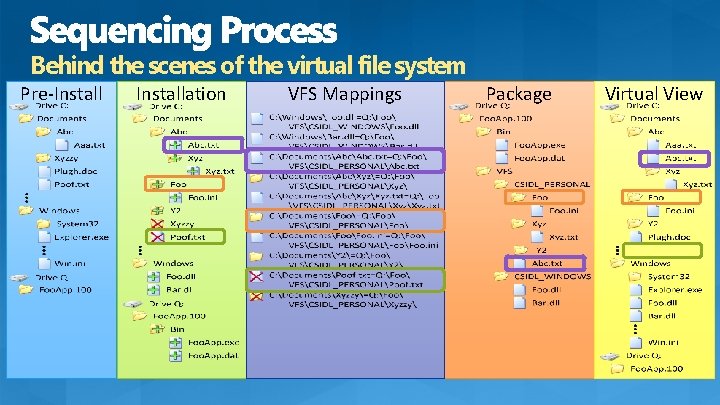
Behind the scenes of the virtual file system Pre-Installation VFS Mappings Package Virtual View
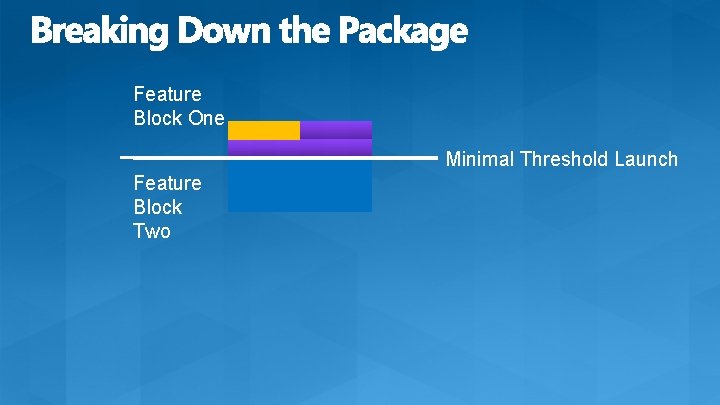
Feature Block One Minimal Threshold Launch Feature Block Two
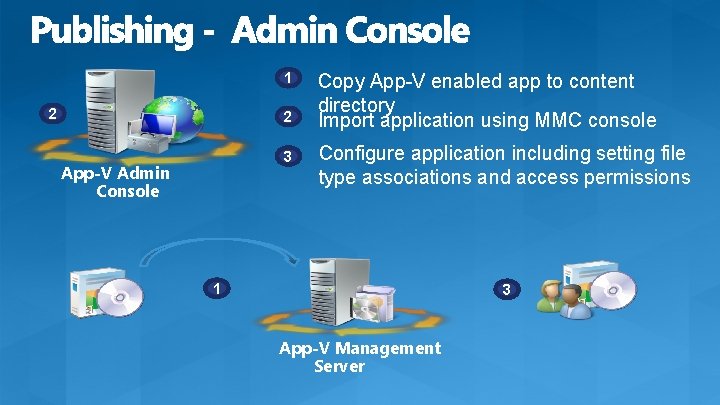
1 2 2 3 App-V Admin Console Copy App-V enabled app to content directory Import application using MMC console Configure application including setting file type associations and access permissions 1 3 App-V Management Server
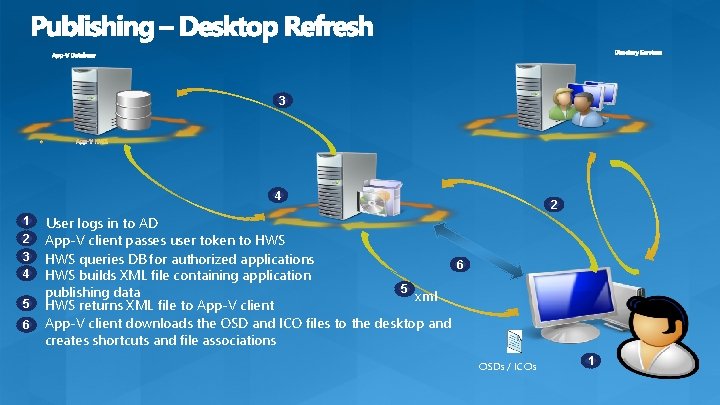
3 4 1 2 3 4 5 6 2 User logs in to AD App-V client passes user token to HWS queries DB for authorized applications 6 HWS builds XML file containing application 5 publishing data xml HWS returns XML file to App-V client downloads the OSD and ICO files to the desktop and creates shortcuts and file associations OSDs / ICOs 1
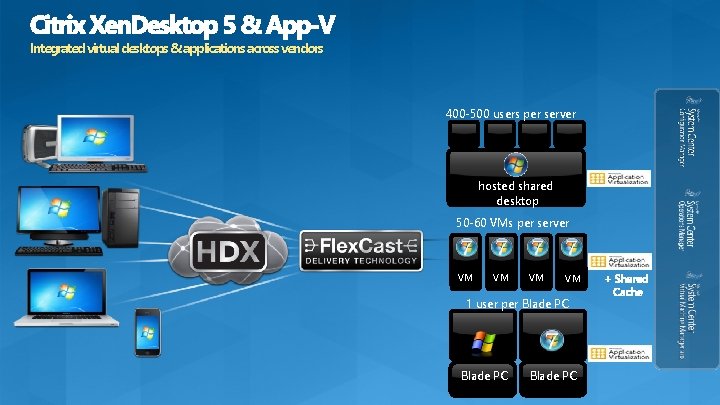
Integrated virtual desktops & applications across vendors 400 -500 users per server hosted shared desktop 50 -60 VMs per server VM VM 1 user per Blade PC
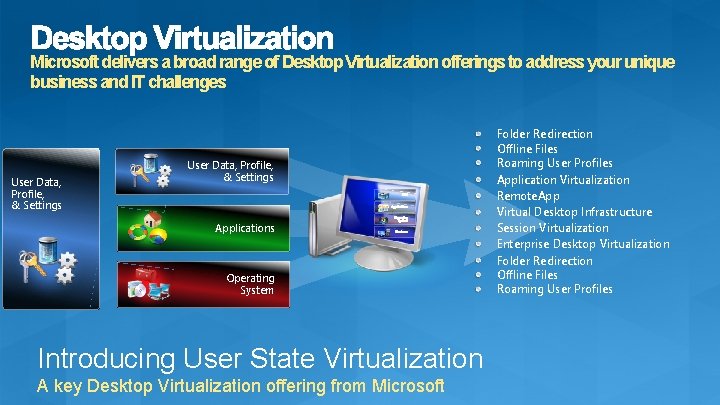
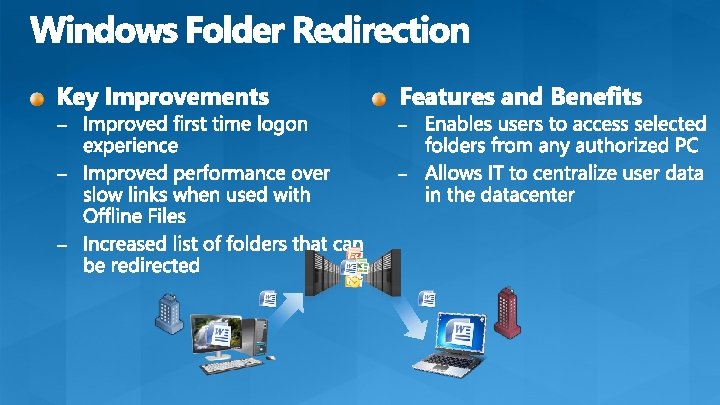
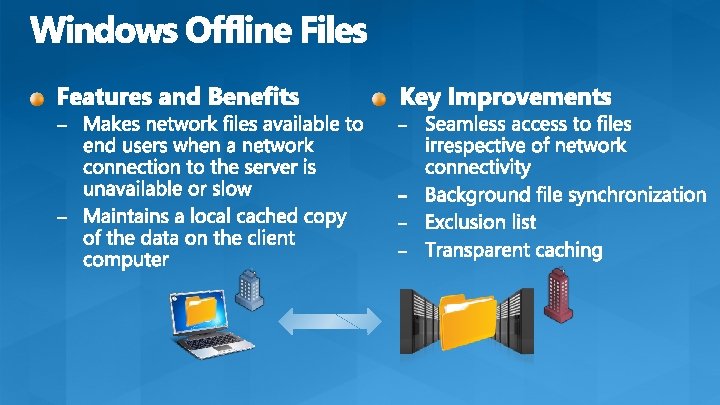
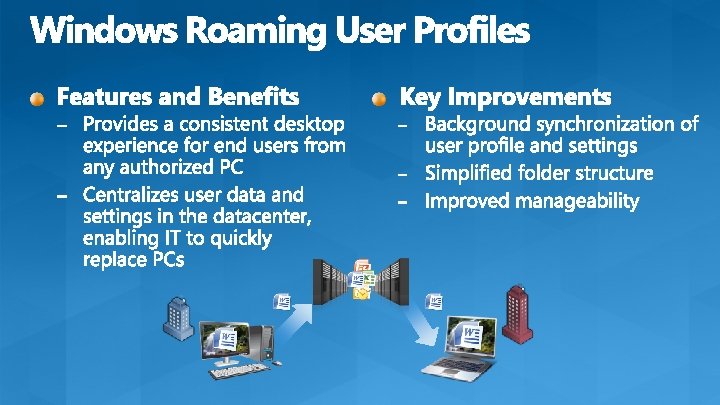
Microsoft delivers a broad range of Desktop Virtualization offerings to address your unique business and IT challenges User Data, Profile, & Settings Applications Operating System Introducing User State Virtualization A key Desktop Virtualization offering from Microsoft Folder Redirection Offline Files Roaming User Profiles Application Virtualization Remote. App Virtual Desktop Infrastructure Session Virtualization Enterprise Desktop Virtualization Folder Redirection Offline Files Roaming User Profiles
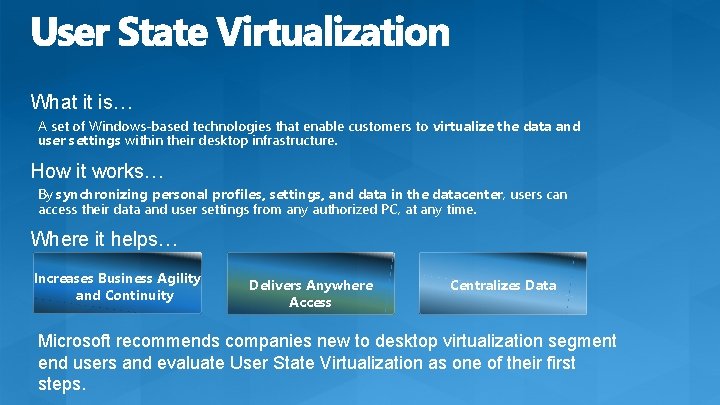
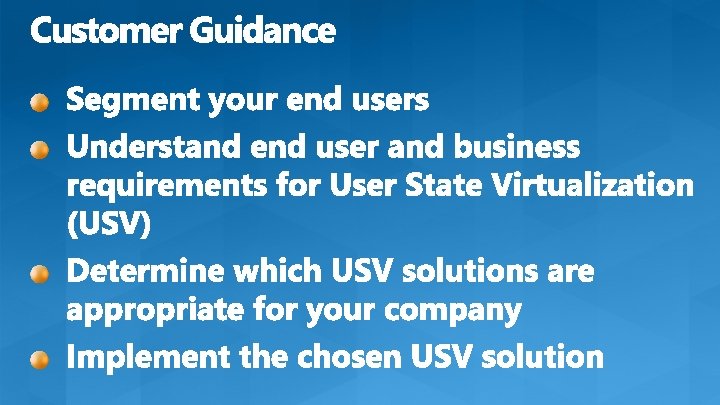
What it is… A set of Windows-based technologies that enable customers to virtualize the data and user settings within their desktop infrastructure. How it works… By synchronizing personal profiles, settings, and data in the datacenter, users can access their data and user settings from any authorized PC, at any time. Where it helps… Increases Business Agility and Continuity Delivers Anywhere Access Centralizes Data Microsoft recommends companies new to desktop virtualization segment end users and evaluate User State Virtualization as one of their first steps.
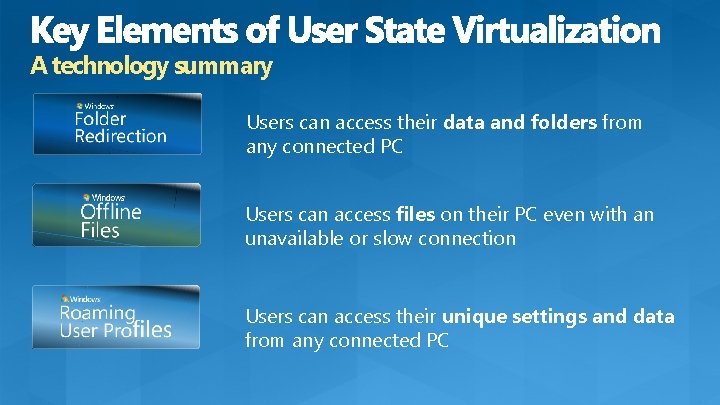
A technology summary Users can access their data and folders from any connected PC Users can access files on their PC even with an unavailable or slow connection Users can access their unique settings and data from any connected PC
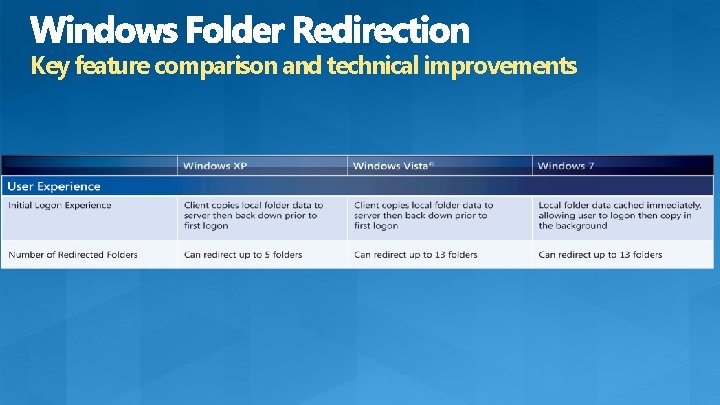
Key feature comparison and technical improvements
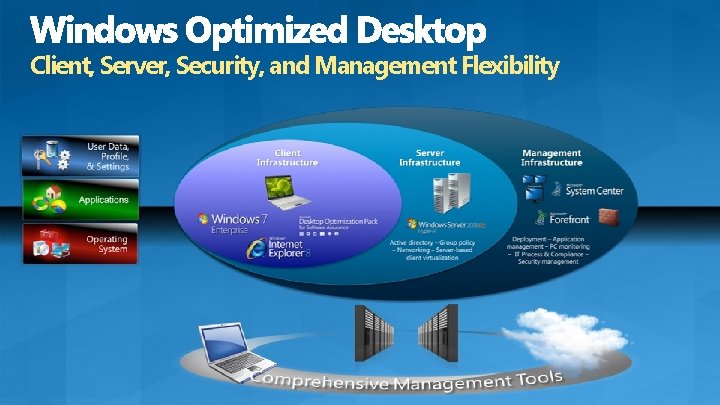
Client, Server, Security, and Management Flexibility
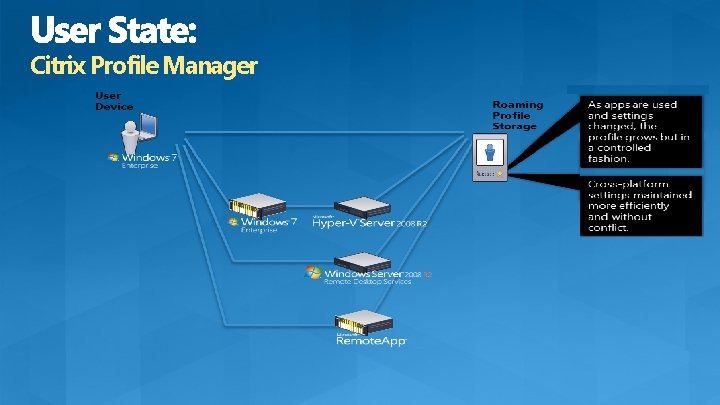
Citrix Profile Manager
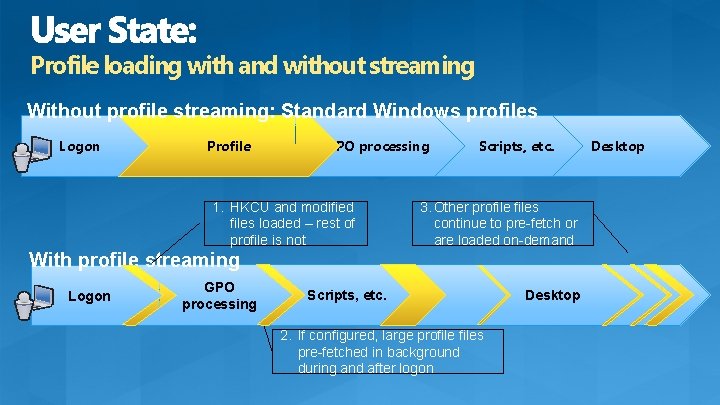
Profile loading with and without streaming Without profile streaming: Standard Windows profiles Logon Profile GPO processing 1. HKCU and modified files loaded – rest of profile is not Scripts, etc. 3. Other profiles continue to pre-fetch or are loaded on-demand With profile streaming Logon GPO processing Scripts, etc. 2. If configured, large profiles pre-fetched in background during and after logon Desktop
© 2011 Microsoft Corporation. All rights reserved. Microsoft, Windows Vista, Windows Azure, Hyper-V and other product names are or may be registered trademarks and/or trademarks in the U. S. and/or other countries. The information herein is for informational purposes only and represents the current view of Microsoft Corporation as of the date of this presentation. Because Microsoft must respond to changing market conditions, it should not be interpreted to be a commitment on the part of Microsoft, and Microsoft cannot guarantee the accuracy of any information provided after the date of this presentation. MICROSOFT MAKES NO WARRANTIES, EXPRESS, IMPLIED OR STATUTORY, AS TO THE INFORMATION IN THIS PRESENTATION.