
APPENDIX INSTALLING AND USING CHECKSTYLE WITH UNCCHECKS PROCESS
- Slides: 39
APPENDIX: INSTALLING AND USING CHECKSTYLE WITH UNC-CHECKS (PROCESS DEPENDS ON OS AND ECLIPSE VERSION) Instructor: Prasun Dewan (FB 150, dewan@unc. edu)
WHAT IS CHECKSTYLE? A tool that checks your source code to ensure that your code meets requirements specified by a configuration file. There are many configuration files that use predefined Checkstyle checks. � Sun Checks � Google checks All check are assignment independent. Very few assignment-dependent checks have to do with code structure –they address naming, formatting, comment stricture, and other issues. Coding checks are sometimes too rigid � Magic numbers 2
WHAT IS UNC CHECKSTYLE Defines new code-structure checks � More flexible magic number checks � New kinds of assignment-independent checks – e. g. side effects, code repetition, design patterns � Assignment-dependent checks Different configuration files to exercise different assignment-specific checks. 3
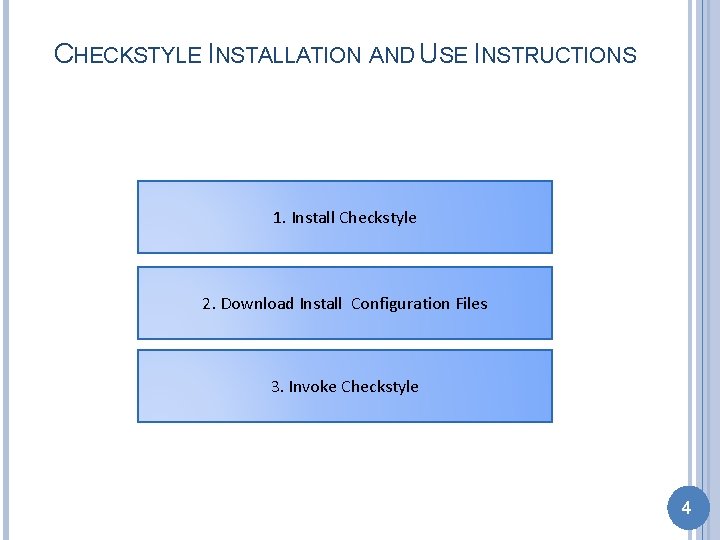
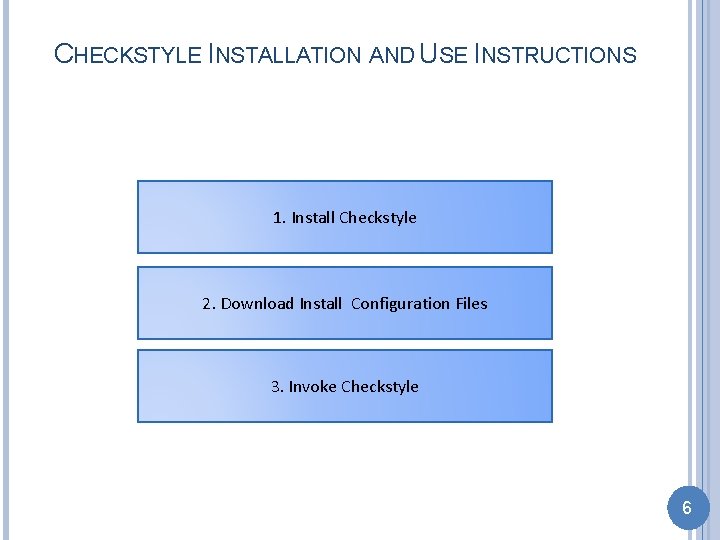
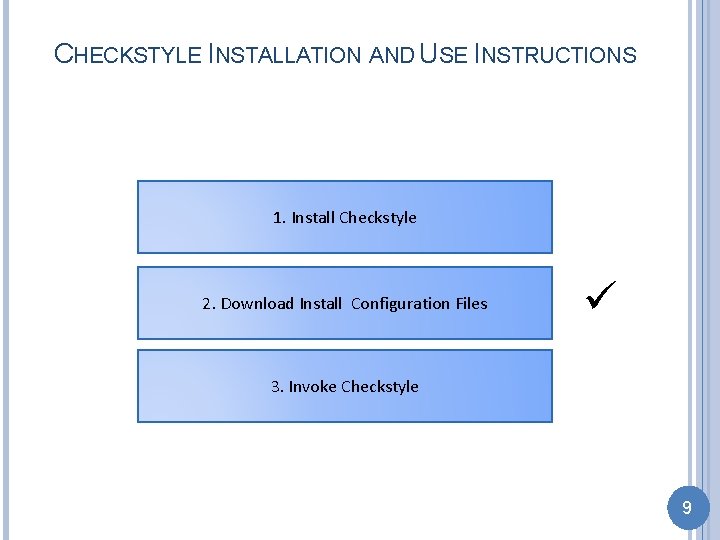
CHECKSTYLE INSTALLATION AND USE INSTRUCTIONS 1. Install Checkstyle 2. Download Install Configuration Files 3. Invoke Checkstyle 4
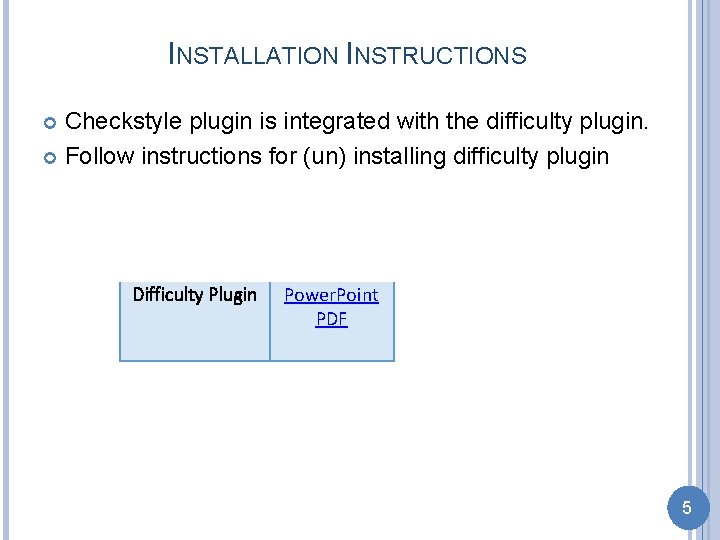
INSTALLATION INSTRUCTIONS Checkstyle plugin is integrated with the difficulty plugin. Follow instructions for (un) installing difficulty plugin Difficulty Plugin Power. Point PDF 5
CHECKSTYLE INSTALLATION AND USE INSTRUCTIONS 1. Install Checkstyle 2. Download Install Configuration Files 3. Invoke Checkstyle 6
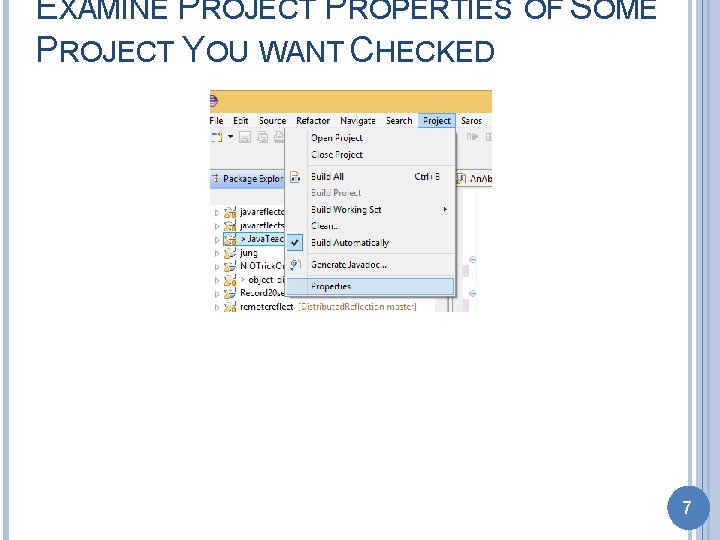
EXAMINE PROJECT PROPERTIES OF SOME PROJECT YOU WANT CHECKED 7
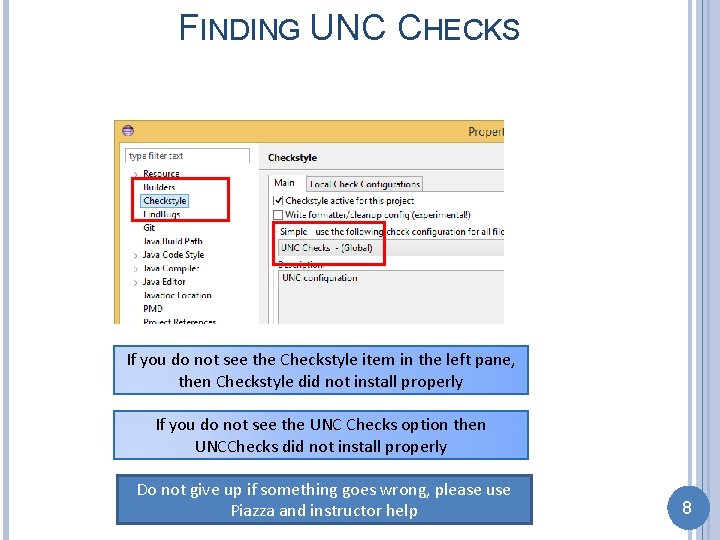
FINDING UNC CHECKS If you do not see the Checkstyle item in the left pane, then Checkstyle did not install properly If you do not see the UNC Checks option then UNCChecks did not install properly Do not give up if something goes wrong, please use Piazza and instructor help 8
CHECKSTYLE INSTALLATION AND USE INSTRUCTIONS 1. Install Checkstyle 2. Download Install Configuration Files 3. Invoke Checkstyle 9
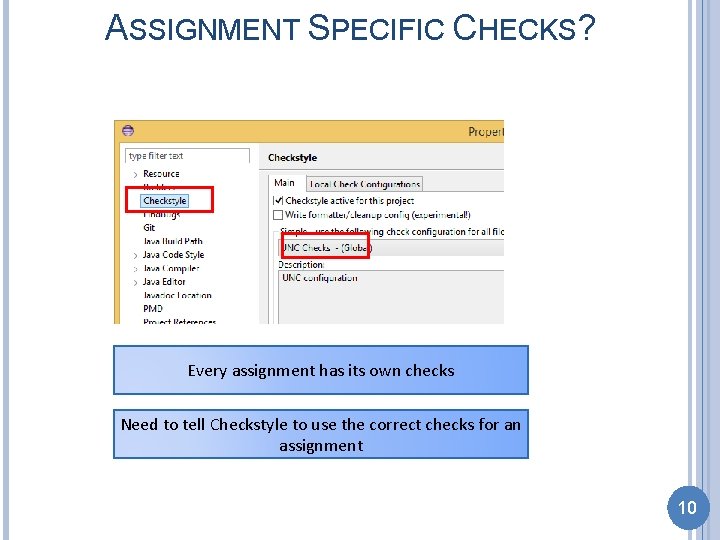
ASSIGNMENT SPECIFIC CHECKS? Every assignment has its own checks Need to tell Checkstyle to use the correct checks for an assignment 10
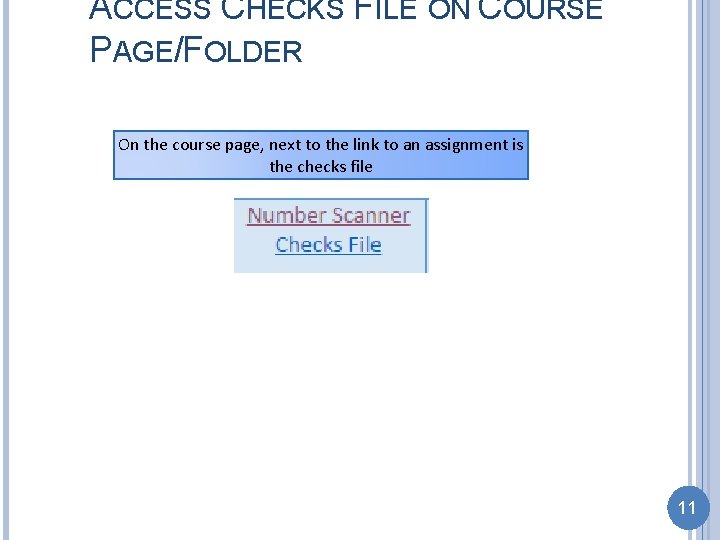
ACCESS CHECKS FILE ON COURSE PAGE/FOLDER On the course page, next to the link to an assignment is the checks file 11
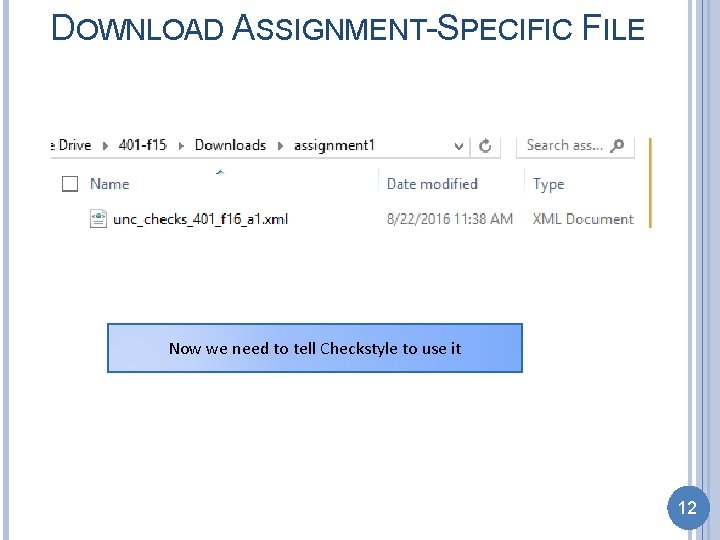
DOWNLOAD ASSIGNMENT-SPECIFIC FILE Now we need to tell Checkstyle to use it 12
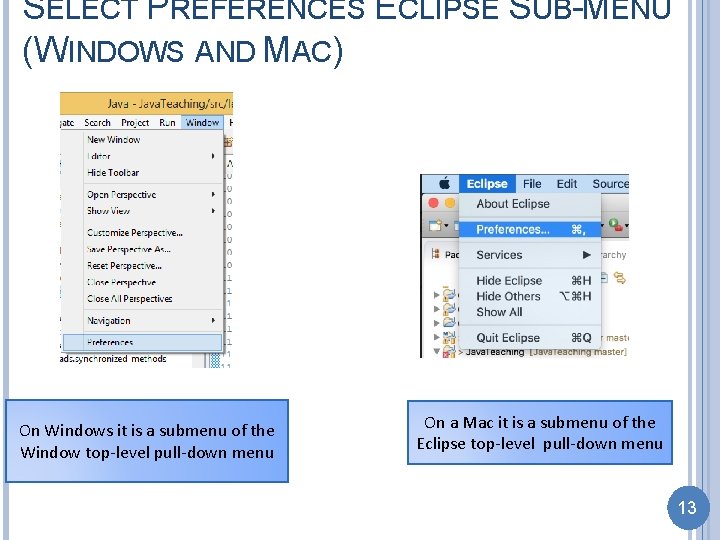
SELECT PREFERENCES ECLIPSE SUB-MENU (WINDOWS AND MAC) On Windows it is a submenu of the Window top-level pull-down menu On a Mac it is a submenu of the Eclipse top-level pull-down menu 13
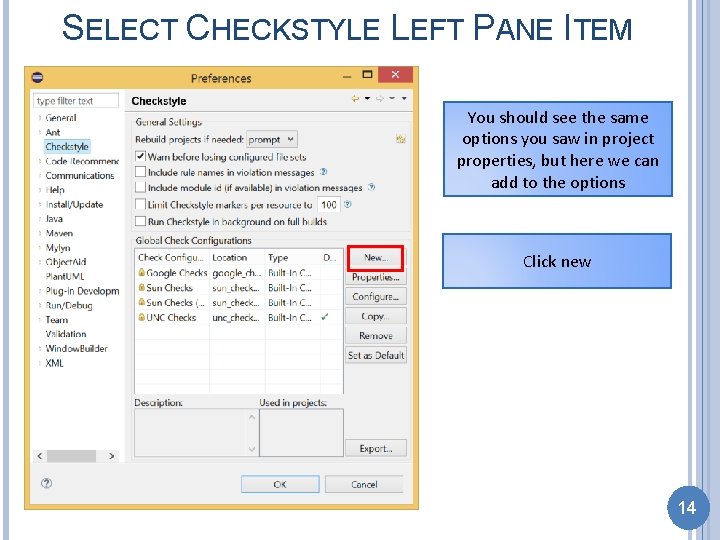
SELECT CHECKSTYLE LEFT PANE ITEM You should see the same options you saw in project properties, but here we can add to the options Click new 14
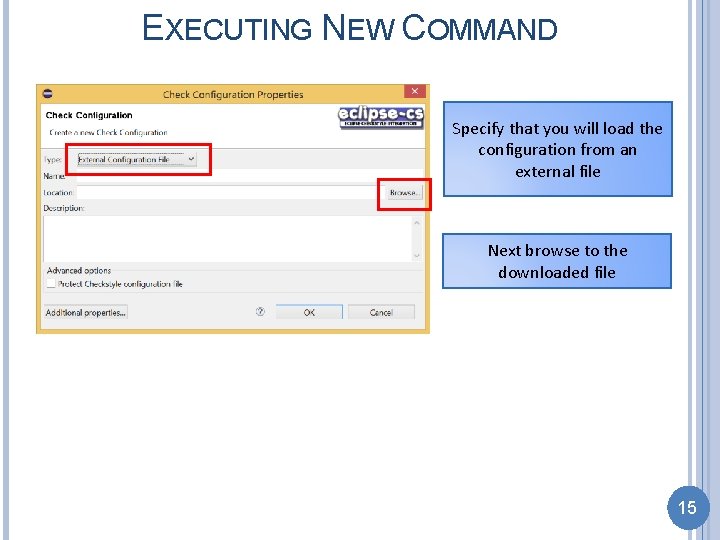
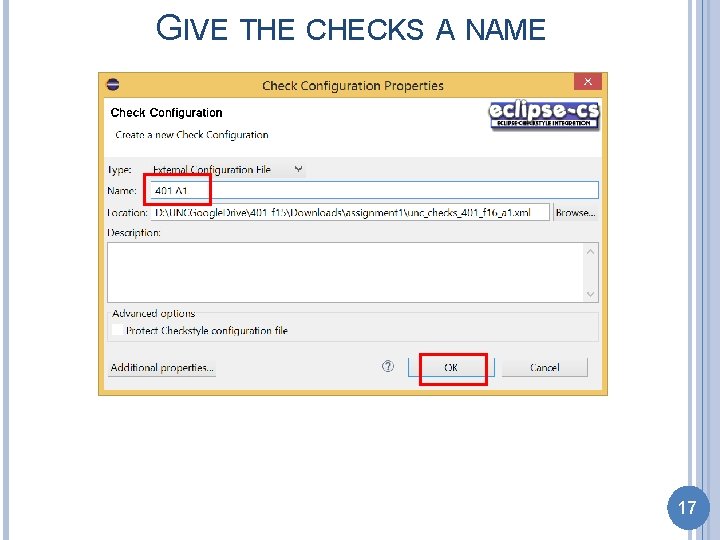
EXECUTING NEW COMMAND Specify that you will load the configuration from an external file Next browse to the downloaded file 15
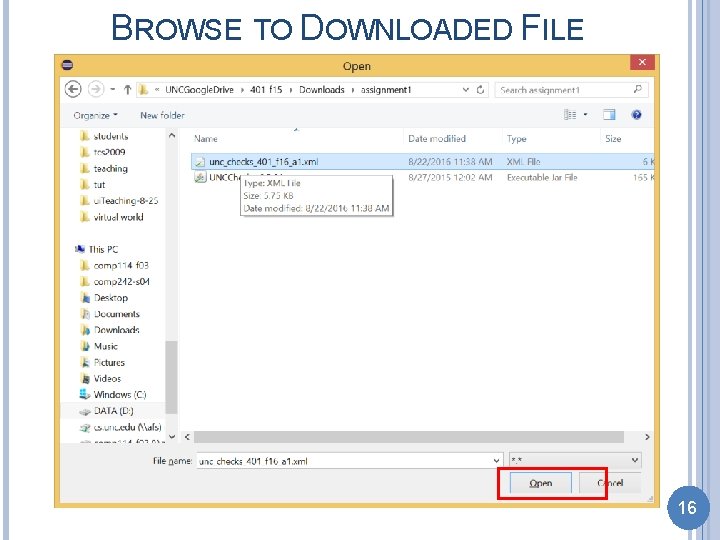
BROWSE TO DOWNLOADED FILE 16
GIVE THE CHECKS A NAME 17
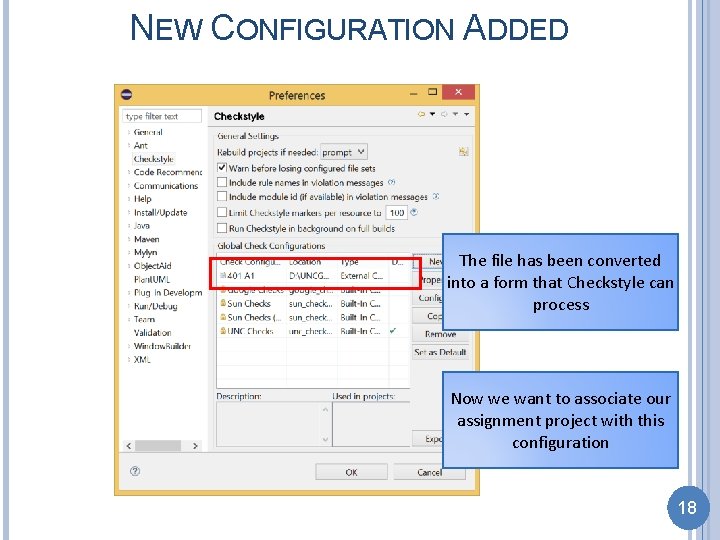
NEW CONFIGURATION ADDED The file has been converted into a form that Checkstyle can process Now we want to associate our assignment project with this configuration 18
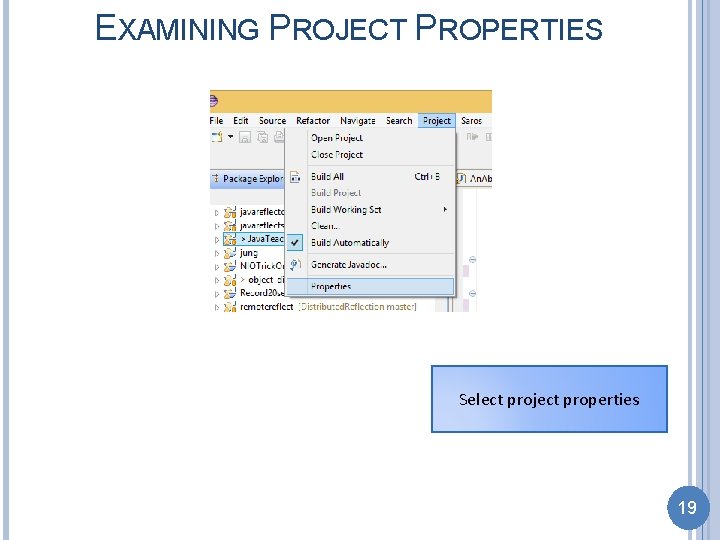
EXAMINING PROJECT PROPERTIES Select project properties 19
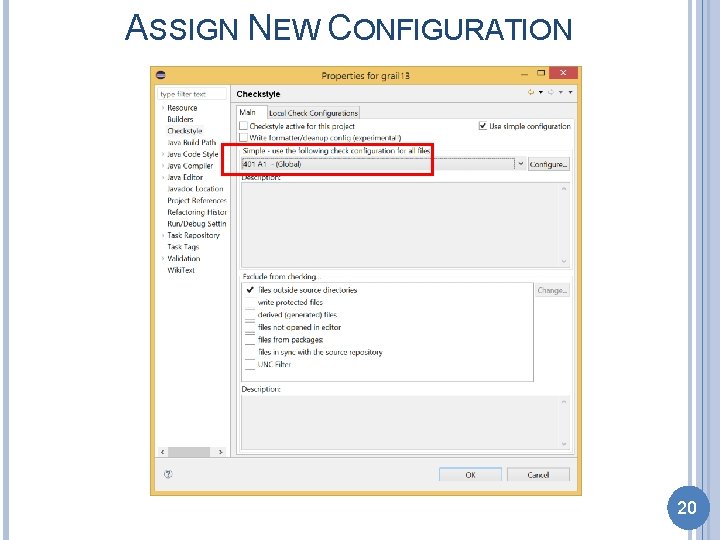
ASSIGN NEW CONFIGURATION 20
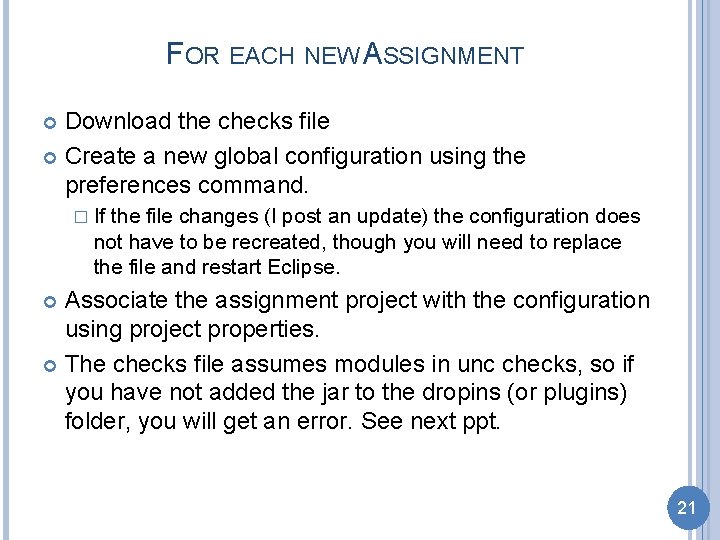
FOR EACH NEW ASSIGNMENT Download the checks file Create a new global configuration using the preferences command. � If the file changes (I post an update) the configuration does not have to be recreated, though you will need to replace the file and restart Eclipse. Associate the assignment project with the configuration using project properties. The checks file assumes modules in unc checks, so if you have not added the jar to the dropins (or plugins) folder, you will get an error. See next ppt. 21
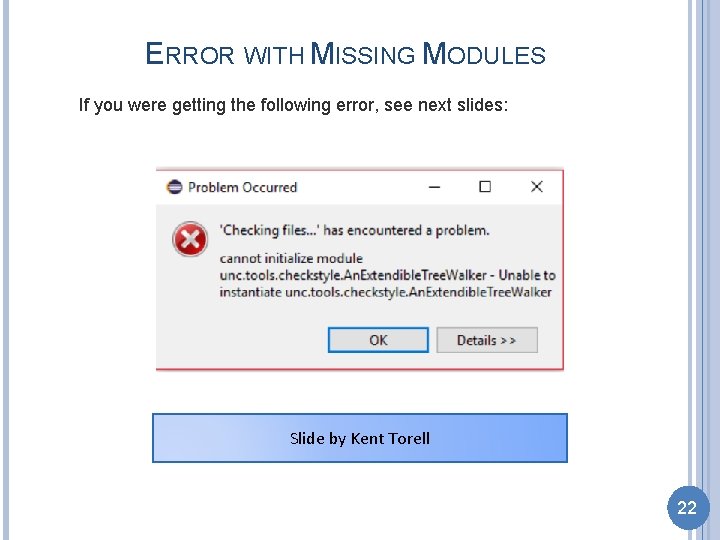
ERROR WITH MISSING MODULES If you were getting the following error, see next slides: Slide by Kent Torell 22
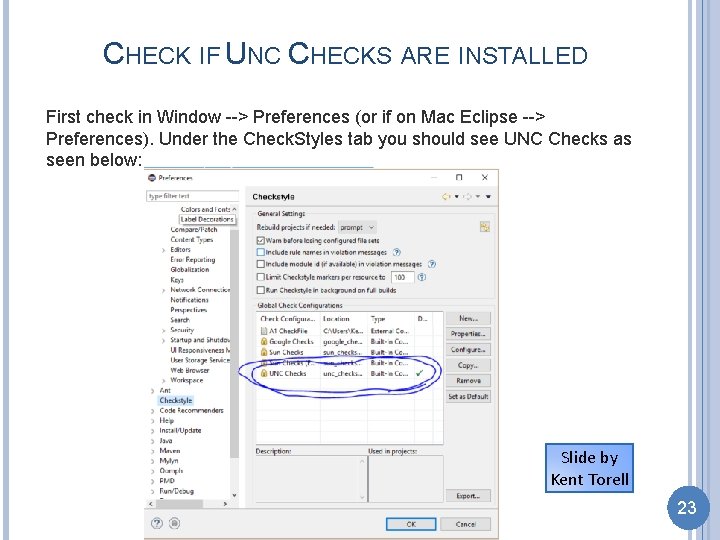
CHECK IF UNC CHECKS ARE INSTALLED First check in Window --> Preferences (or if on Mac Eclipse --> Preferences). Under the Check. Styles tab you should see UNC Checks as seen below: Slide by Kent Torell 23
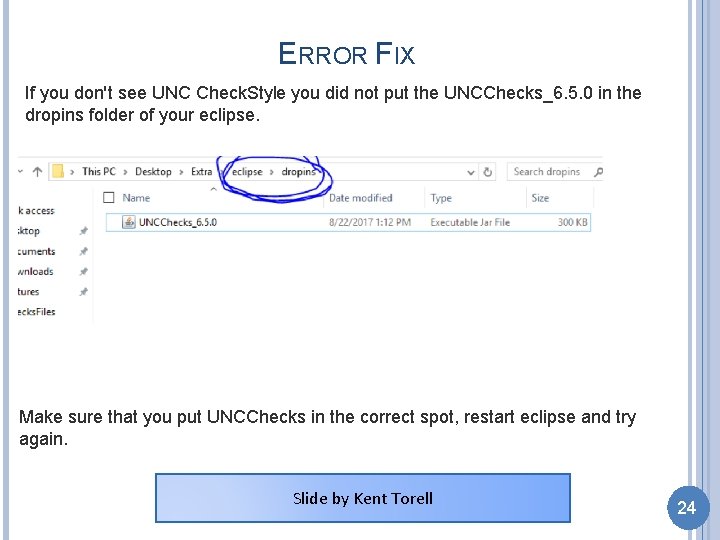
ERROR FIX If you don't see UNC Check. Style you did not put the UNCChecks_6. 5. 0 in the dropins folder of your eclipse. Make sure that you put UNCChecks in the correct spot, restart eclipse and try again. Slide by Kent Torell 24
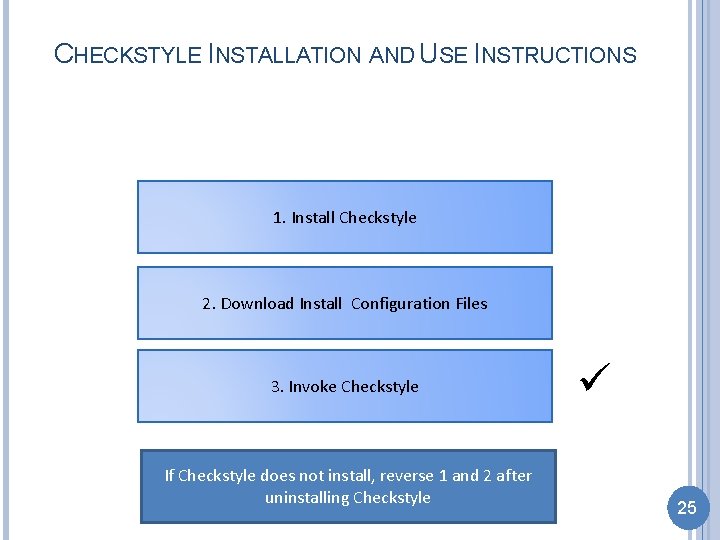
CHECKSTYLE INSTALLATION AND USE INSTRUCTIONS 1. Install Checkstyle 2. Download Install Configuration Files 3. Invoke Checkstyle If Checkstyle does not install, reverse 1 and 2 after uninstalling Checkstyle 25
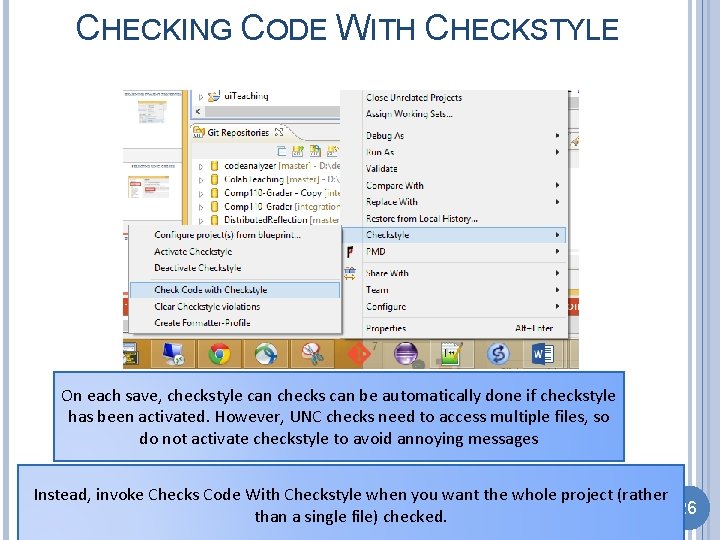
CHECKING CODE WITH CHECKSTYLE On each save, checkstyle can checks can be automatically done if checkstyle has been activated. However, UNC checks need to access multiple files, so do not activate checkstyle to avoid annoying messages Instead, invoke Checks Code With Checkstyle when you want the whole project (rather 26 than a single file) checked.
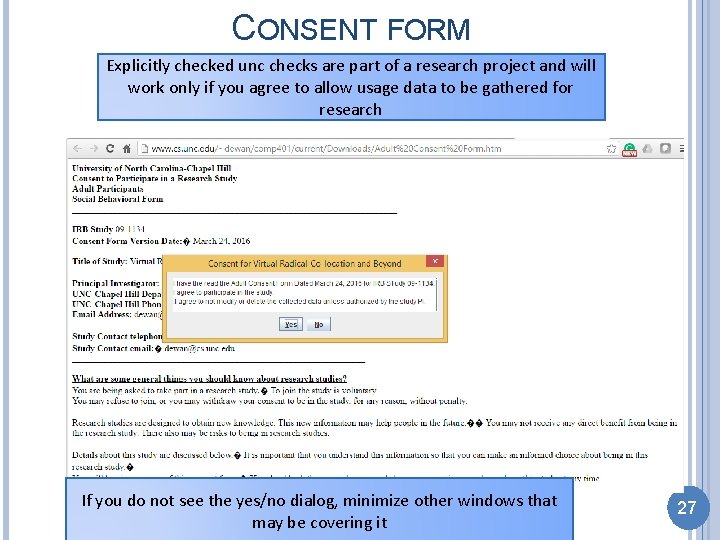
CONSENT FORM Explicitly checked unc checks are part of a research project and will work only if you agree to allow usage data to be gathered for research If you do not see the yes/no dialog, minimize other windows that may be covering it 27
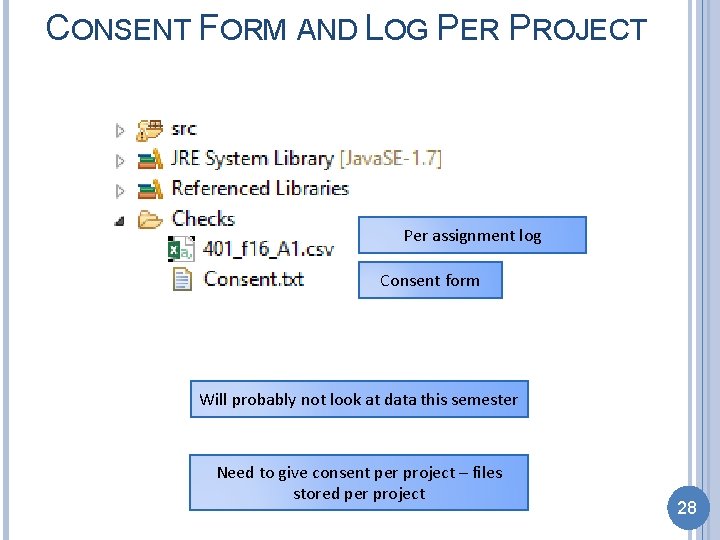
CONSENT FORM AND LOG PER PROJECT Per assignment log Consent form Will probably not look at data this semester Need to give consent per project – files stored per project 28
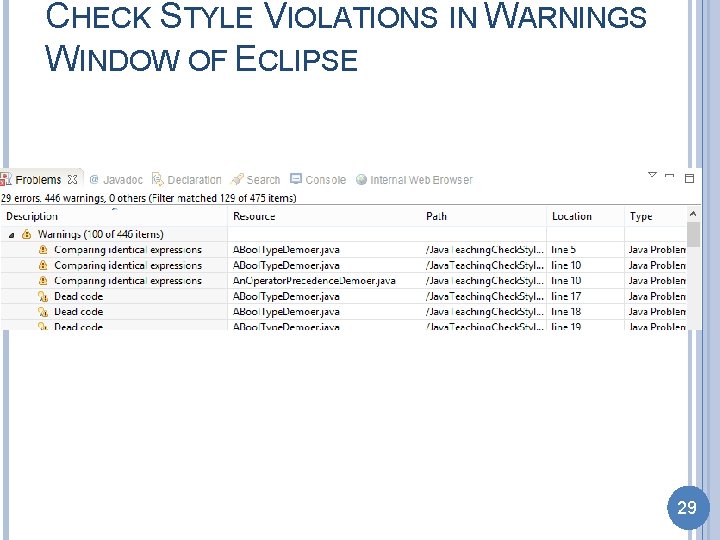
CHECK STYLE VIOLATIONS IN WARNINGS WINDOW OF ECLIPSE 29
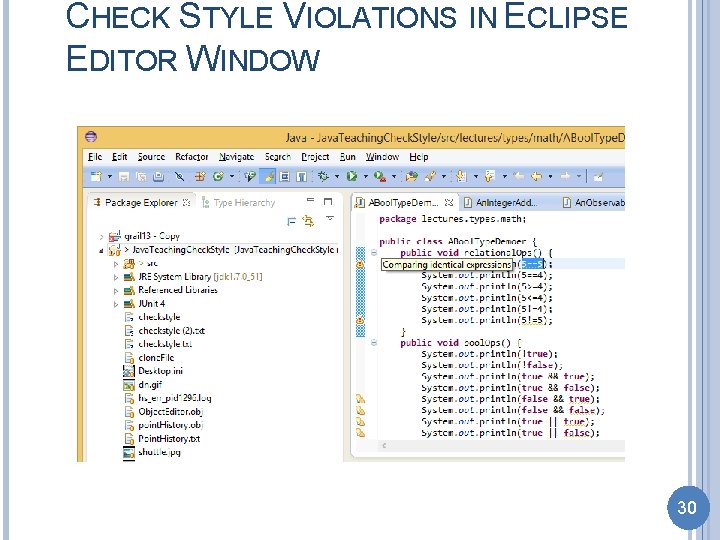
CHECK STYLE VIOLATIONS IN ECLIPSE EDITOR WINDOW 30
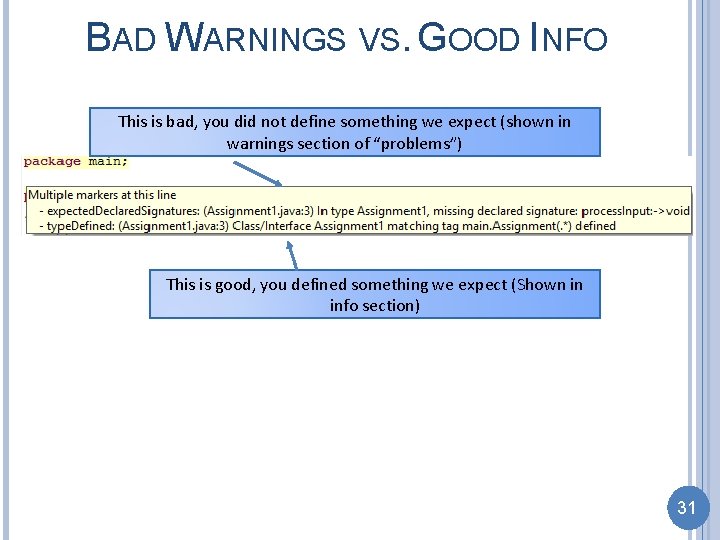
BAD WARNINGS VS. GOOD INFO This is bad, you did not define something we expect (shown in warnings section of “problems”) This is good, you defined something we expect (Shown in info section) 31
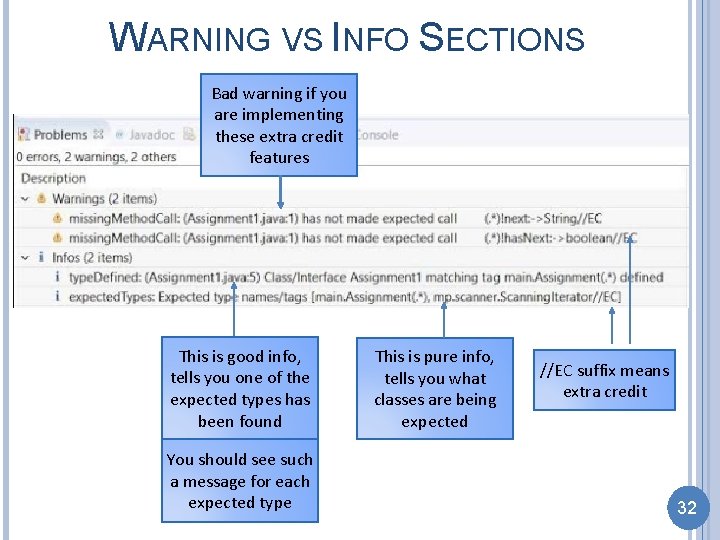
WARNING VS INFO SECTIONS Bad warning if you are implementing these extra credit features This is good info, tells you one of the expected types has been found You should see such a message for each expected type This is pure info, tells you what classes are being expected //EC suffix means extra credit 32
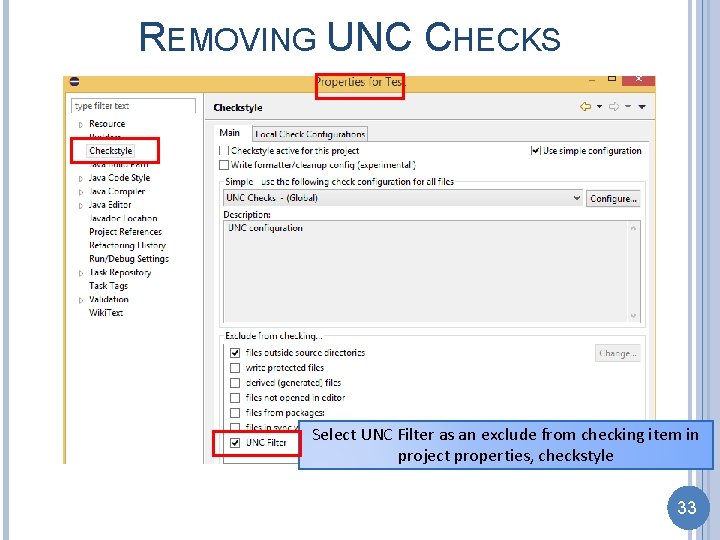
REMOVING UNC CHECKS Select UNC Filter as an exclude from checking item in project properties, checkstyle 33
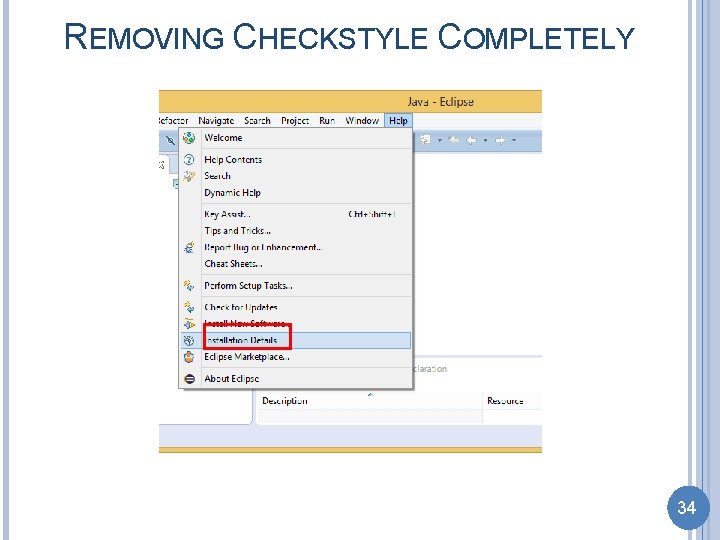
REMOVING CHECKSTYLE COMPLETELY 34
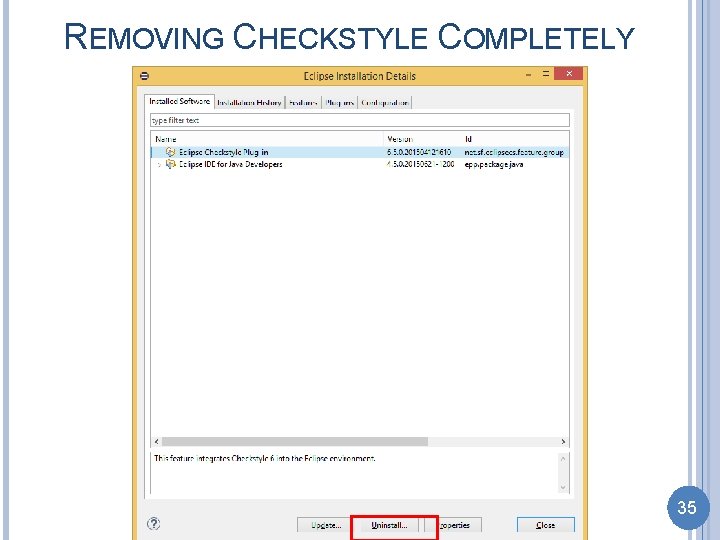
REMOVING CHECKSTYLE COMPLETELY 35
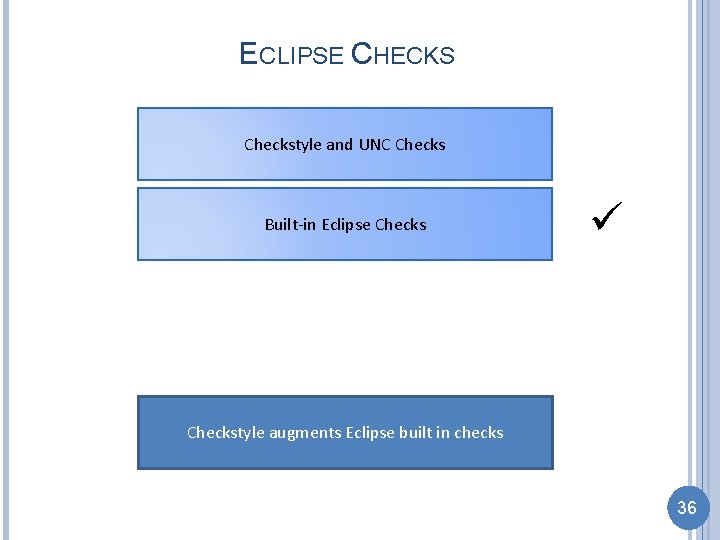
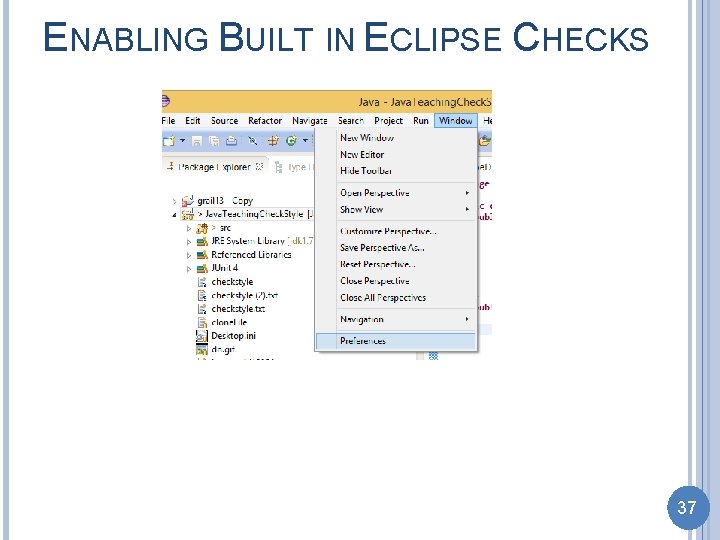
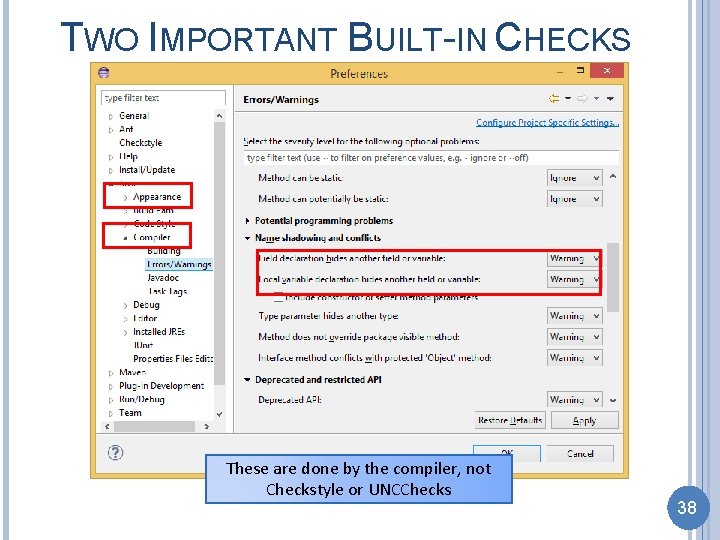
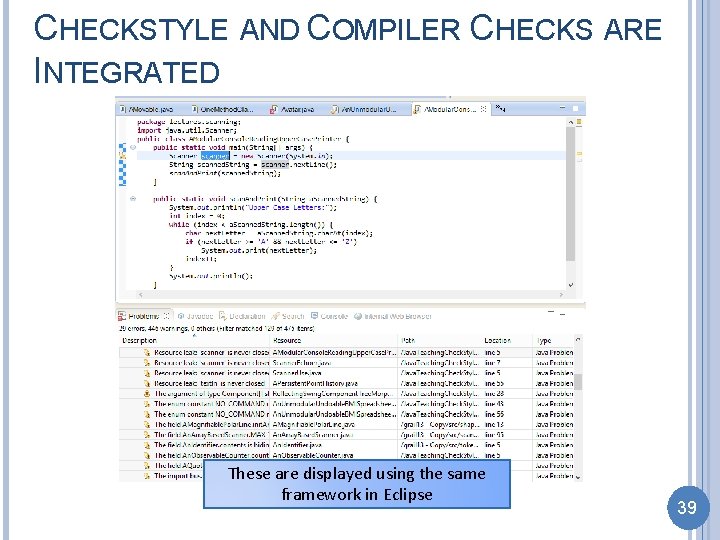
ECLIPSE CHECKS Checkstyle and UNC Checks Built-in Eclipse Checkstyle augments Eclipse built in checks 36
ENABLING BUILT IN ECLIPSE CHECKS 37
TWO IMPORTANT BUILT-IN CHECKS These are done by the compiler, not Checkstyle or UNCChecks 38
CHECKSTYLE AND COMPILER CHECKS ARE INTEGRATED These are displayed using the same framework in Eclipse 39