
Appcelerator Titanium January 6 th 2015 RVA js
- Slides: 34
Appcelerator Titanium January 6 th, 2015 RVA. js Bruce Pulley Andrew Rumbley
Who are these guys? Bruce Pulley (@pulleymb) bruce@shockoe. com Senior Mobile Applications Developer Andrew Rumbley (@rumbleyam) andrew@shockoe. com Senior Mobile and Web Applications Developer Shockoe. com LLC, Taming the Mobile Monster
What are we talking about? • Appcelerator Titanium Basics • Titanium Alloy MVC Framework • Nuances associated with creating cross platform applications
How are Apps Developed? • Android: • -Java based SDK • -Compiles on Windows, Linux, and OSX • -Provides Intelli. J based IDE: Android Studio • i. OS: • -Objective-C based SDK (or Swift…) • -Compiles on OSX only • -Provides Xcode IDE
Cross Platform Development • Two different development teams • Two different skill sets (Objective-C and Java) • No code reuse • Twice the development and maintenance effort
How can we make this manageable?
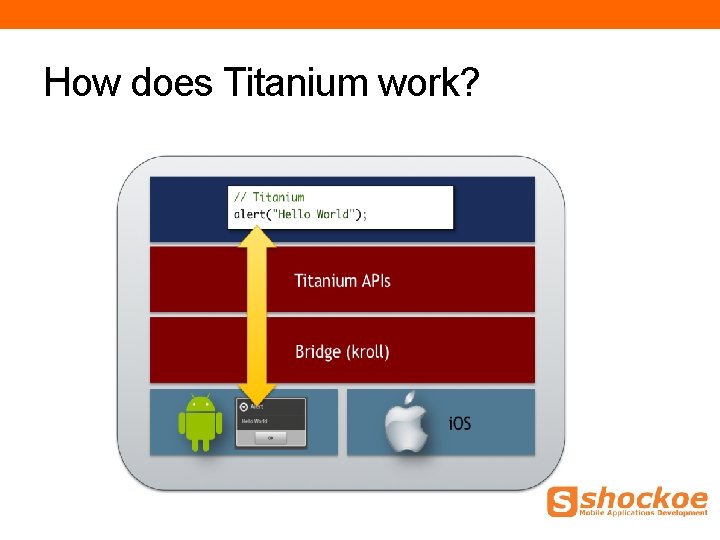
What is Appcelerator Titanium? • Cross Platform Mobile Applications Framework • Allows you to write your apps in Java. Script • Can compile for i. OS and Android • Promotes code reuse • Provides an Eclipse based IDE
How does Titanium work?
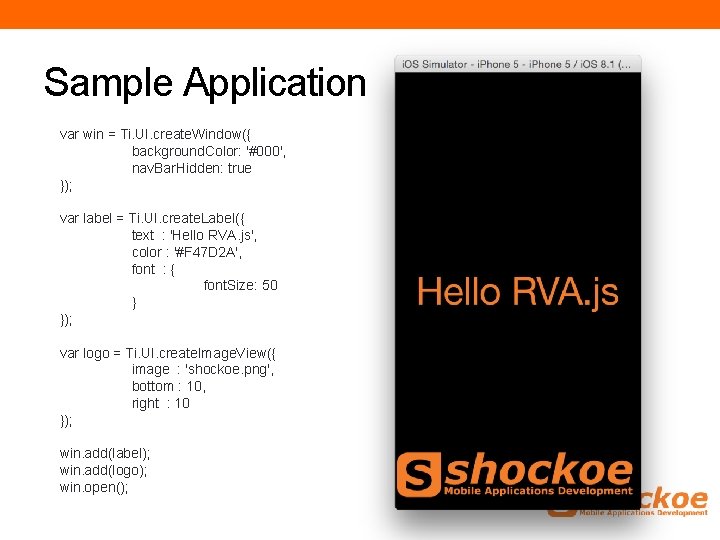
Sample Application var win = Ti. UI. create. Window({ background. Color: '#000', nav. Bar. Hidden: true }); var label = Ti. UI. create. Label({ text : 'Hello RVA. js', color : '#F 47 D 2 A', font : { font. Size: 50 } }); var logo = Ti. UI. create. Image. View({ image : 'shockoe. png', bottom : 10, right : 10 }); win. add(label); win. add(logo); win. open();
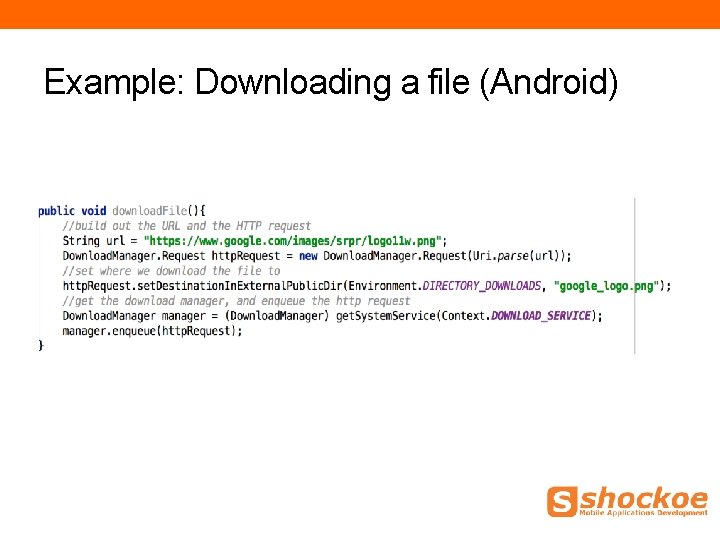
Example: Downloading a file (Android)
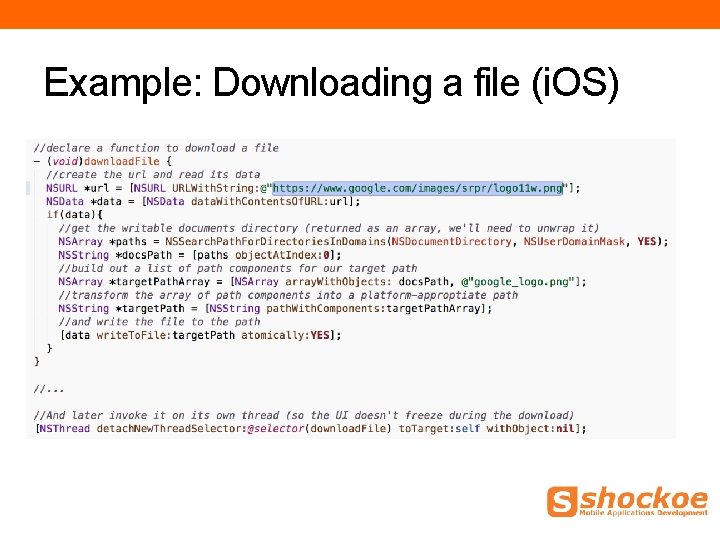
Example: Downloading a file (i. OS)
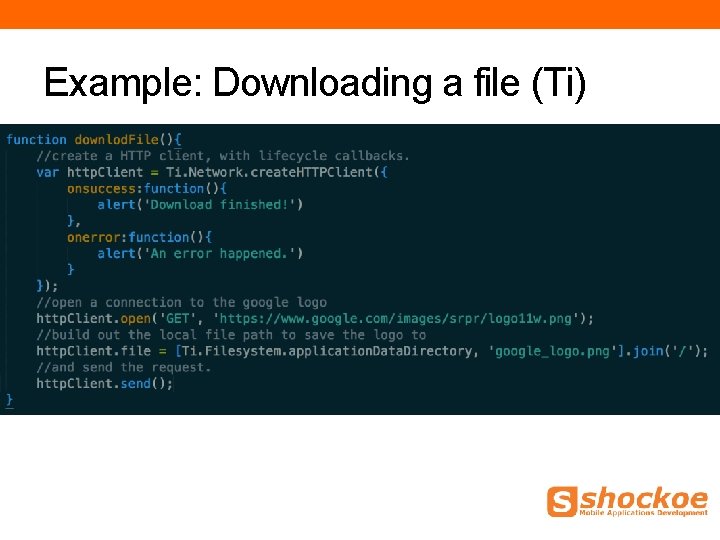
Example: Downloading a file (Ti)
What components are available to me? • API Documentation provided at: • http: //docs. appcelerator. com/titanium/3. 0/ • UI Elements • Geolocation • Networking • Media Playback • Streams • Filesystem Access • Gesture Support • ….
Example: UI Elements
Example: UI Animations
Example: Network Calls
Example: Media
Example: Geolocation
Adding structure with Titanium Alloy
What is MVC? • Software architectural pattern for implementing user interfaces. • Divides a given software application into three interconnected parts: • Model • View • Controller
Titanium Alloy Structure • The project is divided into three main folders • Views • Styles • Controllers
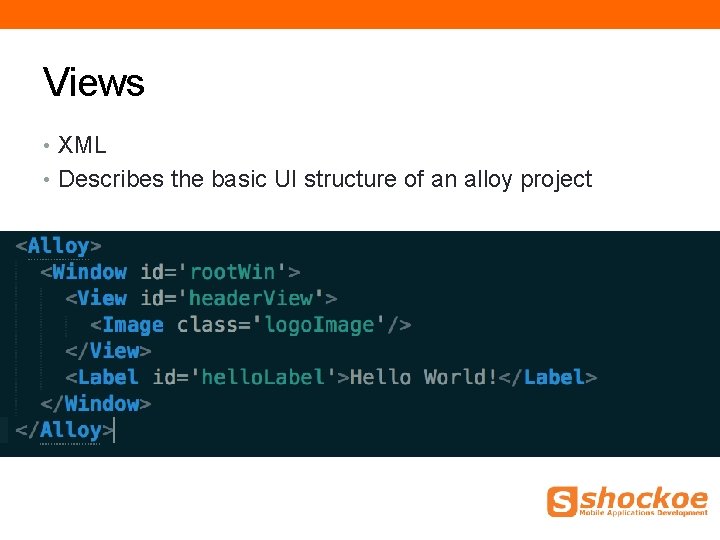
Views • XML • Describes the basic UI structure of an alloy project
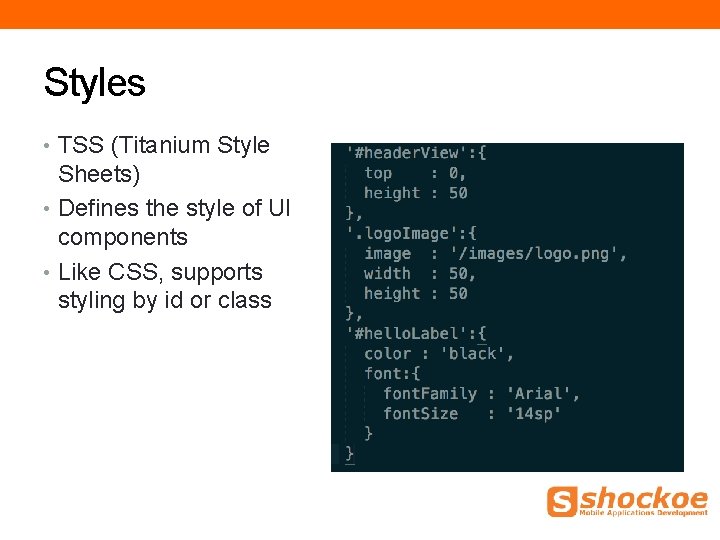
Styles • TSS (Titanium Style Sheets) • Defines the style of UI components • Like CSS, supports styling by id or class
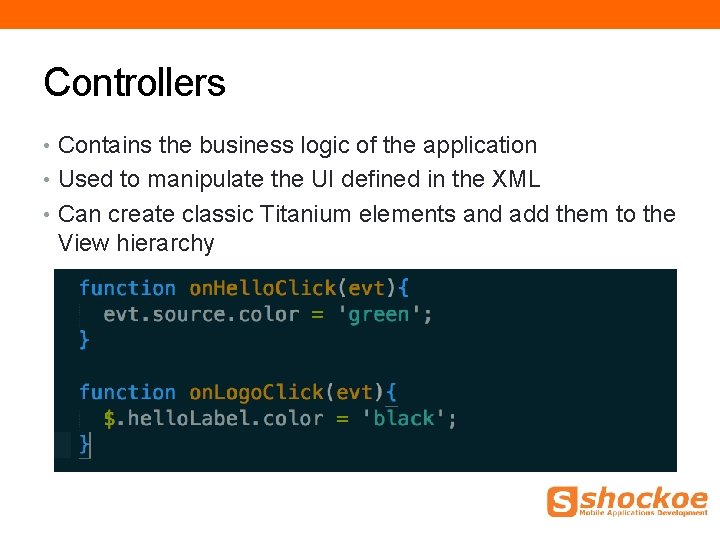
Controllers • Contains the business logic of the application • Used to manipulate the UI defined in the XML • Can create classic Titanium elements and add them to the View hierarchy
Common. JS Libraries • Existing JS libraries can be used with Titanium • Great for components that are used by multiple controllers • Alloy includes several built-ins: • -Backbone. JS • -Moment. JS • -Underscore. JS
Widgets • Encourages code reuse • Use a component in multiple projects • Distribute your components for the benefit of others • Make use of components others have created
Themes • Allow you to create different UI for multiple applications that should behave the same way • Has a self-contained MVC structure • Will merge with base styles to create fully realized app-specific styles
Platform Specific Nuances
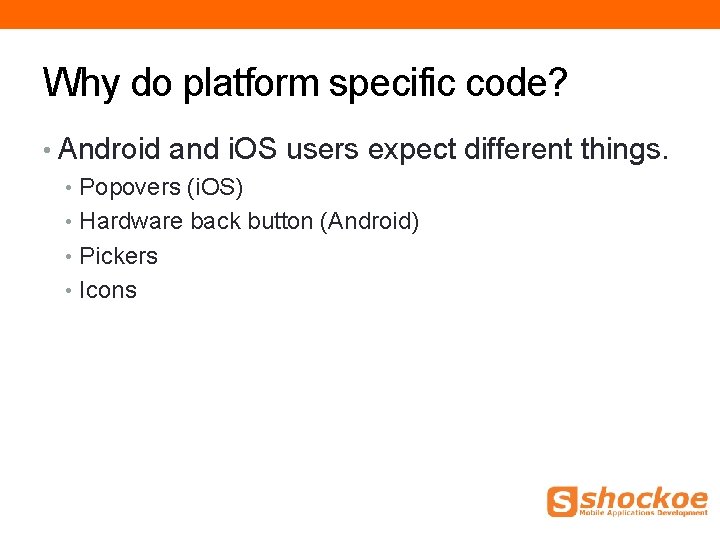
Why do platform specific code? • Android and i. OS users expect different things. • Popovers (i. OS) • Hardware back button (Android) • Pickers • Icons
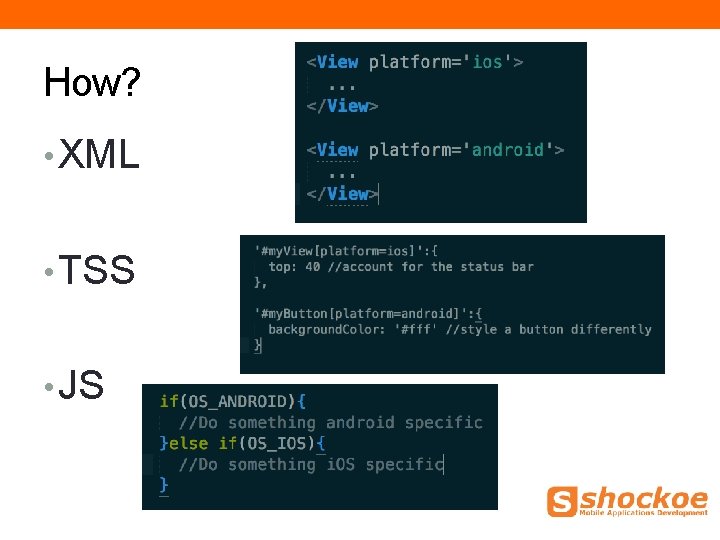
How? • XML • TSS • JS
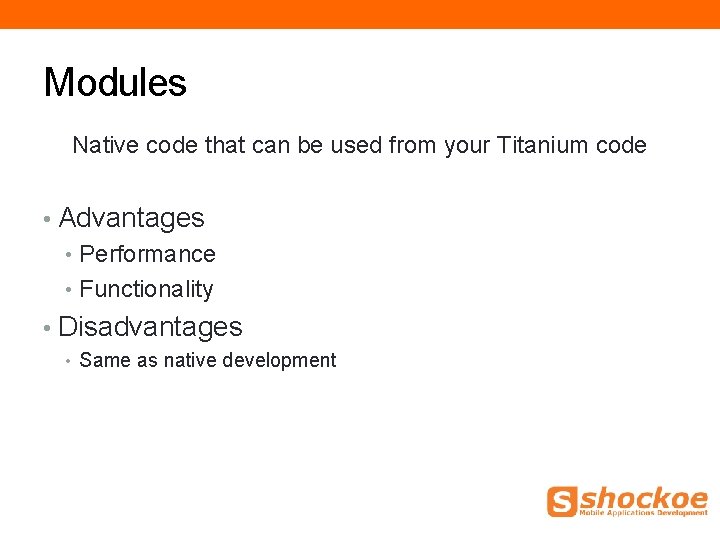
Modules Native code that can be used from your Titanium code • Advantages • Performance • Functionality • Disadvantages • Same as native development
Questions?
Who were those guys? Bruce Pulley (@pulleymb) bruce@shockoe. com Senior Mobile Applications Developer Andrew Rumbley (@rumbleyam) andrew@shockoe. com Senior Mobile and Web Applications Developer Shockoe. com LLC, Taming the Mobile Monster