
APCS Java Lesson 10 Classes Continued Modifications by
APCS Java Lesson 10: Classes Continued Modifications by Mr. Dave Clausen Updated for Java 1. 5 1
Lesson 10: Classes Continued Objectives: n n n Know when it is appropriate to include class (static) variables and methods in a class. Understand the role of Java interfaces in a software system and define an interface for a set of implementing classes. Understand the use of inheritance by extending a class. 2
Lesson 10: Classes Continued Objectives: n n Understand the use of polymorphism and know how to override methods in a superclass. Place the common features (variables and methods) of a set of classes in an abstract class. Understand the implications of reference types for equality, copying, and mixed-mode operations. Know how to define and use methods that have preconditions, postconditions, and throw exceptions. 3
Lesson 10: Classes Vocabulary: n n n n abstract class abstract method aggregation class (static) method class (static) variable concrete class dependency n n n final method inheritance interface overriding postcondition precondition 4
10. 1 Class (static) Variables and Methods n n Defining classes is only one aspect of object-oriented programming. The real power of object-oriented programming comes from its capacity to reduce code and to distribute responsibilities for such things as error handling in a software system. 5
10. 1 Class (static) Variables and Methods Here is an overview of of some key concepts / vocabulary words in this Lesson: n Static Variables and Methods. w n When information needs to be shared among all instances of a class, that information can be represented in terms of static variables and it can be accessed by means of static methods. Interfaces. w w A Java interface specifies the set of methods available to clients of a class. Interfaces thus provide the glue that holds a set of cooperating classes together. 6
10. 1 Class (static) Variables and Methods n Inheritance. w Java organizes classes in a hierarchy. w Classes inherit the instance variables and methods of the classes above them in the hierarchy. w A class can extend its inherited characteristics by adding instance variables and methods and by overriding inherited methods. w Inheritance provides a mechanism for reusing code and can greatly reduce the effort required to implement a new class. 7
10. 1 Class (static) Variables and Methods n Abstract Classes. w w n Some classes in a hierarchy must never be instantiated, called abstract classes. Their sole purpose is to define features and behavior common to their subclasses. Polymorphism. w w w Polymorphism is when methods in different classes with a similar function are given the same name. Polymorphism makes classes easier to use because programmers need to memorize fewer method names. A good example of a polymorphic message is to. String. Every object, no matter which class it belongs to, understands the to. String message and responds by returning a string that describes the object. 8

10. 1 Class (static) Variables and Methods n Preconditions and Postconditions. w w n Exceptions for Error Handling. w n Preconditions specify the correct use of a method postconditions describe what will result if the preconditions are satisfied. When a method's preconditions are violated, a foolproof way to catch the errors is to throw exceptions, thereby halting program execution at the point of the errors Reference Types. w The identity of an object and the fact that there can be multiple references to the same object are issues that arise when comparing two objects for equality and when copying an object. 9
10. 1 Class (static) Variables and Methods n n A class variable belongs to a class. Storage is allocated at program startup and is independent of the number of instances created. A class method is activated when a message is sent to the class rather than to an object. The modifier static is used to designate class variables and methods. 10
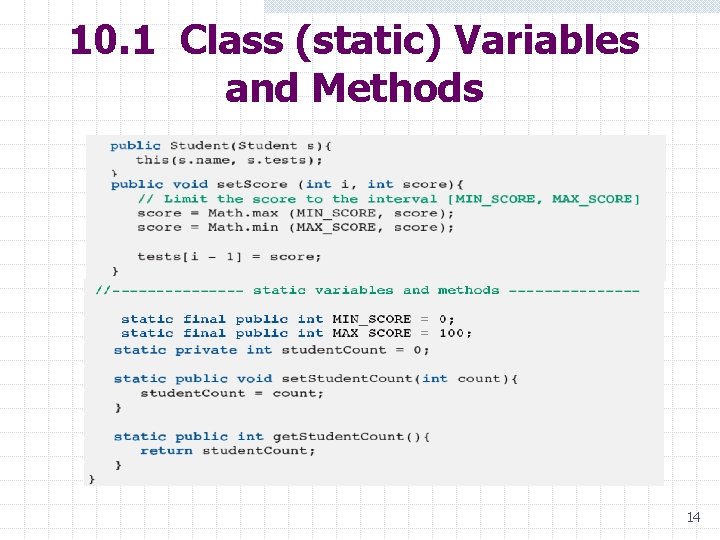
10. 1 Class (static) Variables and Methods Counting the Number of Students Instantiated n n Suppose we want to count all the student objects instantiated during the execution of an application. To do so, we introduce a variable, which we call student. Count. This variable is incremented in the constructor every time a student object is instantiated. Because the variable is independent of any particular student object, it must be a class variable. 11
10. 1 Class (static) Variables and Methods Counting the Number of Students Instantiated n In addition, we need two methods to manipulate the student. Count variable: w w n one to initialize the variable to 0 at the beginning of the application and the other to return the variable's value on demand. These methods are called set. Student. Count and get. Student. Count, respectively. Because these methods do not manipulate any particular student object, they must be class methods. 12
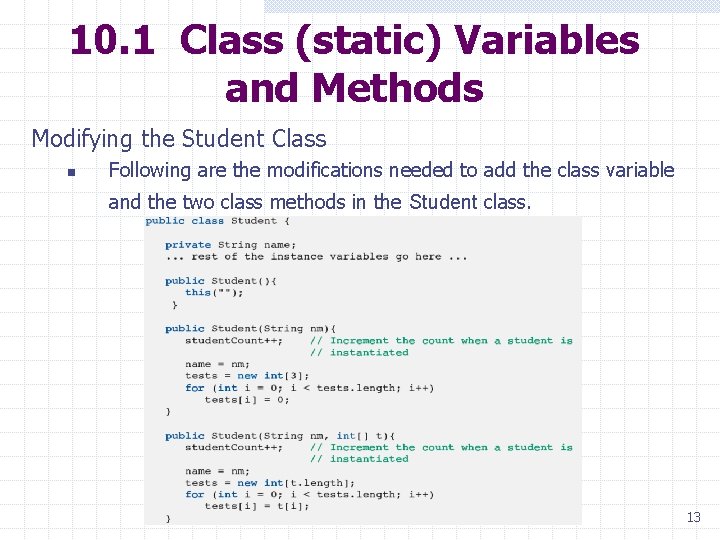
10. 1 Class (static) Variables and Methods Modifying the Student Class n Following are the modifications needed to add the class variable and the two class methods in the Student class. 13
10. 1 Class (static) Variables and Methods 14
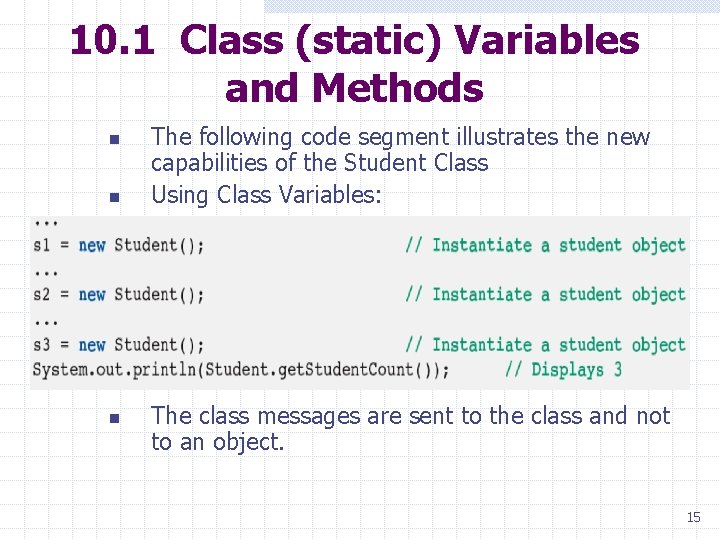
10. 1 Class (static) Variables and Methods n n n The following code segment illustrates the new capabilities of the Student Class Using Class Variables: The class messages are sent to the class and not to an object. 15
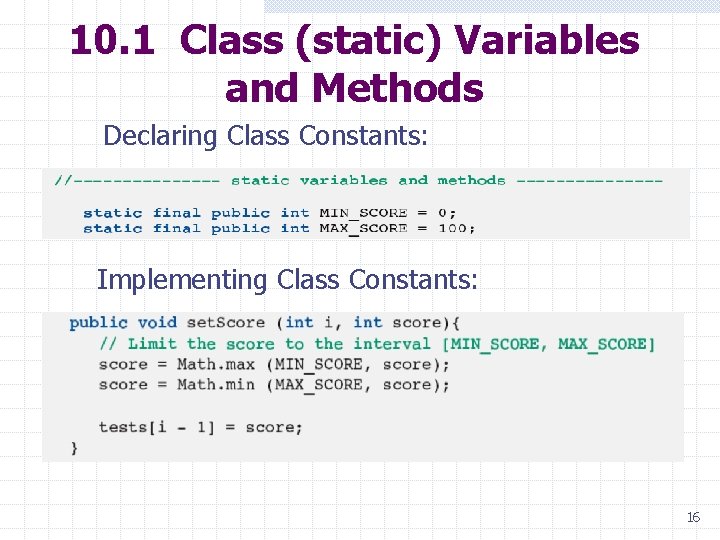
10. 1 Class (static) Variables and Methods Declaring Class Constants: Implementing Class Constants: 16
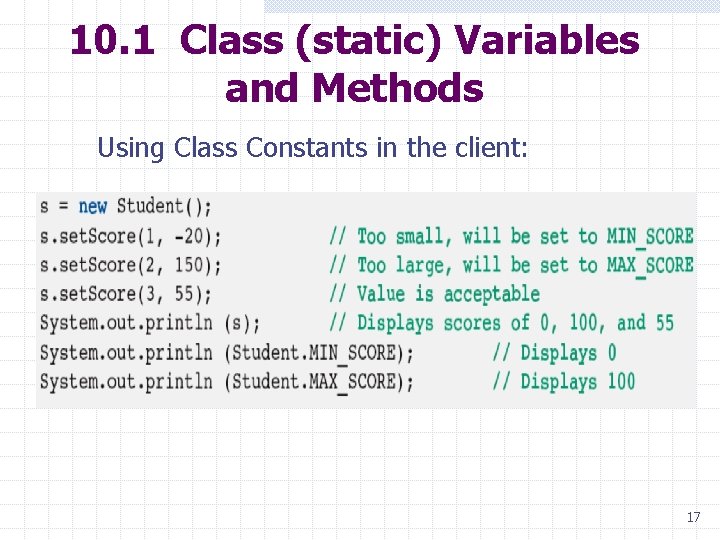
10. 1 Class (static) Variables and Methods Using Class Constants in the client: 17
10. 1 Class (static) Variables and Methods n n Notice that class messages are sent to a class and not to an object. Also, notice that we do not attempt to manipulate the student. Count variable directly because, in accordance with the good programming practice of information hiding, we declared the variable to be private. In general, we use a static variable in any situation where all instances share a common data value. We then use static methods to provide public access to these data. 18
10. 1 Class (static) Variables and Methods Class Constants n n n By using the modifier final in conjunction with static, we create a class constant. The value of a class constant is assigned when the variable is declared, and it cannot be changed later. To illustrate the use of class constants, we modify the Student class again by adding two class constants: w MIN_SCORE and w MAX_SCORE. 19
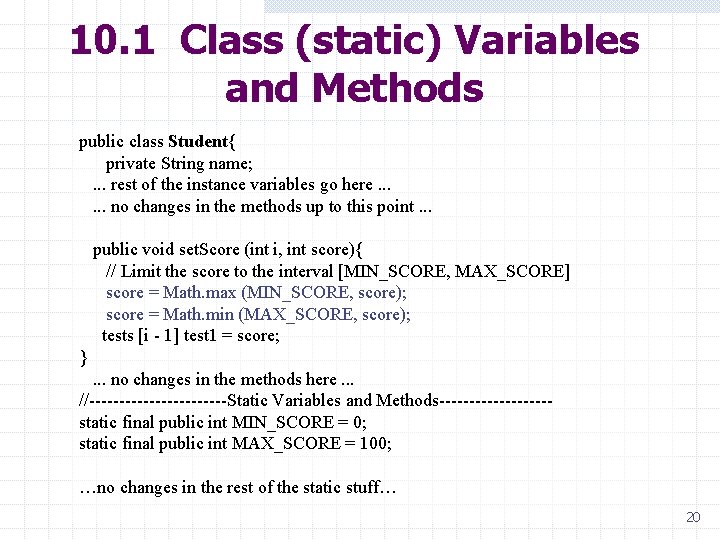
10. 1 Class (static) Variables and Methods public class Student{ private String name; . . . rest of the instance variables go here. . . no changes in the methods up to this point. . . public void set. Score (int i, int score){ // Limit the score to the interval [MIN_SCORE, MAX_SCORE] score = Math. max (MIN_SCORE, score); score = Math. min (MAX_SCORE, score); tests [i - 1] test 1 = score; } . . . no changes in the methods here. . . //------------Static Variables and Methods---------static final public int MIN_SCORE = 0; static final public int MAX_SCORE = 100; …no changes in the rest of the static stuff… 20
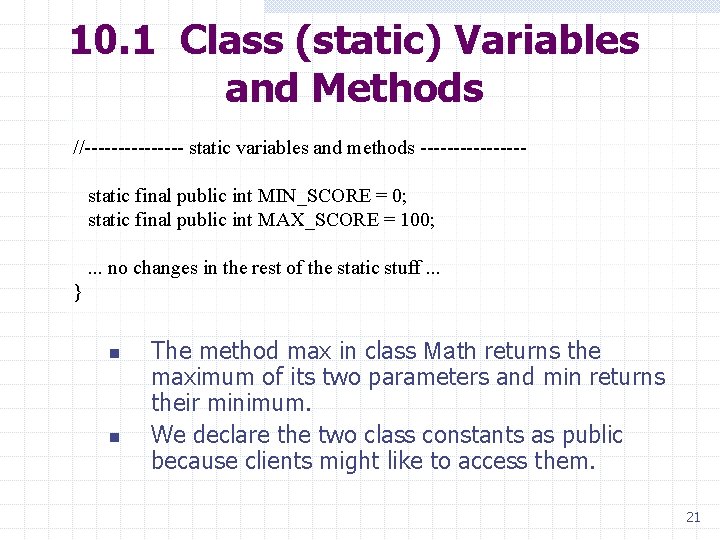
10. 1 Class (static) Variables and Methods //-------- static variables and methods -------- static final public int MIN_SCORE = 0; static final public int MAX_SCORE = 100; . . . no changes in the rest of the static stuff. . . } n n The method max in class Math returns the maximum of its two parameters and min returns their minimum. We declare the two class constants as public because clients might like to access them. 21
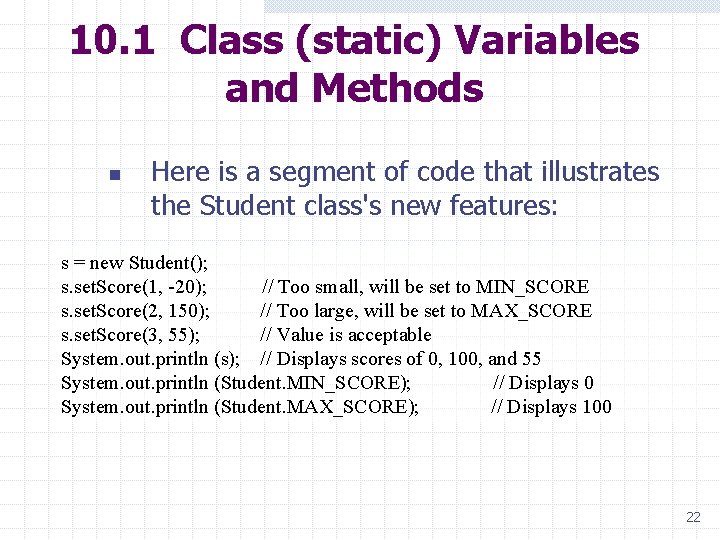
10. 1 Class (static) Variables and Methods n Here is a segment of code that illustrates the Student class's new features: s = new Student(); s. set. Score(1, -20); // Too small, will be set to MIN_SCORE s. set. Score(2, 150); // Too large, will be set to MAX_SCORE s. set. Score(3, 55); // Value is acceptable System. out. println (s); // Displays scores of 0, 100, and 55 System. out. println (Student. MIN_SCORE); // Displays 0 System. out. println (Student. MAX_SCORE); // Displays 100 22
10. 1 Class (static) Variables and Methods Rules for Using static Variables n There are two simple rules to remember when using static variables: w Class methods can reference only the static variables, and never the instance variables. w Instance methods can reference static and instance variables. 23
10. 1 Class (static) Variables and Methods The Math Class n All of the methods in the Math class are static. w Math. PI is a static constant w Math. max(MIN_SCORE, score) activates a static method. The main method uses static n public static void main(String[] args) 24
10. 2 Turtle Graphics Open-source Java package for drawing n n Used in this text to illustrate features of object-oriented programming Refer to Appendix I for more information Pen used for drawing in a window w Standard. Pen is a specific type of Pen. We give the pen commands by sending messages to it. 25
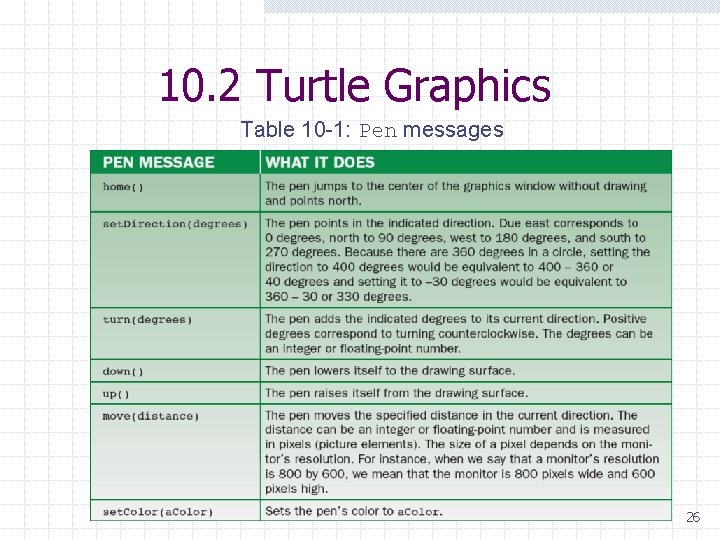
10. 2 Turtle Graphics Table 10 -1: Pen messages 26
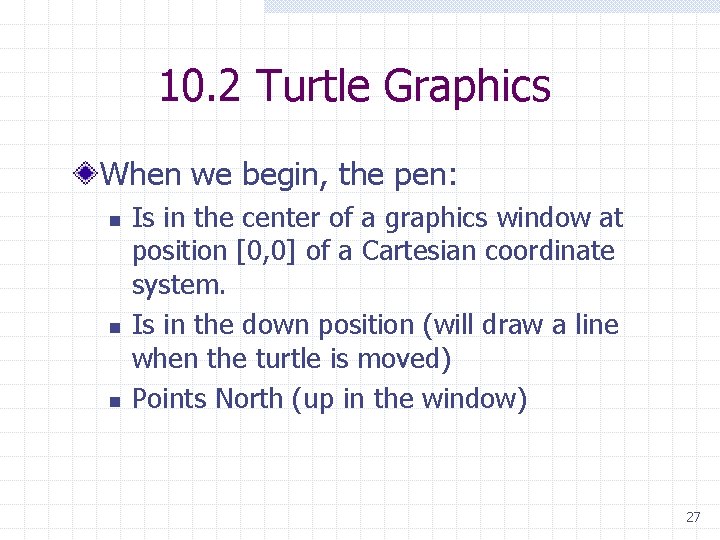
10. 2 Turtle Graphics When we begin, the pen: n n n Is in the center of a graphics window at position [0, 0] of a Cartesian coordinate system. Is in the down position (will draw a line when the turtle is moved) Points North (up in the window) 27
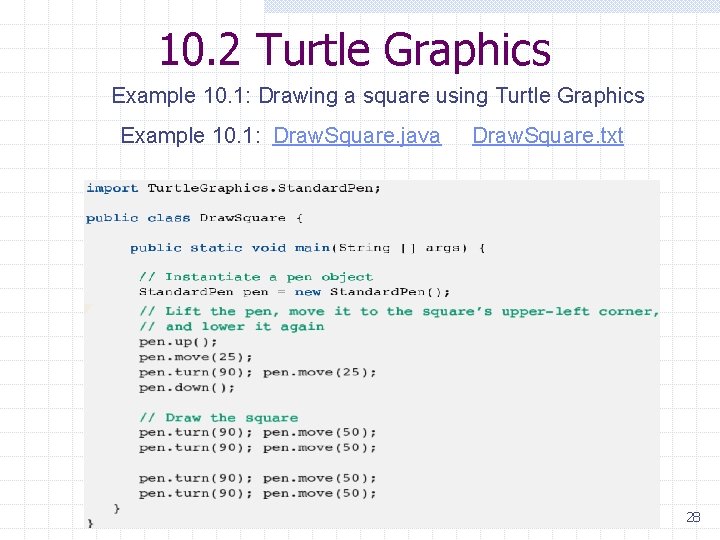
10. 2 Turtle Graphics Example 10. 1: Drawing a square using Turtle Graphics Example 10. 1: Draw. Square. java Draw. Square. txt 28
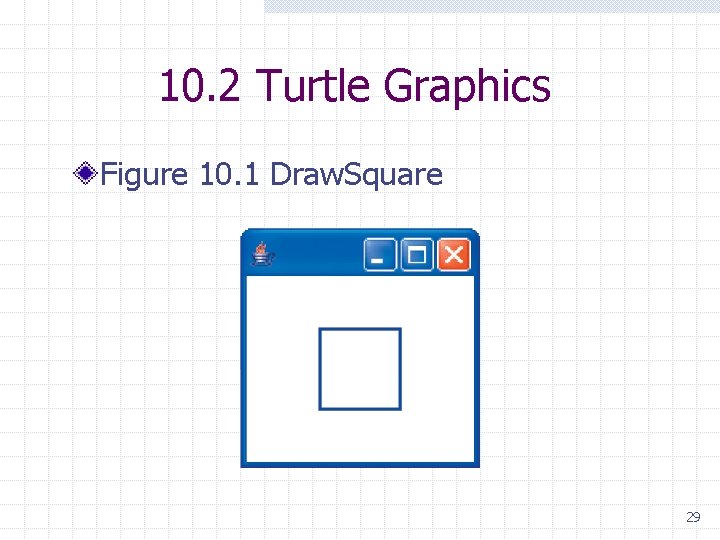
10. 2 Turtle Graphics Figure 10. 1 Draw. Square 29
10. 2 Installing Turtle Graphics See Appendix I for more information. 30
10. 3 Java Interfaces The Client Perspective n The term interface is used in two different ways. w An interface is the part of a software system that interacts with human users. w An interface is a list of a class's public methods. 31
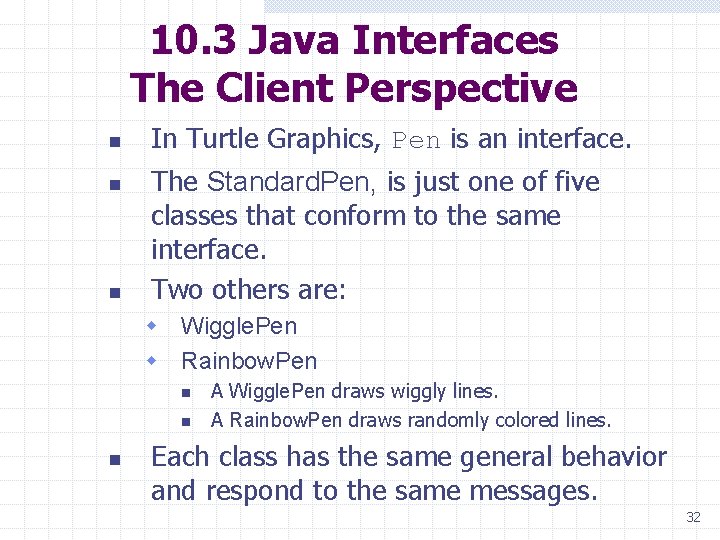
10. 3 Java Interfaces The Client Perspective n n n In Turtle Graphics, Pen is an interface. The Standard. Pen, is just one of five classes that conform to the same interface. Two others are: w Wiggle. Pen w Rainbow. Pen n A Wiggle. Pen draws wiggly lines. A Rainbow. Pen draws randomly colored lines. Each class has the same general behavior and respond to the same messages. 32
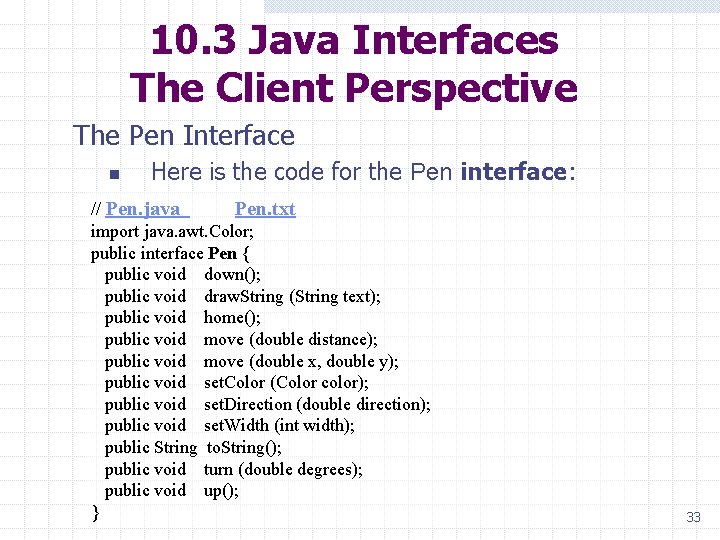
10. 3 Java Interfaces The Client Perspective The Pen Interface n Here is the code for the Pen interface: // Pen. java Pen. txt import java. awt. Color; public interface Pen { public void down(); public void draw. String (String text); public void home(); public void move (double distance); public void move (double x, double y); public void set. Color (Color color); public void set. Direction (double direction); public void set. Width (int width); public String to. String(); public void turn (double degrees); public void up(); } 33
10. 3 Java Interfaces The Client Perspective n n n The code consists of the signatures of the methods followed by semicolons. The interface provides programmers with the information needed to use pens of any type correctly. It is important to realize that an interface is not a class. 34
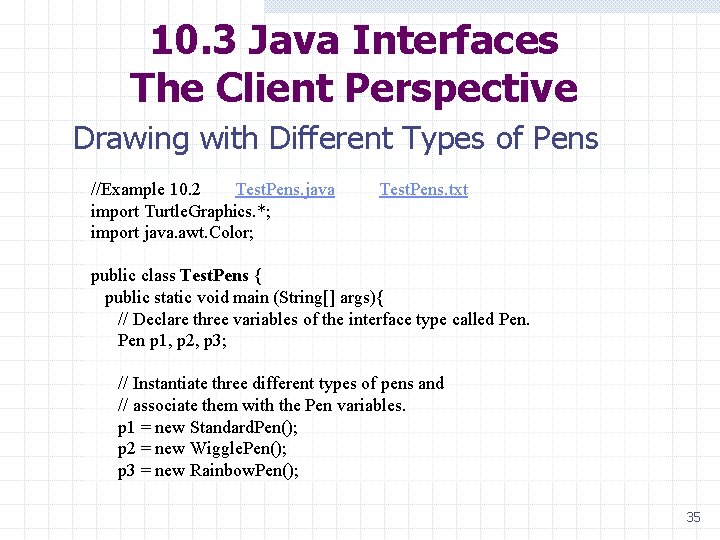
10. 3 Java Interfaces The Client Perspective Drawing with Different Types of Pens //Example 10. 2 Test. Pens. java Test. Pens. txt import Turtle. Graphics. *; import java. awt. Color; public class Test. Pens { public static void main (String[] args){ // Declare three variables of the interface type called Pen p 1, p 2, p 3; // Instantiate three different types of pens and // associate them with the Pen variables. p 1 = new Standard. Pen(); p 2 = new Wiggle. Pen(); p 3 = new Rainbow. Pen(); 35
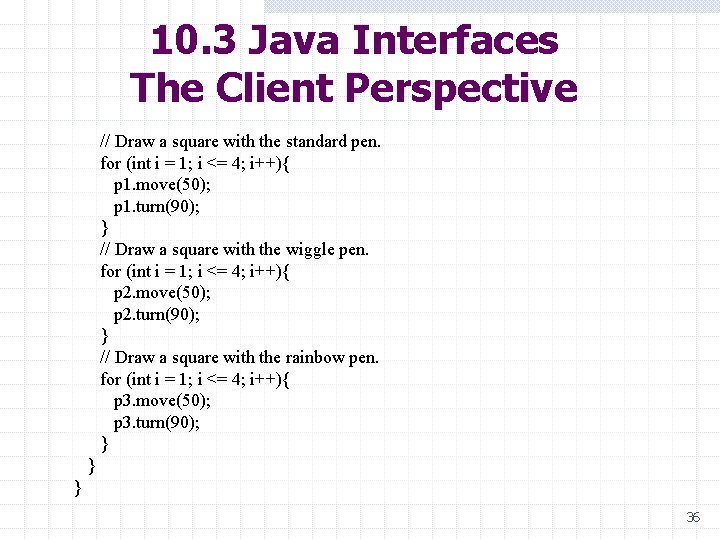
10. 3 Java Interfaces The Client Perspective // Draw a square with the standard pen. for (int i = 1; i <= 4; i++){ p 1. move(50); p 1. turn(90); } // Draw a square with the wiggle pen. for (int i = 1; i <= 4; i++){ p 2. move(50); p 2. turn(90); } // Draw a square with the rainbow pen. for (int i = 1; i <= 4; i++){ p 3. move(50); p 3. turn(90); } } } 36
10. 3 Java Interfaces The Client Perspective n n The three pen variables (p 1, p 2, and p 3) are declared as Pen, which is the name of the interface. Then the variables are associated with different types of pen objects. Each object responds to exactly the same messages, (listed in the Pen interface), but with slightly different behaviors. This is an example of polymorphism. 37
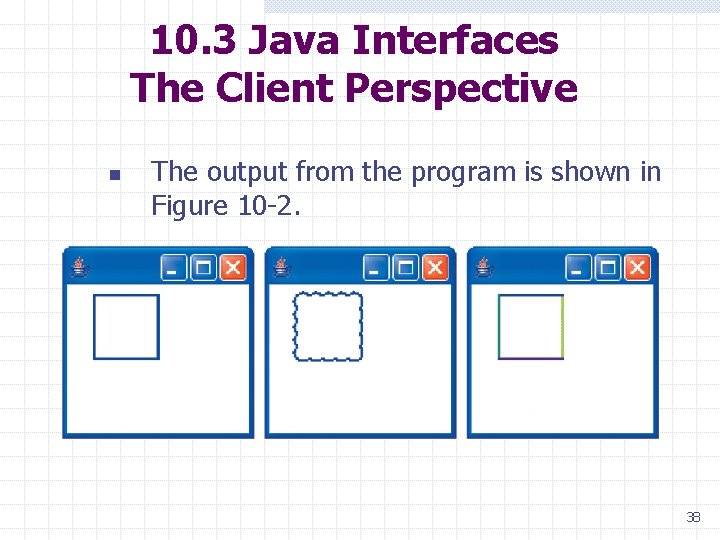
10. 3 Java Interfaces The Client Perspective n The output from the program is shown in Figure 10 -2. 38
10. 3 Java Interfaces The Client Perspective Static Helper Methods n n n The preceding code is redundant in drawing three squares. If we declare a helper method named draw. Square we could reduce the redundancy. Because draw. Square will be called by the static method main, it must be defined as a static method. 39
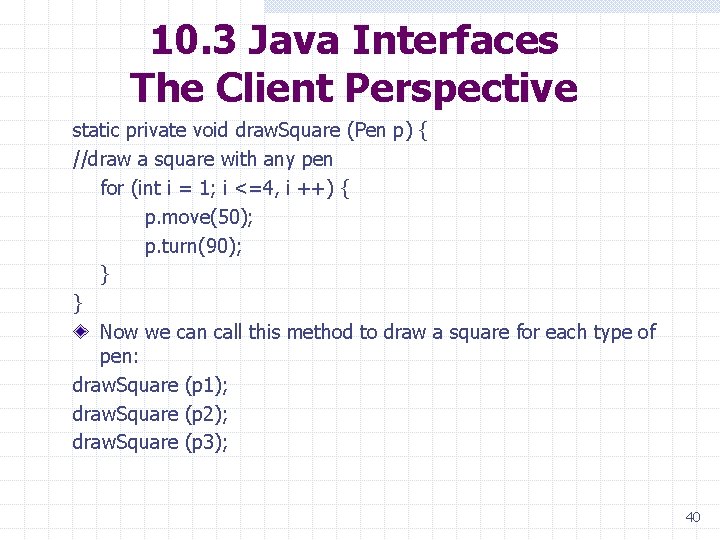
10. 3 Java Interfaces The Client Perspective static private void draw. Square (Pen p) { //draw a square with any pen for (int i = 1; i <=4, i ++) { p. move(50); p. turn(90); } } Now we can call this method to draw a square for each type of pen: draw. Square (p 1); draw. Square (p 2); draw. Square (p 3); 40
10. 3 Java Interfaces The Client Perspective A class that conforms to an interface is said to implement the interface. When declaring a variable or parameter, use the interface type when possible. n n Methods using interface types are more general. They are easier to maintain. 41
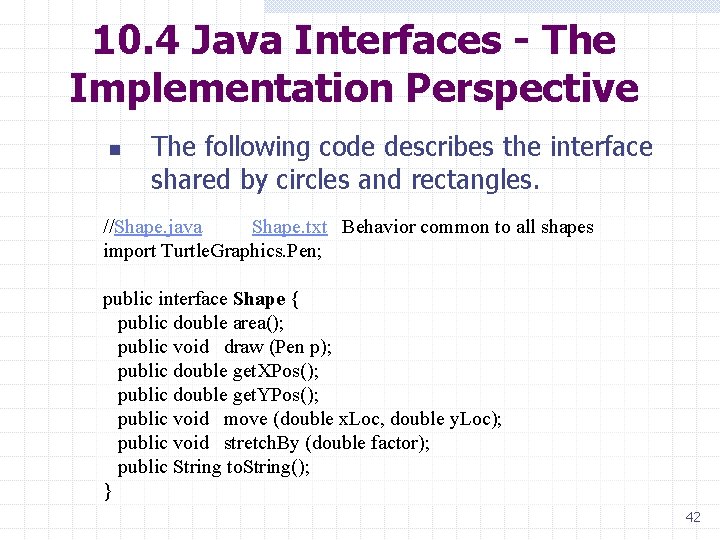
10. 4 Java Interfaces - The Implementation Perspective n The following code describes the interface shared by circles and rectangles. //Shape. java Shape. txt Behavior common to all shapes import Turtle. Graphics. Pen; public interface Shape { public double area(); public void draw (Pen p); public double get. XPos(); public double get. YPos(); public void move (double x. Loc, double y. Loc); public void stretch. By (double factor); public String to. String(); } 42
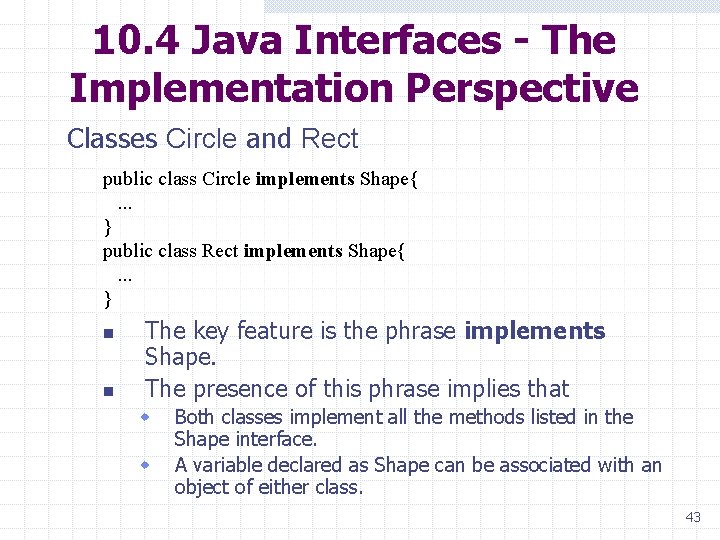
10. 4 Java Interfaces - The Implementation Perspective Classes Circle and Rect public class Circle implements Shape{ . . . } public class Rect implements Shape{ . . . } n n The key feature is the phrase implements Shape. The presence of this phrase implies that w w Both classes implement all the methods listed in the Shape interface. A variable declared as Shape can be associated with an object of either class. 43
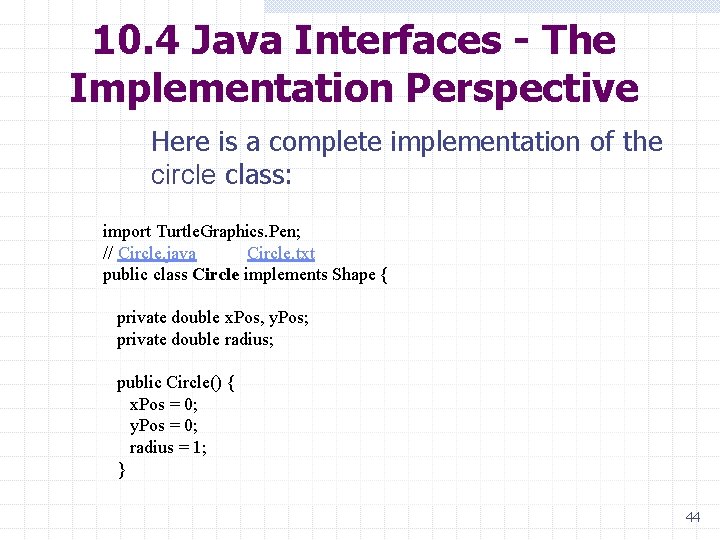
10. 4 Java Interfaces - The Implementation Perspective Here is a complete implementation of the circle class: import Turtle. Graphics. Pen; // Circle. java Circle. txt public class Circle implements Shape { private double x. Pos, y. Pos; private double radius; public Circle() { x. Pos = 0; y. Pos = 0; radius = 1; } 44
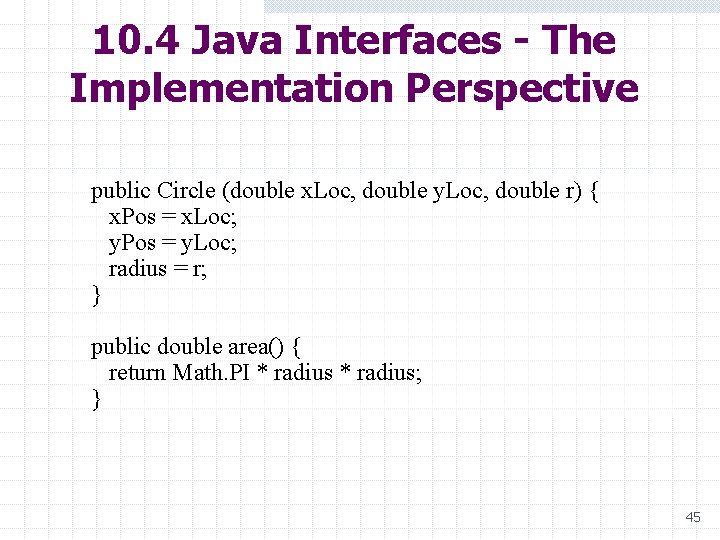
10. 4 Java Interfaces - The Implementation Perspective public Circle (double x. Loc, double y. Loc, double r) { x. Pos = x. Loc; y. Pos = y. Loc; radius = r; } public double area() { return Math. PI * radius; } 45
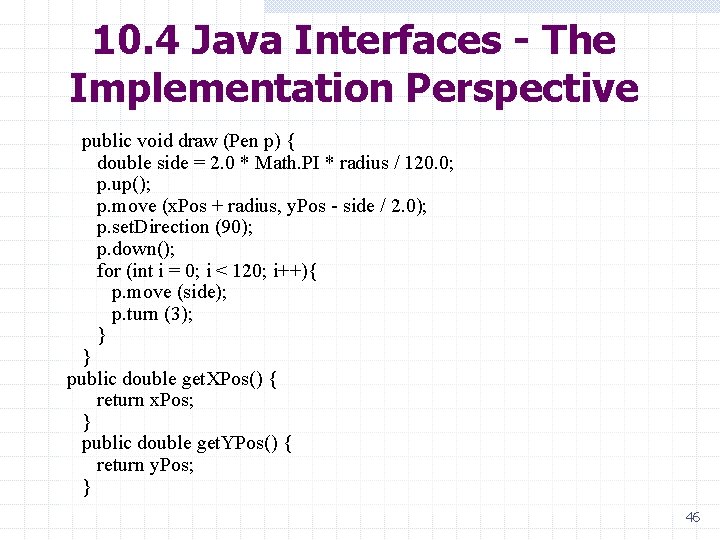
10. 4 Java Interfaces - The Implementation Perspective public void draw (Pen p) { double side = 2. 0 * Math. PI * radius / 120. 0; p. up(); p. move (x. Pos + radius, y. Pos - side / 2. 0); p. set. Direction (90); p. down(); for (int i = 0; i < 120; i++){ p. move (side); p. turn (3); } } public double get. XPos() { return x. Pos; } public double get. YPos() { return y. Pos; } 46
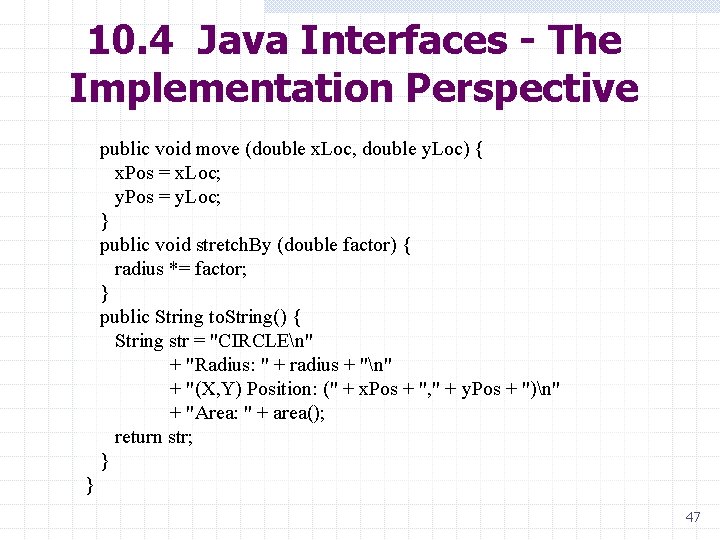
10. 4 Java Interfaces - The Implementation Perspective public void move (double x. Loc, double y. Loc) { x. Pos = x. Loc; y. Pos = y. Loc; } public void stretch. By (double factor) { radius *= factor; } public String to. String() { String str = "CIRCLEn" + "Radius: " + radius + "n" + "(X, Y) Position: (" + x. Pos + ", " + y. Pos + ")n" + "Area: " + area(); return str; } } 47
10. 4 Java Interfaces - The Implementation Perspective Here is the implementation of the Rectangle class: Rect. java Rect. txt 48
10. 4 Java Interfaces - The Implementation Perspective Testing the Classes n n We now write a small test program that instantiates a circle and a rectangle and subjects them to a few basic manipulations. Embedded comments explain what is happening, and Figure 10 -3 shows the output: 49
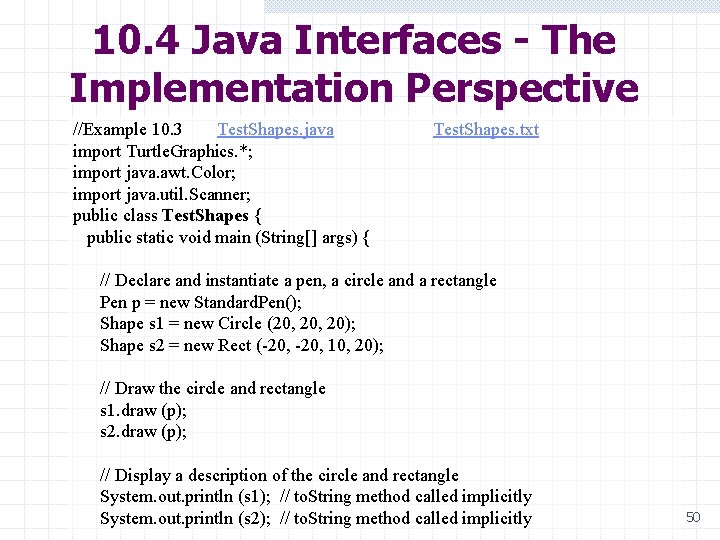
10. 4 Java Interfaces - The Implementation Perspective //Example 10. 3 Test. Shapes. java Test. Shapes. txt import Turtle. Graphics. *; import java. awt. Color; import java. util. Scanner; public class Test. Shapes { public static void main (String[] args) { // Declare and instantiate a pen, a circle and a rectangle Pen p = new Standard. Pen(); Shape s 1 = new Circle (20, 20); Shape s 2 = new Rect (-20, 10, 20); // Draw the circle and rectangle s 1. draw (p); s 2. draw (p); // Display a description of the circle and rectangle System. out. println (s 1); // to. String method called implicitly System. out. println (s 2); // to. String method called implicitly 50
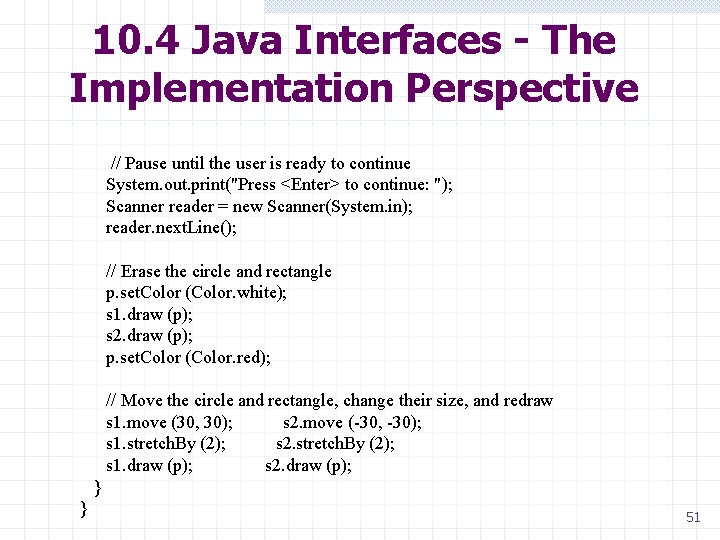
10. 4 Java Interfaces - The Implementation Perspective // Pause until the user is ready to continue System. out. print("Press <Enter> to continue: "); Scanner reader = new Scanner(System. in); reader. next. Line(); // Erase the circle and rectangle p. set. Color (Color. white); s 1. draw (p); s 2. draw (p); p. set. Color (Color. red); // Move the circle and rectangle, change their size, and redraw s 1. move (30, 30); s 2. move (-30, -30); s 1. stretch. By (2); s 2. stretch. By (2); s 1. draw (p); s 2. draw (p); } } 51
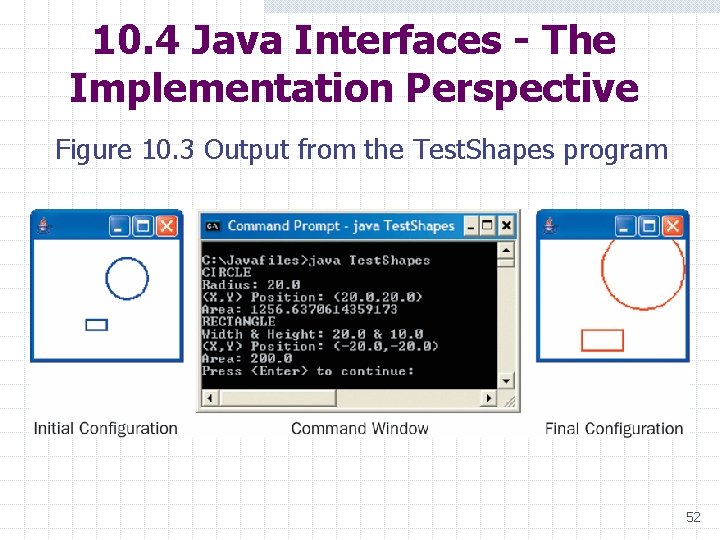
10. 4 Java Interfaces - The Implementation Perspective Figure 10. 3 Output from the Test. Shapes program 52
10. 4 Java Interfaces - The Implementation Perspective Final Observations n n n An interface contains only methods, never variables. The methods in an interface are usually public. If more than one class implements an interface, its methods are polymorphic. A class can implement methods in addition to those listed in the interface. A class can implement more than one interface. Interfaces can be organized in an inheritance hierarchy. 53
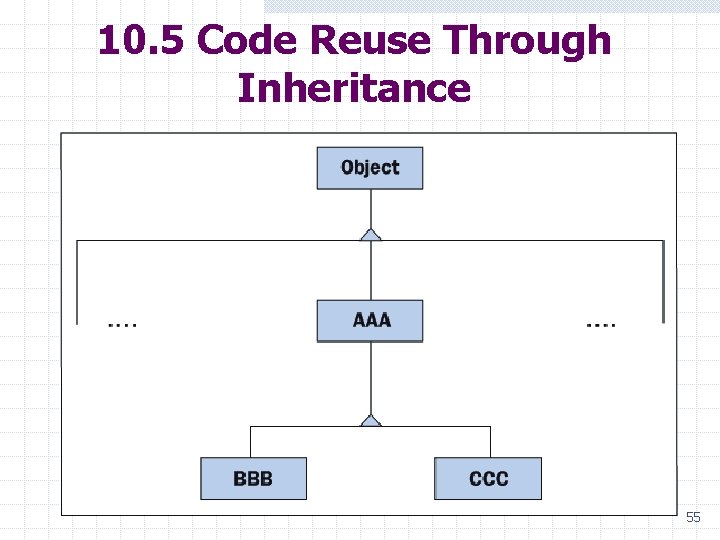
10. 5 Code Reuse Through Inheritance Review of Terminology n n n Figure 10 -4 shows part of a class hierarchy, with Object as always at the root (the top position in an upside down tree). Below Object are its subclasses, but we show only one, which we call AAA. Because AAA is immediately below Object, we say that it extends Object. Similarly, BBB and CCC extend AAA. The class immediately above another is called its superclass, so AAA is the superclass of BBB and CCC. A class can have many subclasses, and all classes, except Object, have exactly one superclass. The descendants of a class consist of its subclasses, plus their subclasses, etc. 54
10. 5 Code Reuse Through Inheritance 55
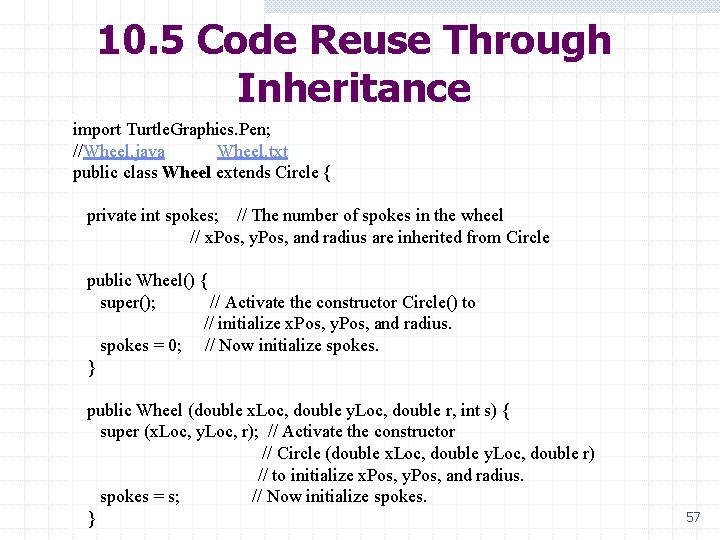
10. 5 Code Reuse Through Inheritance Wheel as a Subclass of Circle n n As our first illustration of inheritance, we implement the class Wheel as a subclass of Circle. A wheel is just a circle with spokes, so much of the code needed to implement Wheel is already in Circle. 56
10. 5 Code Reuse Through Inheritance import Turtle. Graphics. Pen; //Wheel. java Wheel. txt public class Wheel extends Circle { private int spokes; // The number of spokes in the wheel // x. Pos, y. Pos, and radius are inherited from Circle public Wheel() { super(); // Activate the constructor Circle() to // initialize x. Pos, y. Pos, and radius. spokes = 0; // Now initialize spokes. } public Wheel (double x. Loc, double y. Loc, double r, int s) { super (x. Loc, y. Loc, r); // Activate the constructor // Circle (double x. Loc, double y. Loc, double r) // to initialize x. Pos, y. Pos, and radius. spokes = s; // Now initialize spokes. } 57
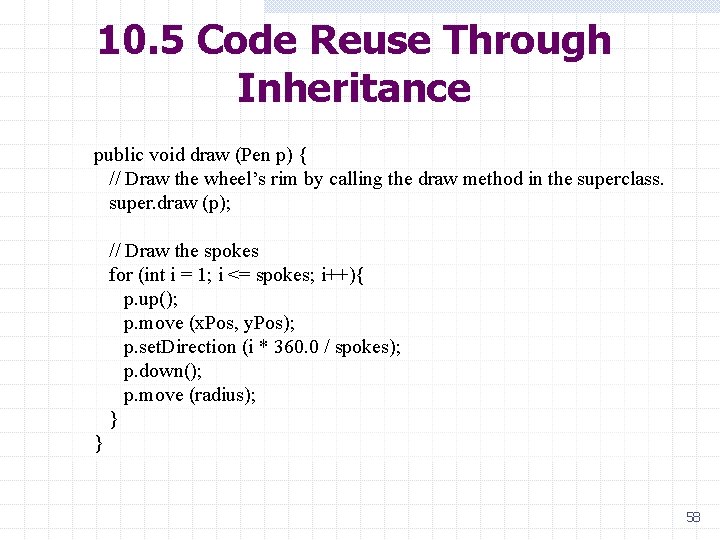
10. 5 Code Reuse Through Inheritance public void draw (Pen p) { // Draw the wheel’s rim by calling the draw method in the superclass. super. draw (p); // Draw the spokes for (int i = 1; i <= spokes; i++){ p. up(); p. move (x. Pos, y. Pos); p. set. Direction (i * 360. 0 / spokes); p. down(); p. move (radius); } 58
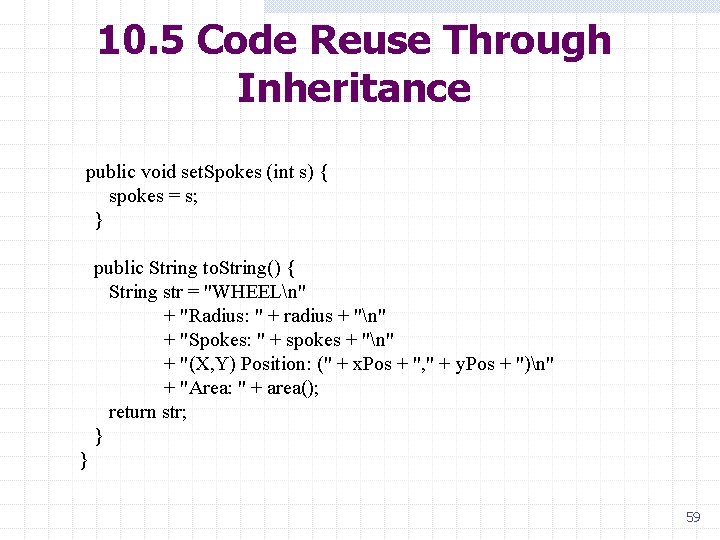
10. 5 Code Reuse Through Inheritance public void set. Spokes (int s) { spokes = s; } public String to. String() { String str = "WHEELn" + "Radius: " + radius + "n" + "Spokes: " + spokes + "n" + "(X, Y) Position: (" + x. Pos + ", " + y. Pos + ")n" + "Area: " + area(); return str; } } 59
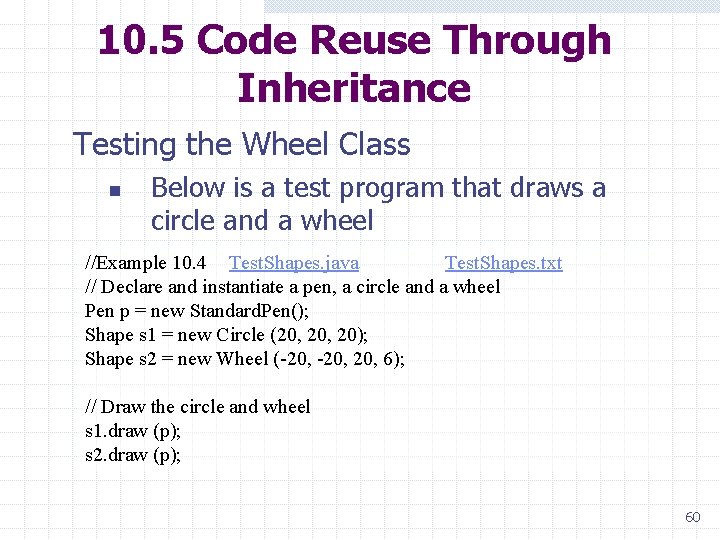
10. 5 Code Reuse Through Inheritance Testing the Wheel Class n Below is a test program that draws a circle and a wheel //Example 10. 4 Test. Shapes. java Test. Shapes. txt // Declare and instantiate a pen, a circle and a wheel Pen p = new Standard. Pen(); Shape s 1 = new Circle (20, 20); Shape s 2 = new Wheel (-20, 20, 6); // Draw the circle and wheel s 1. draw (p); s 2. draw (p); 60
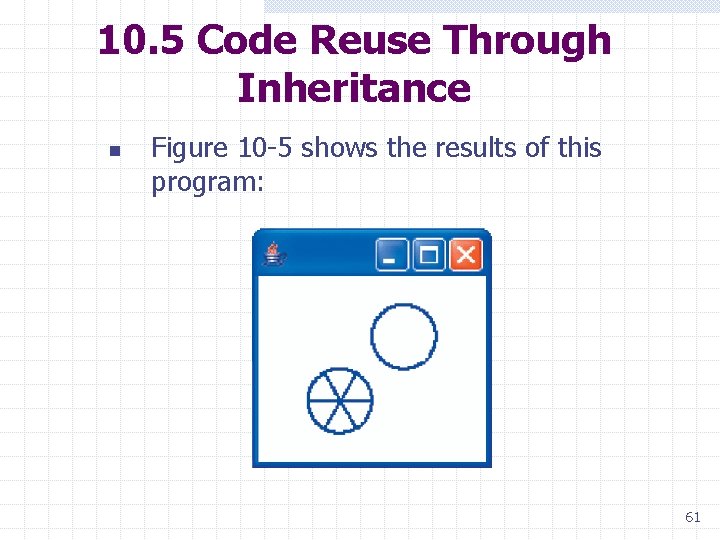
10. 5 Code Reuse Through Inheritance n Figure 10 -5 shows the results of this program: 61
10. 5 Code Reuse Through Inheritance Detailed Explanation n CLASS HEADER w In the class header, we see that Wheel extends Circle, thereby indicating that it is a subclass of Circle and inherits all of Circle's variables and methods. w The clause "implements Shape" is omitted from the header because Wheel inherits this property from Circle automatically. 62
10. 5 Code Reuse Through Inheritance n VARIABLES w The variable spokes, indicating the number of spokes in a wheel, is the only variable declared in the class. w The other variables (x. Pos, y. Pos, and radius) are inherited from Circle. w In order to reference these variables in Wheel methods, Circle must be modified slightly. 63
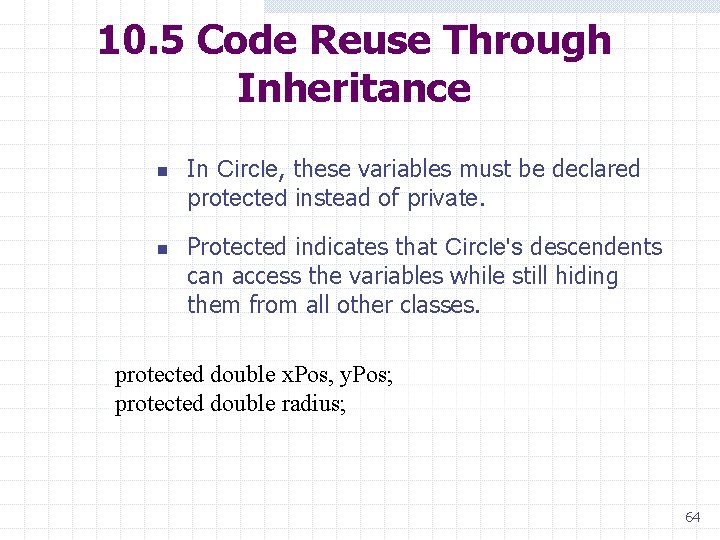
10. 5 Code Reuse Through Inheritance n n In Circle, these variables must be declared protected instead of private. Protected indicates that Circle's descendents can access the variables while still hiding them from all other classes. protected double x. Pos, y. Pos; protected double radius; 64
10. 5 Code Reuse Through Inheritance n PROTECTED METHODS w w n Methods can be designated as protected also. A protected method is accessible to a class's descendants, but not to any other classes in the hierarchy. CONSTRUCTORS AND SUPER w w w Constructors in class Wheel explicitly initialize the variable spokes. Constructors in the superclass Circle initialize the remaining variables (x. Pos, y. Pos, and radius). The keyword super is used to activate the desired constructor in Circle, and the parameter list used with super determines which constructor in Circle is called. n When used in this way, super must be the first statement in Wheel's constructors. 65
10. 5 Code Reuse Through Inheritance n OTHER METHODS AND SUPER Super can also be used in methods other than constructors, but in a slightly different way. w It can appear any place within a method. , w It takes the form: super. <method name> (<parameter list>); w w Such code activates the named method in the superclass (note that the two methods are polymorphic). this. <method name> (<parameter list>); // Long form // or <method name> (<parameter list>); // Short form 66
10. 5 Code Reuse Through Inheritance n WHY SOME METHODS ARE MISSING w Not all the Shape methods are implemented in Wheel, since they are inherited unchanged from Circle. w For instance, if the move message is sent to a wheel object, the move method in Circle is activated. n WHY SOME METHODS ARE MODIFIED w Whenever a wheel object must respond differently to a message than a circle object, the corresponding method must be redefined in class Wheel. 67
10. 5 Code Reuse Through Inheritance w The methods draw and to. String are examples. w When convenient, the redefined method can use super to activate a method in the superclass. n WHY THERE ARE EXTRA METHODS w A subclass often has methods that do not appear in its superclass. w The method set. Spokes is an example. 68
10. 5 Code Reuse Through Inheritance n WHAT MESSAGES CAN BE SENT TO A WHEEL w Because Wheel is a subclass of Circle, it automatically implements Shape. w A variable of type Shape can be instantiated as a new Wheel and can receive all Shape messages: Shape some. Shape = new Wheel(); some. Shape. <any Shape message>; 69
10. 5 Code Reuse Through Inheritance n n The variable some. Shape cannot be sent the message set. Spokes even though it is actually a wheel. From the compiler's perspective, some. Shape is limited to receiving messages in the Shape interface. 70
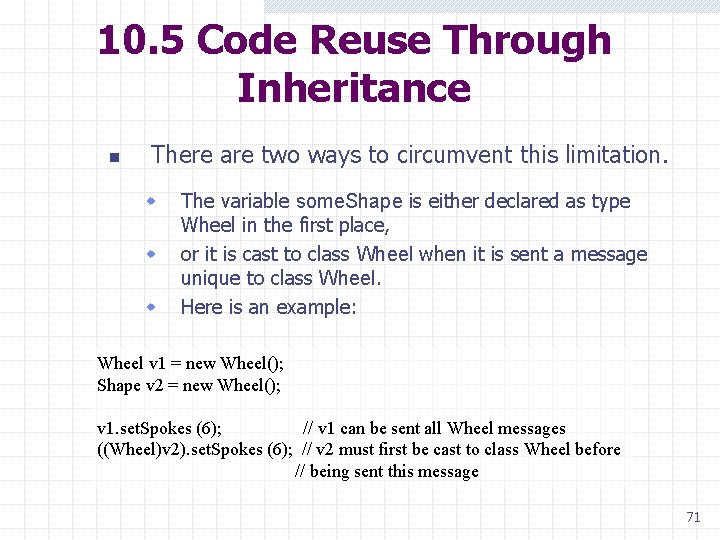
10. 5 Code Reuse Through Inheritance n There are two ways to circumvent this limitation. w w w The variable some. Shape is either declared as type Wheel in the first place, or it is cast to class Wheel when it is sent a message unique to class Wheel. Here is an example: Wheel v 1 = new Wheel(); Shape v 2 = new Wheel(); v 1. set. Spokes (6); // v 1 can be sent all Wheel messages ((Wheel)v 2). set. Spokes (6); // v 2 must first be cast to class Wheel before // being sent this message 71
10. 6 Inheritance and Abstract Classes n n Inheritance provides a mechanism for reducing duplication of code. To illustrate, we define a new class that is a superclass of Circle and Rect and contains all the variables and methods common to both. We will never have any reason to instantiate this class, so we will make it an abstract class, The classes that extend this class and that are instantiated are called concrete classes. 72
10. 6 Inheritance and Abstract Classes n n Because Abstract. Shape is going to implement Shape, it must include all the Shape methods, even those, such as area, that are completely different in the subclasses and share no code. Methods in Abstract. Shape, such as area, for which we cannot write any code, are called abstract methods, and we indicate that fact by including the word abstract in their headers. 73
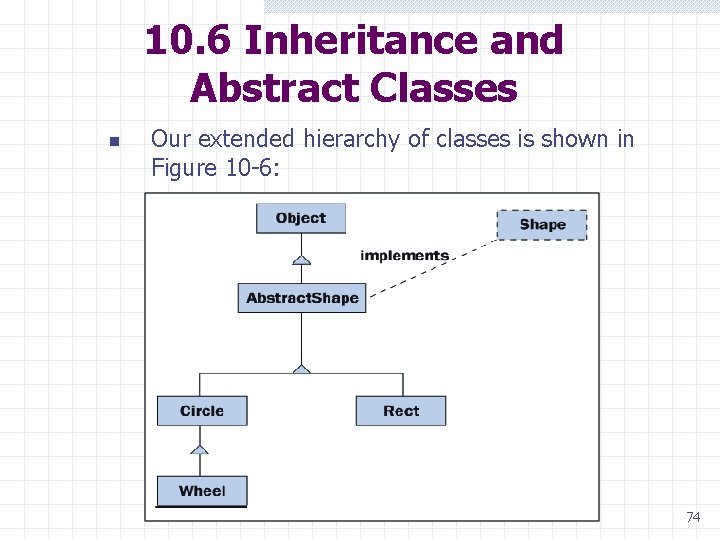
10. 6 Inheritance and Abstract Classes n Our extended hierarchy of classes is shown in Figure 10 -6: 74
10. 6 Inheritance and Abstract Classes n n n It takes a lot of code to implement all these classes; however, the code is straightforward, and the embedded comments explain the tricky parts. Pay particular attention to the attribute final, which is used for the first time in class Abstract. Shape. A final method is a method that cannot be overridden by a subclass. 75
10. 6 Inheritance and Abstract Classes The code necessary for Abstract. Shape is found in Example 10. 5: Abstract. Shape. java Test. Shapes. java Circle. java Rect. java Shape. java Wheel. java Abstract. Shape. txt Test. Shapes. txt Circle. txt Rect. txt Shape. txt Wheel. txt 76
10. 7 Some Observations About Interfaces and Inheritance n n n A Java interface has a name and consists of a list of method headers. One or more classes can implement the same interface. If a variable is declared to be of an interface type, then it can be associated with an object from any class that implements the interface. If a class implements an interface, then all its subclasses do so implicitly. A subclass inherits all the characteristics of its superclass. To this basis, the subclass can add new variables and methods or modify inherited methods. 77
10. 7 Some Observations About Interfaces and Inheritance n n n Characteristics common to several classes can be collected in a common abstract superclass that is never instantiated. An abstract class can contain headers for abstract methods that are implemented in the subclasses. A class's constructors and methods can utilize constructors and methods in the superclass. Inheritance reduces repetition and promotes the reuse of code. Interfaces and inheritance promote the use of polymorphism. 78
10. 7 Some Observations About Interfaces and Inheritance Implementation, Extension, Overriding, and Finality n 1. You may have noticed that there are four ways in which methods in a subclass can be related to methods in a superclass: Implementation of an abstract method: Each subclass is forced to implement the abstract methods specified in its superclass. Abstract methods are thus a means of requiring certain behavior in all subclasses. 79
10. 7 Some Observations About Interfaces and Inheritance 2. Extension: There are two kinds of extension: a. The subclass method does not exist in the superclass. b. The subclass method invokes the same method in the superclass and also extends the superclass's behavior with its own operations. 3. 4. Overriding: In this case, the subclass method does not invoke the superclass method. Instead, the subclass method is intended as a complete replacement of the superclass method. Finality: The method in the superclass is complete and cannot be modified by the subclasses. We declare such a method to be final. 80
10. 7 Some Observations About Interfaces and Inheritance Working Without Interfaces n Without the Shape interface, the implementation of Abstract. Shape remains the same except for the header: abstract public class Abstract. Shape { n Defining a variable as Abstract. Shape allows the variable to associate with objects from any shape class: Abstract. Shape s 1, s 2, s 3; s 1 = new Circle(); s 2 = new Rect(); s 3 = new Wheel(); s 2. <any message in Abstract. Shape>; 81
10. 7 Some Observations About Interfaces and Inheritance n n Because the Abstract. Shape class contains a list of all the shape methods, we can send any of the shape messages to the variables s 1, s 2, and s 3. Of course, we still cannot send the set. Spokes message to s 3 without first casting s 3 to the Wheel class. 82
10. 7 Some Observations About Interfaces and Inheritance Relationships among Classes w An object of one class can send a message to an object of another class. n The sender object’s class depends on the receiver object's class, and their relationship is called dependency. w An object of one class can contain objects of another class as structural components. n The relationship between a container class and the classes of objects it contains is called aggregation or the has-a relationship. w An object’s class can be a subclass or a more general class. n These classes are related by inheritance, or the is-a relationship. 83
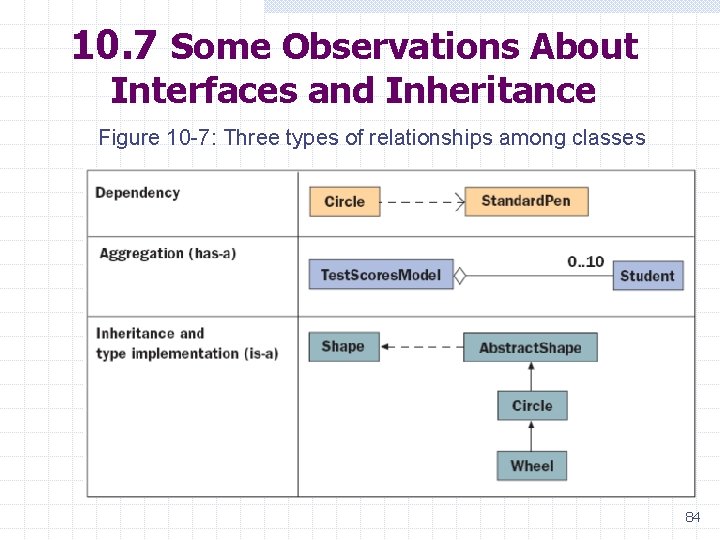
10. 7 Some Observations About Interfaces and Inheritance Figure 10 -7: Three types of relationships among classes 84
10. 8 Acceptable Classes for Parameters and Return Values n n The rules of Java state that in any situation in which an object of class BBB is expected, it is always acceptable to substitute an object of a subclass but never of a superclass. This is because a subclass of BBB inherits all of BBB's methods, while no guarantees can be made about the methods in the superclass. 85
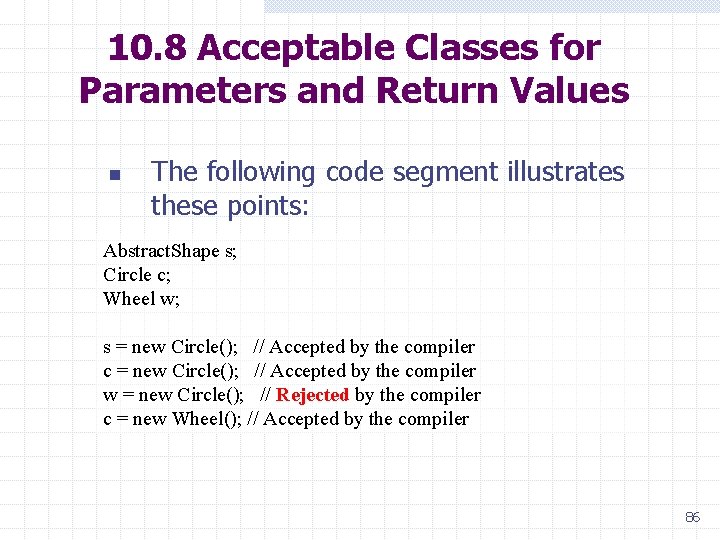
10. 8 Acceptable Classes for Parameters and Return Values n The following code segment illustrates these points: Abstract. Shape s; Circle c; Wheel w; s = new Circle(); // Accepted by the compiler c = new Circle(); // Accepted by the compiler w = new Circle(); // Rejected by the compiler c = new Wheel(); // Accepted by the compiler 86
10. 8 Acceptable Classes for Parameters and Return Values Rectangle In, Circle Out n n n The first example takes a rectangle as an input parameter and returns a circle. The circle has the same area and position as the rectangle. The method makes no changes to the rectangle, and it has to instantiate the circle: 87
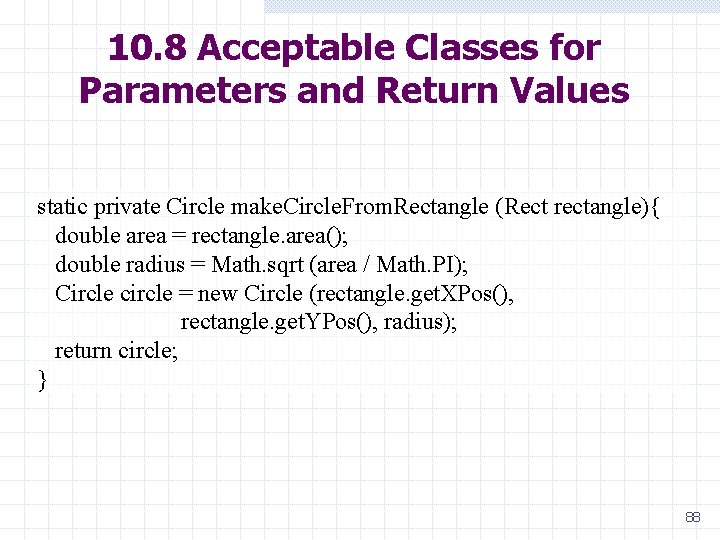
10. 8 Acceptable Classes for Parameters and Return Values static private Circle make. Circle. From. Rectangle (Rect rectangle){ double area = rectangle. area(); double radius = Math. sqrt (area / Math. PI); Circle circle = new Circle (rectangle. get. XPos(), rectangle. get. YPos(), radius); return circle; } 88
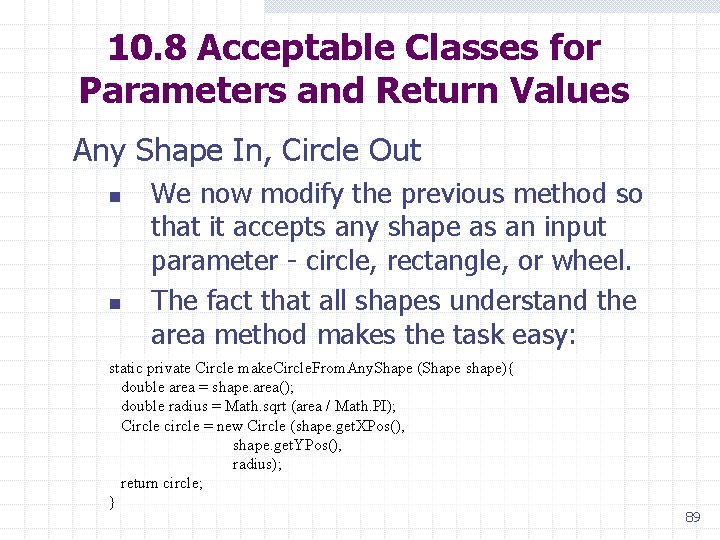
10. 8 Acceptable Classes for Parameters and Return Values Any Shape In, Circle Out n n We now modify the previous method so that it accepts any shape as an input parameter - circle, rectangle, or wheel. The fact that all shapes understand the area method makes the task easy: static private Circle make. Circle. From. Any. Shape (Shape shape){ double area = shape. area(); double radius = Math. sqrt (area / Math. PI); Circle circle = new Circle (shape. get. XPos(), shape. get. YPos(), radius); return circle; } 89
10. 8 Acceptable Classes for Parameters and Return Values Any Shape In, Any Shape Out n n n It is also possible for a method to return an arbitrary rather than a specific shape. The next method has two input parameters. The first parameter is a shape, and the second indicates the type of shape to return: 90
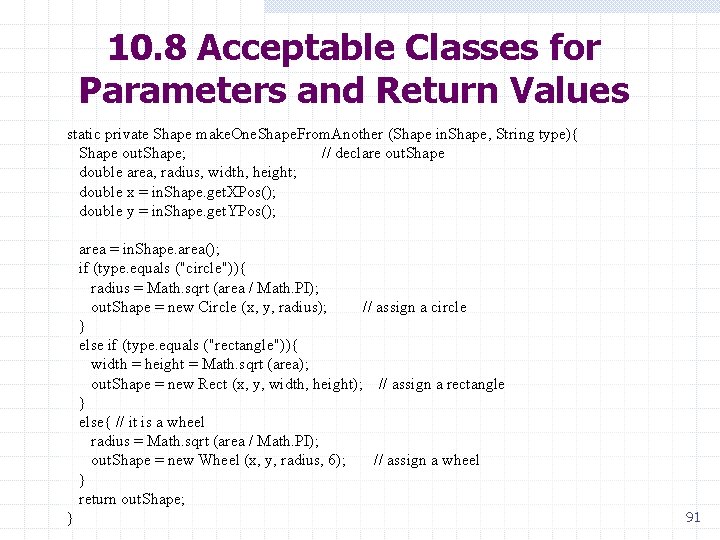
10. 8 Acceptable Classes for Parameters and Return Values static private Shape make. One. Shape. From. Another (Shape in. Shape, String type){ Shape out. Shape; // declare out. Shape double area, radius, width, height; double x = in. Shape. get. XPos(); double y = in. Shape. get. YPos(); area = in. Shape. area(); if (type. equals ("circle")){ radius = Math. sqrt (area / Math. PI); out. Shape = new Circle (x, y, radius); // assign a circle } else if (type. equals ("rectangle")){ width = height = Math. sqrt (area); out. Shape = new Rect (x, y, width, height); // assign a rectangle } else{ // it is a wheel radius = Math. sqrt (area / Math. PI); out. Shape = new Wheel (x, y, radius, 6); // assign a wheel } return out. Shape; } 91
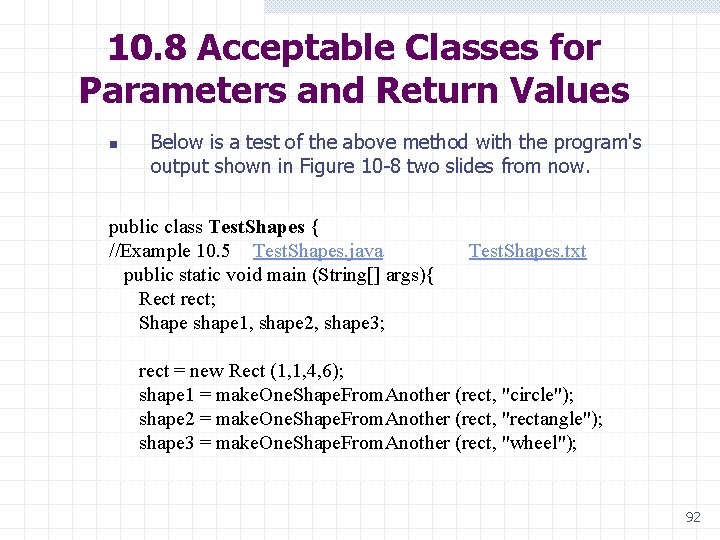
10. 8 Acceptable Classes for Parameters and Return Values n Below is a test of the above method with the program's output shown in Figure 10 -8 two slides from now. public class Test. Shapes { //Example 10. 5 Test. Shapes. java Test. Shapes. txt public static void main (String[] args){ Rect rect; Shape shape 1, shape 2, shape 3; rect = new Rect (1, 1, 4, 6); shape 1 = make. One. Shape. From. Another (rect, "circle"); shape 2 = make. One. Shape. From. Another (rect, "rectangle"); shape 3 = make. One. Shape. From. Another (rect, "wheel"); 92
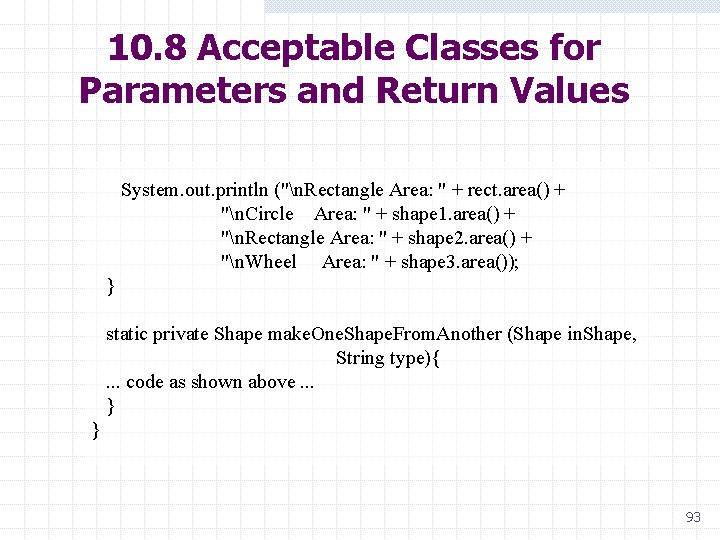
10. 8 Acceptable Classes for Parameters and Return Values System. out. println ("n. Rectangle Area: " + rect. area() + "n. Circle Area: " + shape 1. area() + "n. Rectangle Area: " + shape 2. area() + "n. Wheel Area: " + shape 3. area()); } static private Shape make. One. Shape. From. Another (Shape in. Shape, String type){ . . . code as shown above. . . } } 93
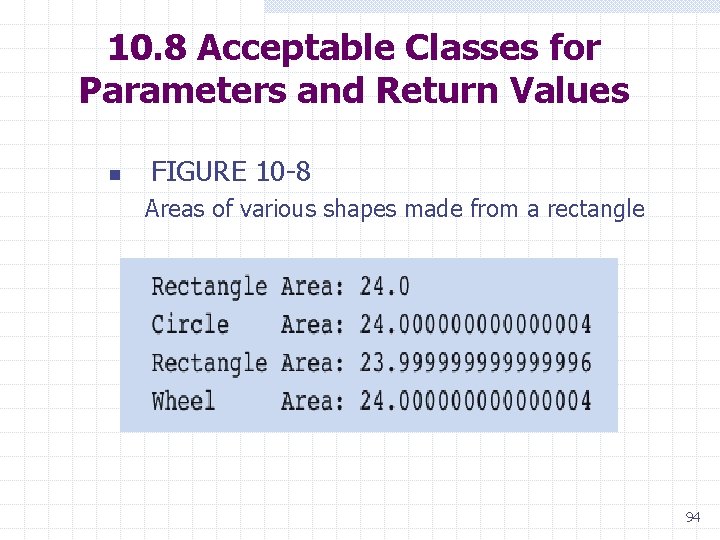
10. 8 Acceptable Classes for Parameters and Return Values n FIGURE 10 -8 Areas of various shapes made from a rectangle 94
10. 9 Error Handling with Classes n n In the following code, a class's mutator method returns a boolean value to indicate whether the operation has been successful or an error has occurred and the operation has failed. The class also provides a method that returns a string that states a rule describing the valid use of the mutator method. 95
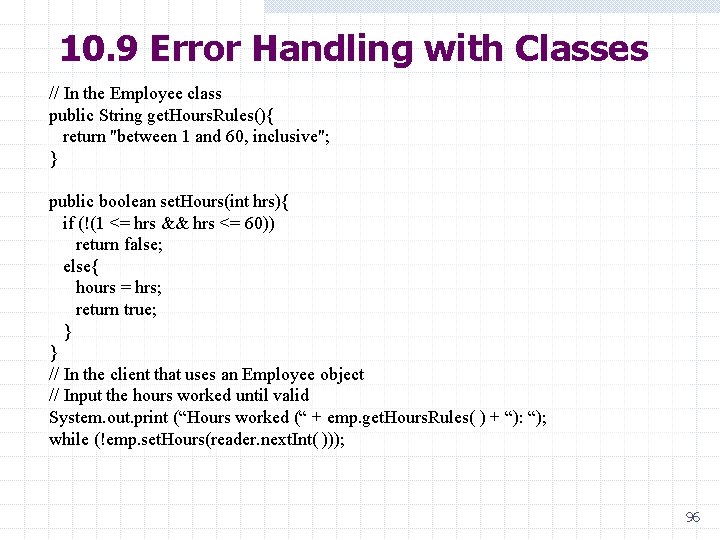
10. 9 Error Handling with Classes // In the Employee class public String get. Hours. Rules(){ return "between 1 and 60, inclusive"; } public boolean set. Hours(int hrs){ if (!(1 <= hrs && hrs <= 60)) return false; else{ hours = hrs; return true; } } // In the client that uses an Employee object // Input the hours worked until valid System. out. print (“Hours worked (“ + emp. get. Hours. Rules( ) + “): “); while (!emp. set. Hours(reader. next. Int( ))); 96
10. 9 Error Handling with Classes Preconditions and Postconditions n n Think of preconditions and postconditions as the subject of a conversation between the user and implementer of a method. Here is the general form of the conversation: w w w Implementer: "Here are things that you must guarantee to be true before my method is invoked. They are its preconditions. " User: "Fine. And what do you guarantee will be the case if I do that? " Implementer: "Here are things that I guarantee to be true when my method finishes execution. They are its postconditions. " 97
10. 9 Error Handling with Classes n n A method's preconditions describe what should be true before it is called. A method’s postconditions describe what will be true after it has finished executing. Preconditions describe the expected values of parameters and instance variables that the method is about to use. Postconditions describe the return value and any changes made to instance variables. If the caller does not meet the preconditions, then the method probably will not meet the postconditions. 98
10. 9 Error Handling with Classes n n n In most programming languages, preconditions and postconditions are conveniently written as comments placed directly above a method's header. Let us add such documentation to a method header for the Student method set. Score. There are preconditions on each of the method's parameters: 1. The parameter i, which represents the position of the score, must be greater than or equal to 1 and less than or equal to 3. 2. The parameter score must be greater than or equal to 0 and less than or equal to 100. 99
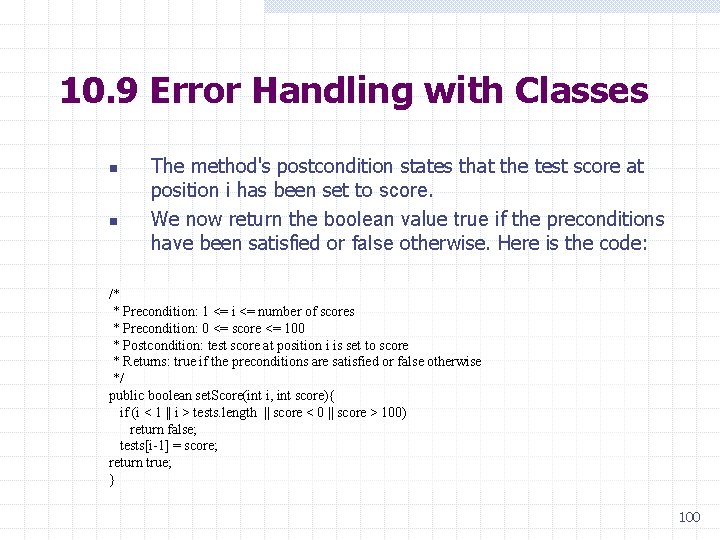
10. 9 Error Handling with Classes n n The method's postcondition states that the test score at position i has been set to score. We now return the boolean value true if the preconditions have been satisfied or false otherwise. Here is the code: /* * Precondition: 1 <= i <= number of scores * Precondition: 0 <= score <= 100 * Postcondition: test score at position i is set to score * Returns: true if the preconditions are satisfied or false otherwise */ public boolean set. Score(int i, int score){ if (i < 1 || i > tests. length || score < 0 || score > 100) return false; tests[i-1] = score; return true; } 100
10. 10 Exceptions Examples of Exceptions n n Java provides a hierarchy of exception classes that represent the most commonly occurring exceptions. Following is a list of some of the commonly used exception classes in the package java. lang: 101
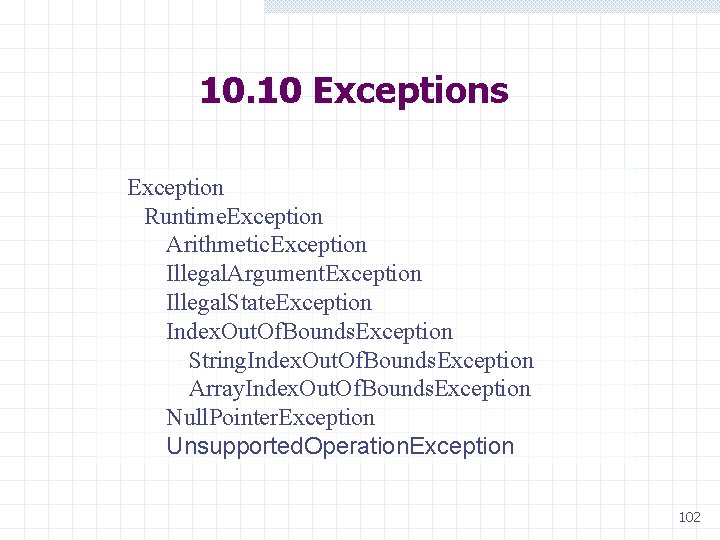
10. 10 Exceptions Exception Runtime. Exception Arithmetic. Exception Illegal. Argument. Exception Illegal. State. Exception Index. Out. Of. Bounds. Exception String. Index. Out. Of. Bounds. Exception Array. Index. Out. Of. Bounds. Exception Null. Pointer. Exception Unsupported. Operation. Exception 102
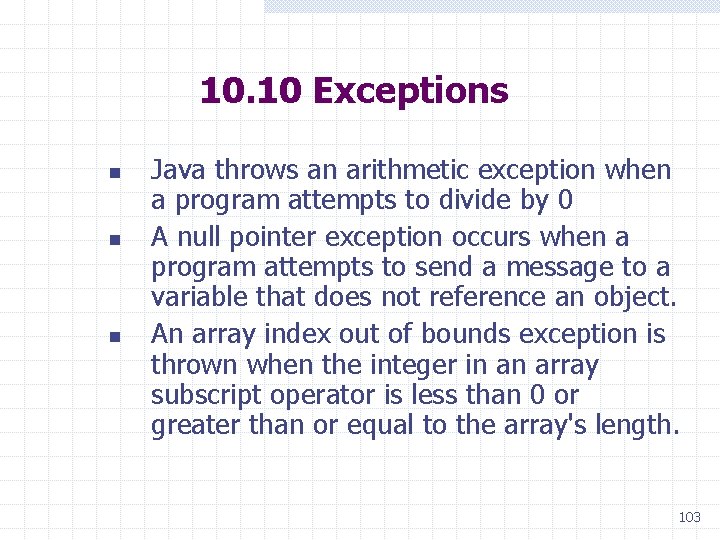
10. 10 Exceptions n n n Java throws an arithmetic exception when a program attempts to divide by 0 A null pointer exception occurs when a program attempts to send a message to a variable that does not reference an object. An array index out of bounds exception is thrown when the integer in an array subscript operator is less than 0 or greater than or equal to the array's length. 103
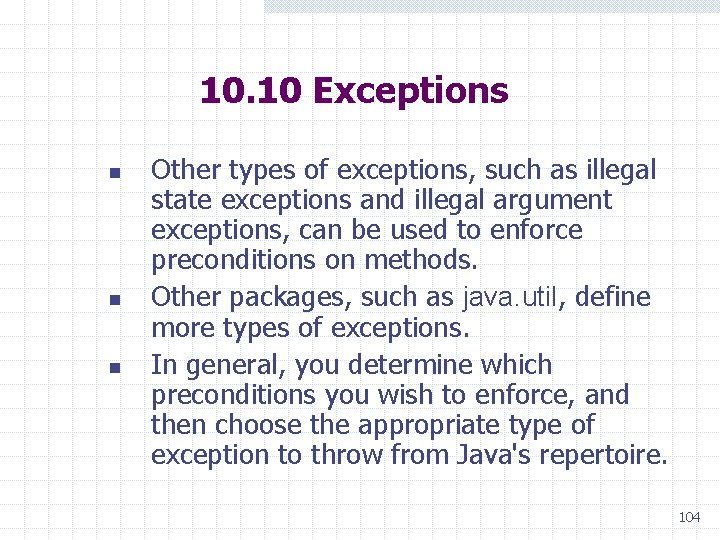
10. 10 Exceptions n n n Other types of exceptions, such as illegal state exceptions and illegal argument exceptions, can be used to enforce preconditions on methods. Other packages, such as java. util, define more types of exceptions. In general, you determine which preconditions you wish to enforce, and then choose the appropriate type of exception to throw from Java's repertoire. 104
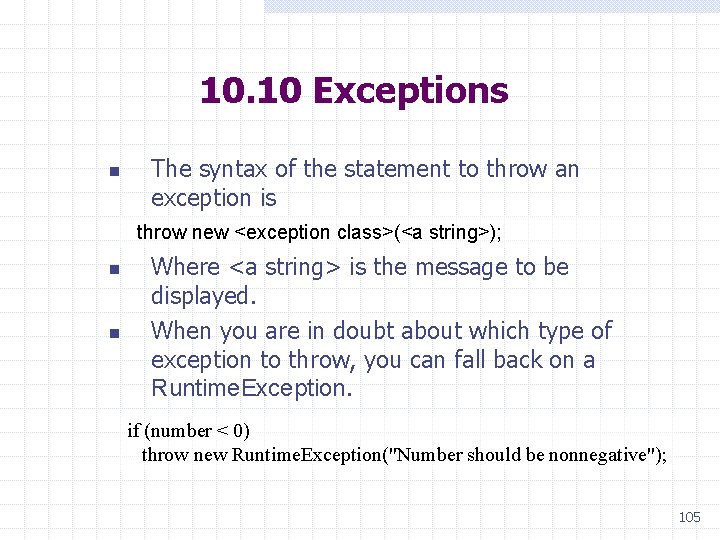
10. 10 Exceptions n The syntax of the statement to throw an exception is throw new <exception class>(<a string>); n n Where <a string> is the message to be displayed. When you are in doubt about which type of exception to throw, you can fall back on a Runtime. Exception. if (number < 0) throw new Runtime. Exception("Number should be nonnegative"); 105
10. 10 Exceptions Throwing Exceptions to Enforce Preconditions n n n A more hard-nosed approach to error handling is to have a class throw exceptions to enforce all of its methods' preconditions. We will throw an Illegal. Argument. Exception if either parameter violates the preconditions. Because the method either succeeds in setting a score or throws an exception, it returns void instead of a boolean value. 106
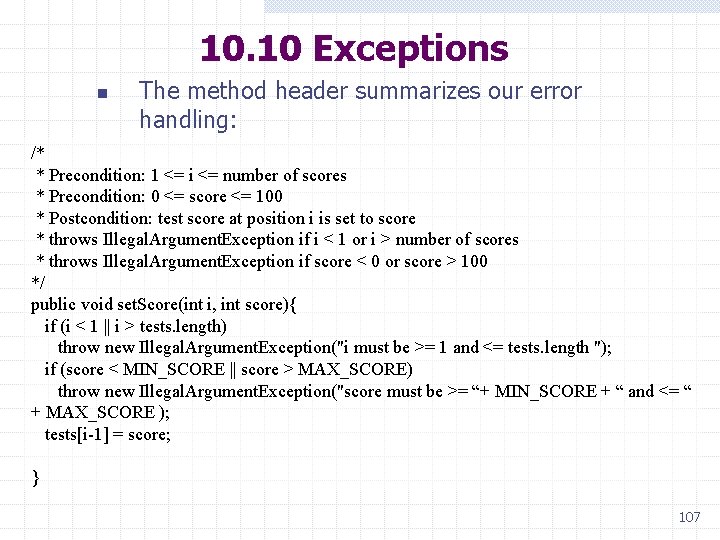
10. 10 Exceptions n The method header summarizes our error handling: /* * Precondition: 1 <= i <= number of scores * Precondition: 0 <= score <= 100 * Postcondition: test score at position i is set to score * throws Illegal. Argument. Exception if i < 1 or i > number of scores * throws Illegal. Argument. Exception if score < 0 or score > 100 */ public void set. Score(int i, int score){ if (i < 1 || i > tests. length) throw new Illegal. Argument. Exception("i must be >= 1 and <= tests. length "); if (score < MIN_SCORE || score > MAX_SCORE) throw new Illegal. Argument. Exception("score must be >= “+ MIN_SCORE + “ and <= “ + MAX_SCORE ); tests[i-1] = score; } 107
10. 10 Exceptions Catching an Exception n The use of exceptions can make a server's code pretty fool proof. Clients must still check the preconditions of such methods if they do not want these exceptions to halt their programs with run-time errors. There are two ways to do this: 108
10. 10 Exceptions 1. 2. Use a simple if-else statement to ask the right questions about the parameters before calling a method. Embed the call to the method within a try-catch statement. w The try-catch statement allows a client to n n attempt the call of a method whose preconditions might be violated, catch any exceptions that the method might throw and respond to them gracefully. 109
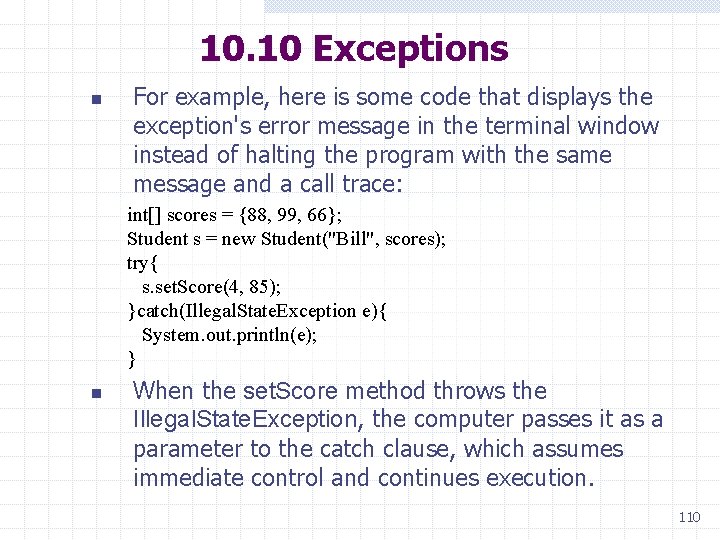
10. 10 Exceptions n For example, here is some code that displays the exception's error message in the terminal window instead of halting the program with the same message and a call trace: int[] scores = {88, 99, 66}; Student s = new Student("Bill", scores); try{ s. set. Score(4, 85); }catch(Illegal. State. Exception e){ System. out. println(e); } n When the set. Score method throws the Illegal. State. Exception, the computer passes it as a parameter to the catch clause, which assumes immediate control and continues execution. 110
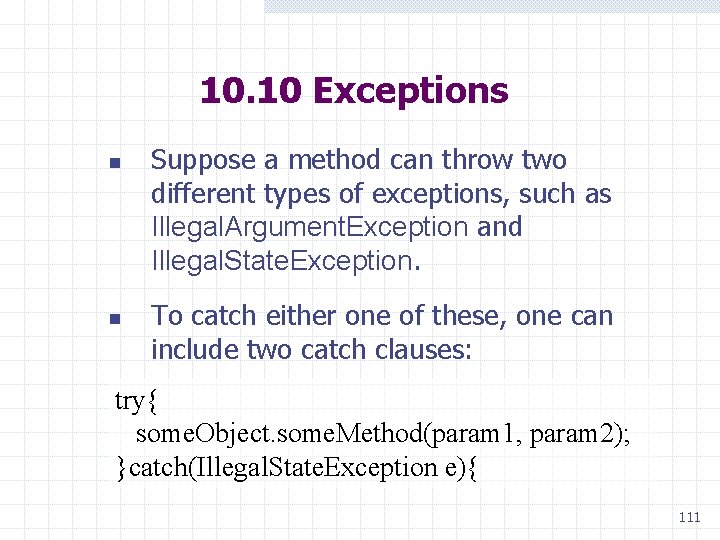
10. 10 Exceptions n n Suppose a method can throw two different types of exceptions, such as Illegal. Argument. Exception and Illegal. State. Exception. To catch either one of these, one can include two catch clauses: try{ some. Object. some. Method(param 1, param 2); }catch(Illegal. State. Exception e){ 111
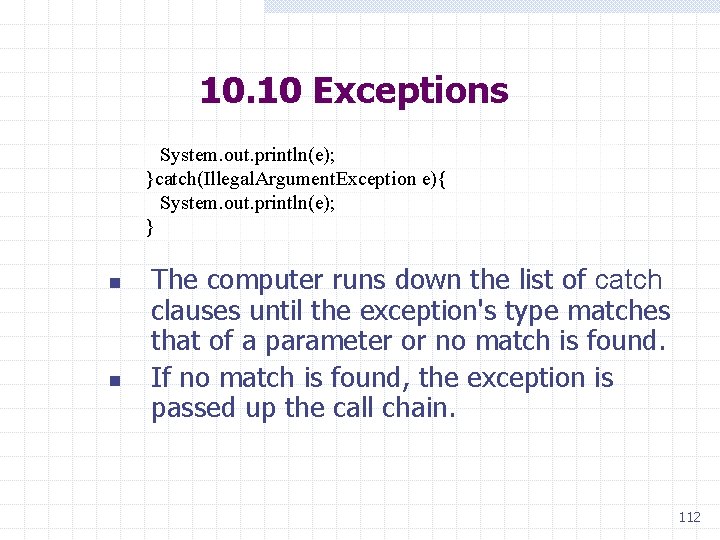
10. 10 Exceptions System. out. println(e); }catch(Illegal. Argument. Exception e){ System. out. println(e); } n n The computer runs down the list of catch clauses until the exception's type matches that of a parameter or no match is found. If no match is found, the exception is passed up the call chain. 112
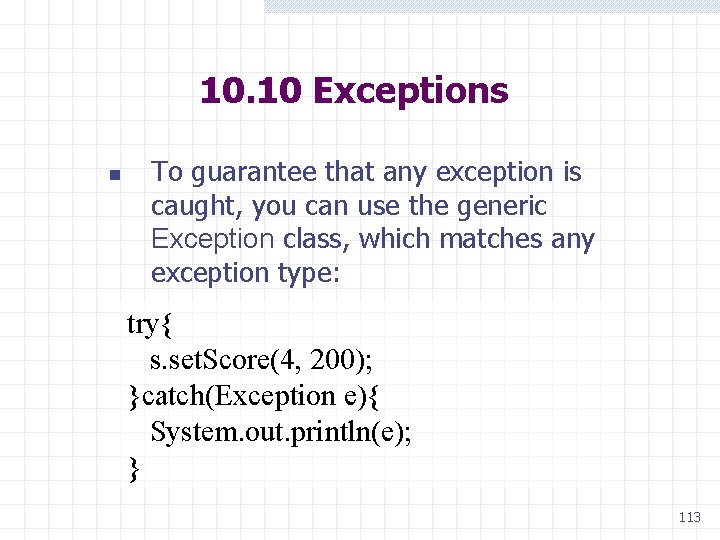
10. 10 Exceptions n To guarantee that any exception is caught, you can use the generic Exception class, which matches any exception type: try{ s. set. Score(4, 200); }catch(Exception e){ System. out. println(e); } 113
Creating Online Documentation with javadoc Case Study 9. 1: Student Class n To create online documentation with javadoc w Edit the. java file to include special comment syntax to mark the information that will appear in the document pages. w Run the javadoc command with the. java file to generate the online documentation. w @param, @return, and @throws are the standard tags recognized by javadoc. w javadoc creates web pages for the class w javadoc Student. java //command line command for docs Student. java Student. txt Docs: index. html 114
10. 11 Reference Types, Equality, and Object Identity n n n It is possible for more than one variable to point to the same object, known as aliasing. Aliasing, occurs when the programmer assigns one object variable to another. It is also possible, for two object variables to refer to distinct objects of the same type. 115
10. 11 Reference Types, Equality, and Object Identity Comparing Objects for Equality n n The possibility of aliasing can lead to unintended results when comparing two object variables for equality. There are two ways to do this: 1. Use the equality operator ==. 2. Use the instance method equals. n This method is defined in the Object class and uses the == operator by default. 116
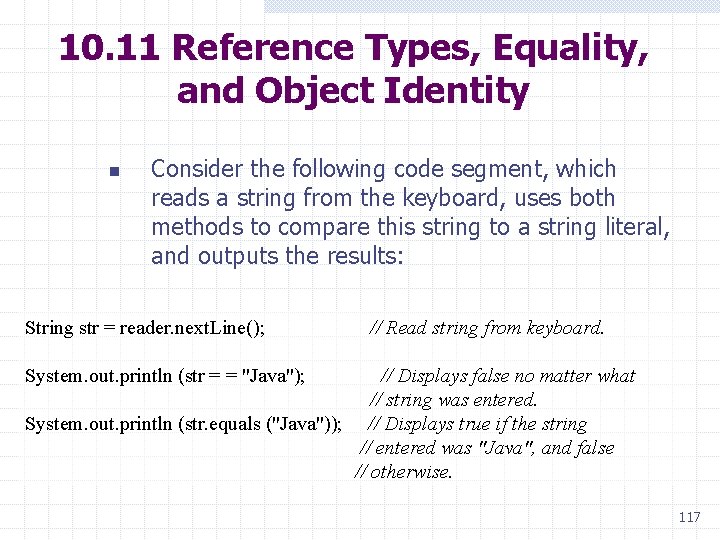
10. 11 Reference Types, Equality, and Object Identity n Consider the following code segment, which reads a string from the keyboard, uses both methods to compare this string to a string literal, and outputs the results: String str = reader. next. Line(); // Read string from keyboard. System. out. println (str = = "Java"); // Displays false no matter what // string was entered. System. out. println (str. equals ("Java")); // Displays true if the string // entered was "Java", and false // otherwise. 117
10. 11 Reference Types, Equality, and Object Identity Following is the explanation: n n The objects referenced by the variable str and the literal "Java" are two different string objects in memory, even though the characters they contain might be the same. The first string object was created in the keyboard reader during user input; the second string object was created internally within the program. 118
10. 11 Reference Types, Equality, and Object Identity n n n The operator == compares the references to the objects, not the contents of the objects. Thus, if the two references do not point to the same object in memory, == returns false. Because the two strings in our example are not the same object in memory, == returns false. 119
10. 11 Reference Types, Equality, and Object Identity n n n The method equals returns true, even when two strings are not the same object in memory, if their characters happen to be the same. If at least one pair of characters fails to match, the method equals returns false. A corollary of these facts is that the operator != can return true for two strings, even though the method equals also returns true. To summarize, == tests for object identity, whereas equals tests for structural similarity as defined by the implementing class. 120
10. 11 Reference Types, Equality, and Object Identity n n The operator == can also be used with other objects, such as buttons and menu items. In these cases, the operator tests for object identity: a reference to the same object in memory. With window objects, the use of == is appropriate because most of the time we want to compare references. For other objects, however, the use of == should be avoided. 121
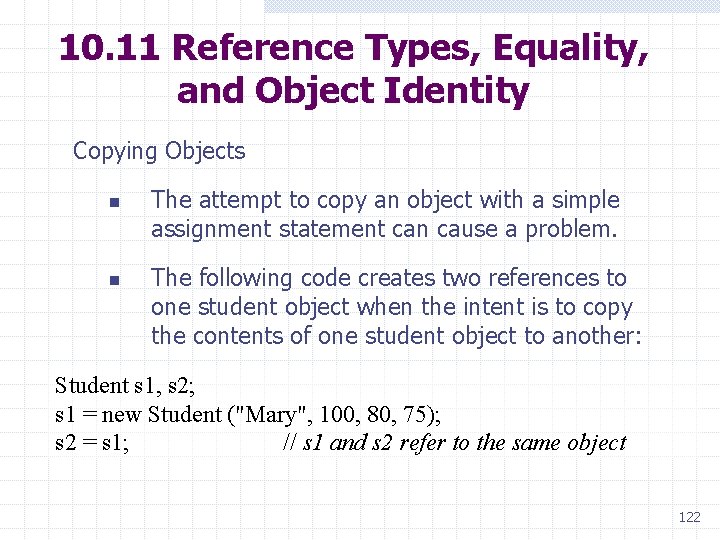
10. 11 Reference Types, Equality, and Object Identity Copying Objects n n The attempt to copy an object with a simple assignment statement can cause a problem. The following code creates two references to one student object when the intent is to copy the contents of one student object to another: Student s 1, s 2; s 1 = new Student ("Mary", 100, 80, 75); s 2 = s 1; // s 1 and s 2 refer to the same object 122
10. 11 Reference Types, Equality, and Object Identity n n n When clients of a class might copy objects, there is a standard way of providing a method that does so. The class implements the Java interface Cloneable. This interface authorizes the method clone, which is defined in the Object class, to construct a field-wise copy of the object. 123
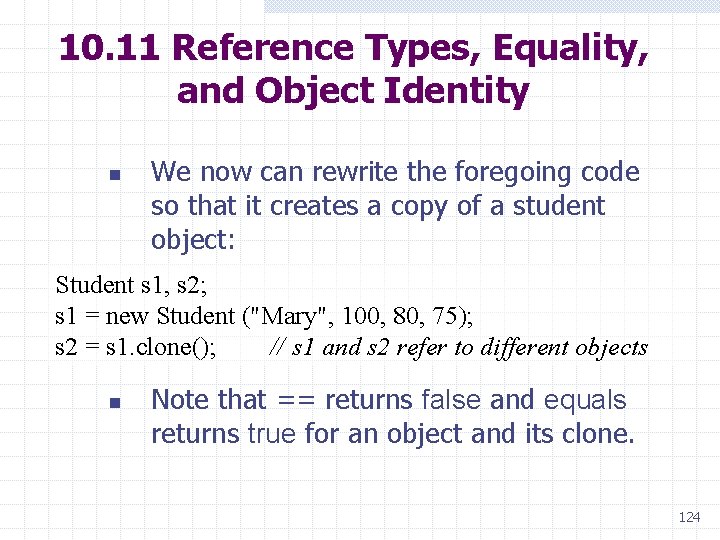
10. 11 Reference Types, Equality, and Object Identity n We now can rewrite the foregoing code so that it creates a copy of a student object: Student s 1, s 2; s 1 = new Student ("Mary", 100, 80, 75); s 2 = s 1. clone(); // s 1 and s 2 refer to different objects n Note that == returns false and equals returns true for an object and its clone. 124
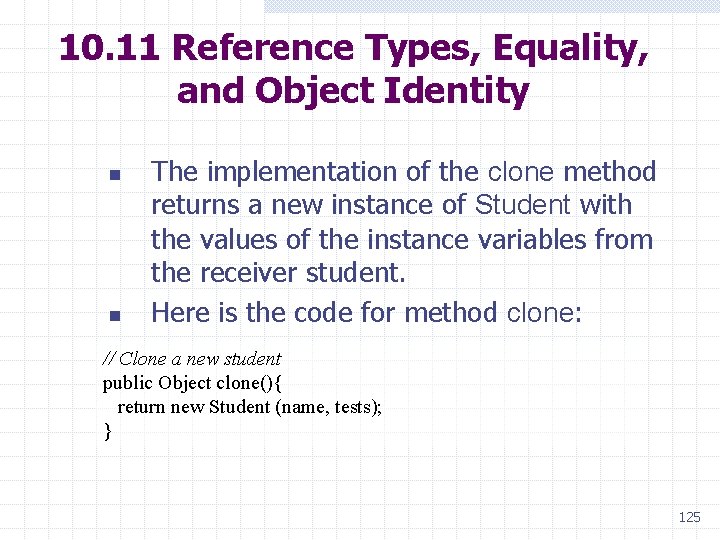
10. 11 Reference Types, Equality, and Object Identity n n The implementation of the clone method returns a new instance of Student with the values of the instance variables from the receiver student. Here is the code for method clone: // Clone a new student public Object clone(){ return new Student (name, tests); } 125
10. 11 Reference Types, Equality, and Object Identity n n n Many of Java's standard classes, such as String, already implement the Cloneable interface, so they include a clone method. When instance variables of a class are themselves objects that are cloneable, it is a good idea to send them the clone message to obtain copies when implementing the clone method for that class. This process is called deep copying and can help minimize program errors. 126
Summary Class (static) variables provide storage for data that all instances of a class can access but do not have to own separately. Class (static) methods are written primarily for class variables. An interface specifies a set of methods that implementing classes must include. n Gives clients enough information to use a class 127
Summary (cont. ) Polymorphism and inheritance reduce the amount of code that must be written by servers and learned by clients. Classes that extend other classes inherit their data and methods. Methods in different classes that have the same name are polymorphic. 128
Summary (cont. ) Abstract classes are not instantiated. n n Help organize related subclasses Contain their common data and methods Error handling can be distributed among methods and classes by using preconditions, postconditions, and exceptions. 129
Summary (cont. ) Because of the possibility of aliasing, the programmer should provide: n n equals method for comparing for equality clone method for creating a copy of an object 130
- Slides: 130