
Apache Pig Based on slides from Adam Shook
Apache Pig Based on slides from Adam Shook
What Is Pig? • Developed by Yahoo! and a top level Apache project • Immediately makes data on a cluster available to non. Java programmers via Pig Latin – a dataflow language • Interprets Pig Latin and generates Map. Reduce jobs that run on the cluster • Enables easy data summarization, ad-hoc reporting and querying, and analysis of large volumes of data • Pig interpreter runs on a client machine – no administrative overhead required
Pig Terms • All data in Pig one of four types: – An Atom is a simple data value - stored as a string but can be used as either a string or a number – A Tuple is a data record consisting of a sequence of "fields" • Each field is a piece of data of any type (atom, tuple or bag) – A Bag is a set of tuples (also referred to as a ‘Relation’) • The concept of a “kind of a” table – A Map is a map from keys that are string literals to values that can be any data type • The concept of a hash map
Pig Capabilities • Support for – Grouping – Joins – Filtering – Aggregation • Extensibility – Support for User Defined Functions (UDF’s) • Leverages the same massive parallelism as native Map. Reduce
Pig Basics • Pig is a client application – No cluster software is required • Interprets Pig Latin scripts to Map. Reduce jobs – Parses Pig Latin scripts – Performs optimization – Creates execution plan • Submits Map. Reduce jobs to the cluster
Execution Modes • Pig has two execution modes – Local Mode - all files are installed and run using your local host and file system – Map. Reduce Mode - all files are installed and run on a Hadoop cluster and HDFS installation • Interactive – By using the Grunt shell by invoking Pig on the command line $ pig grunt> • Batch – Run Pig in batch mode using Pig Scripts and the "pig" command $ pig –f id. pig –p <param>=<value>. . .

Pig Latin • Pig Latin scripts are generally organized as follows – A LOAD statement reads data – A series of “transformation” statements process the data – A STORE statement writes the output to the filesystem • A DUMP statement displays output on the screen • Logical vs. physical plans: – All statements are stored and validated as a logical plan – Once a STORE or DUMP statement is found the logical plan is executed

Example Pig Script -- Load the content of a file into a pig bag named ‘input_lines’ input_lines = LOAD 'CHANGES. txt' AS (line: chararray); -- Extract words from each line and put them into a pig bag named ‘words’ words = FOREACH input_lines GENERATE FLATTEN(TOKENIZE(line)) AS word; -- filter out any words that are just white spaces filtered_words = FILTER words BY word MATCHES '\w+'; -- create a group for each word_groups = GROUP filtered_words BY word; -- count the entries in each group word_count = FOREACH word_groups GENERATE COUNT(filtered_words) AS count, group AS word; -- order the records by count ordered_word_count = ORDER word_count BY count DESC; -- Store the results ( executes the pig script ) STORE ordered_word_count INTO 'output’;
Basic “grunt” Shell Commands • Help is available $ pig -h • Pig supports HDFS commands grunt> pwd – put, get, cp, ls, mkdir, rm, mv, etc.
About Pig Scripts • • Pig Latin statements grouped together in a file Can be run from the command line or the shell Support parameter passing Comments are supported – Inline comments '--' – Block comments /* */
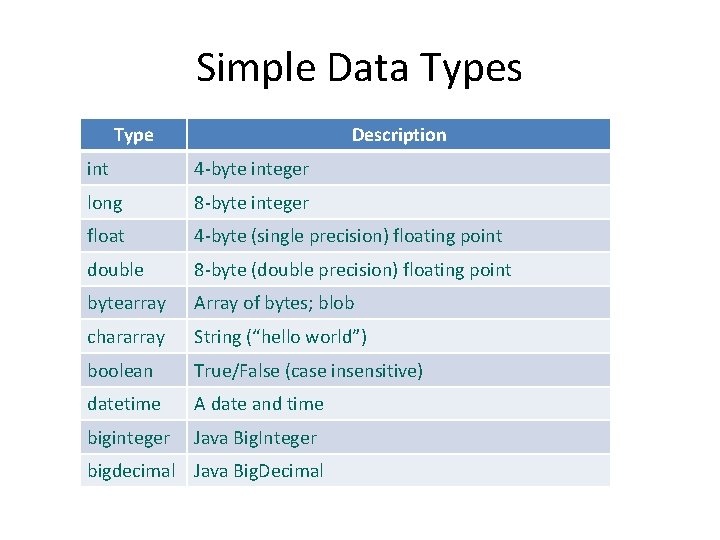
Simple Data Types Type Description int 4 -byte integer long 8 -byte integer float 4 -byte (single precision) floating point double 8 -byte (double precision) floating point bytearray Array of bytes; blob chararray String (“hello world”) boolean True/False (case insensitive) datetime A date and time biginteger Java Big. Integer bigdecimal Java Big. Decimal
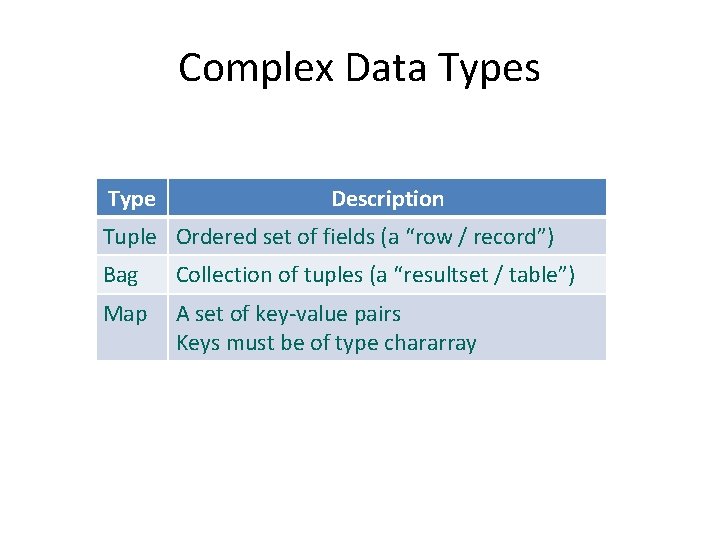
Complex Data Types Type Description Tuple Ordered set of fields (a “row / record”) Bag Collection of tuples (a “resultset / table”) Map A set of key-value pairs Keys must be of type chararray
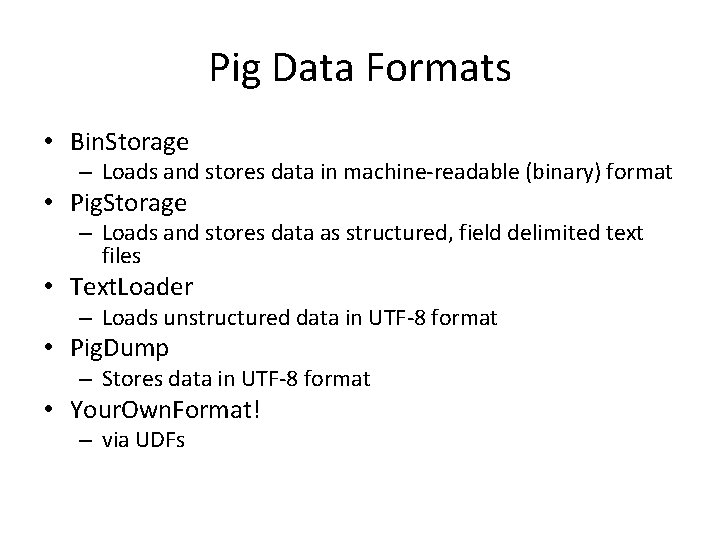
Pig Data Formats • Bin. Storage – Loads and stores data in machine-readable (binary) format • Pig. Storage – Loads and stores data as structured, field delimited text files • Text. Loader – Loads unstructured data in UTF-8 format • Pig. Dump – Stores data in UTF-8 format • Your. Own. Format! – via UDFs
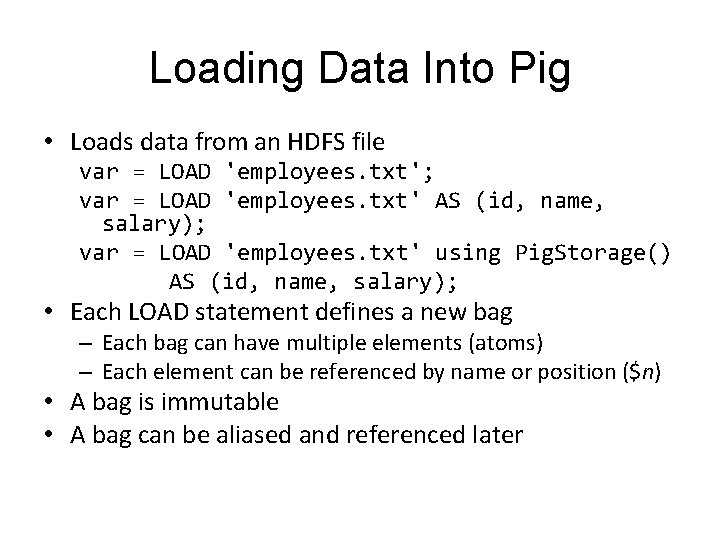
Loading Data Into Pig • Loads data from an HDFS file var = LOAD 'employees. txt'; var = LOAD 'employees. txt' AS (id, name, salary); var = LOAD 'employees. txt' using Pig. Storage() AS (id, name, salary); • Each LOAD statement defines a new bag – Each bag can have multiple elements (atoms) – Each element can be referenced by name or position ($n) • A bag is immutable • A bag can be aliased and referenced later
Input And Output • STORE – Writes output to an HDFS file in a specified directory grunt> STORE processed INTO 'processed_txt'; • Fails if directory exists • Writes output files, part-[m|r]-xxxxx, to the directory – Pig. Storage can be used to specify a field delimiter • DUMP – Write output to screen grunt> DUMP processed;
Relational Operators • FOREACH – Applies expressions to every record in a bag • FILTER – Filters by expression • GROUP – Collect records with the same key • ORDER BY – Sorting • DISTINCT – Removes duplicates
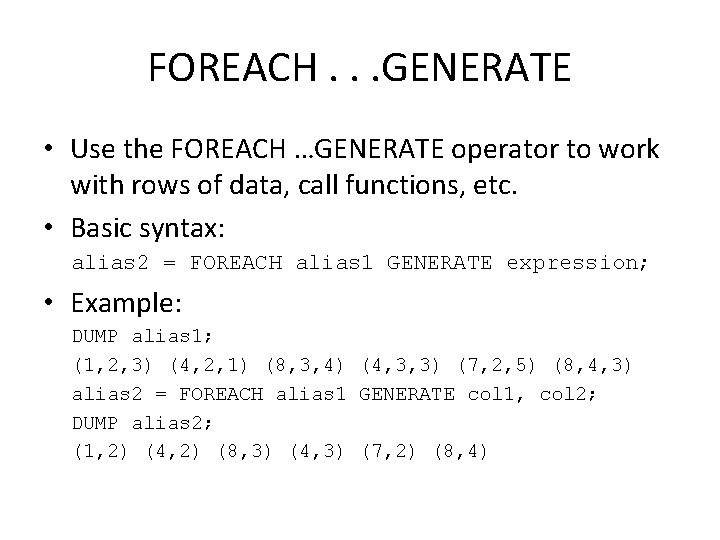
FOREACH. . . GENERATE • Use the FOREACH …GENERATE operator to work with rows of data, call functions, etc. • Basic syntax: alias 2 = FOREACH alias 1 GENERATE expression; • Example: DUMP alias 1; (1, 2, 3) (4, 2, 1) (8, 3, 4) (4, 3, 3) (7, 2, 5) (8, 4, 3) alias 2 = FOREACH alias 1 GENERATE col 1, col 2; DUMP alias 2; (1, 2) (4, 2) (8, 3) (4, 3) (7, 2) (8, 4)
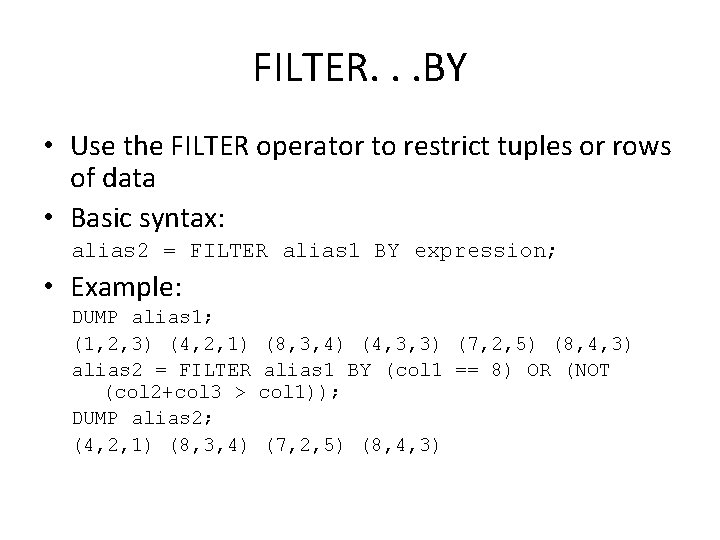
FILTER. . . BY • Use the FILTER operator to restrict tuples or rows of data • Basic syntax: alias 2 = FILTER alias 1 BY expression; • Example: DUMP alias 1; (1, 2, 3) (4, 2, 1) (8, 3, 4) (4, 3, 3) (7, 2, 5) (8, 4, 3) alias 2 = FILTER alias 1 BY (col 1 == 8) OR (NOT (col 2+col 3 > col 1)); DUMP alias 2; (4, 2, 1) (8, 3, 4) (7, 2, 5) (8, 4, 3)
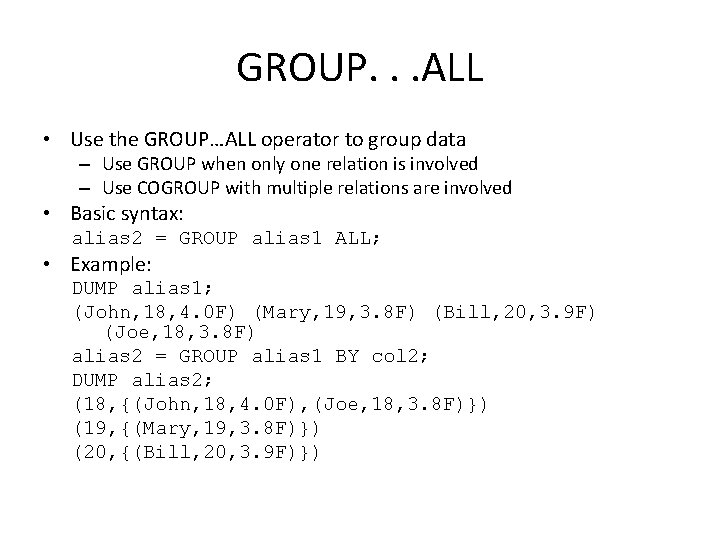
GROUP. . . ALL • Use the GROUP…ALL operator to group data – Use GROUP when only one relation is involved – Use COGROUP with multiple relations are involved • Basic syntax: alias 2 = GROUP alias 1 ALL; • Example: DUMP alias 1; (John, 18, 4. 0 F) (Mary, 19, 3. 8 F) (Bill, 20, 3. 9 F) (Joe, 18, 3. 8 F) alias 2 = GROUP alias 1 BY col 2; DUMP alias 2; (18, {(John, 18, 4. 0 F), (Joe, 18, 3. 8 F)}) (19, {(Mary, 19, 3. 8 F)}) (20, {(Bill, 20, 3. 9 F)})
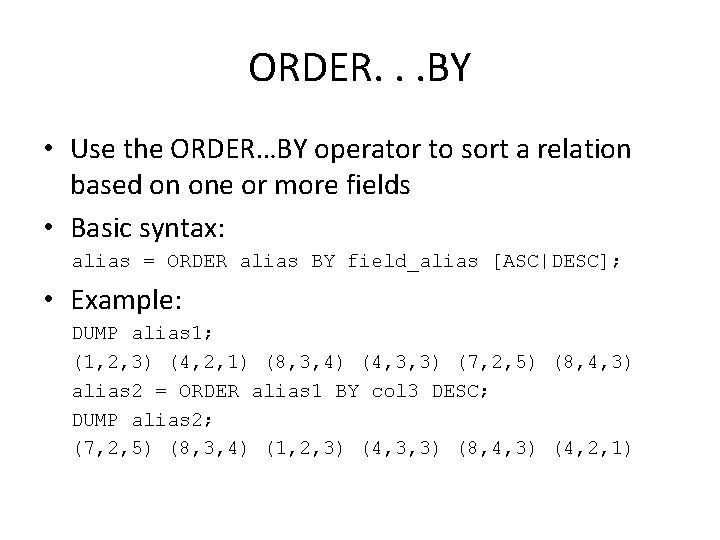
ORDER. . . BY • Use the ORDER…BY operator to sort a relation based on one or more fields • Basic syntax: alias = ORDER alias BY field_alias [ASC|DESC]; • Example: DUMP alias 1; (1, 2, 3) (4, 2, 1) (8, 3, 4) (4, 3, 3) (7, 2, 5) (8, 4, 3) alias 2 = ORDER alias 1 BY col 3 DESC; DUMP alias 2; (7, 2, 5) (8, 3, 4) (1, 2, 3) (4, 3, 3) (8, 4, 3) (4, 2, 1)
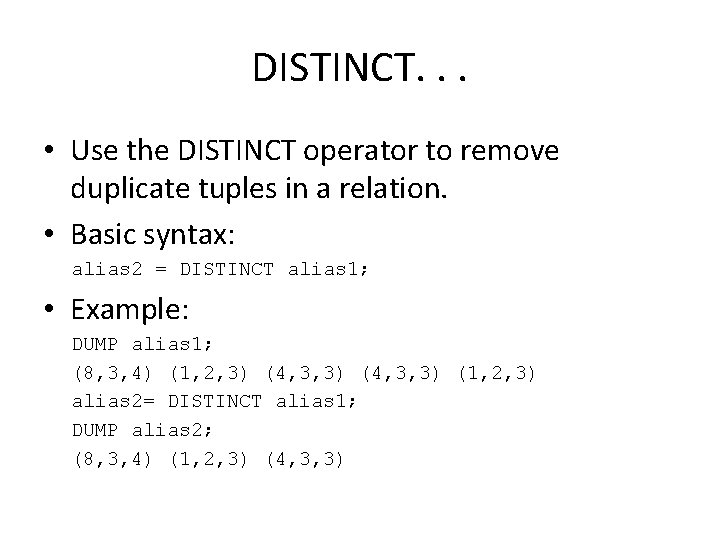
DISTINCT. . . • Use the DISTINCT operator to remove duplicate tuples in a relation. • Basic syntax: alias 2 = DISTINCT alias 1; • Example: DUMP alias 1; (8, 3, 4) (1, 2, 3) (4, 3, 3) (1, 2, 3) alias 2= DISTINCT alias 1; DUMP alias 2; (8, 3, 4) (1, 2, 3) (4, 3, 3)
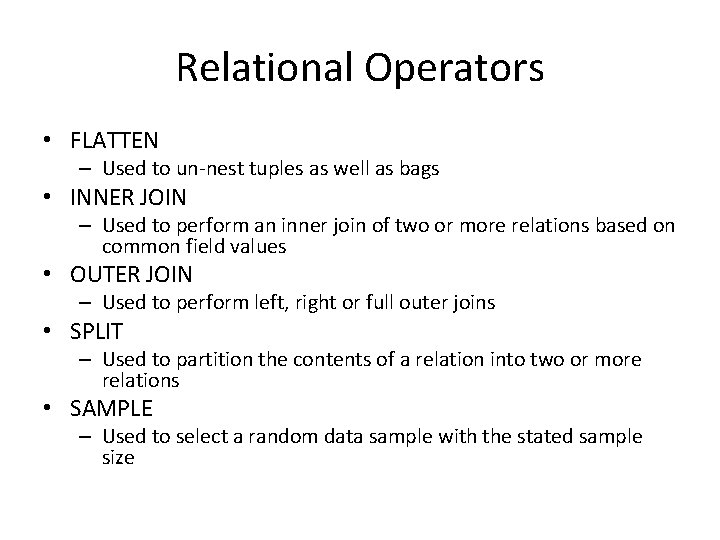
Relational Operators • FLATTEN – Used to un-nest tuples as well as bags • INNER JOIN – Used to perform an inner join of two or more relations based on common field values • OUTER JOIN – Used to perform left, right or full outer joins • SPLIT – Used to partition the contents of a relation into two or more relations • SAMPLE – Used to select a random data sample with the stated sample size
INNER JOIN. . . • Use the JOIN operator to perform an inner, equijoin of two or more relations based on common field values • The JOIN operator always performs an inner join • Inner joins ignore null keys – Filter null keys before the join • JOIN and COGROUP operators perform similar functions – JOIN creates a flat set of output records – COGROUP creates a nested set of output records
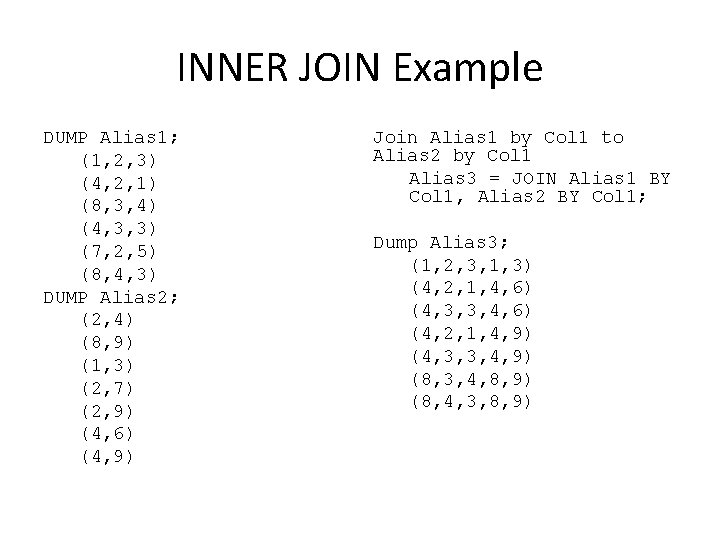
INNER JOIN Example DUMP Alias 1; (1, 2, 3) (4, 2, 1) (8, 3, 4) (4, 3, 3) (7, 2, 5) (8, 4, 3) DUMP Alias 2; (2, 4) (8, 9) (1, 3) (2, 7) (2, 9) (4, 6) (4, 9) Join Alias 1 by Col 1 to Alias 2 by Col 1 Alias 3 = JOIN Alias 1 BY Col 1, Alias 2 BY Col 1; Dump Alias 3; (1, 2, 3, 1, 3) (4, 2, 1, 4, 6) (4, 3, 3, 4, 6) (4, 2, 1, 4, 9) (4, 3, 3, 4, 9) (8, 3, 4, 8, 9) (8, 4, 3, 8, 9)
OUTER JOIN. . . • Use the OUTER JOIN operator to perform left, right, or full outer joins – Pig Latin syntax closely adheres to the SQL standard • The keyword OUTER is optional – keywords LEFT, RIGHT and FULL will imply left outer, right outer and full outer joins respectively • Outer joins will only work provided the relations which need to produce nulls (in the case of non-matching keys) have schemas • Outer joins will only work for two-way joins – To perform a multi-way outer join perform multiple twoway outer join statements
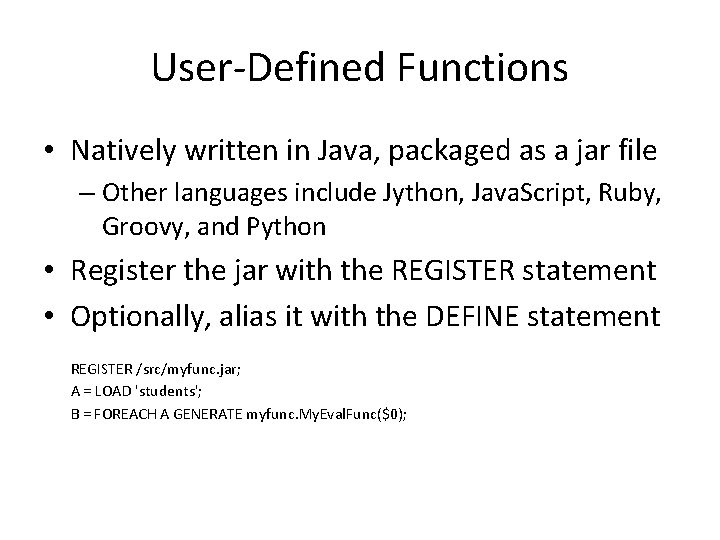
User-Defined Functions • Natively written in Java, packaged as a jar file – Other languages include Jython, Java. Script, Ruby, Groovy, and Python • Register the jar with the REGISTER statement • Optionally, alias it with the DEFINE statement REGISTER /src/myfunc. jar; A = LOAD 'students'; B = FOREACH A GENERATE myfunc. My. Eval. Func($0);
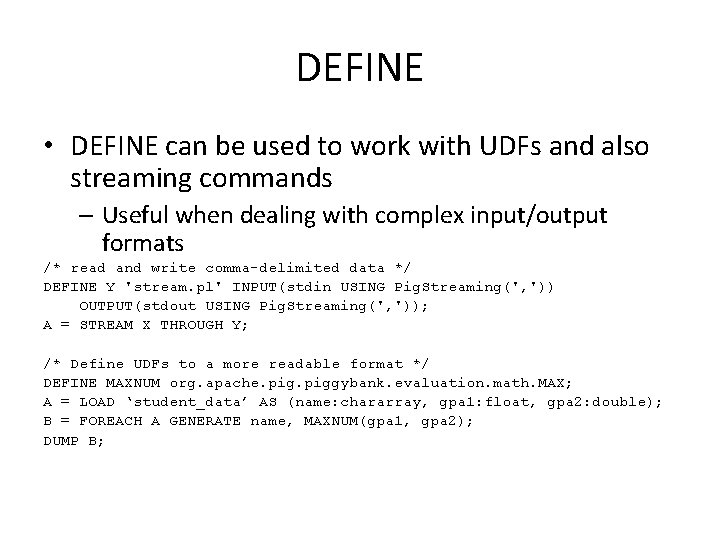
DEFINE • DEFINE can be used to work with UDFs and also streaming commands – Useful when dealing with complex input/output formats /* read and write comma-delimited data */ DEFINE Y 'stream. pl' INPUT(stdin USING Pig. Streaming(', ')) OUTPUT(stdout USING Pig. Streaming(', ')); A = STREAM X THROUGH Y; /* Define UDFs to a more readable format */ DEFINE MAXNUM org. apache. piggybank. evaluation. math. MAX; A = LOAD ‘student_data’ AS (name: chararray, gpa 1: float, gpa 2: double); B = FOREACH A GENERATE name, MAXNUM(gpa 1, gpa 2); DUMP B;
References • http: //pig. apache. org
Apache Hive Based on Slides by Adam Shook
What Is Hive? • Developed by Facebook and a top-level Apache project • A data warehousing infrastructure based on Hadoop • Immediately makes data on a cluster available to non. Java programmers via SQL like queries • Built on Hive. QL (HQL), a SQL-like query language • Interprets Hive. QL and generates Map. Reduce jobs that run on the cluster • Enables easy data summarization, ad-hoc reporting and querying, and analysis of large volumes of data
What Hive Is Not • Hive, like Hadoop, is designed for batch processing of large datasets • Not an OLTP or real-time system • Latency and throughput are both high compared to a traditional RDBMS – Even when dealing with relatively small data ( <100 MB )
Data Hierarchy • Hive is organised hierarchically into: – Databases: namespaces that separate tables and other objects – Tables: homogeneous units of data with the same schema • Analogous to tables in an RDBMS – Partitions: determine how the data is stored • Allow efficient access to subsets of the data – Buckets/clusters • For sub-sampling within a partition • Join optimization
Hive. QL • Hive. QL / HQL provides the basic SQL-like operations: – Select columns using SELECT – Filter rows using WHERE – JOIN between tables – Evaluate aggregates using GROUP BY – Store query results into another table – Download results to a local directory (i. e. , export from HDFS) – Manage tables and queries with CREATE, DROP, and ALTER
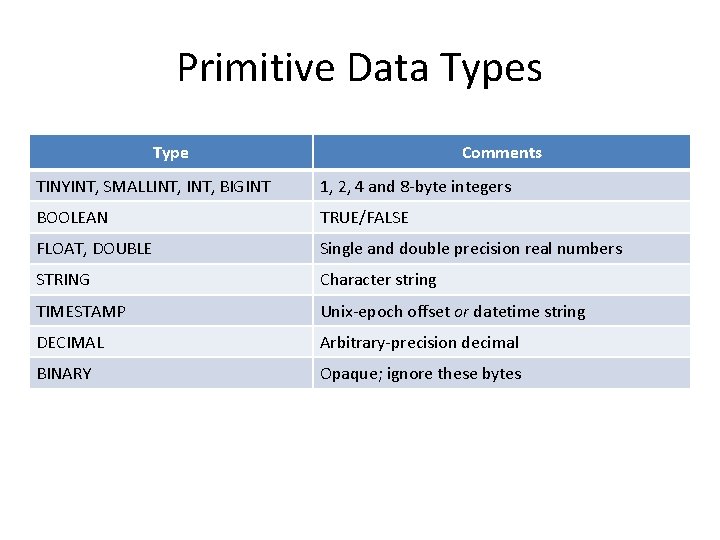
Primitive Data Types Type Comments TINYINT, SMALLINT, BIGINT 1, 2, 4 and 8 -byte integers BOOLEAN TRUE/FALSE FLOAT, DOUBLE Single and double precision real numbers STRING Character string TIMESTAMP Unix-epoch offset or datetime string DECIMAL Arbitrary-precision decimal BINARY Opaque; ignore these bytes
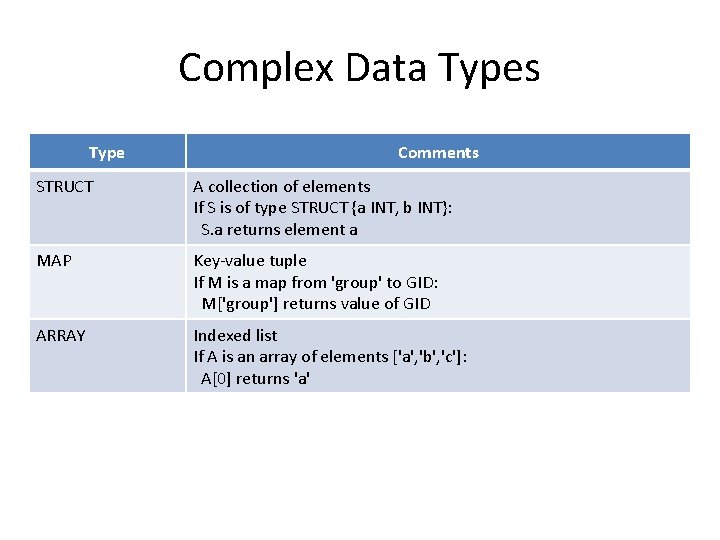
Complex Data Types Type Comments STRUCT A collection of elements If S is of type STRUCT {a INT, b INT}: S. a returns element a MAP Key-value tuple If M is a map from 'group' to GID: M['group'] returns value of GID ARRAY Indexed list If A is an array of elements ['a', 'b', 'c']: A[0] returns 'a'
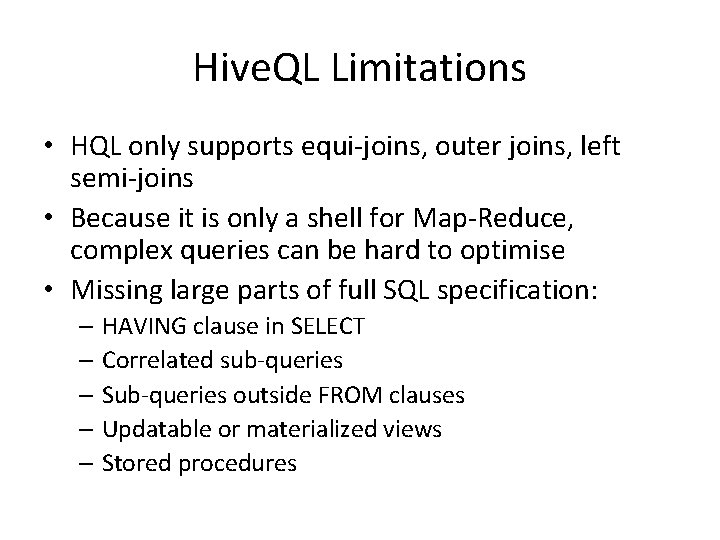
Hive. QL Limitations • HQL only supports equi-joins, outer joins, left semi-joins • Because it is only a shell for Map-Reduce, complex queries can be hard to optimise • Missing large parts of full SQL specification: – HAVING clause in SELECT – Correlated sub-queries – Sub-queries outside FROM clauses – Updatable or materialized views – Stored procedures
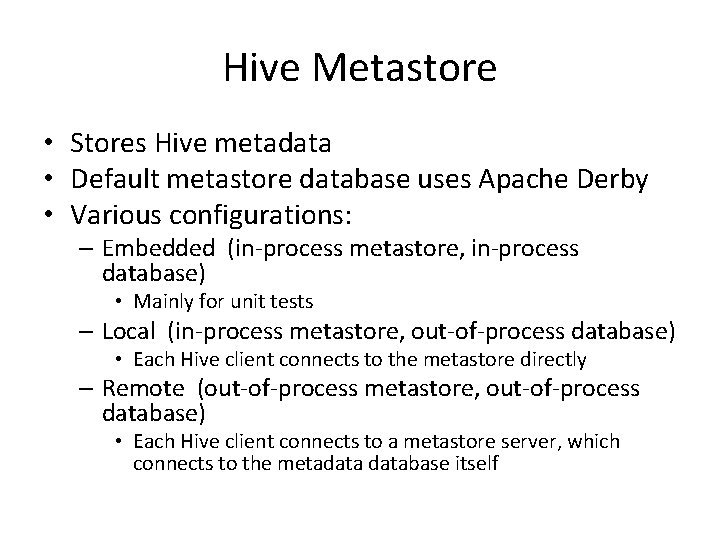
Hive Metastore • Stores Hive metadata • Default metastore database uses Apache Derby • Various configurations: – Embedded (in-process metastore, in-process database) • Mainly for unit tests – Local (in-process metastore, out-of-process database) • Each Hive client connects to the metastore directly – Remote (out-of-process metastore, out-of-process database) • Each Hive client connects to a metastore server, which connects to the metadatabase itself
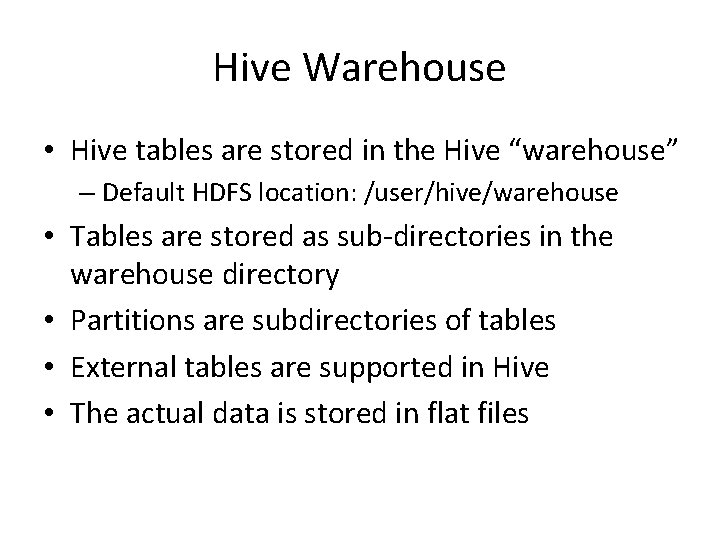
Hive Warehouse • Hive tables are stored in the Hive “warehouse” – Default HDFS location: /user/hive/warehouse • Tables are stored as sub-directories in the warehouse directory • Partitions are subdirectories of tables • External tables are supported in Hive • The actual data is stored in flat files
Hive Schemas • Hive is schema-on-read – Schema is only enforced when the data is read (at query time) – Allows greater flexibility: same data can be read using multiple schemas • Contrast with an RDBMS, which is schema-onwrite – Schema is enforced when the data is loaded – Speeds up queries at the expense of load times
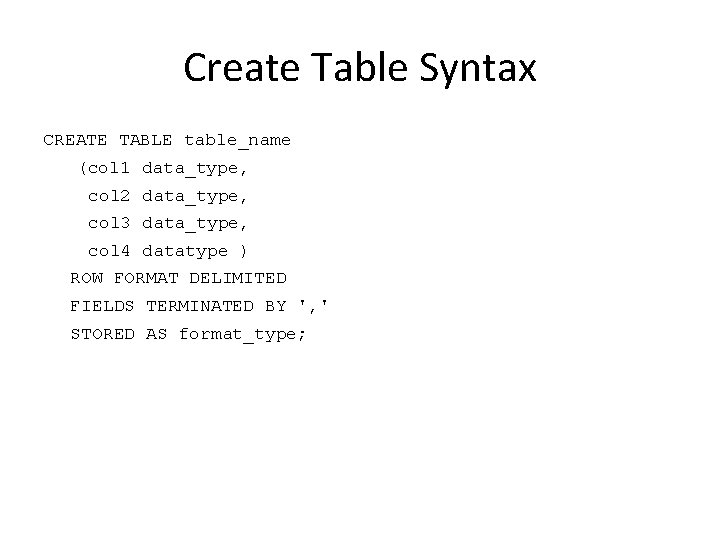
Create Table Syntax CREATE TABLE table_name (col 1 data_type, col 2 data_type, col 3 data_type, col 4 datatype ) ROW FORMAT DELIMITED FIELDS TERMINATED BY ', ' STORED AS format_type;
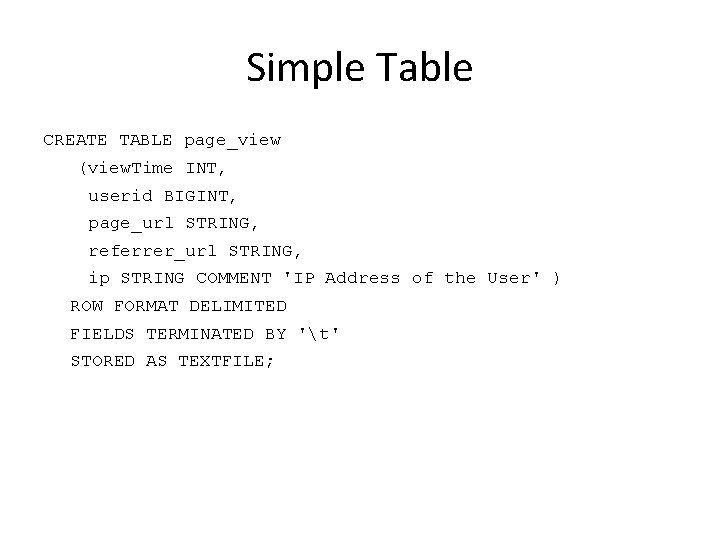
Simple Table CREATE TABLE page_view (view. Time INT, userid BIGINT, page_url STRING, referrer_url STRING, ip STRING COMMENT 'IP Address of the User' ) ROW FORMAT DELIMITED FIELDS TERMINATED BY 't' STORED AS TEXTFILE;
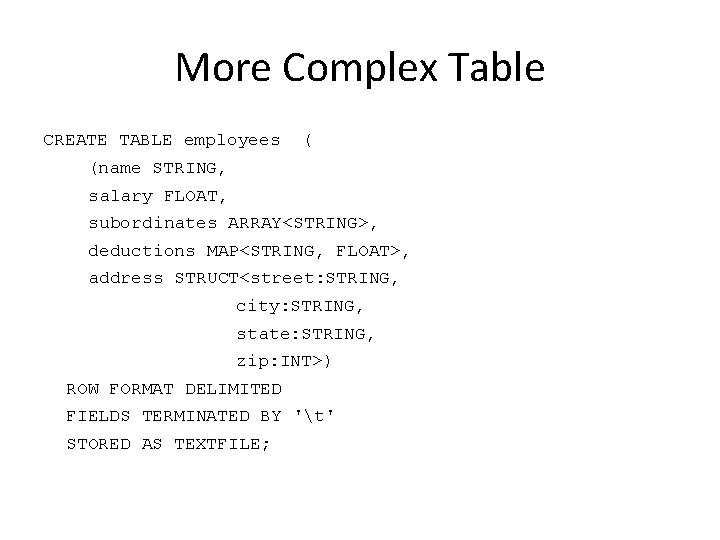
More Complex Table CREATE TABLE employees ( (name STRING, salary FLOAT, subordinates ARRAY<STRING>, deductions MAP<STRING, FLOAT>, address STRUCT<street: STRING, city: STRING, state: STRING, zip: INT>) ROW FORMAT DELIMITED FIELDS TERMINATED BY 't' STORED AS TEXTFILE;
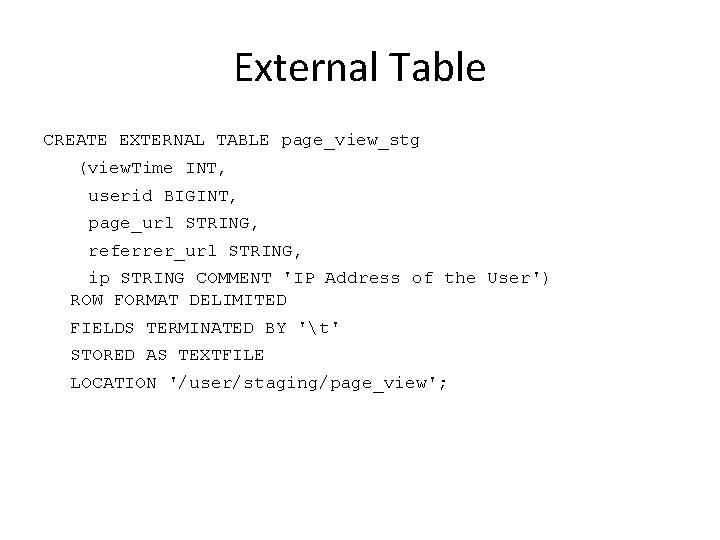
External Table CREATE EXTERNAL TABLE page_view_stg (view. Time INT, userid BIGINT, page_url STRING, referrer_url STRING, ip STRING COMMENT 'IP Address of the User') ROW FORMAT DELIMITED FIELDS TERMINATED BY 't' STORED AS TEXTFILE LOCATION '/user/staging/page_view';
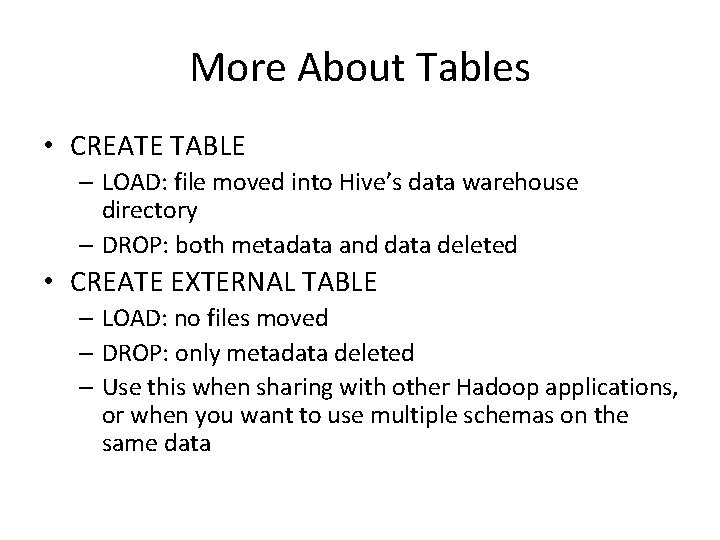
More About Tables • CREATE TABLE – LOAD: file moved into Hive’s data warehouse directory – DROP: both metadata and data deleted • CREATE EXTERNAL TABLE – LOAD: no files moved – DROP: only metadata deleted – Use this when sharing with other Hadoop applications, or when you want to use multiple schemas on the same data
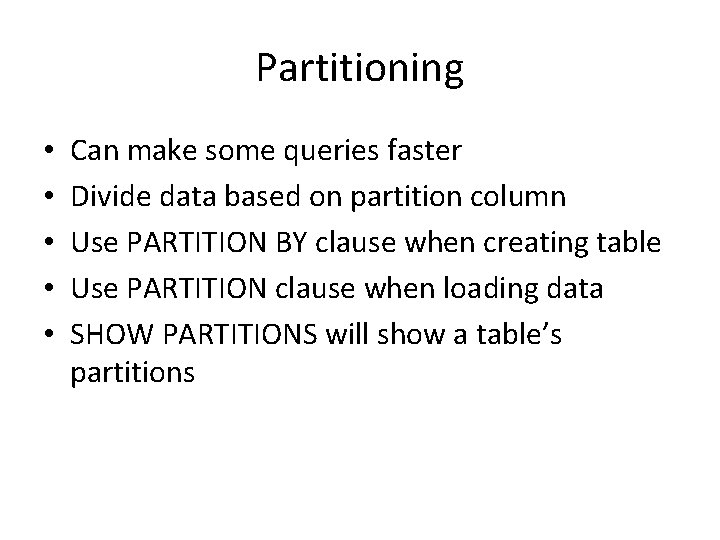
Partitioning • • • Can make some queries faster Divide data based on partition column Use PARTITION BY clause when creating table Use PARTITION clause when loading data SHOW PARTITIONS will show a table’s partitions
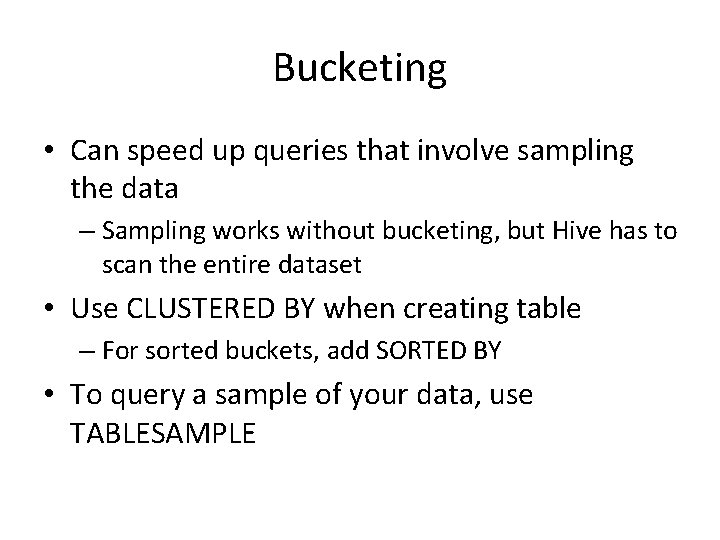
Bucketing • Can speed up queries that involve sampling the data – Sampling works without bucketing, but Hive has to scan the entire dataset • Use CLUSTERED BY when creating table – For sorted buckets, add SORTED BY • To query a sample of your data, use TABLESAMPLE
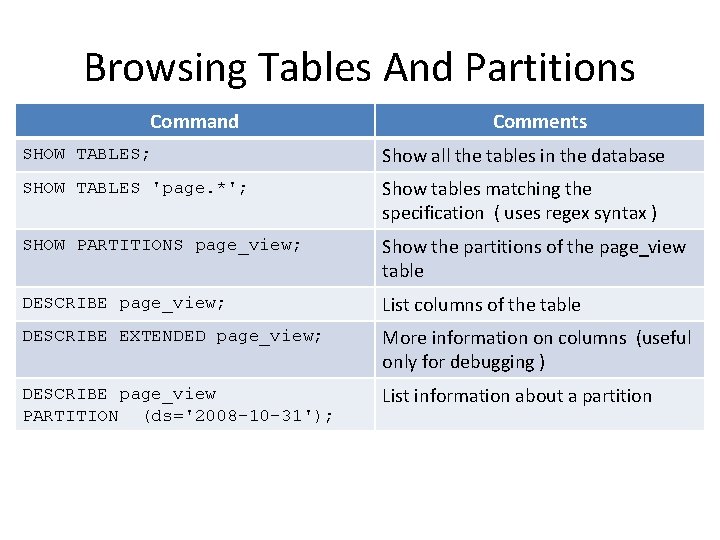
Browsing Tables And Partitions Command Comments SHOW TABLES; Show all the tables in the database SHOW TABLES 'page. *'; Show tables matching the specification ( uses regex syntax ) SHOW PARTITIONS page_view; Show the partitions of the page_view table DESCRIBE page_view; List columns of the table DESCRIBE EXTENDED page_view; More information on columns (useful only for debugging ) DESCRIBE page_view PARTITION (ds='2008 -10 -31'); List information about a partition
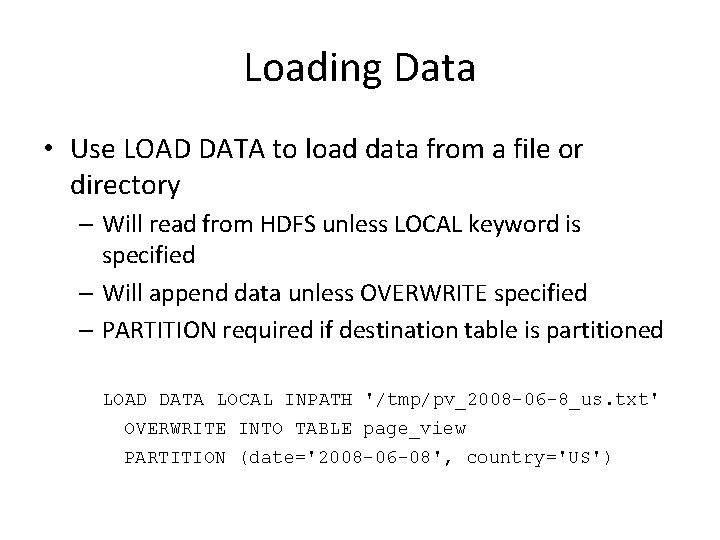
Loading Data • Use LOAD DATA to load data from a file or directory – Will read from HDFS unless LOCAL keyword is specified – Will append data unless OVERWRITE specified – PARTITION required if destination table is partitioned LOAD DATA LOCAL INPATH '/tmp/pv_2008 -06 -8_us. txt' OVERWRITE INTO TABLE page_view PARTITION (date='2008 -06 -08', country='US')
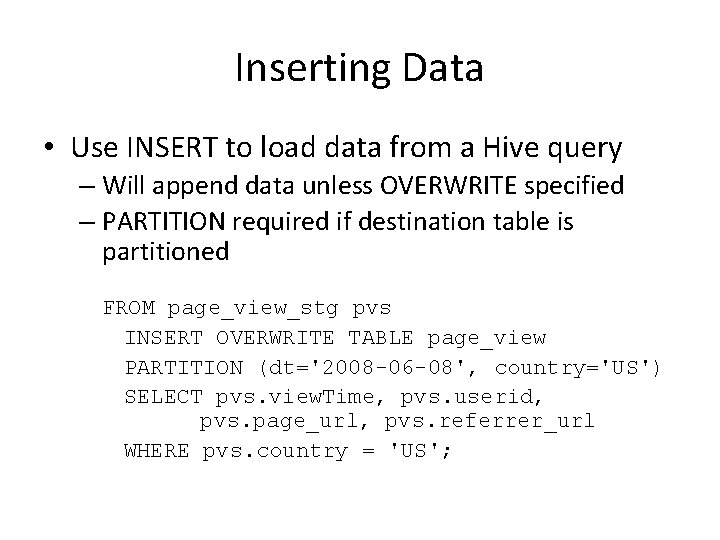
Inserting Data • Use INSERT to load data from a Hive query – Will append data unless OVERWRITE specified – PARTITION required if destination table is partitioned FROM page_view_stg pvs INSERT OVERWRITE TABLE page_view PARTITION (dt='2008 -06 -08', country='US') SELECT pvs. view. Time, pvs. userid, pvs. page_url, pvs. referrer_url WHERE pvs. country = 'US';
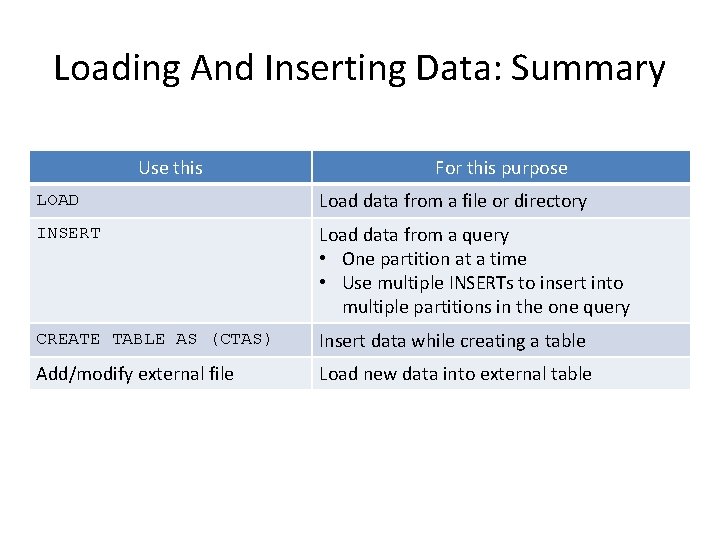
Loading And Inserting Data: Summary Use this For this purpose LOAD Load data from a file or directory INSERT Load data from a query • One partition at a time • Use multiple INSERTs to insert into multiple partitions in the one query CREATE TABLE AS (CTAS) Insert data while creating a table Add/modify external file Load new data into external table
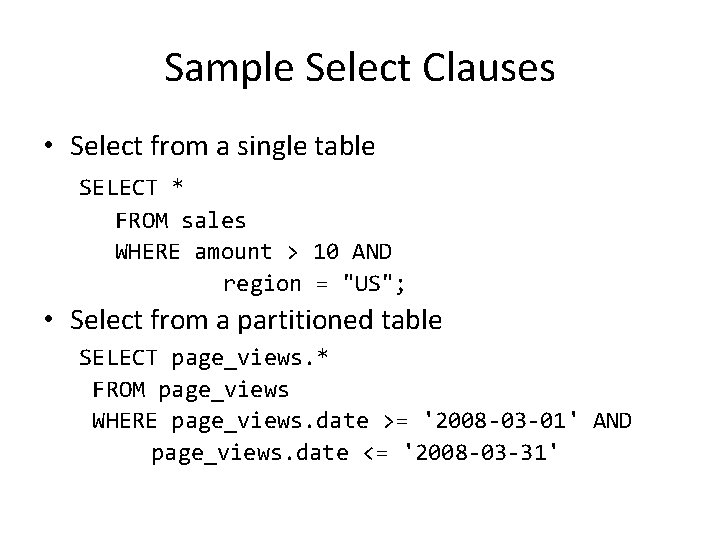
Sample Select Clauses • Select from a single table SELECT * FROM sales WHERE amount > 10 AND region = "US"; • Select from a partitioned table SELECT page_views. * FROM page_views WHERE page_views. date >= '2008 -03 -01' AND page_views. date <= '2008 -03 -31'
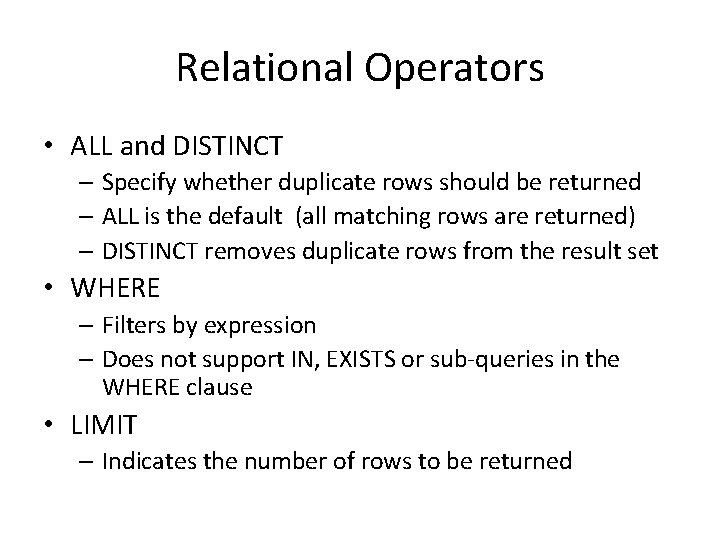
Relational Operators • ALL and DISTINCT – Specify whether duplicate rows should be returned – ALL is the default (all matching rows are returned) – DISTINCT removes duplicate rows from the result set • WHERE – Filters by expression – Does not support IN, EXISTS or sub-queries in the WHERE clause • LIMIT – Indicates the number of rows to be returned
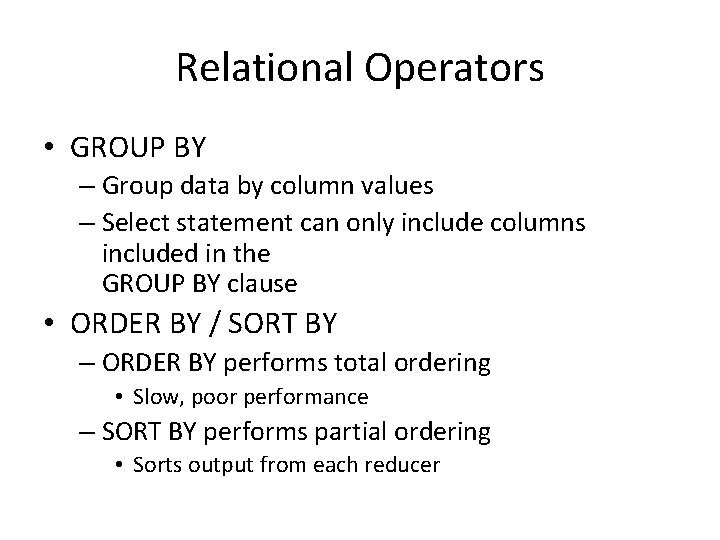
Relational Operators • GROUP BY – Group data by column values – Select statement can only include columns included in the GROUP BY clause • ORDER BY / SORT BY – ORDER BY performs total ordering • Slow, poor performance – SORT BY performs partial ordering • Sorts output from each reducer
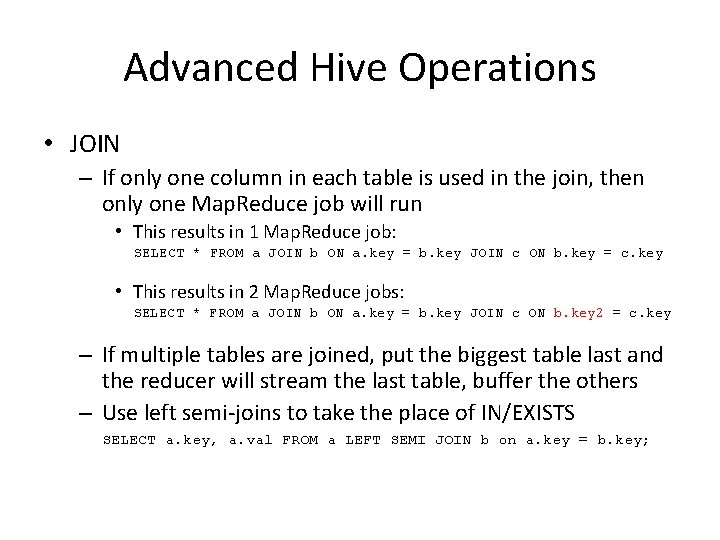
Advanced Hive Operations • JOIN – If only one column in each table is used in the join, then only one Map. Reduce job will run • This results in 1 Map. Reduce job: SELECT * FROM a JOIN b ON a. key = b. key JOIN c ON b. key = c. key • This results in 2 Map. Reduce jobs: SELECT * FROM a JOIN b ON a. key = b. key JOIN c ON b. key 2 = c. key – If multiple tables are joined, put the biggest table last and the reducer will stream the last table, buffer the others – Use left semi-joins to take the place of IN/EXISTS SELECT a. key, a. val FROM a LEFT SEMI JOIN b on a. key = b. key;
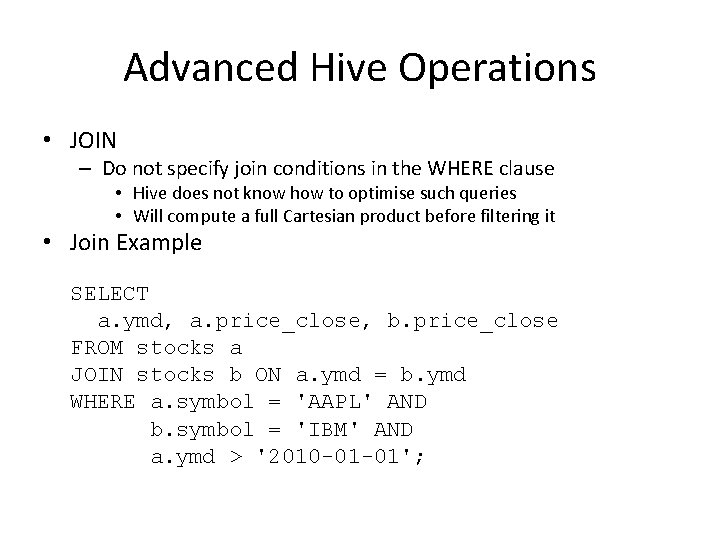
Advanced Hive Operations • JOIN – Do not specify join conditions in the WHERE clause • Hive does not know how to optimise such queries • Will compute a full Cartesian product before filtering it • Join Example SELECT a. ymd, a. price_close, b. price_close FROM stocks a JOIN stocks b ON a. ymd = b. ymd WHERE a. symbol = 'AAPL' AND b. symbol = 'IBM' AND a. ymd > '2010 -01 -01';
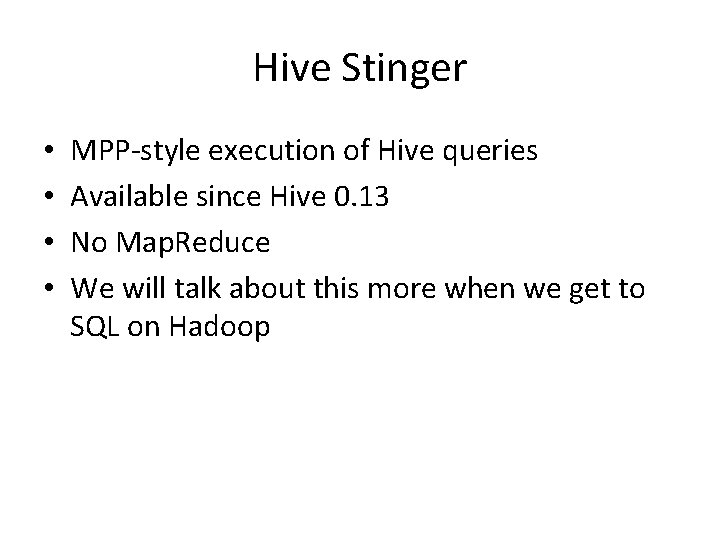
Hive Stinger • • MPP-style execution of Hive queries Available since Hive 0. 13 No Map. Reduce We will talk about this more when we get to SQL on Hadoop
References • http: //hive. apache. org
- Slides: 57