
AntiMalware Protection A Technical Dive into Forefront Client
- Slides: 20
Anti-Malware Protection: A Technical Dive into Forefront Client Security Ketil Pedersen Technology Specialist Manager Microsoft
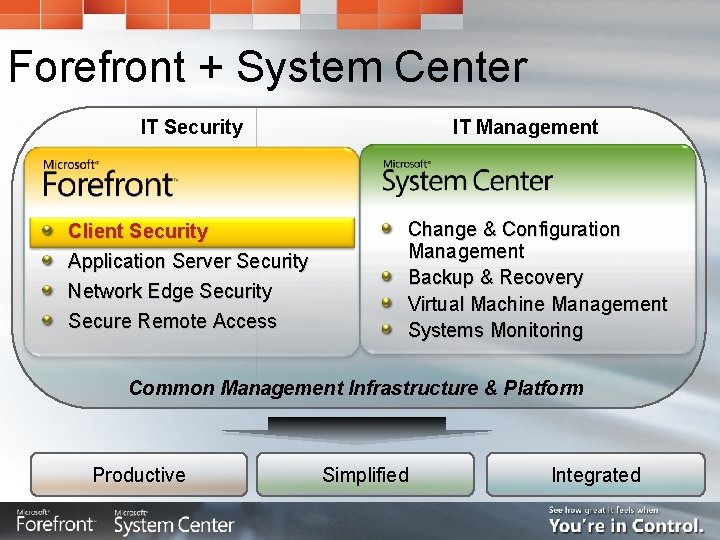
Forefront + System Center IT Security Client Security Application Server Security Network Edge Security Secure Remote Access IT Management Change & Configuration Management Backup & Recovery Virtual Machine Management Systems Monitoring Common Management Infrastructure & Platform Productive Simplified Integrated
Agenda The Current Security Environment What Is Forefront Client Security? Demo Technical Review of: Unified Protection Simplified Administration Critical Visibility & Control Availability Closing remarks
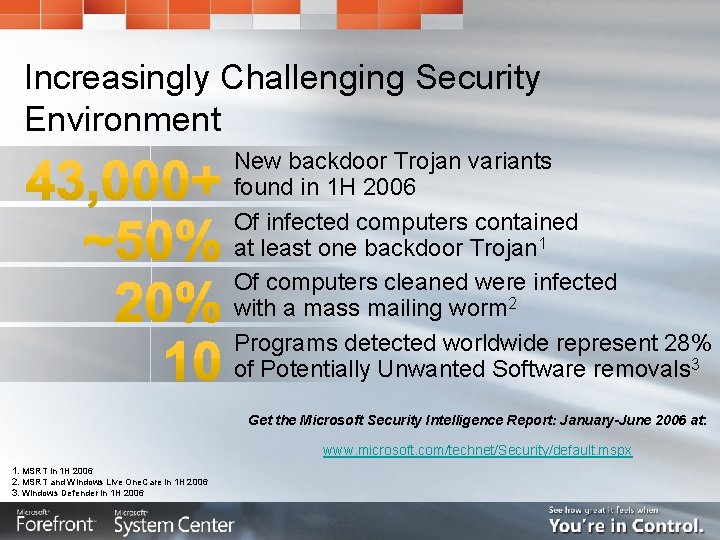
Increasingly Challenging Security Environment New backdoor Trojan variants found in 1 H 2006 Of infected computers contained at least one backdoor Trojan 1 Of computers cleaned were infected with a mass mailing worm 2 Programs detected worldwide represent 28% of Potentially Unwanted Software removals 3 Get the Microsoft Security Intelligence Report: January-June 2006 at: www. microsoft. com/technet/Security/default. mspx 1. MSRT in 1 H 2006 2. MSRT and Windows Live One. Care in 1 H 2006 3. Windows Defender in 1 H 2006
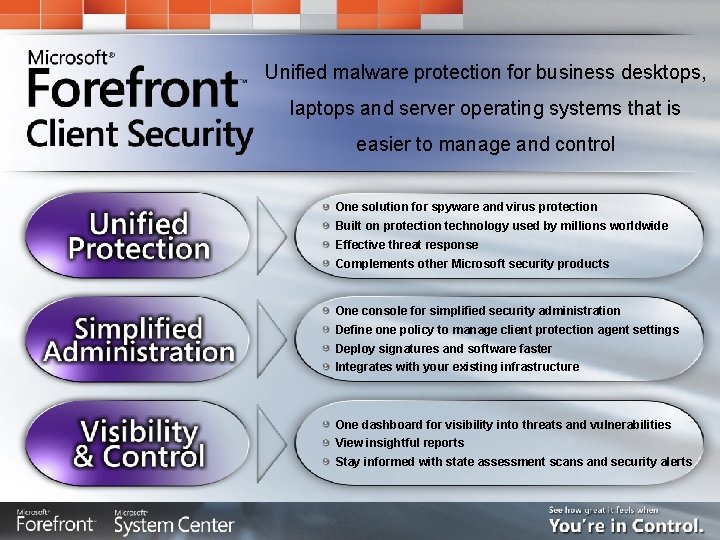
Unified malware protection for business desktops, laptops and server operating systems that is easier to manage and control One solution for spyware and virus protection Built on protection technology used by millions worldwide Effective threat response Complements other Microsoft security products One console for simplified security administration Define one policy to manage client protection agent settings Deploy signatures and software faster Integrates with your existing infrastructure One dashboard for visibility into threats and vulnerabilities View insightful reports Stay informed with state assessment scans and security alerts
Demo: Forefront Client Security in Action
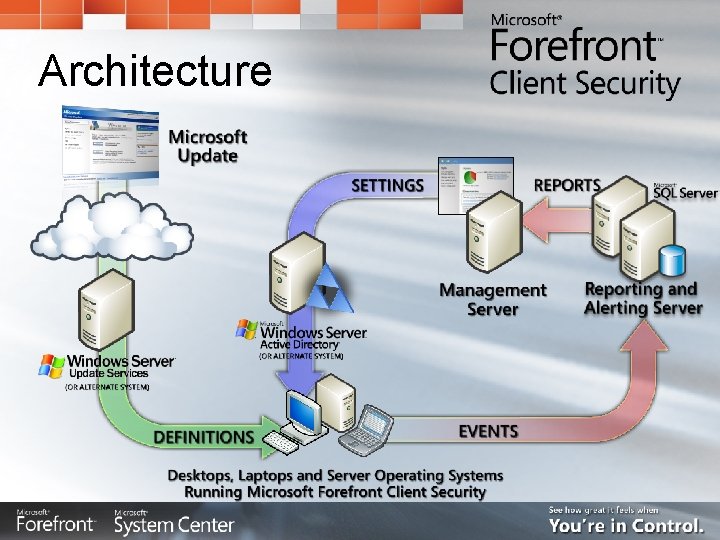
Architecture
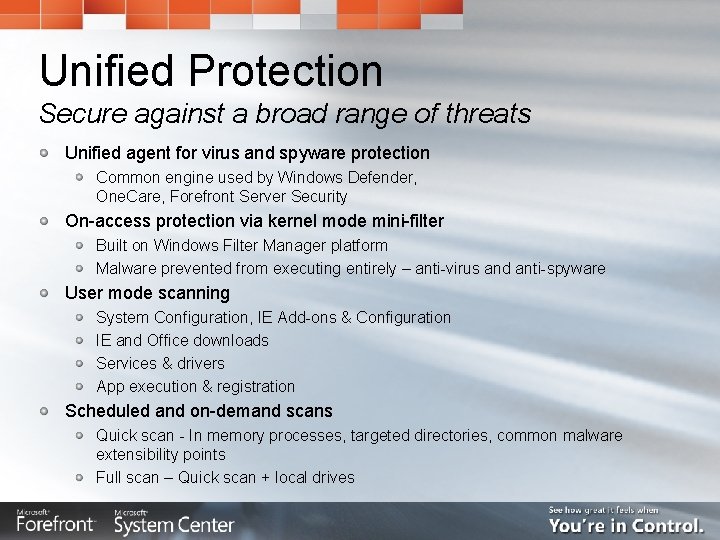
Unified Protection Secure against a broad range of threats Unified agent for virus and spyware protection Common engine used by Windows Defender, One. Care, Forefront Server Security On-access protection via kernel mode mini-filter Built on Windows Filter Manager platform Malware prevented from executing entirely – anti-virus and anti-spyware User mode scanning System Configuration, IE Add-ons & Configuration IE and Office downloads Services & drivers App execution & registration Scheduled and on-demand scans Quick scan - In memory processes, targeted directories, common malware extensibility points Full scan – Quick scan + local drives
Unified Protection Secure against a broad range of threats Agent behavior manageable by IT administrator Flexible scan scheduling (time & interval based) Signature update frequency, roaming user fail-over Exclusions – file extensions, directories Signature overrides By specific malware By malware category Local end-user interface Policy aware – i. e. locked-down settings will be grayed out Lockdown user interface completely Spy. Net reporting Compatible with Windows Security Center and Vista NAP Anti-virus and anti-spyware status – on/off and signatures up-to-date
Unified Protection Secure against a broad range of threats Research & response organization delivers malware signatures for: Forefront Client Security, Forefront Server Security, Windows Live One. Care, Windows Defender, Malicious Software Removal Tool (MSRT) Currently protecting millions of systems Research team uses multiple data sources to identify threats Released products: Windows Defender, One. Care, MSRT, etc. Other sources: PSS, Hotmail, web crawling, customer submissions Partnerships with industry Top priority is responding to active threats in the wild Automation in analysis: Automatic malware submission storage and retrieval, resolving of duplicate submissions, prioritization of sample analysis Building out global 24 x 7 organization (US, Europe, Asia Pacific) Industry certifications (One. Care currently, expect same for FCS) ICSA Labs, West Coast Labs
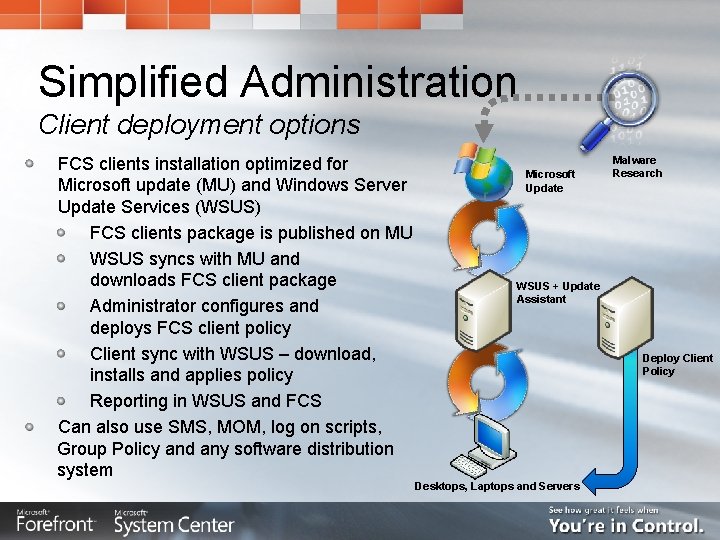
Simplified Administration Client deployment options FCS clients installation optimized for Microsoft update (MU) and Windows Server Update Services (WSUS) FCS clients package is published on MU WSUS syncs with MU and downloads FCS client package Administrator configures and deploys FCS client policy Client sync with WSUS – download, installs and applies policy Reporting in WSUS and FCS Can also use SMS, MOM, log on scripts, Group Policy and any software distribution system Microsoft Update Malware Research WSUS + Update Assistant Deploy Client Policy Desktops, Laptops and Servers
Simplified Administration Client deployment options One console for simplified security administration One policy to manage client protection agent settings, e. g. : Scan schedule Real time protection on/off Signature update frequency Anti-spyware signature overrides Security state assessment settings Anti-spyware unknown action Alert level Event and logging settings Spy. Net reporting on/off Level of end-user UI shown Choice of 3 integrated policy profile deployment methods: Microsoft Forefront Client Security Console (uses AD/GP) ADM file (uses AD/GP) Export to a file then use existing software distribution system
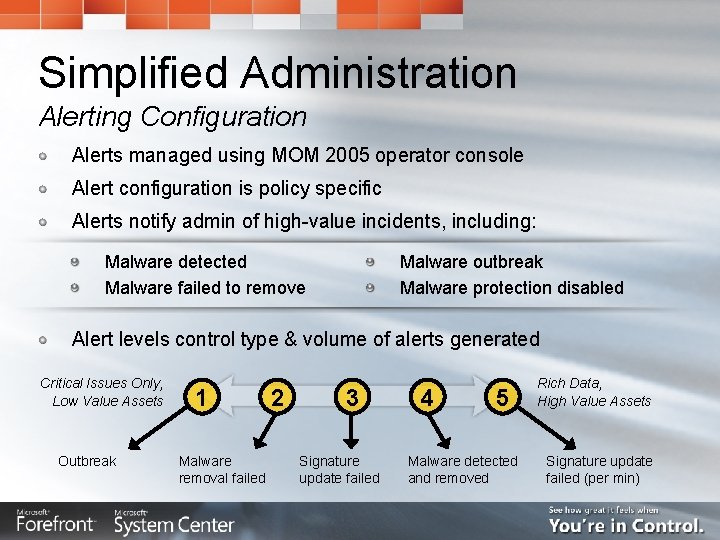
Simplified Administration Alerting Configuration Alerts managed using MOM 2005 operator console Alert configuration is policy specific Alerts notify admin of high-value incidents, including: Malware detected Malware failed to remove Malware outbreak Malware protection disabled Alert levels control type & volume of alerts generated Critical Issues Only, Low Value Assets Outbreak 1 Malware removal failed 2 3 Signature update failed 4 5 Malware detected and removed Rich Data, High Value Assets Signature update failed (per min)
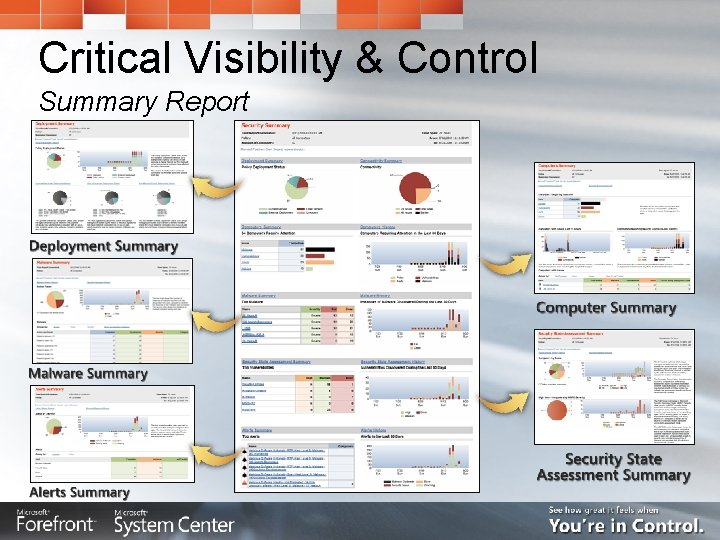
Critical Visibility & Control Summary Report
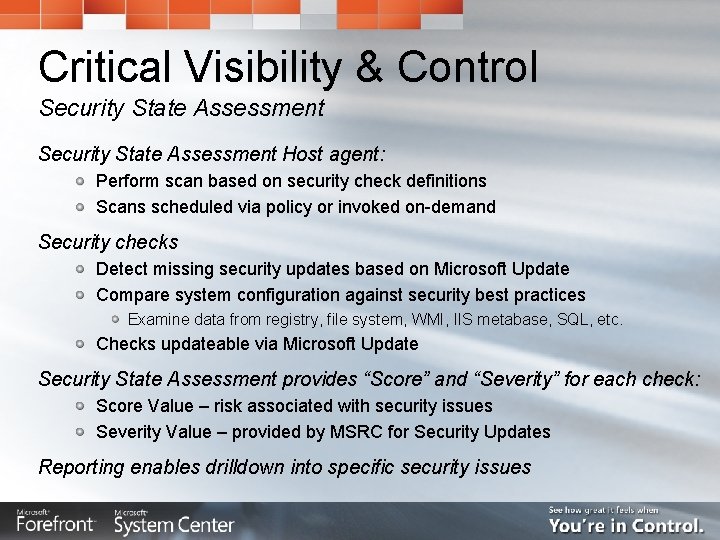
Critical Visibility & Control Security State Assessment Host agent: Perform scan based on security check definitions Scans scheduled via policy or invoked on-demand Security checks Detect missing security updates based on Microsoft Update Compare system configuration against security best practices Examine data from registry, file system, WMI, IIS metabase, SQL, etc. Checks updateable via Microsoft Update Security State Assessment provides “Score” and “Severity” for each check: Score Value – risk associated with security issues Severity Value – provided by MSRC for Security Updates Reporting enables drilldown into specific security issues
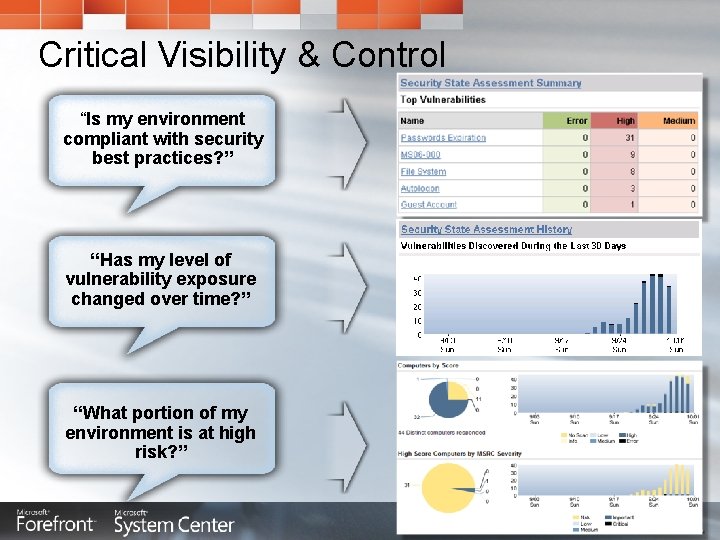
Critical Visibility & Control “Is my environment compliant with security best practices? ” “Has my level of vulnerability exposure changed over time? ” “What portion of my environment is at high risk? ”
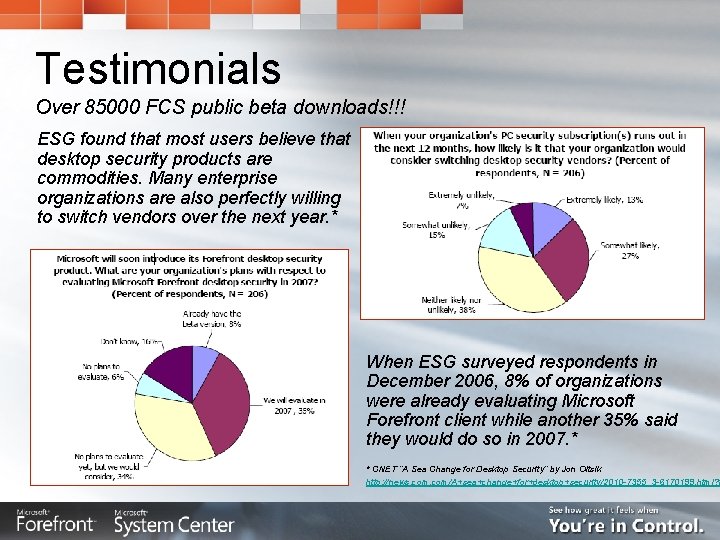
Testimonials Over 85000 FCS public beta downloads!!! ESG found that most users believe that desktop security products are commodities. Many enterprise organizations are also perfectly willing to switch vendors over the next year. * When ESG surveyed respondents in December 2006, 8% of organizations were already evaluating Microsoft Forefront client while another 35% said they would do so in 2007. * * CNET “A Sea Change for Desktop Security” by Jon Oltsik http: //news. com/A+sea+change+for+desktop+security/2010 -7355_3 -6170199. html? t
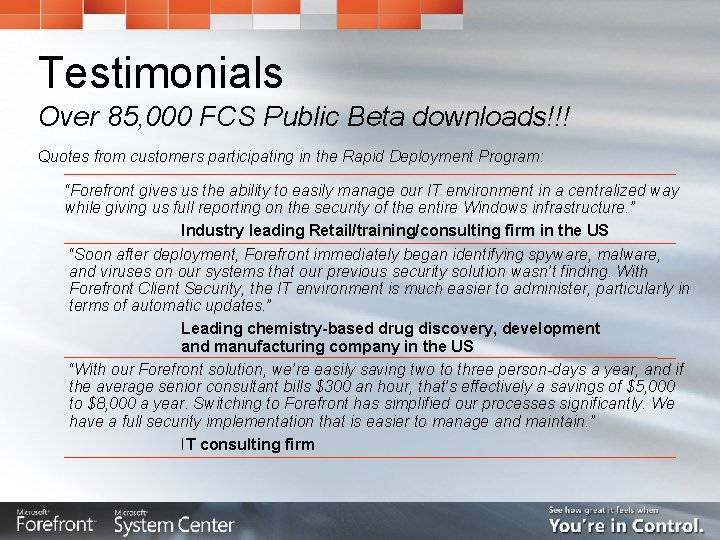
Testimonials Over 85, 000 FCS Public Beta downloads!!! Quotes from customers participating in the Rapid Deployment Program: “Forefront gives us the ability to easily manage our IT environment in a centralized way while giving us full reporting on the security of the entire Windows infrastructure. ” Industry leading Retail/training/consulting firm in the US “Soon after deployment, Forefront immediately began identifying spyware, malware, and viruses on our systems that our previous security solution wasn’t finding. With Forefront Client Security, the IT environment is much easier to administer, particularly in terms of automatic updates. ” Leading chemistry-based drug discovery, development and manufacturing company in the US “With our Forefront solution, we’re easily saving two to three person-days a year, and if the average senior consultant bills $300 an hour, that’s effectively a savings of $5, 000 to $8, 000 a year. Switching to Forefront has simplified our processes significantly. We have a full security implementation that is easier to manage and maintain. ” IT consulting firm
Availability Public beta available now! Download at: www. microsoft. com/clientsecurity Community-based support at: www. microsoft. com/technet/clientsecurity Release To Manufacture planned for Q 2 CY 2007 Will be available through Microsoft’s volume licensing programs
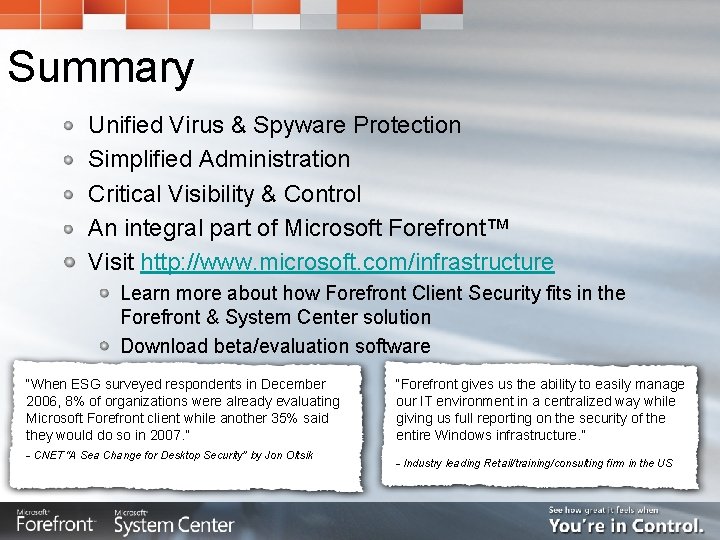
Summary Unified Virus & Spyware Protection Simplified Administration Critical Visibility & Control An integral part of Microsoft Forefront™ Visit http: //www. microsoft. com/infrastructure Learn more about how Forefront Client Security fits in the Forefront & System Center solution Download beta/evaluation software “When ESG surveyed respondents in December 2006, 8% of organizations were already evaluating Microsoft Forefront client while another 35% said they would do so in 2007. ” - CNET “A Sea Change for Desktop Security” by Jon Oltsik “Forefront gives us the ability to easily manage our IT environment in a centralized way while giving us full reporting on the security of the entire Windows infrastructure. ” - Industry leading Retail/training/consulting firm in the US